Attention Assist AUDI A6 2013 Owners Manual
[x] Cancel search | Manufacturer: AUDI, Model Year: 2013, Model line: A6, Model: AUDI A6 2013Pages: 306, PDF Size: 76.92 MB
Page 26 of 306
24 In str um ents a nd warning /indic ato r li ghts
®
Tab
3
4
5
6
®
Cont ent
Night vision assistant*¢ page 101
Telephone*
Navigation*
The second and thi rd tabs are only visib le if at
least one indicator light or message is shown
or if that system is switched on.
The status line © is located in the bottom
part of the display¢
fig. 4. It displays the ex
terior temper ature, time, selector leve r pos i
tion, trip odometer and odometer .
For some veh icle functions, you can access the
tr ip informat ion from the temporary memory
¢
page 25 in the line @ ¢ fig. 5 .
.&_ WARNING
-Never rely exclusively on the outside
temperature display to determine if a road surface is icy or not. Keep in mind
that road surfaces, especially bridges and overpasses, could be ice covered and
slippery even at an outside temperature
above 41
°F (+5 °().
- Always remember, even if the "snow
flake" symbol (ice warn ing) does not ap
pear in the display, black ice could be on
the road .
-Always reduce your speed and drive with special care in cold weather conditions
when the chance of encountering icy road su rfaces increases.
@ Tips
-At temperatures below 14 °F (+ S 0
() a
snowflake symbol appears ahead of the
temperature disp lay.
It is intended to re
mind the dr iver to pay spec ial attention
to
i ce on th e road ¢ ,&. . If the veh icle is
stationary, or if you are driving at a very
l ow speed, the temperature shown in the
display might be slight ly higher than the
actual outside temperature. This is caused by the heat being radiated from
the engine .
- You can select the units used for temper
ature, speed and other measurements in
the MMI.
- For information on the audio/video and
navigation* functions, refer to the sepa
rate MMI owner's manua l.
Operation
The driver information system is operated us
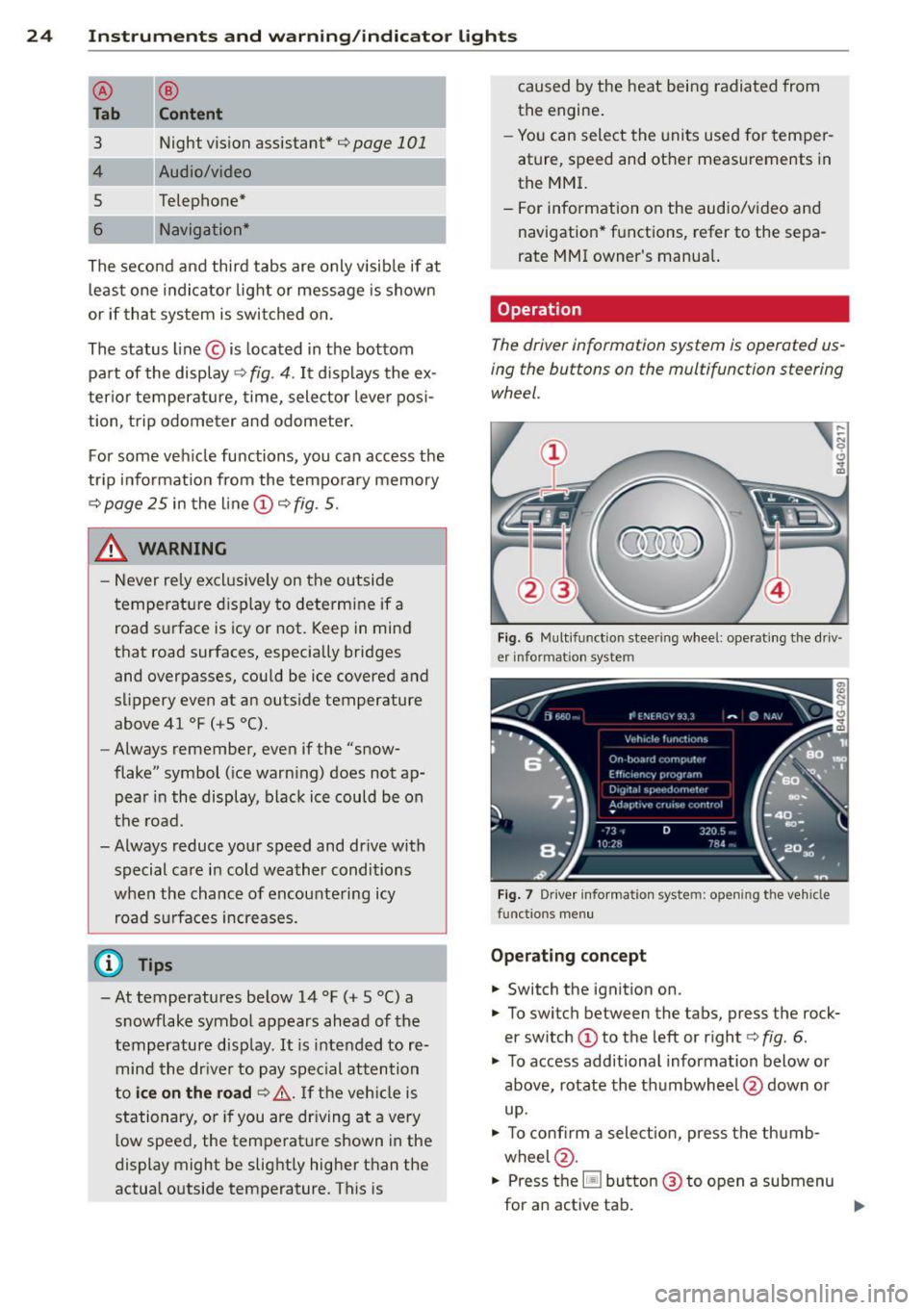
ing the buttons on the multifunction steering wheel.
F ig . 6 Multifunction steering wheel: operating the driv ·
er informat ion system
Fig. 7 Driver information system: opening the vehicle
functions menu
O pera tin g con cept
.,. Switch the ignition on.
.,. To switch between the tabs, press the rock
er switch @to the left or right¢
fig. 6.
.,. To access additional information below or
above, rotate the thumbwheel @down or
up .
.,. To confirm a select ion, press the thumb
wheel @.
.,. Press the~ button @ to open a submenu
for an active tab. ..,.
Page 84 of 306
82 Audi adaptive cruise control and braking guard
Audi adaptive cruise
control and braking
guard
Introduction
App lies to vehicles: with Audi adaptive cruise co ntrol
The adaptive cruise control system assists the
driver by regulating vehicle speed and helping
to maintain a set distance to the vehicle
ahead, within the limits of the system .
If the
system detects a moving vehicle up ahead,
adaptive cruise control can brake and then ac
celerate your vehicle. This helps to make driv
ing more comfortable both on long highway
stretches and in stop-and-go traffic.
The braking guard system can warn you about
an impending collision and initiate braking
maneuvers
c:::> page 88.
Adaptive cruise control and braking guard
have technical limitations that you must
know, so please read this section carefully, un
derstand how the system works and use them
properly at all times.
General information
General information
Applies to vehicles: with Audi adaptive cruise co ntrol
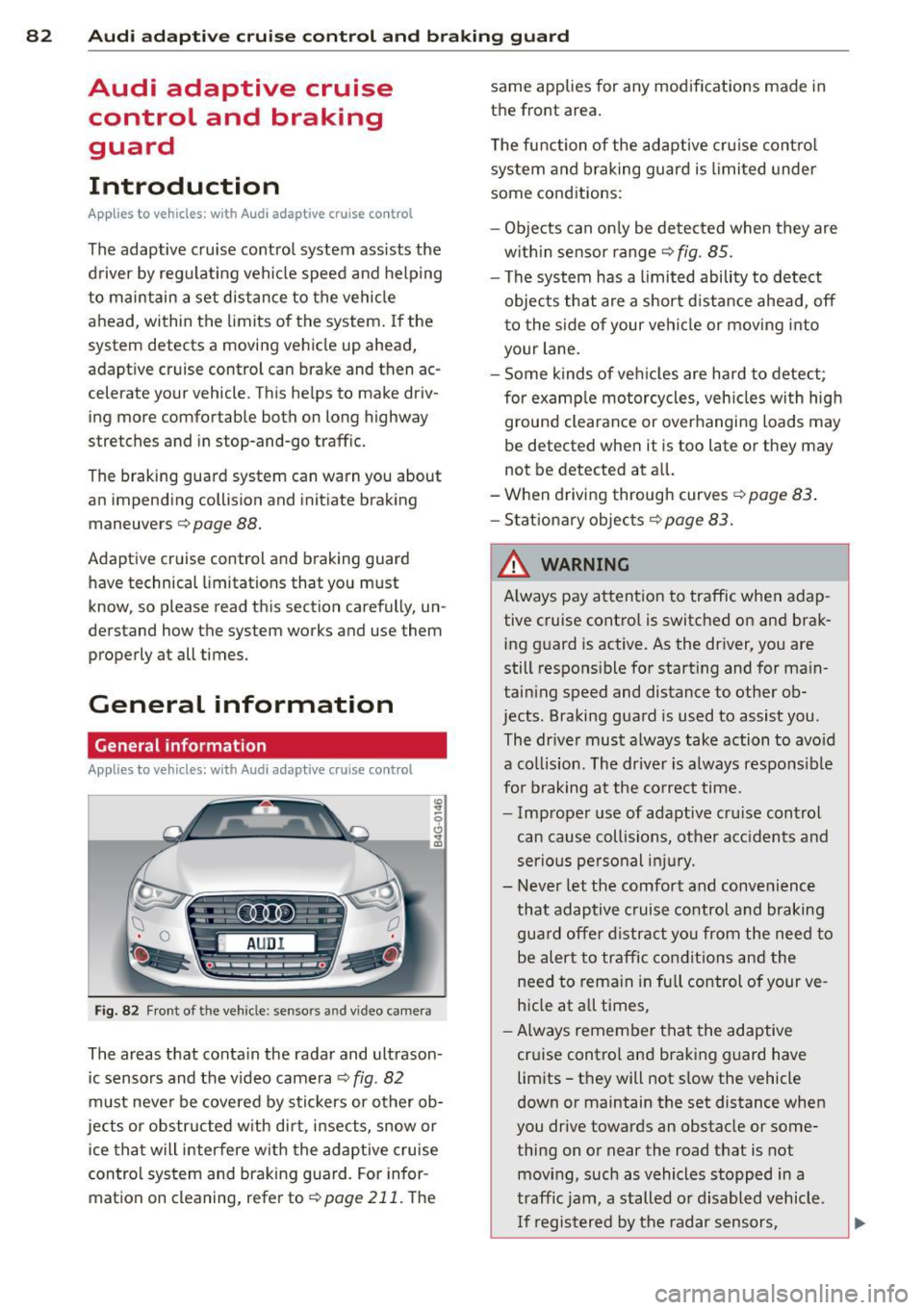
Fig. 82 Front of the veh icle: sensors and video camera
The areas that conta in the radar and ultrason
ic sensors and the v ideo camera
c:::> fig. 82
must never be cove red by stic kers or other ob
jects or obstructed with dirt, insects, snow or
ice that will interfere w ith the adaptive cruise
control system and braking guard. For infor
mation on cleaning, refer to
r:;, page 211. The same applies
for any modifications made in
the front area.
T he function of the adaptive cruise control
system and braking guard is limited under
some cond itions:
- Objects can only be de tected when they are
w ithin sensor range
c:::> fig . 85.
-The system has a limited ability to detect
objects that are a short distance ahead, off
to the side of your vehi cle or mov ing into
your lane.
- Some kinds of veh icles are hard to detect;
for examp le motorcycles, veh icles with high
ground clearance or overhanging loads may
be detected when it is too late or they may
not be detected at al l.
-When drivin g through curves
c:::> page 83 .
-Stat ionary objec ts c:::>page 83.
& WARNING
A lways pay attention to traffic when adap
tive cruise contro l is switched on and brak
ing guard is active. As the driver, you are
still respons ible for starting and for main
taining speed and distance to other ob
jects. Braking guard is used to assist you .
The dr iver must always take action to avo id
a collis ion . The driver is a lways respons ible
fo r braking at the correct time.
- Improper use of adaptive cru ise control
can cause collisions, other acc idents and
serious personal injury.
- Never let the comfort and convenience
that adaptive cruise control and braking
gua rd offer distract you from the need to
be alert to traffic conditions and the
need to remain in full control of your ve
hicle at a ll times,
- Always remember that the adaptive
cr uise control and braking guard have
limits -they will not s low the vehicle
down or maintain the set distance when
you drive towards an obstacle or some
thing on or near the road that is not
mov ing, such as vehicles stopped in a
traffic jam, a stalled o r disabled vehicle.
I f re gistered by the radar sensors,
Page 97 of 306
General information
Applies to vehicles: with side assist
®
©
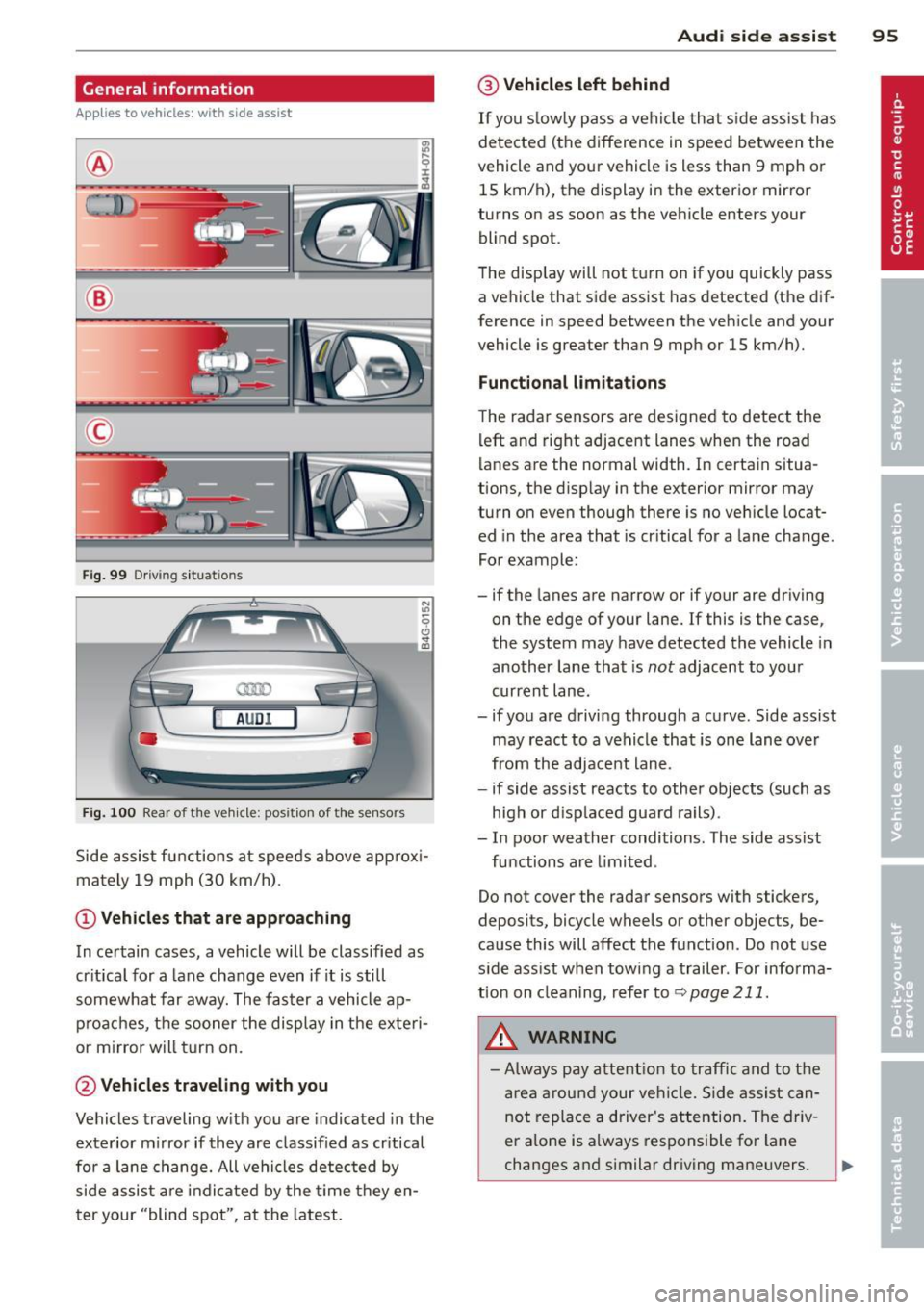
Fig . 99 Driving situations
A UD I
Fi g. 100 Rear of t he ve hicle: positio n of t he se nsors
Side assist functions at speeds above approx i
mately 19 mph (30 km/h).
@ Vehicl es th at ar e approaching
In certain cases, a vehicle will be classified as
cr itical for a lane change even if it is still
somewhat far away. The fas ter a vehicle ap
p roaches, the sooner the display in the exteri
or m irror will t urn on.
@ Vehicles traveling with you
Vehicles traveling w ith you are indicated in the
exterior m irror if they are classified as cr itical
for a lane change. All vehicles detec ted by
side assist are indicated by the time they en
t er your "blind spot", at the latest.
Aud i side assist 95
@ Veh icles left behind
If you s low ly pass a vehi cle that s ide assist has
detected (the difference in speed between the
vehicle and you r vehicle is less than 9 mph or
15 km/h), the display in the exterio r mir ror
turns on as soon as the vehicle enters your blind spot.
T he disp lay will not t urn on if you quickly pass
a vehicle that side assist has detected (the dif
ference in speed between the veh icle and your
vehicle is greater than 9 mph or 15 km/h).
Functi onal limitations
The radar sensors are designed to detect the
left and right adjacent lanes when the road
lanes are the normal width. In certain situa
tions, the d isp lay in the exterior mirror may
turn on even though there is no veh icle locat
ed in the area that is cr itical for a lane change.
For example:
- if the lanes are narrow or if your are dr iving
on the edge of your lane.
If this is the case,
the system may have detected the vehicle in
another lane that is
not adjacent to you r
current lane .
- if you a re driving through a curve. Side assist
may react to a vehicle that is one lan e ove r
from the adjacent lane.
- if side assist reacts to other objects (such as
high or d isp laced guard rails) .
- In poor weather conditions. The side assist
functions are l imited .
Do not cover the radar sensors with stickers,
deposits, bicycle wheels or other objects, be
cause this will affect the function . Do not use
s ide ass ist when towing a trailer . For informa
tion on clean ing, refer to
q page 211.
_&. WARNING
-Always pay a ttent ion to traffic and to t he
ar ea a round your ve hicl e. S ide assist can
not repla ce a driver's attention. The driv
er a lone is always responsible fo r lane
changes and similar driving mane uvers.
Page 104 of 306
102 Night visi on assis tant
Pedestrian warning
Applies to vehicles: with night vision assistant
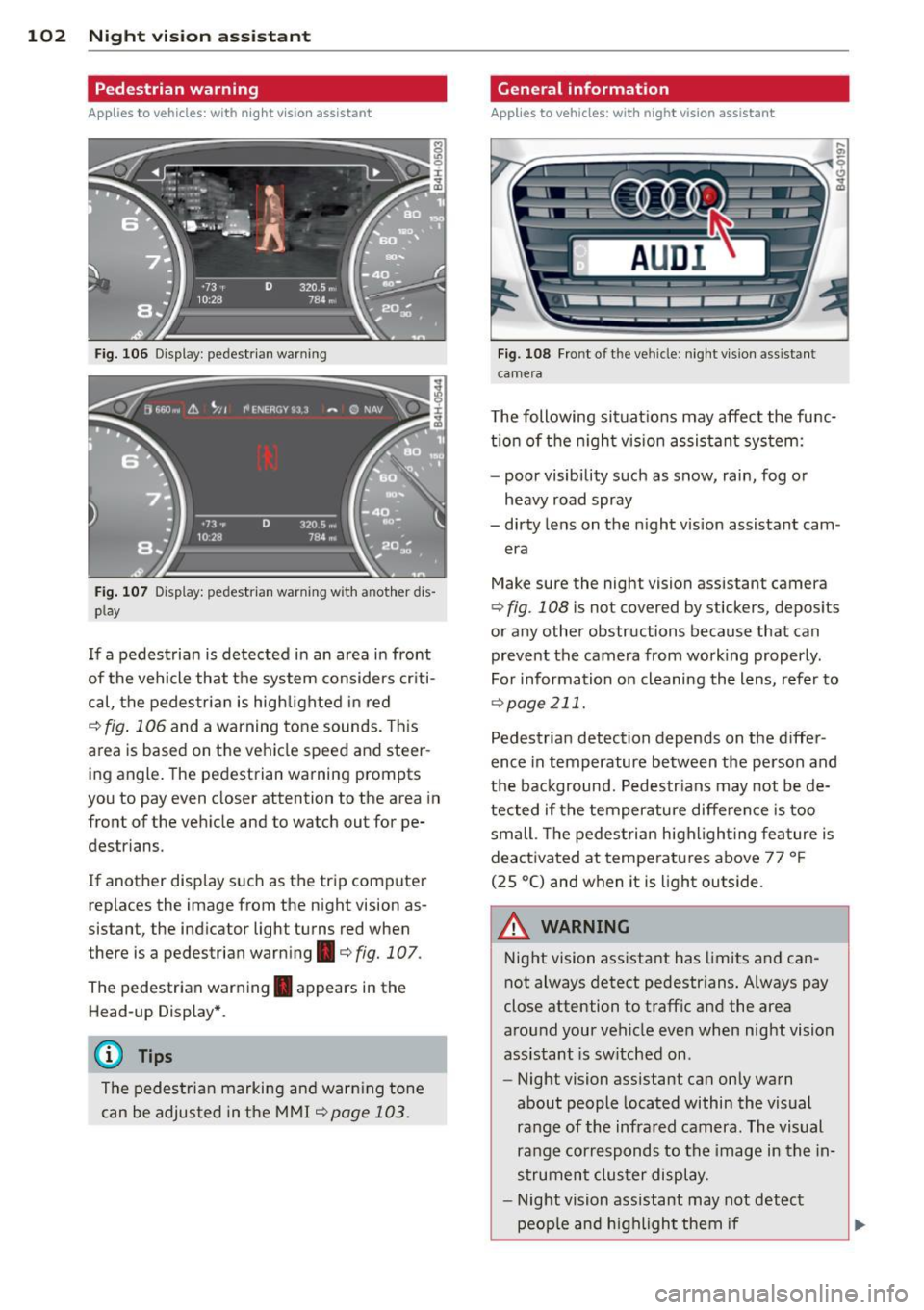
Fig. 106 Display : pedestrian warning
Fig . 107 D is p lay: pedestrian warning w ith a nother dis
p lay
I f a pedestrian is detected in an area in front
of the vehicle that the system considers criti
cal, the pedestrian is high lighted in red
¢ fig . 106 and a warning tone sounds. This
area is based on the vehicle speed and steer
ing angle. The pedestrian warning prompts
you to pay even closer attention to the area in
front of the vehicle and to watch out for pe
destrians.
If another display s uch as the tr ip computer
replaces the image from the night vision as
sistant, the indicator light turns red when
there is a pedestrian warning.¢
fig. 107 .
The pedestrian warning . appears in the
Head-up Display *.
(D Tips
The pedestrian marking and warn ing tone
can be adjusted in the MMI
!:!) page 103.
General information
Applies to vehicles: with night vision assistant
Fig. 108 Fro nt of th e ve hicle: night v ision assistant
camera
T he following situat ions may affect the func
t ion of the n ight vision assistant system:
- poor visibility such as snow, rain, fog or
heavy road spray
- dirty lens on the n ight vis ion assistant cam -
era
Make sure the night vision assistant camera
¢
fig . 108 is not covered by stickers, deposits
or any other obstructions because that can
prevent the camera from working properly.
For information on cleaning the lens, refer to
¢ page 211.
Pedestrian detection depends on the d iffer
ence in temperature between the person and
the background. Pedestr ians may not be de
tected if the temperature diffe rence is too
small . Th e pedestrian highl ighting feature is
deactivated at tempe ratures above 77 ° F
(25 °C) and when it is light outside.
A WARNING
Night vision assistant has limits and can
not always detect pedestr ians. Always pay
close attention to traffic and the area
around your vehicle even when night vision
assistant is sw itched on .
- Night vision assistant can only warn
about people located within the visual
range of the infrared camera. The visual
range corresponds to the image in the in
strument cluster display .
- Night vision assistant may not detect
-
peop le and highlight them if .,.