fog light AUDI A6 2013 Owners Manual
[x] Cancel search | Manufacturer: AUDI, Model Year: 2013, Model line: A6, Model: AUDI A6 2013Pages: 306, PDF Size: 76.92 MB
Page 11 of 306
CD
@
®
©
®
®
(j)
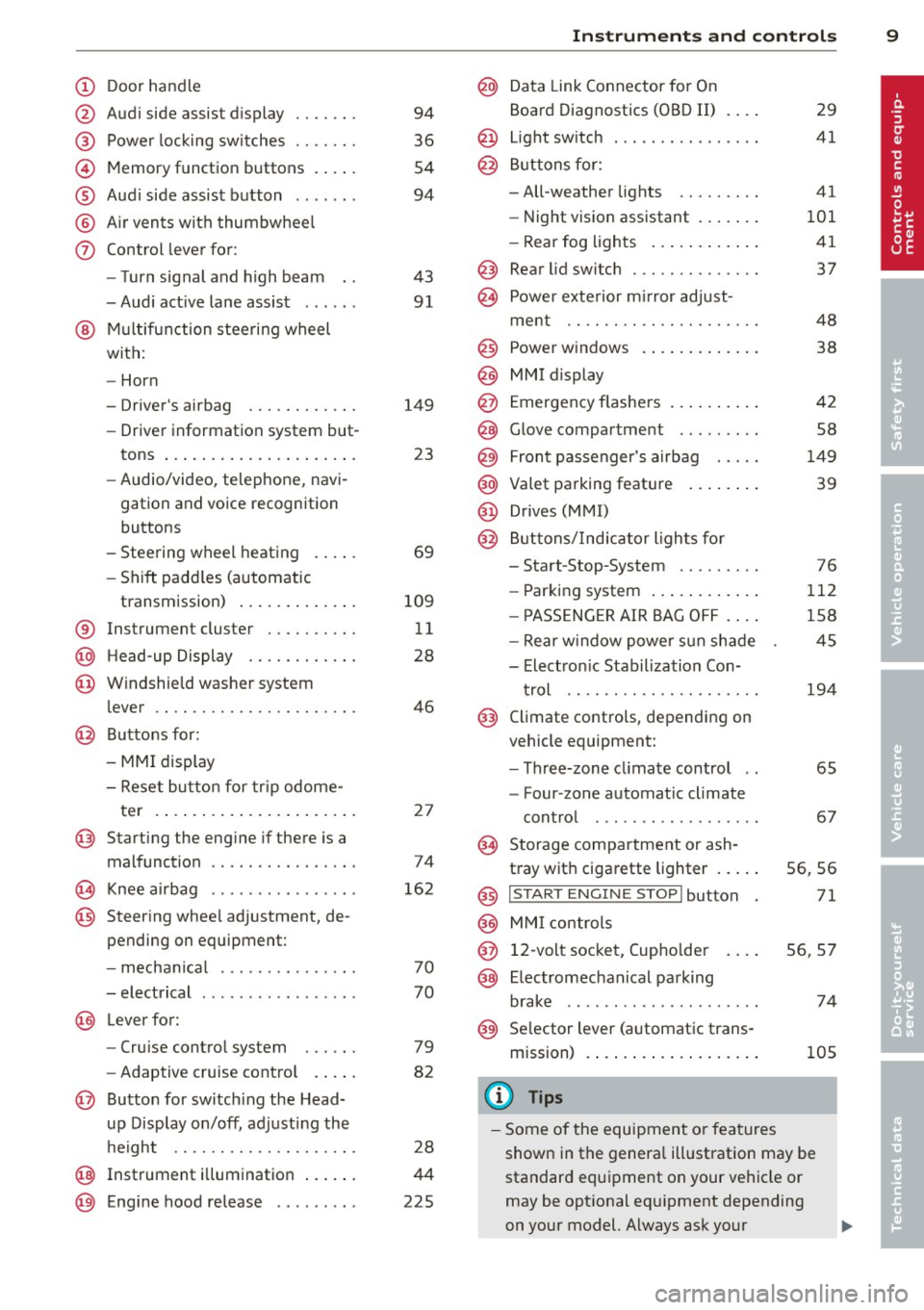
Door handle
Audi side assist display
Power locking sw itches
Memory function buttons .. .. .
Aud i side assist button ...... .
A ir vents with thumbwheel
Control lever for:
- T urn signal and high beam
- Audi act ive lane assist . .. .. .
@ Mu ltifunction steering wheel
with:
- Horn
- Driver's airbag
- Driver information system but-
tons ... ..... ....... ... .. .
- Audio/video , telephone, navi
gation and voice recognition
buttons
- Steering wheel heating . ... .
- Shift padd les (automatic
transmission) ..... ... ... . .
® Instrument cluster ......... .
@ Head-up Display ........... .
@ Windshield washer system
lever ..................... .
@ Buttons for:
- MMI display
- Reset bu tton for tr ip odome-
te r .. .. ... .. ..... ... .. .. .
@ Starting the engine if there is a
malfunction ............... .
~ Knee airbag ........... .. .. .
@ Steer ing whee l adjustment, de
pending on equipment:
- mechan ical .......... .. .. .
- electrical .... .. ..... ... .. .
@ Leve r for:
- Cru ise control system ... .. .
- Adaptive cruise contro l .. .. .
@ Button for sw itch ing the Head
up Disp lay on/off, adjusting the
h eight .. ............. .. .. .
@ Instrument illumination ... .. .
@ Eng ine hood release ........ . 94
36
54
94
43 91
149 23
69
109 11
28
46
2 7
74
16 2
70
70
79
82
28
44
225
In strument s and control s 9
@ Data Link Connector for On
Board Diagnostics (OBD II)
@ Light switch ... .. . .. .... ... .
@ Buttons for :
- All-weather lights
- Night vision assistant .... .. .
- Rear fog lights .. .. .. ..... .
@ Rear lid switch ............. .
~ Power exterior m irror adjust- 29
41
41
101 41
37
ment . . . . . . . . . . . . . . . . . . . . . 48
@ Power w indows . . . . . . . . . . . . . 38
@ MMI display
@ Emergency flashe rs . . . . . . . . . . 42
@ Glove compartment . . . . . . . . . 58
@) Front passenger's airbag . . . . . 149
@ Valet parking feature . . . . . . . . 39
@ Drives (MMI)
@ Buttons/Indicator lights fo r
- Start-Stop-System . . . . . . . . . 76
- Parking system . . . . . . . . . . . . 112
- PASSENG ER AIR BAG OF F . . . . 1S8
- Rear w indow powe r sun shade 4S
- Electron ic Stabilization Con-
t rol . . . . . . . . . . . . . . . . . . . . . 19 4
@ Climate controls, depending on
vehicle equipment:
- Three-zone cl imate control . . 6S
- F our-zone automatic climate
cont rol . . . . . . . . . . . . . . . . . . 67
@ Storage compartment or ash-
t ray wit h cigarette lighter . . . . . S6, 56
@ I ST ART ENGINE STOPI button 71
@ MM I controls
@ 12-volt socket, (upho lder 56, 57
@ E lectromechanical parking
brake . . . . . . . . . . . . . . . . . . . . . 74
@ Selector lever (a utomatic trans-
mission) 105
(D Tips
-Some of the equipment or fea tures
show n in the genera l ill ustration may be
standard equipment on your vehicle or
may be opt ional eq uipment depending
on your model. Always ask your
ll>
Page 16 of 306
![AUDI A6 2013 Owners Manual 14 Instrum ent s and w arn ing /indic ato r light s
Canada models:
[I]
Anti-lock braking system (ABS)
defective ./
¢ page20
•
Worn brake pads
¢ page20
:rm
Electromechanical par](/img/6/57588/w960_57588-15.png "AUDI A6 2013 Owners Manual 14 Instrum ent s and w arn ing /indic ato r light s
Canada models:
[I]
Anti-lock braking system (ABS)
defective ./
¢ page20
•
Worn brake pads
¢ page20
:rm
Electromechanical par")
14 Instrum ent s and w arn ing /indic ato r light s
Canada models:
[I]
Anti-lock braking system (ABS)
defective ./
¢ page20
•
Worn brake pads
¢ page20
:rm
Electromechanical parking brake
¢ page 74
g
Tire pressure monitoring system
./
¢page258
Tire pressure monitoring system
••w;~, ¢ page258
Im
Electronic power control ./
¢ page 21
I Malfunction indicator Lamp (MIL)
111!
./
¢ page21
.,
Engine speed limitation
¢ page 21
I.
Engine oil level
¢ page 18
•
Engine oil sensor
¢ page 21
&1
Battery
¢ pagel7
Ill
Tank system
¢page 21
•
Windshield washer fluid level
¢page22
m
Windshie ld wipers
¢ page22
!I
Remote control key
¢page 71
m
Remote control key
¢ page 74
I!
Battery in remote control key
¢ page32
-.
l:J
Defective ligh t bulb warn ing
¢ page22
II
Rear fog light(s)
¢page22
II
Headlight range control
¢page22
- -
Ill
adaptive light *
¢page22
m
Light -/rain sensor faulty
¢ page 22
- -
•
Audi active lane assist *
¢page92
Im
T ransmission
¢ page 110
Im
Transmission
¢page 110
R1
Transmission
- S t ron ic ® ¢ page 110
•
Electronic steering column lock
¢page 18
- -
.,
Engine start system
¢page 18
£1.p
Electromechanical steering
¢page 196
•
Air suspens ion*
¢ page 18
Ill
Sport differential *
¢page22
Other indicator lights
II
II
I : I -._ I• 11
Turn signals ¢ page 23
USA model s: Cruise control *
¢page
79
,,_
...
Page 24 of 306
22 Instruments and warning/indicator lights
If the indicator light t urns on and th is mes
sage ap pears, the re is a ma lfunction in the
tan k system.
D rive to yo ur aut hori zed Au di dealer i mmedi
ate ly to have the mal func tion cor rected .
C> Windshield washer fluid level
Ill Please refill washer flu id
If th e sym bol illum inates, add w indshield
washer fluid to the was her system/ headlight
washer system* ~
page 239.
'1:> Windshield wipers
g._5 Windshield wiper defective
T here is a mal funct io n with the w indshield
wipers.
Dr ive to yo ur aut horized Aud i dea le r immedi
ate ly to have the mal func tion cor re cte d.
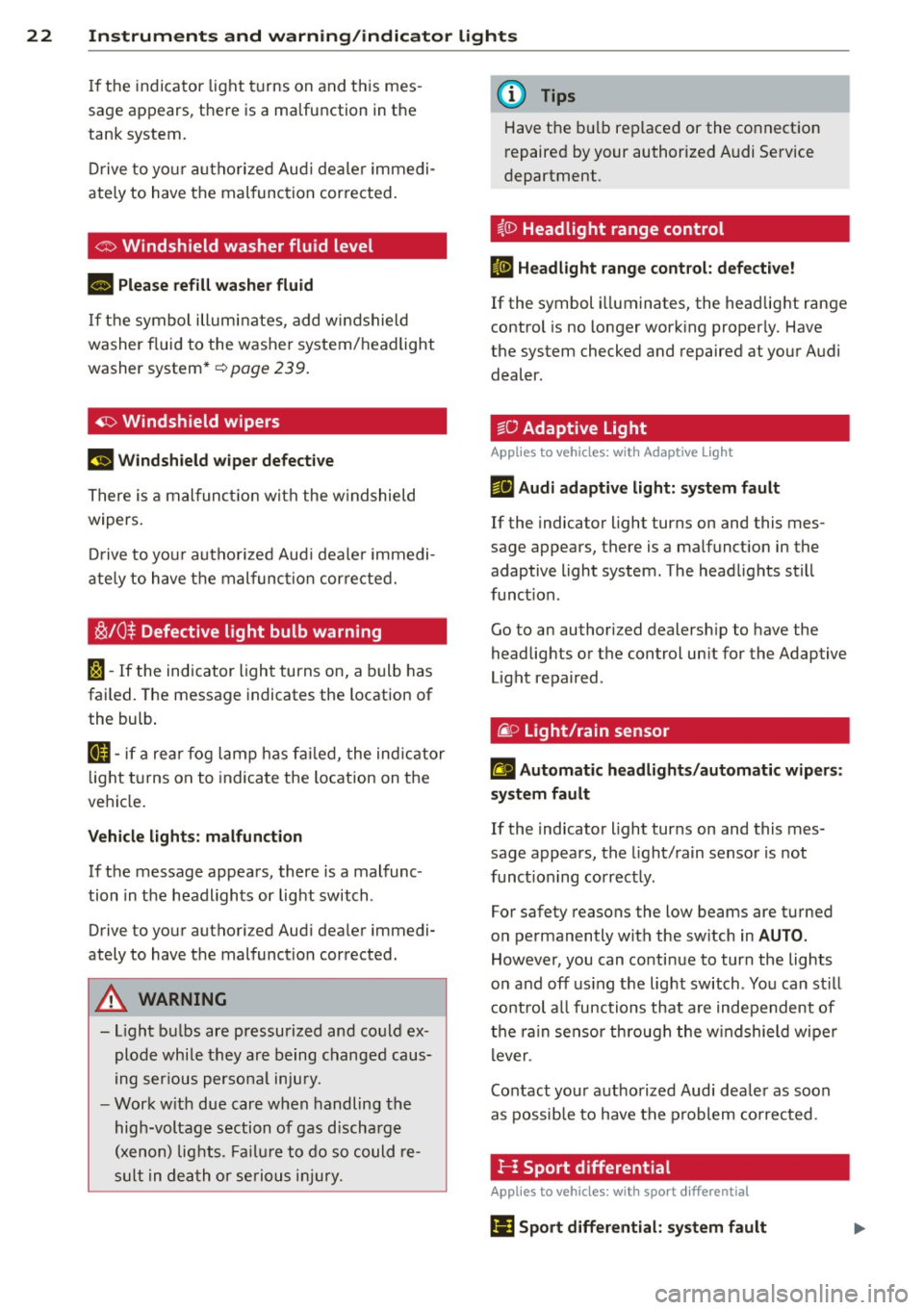
~ /0$ Defective light bulb warning
rs)-If the indicator light turns on, a bulb has
failed. The message indicates the location of
the bulb .
&II-if a re ar fog l amp has f ailed, the indic ator
lig ht tu rns on to indica te the location on t he
ve hicl e.
Vehicle lights: malfunction
If the message appea rs, there is a malfunc
tion in the hea dlights or light switch .
Drive to your authori zed Audi dea ler immedi
ately to have the mal function cor rected.
A WARNING
- Light b ulbs are pressurized and co uld ex
plode whi le they are being changed caus
ing ser ious perso na l inju ry.
- Wor k w ith due care w hen handling the
hig h-voltage section of gas d ischa rge
( x enon) lig hts. Fa ilur e to d o so co uld re
sul t in deat h or seriou s inju ry.
(D Tips
Have t he b ulb replaced or the co nnect ion
r epaire d by y our authorized A udi Se rvice
department.
i,0 Headlight range control
II Headlight range control : defective!
If the symbol illuminates, the headlig ht range
control is no longer working properly. Have
the system checked and repaired at you r A udi
dealer .
~D
Adaptive Light
Applies to vehicles: with Adaptive light
mFJ Audi adaptive light: system fault
If the indicator light turns on and this mes
sage appears, there is a malfunct ion in the
adaptive light system. The head lights sti ll
func tion.
Go to an authorized dealersh ip to have the
headlights or t he c ontrol un it for the Adaptive
Light repa ired .
@:> Light/rain sensor
!'al Automatic headlights /automatic wipers :
system fault
If the indicato r light turns on and this mes
sage appears, the light/ rain sensor is not
funct ioning corr ect ly .
For safety reasons the low beams are t urned
o n pe rmanently with the sw itch in
AUTO .
However, you can co ntinue to turn the lights
o n and off using the light switch . Yo u can st ill
c o ntrol a ll functions that are independent of
t h e ra in sensor th roug h th e w ind shield wipe r
lever .
Co ntact you r authorized Audi dea le r as soon
as possib le to have t he p roblem corrected .
}-: Sport differential
Applies to vehicles: with sport different ial
Ill Sport differential: system fault
Page 43 of 306
Clear vision Lights
Switching the headlights on and off
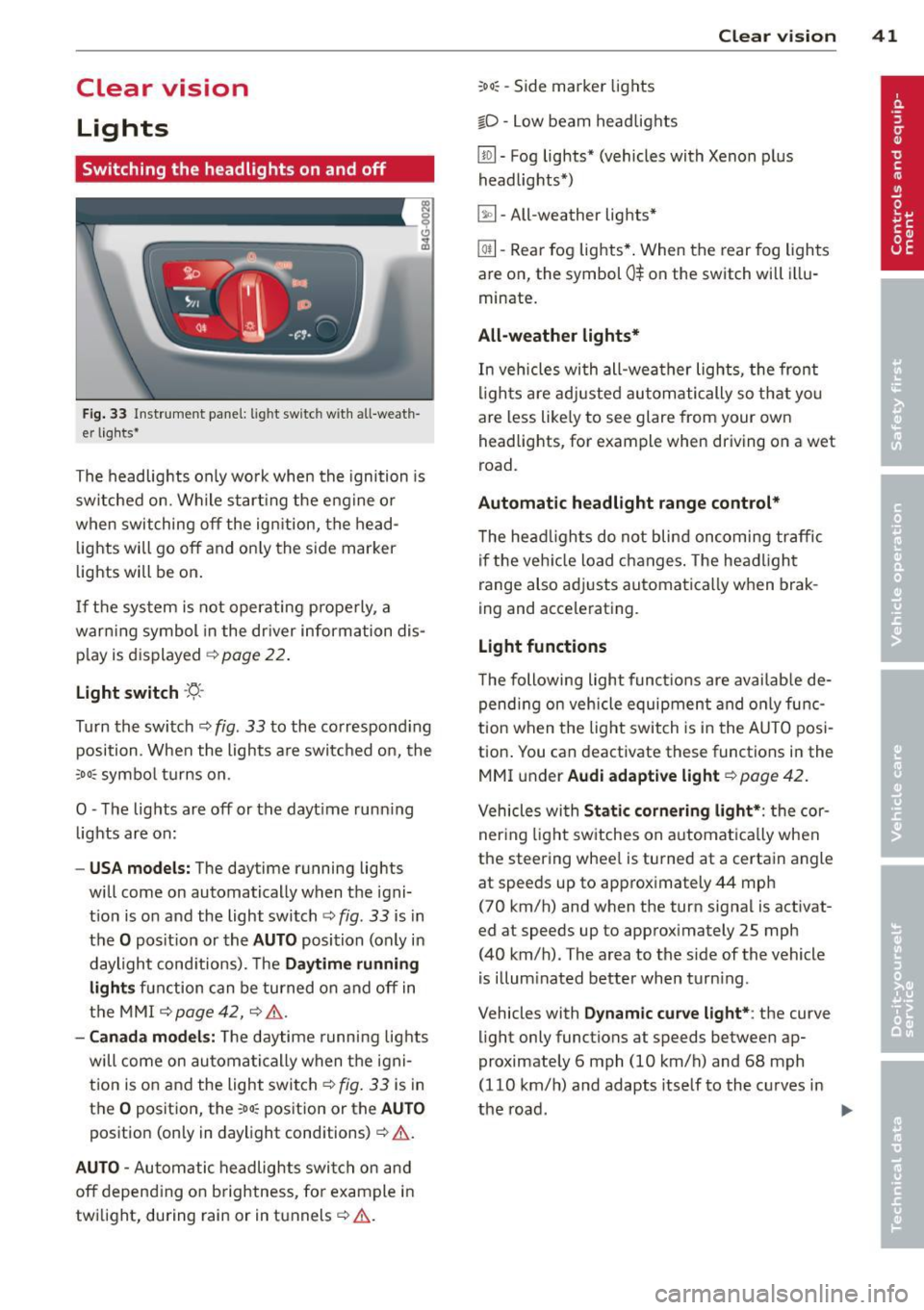
Fig . 33 Instrument pane l: lig ht sw itc h wit h all -weath
er lights•
The headlights only wo rk when the ignition is
switched on. Wh ile start ing the eng ine o r
when switching off the ign ition, the head
lights will go off and on ly the side marker
lights will be on .
If the system is not operating p rope rly, a
war ning symbol in the dr iver information dis
p lay is d isplayed
c::> page 22 .
Light switch -'tj_ -
Tu rn the switch c::> fig . 33 to the correspond ing
position . When the lights a re switched on, the
oD o: symbo l tu rns on .
0 -The lig hts are off or the dayt ime runn ing
lights are on:
- USA models: The day time running lights
will come on automatically when the igni
t ion is on and the light switch
c::> fig . 33 is in
the
O posit ion or the AUTO position (only in
daylight cond itions). The
Daytime running
light s
function can be turned on and off in
the MMI
c::> page42, c::>A .
-Ca nada model s: The daytime running lig hts
will come on automa tically when the igni
t ion is on and the light switch
c::> fig . 33 is in
the
O position, the : Do: pos ition or the AUTO
position (only in daylight conditions) c::> A .
AUTO -Automatic headlights swi tch on and
off depend ing o n brightness, for example i n
tw ilight, during rain or in tunnels
c::> &. .
:Do: -Side marker lights
io -Low beam headlights
Clear vi sion 41
lm -Fog lights* (vehicles with Xenon p lus
headlights *)
~ -All-weather lights *
@il-Rear fog lights* . When the rear fog lights
are on, the symbol
0$ on the switch will i llu
minate.
All-weather lights*
In vehicles with all-wea ther lights , the front
ligh ts are ad justed au tomatically so that yo u
are less like ly to see glare from your own
head lights , for example when driving on a wet
road.
Automatic h eadl ight range control*
T he head lights do not blind oncoming traffic
i f the veh icle load changes . The headligh t
range also adj usts automatically when brak
ing and accelerating .
Light functions
The following light funct io ns are availab le de
pend ing on vehicle equipment and o nly func
tion when t he lig ht switch is in the AUTO posi
tion . You can deactivate these functions in the
MMI under
Audi adaptive light c::> page 42.
Vehicles with St atic corn ering light* : the cor
ner ing ligh t sw itches on a utomat ically when
the steering whee l is turned at a certain angle
at speeds up to approximately 44 mph
( 7 0 km/h) and when the turn signa l is activat
ed at speeds up to approximately 25 mph
(40 km/h) . The area to the side of the vehicle
is illum inated better when turn ing .
Vehicles with
Dynamic cu rve light* : the curve
light only functions at speeds between ap
proximately 6 mph (10 km/h) and 68 mph
(110 km/h) and adapts itself to the curves in
the road .
~
Page 44 of 306
42 Clear vision
& WARNING
-Automatic headlights are only intended
to assist the driver . They do not relieve
the driver of his responsibility to check
the headlights and to turn them on man
ually according to the current light and
visibility conditions. For example, fog
cannot be detected by the light sensors.
So always switch on the headlights
io
under these weather conditions and
when driving in the dark.
- Crashes can happen when you cannot see
the road ahead and when you cannot be
seen by other motorists. Always turn on
theheadlightssothatyoucanseeahead and so that others can see your car from
the back .
- Please observe legal regulations when
using the lighting systems described .
(D Note
The rear fog lights should only be turned
on in accordance with traffic regulation, as
the lights are bright for following traffic.
{D) Tips
- The light sensor* for automatic head
light range control* is located in the rear
view mirror mount . You should therefore
not apply any stickers to the windshield
in this area in order to prevent malfunc
tions or failures .
- In the event of a light sensor malfunc
tion, the driver is notified in the instru
ment cluster display ~
page 22 .
-You will hear a warning tone if you open
the driver door when the exterior lights
are switched on.
- In cool or damp weather, the inside of
the headlights, turn signals and tail lights can fog over due to the tempera
ture difference between the inside and
outside. They will clear shortly after
switching them on. This does not affect
the service life of the lighting.
Emergency flasher
The emergency flasher makes other motorists
aware that you or your vehicle are in an emer
gency situation .
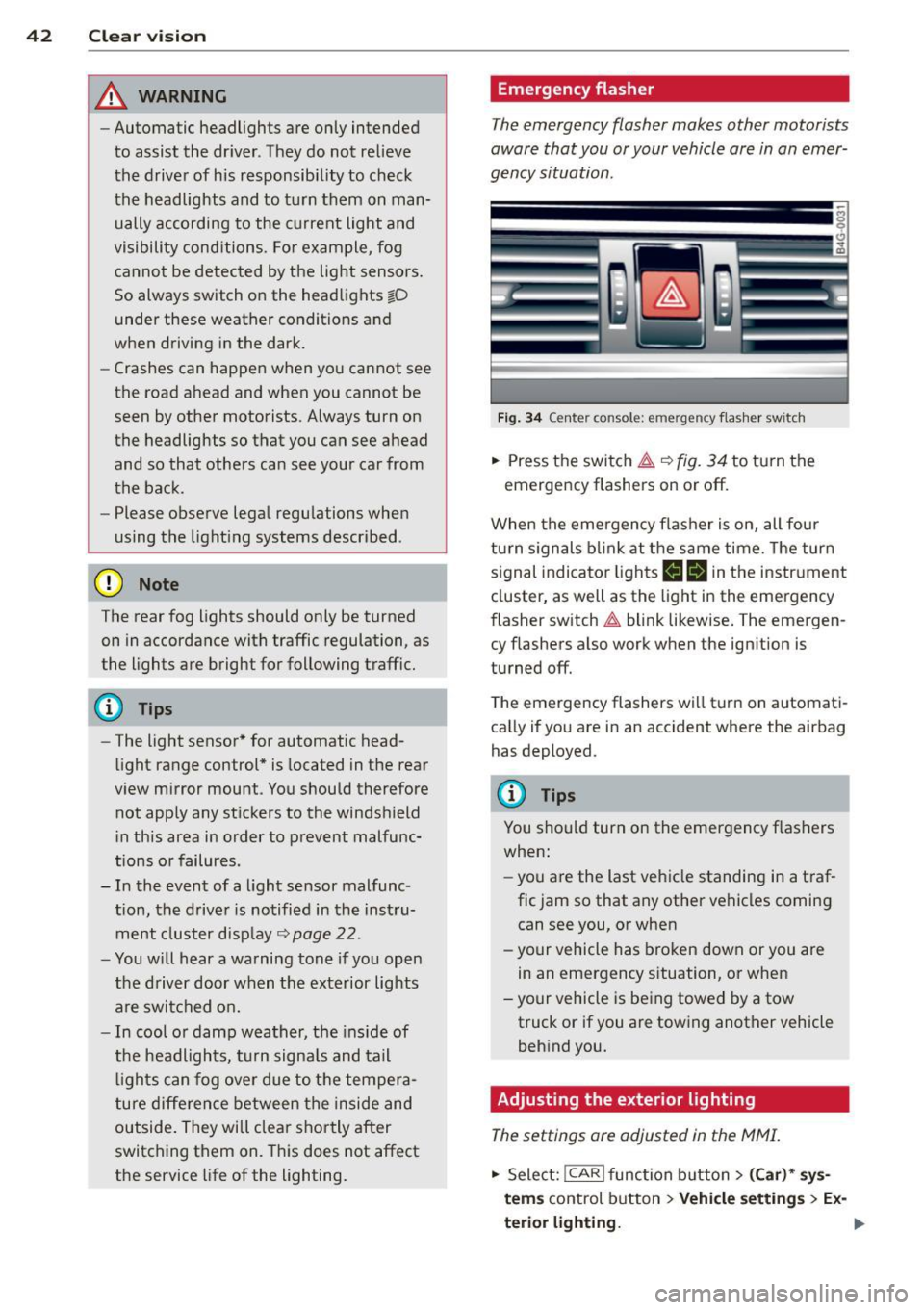
Fig. 34 Ce nte r co nso le: em erg en cy flash er sw itc h
.. Press the switch I:;,,. ~fig. 34 to turn the
emergency flashers on or off.
When the emergency flasher is on, all four
turn signals blink at the same time. The turn
signal indicator lights
B Nin the instrument
cluster, as well as the light in the emergency
flasher switch
I:;,,. blink likewise. The emergen
cy flashers also work when the ignition is
turned off.
The emergency flashers will turn on automati
cally if you are in an accident where the airbag
has deployed.
@ Tips
You should turn on the emergency flashers
when:
- you are the last vehicle standing in a traf
fic jam so that any other vehicles coming
can see you, or when
- your vehicle has broken down or you are
in an emergency situation, or when
-your vehicle is being towed by a tow
truck or if you are towing another vehicle
behind you.
Adjusting the exterior lighting
The settings ore adjusted in the MMI.
.. Select: !CAR ! function button> (Car)* sys
tems
control button > Vehicle settings > Ex-
terior lighting.
Ill>
Page 61 of 306
-Any articles of cloth ing that you have
hung up must not interfere with the driv
er's view. The coat hooks are designed
only for lightweight clothing. Never hang
any clothing w ith hard, pointed or heavy
objects in the pockets on the coat hooks. During sudden braking or in an accident -
especially if the airbag is deployed -
these objects could injure any passen
gers inside the vehicle.
- To reduce the r isk of personal injury in an
acc ident or sudden stop, always keep the
glove compartment closed whi le driving.
- Read and fo llow all WARN INGS
~ page 167, Important safety instruc
tions on the side airbag system.
- Hang clothes in such a way that they do
not impair the driver's v ision .
- T he coat hooks m ust only be used for
lightwe ight clothing. Do not leave any
heavy or sharp edged objects in the pock
ets which may interfere with the side cur
tain a irbag deployment and can cause
persona l injury in a crash.
- Do not use coat hangers for hanging
clothing on the coat hooks as this can in
terfere with proper deployment of the
side curtain airbags in an accident.
- Do not hang heavy objects on the coat
hooks, as they cou ld cause personal in
jury in a sudden stop.
- For strength-related reasons, the mount
ing hooks can only be used to secure ob
jects weighing up to 10 lb. (5 kg). Heavi er objec ts will not be adequately secured
- there is a risk of injury.
(D Note
Objects located on the rear shelf that rub
aga inst the rear w indow cou ld damage the
heating wires for the rear w indow defog
ge r.
S ea ts a nd s to rage 59
Roof rack
Description and mounting locations
Additional cargo can be carried with a roof
luggage rack.
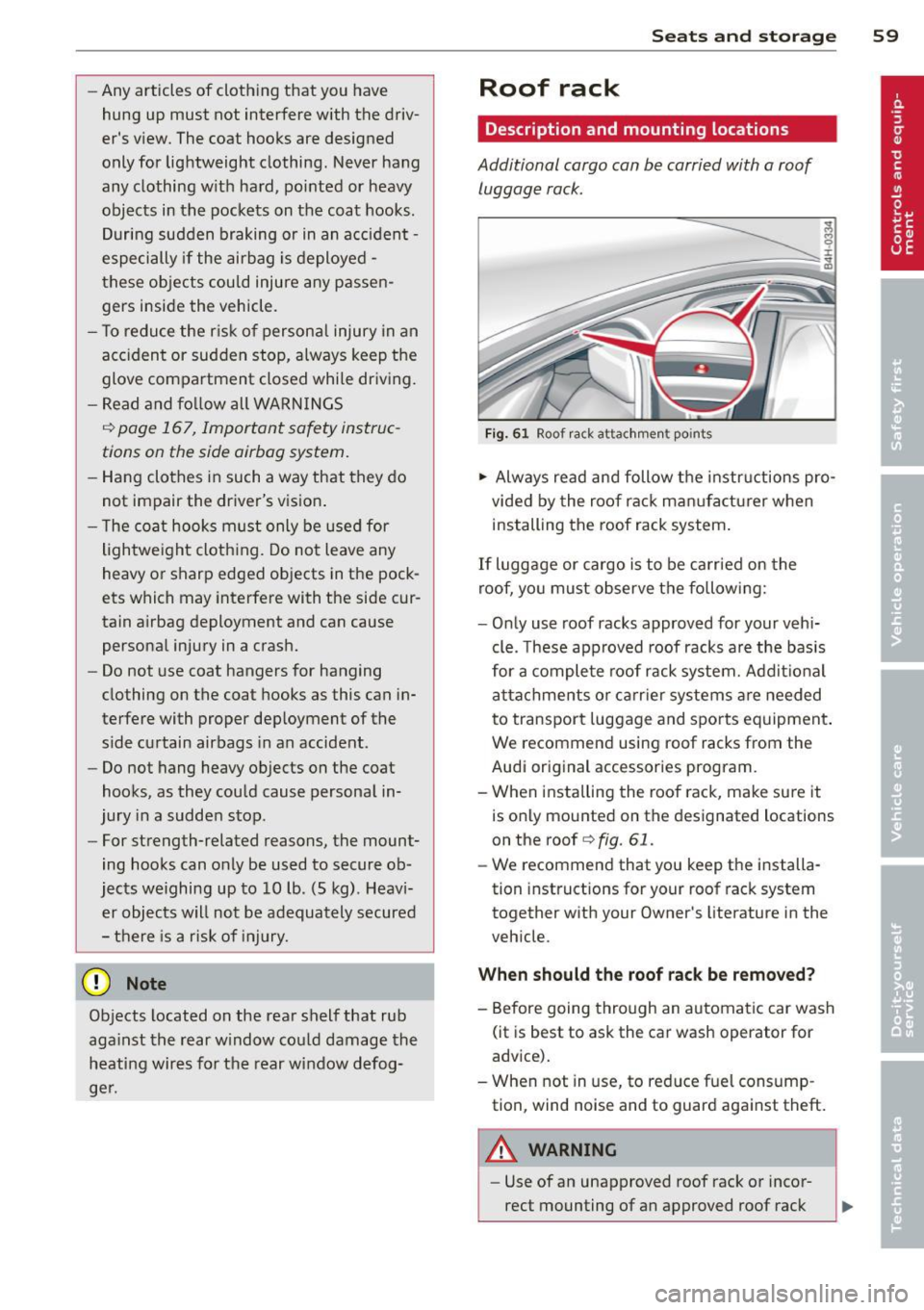
Fi g. 61 Roof r ack attac hment points
.,. Always read and follow the instructions pro
vided by the roof rack man ufacturer when
installing the roof rack system .
If luggage or cargo is to be carried on the
roof, yo u must observe the following:
- Only use roof racks approved for your vehi
cle. These approved roof racks a re the basis
for a comple te roof rack system. Add it iona l
attachments or ca rr ier systems a re needed
to transport luggage and sports equipment .
We recommend using roof racks from the
Audi original accessories program.
- When installing the roof rack, make sure it
is only mounted on the designated locations
on the roof
q fig. 61 .
-We recommend that you keep the installa
tion instructions for your roof rack system
together with your Owner's literature in the
veh icle.
When should th e roof rack be removed?
- Before going through an automatic car wash
(it is best to ask the car wash operator for
advice).
- When not in use, to reduce fue l consump
tion, wind noise and to guard aga inst theft.
A WARNING
- Use of an unapproved roof rack or incor
rect mounting of an approved roof rack
Page 69 of 306
Warm and cold 67
Four-zone automatic climate control
Operation
Applies to vehicles: with four -zone a utomat ic climate control
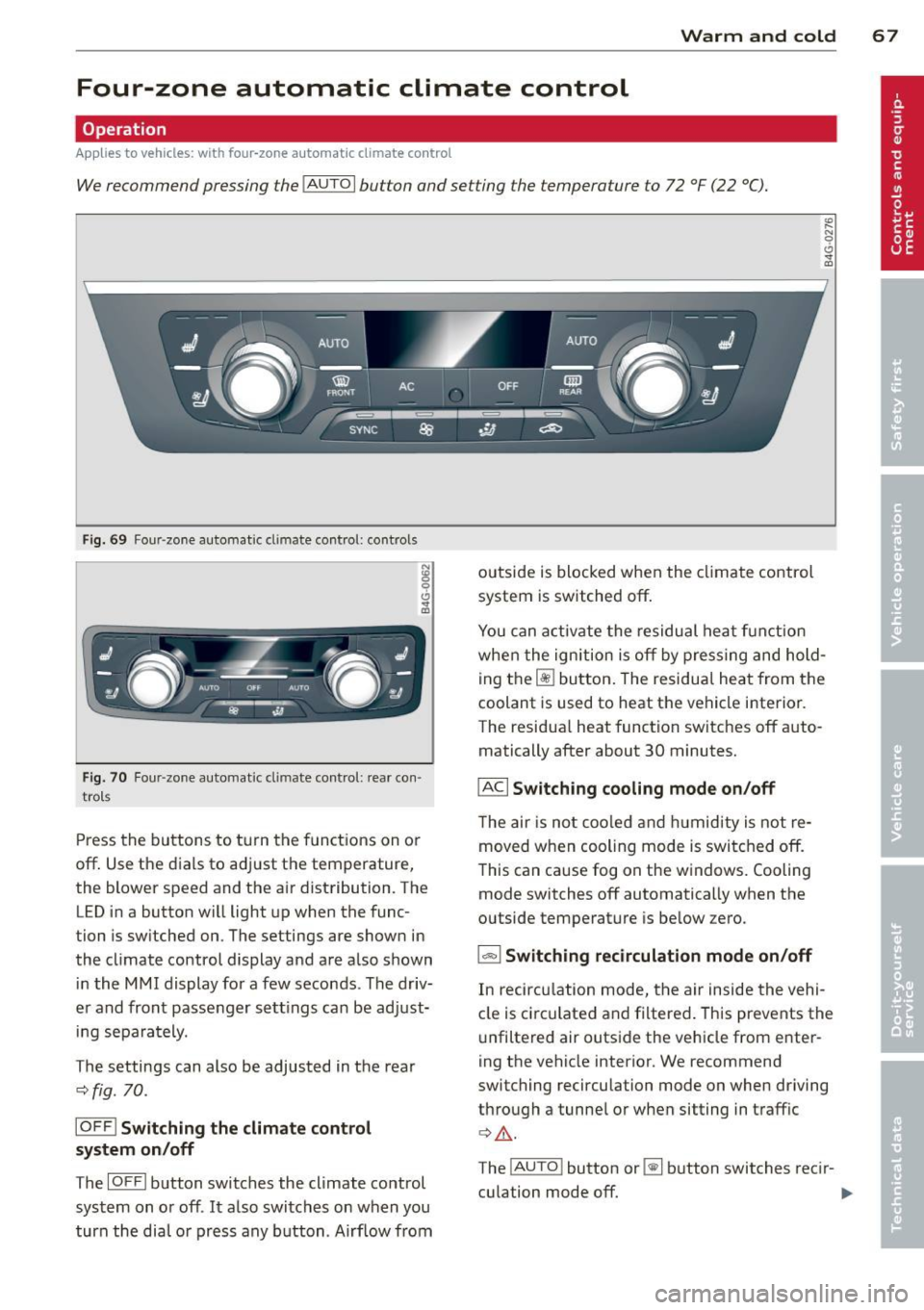
We recommend pressing the IAUTOI button and setting the temperature to 72 °F (22 °C).
F ig. 69 Four -zone automat ic climate control: controls
Fig. 70 F our -zone automat ic climate control: rear con·
trols
Press the buttons to turn the functions on or
off. Use the dials to adjust the temperature,
the blower speed and the air distribution. The
LED in a button will light up when the func
tion is switched on. The settings are shown in
the climate control display and are also shown in the MMI display for a few seconds . The driv
er and front passenger settings can be adjust·
ing separately.
The settings can also be adjusted in the rea r
<::>fig.
70.
IOFF l Switching the climate control
system on/off
The IOFFI button switches the climate control
system on or off .
It also switches on when you
turn the dial or press any button. Airf low from outside is blocked when the
climate control
system is switched off.
You can activate the residual heat funct ion
when the ignition is off by pressing and hold
ing the ~ button. The residual heat from the
coolant is used to heat the vehicle interior.
The residua l heat function switches off auto
matically after about 30 minutes.
IACI Switching cooling mode on /off
T he air is not coo led and humidity is not re
moved when cooling mode is switched off.
This can cause fog on the windows. Cooling
mode switches off automatically when the
outside temperature is below zero.
1- 1 Switching recirculation mode on/off
In recircu lation mode, the air inside the vehi
cle is circ ulated and filtered. This prevents the
unfiltered air outside the vehicle from enter
ing the vehicle interior. We recommend
switching recirculation mode on when driving
through a tunnel or when sitting in traffic
¢ Li). .
The !AUTO ! button or~ button switches recir-
culation mode off. .,..
Page 71 of 306
(D Note
To avoid damage to the heating elements in the seats, do not kneel on the seats or
place heavy loads on a small area of the
seat.
Setup
App lies to vehicles: with four-zone a utomat ic climate con·
tro t
The climate con trol system setup is accessed
through the MMI.
" Select: ICARI function button > ( Car) * sys-
tems con trol button > AC.
Rear cabin settings*
When this function is selected, all settings for
the rear can be adjusted through the climate
control system in the cockpit. The climate
control system settings cannot be adjusted in
the rear seat at the same time. This function
switches
off after a certain period of time or
when one of the dials in the cockpit is press
ed .
Auto recirculation*
The sensitivity level of the automatic rec ircu
la tion mode can be set at various leve ls from
off to sensitive. The recirculation mode is con
trolled automat ica lly. You must press the~
button if fog forms on the windows.
Footwell temperature
You can adjust the footwell temperature so
that it is cooler or warmer.
AC mode
The strength of the airflow can be adjusted to
light, med ium or strong.
Warm and cold 69
Steering wheel heating
Applies to vehicles: wit h hea ted stee ring wheel
The steering wheel rim con be heated .
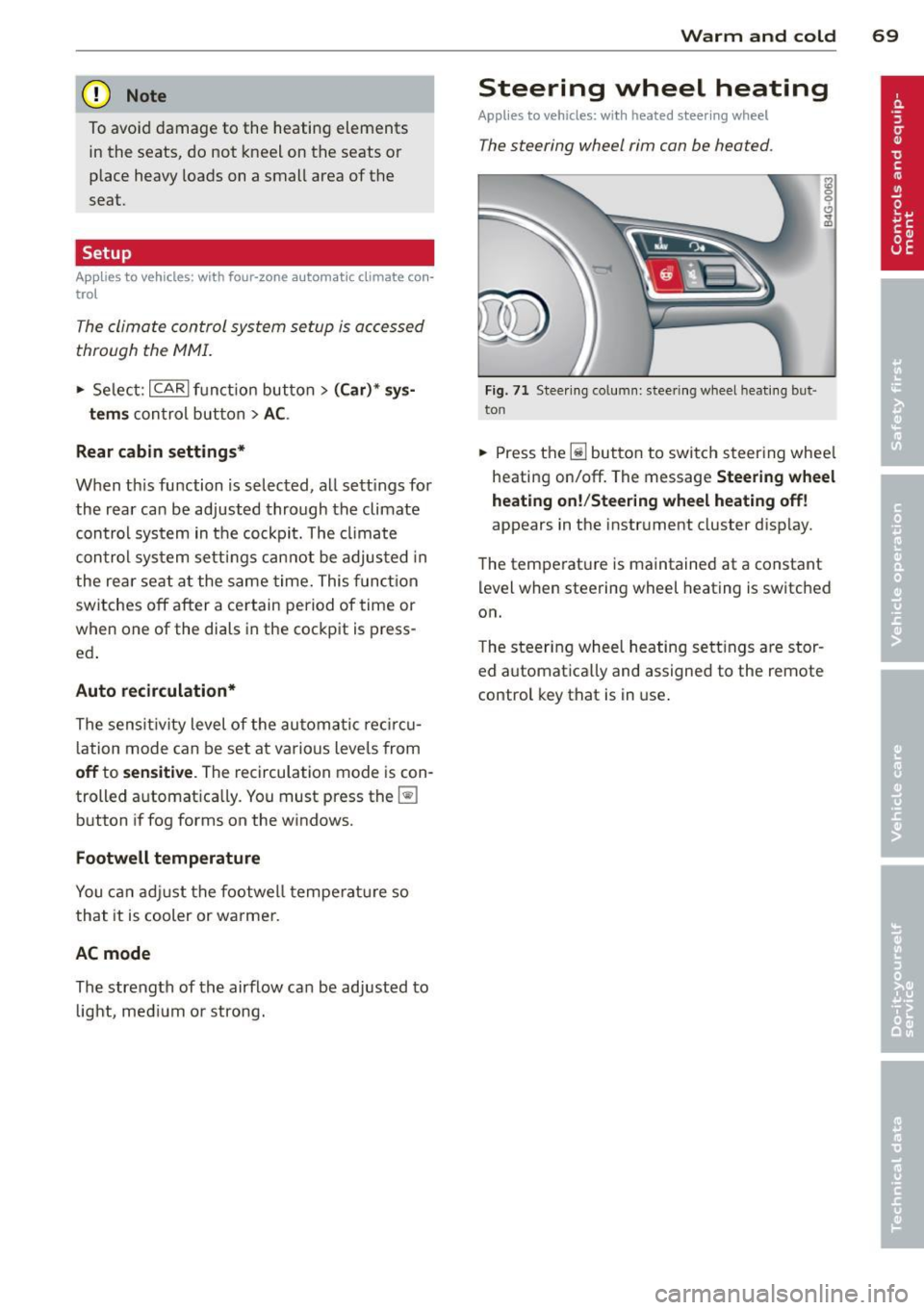
Fig. 71 Steering column: steering wheel hea tin g but ·
ton
.. Press the lil button to switch steering whee l
heating on/off. The message
Steering wheel
heating on! /Steering wheel heating off!
appears in the instrument cluster disp lay.
The temperat ure is maintained at a constant
level when steering wheel heating is switched
on.
T he steer ing wheel heating settings are stor
ed automat ica lly and assigned to the remote
control key that is in use .
Page 82 of 306
80 On the road
The stored speed and the ind icator light
A;(l)~i~ (US mo dels) 1,'I (Canadian mode ls) a p
pea r in the instrument cluster d isp lay
c::> fig. 81. The display may vary, depending on
the type of d isplay in your vehicle .
This informat ion is also shown briefly in the
Head -up Display*.
The speed is kept constant v ia an engine o ut
put adjustment or active b rake intervention.
A WARNING
- Always pay attention to traffic even when
the cruise control is switched on. You are
always responsible for your speed and
the distance between your vehicle and
other vehicles .
- For safety reasons, the cruise control
should not be used in the city, in stop
and-go traff ic, on twist ing roads and
when road conditions are poor (such as ice , fog, grave l, heavy ra in and hydro
planing) -risk of accident.
- Turn
off the cruise control temporar ily
when entering turn lanes, highway exit lanes o r in construc tion zones.
- Please note that inadvertently "rest ing"
yo ur foot on the accelerator peda l causes
the cruise control not to brake . T his is
because the cr uise control is overridden
by the d river's acce leration .
- If a brake system malfunc tion such as
overheating occurs when the cruise con
tro l system is switched on, the braking
function in the system may be switched
off. The other cruise control functions re
ma in active as long as the indicator light
[~;rn~i~ (US models) !Ill (Canad ian mod
els) is on .
(j) Tips
The brake lights illuminate as soon as the
brakes decelerate automat ica lly.
Changing speed
Applies to veh icles: w ith cru ise control
., To increase/decrease the speed in inc re
ments, tap the lever in the
0 10 direc tion
c::> fig . 80
., To increase/decrease the speed quic kly,
hold t he lever in the
0 10 direction until
the desired speed is displayed.
You can also press the accelerator pedal down
to increase your speed, e.g . if you want to
pass someone . The speed you saved earlier
will res ume as soon as you release the acceler
ator pedal.
If, however, you exceed your saved speed by
6 mph (10 km/h) for longer than 5 m inutes,
the cr uise control wi ll turn
off temporari ly.
The green symbol
A;(l)~i~ (US mode ls) 1,'I
(Canadian mode ls) in the display will go out
but the saved speed rema ins the same .
Presetting your speed
Applies to veh icles : w ith cru ise control
You can preset your desired speed while the
vehicle is not moving.
., Switch on the ignition.
., Pull lever into position
(D c::> fig . 80.
., Press t he lever in the 0 or 0 direction to
increase or decrease your speed .
., Release the lever to save that speed .
This function makes it possible, for examp le,
to save the speed you want before dr iving on
the h ighway. Once on t he h ighway, act ivate
the cru ise control by pulling the lever toward
(D .
Switching the system off
Applies to veh icles: w ith cruise control
Temporary deactivation
., Press the b rake pedal, or
., Press the leve r into posi tion @(n ot clicked
into place)
c::> fig. 80, or
... Drive for longer t han 5 min utes at more
than 5 mph (10 km/h) above the stored
speed.
Page 93 of 306
Audi active Lane assist
Active Lane assist
Description
Applies to vehicles: with active lane assist
Active lane assist helps you keep your vehicle
in your lane.
Active lane assist detects lane marker lines
within the limits of the system using a camera in the windshield . If you are approaching a de
tected lane marker line and it appears likely
that you w ill leave the lane, the system will
warn you by means of corrective steer ing . T he
driver can over ride the cor re ct ive steer ing at
any time. If the veh icle crosses a line, the d riv
er is also warned by a light
vibration in the
steering whee l. The vibration warning must
be switched on in the MMI for this to happen.
Active lane ass ist is operable when the line
marking the lane is detected on at least one
side of the vehicle .
If the system is in active standby mode and
the turn signa l is activated before driving over
the lane marker line, the warning does not oc
cur since the system allows for intentional lane changes .
The system is designed for driv ing on free
ways and expanded highways and thus works
only at speeds of 40 mph (65 km/h) or more .
If the vehicle is also equipped with Audi adap
tive cruise control*, the corrective steering
will be more specif ic in regard to the driving
situation . In addition to the lane marker lines,
the system can a lso take into acco unt other
objects such as guard rails. If they are detect
ed in close proximity to the veh icle, Audi a c
tive lane ass ist helps prevent the vehicle from
driving too close to them . There is also pass
ing assistance. The system does not provide
any corrective steering if it detects that you
are passing another vehicle.
A WARNING
- The system warns the driver that the ve
hicle is leaving the lane us ing corrective
Audi acti ve lane a ssis t 9 1
steering. The driver is always responsible
for keeping the vehicle within the lane.
- The system can assist the driver in keep
ing the vehicle in the lane, but it does
not steer by itself. A lways keep your
hands on the steering wheel.
- Corrective steering may not occur in cer tain situat ions, such as dur ing heavy
brak ing.
- The camera does not recognize all lane
marker lines. Corrective steer ing can only
take p lace on the side of the vehicle
where lane marker lines are detected .
- Other road structures or objects cou ld
possibly be identified un intent ionally as
lane ma rker lines. As a result, cor rect ive
steer ing may be unexpected or may not
oc cur .
- The camera view can be restricted, for
examp le by vehicles driving ahead o r by
ra in, snow, heavy spray or light s hining
into the camera. This can result in a ctive
lane assist not detecting the lane marke r
lines or detect ing them inco rrectly .
- Unde r ce rtain condi tions such as ruts in
the road, a banked roadway or cross
winds, the corrective stee ring alone may
not be enough to keep the vehicle in the
lane.
- For safety reasons, active lane ass ist
must not be used when there are poor
road and/or weather condit ions such as
slippery roads, fog, gravel, heavy rain,
snow and the potent ial for hydroplaning .
Using act ive lane assist under thes e con
ditions may increase the risk of a crash.