brake light AUDI A6 2015 User Guide
[x] Cancel search | Manufacturer: AUDI, Model Year: 2015, Model line: A6, Model: AUDI A6 2015Pages: 314, PDF Size: 77.57 MB
Page 79 of 314
M N
0 I.J "". rl I.O
"' rl
"' rl
.. Press the !S TAR T ENGINE STOP I button. The
engine will start.
.. Drive to your author ized Audi dealer imme
diately to have the malfunction corrected .
@ Tips
You can view the message again by press ing the
! START ENGINE STOPI button.
Electromechanical
parking brake
Operation
The electromechanical parking brake replaces
the hand brake.
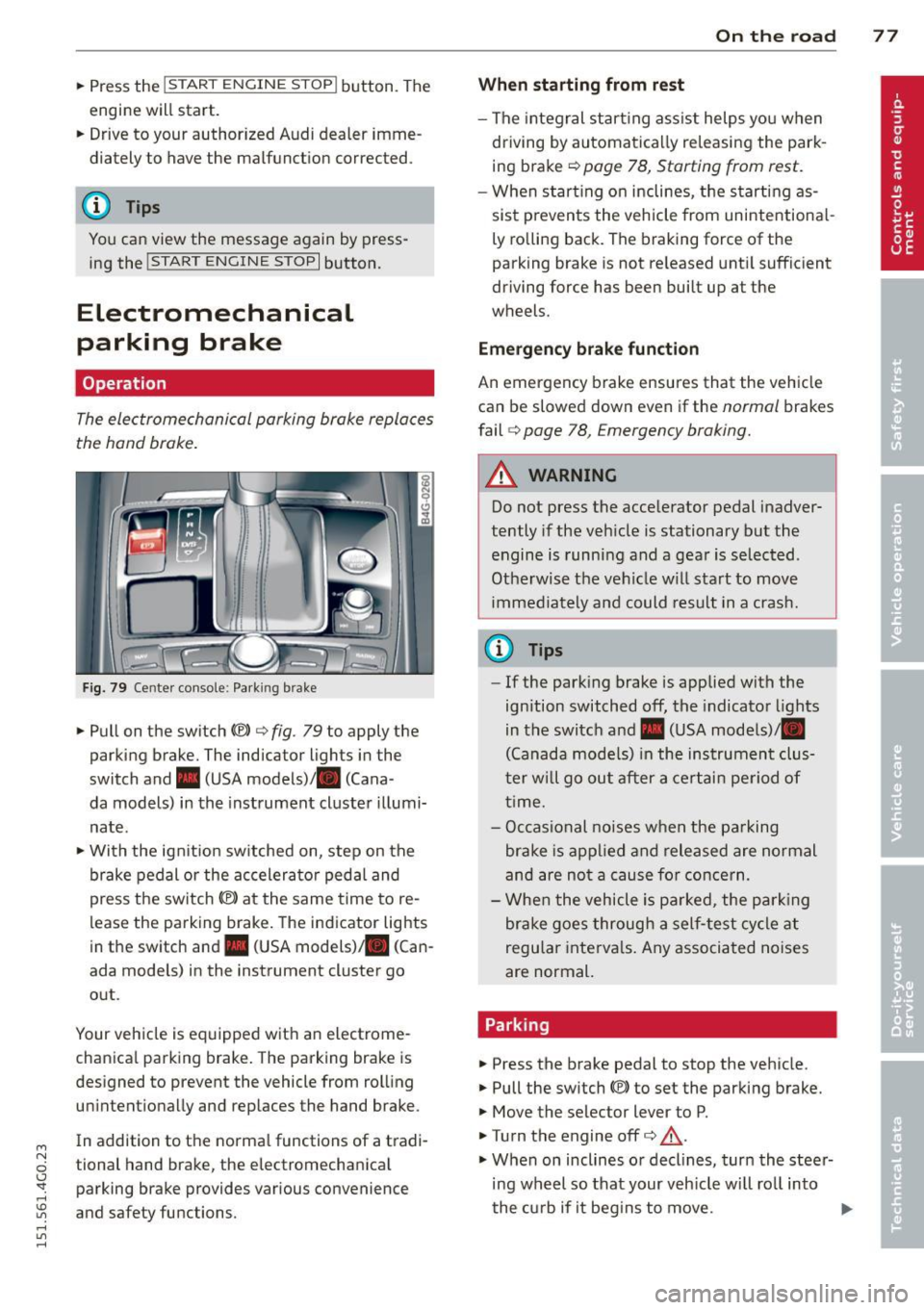
Fig. 79 Center console: Park ing brake
.. Pull on the switch<®> c:;, fig . 79 to apply the
parking brake. The indicator lights in the
switch and. (USA models)/ . (Cana -
da models) in the instrument cluster illumi
nate .
.. With the ignit ion sw itched on, step on the
brake pedal or the accelerator pedal and
press the sw itch<®> at the same time to re
lease the parking brake. The indicator lights
in the switch and. (USA models) . (Can
ada models) in the instrument cluster go
out .
Your vehicle is equipped with an electrome
chanica l parking brake. The parking brake is
designed to prevent the vehicle from rolling unintentionally and replaces the hand brake .
In addition to the norma l functions of a tradi
tional hand brake, the electromechanical parking brake provides various convenience
and safety functions.
On the road 77
When starting from rest
- The integral start ing assist helps you when
driving by automatically re leasing the park
ing brake c>
page 78, Starting from rest.
-When start ing on inclines, the starting as
sist p revents the vehicle from unintentiona l
ly rolling back. The braking force of the
parking brake is not re leased until sufficient
driving force has been built up at the
wheels.
Emergency brake function
An emergency brake ensures that the vehicle
can be slowed down even if the
normal brakes
fail
c:;, page 78, Emergency braking.
A WARNING
Do not press the accelerator pedal inadver
tently if the veh icle is stationary but the
engine is running and a gear is selected .
Otherwise th e vehicle w ill start to move
immediately and could result in a crash.
@ Tips
- If the parking brake is applied with the
ignition switched
off, the indicator lights
in the switch and. (USA models)/ •
(Canada models) in the instrument clus
t er w ill go out after a certain period of
time.
- Occasional noises when the parking
brake is applied and released are normal
and are not a cause fo r concern.
- When the vehicle is pa rked, the parking
brake goes through a self-test cycle at
regu lar intervals. Any associated noises
are normal.
Parking
.. Press the brake pedal to stop the vehicle.
.. Pull the switch(®) to set the parking brake.
.. Move the selector lever to P .
.. Tu rn the engine offc>
.&.
.,. When on inclines or decl ines, turn the steer
ing wheel so that your veh icle wi ll roll into
the curb if it begins to move. ""
Page 81 of 314
soon as the switch(®) is released, or the accel
erator pedal is depressed, emergency braking
stops.
.&_ WARNING
Emergency braking should only be used in
an emergency, when the normal foot brake
has failed or the brake pedal is obstructed .
Using the parking brake to perform emer
gency braking will slow your vehicle down
as if you had made a full brake applicat ion.
The laws of physics cannot be suspended
even with ESC and its associated compo
nents (ABS, ASR, EDL). In corners and
when road or weather conditions are bad
'
a full brake application can cause the vehi-
cle to skid or the rear end to break away -
r isking an accident.
Start-Stop-System
Description
Appl ies to vehicles : wit h Start-Stop-System
The Start-Stop-System can help increase fuel
economy and reduce CO
2 emissions.
I n the Start-Stop-mode, the engine shuts off
automatically when the vehicle is stopped,
such as at a traffic light. The ignit io n remains
sw itched on dur ing th is stop phase. The en
gine will be automatically restarted when
needed.
The last Start-Stop-System setting (on/off us
ing the button
l
l --1 but
ton turns on when the Start-Stop-System is
switched off manually.
Basic requirements for the Start-Stop
mode
- The driver's door is closed .
- The driver' seat belt is latched.
- The hood is closed.
- T he veh icle must have been driven faster
~ than 2.5 mph (4 km/h) since the last stop.
~ -A tra iler is not hitched to the veh icle.
rl I.O
"' rl
"' rl
On the road 79
.&_ WARNING
-Never let the vehicle roll with the engine
sw itched off . You could lose control over
the vehicle. This can lead to a collision
and serious injuries.
- The brake booster and the steering sup
port do not work while the engine is
sw itched off. More force is required to
stop and to steer the vehicle.
- To reduce the risk of injuries, make sure
that the Start-Stop-System is turned off
when working in the eng ine compart
ment ¢
page 81.
(D Note
Always switch off the Sta rt-Stop-System
when driving through water¢
page 81.
Starting/stopping the engine
Applies to vehicles: w ith Start -Stop-System
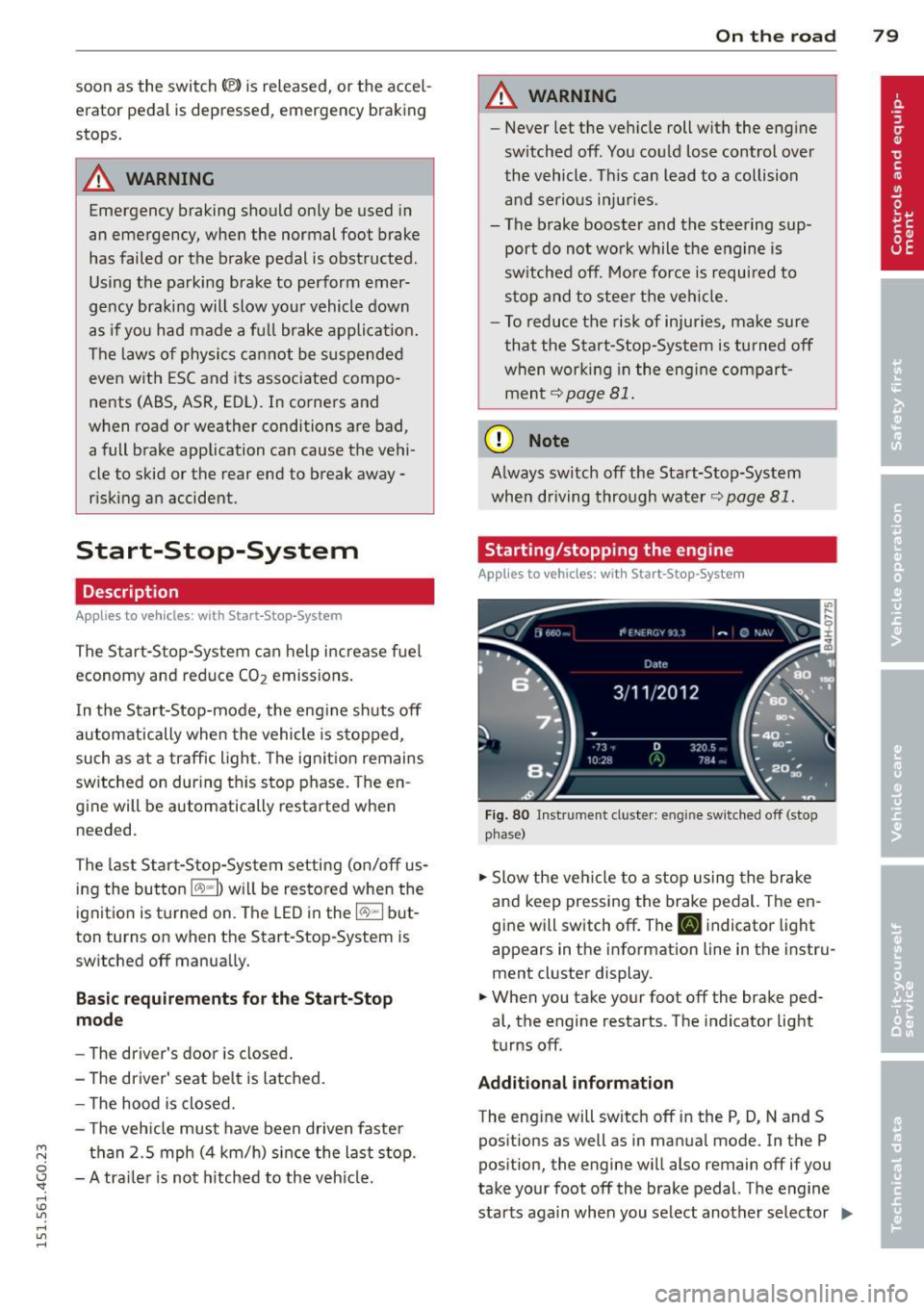
Fig. 80 Instrument cluste r: engine sw itched off (stop
p hase)
.,. Slow the vehicl e to a stop using the brake
and keep pressing the brake pedal. The en
gine will switch off. The
tlJ indicator light
appears in the information line in the instru
ment cluster display.
.. When you take your foot off the brake ped
al, the engine restarts. The indicator light
turns off.
Additional information
The eng ine will switch off in the P, D, N and S
positions as well as in manual mode. In the P
position, the engine will also remain off if you
take your foot off the brake pedal. The engine
starts aga in when you select another selector ..,_
Page 82 of 314
80 On the road
lever position and take your foot off the brake
pedal.
If you select the R position during a Stop
phase, the engine will start again.
Shift from
D to P quickly to prevent the engine
from starting unintentionally when shifting
through
R.
You can determine for yourself if the engine
will stop or not by reducing or increasing the
amount of force you use to press the brake
pedal. For example, if you only lightly press
on the brake pedal in stop-and and-go traffic
or when turning, the engine will not switch off
when the vehicle is stationary. As soon as you
press the brake down harder, the engine will
switch off.
General information
App lies to vehicles: with Start-Stop-System
The standard Start-Stop-mode can be cancel
led for different system-related reasons.
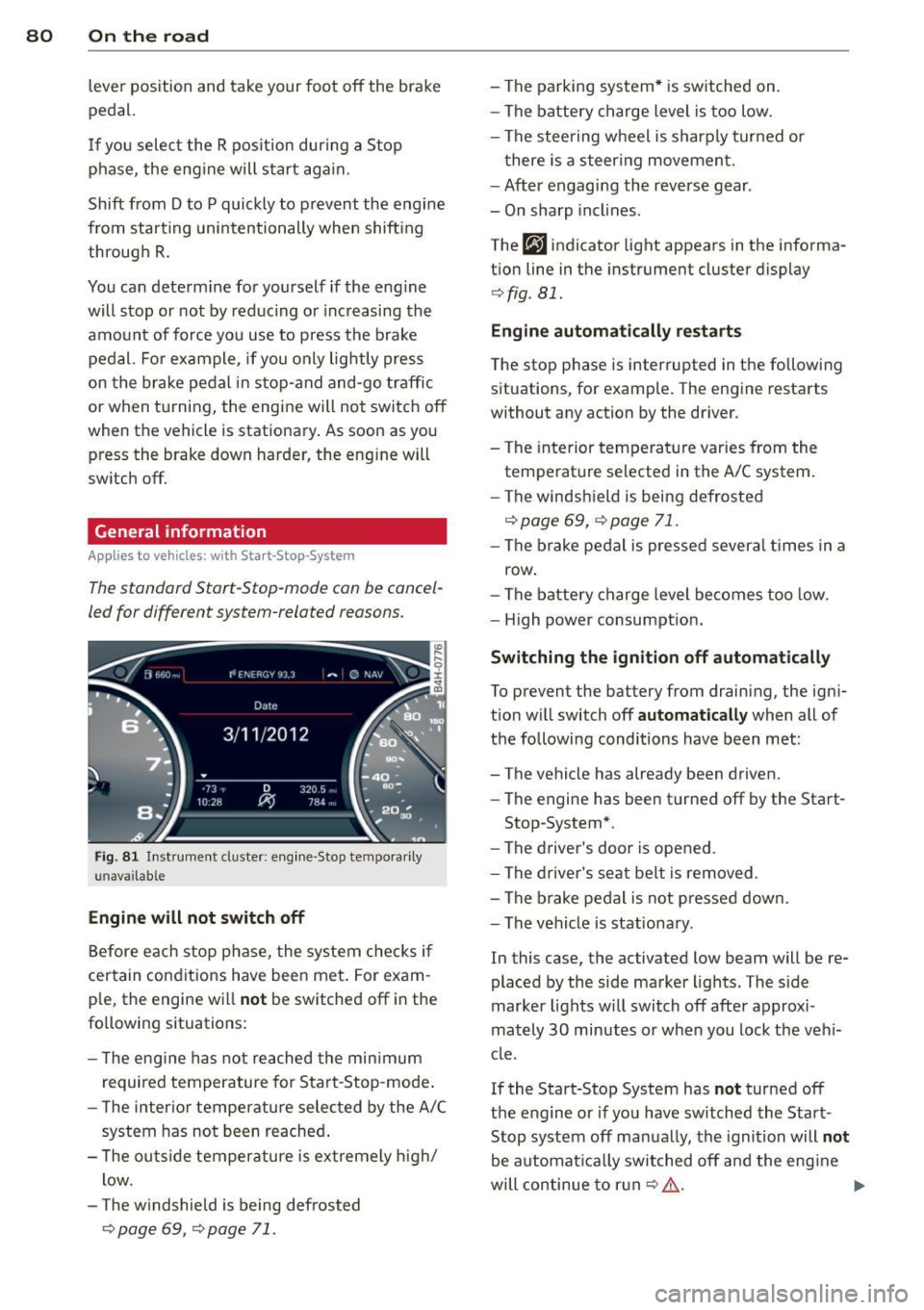
Fig . 81 Instrument cluster: engine -Stop tempo rarily
unava ilable
Engine will not switch off
Before each stop phase, the system checks if
certain conditions have been met. For exam·
ple, the engine will
not be switched off in the
following situations:
- The engine has not reached the minimum
required temperature for Start-Stop-mode.
- The interior temperature selected by the A/C
system has not been reached.
- The outside temperature is extremely high/
low .
- The windshield is being defrosted
¢ page 69, ¢ page 71.
-The parking system* is switched on.
- The battery charge level is too low.
- The steering wheel is sharply turned or
there is a steering movement.
- After engaging the reverse gear .
- On sharp inclines.
The
fjJ indicator light appears in the informa
tion line in the instrument cluster display
¢fig . 81.
Engine automatically restarts
The stop phase is interrupted in the following
situations, for example. The engine restarts
without any action by the driver.
- The interior temperature varies from the
temperature selected in the A/C system.
- The windshield is being defrosted
c:!;> page 69, ¢ page 71.
-The brake pedal is pressed several times in a
row.
- The battery charge level becomes too low.
- High power consumption.
Switching the ignition off automatically
To prevent the battery from draining, the igni
tion will switch off
automatically when all of
the following conditions have been met :
- The vehicle has already been driven.
- The engine has been turned off by the Start-
Stop-System*.
- The driver's door is opened.
- The driver's seat belt is removed .
- The brake pedal is not pressed down.
- The vehicle is stationary.
In this case, the activated low beam will be re
placed by the side marker lights. The side
marker lights will switch off after approxi
mately
30 minutes or when you lock the vehi
cle.
If the Start-Stop System has
not turned off
the engine or if you have switched the Start
Stop system off manually, the ignition will
not
be automatically switched off and the engine
will continue to run
c:!;> ,&. .,..
Page 84 of 314
82 On the road
You can s et any t hreshol d between 20 mph
(30 km/h) and 150 mph (240 km/h). Settings
can each be adjusted in increments of 6 mph
(10 km/h) .
Cruise control
Switching on
Applies to vehicles: with cruise control
The cruise control system makes it possible to
drive at a constant speed starting at 20 mph
(30 km/h).
0
f
~
0
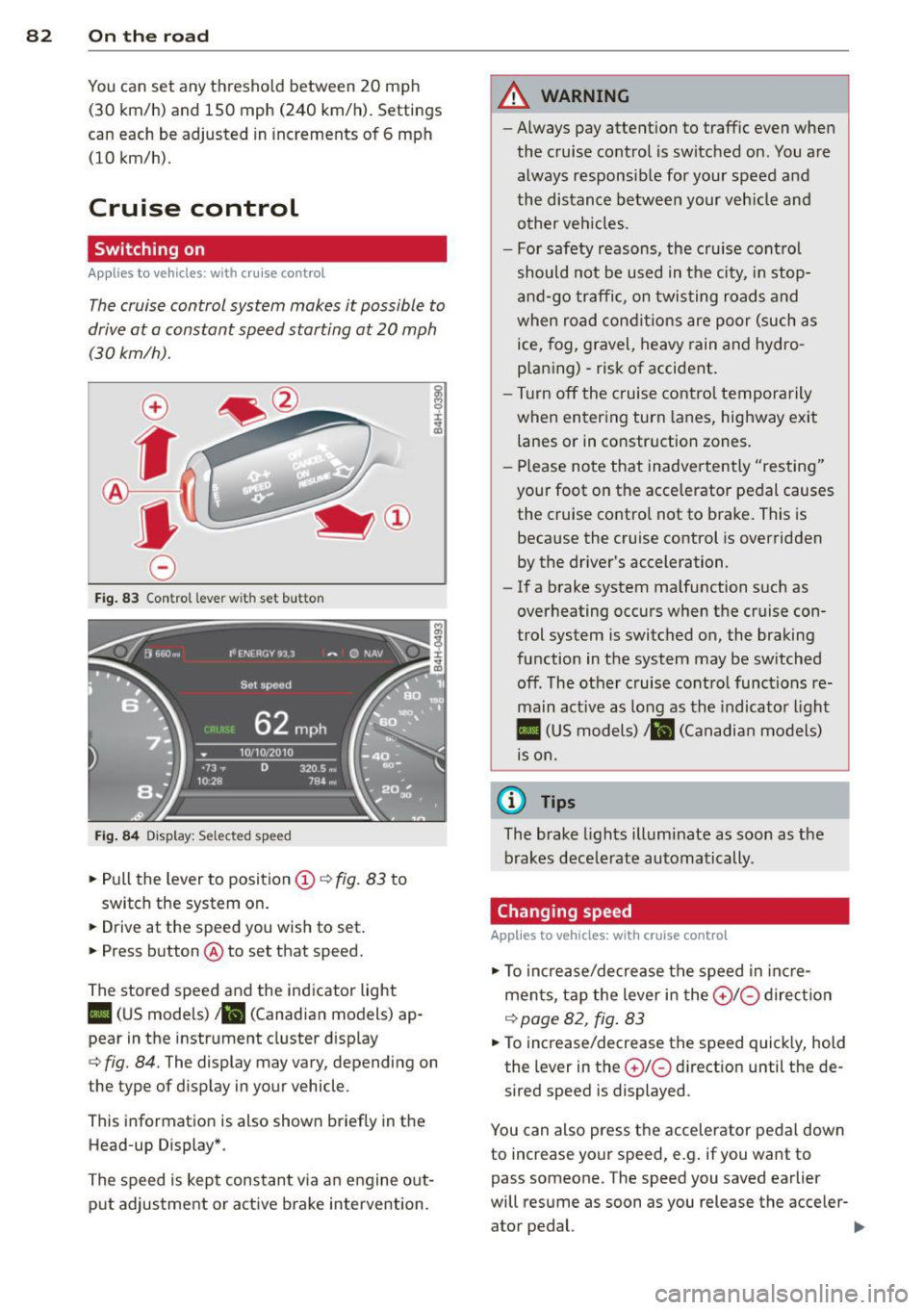
Fig . 83 Con trol lev er w it h s et bu tton
Fi g. 84 Dis pla y: Sele cte d s pee d
• Pull the lever to position (D c::, fig. 83 to
switch the system on.
• Drive at the speed you wish to set.
• Press button @to set that speed.
The stored speed and the indicator light
II (US models) ;ii (Canadian models) ap
pear in the instrument cluster d isp lay
cc> fig. 84. The display may vary, depending on
t he type of d isp lay in your vehicle .
Th is information is also shown briefly in the
Head-up Display *.
The speed is kept constant v ia an engine out
put adjustment or act ive b rake intervention .
A WARNING
--Always pay attent ion to traffic even when
the cruise co ntrol is switched on . You are
always responsib le for your speed and
the distance between your veh icle and
other veh icles .
- For safety reasons, the cruise cont ro l
should not be used in t he city, in stop
a nd -go traffi c, on twisting roads and
when road con ditions are poor (such as
ice, fog, gravel, heavy rain and hydro
p la ni ng) -risk of accident .
- Tu rn off the cruise co ntro l temporarily
when entering turn la nes , highway exit
lanes or in constr uction zones .
- Please note that inadve rtently "res ting"
your foot on the accelerator pedal causes the cruise control not to brake . This is
because the cruise control is overridden by the driver's acceleration.
- If a brake system malfunction s uch as
overheating occurs when the cruise con
trol system is switched on, the braking
function in the system may be sw itched
off . The other c ruise control functions re
main act ive as long as the indicato r light
II (US model s)/ ... (Canadian mo dels)
is o n.
(D Tips
The brake lights illum inate as soon as the
brakes decele rate automatically .
Changing speed
Applies to vehicles: with cruise control
• To increase/de crease the s peed in inc re
ments, tap the lever in the
0 10 direc tion
c::> page 82 , fig . 83
• To increase/decrease the s peed quick ly, hold
the lev er in the
0 10 d irect ion until the de
sired speed is displayed .
You can also press the accelerator pedal down
to increase your speed, e .g . if you want to
pass someone. The speed you saved earlie r
will res ume as soon as you release the acceler-
ator pedal. ..,.
Page 89 of 314
Audi adaptive cruise control and braking guard 87
tachometer @and is also shown briefly in
the display @
c::> fig. 90.
.. You must also press the brake pedal when
the vehicle is stopped.
Switching adaptive cruise control off
.. Push the lever away from you into position
@ until it clicks into place. The message
ACC off appears.
@ Indicator lights
II-Adaptive cru ise contro l is switched on.
No vehicles are detec ted up ahead. The stored
speed is ma intained.
• -A moving vehicle is detected up ahead.
The adaptive cruise control system regulates
the speed and distance to the moving vehicle
ahead and acce lerates/brakes automatical ly.
fit -Adaptive cruise contro l is switched on. A
mov ing vehicle up ahead was detected. Your
vehicle remains stopped.
• -When automatic brak ing is not able to
keep enough distance to a previously detected
moving vehicle up ahead, you must take con
trol and brake
c::> page 89, Prompt for driver
intervention.
© Display
If adaptive cruise control is not shown in the
d isp lay, you can call it up with the multifunc
tion steering wheel buttons
c::> page 24.
Based on the symbols in the d isplay, you can
determine if the system is maintaining a dis
tance to the vehicle ahead and what that d is
tance is.
No vehicle -No veh icle ahead was detected .
White vehicle -A vehicle ahead was detected.
Red vehicle -Prompt for the driver to take ac
tion
c::> page 89.
Both arrow s on the scale© indicate the dis
tance to the vehicle ahead. No arrow appears
~ when the vehicle is on an open road and there
0
~ is no object ahead . If an object is detected
:;, ahead , the arrow moves on the scale .
"' ,....,
"' ,....,
The green zone on the scale shows the stored
distance. For information on changing the
stored distance, refer to
c::> page 88 . If the
distance selected is too close or may soon be
come too close, the arrows move into the red
zone on the sca le .
A WARNING
Improper use of the adaptive cruise con
trol can cause collisions, other accidents
and serious personal injur ies .
- Pressing the
!SET ! button when driv ing at
speeds below 20 mph (30 km/h), will au
tomatically accelerate the vehicle to 20
mph (30 km/h), which is the minimum
speed that can be set.
(D Tips
-If you switch the ignit ion or the adaptive
cruise control off, the set speed is erased
from the system memory.
- Th e elec tronic stab ilization control (ESC)
and the anti-slip-regulation (ASR) are au
tomatically turned on when the adaptive
cruise control is turned on. Both systems
cannot be turned off if the adaptive
cruise contro l is turned on.
Changing the speed
Applies to veh icles: with Audi adaptive cruise control
0
f
• 0
Fig. 91 Selector lever: chang ing the speed
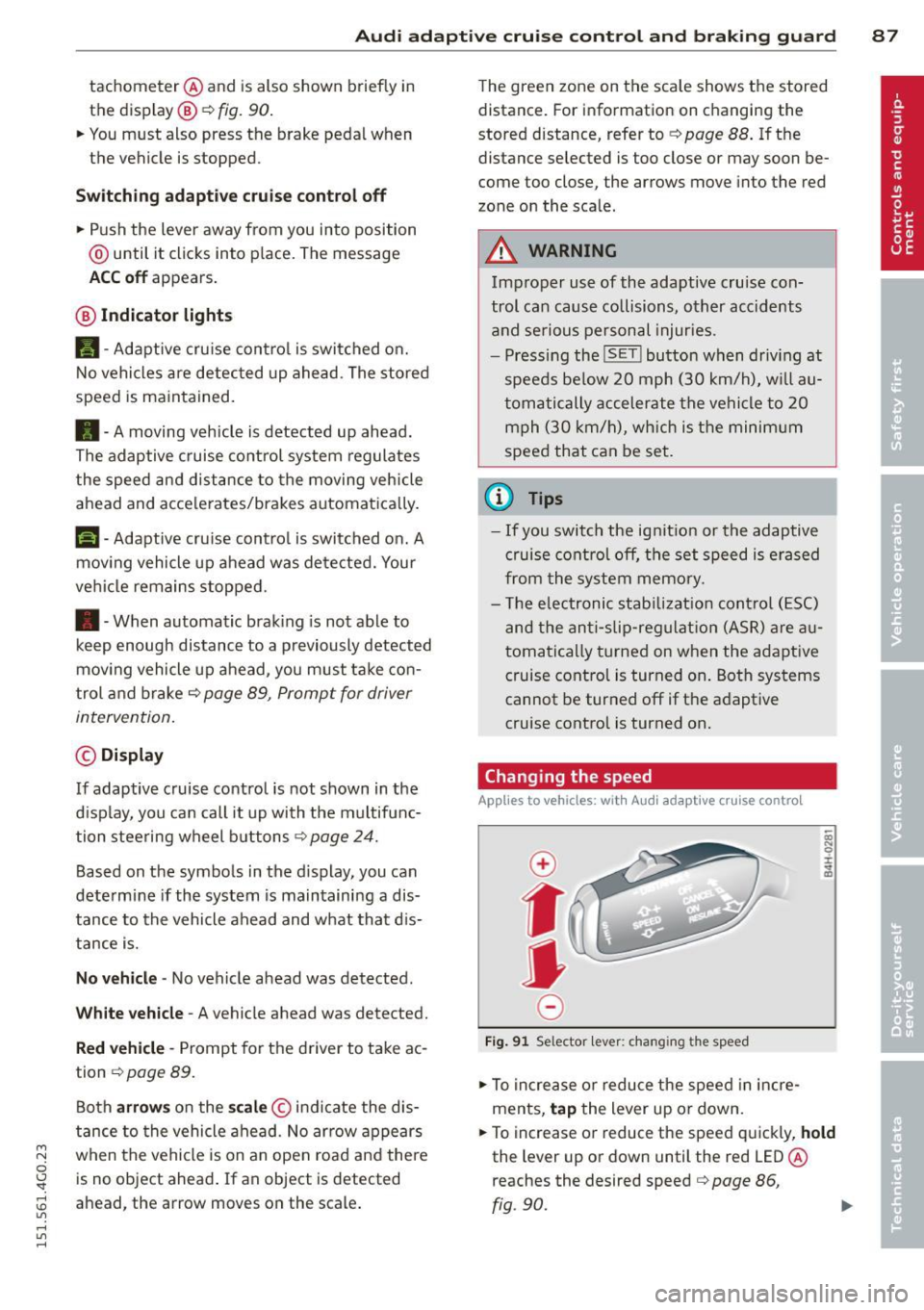
.. To increase or reduce the speed in incre
ments,
tap the lever up or down.
.. To increase or reduce the speed quickly,
hold
the lever up or down until the red LED @
reaches the desired speed
c::> page 86,
fig .90.
~
Page 91 of 314
M N
0 I.J "". rl I.O
"' rl
"' rl
Audi adaptive cruise control and braking guard 89
When approaching a moving vehicl e up ahead,
the adaptive cruise contro l system automati
cally brakes to match that object's speed and
then maintains the stored distance.
If the ve
hicle ahead accelerates, adaptive cruise con
trol will also accelerate up to the stored
speed .
The higher the speed, the greater the distance
in yards (meters) ¢.&. . The
Distance 3 setting
is recommended .
The distances prov ided are specified values .
Depending on the driving situation and the
how the vehicle ahead is driving, the actual
distance may be more or less than these tar
get distances.
The various symbols for the time increments appear briefly in the information line @
¢
page 86, fig . 90 when you change the set
tings .
,::::::,_,::::::, ___ Distance 1: This setting corre-
sponds to a distance of 92 feet/28 meters
when traveling at 62 mph (100 km/h), or a
time interval of 1 second.
,::::::, __ ,::::::, __ Distance 2: This setting corre
sponds to a distance of 118 feet/36 meters
when traveling at 62 mph (100 km/h), or a
time interval of 1.3 seconds .
,::::::, ___ ,::::::,_ Distance 3: This setting corre-
sponds to a distance of 164 feet/SO meters
when traveling at 62 mph (100 km/h), or a
time interval of 1.8 seconds .
,::::::, __ __ ,::::::, Distance 4: This setting corre-
sponds to a distance of 210 feet/64 meters
when traveling at 62 mph (100 km/h), or a
time interval of 2.3 seconds .
A WARNING
Following other vehicles too closely in
creases the risk of collisions and serious
personal injur y.
- Setting short distances to the traffic
ahead reduces the time and distance
available to bring your vehicle to a safe
stop and makes it even more necessary
to pay close attention to traffic. -
Always obey applicable traffic laws, use
good judgment, and select a safe follow
ing d istance for the traff ic, road and
weather conditions .
(D Tips
-Distance 3 is set automatically each time
you switch the ignition on.
- Your standard settings are automatically
stored and assigned to the remote con
trol key being used.
Selecting the driving mode
Applies to vehicles: with Audi adaptive cruise control
.. Select the desired driving mode in dr ive se
lect <=;>
page 100.
(D Tips
Your settings are automat ically stored and
assigned to the remote control key being
used.
Prompt for dr iver intervention
Applies to vehicles: with Audi adaptive cruise contro l
Fig. 94 Instrument cluster: req ues t fo r drive r inte rven
tio n
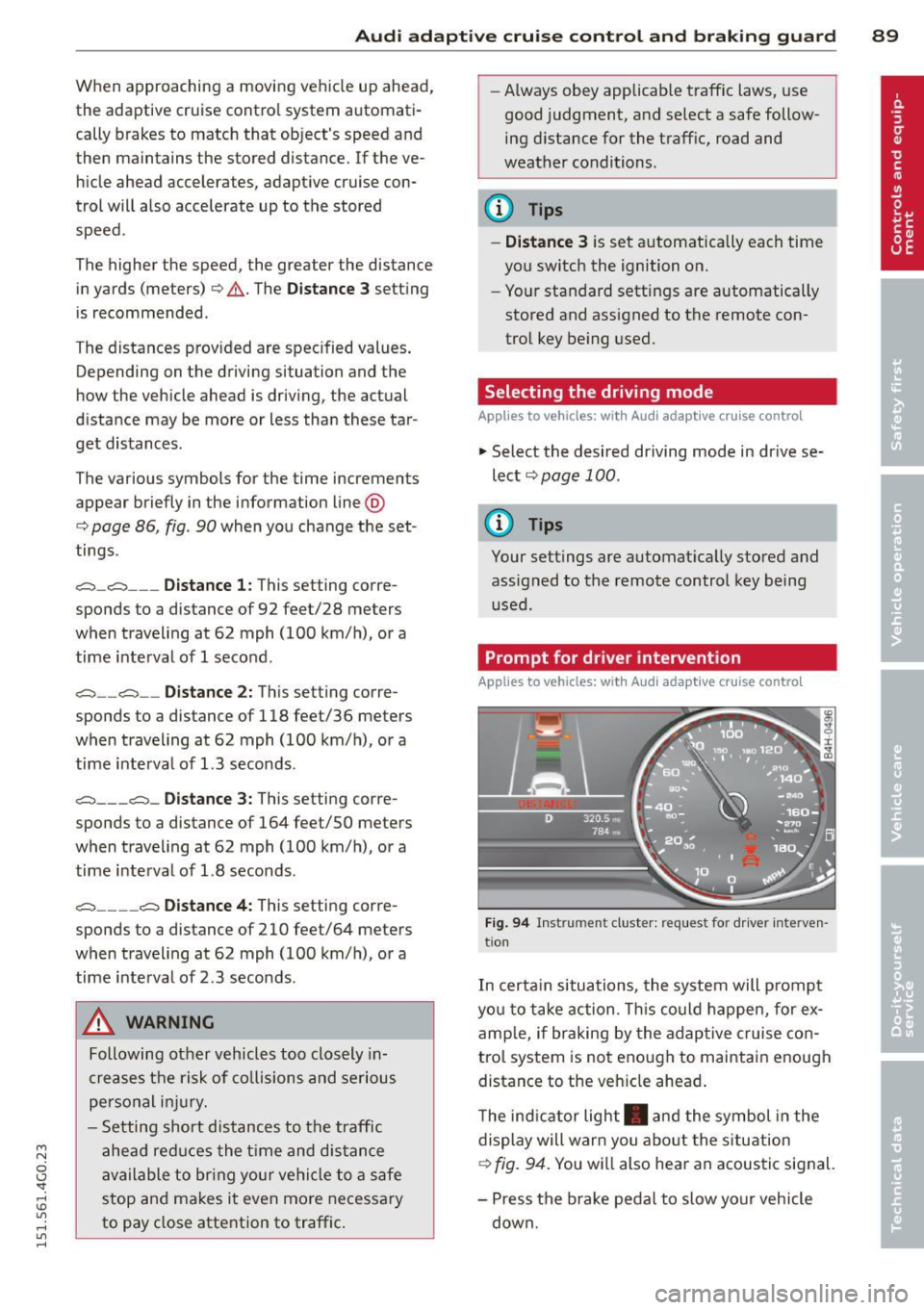
In certain situations, the system will prompt
yo u to take action . This could happen, for ex
amp le, if braking by the adaptive cruise con
trol system is not enough to maintain enough
distance to the veh icle ahead .
The indicator light . and the symbol in the
display will warn you about the situation
<=;> fig. 94. You wi ll also hear an acoustic signal.
- Press the brake pedal to slow your vehicle
down.
Page 92 of 314

90 Audi adaptive cruise control and braking guard
Audi braking guard
Descript ion
Applies to vehicles: with Audi adaptive cruise control
Fig. 95 Instrument cluster: approach warn ing
Braking guard uses radar sensors and a video
camera . It also functions within the limits of
the system when adapt ive cruise control is
switched off .
What can braking guard do?
When detected in time, the system can assess
situations when a vehicle ahead brakes sud
denly or if your own vehicle is traveling at a
high speed and approaching a vehicle up
ahead that is moving more slowly . Brak ing
guard does not react if it cannot detect the
situation .
The system advises you of various situations:
- The
distance warning is given if you are too
close to the vehicle ahead for a long time. If
the vehicle ahead brakes sharply, you will not be able to avoid a collision . The indicator
light. in the display comes on .
- The
approach warning is given when a de
tected vehicle up ahead in your lane is mov
i ng much more slowly than you are or if it
brakes sharply . When this warning is given,
it may only be possible to avoid a collision
by swerving or braking sharply . Th e indicator
light. and indicator in the display will
warn you about the danger
c::> fig. 95. You
will also hear an acoustic signa l.
ll This is not ava ilable in some co un tri es .
If you do not react fast enough or do not react
at all to the situation, braking guard will inter·
vene by braking.
- If a coll is ion is imminent, the system will
first provide an
acute warning by briefly and
sharply applying the brakes.
- If you do not react to the acute warning,
braking guard can brake wit h increasing
force w ith in the limits of the system . This
reduces the vehicle speed in the event of a
collision.
- The system can initiate maximum braking
short ly before a collision
1l . Full deceleration
at high speeds occurs only in vehicles with
adapt ive cruise control and side assist (pre
sense plus).
- If the braking guard senses that you are not
braking hard enough when a collision is im·
m inent, it can increase the braking force.
- The pre sense functions also engage when a
collision is imminent
c::> page 190.
Which functions can be controlled?
You can switch braking guard and the dis
tance/approach warning on or off in the MMI
c::> page 91, Settings in the MMI.
A WARNING
Lack of attention can cause collisions, oth
er accidents and serious personal injuries.
The braking guard is an assist system and
cannot prevent a collision by itself. The
driver must always intervene. The driver is
always respons ible for braking at the cor
rect time.
- Always pay close att ent ion to traffic,
even when the braking guard is switched
on. Be ready to intervene and be ready to
take comp lete control whenever necessa
ry . Always keep the safe and legal dis
tance between your vehicle and vehicles up ahead.
- Braking guard works within limits and
will not respond outside the system lim· its, for example when approaching a ..,.
Page 109 of 314
M N
0 I.J "". rl I.O
"' rl
"' rl
Automatic Transmission
multitronic, S tronic,
tiptronic
Introduction
The automatic transmission is controlled elec
tronically . The transmission upsh ifts or down
shifts automatically depending on which drive
program is se lected .
When a
moderate driving style is used, the
transmission selects the most economical
driving mode . It will then change up early and
delay the downshifts to give better fuel econ
omy.
The transmission switches to a sporty mode
after a kick-down or when the driver uses a
sporty driving style characterized by quick ac
celerator pedal movements, heavy accelera
tion, frequent changes in speed and traveling
at the maximum speed.
If desired, the driver can als o se lect the gears
manually (tiptronic mode) q page 111.
Various automatic transmissions may be in
stalled , depending on the model:
multitronic transmission
The multitron ic transmission is a continuously
variable transmission. Power is transferred us
ing a multidisk clutch . In contrast to conven
tional automat ic transm iss ions using shift ing
ope rat ions, the transmiss ion ratio in the con
tinuously variab le transmission is changed
continuously. This optimizes the comfort level
and conserves fuel.
S tronic transmission
The S tronic is a dual-clutch transmission .
Power is transferred using two clutches that
work independently from one another. They
replace the torque converter used in conven
tional automatic transm issions and allow the
vehicle to accelerate without a noticeable in
terruption in traction.
Automatic Transmission 107
tiptronic transmission
In the tiptronic transmission, power is trans
ferred by a torque converter.
Selector lever positions
Fig. 114 Disp lay in the instrument cluster: selector
l ever positio n
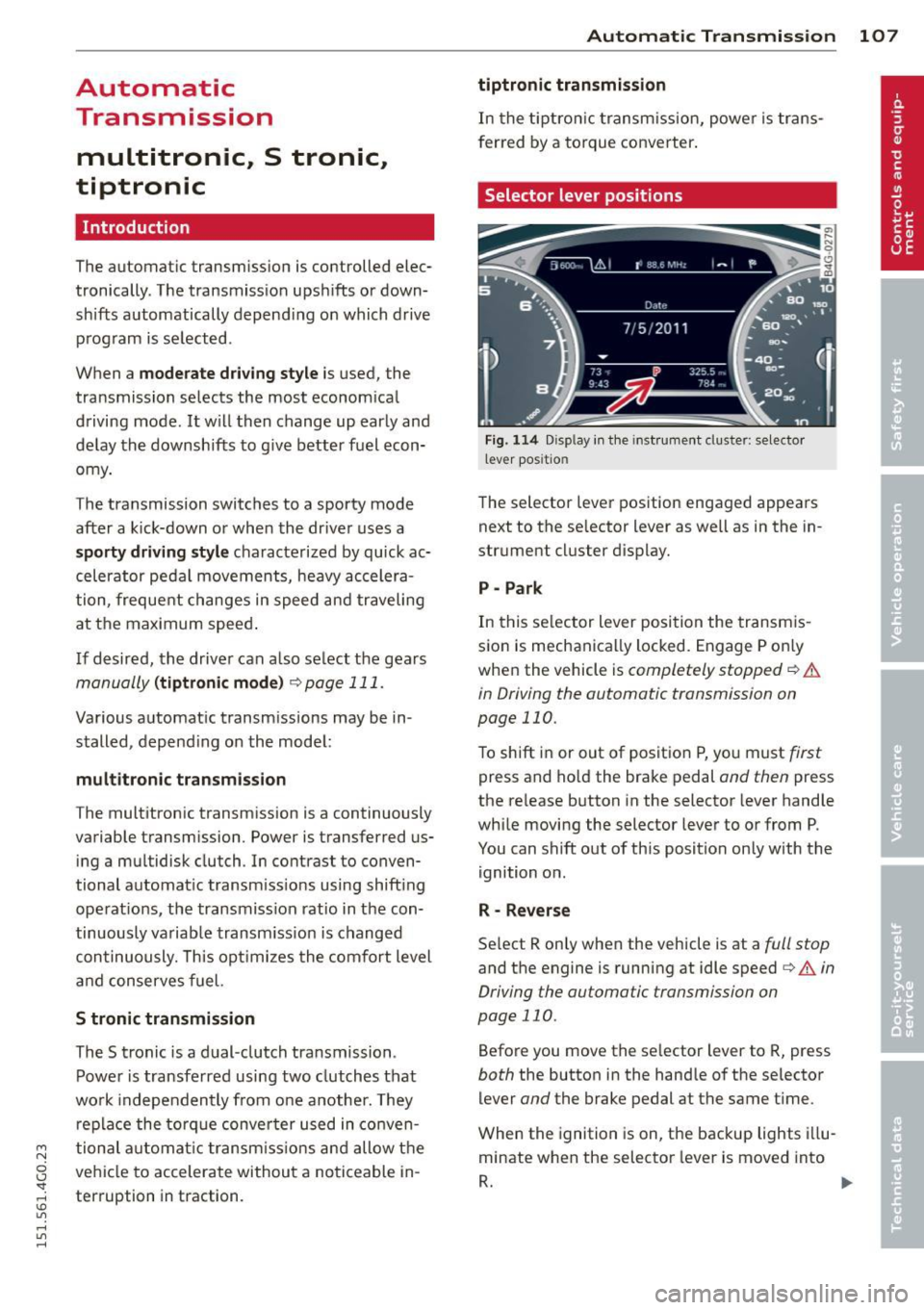
The selector lever position engaged appears
next to the se lector lever as we ll as in the in
strument cluster display.
P- Park
In this selector lever position the transmis
sion is mechanically locked. Engage P on ly
when the vehicle is
completely stopped q .&.
in Driving the automatic transmission on
page 110.
To shift in or out of positio n P, you must first
press and hold the brake pedal and then press
the re lease button in the selector lever handle
while moving the selector lever to or from P.
You can shift out of this position only with the
ignition on.
R - Reverse
Select R only when the vehicle is at a full stop
and the engine is running at idle speed i:> & in
Driving the automatic transmission on
page 110 .
Before you move the se lector lever to R, press
both the button in the handle of the selector
lever
and the brake pedal at the same time .
When the ignition is on, the backup lights illu
minate when the selector lever is moved into
R. ..,.
Page 111 of 314
M N
0 I.J "". rl I.O
"' rl
"' rl
The Automatic Shift Lock only functions when
the vehicle is stationary or at speeds below
1 mph (2 km/h).
At speeds above about 1 mph (2 km/h) the
Automatic Shift Lock is automatically deacti
vated in the N position.
A time delay element prevents the se lector
l eve r from locking when it is moved thro ugh
the N position (going from R to 0/5). The lock
ing e lement will lock the selector lever if the
lever is left in N (Neutral) for more than ap
prox imately 2 second, without the brake ped
al being pressed.
R elease button
The release button on the selector lever pre
vents the lever from being accidenta lly shifted
into certain positions. Depending on the direc
tion of the shift, the selector lever locks at d if
ferent positions. The positions are h ighlighted
in the illustration
¢ fig . 115 .
Driving the automatic transmission
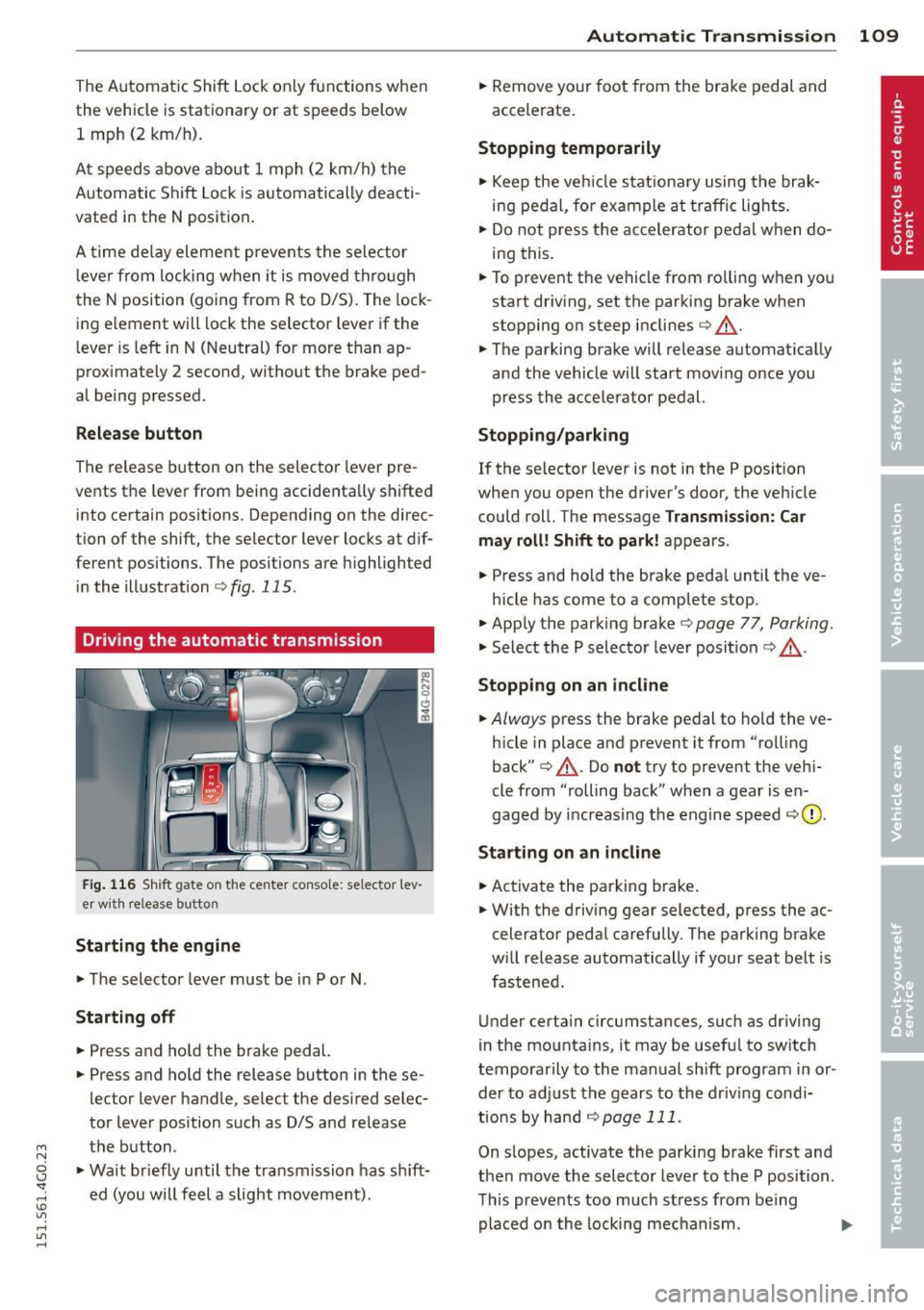
Fig. 116 Shift gate on the center conso le: selector lev
er w ith release button
Starting the engin e
• The selector lever must be in P or N.
Starting off
• Press and ho ld the brake pedal.
• Press and hold the release button in these
lector lever handle, select the desired selec
tor lever pos ition such as D/S and release
the button .
• Wait br iefly until the transmission has sh ift
ed (you will feel a slight movement).
Automatic Tra nsmi ssi on 109
• Remove your foot from the brake pedal and
accelerate.
Stopping t emporarily
• Keep the veh icle stationa ry using the brak
ing pedal, for example at traffic lights.
• Do not press the accelerator peda l w hen do
ing this .
• To prevent the vehicle from ro lling when you
start dr iving, set the parking brake when
stopping on steep inclines¢.&_ .
• The parking brake will release automat ically
and the vehicle will start mov ing once you
press the accelerator pedal.
Stopping /parking
If the selector lever is not in the P position
when you open the driver's door, the vehicle
could roll. The message
Transm ission: Car
may roll! Shift to park !
appears.
• Press and hold the brake peda l until the ve-
hicle has come to a complete stop.
• Apply the parking brake¢
page 77, Parking.
• Select the P selector lever posit ion c::> ,&. .
Stopping on a n incline
• Always press the brake pedal to ho ld the ve
hicle in place and prevent it from "rolling
back"
c::> .&_ . Do not try to prevent the veh i
cle from "rolling back" when a gear is en
gaged by increas ing the engine speed
c:::, (D ,
Sta rting on an incline
• Activate the parking brake .
• With the driving gear selected, press the ac
celerator peda l carefully. The parking brake
w ill release automatically if your seat belt is
fastened .
Under certain circumstances, such as driving
in the mounta ins, it may be useful to switch
temporarily to the manual shift program in or
der to ad just the gears to the driv ing cond i
tions by han d
¢page 111.
On s lopes, activate the parking brake first and
then move the selector lever to the P position .
This prevents too much stress from being placed on the locking mechanism. .,.
Page 114 of 314
112 Automatic Tran sm iss ion
long as the accelerator peda l is depressed, the
engine speed is automatica lly regulated for
maximum acceleration.
Appli es to v ehicl es with a S tronic -/,
tip tronic t ransmis sion
When you depress the acce lerator pedal be
yond the resistance point, the automatic transmission downshifts into a lower gear, de
pending on vehicle speed and engine speed.
The upshift into the next higher gear takes
place once the maximum specified eng ine
speed is reached.
A WARNING
Please note that the d rive wheels can spin
if kick-down is used on a smooth slippery
road - there is a risk of skidding .
Launch Control Program
Applies to vehicles: with 5 tronic
The Launch Control Program provides the
best acceleration possible when starting from
a stop .
Requirement: The engine must be at operat
i ng temperature and the steering wheel must
not be tu rned.
,,. Press the
I" O FFI button ¢ page 195 while
the engine is running. The
II ind icator light
illuminates in the instrument cluster and
Sta bilizati on co ntrol (E SC): Off W arning!
Redu ced st a bilit y
appears in the driver in
f ormation system display.
,,. Move the selector lever to position D/S to
select sport mode (S) or select
Dynam ic
mode in Audi dr ive select ¢ page 101.
,,. Press the brake pedal strongly with your left
foot and hold it down for at least 1 second.
,,. At the same t ime, press the accelerator ped
al down complete ly w ith your r ight foot un
t il the engine reaches and maintains a h igh
RPM.
,,. Remove your foot from the brake pedal
within S seconds¢ .&_.
A WARNING
-Always adapt your driving to the traffic
flow .
- Only use the Launch Control Program
when road and traff ic conditions allow it
and other drivers w ill not be endangered
or annoyed by your driving and the vehi
cle's acceleration.
- Please note that the driving wheels can
spin and the vehicle can break away
when sport mode is switched on, espe
cially when the road is slippe ry.
- Once you have accelerated, you shou ld
sw itch sport mode off by pressing the
I J'J OFF I button.
(D Tips
'
-The tra nsmission temperature may in
crease significantly after using the
Launch Control P rogram. If that hap
pens, the p rogram may not be avai lab le
for a few minutes . It w ill be ava ilable
again after a cool-down period .
- When accelerating using the La unch
Contro l Program, a ll vehicle parts are
subject to heavy loads. This can result in
increased wear.
Transmission malfunction
ID T ransm ission: Pre ss bra ke pedal and se
l e ct ge ar a gai n
Press the brake peda l and select the desired
selector lever position again. You can then continue driving.
[O] Transmi ssion o verh eatin g: Plea se dri ve
con ser va tivel y
-
The transm iss ion temperat ure has inc reased
significantly due to the sporty driving manner .
Drive in a less sporty manner until the tem
perature returns to the normal range and the
indicator light switches of.
ID T ra nsmis sion malfun ction : Y o u can con-
tinue dri ving ..,