mirror AUDI A6 2017 User Guide
[x] Cancel search | Manufacturer: AUDI, Model Year: 2017, Model line: A6, Model: AUDI A6 2017Pages: 280, PDF Size: 70.24 MB
Page 101 of 280
co
co
.... N
" N .... 0 0 <.,;) 'SI"
The display remains dim in the information stage
so that your view toward the front is not distur
bed .
Warning stage
If the d isplay i n a m irror blinks br igh tly when yo u
activate a turn signal, side assist is
warning you
about detected vehicles that it has classified as
cr itical. If this happens, check traffic by g lancing
in the exterior m irrors and over your shoulder
c::> .& in General informa tion on page 100.
Applies to: vehicles with active la ne assist
The display in the mirror can a lso b link if you
have not act ivated a turn signa l: if you are ap
proaching a detected lane marker line and it ap
pears you w ill be leaving the lane , side assis t will
warn you about detected vehicles that it has clas sified as critical.
@ Tips
You can adjust the brightness on of the dis play on the rearview mirror
c::> page 101.
General information
Applies to: veh icles with Audi side assist
®
®
©
Fig. 1 06 Drivi ng sit ua tions
A ss ist
~ AU D I
• •
Fig. 107 Rea r of the ve hi cle: pos it io n of t he se nso rs
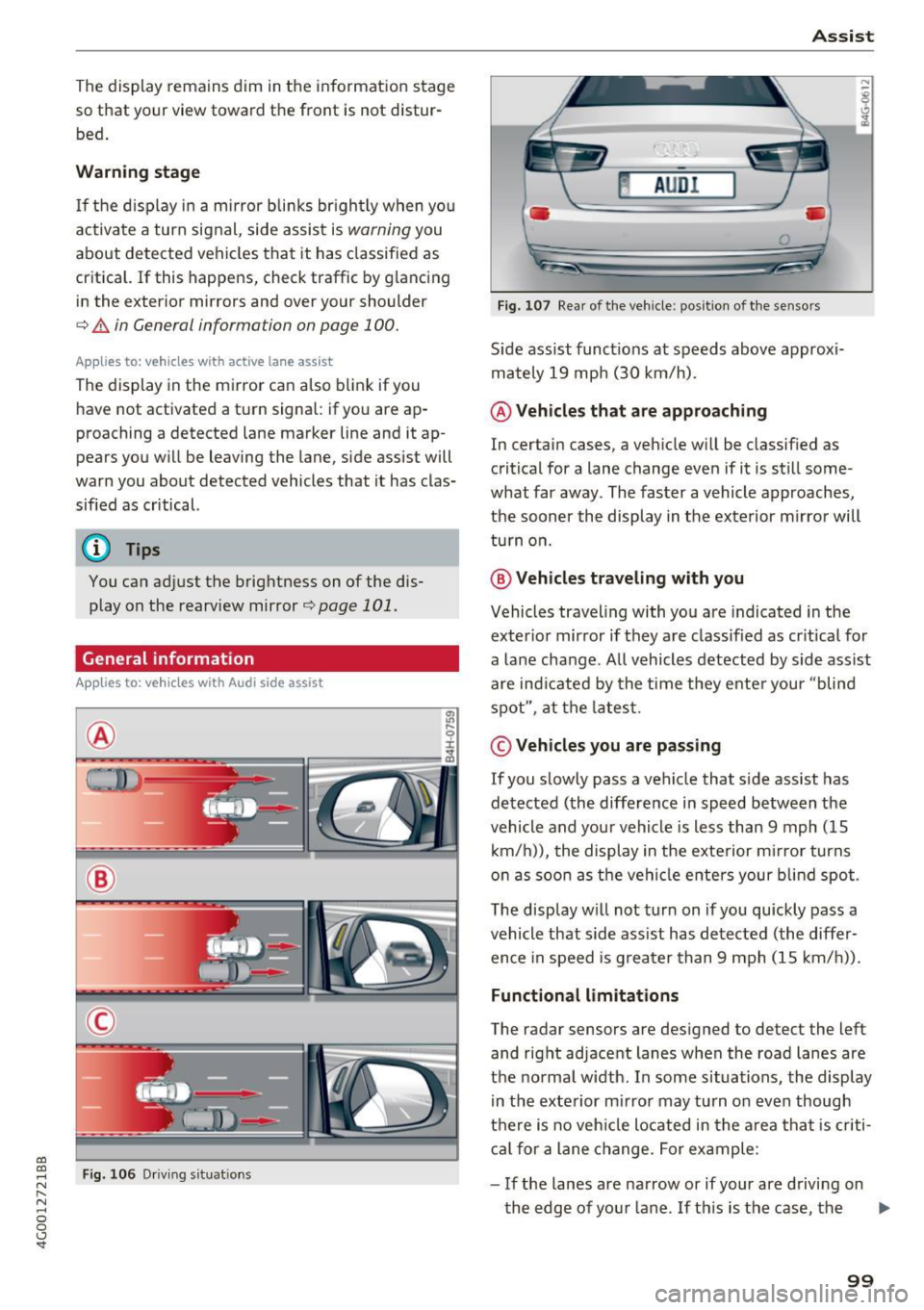
S ide assist funct ions at speeds above approxi
mately 19 mph (30 km/h) .
@ Vehicles that are approaching
In certain cases, a vehicle will be classified as
critical for a lane change even if it is still some
what far away . The faster a vehicle approaches,
the sooner the display in the exterior m irror will
tu rn o n.
@ Vehicles traveling with you
Vehicles traveling with yo u are indicated in the
exter ior mirror if they are classified as cr itical for
a lane change . A ll vehicles detected by side assist
are ind icated by the t ime they ente r you r "blind
spot" , at the latest .
© Vehicles you are passing
If you s lowly pass a veh icle that s ide ass ist has
detected (the difference in speed between the
vehicle and your vehicle is less than 9 mph (15
k m/h)), the display in the exte rior m irror turns
o n as soon as t he veh icle enters your b lind spot .
The display w ill not t urn on if you quickly pass a
vehicle that side ass ist has de tected (the differ
ence in speed is greater than 9 mph (15 km/ h)).
Function al limitat ions
The radar sensors are designed to detect the left
and right ad jacent lanes when the road lanes are
t h e normal width. In some situations, the display
in the exterior mirror may turn on even though
t h e re is no veh icle located in the area tha t is criti
ca l for a lane change . For ex ample :
- If the lanes are na rrow or if your are drivi ng on
the edge of you r lane . If th is is the case, the ..,_
99
Page 102 of 280
Assist
system may have detected a vehicle in another
lane that is
not adjacent to your current lane.
- If you are driving through a curve. Side assist
may react to a vehicle that is one lane over
from the adjacent lane.
- If side assist reacts to other objects (such as
high or displaced guard rails).
- In poor weather conditions. The side assist
functions are limited.
Do not cover the radar sensors <=>
fig. 107 with
stickers, deposits, bicycle wheels or other ob
jects, because they will impair the function. Do not use side assist when towing a trailer. For in
formation on cleaning, see <=>
page 231.
A WARNING
-Always pay attention to traffic and to the
area around your vehicle. Side assist cannot
replace a driver's attention. The driver alone
is always responsible for lane changes and
similar driving maneuvers.
- In some situations, the system may not
function or its function may be limited. For
example:
- If vehicles are approaching or being left
behind very quickly. The display may not
turn on in time.
- In poor weather conditions such as heavy
rain, snow or heavy mist.
- On very wide lanes, in tight curves, or if
there is a rise in the road surface. Vehicles
in the adjacent lane may not be detected
because they are outside of the sensor
range.
- Audi side assist cannot detect all vehicles under all conditions, which can increase the
risk of accidents.
- Please note that side assist only displays ap proaching vehicles or vehicles in your blind
spot if your vehicle is traveling at least
19 mph (30 km/h).
- In certain situations, the system may not
work or its function may be limited. For ex
ample:
- The display may not turn on at the right
time if veh ides are approaching or passing
very quickly.
100
-
-In poor weather conditions, such as heavy
rain, snow or fog.
- In very wide lanes, in tight curves or when
there are slopes in the roadway, vehicles
in the neighboring lanes may not be de
tected because they a re outside of the
sensor range.
(D Note
The sensors can be displaced by impacts or
damage to the bumper, wheel housing and
underbody. This can impair the system. Have
an authorized Audi dealer or authorized Audi
Service Facility check their function .
@ Tips
If the window glass in the driver's door or
front passenger's door has been tinted, the display in the exterior mirror may be incor
rect.
- For an explanation on conformity with the
FCC regulations in the United States and the
Industry Canada regulations, see
~page 262.
Switching on and off
Appl ies to : vehicles wi th Audi side ass ist
Fig. 108 Driver's door: side assist button
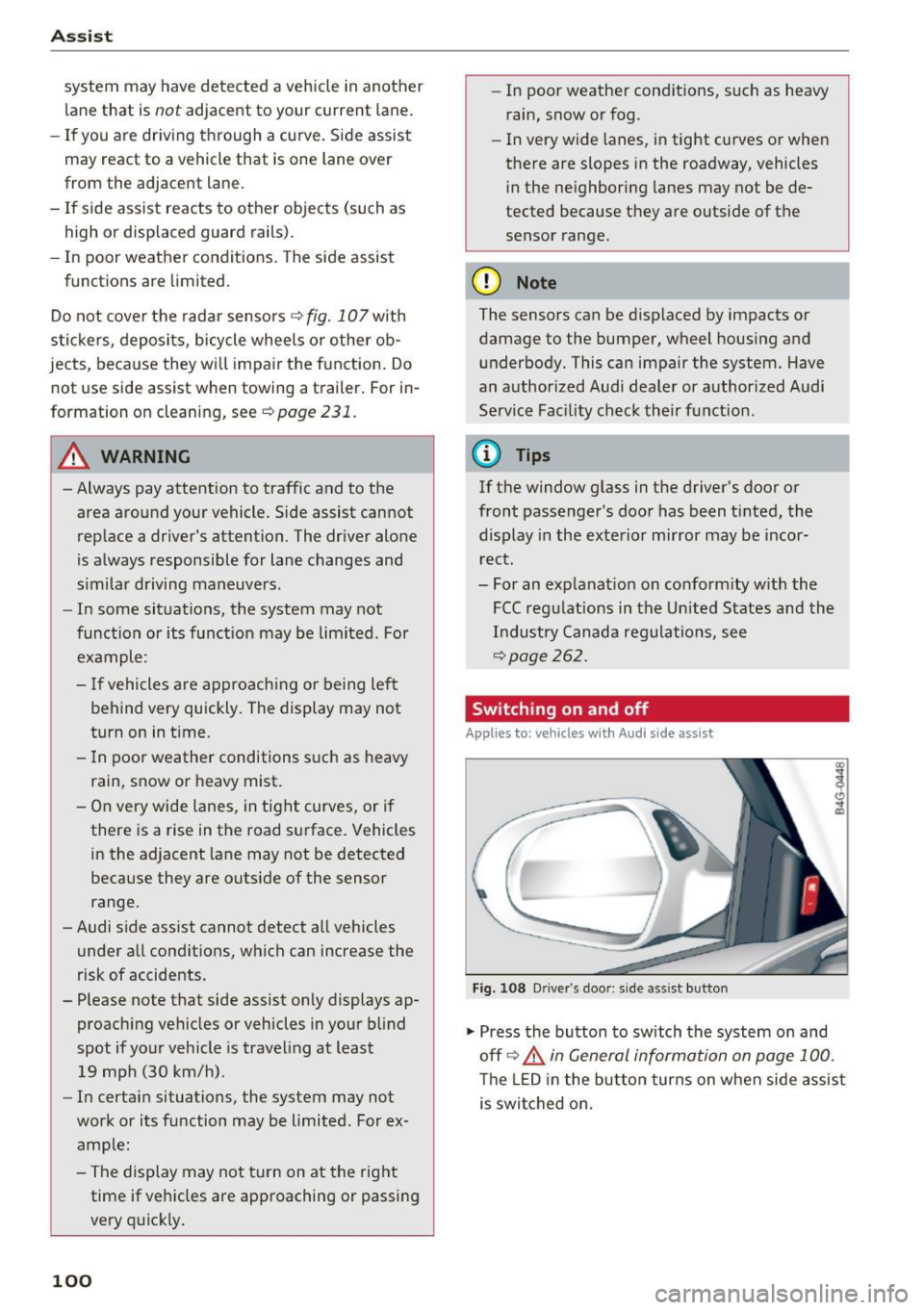
"" Press the button to switch the system on and
off <=>.&
in General information on page 100.
The LED in the button turns on when side assist
is switched on.
Page 113 of 280
co
co
.... N
" N .... 0 0 <.,;) 'SI"
-For objects that do not touch the ground,
such as the bumper of a parked vehicle, a
tra iler hitch or the rear of a truck. Do not
use the orientation lines in this case .
- If driven from a level surface onto an in
cline, or a downward slope.
- If driven toward protrud ing objects .
- If the vehicle is carrying too much load in
the rear.
- Applies to: vehicles with air s uspension: the
accuracy of the orientation lines and bl ue
surfaces decreases when the vehicle is raised/lowered
Q page 104.
(D Note
- Always read and follow the applicable warn
ings
Q 0 in General information on
page 108 .
-The orange-colored orientation lines in the
Infotainment display show the vehicle path
based on the steering wheel angle . The
front of the vehicle swings out more than
the rear of the veh icle . Mainta in plenty of
distance so that an exterio r mirror or a cor
ner of t he ve hicle does not co llide w it h any
obstacles.
Switching on/off
Applies to : vehicles wit h rearv iew came ra
Switching on
.,. Shift into reve rse , or
.,. Press t he
P' #A bu tton in the cente r console
Q page 109, fig . 117 . A short conf irmation
tone sounds and the LED in the button turns
on.
Switching between the r earview camera and
optical di splay
.,. Press t he Graphic control button ®
Q page 111, fig. 122 to see the opt ica l display.
.,. Press the
Rear view contro l button to see the
rearview camera image.
Switching off
.,. Drive faster than 6 mph ( 10 km/h), or
.,. Press the P•
11A button, or
.,. Switch the ign ition off .
Parking systems
(D Tips
-The visua l display in the left part of the d is
play sho uld he lp you detect the critical veh i-
cle areas.
- You can change the vol ume and pitch of the
signa ls as well as the d isplay
Q page 118.
Perpendicular parking
Applies to : veh icles w it h rearv iew camera
This view may be used when parking in a garage
or in a parking space .
Fig. 1 22 In fota inme nt syste m: a im ing at a park in g space
Fi g. 123 Infot ainment syste m: alig ning t he vehicl e
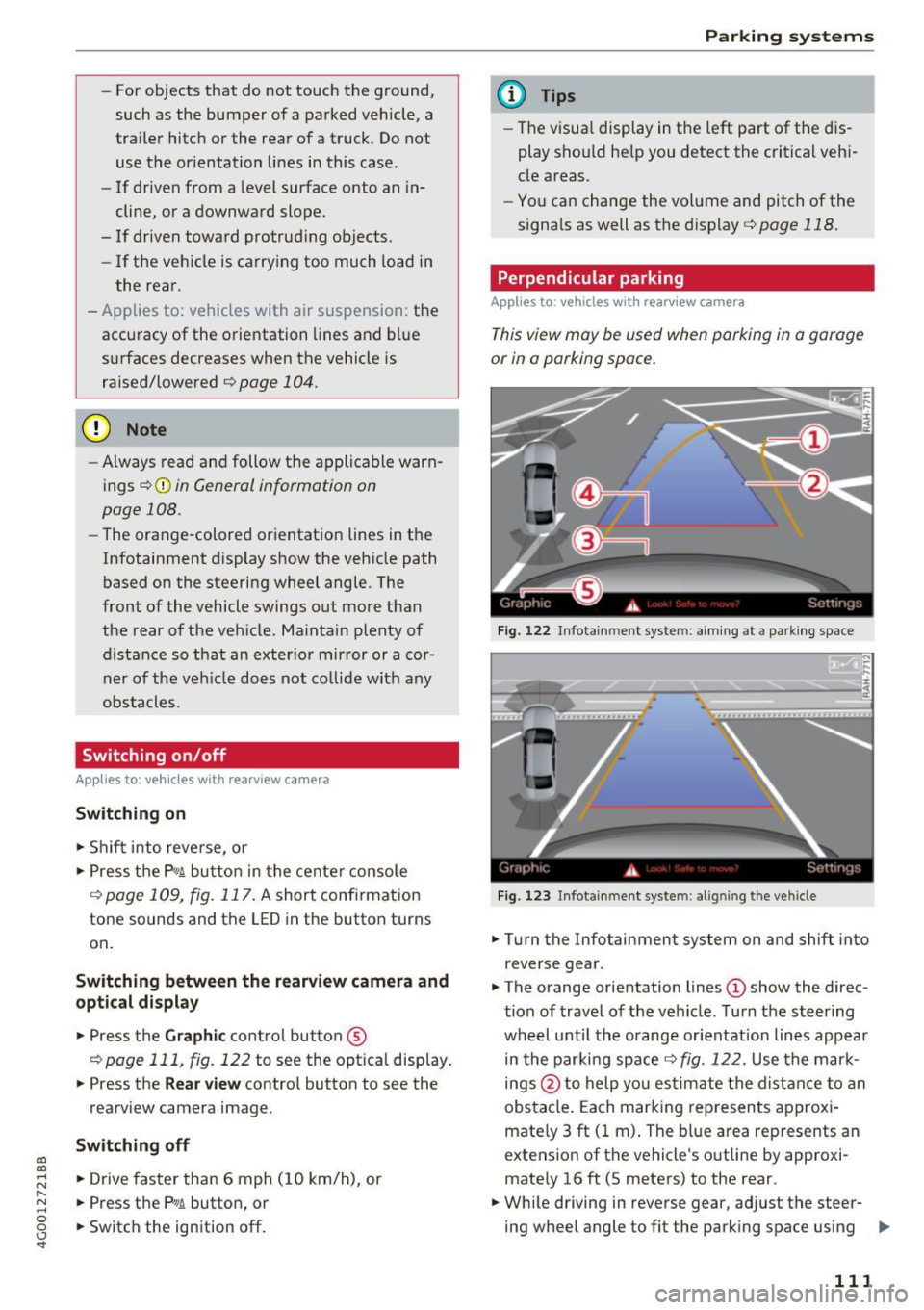
.,. Turn the Infotainment system on and shift into
reverse gear .
.,. The orange orientation lines
(D show the direc
tion of trave l of the vehicle . Turn the steering
whe el unti l the orange orientation lines appear
in the parking space
Q fig. 122. Use the mark
ings @to help you es timate the distance to an
obs ta cl e. Each mar king represen ts approxi
mately 3 ft ( 1 m) . The blue area represents an
extens ion of the vehicle 's o utline by app roxi
mately 16 ft (5 meters) to the rear .
.,. Wh ile driving in reverse gear , adjust the steer-
ing wheel angle to fit the park ing space using ..,_
111
Page 115 of 280
co
co
.... N
" N .... 0 0 <.,;) 'SI"
@ Tips
The left or right orientation lines and surfaces
will be displayed, depending on the turn sig nal being used.
Peripheral cameras
Introduction
Applies to: vehicles with peripheral cameras
With this equipment, the parking system plus*
c::!;> page 109 is supplemented with various periph
e ral cameras.
Depending on vehicle equipment, you are provid
ed with the following views: area around the ve
hicle, front corner view and rear corner view, view
in front of the vehicle and behind the vehicle.
General information
Applies to: vehicles with pe ripheral came ras
);
Fig. 126 Locatio n of peripheral came ras
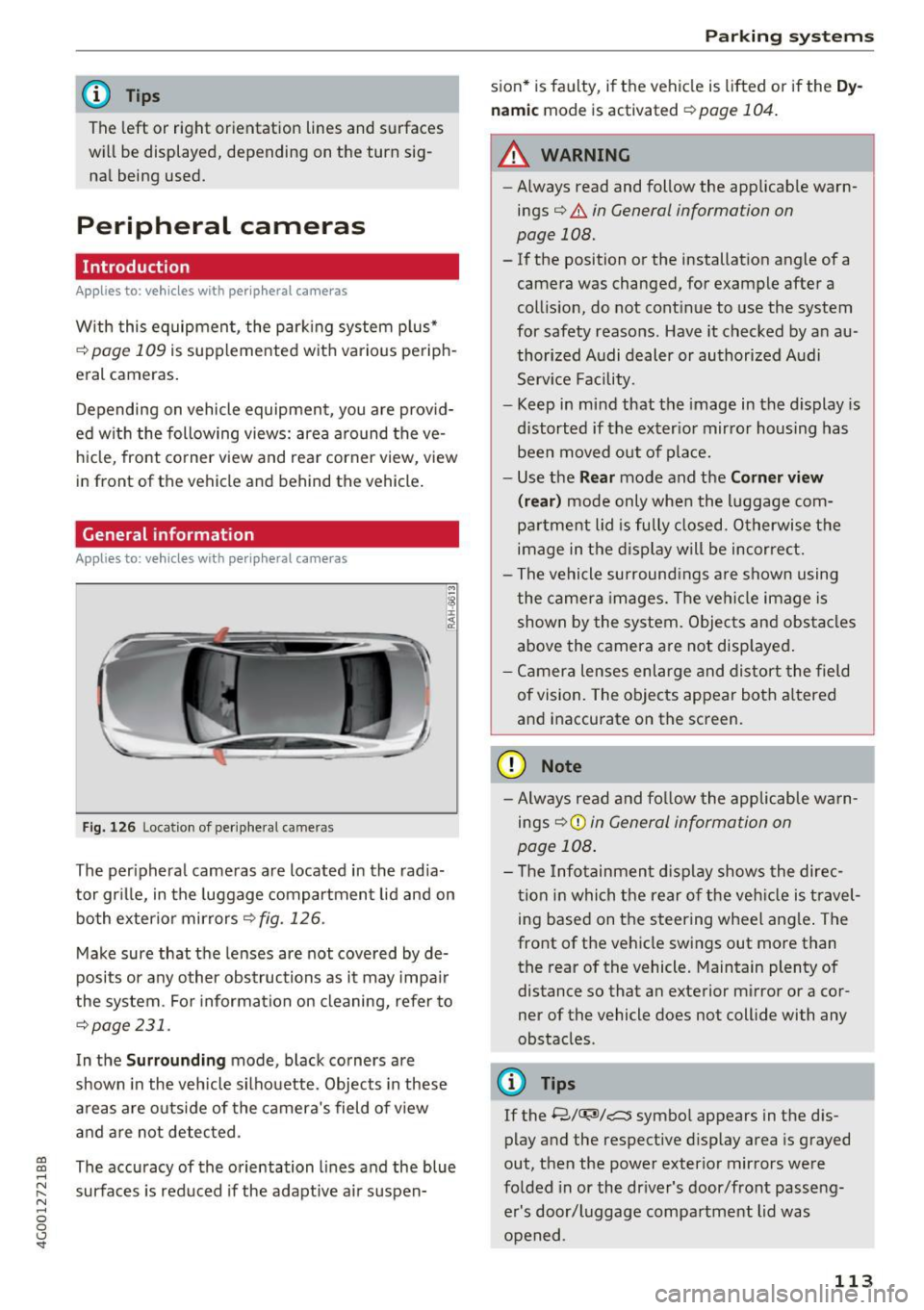
The peripheral cameras are located in the radia
tor grille, in the luggage compartment lid and on
both exterior mirrors
r::!;> fig . 126.
Make sure that the lenses are not covered by de
posits or any other obstructions as it may impair
the system . For information on cleaning, refer to
¢page 231.
In the Surrounding mode, black corners are
shown in the vehicle silhouette. Objects in these
areas are outside of the camera's field of view
and are not detected .
The accuracy of the orientation lines and the blue
surfaces is reduced if the adaptive air suspen-
Parking systems
sion* is faulty, if the vehicle is lift ed or if the Dy
namic
mode is activated ¢ page 104.
.&_ WARNING
-
-Always read and follow the applicable warn-
ings¢ .&.
in General information on
page 108.
- If the position or the installation angle of a
camera was changed, for example after a
collision, do not continue to use the system
for safety reasons . Have it checked by an au
thorized Audi dealer or authorized Audi
Service Facility .
- Keep in mind that the image in the display is
distorted if the exterior mirror housing has
been moved out of place.
- Use the
Rear mode and the Corner view
(rear)
mode only when the luggage com
partment lid is fully closed . Otherwise the
image in the display will be incorrect.
- The vehicle surroundings are shown using
the camera images. The vehicle image is
shown by the system. Objects and obstacles
above the camera are not displayed.
- Camera lenses enlarge and distort the field
of vision. The objects appear both altered
and inaccurate on the screen.
(D Note
- Always read and follow the applicable warn
ings
9 (£) in General information on
page 108.
- The Infotainment display shows the direc
tion in which the rear of the vehicle is travel
ing based on the steering wheel angle. The
front of the vehicle swings out more than
the rear of the vehicle. Maintain plenty of
distance so that an exterior mirror or a cor
ner of the vehicle does not collide with any
obstacles .
@ Tips
If the 8/u;ri/r::::::5, symbol appears in the dis
play and the respective display area is grayed
out, then the power exterior mirrors were
folded in or the driver's door/front passeng
er's door/luggage compartment lid was
opened .
113
Page 130 of 280
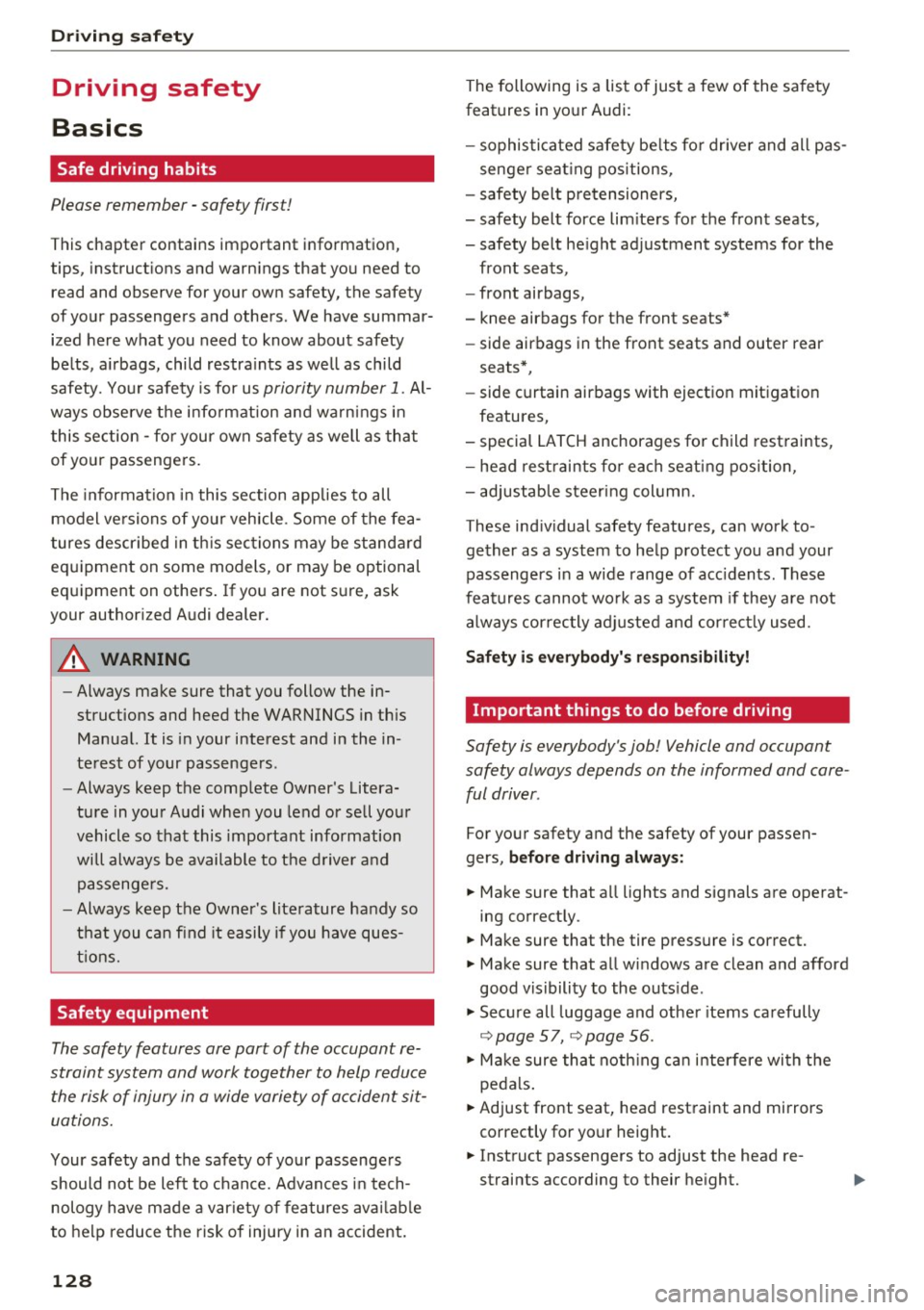
Driving sa fe ty
Driving safety
Basics
Safe driving habits
Please remember -safety first!
This chapter contains important information,
tips, instruct ions and warn ings that you need to
read and observe for your own safety, the safety
of your passengers and others. We have summar ized here what you need to know about safety
be lts, a irbags, child restra ints as well as child
safety. Your safety is for us
priority number 1 . Al
ways observe the i nfo rmation and wa rn ings in
this section - for your own safety as well as that
of your passengers.
The information i n this section applies to all
model versions of yo ur vehicle . Some of the fea
tures descr ibed in t his sections may be s tanda rd
equipment on some models, or may be optional
equipment on others . If you are not sure, ask
your authorized Audi dealer.
A WARNING
- Always make sure that you follow the in
structions and heed the WARNINGS in th is
Manual.
It is in your interest and in the in
te rest of your passengers.
- Always keep the comp lete Owner's Litera
ture in your A udi when you lend or sell your
vehicle so that this important information
will always be available to the d river and
passenge rs.
- Always keep the Owner 's literature handy so
that you can find it easily if you have ques
t ions.
Safety equipment
The safety features are part of the occupant re
straint system and work together to help reduce
the risk of injury in a wide variety of occident si t
uations.
Your safety and the safety of your passenge rs
should not be left to chance. Advan ces i n tech
nology have made a var iety of features avai lab le
to help reduce t he risk of injury in an accident .
128
The following is a list of just a few of the sa fety
features in your Audi :
- sophis tica ted safety be lts fo r dr ive r and all pas-
senge r seat ing pos itions,
- safety belt p retensioners,
- safety belt force lim ite rs fo r th e front seats,
- safety belt he ight adjustment systems for the
front seats,
- front airbags,
- knee airbags for the front seats*
- side airbags in the front seats and outer rear
seats*,
- side curtain airbags with ejection mitigation
features,
- special LATCH anchorages for child restraints,
- head rest raints fo r ea ch seating position,
- adj ustab le steering col umn.
These ind iv idual safety features, can work to
ge ther as a system to help protect you and your
passengers in a wide range of acc idents. These
features canno t wo rk as a sys tem if they are not
alw ays cor rec tly adj usted and cor rect ly used.
Safety is everybody' s re sponsibility!
Important things to do before driving
Safety is everybody's job! Vehicle and occupant
safety always depends on the informed and care
ful driver .
For your safety and the safety of your passen
gers,
before driving alway s:
.. Make sure that a ll lights and signals are operat
ing correctly.
.. Make sure that the tire pressure is correct.
.,. Make sure that all windows are clean and afford
good visibility to the outs ide .
.. Sec ure all luggage and othe r items carefully
~page 57, ~page 56 .
.. Ma ke sure that noth ing ca n interfere wi th the
peda ls .
.. Adjust front seat, head restraint and mirrors
correctly for yo ur height .
.. Instruct passengers to adjust the head re
straints according to their he ight.
Page 236 of 280
Care and cleaning
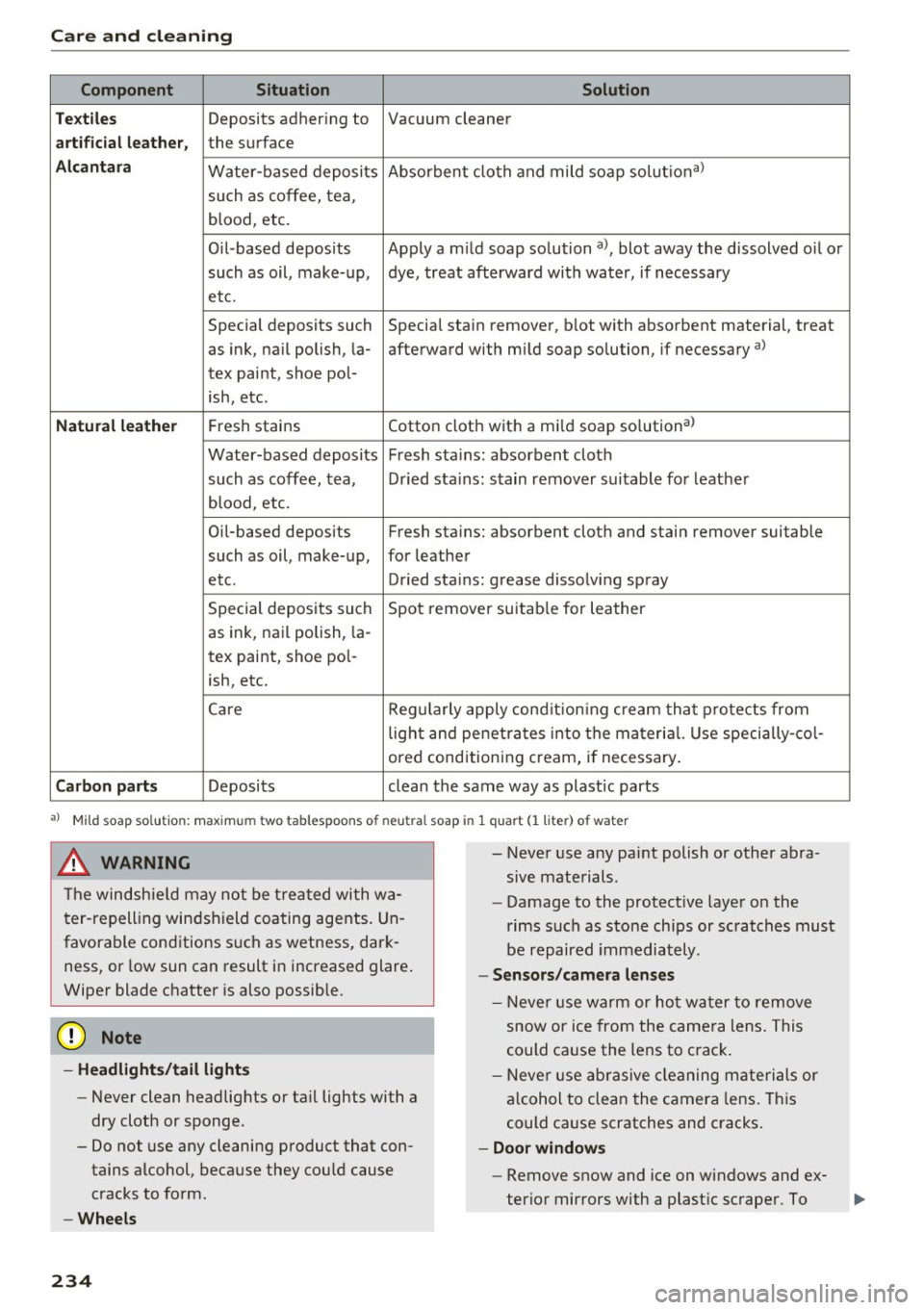
Component Situation Solution
Te xtil es
Deposits adhering to Vacuum cleaner
a rt ifici al le ather , the surface
Alcant ara Water-based deposits Absorben
t cloth and mild soap solutiona>
such as coffee, tea,
blood, etc.
O il-based deposits Apply a m ild soap solution a), blot away the dissolved oil or
such as oil, make-up, dye, treat afterward with water, if necessary
etc.
Special deposits such Special stain remover, b lot with absorbent material, treat
as ink, na il polish, la- afterward with mild soap solution, if necessary a)
tex paint, shoe pol-
ish, etc.
Natural leather Fresh stains Cotton cloth with a mi
ld soap solutiona>
Water-based deposits Fresh sta ins : absorbent cloth
such as coffee, tea, Dried sta ins: stain remover suitable fo r leather
blood, etc.
Oil-based deposits Fresh stains: absorbent cloth and stain remover suitable
such as oil, make-up, for leather
etc. Dried sta ins : grease dissolv ing spray
Special deposits such Spot remover suitab le for leather
as ink, nai l polish, la -
tex paint, shoe pol-
ish, etc.
Ca re Regularly apply cond ition ing cream that protects from
light and penet rates into the materia l. Use specia lly-co l-
ored conditioning cream, if necessary.
Carbon parts Deposits clean the same way as plastic parts
a) Mild soap solution: maximum two tablesp oons of neutral soap in 1 quart (l liter) of water
_& WARNING
The windshie ld may not be trea ted with wa
ter-repelling windshield coating agents. Un
favorable conditions s uch as wetness, dark
ness, or low sun can result in increased glare .
Wiper blade chatter is also possible.
(D Note
- Headlights /tail light s
-Never clean headlights or tail lights with a
dry cloth or sponge.
- Do not use any cleaning product that con
tains alcohol, because they could cause
cracks to form.
- Wheels
234
-
- Never use any paint polish or other abra
sive materials.
- Damage to the protect ive layer on the
rims such as stone chips or scratches must
be repaired immediately.
- Sensors /camera l enses
- Neve r use wa rm or ho t water to remove
snow or ice from the camera lens . This
could cause the lens to crack .
- Neve r use ab rasive cleaning materials or
a lcohol to clea n the camera lens . This
could cause scratches and cracks .
-Doo r window s
-Remove snow and ice on windows and ex-
terior mirrors with a plast ic scraper. To
Page 237 of 280
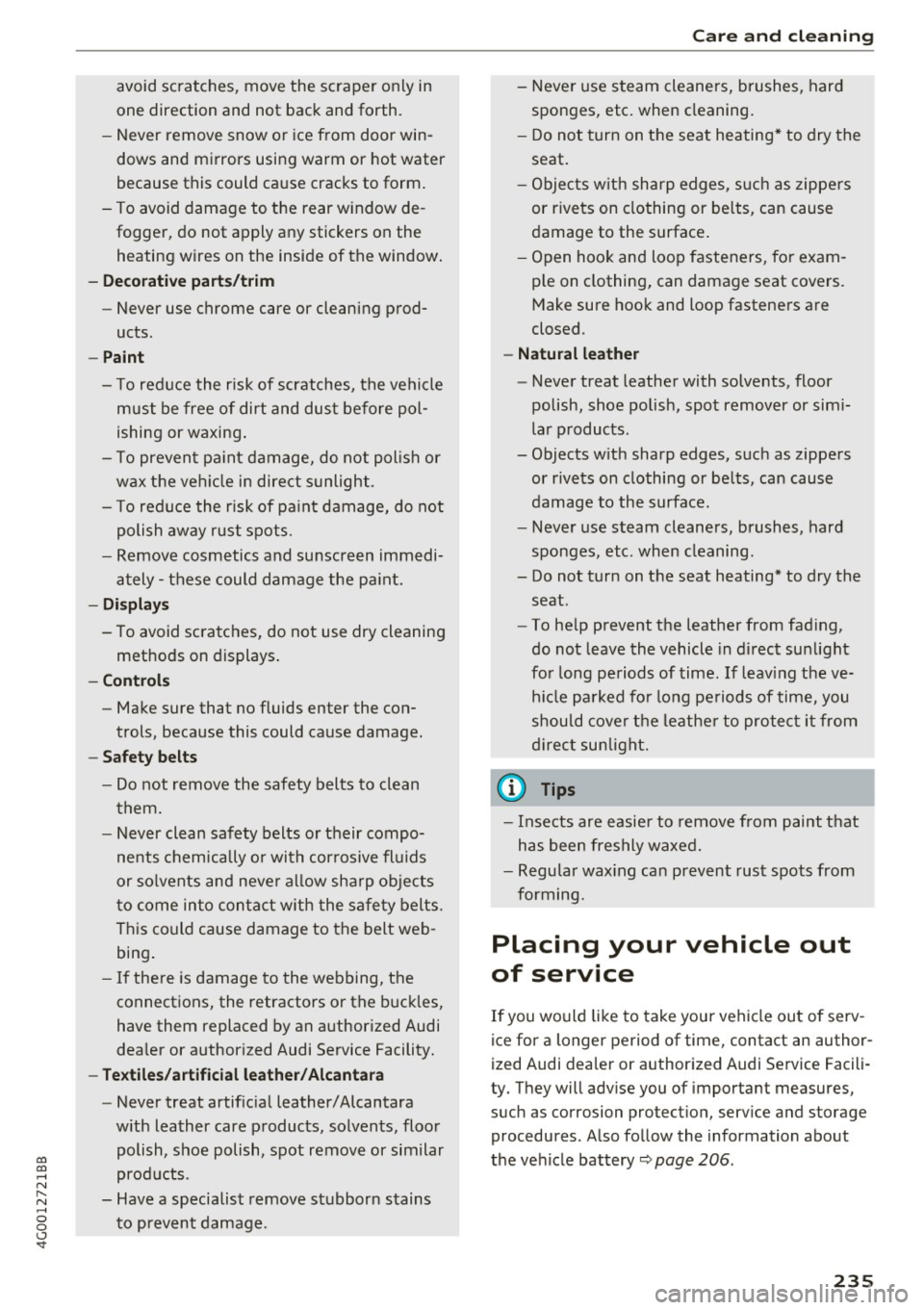
co
co
.... N
" N .... 0 0 <..:l '
one direction and not back and forth.
- Never remove snow or ice from door win
dows and mirrors using warm or hot water
because this could cause cracks to form.
- To avoid damage to the rear window de
fogger, do not apply any stickers on the
heating wires on the inside of the window.
- Decorative part .s/trim
- Never use chrome care or cleaning prod-
ucts .
-Paint
- To reduce the risk of scratches, the vehicle
must be free of dirt and dust before pol
ishing or waxing.
- To prevent paint damage, do not polish or
wax the vehicle in direct sunlight .
- To reduce the risk of paint damage, do not
polish away rust spots .
- Remove cosmetics and sunscreen immedi
ately- these could damage the paint.
-Displays
-To avoid scratches, do not use dry cleaning
methods on displays.
-Controls
- Make sure that no fluids enter the con-
trols, because this could cause damage.
- Safety belts
- Do not remove the safety belts to clean
them.
- Never clean safety belts or their compo
nents chemically or with corrosive fluids
or solvents and never allow sharp objects
to come into contact with the safety belts.
This could cause damage to the belt web
bing.
- If there is damage to the webbing, the
connections, the retractors or the buckles,
have them replaced by an authorized Audi
dealer or authorized Audi Service Facility.
- Textiles/artificial leather/ Alcantara
- Never treat artificial leather/ Alcantara
with leather care products, solvents, floor
polish, shoe polish, spot remove or similar
products .
- Have a specialist remove stubborn stains
to prevent damage.
Care and cleaning
-Never use steam cleaners, brushes, hard
sponges, etc. when cleaning.
- Do not turn on the seat heating* to dry the
seat.
- Objects with sharp edges, such as zippers
or rivets on clothing or belts, can cause
damage to the surface.
- Open hook and loop fasteners, for exam
ple on clothing, can damage seat covers.
Make sure hook and loop fasteners are
closed.
- Natural leather
- Never treat leather with solvents, floor
polish, shoe polish, spot remover or simi
lar products.
- Objects with sharp edges, such as zippers or rivets on clothing or belts, can cause
damage to the surface.
- Never use steam cleaners, brushes, hard
sponges, etc . when cleaning.
- Do not turn on the seat heating* to dry the
seat.
- To help prevent the leather from fading,
do not leave the vehicle in direct sunlight
for long periods of time. If leaving the ve
hicle parked for long periods of time, you
should cover the leather to protect it from
direct sunlight.
(D Tips
-Insects are easier to remove from paint that
has been freshly waxed.
- Regular waxing can prevent rust spots from
forming.
Placing your vehicle out
of service
If you would like to take your vehicle out of serv
ice for a longer period of time, contact an author
ized Audi dealer or authorized Audi Service Facili
ty. They will advise you of important measures,
such as corrosion protection, service and storage procedures . Also follow the information about
the vehicle battery~
page 206.
235
Page 249 of 280
co
co
.... N
" N .... 0 0 <..:l '
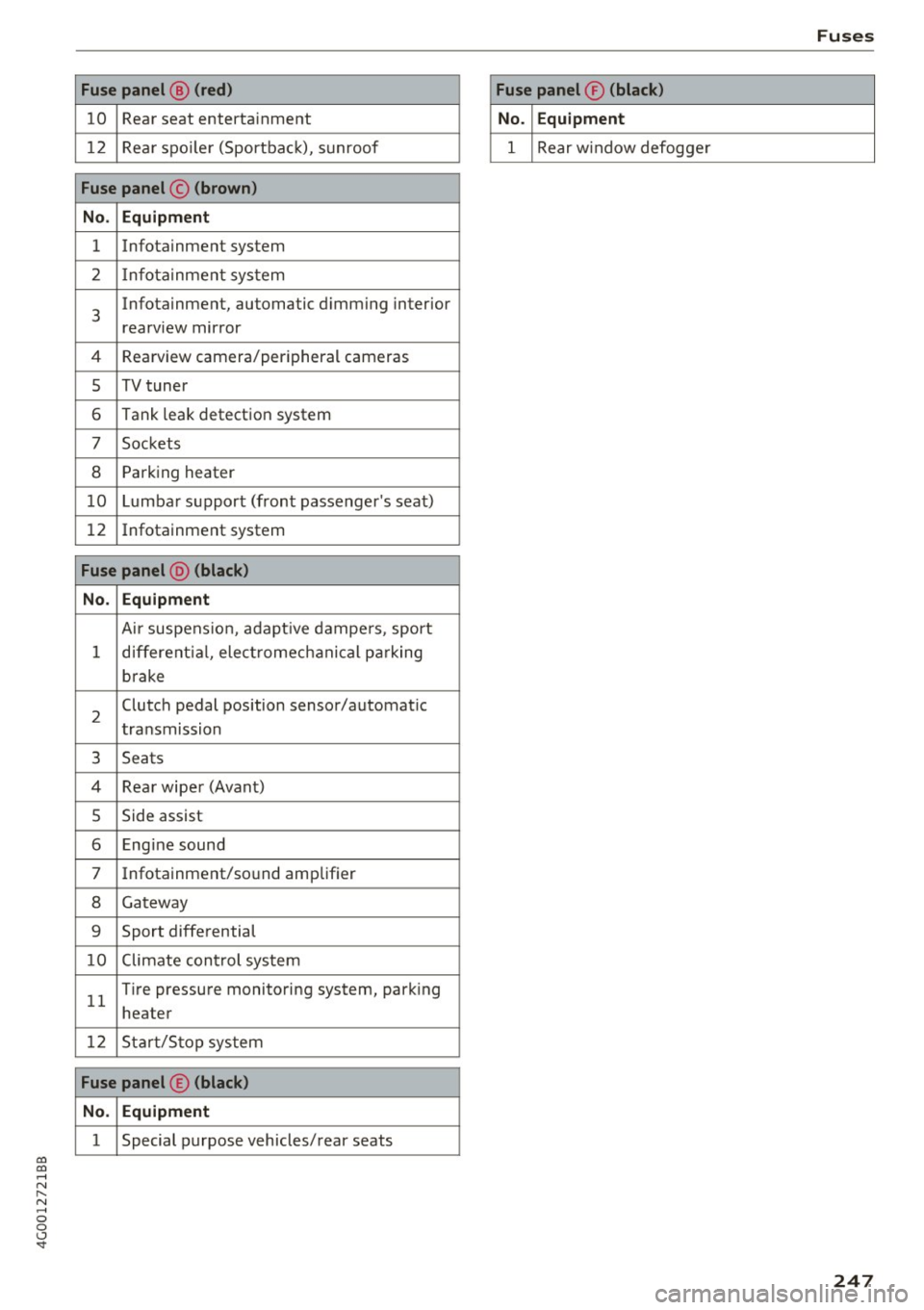
10 Rea r seat enterta inment
12 Rear spo ile r (Sportbac k), s unroof
Fuse panel © (brown)
No . Equipment
1 Infotainment system
2 I nfot ainme nt sys tem
3
Infotainment, automatic d imm ing interior
rearview mirror
4 Rearview camer a/peripheral cameras
5 TV tuner
6 Tank leak detect io n system
7 Sockets
8 Pa rk ing heater
1 0 Lumba r su pport (fro nt passenger 's seat)
1 2 Infotainment system
Fuse panel @ (black)
No. Equipment
Ai r suspe nsion , adaptive d ampe rs , sport
1 d ifferent ia l, elec tromec hanical p arking
b rake
2 Clutch pedal
position sensor/a utomat ic
t ra nsmission
3 Seats
4 Re ar wipe r (Avan t)
5 Side assist
6 Eng ine sound
7 Infotainment/so und amplif ier
8 G ateway
9 Sport diffe rential
1 0 Climate con trol sys te m
1 1 T
ire pressure m onito ring system, park ing
heater
12 Start/S top sys tem
Fuse panel ® (black)
No . Equipment
1 Special purpose vehicles/ rear seats
Fuses
Fuse panel ® (black)
No . Equipment
1 Rear w indow defogge r
247
Page 258 of 280
Tech nical data
Weights
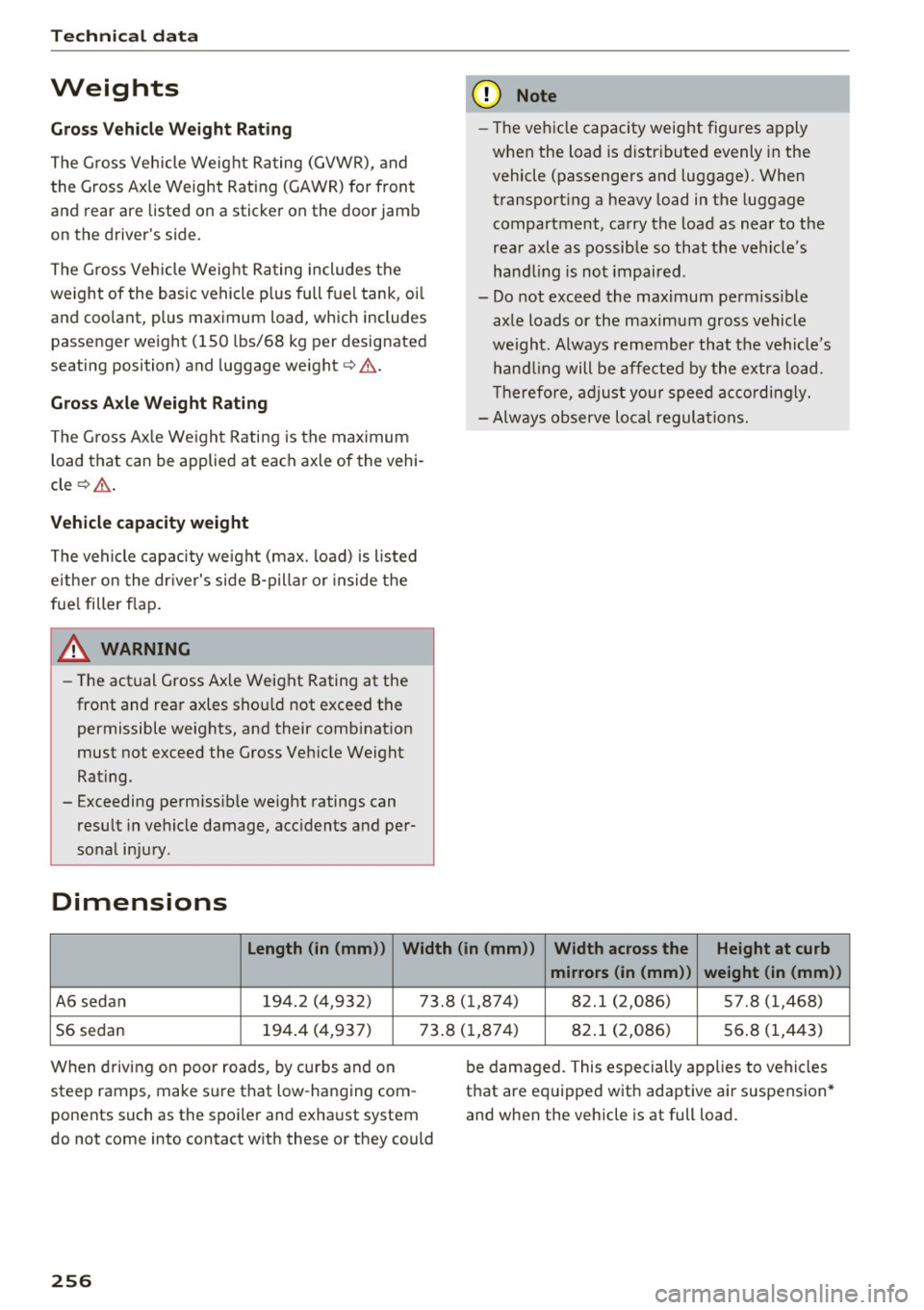
Gross V ehicl e We ight Rat ing
The G ross Vehicle Weight Ra ting (GVWR) , and
the Gross Axle Weight Rating (GAWR) for front
and rear are listed on a sticker on the door jamb
on th e driver's side .
The G ross Vehicle Weight Ra ting includes the
weight of the basic vehicle p lus full fuel tank, oi l
and coolan t, p lus maximum load, which includes
passeng er w eight (150 lbs/68 kg p er designated
seating position) and luggage weight ¢&. .
Gross Axle W eight Rating
The G ross Ax le We ight Rating is the max imum
load that can be applied at each axle of the vehi
cle
¢ ,1.. .
Vehicle capacity weight
The vehicle capacity we ight (max . load) is l isted
either on the dr iver's side B-pillar o r inside the
fue l filler f lap .
& WARNING
-The actual Gross Axle Weight Rating at the
front and rear axles shou ld not exceed the
permissible weights, and their combination
must not exceed the Gross Veh icle Weight
Rating .
- Exceeding perm iss ible weight ratings can
result in vehicle damage, acc idents and per
so nal injury .
Dimensions
(D Note
-The vehicle capacity weight figures apply
when the load is d istr ibuted evenly in the
vehicle (passengers and luggage) . When
transport ing a heavy load in the luggage
compartment, carry the load as near to the
rea r axle as possible so that the vehicle's
hand ling is not impaired .
- Do not exceed the maximum perm iss ible
axle loads or the maximum gross vehicle
we ight. Always remember that the ve hicle's
hand ling will be affected by the extra load .
T herefore , adjust your speed accordingly.
- Always observe local regulations.
Length (in (mm )) Width (in (mm ))
Width across the H eight at curb
mirrors (in (mm )) w eight (in (mm ))
A6 sedan 194.2 (4,932) 73.8 (1 ,874) 82.1 (2,086) 57 .8 (1,468)
S6 sedan 194
.4 (4,937) 73 .8 ( 1,874) 82 .1 (2,086) 56 .8 (1,443)
When driving on poor roads, by curbs and on
steep ramps, make sure that low -hanging com
ponents such as the spoiler and exhaust system
do not come into contact with these or they could
256
be damaged. This especially applies to vehicles
that are equipped with adaptive air suspension *
and when the vehicle is at full load.
Page 269 of 280
co
co
.... N
" N .... 0 0 <..:l '
Electronic stabilization control
Indicator light . . . . . . . . . . . . . . . . . . . . . . .
16
Elec tronic Stabili zation Control . . . . . . . . . . 120
Sport mode . . . . . . . . . . . . . . . . . . . . . . . . 121
Emergency assistance . . . . . . . . . . . . . . . . . 236
Emergency braking function . . . . . . . . . . . . .
75
Emergency flashers . . . . . . . . . . . . . . . . . . . . 43
Emergency locking the front passenger door 32
Emergency operat ion
Doors . . . . . . . . . . . . . . . . . . . . . . . . . . . . . .
32
Luggage compartment lid . . . . . . . . . . . . . . 36
Selector lever . . . . . . . . . . . . . . . . . . . . . . . .
82
Sunroof .. .. .. ............. .. .. .. .. .. 38
Emergency release
Fuel filler door . . . . . . . . . . . . . . . . . . . . . .
194
Emergency starting . . . . . . . . . . . . . . . . . . . 249
Energy management . . . . . . . . . . . . . . . . . . 124
Indicator light . . . . . . . . . . . . . . . . . . . . . . . 14
Engine
Coolant
... ' .................. ... ' . . 204
Prewarming . . . . . . . . . . . . . . . . . . . . . . . . . 70
Start-Stop system . . . . . . . . . . . . . . . . . . . . 72
Starting . . . . . . . . . . . . . . . . . . . . . . . . . . . . 70
Starting with jumper cab les . . . . . . . . . . . 249
Stopp ing . . . . . . . . . . . . . . . . . . . . . . . . . . . . 71
Warming up/cooling down . . . . . . . . . . . . . 66
E ng ine compartment
Opening/closing the hood . . . . . . . . . . . . .
200
Overview . . . . . . . . . . . . . . . . . . . . . . . . . . . 201
Safety precautions . . . . . . . . . . . . . . . . . . . 198
Eng ine control ( indicator light) . . . . . . . . . . . 17
Engine oil . . . . . . . . . . . . . . . . . . . . . . . . . . . 201
Adding . . . . . . . . . . . . . . . . . . . . . . . . . . . . 203
Changing . . . . . . . . . . . . . . . . . . . . . . . . . . 204
Checking the eng ine o il level . . . . . . . . . . . 203
Fuel consumption . . . . . . . . . . . . . . . . . . . 203
Indicator light . . . . . . . . . . . . . . . . . . . . . . . 1 S
O il consumption . . . . . . . . . . . . . . . . . . . . .
202
Specif ication and viscosity . . . . . . . . . . . . . 201
Engine sound . . . . . . . . . . . . . . . . . . . . . . . . 104
Engine speed limitation (indicator light) 18
Eng ine Start/Stop mode
refer to Sta rt/Stop system . . . . . . . . . . . . . 7 4
Engine warm-up request
Indicator light . . . . . . . . . . . . . . . . . . . . . . .
18
Index
Environment
Catalytic conv erter . . . . . . . . . . . . . . . . . . .
197
Diesel particulate filter . . . . . . . . . . . . . . . 198
Proper disposal of drained engine oil . . . . 204
Unleaded fuel.... .. ............... .. 190
EPC (engine contro l) . . . . . . . . . . . . . . . . . . . . 17
ESC
Automatic post-collision braking system .
120
also refer to Electronic stabilization con-
trol . . . . . . . . . . . . . . . . . . . . . . . . . . . . . . .
120
ESP
refer to Electronic stabilization control . . 120
Event Data Recorder ( EDR) . . . . . . . . . . . . . 126
Exterior lighting . . . . . . . . . . . . . . . . . . . . . . . 41
Exterior mirrors
Adjusting . . . . . . . . . . . . . . . . . . . . . . . . . . . 45
D' . 1mming ........ .. .................. 45
Heating... .... .. .. ............... .. . 45
Ex terior temperature display.......... .. .
21
F
Fastening
Booster seats . . . . . . . . . . . . . . . . . . . . . . .
181
Convertible child safety seats . . . . . . . . . . 179
Infant seats . . . . . . . . . . . . . . . . . . . . . . . . 17 7
Floor mats . . . . . . . . . . . . . . . . . . . . . . . . . . . 133
Folding the rear seats. . . . . . . . . . . . . . . . . . . 57
Foot pedals . . . . . . . . . . . . . . . . . . . . . . . . . . 133
For the sake of the environment
Environmentally-friend ly driving . . . . . . . . 67
Fueling . . . . . . . . . . . . . . . . . . . . . . . . . . . .
192
Leaks . . . . . . . . . . . . . . . . . . . . . . . . . . . . . . 199
Roof rack . . . . . . . . . . . . . . . . . . . . . . . . . . . 57
Warming up the engine . . . . . . . . . . . . . . . . 70
Freeze protection
Coolant additive
Front airbags
. . .. ................ . 204
Description . . . . . . . . . . . . . . . . . . . . . . . . . 151
How they work . . . . . . . . . . . . . . . . . . . . . . 157
Frontal collisions and the laws of physics . . 140
Front seats
Adjusting . . . . . . . . . . . . . . . . . . . . . . . . . .
130
Child restraints in the front seat . . . . . . . . 148
also refer to Seats . . . . . . . . . . . . . . . . . . . . SO
267