emergency flashers AUDI A6 2017 Owners Manual
[x] Cancel search | Manufacturer: AUDI, Model Year: 2017, Model line: A6, Model: AUDI A6 2017Pages: 280, PDF Size: 70.24 MB
Page 9 of 280
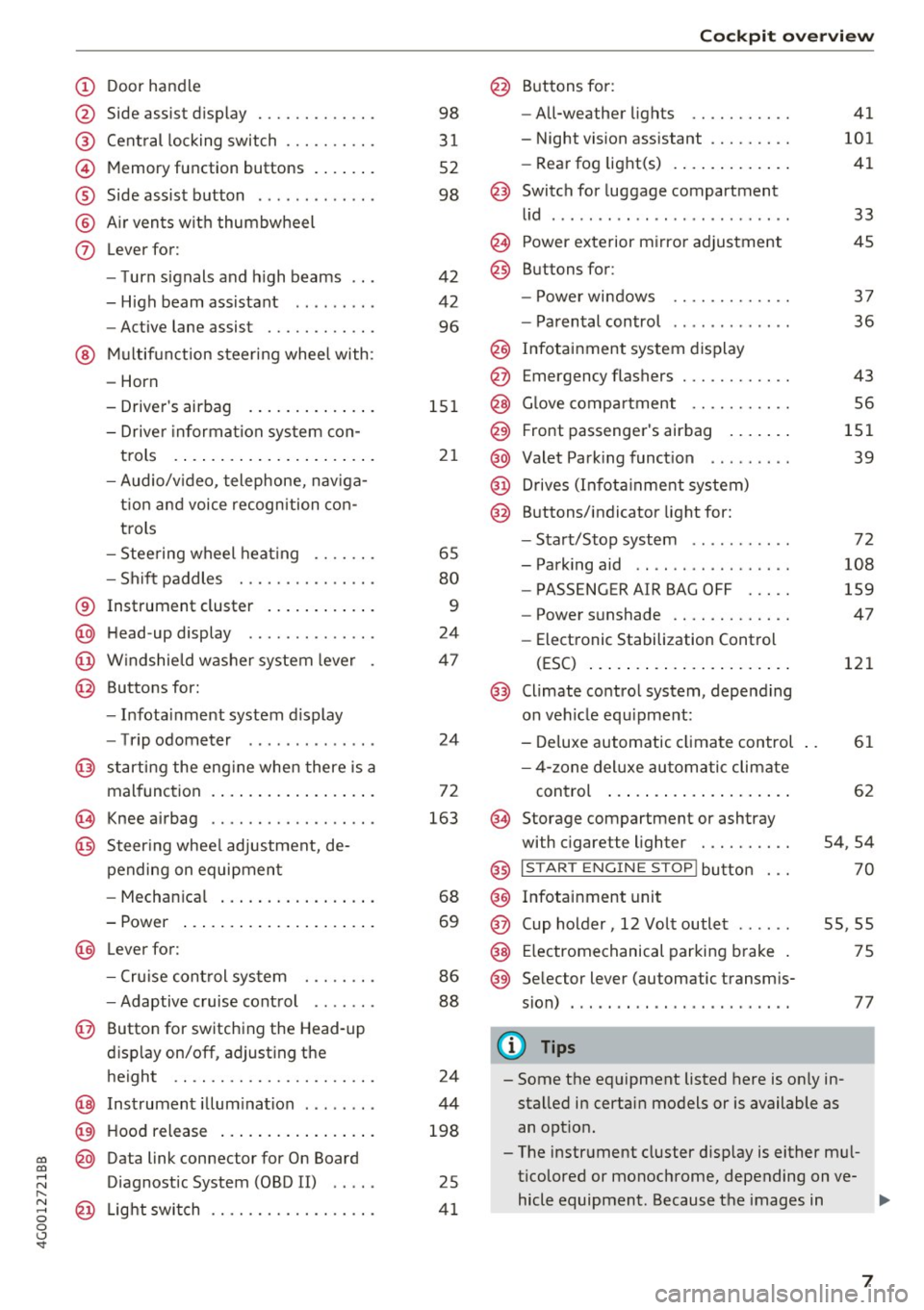
(!) Door handle
@
®
©
®
®
(j)
Side assist display
Cent ral locking switch ....... .. .
Memory function buttons . ... .. .
Side assist button ... ..... ... . .
A ir ven ts wit h thumbwheel
Lever for:
- T urn s ignals and h igh beams
- H igh beam assistant .. .. ... . .
- Active lane assist ......... .. .
@ M ultifunction steer ing wheel with:
- Horn
- Drive r's airbag . ..... ... .. .. .
- Drive r informa tion sys tem con-
t rols . ... ... .. ..... ... .. .. .
- Audio/v ideo, telephone, nav iga
t ion an d voice recognition con
trols
- Stee ring wheel heat ing .... .. .
- Sh ift paddles ............ .. .
® Instrument cluster .... ... .. .. .
@ H ead-up display ............. .
@ W indshield w ashe r system leve r
@ Buttons for:
- Infota inment system display
- Trip odometer ............. .
@ starting the eng ine when there is a
malfunc tion . ... .. .... ... .. .. .
~ Knee airbag .. ............. .. .
@ Steer ing whee l adjustment, de
pending on equipment
- Mechan ica l . ... ..... ... .. .. .
- Power ... .. .. .. .... ... .. .. .
@ Lever for:
- Cruise cont rol system ... .. .. .
- Adaptive c ruise cont rol ...... .
@ Button for switching the Head-up
d isplay on/off , adjust ing the
height .. .. ............... .. .
@ Instrument illum ination ....... .
@ Hood release .. .. ..... ... .. .. .
~ @ Data link connector for On Board
;:::: Diagnostic System (OBD II) .....
,..._
8 @ Light switch ............. .. .. .
0 <..:l -
3 1
52
98
42
42 96
15 1
21
65
80
9
24
47
24
72
163
68
69
86
88
24
44
198
25
4 1
Coc kpit o ve rv iew
@ Buttons for :
- All-weather lights
- Night vision assistant ........ .
- Rea r fog light(s) . ... . ..... .. .
@ Switch for luggage compartment
li d ...... ... .. .. ... ......... .
@ Power exterior m irro r adjustment
@ Buttons for :
- P owe r wi ndows
- Parental control
@ Infotai nment system display
@ Emergency flashers ........... .
@ G love compartment .......... .
@) Front passenger's airbag .... .. .
@ Valet Park ing funct ion .. ..... . .
@ Drives (Infot ainment system)
@ Buttons/ indicator light for:
- Start/Stop system .......... .
- Parking aid .. .. .... .. ... .. . .
- PASSENGER AIR BAG OFF .... .
- Power s unshade ............ .
- Elect ronic Stabilization Control
(ESC) ... .. .. .. .... . ..... .. .
@) Climate control system, depending
on vehicle equ ipment:
- De luxe automatic climate control
- 4-zone del uxe au tomatic climate
con trol ... .. ... .. .. ..... .. .
@ Storage compartment or ashtray
with c igarette lighter ... ...... .
@ I S TAR T EN GINE ST OP I butto n
@ Infotainment unit
@ Cup holder, 12 Vo lt outlet
41
101 41
33
45
3 7
36
43
56
151 39
72
108
159
47
121
61
62
54,54
70
55,55
@ E lectromechanical parking b rake 75
@ Se lector lever (automatic transm is-
sion) . . . . . . . . . . . . . . . . . . . . . . . .
77
(!) Tips
- Some the eq uipment listed here is on ly in
sta lled in certain models or is available as
an opt io n.
- The instr ument cluster d isp lay is either m ul
ticolored or monochrome, depending on ve-
hicle equipment. Because t he images in .,..
7
Page 22 of 280
Instruments and indicator lights
¢ Q Turn signals
I f the . or
B indicator light bl inks, the tu rn
signals are activated .
If both indica to r ligh ts a re
blinking, the emergency flashers are act ivate d.
I f an indicator light blinks twice as fast as usua l,
a tu rn signa l bulb has failed . Caref ully dr ive to an
author ized Audi dealer or au thor ized Audi Se rvice
F acility immediately to have the mal func tion cor
rected .
@ Tips
Add ition al information about the t urn signals
can be found under
q page 42 .
20
Page 29 of 280
Opening and closing
Central locking
Description
You can lock and unlock the veh icle centrally . You
have the following options:
- Remote control key¢
page 30,
-Sensors in the door handles* ¢ page 30,
-Lock cylinder on the driver's door c::> page 32,
or
- Interior central locking switch
c::> page 31.
Turn signals
The turn s ignals flash twice when you unlock the
veh icle and flash once when you lock the veh icle.
If the blinking continues, one of the doors or the
luggage compartment lid/hood is not closed or
the ignition is still switched on.
Auto Lock
The Auto Lock function locks all doors and the
l uggage compartment lid once the speed has ex
ceeded approximately 9 mph (15 km/h).
The vehicle can be unlocked if the opening func
tion in the central locking system sw itch is used
or one of the door handles is pulled.
I n the event of a crash with airbag deployment,
the doors will also automatically unlock to allow
access to the vehicle.
Selective door unlocking
The doors and luggage compartment lid will lock
when they close . You can set in the Infotainment
system whether
only the driver's door or the en
tire vehicle should be unlocked when unlocking
c::> page 32.
Unintentionally locking yourself out
The follow ing cond it ions prevent you from lock
ing your remote control key in the vehicle :
-If the driver's door is open, the vehicle cannot
be locked by pressing the
lil button on the re-
~ mote control key or touching the locking sen-,...,
~ sor* on a door. N .... 0 0 <..:l '
-When locking using the lil button in the central
locking switch, the vehicle will not lock if a door
is open
¢ page 31.
-On vehicles with a convenience key*, the lug
gage compartment lid unlocks again after clos
ing if the most recent ly used key is in the lug
gage compartment. The emergency flashers
blink four times.
Do not lock your vehicle with the remote control
key or convenience key* until all doors and the
luggage compartment lid are closed. This helps
to prevent you from locking yourself out acciden
tally .
Closing aid on the doors*
The vehicle doors are equipped with closing aids.
When closing a door, you only have to let it fall
lightly into the latch. It then closes automatically
c::> &..
A WARNING "----When you lock your vehicle from outs ide,
nobody -especially children -should rema in
inside the vehicle. Remember, when you
lock the vehicle from the outside the win
dows cannot be opened from the inside.
- When you leave the vehicle, always take the
ignit ion key with yo u. This will prevent pas
sengers (children, for examp le) from acci
dentally being locked in the vehicle should
they accidentally press the power locking
switch in the doors.
- Do not leave children inside the vehicle un
supervised. In an emergency it would be im
possible to open the doors from the outside
without the key.
- Applies to vehicles with power side door
closer*:
- When closing a door, make sure nothing
can interfere with the door. Th is could
cause serious personal inj ury.
- You can stop the door from closing at any
time by pulling on the inside or outside
doo r handle.
27
Page 32 of 280
Opening and clo sin g
@ Tips
The replacement battery must meet the same
specifications as the orig inal battery in the re
mote control key.
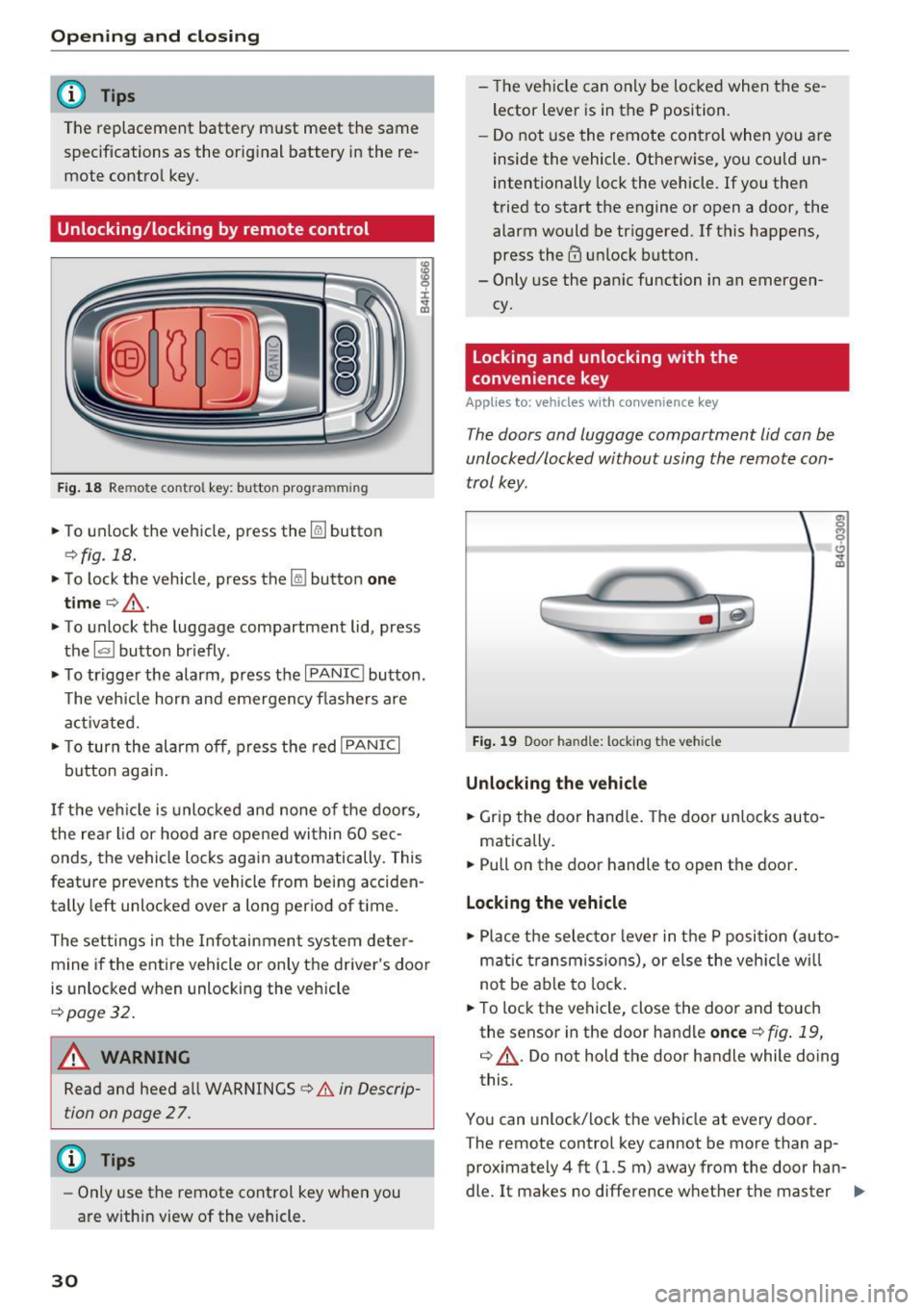
Unlocking/locking by remote control
F ig . 18 Rem ote contro l key : bu tton prog ra mmin g
• To unlock the vehicle, press the~ button
¢fig. 18.
• To lock the vehicle, press the lil button one
tim e¢ ,& .
• To unlock the luggage compartment lid, press
the
1£1 button br iefly .
• To trigger the alarm, press the
I PANIC I button.
T he vehicle horn and emergency flashers are
activated.
• To turn the alarm off , press the red
I PANIC I
button again .
If the vehicle is unlocked and none of the doors,
the rear lid or hood are opened within 60 se c
onds, the veh icle locks again automatically. This
feature prevents the vehicle from being acciden
tally left unlocked over a long p eriod of t ime.
The settings in the Infotainment system deter mine if the entire veh icle or only the driver 's door
is unlocked when unlocking the vehicle
¢ page 32.
A WARNING
Read and heed all WARNINGS¢.& in Descrip
tion on page 2
7 .
@ Tips
- Only use the remote control key when you
are within view of the vehicle.
30
- The vehicle can only be locked when the se
lector lever is in the P position.
- Do not use the remote control when you are
inside the vehicle. Otherwise, you could un
intentionally lock the vehicle. If you then
tried to start the engine or open a door, the alarm would be tr iggered. If this happens,
press the@ unlock button.
- Only use the pan ic function in an emergen
cy.
Locking and unlocking with the
convenience key
Applies to: vehicles with convenience key
T he doors and luggage compartment lid can be
unlocked/locked without using the remote con
trol key.
F ig . 19 Door han d le : locking t he vehicle
Unlocking the vehicl e
• Grip the door hand le . T he door un locks auto-
matically.
• Pull on the door handle to open the doo r.
Locking the vehicle
• Place the selec to r l eve r in the P position (auto
matic t ransmiss ions), or else the veh icle wi ll
not be ab le to lock .
• To lock the vehi cle, close the door and touch
the sensor in the door handle
once ¢ fig . 19,
¢ ,& . Do not hold the door handle while doing
this.
You can unlock/lock the ve hicle at every door .
T he remote control key cannot be more than ap
proximately 4 ft (1.5 m) away from the door han
dle. It makes no difference whether the master ..,.
Page 45 of 280
Messages in the instrument cluster display
Headlight a ssist: System fault !
Drive to an authorized Aud i dealer or a uthorized
Aud i Service Facility immediately to have the
malfunct ion cor rected. You can still switc h the
hi gh beams on or off manually.
Headlight as sis t: Unavailable No camera view
The camera view is blocked, for example by a
sticker or debris.
The sensor is located between the interior rear
v iew mirror and the windshield . Do not p lace any
stickers in this area on the windshield.
A WARNING
H igh beam assistant is only intended to assist
the drive r. The dr iver is still responsible for
con troll ing the headlights a nd sw itch ing
them manually depend ing on light and v is ibil
i t y cond itions .
It may be neces sary to operate
t hem manually in situ at ions such as:
- In adverse weathe r co nd itions s uch as fog,
heavy r ain, b low ing snow o r sp raying wate r.
- On roads whe re oncoming traffic may be
partia lly obs cured, su ch as exp ressways .
- Whe n there are road users that do not have
s ufficient lighting, s uch as bi cycler s or
vehicles wi th dirty ta il lamps .
- In tight cu rv es and on steep hills.
- In poor ly l it areas.
- With strong reflectors, such as s igns.
- If the area of the windsh ield near the sensor
is fogged over, dirty, icy or covered w ith a
st icker.
Adjusting the exterior lighting
The functions ore adjusted in the Infotainment
system.
.,. Se lect : I CARI fu nction button> (Car )* Systems
contro l button > Vehicle setting s> Exterior
lighting .
co Automatic headlights co ....
~ You can adjust the fo llowing settings in the Au-N
8 tomatic headlight s menu: 0 <.,;) 'SI"
Lights and Vision
A cti vation sensitivity -you can adjust if the
headlights switch on
Early , Medium or Late ac
cording to the sensitivity of the light sensor .
Auto-dimming high beams* -yo u can sw itch the
high beam assistant*
On and Off .
Daytime running lights*
USA mode ls:
the daytime running lights can be
swit ched on/off. Select
On or Off .
Canada models:
this function cannot be switched
off . They act ivate automatically each time the ig
ni tion is switched on.
Coming home , Leaving home
The coming home function illuminates the area
outside the vehicle when you turn the ignit ion off
and open the driver 's doo r. To turn the function
o n, select
Light s when leaving car > On .
The leaving home illum inates the area outside
the vehicle when you unlock the vehicle . To turn
the function on, se lect
Li ghts when unlocking
car > On .
The coming home and leav ing home functions
only operate when it is dark and the light switc h
is in the
AUTO pos ition .
Emergency flashers
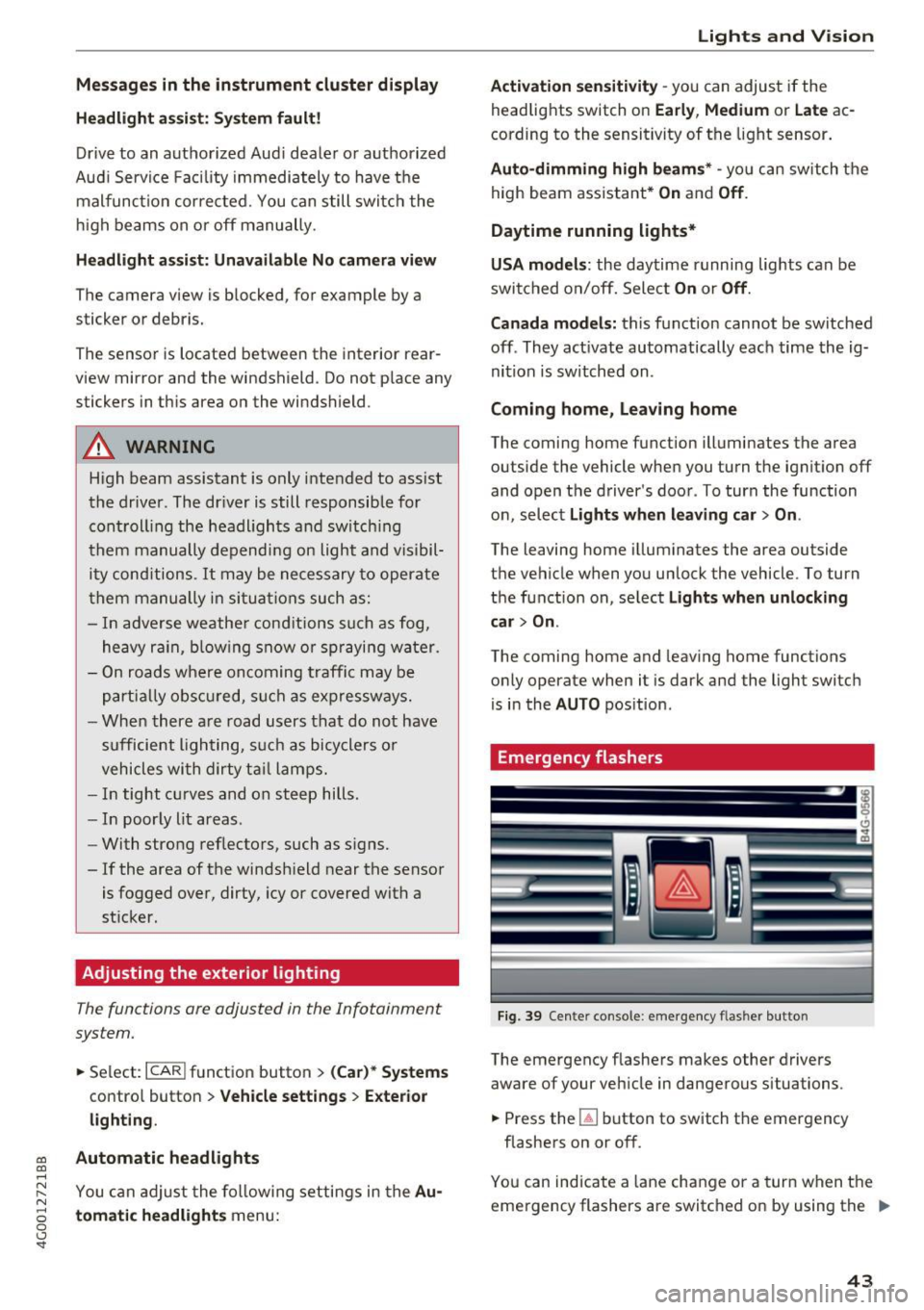
Fi9. 39 Cente r console : emergency f las her button
The emergency flashe rs makes other drivers
aware of your vehicle in dangerous situations .
.,. Press the~ button to switch the emergency
flashe rs on or off.
You can indicate a lane change or a turn w hen the
eme rgency flashers are switched on by using the .,.
43
Page 46 of 280
Lights and Vision
turn signal lever . The emergency flashers stop
temporarily .
The emergency flashers also wo rk when the igni
tion is turned off.
Interior lighting
Front and rear interior lighting
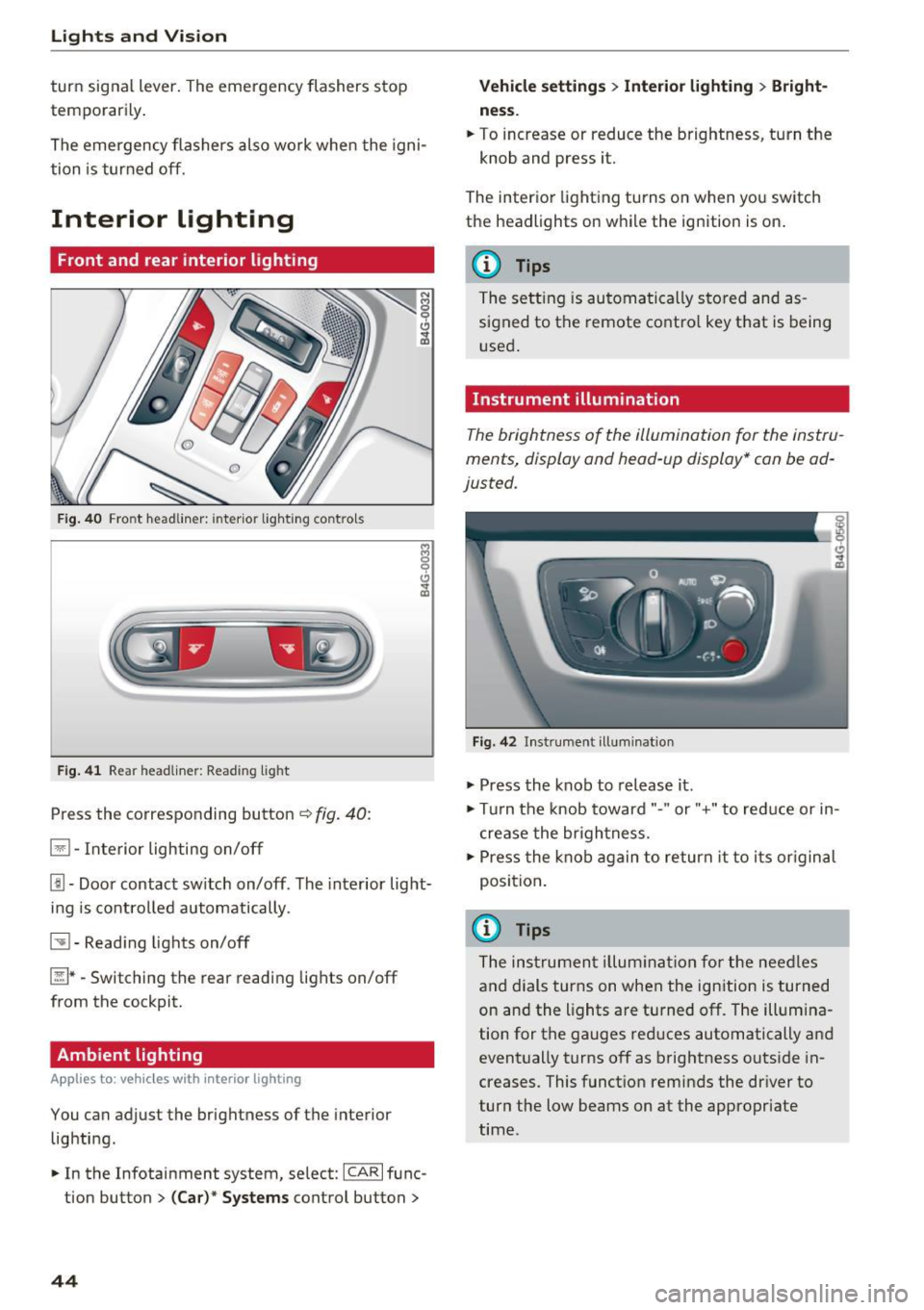
Fig . 4 0 Fro nt headli ner: inter io r lig hting co ntro ls
F ig . 4 1 Rea r headliner: Read ing light
Press the corresponding button ~ fig. 40:
El -Interior lighting on/off
Jjj -Door contact sw itch on/off. The interior light
ing is contro lled automatically.
~ - Read ing lights on/off
~ *·Switching the rear reading lights on/off
from the cockpit.
Ambient lighting
Ap plies to: vehicl es w ith i nterio r lighting
You can adjust the brightness of the interior
lighting .
.. In the Infotainment system , select:
ICAR I func
tion button
> ( Ca r)* Sy stems control button >
44
Vehicle setting s> Interior lighting > Bright
ne ss .
.. To increase or reduce the brightness, turn the
knob and press it.
The inter ior lighting turns on when yo u switch
the headlights on w hile the ignition is on .
(D Tips
The setting is automa tically stored and as
s igned to the remote contro l key that is being
u sed .
Instrument illumination
The brightness of the illumination for the instru
ments, display and head -up display* can be ad
justed.
F ig. 42 In strument illuminat ion
.,. Press the knob to release it .
.,. Tur n the knob toward"." or"+" to reduce or in
c rease the br ightness.
.,. Press the knob again to return it to i ts or iginal
position .
(i} Tips
The ins trumen t illum ina tion for the nee dles
and dials turns on when the ign ition is turned
on and the lights are turned off. The illum ina
tion for the gauges red uces automatically and
event ually turns off as brightness outside in
creases. This funct ion reminds the dr iver to
turn the low beams on at the appropriate
time.
Page 238 of 280
Emergency assistance
Emergency assistance
General information
... Park the vehicle as far as possible from moving
traffic in the event of a breakdown. In the event
of a flat tire, park the vehicle on a level surface .
It you are on a steep hill, be especially careful.
.,. Set the parking brake .
.,. Switch the emergency flashers on .
... Set up the warning triangle
r=;, page 236 .
... Have the passengers exit the vehicle . They
should move to a safe place, for example be
hind a guard rail.
A WARNING
Follow the steps given above. This is for your
protection and the for the safety of other driv
ers.
Equipment
Warning triangle
A ppl ies to: ve hicles w ith warning triangle
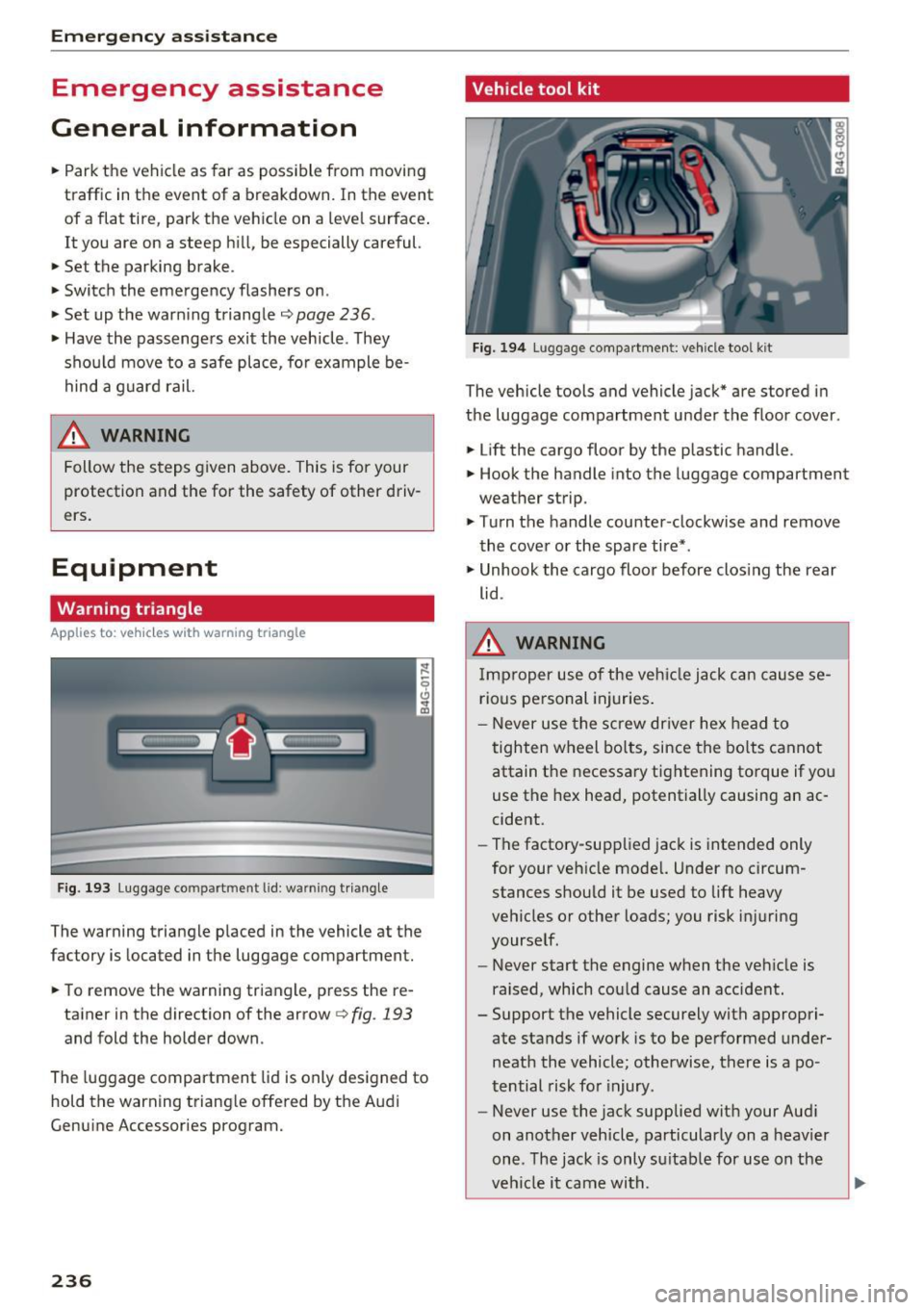
Fig. 193 Luggage co mpartment lid : wa rnin g triangle
The warning triangle placed in the vehicle at the
factory is located in the luggage compartment.
... To remove the warning triangle, press the re-
tainer in the direction of the arrow
r=;, fig . 193
and fold the holder down.
The luggage compartment lid is only designed to
hold the warning triangle offered by the Audi
Genuine Accessories program.
236
Vehicle tool kit
Fig. 194 Luggage compartment: vehicle tool kit
The vehicle tools and vehicle jack* are stored in
the luggage compartment under the floor cover.
... Lift the cargo floor by the plastic handle.
.,. Hook the handle into the luggage compartment
weather strip.
.,. Turn the handle counter-clockwise and remove
the cover or the spare tire* .
.,. Unhook the cargo floor before closing the rear
lid .
A WARNING
Improper use of the vehicle jack can cause se
rious personal injuries.
- Never use the screw driver hex head to
tighten wheel bolts, since the bolts cannot
attain the necessary tightening torque if yo u
use the hex head, potentially causing an ac
cident.
- The factory-supplied jack is intended only
for your vehicle model. Under no circum
stances should it be used to lift heavy
vehicles or other loads; you risk injuring
yourself.
- Never start the engine when the vehicle is
raised, which cou ld cause an accident .
- Support the vehicle securely with appropri ate stands if work is to be performed under
neath the vehicle; otherwise, there is a po
tential risk for injury .
- Never use the jack supplied with your Audi
on another vehicle, particularly on a heavier
one. The jack is only su itable for use on the
vehicle it came wi th.
Page 239 of 280
co
co
.... N
" N .... 0 0 <..:l '
The vehicle jack* in your vehicle is mainte
nance-free.
Replacing wheels
Before changing a wheel
Observe the following precautions for your own
and your passenger's safety when changing a
wheel .
.,. After you experience a tire failure, pull the car
well away from moving traffic and try to reach
level ground before you stop¢,&. .
.,. All passengers should
leave the car and move
to a safe location (for instance, beh ind the
guardrail)¢ ,&..
.. Engage the
parking brake to prevent your vehi
cle from rolling unintentionally ¢,&. .
.. Move
selector lever to position P ¢ ,&. .
.,. If you are towing a trailer, unhitch the trailer
from your vehicle.
.,. Take the
jack and the spare tire* out of the lug
gage compartment c:> page 236.
A WARNING
You or your passengers could be inju red wh ile
changing a wheel if you do not follow these
safety precautions:
- If you have a flat tire, move a safe distance
off the road. Turn off the engine, turn the
emergency flashers on and use other warn
ing devices to alert other motorists .
- Make sure that passengers wait in a safe
place away from the vehicle and well away
from the road and traffic.
- T o help prevent the vehicle from moving
sudden ly and possibly slipping off the jack,
always fully set the parking brake and block
the wheel diagonally opposite the wheel be ing changed. When one front wheel is lifted
off the ground, plac ing the Automatic
Transmission in P (Park) will
not prevent the
vehicle from mov ing.
- Before you change a wheel, be sure the
ground is level and firm. If necessary, use a
sturdy board under the jack .
Emergency assistance
-Always store the vehicle too l kit, the jack
and the replaced tire in the luggage com
partment
¢page 134.
@ Tips
Before changing the wheel, you must activate
the jacking mode, so that the automatic con
tro ls for the Adaptive Air Suspension* do not
make it more difficult to lift the vehicle with
the jack
c> page 239.
Changing a wheel
When you change a wheel, follow the sequence
described below step-by-step and in exactly that
order .
l. Activate the vehicle jack mode* ¢ page 239 .
2. Remove the decorative wheel cover* or the
wheel bolt caps* . For more details see also
¢ page 238, Decorative wheel covers or
¢ page 238, Wheels with wheel bolt caps .
3. Loosen the wheel bolts¢ page 238 .
4. Locate the proper mounting point for the
jack and align the jack below that point
¢page 239.
5. Raise the car with the jack c> page 239 .
6. Remove the wheel with the flat tire and then
install
the spare ¢ page 241.
7. Tighten all wheel bolts lightly.
8.
Lower the vehicle with the jack .
9 . Use the wheel bolt wrench and
firmly tighten
all wheel bolts
c> page 238.
10. Replace the decorative wheel cover* or the
wheel bolt caps*.
11. Deactivate the vehicle jack mode* in the
MMI:
I CARI function button > ( Car)* systems
control button > Servicing & checks > Air
susp.: jack mode > Off.
The vehicle jack mode* switches off automatica l
ly at speeds above 6 mph (10 km/h).
A WARNING
--
Always read and follow all WARNINGS and in
formation
¢ .&. in Raising the vehicle on
page 240
and c> page 242 .
237
Page 269 of 280
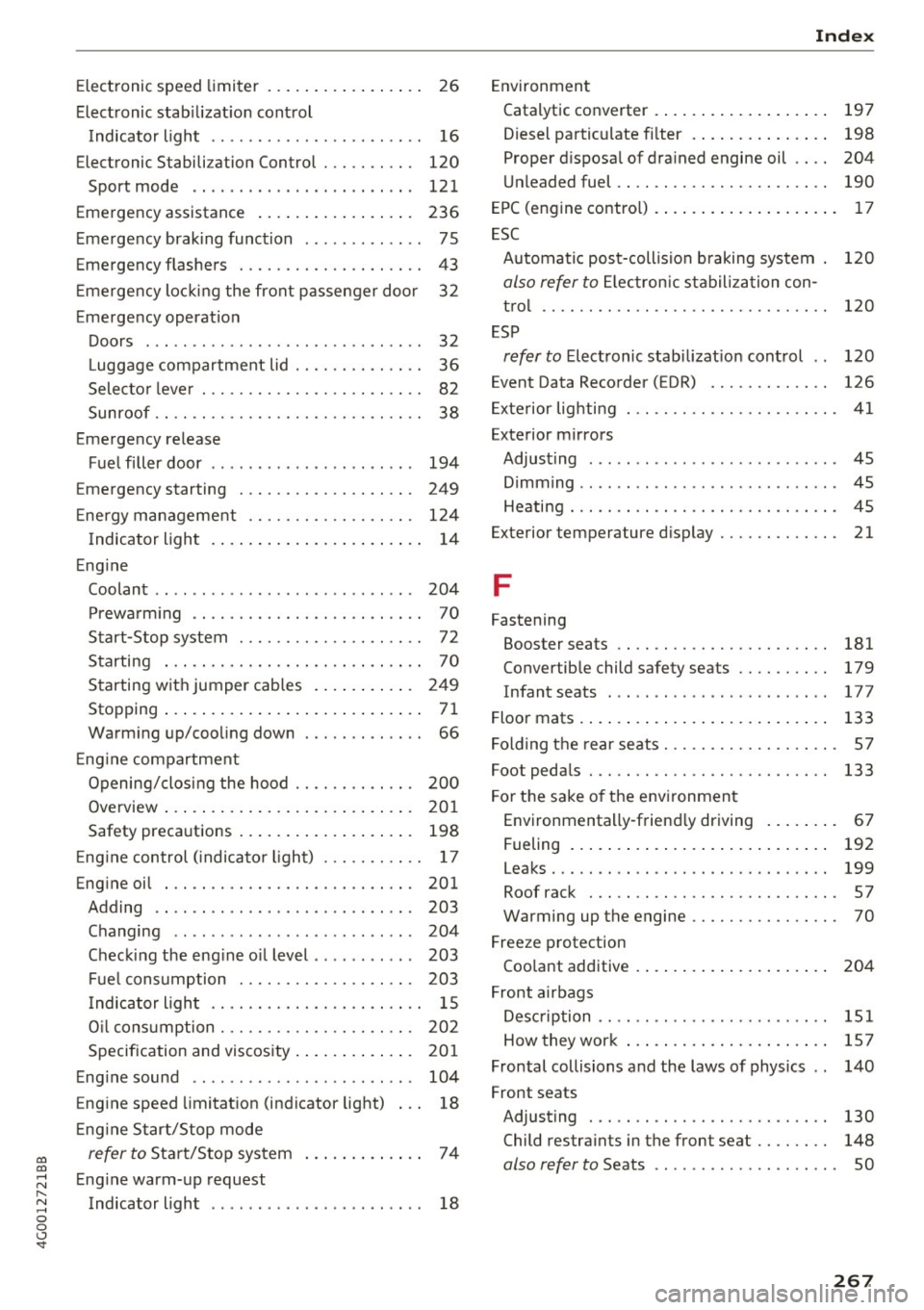
co
co
.... N
" N .... 0 0 <..:l '
Electronic stabilization control
Indicator light . . . . . . . . . . . . . . . . . . . . . . .
16
Elec tronic Stabili zation Control . . . . . . . . . . 120
Sport mode . . . . . . . . . . . . . . . . . . . . . . . . 121
Emergency assistance . . . . . . . . . . . . . . . . . 236
Emergency braking function . . . . . . . . . . . . .
75
Emergency flashers . . . . . . . . . . . . . . . . . . . . 43
Emergency locking the front passenger door 32
Emergency operat ion
Doors . . . . . . . . . . . . . . . . . . . . . . . . . . . . . .
32
Luggage compartment lid . . . . . . . . . . . . . . 36
Selector lever . . . . . . . . . . . . . . . . . . . . . . . .
82
Sunroof .. .. .. ............. .. .. .. .. .. 38
Emergency release
Fuel filler door . . . . . . . . . . . . . . . . . . . . . .
194
Emergency starting . . . . . . . . . . . . . . . . . . . 249
Energy management . . . . . . . . . . . . . . . . . . 124
Indicator light . . . . . . . . . . . . . . . . . . . . . . . 14
Engine
Coolant
... ' .................. ... ' . . 204
Prewarming . . . . . . . . . . . . . . . . . . . . . . . . . 70
Start-Stop system . . . . . . . . . . . . . . . . . . . . 72
Starting . . . . . . . . . . . . . . . . . . . . . . . . . . . . 70
Starting with jumper cab les . . . . . . . . . . . 249
Stopp ing . . . . . . . . . . . . . . . . . . . . . . . . . . . . 71
Warming up/cooling down . . . . . . . . . . . . . 66
E ng ine compartment
Opening/closing the hood . . . . . . . . . . . . .
200
Overview . . . . . . . . . . . . . . . . . . . . . . . . . . . 201
Safety precautions . . . . . . . . . . . . . . . . . . . 198
Eng ine control ( indicator light) . . . . . . . . . . . 17
Engine oil . . . . . . . . . . . . . . . . . . . . . . . . . . . 201
Adding . . . . . . . . . . . . . . . . . . . . . . . . . . . . 203
Changing . . . . . . . . . . . . . . . . . . . . . . . . . . 204
Checking the eng ine o il level . . . . . . . . . . . 203
Fuel consumption . . . . . . . . . . . . . . . . . . . 203
Indicator light . . . . . . . . . . . . . . . . . . . . . . . 1 S
O il consumption . . . . . . . . . . . . . . . . . . . . .
202
Specif ication and viscosity . . . . . . . . . . . . . 201
Engine sound . . . . . . . . . . . . . . . . . . . . . . . . 104
Engine speed limitation (indicator light) 18
Eng ine Start/Stop mode
refer to Sta rt/Stop system . . . . . . . . . . . . . 7 4
Engine warm-up request
Indicator light . . . . . . . . . . . . . . . . . . . . . . .
18
Index
Environment
Catalytic conv erter . . . . . . . . . . . . . . . . . . .
197
Diesel particulate filter . . . . . . . . . . . . . . . 198
Proper disposal of drained engine oil . . . . 204
Unleaded fuel.... .. ............... .. 190
EPC (engine contro l) . . . . . . . . . . . . . . . . . . . . 17
ESC
Automatic post-collision braking system .
120
also refer to Electronic stabilization con-
trol . . . . . . . . . . . . . . . . . . . . . . . . . . . . . . .
120
ESP
refer to Electronic stabilization control . . 120
Event Data Recorder ( EDR) . . . . . . . . . . . . . 126
Exterior lighting . . . . . . . . . . . . . . . . . . . . . . . 41
Exterior mirrors
Adjusting . . . . . . . . . . . . . . . . . . . . . . . . . . . 45
D' . 1mming ........ .. .................. 45
Heating... .... .. .. ............... .. . 45
Ex terior temperature display.......... .. .
21
F
Fastening
Booster seats . . . . . . . . . . . . . . . . . . . . . . .
181
Convertible child safety seats . . . . . . . . . . 179
Infant seats . . . . . . . . . . . . . . . . . . . . . . . . 17 7
Floor mats . . . . . . . . . . . . . . . . . . . . . . . . . . . 133
Folding the rear seats. . . . . . . . . . . . . . . . . . . 57
Foot pedals . . . . . . . . . . . . . . . . . . . . . . . . . . 133
For the sake of the environment
Environmentally-friend ly driving . . . . . . . . 67
Fueling . . . . . . . . . . . . . . . . . . . . . . . . . . . .
192
Leaks . . . . . . . . . . . . . . . . . . . . . . . . . . . . . . 199
Roof rack . . . . . . . . . . . . . . . . . . . . . . . . . . . 57
Warming up the engine . . . . . . . . . . . . . . . . 70
Freeze protection
Coolant additive
Front airbags
. . .. ................ . 204
Description . . . . . . . . . . . . . . . . . . . . . . . . . 151
How they work . . . . . . . . . . . . . . . . . . . . . . 157
Frontal collisions and the laws of physics . . 140
Front seats
Adjusting . . . . . . . . . . . . . . . . . . . . . . . . . .
130
Child restraints in the front seat . . . . . . . . 148
also refer to Seats . . . . . . . . . . . . . . . . . . . . SO
267