turn signal AUDI A6 2018 User Guide
[x] Cancel search | Manufacturer: AUDI, Model Year: 2018, Model line: A6, Model: AUDI A6 2018Pages: 266, PDF Size: 41.38 MB
Page 104 of 266
Assistance systems
that are between approximately 32 ft (10 m) and
295
ft (90 m) in front of the vehicle and within
the detection zone. Within the limits of the sys
tem
c:> page 102, a pedestrian or wild animal de
tected when the low beams are switched on is
highlighted in yellow
c:> fig. 108. Animal recogni
tion is not active within highly developed areas.
The system only detects large wild animals such
as deer.
(D Tips
If another display such as navigation replaces
the image from the night vision assist
the~--,
symbol appears in a tab c:>fig. 109. You can
access night vision assist using the multifunc
tion steering wheel buttons
c:> page 20.
Pedestrian and wild animal warning
Applies to: vehicles with night vision assist
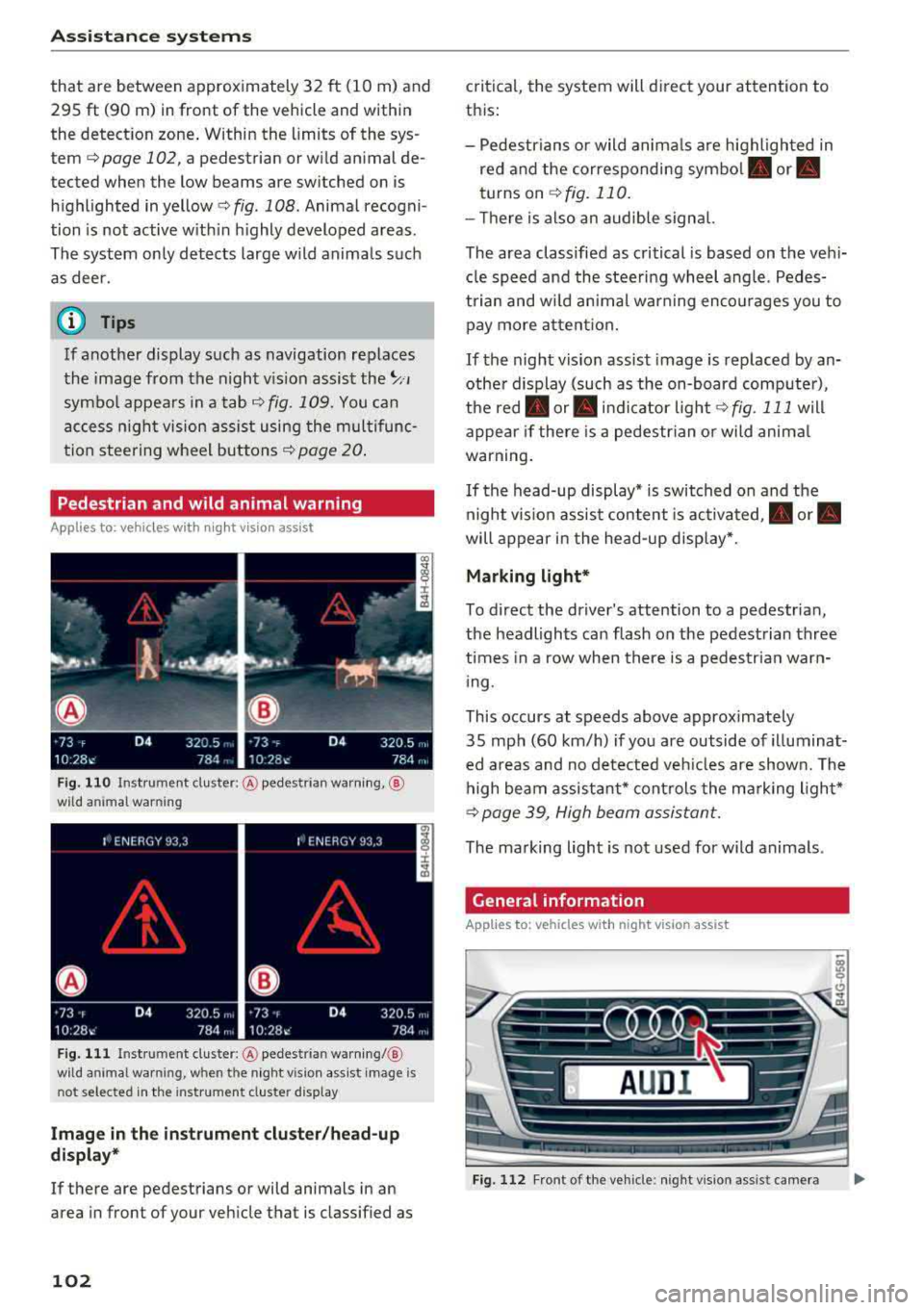
Fig . 110 Inst rument cluster :® pedestrian warning, ®
wild animal warning
Fig. 111 In strument cl uster: ® pedestrian warning/ @
w ild an imal warning, when the night vision assist image is
n ot selected in the instrument cl uster display
Image in the instrument cluster/head-up
display*
If there are pedestrians or wild animals in an
area in front of your vehicle that is classified as
102
critical, the system will direct your attention to
this :
- Pedestrians or wild animals are highlighted in
red and the corresponding
symbol . or.
turns on c:>fig. 110.
- There is also an audible signal.
The area classified as critical is based on the vehi
cle speed and the steering wheel angle. Pedes
trian and wild animal warning encourages you to pay more attention.
If the night vision assist image is replaced by an
other display (such as the on-board computer),
the
red . or. indicator light c:> fig. 111 will
appear if there is a pedestrian or wild animal
warning.
If the head-up display* is switched on and the
night vision assist content is activated, .
or.
will appear in the head-up display*.
Marking light*
To direct the driver's attention to a pedestrian,
the headlights can flash on the pedestrian three
times in a row when there is a pedestrian warn
ing.
This occurs at speeds above approximately
35 mph (60 km/h) if you are outside of illuminat
ed areas and no detected vehicles are shown. The
high beam assistant* controls the marking light*
c:> page 39, High beam assistant.
The marking light is not used for wild animals .
General information
Applies to: vehicles with night vision assist
Fig. 112 Fro nt of the vehicl e: night vision assist camera
Page 110 of 266
Parking systems
Parking system plus
Description
Applies to: ve hicles with park ing system p lus
Parking system plus provides audio and v isual
signals when parking .
C>
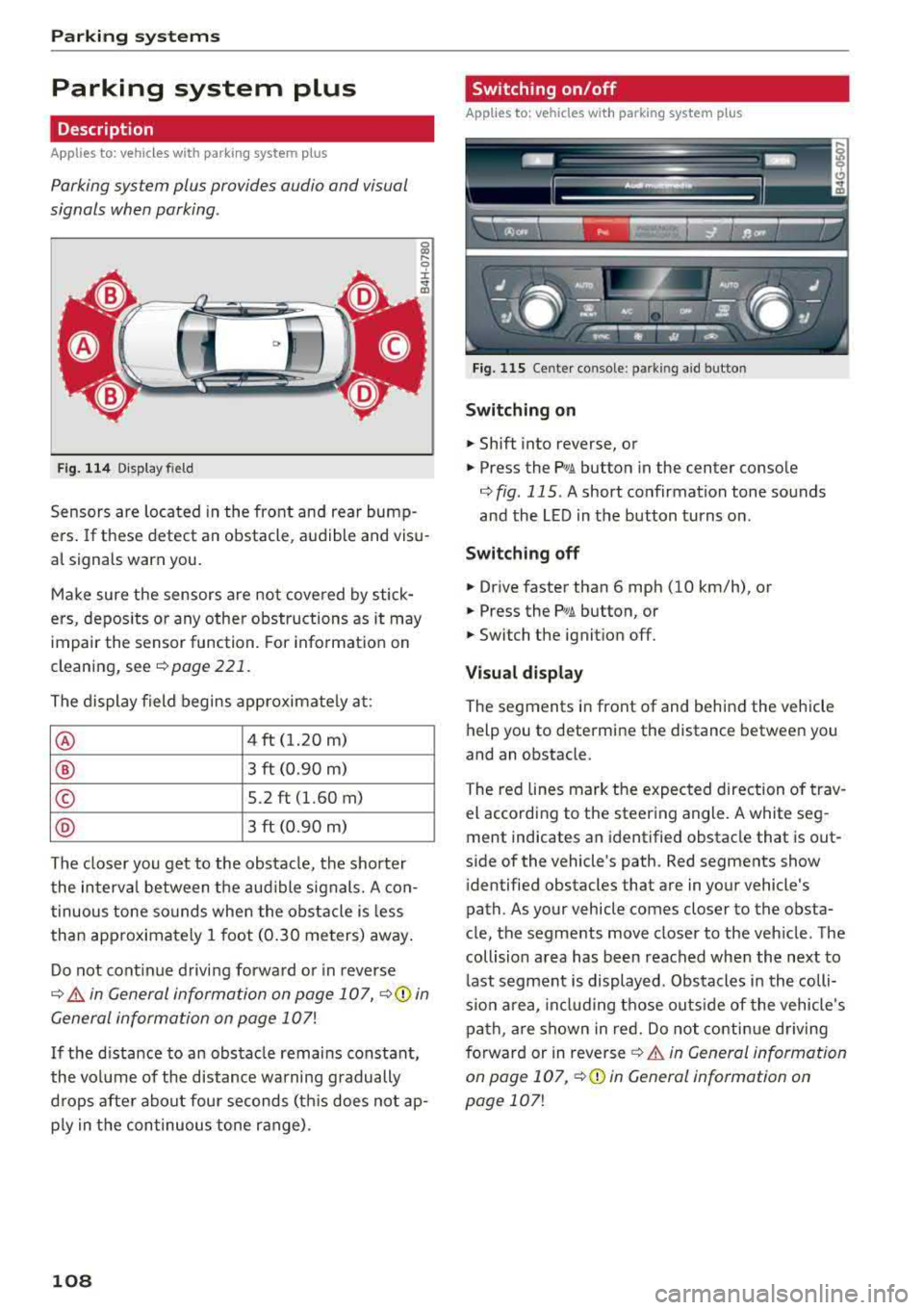
Fig. 114 Disp la y fi eld
Sensors are located in the front and rear bump
ers. If these detect an obstacle , audible and visu
al signals warn you.
Make sure the sensors are not covered by stick
ers, depos its or any other obstructions as it may
impair the sensor function. For information on
cleaning, see
¢ page 221.
The display field begins approximately at:
® 4 ft (1.20 m)
® 3 ft (0.90 m)
© 5.2 ft (1.60 m)
@ 3 ft (0.90 m)
The closer you get to the obstacle, the shorter
the interval between the audible signals. A con
tinuous tone sounds when the obstacle is less
than approximately 1 foot (0.30 meters) away.
Do not continue driving forward or in reverse
¢ & in General information on page 10 7, ¢ ([) in
General information on page 107!
If the distance to an obstacle remains constant,
the volume of the distance warning gradually
drops after about four seconds (th is does not ap
p ly in the continuous tone range) .
108
Switching on/off
Applies to : vehicles with parking system plus
Fig. 115 Center console : par kin g aid b utto n
Switching on
.. Shift into reverse, or
.. Press the PwA button in the center console
¢ fig. 115 . A short confirmation tone sounds
and the LED in the button turns on .
Switching off
.. Drive faster than 6 mph (10 km/h), or
.. Press the PwA button, or
.. Switch the ignition off.
Visual display
The segments in front of and behind the vehicle
help you to determine the distance between you
and an obstacle .
The red lines mark the expected direction of trav
el according to the steering angle. A white seg
ment indicates an identified obstacle that is out
side of the vehicle's path . Red segments show
identified obstacles that are in your vehicle's
path. As your vehicle comes closer to the obsta
cle, the segments move closer to the vehicle . The
collision area has been reached when the next to
last segment is displayed . Obstacles in the colli
s io n area, including those outside of the vehicle 's
path , are shown in red. Do not continue driving
forward or in
reverse ¢ & in General information
on page 107 ,
¢(D in General information on
page
107!
Page 112 of 266

Parking syste m s
-For objects that do not touch the ground,
such as the bumper of a parked vehicle, a
trailer hitch or the rear of a truck. Do not
use the orientation lines in this case.
- If driven from a level surface onto an in
cline, or a downward slope.
- If driven toward protruding objects.
-If the vehicle is carrying too much load in
the rear.
- Applies to: vehicles with air sus pension: the
accuracy of the orientation lines and blue
surfaces decreases when the vehicle is raised/lowered
¢page 104.
(D Note
- Always read and follow the applicable warn
ings
¢ 0 in General information on
page 107.
-The orange-colored orientation lines in the
Infotainment display show the vehicle path
based on the steering wheel angle. The
front of the vehicle swings out more than
the rear of the veh icle . Maintain plenty of
distance so that an exterio r mirror or a cor
ner of the veh icle does not co llide w ith any
obstacles.
Switching on/off
Applies to : ve hicles with rearv iew camera
Sw itching on
~ S hi ft into reve rse, or
• P ress the P' #.!\. button in the cente r console
¢
page 108, fig. 115 . A short conf irmat ion
tone sounds and the LED in the button turns
on .
Sw itching between the rearview camera and
optical display
~ Press the Graph ic contro l button ®
¢ page 110, fig. 120 to see the opt ica l disp lay.
• Press the R ear view control button to see the
rearview camera image.
Switching off
• Drive faster than 6 mph (10 km/h), or
• Press the P" '.!\. button, or
~ Switc h the ignition off.
110
@ Tips
-The visua l display in the left part of the dis
play should he lp you detect the crit ica l vehi-
cle areas.
- You can change the vol ume and pitch of the
signals as well as the display¢
page 117.
Perpendicular parking
App lies to : vehicles wit h rearv iew camera
This view may be used when parking in a garage
or in a parking space.
Fig. 120 Infota inment system: aiming at a park ing space
Fig. 121 Infota inment system : alig ning the vehicle
~ Turn the Infotainment system on and shift into
reverse gear.
• The orange orie ntation lines (!) show the vehi
cle 's direction of travel. Turn the steering wheel
until the orange o rientation lines appear in the
parking space ¢
fig. 120. Use the markings @
to he lp you estima te the distance to an obsta
cle . Each marking represents approximate ly 3
ft (1 m). The b lue area represents an extension
of the vehicle's outline by approximately 16 ft
(5 meters) to the rear.
~ Wh ile driving in reverse gear, adjust the steer-
ing wheel angle to
fit the park ing space using ..,.
Page 113 of 266

a co ,...,
N
" N ,...,
0 0 \,;J '
¢ A in General information on page 109, ¢(D
in General information on page 110 .@ repre
sents the rear bumper . At the very latest, stop
the vehicle when the red orientation
line @
borders an object .
Parallel parking
Applies to: veh icles with rearview camera
This view may be used when parallel parking
along the side of a stree t.
Fig . 122 In fota inment : blue surfaces alig ned in the pa rk ·
i ng space
Fi g. 123 In fo ta inm ent: c onta ct of the blue curv ed li ne with
the curb
Parking on the r ight is described here. It is identi
cal when parking on the left .
If there is an obstacle next to the parking space (such as a wall), refer to "Information for park ing
next to obstacles" ¢
page 111.
.. Activate the turn signal.
.. Position your vehicle next to a parked veh icle in
front of the desired parking space. The d istance
to this vehicle should be approximately 3 ft . (1
m) .
Parking systems
.. T urn the Infotainment system on and shift into
reverse gear. The parking system is turned on
and the
C ros s parking view is d isp layed .
.. Press the contro l button on the Infotainment
unit @¢ fig. 122 . The Parallel parking view is
disp layed .
.. Back up and alig n your veh icle so the blue area
@ bo rders on the rear end of the vehicle be
hind you o r on the park ing spa ce
line ¢&_ in
General information on page 109,
¢ (Din Gen
eral information on page 110.
The blue area
represents an extension o f the vehicle's outline
by approximate ly 16 ft (5 meters) to the rear.
T he long side of the b lue area s hou ld be on the
curb. The entire blue area must fit into the
parking space .
.,. With the vehicle stopped, turn the steering
wheel to t he right as far as it will go .
.,. Back up into the parking spot . Whe n the blue
curve ¢
fig. 123 is nea r the curb ¢&_ in Gener
al information on page 109,
stop the vehicle
¢ Ci) in General information on pag e 110 .
.. With the vehicle stopped, t urn the steering
wheel to the left as far as it will go .
.. Continue to back into the parking space until
the vehicle is parked para llel to the curb ¢
A
in General informa tion on page 109, ¢ @ in
General information on page 110 .@ repre ·
sents the rear bumper. At the very latest, stop
the vehicle when the red or ien tat io n line
@
borders an object. Keep an eye o n the front of
your veh icle w hile doing this.
Parking next to obstacles
If there is an obstacle (such as a wall) next to the
parking space, position the veh icle so there is
more space on that side . Position the long side of
the b lue surfa ce so t hat there is sufficient spa ce
from the obstacle . T he su rface must not be
touchi ng . You will a lso need to s tart tu rning the
steering wheel earlier . The blue curve
¢ fig . 123
must not touch the obstacl e, b ut rather there
should be enough d istance .
(D Note
Keep enough distance from t he curb to re -
duce the risk of damage to the r ims.
111
Page 117 of 266

a co ,...,
N
" N ,...,
0 0 <..:l '
this mode.
.,. To cross park, parallel park or position the vehi
cle in front of a tra iler*, press the control but
ton ® on the control panel repeatedly until the
symbol for the des ired mode is selected.
Perpendicular parking
App lies to: vehicles with peripheral cameras
This view may be used when parking in a garage
or in a parking space.
F ig . 132 Infotainment system: aiming at a parking space
Fig. 133 Infotainment system: aligning the vehicle
Requirement: cross parking must be selected
qpage 114 .
.,. The orange orientation lines (I) show the vehi
cle's direction of travel. Turn the steering wheel
until the orange or ientat io n lines appear in t he
parking space
q fig. 132 . Use the mark ings @
to help yo u estimate the distance to an obsta
cl e. Each marking represen ts approximately 3
ft (1 m) . The blue area represents an extens ion
of the vehicle's outl ine by approximately 16 ft
(S meters) to the rear.
.,. While driv ing in reverse gear, adjust the steer
ing wheel ang le to fit the parking space using
Parking systems
the orange orientat ion lines for assistance
q &. in General information on page 112, q(D
in General information on page 112.@repre
sents the rear bumper. You should stop revers
ing at the latest when the red orientation line
@ borders an object¢&. in General informa
tion on page 109.
Parallel parking
Applies to: vehicles with peripheral cameras
This view may be used when parallel parking
along the side of a street.
Fig . 134 In fotainment: blue surfaces al ig ned i n the park ·
in g space
Fig. 135 In fotainme nt: contact of the blue curved line w ith
the curb
Parking on the right is described here. It is identi·
cal when parking on the left.
If there is an obstacle next to the parking space
(such as a wall), refer to Information for parking
next to obstacles
q page 116.
.,. Activate the turn signal.
.,. Position your vehicle next to a parked vehicle in
front of the desired parking space. The distance
to this vehicle shou ld be approximately 3 ft. ( 1
m). ..,.
115
Page 119 of 266
a co .... N
" N .... 0 0 \.J '
A ppl ies to : ve hicles w ith parkin g system plus/rearv iew cam
era/peripheral ca mera
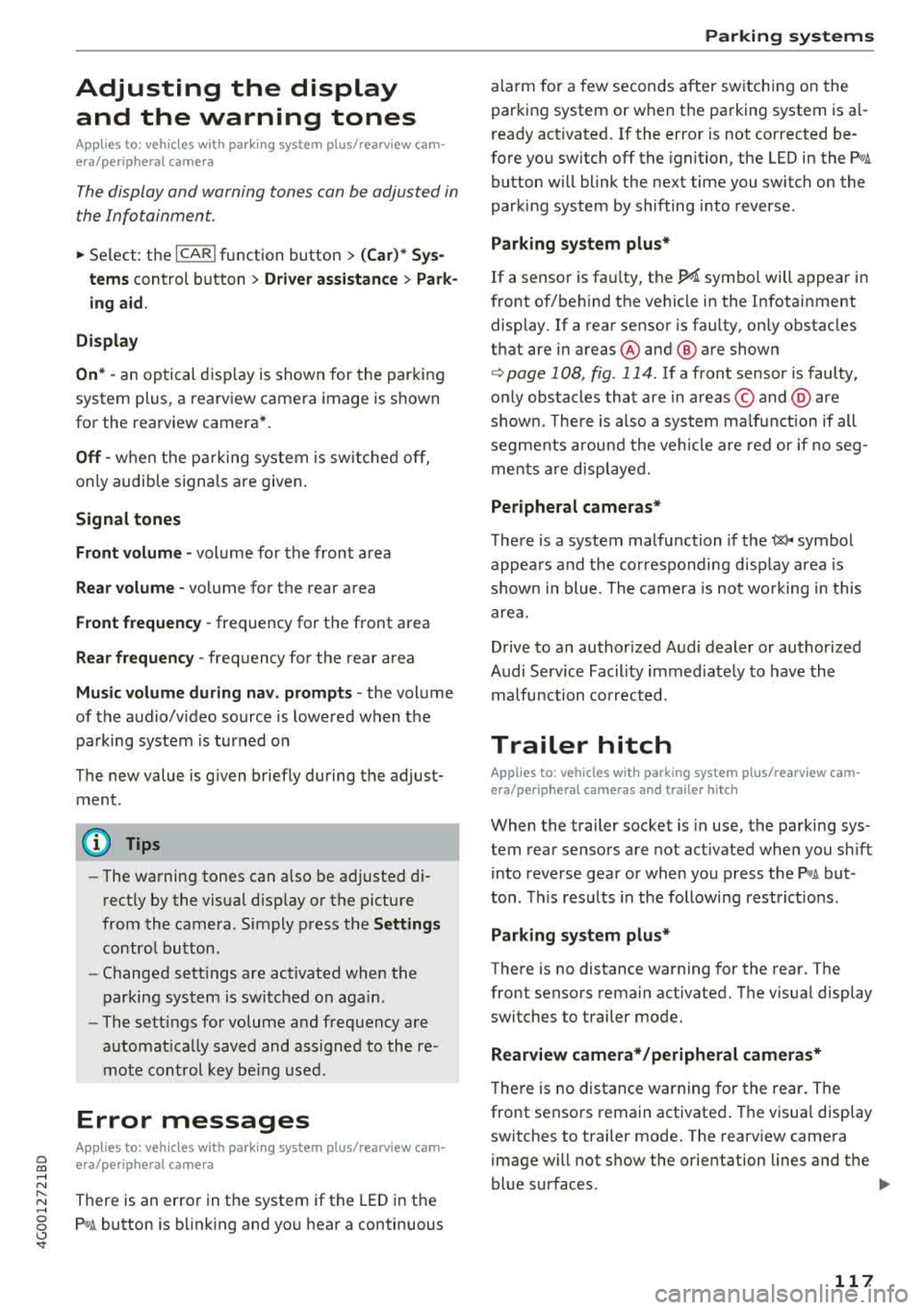
The display and warning tones can be adjusted in
the Infotainment.
~ Se lect: the ICARI fu nction button > (Car)* Sys
tems
control b utton > Driver assistance > Park
ing aid .
Display
On * -
an op tical d isp lay is shown for the par kin g
system plus, a rearv iew camera image is s hown
for the rearview camera *.
Off -when the p arking sys tem is sw itche d off,
on ly audib le sign als are give n.
Signal tones
Front volume -
volume for the front area
Rear volume -volume for the rear area
Front frequency -frequency for the front area
Rear frequency -frequen cy fo r the rea r area
Music volume during nav . prompts -the volume
of the a udio/video so urce is lowe red when t he
pa rking system is turned o n
The new value is g iven briefly during the adjust
ment.
(D Tips
- The wa rning tones ca n also be ad justed d i
r ectly by the vis ual d isp lay or the pictu re
from the camera. Simply p ress the
Settings
co ntro l bu tton.
- Changed set tings are ac tivated whe n the
parking system is swi tched o n aga in.
- The settings for volume and frequency are
a utomat ica lly saved and ass igned to the re
mo te con trol key be ing used.
Error messages
A pp lies to: ve hicles with parking system plus/rearview cam
era/per ipheral ca mera
There is an erro r in the system if the LED in the
Pw , button is b link ing and yo u hear a continuous
Parking systems
alarm for a few seconds after sw itch ing on the
par king system or w hen the pa rking system is a l
r eady activated. If the erro r is not cor rected be
fo re you switch off the ignition, the
LED in the Pw ,
button w ill blink the next time you switch on the
park ing system by shifting into reverse.
Parking system plus*
If a senso r is fa ulty, the~ symbo l will appear i n
front of/beh ind the vehicle in the Infotainment
display. If a rear sensor is faulty, on ly obstacles
t h at are i n areas @and @ are shown
<=> page 108, fig . 114 . If a front se nsor is faulty,
o n ly obs tacles tha t are in a reas © and @are
shown. The re is a lso a sys tem ma lf u nct ion if all
seg ments arou nd the veh icle are red or if no seg
me nts are disp laye d.
Peripheral cameras*
The re is a system malfu nction if t he 00 • symbol
appea rs and the co rresponding d isp lay area is
s h own in bl ue. The camera is not wo rking in t his
are a.
Drive to an authorized A udi dealer or authorized
Audi Se rvice Facility immed iate ly to have the
malfu nction corrected.
Trailer hitch
App lies to: vehicles wit h parking system pl us/rea rv iew cam
e ra/peri phe ra l cameras an d tra ile r hitc h
When the trailer socket is in use, the par king sys
tem rear sensors are not act ivated when you sh ift
into reverse gear or when yo u press t he
p,,1A but
ton. This res ults in the following rest rict ions.
Parking system plus*
The re is no distance warning for the rear. The
front senso rs remain activated. T he v isua l disp lay
switches to trailer mode.
Rearview camera*/peripheral cameras*
T he re is no distance warning for the rea r. The
front senso rs remain activated . The visua l disp lay
switches to trailer mode. The rearview came ra
i mage will not s how the orie ntation lines and t he
bl ue surfaces.
.,..
117
Page 148 of 266
Airbag system
-An improperly installed child restraint can
interfere with the airbag as it deploys and
seriously injure or even kill the child
-even
with an Advanced Airbag System .
-Always carefully follow the manufacture r's
instructions provided with the child seat or
carrier .
-Always make sure that there is nothing on
the front passenger seat that will cause the
capacit ive passenger detection system in
the seat to signal to the Airbag System that
the seat is occupied by a person when it is
not, or to signa l that it is occupied by some
one who is heav ier than the person actually
sitting on the seat. The presence of addi
tional objects could cause the passenger
front airbag to be turned on when it should be off, or could cause the airbag to work in a
way that is different from the way it would
have worked without the object on the seat .
Front airbags
Description of front airbags
The airbag system can provide supplemental
protection to properly restrained front seat occu
pants.
Fig. 151 L ocation of d river airbag : in stee ring w heel
146
Fig. 152 Locat io n of fro nt passenge r's airbag : in th e in ·
s trumen t pan el
Your vehicle is equipped with an "Advanced Air
bag System" in compliance with United States
Federal Motor Vehicle Safety Standard
(FMVSS) 208, as well as Canada Motor Vehicle
Safety Standard (CMVSS) 208 as applicable at
the time your vehicle was manufactured .
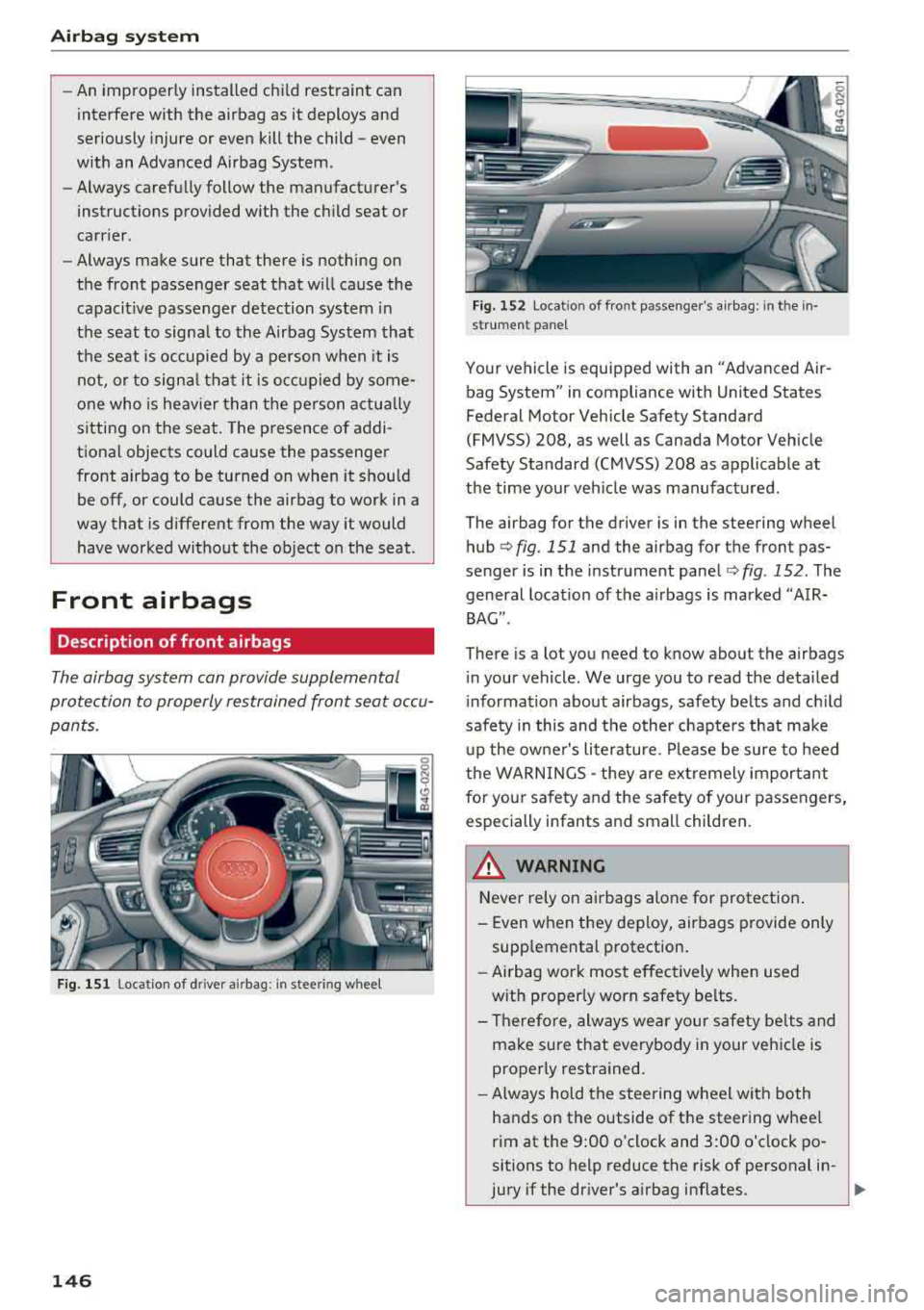
The airbag for the driver is in the steering wheel
hub
q fig. 151 and the airbag for the front pas
senger is in the instrument panel
q fig. 152 . The
general location of the airbags is marked
"AIR·
BAG".
There is a lot you need to know about the airbags
in your vehicle . We urge you to read the detailed
information about airbags, safety belts and child
safety in this and the other chapters that make
up the owner's literature. Please be sure to heed
the WARNINGS
-they are extremely important
for your safety and the safety of your passengers,
especially infants and small children.
A WARNING
-Never rely on airbags alone for protection.
-Even when they deploy, airbags provide only
supplemental protection.
- Airbag work most effectively when used
with properly worn safety belts.
- Therefore, always wear your safety belts and
make sure that everybody in your veh icle is
properly restrained.
- Always hold the steering wheel with both
hands on the outside of the steering wheel
rim at the 9:00 o'clock and 3:00 o'clock po·
sitions to help reduce the risk of personal in-
jury
if the dr iver's airbag inflates. ~
Page 151 of 266
a co .... N
" N .... 0 0 \,;J '
t ing s ideways or out of pos ition in any way,
your risk of injury is much higher.
- You will also receive serious injur ies and
cou ld even be killed if you are up aga inst the
airbag or too close to it when it inflates -
even with an Advanced Airbag
¢page 142 .
A WARNING
A ch ild in a rearward-facing ch ild seat instal
led on the front passenger seat w ill be ser i
ously in jured and can be k illed if the front air
bag inflates - even with an Advanced A irbag
System.
- Alt hough the Advanced A irbag System in
yo ur vehicle is des igned to t urn off t he front
airbag when a re arwa rd-faci ng ch ild re
straint has been insta lled on the front pas
senger seat, nobody can abso lutely guaran
tee that deployment is impossible in a ll con
ceivable s ituations that may happen during
the useful life of your vehicle.
- The inflating a irbag w ill hit the child seat or
infant carrier w ith great force and will
smash the c hild seat and child against the
backrest, ce nter armrest, door, or roof .
- Always install rearward-fac ing ch ild re
straints on the rear seat.
- If you must install a rearward fac ing c hild
seat on the front passenger seat because of
exceptiona l circumstances and the
PA SSEN
GER AIR BAG OFF
light does not come o n
and stay on, immediately insta ll the rear
facing child seat in a re ar seat ing pos ition
and have the a irbag sys tem inspected by
yo ur Audi dealer .
A WARNING
If , in except ional circumstances, you mus t in
sta ll a forward-facing chi ld restraint on the
front passenger's seat:
- Always make sure the forward -facing seat
has been designed and certified by its man
ufact urer for use on a front seat with a pas
senger front and s ide a irbag.
Airbag syste m
- Never p ut the fo rward-facing child restraint
up aga inst or very near the instr ument pan
el.
-Always move the front passenger seat to
the highest posit ion in the up and down ad
justment range and move it back to the rearmost posit ion in the seat's fore and aft
ad justment range, as far away from the a ir
bag as poss ible, before installing the for
ward-fac ing ch ild rest raint.
- Always make sure that the safety be lt upper
a nchorage is behind the c hild rest raint and
not next to o r in front of the ch ild res trai nt
so th at the s afety be lt will be p roper ly posi
tioned.
- Always make su re th at there is not hing o n
the front passenger seat that will cause the
capacitive passenger detection system in
the seat to signal to the Airbag System that
the seat is occup ied by a person when it is
not, or to signal that it is occupied by some
one w ho is heavier than the person actually
sitt ing on the seat. The presence of add i
tional objects cou ld cause the passe nger
front a irbag to be t urned on when it should
be off, o r cou ld cause t he air bag to work in a
way th at is d ifferen t from the way it wo uld
have worked withou t the object on the seat .
- Mak e sure that t he
PASSENGER AIR BAG
OFF
li ght comes on and stays on all the time
whenever t he ignition is switched on .
Advanced Airbag System components
The front passenger seat in your ve hicle has a lot
of very important parts of t he Advanced Airbag
System in it. These parts include the capacitive passenger detection system, wir ing, brackets,
and more . The control unit monitors the system
on the fro nt passenger seat when the ignition is
switched on and turns the airbag indicator l igh t
o n when a malfunction in the one of the system
components is
detec ted ¢ page 154. Because
the fron t passenger sea t contains impo rtan t
parts of the Advanced Ai rbag System, you m ust
take care to prevent it from being damaged .
Damage to the seat may prevent the Advanced
..,_
149
Page 155 of 266
a co .... N
" N .... 0 0 \,;J '
A child in a rearward-facing child seat instal
led on the front passenger seat will be seri
ously injured and can be killed if the front air
bag inflates - even with an Advanced Airbag
System.
- The inflating airbag will hit the child seat or
infant carrier with great force and will
smash the child seat and child against the
backrest, center armrest, door or roof.
- Always install rear-facing child seats on the
rear seat.
- If you must install a rearward facing child
seat on the front passenger seat because of
exceptional circumstances and the
PASSEN
GER AIR BAG OFF
light does not come on
and stay on, immediately install the rear
facing child seat in a rear seating position and have the airbag system inspected by
your Audi dealer.
A WARNING
Objects between you and the airbag will in
crease the risk of injury in a crash by interfer
ing with the way the airbag unfolds or by be
ing pushed into you as the airbag inflates .
- Never hold things in your hands or on your
lap when the vehicle is in use .
- Never transport items on or in the area of
the front passenger seat. Objects could
move into the area of the front airbags dur
ing braking or other sudden maneuvers and
become dangerous projectiles that can
cause serious personal injury if the airbags
inflate.
- Never place or attach accessories or other
objects (such as cup holders, telephone
brackets, large, heavy or bulky objects) on
the doors, over or near the area marked
"AIRBAG" on the steering wheel, instru
ment panel, seat backrests or between
those areas and yourself. These objects could cause injury in a crash, especially
when the airbags inflate .
- Never recline the front passenger 's seat to
transport objects. Items can also move into
the area of the side airbag or the front air-
-
Airbag system
bag during braking or in a sudden maneu
ver. Objects near the airbags can become projectiles and cause injury, particularly
when the seat is reclined .
- Never place or transport objects on the
front passenger seat. Objects on the front passenger seat could cause the capacitive
sensor in the seat to signal to airbag system
that the seat is occupied by a person when it
in fact is not, or that the person on the seat
is heavier than he or she actually is. The
change in electric capacitance because of
such objects can cause the passenger front
airbag to be turned on when it should be
off, or can cause the airbag to work in a way
that is different from the way it would have
worked without objects on the seat.
- Always make sure that there is nothing on the front passenger seat that will cause the
capacitive passenger detection system in
the seat to signal to the Airbag System that
the seat is occupied by a person when it is not , or to signal that it is occupied by some
one who is heavier than the person actually
sitting on the seat. The presence of an ob
ject could cause the passenger front airbag to be turned on when it should be off, or
could cause the airbag to work in a way that is different from the way it would have
worked without the object on the seat.
A WARNING ...__ -
The fine dust created when airbags deploy can
cause breathing problems for people with a history of asthma or other breathing condi
tions .
- To reduce the risk of breathing problems,
those with asthma or other respiratory con
ditions should get fresh air right away by
getting out of the vehicle or opening win
dows or doors.
- If you are in a collision in which airbags de
ploy, wash your hands and face with mild
soap and water before eating.
- Be careful not to get the dust into your eyes,
or into any cuts or scratches.
- If the residue should get into your eyes,
flush them with water.
153
Page 156 of 266
Airbag system
Monitoring the
Advanced Airbag System
:~ (USA models) /!f (Canada models)
Airbag monitoring indicator light
Two separate indicators monitor the function of
the Advanced Airbag System : the airbag moni
toring indicator light and the
PASSENGER AIR
BAG OFF
ligh t.
The Advanced Airbag System as well as the side
airbags and side curtain airbags with eject ion
mitigation features (including the e lectroni c con
trol unit, sensors and system wiring) are all
monitored continuously to make sure that they
are funct ion ing prope rly whenever the ignition is
on . Every time you turn on the ignition, the air
bag system indicator light
II (USA models) 1fll
(Canada models) will come on for a few seconds
(function check).
The system must be inspected when the
indicator light
II (USA models) tfll
(Canada models):
-does not come on w hen the ignition is switched
on,
-does not go out a few seconds after you have
switched on the ign ition, or
-comes on wh ile driving .
If an airbag system ma lf u nction is detected, the
ind icator light wi ll come on to serve as a constant
reminder to have the system inspected immedi
ately.
If a malfunction occurs that turns the front air
bag on the passenger side off, the
PASSENGER
AIR BAG OFF
light will come on and stay on
whenever the igni tion is on .
A WARNING
An airbag system that is not funct ioning prop
erly cannot provide supplemental protection
in a frontal crash .
-If the airbag indicato r light ¢page 16
comes when the vehicle is being used, have
the system inspected immediate ly by your
authorized Audi dealer . It is possible that
154
the airbag will inflate when it is not sup
posed to, or will not inflate when it should.
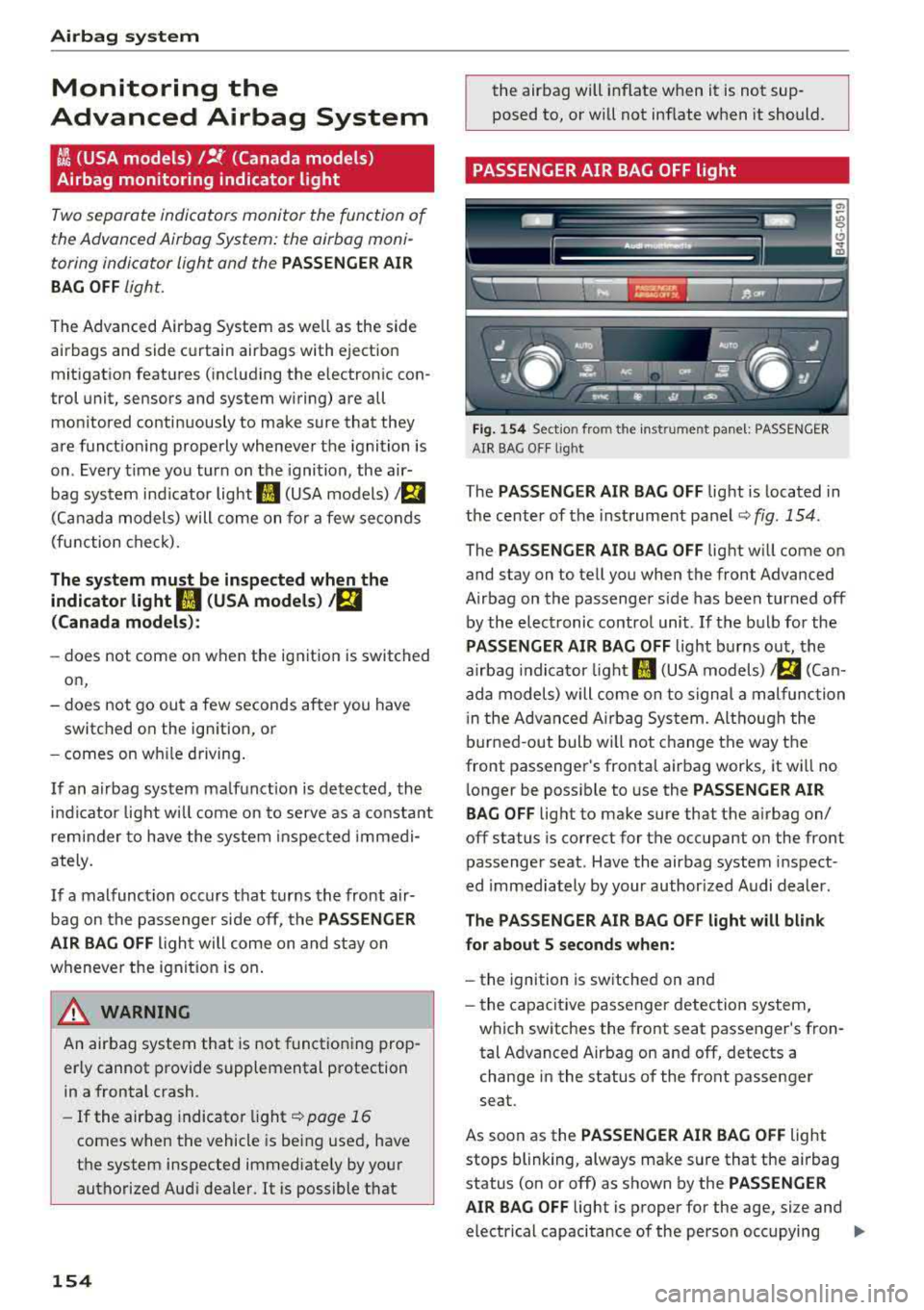
PASSENGER AIR BAG OFF light
Fig. 154 Sect io n fro m t he inst rume nt panel: PASSENGER
AIR BAG O FF lig ht
The PASSENGER AIR BAG OFF light is located in
the center of the instrument panel ¢
fig. 154.
The PASSENGER AIR BAG OFF light will come on
and stay on to tell you when the front Advanced
Airbag on the passenger side has been turned off
by the electronic contro l unit . If the bulb for the
PASSENGER AIR BAG OFF light burns out, the
airbag indicator light
II (USA models) a (Can
ada models) will come on to signal a malfunction
i n the Advanced A irbag System. Although the
burned-out bulb will not change the way the
front passenger's frontal airbag works, it wi ll no
l onger be poss ible to use the
PASSENGER AIR
BAG OFF
lig ht to make sure that the a irbag on/
off status is correct for the occupant on the front
passenger seat . Have the airbag system inspect
ed immediately by your author ized Audi dealer .
The PASSENGER AIR BAG OFF light will blink
for about 5 seconds when:
-the ignition is switched on and
- the capacit ive passenger detection system,
which switches the front seat passenger's fron
tal Advanced Airbag on and off, detects a
change in the status of the front passenger
seat.
As soon as the
PASSENGER AIR BAG OFF light
stops blinking, always make sure that the airbag
status (on or off) as shown by the
PASSENGER
AIR BAG OFF
light is proper for the age, size and
electrical capacitance of the person occupying
.,..