warning light AUDI A7 2012 Owner's Manual
[x] Cancel search | Manufacturer: AUDI, Model Year: 2012, Model line: A7, Model: AUDI A7 2012Pages: 294, PDF Size: 73.33 MB
Page 32 of 294
30 Opening and clo sing
Removing the mechanical key
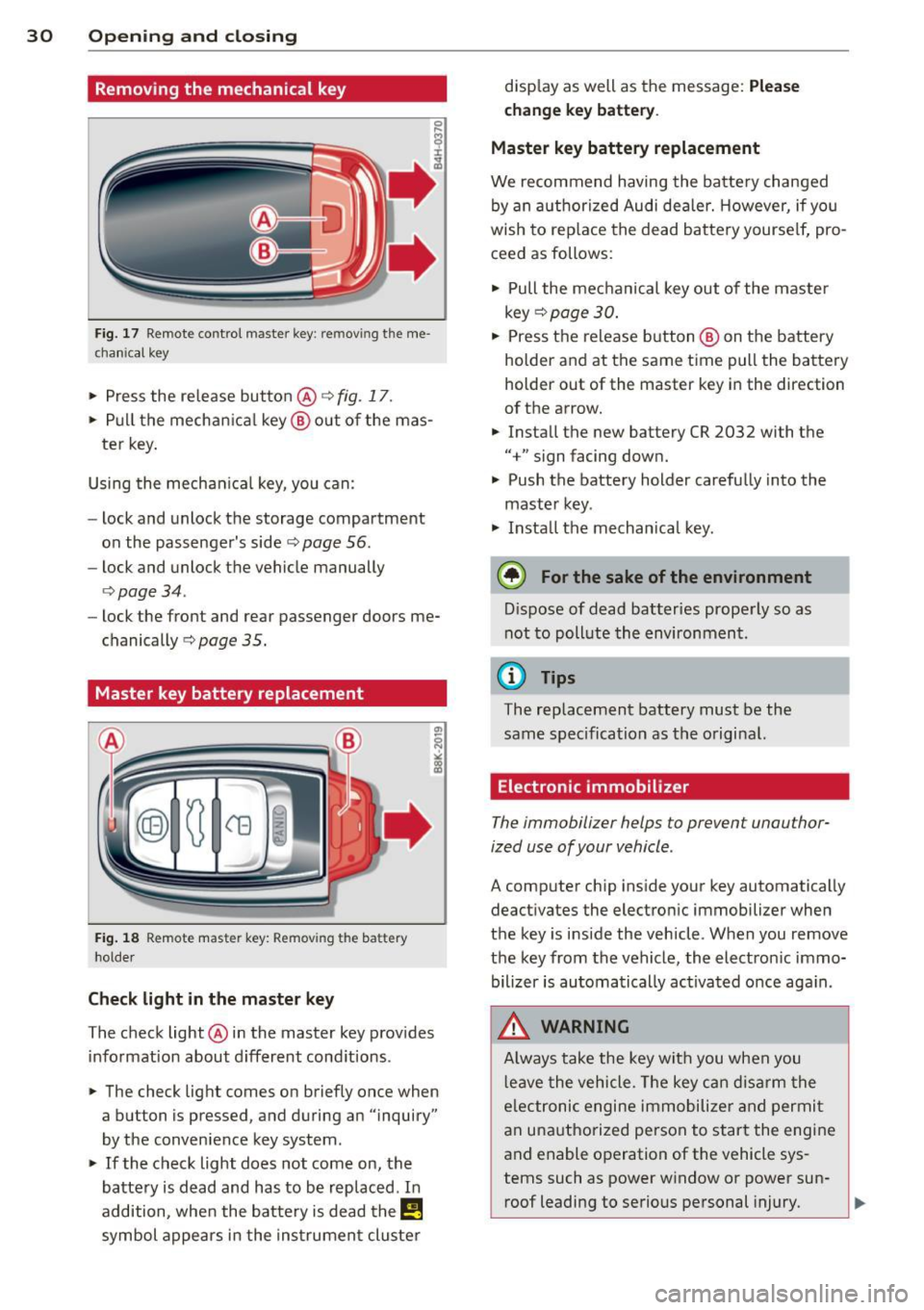
Fig. 17 Remote control master key: remo vin g the me
ch ani cal key
> Press the release button @ c:> fig. 17 .
.. Pull the mecha nica l key @out of the mas
te r key.
Using the mechan ica l key, you can:
- lock and unlock the storage compartment
on the passenger's side
c:> page 56.
- lock and unlock the vehicle manually
<=>page 34.
-lock the front and rear passenger doors me
chanically
c:> page 35.
Master key battery replacement
Fig . 18 Remote mas ter key: Removing the batter y
ho lder
Ch eck light in the master ke y
The check light @in the master key provides
information about d ifferent cond itions .
.. The check light comes on briefly once when
a button is pressed , and during an "inquiry"
by the convenience key system .
> If the check light does not come on, the
battery is dead and has to be replaced . In
addition, when the bat tery is dead the
I!
symbol appears in the instrument cluster disp
lay as well as the message:
Ple ase
c h ange key batt ery.
Ma ster key batter y replacement
We recommend having the batte ry changed
by an authorized Audi deale r. However, if you
wish to rep lace the dead battery yourse lf, pro
ceed as follows:
> Pull the mechanical key out of the master
key
c:> page 30 .
.. Press the release button @ on the battery
holder and at the same time pull the battery
holder out of the master key in the direction
of the arrow .
.. Install the new battery CR 2032 with the
"+" sign facing down.
> Push the battery holder carefully into the
maste r key .
> Insta ll the mechanical key.
@ For the sake of the env ironment
D ispose of dead batteries properly so as
not to pollute the environment.
(D Tips
The replacement battery must be the
same specification as the original.
Electronic immobilizer
The immobilizer helps to prevent unauthor
ized use of your vehicle .
A computer chip ins ide your key automatically
deactivates the electronic immobilizer when
the key is inside the vehicle . When you remove
the key from the vehicle, the electron ic immo
bilizer is automatically ac tivated once aga in .
.&, WARNING
-
A lways take the key with you when you
l eave the vehicle . T he key can disarm the
e lectronic engine immobilize r and permi t
an unauthorized person to start the engine
and enable operation of the vehicle sys
tems such as power window or power sun- roof leading to serious personal injury.
~
Page 33 of 294
@ Tips
-The vehi cle ca nnot be sta rte d if an unau
thorized key is used. The vehicle may not
start if another radio device such as a key
for another vehicle or a transponder is
l ocated on the key ring.
- For Declarat ion of Compliance to United
States FCC and Industry Canada regula
tions ¢
page 2 76.
Power locking system
General description
The power l ocking system locks or unlocks all
doors and the rear lid simultaneously.
You ca n lock and un lock the v eh icle cent rally.
You have the following choices:
- Remote master key¢
page 33,
-Door handles with convenience key*
¢ page 33,
-lock cylinder at the dr iver 's door
¢page 34, or
- Power locking switch inside¢
page 34.
Selective unlocking
When t hey a re closed, the door and re ar lid
are loc ked . When unlocki ng, you can set in the
M MI whether only the driver's door or the en
tire vehicle sho uld be un locked
r::!) page 32 .
Automatic locking
The automat ic lo cking fea ture locks all the ve
hi cle doo rs and the rear lid whe n you drive
faster than 9 mph ( 15 km/h) .
The c ar is un locked aga in , when the opening
f u nction in the power lo cking system sw itch
or at one of the door leve rs is ac tuated. The
Auto lock f unction can be turned on and
off in
the M MI
¢ page 32.
Anti-theft alarm warning system
If th e a nti-theft alarm wa rning sys tem de
tec ts a bre ak-in into the vehi cle, aco ust ic and
v isua l wa rning signals are t riggered.
Opening and clo sin g 31
The anti -theft wa rning system is activated au
tomat ica lly when you lock the ve hicle .
It is de
activated when unlocking using the remote
key, w ith the mechan ica l key, and when you
switch the ign ition on .
The alarm a lso t urns
off when the a larm cycle
has expired .
Turn signals
When you unl ock the ve hicle, the turn s ignals
f lash twice . When yo u lock the veh icle t he
tu rn s ignals f lash once.
If t hey do not flash ,
one of the doo rs, the rear lid o r th e hood is
not locked.
Unintentionally locking yourself out
In the fo llow ing cases there sa feg uards to
prevent yo u locki ng you r remo te mas ter key in
the ve hicl e:
- The vehicle does not lo ck wit h the cen tral
lo ck ing swit ch
r::!) page 34 if t he drive r's
door is open.
- On veh ides with co nvenience key*, if the
mos t recen tly use d m aste r key is in the lug
gage compartment, the rear lid is a utomat i
cally un locked again after it is closed.
Do no t lock your ve hicle with the
re mote mas
ter key or convenience key*
unti l all doors
and the rear lid are closed. In this way you
avo id lock ing yo urself out acc identally .
Power side door closer*
The vehicle doo rs a re equippe d with a powe r
s ide d oor closer . W he n clos ing a doo r, y ou o n
l y have to le t it fall light ly in to the latch . The
doo r will the n automatically close by itself
¢ ,& .
&_ WARNING
-When you lock yo ur vehicle from o utside,
nobody -espec ially childre n -should re
main inside the ve hicle. Remember,
when yo u lock the vehicle from t he out
side the wi ndows cannot be o pened from
the inside. .,.
Page 36 of 294
34 Openin g and clo sing
It is not possible to re-open the door for a
brief period direct ly after closing it. This al
l ows you to ensure that the doors are properly
locked.
I t depends on the settings in the MMI wheth
er the entire vehicle is unlocked or one of the
doors
c:::> page 32.
A WARNING
Read and follow a ll WARNINGS c:> & in
General description on page
31.
(D Tips -
If your vehicle has been stand
ing fo r an ex
tended period, please note the follow ing:
- The proximity sensors are deactivated af-
ter a few days to save power. Yo u then
have to pull on the door handle once to
unlock the ve hicle and a second time to
open the veh icle.
- To prevent the battery from being dis
charged and to preserve your veh icle's
ability to start for as long as possible,
the energy manageme nt system gradu
a lly switches off unnecessary co nven
i en ce f unct ions.
It is po ssible t hat you
will not be able to unlock yo ur vehicle us
i ng these conven ience f unctions.
- Fo r De clarat ion of Compliance to Uni ted
St ates FCC an d Indus try C anad a regu la
tions
c::> page 2 76.
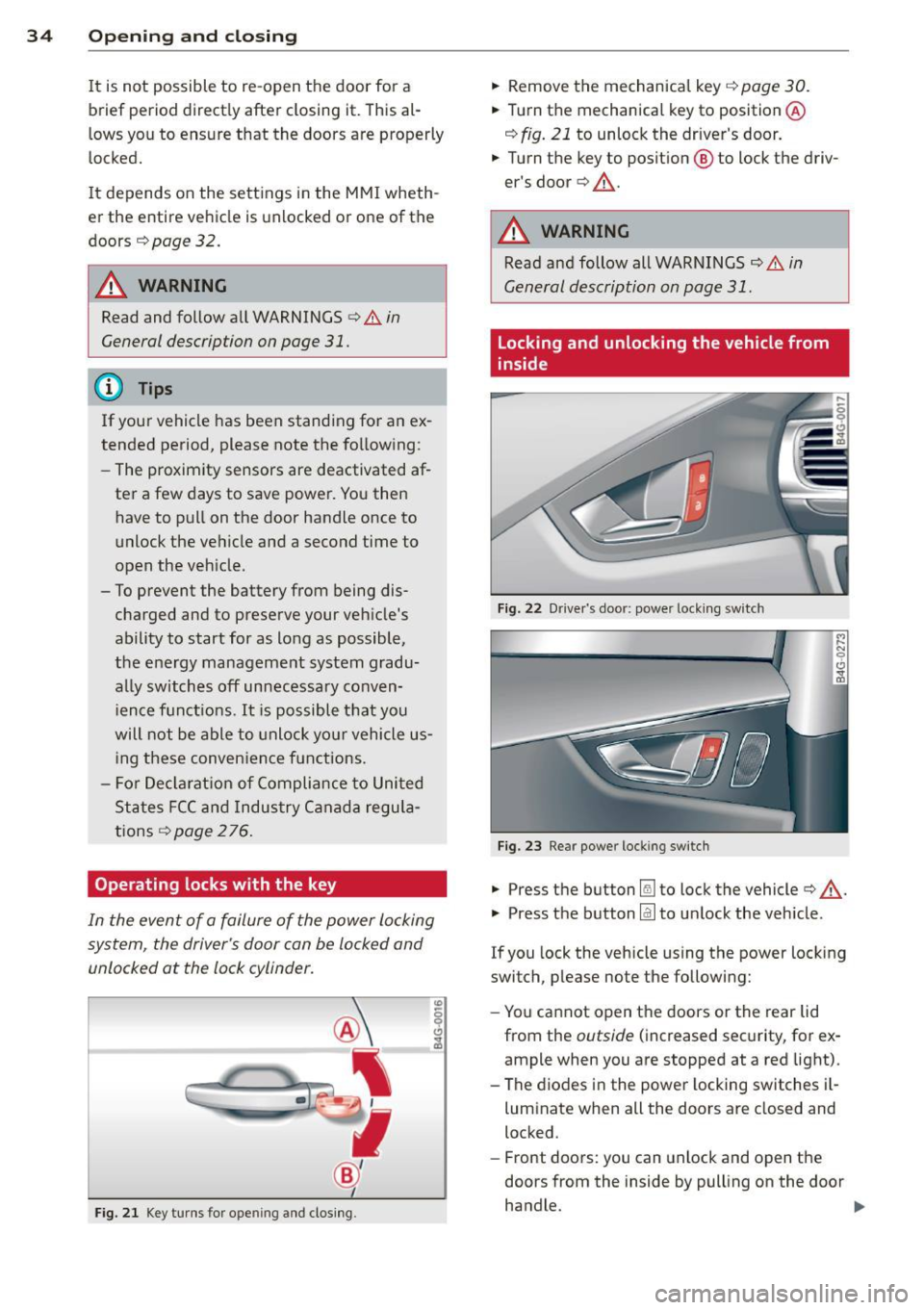
Operating locks with the key
In the event of a failure of the power locking
system, the driver's door con be locked and
unlocked at the lock cylinder.
F ig . 21 Key tu rns for opening and clos ing .
.,. Remove the mechanica l key c::> page 30 .
.,. Tu rn th e mechanical key to position @
c:::> fig. 21 to unlock the driver's door .
.,. Turn the key to posit ion @ to lock the driv
er's door
c:> ,& .
A WARNING
Read and follow all WARNINGS c::> & in
General description on page
31 .
Locking and unlocking the vehicle from
inside
Fig. 22 Dr ive r's door: power lock ing swi tch
Fig . 2 3 Rear power locking switch
.,. Press th e button Im to lock the vehicle c:> ,& .
.,. Press th e button @J to un lock the vehicle.
If you lock the vehicle using the power locking
switch, please note the following:
- Yo u cannot open the doors or the rear lid
from the
outside ( increased sec urity, for ex
ample when you are stopped at a red light).
- The diodes in the powe r locking switches i l-
luminate when all the doors are closed and
locked.
- Front doors: you can unlock and open the
doors from the inside by pulling on the door
handle. .,.
Page 43 of 294
Clear vision Lights
Switching the headlights on and off
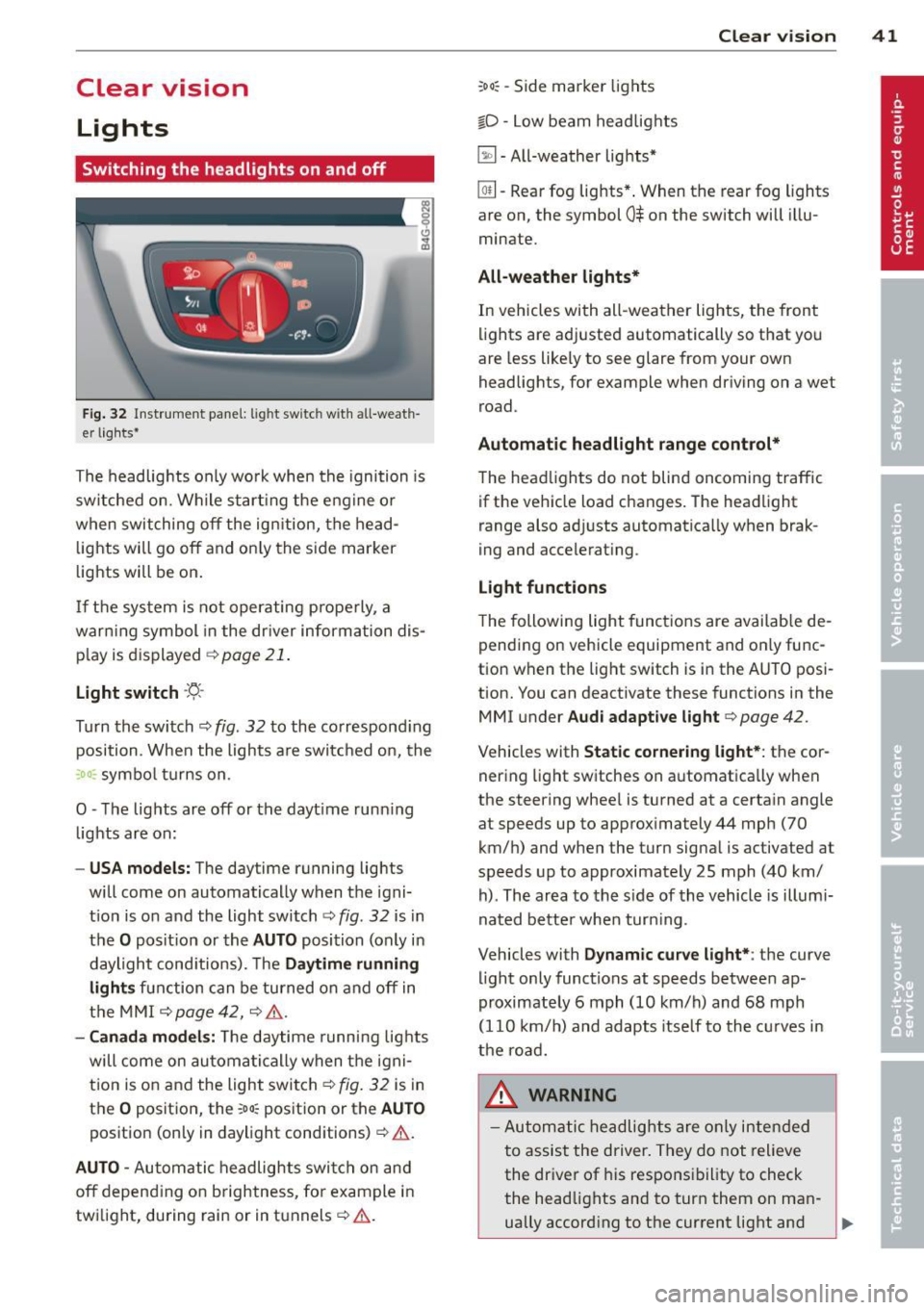
Fig . 32 Instrument pane l: lig ht sw itc h wit h all -weath
er lights•
The headlights only wo rk when the ignition is
switched on. Wh ile start ing the eng ine o r
when switching off the ign ition, the head
lights will go off and on ly the side marker
lights will be on .
If the system is not operating p rope rly, a
war ning symbol in the dr iver information dis
p lay is d isplayed
c::> page 21 .
Light switch ·'t!- -
Tu rn the switch c::> fig . 32 to the correspond ing
position . When the lights a re switched on, the
:oo: symbo l tu rns on .
0 -The lig hts are off or the dayt ime runn ing
lights are on:
- USA models: The daytime running ligh ts
will come on automatically when the igni
t ion is on and the light switch
c::> fig . 32 is in
the O posit ion or the AUTO position (only in
daylight cond itions). The Daytime running
light s function can be turned on and off in
the MMI
c::> page42, c::>A .
-Ca nada model s: The daytime running lig hts
will come on automa tically when the igni
t ion is on and the light switch
c::> fig . 32 is in
the O position, the
:oo: pos ition or the AUTO
position (only in daylight conditions)
c::> A .
AUTO -Automatic headlights swi tch on and
off depend ing o n brightness, for example i n
tw ilight, during rain or in tunnels
c::> &. .
:oo: -Side marke r lights
io -Low beam headlights
~ -All-weather lig hts*
Clear vi sion 41
[Q!l -Rear fog lights* . When th e rear fog lights
a re on, the symbol
0$ on the switch will illu
mina te.
All-weath er lights*
In vehicles with all-weather lights, the front
li ghts are adj usted automatically so that you
are less like ly to see glare from your own
headligh ts, for example when driving on a wet
road .
Automatic headlight range cont rol*
The head lights do not blind oncoming traffic
if the vehicle load changes . The headlight
range also ad justs automatica lly when brak
i ng and accelerat ing .
Light function s
T he following light funct ions are avai lab le de
pending on vehicle equipment and on ly func
tion when the light switch is i n the AUTO posi
tion. You c an deactiv ate these functions in the
MMI under Audi adaptive light
c::> page 42 .
Vehicles w ith Static cornering light* : the cor
ner ing light sw itches on automatica lly when
the stee ring whee l is tu rned at a ce rta in angle
at speeds up to approx imately 44 mph (70
km/ h) and when the turn signa l is ac tiva ted a t
speeds up to approximately 25 mph (40 km/
h) . The area to the s ide of the vehicle is illumi
nated bette r whe n turn ing .
Vehicles with Dynamic curve light* : the
curve
li ght only functions at speeds betwee n ap
proximately 6 mph (10 km/h) and 68 mph
(110 km/ h) and adapts itself to the cu rves in
the ro ad.
_& WARNING
- Autom atic headlig hts are only intended
to assist the driver. They do not relieve
the dr iver of his responsibility to check
the head lights and to turn them on man -
ually accord ing to the current light and
~
Page 44 of 294
42 Clear vision
visibility conditions. For example, fog cannot be detected by the light sensors.
So always switch on the headlights
io
under these weather conditions and
when driving in the dark.
- Crashes can happen when you cannot see
the road ahead and when you cannot be
seen by other motorists . Always turn on
the headlights so that you can see ahead and so that others can see your car from
the back.
(D Note
The rear fog lights should only be turned
on in accordance with traffic regulation, as
the lights are bright for following traffic.
@ Tips
-In the event of a light sensor malfunc
tion, the driver is notified in the instru
ment cluster display~
page 21.
-You will hear a warning tone if you open
the driver door when the exterior lights
are switched on.
- Please observe legal regulations when
using the lighting systems described .
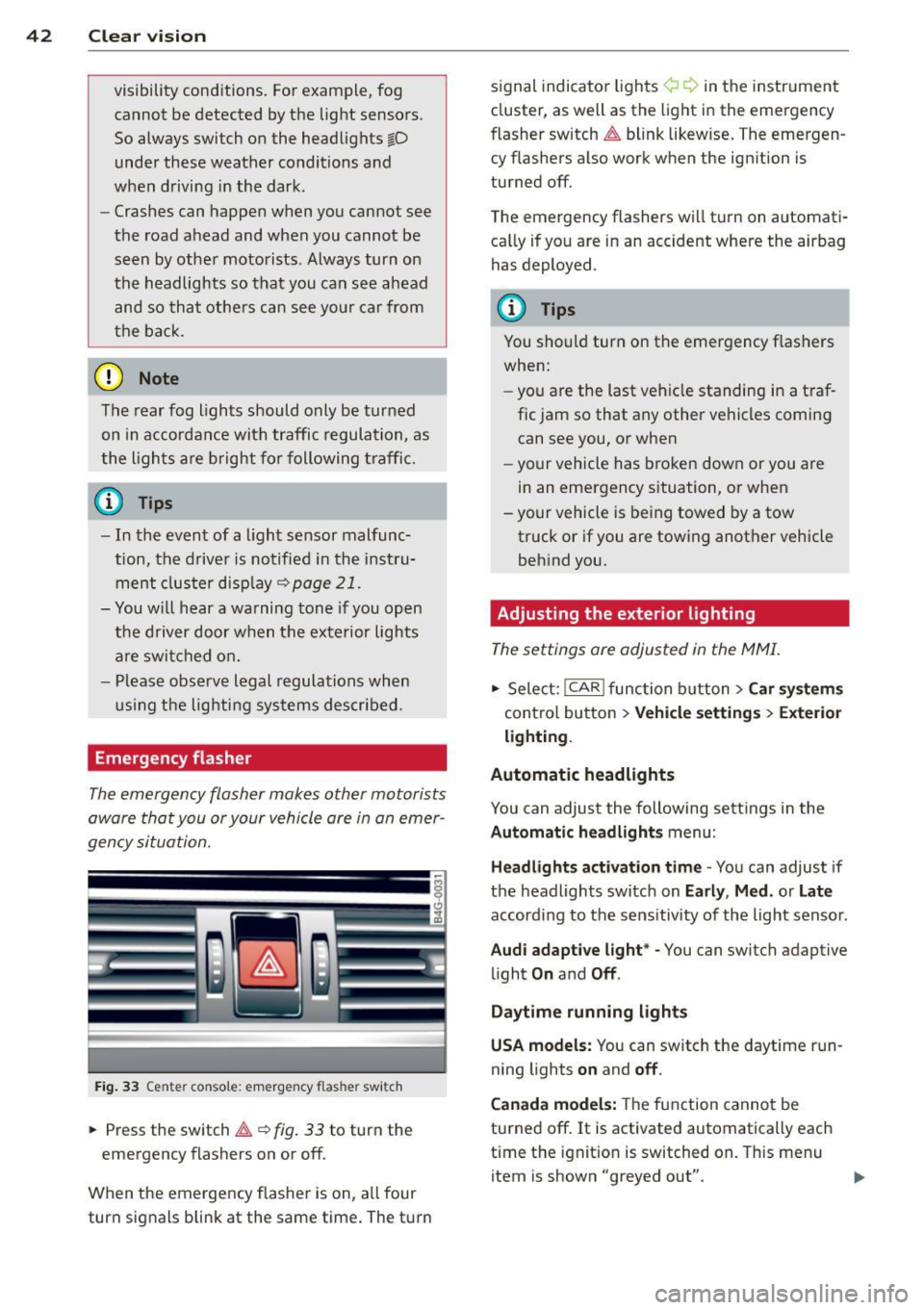
Emergency flasher
The emergency flasher makes other motorists
aware that you or your vehicle are in an emer
gency situation.
Fig. 33 Center console : emerge ncy flasher switch
• Press the switch~~ fig. 33 to turn the
emergency flashers on or off.
When the emergency flasher is on, all four
turn signals blink at the same time. The turn signal
indicato r lights ¢ Q in the instrument
cluster, as well as the light in the emergency
fl asher switch ~ blink likewise. The emergen
cy flashers also work when the ignition is
turned off.
The emergency flashers will turn on automati
cally if you are in an accident where the airbag
has deployed .
(D Tips
You should turn on the emergency flashers
when:
- you are the last vehicle standing in a traf
fic jam so that any other vehicles coming
can see you, or when
- your vehicle has broken down or you are
in an emergency situation, or when
- your vehicle is being towed by a tow
truck or if you are towing another vehicle
behind you.
· Adjusting the exterior lighting
The settings ore adjusted in the MMI.
• Select: I CAR I function button > Car systems
control button > Vehicle settings> Exterior
lighting.
Automatic headlights
You can adjust the following settings in the
Automatic headlights menu :
Headlights activation time -You can adjust if
the headlights switch on
Early , Med. or Late
according to the sensitivity of the light sensor .
Audi adaptive light* -You can switch adaptive
light
On and Off .
Daytime running lights
USA models:
You can switch the daytime run
ning lights
on and off.
Canada models:
The function cannot be
turned off.
It is activated automatically each
time the ignition is switched on. This menu
item is shown "greyed out".
Page 47 of 294
Vision
Sun visors
( J
Fig. 38 Sun v isor
The sun visors for the driver and passenger
can be released from their brackets and
turned toward the doors
c::> fig. 38 @.
The mirror light switches on when the cover
over the vanity mirror @opens.
Sun shad e
Applies to vehicles: with s un shade
The sun shade is located on the luggage com
partment shelf.
F ig. 3 9 Sun sh ade i n lowe red pos iti on
When the sun shade is in the lowered posi
tion, it is secured in the retainer @.
.. To raise @ the sun shade, remove it from
the retainer .
A WARNING
Do not use the sun shade to secure ca rgo .
The luggage compartment cover is not a
surface fo r stor ing objects. Objects placed
on the cover co uld end anger all vehicle oc
c upants d uri ng sudden braking ma neuvers
or in a cras h. Clear vi
sion 45
Wiper and washer
system
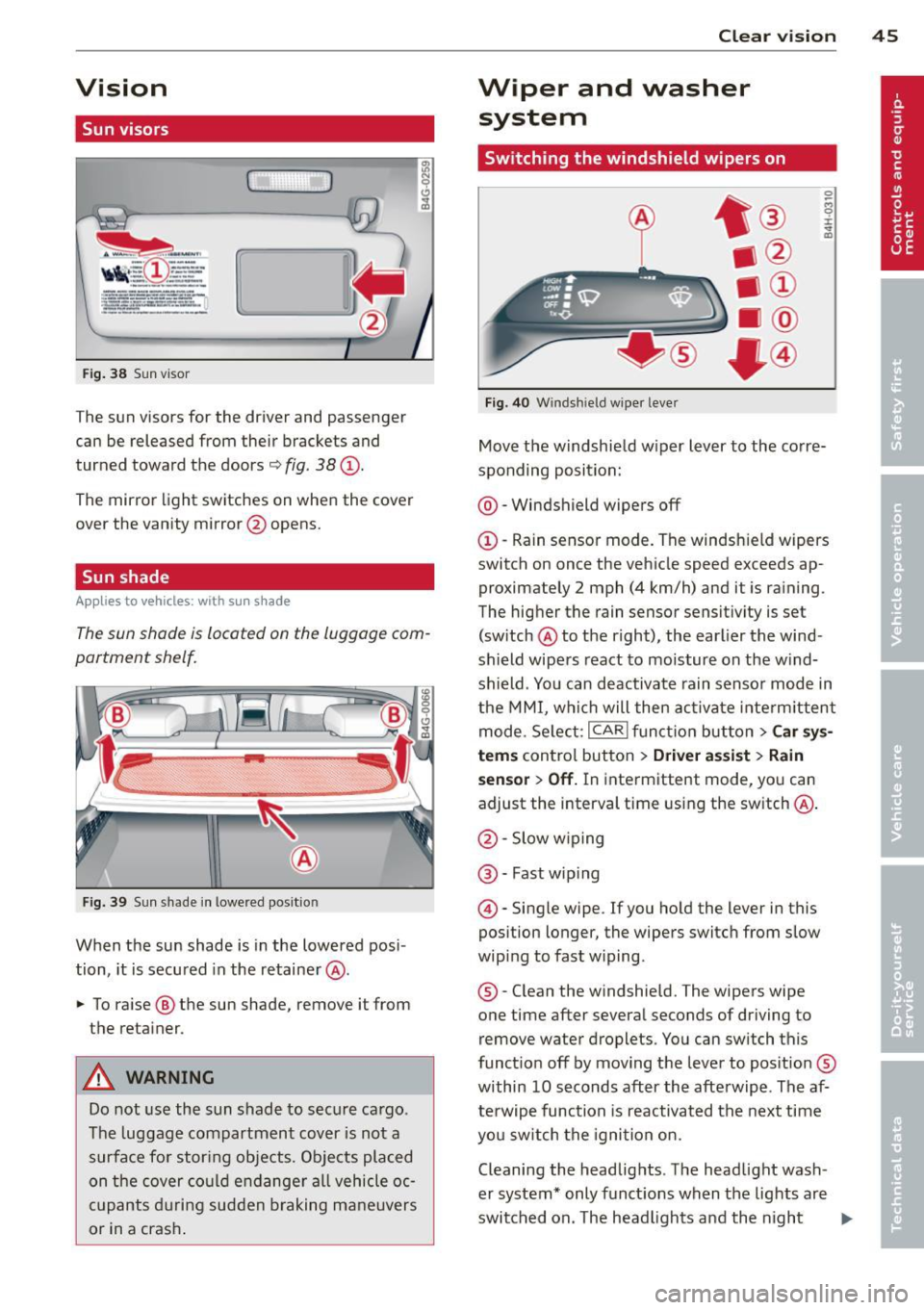
Switching the windshield wipers on
Fi g. 40 W ind shield wiper leve r
Move the w indshie ld w iper lever to the co rre
sponding position:
@ -Windshield wipers off
©-Rain sensor mode. The windsh ield wipers
switch on once the vehicle speed exceeds ap
proximately 2 mph (4 km/h) and it is ra ining .
The hig her the rain sensor sensitivity is set
(sw itch @to th e right), the earlier the wind
shield wipe rs react to moisture on the w ind
shield . Yo u can deactivate rain senso r mode in
the MMI, whi ch will then ac tivate inte rm ittent
mode. Se lect:
I CAR I fu nct io n but ton> Car sy s
tems
contro l button > Driver a ssist > Rain
sensor > Off.
In inte rmittent mode, yo u can
adjust the interval time using the switch @.
@ -Slow w iping
@ -Fast wip ing
© -Single wipe . If you hold the lever in this
position longer, the wipers switch from slow
wip ing to fast w iping.
® -Clean the w indshie ld. The wipers wipe
one time after severa l seconds of driving to
remove water droplets. You can switch this
funct io n off by moving t he lever to pos itio n®
within 10 seconds after the afte rwipe . The af
terwipe function is reactivated the next time
yo u s witch the igni tion on.
Cleaning the headlig hts . The head light wash
er system* only funct ions when the lights are
switched on. The headligh ts and the night
II>
Page 48 of 294
46 Clear vis ion
vision system camera* are cleaned a utomati
cally the first time the lever is press in posi
tion ® and every 8 times it is pressed after
that . They are also cleaned every time you
hold the lever in pos ition ® for longer than 8
seconds .
A WARNING
- The ra in sensor is only des igned to assist
and support the drive r. It remains entire
ly the dr iver's respons ibility to monito r
o ut side weather conditions and to man
ually activa te the wipers as soon as rain
or drizzle reduces visibility through the
windshield.
- The windshie ld m ust not be treated with
water -repe llent materials. They can in
c rease glare under poor visibi lity condi
tions such as wetness, darkness, or when
the sun is low on the horizon. In addi
t ion, they can cause the windshield wip
ers to chatter .
- Proper ly functioning w indshie ld w iper
blades are required for a clear view and
safe dr iv ing
Q page 46, Replacing
windshield wiper blades .
([) Note
- In the case of frost, check whether the
winds hield wiper b lades are frozen to
the windshie ld. Switching on the wind
shield wipers can damage the wiper
blades!
- Prior to using a car wash, the wi ndsh ield
wipe r system must be switched off (lever
i n position 0). This helps to preve nt unin
tention al swi tching on and damage to
the windshie ld w iper system.
- Do no t use the wipe rs to cle ar a fros ted
window. Using the w ipers as a conven
ient ice scraper will destroy the wiper
b lades .
(D Tips
- The w indshield wi pers are swi tched off
when the ignition is off . Activate the
windsh ield wipers after the ignition is
'
switched back on by moving the w ind
shield wiper lever to any position.
- Worn or d irty windshield wipe r blades
result in st reaking. This can affect the
rain sensor function . Check your wind
shield wiper blades regularly.
- The washer fluid nozz les of the wind
shield washer system a re heated at low
tempe rat ures when the ignition is on .
- When stopping temporarily, e.g . at
a
traffic light, the set speed of the wind
shield wipers is automatically reduced by
one speed.
Replacing windshield wiper blades
Wiper blades in good condition help keep the
windshield clear .
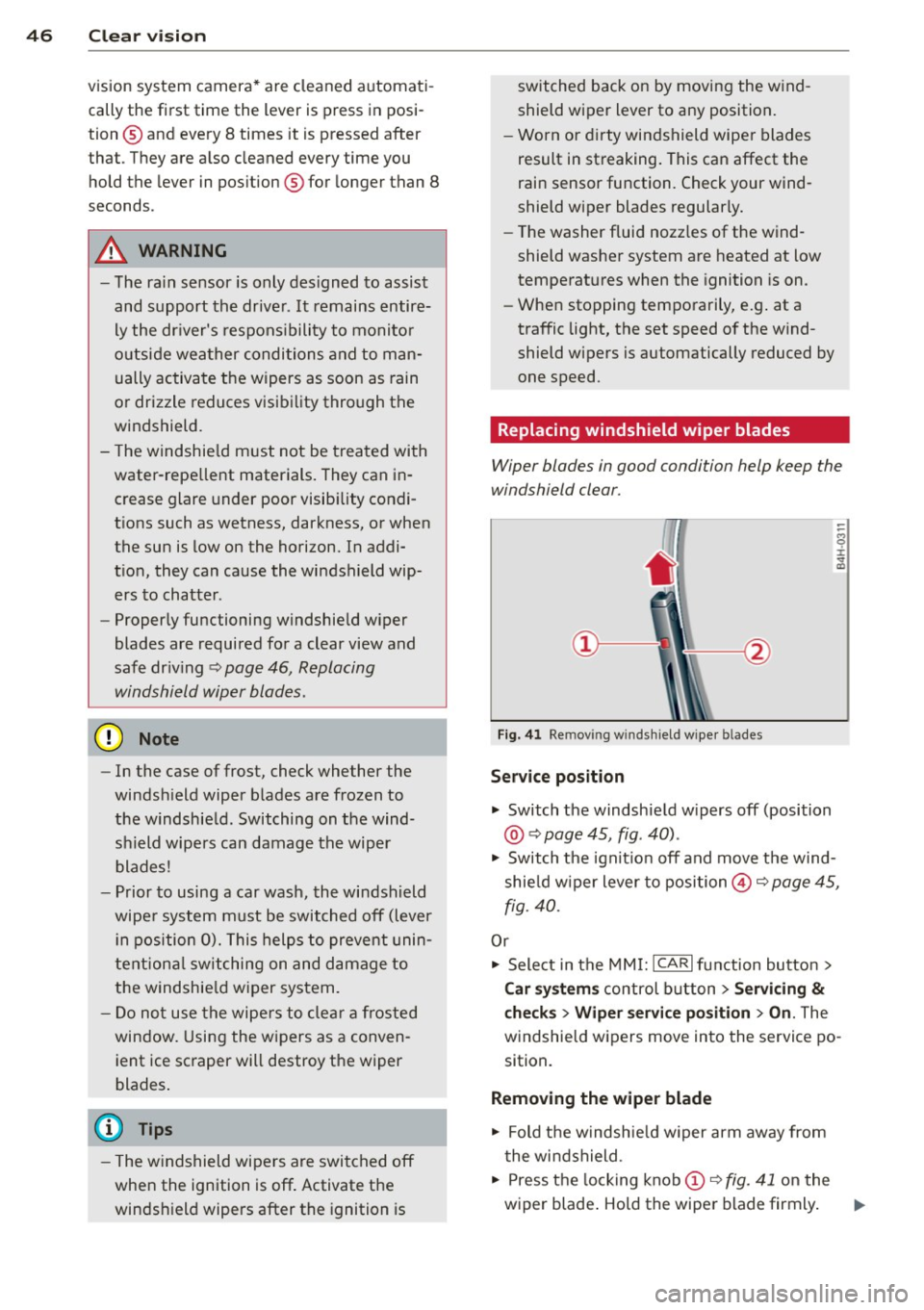
Fig. 41 Re mov ing w in d sh iel d wipe r bl ades
Service position
... Switch the windshie ld w ipers off (position
@ Q page 45, fig . 40) .
.,. Switch t he ignit ion off and move t he wind
shie ld w iper lever to position@Q
page 45,
fig. 40.
Or
.,. Sele ct in the MMI: ICAR lfunction button>
Car sy stem s control button > Servicing
&
checks > Wiper service po sition > On . The
windsh ie ld wipers move in to the service po
sition.
Removing the wiper blade
.,. Fold t he windsh ie ld w iper arm away from
t he wi ndshield .
.,. Press the locking knob
(D Q fig. 41 on the
wiper blade . Ho ld the wiper blade firmly . ..,.
Page 49 of 294
.. Remove the wiper blade in the direction of
the arrow .
Installing the wiper blade
.. Inse rt the new wiper blade into the moun t
on the w iper arm @until you hea r it latch
i nto place.
.. Place the wiper arm back on the windshie ld .
.. Switch the ignition on.
.. Press the w indshield wiper lever.
Or .. Se lect : ICAR lf u nction button>
Car sy stem s
control button > Servicing & check s > Wiper
se rvice position
> Off .
A WARNING
-If the wi ndshield wipe rs smear the wind
shield, clean the w iper blades with w ind
shield washe r fl uid . If the wiper blades
are extremely d irty, yo u can also clean
th em with a soft sponge or cloth.
- For yo ur safe ty, you should replace the
wiper blades once or twice a year . See
yo ur aut horiz e d Aud i dea ler for rep lace
me nt blades .
(D Note
-The wi ndshield wiper blades mus t only
b e fo lded away when in t he se rv ice posi
tion! Otherwise, you risk damaging the
paint on the hoo d or the wi ndshield wip
e r mo to r.
- Y ou sho uld not m ove y our vehicle or
press the w indshie ld w iper lever when
the wiper arms are folded away from the
windsh ield . The windshield w ipers would
move back into the ir o rig inal position
and could damage the hood and w ind
s h ield.
- To he lp prevent damage to the wiper sys
tem, a lways loosen blades which are fro
zen to the windsh ield before operat ing
wipers.
- To he lp prevent damage to w iper blades,
do not use gasoline, ke rosene, pa int
t hi nner, or othe r solve nts on or nea r th e
wipe r blades. Clear vi
sion 4 7
- T o help p revent damage to the wiper
arms or other components, do not at
tempt to move the wipers by hand.
(D Tips
- Commercial hot waxes appli ed by a uto
matic ca r washes affect the cleanability
o f the windshie ld .
- Yo u can also use the serv ice po sit ion, for
example, if yo u want to p rotect the
w indshield from icing by using a cover .
- Yo u cannot activate the se rv ice position
w hen the hood is ope n.
Mirrors
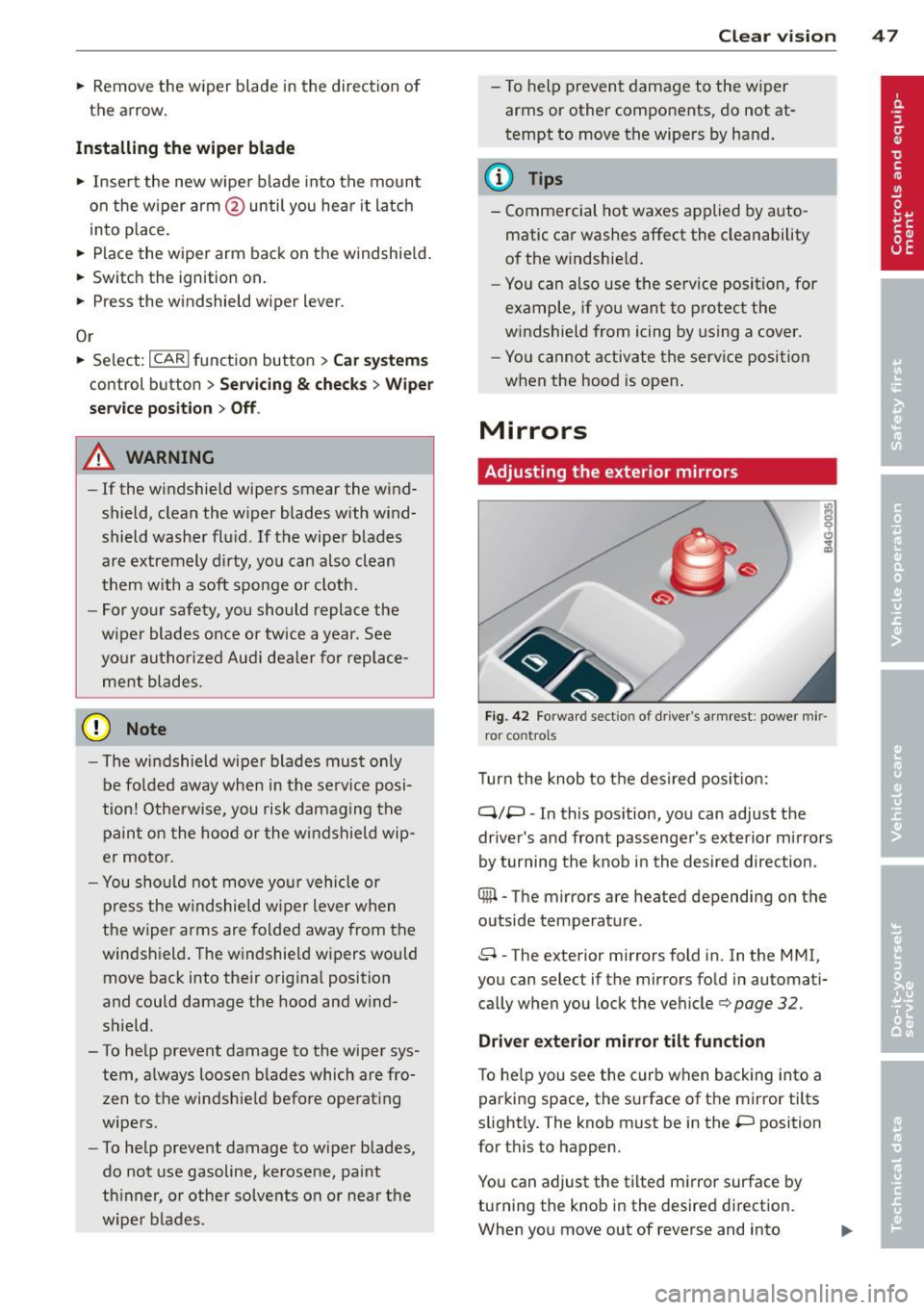
Adjusting the exterior mirrors
Fig. 42 Forwar d sect io n of dr ive r's ar mrest : power mir
r o r cont rol s
Turn the knob to t he des ired po sition:
q;p -In this pos ition, you can adjust the
drive r's and fro nt pass enge r's exte rior mi rrors
by turning the knob in the desired d irection.
® -The mirrors are heated depending on the
outside temperature .
8 -The exterior mirrors fold in. In the MMI,
you can select if the mirrors fo ld in automati
ca lly when you lock t he vehicle¢
page 32.
Driver exterior mirror tilt function
To he lp you see the curb when backing into a
par king space , the s urface of t he mirror tilts
slight ly. The knob must be in the
P position
for t his to happen .
You can adjust the tilted m irror surface by
turning the kno b in the desire d di rect ion.
When you move out of reverse and into
Page 50 of 294
48 Clear vis ion
another gear, the new mirror position is stor
ed and assign ed to the key you a re using.
The mirror goes back in to its origina l posit io n
once yo u drive forward faster than 9 mph (15
km/h) or switch the ignition
off.
~ WARNING
- Curved ( i.e. convex) mirror s urfaces in
crease your field of view. Remember that
vehicles or other objects will appear
smaller a nd fa rther away than when seen
in a flat m irror . If you use this mirro r to
est imate distances of following vehicles
when changing lanes, you cou ld estimate
incorrectly and cause an ac cident .
-
@ Note
-If the mirro r hous ing is moved uninten
t ionally (for example, whi le park ing your
vehicle), then you must first fo ld the mi r
r or electri cally. Do not readjust the m ir
r or ho us in g manua lly . You could damage
the motor which con trols the mirror .
- If you wash t he vehi cle in an au tomatic
c ar wash, yo u m ust fold the e xterior m ir
rors in to reduce the risk of damage to
the mirrors. Never fold power fo lding ex
terior mi rrors* by hand. Only fold them
i n and out us ing t he power contro ls.
@ Tips
- The exterior mirror settings are stored
with the memory funct ion *
~ page 53.
- If there is a malfunct ion i n the elect rical
system, you can still adjust the exter ior
mirrors by pressing the edge of the mir
ror.
Dimming the mirrors
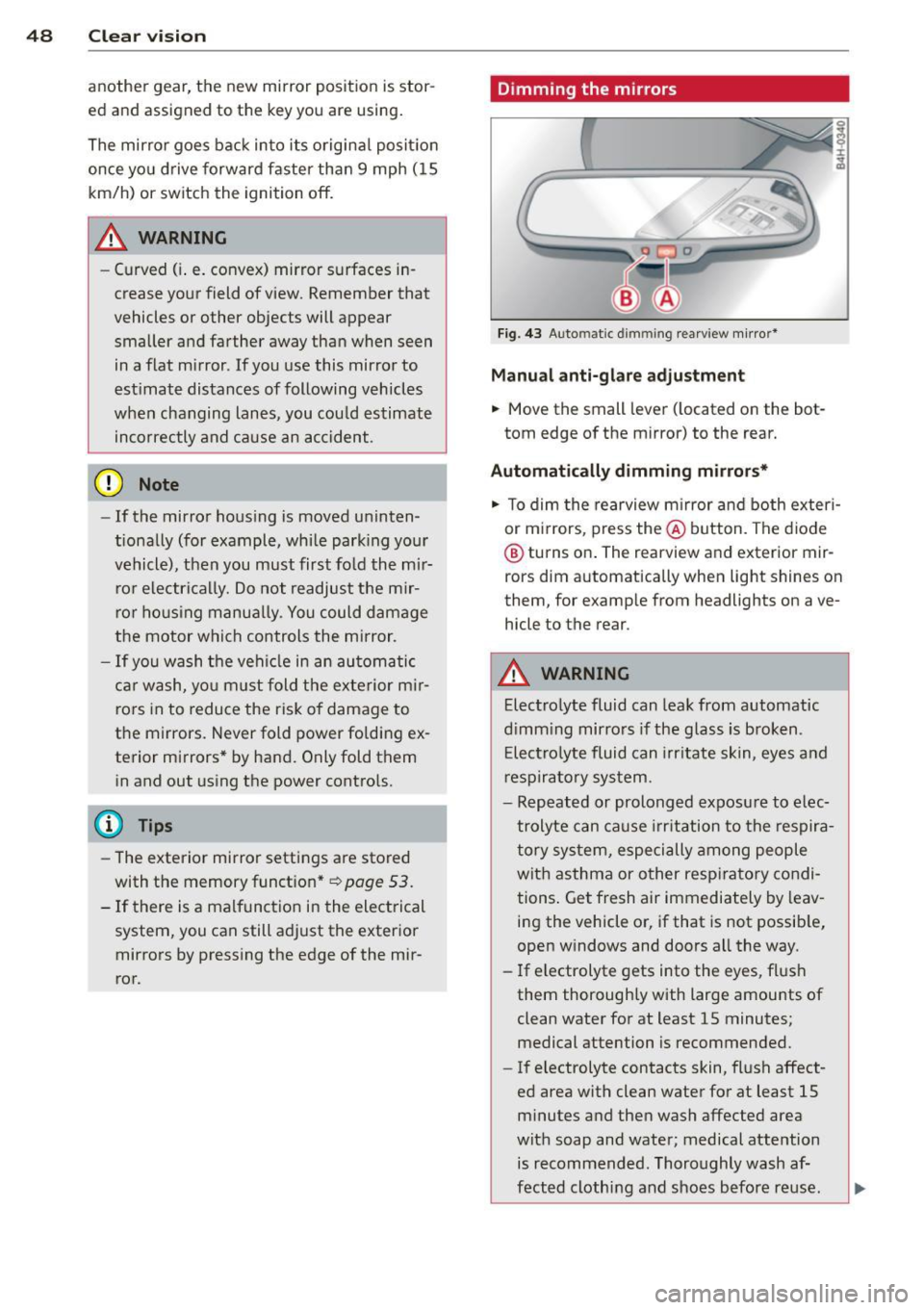
F ig . 4 3 Auto ma tic d immin g rearview mirro r*
Manu al anti-glare adjustment
.,. Move the small leve r (located on the bot
tom edge of the mirror) to the rear.
Automatically dimming mirrors*
.,. To dim the rearview m irror and both exteri
or m irrors, press the@ button . The diode
® turns on . The rearview and exterior mir
rors dim automatically when light shines on
them, for examp le from headlights on ave
hicle to the rear .
A WARNING
=
Electrolyte fluid can lea k from automatic
d imm ing mirro rs if the g lass is broken .
E lectro lyte fluid can irr itate sk in, eyes a nd
r espira to ry system .
- Repeated or prolonged exposu re to e lec
trolyte can ca u se irritation to the respira
t ory sys tem, especially among people
wit h asthma or other resp iratory condi
tions . Get fresh air immediately by leav
ing the vehicle or, if that is not possib le,
open w indows and doors all the way .
- If electrolyte gets into the eyes, fl ush
them thorough ly with large amou nts of
clean water for at least 15 minutes; medical attention is recommended.
- If electrolyte contacts skin, fl ush affect
ed area with clean water for at least 15 minutes a nd then wash affected area
with soap and water; medical atte ntion
is recommended. Thoroughly wash af
fect ed clothing and shoes before re use .
Page 56 of 294
54 Seats and storage
• To recall a seating profile, press and hold
the memory button until the seat is adjust
ed to the stored settings .
• To sw itch the memory function for the driv
er or front passenger off, press the
I OFF I
button . The word OFF lights up when the
memo ry fu nction is switched off. Seating
profiles will not be stored.
.&, WARNING
-For safety reasons, the seat se tting
should only be recalled when the vehicle
is stationary -otherwise yo u risk havi ng
an accident.
- If necessary, you stop the process by
pressing the
IOF FI button or any of the
memory buttons .
Ashtray
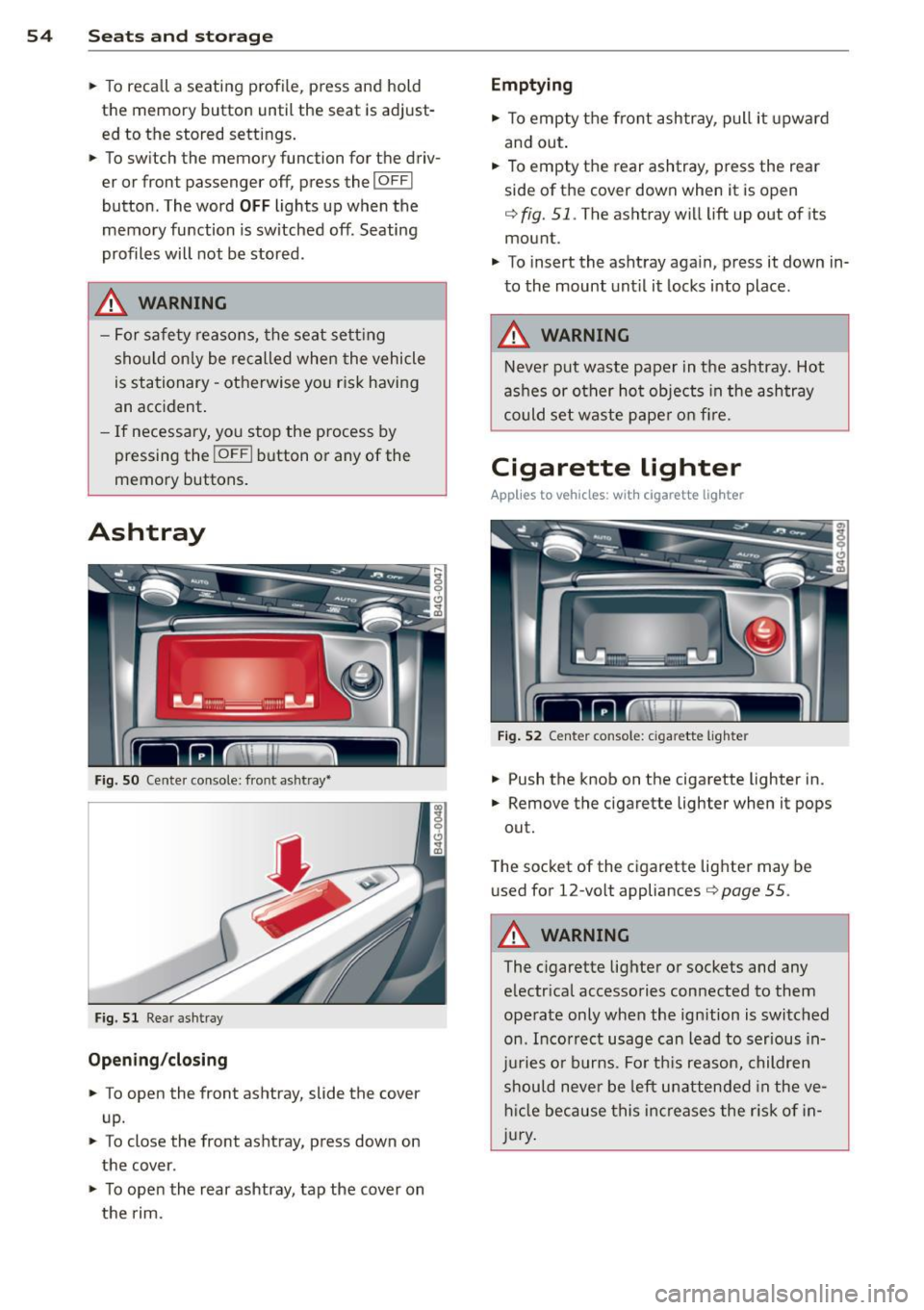
Fig. S O Cente r console: front ashtray•
Fig. 51 Rear ashtray
Opening /closing
• To open the front ashtray, slide the cover
up.
• To close the front ashtray, press down on
the cover .
• To open the rear ashtray, tap the cover on
the rim.
Emptying
• To empty the front ashtray, pull it upward
and out.
• To empty the rear ashtray , press the rear
side of the cover down when it is open
q fig. 51. The ashtray will lift up out of its
mount.
• To insert the ashtray aga in, p ress it down in
to the mount unt il it locks into place .
.&, WARNING
-Neve r put waste paper in the ashtray. Hot
ashes or oth er ho t objects in the ashtray
could set waste pape r o n fire.
Cigarette lighter
Applies to veh icles: w ith cigarette lighter
F ig. 52 Center console: cigarette lighte r
• Push the knob on the cigarette lighter in.
• Remove the cigarette lighter when it pops
out.
T he socket of the cigarette lighte r may be
used for 12-volt appliances
Q page 55 .
.&, WARNING
-
The cigarette lighter or sockets and any
e lectr ica l accessories con nected to them
operate only when the ign ition is switched
on . Incorrect usage can lead to serious in
j u ries or burns . Fo r th is reason, children
should never be left unatten ded in the ve
h icl e because this inc reases the r is k of i n
j u ry .
-