engine AUDI A7 2015 User Guide
[x] Cancel search | Manufacturer: AUDI, Model Year: 2015, Model line: A7, Model: AUDI A7 2015Pages: 316, PDF Size: 78.09 MB
Page 19 of 316
M N <( (.J
'SI: ,...., \!) 1.1"1 ,...., 1.1"1 ,....,
Instruments and warning/indicator lights 17
-The engine compartment of any vehicle
is a dangerous area. Before you perform
any work in the engine compartment,
turn of the eng ine and allow it to cool.
Follow the warning stickers
c::;, page 225.
(D Note
Do not continue driving if the. symbo l
illuminates. There is a malfunct ion in the
eng ine cooling system -you could damage
your eng ine.
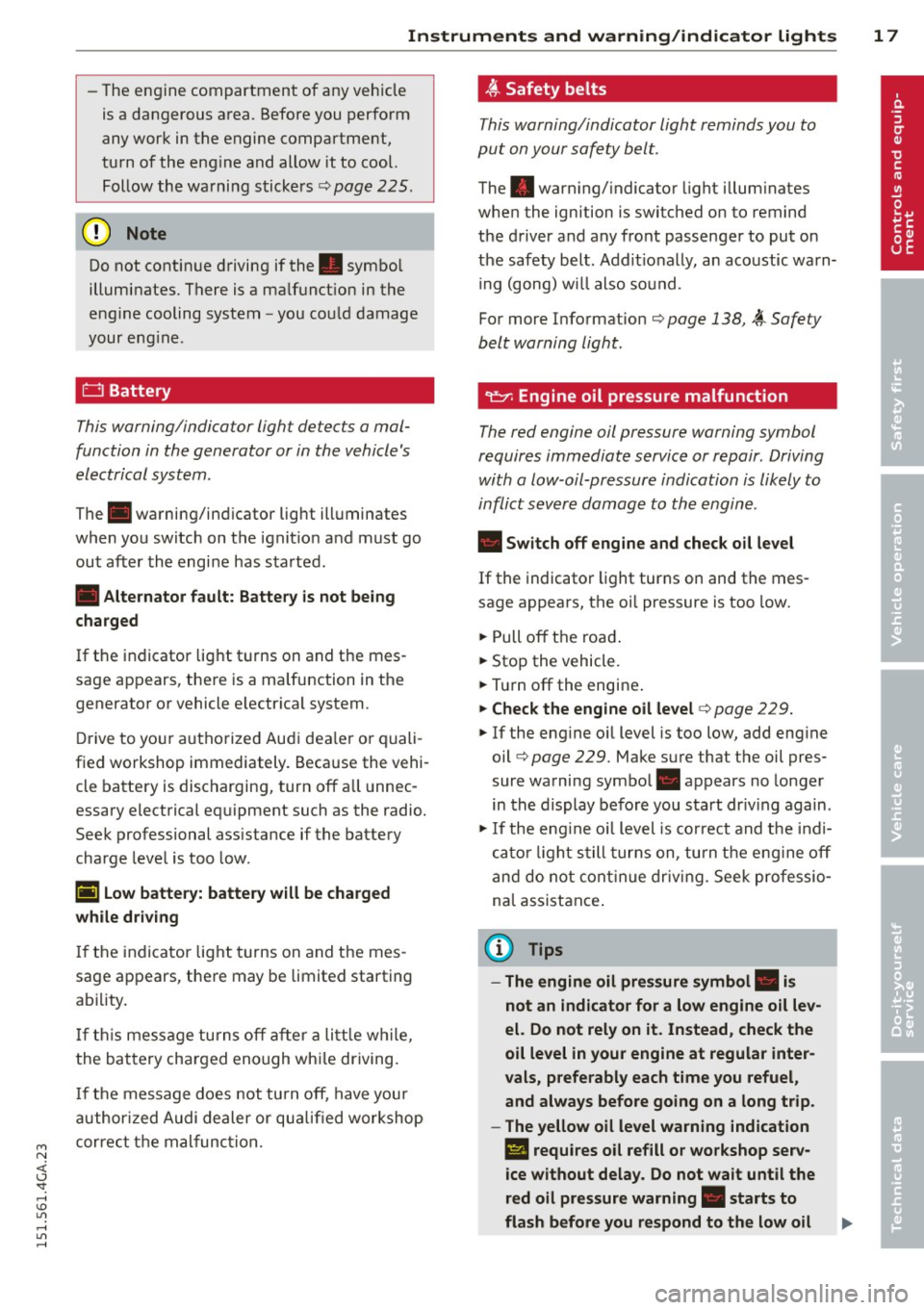
0 Battery
This warning/indicator light detects a mal
function in the generator or in the vehicle's
electrical system.
The. warning/ind icator light illuminates
when you switch on the ignit ion and must go
out after the engine has started.
• Alternator fault: Battery is not being
charged
If the indicator light turns on and the mes
sage appears, there is a malfunction in the
generator or vehicle e lectr ica l system .
Dr ive to your au thorized Audi dealer or quali
fied workshop immediately . Because the vehi
cle battery is discharging, turn
off all unnec
essary electrical equipment such as the radio.
Seek professional ass istance if the battery
charge level is too low .
(•) Low battery: battery will be charged
while driving
If the indicator light turns on and the mes
sage appears , there may be limited starting
abi lity .
If this message turns off after a litt le wh ile,
the battery charged enough wh ile driving.
If the message does not turn off, have your
authorized Audi dealer or qua lified workshop
correct the mal func tion.
~ Safet y belts
This warning/indicator light reminds you to
put on your safety belt.
The . warning/ indicator light illum inates
when the ignition is switched on to remind
the driver and any front passenger to put on
the safety belt. Add it ionally, an acoustic warn
ing (gong) wi ll also sound.
For more Information
c::;, page 138, i Safety
belt warning light .
~ Engine oil pressure malfunction
The red engine oil pressure warning symbol
requires immediate service or repair . Driving
with a low-oil-pressure indication is likely to
inflict severe damage to the engine.
• Switch off engine and check oil level
If the indicator light turns on and the mes
sage appears, the oi l pressure is too low.
.,. Pull
off the road.
.,. Stop the vehicle.
.,. Turn
off the engine .
.,. Check the engine oil level c> page 229 .
.,. If the eng ine o il level is too low, add eng ine
oil
c::;, page 229. Make sure that the oil pres
sure warning symbol. appears no longer
in the display before you start dr iv ing again .
.,. If the eng ine o il level is correct and the indi
cator light still turns on, turn the engine
off
and do not continue driving. Seek professio
na l assistance .
(D Tips
- The engine oil pressure symbol. is
not an indicator for a low engine oil lev
el. Do not rely on it. Instead, check the
oil level in your engine at regular inter
vals, preferably each time you refuel ,
and always before going on a long trip.
- The yellow oil level warning indication
II requires oil refill or workshop serv
ice without delay. Do not wait until the
red oil pressure warning. starts to
flash before you respond to the low oil
Page 20 of 316

18 Instruments and warning/indicator lights
level warning II. By then, your engine
may already have suffered serious dam·
age.
~ Engine oil level
• WARNING: Please add oil immediately
If the indicator light and the driver message
appear, add engine oil immediately
co page 227.
Ill Add oil, max. x qt (I). You may continue
driving
When the symbol and the driver message ap
pear , add the amount of oil appearing in the
display at the next opportunity ¢
page 227.
~- Steering column lock
• Do not drive vehicle: Steering defective
If the indicator light turns on and the mes
sage appears , there is an electronic steering
column lock malfunction. You cannot switch
the ignition on.
Do
not tow your vehicle because it cannot be
steered. Seek professional assistance.
Ill Steering lock: system fault. Please con
tact dealer
If the indicator light turns on and the mes
sage appears, there is an electronic steering
column lock malfunction .
Drive to your authorized Audi dealer immedi
ately to have the malfunction corrected.
A WARNING , --
Your vehicle must not be towed in the
event of a malfunction in the electronic
steering column lock because it cannot be
steered due to the locked steering.
If it is
towed with the steering locked, there is
the risk of an accident .
©-Engine start system
• Engine start system fault. Please contact
dealer
If the indicator light turns on and the mes
sage appears, do
not switch the ignition off
because you may not be able to switch it on
again.
Drive to your authorized Audi dealer immedi
ately to have the malfunction corrected .
ml Engine start system fault. Please contact
dealer
If the indicator light turns on and the mes
sage appears, there is a malfunction in the en
gine start system.
Drive to your authorized Audi dealer immedi
ately to have the malfunction corrected .
c:::::> Air suspension
Applies to vehicles: with air suspension
• Air suspension: system fault. Can contin
ue slowly with max. 35 mph.
There is a malfunction that can result in re
stricted driving stability .
Carefully drive a t a maximum speed of 35
mph (60 km/h) to your authorized Audi dealer
or qualified workshop to have the malfunction
corrected .
• Air suspension: service mode. Vehicle can
only be moved with restrictions
Carefully drive to your authorized Audi dealer
or qualified workshop immediately to have
the service mode deactivated.
II Air suspension fault
There is a system malfunction that can result
in restricted driving stability or reduced
ground clearance.
Drive to your authorized Audi dealer immedi
ately to have the malfunction corrected .
II Air suspension: vehicle too low. Ground
clearance reduced
The ground clearance is very low due to a sys
tem malfunction . Wait until the air suspen
sion system has restored normal ground clear ance . Otherwise, conditions such as an uneven
road surface can lead to vehicle damage.
Page 22 of 316
20 Instruments and warning/indicator lights
The brake system will still respond even
without the assistance of the ABS system.
See your authorized Audi dealer as soon as
possible to restore full braking performance.
For more information regarding the ABS
c:>page 195.
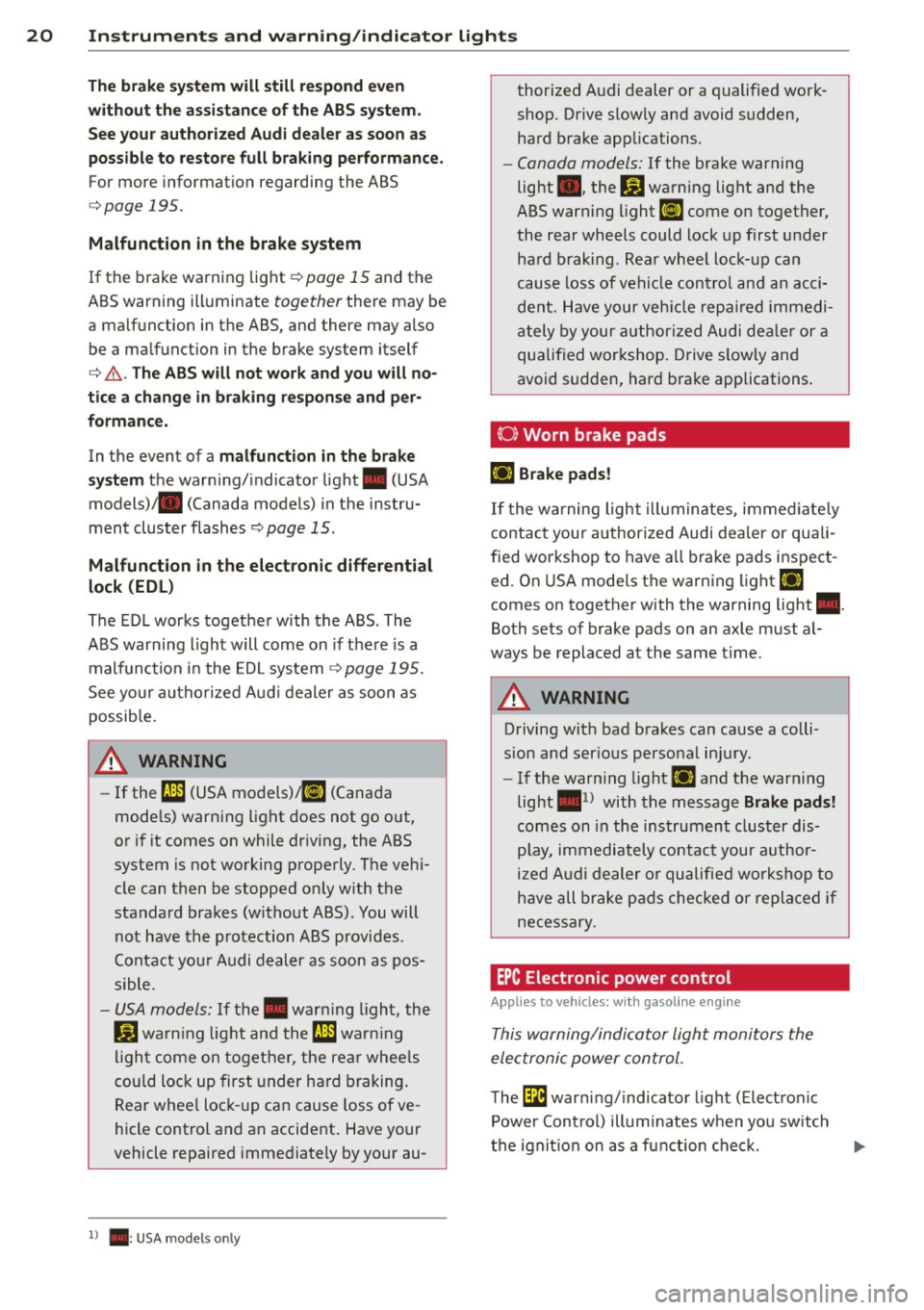
Malfunction in the brake system
If the brake warning light c:>page 15 and the
ABS warning illuminate
together there may be
a malfunction in the ABS, and there may also be a malfunction in the brake system itself
c:> &. . The ABS will not work and you will no
tice a change in braking response and per
formance.
In the event of a malfunction in the brake
system
the warning/indicator light . (USA
models)/ . (Canada models) in the instru
ment cluster flashes
c:> page 15 .
Malfunction in the electronic differential
lock (EDL)
The EDL works together with the ABS. The
ABS warning light will come on if there is a
malfunction in the EDL system¢
page 195.
See your authorized Audi dealer as soon as
possible.
A WARNING
- If the f;t11 (USA models);tlJ (Canada
models) warning light does not go out,
or if it comes on while driving, the ABS
system is not working properly. The vehi
cle can then be stopped only with the
standard brakes (without ABS). You will
not have the protection ABS provides .
Contact your Audi dealer as soon as pos
sible.
- USA models: If the . warning light, the
fjJ warning light and the f;t11 warning
light come on together, the rear wheels
could lock up first under hard braking.
Rear wheel lock-up can cause loss of ve
hicle control and an accident. Have your
vehicle repaired immediately by your au-
l ) . : USA mode ls o nly
thorized Audi dealer or a qualified work
shop. Drive slowly and avoid sudden,
hard brake applications.
- Canada models: If the brake warning
light ., the
B.1 warning light and the
ABS warning light
ti] come on together,
the rear wheels could lock up first under
hard braking. Rear wheel lock-up can
cause loss of vehicle control and an acci
dent. Have your vehicle repaired immedi
ately by your authorized Audi dealer or a
qualified workshop. Drive slowly and
avoid sudden, hard brake applications.
(0} Worn brake pads
Ill Brake pads!
If the warning light illuminates, immediately
contact your authorized Audi dealer or quali
fied workshop to have all brake pads inspect
ed. On USA models the warning light
Ill
comes on together with the warning light •.
Both sets of brake pads on an axle must al
ways be replaced at the same time.
A WARNING
Driving with bad brakes can cause a colli
sion and serious personal injury.
- If the warning light
Ill and the warning
light •
1
) with the message Brake pads!
comes on in the instrument cluster dis
play, immediately contact your author
ized Audi dealer or qualified workshop to
have all brake pads checked or replaced if
necessary.
EPC Electronic power control
Applies to veh icles: w ith gasoline engine
This warning/indicator light monitors the
electronic power control.
The l3i warning/indicator light (Electronic
Power Control) illuminates when you switch
-
the ignition on as a function check. ..,.
Page 23 of 316
M N <( (.J
'SI: ,...., \!) 1.1'1 ,...., 1.1'1 ,....,
Instrument s and warnin g/indic ator ligh ts 21
@ Tips
If this warning/indicator light illuminates
while you are dr iving, then there is a mal
function in the engine electron ics. Have
the malfunction corrected as soon as pos
sible by your authorized Aud i dealer or
qualified repair fac ility.
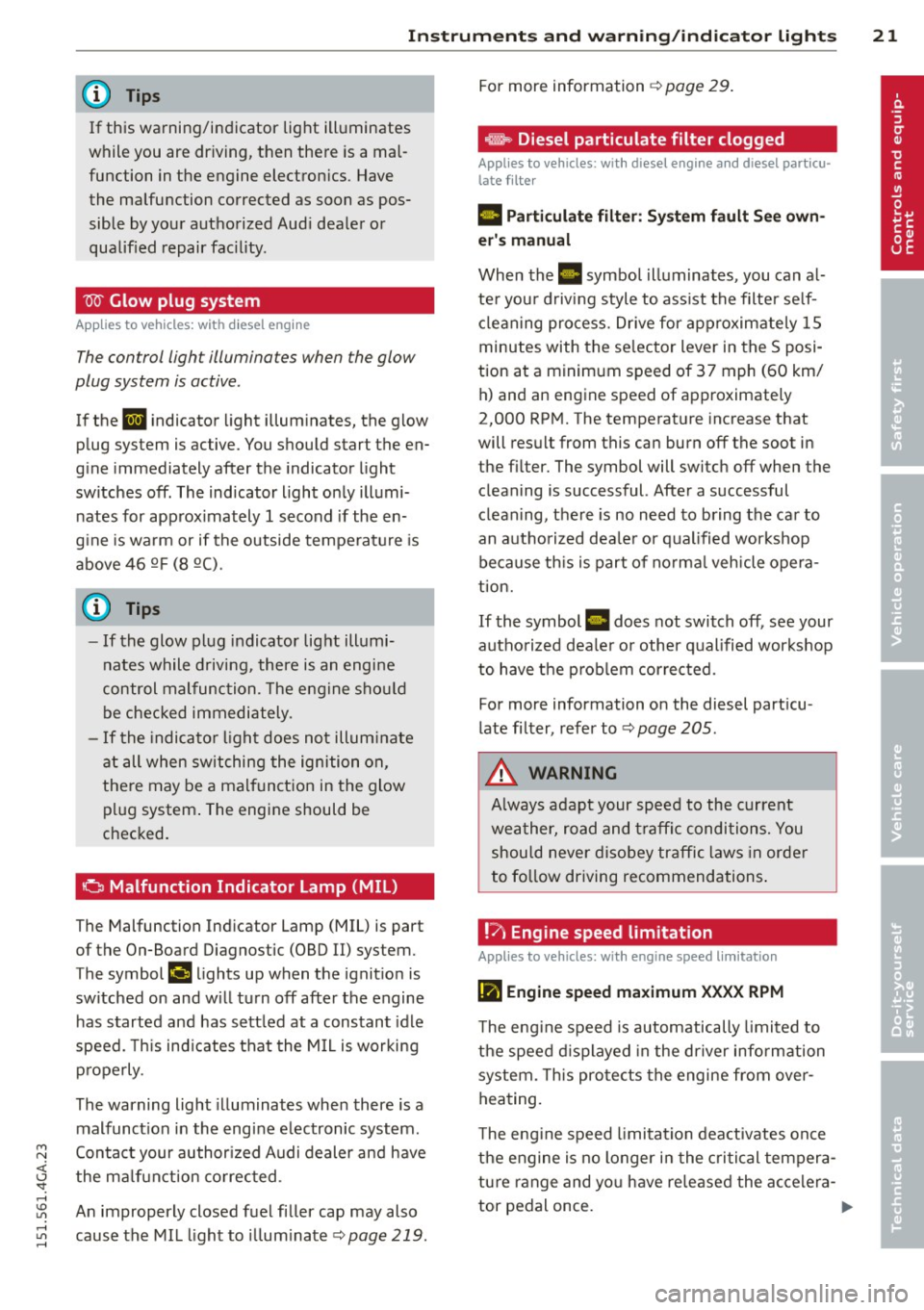
W Glow plug system
Appl ies to vehicles: with diesel e ngin e
The control light illuminates when the glow
plug system is active.
If the IJ indicator light illum inates, the glow
plug system is active. You should start the en
gine immediately after the indicator light
switches off. The indicator light only illumi nates for approx imately 1 second if the en
g ine is wa rm or if the outside temperature is
above 46 QF (8 Q().
@ Tips
- If the glow plug indicator light illumi
nates while driving, there is an engine
control malfunction. The engine shou ld
be checked immediately.
- If the indicato r light does not illum inate
at all when switching the ignition on,
there may be a malfunction in the glow pl ug system . The engine should be
checked.
a Malfunction Indicator Lamp (MIL)
The Malfunction Ind icator Lamp (MIL) is part
of the On-Board Diagnostic (OBD II) system.
The symbol
(4 lights up when the ignit ion is
sw itched on and w ill turn off after the engine
has started and has sett led at a constant idle
speed. This ind icates that the M IL is working
p roperly.
The warning light illuminates when there is a
malfunct ion in the engine e lectronic system.
Contact your author ized Audi dealer and have
the ma lfunction co rrec ted.
An improperly closed fuel filler cap may also
cause the MI L light to illum inate
¢ page 219.
For more information ¢ page 29.
_, Diesel particulate filter clogged
Appl ies to vehicles: wi th diese l en gine a nd diesel particu
late filter
II Pa rti cul ate filter : S ys tem f ault See own
er 's manual
When the II symbo l illuminates, you can a l
te r you r d riving style to ass ist the filter se lf
cl ean ing process. Drive for approximately 15
minutes with the se lector lever in the S posi
tion at a minimum speed of 37 mph (60 km/ h) and an engine speed of approximately
2,000 RPM. The temperat ure increase that
will result from this can burn off the soot in
the fil ter. The symbol will switch off when the
cleaning is successful. After a successful
clean ing, there is no need to bring the car to
an authorized dea ler or qualified workshop
be cause th is is part of no rma l vehicle opera
t ion.
If the symbol II does not switch off, see your
authorized dea ler o r other qualified workshop
to have the p rob lem cor rected.
For more information on the diesel part icu
late filter, refer to ¢
page 205.
A WARNING
Always adapt your speed to the current
wea ther, road and traffi c conditions. You
should never disobey traffic laws in order
to fo llow driving recommendations .
!7 Engine speed limitation
Applies to vehicles : wi th engine speed limitatio n
(m Engine speed ma ximum X XXX RPM
-
The eng ine speed is automatically limited to
the speed d isplayed in the driver info rmation
system. This pro te cts the engine from over
heating.
T he eng ine speed limitation deactivates once
the engine is no longer in the cri tical tempera
tu re range and yo u have re leased the accelera-
tor pedal once.
Ill>
Page 24 of 316
22 Instruments and warning/indicator lights
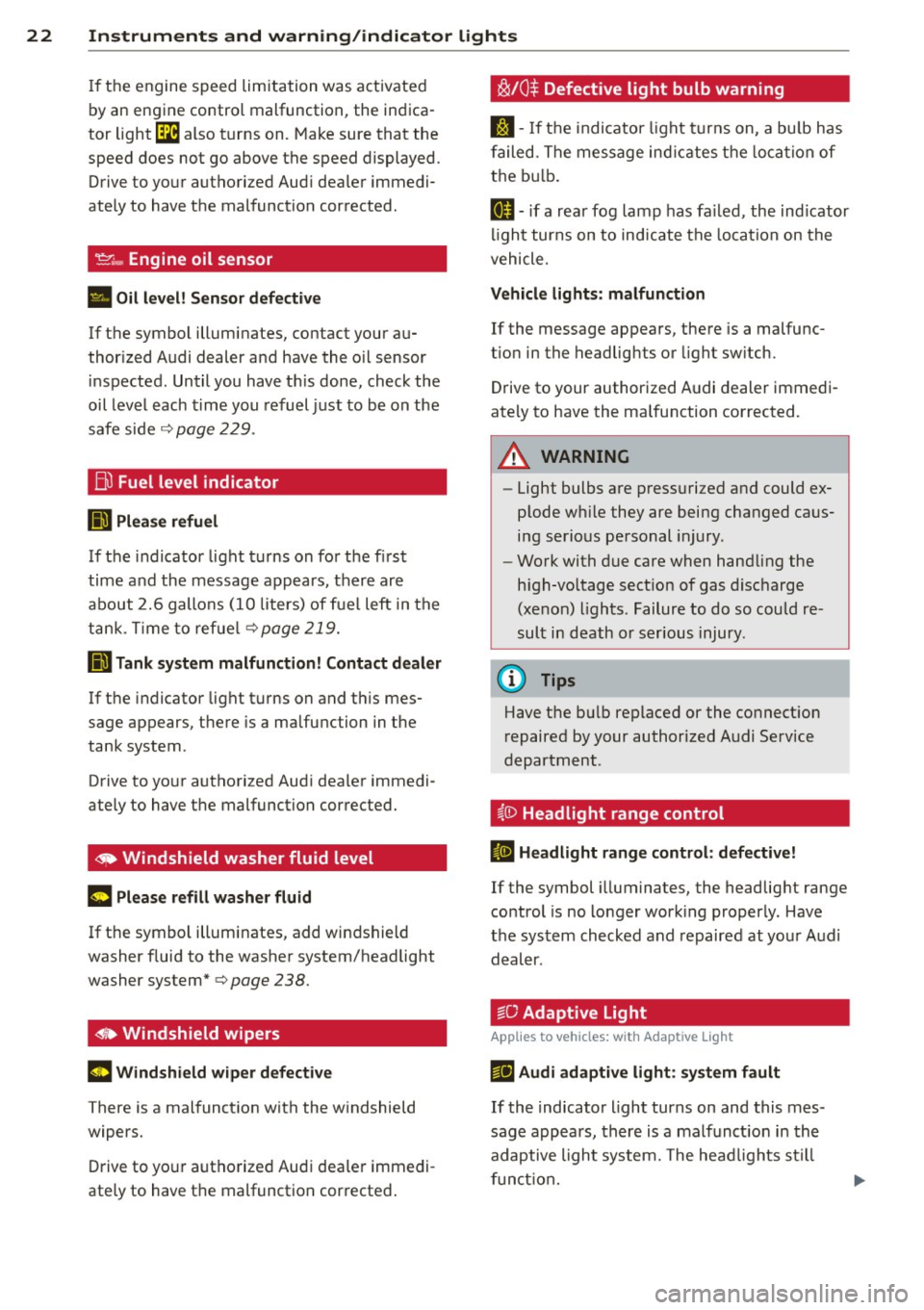
If the engine speed limitation was activated
by an engine control malfunction , the indica
tor light ~ also t urns on. Make sure that the
speed does not go above the speed displayed .
Drive to your authori zed Aud i dealer immedi
ately to have t he malfunction corrected .
If the symbol illuminates, contact your au
thor ized Audi dealer a nd have the o il sensor
i n spected . Until you have t his done , ch eck the
oil level each time you refuel just to be on the
safe side
c::> page 2 29 .
Bil Fuel level indicator
ID'J Plea se refuel
If the indicator light turns on fo r the fi rs t
time and the message app ears, ther e ar e
about 2.6 gallons (10 liters) of f ue l left in the
t an k. T ime to refue l
c::>page 219.
Ill Tank system malfunction! Contact dealer
If the i ndicator light tu rns on and t his mes
sage appears, t here is a ma lfunction in the
tank system .
Drive to yo ur autho rized Aud i dea ler immedi
ately to have t he malfunction corrected.
~ Windshield washer fluid level
~ Please refill washer fluid
If the symbo l illuminates, add windshield
washer f luid to the washer system/headlight
washer system*
c::> page 238.
~• Windshield wipers
m Windshield wiper defective
There is a malfunct io n with the w indshield
wipers.
D rive to yo ur autho rize d Au di dea ler immedi
ate ly to have t he malfunction cor rected .
~/0$ Defective light bulb warning
S:j -If t he in dicato r light tu rn s on, a bu lb h as
f ailed. The message in dicates t he loca tio n of
t h e b ulb .
II-if a rea r fog lamp has fa iled , the ind icator
li gh t tur ns on to ind icate the loca tion on the
vehicle.
Vehicle lights : malfunction
If the message appears, there is a malfu nc
t ion in the headlights o r light sw itch.
Drive to your authorized A udi dealer immedi
ate ly to have the ma lfunction corrected.
.&_ WARNING
- Light bulbs a re pr ess urized and could ex
p lode w hile they are being changed ca us
i n g s erio us pe rsonal injury .
- Wo rk with due care when han dling the
h igh-vo ltage sect io n o f gas disc harge
(xe non) ligh ts. Failur e to do so could re
s ult in death or ser ious injury .
(D Tips
Have t he b ulb replaced or the co nnect ion
r epaired by y our auth orized A udi Se rvice
d epartment .
~{i) Headlight range control
II Headlight range control : defective!
If the symbol illuminates, the headlig ht range
control is no lo nger wor king properly . Have
t h e sys tem checked and repaired at yo ur Audi
d eal er.
:sO Adaptive Light
App lies to veh icles : w ith Adapt ive lig ht
r!J Audi adaptive light: sy stem fault
If the indicato r light turns on and this m es
sage appears, there is a malf unct io n in th e
adaptive ligh t syste m. The head lig ht s s till
funct ion.
Page 26 of 316
24 Instruments and warning/indicator lights
Driver information
display
Overview
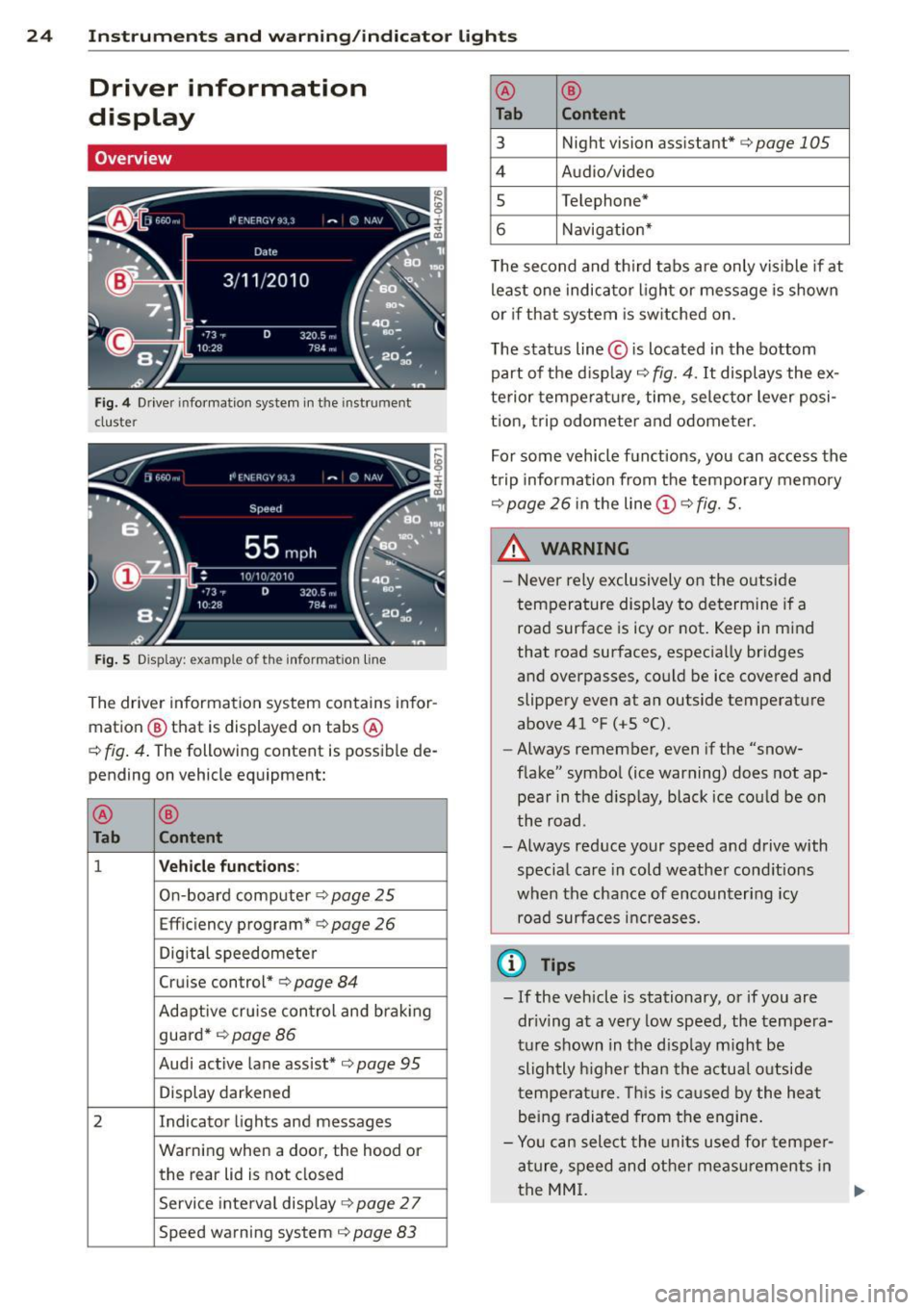
Fig. 4 Driver information system in the instrument
cluster
Fig. S Display: example of th e information line
The driver information system contains infor
mation @ that is displayed on tabs @
c:;, fig. 4. The following content is possible de
pending on vehicle equipment:
@
®
Tab Content
1 Vehicle functions :
On-board computer c::> page 25
Efficiency program* c::> page 26
Digital speedometer
Cruise control*
c;, page 84
Adaptive cru ise con trol and braking
guard*
r::;, page 86
Audi active lane assist* c;, page 95
Display darkened
2 Indicator lights and messages
Warning when a door, the hood or the rear lid is not closed
Service interval display
c::> page 2 7
Speed warning system c;, page 83
@ ®
Tab Content
3 Night vision assistant* c;, page 105
4 Audio/video
s Telephone*
6 Navigation*
T he second and th ird tabs are only vis ible if at
least one indicator light or message is shown
or if that system is sw itched on.
The status line © is located in the bottom
part of the display
c::> fig. 4. It displays the ex
terior temperature , time, selector lever posi
t ion, trip odometer and odometer.
For some vehicle functions, you can access the
trip information from the temporary memory
c::> page 26 in the line (D c::> fig. 5.
_& WARNING
= -
- Never rely exclusively on the outside
temperature display to determine if a
road surface is icy or not. Keep in mind
that road surfaces, especially bridges
and overpasses, could be ice covered and
slippery even at an outside temperature
above 41 °F
(+5 °().
-Always remember, even if the "snow
flake" symbol (ice warning) does not ap
pear in the d isplay, black ice could be on
the road.
- Always reduce your speed and drive with special care in cold weather cond itions
when the chance of encountering icy
road surfaces increases.
(D Tips
-If the vehicle is stationary, or if you are
dr iving at a very low speed, the tempera
ture shown in the d isplay m ight be
slightly higher than the actual outside
temperature . Thi s is caused by the heat
being radiated from the engine.
- Yo u can select the units used for temper
ature, speed and other measurements in
the MMI.
IJ,-
Page 31 of 316
M N <( I.J "". rl I.O
"' rl
"' rl
Instrument s and warning /indicator lights 29
Adjusting the height
The height of the display can be a djus ted to
t he individual driver .
.. Make sure you a re seated cor rect ly
¢page 129.
.. Turn the knob~ to adjust the displ ay .
Settings in the MMI
.. Se lect: I CARI funct ion button > ( Car )* s ys
tems
control button > D river Assist > Head
up Display > Head-up Display content
or
Di splay brightne ss .
Display content
In the MMI, you ca n specify which information
should be displayed :
- Cruise contro l system*
- Navigatio n information*
- A udi adaptive cruise control *
- Audi a ct ive lane assist*
- Night vis ion assistant*
The speed display and some of the red indica tor lights cannot be hidden in the MMI.
Display brightness
You can ad just the display brightness in t he
MMI. The display brightness decreases auto
mat ica lly as the amount of light decreases.
The basic leve l of brightness is adjusted with
the ins trumen t illum ina tion ¢ page 47 .
(D Note
To prevent sc ratches on t he g lass covering
the Head-up Disp lay, do not place any ob
jects in the proj ection opening.
(D Tips
- Sung lasses w ith polar izat ion fi lters an d
unfavorable lighting condit ions can af
fect the display.
- A specia l w indshield is needed for the
Head-up Display funct io n.
- Fo r information on cleaning, refer to
¢ table on page 214.
On-Board Diagnostic
system (OBD)
Malfunction Indicator Lamp (MIL )
The Ma lfunction Indicator Lamp ( MIL ) ¢'4 in
the instr ument cluster is part of the On-Board
Diagnostic (OBD II) system .
T he wa rni ng/indicator light ill uminates when
the ignit io n is switched on and goes out after
the engine sta rts and the id le has stab ilized.
This indicates that the MIL is working proper
ly .
If the light does not go out afte r th e en gine
is started, or illuminates while you are dr iv
ing, a mal function may exist in the engine sys
tem.
If the lig ht illum inates, the catalyt ic con
verter could be damaged .
Contin ue driving
with reduced power (avoid
ing s ustained high speeds and/or rapid accel
erations) and have the cond ition corrected.
Contact your aut horized Audi dea ler.
If the light illuminates, the e lectronic speed
limiter may also be malfunct ioning . For more
information
c> page 30, Electronic speed
limiter.
An improperly closed fuel filler cap may also
cause the MIL light to illuminate
c> page 219.
On-Board Diagnostics
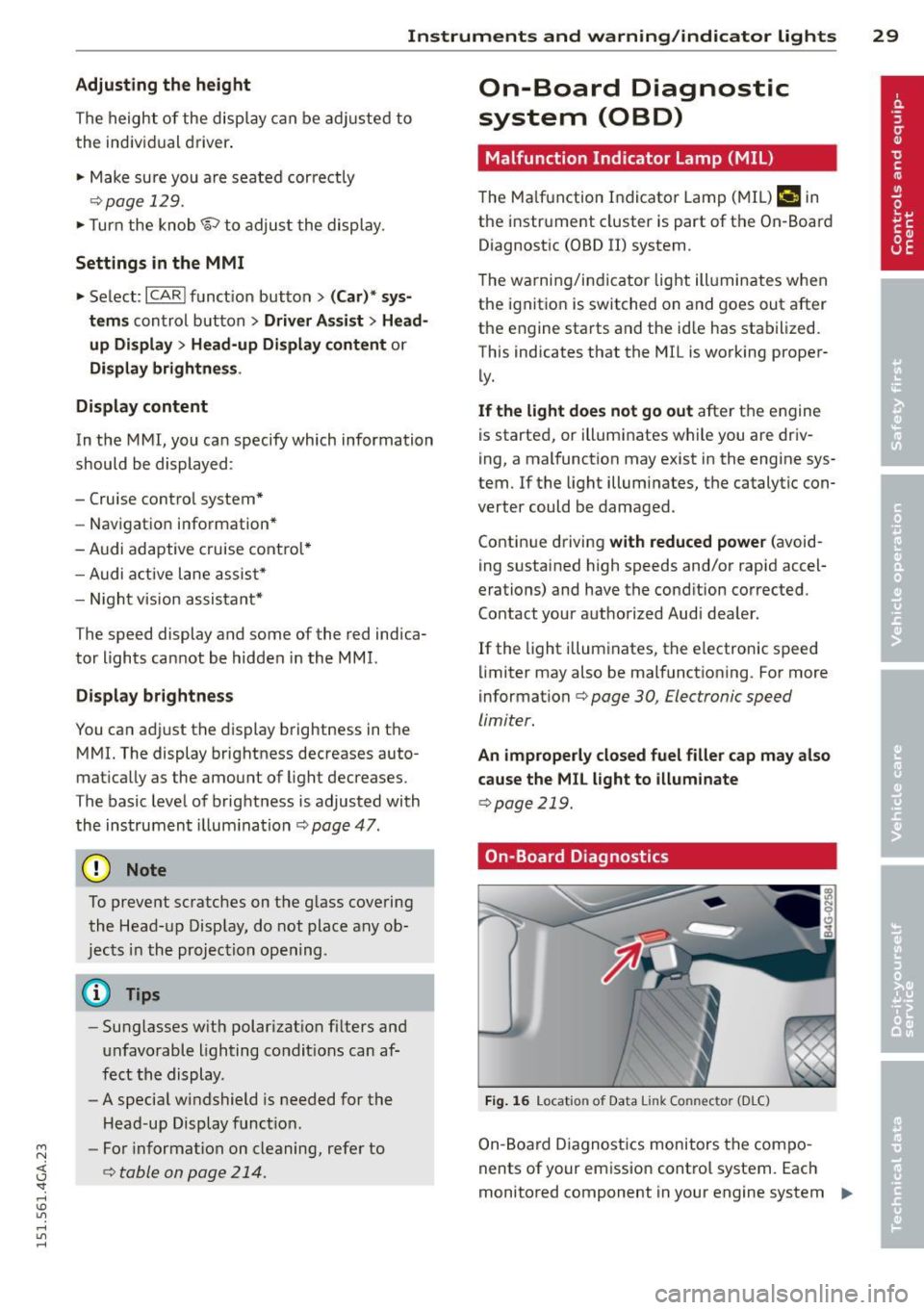
Fig. 1 6 Location o f Data Li nk Co nnector (D LC)
On-Board Diagnostics monitors the com po
nents of your emission cont ro l system. Each
monitored component in your engine system
Iii>-
Page 32 of 316
30 Instruments and warning /indicator lights
has been assigned a code. In case of a ma l
function, the component will be identified
and the fault stored as a code in the contro l
module memory.
The MIL light may a lso illuminate if there is a
leak in the on-board fue l vapor recovery sys
tem .
If the light illuminates after a refue lling,
stop the vehicle and make sure the fuel filler
cap is properly closed ¢
page 219.
In order to make an accurate diagnosis, the
stored data can only be displayed using spe
cial diagnostic equipment (generic scan tool
for OBD) .
In order to connect the special diagnostic
equipment, push the plug into the Data L ink
Connector (DLC). The DLC is located to the
right of the hood release¢
fig. 16.
Your authorized Audi dealer or a qualified
service station can interpret the code and per
form the necessary repair .
A WARNING
Do not use the diagnostic connector for
personal use . Incorrect usage can cause
malfunctions, which can increase the risk
of a coll ision!
Electronic speed limiter
-
Your veh icle may be factory equipped with
tires that are rated for a maximum speed of
130 mph (210 km/h). This is less than the
maximum speed of you r vehicle. To reduce the
risk of sudden tire failure and loss of control if
the vehicle is operated at excessive speeds,
your veh icle also has an electronic speed limit
er. The electronic speed limiter prevents your
vehicle from go ing faster than the tire speed
rating. For more informat ion ¢
page 260 .
If the engine control unit receives faulty vehi
cle road speed s ignals, the Malfunction Indi
cator Lamp (MIU
¢'4 will illuminate. If this
occurs, contact the nearest authorized Aud i
dealer for assistance. S models
Your
vehicle's top speed is elect ron icall y limit
ed to 155 mph (250 km/h).
If the engine control unit receives faulty veh i
cle roadspeed signals, the Malfunction Indica
tor Lam p (MIL)
¢'4 will illuminate . If this oc
curs, contact the nearest authorized Audi
dealer for assistance.
_& WARNING
-= -
Always observe the posted speed limits
and adjust your speed to suit prevailing
road, traffic and weather cond itions. Never
drive your vehicle faster than the maxi
mum speed rating of the tires installed .
Page 34 of 316
32 Opening and clo sing
Remov ing the mechanical key
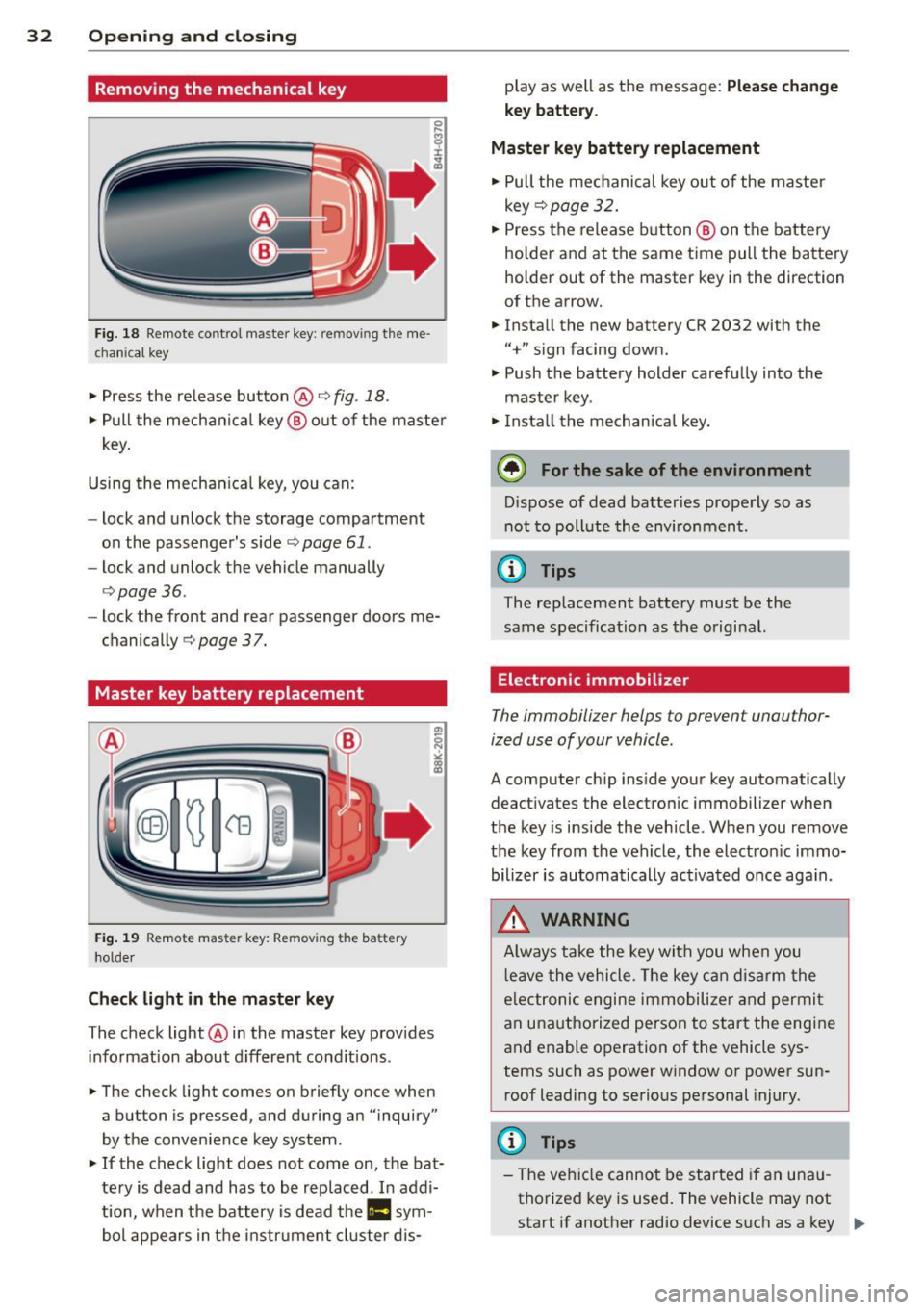
Fig. 18 Remote control master key: remo vin g the me
ch ani cal key
> Press the release button @c::> fig. 18.
.. Pull the mecha nica l key @ out of the master
key.
Using the mechan ica l key, you can:
- lock and unlock the storage compartment
on the passenger's side
c::> page 61.
- lock and unlock the vehicle manually
<=>page 36.
-lock the front and rear passenger doors me
chanically
c::> page 37.
Master key battery replacement
Fig . 19 Remote mas ter key: Removing the batter y
ho lder
Ch eck light in the master ke y
The check light @in the master key provides
information about d ifferent cond itions .
.. The check light comes on briefly once when
a button is pressed , and during an "inquiry"
by the convenience key system .
> If the check light does not come on, the bat
tery is dead and has to be rep laced . In addi
t ion, when the battery is dead the
II sym
bol appears in the instrument cluster dis- play as well as the message:
Plea
se ch ange
key b attery.
Ma ster key battery replacement
• Pull the mechanical key out of the master
key
c::> page 32 .
.. Press the release button @ on the battery
holder and at the same time pull the battery
holder out of the master key in the direction
of the arrow .
.. Install the new battery CR 2032 with the
"+" sign facing down.
• Push the battery holder carefully into the
maste r key .
• Insta ll the mechan ica l key.
@ For the sake of the environment
D ispose of dead batteries properly so as
not to poll ute the environment.
(D Tips
The replacement battery must be the
same specification as the original.
Electronic immobilizer
The immobilizer helps to prevent unauthor
ized use of your vehicle .
A computer chip ins ide your key automatically
deactivates the electron ic immobilizer when
the key is inside the vehicle . When you remove
the key from the vehicle, the electron ic immo
bilizer is automatically ac tivated once aga in .
_& WARNING
-
A lways take the key with you when you
l eave the vehicle . T he key can disarm the
e lectronic engine immobilize r and permi t
an unauthorized person to start the engine
and enable operation of the vehicle sys
tems such as power window or power sun
roof leadi ng to serious personal injury.
(D Tips
- The vehicle cannot be started if an una u
thorized key is used . The vehicle may not
start if another radio device s uch as a key "'
Page 37 of 316
M N <( (.J
'SI: ,...., \!) ..,.,
,...., ..,., ,....,
~ Press button t'fJ (@ ) to lock the vehicle q .&.
in General description on page 33.
~ Press button c:s <© ) briefly to un lock the
rear lid.
~ Push the red IPANICI button( @) to activate
the panic function. The horn sounds and the
turn signals flash. Push the red
I PANIC ! but
ton aga in to deactivate the panic function.
If the vehicle is unlocked and no door, the rear
lid or the hood is opened within 60 seconds,
the vehicle locks itself agai n automatically .
This feature p revents t he ve hicl e from be ing
accidenta lly left unlocked over a long period
of t ime.
It depends o n the settings i n the MMI wheth
e r the entire veh icle is unlocked or on ly cer
tain doors ¢
page 34.
A WARNING
Read and follow all WARNINGS¢ &. in
General description on page 33.
(D Tips
- In o rder to make sure the locking func
tion is working, you s hou ld always keep
you r eye on the vehicle to make sure it is
proper ly locked.
-
- Do not use t he remo te control if you are
i nside the car, otherwise you may unin
tentiona lly lock the ve hicle, and then yo u
would set
off the anti-theft alarm w hen
you try to start the engine or open a
door. In case this happens anyhow, push
the unlock button
0.
- The vehicle can only be locked when the
se lector lever is in the P posit ion.
- Use the panic function only i f you are in
an emergency situation.
Opening and clo sin g 35
Locking and unlocking with convenience
key
Applies to veh icles: w ith conven ience key
Th e doors and th e rear lid can be unlocked
and locked without operating the master key.
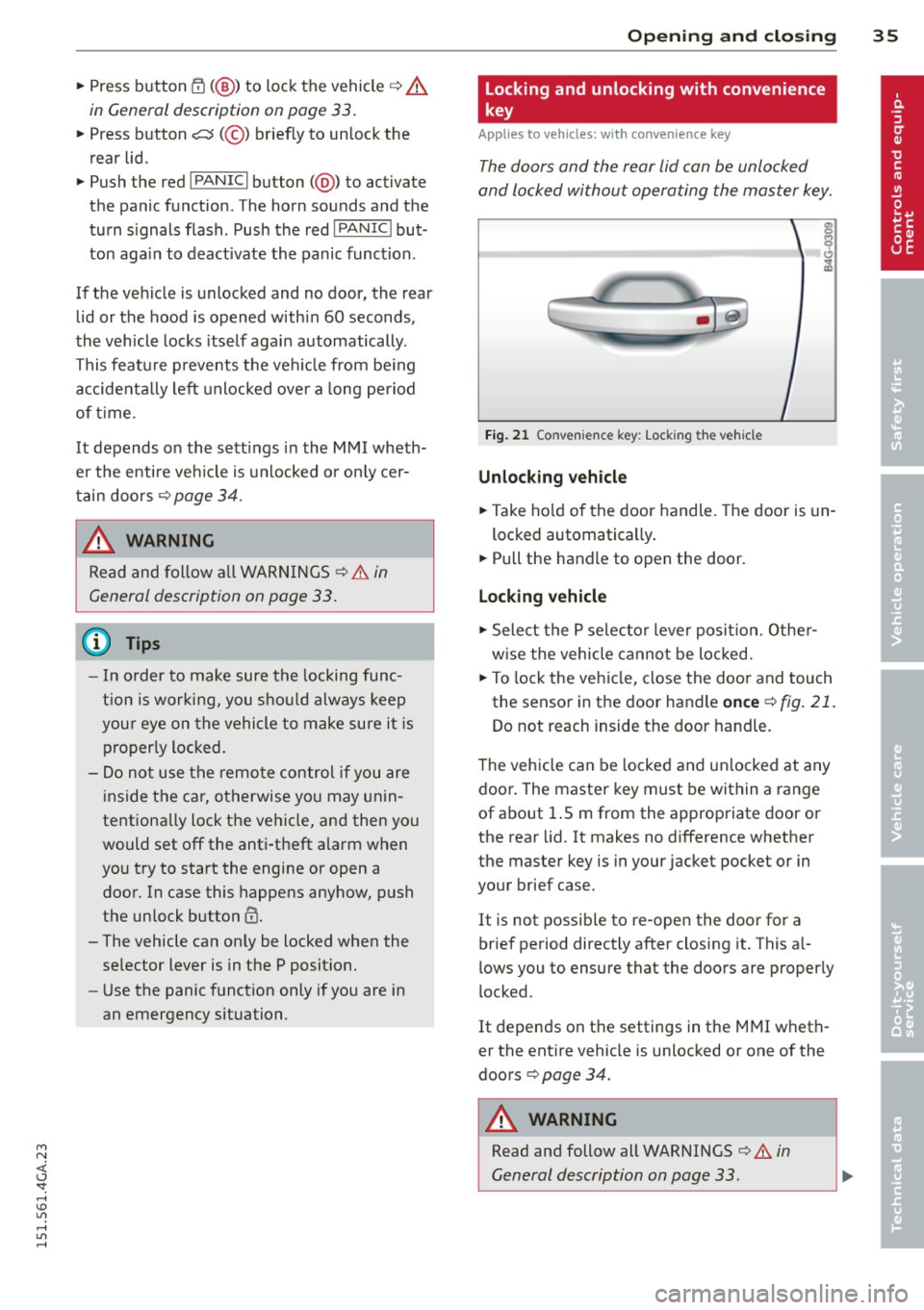
Fi g. 2 1 Convenience key: Lock ing the vehicle
Unlocking vehicle
~ Take ho ld of the door handle. The door is un -
locked automatically .
~ Pull the handle to open the door.
Locking vehicle
~ Select the P se lec to r lever posit ion. Othe r
w ise the vehicle canno t be loc ked.
~ To lock the veh icle, close the doo r and touch
the senso r in t he door handle
once ¢ fig . 21 .
Do not reach inside the door handle.
T he vehicle can be locked and un locked at any
door . The master key must be within a range
of about 1.5 m from the appropriate door or
the rear lid. It makes no difference whether
the master key is in your jacket pocket or in
your brief case.
It is not possib le to re-open the door for a
brief period directly after closing it. This al
lows you to ensure that the doors are proper ly
locked.
It depends on t he settings in the MMI wheth
er the ent ire vehicle is unlocked or one of the
doors ¢
page 34.
A WARNING
Read and follow all WARNINGS ¢&. in
General description on page 33.
-