buttons AUDI A7 2016 User Guide
[x] Cancel search | Manufacturer: AUDI, Model Year: 2016, Model line: A7, Model: AUDI A7 2016Pages: 294, PDF Size: 73.82 MB
Page 90 of 294
Audi adapt ive cru ise control and brak ing gu ard
• You must also press the brake pedal when the
vehicl e is stopped .
Switch ing adaptiv e cruis e co ntrol off
• Push the lever away from you into position @
unt il it clicks into place. T he message ACC off
appears.
@ Indicator light s
• • Adaptive cruise control is switched o n. No
vehicles are detected up ahead . The stored speed
is mainta ined .
• • A moving vehicle i s detected up ahe ad . T he
adapt ive cru ise control system regulates the
speed and distance to the moving vehicle ahead
and accelerates/brakes automatically.
( - )·Adaptive cruise contro l is switched on . A
mov ing vehicle up ahead was detected. Your veh i
cle remains stopped .
• • When automa tic braking is not able to keep
enough d istance to a prev iously detected moving
veh icle up ahead, you must take control and
brake
~ page 90, Prompt for driver interven
tion .
© Displa y
If adap tive cr uise control i s no t shown in the dis·
play, you can call it up with the multifunction
steer ing wheel buttons
~ page 23 .
Based on the symbols in the d is play, you can de·
termine if the system is ma inta ining a di stance to
the vehicle ahead and what that di stance is .
No v ehicl e· No vehicle ahead was dete cted.
W hite vehicle · A vehicle ahead was detected .
Red veh icle· Prompt for the driver to take action
c::>page 90.
Both arrows on the sc ale © indicate the distance
to the vehicle ahead . No arrow appears when the
vehicle is on an open road and there is no object ahead . If an object is detected ahead, the arrow
moves on the scale .
The green zone on the scale shows the stored d is
tance . For information on chang ing the stored
d istance, refer to
c::> page 89 . If the distance se-
88
lected is too close or may soon becom e too close,
t h e arrows move into the red zone on the scal e.
A WARNING
Improper use of the adaptive cruise contro l
can cause collisions, other acc idents and seri
ous persona l injuries.
- Pressing the
!SET ! button when driving at
speeds be low 20 mph (30 km/h), will auto·
mat ically acce lerate the vehicle to 20 mph
(30 km/h), which is the min imum speed
that ca n be set .
@ Tips
-If you switch the ign it ion or the adaptive
cruise control off, the set speed is erased
from the system memory .
- The electronic stabilizat ion control (ESC)
and the anti -slip -regulation (ASR) are auto·
matically turned on when the adaptive
cruise contro l is turned on. Both systems
canno t be turned off if t he adaptive cruise
cont ro l is turned o n.
Changing the speed
Appl ies to vehicles: with Audi adap tive cruise control
0
f
JJ
0
Fig. 95 Oper atin g leve r: Cha nging t he s pee d
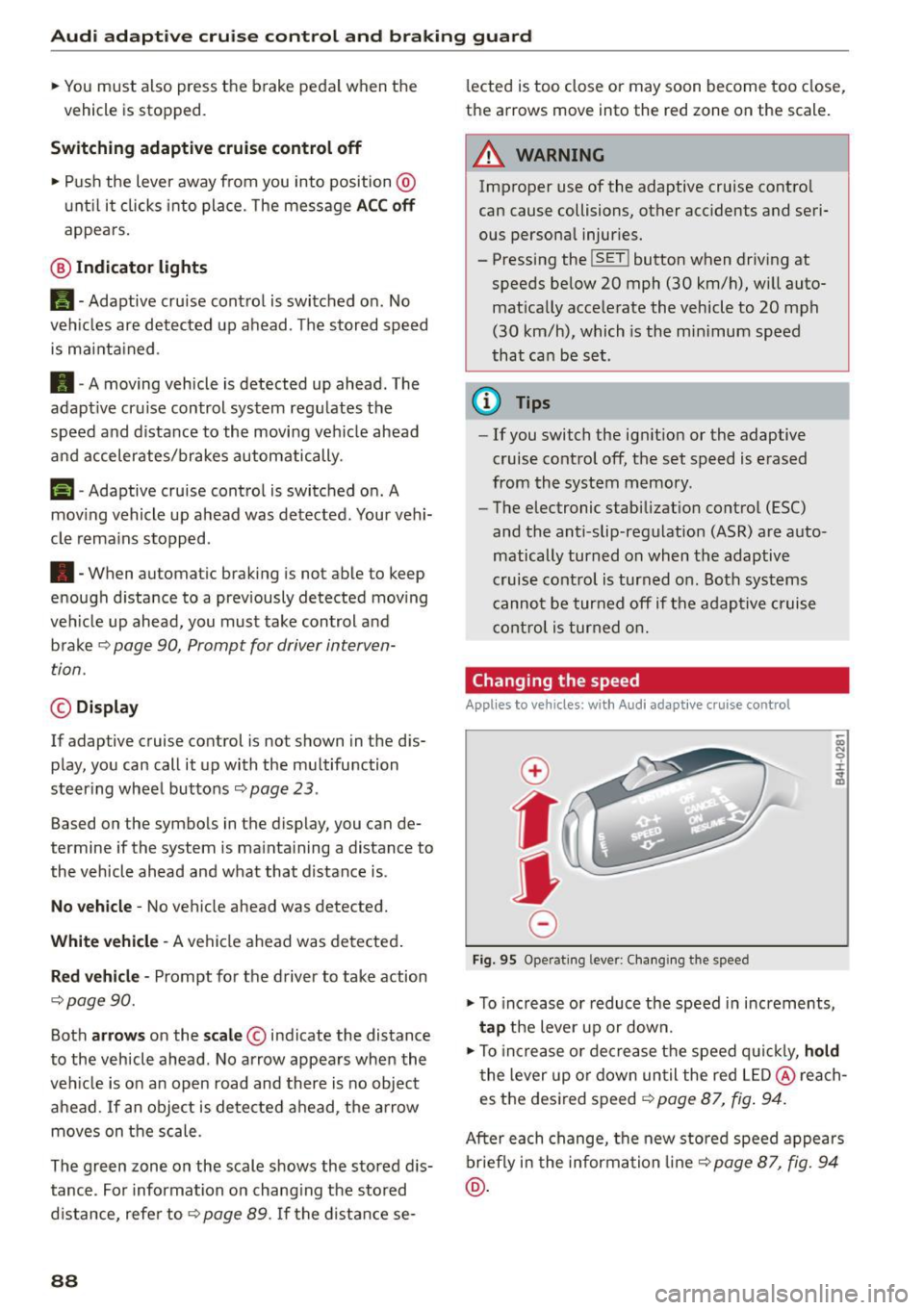
• To increase or reduce the speed in increments,
tap the lever up or down.
;;; N 9 :c .., m
• To inc rease or dec rease the speed q uic k ly, ho ld
t he lever up o r down until the red LED @ reach·
es the desi red speed
c::> page 87, fig . 94.
After each change, the new stored speed appears
briefly i n the informa tion line
c::> page 87, fig . 94
@ .
Page 97 of 294

M N <( I.J "". rl I.O
"' N I.O rl
Switching on and off
Applies to vehicles: with Audi active lane assist
Fig. 100 Turn signal lever: active lane assist button
Fig. 101 Windshield: camera w indow for active lane assis t
... Press the¢ fig. 100 button to switch the sys
tem on and off. The. or. indicator light in
the instrument cluster turns on or off .
Indicator lights
• Ready:
The indicator light turns on when the
system is ready for use. The system can now be
operated .
• Not ready: The indicator light turns on if the
system is switched on but is inoperable . This may
be due to the following reasons :
- There is no lane marker line.
- The relevant lane marker lines are not detected
(for example, markings in a construction zone
or because they are obstructed by snow, dirt,
water or backlighting).
- The vehicle's speed is below the speed needed
to activate it, which is about 40 mph (65 km/
h).
- The lane is narrower than about 8 ft. (2.5 m) or
wider than 15
ft (4.5 m).
- The curve is too sharp.
Audi active lane assist
- The driver's hands are not on the steering
wheel.
(D Tips
Make sure the camera's field of view
¢
fig. 101 is not obstructed by stickers or any
thing else. For information on cleaning, refer
to ¢ page
205.
Lane assist display in the instrument
cluster
Applies to vehicles: wit h Audi active lane ass ist
Fig. 102 Instrument cluster: active lane assist is switched
on and providing warnings
Fig. 103 Instrumen t cluster: act ive lane assist is sw itched
on but not ready to provide warn ings
You can call up the active lane assist display using
the buttons in the multifunction steering wheel
¢ page
23.
An additional indicato r appears in the Head-up
display* .
95
Page 106 of 294

Night visio n ass is t
Night vision assist
Night vision assist with
pedestrian and wild
animal highlighting
Description
A pp lies to veh icles : w ith night v isio n ass ist
The night vision assist can detect, highlight and,
if necessary, warn about pedestrians and large
wild animals.
Night vision assistant with pedestr ian and wild
animal detection assists you in darkness by using
an infrared camera to monitor the area in front of
your vehicle, within the limits of the system.
It
can display objects up to approximately
1000 feet (300 meters) away. The heat image de
tected by the camera is shown in the instrument
cluster display. Warm areas appear lighter and
cold areas appear darker.
Highlighting detected pedestrians and wild
animals
A pplies to veh icles: w ith night v isio n ass ist
F ig. 110 Instrument cluster: Yellow pedestr ian highl ight
i ng
Fig. 111 I n st rument cluster: symbol when infrared image
i s not visib le
104
Within the limits o f the system, night vision as
sistant can detect pedestrians and wild animals
that are within the detect ion range between ap
proximately 32 feet (10 meters) and 295 feet
(90 meters) in front of the vehicle. When it is
dark outside and the headlights are switched on,
detected pedestrians and w ild an imals are
marked in yellow ¢
fig. 110 within the limits of
the system ¢
page 105 . Wild animal detection is
not act ive in bu ilt-up areas . The system only de
tects large wild anima ls such as deer.
@ Tips
I f another display such as navigation rep laces
the image from the night v is ion assist the~ .. ,
symbol appears in a tab
r::!>fig . 111. You can
access night vision assist using the buttons in
the m ultifunction steering wheel¢
page 24 .
Pedestrian and wild animal warning
Applies to vehicles: wit h night vision assist
Fig . 112 Instrument cl uster: @Pedest rian warn ing ,®
w ild animal warning
Fig. 113 Instrument cl uste r: @ Pedestr ian warn ing/ @
wild an ima l warn ing , when the image from th e n ight vis ion
assist is not selected in t he instrument cluster display
Iii-
Page 290 of 294
Index
Sport differentia l . . . . . . . . . . . . . . . . . . . . . 101
Indicator light . . . . . . . . . . . . . . . . . . . . . . . 22
Star button . . . . . . . . . . . . . . . . . . . . . . . . . . . 24
Start-Stop-System . . . . . . . . . . . . . . . . . . . . . 80
Eng ine does not switched off . . . . . . . . . . . 81
Eng ine starts automatically . . . . . . . . . . . . 81
Indicato r lights . . . . . . . . . . . . . . . . . . . . . . 80
M essages . . . . . . . . . . . . . . . . . . . . . . . . . . . 8 2
Starti ng/stopping the engine . . . . . . . . . . . 80
Sw itchi ng off/on . . . . . . . . . . . . . . . . . . . . . 82
START E NGINE STOP button . . . . . . . . . . . . . 75
Starting from a stop Hill start assist . . . . . . . . . . . . . . . . . . . . . . . 79
S tarti ng to d rive
W ith a t ra iler . . . . . . . . . . . . . . . . . . . . . . . . 79
Starti ng (engine) . . . . . . . . . . . . . . . . . . . 75 , 80
Steering Electrically ad justab le steering whee l . . . . 74
Electromechan ical stee ring ..... .. .. . 192, 0
Indicator light . . . . . . . . . . . . . . . . . . . 17, 192
Manually adjustable steer ing whee l . . . . . . 74
also refer to Elect romechan ica l stee ring . 192
Steer ing whee l
Buttons.... .. .. ............. .. .. .. .. 24
Easy seat entry . . . . . . . . . . . . . . . . . . . . . . . 75
Steer ing whee l heating . . . . . . . . . . . . . . . . 73
Steering whee l co lumn
Ad justing e lectr ically. ......... .. .. .. .. 74
Ad justing manually . . . . . . . . . . . . . . . . . . . 74
S teer ing whee l with tip troni c... .. .. .... . 11 1
Steps fo r determ ining correct load lim it . . . 24 7
Stopping the engine . . . . . . . . . . . . . . . . . . . . 76
S topping (e ngine) . . . . . . . . . . . . . . . . . . . . . . 80
Sto rage . . . . . . . . . . . . . . . . . . . . . . . . . . . . . . 63
Storage compartments . . . . . . . . . . . . . . . . . 59
Sto rage hooks . . . . . . . . . . . . . . . . . . . . . . . . . 65
S tron ic (aut omatic transmission) . . . . . . . . 107
Launch control program . . . . . . . . . . . . . . 111
Sunroof . . . . . . . . . . . . . . . . . . . . . . . . . . . . . . 4 0
Conven ience opening . . . . . . . . . . . . . . . . . . 40
Eme rgency closing . . . . . . . . . . . . . . . . . . . . 41
Sun shade . . . . . . . . . . . . . . . . . . . . . . . . . . . . 49
Sun visors . . . . . . . . . . . . . . . . . . . . . . . . . . . . 49
Symbo ls
refer to Warn ing/indicator lights . . . . . . . . 11
288
T
Tachometer ... .... .. .. ... . .. .... 1 0, 11, 23
Tail lights Cleaning . . . . . . . . . . . . . . . . . . . . . . . . . . . 206
TOI clean diesel
refer to Ad Blue... .. ............... .. 214
Technical data . . . . . . . . . . . . . . . . . . . . . . . . 271
Technical modifications . . . . . . . . . . . . . . . . 276
T emperature display . . . . . . . . . . . . . . . . . . . . 23
Coolant . . . . . . . . . . . . . . . . . . . . . . . . . . . . . 10
Te ther anchors . . . . . . . . . . . . . . . . . . . . . . . 18 3
Tether strap . . . . . . . . . . . . . . . . . . . . . . . . . 183
Three-zone climate cont ro l
Air vents . . . . . . . . . . . . . . . . . . . . . . . . . . . . 70
Auxiliary heater . . . . . . . . . . . . . . . . . . . . . . 70
Bas ic settings . . . . . . . . . . . . . . . . . . . . . . . . 70
Operati ng . . . . . . . . . . . . . . . . . . . . . . . . . . . 69
Tie-downs . . . . . . . . . . . . . . . . . . . . . . . . 65, 133
Time . . . . . . . . . . . . . . . . . . . . . . . . . . . . . . . . 26
Tips for the environment Sav ing fuel . . . . . . . . . . . . . . . . . . . . . . . . . . 62
tiptronic (automatic transmission) ... 1 07,
111
Tires. . . . . . . . . . . . . . . . . . . . . . . . . . . . . . . . 233
A ll wheel d rive . . . . . . . . . . . . . . . . . . . . . . 192
Low aspect ra tio tires . . . . . . . . . . . . . . . . . 2 49
Rep lacing . . . . . . . . . . . . . . . . . . . . . . . . . . 255
Service life . . . . . . . . . . . . . . . . . . . . . . . . . 241
Tire pressure. . . . . . . . . . . . . . . . . . . . 243, 252
Tire pressure mo nitoring system . . . . . . . 251
Tire pressure table . . . . . . . . . . . . . . . . . . . 244
Treadwear indicators . . . . . . . . . . . . . . . . . 241
Uni directional . . . . . . . . . . . . . . . . . . . . . . . 235
Uni form tire quality g radi ng . . . . . . . . . . . 250
Tires and wheels Glossary of tire and loading terminology . 235
Tires and veh icle load limits . . . . . . . . . . . 245
Too ls . . . . . . . . . . . . . . . . . . . . . . . . . . . . . . . 253
To rn o r frayed safety belts 137
Towing Tow trucks . . . . . . . . . . . . . . . . . . . . . . . . . 267
Towing loop . . . . . . . . . . . . . . . . . . . . . . . . . . 267
TPMS (tire pressu re mon itoring system) . . . 251
Trai ler mode . . . . . . . . . . . . . . . . . . . . . . . . . 201
Notes .... .. .... .. .. .. ........... .. 203