change wheel AUDI A7 2016 User Guide
[x] Cancel search | Manufacturer: AUDI, Model Year: 2016, Model line: A7, Model: AUDI A7 2016Pages: 294, PDF Size: 73.82 MB
Page 161 of 294
M N <( I.J "". rl I.O
"' N I.O rl
@ For the sake of the environment
Undeployed airbag modu les and pretension
ers might be classified as Perchlorate Mater ial
- special handling may apply, see
www.dtsc.ca.gov/hazardouswaste/perchlo
rate. When the vehicle or parts of the re
straint system including airbag modules and
safety belts w ith pretens ioners are scrapped,
all applicable laws and regulations must be
observed. Your authorized Audi dealer is fa
miliar with these requirements and we recom
mend that you have your dealer perform this
service for yo u.
Other things that can affect Advanced
Airbag performance
Changing the vehicle's suspension system can
change the way that the Advanced A irbag System
performs in a crash. For example, using tire-rim
comb inat ions not approved by Audi, lowering the
vehicle, changing the stiffness of the su spension,
including the springs, suspension struts, shock
absorbers etc . can change the forces that are
measured by the airbag sensors and sent to the
e lectronic control un it. Some suspension changes
can, for example, increase the force levels meas
ured by the sensors and make the airbag system
deploy in crashes in which it would not deploy if
the changes had not been made . Other kinds of
changes may reduce the force levels measured by
the sensors and prevent the airbag from deploy
ing when it should.
_& WARNING
Changing the vehicle's suspension including
use of unapproved tire-rim combinations can
change Advanced Airbag performance and in
crease the risk of ser ious personal injury in a
crash.
- Never install suspens ion components that
do not have the same performance charac
teristics as the components originally instal
led on your veh icle.
- Never use tire-rim combinations that have
not been approved by Audi.
Airbag system
Knee airbags
Description of knee a irbags
Applies to vehicles: with knee airbags
The knee airbag system can provide supplemen
tal protection to properly restrained front seat
occupants .
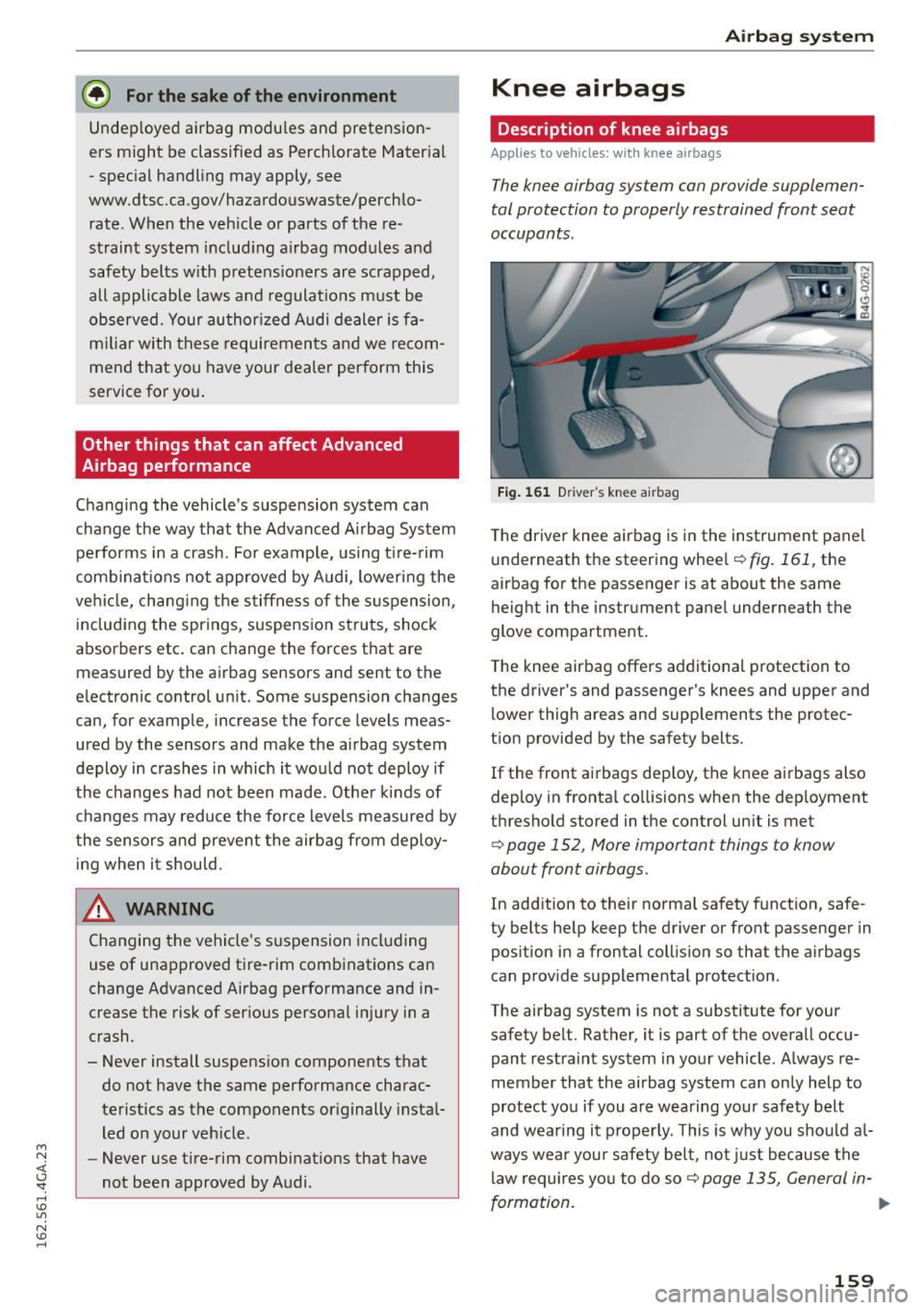
Fig. 161 D river 's knee a irbag
T he driver knee airbag is in the instrument panel
underneath the steering wheel
¢fig.161, the
airbag for the passenger is at about the same
height in the instrument panel underneath the
glove compartment.
The knee airbag offers additional protection to
the driver's and passenger's knees and upper and
lower thigh areas and supplements the protec
tion provided by the safety belts.
If the front airbags dep loy, the knee airbags also
deploy in frontal collisions when the dep loyment
threshold stored in the control unit is met
¢ page 152 , More important things to know
about front airbags .
In addition to their normal safety function, safe
ty belts help keep the driver or front passenger in
position in a frontal collision so that the airbags
can provide supplemental protection .
The airbag system is not a substitute for your
safety belt . Rather, it is part of the overall occu
pant restraint system in your vehicle. Always re
member that the airbag system can only help to
protect you if you are wearing your safety belt
and wearing it properly. This is why you should a l
ways wear your safety belt, not just because the
law requires you to do so¢
page 135, General in-
formation .
IJI>
159
Page 190 of 294
Intelligent Technology
shared, p le a se see yo ur contract with the
wireless telecomm unications provider and the
"About Aud i connect" tab in your vehicle's
MMI:
! MENUI button> Audi connect > About
Audi connect .
Electronic Stabilization
Control (ESC)
Description
ESC helps to improve road holding and vehicle
dynamics to help reduce the probability of sk id
d ing and loss of veh icle control.
It works only
when the engine is runn ing. ESC detects certa in
d ifficult d riving situations, including when the ve
h icle is beginn ing to sp in (yaw) o ut of control and
he lps you to ge t the veh icle back u nder cont ro l b y
selec tively braking the whee ls, and/or reduc ing
engine power and providing steering assistance
to help hold the vehicle on the driver's i ntended
course. The indicator light
DJ in the instrument
cluster blinks when ESC is taking action to help
you control t he veh icle.
ESC has lim itations. It is important to remember
that ESC cannot overcome the laws of physics. It
will not a lways be ab le to he lp out under all con
d itions you may come up against. For example,
ESC may not always be able to help you master
situations where there is a sudden change in the
coefficient of friction of the road surface. Whe n
there is a section of d ry road tha t is s udden ly cov
ere d wi th wa ter, s lush or snow, ESC ca nnot per
form the same way it wou ld on the d ry s urface . If
the vehicle hydroplanes ( rides on a cushion of wa
ter instead of t he road surface), ESC wi ll not be
ab le to he lp you steer the veh icle because contact
with the pavement has been i nterrupted and the
ve hicle cannot be b raked or steered. Dur ing fast
cor ne ring, particula rly o n w inding roads, ESC
cannot a lways deal as eff ect ively wi th d iff icu lt
d riving situat ions than at lowe r speeds.
Always ad just your speed and dr iv ing style to
road, traffic and weather conditions. ESC ca nnot
over ride the vehicle's physical limi ts, increase t he
ava ilab le tract io n, or keep a vehi cle on t he road if
roa d de pa rture is a res ult o f driver in att enti on.
I nstead, ESC improves the poss ibility of keeping
188
the veh icle unde r control and on the road dur ing
extreme maneuve rs by using the dr iver's stee ring
i nputs to help keep the vehicle going in the in
tended direction. If yo u are traveling at a speed
that causes you to run off the road before ESC
can p rov ide any assistance, you may not experi
ence the benefits of ESC.
ESC is switc hed on all the time. In certain s itua
tions when you need less tracti on, you can switch
off ASR by press ing the button
[ru c:> page 189,
fig . 178. Be sure to sw itch ASR on aga in when
you no longer need l ess traction.
The following systems are integrated in the ESC:
Anti -lock braking system (ABS )
ABS prevents the whee ls from locki ng when brak
i ng . T he veh icle can st ill be stee red even during
hard braking. App ly steady pressure to the brake
pedal. Do not pump the pedal. A puls ing in the
brake pedal indicates that the system is acting to
stab ilize the veh icle.
Brake assist sy stem
The bra ke ass ist system can decrease braking dis
tance. It increases bra king power when the driver
presses the brake peda l quickly in emergency sit
uat ions. You must press and hold the b rake peda l
u nt il the dange rous situat io n is over . In vehicles
with adaptive cruise co ntro l*, the brake ass ist
system is more sensitive if t he d ista nce detected
to t he veh icle a head is too sma ll.
Anti-slip regulation (ASR)
ASR red uces eng ine power when the drive wheels
begin spin ning and adapts the force to the road
cond it ions . Th is makes it eas ier to sta rt, acce ler
ate a nd dr ive up incl ines.
Electronic differential lock (EDL)
EDL applies t he brakes to a whee l that starts
sp inning a nd tra nsfe rs the d rive power to the
othe r drivi ng whee ls. This function is not ava ila
ble at hig he r speeds.
In extreme cases, EDL automatically sw itches off
to keep the brake o n the braked whee l from over
hea ting. The vehicle is st ill work ing cor rect ly. EDL ..,.
Page 195 of 294
M N <( I.J "". rl I.O
"' N I.O rl
Offroad vehicle?
Your Aud i is not an off road vehicle -there is not
enough ground clea rance . For this reason, avo id
difficu lt terrain .
A WARNING
-Also, in vehicles with all whee l dr ive, adapt
your dr iving style to the current road and
traffic conditions. Do not let the increased
safety provided tempt you into taking risks, because t his increases the risk of an acci
dent .
- The brak ing ability of yo ur vehicle is lim ited
to the traction of the wheels . In this way, it
is not different from a two wh eel drive veh i
cl e. Do not be tempted to ac celerate to a
high speed when t he ro ad is s lippery th is in
cr eases the r is k of an accident .
- Note t hat on wet streets, t he front w heels
c an "hyd rop lane" if d riving at speeds that
are too high. Unli ke front whee l drive
vehicles, the engi ne does not rev higher sud
den ly when the vehicle begins hydrop laning.
For this reaso n, pay attent ion to the r oad
condit ions regardless of your speed to re
duce t he risk of an accident .
Rear spoiler
The extendable rear spoiler increases driving sta
bility.
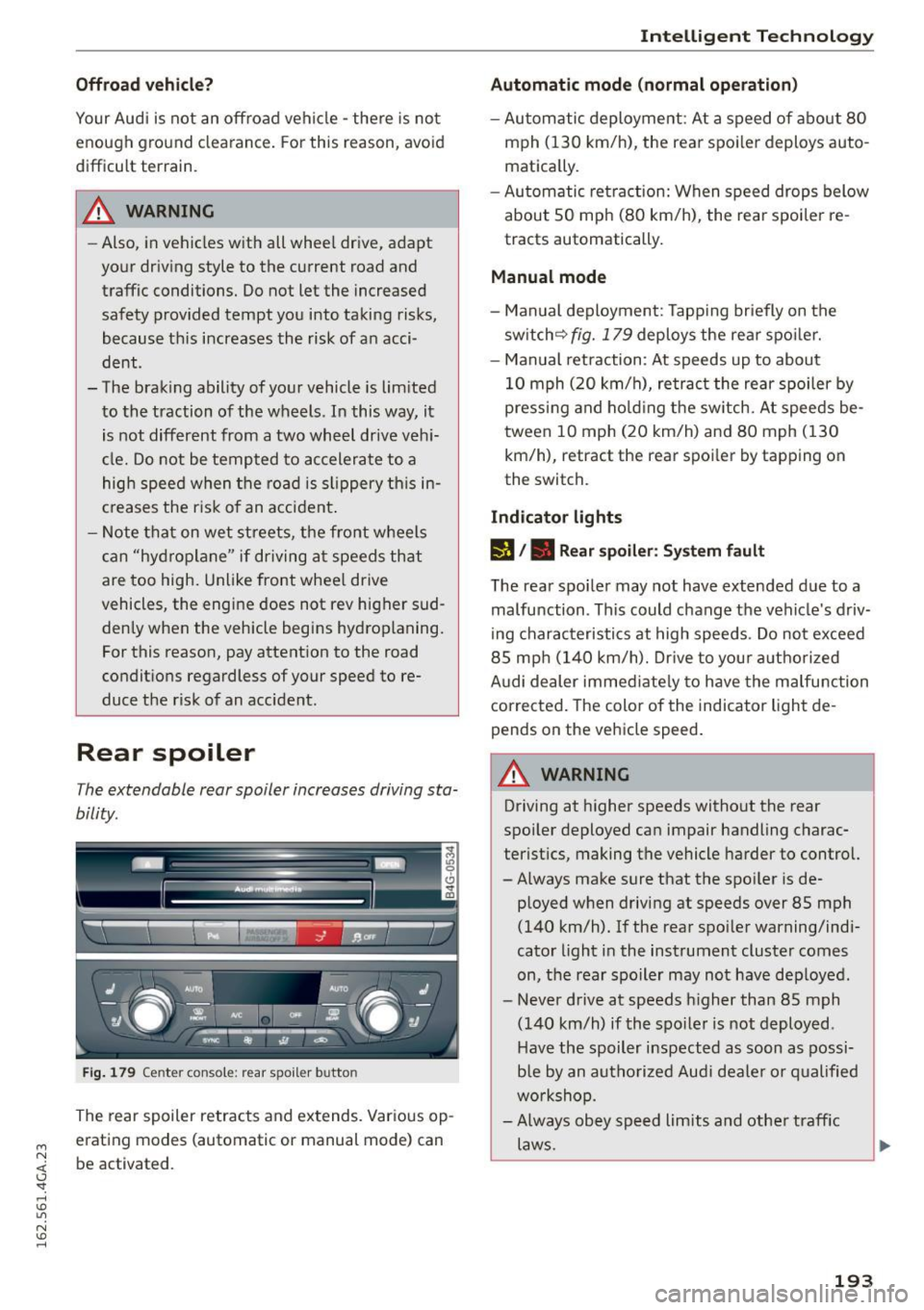
Fi g. 179 Cente r con sole : re ar s poil e r b utto n
The rear spoiler retrac ts and extends. Var ious op
erat ing modes (automatic or manual mode) can
be activated .
Intelligent Technology
Automatic mode (normal operation)
-Au tomatic deployment : At a s peed of about 80
mph (130 km/h) , the rear spo ile r deploys auto
matically .
- Au tomatic retra ction: When speed drops below
abou t SO mph (80 km/h), the rea r spoi ler re
tracts automatically.
Manual mode
- Man ual deployment: Tapp ing br iefly on the
sw itch ~
fig. 179 deploys the rea r spo ile r.
- Manual retraction : At speeds up to about
10 mph ( 20 km/h), re tract the rear spoiler by
pressi ng and hold ing t he sw itch. At speeds be
tween 10 mph (20 km/h) and 80 mph ( 130
km/h), retract the rear spoi ler by tapping on
the switch.
Indicator lights
rJ /. Rear spoiler : S ys tem fault
The rea r spoi le r may not have exte nded due to a
malfunction . Th is could change the vehicle's driv
i ng charac teristics at high speeds . Do not exceed
8 5 mp h (140 km/h). Dr ive to you r authorized
A udi dealer immed iate ly to have the malfu nction
corrected. The color of the indicator light de
pends on the vehicle speed .
A WARNING
-
Driving at higher speeds witho ut the rear
spoi ler deployed ca n impair handling charac
terist ics, making the vehicle harder to control.
- Always make sure that the spo iler is de-
p loyed w hen d riving at speeds over 85 mph
(140 km/h). If the rea r spo ile r warning/ind i
cato r light i n the instrument cluster comes
on, the rear spoile r may not have deploye d.
- Never drive at speeds h igher than 85 mph
(140 km/h) if the spo iler is not deployed.
Have the spoiler i nspected as soon as possi
b le by an au tho riz e d Aud i deale r o r q ualified
w orkshop.
- Always obey speed li mits and othe r traff ic
laws.
193
Page 205 of 294

M N <( (.J
'SI: ,...., \!) 1.1'1
N \!) ,....,
braking effect to slow the vehicle. Use of the
brakes alone can cause them to overheat and fail.
Air suspension*
When driving with a trailer, activate the trailer
mode of the air suspension. Switch the air sus
pension trailer mode on when you are towing a
trailer. This will limit the regulation by the air
suspension while driving. Select in the MMI:
ICARI function button > (Car)* systems control
button>
Vehicle settings> Air susp.: towing>
On.
Coolant temperature
The coolant temperature gauge c::> page 10 must
be observed carefully. The coolant temperature
can increase if you drive on long inclines in a low
gear at high engine speeds . Reduce your speed
immediately if the LEDs in the top part of the dis
play turn on .
For more information about indicator lights, re
fer to.
c::> page 15.
A WARNING
Anyone not properly restrained in a moving
vehicle is at a much greater risk in an acci
dent . Never let anyone ride in your car who is
not properly wearing the restraints provided
by Audi.
Trailer mode notes
Important to know
-
Your vehicle handles differently when towing a trailer because of the additional weight and dif
ferent weight distribution . Safety, performance
and economy will greatly depend on how careful
ly you load your trailer and operate your rig.
Before you actually tow your trailer, practice
turning, stopping and backing up in an area away
from traffic . Keep practicing until you have be
come completely familiar with the way your vehi
cle-trailer combination behaves and responds.
Backing up is difficult and requires practice. Back
ing up with a trailer generally requires steering
Trailer mode
action opposite to that when backing up your ve
hicle without a trailer.
Maintain a greater distance between your vehicle
and the one in front of you . You will need more
room to stop. To compensate for the trailer, you
will need a larger than normal turning radius.
When passing, remember that you cannot accel
erate as fast as you normally would because of
the added load. Make sure you have enough room
to pass. After passing, allow plenty of room for
your trailer before changing lanes again.
Avoid jerky starts, sharp turns or rapid lane
changes.
(D Tips
- Do not tow a trailer during the break-in peri
od of your vehicle.
- If you tow a trailer, your Audi may require
more frequent maintenance due to the ex
tra load
c::> page 2 7 4.
Parking on a slope
Do not park on a slope with a trailer. If it cannot
be avoided, do so only after doing the following:
When parking:
" Apply the foot brake.
" Have someone place chocks under both the ve
hicle and the trailer wheels.
"With chocks in place, slowly release the brakes
until the wheel chocks absorb the load.
"Turn the wheels towards the curb.
... Apply the parking brake.
"Select the P selector lever position.
When restarting after parking:
"Apply the foot brake.
"Start the engine.
"Select the D/S selector lever position.
"Release the parking brake and slowly pull out
and away from the wheel chocks.
"Stop and have someone retrieve the wheel
chocks .
203
Page 240 of 294

Wheels
"XL" "xl" "EXTRA LOAD" or "RF" I I I
on the sidewal l.
Rim
means a metal support for a tire
or a tire and tube assembly upon
which the tire beads are seated .
Rim diameter
means nominal diameter of the
bead seat. If you change yo ur
wheel size , you w ill have to pur
chase new tires to match the new rim diameter .
Rim size designation
means rim diameter and width.
Rim width
means nomina l distance between
rim flanges .
Sidewall
means that port ion o f a t ire be
tween the tread and bead .
Speed rating (letter code)
means the speed at which a tire is
designed to be driven for extend
ed periods of t ime. The rat ings
range from 93 mph (150 km/h)
to 186 mph (298 km/h)
¢ table
on page 234 .
You may not find
this information on all tires be
cause it is not required by la w.
238
The speed rating letter code ,
where applicable , is mo lded on
the tire sidewall and indicates the maximum permiss ible road
speeds
¢ .&. in Winter tires on
page 248.
Tire pressure monitoring
system*
means a system that detects
when one or mo re of a ve hic le's
tires are under inflated and illumi
na tes a low tire p ressu re warning
tellta le .
Tread
means that portion of a tire that
comes into contact w ith the road.
Tread separation
means pu lling away of the tread
from the t ire carcass.
Treadwear indicators (TWI)
means the projections wi thin the
principal grooves designed to give
a visua l indication of the deg rees
of wear of the tread . See
¢ page 242 , Treadwear indicator
for mo re information on measur
ing t ire wear.
Page 246 of 294
Wheels
the risk of an accident. Read and follow the important
safety precautions in
¢ page 245, Tires and vehicle
load limits .
-The tire must flex more if the
tire pressure is too low or if
the vehicle speed or load are
too high . This heats the tire up
too much. This increases the
risk of an accident because it
can cause the tire to burst and
result in loss of vehicle con
trol.
-Incorrect tire pressure increas es tire wear and has a negative
effect on driving and braking
Tire pressure table
Please note that the information
contained in the following table
was correct at the time of print ing, and the information is sub
ject to change. If there are differ
ences between this information
and the tire pressures specified
on the label on the driver's side Bpillar, always follow the specifica
tion on the B-pillar label
¢ page 243, fig. 197.
244
behavior, which increases the
risk of an accident.
(D Note
Replace lost valve caps to re
duce the risk of damage to the
tire valves.
@ For the sake of the environment
Tire pressure that is too low in
creases fuel consumption.
(D Tips
Audi recommends using the
tire pressure specified for a nor
mal load
¢ table on page 245
or for a full load when the vehi
cle is partially loaded .
Make sure that the tire designa
tion on your tire matches the des
ignation on the tire pressure label
and the tire pressure table.
The following table lists recom mended tire pressures in cold
tires according to the load and
the size of the tires installed. ...
Page 253 of 294
M N <( I.J "". rl I.O
"' N I.O rl
_& WARNING
Temperature grades apply to tires that are properly inflated and not over or underinflat
ed .
Tire pressure monitoring
system
CD General notes
Each tire, includ ing the spare (if provided),
should be checked monthly when cold and inflat
ed to the inflation pressure recommended by the
vehicle manufacturer on the vehicle placard or tire inflation pressure label. (If your veh icle has
tires of a different size than the size indicated on
the vehicle placard or tire inflation pressure la
be l, you shou ld determine the proper tire infla
tion pressure for those tires).
As an added safety feature, your vehicle has been
equipped with a tire pressure monitoring system
(TPMS) that illuminates a low tire pressure tell
tale when one or more of your tires is significant ly under -inflated. Accordingly, when the low tire
pressure telltale illuminates, you should stop and
check your tires as soon as poss ible, and inflate
them to the proper pressure. Driving on a signifi cantly under-inflated tire causes the tire to over
heat and can lead to t ire failure. Under-inflation
also reduces fuel efficiency and tire tread life,
and may affect the vehicle's handling and stop
ping ability .
Please note that the TPMS is not a substitute for
proper tire maintenance, and it is the driver's re
sponsib ility to ma inta in correct tire pressure,
even if under-inflation has not reached the level
to trigger illuminat ion of the TPMS low t ire pres
sure telltale.
Your vehicle has also been equ ipped with a TPMS
malfunction indicator to indicate when the sys
tem is not operating properly. The TPMS mal
function indicator is combined with the low tire
pressure telltale. When the system detects a
malfunction, the telltale will flash for approxi
mately one minute and then remain continuously
illuminated . This sequence will cont inue upon
Wheels
subsequent vehicle start -ups as long as the mal
function exists.
When the malfunction indicator is illuminated ,
the system may not be able to detect or signal
low tire pressure as intended . TPMS malfunctions
may occur for a variety of reasons, including the
i nsta llation of replacement or alternate tires or
wheels on the vehicle that prevent the TPMS
from functioning properly. Always check the
TPMS malfunction telltale after replacing one or
more t ires or wheels on your veh icle to ensure
that the replacement or alternate t ires and
whee ls allow the TPMS to continue to function
properly.
If the Tire Pressure Monitoring System
indicator appears
The tire pressure indicator in the instrument
cluster informs you if the tire pressure is too low
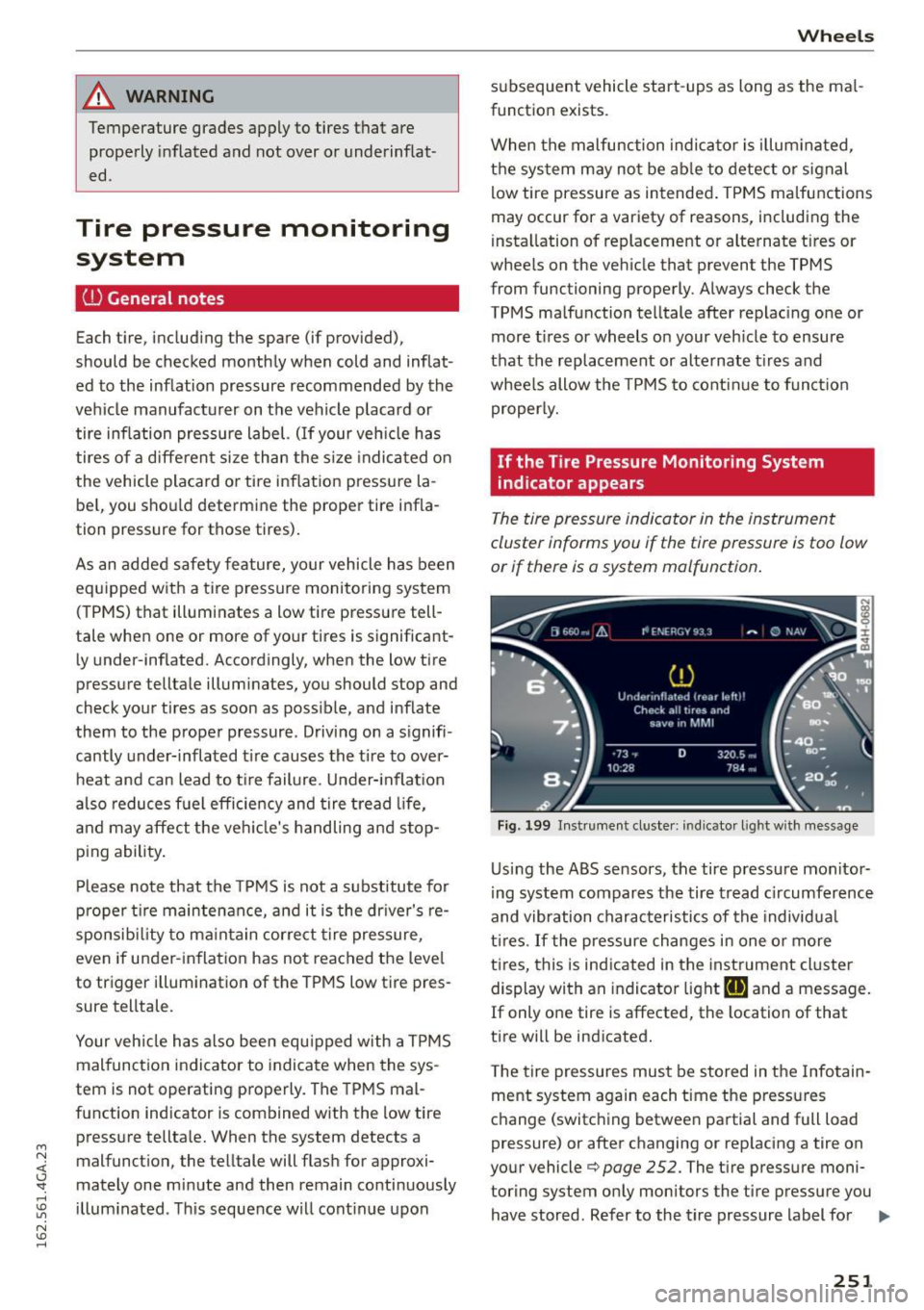
or if there is a system mo/function .
Fig. 199 Instrument cluster: indicator light with message
Using the ABS sensors, the tire pressure monitor
ing system compares the tire tread circumference
and vibration characteristics of the individual
tires . If the pressure changes in one or more
t ir es, this is indicated in the instrument cluster
display with an indicator light
HE and a message.
If only one tire is affected, the location of that
tire will be indicated.
T he tire pressures must be stored in the Infotain
ment system again each time the pressures
change (switching between partial and full load
pressure) or after changing or rep lacing a tire on
your vehicle
¢ page 252. The ti re pressure moni
toring system only monitors the tire pressure you have stored. Refer to the tire pressure label for ..,.
251
Page 254 of 294
Wheels
the recommended tire pressure for your vehicle
¢ page 243, fig. 198.
Tire tread ci rcumfe rence and v ibration character
istics can change and cause a tire pressure warn
ing if:
- the tire pressure in one or more t ires is too low .
- the tire has structural damage .
- the tire was replaced or the tire pressure was
changed and it was not stored
¢ page 252.
-the spare tire* is installed .
Indicator lights
IE Loss of pressure in at least one tire¢.&. .
Check the tires and replace or repair if necessary.
Check/correct the pressures of all four tires and
store the pressure again in the Infotainment sys
tem
¢page 252 .
mm (Tire Pressure Monitoring System) Tire pres
sure: System malfunction!. Ifffim
appears after
switching the ignition on or while driving and the
IE indicator light in the instrument cluster
blinks for approximately one minute and then
stays on, there is system malfunction . Try to
store the correct tire pressures¢ page 252. If
the indicator light does turn off or turns on again
after a short period of time, drive to your author
ized Audi dealer or authorized Audi Service Facili
ty immediately to have the malfunction correct
ed .
A WARNING
- If the tire pressure indicator appears in the
display, reduce your speed immediately and
avoid any hard steering or braking maneu
vers . Stop as soon as possible and check the
t ir es and their pressure .
- The driver is responsible for maintaining the correct tire pressure. You must check the
tire pressure regularly.
- Under certain conditions (such as a sporty
dr iving style, winter cond itions or unpaved
roads), the tire pressure monitoring system
indicator may be delayed.
- Do not use run-flat tires on your veh icle. Us
ing them when not permitted can lead to
vehicle damage or accidents.
252
(D Tips
-The tire pressure monitoring system can al
so stop working when there is an ESC mal
function.
- Using snow chains may result in a system
malfunction.
- The tires with the identification "AO" or
"RO" ¢
page 240 have been matched with
your Audi tire pressure monitoring system.
We recommend that you use these tires.
Storing tire pressures
If the tire pressure changes or a tire is replaced,
it must be confirmed in the Infotainment sys tem.
... Make sure before storing that the tire pressures
of all four tires meet the specified values and
are adapted to the load¢
page 243 .
... Switch the ignition on .
... Select: the
I CARI function button > (Car)* Sys
tems
control button > Servicing & checks > Tire
pressure monitoring
> Store tire pressures >
Yes, store now.
(D Tips
Do not store the tire pressures if snow chains
are instal led.
Page 257 of 294
M N <( (.J
'SI: ,...., \!) 1.1'1
N \!) ,....,
Replacing wheels
Before changing a wheel
Observe the following precautions for your own
and your passenger's safety when changing a
wheel .
.,. After you experience a tire failure, pull the car
well away from moving traffic and try to reach
level ground before you stop¢,& .
.. All passengers should
leave the car and move
to a safe location (for instance, beh ind the
guardrail) ¢ ,& .
.,. Engage the
parking brake to prevent your vehi
cle from rolling unintentiona lly ¢,& .
.. Move
selector lever to position P ¢ ,& .
1> lfyou are towing a trai ler, unhitch the trailer
from your vehicle .
.,. Take the
jack and the spare tire out of the lug
gage compartment
¢ page 253, ¢ page 254.
.,&. WARNING
You or your passengers could be injured while
changing a wheel if you do not follow these
safety precautions:
- If you have a flat tir e, move a safe distance
off the road. T urn off the engine, turn the
emergency flashers on and use other warn
ing devices to alert other mo torists.
- Make sure that passengers wait in a safe
place away from the vehicle and well away
from the road and traffic.
- T o help prevent the vehicle from moving
sudden ly and possibly slipping off the jack,
always fully set the parking brake and block
the wheel diagonally opposite the wheel be ing changed. When one front wheel is lifted
off the ground, placing the Automatic Trans
mission in P (Park) will
not prevent the vehi
cle from moving.
- Before you change a wheel, be sure the
ground is level and firm . If necessary, use a
stu rdy board under the jack.
- Always store the vehicle tool kit, the jack
and the replaced tir e in the luggage com
partment ¢
page 132.
Emergency assistance
{!) Tips
Before changing the whee l, you must activate
the jacking mode, so that the automat ic con
trols for the Adapt ive Air Suspension* do not
make it more difficult to lift the vehicle with
the jack ¢
page 257 .
Changing a wheel
When you change a wheel , follow the sequence
described below step-by-s tep and in exactly tha t
order .
l. Activate the vehicle jack mode* ¢ page 2 5 7.
2. Remove the
decorative wheel cover*. For
more details see also¢
page 256, Decora
tive wheel covers
or¢ page 256, Wheels
with wheel bolt caps .
3. Loosen the wheel bolts ¢page 256.
4. Locate the pro per mounting point for the
jack and align the jack be low that point
¢page 257.
5. Raise the car with the jack¢ page 257 .
6. Remove the wheel with the flat tire and then
install
the spare ¢ page 259.
7. Tighten all wheel bolts ligh tly.
8.
Lower the vehicle with the jack .
9. Use the wheel bolt w rench and
firmly tighten
all wheel bolts¢
page 256 .
10. Replace the decorative wheel cover*.
11. Deactivate the vehicle jack mode* in the
MMI :
ICAR I funct ion button > (C ar)* systems
control button > Servicing & checks > Air
susp.: jack mode > Off .
The vehicle jack mode* switches off automatically
at speeds above 6 mph (10 km/h) .
.,&. WARNING ~ -
Always read and follow all WARNINGS and in
formation ¢
.& in Raising the vehicle on
page 258
and ¢ page 260.
255
Page 258 of 294
Emergency assistance
After changing a wheel
A wheel change is not complete without the do
ing the following .
• Always store the vehicle tool kit, the jack* and
the replaced tire in the luggage compartment
¢page 132.
• Check the tire pressure on the spare wheel im
med iately after mounting it.
• As soon as possible, have the
tightening tor
ques
on all wheel bolts checked with a torq ue
wrench . The correct tightening torque is 90 ft
lb (120 Nm).
• Have the flat tire
replaced as soon as possible.
@ Tips
-If you notice that the wheel bolts are cor
roded and difficult to turn while changing a
tire, they should be replaced before you
check the tightening torque.
- Drive at reduced speed until you have the
tightening torques checked .
- After changing a wheel, the tire pressure in
all four tires must be checked/corrected and
the tire pressure mon itor ing indicator must
be stored in the MMI
¢ page 252.
Decorative wheel covers
App lies to veh icles: w ith decorative wheel covers
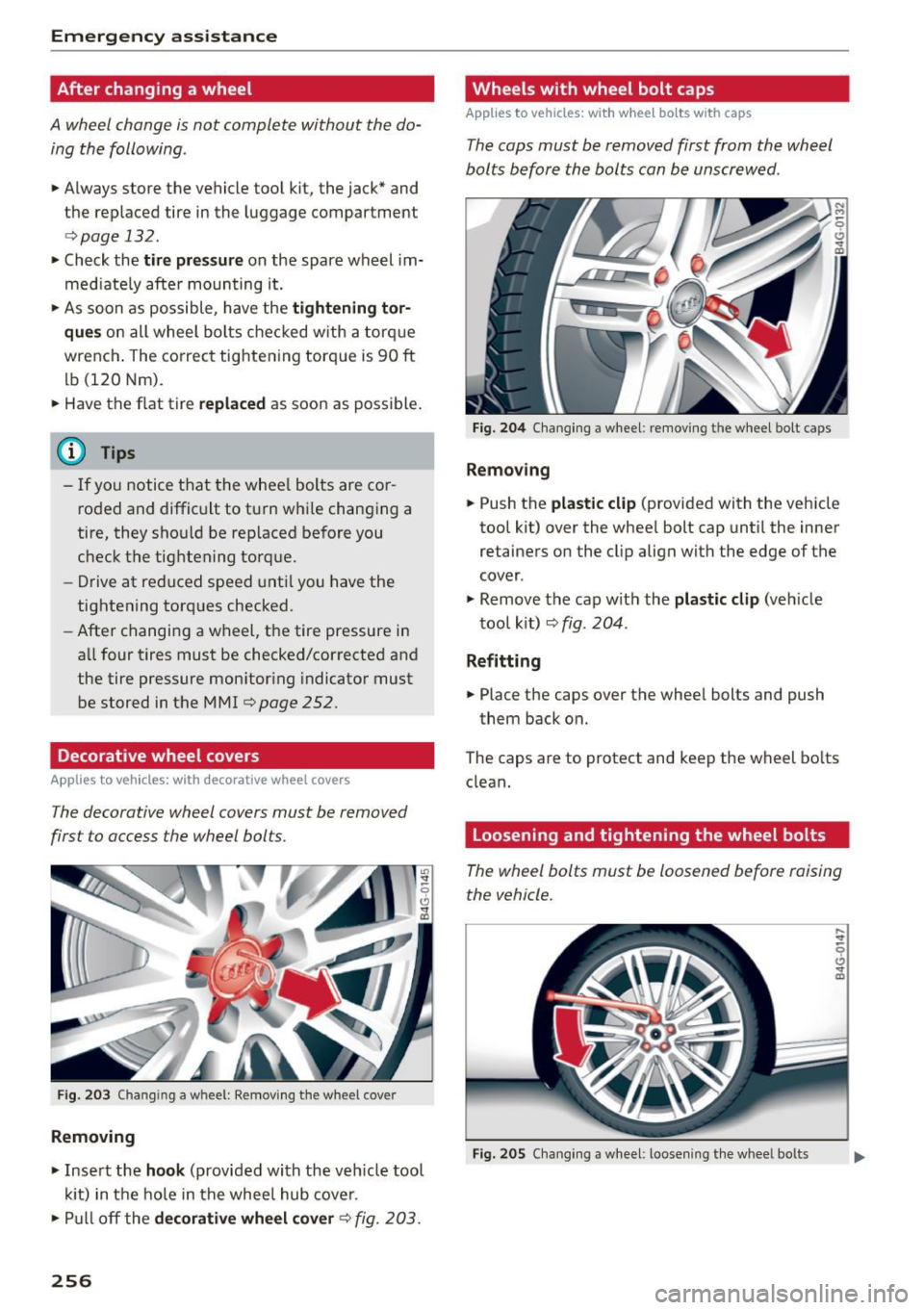
The decorative wheel covers must be removed
first to access the wheel bolts .
Fig. 203 Changing a wheel : Removing the wheel cover
Removing
• Insert the hook (provided with the vehicle tool
kit) in the hole in the wheel hub cover.
• Pull off the
decorative wheel cover¢ fig. 203.
256
Wheels with wheel bolt caps
Applies to vehicles: wi th whee l bo lts with caps
The caps must be removed first from the wheel
bolts before the bolts can be unscrewed .
Fig. 204 Changing a wheel: removing th e wheel bolt caps
Removing
• Push the plastic clip (provided with the vehicle
tool kit) over the whee l bolt cap until the inner
retainers on the clip align with the edge of the
cover .
• Remove the cap with the
plastic clip (vehicle
tool k it)
~ fig . 204 .
Refitting
• Place the caps over the wheel bolts and push
them back on.
The caps are to protect and keep the wheel bolts
clean.
Loosening and tightening the wheel bolts
The wheel bolts must be loosened before raising
the vehicle.
Fig. 205 Changing a wheel: loosen ing the whee l bo lts