infotainment AUDI A7 2017 Owner´s Manual
[x] Cancel search | Manufacturer: AUDI, Model Year: 2017, Model line: A7, Model: AUDI A7 2017Pages: 284, PDF Size: 72.29 MB
Page 39 of 284
co
co
.... N
" N .... 0
00
<.,;) 'SI"
-When locking the vehicle from outside, the
vehicle must be unoccupied since the win
dows can no longer be opened in an emer
gency .
(D Tips
-The windows will automatica lly lower ap
prox imately 0 .4 inches (10 mm) when you
open the doors.
- When the window in the dr iver's or front
passenger 's doo r is comp letely open, it w ill
raise approximate ly 1 inch (25 mm) when
t h e door is opened. The w indow w ill lower
again when you close the door .
- You can still open and close t he windows for
appro ximately 10 mi nutes after tur ning the
i gni tion off . The power w indows do not
swi tch off until t he d river's doo r o r front
passenger 's doo r has been opened.
Convenience opening
All of the windows and th e sunroof* can be
opened at once.
The settings in the Infotainment system spec ify
which windows will open .
Convenience opening feature
• Press and hold the~ button on the remote
contro l key unt il all of the windows reach the
desired position and the su nroof* is ti lted open .
Setting convenien ce open ing in the
Infotainment system
• Se lect : the ICARI function button > (Car )* Sys
tems control button > Vehicle settings > Cen
tra l locking
> Long-pre ss to open windows .
To enable convenience opening of the w indows
and the roof*, the
Front windows , Rear windows
and Roof functions must be sw itched On .
.&_ WARNING
For security reason s, the windows a nd th e
sunroof* ca n only be opened w ith t he re m ote
co ntrol key a t a maxim um dis tanc e of app rox
imate ly 6 f eet (2 m) from the vehicle .
Opening and closing
Correct ing power window malfunctions
You can reactivate the one-touch up/down func
tion if it malfunctions .
• Pull the power window switch up until the win
dow is completely raised .
"' Release the switch and p ull it up aga in fo r at
least one second .
Sunroof
Description
Applies to: vehicles with sliding/tilt ing sunroof
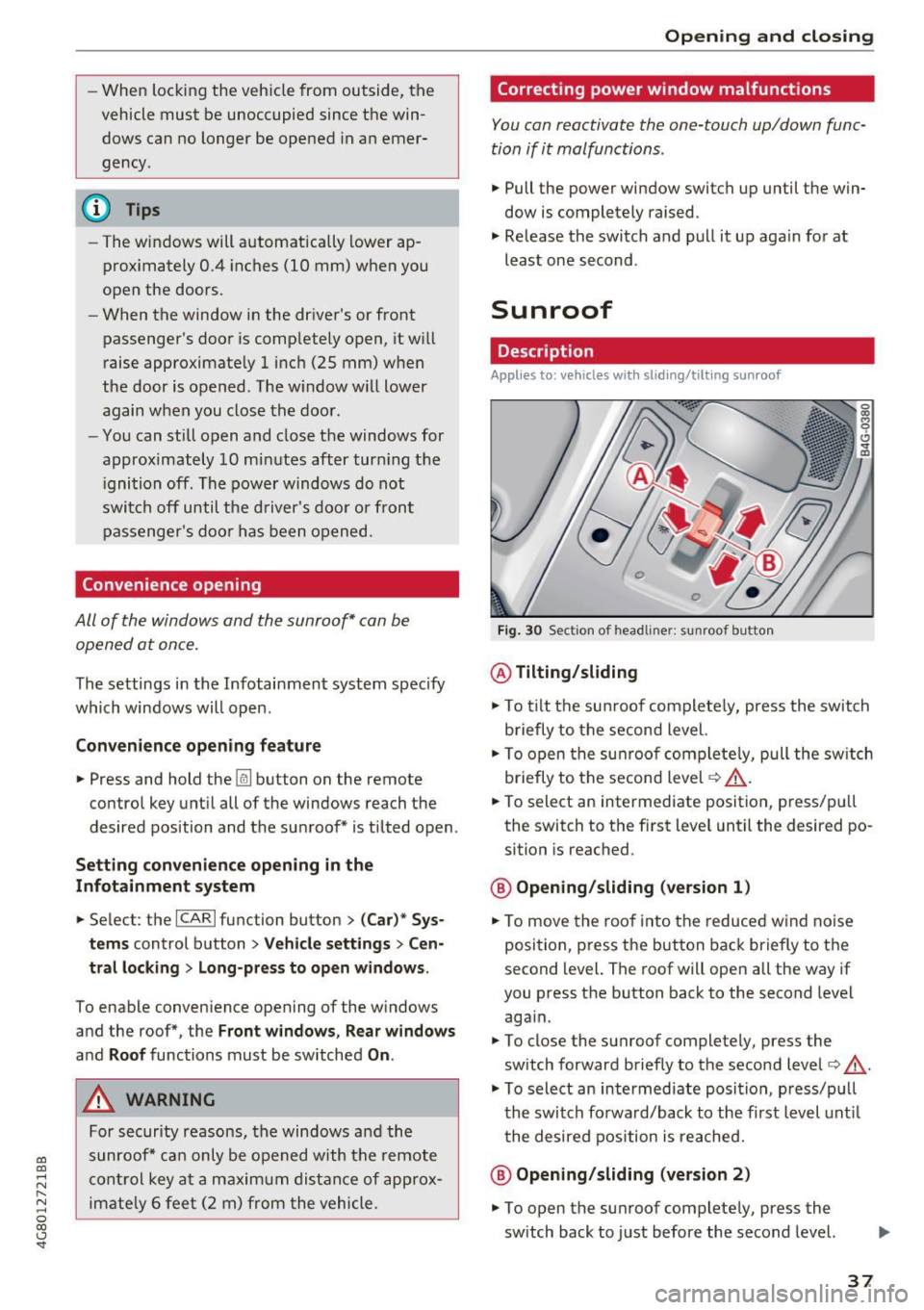
Fig. 30 Sectio n of head lin er: sunroof butto n
@ Tilting/sliding
"'To tilt the su nroof co mplete ly, press the switch
briefly to the second level.
• To o pen t he su nroof com plete ly, pull the sw itc h
briefly to the sec ond level
c:> _& .
• To select an intermedi ate position, p ress/p ull
the switch to the f irst level until the desired po
sition is reached .
@ Opening/sliding (version 1)
• To move the roo f into t he reduced w ind no ise
posi tion, p ress t he but ton back briefly to t he
second level. The roof will open all the way if
you press the b utton back to the second level
aga in.
"' To close the sunroof completely, press the
sw itch forward b riefly to the second level
c:> &.
"' To select an intermediate posi tion, p ress/p ull
t h e switch fo rwa rd/back to the first level unt il
t he de sired pos ition is re ache d.
@ Opening/sliding (version 2)
"' To open the su nroof complete ly , press the
sw itch back to just before the second level.
37
Page 43 of 284
co
co
.... N
" N .... 0
00
\.J '
lights are on and open the door, a warning
tone sounds.
- In cool or damp weather, the inside of the
headlights, turn signals and tail lights can
fog over due to the temperature difference
between the inside and outside. They will
clear shortly after switching them on. This
does not affect the serv ice life of the light
ing .
Turn signal and high beam lever
The turn signal lever operates the turn signals,
the high beams and the headlight flasher.
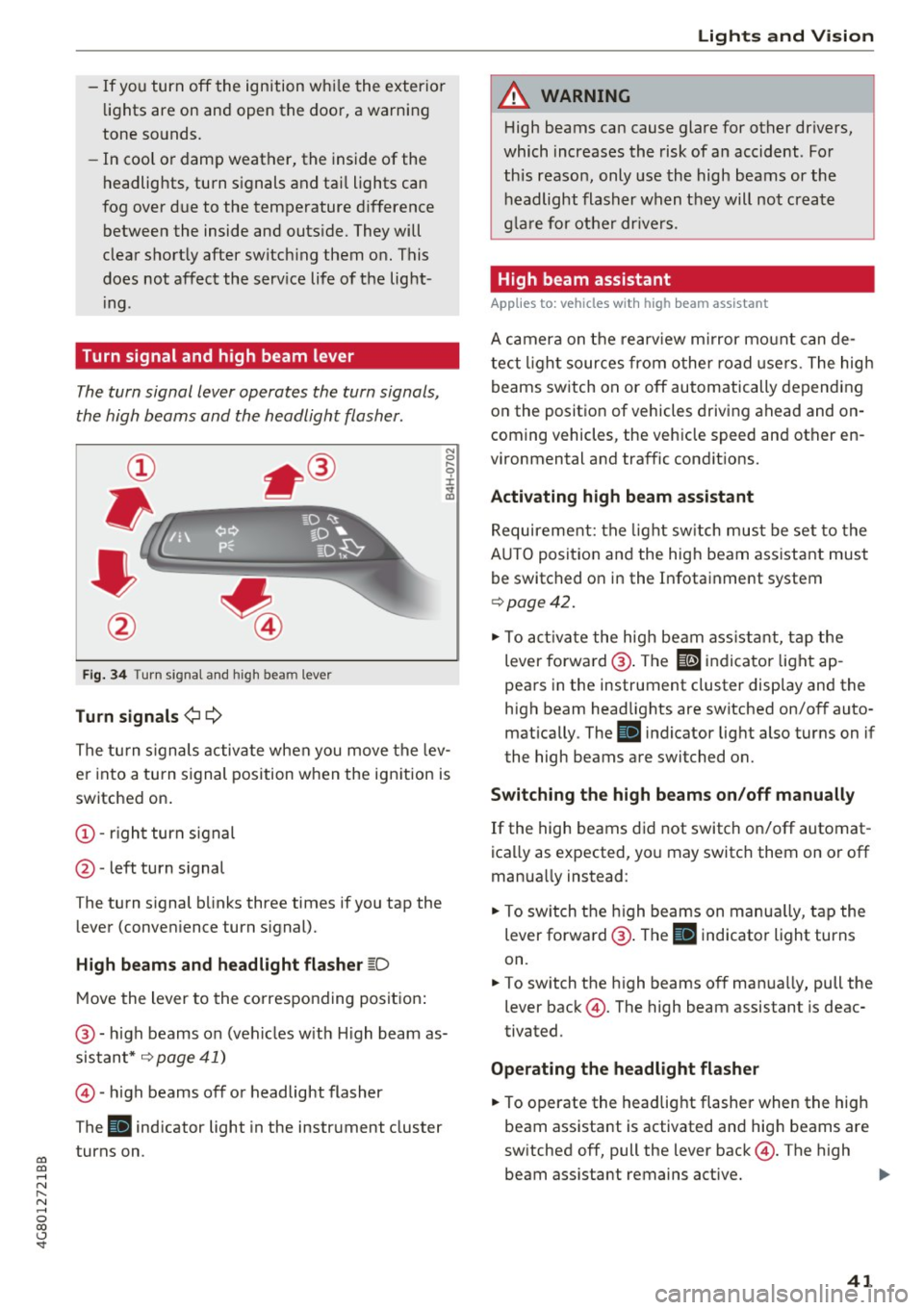
Fig. 34 Turn s ignal and h igh bea m lever
Turn signals¢¢
N
0
,-.. 0 ± .,. a,
The turn s ignals activate when you move the lev
er into a turn signal position when the ignition is
switched on.
@ -right turn signal
@ -left turn signal
The turn s ignal blinks three times if you tap the
lever (conven ience turn s ignal).
High beams and headlight flasher ~D
Move the lever to the corresponding position :
@ -high beams on (vehicles w ith H igh beam as
sistant*
~ page 41)
©-high beams off or headlight flasher
The
Bl indicator light in the instrument cluster
turns on.
Lights and Vision
A WARNING
High beams can cause glare for other drivers,
which increases the risk of an accident . For
this reason, only use the high beams or the
headlight flasher when they will not create
glare for other drivers .
High beam assistant
Applies to : vehicles wi th high beam assis tan t
A camera on the rearview mirror mount can de
tect light sources from other road use rs . The high
beams switch on or off automatically depending
on the position of vehicles driving ahead and on
coming vehicles, the veh icle speed and other en
vironmental and traffic cond it ions.
Activating high beam assistant
Requirement: the light switch must be set to the
A UTO posit ion and the high beam ass istant must
be switched on in the Infotainment system
~page 42 .
.. To activate the high beam assistant, tap the
lever forwa rd @ . The
El indicator light ap
pears in the instrument cluster display and the
high beam headlights are switched on/off auto matically . The
Bl indicator light also turns on if
the high beams are switched on.
Switching the high beams on/off manually
If the high beams did not switch on/off automat
ica lly as expected, you may switch them on or off
manua lly instead:
"' To switch the high beams on manually, tap the
lever forward @. The
Bl indicator light turns
on.
.. To switch the high beams off manually, pull the
lever back@. The high beam assistant is deac
tivated.
Operating the headlight flasher
.. To operate the headlight flasher when the high
beam assistant is activated and hig h beams are
switched off, pull the lever back@. The high
beam ass istant remains active. ..,
41
Page 44 of 284
Lights and Vision
Messages in the instrument clu ster display
Headlight a ssis t: System fault !
Drive to an authorized Aud i dealer or a uthorized
Aud i Serv ice Facility immediately to have t he
malfunct io n corrected. You can still switc h the
h igh beams on or off manually.
Headlight as sist: Unavailable No camera view
The camera view is blocked, for example by a
sticker or debris.
The senso r is located between the interior rear
view mirror and the windshield. Do not place any stickers in th is area on the windshield.
A WARNING
H igh beam assistant is only i ntended to assist
the driver . The dr iver is still responsible for
cont ro ll in g the head ligh ts a nd switc hing
t hem manually depend ing on light and v isibil
i t y condition s. It may be necessary to operate
th em m anually i n situ ations such as:
- In adve rse weathe r cond it ions s uch as fog,
he avy ra in, b low ing snow or sp raying wa te r.
- On roads w here oncoming traffi c may be
pa rtiall y obscu red, s uch as ex pressways.
- Whe n there are road users t hat do not have
s ufficient ligh ting, s uc h as bicycle rs o r
vehicles wi th dirty ta il lamps.
- In tight cu rv es and o n steep hills.
- In poorly lit areas .
- With strong reflectors , such as signs.
- If the area of the windshield near the senso r
is fogged over, dirty, icy or covered with a
sticker.
Adjusting the exterior l ighting
The funct ions are adjusted in the Infotainment
system.
~ Se lect : I CAR I functio n button> (Car) * Systems
contro l button > Vehicle settings > Exterior
light ing .
Automatic headlights
You can adj ust the fo ll ow ing settings in the Au
tomatic headlight s
menu:
42
Activation sensitivity -you can adjust if the
headlights switch on
Early , Medium or Late ac
cording to the sensit ivity of the light sensor.
Auto-dimming high beams * -yo u can switch t he
high beam assistant *
On and Off .
Daytime running lights*
USA models :
the daytime running lights can be
swi tched on/off. Select
On or Off .
Canada models:
this function cannot be sw itched
off . They act ivate automatically each time the ig
nit ion is switched on .
Coming home, Leaving home
The coming home function illuminates the area
outside the vehicle when you turn the ig nit ion off
and open the d river's door . To turn the function
o n, select
Lights when leaving car > On .
The leaving home illum inates the area outside
the vehicle when you unlock the vehicle . To turn
the function on, se lect
Lights when unlocking
car > On .
The coming home and leav ing home functions
on ly operate when it is dark and the light switch
i s in the
AUTO pos ition .
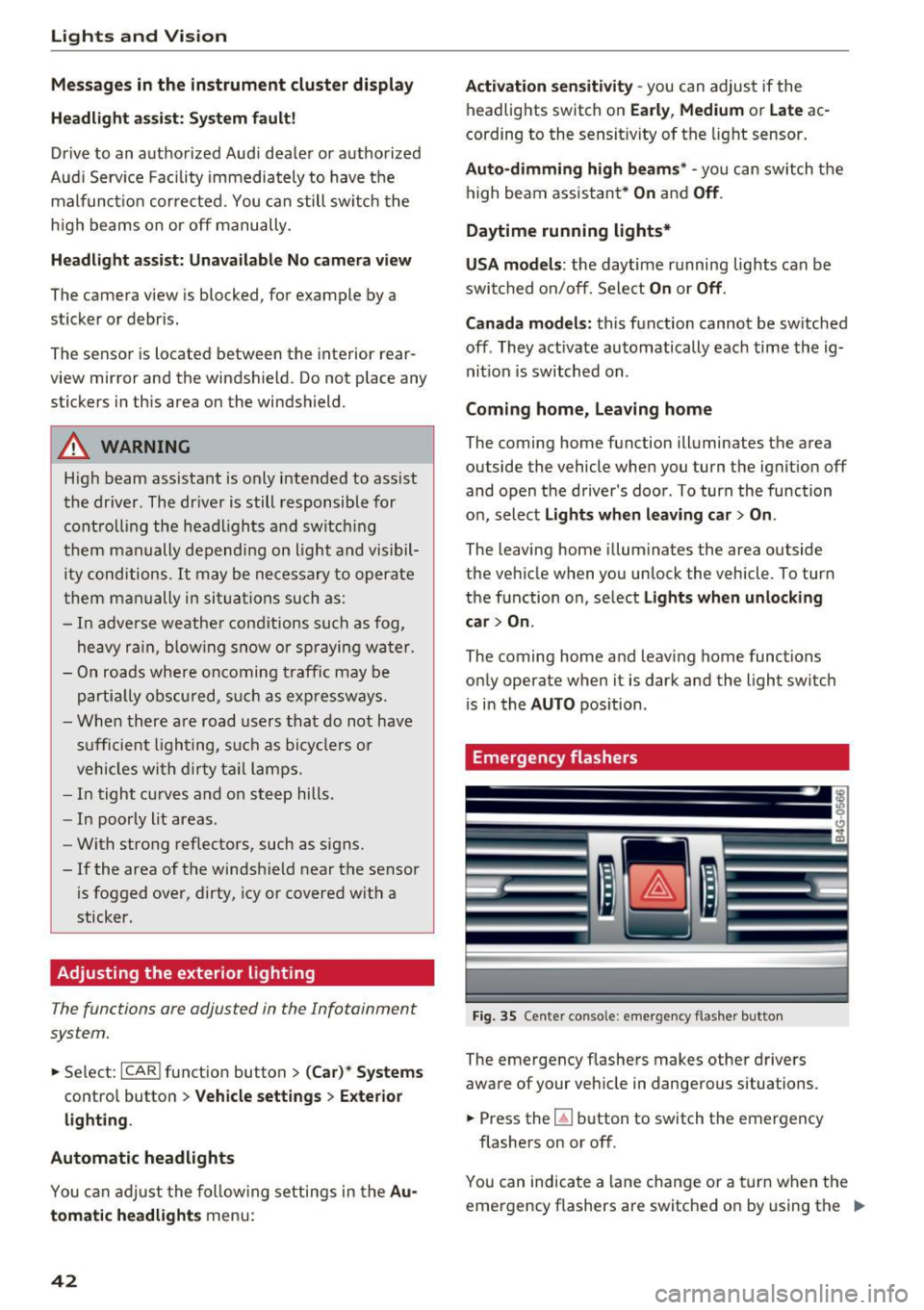
Emergency flashers
-------
Fig. 35 Cente r conso le : emergency f las her bu tton
The emergency flashe rs makes other d rivers
aware of your veh icle in dangerous situations.
~ Press the~ button to switch the emergency
flashers on or off .
You can indicate a lane change or a tur n w hen the
emergency flashers are switched o n by using the "'
Page 45 of 284
co
co
.... N
" N .... 0 co <.,;) 'SI'
turn signal lever. The emergency flashers stop
temporarily .
The emergency flashers also wo rk when the igni
tion is turned off .
Interior Lighting
Front and rear interior lighting
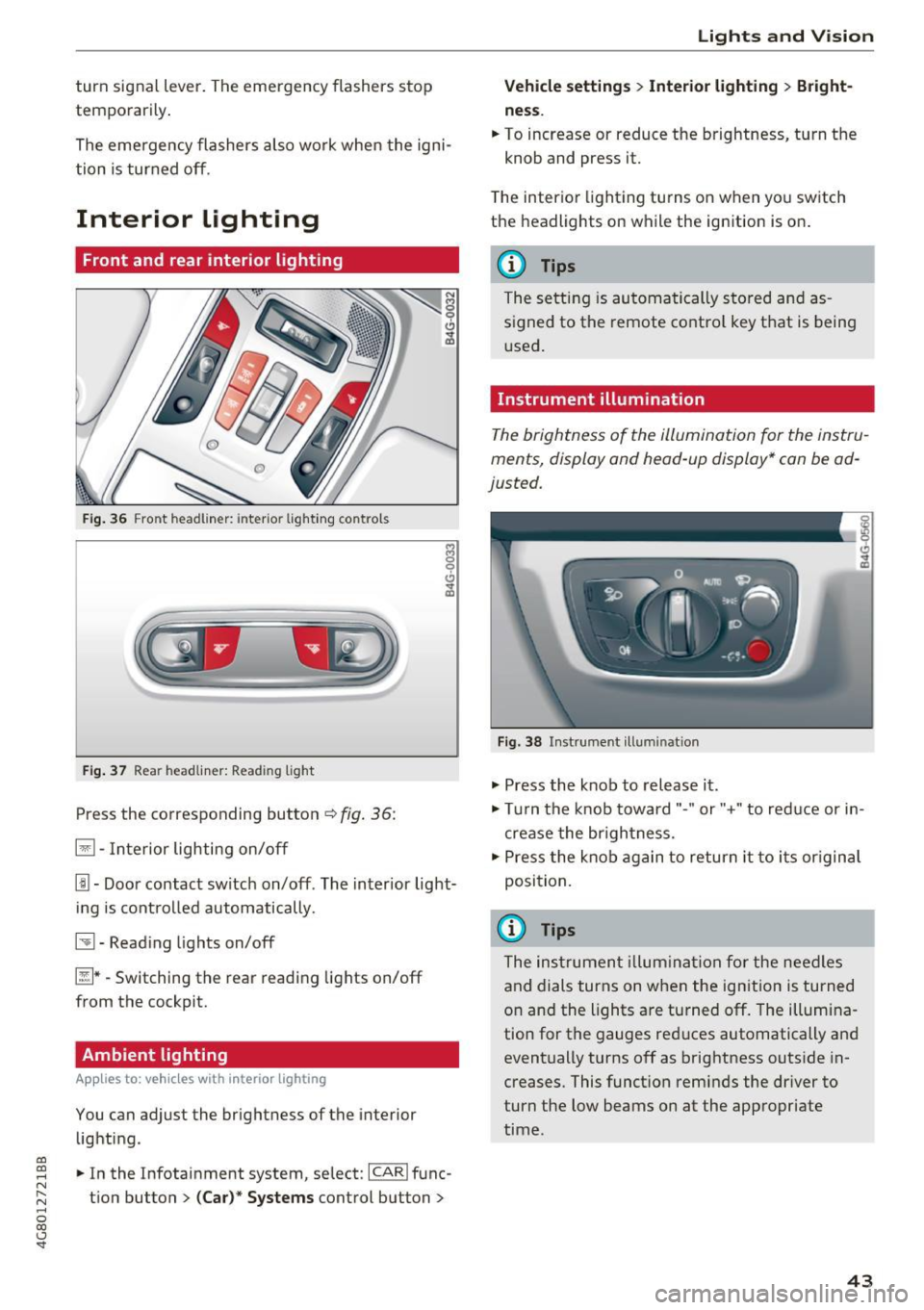
Fig. 36 Fro nt hea dliner: inter io r light ing co ntro ls
F ig. 37 Rea r headliner: Read ing light
Press the corresponding button c:::> fig . 36:
El -Interior lighting on/off
I!!-Doo r contact switch on/off . The inter ior light
i ng is cont rolled automatically.
~ -Read ing lights on/off
~ * -Switching the rear read ing lights on/off
from the cockpit.
Ambient lighting
App lies to: vehicl es with interior lighting
You can adjust the brightness of the interior
lighti ng .
.. In the Infotainment system, se lect:
ICARI func
tion button
> (Ca r)* Systems control button >
Lights and V ision
Vehicle settings > Interior lighting > Bright
ne ss .
.. To increase or reduce the brightness, turn t he
knob and press it.
T he inter ior lighting tu rns on when yo u sw itch
the headlights on while the ignition is on .
(D Tips
The setti ng is au toma tically s to red and as
s igned to the remote cont ro l key t hat is being
u sed .
Instrument illumination
The brightness of the illumination fo r the instru
ments, display and head-up display* con be ad
justed.
Fig . 38 Instrument ill um ination
"' Press the knob to release it .
"' Tur n the knob toward"-" or"+" to red uce or in
crease the br igh tness.
.,. Press the knob again to return it to i ts or igin al
posi tion.
(D Tips
The ins trumen t illum ina tion for the need les
and dials turns on when the ignition is turned
on and the lights a re turned off. The illumi na
tion for the gauges red uces automatically and
eventually turns off as brightness outside in
creases. This funct ion rem inds the dr iver to
turn the low beams on at the appropriate
time .
43
Page 50 of 284
Sea ts and stor age
Seats and storage
General information
A WARNING
Refer to c::> page 129 , Driving safety for im
portant information, tips, suggestions and
warnings that you should read and follow for
your own safety and the safety of you r pas
sengers.
Front seats
Power seat adjustment
App lies to veh icles with power adjustable seats
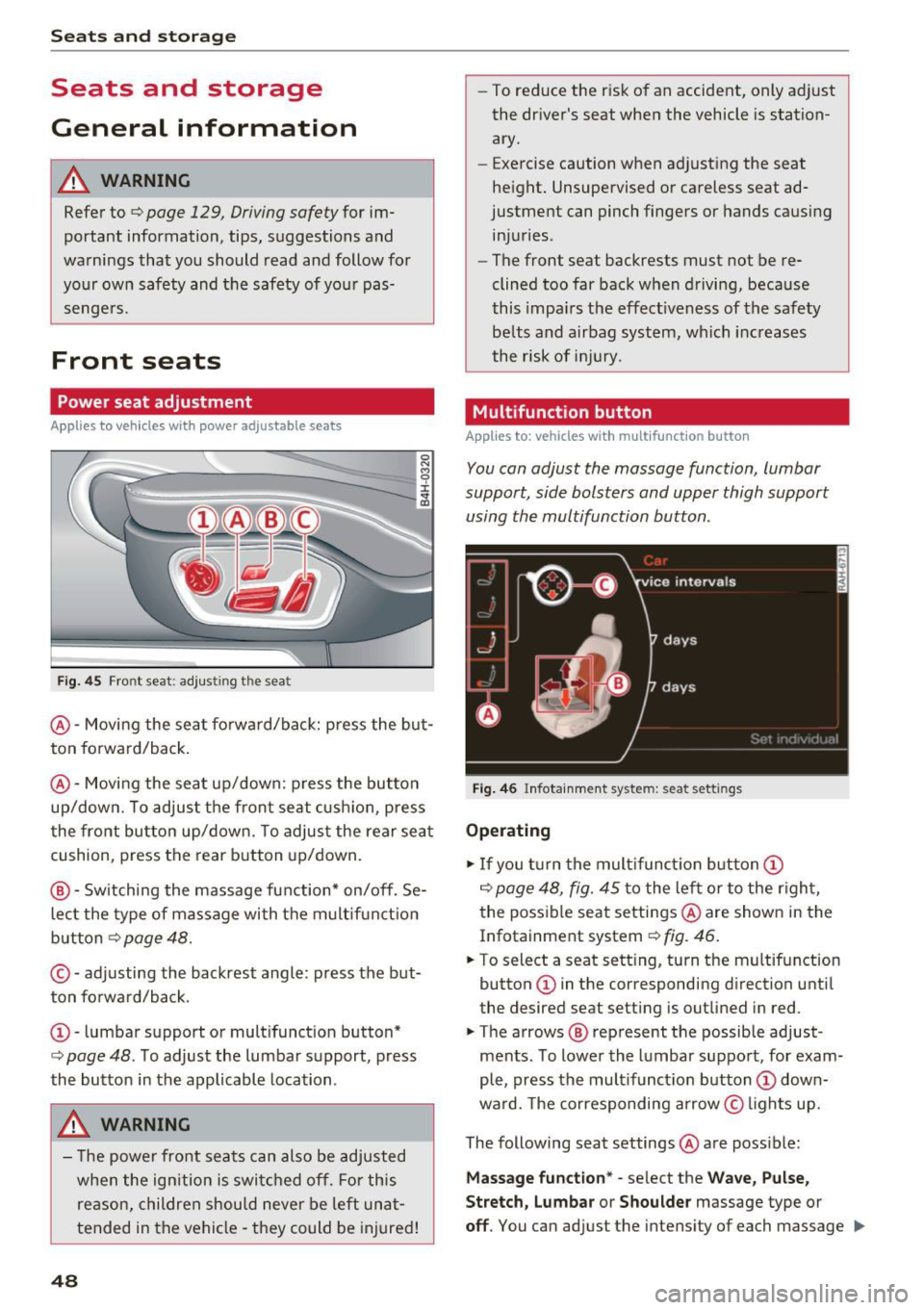
F ig. 4 5 Fro nt seat: adj ustin g the sea t
@ -Movi ng the seat fo rwa rd/back: p ress the but
ton forwa rd/back .
@ -Moving the seat up/down: press the button
up/dow n. To adjust the front seat cush ion, press
the front button up/dow n. T o adjus t the rear sea t
cushion, press the rear button up/down.
@ - Switching the massage function * on/off . Se
lec t the type of massage with the multif unct ion
button
c::> page 48.
© - adjusting the backrest angle : press the but
ton fo rwa rd/back.
CD -lumbar support or mult ifunct ion button*
c::> page 48 . To adjust the lumbar support, press
the bu tton in the applicable location .
A WARNING
- The power fro nt seats can also be adjusted
when the ign ition is swi tc h ed off. For this
reason, children should never be left una t
tended in the vehicle -they could be injured!
48
- To reduce the r isk of an accident, only adjust
the driver 's seat when the vehicle is station
ary.
- Exercise caution when adjusting the seat
height. Unsupervised or careless seat ad
justment can pinch fingers or hands causing
injuries .
- The front seat backrests must not be re
clined too far back when driving, because
this impa irs the effect iveness of the safety
be lts and airbag system, which increases
the risk of i nju ry.
Multifunction button
App lies to: vehicles wit h mult ifunct ion b utto n
You can adjust the massage function , lumbar
support, side bolsters and upper thigh support
using the multifunction button.
Fig . 46 Infotainm ent s ystem: se at settin gs
Operating
.,. If you t urn the mult ifunct ion b utton CD
c::> page 48, fig. 45 to the lef t or to the r igh t,
the poss ible seat settings @are shown in the
Infotainment system
c::> f ig . 46.
.,. To s ele ct a seat sett ing , turn the multifunction
button
CD in the corresponding direction unti l
the des ired seat setting is outlined in red .
.,. The arrows @ represent the possible adjust
ments . To lower the lumbar support , for exam
ple, press the mult ifunct ion button
CD down
ward. The corresponding arrow © lights up.
The following seat settings @are poss ible:
Ma ssa ge fun ctio n* -select the W ave, Pulse ,
Stretch, Lumbar or Shoulder
massage type or
off. You can adjust the intensity of each massage IIJ,,
Page 53 of 284

co
co
.... N
" N .... 0
00
<.,;) 'SI"
Remote Memory button control key
Driver D river Front
passen-ger
Seat X X X
Steering wheel* X X
Both
exterior X X
mirrors*
Remote control key
Applies to: vehicles with memory function
The driver's seat profile can be assigned to the
remote control key when the vehicle is locked.
• Select: the ICARI function button > (Car)* Sys
tems
control button > Vehicle settings > Driv
er's seat
> Remote control key > On .
(D Tips
If you do not wish to have the seat profile for
another driver assigned to the remote control
key, switch the memory function off in the In
fotainment system or using the
IOFFI button
r:::;,page 51.
Memory buttons
Applies to: vehicles with memory function
Fig. 51 Driver 's door: memory function buttons
The memory buttons are located in the driver's/
front passenger's* door.
Switching the memory function on/off
• Press the IOFFI button to switch the memory
function on/off. The LED in the button turns on
Seats and storage
when the memory function is off . Seat profiles
are neither stored nor recalled.
Storing a seat profile
• Press the ISET I button. When the word SET
lights up, the memory is ready to store set
tings .
• Now press a memory button briefly. A tone
confirms that the settings were stored.
Accessing a seat profile
• If the driver's door is open and the ignition is
sw itched off, press the memo ry button.
.. If the driver's door is closed or the ignition is
switched on, press and hold the memory but
ton until the seat adjustment is complete .
A WARNING
-For safety reasons, the seat setting can only
be recalled when the vehicle is stationary,
otherwise the re is a risk of an accident.
- If necessary, you can stop the recall process
by press ing the
IOFFI button or any memory
button.
Adjusting the front passenger's seat in the
Infotainment system
Applies to: vehicles with memory function
The driver can move the front passenger's seat
into various positions.
Adjusting the front passenger's seat from
the driver's seat
• Select: the I CAR I funct ion button > (Car) * Sys
tems
contro l button > Vehicle settings > Seats
> Front passenger's seat > Adjust seat posi
tion .
• You can now adjust the front passenger's seat
using the driver's seat buttons
r:::;, page 48,
fig. 45.
Align with driver's seat
• To transfer the settings from the driver's seat
to the front passenger's seat, select: the
I CAR I
function button > (Car)* Systems control but
ton
> Vehicle settings> Seats > Front passeng-
er 's seat > Align with driver 's seat. ..,.
51
Page 65 of 284

co
co
.... N
" N .... 0
00
\.J '
set to approximate ly 72 °F (22 °C).
The
IAU TOI button switches the defroster off.
IQiD REAR I Switching the rea r window defo gger
on /off
The rear window heate r o nl y operates when the
engine is running. It sw itches off automatical ly
afte r a few minutes, depend ing on the outs ide
temperature.
To prevent the rear w indow heater from switch
ing off automatically , press and ho ld the
l lliil R EAR I
button fo r more than 2 seconds . T his is stored
until the ignition is switched off.
ISYNCI Synchronization
When synchronization is switched on, the set
tings for the dr ive r's side are applied to the front
passenger's side (except fo r seat heating/ventila
tion*) . The settings in the rear are a lso synchron
ized. Synchronization switches off if the settings
are adjust ed on the front passenger's side or in
the rear .
You can synchronize the settings in a row by pressing and holding a contro l. For examp le, to
apply the s ettings for the front passeng er's side
to the d river's side, press and ho ld the contro l on
the front passenger 's side. The same applie s to
the rear .
Res idual heat *
With the ignition turned off, yo u can activate the
residual h eat function by press ing the [!] button
c:> fig. 71. The residual heat from the coolant is
used to heat the vehicle interior. The residual
heat function switches o ff au tomatically after
about 30 m inutes.
Air vents
You can open or close the cent er and rear v ents in
the cockpit and the vents in the rear center con
sole and door pillars us ing the r idged thumb
wheels. The levers adjust the direct io n of the a ir
flow from the vents .
Warm and c old
A WARNING
- You shou ld not use the recircu lation mode
for an extended period of time since no
fresh air is drawn in . W it h the air-condition
ing switched off, the windows can fog up,
which inc reases the risk of an acc ident.
- Individuals w ith reduced sensit ivity to pa in
or tempe rature could develop b urns when
using the seat heat ing f unct ion. To red uce
t he risk of i njury, these individu als sho uld
not use seat heating.
(!;) Note
To avoid damage to the heating elements in
the seats, do not knee l on the seats o r place
heavy loads on a small area of the sea t.
Basic settings
The climate control system basic settings are ac
cessed in the Infotainment system.
.,. Select: the I CAR I functio n button > (Car )* Sys -
tems
co ntro l butto n > AC.
Rear se at settings*
When this funct ion is selected, all settings for
the rear can be adjusted t hrough the climate con
trol system in the cockpit . The climate control
system settings cannot be adjusted in the rear
seat at t he same time. This f unct ion sw itches off
after a ce rtain per iod of t ime o r when one of t he
contro ls in the coc kp it is pressed.
Automatic reci rculation*
T he sensitivity level of the automatic recircula
t ion mode can be set at var ious levels from
Off to
S ensitive . Recircu lation mode is cont ro lled auto
matically. If the windows fog up , press the
I""' FR ON T! button .
Footwell temperature*
You can adjust the footwell temperature so that
it is cooler or wa rme r.
Aut omat ic auxiliar y heater *
In vehicles with diesel engines*, the auxiliary
heater helps to warm the vehicle interior more
63
Page 71 of 284

co
co
.... N
" N .... 0
00
<.,;) 'SI"
Easy seat entry
Applies to: vehicles with power steering wheel adjustment
Easy seat entry makes it easier to enter and exit
the vehicle by adjusting the steering column au
tomatically.
• In the Infotainment system, select the ICARI
function button > ( Car )* Sys te m s control but
ton
> Vehicl e setting s > Seat s > Driver's s eat >
E as y seat entry > On .
When easy seat entry is switched on , the steering
column goes back up into the park position when
the ignition is switched off . After entering the ve
h icle, the steering co lumn returns to the stored
position once the ignition is switched on.
Starting and stopping
the engine
Starting the engine
The I START E NGIN E STOP I button switches the
ignition on and starts the engine .
Fig. 76 Center conso le: STAR T ENGINE STOP button
Starting the engine
• Press the brake peda l and move the se lector
lever into the P or N position
¢ ,&..
• Press the I START ENGINE STOPI button. The
engine will start.
Applies to: vehicles with diesel engines
• It is possible that there will be a slight delay
when starting the engine in colder tempera
tu res. Therefore, you must hold the brake pedal
down until the engine starts. The indicator light
turns on while the engine is preheating
1,1 .
Drivi ng
Switching the ignition on /off
If you wo uld like to sw itch the igni tion on w ith
out starting the engine, follow these steps:
• Press the
!START E NGINE STOP ! button with
out press ing the brake peda l. Vehicles witho ut
t he Star t/Stop system*: the need le in the tach
ometer moves into the
READY position .
• To switch the ignition off, press the button
again . The needle in the tachometer moves into
the
O FF position .
T he prewarming runs automatica lly in diesel
vehicles when the ignition is switched on .
E quipment tha t uses a lot of e lectr icity is sw itch
ed off temporarily when you start the engine .
If the engine does not start immediately, the
start ing procedure stops automat ically after a
sho rt time. Repeat the s ta rting proced ure.
Start /Stop system *
Read the informat ion in¢ page 71, Start-Stop
system .
.&, WARNING
To reduce the risk of poisoning, never a llow
the eng ine to run in confined spaces .
(D Note
Avoid h igh engine speed, full throttle, and
heavy engine load if the engine has not
-
r eached operat ing temperat ure ye t. You cou ld
damage the engine.
(® For the sake of the environment
Do not let the eng ine run wh ile parked to
warm up. Beg in driving immed iate ly. Th is re
duces unnecessa ry emissions.
(D Tips
- Some noise afte r start ing the e ngine is nor
ma l and is no cause for conce rn.
- If you leave the vehicle w ith the ignition
switched on, the ignit ion w ill switch off af
ter a ce rtain amount of time. Ma ke sure that
elect rical eq uipment such as the exterior
lights are swit ched off.
69
Page 87 of 284

co
co
.... N
" N .... 0
00
<..:l 'SI"
Assist Speed warning system
Applies to: vehicles with speed warning system
The speed warning system helps you to stay un
der a specified maximum speed.
The speed warning system warns you if you are
exceeding the maximum speed that you have set.
A warning tone will sound as soon as your speed
exceeds the stored value slightly.
The . (USA models)/ . (Canada models) indi
cator light and a message appear in the instru
ment cluster display at the same time. The./
• indicator light and the message turn off if the
speed falls back below the stored maximum
speed .
Setting a threshold is recommended if you would
like to be reminded when you reach a certain
maximum speed. Situations where you may want
to do so include driving in a country with a gener
al speed limit or if there is a specified maximum
speed for winter tires.
Setting the warning threshold
The warning threshold is set in the Infotainment
system.
.. Select: the
ICARI function button > (Car)* Sys
tems control button > Driver assistance >
Speed warning.
@ Tips
Regardless of the speed warning system, you
should always monitor your speed using the
speedometer and make sure you are following
the legal speed limit.
Assist
Cruise control system
Switching on
Applies to: vehicles with cruise control system
The cruise control system makes it possible to
drive at a constant speed starting at 20 mph (30
km/h) .
0
g M 0 :i:
f
... m
®t
0
Fig. 86 Operating leve r: cru ise cont rol system
.. To switch the cruise control on, pull the lever
into position @~ fig. 86.
.. Drive at the speed to be maintained .
.. To store the speed, press the button @.
Th e stored speed and the
[lljlfJ~il (USA models) /
l'I (Canada models) indicator light are displayed
in the instrument cluster.
T his information is also shown briefly in the
Head-up display* .
The speed is maintained by modifying engine
power or through an active brake intervention.
A WARNING
-Always pay attention to the traffic around
you when the cruise control system is in op
eration . You are always responsible for your
speed and the distance between your vehi
cle and other vehicles.
- For safety reasons, cruise control should not
be used in the city, in stop-and-go traffic, on
winding roads and when road conditions are poor (such as ice, fog, gravel, heavy ra in and
hydroplaning), because this inc reases the
risk of an accident.
- Switch the cruise control off temporarily
when dr iv ing in turning lanes, highway exits
-
or in construction zones . ~
85
Page 97 of 284

co
co
.... N
" N .... 0
00
\.J '
You can switch the braking guard and the dis
tance/approach warning on or off in the Infotain
ment system
c::, page 95 , Settings in the Info
tainment system.
A WARNING
Lack of attention can cause collisions, other
accidents and serious personal injuries. The
braking guard is an assist system and cannot
prevent a collision by itself. The driver must
always intervene . The driver is always respon
sible for braking at the correct time.
- Always pay close attention to traffic , even
when the braking guard is switched on . Be
ready to intervene and be ready to take
complete control whenever necessary. Al
ways keep the safe and legal distance be
tween your vehicle and vehicles up ahead.
- Braking guard works within limits and will
not respond outside the system limits, for
example when approaching a stopped vehi
cle or stationary obstacle (end of a traffic
jam or vehicle that has broken down in traf
fic).
- Always remember that the radar sensor for
the braking guard works only within defined
detection and range limits that may prevent
the proper detection of other vehicles .
- The radar sensor's function and range can
be reduced by rain, snow and heavy spray.
Moving vehicles up ahead may not be
promptly detected or may not be detected
at all.
- Reflective surfaces including crash barriers
or tunnel entrances may impair the function
of the radar sensor.
{!) Tips
- You can cancel the braking with increasing
force that is initiated by the system by brak
ing yourself, by accelerating noticeably or
by swerving.
- Keep in mind that braking guard can brake
unexpectedly. Always secure any cargo or
objects that you are transporting to reduce
the risk of damage or injury .
Assist
Settings in the Infotainment system
Applies to: vehicles with Audi adaptive cruise control
.,. Select: the I CAR! function button > (Car)*Sys·
terns
control button > Driver assistance > Audi
braking guard.
System -
Switch the braking guard On/Off. When
you switch the ignition on, the message
Braking
guard: Off
appears if the system is switched off.
Early warning -The distance and approach warn
ings in the display can be switched
On/Off.
(D Tips
- Your settings are automatically stored and
assigned to the remote control key being
used.
- If you restrict or switch off the ESC, the
braking guard also switches itself off
¢ page 121 .
-Switch braking guard off when you are load
ing the vehicle onto a vehicle carrier, train,
ship or other type of transportation. This
can prevent undesired warnings from the
braking guard system.
Messages
Applies to : vehicles with Aud i adapt ive c ru ise control
Braking guard: Off
This message appears if the system is switched
off through the Infotainment system. Otherwise,
if the system is turned off, the information ap
pears every time shortly after the start of the
trip .
The message also appears if the system is not
available due to a malfunction or if the ESC is
switched
off ¢page 121. If this is the case, the
system will not provide warnings about a possi
ble collision.
Braking guard: engaged
This message appears if a sharp brake pressure
was applied due to an acute warning .
ACC: unavailable
ACC and Audi braking guard: Unavailable
95