window AUDI A7 2018 User Guide
[x] Cancel search | Manufacturer: AUDI, Model Year: 2018, Model line: A7, Model: AUDI A7 2018Pages: 274, PDF Size: 42.77 MB
Page 62 of 274
Warm and cold
The maximum amo unt of air flows ma inly from
the vents below the windshield. Recircu lation
mode switches off . The temperature should be
set to approximately 72
°F (22 °() .
The IAUTO I button switches the defroster off .
IClill REAR I Switching the rear window defogger
on /off
T he re a r window heate r on ly operates when t he
engine is r unning . It sw itches of f automat ica lly
afte r a few minutes, depe nding on the outs ide
temperature .
T o preven t the rear w indow hea ter from swit ch
i n g off automatically, p ress and ho ld the
I Qiil REARI
button fo r more than 2 seconds . This is stored
until the ignit io n is switched o ff.
[i] Adjusting seat heating*
P ress ing t he b utton swi tches the se at heati ng on
at the highes t set ting (level 3). The LEDs indicate
the tempe ra tu re level. To reduce the tempera
ture, press the button again. To switch the seat heating off, press the butto n repeatedly until the
LED turns off.
After 10 minutes, t he seat hea ting au tomatically
sw itches from leve l 3 to leve l 2 .
4-zone deluxe automatic climate control
A pp lies to: ve hicles with 4-zo ne deluxe auto matic cl imate cont rol
Air vents
You can open o r close the center and re a r ve nts in
t h e co ckpit and the vents in the rear center con
so le using the ridged thumbw heels . The leve rs
adjust the direction of the airflow from the vents .
.&_ WARNING
- You sho uld not use the recirc ulation mode
for an extended period of time since no
fresh air is drawn in . W ith the air-condition
ing sw itched off, the windows can fog up,
which inc reas es th e risk of an acc ident.
- Individ uals with red uced sensit iv ity to pa in
or temperature could develop b urns when
using the seat h eating f unction. To re duce
t he risk of injur y, t hese i ndividu als s ho uld
no t u se se at h eating .
(D Note
To avoid damage to the hea ting elements in
th e se ats , d o no t kne el on th e seats or place
h eavy lo ad s on a small a rea of the se at.
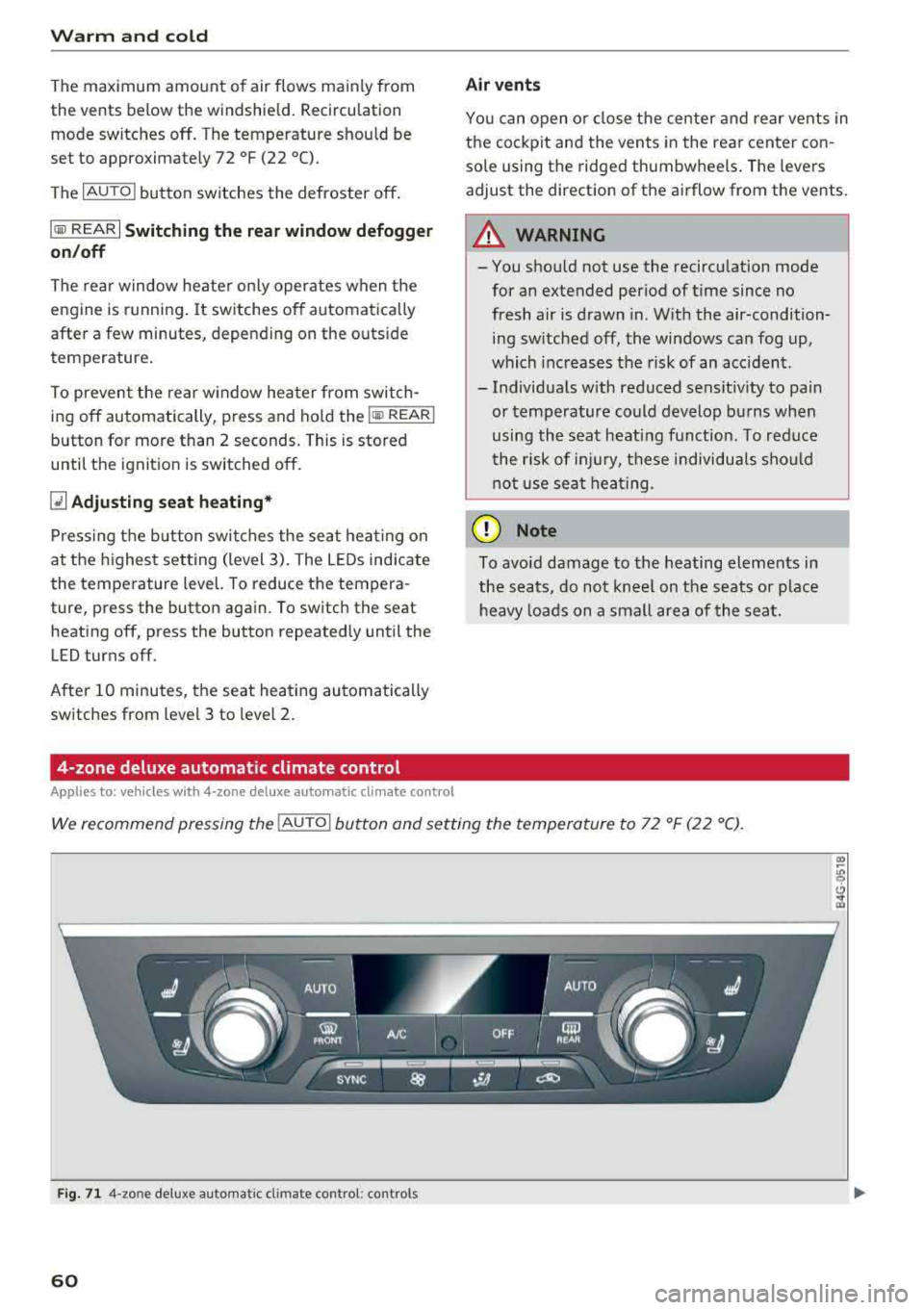
We recommend pressing the !AU TO I button and se tting the temperatu re to 72 ° F (2 2 °C).
Fig. 71 4-zo ne deluxe a uto mat ic cl imate contro l: cont rols
60
Page 63 of 274
a co .... N
" N .... 0 00 \.J '
rear contro ls
N :g 0 C)
" a,
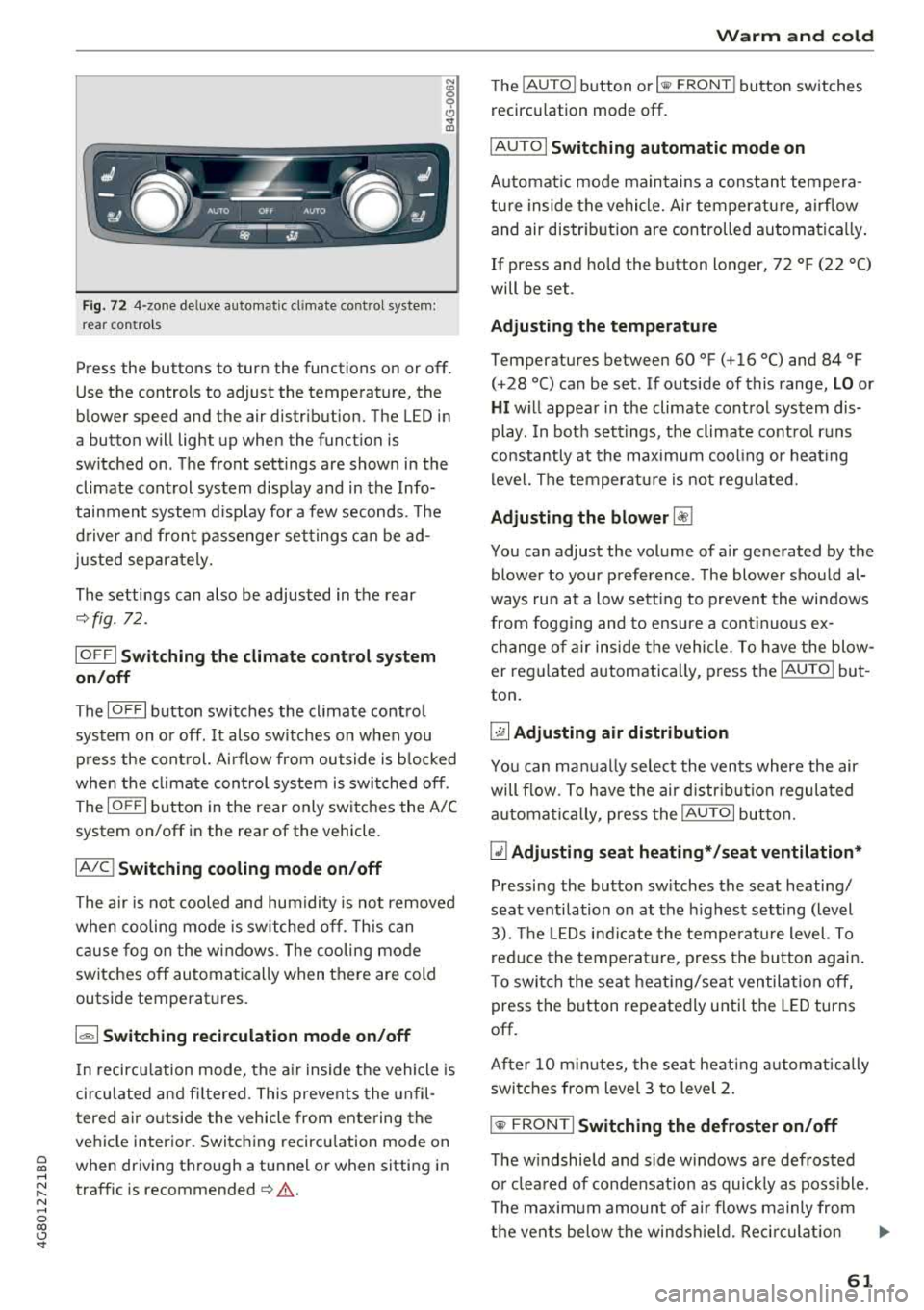
Press the buttons to turn the functions on or off .
Use the controls to adjust the temperature, the
blower speed and the air distribution. The LED in
a button will light up when the function is
sw itched on . The front sett ings are shown in the
climate control system display and in the Info
tainment system d isp lay for a few seconds. The
d river and front passenger sett ings can be ad
justed separately.
The settings can also be adjusted in the rear
~ fig. 72.
IO FF I Sw itching the clim ate control s ystem
on /off
The IO FFI button switches the cl imate control
system on or off. It also sw itches on when you
p ress the cont rol. A irflow from outside is b locked
when the climate con trol system is switched off .
The
IOF FI button in the rear only switc hes the A/C
system on/off in the rear of the vehicle .
IAJCI Switching cooling mode on /off
The a ir is not cooled and hum idity is not removed
when cooling mode is switched off. This can
cause fog o n the w indows . The cooling mode
switches off automatically when there are cold
outside temperatures.
1 "9:) 1 Switching recirculation mode on /off
In recircu lation mode, the a ir inside the vehicle is
circu lated and fi ltered. This preven ts the unfil
t ered a ir outside the vehicle from ente ring the
ve hicle interior. Switc hing recircu lation mode on
when driving t hrough a tunnel or when sitting in
traffic is recommended
~ .&. .
Warm and c old
The IAUTO I button or I llW F RONT I button switches
recircu lation mode off.
IAUTOI Switching automatic mode on
Automat ic mode maintains a constant tempera
tu re inside the vehicle. Air temperatu re, a irflow
and air distr ibut ion are controlled automa tica lly .
If press and hold the button longer,
72 °F (22 °C)
will be set .
Adjusting the temperature
Temperatures between 60 °F (+ 16 °() and 84 °F
(+28 °() can be set . If outside of this range, LO or
HI w ill appea r in the climate control system dis
play . In bot h sett ings, the climate cont rol runs
constantly at the max imum cool ing or heat ing
level. The temperat ure is no t regu lated.
Adjusting the blower ~
You can adjust the volume of a ir generated by the
blower to your preference . T he blower should al
ways ru n at a low sett ing to prevent the windows
from fogg ing and to ensure a cont inuo us ex ·
ch ange of air inside the vehicle. To have th e blow
er reg ulated automatically , press t he
IAU TO I but
ton .
~ Adjusting air distribution
You can ma nually select the vents where the air
will flow. To h ave the air d istr ib utio n regula ted
a utomat ica lly, press the
IAUTOI button.
~ Adjusting seat heating* /seat ventilation *
Pressing the button sw itches the seat heating/
seat venti lation o n at the h ighest sett ing (level
3). The LE Ds i nd icate the tempe ratu re level. To
r ed uce the temperat ure, press the b utton agai n.
T o switc h the seat heat ing/seat ventilation off,
press the button repeatedly unti l the LED turns
off.
After
10 m inutes, the seat heat ing automat ically
switches from level 3 to level 2.
l
T he w indshield and side windows a re defrosted
o r clea red of condensat ion as quickly as poss ible.
T he maxim um amount of a ir flows mainly from
t h e vents below the winds hield. Rec ircu lat io n
..,..
61
Page 64 of 274
Warm and cold
mode switches off . The temperature shou ld be
set to approximate ly 72 ° F (22 °C).
The
IAUTOI button sw itches the defroster off.
IQill REAR I Switching the rear window defogger
on /off
The rear window heate r on ly operates when the
e ng ine is r unni ng.
It sw itches off a utomat ica lly
afte r a few minutes, depend ing on the o utside
temperature .
To prevent the rear w indow heater from swit ch
i n g off automatically, p ress and ho ld the
l lliil REAR I
button fo r more than 2 seconds . This is s tored
until the ignition is switched off.
I SYNC I Synchronization
When synchronization is switched on, the set
tings for the dr ive r's side are appl ied to the front
p a ssenger's s ide (except for se at heating/ventila
tion*) . The settings in t he rear are a lso synchron
ized. Synchronization switches off when the set
tings are adj usted individually for the front pas
senger 's side or for the rear.
You can sync hronize the settings in a row by
p ressing and holding a contro l. For example, to
app ly the settings for the front passenger 's side
to the driver's side, press and ho ld the contro l on
the front passenger's side. The same applies to
the rear .
Residual heat *
With the ignition turned off, yo u can activate the
residual heat function by pressing the
Iii button
c:> fig. 71. The residual heat from the coolant is
used to heat the vehicle interior. The residual
heat function switches off automatically after
about 30 m inutes .
Air vents
You can open or close the center and rear vents in
the cockpit and the vents in the rear center con
sole and door p illars using the r idged thumb
wheels . The levers adjust the direct ion of the a ir
flow from the vents .
62
A WARNING
-You shou ld not use the recircu lation mode
for an extended period of time since no
fresh air is drawn in . W it h the air-condition
ing sw itched off, the windows ca n fog up,
whi ch inc reases the risk of an acc ident.
- Individ uals w ith reduced sensit iv ity to pa in
or tempe rature co uld develop b urns when
using the sea t heat ing f unct io n. T o re duce
t he r isk of injury, t hese individua ls sho uld
no t u se sea t hea ting.
@ Note
T o avoid damage to the heating elements in
the seats, do no t knee l on t he se ats o r pla ce
h eavy lo ads on a small area of the seat.
Basic settings
The climate control system basic settings are ac
cessed in the Infotainment system.
~ Select: the I CARI funct ion button > (Car )* Sys-
tems
contro l butto n > AC.
Rear seat settings *
When this function is se lected, all settings for
the rear can be adjusted through the climate con
trol system in the cockp it . T he climate control
system settings cannot be ad justed in the rear
seat at the same time. This f unct io n sw itches off
after a ce rtain per iod of t ime o r whe n one of t he
con tro ls in t he coc kp it is pressed.
Automatic recirculation*
The sensitivity level of t he automatic recircula
tion mode can be set at various levels from
Off to
Sen sitive . Recircul at io n mode is cont ro lled auto
matically. If the w indows fog up, p ress t he
l
Footwell temperature*
You can adjust the footwell temperature so that
i t is cooler or wa rme r.
Page 68 of 274

Driving
When not being used, a roof rack should be removed to decrease the wind resistance of the ve
hicle. You will save approximately 12% of your
fuel when at speeds from 62- 7 5 mph
(100-120 km/h) .
Save energy
The engine drives the generator, which generates
electricity ; the fuel consumption also increases
with the demand for electricity. Therefore, switch electrical equipment off when you no longer
need it. Examples of equipment that uses a lot of
energy are air blowers at a high setting, the rear
window defogger and seat heating* .
@ Note
Do not leave engine idling unattended after
starting. If warning lights should come on to
ind icate improper operation, they would go
unheeded. Extended idling also produces
heat, which could result in overheating or
other damage to the vehicle or other proper-
ty.
@ Note
- Have your vehicle maintained properly and
in accordance with the service recommenda
tions in your Warranty
& Maintenance book
let. Lack of proper maintenance as well as
improper use of the vehicle will impair the
function of the emission control system and
could lead to damage.
- Do not alter or remove any component of
the Emission Control System unless ap proved by the manufacturer .
- Do not alter or remove any device , such as
heat shields, switches, ignition wires,
valves, which are designed to protect your
vehicle's Emission Control System and other important vehicle components .
@ Tips
The consumption estimates as published by
ENVIRONMENTAL PROTECTION AGENCY (EPA) and Transport Canada may not corre
spond to your actual consumption on the
road, which will vary depending upon vehicle
66
load and speed, road and weather conditions ,
trip length, etc.
Steering
Manual steering wheel position adjustment
Applies to: vehicles with manual steering wheel adjustment
The steering wheel posi tion is adjustable up and
down and forward and back .
Fig. 74 Lever on th e stee ring column
.,. Pull the lever in the direction of the arrow
~A -
... Bring the steering wheel into the desired posi
tion .
.,. Push the lever against the steering column un
til it is secure.
A WARNING
Improper use of steering wheel adjustment
and improper seating position can cause seri
ous personal injury.
-Adjust the steering wheel column only when
the vehicle is not moving to prevent loss of
vehicle control.
-Adjust the driver's seat or steering wheel so
that there is a minimum of 10 in (25 cm)
between your chest and the steering wheel
~page 130, fig. 140 . If you cannot main
tain this minimum distance, the airbag sys
tem cannot protect you properly .
- If physical limitations prevent you from sit
ting 10 in (25 cm) or more from the steer
ing wheel, check with your authorized Audi
dealer to see if adaptive equipment is avail-
able.
.,.
Page 71 of 274

a co .... N
" N .... 0 00 \,;J '
I START ENGINE STOPI button and also press the
brake pedal.
A WARNING
- Never turn off the engine before the vehicle
has come to a complete stop. The full func
tion of the brake booster and the power
steering is not guaranteed. You may need to
use more force when braking or steering.
Because you cannot brake and steer as you
usually would, this could lead to accidents
and serious injuries.
- Always take the key with you whenever you
leave your vehicle. Otherwise, the engine
could be started or electrical equipment
such as the power windows could be operat
ed. This can lead to serious injury.
- For safety reasons, always park the vehicle
with the selector lever in the P position.
Otherwise, there is the risk that the vehicle
could roll unintentionally.
@ Note
If the engine has been under heavy load for
an extended period of time, heat builds up in
the engine compartment after the engine is
switched off and there is a risk of damaging
the engine. For this reason, let the engine run
at idle for approximately two minutes before
shutting it off.
(D Tips
For up to 10 minutes after stopping the en
gine, the radiator fan may turn on again auto
matically or it may continue to run (even if
the ignition is switched off) for the following
reasons:
- The coolant temperature is increasing due
to trapped heat.
- If the engine is warm and the engine com
partment also heats up from strong sun
light.
- Applies to: vehicles with particulate filter:
The emissions control system is heated
through the regeneration process, even if
the engine has not reached its operating
temperature yet.
Driving
Messages
Turn off ignition before leaving car
This message appears and a warning tone sounds if you open the driver's door when the ignition is
switched on.
Press brake pedal to start engine
This message appears if you do not press the
brake pedal when starting the engine.
fll Is key in the vehicle?
This indicator light turns on and this message ap
pears if the ignition key was removed from the
vehicle when the engine was running. If the igni
tion key is no longer in the vehicle, you cannot
switch on the ignition or start the engine once
you stop it. You also cannot lock the vehicle from
the outside.
Shift to P, otherwise vehicle can roll away.
Doors do not lock if lever is not in P.
This message appears for safety reasons if the
transmission is not in the P position when you
switch the ignition off. Move the selector lever to
the P position. Otherwise the vehicle is not pro
tected from rolling and it cannot be lock ed.
II Key is not recognized. Hold back of key
against marked area. See owner's manual
If the indicator light turns on and this message
appears, there is a
malfunction ~ page 70.
Turn off ignition before leaving car. Battery is
discharging
This message appears if the driver's door is opened while the ignition is switched on. Always
switch off the ignition if you are leaving the vehi
cle. Also see
~ page 71 .
Shift to P and turn off ignition before leaving
car, otherwise vehicle can roll away
This message appears if the driver's door is
opened while the ignition is switched on and the
selector lever is not in the P position . Move the
selector lever into the P position and switch the
ignition off when you exit the vehicle . Otherwise
the vehicle could roll. Also see
~ page 71 .
69
Page 75 of 274

a co .... N
" N .... 0 00 \,;J '
Requirement: the driver's door must be closed,
the driver's safety belt must be latched and the
parking brake must be set.
.,. To start driving and release the parking brake
automatically, press the accelerator pedal as
usual.
In addition to releasing the parking brake auto
matically, other convenience and safety functions
are available when you start driving
¢page 74,
Starting to drive.
Preventing the automatic parking brake
release
The vehicle could begin rolling unintentionally,
depending on the hill or if towing a trailer.
.,. To prevent the parking brake from releasing au
tomatically, pull and hold
the(®) switch and
press the accelerator pedal. The parking brake
remains set and prevents the vehicle from roll
ing backward.
.,. You can release the C®l switch again once you
are sure that you are giving enough driving
force to the wheels by pressing the accelerator pedal.
Emergency braking function
You can use the emergency braking function in an
emergency situation, or if the standard brake op
eration malfunctions or is disabled.
.,. Pull and hold the®) switch.
.,. As soon as you release the (®) switch or acceler-
ate, the braking stops.
Pulling and holding the
C®) switch while driving
the vehicle activates the emergency braking func
tion. The vehicle is braked at all four wheels by
activating the hydraulic brake system. The brak ing effect is similar to heavy
braking¢&_ .
To reduce the risk of activating the emergency
braking by mistake, a warning tone (buzzer)
sounds when
the®> switch is pulled. Emergency
braking stops as soon as
the®) switch is released
or the accelerator pedal is pressed.
Parking
.,. Press the brake pedal to stop the vehicle.
Driving
.,. Pull the®> switch to set the parking brake .
.,. Place the selector lever in the P position.
.,. Turn the engine off¢&_ .
.,. Turn the steering wheel when parking on in
clines so that the wheels will roll into the curb
if the vehicle starts moving.
A WARNING
-
- Do not press the accelerator pedal inadver
tently if a gear is selected when the vehicle
is stationary and the engine is running. Oth
erwise, the vehicle will start to move imme
diately and this could result in an accident.
- Emergency braking should only be used in
an emergency, when the normal brake pedal
has failed or the brake pedal is obstructed.
During emergency braking, your vehicle will
brake similar to heavy braking. ESC and the
associated components (ABS, ASR, EDL)
cannot overcome the laws of physics . In cor
ners and when road or weather conditions
are bad, a full brake application can cause
the vehicle to skid or the rear end to swerve,
which
increases the risk of an accident.
- If the power supply fails , you cannot set the
parking brake if it is released . In this case,
park the vehicle on level ground and secure
it by placing the selector lever in the P posi
tion. See an authorized Audi dealer or au
thorized Audi Service Facility for assistance.
- Always take the vehicle key with you when
leaving your vehicle, even for a short period
of time. This applies particularly when chil
dren remain in the vehicle. Otherwise chil
dren could start the engine, release the
parking brake or operate electrical equip
ment such as power windows, which in
creases the risk of an accident .
- No one should remain in the vehicle when it
is locked - especially children . Locked doors
make it more difficult for emergency work
ers to get into the vehicle, which puts lives
at risk.
(D Tips
When stopping at a traffic signal or stopping
in city traffic, you can set the parking brake
manually . The vehicle does not have to be
73
Page 97 of 274

a co .... N
" N .... 0 00 \,;J '
be lt.
Door open
The adaptive cruise co ntrol system cannot sw itch
on w hen a door is open .
Stationary object ahead
This message appears if you would like to switc h
adaptiv e cruis e control on and there is a station
ary object or obstacle directly ahead of your vehi
cle .
Audi pre sense
Preventative passenger protection
Applies to: vehicles with Audi pre sense
P re sense can initiate steps to protect vehicle oc
cupants in certain dangerous situations. The
functions described are availab le depending on
ve hicle equ ipment:
Pre s ense basic*
The fo llow ing func tions can be t rigge red in cer
tain driving si tuations:
- T ension ing of the safety belts (for example,
dur ing heavy bra kin g): the fro nt safety belts
have reve rsible bel t tensione rs. If a coll is io n
does not occur, the sa fety be lts loosen slightly
and are ready to trigger again.
- C losing the w indows and the su nroo f* (for ex
amp le, when over -or understeer ing) : the win
dows and t he sunroof * close until there is only
a small gap open .
The funct io n of the p re sense basic is act ivated at
a speed of 20 mph (3 0 km/h) or hig her .
Dr ive se lect : t h e deployment time is adapted in
Dynami c mode.
Pre sense front (vehicles with adaptive cruise
control*}
Pr e sense front contains the f unct ions of p re
se nse bas ic. I n add it ion, the likelih ood of a rear
e nd collis ion with the veh icle ahead is also calc u
l ated, withi n the limits of the system.
If the risk
of a collision is detected, t he fo llowing functions
can trigger :
Ass istance systems
- Braking g ua rd r::!> poge 92
- Tensioning o f the safety bel ts
- Clos ing the wi ndows a nd the s unroof *
Pre sense rear (vehicles with side a ssist*}
Pre sense rear contains the funct ions of pre sense
basic . In addition, the likelihood of a rear-end
collision from the vehicle behind is also calcu lat
ed, within the limits of the system . If the r isk of a
c ollision is detec ted, t he follow ing f unct ions can
t rigge r:
- Tensioning of the safety belts
- Closing the windows and the sunroof *
Pre sen se plus *
Pre sense plus contains t he f unctions of pre
sense front and pre sense rea r.
Error message
Audi pre sense : Unavailable
Preventative passe nger protect ion is not ava ila
ble . D rive to an a utho rized Aud i deale r or autho r
i zed Audi Se rvice Facility immed iate ly to have the
malfu nction corrected.
_&. WARNING
Pr e sense c annot overcome n atural p hys ical
l aws . It is a system des igned to assist and it
ca nnot prevent a co llision. Do not let the in
creased safety p rovided tempt yo u into tak ing
risks. This could inc rease your ris k of a co lli-
sion.
- The system can dep loy incorrectly .
- Please note that the sensors do not a lways
detect a ll objects . T hi s increases the r isk o f
a co llision.
- Pre sense does not react to peop le or ani
mals or objects that are cross ing the vehi
cle's path o r are diffic ult to detect
r::!>poge 87.
- Reflective objects such as g uard ra ils o r the
e ntrance to a tunnel, heavy ra in and ice can
affect the funct ion of the rada r senso rs and
-
the system's ab ility to de tect a collision risk . ~
95
Page 103 of 274

a co ..... N
" N ..... 0 00 <..:l '
behind very quickly. The display may not
turn on in time.
- In poor weather conditions such as heavy
rain, snow or heavy mist.
- On very wide lanes, in tight curves, or if
there is a rise in the road surface. Vehicles
in the adjacent lane may not be detected
because they are outside of the sensor
range.
- Audi side assist cannot detect all vehicles
under all conditions, which can increase the
risk of accidents.
- Please note that side assist only displays ap
proaching vehicles or vehicles in your blind
spot if your vehicle is traveling at least 19 mph (30 km/h).
- In certain situations, the system may not
work or its function may be limited . For ex
ample:
- The display may not turn on at the right
time if vehicles are approaching or passing
very quickly.
- In poor weather conditions, such as heavy
rain, snow or fog.
- In very wide lanes, in tight curves or when
there are slopes in the roadway, vehicles
in the neighboring lanes may not be de
tected because they are outside of the
sensor range .
(D Note
The sensors can be displaced by impacts or
damage to the bumper, wheel housing and
underbody. This can impair the system. Have
an authorized Audi dealer or authorized Audi
Service Facility check their function.
(D Tips
- If the window glass in the driver's door or
front passenger's door has been tinted, the
display in the exterior mirror may be incor
rect.
- For an explanation on conformity with the
FCC regulations in the United States and the
Industry Canada regulations, see
¢page 258.
Assistance systems
Switching on and off
Applies to : veh icles w it h Audi s ide ass ist
Fig. 108 Driver 's door : side assist button
.,. Press the button to switch the system on and
off ¢.&. in General information on page 100 .
The LED in the button turns on when side assist
is switched on.
Adjusting the display brightness
App lies to: veh icles w ith Audi s ide ass ist
The display brightness can be adjusted in the In
fotainment system .
.,. Select: the I CARI function button > (Car)* Sys
tems control button > Driver assistance > Audi
side assist .
The display brightness adjusts automatically to
the brightness of the surroundings, both in the
information and in the warning stage. In very
dark or very bright surroundings, the automatic
adjustment will set the display to the minimum
or maximum level. In such cases, you may notice
no change when adjusting the brightness, or the
change may only be noticeable once the sur
roundings change.
Adjust the brightness to a level where the display
in the information stage will not disrupt your
view ahead. If you change the brightness, the dis
play in the exterior mirror will briefly show the
brightness level in the information stage . The
brightness of the warning stage is linked to the
brightness in the information stage and is adjust-
ed along with the information stage .
II>-
101
Page 129 of 274
a co .... N
" N .... 0 00 \.J '
der to maintain an optima l vehicle battery charge
level.
(D Tips
-Energy management cannot overcome the
l aws of physics. Note that the charge leve l
and length of the vehicle battery life are
limited.
-When the starting ability is endangered, the
(•) indicator light turns on qpage 14.
What you should know
Maintaining the starting ability is the highest
priority.
A lot of stress is placed on the vehicle battery
when driving short distances, during city driving,
and at co ld times of the year. A lot of energy is
used but little is generated. It is a lso critical
when the engine is not running but electrical
equipment is switched on. In this case, energy is
used but none is generated.
In situations like this, energy management will
actively regulate the distribution of energy.
Long periods without use
If you do not drive your vehicle for several days or
weeks, e lectrica l equipment is gradually sca led
back or switched off. This reduces energy use and
ensures the vehicle wi ll be able to start after long
periods of time. Some convenience functions,
such as interior lighting or power seat adjust
ment, may not be available under certain circum
stances . These convenience functions will be
ava ilable again once you switch the ig nition on
and start the engine.
With the engine switched off
The vehicle battery will drain if you use Infota in
ment functions such as listening to the radio
while the eng ine is switched off.
The vehicle's ability to start may be impaired by
the energy use, a message will appear in the In
fotainment system d isplay .
The message ind icates that the system will
switch off automatically soon. If you wou ld like
Intelligent Technology
to continue using the functions, you must start
the engine.
With the engine running
Although e lectr ical energy is generated wh ile
dr iv in g, the veh icle battery can drain. This can
happen if little energy is generated but much is
used, and the charge level of the vehicle battery
is not optimal.
To r esto re the balance of energy, components
that require large amounts of energy are tempo
rarily scaled back or switched off . Heating sys
tems in particular require a great deal of energy .
If you notice, for example, that the seat heating*
or rear window defogger is not work ing, then it
has been temporarily reduced or sw itched off.
These systems are available aga in as soon as the
energy supply has been restored .
In add ition, you may notice that the idle speed
has slightly increased. That is normal and no
cause for concern. By increasing the idling speed,
the addit ional required energy will be generated
and the vehicle battery w ill be charged .
Notice about data
recorded by the Event
Data Recorder and
vehicle control modules
Event Data Recorder
This vehicle is equ ipped w ith an Event Data Re
corder (EDR) . The ma in purpose of an EDR is to
record, in certain crash or near crash-l ike situa
tions, such as an airbag deployme nt or hitt ing a
road obstacle, data that will ass ist in understand
ing how a vehicle 's systems performed. The EDR
is designed to record data related to vehicle dy
namics and safety systems for a short period of
time, typically 30 seconds or less. The EDR in this
vehicle is designed to record such data as:
-How various systems in your vehicle were oper
ating;
-Whether or not the driver and passenger safety
be lts were buckled/fastened;
-How far (if at all) the driver was depressing the
accelerator and/or brake pedal; and,
..,.
127
Page 131 of 274
a co .... N
" N .... 0 00 \.J '
Basics
Safe driving habits
Please remember -safety first!
The individua l safety features of your vehicle can
work together as a system to help protect you
and your passengers in a wide range of accidents.
These features cannot work as a system if they
are not always correctly adjusted and correctly
used .
This chapter contains important informat ion,
tips, instruct ions and warn ings that you need to
read and observe for your own safety, the safety
of your passengers and others . We have summar
i zed here what you need to know about safety
be lts, a irbags, child restra ints as well as child
safety. Yo ur safety is for us priority number 1. Al
ways observe the information and warnings in
this section - for your own safety as well as that
of your passengers.
The informa tion in t his sect ion app lies to all
model versions of your vehicle. Some of the fea
tures described in this sections may be standard
eq uipment on some models, or may be optional
equ ipment on others. If you are not sure, ask
your author ized Audi dealer.
A WARNING
-Always make sure that you follow the in
struct ions and heed the WARNINGS in th is
Manual. It is in your i nterest a nd in the in
te rest of your passengers .
-
-Always keep the complete Owner's Litera
t ur e in yo ur Audi whe n you lend or se ll yo ur
vehicle so that this important information
w ill a lways be available to the d rive r and
passengers.
-Always keep the Owne r's literature h andy so
that you can f ind it easily if yo u have ques
tions .
Driving saf ety
Important things to do before driving
Safety is everybody 's job ! Vehicle and occupant
safety always depends on the informed and care
ful driver .
For your safety and the safety of your passen
gers,
befor e dri ving alw ays:
.. Make sure that a ll lights and signals are operat
ing correctly.
.. Make sure tha t the tire pressure is correct .
.. Make sure that all windows are clean and afford
good vis ibility to the outs ide .
.. Secure all luggage and othe r items ca refully
¢ page 54, ¢page 53 .
.. Make sure that not hing c an interfere wi th the
peda ls .
.. Adjust front seat, head restraint and mirrors
correct ly for your height.
.. Instruct passengers to adjust the head re
straints according to their height.
.. Make sure to use the rig ht child restra int cor
rectly to protect children
¢ page 170, Child
safety .
.. Sit properly in your seat and make sure t hat
your passengers do the
same ¢ page 47, Seats
and storage.
.. Fasten your safety belt and wear it properly . Al
so instruct your passengers to fasten their safe
ty belts
properly ¢ page 138 .
What impairs driving safety?
Safe driving is directly related to the condition of
the vehicle , the driver as well as the driver 's abili
ty to concentrate on the road without being dis
tracted.
The driver is responsib le for the safety of the ve
hicle and a ll of its occupants. If your ability to
drive is impa ired, safety risks for everybody in the
vehicle increase and you a lso become a hazard to
everyone else on the road
¢ &_ . Therefore:
.. Do not let yourse lf be distracted by passengers
or by using a cellular telephone .
.. NEVER drive when your driving abi lity is im
pa ired (by med ications, alcohol, drugs, etc .) .
.. Observe all traffic laws, rules of the road and
speed lim its and plain common sense .
129