power steering AUDI A7 2020 User Guide
[x] Cancel search | Manufacturer: AUDI, Model Year: 2020, Model line: A7, Model: AUDI A7 2020Pages: 310, PDF Size: 81.29 MB
Page 109 of 310
4K8012721BC
Driving dynamic
the vehicle. Slow down immediately, and stop
your vehicle as soon as possible in a safe location
with enough space at the sides of the vehicle. Do
not continue driving. See an authorized Audi
dealer or authorized Audi Service Facility for as-
sistance.
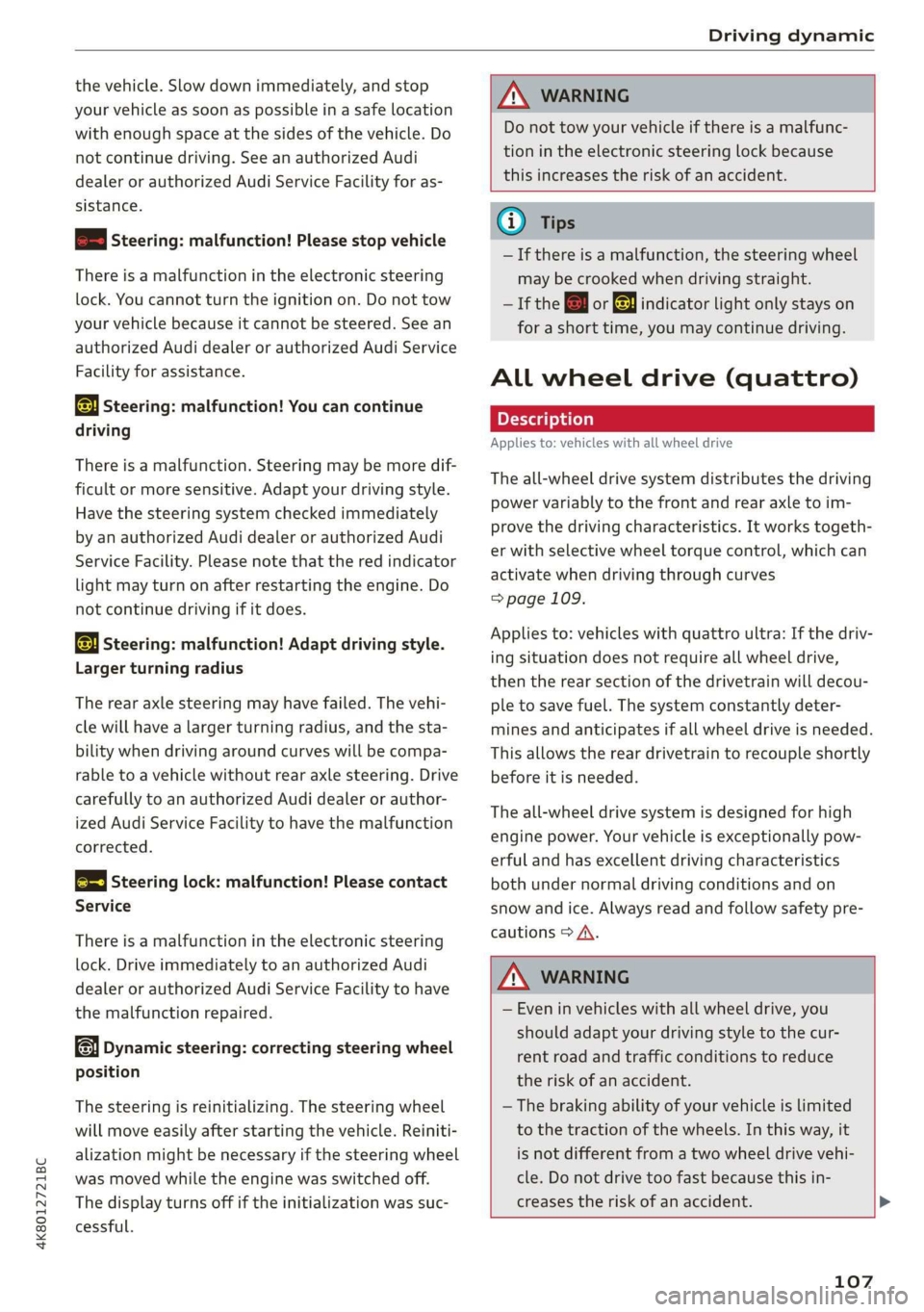
2 | Steering: malfunction! Please stop vehicle
There is a malfunction in the electronic steering
lock. You cannot turn the ignition on. Do not tow
your vehicle because it cannot be steered. See an
authorized Audi dealer or authorized Audi Service
Facility for assistance.
El steering: malfunction! You can continue
driving
There is a malfunction. Steering may be more dif-
ficult or more sensitive. Adapt your driving style.
Have the steering system checked immediately
by an authorized Audi dealer or authorized Audi
Service Facility. Please note that the red indicator
light may turn on after restarting the engine. Do
not continue driving if it does.
a Steering: malfunction! Adapt driving style.
Larger turning radius
The rear axle steering may have failed. The vehi-
cle will have a larger turning radius, and the sta-
bility when driving around curves will be compa-
rable to a vehicle without rear axle steering. Drive
carefully to an authorized Audi dealer or author-
ized Audi Service Facility to have the malfunction
corrected.
|@—e| Steering lock: malfunction! Please contact
Service
There is a malfunction in the electronic steering
lock. Drive immediately to an authorized Audi
dealer or authorized Audi Service Facility to have
the malfunction repaired.
Dynamic steering: correcting steering wheel
position
The steering is reinitializing. The steering wheel
will move easily after starting the vehicle. Reiniti-
alization might be necessary if the steering wheel
was moved while the engine was switched off.
The display turns off if the initialization was suc-
cessful.
ZA WARNING
Do not tow your vehicle if there is a malfunc-
tion in the electronic steering lock because
this increases the risk of an accident.
@ Tips
—If there is a malfunction, the steering wheel
may be crooked when driving straight.
—If the a or a indicator light only stays on
for a short time, you may continue driving.
ALL wheel drive (quattro)
Applies to: vehicles with all wheel drive
The all-wheel drive system distributes the driving
power variably to the front and rear axle to im-
prove the driving characteristics. It works togeth-
er with selective wheel torque control, which can
activate when driving through curves
=> page 109.
Applies to: vehicles with quattro ultra: If the driv-
ing situation does not require all wheel drive,
then the rear section of the drivetrain will decou-
ple to save fuel. The system constantly deter-
mines and anticipates if all wheel drive is needed.
This allows the rear drivetrain to recouple shortly
before it is needed.
The all-wheel drive system is designed for high
engine power. Your vehicle is exceptionally pow-
erful and has excellent driving characteristics
both under normal driving conditions and on
snow and ice. Always read and follow safety pre-
cautions > A\.
Z\ WARNING
— Even in vehicles with all wheel drive, you
should adapt your driving style to the cur-
rent road and traffic conditions to reduce
the risk of an accident.
— The braking ability of your vehicle is limited
to the traction of the wheels. In this way, it
is not different from a two wheel drive vehi-
cle. Do not drive too fast because this in-
creases the risk of an accident. >
107
Page 110 of 310
Driving dynamic
— Note that on wet streets, the front wheels
can “hydroplane’” if driving at speeds that
are too high. Unlike front wheel drive
vehicles, the engine RPM does not increase
suddenly when the vehicle begins hydro-
planing. Adapt your speed to the road condi-
tions to reduce the risk of an accident.
Sport differential
Applies to: vehicles with sport differential
The sport differential distributes the drive power
to the rear axle based on the situation. The goal
is a high level of agility and ability to accelerate
on curves. The vehicle is very responsive to steer-
ing. The settings depend on the selected Audi
drive select* mode.
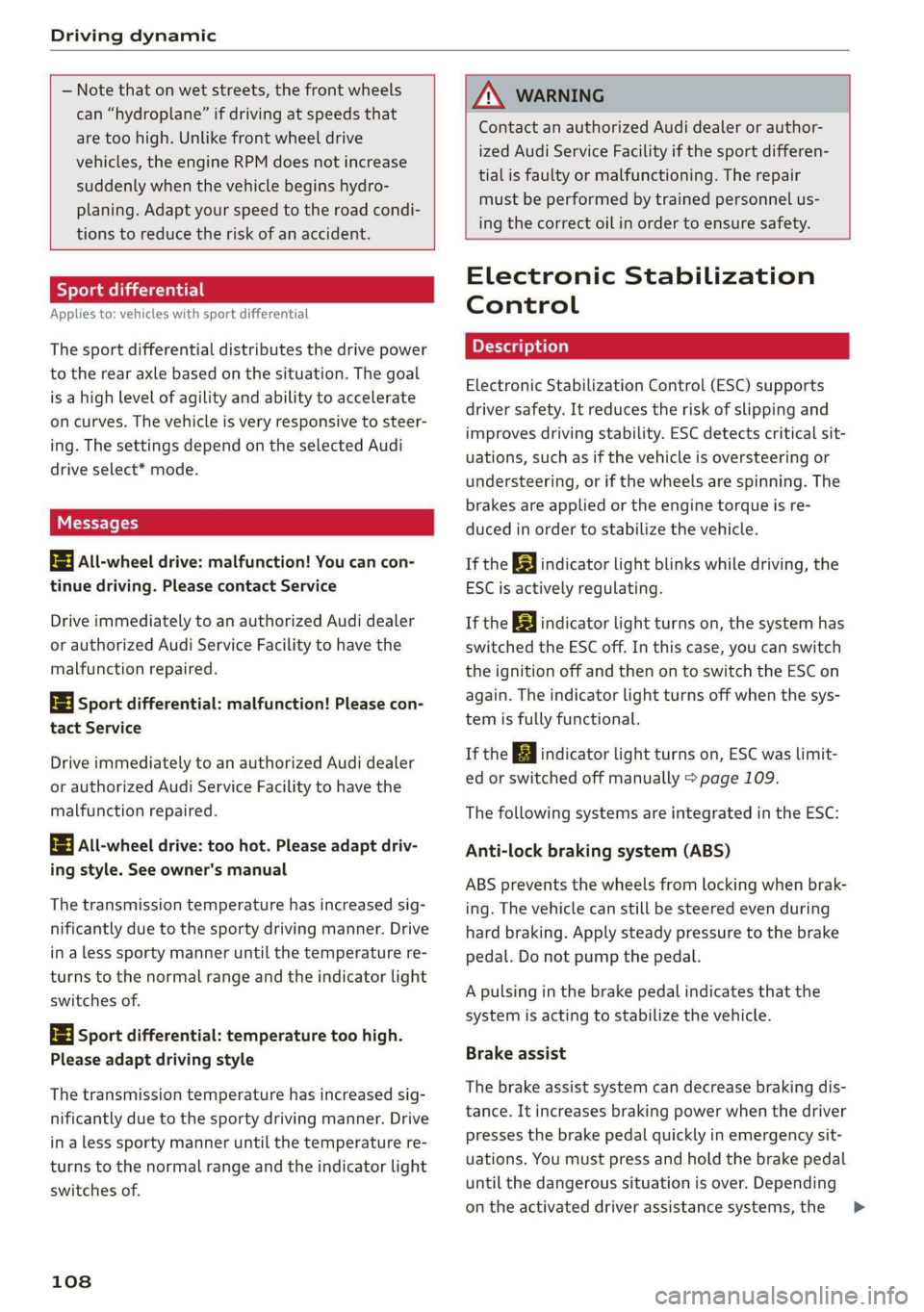
t3] All-wheel drive: malfunction! You can con-
tinue driving. Please contact Service
Drive immediately to an authorized Audi dealer
or authorized Audi Service Facility to have the
malfunction repaired.
iT-3| Sport differential: malfunction! Please con-
tact Service
Drive immediately to an authorized Audi dealer
or authorized Audi Service Facility to have the
malfunction repaired.
2] All-wheel drive: too hot. Please adapt driv-
ing style. See owner's manual
The transmission temperature has increased sig-
nificantly due to the sporty driving manner. Drive
in a less sporty manner until the temperature re-
turns to the normal range and the indicator light
switches of.
3] Sport differential: temperature too high.
Please adapt driving style
The transmission temperature has increased sig-
nificantly due to the sporty driving manner. Drive
in a less sporty manner until the temperature re-
turns to the normal range and the indicator light
switches of.
108
AN WARNING
Contact
an authorized Audi dealer or author-
ized Audi Service Facility if the sport differen-
tial is faulty or malfunctioning. The repair
must be performed by trained personnel us-
ing the correct oil in order to ensure safety.
Electronic Stabilization
Control
Electronic Stabilization Control (ESC) supports
driver safety. It reduces the risk of slipping and
improves driving stability. ESC detects critical sit-
uations, such as if the vehicle is oversteering or
understeering, or if the wheels are spinning. The
brakes are applied or the engine torque is re-
duced in order to stabilize the vehicle.
If the 3] indicator light blinks while driving, the
ESC is actively regulating.
If the BA indicator light turns on, the system has
switched the ESC off. In this case, you can switch
the ignition off and then on to switch the ESC on
again. The indicator light turns off when the sys-
tem is fully functional.
If the B indicator light turns on, ESC was limit-
ed or switched off manually > page 109.
The following systems are integrated in the ESC:
Anti-lock braking system (ABS)
ABS prevents the wheels from locking when brak-
ing. The vehicle can still be steered even during
hard braking. Apply steady pressure to the brake
pedal. Do not pump the pedal.
A pulsing in the brake pedal indicates that the
system is acting to stabilize the vehicle.
Brake assist
The brake assist system can decrease braking dis-
tance. It increases braking power when the driver
presses the brake pedal quickly in emergency sit-
uations. You must press and hold the brake pedal
until the dangerous situation is over. Depending
on the activated driver assistance systems, the >
Page 111 of 310

4K8012721BC
Driving dynamic
brake assist system may react with increased sen-
sitivity.
Anti-Slip Regulation (ASR)
ASR reduces drive power when the wheels begin
spinning and adapts the power to the road condi-
tions. This will increase the driving stability.
Electronic Differential Lock (EDL)
The EDL applies the brakes to wheels that are
slipping and transfers the drive power to the oth-
er wheels. This function is not available at higher
speeds.
In extreme cases, EDL automatically switches off
to keep the brake on the braked wheel from over-
heating. The vehicle is still functioning correctly.
EDL will switch on again automatically when con-
ditions have returned to normal.
Power steering
The ESC can also support vehicle stability
through steering.
Selective wheel torque control
Selective wheel torque control is used when driv-
ing on curves. Braking is targeted toward the
wheels on the inside of the curve as needed. This
allows more precise driving in curves.
Automatic post-collision braking system
The automatic post-collision braking system can
help to reduce the risk of sliding and of addition-
al collisions after an accident. If the airbag con-
trol module detects a collision, the vehicle is
braked by the ESC.
The vehicle does not brake automatically if one of
the following occurs:
— The driver presses the accelerator pedal, or
— The braking force generated by the pressed
brake pedal is greater than the braking force
that
would be initiated by the system
— The ESC, the brake system, or the vehicle elec-
trical system is not functioning
ZA WARNING
— The ESC and its integrated systems cannot
overcome the limits imposed by natural
physical laws. This is especially important on
slippery or wet roads. If the systems begin
acting to stabilize your vehicle, you should
immediately alter your speed to match the
road and traffic conditions. Do not let the in-
creased safety provided tempt you into tak-
ing risks. This could increase your risk of a
collision.
— Please note the risk of a collision increases
when driving fast, especially through curves
and on slippery or wet roads, and when driv-
ing too close to objects ahead. There is still
a risk of accidents because the ESC and its
integrated systems cannot always prevent
collisions.
— Accelerate carefully when driving on
smooth, slippery surfaces such as ice and
snow. The drive wheels can spin even when
these control systems are installed and this
can affect driving stability and increase the
risk of a collision.
G) Tips
— The ABS and ASR only function correctly
when all four wheels have a similar wear
condition. Different tire sizes can lead to a
reduction in engine power.
— You may hear noises when the systems de-
scribed are working.
The So button for controlling the ESC is located
in the center console, in front of the selector lev-
er.
The ESC is automatically switched on when the
ignition is switched on. It may make sense in
some situations to limit the ESC so that the
wheels can spin:
— Rocking the vehicle to free it when it is stuck
— Driving in deep snow, on unpaved ground, or
with snow chains
Limiting ESC (sport mode)
—To limit the ESC, press the So button briefly.
The B indicator light turns on.
109
>
Page 135 of 310

4K8012721BC
Driver assistance
— The adaptive cruise assist does not respond to
people, animals, or objects that are crossing or
approaching from the opposite direction.
ZA WARNING
Follow the safety precautions and note the
limits of the assist systems, sensors, and
cameras > page 115.
Display overview
Applies to: vehicles with adaptive cruise assist
8} | 9) IN| | G3
Fig. 94 Instrument cluster: driver assistance display
Indicator lights and messages in the speedome-
ter @ -@) inform you about the driving situation
and the settings. In the Driver assistance display
@-©®, you can find more detailed information
about the system. The displays depend on the
country and equipment.
Display in the speedometer
The display in the speedometer is not available in
all layouts*.
@ Marking for the set speed
@ Current vehicle speed
@® Available speed range for adaptive cruise as-
sist (example)
Image in the Driver assistance display
The display only appears when the Driver assis-
tance display is open in the on-board computer
=> page 16.
Messages and settings
Detected vehicle driving ahead
Set target distance
If you fall below the set distance, the dis-
tance bars turn red from the bottom upward.
Your vehicle
©®
CC®
Availability of lane departure warning
= page 141 and lane guidance
© Lane guidance for adaptive cruise assist is ac-
tive © or not active
Indicator lights
A - The speed/distance control is active. No
vehicles were detected ahead. The stored speed
is maintained.
a - The speed/distance control is active. A vehi-
cle was detected ahead. The adaptive cruise as-
sist controls the speed and distance from the ve-
hicle driving ahead, and accelerates and brakes
automatically.
A - The speed/distance control is active but the
vehicle is not ready to drive. A vehicle was de-
tected ahead. Your vehicle is stationary and will
not start driving automatically.
BS - The speed/distance control is active but the
vehicle is not ready to drive. No vehicles were de-
tected ahead. Your vehicle is stationary and will
not start driving automatically.
A - The automatic braking is not enough to
maintain a sufficient distance to a vehicle driving
ahead. You must intervene > page 138, Driver in-
tervention request.
& This indicator light appears if steering activity
is no longer detected. Always keep your hands on
the steering wheel so you can be ready to steer at
any time. The indicator light will also turn off, for
example if the steering power from the system is
not sufficient and adaptive cruise assist is can-
celed > page 136.
133
Page 138 of 310

Driver assistance
— The driver's hands are not on the steering
wheel
Steering intervention request
If no steering activity is detected or the steering
power is not sufficient, the driver steering inter-
vention request will alert the driver using audio
and visual signals. Take over the steering and
keep your hands on the steering wheel so that
you will be ready to steer at any time. The system
will become inactive after a short time and will
only be active again later.
If the driver does not take over steering, adaptive
cruise assist will be canceled. If the vehicle is
equipped with emergency assist and it is ready to
function, it will be activated > page 151.
ZA WARNING
Follow the safety precautions and note the
limits of the assist systems, sensors, and
cameras > page 115.
G@) Tips
— Always keep your hands on the steering
wheel. The driver is always responsible for
adhering to the regulations applicable in
the country where the vehicle is being oper-
ated.
— It is recommended to only switch on lane
guidance on well-constructed roads.
— Certain settings are stored automatically in
the active personal profile.
—The & fig. 97 button switches lane guidance
availability and the lane departure warning
on or off simultaneously, if lane guidance is
preset in the adaptive cruise assist settings.
136
Setting the distance
Applies to: vehicles with adaptive cruise assist
B4M-0234
Fig. 98 Operating lever: setting the distance
If you adjust the speed, you must also change the
time gap to the vehicle driving ahead. The higher
the speed, the greater the distance that is need-
ed.
> Tap the rocker switch to display the distance
that is currently set.
> To increase or decrease the distance in incre-
ments, tap the switch again toward G) or ().
The newly-set distance will be shown briefly, for
example with the indicator light. In the Driv-
er assistance display, a graphic display is shown
instead of the indicator lights > page 133,
fig. 94. The display matches the functions of the
indicator lights.
When approaching a vehicle driving ahead, the
adaptive cruise assist brakes to the set speed and
then maintains the set distance. If the vehicle
driving ahead accelerates, then the adaptive
cruise assist will also accelerate up to the speed
that you have set.
The following distances can be set:
Page 141 of 310

4K8012721BC
Driver assistance
The display @ only appears when the Driver as-
sistance display is open in the on-board
computer > page 16.
Z\ WARNING
Follow the safety precautions and note the
limits of the assist systems, sensors, and
cameras > page 115.
Oe dem ater) eke eS
Applies to: vehicles with adaptive cruise assist
You can adjust the adaptive cruise assist to your
own preferences. The settings depend on the ve-
hicle equipment.
> Applies to: MMI: Select on the home screen:
VEHICLE > Driver assistance > (<3) > Adaptive
cruise assist.
Possible settings:
Lane guidance - If lane guidance is also active
when adaptive cruise assist control is active, you
can switch it on or off.
Driving program - Depending on the driving pro-
gram and the distance that are set, the vehicle
handling will be adjusted from Sport to Moder-
ate and the lane guidance haptic feedback will be
adjusted.
Store last distance - The last distance that was
set will be stored after the ignition is switched
off. If the distance is not stored, distance
(time distance of approximately 1.8 seconds) is
automatically preset every time the ignition is
switched on.
Applies to: vehicles with efficiency assist
Predictive control - When predictive control is
switched on, the system reacts automatically to
situations > page 130.
@) Tips
Certain settings are stored automatically in
the active personal profile.
Applies to: vehicles with adaptive cruise assist
ri or is displayed when there is a malfunc-
tion, the adaptive cruise assist functions may be
unavailable or limited.
A message that indicates the cause and possible
solution
may appear with some displays. The
weather conditions may be too poor or a sensor
may be covered. Clean the area in front of the
sensors > page 117, fig. 83, > page 117, fig. 84
and try to turn on the systems again later.
If the malfunction remains, drive to an author-
ized Audi dealer or authorized Audi Service Facili-
ty immediately to have the malfunction correct-
ed.
Applies to: vehicles with narrowed road assist
Narrow area
Depending on vehicle equipment, this message
appears in the Driver assistance display if the
adaptive cruise assist is adjusting the speed ina
narrow area, for example a construction zone.
Adaptive cruise assist: Please take over!
This message appears if the vehicle rolls back
when starting on a slight incline, even though the
systems are active. Press the brake pedal to pre-
vent the vehicle from rolling or starting to move.
The message will also appear, for example if the
steering power from the system is not sufficient
and adaptive cruise assist is switched off.
Applies to: vehicles with laser scanner
Adaptive cruise assist: limited availability.
See owner's manual
This message appears when the sensor view is
limited, for example, when weather conditions
are too poor or a sensor is covered. You can
switch on the adaptive cruise assist, but certain
functions such as assistance in narrow areas will
not be available. Under certain circumstances,
some objects may be detected late or may not be
detected at all. Be especially careful. However,
cleaning the area in front of the sensors
=> page 117, fig. 83, > page 117, fig. 84 may cor-
rect the malfunction.
139
Page 144 of 310

Driver assistance
Display or in- | Meaning on the corresponding
dicator light | side
@ White The lane departure warning is
lines switched on but not ready to pro-
vide warnings.
@ Green Lane departure warning is
line switched on and ready to provide
warnings on that side.
@ Red The lane departure warning will
line warn you with corrective steering
before exiting the lane.
The steering wheel can also vi-
brate to warn you if lane bounda-
ries are detected during a pass-
ing maneuver.
The lane departure warning is ready to provide
warnings if an object is detected on at least one
side of the individual lane.
If the indicator light turns on, the lane depar-
ture warning is not ready to provide warnings.
This may be due to the following reasons:
— The necessary lane marker lines have not been
detected (for example, in a construction zone
or because the lines are obstructed by snow,
dirt, water, or lighting)
—The speed is below the activation speed
— The lane is too narrow or too wide
— The curve is too narrow
— The driver's hands are not on the steering
wheel
— Visibility is obstructed by a rise or dip.
Steering intervention request
If no steering activity is detected or the steering
power from the system is not sufficient, the driv-
er steering intervention request will alert the
driver using audio and visual signals. Take over
the steering and keep your hands on the steering
wheel so that you will be ready to steer at any
time. The system will become inactive after a
short time and will only be active again later.
If the driver does not take over steering, the lane
departure warning will be switched off. If the ve-
hicle is equipped with emergency assist and it is
ready to function, it will be activated > page 151.
142
Z\ WARNING
— Follow the safety precautions and note the
limits of the assist systems, sensors, and
cameras > page 115.
— The system warns the driver that the vehicle
is leaving the lane using corrective steering.
The driver is always responsible for keeping
the vehicle within the lane.
— Corrective steering may not occur at all in
certain situations, such as during heavy
braking. Always be ready to intervene.
(i) Tips
— Always keep your hands on the steering
wheel. The driver is always responsible for
adhering to the regulations applicable in
the country where the vehicle is being oper-
ated.
— The system does not provide any corrective
steering or steering wheel vibrations if it de-
tects that you are passing another vehicle.
ON ema mC Klee Clear)
Applies to: vehicles with lane departure warning
You can switch the optional steering wheel vibra-
tion warning for the lane departure warning on
and off. The settings depend on the vehicle
equipment.
— Applies to: MMI: Select on the home screen:
VEHICLE > Driver assistance > (23) > Lane de-
parture warning > Vibration warning.
@) Tips
Certain settings are stored automatically in
the active personal profile.
Applies to: vehicles with lane departure warning
ir or is displayed when there is a malfunc-
tion, the lane departure warning and lane guid-
ance functions of the adaptive cruise functions
may be unavailable or limited.
A message that indicates the cause and possible
solution may appear with some displays. The
weather conditions may be too poor or the >
Page 211 of 310

4K8012721BC
Media
Never leave mobile devices in the vehicle in
extremely high or low temperatures.
@ Tips
— Always follow the information found in
=> page 79.
— When you switch the ignition off, the USB
ports are still supplied with power until the
energy management intervenes.
— Do not use an additional adapter cable or
USB extension cable to connect mobile devi-
ces to the Audi music interface that already
have a cable or that must be connected with
a USB adapter cable (> page 208, fig. 137).
Using an additional adapter or US extension
cable may impair functionality.
— Functionality is not guaranteed for mobile
devices that do not conform to the USB 2.0
specification.
— USB hubs are not supported.
— Video playback through the Audi music in-
terface is not supported on Apple and MTP
devices (such as smartphones).
— iPod or iPhone malfunctions also affect the
operation of the MMI. Reset your mobile de-
vice in these situations.
— Audi recommends updating the iPod or
iPhone software to the latest version. Refer
to your mobile device owner's manual for
more information.
— The USB adapter on the Audi music inter-
face will support iPod touch or iPhone devi-
ces from the 5th generation or newer with
the lightning connector.
— For more information about the Audi music
interface and supported devices, check the
Audi database for mobile devices at www.
audi.com/mp3 or contact an authorized
Audi dealer or authorized Audi Service Fa-
cility.
Playing media
The following sources can be selected depending
on the vehicle equipment:
— Amazon Alexa > page 207.
—SD card > page 205.
— USB > page 208.
— DVD drive > page 206.
— Connect external device: you can connect ex-
ternal devices via Bluetooth and use the Blue-
tooth audio player > page 206, or you can con-
nect
an external device directly to the Audi mu-
sic interface > page 208.
— Connect online media > page 207.
Accessing media
Playing media files using the MMI
> Applies to: MMI: Select on the home screen:
MEDIA > Source > a source. Depending on the
connected device or online media service*, the
symbol for a source may change. The device
name may be displayed (for example: my-
Phone).
> Select a track from the categories in the media
center > page 210.
Playing media files using the multifunction
steering wheel
Requirement: a media drive must contain media
files > page 209.
> Select the Radio/Media tab using the multi-
function steering wheel.
> Turn the left thumbwheel to display the play-
list.
> To switch to a different source, press the
button.
> To select a media file or a source, turn and
press the left thumbwheel.
> To switch between radio and media, select the
[=] button > Switch to radio/Switch to media.
(i) Tips
— For safety reasons, the video image is only
displayed when the vehicle is stationary. On-
ly the sound from the video plays while driv-
ing.
— Applies to: multifunction steering wheel:
Depending on the selected function, opera-
tion through the MMI may be required.
209
Page 278 of 310

Emergency assistance
release before towing the vehicle
=>page 95.
— Switch Audi pre sense* off > page 146 when
loading the vehicle onto a vehicle carrier,
train, ship, or other type of transportation,
or when towing the vehicle. This can prevent
an undesired intervention from the pre
sense* system.
— Follow the local legal regulations for tow-
ing.
Read and follow the important information under
=>page 275.
Preparations
> Only secure the towing cable or tow bar at the
designated towing loops > page 276,
=> page 277.
> Make sure the towing cable is not twisted. Oth-
erwise it could disconnect from the towing loop
while towing.
> Switch the emergency flashers on in both
vehicles > page 52. However, do not do this if it
prohibited by law.
Towing vehicle (front)
> Only start to drive when the towing cable is
taut.
> Press the brake pedal very carefully.
> Avoid sudden braking or driving maneuvers.
Vehicle being towed (rear)
> Make sure the ignition is switched on so that
the steering wheel is not locked and so that you
can use the turn signals, the horn, and the
windshield wipers if needed > A\.
> Switching it off before the vehicle has stopped
may impair the function of the brake booster
and power steering. You would then need to
use more force to steer and brake the vehicle.
> Release the parking brake > page 101.
> Select the “N” selector lever position.
> Make sure the towing cable is always taut.
276
A WARNING
Never tow a vehicle using a tow bar or towing
cable if the vehicle does not have electrical
power.
Front towing loop
Fig. 170 Front bumper: installing the towing loop
The threaded opening for the towing loop is lo-
cated on the right side of the front bumper.
> Remove the towing loop from the vehicle tool
kit > page 267.
> Press the cap inward with brief, strong pressure
=> fig. 170. The cap will loosen from the bump-
er.
> Tighten the towing loop in the threaded open-
ing until it stops and then tighten it with a
wheel wrench.
> After using, place the towing loop back in the
vehicle tool kit.
ZX WARNING
If the towing loop is not tightened until it
stops when installing, the threads may be
pulled out when towing the vehicle and result
in an accident.
G) Tips
Depending on the model, the shape of the
cover can vary.
Page 301 of 310
4K8012721BC
Index
Locking and unlocking
By remote control. ...... 0... eee ee 37
Using the lock cylinder...............0. 35
With the convenience key............... 37
Low beam headlights .................... 48
Luggage compartment................5. 80
COVED s x © nmsees wv mame = « censome » & sameine § @ nono 82
Increasing the size.............--.000-- 82
also refer to Luggage compartment...... 80
Luggage compartment lid
Closing DUttON:. « & sie 5 a onsen ¥ wees oe aren 40
Generalinformation................... 39
Mechanically unlocking..............+-. 4l
Opening and closing................... 39
Opening and closing with foot motion..... Al
Power opening and closing.............. 40
Lumbar support...............000 2-0 eee 60
M
Maintenance... 1... 00... cece ee eee 286
Maintenance intervals.............2.00. 240
Malfunction Indicator Lamp (MIL)........ 227
Manualishifting®: « sucesso sven v2 owas @ ere 94
Map
Changing the scale................00. 187
Display.... 2... 2... eee eee eee 189
OPEratiNg s = esau < y mows 2 2 new 6 wae 2 ee 188
Setting the destination................ 187
MAP
refer to Message Access Profile......... 169
Map preview..................0 0000005 186
Map update................020-0 00 eee 193
Online... 2... eee eee 193
SD card/USB connection............... 193
Massage functions « secs «i sees + seers so ore 60
PRONE 2 sesnees « a onesies wo omsmes oS smote 6b emeHON Yo 61
Matrix LED headlights................... 49
Mechanical key:: s ¢ sacs = s eens ts mews s bees 36
Média scx « = seeu « = meen = § sem 2 ee 205, 209
DEIVGS!s ¢ 2 socom ox seen @ 2 eee 2 2 ee + we 205
Supported formats..............00005 215
Mediascenter’. «. ccuse sv scoes 0 0 acazace eo annzein 2 210
Memory card
SD card reader (MMI)...........-...4. 205
Supported types and formats........... 215
Memory TUNCtIOn in: « 2 sews x = wre xc eames ee 67
Menu language
refer to Setting the language........... 219
Message Access Profile................. 169
MeSSagesi: » « essen « «ween + 0 were 4 0 eer 6 Bo 169
Mild hybrid drive system................- 97
MitrorcoMpass’s « ssw so sve 6 4 some 6 o ene 5 57
Mirrors
Adjusting exterior mirrors............... 53
Dimming ......... 00.00 eee e eee eee 54
Vanityimirtor’s sews 2 » sews sy aeons & 2 wees ge 55
MMI
refer to Multi Media Interface........... 20
Mobile device
refer to Telephone.............000000 161
Mobile phone network
Connection settings................2. 172
Mountain passes...................00. 102
Mounitainnoadss. «succes < + css» » ceseine © x a0 102
Multifunction steering wheel
Buttons... .. 0.0... eee eee eee 13,29
OPCKAtING’s « = sais s wane woo eee BOs ReveD oo me 13
Programming buttons.................. 29
Voice recognition system............... 27
Multi Media Interface..............00005 20
Menus and symbols..............2+--4- 21
Operating’: « » ews + wyen ss woes os eaeE 2 18,21
Switching the displays on or off.......... 20
MUI MG; (MUTE) asics a i ctsesiss «a annose so aunwane ow te 29
MYAUGL + « snesens os & sivas wo owes ov nate «wee 30
myAudi navigation................. 182, 186
N
Narrow area « = sag so ces g s eee ee sea ee 139
Natural leather care and cleaning......... 264
Navigation..................0-00-000. 182
BGttGrTOUtG cues ¢ & mews + 2 new on nes = oR 194
Calling. ..... 0... eee eee eee eee 186
Changing the scale................0-5 186
also'refer'to Maps « seo ie cee4 i pew ee ve 188
Navigation database
Version information................04. 221
Navigation (instrument cluster) .......... 189
NH DSA: « susos « = gene = 2 cae 2 2 see ¢ 2 cee 2 288
Night vision assist................0000- 124
Cleaning the camera...........000000 262
Notification'centeér’: « sso ss sei yo sone 2 wen 22