service AUDI A7 2020 Owners Manual
[x] Cancel search | Manufacturer: AUDI, Model Year: 2020, Model line: A7, Model: AUDI A7 2020Pages: 310, PDF Size: 81.29 MB
Page 3 of 310
4K8012721BC
Foreword
Thank you for choosing an Audi - we value your trust in us.
Your new Audi will allow you to experience the best in groundbreaking technology and premium quality
equipment that a vehicle has to offer. We recommend that you read your Owner's Manual thoroughly
so that you quickly become acquainted with your Audi and make use of all of its features.
In addition to explaining how the different features work, we provide many useful tips and information
concerning your safety, how to care for your vehicle, and how to maintain your vehicle's value. We also
give you useful tips and information on how to drive your vehicle more efficiently and in an environ-
mentally-friendly manner.
We hope you enjoy driving your Audi and we wish you safe and pleasant motoring.
AUDI AG
A WARNING
Operating, servicing and maintaining a passenger vehicle or
off-highway motor vehicle can expose you to chemicals includ-
ing engine exhaust, carbon monoxide, phthalates, and lead,
which are known to the State of California to cause cancer and
birth defects or other reproductive harm. To minimize expo-
sure, avoid breathing exhaust, do not idle the engine except as
necessary, service your vehicle in a well-ventilated area and
wear gloves or wash your hands frequently when servicing
your vehicle. For more information go to www.P65Warnings.
ca.gov/passenger-vehicle.
Page 5 of 310
4K8012721BC
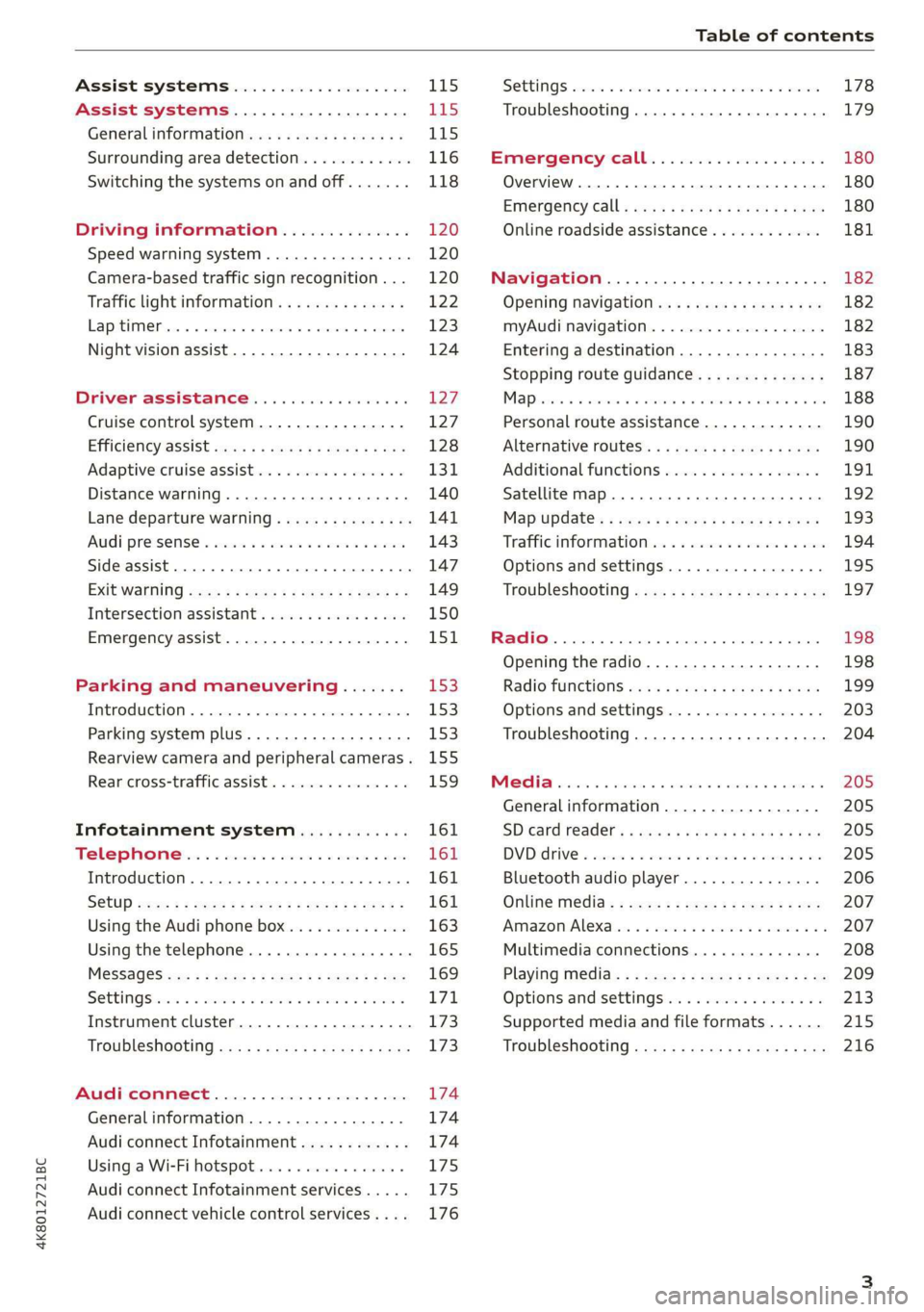
Table of contents
Assist systems...................
Assist systems...................
General informationiie: « . cies. ene es
Surrounding area detection............
Switching the systems on and off.......
Driving information..............
Speed warning system..............-.
Camera-based traffic sign recognition...
Traffic light information..............
LEP SEUIME Pins 5 5 sarc % w esenwes 0 0 sxeene 4 6 cece
Night vision assist..............000..
Driver assistance.................
Cruise control system.............0--
EfTClenGyOSSISt saws « « cawe « x caw « « aaw
Adaptive cruise assist................
Distance warning.................0-5
Lane departure warning...............
Audi pressense « swiss se seca « seuve » srevese
Side assist... 0.0... cece eee ee eee
Exit WarKING sees 5 x meus 5 2 eee 5 oe eee es
Intersection assistant................
Emergency assist.............0..0...
Parking and maneuvering.......
TinErOGUGHION s & awames « a saswese « = smossen a w asians
Parking system plus..............0005
Rearview camera and peripheral cameras .
Rear cross=traffieassist. « cnc x nea s «x
Infotainment system............
Telephone)... « - cseswis ss eee oo eave 6 vee
Introduction................ 0.00 eee
Using the Audi phone box.............
Using the telephone..................
M@SSaQ@S ans = : eenu sy eRe ys aeeS so ees
SOttinG Sica sa aus oe seca + warems ¥ wee
Instrument cluster...............000.
Troubleshooting sass ss eee ss ees ss ees
PIC P-COM TE CG occ. 5 5 soseeee 6 5 serie oo eee
Generalinformation.................
Audi connect Infotainment............
Using a Wi-Fi hotspot................
Audi connect Infotainment services.....
Audi connect vehicle control services. ...
SOPGINGS sacs +o aeowens w evewens a x euswoe a» eemeoe 178
Troubleshooting..............2.ee eee 179
Errengenieycalls: « «ec i vais sean s 180
Overview... .. 02... eee eee eee 180
Emergency call «is. .cesess eesu es reese 180
Online roadside assistance............ 181
Navigation................0 eee eee 182
Opening navigation.................. 182
myAudi navigation................04. 182
Entering adestination................ 183
Stopping route guidance.............. 187
Ma picwsns s % suweave a & sumcous ¥ & semeaus wo canes a a ona 188
Personal route assistance............. 190
Alternative routes’. << ses << eee + + verre 190
Additional functions................. 191
Satellite map............... 02 eee 192
Map Update: « eves 2» exaw ¢ » eee cv cea 193
Traffic informationies « ¢ osc +o eee sv ewe 194
Options and settings...............0. 195
Troubleshooting «<< = neces s yews sp es 197
Radio... .... ieee 198
Opening the radio................... 198
Radio functions ses. s ease ss eeen es veo 199
Options and settings................. 203
Troubleshooting............+-eeee eee 204
PS weiicse os aviesse ss aoawous aw sues © oreniKe 205
General information................. 205
SD card reader's = esas < ¢ cows < eae s x Hee 205
DYD:diive « ssc: © 2 sence © o couwoe wo evenene © oe 205
Bluetooth audio player............... 206
Online Media : : eves se sees se eeen te oes 207
AmazoniAlex@ios: « cim «2 en se wns a 2 207
Multimedia connections.............. 208
Playing ti@dia:s ss swe: so agus 5 o eeu ss oe 209
Options and settings...............0. 213
Supported media and file formats...... 215
Troubleshooting ...........0eeceeneee 216
Page 6 of 310
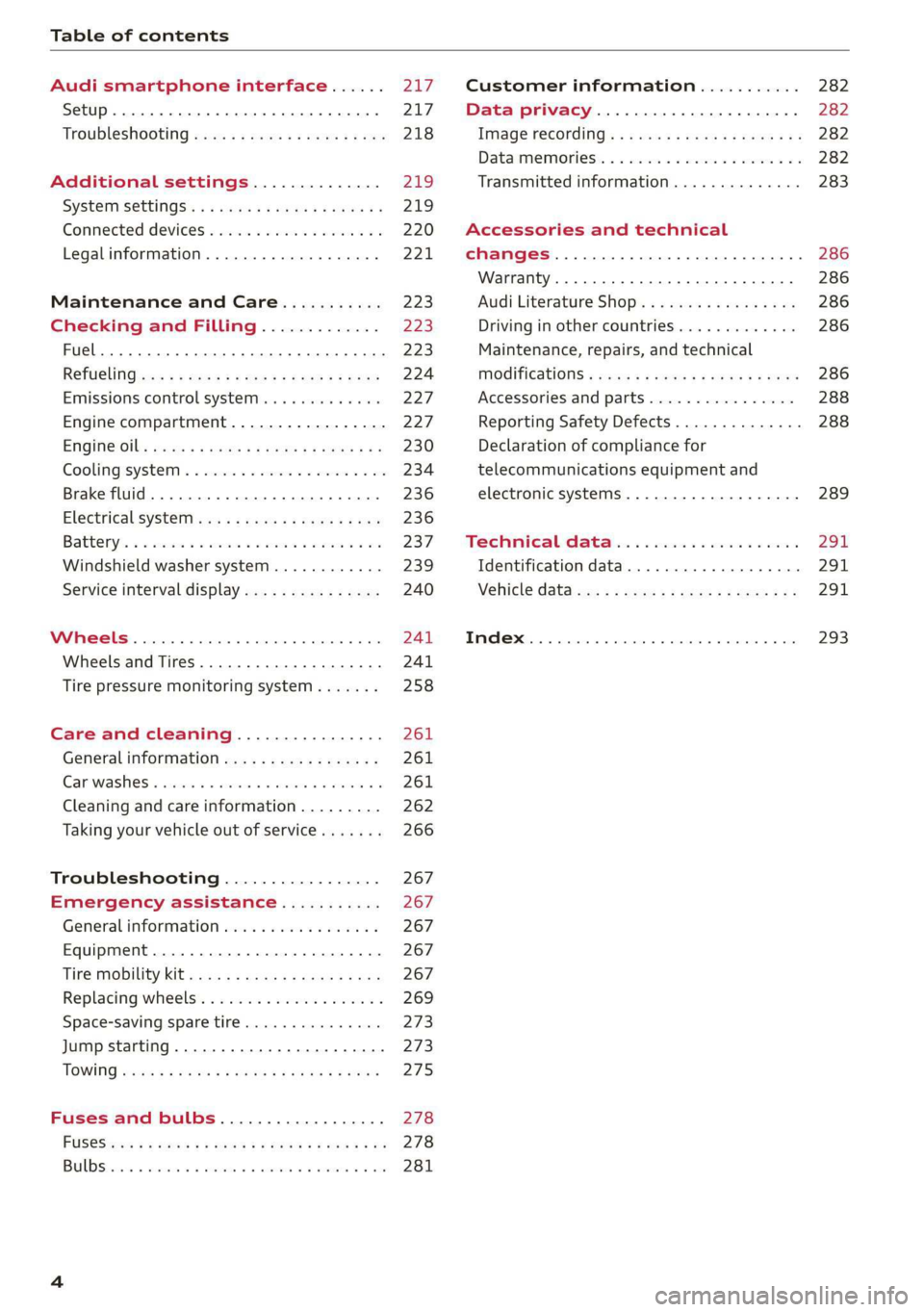
Table of contents
Audi smartphone interface...... uy
Setup... eee eee ee eee 217
TrOuUBLESHOOtING wees « & wees « 2 eos so eee 218
Additional settings.............. 219
System settingS.......0seeecceeveees 219
Connected devices ...... 0.0... 000 e eee 220
Legalinformation..................5 221
Maintenance and Care........... 223
Checking and Filling............. 223
Fuel... 2. cece eee eee eee eee 223
Refuelingjecs ss sees se ane + eeee § s peme 224
Emissions control system...........4. 227
Engine compartment................. 227
ERGINGOtls seus 2 x seme « ¥ neue =e oRBER Fae 230
Cooling:system . « sscses v < ssesens vo eevee so ave 234
Brake fluid... 2... eee eee eee 236
Electrical SySteMi wis ¢ scm ae mews eg ey 236
Battery: « & cess 6 6 ceva © 5 mews « wenn ¥ © oi 237
Windshield washer system...........- 239
Service interval display............... 240
Wheels ........ 0... eee 241
Wheels and Tires . . 241
Tire pressure monitoring system....... 258
Care and cleaning................ 261
General information................. 261
Car washess « siscica ea suasen a i wana # w auavars a a 261
Cleaning and care information......... 262
Taking your vehicle out of service....... 266
Troubleshooting................. 267
Emergency assistance........... 267
General information..............0.. 267
Equipment.........-...00 2. cece eee 267
Tire Mobility’ Kit « sc ss ces scans 8 ees 267
Replacing wheels................-00. 269
Space-saving spare tire............... 273
Jump starting.....................0. 273.
TOWING scsvss = ¢ wesos « § eeons & 2 Keres 4 = HES 275
Fuses and bulbs.................. 278
FUSES an + x css 5 © ames + © eRe = Beem He 278
BULDSisi0e svowave 4 6 oniuen a a stants a Hanon w 8 ave 281
Customer information........... 282
Data privacy..................000. 282
Image recording............seeeeeees 282
Datamemoniesy. « s sscams sv sume ov ene a 0s 282
Transmitted information.............. 283
Accessories and technical
CHANGES... 1... eee eee eee 286
Warranty......... 00-000. e eee eee 286
Audi Literature Shop..............00. 286
Driving in other countries............. 286
Maintenance, repairs, and technical
MOGIFIcAatIONS vase x x mem = x saw x 2 sue 286
Accessories and parts................ 288
Reporting Safety Defects.............. 288
Declaration of compliance for
telecommunications equipment and
electronic systems............---0000- 289
Technical data..................8. 291
Identification data................00. 291
Vehicle dataiscs: = s xews 2s eens sp oes ye 291
Index... 0.2... eee 293
Page 14 of 310

Instrument cluster
3:50™
12/5/2019
10 mi
had
fete ee Teen
= be rela)
3:50 m
PAW APA WA
/ “an
4500mi
eRe
Fig. 3 Instrument cluster overview (analog)
Depending on the vehicle equipment, the follow- (8) Right additional display with speed-
ing items may appear in the instrument cluster: ometer
@ Display ©) Left additional display with:
— Engine coolant temperature ~E. . . 14 SIGOAR vans oo inane ow amonans a seen we an 92
Left dial — Audi drive select mode ......... 104
—Tachometer ...............-- 15
Tab are ai so cers. « 2 wens oe ceresss a @ say 13 A NS
Ceritralar@a cous seenneceeeuses 13 Applies to: vehicles with Audi virtual cockpit
If there is a severe malfunction in the instru-
ment cluster, the display may turn off. The A
indicator light may also turn on. Stop the ve-
hicle safely. See an authorized Audi dealer or
— Speedometer authorized Audi Service Facility for assistance.
Fuellevel Md ..............00005 225
Status line (one or two lines)
Right dial
— Convenience display
12
Page 17 of 310

4K8012721BC
Instrument cluster
turn on. If the E| indicator light in the instru-
ment cluster display turns on, the coolant tem-
perature is too high > page 234.
@ Note
— Auxiliary headlights and other accessories in
front of the air intake impair the cooling ef-
fect of the coolant. This increases the risk of
the engine overheating during high outside
temperatures and heavy engine load.
— The front spoiler also helps to distribute
cooling air correctly while driving. If the
spoiler is damaged, the cooling effect will
be impaired and the risk of the engine over-
heating will increase. See an authorized
Audi dealer or authorized Audi Service Fa-
cility for assistance.
Tachometer
The tachometer (@) 9 page 12 displays the engine
speed in revolutions per minute (RPM). The be-
ginning of the red zone in the tachometer indi-
cates the maximum permissible engine speed for
all gears once the engine has been broken in. Be-
fore reaching the red zone, you should shift into
the next higher gear, select the "D" or "S" selec-
tor lever position, or remove your foot from the
accelerator pedal.
Engine speed limitation
If the By indicator light turns on, the engine will
be automatically limited to the RPM displayed in
the instrument cluster. This will protect the en-
gine components, for example during a cold start
or from overheating.
The engine speed limitation will be deactivated
once the engine has reached its normal operating
temperature and you have released the accelera-
tor pedal.
If the engine speed limitation was activated by
an engine control malfunction, the B indicator
light also turns on. Make sure the engine speed
does not go above the speed displayed, for exam-
ple when downshifting. Drive to an authorized
Audi dealer or authorized Audi Service Facility im-
mediately to have the malfunction corrected.
CG) Note
The needle in the tachometer may only be in
the red area of the gauge for a short period of
time before there is a risk of damaging the
engine. The location where the red zone be-
gins varies depending on the engine.
Odometer
The trip odometer and odometer are displayed in
the status line ©) > page 12.
The trip odometer shows the distance driven
since it was last reset. It can be used to measure
short distances. The odometer shows the total
distance that the vehicle has been driven.
Resetting the trip odometer
> Select on the instrument cluster: vehicle func-
tions tab > EJ button > Reset mi.
(i) Tips
Distances are displayed in mi (miles) or km
(kilometers).
Outside temperature
display
The outside temperature is displayed in the sta-
tus line ©) > page 12.
If your vehicle is stationary or if you are driving at
very low speeds, the temperature displayed in
the instrument cluster may be slightly higher
than the actual temperature outside due to heat
radiating from the engine.
At temperatures below 41 °F (+5 °C), a snowflake
symbol appears in front of the temperature dis-
play > A.
Z\ WARNING
Do not assume the roads are free of ice based
on the outside temperature display. Be aware
that there may be ice on roads even when the
outside temperature is around 41 °F (+5 °C)
and that ice can increase the risk of accidents.
15
Page 30 of 310
Voice recognition system
voice recognition. A supported menu language
must be selected. When there is an active Inter-
net connection, the spoken command is evaluat-
ed in the vehicle and online.
> When you switch on the voice recognition sys-
tem for the first time, a menu for the online
recognizer opens. Or:
> Applies to: MMI: Select on the home screen:
SETTINGS > General > Speech dialog system >
Consent to speech dialog system online recog-
nizer.
> Read the licensing agreements and accept
them.
Activating Amazon Alexa!)
Applies to: vehicles with Amazon Alexa Integration
You can activate Amazon Alexa to access special
additional functions. A supported menu lan-
guage must be selected. A reduced number of
commands are available during this.
Requirement: you must be logged in to your
myAudi account in the vehicle. The online recog-
nizer must be activated.
> Applies to: MMI: Select on the home screen:
USER > Connect to Amazon Alexa.
> Follow the instructions in the display.
> After connecting successfully, turn on the voice
recognition system as normal > page 27,
Switching the voice recognition system on or
off, say the activation word “Alexa”, and then
say the desired command.
@) Note
Read the information about Audi connect, and
be sure to note the connectivity costs section
=@ in General information on page 174.
External voice operation
Applies to: vehicles with external speech dialog system
You can access and control the voice operation on
a connected mobile device through your vehicle.
2) AUDI AG provides access to services from third party pro-
viders. Permanent availability cannot be guaranteed, be-
cause that depends on the third party provider.
238
Switching external voice operation on or off
Requirement: the ignition and the MMI must be
switched on. A mobile device must be connected
to the MMI with the Handsfree profile
= page 161. The mobile device being connected
must have voice control that can be controlled
externally. There must be no phone calls in prog-
ress and the parking aid must not be active.
> To switch on the external voice operation, press
and hold the «€ button longer on the multifunc-
tion steering wheel.
> To switch off the external voice operation, press
and hold the «€ button longer on the multifunc-
tion steering wheel or press Cancel.
Using external voice operation
> Say the desired command after the signal tone.
> To reactivate voice recognition when it is
paused, press the «¢ button briefly on the mul-
tifunction steering wheel or press Resume.
(i) Tips
AUDI AG simply provides access to control
your mobile device with voice operation and
does not assume any responsibility for the
content and commands within the external
voice control.
Page 31 of 310
4K8012721BC
Global functions
Global functions
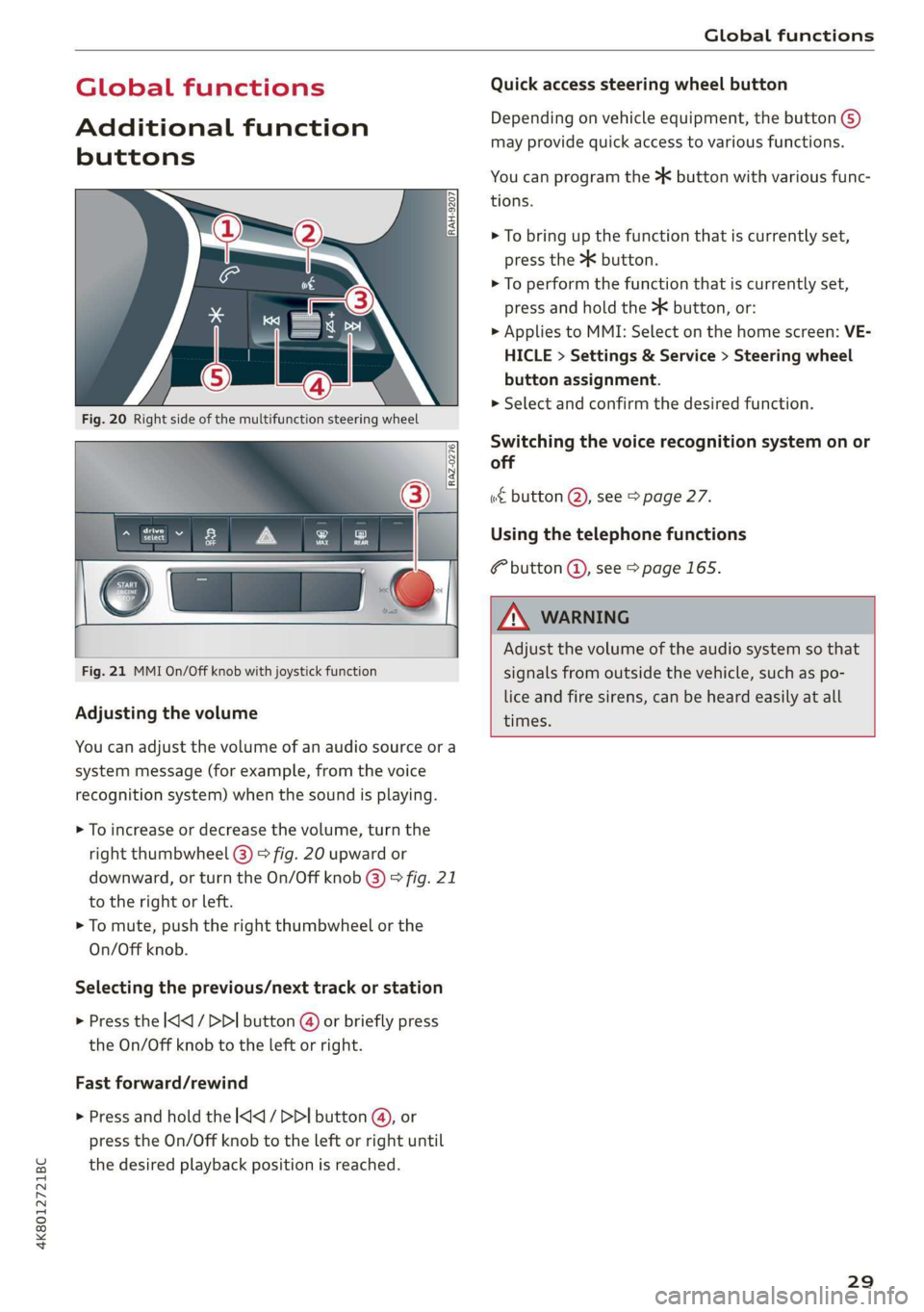
Additional function
buttons
Fig. 21 MMI On/Off knob with joystick function
Adjusting the volume
You can adjust the volume of an audio source or a
system message (for example, from the voice
recognition system) when the sound is playing.
> To increase or decrease the volume, turn the
right
thumbwheel @) © fig. 20 upward or
downward, or turn the On/Off knob @) ° fig. 21
to the right or left.
> To mute, push the right thumbwheel or the
On/Off knob.
Selecting the previous/next track or station
> Press the l
Fast forward/rewind
> Press and hold the ] button @, or
press the On/Off knob to the left or right until
the desired playback position is reached.
Quick access steering wheel button
Depending on vehicle equipment, the button @)
may provide quick access to various functions.
You can program the >K button with various func-
tions.
> To bring up the function that is currently set,
press the >K button.
> To perform the function that is currently set,
press and hold the >K button, or:
> Applies to MMI: Select on the home screen: VE-
HICLE > Settings & Service > Steering wheel
button assignment.
» Select and confirm the desired function.
Switching the voice recognition system on or
off
w€ button @), see > page 27.
Using the telephone functions
F button @, see > page 165.
ZA WARNING
Adjust the volume of the audio system so that
signals from outside the vehicle, such as po-
lice and fire sirens, can be heard easily at all
times.
29
Page 33 of 310
4K8012721BC
Personalization
your Bluetooth device is connected to the MMI,
and automatically logged out when the Blue-
tooth connection to your mobile device is dis-
connected.
To transfer existing destinations from the MMI to
your myAudi account one time, confirm the sys-
tem prompts with Yes.
G) Tips
— For some Audi connect Infotainment serv-
ices, you may also have to enter your myAu-
di access information when accessing serv-
ices in the MMI.
— Regardless of the key user and additional
users, you can only connect one myAudi ac-
count to your vehicle.
User management
Applies to: vehicles with user management
The vehicle owner must be set up as the key user
for some Audi connect vehicle control services,
which depend on the vehicle equipment.
Setting the key user
Requirement: a key user must not be set yet.
> To set a key user for the vehicle, you will need a
myAudi account. Register at my.audi.com.
> Add your vehicle at my.audi.com and then veri-
fy your myAudi account using the verification
process that is provided.
> Applies to MMI: Select on the home screen:
USER > User management > (Key user) > Set
key user.
> Applies to: MMI: Follow the system instructions
and enter the 10-digit vehicle code > page 36.
The key user is set. You have the rights to use
the
Audi connect vehicle control services
= page 176 that depend on vehicle equipment
as well as the ability to manage other vehicle
functions and any other users.
Managing additional users
Depending on the vehicle equipment, you can
grant authorization for additional users to use
Audi connect vehicle control services at my.audi.
com.
Removing the key user
If you remove the key user, all other users and
their authorizations will be deleted. It will no
longer be possible to use the Audi connect vehi-
cle control services, depending on the vehicle
equipment.
Requirement: a key user must be set.
> Applies to: MMI: Select on the home screen:
USER > User management > (Key user) > Re-
move key user.
@) Tips
— Depending on the country, you may be able
to use the myAudi app or my.audi.com.
— Depending on the vehicle equipment, you
may be able to reset specific functions to
the factory default settings.
— Depending on the vehicle equipment, log-
ging into myAudi in the vehicle may not be
required to use Audi connect vehicle control
services.
— If you sell your vehicle, remove the key user
and reset all settings to the factory set-
tings.
— Store the vehicle code in a secure place. It
may be necessary to re-enter the vehicle
code.
— Pay attention to upper- and lower-case let-
ters when entering the vehicle code.
— If you do not have the 10-digit vehicle code,
contact an authorized Audi dealer or author-
ized Audi Service Facility.
31
Page 35 of 310
4K8012721BC
Opening and closing
ZA\ WARNING
Follow the safety precautions > page 32.
Z\ WARNING
Applies to: vehicles with power closing
—To reduce the risk of injury, make sure that
the
area where the door is closing is clear
during the closing process.
— The closing process can be stopped at any
time by pulling on the outer or inner door
handle.
@) Note
— If the vehicle key that was last used is de-
tected inside the passenger compartment,
then the vehicle cannot be locked from the
outside using the sensor. Take the vehicle
key with you and lock the vehicle again. Oth-
erwise, the vehicle will not be protected
against unauthorized access.
— If you lock the vehicle using the button on
the vehicle key with the front passenger's
or rear door open while accidentally placing
the key in the passenger compartment and
closing the door, the vehicle will not lock.
The turn signals will flash several times to
indicate this. If you do not open the vehicle
to remove the vehicle key within a brief peri-
od, then the vehicle will lock automatically.
This prevents the vehicle from being left un-
locked for long periods of time. The key will
then be locked inside the vehicle.
— If the vehicle key that was used last is de-
tected inside the luggage compartment, it
will not be possible to lock the luggage
compartment and the luggage compart-
ment lid will open. The turn signals will
flash several times to indicate this. The
doors will lock. Always take the vehicle key
with you, or unauthorized persons may be
able to enter the vehicle.
G) Tips
— Do not leave valuables unattended in the ve-
hicle. A locked vehicle is not a safe!
— The LED in the driver's door rail blinks when
you lock the vehicle. If the LED turns on for
approximately 30 seconds after locking,
there is a malfunction in the central locking
system. Have the problem corrected by an
authorized Audi dealer or authorized Audi
Service Facility.
Setting the central locking system
You can adjust the central locking system to your
preferences. The settings depend on the vehic
equipment.
> Applies to: MMI: Select on the home screen:
le
VEHICLE > Settings & Service > Central lock-
ing.
Door unlocking
—If you select All, all doors and the luggage
compartment lid will be unlocked when unlock-
ing.
— If you select Driver's door, only the driver's
door will be unlocked. To unlock all doors an d
the luggage compartment lid, press the & but-
ton on the vehicle key twice. In vehicles with
convenience key”*, only the driver's door will
a
un-
lock when you pull the driver's door handle. If
you pull another door handle, the entire vehicle
will be unlocked.
The entire vehicle will always be locked when you
press the & button.
Long press to open windows
You can select if all windows and the panoram
glass roof* should open using the vehicle key
= page 43, Convenience opening and closing.
ic
If
you press and hold the f button on the vehicle
key, all of the windows and the panoramic glass
roof* will close.
Disable rear lid handle
You can select if the luggage compartment lid
can open with the handle. If you activate this
function, the luggage compartment lid can on ly
be opened with the <¥ or 4s button on the vehi-
cle key or in the driver's door. In vehicles with a
convenience key*, you can still open the luggage
compartment lid using the handle if an author-
ized convenience key is detected > page 39.
33
>
Page 36 of 310
Opening and closing
Fold mirrors
You can select if the exterior mirrors automatical-
ly fold in when locking.
Tone
when locking!)
You can select if an audio signal sounds when
locking the vehicle.
Open with convenience key
Applies to: vehicles with convenience key
You can deactivate the feature for unlocking us-
ing
the sensor. The function for locking via the
sensor will still be enabled > page 37.
@ Tips
The settings are automatically stored and as-
signed to the active personal profile.
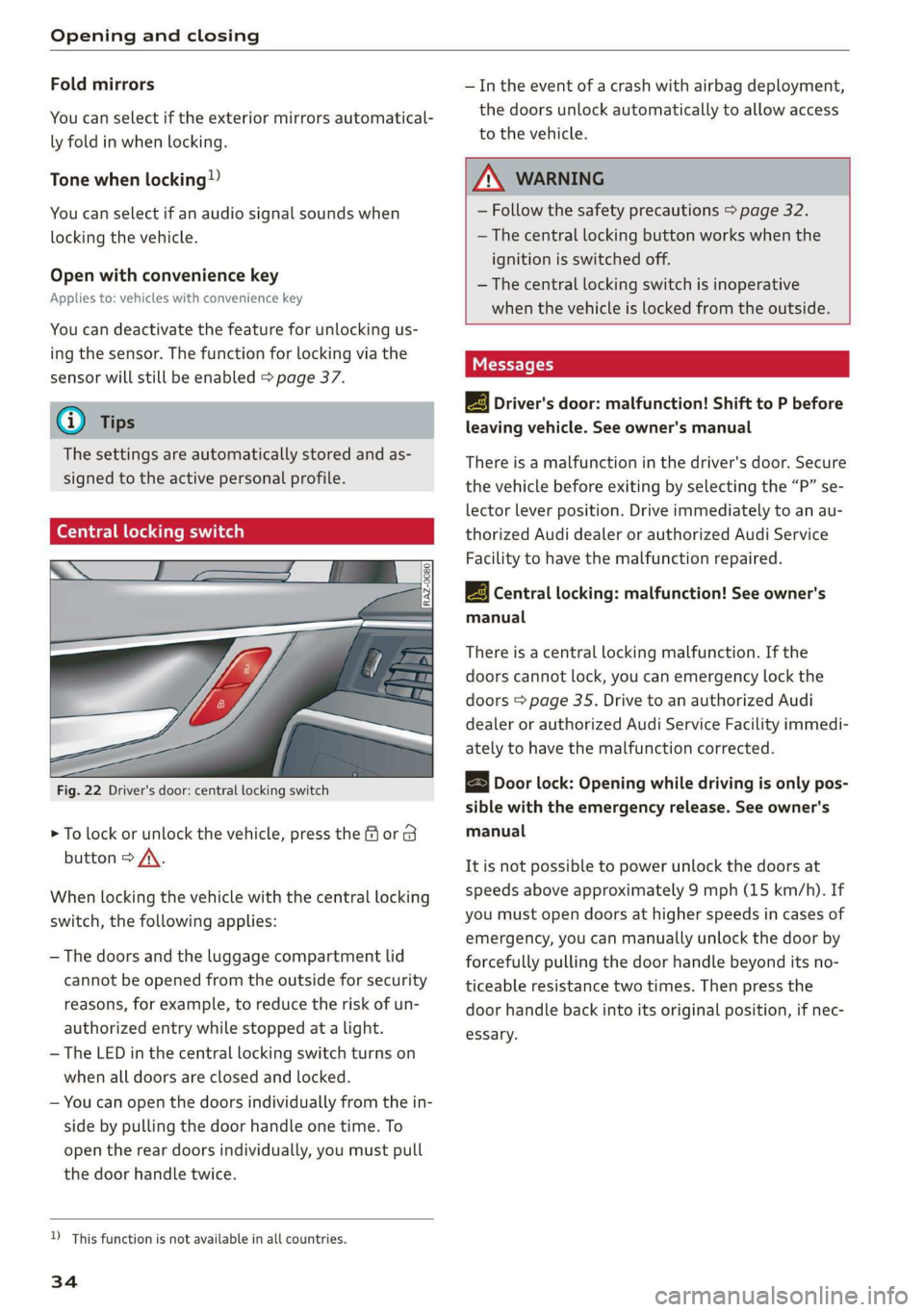
Central locking switch
Fig. 22 Driver's door: central locking switch
> To lock or unlock the vehicle, press the or 8
button > /A\.
When locking the vehicle with the central locking
switch,
the following applies:
— The doors and the luggage compartment lid
cannot be opened from the outside for security
reasons, for example, to reduce the risk of un-
authorized entry while stopped at a light.
—The LED in the central locking switch turns on
when all doors are closed and locked.
— You can open the doors individually from the in-
side by pulling the door handle one time. To
open the rear doors individually, you must pull
the door handle twice.
D This function is not available in all countries.
34
— In the event of a crash with airbag deployment,
the doors unlock automatically to allow access
to the vehicle.
Z\ WARNING
— Follow the safety precautions > page 32.
— The central locking button works when the
ignition is switched off.
—The central locking switch is inoperative
when the vehicle is locked from the outside.
Messages
EB Driver's door: malfunction! Shift to P before
leaving vehicle. See owner's manual
There is a malfunction in the driver's door. Secure
the vehicle before exiting by selecting the “P” se-
lector lever position. Drive immediately to an au-
thorized Audi dealer or authorized Audi Service
Facility to have the malfunction repaired.
|_-3} Central locking: malfunction! See owner's
manual
There is a central locking malfunction. If the
doors cannot lock, you can emergency lock the
doors > page 35. Drive to an authorized Audi
dealer or authorized Audi Service Facility immedi-
ately to have the malfunction corrected.
B Door lock: Opening while driving is only pos-
sible with the emergency release. See owner's
manual
It is not possible to power unlock the doors at
speeds above approximately 9 mph (15 km/h). If
you must open doors at higher speeds in cases of
emergency, you can manually unlock the door by
forcefully pulling the door handle beyond its no-
ticeable resistance two times. Then press the
door handle back into its original position, if nec-
essary.