mirror AUDI A8 2012 User Guide
[x] Cancel search | Manufacturer: AUDI, Model Year: 2012, Model line: A8, Model: AUDI A8 2012Pages: 300, PDF Size: 75.06 MB
Page 64 of 300
62 Seats and storage
Seat memory
Description
Applies to vehicles: with memory function
The memory function allows you to quickly
and eas ily store and recall personal seating
p rofiles for the dr iver, front passenger and
outer rear seats*. The memory function is op
erated through the master key and the memo ry buttons in the driver's/front passenger's
doors and the rear doors*.
The driver's seating profi le is stored and as
signed to the master key each time the vehicle
is locked . The seating profile is recalled auto
matically when the vehicle is unlocked. If two
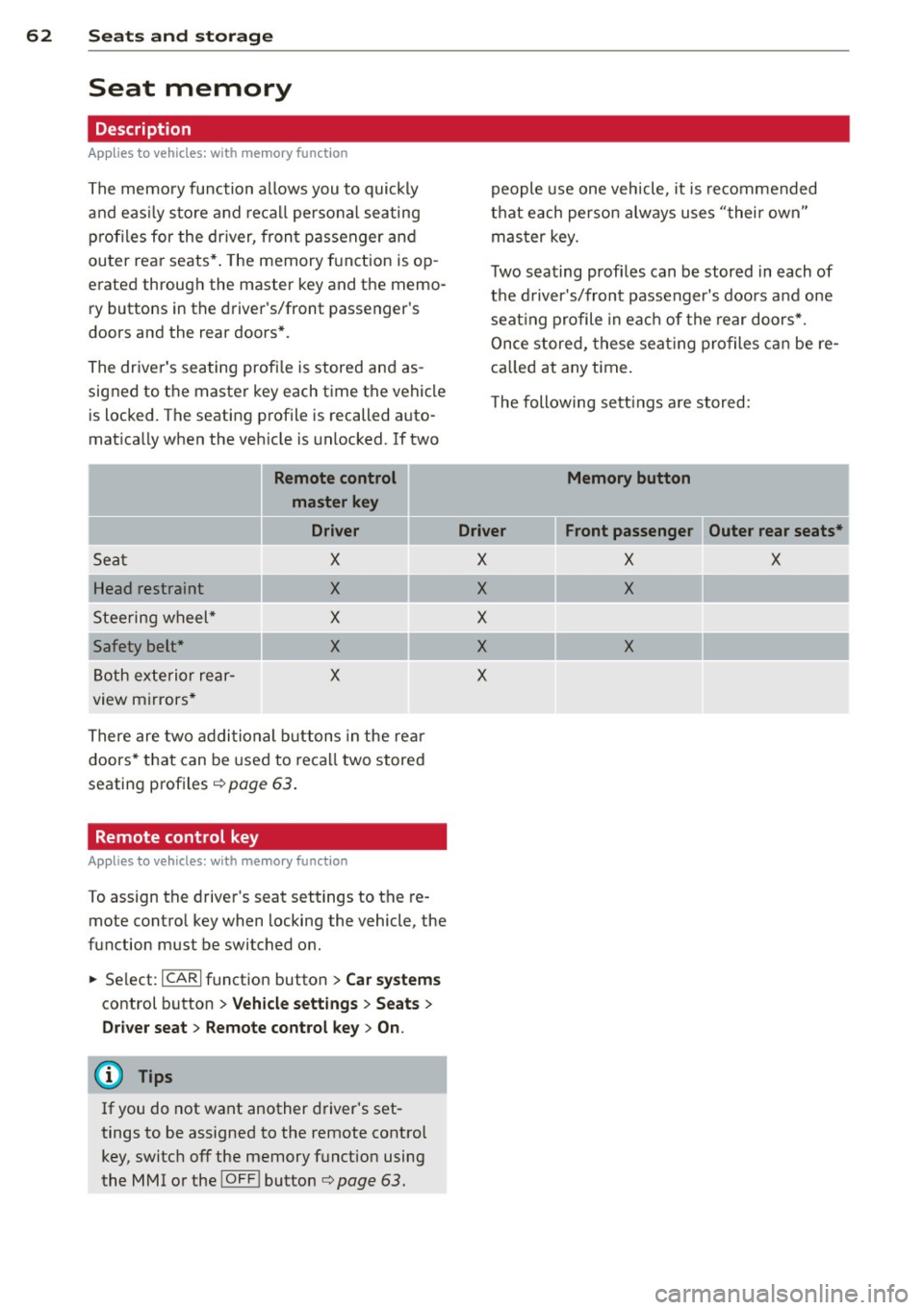
Remote control
master key
Driver
Seat X
Head restraint X
Steering wheel* X
Safety belt* X
Both exterior rear-X
view mirrors *
There are two additional buttons in the rea r
doors* that can be used to recall two stored
seating profiles
r:=;,poge 63.
Remote control key
Applies to vehicles: with memory function
To assign the driver's seat settings to the re
mote contro l key when locking the vehicle, the
function must be switched on .
.. Se lect:
ICARI function button> Car systems
control button > Vehicle settings > Seats >
Driver seat> Remote control key> On.
@ Tips
If you do not want another driver's set
tings to be assigned to the remote control
key, switch off the memory function using
the MMI or the
I OF FI button r:=;,poge 63.
people use one vehicle, it is recommended
that each person always uses "their own"
master key.
Two seating profiles can be stored in each of
the driver's/front passenger's doors and one
seat ing profile in each of the rear doors*.
Once stored, these seat ing profiles can be re
ca lled at any time.
T he following sett ings are stored:
Memory button
Driver Front passenger Outer rear seats*
X X X
X X
X
X
X
X
Page 74 of 300
72 Seats and stor age
Addit ional storage
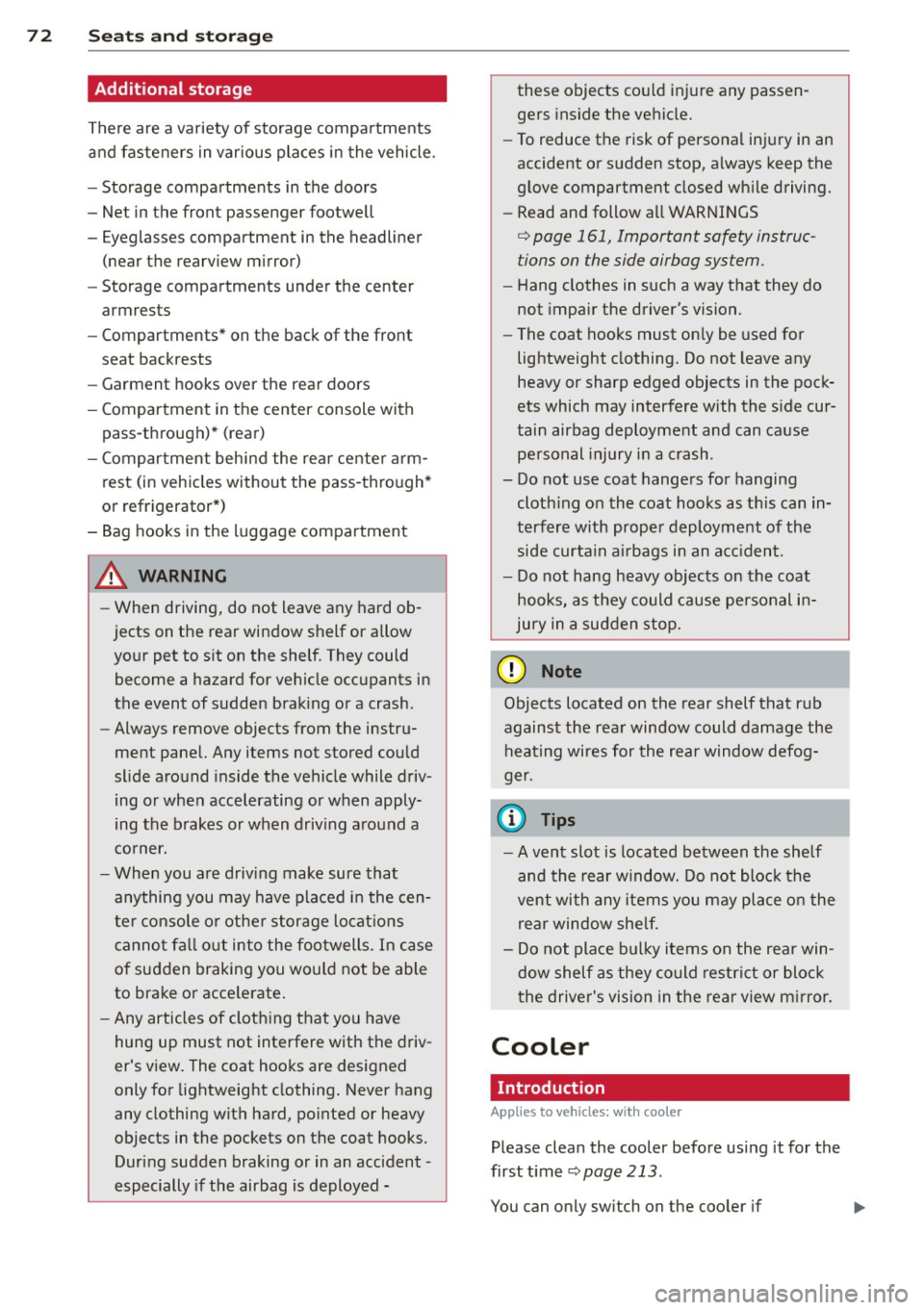
There are a variety of storage compartments
and fasteners in various places in the vehicle.
- Storage compartments in the doors
- Net in the front passenger footwell
- Eyeglasses compartment in the headliner (near the rearview mirror)
- Storage compartments under the center
armrests
- Compartments* on the back of the front
seat backrests
- Garment hooks over the rear doors
- Compartment in the center console with
pass-through)* (rear)
- Compartment behind the rear center arm
rest (in vehicles without the pass-through*
or refrigerator*)
- Bag hooks in the luggage compartment
A WARNING
-When driving, do not leave any hard ob
jects on the rear window shelf or allow
your pet to sit on the shelf. They could
become a hazard for vehicle occupants in
the event of sudden braking or a crash .
- Always remove objects from the instru
ment panel. Any items not stored could
slide around inside the vehicle while driv
ing or when accelerating or when apply
ing the brakes or when driving around a
corner.
- When you are driving make sure that
anything you may have placed in the cen
ter console or other storage locat ions
cannot fall out into the footwells. In case
of sudden braking you would not be able
to brake or accelerate.
- Any articles of clothing that you have
hung up must not interfere with the driv
er's view. The coat hooks are designed
only for lightweight clothing. Never hang
any clothing with hard, pointed or heavy
objects in the pockets on the coat hooks.
During sudden braking or in an accident -
especially if the airbag is deployed - these objects could injure any passen
gers
inside the vehicle.
- To reduce the risk of personal injury in an
accident or sudden stop, always keep the
glove compartment closed while driving.
- Read and follow all WARNINGS
c:> page 161, Important safety instruc
tions on the side airbag system.
- Hang clothes in such a way that they do
not impair the driver's vision.
- The coat hooks must only be used for
lightweight clothing. Do not leave any
heavy or sharp edged objects in the pock
ets which may interfere with the side cur
tain airbag deployment and can cause personal injury in a crash.
- Do not use coat hangers for hanging clothing on the coat hooks as this can in
terfere with proper deployment of the
side curta in airbags in an acc ident.
- Do not hang heavy objects on the coat
hooks, as they could cause personal in
jury in a sudden stop.
@ Note
Objects located on the rear shelf that rub
against the rear window could damage the
heating wires for the rear window defog
ger .
(D Tips
-A vent slot is located between the shelf
and the rear window. Do not block the
vent with any items you may place on the
rear window she lf.
- Do not place bulky items on the rear win
dow shelf as they could restrict or block
the driver's vision in the rear view mirror.
Cooler
Introduction
App lies to vehicles: wit h coo ler
Please clean the cooler before using it for the
first time
c:> page 213.
You can only switch on the cooler if ...
Page 101 of 300

Audi side assist Lane Change Assistant
Description
App lies to vehicles: with si de assist
Fig . 10 1 Sensor detection range
Fig. 102 Disp lay on the exterior mirror
Side assist he lps you monitor yo ur blind spot
and traffic behind your veh icle. W ith in the
limits of the system, it warns you about vehi
cles that are coming closer or that are travel
i n g with you with in sensor range
(D
c::, fig . 101: if a lane change is class ified as crit
ical, the display @ in the exterior mirror
c::> fig. 102 turns on.
The display in the left exterior mirror provides
assistance when making a lane cha nge to t he
l eft, while the display in the right exter ior mir
r or p rov ides assistance when making a lane
change to t he right.
Information stage
As long as you do not activate the turn signal,
side assist
informs you about vehicles that are
detected and class ified as crit ica l. The display
i n the respec tive mirro r turns o n, but is d im .
Aud i side assist 99
The display remains d im intentionally in the
information stage so that your view toward
the front is not disturbed .
Warning st age
If you activate the turn signal, s ide assist
warns you about veh icles that are detected
and classified as critical. The display in the re
spective mirror blinks brightly . If this hap
pens, check traff ic by glancing in the rearview
mirror and over your shoulder¢
A in General
information on page 100.
@ Tips
- You can adjust the brightness of the dis
play @¢
page 101.
-Please refer to the instructions fo r tow
ing a trailer located in¢
page 100.
Page 102 of 300

100 Audi side assist
General information
App lies to vehicles: with side assist
®
©
Fig. 103 Driving s it u at ions
A U D I
• 0
Fig . 104 Rear of th e ve hicle: pos it io n of t he se nso rs
Side assis t fu nctions at speeds above ap prox i
ma tely 19 mph (30 km/h).
(D V ehicles that are approaching
In certain cases, a vehicle will be classified as
cr itical for a lane change
even if it is still
somewhat far away. The fas ter a vehicle ap
p ro aches, the sooner the disp lay in the exteri
or m irror will t urn on.
@ Vehicles traveling with you
Vehicles traveling w ith you are indicated in the
exterior m irror if they are classified as cr it ical
for a lane change. All vehicles detec ted by
side assis t are in dicated by the time they en
ter your "blind spot", at the latest.
@ Vehicles left behind
If you s low ly pass a ve hicl e tha t sid e ass ist has
dete cted ( the difference in s peed between the
vehicle and you r vehicle is less than 9 mph or
15 km/ h), the display in the exterio r mirror
turns on as soon as the vehicle enters your blind spot.
The disp lay wi ll not t urn on if you quickly pass
a vehicle that s ide assist has detected (t he d if
f erence in speed between the ve hicle and your
vehicle is greater than 9 mph or 15 km/h).
Functional limitations
T he radar senso rs are designed to detect the
left and right adjacent lanes when the road
l anes a re the normal width. In certain situa
t ions, the d isp lay in the exterior mirror may
turn on even though there is no ve hicle locat
ed in the area that is cr itical fo r a la ne cha nge.
Fo r example:
- if the lanes are narrow or if your are driving on the edge of your lane. If this is the case ,
the system may have detected the vehicle in
another lane that is
not adjacent to you r
cur rent lane .
- if you a re driving through a c urve . Side assis t
may react to a vehicle that is one lane ove r
from the adjacent lane .
- if side assist reacts to other objects (such as
high or d isp laced gua rd rails) .
- In poor weather conditions. The side assist
fu nctions are limited .
Do not cover the radar sensors
c::> fig. 104 with
stickers, depos its, bicycle wheels or other ob
jects, because this wi ll affect the funct io n. Do
not use s ide ass ist when towing a trailer . For
information on cleaning, refe r to
c::> page 205 .
&_ WARNING
-Always pay a tten tion t o traffic and to the
a rea around your ve hicl e. Side a ssist can
no t repla ce a driver's atte ntion. The driv
er a lone is always respons ible fo r lane
cha nges a nd similar driving mane uvers.
Page 103 of 300

-Improper reliance on the side assist sys
tem can cause collisions and serious
personal injury:
- Never rely only on side assist when
changing lanes.
- Always check rear view mirrors to make
sure that it is safe to change lanes.
- Side assist cannot detect all vehicles un
der all conditions- danger of accident!
- Please note that side assist indicates
there are approaching vehicles, or vehi cles in your blind spot, only after your ve
hicle has reached a driving speed of at
least 19 mph (30 km/h).
- In certain situations, the system may not
function or its function may be limited.
For example:
- if vehicles are approaching or being left
behind very quickly. The display may
not turn on in time.
- in poor weather conditions such as
heavy rain, snow or heavy mist .
- on very wide lanes, in tight curves or if
there is a rise in the road surface . Vehi
cles in the adjacent lane may not be de
tected because they are outside of the
sensor range.
(D Note
The sensors can be displaced by impacts or
damage to the bumper, wheel housing and
underbody. This can affect the system .
Have your authorized Audi dealer or au
thorized Audi Service Facility check their
function.
(D Tips
- If the window glass in the driver's door
or front passenger's door has been tint
ed, the display in the exterior mirror may be misinterpreted.
- For Declaration of Compliance to United
States FCC and Industry Canada regula
tions
c::>page 283.
Audi side assist 101
Activating and deactivating
Applies to vehicles: m it s ide ass ist
Fig. 105 Driver 's doo r: Side ass ist button
.,. Press the c::> A in General information on
page 100
button to switch the system on/
off . The LED in the button turns on when
side assist is switched on.
Adjusting the display brightness
App lies to vehicles: wit h side assist
The brightness setting can be adjusted via the
MMI.
.,. Select: I CAR I function button > Car systems
control button
> Driver assist > Audi side
assist .
The display brightness adjusts automatically
to the brightness of the surroundings, both in
the information and in the warning stage . In
very dark or very bright surroundings, the dis
play is already set to the minimum or maxi
mum level by the automatic adjustment. In
such cases, you may notice no change when
adjusting the brightness, or the change may
only be noticeable once the surroundings
change.
Adjust the brightness to a level where the dis
play in the information stage will not disrupt
your view forward.
If you change the bright
ness, the display in the exterior mirror will
briefly show the brightness leve l in the infor
mation stage. The brightness of the warning
stage is linked to the brightness in the infor
mation stage and is adjusted along with the
information stage adjustment .
Page 118 of 300

116 Advanc ed Parking S ystem
Rear vi ew cam era co ve ra ge area
The MM I display shows the area covered by
the rear view camera
c::> fig. 123 @ . Objects
that are not in the area covered @are not
shown on the MMI display.
We recommend that you p ractice park ing with
the rear view camera in a t raffic -free location
or parking lot to become familiar with the sys
tem, the orientation lines, and their function.
When doing th is, there sho uld be good light
and weather conditions.
In the MMI disp lay, objects or vehicles appear
closer or further away if:
- you are driving in reverse gear from a level
surface onto an incline, or a downward
s lope,
- you are d riving in reverse gear toward pro
truding objects,
- the vehicle is carrying too much load in the
rear.
The accuracy of the orientation lines and blue
surfaces dim inishes if:
- the adaptive air suspension/sport* is faulty, the vehicle is lifted or dynamic mode is se
lected
c::> page 103,
- the rear view camera does not provide a reli
able image, for examp le, in poor visibility
cond it ions or if the lens is dirty,
- the image on the screen is not visible due to
sun glare and reflect ion.
Car in g for the rear view came ra lens
The rear view camera is located above the rear
license plate bracket . For the parking system
to operate, the lens
c::> fig . 124 must be kept
clean:
- Dampen the lens with a household alcohol
based glass cleaner, and then wipe the lens
clean with a dry cloth
c::> CD.
- Remove snow with a hand brush and ice
preferably with a de-icing spray
c::> (D .
A WARNING
,-
- Senso rs have blind spots in which objects
cannot be detected . Pay special attention to small children and animals because
the sensors cannot always detect them.
- The parking system cannot replace the
driver's attention. The driver alone is re
sponsible for parking and similar driving maneuvers.
- Always keep your eyes on the vehicle 's
surroundings, us ing the rear view mirror
as well.
- Do not allow yourself to be distracted
from traffic by the rear view camera p ic
tures.
- If the position and the installation angle
of the camera has changed, for example,
after a rear end col lis ion, do not continue
to use the system for safety reasons .
H ave it checked by a qualified dea le rship.
(D Note
- Low obstacles a lready s ignaled by a
warning can disappear from the system's detection range as they are approached
and w ill not cont inue to be signaled. Ob
jects such as ba rr ier chains, trailer draw
bars, thin painted vert ica l poles or fen
ces may not be detected by the system,
posing risk of damage .
- N ever use warm or hot water to remove
snow or ice from the rear view camera
lens - this could ca use the lens to crack!
- When cleaning the lens, never use prod
ucts that are abrasive.
Page 120 of 300

118 Advanced Parking System
Reverse Parking
Applies to vehicles: with park ing system advanced
Parking mode 1 con be used when parking in
a garage or into a parking space.
Fig. 127 MMI display: aiming at a parking spot
Fig. 128 MMI display : al igning the vehicl e
• Turn the steering wheel until the orange
orientation lines
(D appear in the parking
spot
c::> fig . 12 7 . Use the markings @to help
you estimate the distance from an obstacle. Each marking represents 3
ft (1 meter). The
blue area represents an extension of the ve
hicle's outline by approximately 16
ft (5 me
ters) to the rear.
• While driving in reverse gear, adjust the
steering wheel angle to fit the parking space
with the aid of the orange orientation lines
¢(D. @ marks the rear bumper. Stop the
vehicle when the red orientation line © bor
ders an object
c::> ,& !
_& WARNING
-The rear view camera does not show the
entire area behind the vehicle
¢page 115, fig. 123. Watch out espe
cially for small children and animals. The rear view camera cannot always detect
them, posing risk of an accident!
- Please note that objects not touching the
ground can appear to be further away
than they really are (for example, the
bumper of a parked vehicle, a trailer
hitch, or the rear of a truck). In this case,
you should not use the help lines to help
with parking, which poses danger of an accident!
(D Note
In the M MI dis play , the direction of travel
of the vehicle rear is represented depend
ing on the steering wheel angle . The vehi
cle front swings out more than the vehicle
rear. Maintain plenty of distance so that
your outside mirror or a corner of your ve
hicle does not collide with any obstacles.
This can damage to your vehicle.
Parallel Parking
Applies to vehicles: with parking system adva nced
Use parking mode 2 to help you parallel pork
along the side of a street.
Fig. 129 MMI display: blue surface in the park ing spot
Fig. 130 MMI disp lay: Blu e curve on the curb
Page 121 of 300

The following steps app ly only when there is
no obsta cle such as a wa ll near the parking
spot. Otherwise, please read the information
provided in the "Parking Next to Obstacles"
section
c::> page 119.
~ Activate the turn signal.
~ Position your vehicle parallel to the edge of
the street, approximately 3 ft (1 meter)
from a parked vehicle .
~ Switch the MM I on and se lect reverse gear .
The parking aid tu rns o n and parking mode
1 appears on the display .
~ Press the contro l bu tton (D c::> fig. 129 on
the MMI contro l conso le. Parking mode 2
appea rs .
~ Back up and align yo ur vehicle so t he b lue
area @ borders on the rear end of the vehi
cle or on the parking spot line. The bl ue area
represents an extension of the veh icle's out
line by approximate ly 16 ft (5 meters) to the
rear . The long side of the blue area should
be o n the curb . The entire blue area must fit
i nto the parking spot .
~ With the vehicle stopped, turn the steer ing
whee l to the right as far as it w ill go.
~ Back into the park ing spot until the blue
cu rve to uches the curb
c::> fig. 130. Stop the
vehicle.
~ With the veh icle stopped, turn the steer ing
wheel to the left as far as it will go .
~ Continue to back into the park ing spot until
the vehicle is parked para llel to the curb .@
marks the rear bumper. Stop the vehicle
when the red orientation line@ borde rs an
object
c::> .&, . Keep an eye o n the fron t of
yo ur vehicle while do ing this
c::> (j) .
Parking next to obstacles
When t here is an obstacle (such as a wall)
next to the pa rking spot, choose a spot w ith
mo re space on t he sides. Position the long
side of the b lue a rea so that there is sufficient
space from the curb. The a rea m ust no t be on
the c urb. You w ill also need to start turn ing
the steering wheel much earlie r. T he re should
be a suffic ient amo unt of space between the
curb and the blue curve, and the blue c urve
c::> fig. 130 must not touch the curb.
Ad vanced P arking S ystem 119
A WARNING
-The rear view camera does not show the
entire area behind the vehicle
c::> page 115, fig. 12 3 . Watch out espe
cially fo r small children and anima ls . The
rea r view came ra ca nnot alway s de te ct
them, posing r is k of an a ccident!
- P lease note that objects not touching the
g rou nd can appear to be further away
than they really are (for example, the
bumper of a parked vehicle, a trai ler
hitch, or the rea r of a truck) . In this case,
you shou ld not use the help lines to help
with parking, wh ich poses danger of an
accident!
(D Note
In the MMI display, the direction of travel
of the vehicle rear is represented depend
i ng on the steering wheel angle . The vehi
cle front swings out more than the vehicle
rear. Maintain ple nty of d istance so that
your outside mirror or a corner of your ve
hicle does not col lide with any obstacles.
T his can damage to your ve hicle.
(0 Tips
The left o r right orientation lines and su r
faces will be disp layed, depending on the
turn s ignal being used .
Adjusting the display
and warning tones
App lies to v ehicl es: wi th parkin g sys tem advanced
The display and warning tones can be adjust
ed in the MMI.
~ Select: I CAR I function b utton > Car sy stem s
contro l button > Dri ver a ssist > Parking aid
> Setting s control b utton .
Display
On -when the parking system is switched on,
either the vis ual d isp lay or the picture from
the rea r view camera is disp layed .
IJI>
Page 201 of 300

Trailer towing Driving with a trailer
General information
Your Audi was designed primarily for passen
ger transportation .
If you plan to tow a trai ler, p lease remember
that the addit ional load will affect durab ility,
economy and performance .
Trailer towing not on ly places more stress on
the vehicle, it also calls for more concentra
tion from the driver.
F or this reason, a lways fo llow the operating
and d riving instr uctions provided and use
common sense.
(D Note
If you are going to tow a trai ler, you must
activate the trailer operat ion mode
~ page 199, Operating instructions.
Technical requirements
Trailer hitch
Use a weight-carrying hitc h co nforming to the
gross trailer we ight. The hitch must be suita
b le for your veh icle and trailer and must be
mounted secure ly on the veh icle's chassis at a
technically sound location . Use only a trailer
hi tch wit h a removab le ball moun t. A lways
check with t he trail er hitch ma nufactur er to
make sure tha t you are using the corre ct
hi tch.
Do not use a bumper hitch.
The hitc h must be installed in such a way that
i t does not interfere with the impac t-absorb
i ng bumpe r sys tem. No mod ifica tio ns should
be made to the vehicle exh aust a nd brake sys
tems . From time to time, check that a ll hitch
mo unt ing bolts remain securely fastened.
W hen you are not towing a trail er, remove the
traile r hitch ball mount. Th is prevents the
hi tch from causing damage sho uld your ve hi
cle be str uck from behind ¢& .
Trailer towin g 199
Trailer brakes
If your trailer is equippe d wi th a br akin g sys
tem, check to be s ure that i t conforms to all
r egulations .
T he trailer hy draul ic brak e sys tem mus t not be
direc tly connec ted to the vehi cle' s h ydraulic
brake system .
Safety chains
Always use safety chains between your veh icle
and the tra ile r.
Trailer lights
Trai ler lights must meet all regu lations. Be
su re to check with your Audi dealer for cor rect
wir ing, swi tches and relays .
Mirrors
If you are unable to see the traffic behind you
us ing the reg ular o utside mirrors, then you
must insta ll extended mirrors. It is imp ortant
that you
always have clea r v is ion to the rear.
A WARNING ...__ -
Afte r removing the trailer hitch, do not
stor e it i n yo ur v ehicl e. In cas e o f sudden
b ra king, the hitch co uld fly forwar d and in
ju re you or your p ass en ger s.
Operating instructions
Fi g. 168 MM I dis pl ay: tow ing mode on
Ma ximum trailer weight
A trai ler fo r you r vehicle is limited to a typical
class 1 or class 2 tra iler.
ll>
Page 206 of 300
204 Cleaning and protec tio n
Automatic car wash
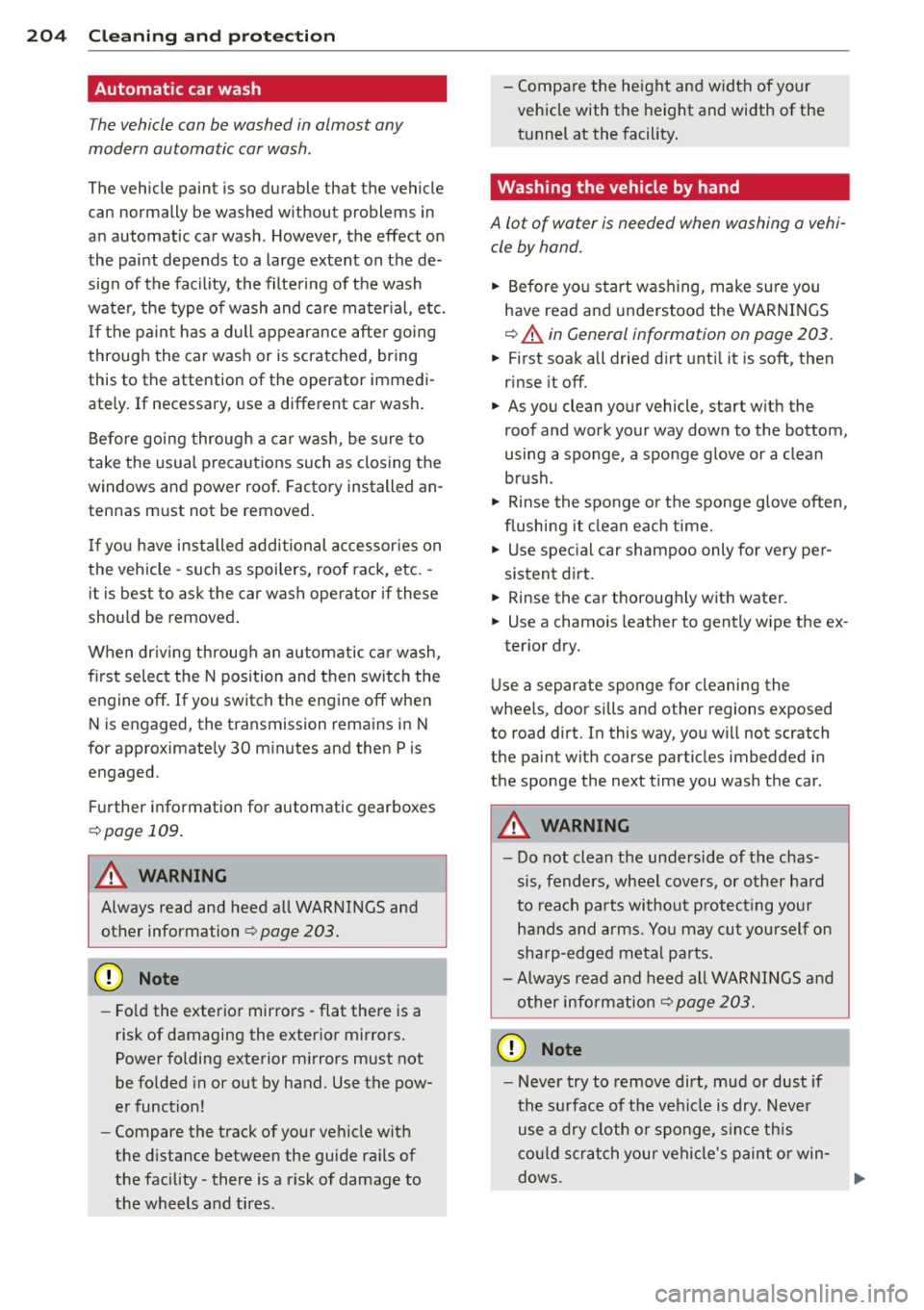
The vehicle can be washed in almost any
modern automatic car wash .
The vehicle paint is so durable that the vehicle
can normally be washed without problems in
an automatic car wash. However, the effect on
the paint depends to a large extent on the de
sign of the facility, the filte ring of the wash
water, the type of wash and care mater ial , etc.
I f the pa int has a dull appearance afte r going
through the car wash or is scratched, bring
this to the attention of the operator immedi
ately. If necessary, use a different car wash.
Before going through a car wash, be sure to
take the usual precautions such as closing the
windows and power roof . Factory installed an
tennas must not be removed.
I f you have installed additional accessor ies on
the vehicle - such as spoilers, roof rack, etc. -
it is best to ask the car wash operator if these
should be removed .
When driving through an automatic car wash,
fi rst se lect the N position and then switch the
engine off. If you switch the engine off when N is engaged, the transmission remains in N
for approximately 30 m inutes and then Pis
engaged.
Further information for automatic gearboxes
~ page 109.
A WARNING
Always read and heed all WARNINGS and
other information
r:::;, page 203.
- Fo ld the exterior mirrors - flat there is a
risk of damaging the exterior mirrors .
Power folding exterior m irrors must not
be folded in or out by hand. Use the pow
er function!
- Compare the track of your vehicle with
the d istance between the guide rails of
the facility - there is a risk of damage to
the wheels and tires . - Compa
re the height and width of your
vehicle with the height and width of the t u nnel at the facility .
· Washing the vehicle by hand
A lot of water is needed when washing a vehi
cle by hand.
.,. Before yo u start wash ing, make su re you
have read and understood the WARNINGS
r:::;, A in General information on page 203.
.,. First soak a ll dried dirt unt il it is soft , then
rinse it off.
.,. As you clean your vehicle, start with the
roof and work your way down to the bottom,
using a sponge, a sponge glove or a clean brush .
.,. Rinse the sponge or the sponge g love often,
flushing it clean eac h time.
.,. Use spec ial car shampoo only for very per
sistent di rt.
.,. Rinse the car thoroughly w ith water.
.,. Use a chamois leather to gently w ipe the ex-
terior dry.
Use a separate sponge for cleaning the
whee ls , door si lls and other regions exposed
to road dirt. In this way, you will not scratch
the pa int with coarse particles imbedded in
the sponge the next time you wash the car.
A WARNING
- Do not clean the underside of the chas
sis, fenders, wheel covers, or other hard
to reach parts without protect ing you r
hands and arms. You may cut yourself on
sha rp-edged metal parts .
- Always read and heed all WARNINGS and
other info rmation
c;, page 203.
(D Note
- Never try to remove dirt, mud or dust if
the surface of the veh icle is dry. Never
use a d ry cloth or sponge, s in ce this
co uld scratch your vehicle's paint or win -
-
dows. .,.