warning lights AUDI A8 2012 User Guide
[x] Cancel search | Manufacturer: AUDI, Model Year: 2012, Model line: A8, Model: AUDI A8 2012Pages: 300, PDF Size: 75.06 MB
Page 23 of 300
Instruments and warning/indicator lights 21
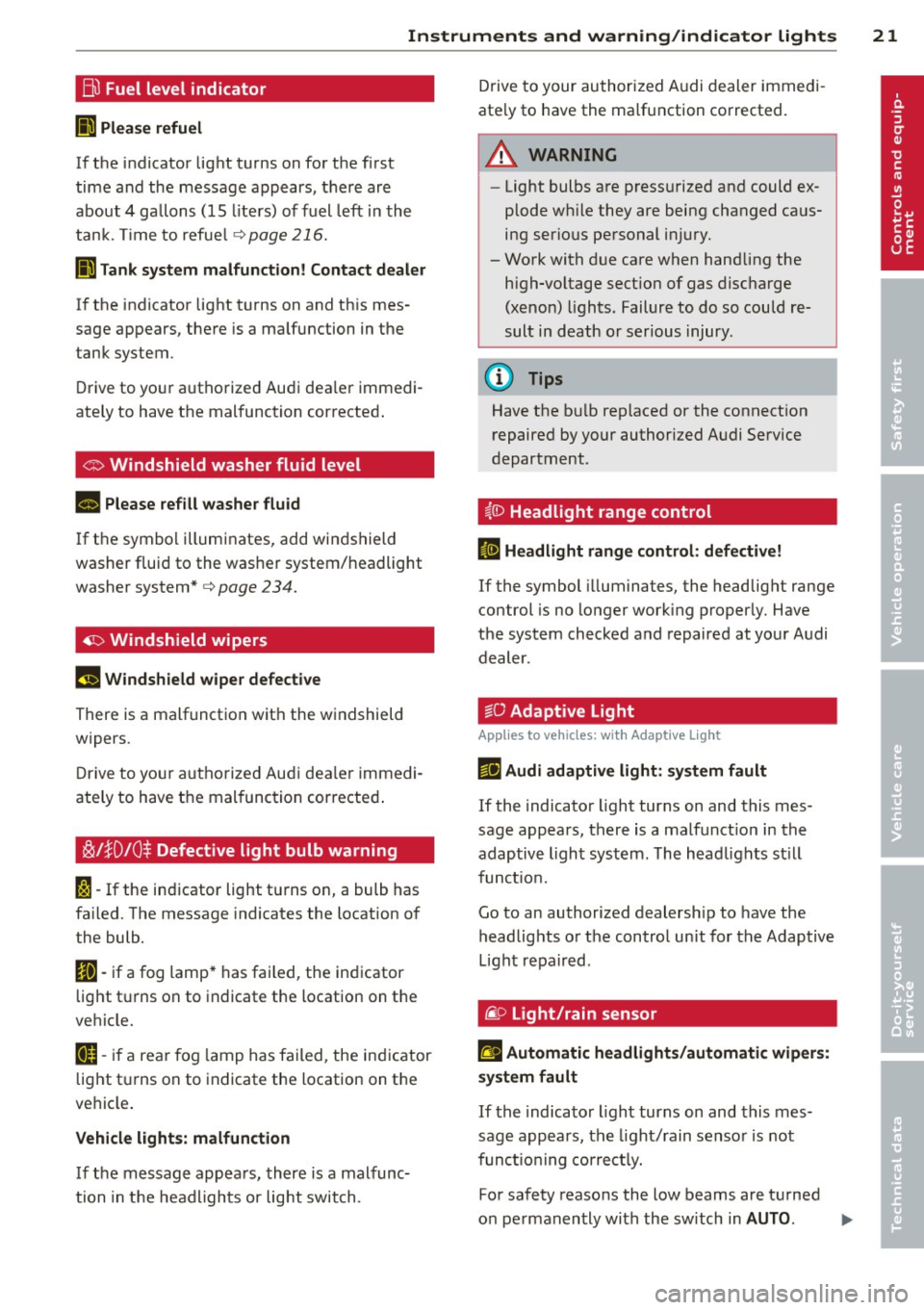
Bu Fuel level indicator
II Please refuel
If the indicator light turns on for the first
time and the message appears, there are
about 4 ga llons (15 liters) of fuel left in the
tank . T im e to refuel
<=>page 216.
II Tank system malfunction! Contact dealer
If the indicator light turns on and th is mes
sage appears, there is a malfunction in the
tank system.
Drive to your authorized Audi dea ler immedi
ately to have the malfunction corrected .
co Windshield washer fluid level
II Please refill washer fluid
If the symbol illuminates, add windshield
washer fluid to the washer system/headlight
washer system* <=>
page 234.
4I:> Windshield wipers
!I Windshield wiper defective
There is a malfunction with the windshield
wipers.
Drive to your authorized Aud i dealer immedi
ately to have the mal function cor rected .
~!}0 10$ Defective light bulb warning
I-If the indicator light turns on, a bulb has
fa iled. The message indicates the location of
the bulb.
II-if a fog lamp* has failed, the ind icator
light t urns on to indicate the location on the
vehicle.
[ti-if a rea r fog lamp has failed, the ind icator
light turns on to indicate the location on the
vehicle .
Vehicle lights: malfunction
If the message appears, there is a malfunc
tion in the headlights or light switch. Drive to
your authorized A udi dealer immedi
ate ly to have the ma lfunction corrected.
A WARNING
- Light bulbs are pressurized and could ex
plode w hile they are being changed ca us
ing serious personal injury.
- Work with due care when hand ling the
high-voltage sect ion of gas discharge
(xenon) lights. Failure to do so could re
sult in death or serious injury.
(1) Tips
Have the bu lb replaced or the connection
repaired by your authorized Audi Service
department.
i.lD Headlight range control
II Headlight range control: defective!
If the symbol illuminates, the headlight range
control is no longer work ing properly. Have
the system checked and repaired at your Audi
dealer .
~0 Adaptive Light
Applies to veh icles: w it h Adaptive light
ml Audi adaptive light: system fault
If the indicator light turns on and this mes
sage appears, there is a malfunct ion in the
adaptive light system. The headlights st ill
function.
Go to an authorized dealersh ip to have the
headlights or the control unit for the Adaptive
Light repa ired .
@ Light/rain sensor
!I Automatic headlights/automati c wipers:
system fault
If the indicato r light turns on and this mes
sage appears, the light/rain sensor is not
funct io nin g correctly.
For safety reasons the low beams are turned
on permanently with the switch in
AUTO . liJI,
Page 24 of 300
22 Instruments and warning /indicator lights
However, you can continue to turn the lights
on and
off using the light switch . You can still
control a ll funct ions that are independent of
the rain sensor through the windshield wiper lever.
Contact your authorized Audi dealer as soon
as possible to have the prob lem corrected.
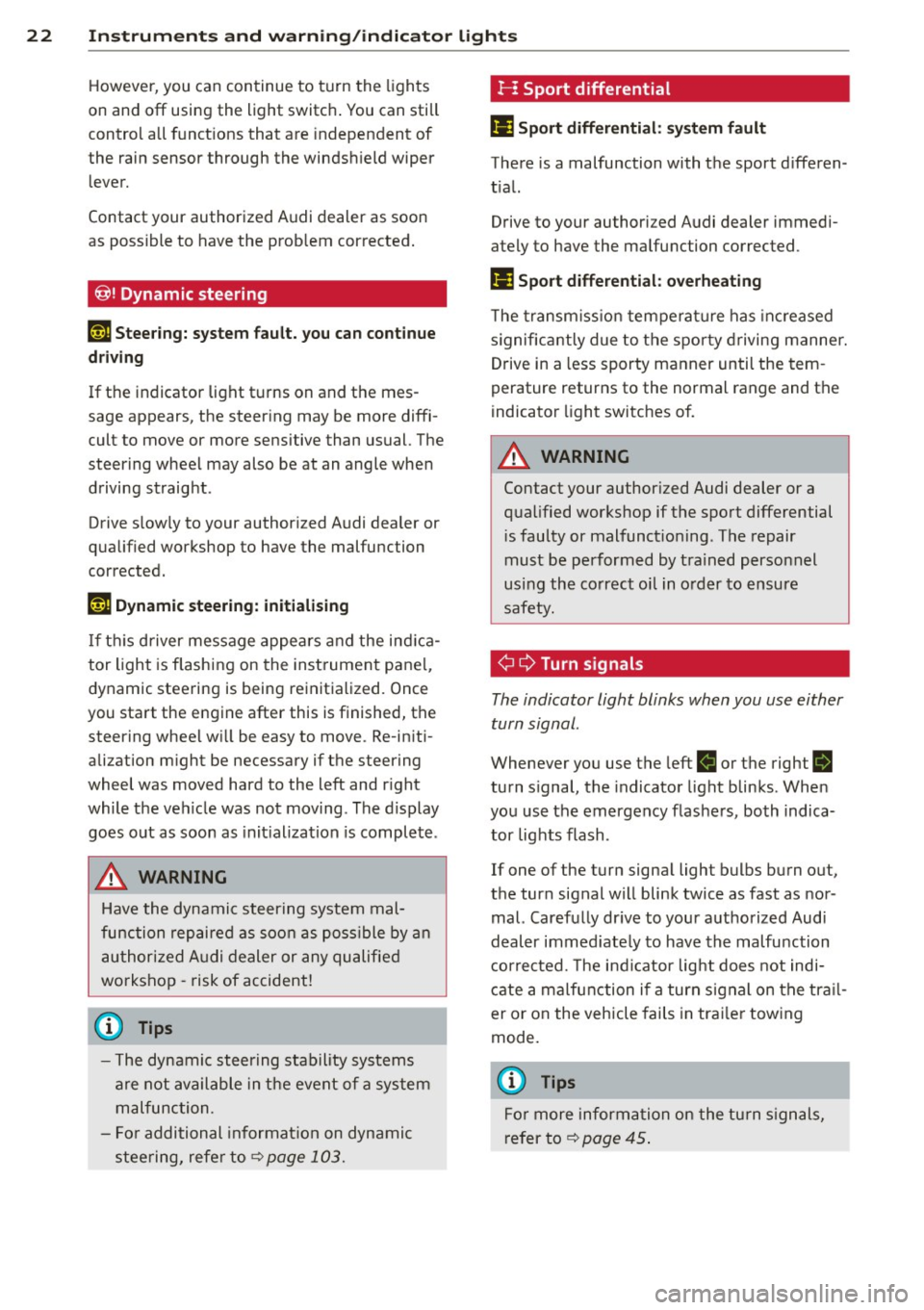
@! Dynamic steering
1;r.ij Steering: system fault. you can continue
driving
If the indicator light turns on and the mes
sage appears, the steering may be more diffi
cult to move or more sensitive than usual. The
steering wheel may also be at an angle when
driving straight .
Drive slow ly to your authorized Audi dealer or
qualified workshop to have the malfunction
corrected.
tT@ Dynamic steering: initialising
If th is driver message appears and the ind ica
tor light is flashing on the instrument panel,
dynamic steering is being reinitialized. Once
you start the engine after this is finished, the steering wheel w ill be easy to move . Re-initi
alization might be necessary if the steering
wheel was moved hard to the left and r ight
while the veh icle was not moving . The display
goes out as soon as init ialization is complete .
A WARNING
-
Have the dynamic steering system mal
function repaired as soon as possible by an
authorized Audi dealer or any qualified
workshop -risk of accident!
@ Tips
-The dynamic steering stability systems
are not available in the event of a system
malfunction.
- For additional informat ion on dynamic
stee ring, refer to
¢page 103.
I-: Sport differential
II Sport differential: system fault
There is a malfunction with the sport d ifferen
t ial.
Drive to your authori zed Audi dealer immedi
ately to have the malfunction corrected .
II Sport differential: overheating
The transmission temperature has increased
s ignificantly due to the sporty driving manner.
Drive in a less sporty manner until the tem
perature returns to the normal range and the
indicator light switches of.
A WARNING
Contact your authorized Audi dealer or a
qualified workshop if the sport differential
is faulty or malfunct ioning . The repair
must be performed by trained personnel
using the correct oil in order to ensure
safety.
¢ 9 Turn signals
-
The indicator light blinks when you use either
turn signal .
Whenever you use the left B or the right B
turn signal, the indicator light blinks. When
you use the emergency flashers , both indica
tor lights flash .
If one of the turn signal light bulbs burn out,
the turn signal will blink twice as fast as nor mal. Carefu lly dr ive to your authorized Audi
dealer immed iately to have the malfunction
corrected. The indicator light does not indi
cate a malfunction if a turn signal on the trail
er or on the vehicle fails in trailer towing
mode.
@ Tips
For more information on the turn signals,
refer to
¢ page 45.
Page 25 of 300
Instrument s and warning /indicator lights 23
Driver information
display
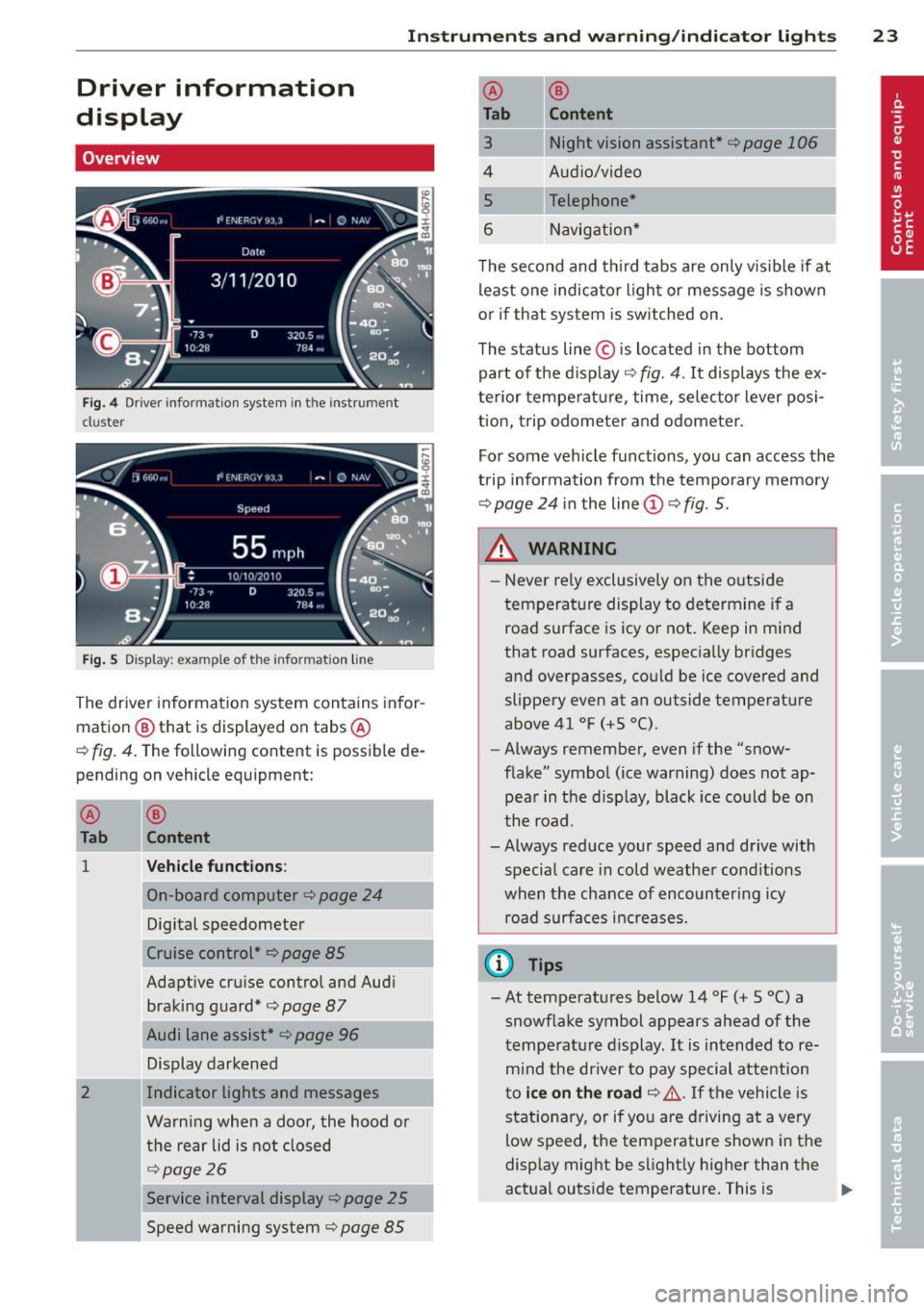
Overview
Fig. 4 Driv er in formation system in t he in strum en t
cl uster
Fig . 5 D isplay: e xample of th e informa tion line
The driver information system contains infor
mation
® that is displayed on tabs ®
c::> fig. 4. The follow ing content is possibl e de
pending on vehicle equipment:
®
Tab
1
2
---
®
Content
Vehicle functions:
On-board computer <=;>page 24
Digital speedometer
Cruise control*
c::> page 85
Adaptive cru ise control and Audi
braking guard*
c::>page 87
Audi lane assist* c::> page 96
Display darkened
Indicator lights and messages
Warning when a door, the hood or
the rear lid is not closed
c::> page 26
Service interval display¢
page 25
Speed warning system ¢ page 85
--
® ®
Tab Content
3 Night vision assistant* c::> page 106
4 Audio/video
s Telephone*
6 Navigation*
The second and th ird tabs are only v isible if at
least one indicator light or message is shown
o r i f that system is switched on .
The status line © is located in the bottom
part of the d isplay
c::> fig . 4. It displays the ex
terior temperature , time , selecto r lever posi
tion, trip odometer and odometer.
I
For some vehicle functions, you can access the
trip information from the temporary memory
r::!;> page 24 i n the line (D c::> fig. 5.
& WARNING ,.______ -
- Never re ly exclusively on the outside
temperature display to determine if a
road surface is icy or not. Keep in mind
that road surfaces, especia lly bridges
and overpasses, could be ice covered and
slippery even at an outside temperature
above 41 °F ( +S
0
() .
-Always remember, even if the "snow
flake" symbol (ice warning) does not ap pear in the display, black ice could be on
the road .
- Always reduce your speed and drive with
special care in cold weather conditions
when the chance of encountering icy road surfaces increases.
(i) Tips
-At temperatures below 14 °F (+ S 0
() a
snowf lake symbol appears ahead of the
temperature display .
It is intended to re
mind the driver to pay special attention
to
ice on the road c::> &. If the vehicle is
stationary, or if you are driving at a very
low speed, the temperature shown in the
display might be slightly higher than the
actual outside temperature. This is
Page 26 of 300
24 Instruments and warning /indicator lights
ca used by the he at being radiated from
t h e engine.
- Y ou can se lect the units used for temper
atu re, speed and other measurements i n
the MMI.
- Fo r i nforma tion on the a udio/video and
navigation* functions, refer to the se pa
r ate MMI owner's manual.
Operation
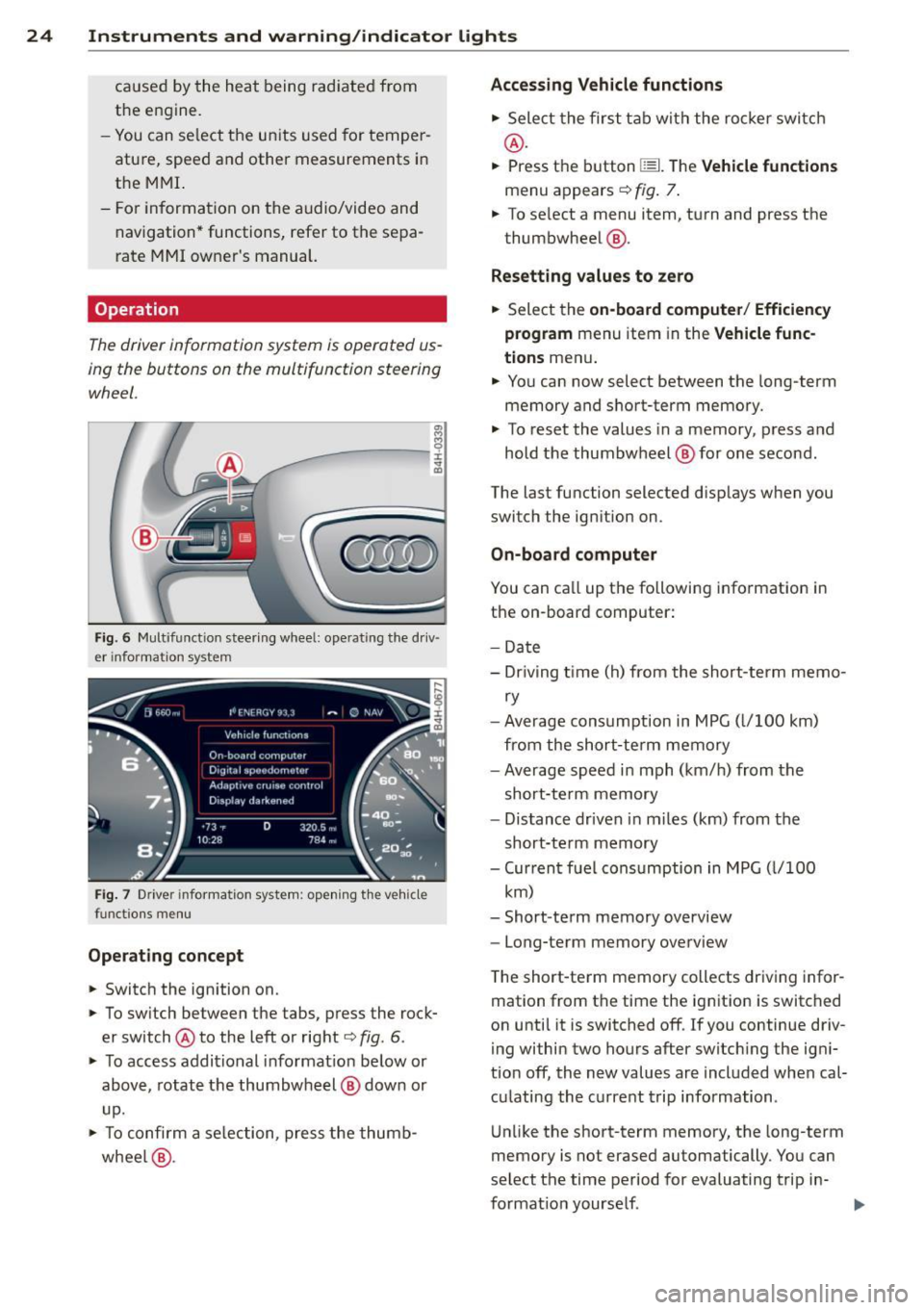
The driver information system is operated us
ing the buttons on the multifunction steering
wheel.
en
~------,~
;;i,
Fig . 6 Mult ifunct io n steer in g whee l: ope rat ing t he d riv
er informa tion sys tem
Fi g. 7 Driver info rm ation system : open ing t he ve hicle
f unct io ns m en u
Operating concept
.. Switch the ignition on.
.. To sw itch between the tabs, press the rock
er switch @to the left or right¢
fig. 6.
.. To access addi tional info rmat ion be low or
above, rotate the thumbw heel @ dow n or
u p.
.. To confi rm a se lecti on, press the thum b
w hee l@ .
Accessing Vehicle functions
.. Sele ct the first t ab with the ro cker swi tch
@ .
.. Press the button ~-Th e Vehicle funct ions
menu appears ¢ fig. 7.
.. To se lect a menu item, turn and press t he
thumbwheel @.
Resetting values to ze ro
.. Select the on-board computer / Efficiency
program
menu item in the Vehicle func
tions
menu .
.. Yo u can now select between the long-term
memory and s hort-term memory .
.. To reset the values in a memory, p ress a nd
hold the thumbwheel @ for one second .
The last function selected d isp lays when you
switch the ignition on .
On-board computer
You can call up the fo llowing info rmation in
the on -board computer:
- Dat e
- Dr iving t ime ( h) from the short-term memo-
ry
- Average cons umption in MPG ( l/100 km)
from the short-te rm memory
- Average speed i n mph (km/h) from the
short-te rm memory
- Dis tance driven in miles (km) from the
short-t erm memory
- Cur ren t fu e l consumption in MPG ( l/100
km)
- Short -te rm memory overview
- Long-term memory overview
T he short-te rm memory collects dr iv ing infor
mation from the time the ig nition is switched
on until it is switched off. If you continue driv
i ng within two ho urs after switch ing the ig ni
tion off, the new values are included when cal
cu lating the c urrent t rip information .
U nli ke the short-term memory , the long-term
memory is not erased automatically . You can
select the time period for evaluating trip in-
format io n yourself . ..,.
Page 27 of 300
Instruments and warning/indicator lights 25
For some vehicle functions, you can access the
trip information from the temporary memory
in the line
(I) c:;; page 23, fig. 5.
@ Tips
- All stored values will be lost if the vehi
cle battery is disconnected.
- Fuel consumptions (average and cur
rent), range and speed are displayed in
metric units on Canadian models.
Odometer
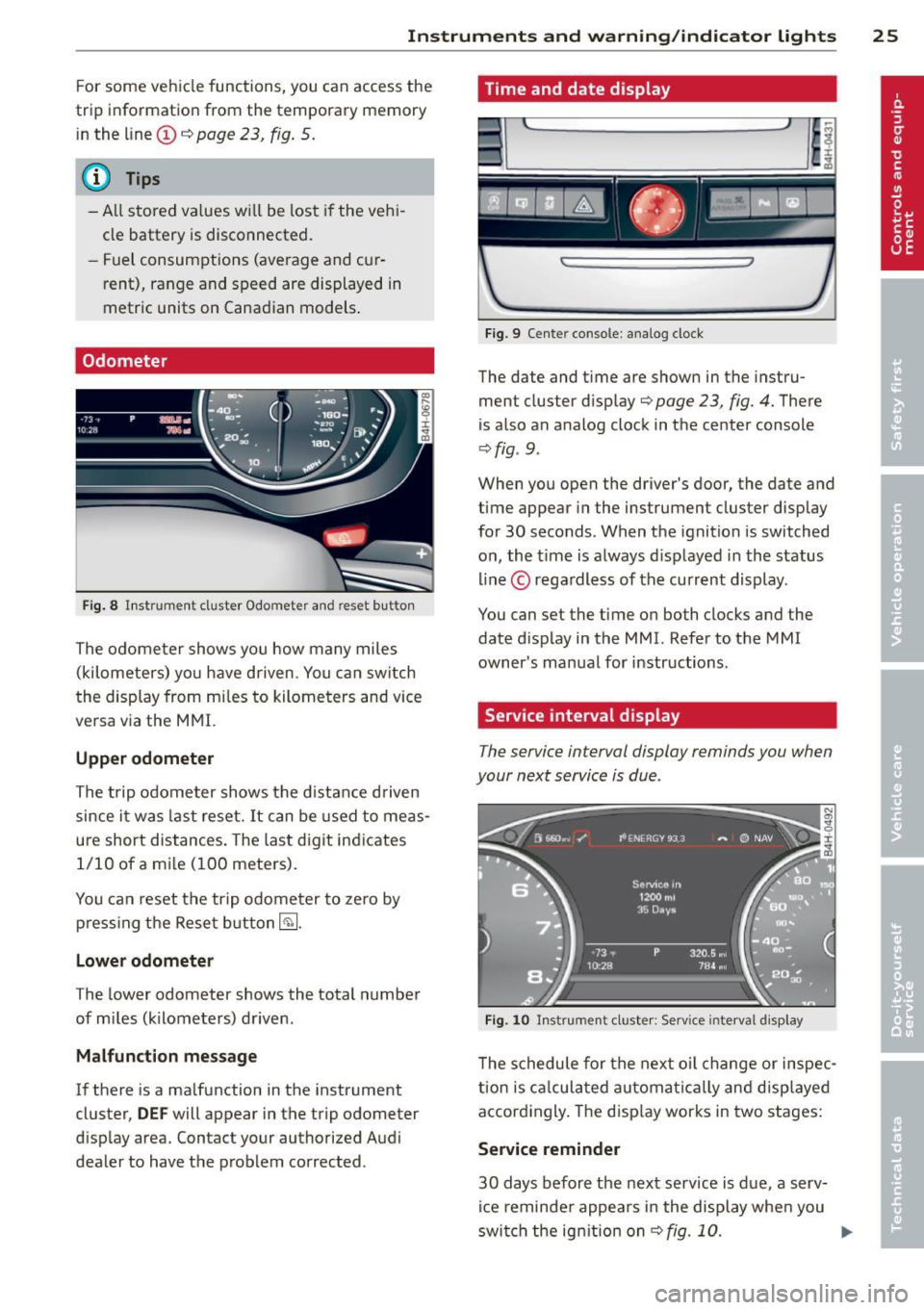
Fig. 8 Instrument cluster Odometer and reset b utto n
The odometer shows you how many miles
(kilometers) you have driven. You can switch
th e display from miles to kilometers and vice
versa via the MMI.
Upper odometer
The trip odometer shows the distance driven
since it was last reset.
It can be used to meas
ure short distances. The last digit indicates 1/10 of a mile (100 meters).
You can reset the trip odometer to zero by
pressing the Reset button~-
Lower odometer
The lower odometer shows the total number
of miles (kilometers) driven .
Malfunction message
If there is a malfunction in the instrument
cluster,
DEF will appear in the trip odometer
display area. Contact your authorized Audi
dealer to have the problem corrected .
Time and date display
...
I~
Fig. 9 Cente r console : analog clock
The date and time are shown in the instru
ment cluster display
c:;; page 23, fig. 4. There
is also an analog clock in the center console
¢fig . 9 .
:r
~
When you open the driver's door, the date and
time appear in the instrument cluster display
for 30 seconds. When the ignition is switched
on, the time is always displayed in the status
line © regardless of the current display.
You can set the time on both clocks and the
date display in the MMI. Refer to the MMI
owner's manual for instructions.
Service interval display
The service interval display reminds you when
your next service is due .
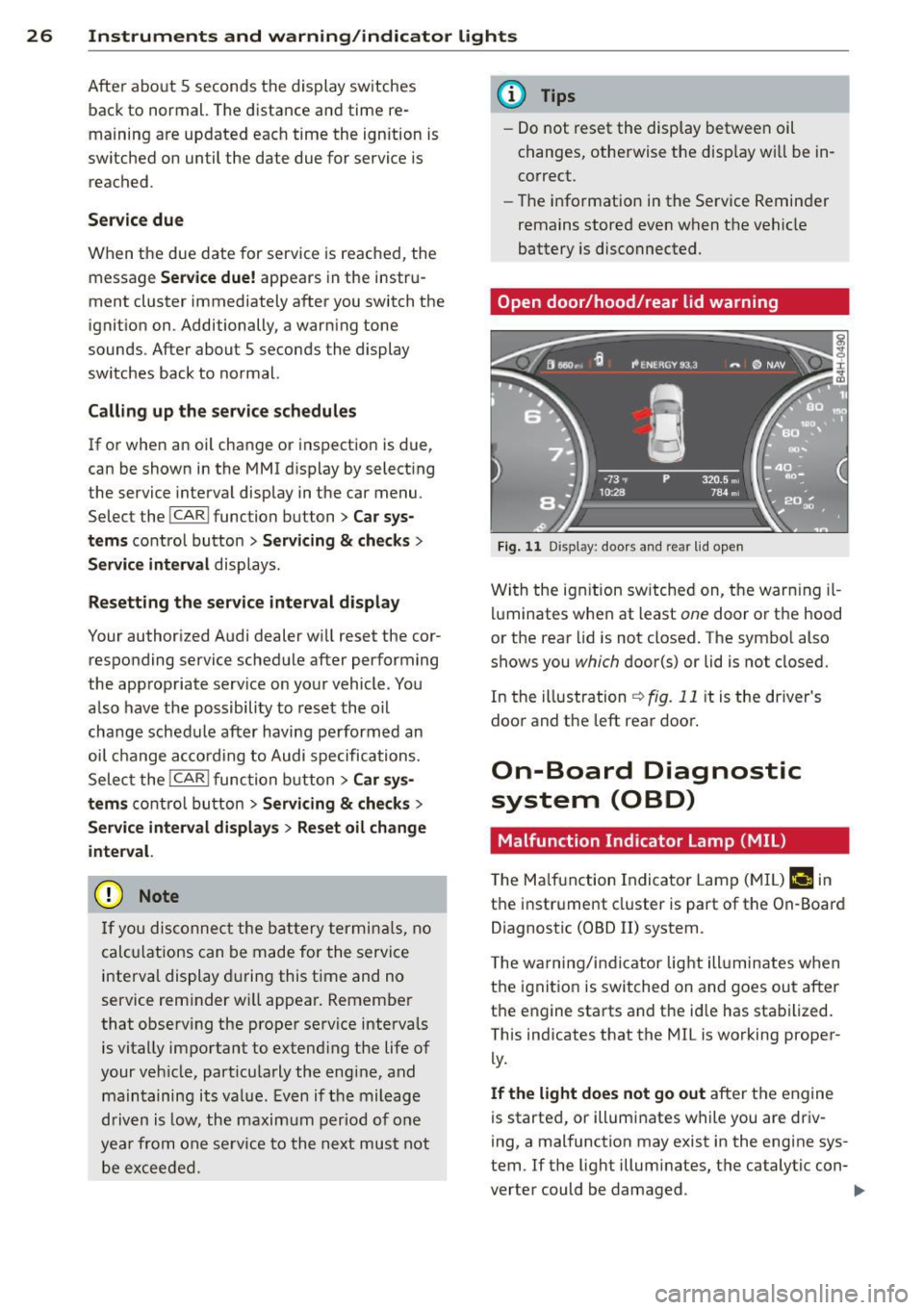
Fig. 10 Instrument cluster: Serv ice inte rval disp lay
The schedule for the next oil change or inspec
tion is calculated automatically and displayed
accordingly. The display works in two stages:
Service reminder
30 days before the next service is due, a serv
ice reminder appears in the display when you
switch the ignition on
¢fig. 10. ..,.
Page 28 of 300
26 Instruments and warning /indicator lights
After abo ut 5 seconds the display sw itches
back to normal. The distance and time re
maining are updated eac h time the ignition is
switched on until the date due for service is
reached .
Service due
When the due date for service is reached , the
message
Serv ice due! appears in the instr u
ment cluster immediately after you switch the
ignit io n on . Additionally, a warning tone
sounds . After about
5 seconds the display
sw itches back to no rmal.
Calling up the service schedules
If or when an oil change or inspection is due,
can be shown in the MMI d isplay by select ing
the service interva l display in the car menu .
Select the
!CAR ! function button> Car sys
tems
co ntrol button > Servicing & checks >
Service interval disp lays.
Re setting the service interval display
Your author ized Audi dealer w ill reset the cor
responding service sched ule after performing
the app rop riate se rv ice on you r vehicle . You
a lso have the possibili ty to reset the o il
change sched ule after having performed an
oil c hange a ccor ding to Audi s pecifications.
Selec t the
I CAR I func tion button > Car sys
tems
c on trol b utt on > Servicing & checks >
Service interval displays > Reset oil change
inte rval.
{[) Note
If you disconnec t the b attery termi nals, no
calc ulations can be made for the serv ice
interva l display during this t ime and no
service rem inder w ill appea r. Remembe r
that obse rv in g the prope r se rv ice interva ls
is vitally impo rtant to extend ing the life of
your v eh icle, part icu larly the eng ine, and
main taini ng its va lue . Ev en i f th e m ileage
driv en is low, th e maximum per iod o f one
yea r from o ne se rvi ce to the nex t mus t not
be e xcee ded.
(D Tips
- Do not reset the display betwee n oil
c h anges, otherwise the d isp lay w ill be in
co rrect.
- Th e info rmation in the Se rvice Remin der
remains stored even w hen t he vehicle
battery is disconnected.
Open door /hood /rear lid warning
F ig. 1 1 Display : doors and rea r lid open
Wi th the ig nition sw itched on, t he warn ing il
lu minates when at least
one doo r or th e hood
or the rear lid is not closed. The sym bo l also
shows you
which d oor(s) or lid is not closed.
In the illustration
r:!> fig. 11 it is the driver's
doo randt he leftrea rdoo ~
On-Board Diagnostic
system (OBD)
Malfunction Ind icator Lamp (MIL )
The Ma lf u nction Indicator Lam p (M IL) f-4 in
t h e instr ume nt cluster is part of t he On -Board
Diagnostic (OBD
II) system .
T he wa rn ing /indic ator lig ht ill uminates when
the ignitio n is switched on and goes ou t after
t h e engine sta rts and t he id le has sta bilized.
This ind icates that the MIL is working proper
ly.
If the light does not go out afte r the e ngine
is starte d, or illumi nates w hile you are driv
i ng, a mal function may exist in the engine sys
tem . If t he light illum inates, t he catalytic con-
verter could be damaged .
IIJ,-
Page 29 of 300
Instruments and warning/indicator lights 2 7
Continue driving with reduced power (avoid
ing sustained high speeds and/or rapid accel
erat ions) and have the condition corrected.
Contact your author iz ed Audi dealer.
If the light ill uminates, the electronic speed
limiter may also be ma lfunctioning . For more
information ¢
page 2 7, Electronic speed
limiter .
An improperly closed fuel fi ller cap may also
cause the MIL light to ill uminate ¢
page 217.
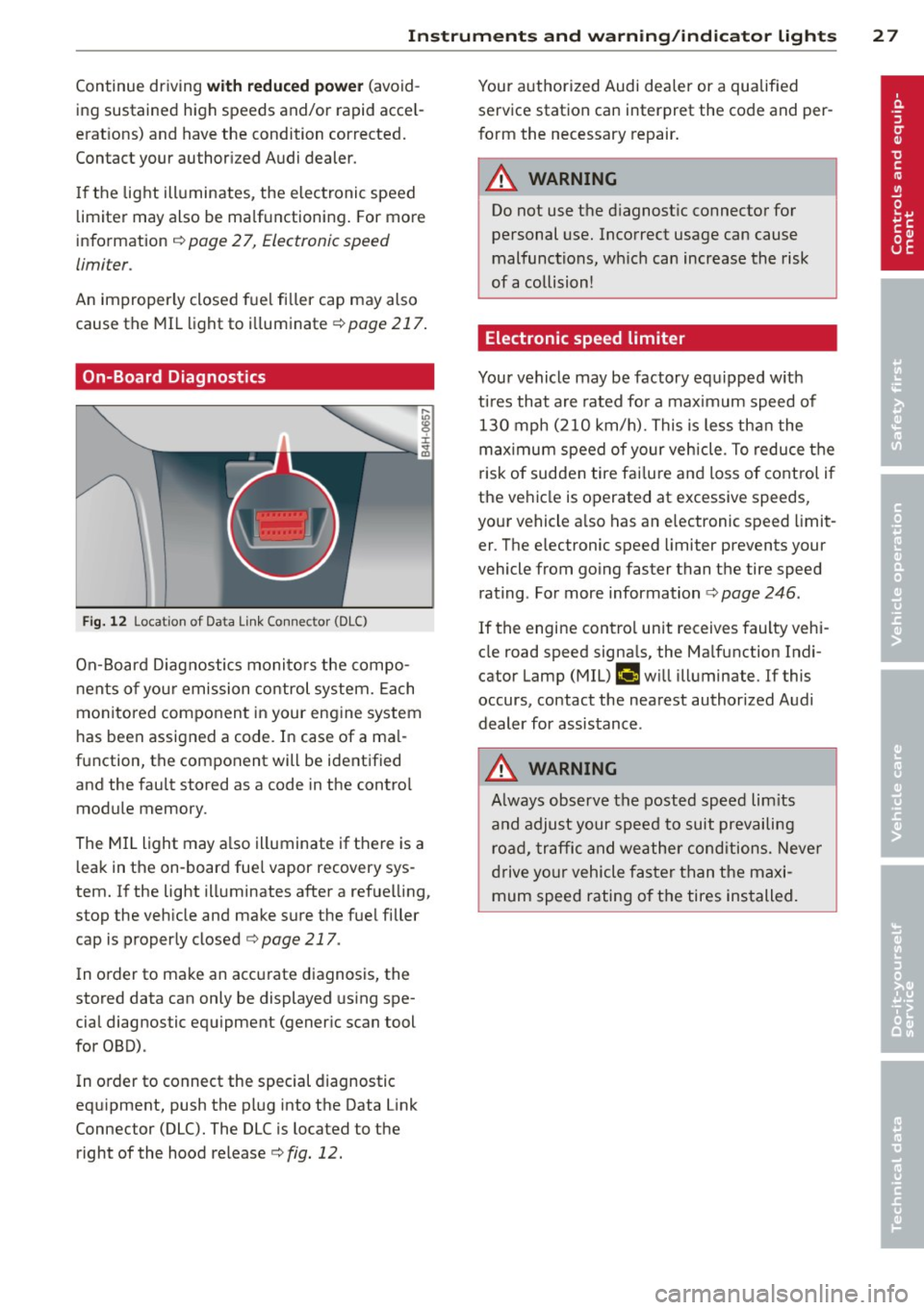
On-Board Diagnostics
Fig. 12 Loca tion of Data Li nk Connector (DLC)
On-Board Diagnostics monitors the compo
nents of yo ur emission control system. Each
mon itored component in your engine system
has been assigned a code. In case of a ma l
function, the component will be identified and the fault stored as a code in the contro l
module memory.
The MIL light may a lso illuminate if there is a
l eak in the on-board fue l vapor recovery sys
tem. If the light illuminates after a ref uelling,
stop the veh icle and make sure the fue l filler
cap is properly closed ¢
page 217.
In order to make an accurate diagnosis, the
stored data can only be displayed using spe
cial diagnostic equipment (gener ic scan tool
for OBD).
In order to connect the special diagnostic
eq uipment, push the plug into the Data Link
Connector (DLC). The DLC is located to the right of the hood release¢
fig. 12.
Your authorized Audi dea ler or a qualified
service station can interpret the code and per
form the necessary repair.
A WARNING
Do not use the diagnostic connector for
personal use. Incorrect usage can cause
malfunctions, wh ich can increase the risk
of a collision!
Electronic speed limiter
-
Your vehicle may be factory equipped w ith
t ir es that are rated fo r a maximum speed of
130 mph (210 km/h). This is less than the
maximum speed of your vehicle . To reduce the
risk of sudden tire fai lure and loss of control if
the vehicle is operated at excessive speeds,
your vehicle a lso has an e lectronic speed limit
er . The e lectronic speed limiter prevents your
vehicle from going faster than the tire speed rating . For more information ¢
page 246.
If the engine contro l unit receives faulty vehi
cle road speed signa ls, the Ma lfunction Indi·
cator Lamp (MIL)
fllllij w ill illuminate. If this
occurs, contact the nearest authorized Audi
dealer for assistance .
A WARNING
-
Always observe the posted speed limits
and adjust your speed to suit prevailing road, traffic and weather conditions. Never
drive your vehicle faster than the maxi
mum speed rating of the tires installed.
Page 46 of 300
44 Clear vision
Highway light function* (vehicles with LED
headlights) -this function adapts the lighting
for highway driving based on vehicle speed.
.&_ WARNING
- Automatic headlights are only intended
to assist the driver. They do not relieve
the driver of his responsibility to check
the headlights and to turn them on man
ually according to the current light and
visibility conditions. For example, fog
cannot be detected by the light sensors.
So always switch on the headlights §.0
under these weather conditions and
when driving in the dark.
- Crashes can happen when you cannot see the road ahead and when you cannot be
seen by other motorists. Always turn on
the headlights so that you can see ahead
and so that others can see your car from
the back.
- Please observe legal regulations when
using the lighting systems described.
(D Note
The rear fog lights should only be turned
on in accordance with traffic regulation, as
the lights are bright for following traffic.
@ Tips
- The light sensor* for automatic dynamic
headlight range control* is located in the
rear view mirror mount. You should
therefore not apply any stickers to the
windshield in this area in order to pre
vent malfunctions or failures .
- In the event of a light sensor malfunc
tion, the driver is notified in the instru
ment cluster display¢
page 21 .
- You will hear a warning tone if you open
the driver door when the exterior lights
are switched on.
- In cool or damp weather, the inside of
the headlights, turn signals and tail
lights can fog over due to the tempera
ture difference between the inside and
outside. They will clear shortly after switching them on. This does not affect
the service life of the lighting.
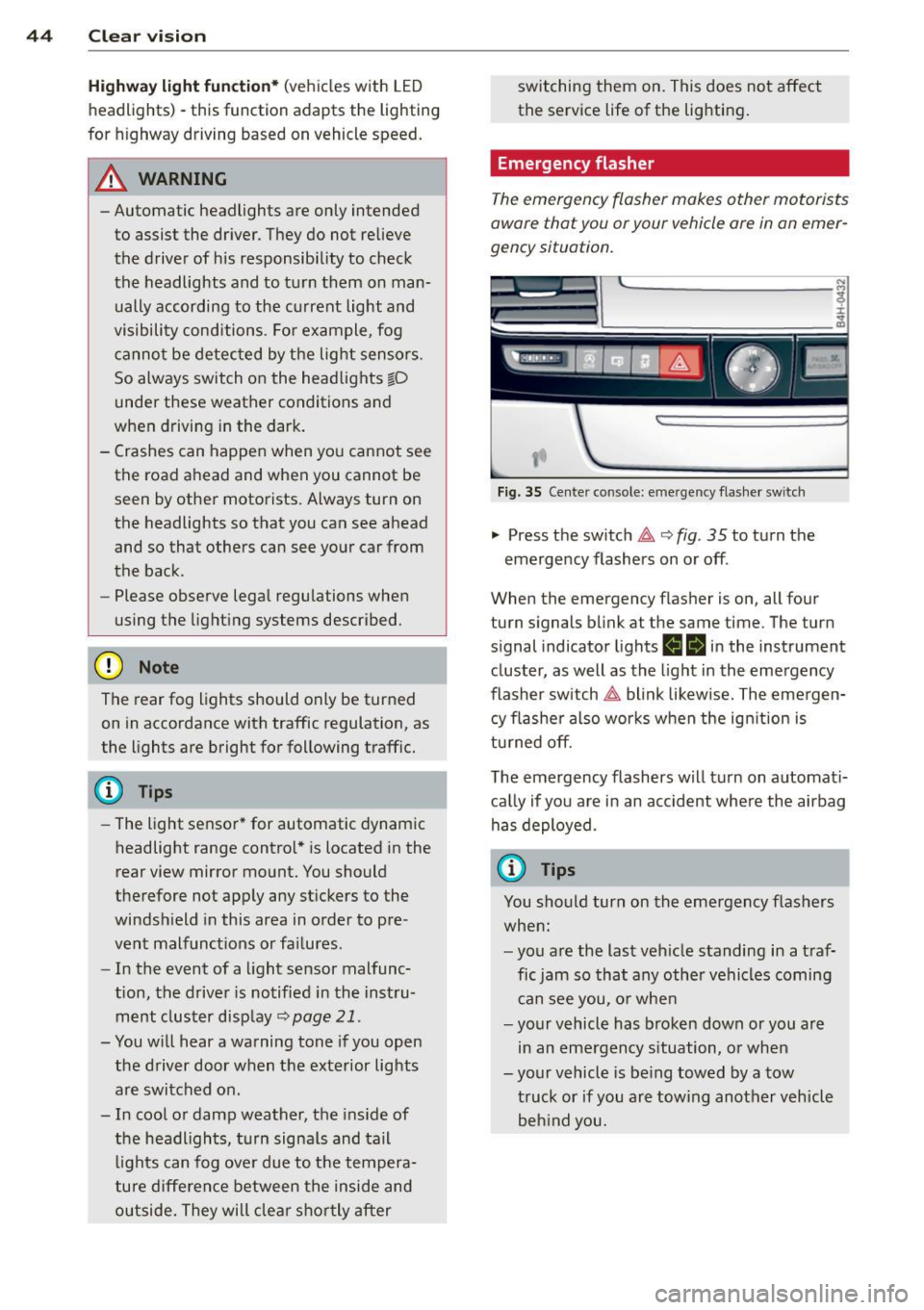
Emergency flasher
The emergency flasher makes other motorists
aware that you or your vehicle ore in an emer
gency situation.
,--~
,_'
. ;.' --- --~-.sc-
Fig. 35 Center console: emergency flasher switch
.,. Press the switch 11 ¢ fig. 35 to turn the
emergency flashers on or off .
When the emergency flasher is on, all four
turn signals blink at the same time. The turn
s ignal ind icator lights
ea in the instrument
cluster, as well as the light in the emergency
flasher switch
11 blink likewise. The emergen
cy flasher also works when the ignition is
turned off.
The emergency flashers will turn on automati
cally if you are in an accident where the airbag
has deployed.
(D Tips
You should turn on the emergency flashers
when:
- you are the last vehicle standing in a traf
fic jam so that any other vehicles coming
can see you, or when
- your vehicle has broken down or you are
in an emergency situation, or when
-your vehicle is being towed by a tow
truck or if you are towing another vehicle
behind you.
Page 48 of 300
46 Clear vis ion
instrument cluste r illuminates when the
high beams are on.
- T he
headlight flash er works only as long as
yo u hold the lever - even if there are no
l ights turned on . The ind icator light
Bl in
the instrument cluster i lluminates when you
use the headlight flasher.
A WARNING
Do not use the high beam or headlight
flasher if you know that these could blind
oncoming traffic.
Interior lights
Front and rear interior lighting
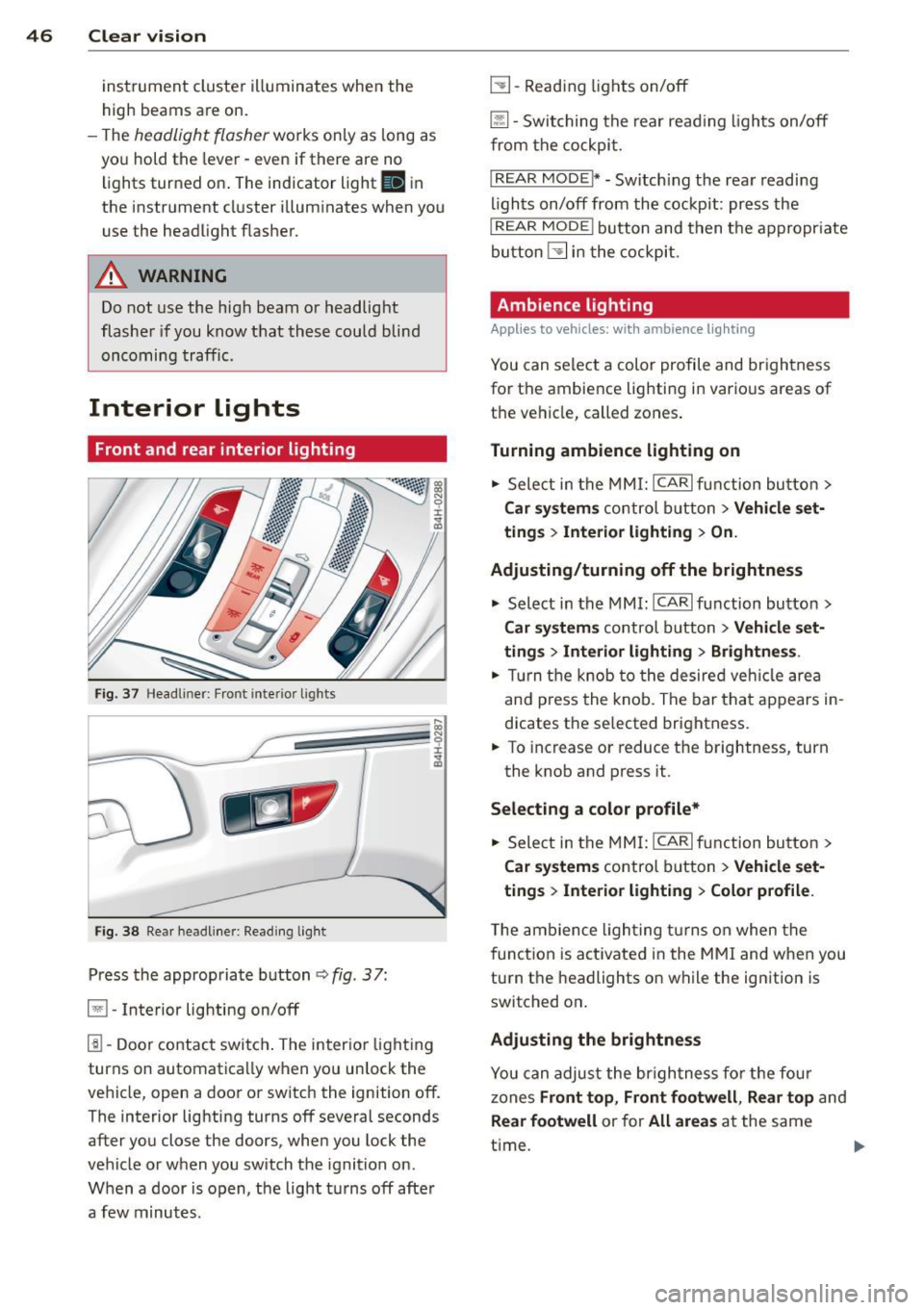
Fi g. 37 Headl iner: Front in te ri or lig hts
F ig . 3 8 Re ar headli ne r: Rea din g lig ht
Press the appropriate b utton q fig . 3 7:
El -Interior lighting on/off
1!1-Door contac t switch . The inter ior light ing
turns on automatica lly when you unlock the
vehicle, open a door or switch the ignition off.
The interior lighting turns off several seconds after you close the doors , when you lock the
vehicle or when you switch the ignition on .
When a door is open, the light t urns off afte r
a few minutes .
L:!l-Read ing lights on/off
~ - Switching the rear read ing lights on/off
from the cockpi t.
IREAR MODEt* - Sw itch ing the rea r readi ng
lights on/off from the cockpit : pr ess the
I REAR MODE i button and t hen t he appropriate
button
L:!l i n t he cockpit .
Ambience lighting
Applies to vehicles: with ambience lighting
You can select a color profile and br igh tness
for the ambience light ing in various areas of
t h e ve hicle, called zones .
Turning ambience lighting on .,. Sele ct in the
M MI: ICAR lfun ction bu tton>
Car sy stem s control b utton > Vehicle set
ting s
> Interior lighting > On.
Ad justing/turning off the brightness
.,. Select in the
MMI: ICA Rlfunction button>
Car sy stem s control b utton > Vehicle set
ting s
> Interior lighting > Brightne ss .
.,. Tur n the knob to the desired veh icle area
and p ress the knob. The bar that appears in
dicates the selected brightness .
.,. To increas e or reduce the brightness, turn
the knob and press it .
Select ing a color p rofile*
.,. Select in the
MMI: ICAR lfunction button>
Car sy stem s control b utton > Vehicle set
ting s
> Interior lighting > Color profile .
T he ambience ligh ting tu rns on when the
f unct ion is act ivated in the
MMI and w hen you
turn the headlights on while the ign ition is
switched on .
Adjusting the brightness
You can adjus t the br igh tness fo r the fou r
zones Front top , Front footwell , Re ar top and
Rear footwell or for All areas at the same
t ime . ..,.
Page 51 of 300
windshield wipers react to moisture on the
windshield. You can deactivate rain sensor
mode in the MMI, which will then activate in
termittent mode. Select:
ICARI function but
ton
> Car systems control button > Driver as
sist > Rain sensor> Off.
In intermitten t
mode, you can adjust the interval time using
the switch @.
@-Slow wiping
@-Fast wiping
©-Single wipe. If you hold the lever in this
position longer, the wipers switch from slow
wiping to fast wiping.
® -Clean the windshield . The wipers wipe
one time after several seconds of driving to
remove water droplets. You can switch this
function off by moving the lever to position ®
within 10 seconds after the afterwipe. The af
terwipe function is reactivated the next time
you switch the ignition on.
Cleaning the headlights. The headlight wash
er system* only functions when the lights are
sw itched on. The headlights and the night vi
sion system camera* are cleaned automatical ly the first time the lever is press in position
® and every 8 times it is pressed after that.
They are also cleaned every time you hold the lever in position @for longer than 8 seconds .
A WARNING
- The rain sensor is only designed to assist
and support the driver.
It remains entire
ly the driver's responsibility to monitor
outside weather conditions and to man
ually activate the wipers as soon as rain
or drizzle reduces visibility through the
windshield.
- The windshield must not be treated with
water-repellent materials. They can in
crease glare under poor visibility condi·
tions such as wetness, darkness, or when
the sun is low on the horizon. In addi
tion, they can cause the windshield wip
ers to chatter.
- Properly functioning windshield wiper
blades are required for a clear view and
Clear vision 49
safe driving ¢ page 50, Replacing
windshield wiper blades.
(D Note
- In the case of frost, check whether the
windshield wiper blades are frozen to the windshield. Switching on the wind
shield wipers can damage the wiper
blades!
- Prior to using a car wash, the windshield
wiper system must be switched off (lever
in position @). This helps to prevent un
intentional switching on and damage to
the windshield wiper system.
- Do not use the wipers to clear a frosted
window . Using the wipers as a conven
ient ice scraper will destroy the wiper
blades.
@ Tips
- The windshield wipers are switched off
when the ignition is off . Activate the
windshield wipers after the ignition is
switched back on by moving the wind
shield wiper lever to any position.
- Worn or dirty windshield wiper blades
result in streaking. This can affect the
rain sensor function. Check your wind
shield wiper blades regularly.
- The washer fluid nozzles of the wind
shield washer system are heated at low
temperatures when the ignition is on.
- When stopping temporarily, e.g. at a
traffic light, the set speed of the wind
shield wipers is automatically reduced by
one speed.