washer AUDI A8 2013 Owners Manual
[x] Cancel search | Manufacturer: AUDI, Model Year: 2013, Model line: A8, Model: AUDI A8 2013Pages: 318, PDF Size: 79.34 MB
Page 4 of 318
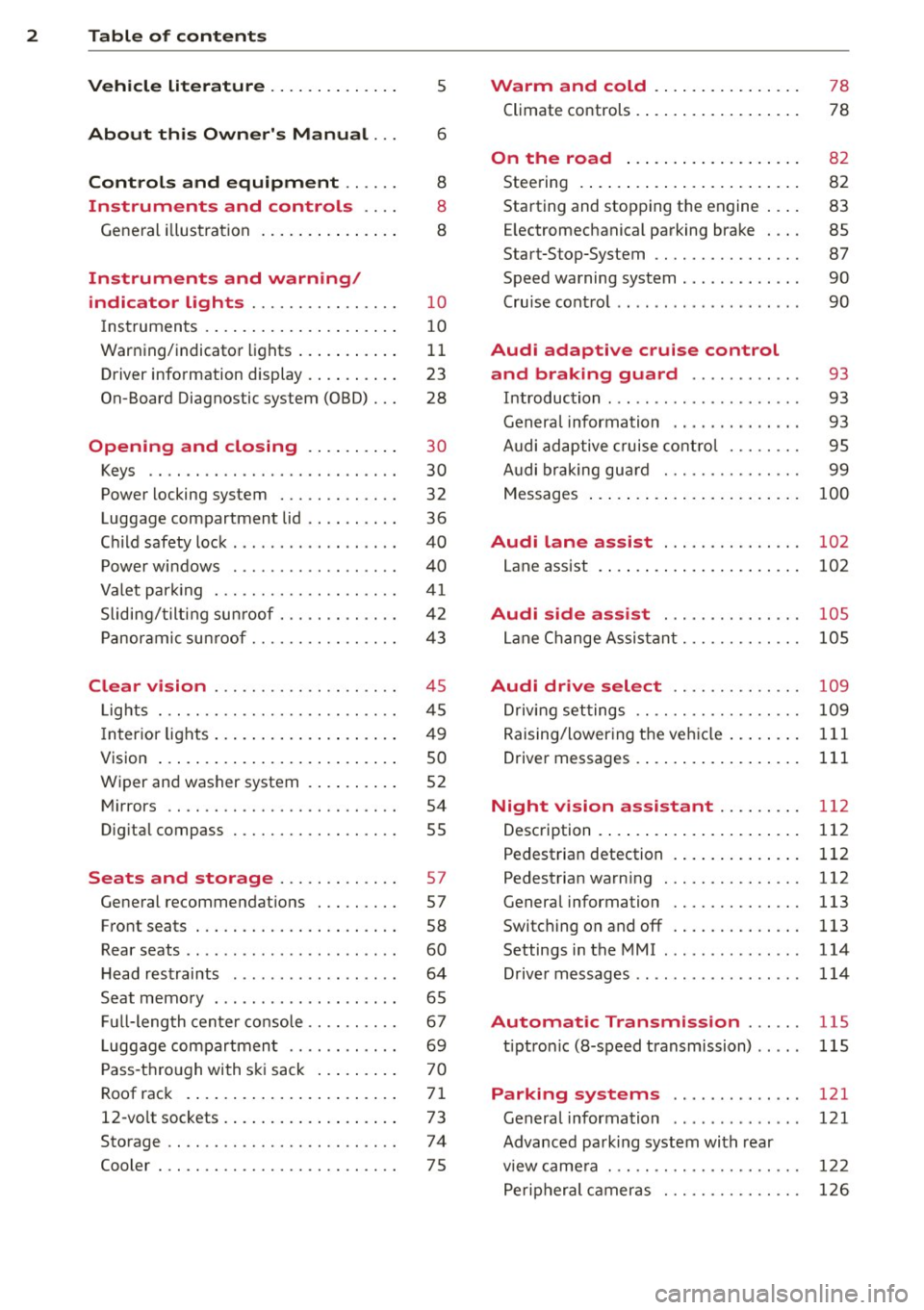
2 Table of contents Vehicle literature .. .. .. .. .. ... .
5
About this Owner's Manual . . . 6
Controls and equipment .. ... .
Ins truments and controls .. . .
General illustration ......... .. ... .
Instruments and warning /
indicator lights ........ .. .. .. . .
Instruments ............ ... .. ... .
Warning/indicator lights .......... .
Driver information display .. .. .. ... .
On-Board Diagnostic system (OBD) . . .
Opening and closing .. .. .... . .
Keys .. ...... ........... .. .. ... .
Power locking system ..... .. .. .. . .
Luggage compartment lid .. .. .. .. . .
Child safety lock . .......... ... .. . .
Power windows . .......... ... .. . .
Valet park ing . ........... .. .. ... .
Sliding/tilting sun roof ... .. .. .. .. . .
Panoramic sunroof ........ .. .. ... .
Clear vision .. ........ .. .. .. .. . .
Lights . .. .. ............. .. .. .. . .
I nterior lights .............. .. ... .
V1s1on ..... ... .... ......... .... .
Wiper and washer system ... ... .. . .
Mirrors ................. .. .. ... .
Digital compass .......... .... ... .
Seats and storage ....... .. .. . .
General recommendations ..... .. . .
Front seats ... ........... .... ... .
Rear seats .. ... .... ...... .. .. .. . .
H ead restraints .............. .. . .
Seat memory . ... ..... ... .. .. .. . .
Full-length center console .... .. ... .
L uggage compartment .. .. .. .. ... .
Pass-through with ski sack ........ .
Roof rack ....... ......... ... ... .
12-vo lt sockets ........ ... .. .. ... .
Storage .. .. .. . .......... .. .. ... .
Cooler ... .. .................... . 8
8
8
1 0
10
11
23
28
30
30
32
36
40
40
41
42
43
4 5
45
49
so
52
54
55
57
57
58
60
64
65
67
69 70
71
73
74
75
Warm and cold .......... ..... .
Climate controls . ............. ... . 78
78
On the road . . . . . . . . . . . . . . . . . . . 8 2
Steering . . . . . . . . . . . . . . . . . . . . . . . . 82
Starting and stopping the engine . . . . 83
E lectromechanical parking brake . . . . 85
Start-Stop-System . . . . . . . . . . . . . . . . 87
Speed warning system . . . . . . . . . . . . . 90
Cruise control . . . . . . . . . . . . . . . . . . . . 90
Audi adaptive cruise control
and braking guard . . . . . . . . . . . .
93
Introduction . . . . . . . . . . . . . . . . . . . . . 93
Genera l information . . . . . . . . . . . . . . 93
Audi adaptive cruise control . . . . . . . . 95
Audi braking gua rd . . . . . . . . . . . . . . . 99
Messages . . . . . . . . . . . . . . . . . . . . . . . 100
Audi lane assis t . . . . . . . . . . . . . . . 102
Lane assist . . . . . . . . . . . . . . . . . . . . . . 102
Audi side assist . . . . . . . . . . . . . . . 105
Lane Change Assistant. . . . . . . . . . . . . 105
Audi drive select . . . . . . . . . . . . . . 109
Driving settings . . . . . . . . . . . . . . . . . . 109
Raising/lowering the vehicle . . . . . . . . 111
Driver messages . . . . . . . . . . . . . . . . . . 111
Night vision a ssistant . . . . . . . . . 112
Description . . . . . . . . . . . . . . . . . . . . . . 112
Pedestrian detection . . . . . . . . . . . . . . 112
Pedestrian warning . . . . . . . . . . . . . . . 112
General information . . . . . . . . . . . . . . 113
Switching on and off . . . . . . . . . . . . . . 113
Settings in the MMI . . . . . . . . . . . . . . . 114
D river messages . . . . . . . . . . . . . . . . . . 114
Automatic Transmission . . . . . . 115
t iptron ic (8-speed transmission) . . . . . 115
Parking systems . . . . . . . . . . . . . . 121
General information . . . . . . . . . . . . . . 121
Advanced parking system with rear
view came ra . . . . . . . . . . . . . . . . . . . . . 122
Peripheral cameras . . . . . . . . . . . . . . . 126
Page 5 of 318
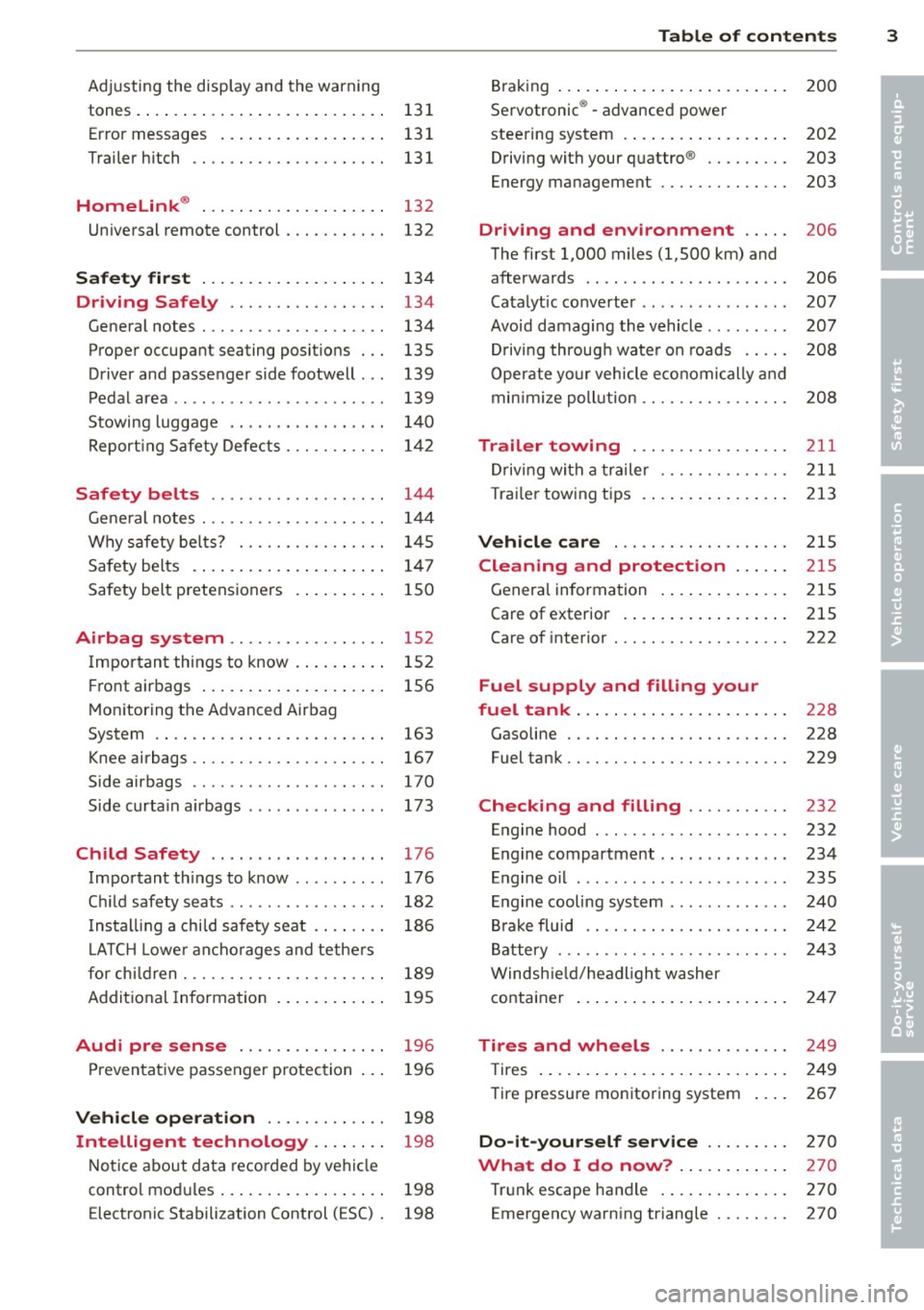
Adjusting the disp lay and the warning
tones. ..... .. .. .. .. .... ... .. .. .. 131
Er ror messages . . . . . . . . . . . . . . . . . . 131
Trailer hitch . . . . . . . . . . . . . . . . . . . . . 131
Homelink ® . . . . . . . . . . . . . . . . . . . . 132
Universal remote control . . . . . . . . . . . 132
Safety fir st . . . . . . . . . . . . . . . . . . . . 134
Driving Safely . . . . . . . . . . . . . . . . . 134
General notes . . . . . . . . . . . . . . . . . . . . 134
Proper occupa nt seating positions . . . 135
Driver and passenger side footwell . . . 139
Pedal area . . . . . . . . . . . . . . . . . . . . . . . 139
Stowing luggage . . . . . . . . . . . . . . . . . 140
Report ing Safety Defects . . . . . . . . . . . 1 42
Safety belt s . . . . . . . . . . . . . . . . . . . 144
Gene ral notes . . . . . . . . . . . . . . . . . . . . 1 44
Why s afety be lts? . . . . . . . . . . . . . . . . 1 45
Safety belts . . . . . . . . . . . . . . . . . . . . . 147
Safety belt pretens ioners . . . . . . . . . . 150
Airbag system . . . . . . . . . . . . . . . . . 152
I mportant things to know . . . . . . . . . . 152
F ront airbags . . . . . . . . . . . . . . . . . . . . 156
Monitoring the Advanced Airbag
System . . . . . . . . . . . . . . . . . . . . . . . . . 163
Knee airbags . . . . . . . . . . . . . . . . . . . . . 167
Side airbags . . . . . . . . . . . . . . . . . . . . . 170
Side curta in a irbags . . . . . . . . . . . . . . . 173
Ch ild Safety . . . . . . . . . . . . . . . . . . . 176
Important th ings to know . . . . . . . . . . 176
C hi ld safety seats . . . . . . . . . . . . . . . . . 182
I nstall ing a chi ld safety seat . . . . . . . . 186
L A TC H L owe r ancho rages and tethe rs
for chi ld ren . . . . . . . . . . . . . . . . . . . . . . 189
Addit ional Information
195
Audi pre sense . . . . . . . . . . . . . . . . 196
Preventat ive passenger p rotec tion 196
Vehi cle operation . . . . . . . . . . . . . 198
Intelligent technology .. .. .. .. 198
Notice about data recorded by vehicle
control modules . . . . . . . . . . . . . . . . . . 198
Electronic Stabilization Control (ESC) . 198
Table of contents 3
Bra ki ng . . . . . . . . . . . . . . . . . . . . . . . . . 200
Servotronic ® -advanced power
stee ring system . . . . . . . . . . . . . . . . . . 202
Driving with your quattro ® . . . . . . . . . 203
Energy management . . . . . . . . . . . . . . 203
Driving and environment . . . . . 206
The first 1,000 miles (1,500 km) and
afterwards . . . . . . . . . . . . . . . . . . . . . . 206
Catalytic co nverter . . . . . . . . . . . . . . . . 207
Avoid damaging the vehicle . . . . . . . . . 207
D riv ing throug h wate r on roads . . . . . 208
Operate yo ur vehicle economi cally and
min imize poll ution . . . . . . . . . . . . . . . . 208
Trailer towing . . . . . . . . . . . . . . . . . 211
Driving with a trailer . . . . . . . . . . . . . . 211
T rai le r tow ing tips . . . . . . . . . . . . . . . . 213
Vehicle care . . . . . . . . . . . . . . . . . . . 2 15
Cleaning and protection . . . . . . 215
General information . . . . . . . . . . . . . . 215
Care of exterior . . . . . . . . . . . . . . . . . . 215
Care of interior . . . . . . . . . . . . . . . . . . . 222
Fuel supply and filling your
fuel tank . . . . . . . . . . . . . . . . . . . . . . .
228
Gasoline . . . . . . . . . . . . . . . . . . . . . . . . 228
Fuel tank. . . . . . . . . . . . . . . . . . . . . . . . 229
Checking and filling . . . . . . . . . . . 232
Engine hood . . . . . . . . . . . . . . . . . . . . . 232
E n gine compartment . . . . . . . . . . . . . . 234
Engine o il . . . . . . . . . . . . . . . . . . . . . . . 235
Engine cooling system . . . . . . . . . . . . . 240
Br ake fluid . . . . . . . . . . . . . . . . . . . . . . 242
B attery . . . . . . . . . . . . . . . . . . . . . . . . . 243
Windsh ie ld/hea dligh t washer
container ... .... ... .. .. ..... ... .
247
Tires and wheels . . . . . . . . . . . . . . 249
T ires . . . . . . . . . . . . . . . . . . . . . . . . . . . 249
Tire pressure monitoring system 267
Do-it-yourself service . . . . . . . . . 270
What do I do now? . . . . . . . . . . . . 270
Tr unk escape handle . . . . . . . . . . . . . . 2 70
Emergency warning triangle . . . . . . . . 270
•
•
Page 11 of 318
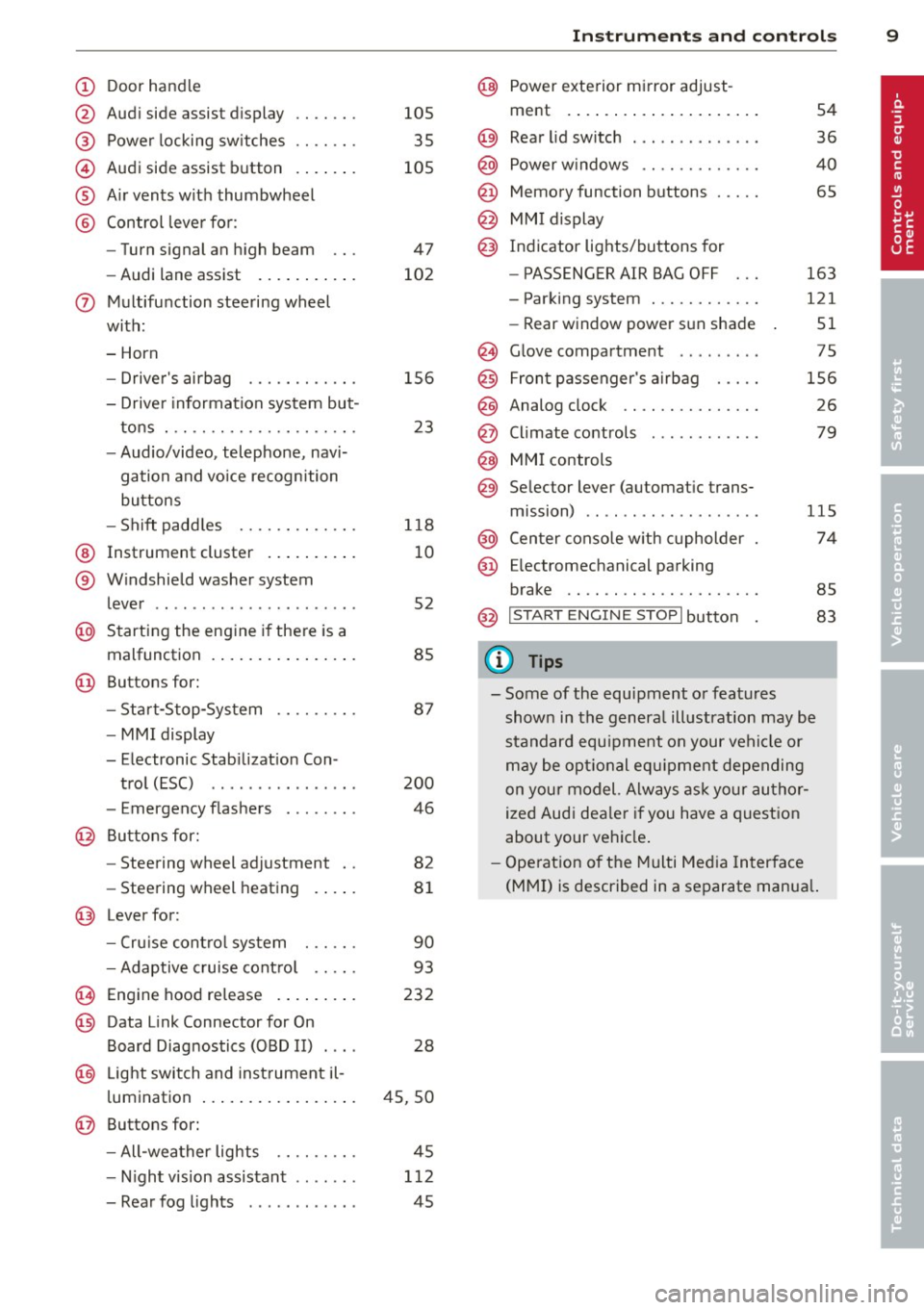
(!) Door handle
@
®
©
®
®
Audi side assist display
Power locking switches
Audi side assist button
Air vents with thumbwheel
Control lever for :
- Turn signal an high beam
- Audi lane assist .......... .
0 Multifunction steering wheel
with:
- Horn
- Driver's airbag
- Driver information system but-
tons . ............... .. .. .
- Audio/video, telephone, navi
gation and voice recognition
buttons
- Shift paddles ........ .. .. .
@ Instrument cluster ......... .
® Windshield washer system
lever ..................... .
@ Starting the engine if there is a
malfunction ............. .. .
@ Buttons for:
- Start-Stop-System
- MMI display
- Elec tronic Stab ilizat ion Con-
trol (ESC) ............... .
- Emergency f lashers ....... .
@ Buttons for:
- Steering wheel adjustment
- Steering wheel heating
@ Lever for:
- Cruise control system
- Adaptive cruise control .. .. .
(8) Engine hood release ........ .
@ Data Link Connector for On
Board Diagnostics (OBD II) ....
@ Light switch and instrument il-
luminat ion ................ .
@ Buttons for:
- All-weather lights
- Night vision assistant .. .. .. .
- Rear fog lights ........... .
105
35
105
47
102
156
23
118
10
52
85
87
200
46
82
81
90
93
232
28
45,50
45
112 45
Instruments and controls 9
@ Power exterior mirror adjust-
ment .... .. .............. .
@) Rear lid switch ... . .. .. ..... .
@ Power windows ............ .
@ Memory function buttons .... .
@ MMI display
@) Indicator lights/buttons for
- PASSENGER AIR BAG OFF
- Parking system ........... .
- Rear window power sun shade
@ Glove compartment ... ..... .
@ Front passenger's airbag .... .
@ Analog clock .. .. .......... .
@ Climate controls ........... .
@ MMI controls
@ Selector lever (automatic trans-
mission) ....... ........... .
@ Center console with cupholder
@ Ele ctromechanical parking
brake .................... .
54
36
40
65
163
121 51
75
156
26
79
115
74
85
@ I S T ART ENGI NE STO PI button 83
(D Tips
-Some of the equipment or features
shown in the general illustration may be
standard equipment on your vehicle or
may be optional equipment depending
on your model. Always ask your author
ized Audi dealer if you have a question
about your vehicle.
- Operation of the Multi Media Interface
(MMI) is described in a separate manual.
Page 15 of 318
![AUDI A8 2013 Owners Manual Instrument s and warnin g/indic ator ligh ts 13
Yellow indi cator li ght s
Yellow symbols indica te a priority 2 ma lf u nc
tion -Warning!
I
I
•
[I]
.,
•
•
U SA models: Safet](/img/6/57614/w960_57614-14.png "AUDI A8 2013 Owners Manual Instrument s and warnin g/indic ator ligh ts 13
Yellow indi cator li ght s
Yellow symbols indica te a priority 2 ma lf u nc
tion -Warning!
I
I
•
[I]
.,
•
•
U SA models: Safet")
Instrument s and warnin g/indic ator ligh ts 13
Yellow indi cator li ght s
Yellow symbols indica te a priority 2 ma lf u nc
tion -Warning!
I
I
•
[I]
.,
•
•
U SA models: Safety systems
¢ page 18
Canada model s: Safety systems
¢page 18
Electronic Stabilization Contro l
(ESC) ../
¢ page 18
Electronic Stabilization Control
(ESC) ../
¢page18
USA model s:
Ant i- lock b rak ing system (ABS)
defective ¢page 19
Canada model s:
Anti-lock braking system (ABS)
defective
¢page 19
Worn brake pads ¢page 20
Electromechanical parking brake
¢page BS
Tire pressure mon itoring system
,/
¢ page267
Tire pressure monitoring system ¢page267
Electronic power contro l
¢ page20
Malfunction indicator Lamp (MIL)
,/
¢page20
Engine speed limitation
¢ page 20
Engine oil level
¢page 17
E ngine o il sensor
¢page 21
•
II
-
Ill
•
-Battery
¢page 16
Tank system ¢page 21
Windshield washer fluid level ¢page 21
Windshield wipers ¢page 21
-
Remote control key
¢page83
Remote control key
¢page 83
Battery in remote control key
¢page 31
Defective light bulb warn ing
¢page 21
Fog lights*
¢page 21
-
Rear fog lights*
¢page 21
Headlight range control
¢page 21
-adaptive light*
¢page 21
Light-/rain sensor faulty
¢page22
Audi lane assist *
¢page 102
Transmission ¢page 119
Transmission ¢ page 119
Electronic steering column lock
¢page 17
Engine start system
¢ page 17
Page 23 of 318

Instruments and warning/indicator lights 21
't'::1".., Engine oil sensor
II Oil level! Sensor defective
If the symbol illuminates, contact your au
thor ized Audi dealer and have the oil sensor
in spected. Until you have th is done, check the
oil level each time you refuel just to be on the
safe side¢
page 23 7.
Bil Fuel level indicator
ID] Please refuel
If the indicator light turns on for the first
time and the message appears, there are
about 4 gallons (15 liters) of fuel left in the
tank. Time to refue l
¢page 229.
1B] Tank system malfunction! Contact dealer
If the indicator light turns on and th is mes
sage appears, there is a malfunction in the
tank system .
Drive to your authori zed Aud i dea ler immedi
ately to have the malfunction corrected.
<;;> Windshield washer flu id level
- Please refill washer fluid
If the symbol illuminates, add windshield
washer fluid to the washer system/headlight
washer system* ¢
page 247.
'1:> Windshield wipers
E•$ vVindshield wiper defective
There is a malfunct ion with the w indshield
wipers .
Drive to your authorized Audi dea ler immedi
ately to have the malfunction corrected.
~ l}D 10$ Defective light bulb warning
i -If the indicator light turns on, a bulb has
fa iled . The message indicates the location of
the bulb.
El-if a fog lamp* has failed, the indicator
light turns on to indicate the location on the
vehicle.
au-if a rear fog lamp has failed, the indicator
light turns on to indicate the location on the
vehicle.
Vehicle lights : malfun ction
If the message appears, there is a malfunc
tion in the headlights or light sw itch .
Drive to your au thorized Audi dealer immedi
ate ly to have the malfunction corrected .
A WARNING
-Light bulbs are pressurized and could ex
plode wh ile they are being changed caus
ing serious personal injury.
- Work with due care when hand ling the
h igh-vo ltage sect ion of gas discharge
(xenon) lights . Failure to do so could re
sult in death or serious injury.
(D Tips
Have the bu lb replaced or the connect ion
repaired by your authorized Audi Service
department .
~0 Headlight range control
II Headlight range control: defective!
If the symbol illum inates, the headlight range
control is no longer working properly. Have
the system checked and repaired at your A udi
dealer.
§0 Adapt ive Light
Applies to vehicles: with Adaptive Light
mfJ Audi adaptive light: system fault
If the indicator light turns on and this mes
sage appears, there is a malfunct ion in the
adaptive light system . The headlights sti ll
functio n.
Go to an authorized dealership to have the
headlights or the control unit for the Adaptive
Light repaired.
Page 41 of 318
-When the vehicle is locked, the luggage
compartment lid can be unlocked sepa
rately by pressing the button
C:::$ on the
master key. When the luggage compart
ment lid is closed again, it locks auto
matically.
- If the veh icle battery charge drops be
low a certa in level, you can still open or
close the luggage compartment lid man
ually, however, you w ill need to apply
more force to close it.
Movement-activated luggage
compartment lid opening
Applies to vehicles: with convenience key and automatic
luggage compartment lid
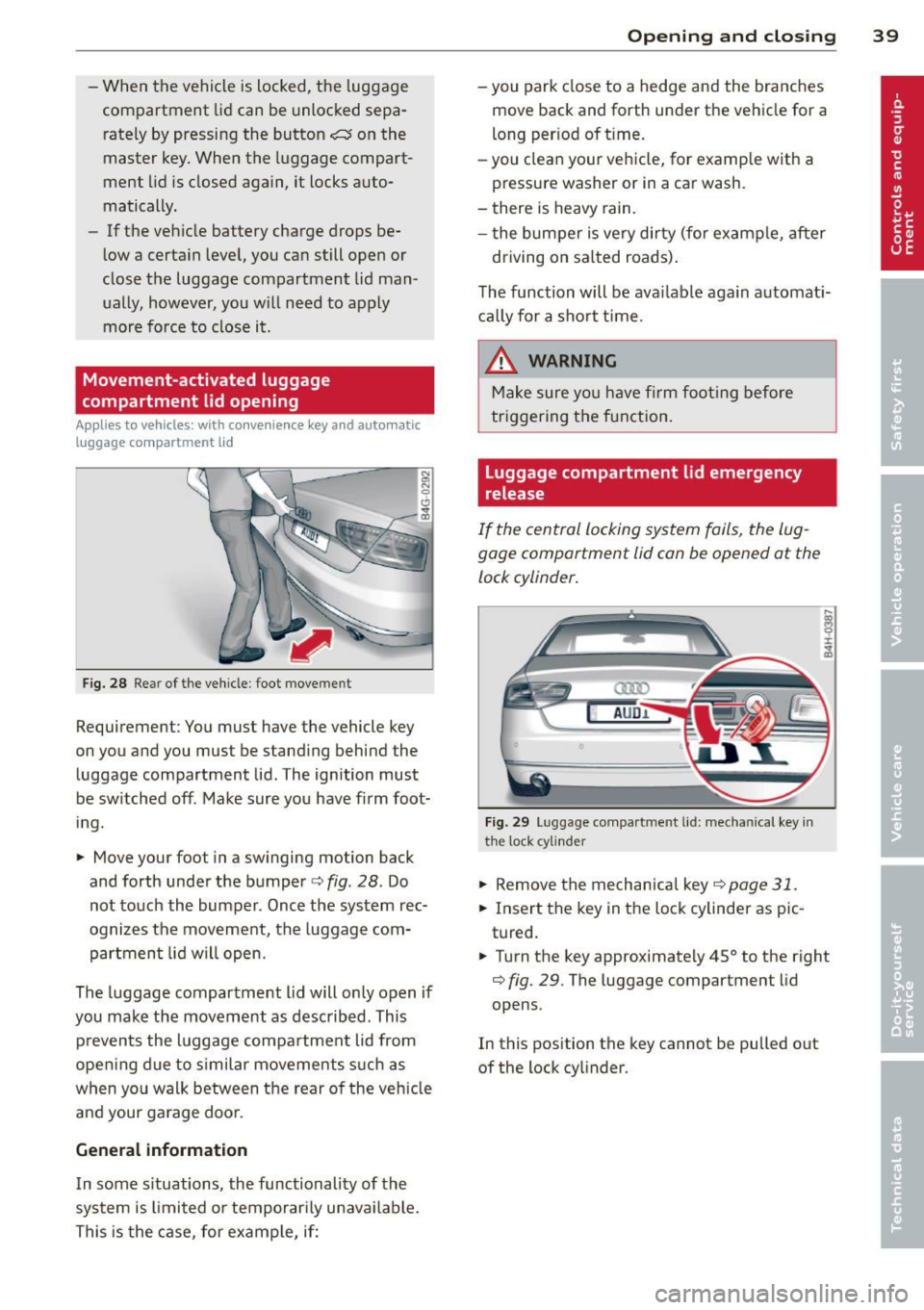
Fig. 28 Rear of the vehicle : foot movement
Requirement: You must have the vehicle key
on you and you must be standing behind the
luggage compartment lid. The ignition must
be sw itched off . Make sure you have firm foot
ing.
.. Move your foot in a swinging motion back
and forth under the bumper
c::> fig . 28. Do
not touch the bumper. Once the system rec
ognizes the movement, the luggage com
partment lid will open.
The luggage compartment lid will only open if
you make the movement as described. This p reven ts the luggage compartment lid from
open ing due to s imilar movements s uch as
when yo u walk between the rear of the vehicle
and your garage door.
General information
I n some s ituations, the functionality of the
system is limited o r temporar ily unava ilable.
This is the case, for examp le, if:
Op enin g an d clos ing 39
-you park close to a hedge and the branches
move back and forth under the vehicle for a
long per iod of t ime.
- you clean your vehicle, for examp le with a
pressure washer or in a car wash.
- there is heavy rain.
- the bumper is ve ry dirty (for example, after
driving on sa lted roads) .
The function will be ava ilable aga in automat i
ca lly for a sho rt time .
.&, WARNING
Make sure yo u have f irm foot ing before
triggering the function.
Luggage compartment lid emergency
release
If the central locking system fails, the lug
gage compartment lid can be opened at the
lock cylinder.
am
AUD.1
Fi g. 29 Luggage compartment lid: mechanical key in
the lock cylinder
.,. Remove the mechanical key c::> page 31.
.. Insert the key in the lock cylinder aspic
tured.
-
.. Turn the key approximately 45° to the right
c::> fig. 29. The luggage compartment lid
opens.
In this position the key cannot be pulled out
of the lock cy linder.
Page 54 of 318
52 Clear vision
Wiper and washer
system
Switching the windshield wipers on
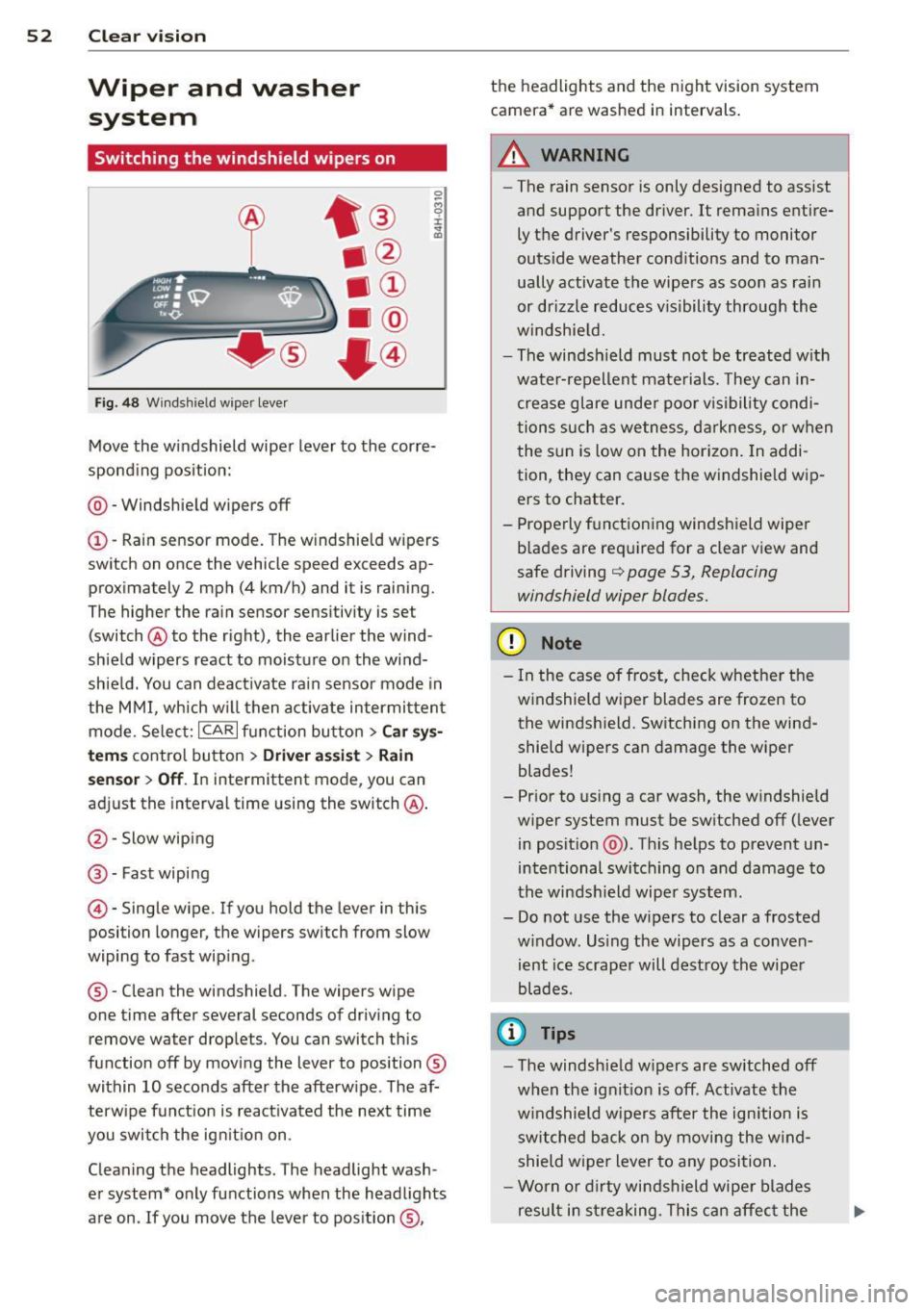
Fig. 48 Wind shie ld wipe r lever
Move the windshield wiper lever to the corre
sponding position:
@ - Windshield wipers off
(I) -Rain sensor mode. The windshield wipers
switch on once the vehicle speed exceeds ap
proximately 2 mph (4 km/h) and it is raining.
The higher the rain sensor sensitivity is se t
(switch @to the right), the earlier the wind
shield wipers react to moisture on the wind
shield. You can deactivate rain sensor mode in
the MMI, which will then activate intermittent
mode. Select:
ICARI function button > Car sys
tems
control button > Driver assist > Rain
sensor
> Off. In intermittent mode, you can
adjust the interval time using the switch @.
@-Slow wiping
@-Fast wiping
© -Single wipe. If you hold the lever in this
posi tion longer, the wipers switch from slow
wiping to fast wiping .
® - Clean the windshield . The wipers wipe
one time after several seconds of driving to remove water drople ts. You can switch this
function off by moving the lever to position ®
within 10 seconds after the afterwipe . The af
terwipe function is reactivated the next time
you switch the ignition on.
Cleaning the headlights. The headlight wash
er system* only functions when the headlights
are on . If you move the lever to position ®, the headlights and the night vision system
camera* are washed in intervals.
.&_ WARNING
-
- The rain sensor is only designed to assist
and support the driver.
It remains entire
ly the driver's responsibility to monitor
outside weather conditions and to man
ually activate the wipers as soon as rain
or drizzle reduces visibility through the
windshield.
- The windshield must not be treated with
water-repellent materials. They can in
crease glare under poor visibility condi
tions such as wetness, darkness, or when
the sun is low on the horizon. In addi
tion, they can cause the windshield wip
ers to chatter.
- Properly functioning windshield wiper
blades are required for a clear view and
safe driving
q page 53, Replacing
windshield wiper blades.
(D Note
- In the case of frost, check whether the
windshield wiper blades are frozen to
the windshield. Switching on the wind
shield wipers can damage the wiper
blades!
- Prior to using a car wash, the windshield
wiper system must be switched off (lever
in position @). This helps to prevent un
intentional switching on and damage to
the windshield wiper system.
- Do not use the wipers to clear a frosted
window . Using the wipers as a conven
ient ice scraper will destroy the wiper
blades .
(D Tips
-The windshield wipers are switched off
when the ignition is off . Activate the
windshield wipers after the ignition is
switched back on by moving the wind
shield wiper lever to any position.
- Worn or dirty windshield wiper blades
result in streaking. This can affect the
Page 55 of 318
rain sensor funct ion . Check your
windshield wiper b lades regularly.
- The washer fluid nozzles of the wind
sh ield washer system are heated at low
temperatures when the ig nitio n is on .
- When stopping temporarily, e .g. at a
traffic light , the set speed of the wind
sh ield wipers is automatically red uced by
one speed.
Replacing windshield wiper blades
Wip er blad es in good condition h elp keep the
windshield clear.
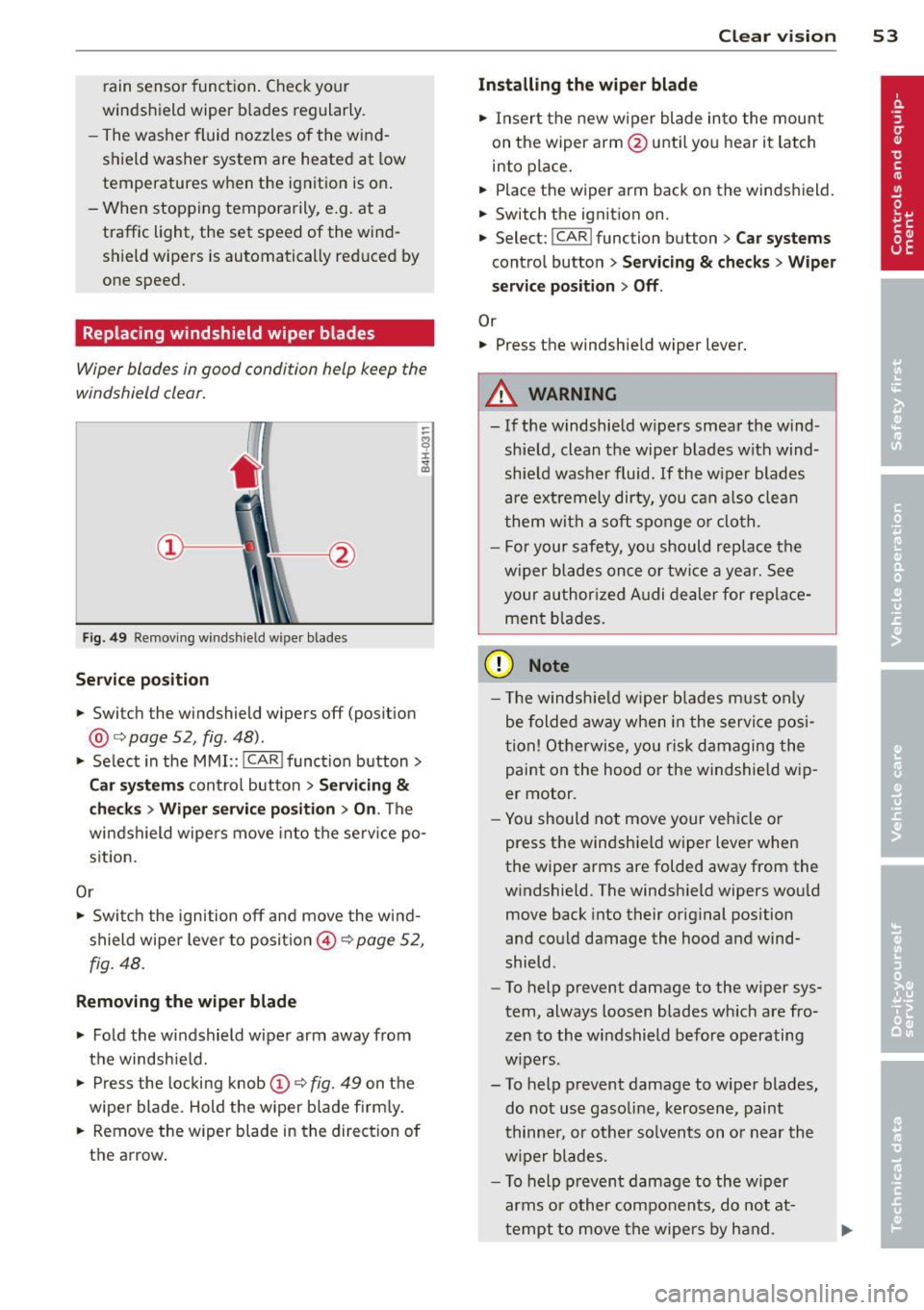
Fi g. 49 Rem ov ing wi nds hield w iper bla des
Service pos ition
.. Switc h the windshield wipers off (posit ion
@ ¢
page 52, fig . 48).
.. Se lect in the M MI:: !CAR ! function button>
Car s ystem s control button > Servicing &
che ck s > Wip er servic e po sition > On . The
wi ndshield wipe rs move into the serv ice po
s ition.
Or
.,. Swi tch the ignition off and move the wind
shield wipe r lever to posit io n © ¢
page 52 ,
fig . 48.
R emoving the wiper blade
.. Fold the w indshield wipe r arm away from
t h e windshie ld.
.,. Press the locking knob(!)
¢fig. 49 on t he
wiper blade . Hold the wiper blade fi rm ly.
.. Remove the w iper blade in the direction of
the arrow .
Clear vision 5 3
Installing the wiper blade
.. Insert the new w iper blade into the mount
on the wiper arm @unti l you hear it latch
i nto place .
.. Place the wiper arm back on the windshield.
.. Switch the ignit ion on.
.. Select:
I CAR ! function button > Car systems
control button > Servicing & checks > Wiper
serv ice position > Off .
Or
.. Press the windshie ld wiper lever.
.&_ WARNING
- If the windshie ld w ipers smear the w ind
shie ld , clean the wiper b lades with wind
shie ld washer fluid. If the w iper blades
are ex tremely dirty, you can a lso clea n
them with a so ft sponge o r clo th.
- For your safety, you should rep lace the
wiper blades once o r twi ce a year. See
your author ized Audi dealer for replace
ment b lades.
(D Note
- T he windsh ie ld w iper blades m ust only
be folded aw ay whe n in the service pos i
tion! Otherwise, yo u ris k damaging the
paint on the hood or the windshie ld wip
er motor.
- Yo u should not move your vehicle or
press the windshield wiper lever when
the wipe r arms are folded away from the
w indshield. The windsh ield wipers wou ld
move back into their or iginal position
and could damage the hood and wind
shield .
- To help prevent damage to the w iper sys
tem , always loosen blades wh ich are fro
zen to the windshield before operating
w ipers .
- To help p revent damage to wiper blades,
do not use gasoline, kerosen e, paint
thinne r, or other solvents on or near the
w iper blades .
- T o help prevent damage to the w iper
arms or other components, do not at-
t empt to move the wipe rs by hand. .,._
Page 80 of 318
78 Warm and cold
Warm and cold Climate controls
Description
The climate control system warms, cools and
adds humidity to the air in the vehicle interior.
It is the most effect ive when the windows and
sunroof* are closed . If the temperature inside
the parked vehicle becomes very warm, open ing the window briefly will speed up the cool
ing process.
I n all heating mode functions except
defrost,
the blower on ly switches to a higher speed
once the engine coolant has reached a certain
temperature.
Condensation from the cooling system can
drip and form a puddle of water under the ve
hicle. This is normal and does not mean there
is a leak.
Pollutant filter
The pol lutant filter removes pollutants such
as dust and pollen from the air.
The air pollutants filter must be changed at
the intervals spec ified in you r Warranty
&
Maintenance booklet, so that the air condi
tioner can properly work.
I f you drive your vehicle in an a rea with high
a ir po llution, the fi lter may need to be
changed more frequent ly than specified in
your Aud i Warranty
& Maintenance booklet. If
in doubt, ask your authorized Audi Service Ad
visor for advice .
Key coded settings
The climate control settings are a utomat ically
stored and assigned to the remote control key
that is in use.
A WARNING
Reduced visibility is dangerous and can
cause accidents. -
- For safe driving it is very important that
all windows be free of ice, snow and con
densation.
- Comp letely familiarize yourself with the
proper use and funct ion of the heat ing
and ventilation system and especially how to defog and defrost the windows.
- Never use the windshield wiper/washer
system in freez ing weather unt il you
have warmed the windshield first, using
the heating and ventilation system. The
washer solution may freeze on the wind sh ie ld and reduce visib ility.
(D Note
- If you suspect that the air conditioner has been damaged, switch the system
off to avoid further damage and have it
inspected by a qualified dealership.
- Repairs to the Audi air conditioner re
quire special technical know ledge and
special tools. Contact an authorized Aud i
dea ler fo r assistance.
@ For the sake of the environment
By reducing the amount of fuel you use,
you also reduce the amount of pollutants
emitted into the air.
(D Tips
- Keep the air intake s lots (in fro nt of the
w indshield) free from ice, snow and de
bris in order to maintain the proper func
tion of the climate control system.
- T he energy management system may
switch the seat heating* or rear window
defroster off temporari Ly . These systems
are available again as soon as the energy
balance has been restored.
- Air escapes through vents under the rear
window. When placing items of clothing
on the luggage compartment cover, en
sure that the openings are not covered.
Page 219 of 318
(D Note
-Never try to remove dirt, mud or dust if
the surface of the vehicle is dry. Never
use a dry cloth or sponge, since this
could scratch your vehicle's pa int or w in
dows .
- Never wash your car in bright sunlight.
Drops of water act as magnifying lenses
and may damage your paint.
- When you wash your car in the w inter : if
you r inse your vehicle w ith a hose, be
careful not to aim the stream of water
direct ly at locks, or at door or hatch
openings - they can free ze shut.
- Never use sponges des igned to remove
i nsects, or any kitchen scouring sponges
or similar products. They can damage
you r paint finish .
- Never use a dry cloth o r sponge to clean
the headligh ts. On ly use we t cloths or
sponges to prevent scratches .
It is best
to use soapy wate r.
- You sho uld remove debris (su ch as in
sects) from the head ligh t lenses on a
r egular basis, for example when refuel
ing your vehicle . Never clean the head
li ghts w ith a dry cloth or sponge. Use a
wet cloth or sponge. It is best to use
soapy water.
@ For the sake of the environment
On ly wash the vehicle in facilit ies specially
designed for that purpose. Th is w ill reduce
the risk of d irty water contaminated with
oil from entering the sewer system . In
some areas, wash ing vehicles outs ide of
these facilit ies is prohib ited.
Washing your vehicle with a power
washer
Cleaning the exterior of your car with a high
pressure power washer is safe as long as you observe a few simple rules .
~ Before usi ng the power washe r, make sure
yo u have re ad an d u nderstood the WARN-
Cleaning and protec tion 217
INGS ¢ A in General information on
page 215 .
~ Always follow the operating instr uctions for
the power washer.
~ Make sure that the jet on the spray hose
produces a "fan shaped spray" .
~ Do not hold the spray nozzle too close to
soft mater ials .
Keep a distance from soft materia ls suc h as
rubbe r hoses or insulating material as well as
senso rs and camera lenses .
When cleaning the vehicle with a power was h
er
always follow the operating instructions .
This applies part icu larly to the operati ng pres
su re and the spraying d istance . Do not point
the spray d irectly at the seals around the side
windows, around the doo rs, on t he rear lid or
o n the sunroo f*. L ikewise, do no t poi nt i t di
re ct ly a t tires, rubbe r hoses, insula tion mate
ria l or senso rs ~
page 218 . Hold the spray
nozzle at least 1.3 ft (0.4 m) away from the
vehicle.
Do no t use a high-pressure power was her to
remove snow and ice.
Do not use a jet which sprays wate r in a d irect
stream o r one that has a ro ta ti ng jet.
Water temperature should not exceed 140 °F
(60 °().
&_ WARNING
N eve r wash tires wi th a jet that sprays w a
ter in a direc t stream . T his co uld ca use in
v isi ble damage to the t ires and weaken
them, even i f the spray is from a re lative ly
l ong distance and for a sho rt time. Dam
aged and weakened tires can fail and cause
accidents and personal in jury.
Q) Note
To avoid damaging yo ur vehicle, a lways
make sure that there is suffic ient d istance
between the spray head and soft materia ls
lik e rubber hoses, plast ic parts a nd sound
deaden ing mater ia ls as well as sensors
and camera lenses . Never a im t he spray
head at the same point fo r a long time .
•
•