ignition AUDI A8 2015 Service Manual
[x] Cancel search | Manufacturer: AUDI, Model Year: 2015, Model line: A8, Model: AUDI A8 2015Pages: 312, PDF Size: 79.18 MB
Page 89 of 312

,....,
N ,....,
N
0 J:
'SI: ,...., \!) 1.1'1 ,...., 1.1'1 ,....,
Starting off with a trailer
To prevent rolling back unintentionally on an
incline, do the following:
11-Keep the switch© pulled and depress the
accelerator. The parking brake stays applied
and prevents the vehicle from rolling back
ward .
11-You can release the switch<®> once you are
su re that you a re develop ing enough for
ward momentum at the wheels as you de
press the accelerator.
D epending on the weight of the r ig (vehicle
and tra ile r) and the severi ty of the incl ine, you
may roll backwards as you start. Yo u can pre
vent rolling backwards by holding the parking brake switch<®) p ulled out and acce lerating -
just as you would when starting on a hill with
a conventional hand brake.
Emergency braking
In the event that the conventional brake sys
tem fails or locks.
11-In an emergency, pull the switch(®) and
contin ue to p ull it to slow your vehicle down
with the parking brake.
11-As soon as you release the switch (®) or ac-
ce lerate, the braking process stops.
If you pull the switch<®> and hold it above a
speed of about 5 mph (8 km/h), the emergen
cy braking function is initiated. The vehicle is
braked at all four wheels by activating the hy
draulic brake system. Th e brake performance
i s similar to making an emergency stop
~ &..
In order not to activate the emergency brak
ing by m istake, an audible warning tone (buz
ze r) sou nds when the switch C®> is pulled. As
soon as the switch(®) is released, or the accel
e rator pedal is dep ressed, emergency b ra ki ng
stops.
_& WARNING
Emergency braking should only be used i n
an emergency, when the normal foot brake
has failed or the brake pedal is obstructed .
On the ro ad 87
Using the parking b rake to pe rform emer
gency brak ing will slow your vehicle down
as if you had made a full brake application.
The laws of physics cannot be suspended
even with ESC and i ts associated compo
nents (ABS, ASR, EDL). In corners and
when road o r weathe r cond itions are bad,
a full brake appl ication can ca use the vehi
cle to sk id or the re ar end to break away -
risking an acciden t.
Start-Stop-System
' Description
Applies to vehicles: wit h Start -Stop-System
The Start-Stop-System can help increase fuel
economy and reduce CO2 emissions .
In the Start-Stop-mode, the engine shuts off
automat ica lly w hen the vehicle is stopped,
such as at a traffic light. The ignition remains
switched on du ring this stop phase. The en
gine wi ll be automat ica lly restarted when
needed.
The last Start-Stop-System sett ing (on/off us
ing the button
I O\l ~I) will be restored when the
i gnition is turned on. The L ED in the
1(7() .. 1 but
ton turns on when the Star t-Stop-System is
swi tched off man ually.
Basic requirements for the Start -Stop
mode
- The d rive r's doo r is closed.
- The d river ' seat belt is latched .
- The hood is closed .
- The vehicle must have been driven faster
than
2.5 mph (4 km/h) since the last stop.
- A trailer is not hitched to the vehicle.
_& WARNING
-Never let the vehicle roll with the eng ine
sw itched off. You cou ld lose control over
the vehicle. Th is can lead to a collision
and serio us in ju ries.
- The brake booster and the steering sup port do not work while the engine is
Page 91 of 312

The@j indicator light appears in the informa
tion line in the instrument cluster display
<:!)fig. 92 .
Engine automatically restarts
The stop phase is interrupted in the following
situations, for examp le. The engi ne restarts
without any action by the driver.
- Th e interior temperature varies from the
temperatu re selected in the A/C system.
- The windshield is being defrosted
r::!) page 81 .
-The brake pedal is pressed several times in a
row.
- The battery charge level becomes too low.
- High power consumption .
Switching the ignition off automatically
To prevent the battery from draining, the igni
tion will switch off
automatically when all of
the following conditions have been met:
- The vehicle has al ready been driven.
- The eng ine has been turned off by the Start-
Stop-System*.
- The driver's door is opened.
- The driver's seat belt is removed .
- The brake pedal is not pressed down.
- The vehicle is stationary .
In this case, the activated low beam will be re
placed by the side marker lights. The side
marker lights will switch off after approxi
mately 30 minutes or when you lock the vehi
cle .
If the Start-Stop System has
not turned off
the engine or if you have switched the Start
Stop system off manually, the ignition w ill
not
be automatically switched off and the engine
will cont inue to run
r::!) .&. .
A WARNING
Never allow the engine to run in confined
spaces - danger of asphyxiation.
(D Tips
If you shift into the D, N or S positions af
ter shift ing into reverse, the veh icle must
On the road 89
be driven faster than 6 mph (10 km/h) in
order for the engine to switch off again.
Switching the Start-Stop-System on/off
manually
App lies to vehicles: wit h Start -Stop -System
If you do not wish to use the system, you can
switch it off manually.
Fig. 93 Center console: Start -Stop -System button
.,. To switch the Sta rt-Stop-System off/on
manually, p ress the
ICA.> ••I button. The L ED in
the button turns on when the system is
sw itched off.
(D Tips
If you switch the system off during a stop
phase, the engine will start again auto
ma tically .
Messages in the instrument cluster
display
Applies to vehicles: wit h Start-Stop-Syste m
Start-Stop system deactivated: Please re
start engine manually
This message appears when specific condi
tions are not met during a stop phase and the
Start-Stop-System will
not be able to restart
the engine. If the Dor R selector lever posi
tions were engaged, P will be selected auto
matically . The engine must be started with
the
I START ENGINE ST OP ! button.
Start-Stop system: System fault! Function
unavailable
There is a malfunction in the Start-Stop-Sys
tem. Drive the vehicle to an authorized repair .,.
Page 99 of 312

Audi adaptive cruise control and braking guard 97
When approaching a moving vehicl e up ahead,
the adaptive cruise contro l system automati
cally brakes to match that object's speed and
then maintains the stored distance.
If the ve
hicle ahead accelerates, adaptive cruise con
trol will also accelerate up to the stored
speed .
The higher the speed, the greater the distance
in yards (meters) ¢.&. . The
Distance 3 setting
is recommended .
The distances prov ided are specified values .
Depending on the driving situation and the
how the vehicle ahead is driving, the actual
distance may be more or less than these tar
get distances.
The various symbols for the time increments appear briefly in the information line @
¢
page 94, fig . 101 when you change the set
tings .
,::::::,_,::::::, ___ Distance 1: This setting corre-
sponds to a distance of 92 feet/28 meters
when traveling at 62 mph (100 km/h), or a
time interval of 1 second.
,::::::, __ ,::::::, __ Distance 2: This setting corre
sponds to a distance of 118 feet/36 meters
when traveling at 62 mph (100 km/h), or a
time interval of 1.3 seconds .
,::::::, ___ ,::::::,_ Distance 3: This setting corre-
sponds to a distance of 164 feet/SO meters
when traveling at 62 mph (100 km/h), or a
time interval of 1.8 seconds .
,::::::, __ __ ,::::::, Distance 4: This setting corre-
sponds to a distance of 210 feet/64 meters
when traveling at 62 mph (100 km/h), or a
time interval of 2.3 seconds .
A WARNING
Following other vehicles too closely in
creases the risk of collisions and serious
personal injur y.
- Setting short distances to the traffic
ahead reduces the time and distance
available to bring your vehicle to a safe
stop and makes it even more necessary
to pay close attention to traffic. -
Always obey applicable traffic laws, use
good judgment, and select a safe follow
ing d istance for the traff ic, road and
weather conditions .
(D Tips
-Distance 3 is set automatically each time
you switch the ignition on.
- Your standard settings are automatically
stored and assigned to the remote con
trol key being used.
Selecting the driving mode
Applies to vehicles: with Audi adaptive cruise control
.. Select the desired driving mode in dr ive se
lect <=;>
page 108.
(D Tips
Your settings are automat ically stored and
assigned to the remote control key being
used.
Prompt for dr iver intervention
Applies to vehicles: with Audi adaptive cruise contro l
Fig. 105 Instrument cluste r: request fo r dr ive r inter
vent ion
In certain situations, the system will prompt
you to take action . This could happen, for ex
amp le, if braking by the adaptive cruise con
trol system is not enough to maintain enough
distance to the veh icle ahead .
The indicator light . and the symbol in the
display will warn you about the situation
<=;> fig. 105. You will also hear an acoustic sig-
nal. ..,.
Page 101 of 312

,....,
N ,....,
N
0 J:
'SI: ,...., \!) 1.1'1 ,...., 1.1'1 ,....,
Audi adaptive cru ise control and brakin g guar d 99
limits, for example w hen approaching a
stopped vehicle or stationary obstacle
(end of a traffic jam or veh icle that has
br oken down in traffic).
- Always remember that the radar sensor
for the braking guard works only withi n
defined detection and range limits that
may prevent the proper detection of oth
er vehicles.
- The radar sensor's function and range
can be reduced by rain, snow and heavy
spray. Moving vehicles up ahead may not
be promptly detected or may not be de
tected at al l.
- Reflective surfaces in cl ud ing crash barr i
ers or t unnel entrances may impair the
f unction of the radar sensor .
@ Tips
-You can cance l the braking w ith increas
i ng fo rce that is initiated by the system
by braking yo urself, by accelerating no
ticeab ly or by swerving .
- Bra king guard error messages
¢page
99.
- Keep in mind that braking gua rd can
brake unexpec tedly. Always secure any
cargo or objec ts that yo u are transport
ing to reduce the risk of damage o r in
j u ry .
Settings in the MMI
App lies to vehicles: with Audi adaptive cruise co ntrol
.. Se lect : ICARI funct ion button > Car sy stem s
control button > Driv er assist > Audi brak
ing guard .
S ystem ·
Switch braking guard On and Off .
When you switch the ignition on, the message
Audi b raking gu ard off appears if the system
is switched off.
Early wa rning -The distance and approach
warn ings in the display can be switched
On /
Off .
(D Tips
-Yo ur settings are automatically stored
and assigned to the remote contro l key
being used at the time the settings are
made.
- If you restrict the ESC, the braking guard
also switches itself off¢ page
199.
-Switch braking guard off when you are
loading the vehicle onto a veh icle carrier
,
train, ship or other type of transporta
tion. This can prevent undesired warn
ings from the braking guard system.
Messages
App lies to vehicles : wit h Audi adapt ive cruise contro l
Braking guard : off
This driver message appears if the system is
turned off via the infotainment. Otherwise, if
the system is turned off, the information ap
pears every t ime shortly after the start of the
trip.
The driver message also appears if the system
is not available due to a malfunct ion or if the
ESC is not switched on¢ page
199. If this is
the case, the system w il l no t prov ide warnings
about a poss ible collision .
Braking guard : activated
This dr iver message appears if sharp brake
pressure was applied due to an acute warning.
ACC: Un availabl e!
ACC and Audi braking guard: not available
The system cannot detect moving vehicles up
ahead correctly and is switched off. The sen
sors have been displaced or are not working
proper ly . The Audi pre sense funct ions may al
so be affected. Drive to yo ur autho rized Audi
dealer or author ized A udi se rv ice facility im
med iate ly to have the malfunction corrected.
ACC: currently unavailable . No sensor vision
A CC and brak ing guide: cu rrentl y una va ila
ble . No sensor vision
Page 128 of 312
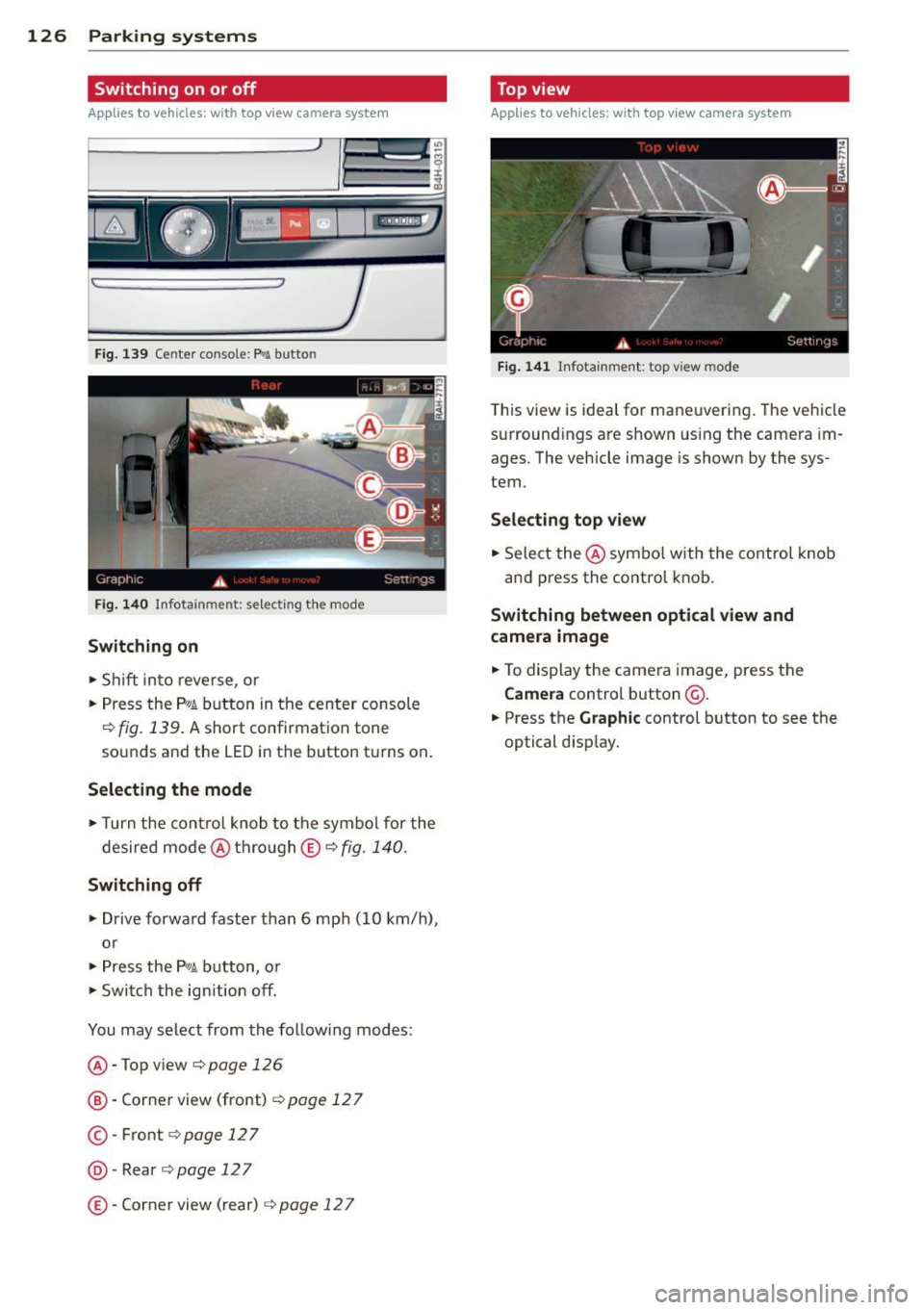
126 Parking systems
Switching on or off
Applies to vehicles: with top view camera system
Fig. 139 Center console: f¼! button
Fig . 140 Infotainment: se lect ing the mode
Switching on
• Shift into reverse, or
• Press the
P,01 button in the center console
¢ fig. 139. A short confirmation tone
sounds and the LED in the button turns on .
Selecting the mode
• Turn the cont rol knob to the symbol for the
desired mode @thro ugh
© ¢fig. 140.
Switching off
• Drive forward faster than 6 mph (10 km/h),
or
• Press the
P,#A button, or
• Switch the ignition off.
You may select from the follow ing modes:
@ -Top view¢ page
126
@-Corner view (front) ¢ page 12 7
©-Front ¢page 127
@-Rear ¢page 127
©-Corner view (rear) c:;, page 12 7
Top view
Applies to vehicles: w ith top view camera system
Fig. 141 Infotainment: top view mode
T his view is ideal for maneuvering. The vehicle
surround ings are shown using the camera im
ages. The vehicle image is shown by the sys
tem.
Selecting top view
• Select the @symbo l with the control knob
and press the control knob.
Switching between optical view and
camera image
• To display the camera image, press the
Camera control button @.
• Press the
Graphic control button to see the
optical disp lay.
Page 145 of 312
,....,
N ,....,
N
0 J:
'SI: ,...., \!) 1.1"1 ,...., 1.1"1 ,....,
Safety belts
General notes
Always wear safety belts!
Wearing safety belts correctly saves lives!
This chapter explains why safety belts are nec
essary, how they work and how to adjust and
wear them correctly.
~ Read all the information that follows and
heed all of the instructions and WARNINGS.
A WARNING
Not wearing safety belts or wearing them
improperly increases the risk of serious
personal injury and death .
- Safety belts are the single most effective
means available to reduce the risk of se
rious injury and death in automobile acci
dents . For your protection and that of
your passengers, always correctly wear
safety belts when the vehicle is moving.
- Pregnant women, injured, or physically
impaired persons must also use safety
belts. Like all vehicle occupants, they are
more likely to be seriously injured if they
do not wear safety be lts . The best way to
protect a fetus is to protect the mother -
throughout the entire pregnancy.
Number of seats
Your Audi has a total of five seating positions:
two in the front and three in the rear. In some
vehicles, there are four seat ing positions : two
in the front and two in the rear. Each seating
position has a safety belt .
A WARNING
Not wearing safety belts or wearing them
improperly increases the risk of serious
personal injury and death .
- Never strap more than one person, in
cluding small chi ldren, into any belt. It is
especially dangerous to place a safety
belt over a child sitting on your lap.
Safety belts 143
-Never let more people ride in the vehicle
than there are safety belts available.
- Be sure everyone riding in the vehicle is
properly restrained with a separate safe
ty belt or child restraint.
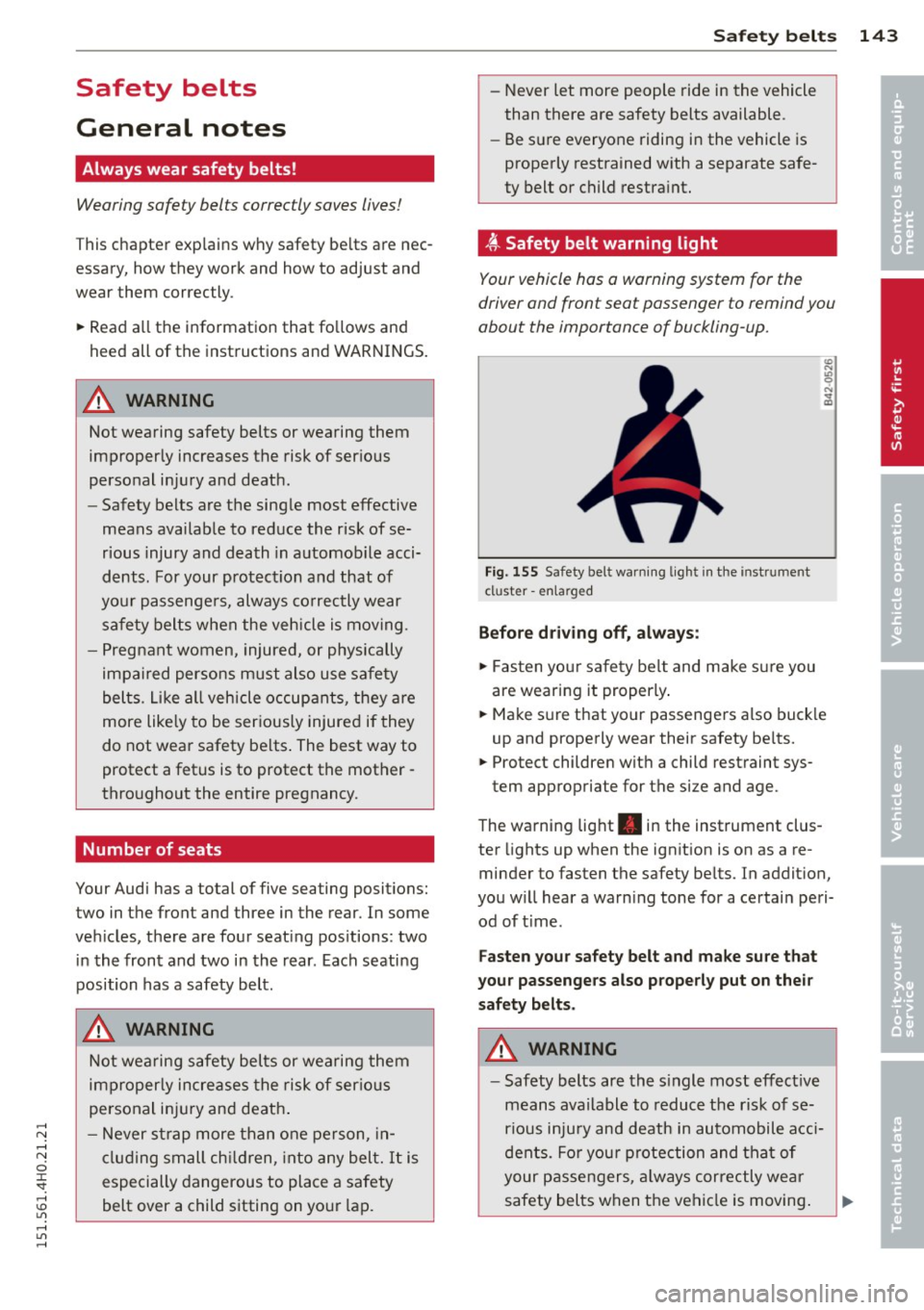
~-Safety belt warning light
Your vehicle has a warning system for the
driver and front seat passenger to remind you
about the importance of buckling-up.
Fig. 155 Safety bel t warning light in the instrument
cl uster -enla rged
Before driving off, always:
~ Fasten your safety belt and make sure you
are wearing it properly .
~ Make sure that your passengers also buck le
up and properly wear their safety belts.
~ Protect children with a child restraint sys-
tem appropriate for the size and age.
The warning light . in the instrument clus
ter lights up when the ignition is on as a re
minder to fasten the safety belts. In addition,
you will hear a warning tone for a certain peri od of time.
Fasten your safety belt and make sure that
your passengers also properly put on their
safety belts.
A WARNING
- Safety belts are the single most effective
means available to reduce the risk of se
rious injury and death in automobile acci
dents. For your protection and that of
your passengers, always correctly wear
safety belts when the vehicle is moving. •
•
Page 156 of 312

154 Airbag sys te m
as def ined in the electronic control unit
Q page 162, PASSENGER AIR BAG OFF light.
A lways remember, a chi ld seat or infant carr i
e r i nsta lled on the front seat may be struck
and knocked out of position by the rapidly in
flating passenger's airbag in a frontal colli
sion. The airbag could greatly reduce the ef
fectiveness of the chi ld restraint and even se
riously injure the child during inflat ion.
F or this reason, and because the back seat is
the safest p lace for chi ldren -when properly
restra ined accord ing to their age and si ze -we
strongly recommend that children always sit
in the back seat
Q page 174, Child Safety .
A WARNING
A child in a rearward-facing child seat in
stalled on the front passenger seat will be
ser iously injured and can be killed if the
front airbag inflates -even with an Ad
vanced Airbag System.
- The inflating a irbag will hit the child seat
or infant carrier w ith great force and w ill
smash the ch ild seat and child against
the backrest, center armrest, door or
roof .
- Always install rear -facing child seats on
the rear seat .
- If you must install a rearward facing
child seat on the f ront passenge r seat
because of except iona l circumstances
and the
PASSENGER AIR BAG OFF light
does not come on and stay on, immedi
ately i nstall the rear-facing chi ld seat in a
rear seating position and have the airbag
system inspected by your Aud i dealer .
- Forward-fac ing ch ild seats installed on
the front passenger's seat may interfere
with the deployment of the airbag and c ause se rious pe rsonal injury to the
c hild.
A WARNING
If, in exceptional c ircumstances, you mus t
install a forwa rd-facing child restra int on
the front passenger's seat: -
Always make sure the forward-facing
seat has been designed and certified by
its manufacturer for use on a front seat
with a passenger front and s ide a irbag .
- Never put the forward-facing child re
straint up against or very near the instru ment panel.
- Always move the passenger seat into its
rearmost pos ition in the seat's fore a nd
aft adjustment range, as fa r away from
the airbag as possible before installing
the forwa rd-fa cing ch ild restra int. The
b ackrest mus t be ad justed to an up right
position.
- Make sure that the
PASSENGER AIR BAG
OFF
li ght comes on and stays o n all the
time wheneve r the ignition is switched
on.
A WARNING -ra----
To reduce the risk of serious injury, make
sure that the
PASSENGER AIR BAG OFF
light will be displayed whenever a child re
straint is installed on the front passenger
seat and the ignition is sw itched on.
- If the
PASSENGER AIR BAG OFF light
does not stay on, perform the checks de
scribed
Q page 161, Monitoring the Ad
vanced Airbag System .
-Take t he chi ld restraint off the front pas
senger seat and install it properly at one
of the rear seat positions if the
PASSEN
GER AIR BAG OFF
light does not stay on.
- Have the airbag system inspected by
your Aud i dea le r i mmediately .
- Always carefully follow instr uctions from
child restraint manufacture rs when in
stall ing c hild restra ints .
A WARNING
If, in except iona l circumstances, you m ust
i nstall a forward o r rearwa rd-fa cing child
r estra int on the front p assenger's se at:
- I mp roper installation of ch ild restra ints
c a n reduce their effectiveness or even
p revent them from providing any protec -
tion. .,..
Page 160 of 312

158 Airbag sys te m
- Never put the forward-facing child re
straint up aga inst or very near the instru
ment panel.
- Always move the passenger seat into its
rearmost position in the seat's fore and
aft adjustment range, as far away from
the a irbag as poss ible, before installing
the forward-facing child restraint. The backrest must be adjusted to an upr ight
posit io n.
- Make sure that the
PASSENGER AIR BAG
OFF
light comes on and stays on all the
t ime whenever the ignition is switched
on.
Advanced Airbag System components
The front passenger seat in your vehicle has a
lot of very important parts of the Advanced
Airbag System in it. These parts include the
weight-sensing mat, sensors, wiring, brack
ets, and more. The function of the system in
the front passenger seat is checked by the
electronic control un it when the ign it ion is on .
The control unit mon itors the Advanced Air
bag System and turns the airbag indicator
l ight on whe n a malfunction in the system
components is de tected. The function of the
ai rbag indicator light is described in greater
detai l be low . Because the front passenger
seat contains important parts of the Ad
vanced A irbag System, you must take care to
prevent it from be ing damaged. Damage to
the seat may prevent the Advanced Airbag for
the front passenger seat from doing its job in
a crash .
The front Advanced Airb ag System
con sis ts of the following:
- Crash sensors in the front of the veh icle that
measure veh icle acceleration/deceleration
to provide information to the Advanced Air
bag System about the seve rity of the c rash.
- An electron ic co ntro l unit, w ith integ rated
crash sensors for fron t and side impacts.
T he contro l unit "dec ides " whether to fire
the front airbags based on the information received from the crash sensors . The contro l unit also "decides" whether the sa
fety be lt
pretensioners shou ld be activated.
- An Advanced Airbag with gas generato r and
contro l valve for the driver inside the steer
ing wheel h ub.
- An Advanced Airbag with gas gene rator and
contro l valve inside the instrument panel for
the front passenger .
- A weight -sensing mat under the upho lstery
padding of the front passenger seat cushion
that measures the total weight on the seat.
The informat ion registered is sent continu
ously to the electronic control unit to regu late deployment of the front Advanced Air
bag on the passenger side.
- An airbag monitoring system and indicator
light in the instrument cluster~
page 161 .
-A sensor in each front seat registers the dis
tance betwee n the respective seat a nd the
steer ing whee l o r inst rument panel. The in
formation registered is sent cont inuous ly to
t he ele ctron ic contro l uni t to regula te de
p loyment of the front Adva nced A irbags .
- The
PASSENGER AIR BAG OFF light comes
on and st ays on in the center of the instr u
ment p anel
~page 162, fig. 168 and t ells
you when the front Advanced Airbag on the
passenger side has been turned off .
- A sensor below the safety be lt latch for the
front seat passenger to measure the tension
on t he safety be lt . The tension on the safety
be lt and the weight registered by the
weight-sensing mat he lp the control unit
"decide" whether the front airbag for the
front passenger seat should be turned off or not
~ page 153, Child restraints on the
front seat -some important things to
know.
- A sensor in the safety belt latch fo r the driv
er and fo r the fro nt seat passenger that
senses whether that safety bel t is latched or
no t and transmi ts this information to t he
electronic control unit.
A WARNING ~ -
Damage to the front passenger seat can
prevent the front airbag from work ing
properly.
Page 162 of 312

160 Airbag system
A WARNING
To reduce th e risk of injury when an airbag
inflates, always wea r safety b elts properly.
- If you are unrestrained, leaning forward,
sitting sideways or out of position in any
way, your risk of injury is much higher .
- You w ill also receive serious injuries and
could even be killed if you are up against
the a irbag or too close to it when it in
flates -even with an Advanced Airbag
~ page 151.
More important things to know about
front airbags
Fig. 167 Inflated front a irbags
Safety belts are important to help keep front
seat occupants in the proper seated pos ition
so that airbags can unfo ld prope rly and pro
vide supp lemental protection in a fronta l co l
lision.
The front a irbags are designed to provide ad
d itiona l protect ion for the chest and face of
the dr iver and the front seat passenger when:
- safety belts are worn properly,
- the seats have been posit ioned so that the
occupant is properly seated as far as possi
ble from the a irbag,
- and the head restraints have been properly adjusted .
Because airbags inflate in the blink of an eye
with great force, things you have on your lap
or have placed on the seat could become dan
ge ro us projectiles, and be pushed i nto yo u if
the airbag inflates.
When an airbag deploys, fine dust is released.
This is normal and is not caused by a fire in the vehicle
. This dust is made up mostly of a
powder used to lubricate the airbags as they
deploy.
It could irr itate skin.
It is impo rtant to remember th at w hile the
supplementa l airbag system is designed to re
duce the like lihood of serious injuries, other
i njur ies, for example swelling, br uising and
minor abrasions, can a lso happen when air
bags inflate. A irbags do not protect the arms
or the lower parts of the body . Front a irbags
supplement the t hree-po int safety belts only
in some fronta l collisions in wh ich the vehicle
deceleration is high enough to deploy the air
bags.
Front airbags will not deploy:
- if the ignition is sw itched off when a crash
occ urs,
- in side co llisions,
- in rear-end co llisions,
- in rollovers,
- when the crash deceleration measured by the airbag system is less than the minimum
threshold needed for airbag deployment as
registered by the electronic contro l unit .
The front passenger airbag al so w ill not
deploy:
- when the front passenger seat is not occu
pied,
- when the weight on the front passenger
seat as sensed by the Advanced Airbag Sys
tem indicates that the front airbag on the passe nger side has to be turned off by the
electronic control un it (the
PA SSENGER AIR
BAG OFF
light comes on and stays on) .
A WARNING
-
Sitting in the wrong position can increase
the r isk of se riou s injury i n crashes.
- To reduce the risk of inju ry whe n the air
bags i nflate, the drive r and passenge rs
m ust alw ays sit in an upr igh t position,
m ust not lean aga inst or place any part
of their body too close to the area where
the airbags are located .
II>
Page 164 of 312

162 Airbag system
whenever the ignit ion is on. Each time you
switch on the ignition, the airbag monitoring
indicator light
II (USA models) ;fll (Canada
models) will come on for a few seconds (self
diagnostics).
The system must be inspected when the
indicator light
II (USA models)/E,I
(Canada models):
-does not come on when the ignition is
switched on,
- does not go out a few seconds after you
have switched on the ign ition, or
- comes on wh ile driving.
If an airbag system malfunction is detected ,
the indicator light will first start flashing to catch the driver's attention and then stay on
continuously to serve as a constant reminder
to have the system inspected immediately .
If a malfunction occurs that turns the front
airbag on the passenger side off, the
PASSEN
GER AIR BAG OFF
light will come on and stay
on whenever the ignition is on .
A WARNING
An airbag system that is not functioning
properly cannot provide supplemental pro
tection in a frontal crash.
-If the airbag indicato r light ¢ page 18
comes when the vehicle is be ing used,
have the system inspected immediate ly
by your aut horized Aud i dealer. It is pos
sible that the airbag will inflate when it
is not supposed to, or will not inflate
when it shou ld.
-
PASSENGER AIR BAG OFF l ight
Fig. 168 Sectio n fro m the instrument panel : PASSEN
G ER AIR BAG OFF lig ht
T he PASSENGER AIR BAG OFF light is located
in the center of the instrument panel
~fig. 168.
The PASSENGER AIR BAG OFF light will come
on and stay on to tell you when the front Ad
vanced Airbag on the passenger sid e has been
turned off by the electronic control unit. Each
time you switch on the ignition, the
PASSEN
GER AIR BAG OFF
light will flash for a few
seconds and:
- wi ll stay on if the front passenger seat is not
occupied,
- will stay on if there is a small child or child
restraint on the front passenger seat,
-will go out if th e front passenge r seat is oc
cupied by an adult as registered by the
weight -sensing mat .
T he
PASSENGER AIR BAG OFF light must
come on and stay on
if the igni tion is on and
- a car bed has been installed on the front
seat, or
- a rearward-facing child restraint has been
installed on the front passenger seat, or
- a forward-facing ch ild restra int has been in
stalled on the front passenger seat , or
- the weight reg istered on the front passen
ger seat is equal to or less than the com
b ined weight of a typical 1 year-old restrain
ed in one of the rear-facing or forwa rd-fac
ing infant restraints listed in Federal Motor
Vehicle Safety Standard 208 with which the
Advanced A irbag System in you r vehicle was
cert ified.
II>-