light AUDI A8 2016 Owners Manual
[x] Cancel search | Manufacturer: AUDI, Model Year: 2016, Model line: A8, Model: AUDI A8 2016Pages: 302, PDF Size: 75.68 MB
Page 236 of 302
Check ing and F illing
warm water and baking soda to neutralize
the acid.
CD Note
Never use a fast charger as a booster to start
the engine . This will serious ly damage sensi
tive electronic components, such as control
units, relays, radio, etc., as well as the battery
charger.
Battery replacement
T he new battery must have the same specifica
t ions and dimensions as the original equipmen t
bat tery.
Int elli g ent en ergy managem ent in your vehicle is
responsible for distributing the electrical energy
throughout your vehicle
r=> page 195. The intelli
gent energy management system will keep the
engine battery charged better than veh icles w ith
out this system . To make sure the addit ional
e lectrical energy is avai lab le once again after you
have changed the battery, we recommend that
you install batteries of the same type and manu facture on ly (the same as those installed at the
time your vehicle was delivered). Specifications
are listed on the battery housing. Your author
i z ed dealer must code the battery in the energy
management system to enable you to use the en
ergy management functions correctly after re
placing the battery .
The new battery must have the same capacity,
voltage (12 volts) , amperage, construction and
plug sealing .
When installing the battery, make sure the igni
tion and all electrical consumers are sw itched
off.
CD Note
- Make sure the ventilation hose on the s ide
of the battery is connected, otherw ise
fumes or battery ac id can leak out.
- Vehicles with the Start-Stop-System* are equipped with a special cycle-proof AGM battery . Installing a d ifferent type of bat
tery can cause problems in the vehicle elec -
234
trical system. When replacing the vehicle
battery, always install one with the same
specifications as the original battery .
- Battery mounts and clamps m ust always be
secured correctly.
- Read and follow the warnings under
¢ page 231, Working on the battery before
performing any work on the battery .
@ For the sake of the environment
Because of the p roblem of proper disposal of
a battery, we recommend your authorized
A udi dealer change the battery for you . Bat
teries contain sulfur ic acid and lead and must
a lways be disposed of properly in compliance
with all environmental regulations . Disposing
of veh icle batteries improperly is very danger
ous to the environment .
Windshield washer
system
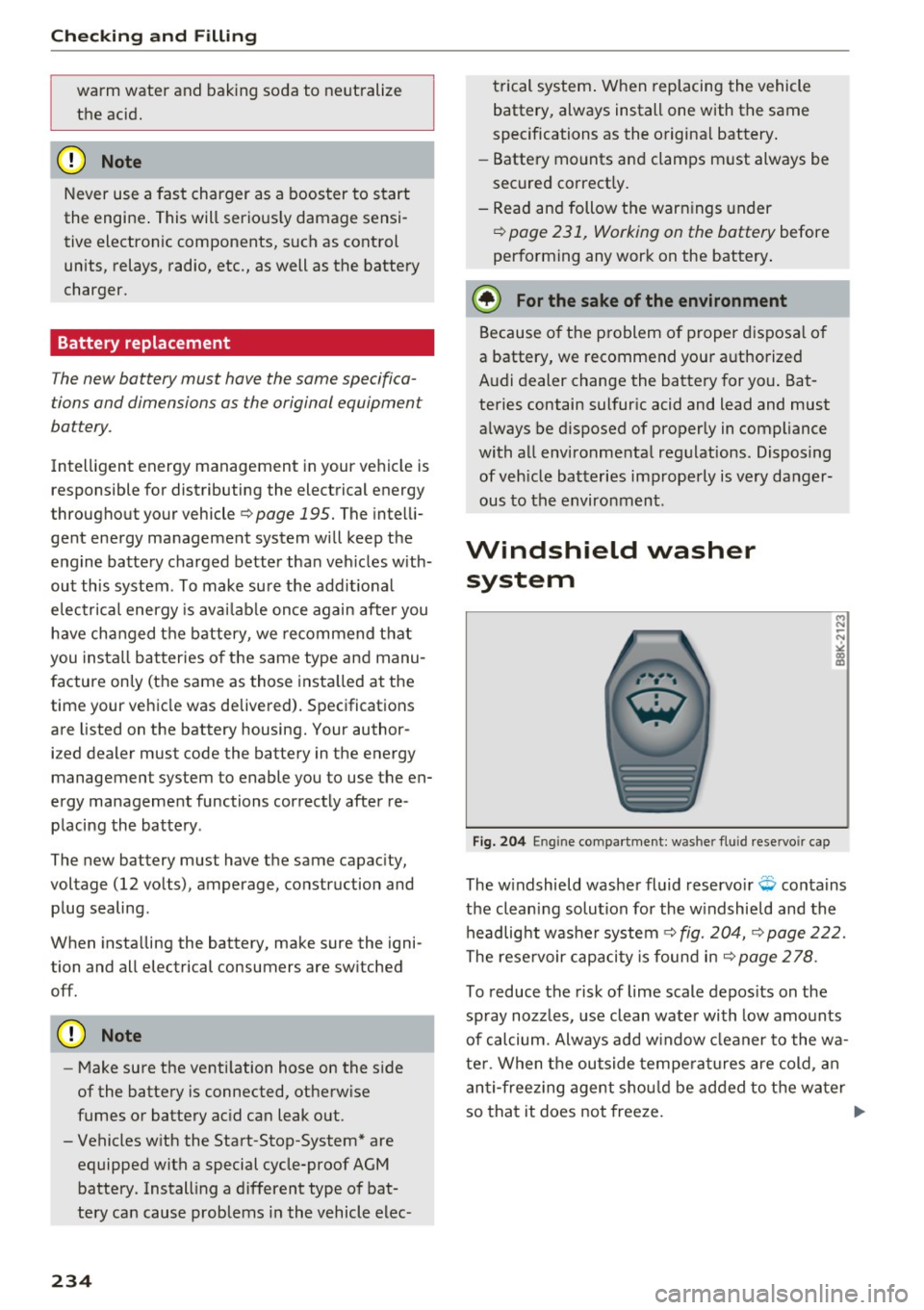
Fig. 204 En gin e compa rt ment: washer fluid rese rvoir cap
The w indshield washer fluid reservo ir Q conta ins
the cleaning solution for the w indshield and the
headlight washe r system ¢
fig. 204, ¢ page 222.
The reservoir capacity is found in
r=> page 2 78 .
To reduce the risk of lime scale depos its on the
spray nozzles, use clean water with low amounts
of calcium. Always add w indow cleaner to the wa
ter . When the outside temperat ures are cold , an
anti-freez ing agent shou ld be added to the water
so that it does not freeze. ..,.
Page 238 of 302
Wheels
Wheels
Wheels and Tires
General information
~check your tires regularly for
damage (punctures, cuts, cracks
and bulges). Remove foreign ob
jects from the tire tread.
~ If driving over curbs or similar
obstacles, drive slowly and ap
proach the curb at an angle.
~ Have faulty tires or rims re
placed immediately.
~ Protect your tires from oil,
grease and fuel.
~ Mark tires before removing
them so that the same running direction can be maintained if
they are reinstalled .
~ Lay tires flat when storing and
store them in a cool, dry location
with as little exposure to light as possible.
(i}) Note
-Please note that summer and
winter tires are designed for
the conditions that are typical i n those seasons. Audi recom
mends using winter tires dur
i ng the winter months. Low
temperatures significantly de crease the elasticity of summ
er tires, which affects traction
236
and braking ability. If summer
tires are used in very cold
temperatures, cracks can form on the tread bars, resulting in
permanent tire damage that
can cause loud driving noise
and unbalanced tires.
-Burnished, polished or chromed rims must not be used in winter driving condi
tions. The surface of the r ims
does not have sufficient corro
sion protection for th is and
could be permanently dam
aged by road salt or similar
substances.
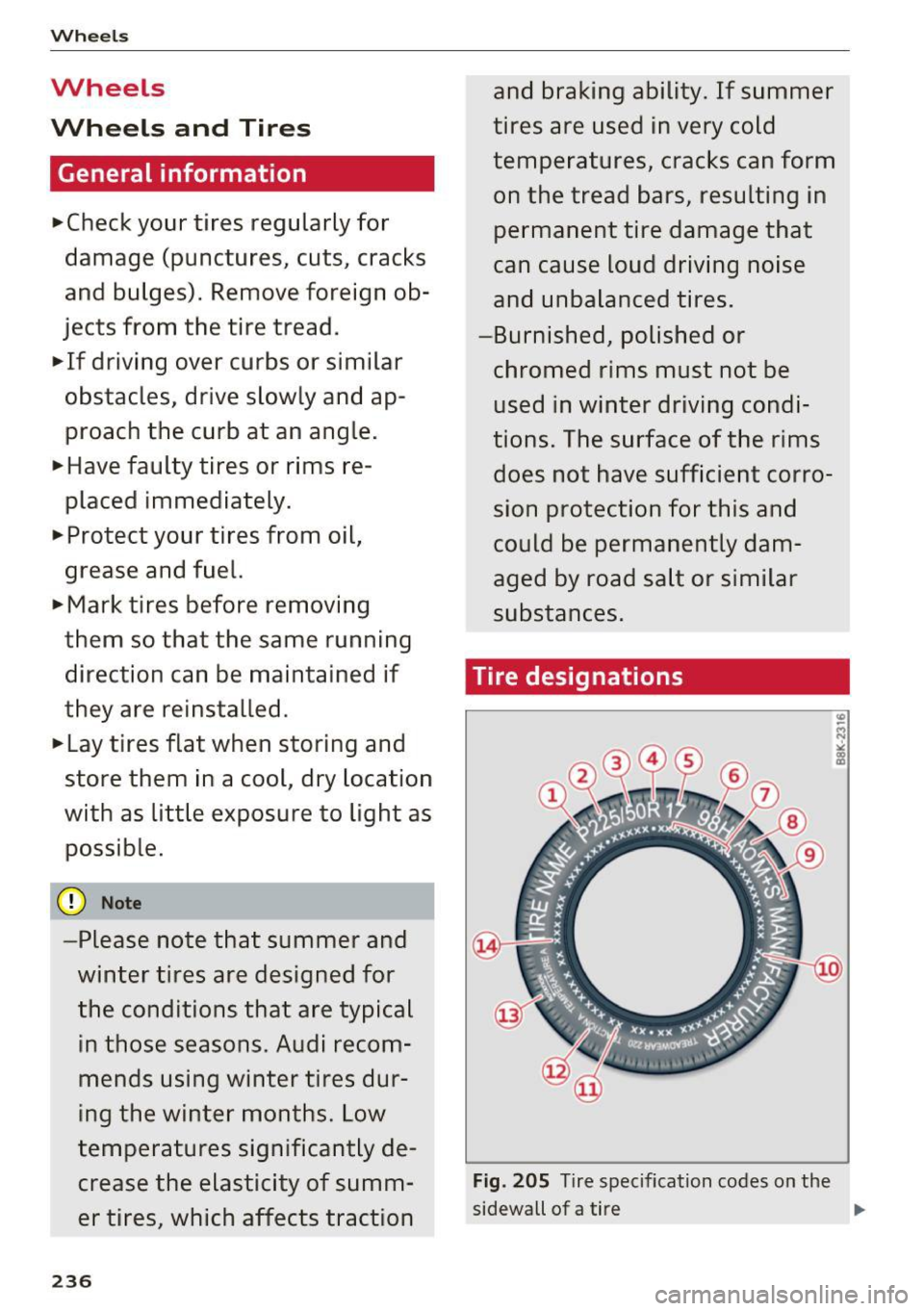
Tire designations
Fig. 205 Tire specifi cation codes on the
sidewall of a tire .,._
Page 256 of 302
Wheels
_& WARNING
Temperature grades apply to tires that are
properly inflated and not over or underinf lat
ed.
Tire pressure monitoring system
U) General notes
Applies to: vehicles with tire pressure monito ring system
Each tire, including the spare (if provided),
should be checked monthly when cold and inflat
ed to the inflation pressure recommended by the
vehicle manufacturer on the vehicle placard or
tire inflat ion pressure label. (If your vehicle has
tires of a different size than the size indicated on
the vehicle placard or tire inflation pressure la
bel, you should determine the proper tire infla
tion pressure fo r those tir es) .
As an added safety feature, your vehicle has been
equipped with a t ire pressure monitoring system
(TPMS) that illuminates a low tire pressure tell
tale when one or more of your tires is significant
ly under-inflated . Accord ingly, when the low tire
p ressure telltale illuminates, you should stop and
check your tires as soon as possible, and inflate
them to the proper pressure. Driving on a signifi
cantly under-inflated tire causes the tire to over
heat and can lead to tire failure. Under-inflation
also reduces fuel efficiency and tire tread life,
and may affect the vehicle's handling and stop
ping ability.
Please note that the TPMS is not a substitute for
proper tire maintenance, and it is the driver's re
sponsib ility to maintain correct tire pressure,
even if under-inflation has not reached the level
to trigger illumination of the TPMS low tire pres
sure telltale.
Your vehicle has also been equipped with a TPMS
malfunct ion indicator to indicate when the sys
tem is not operating properly. The TPMS mal
function indicator is comb ined w ith the low tire
pressure telltale. When the system detects a
malfunction, the telltale will flash for approxi
mately one minute and then remain cont inuous ly
illuminated. This sequence will continue upon
254
subsequent vehicle start-ups as long as the mal
function exists.
When the malfunction indicator is illum inated,
the system may not be able to detect or s ignal
low tire pressure as intended . TPMS malfunctions
may occur for a variety of reasons, including the
i nstallation of replacement or alternate tires or
wheels on the vehicle that prevent the TPMS
from functioning properly. Always check the
TPMS malfunction telltale after replacing one or
more tires or wheels on your vehicle to ensure
that the replacement or alternate tires and
whee ls allow the TPMS to continue to function
properly.
If the Tire Pressure Monitoring System
indicator appears
Applies to: vehicles with tire pressure monitoring system
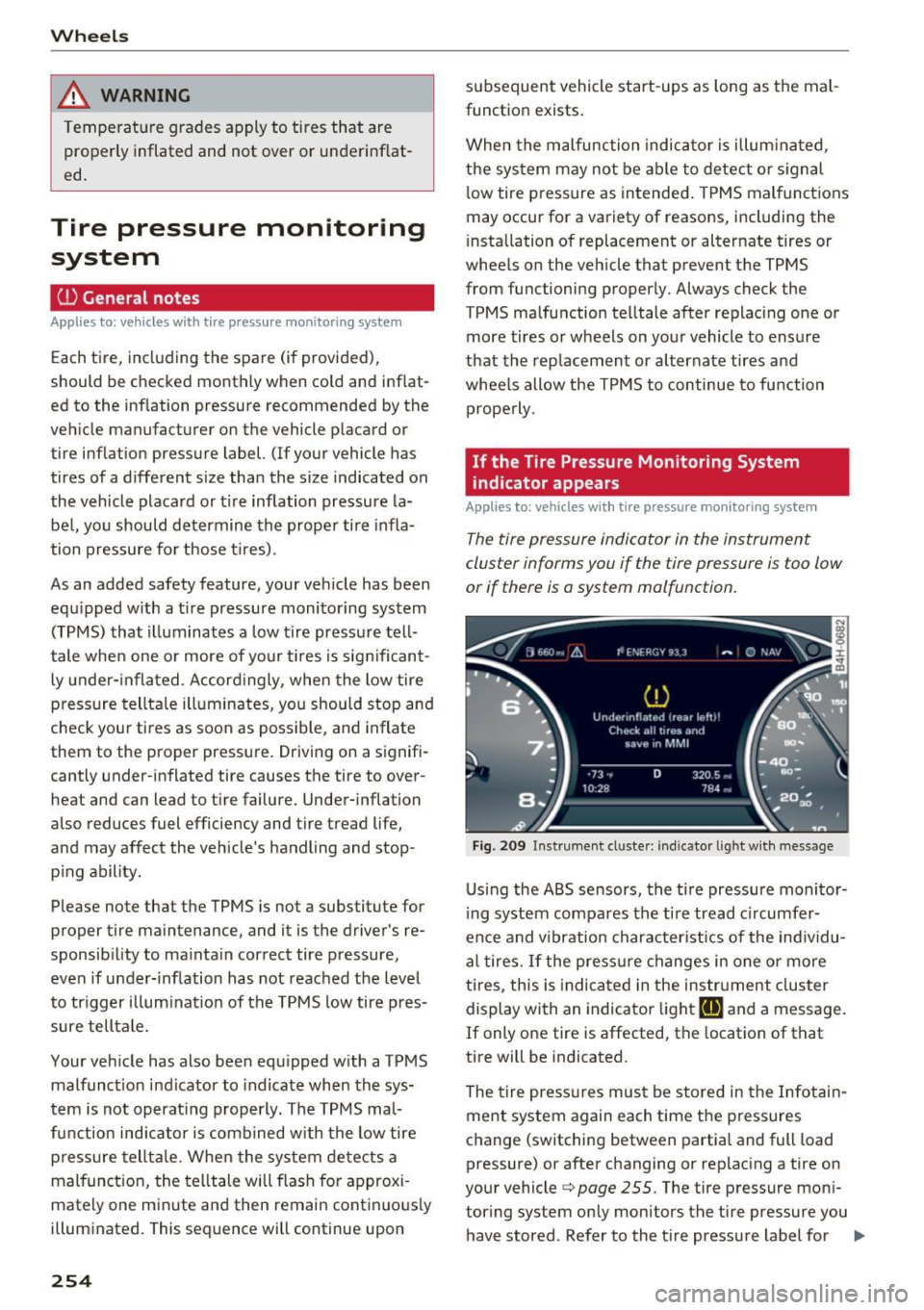
The tire pressure indicator in the instrument
cluster informs you if the tire pressure is too low
or if there is a system malfunction.
Fig . 209 Instrument cl uste r: indicator light with me ssage
Using the ABS sensors, the tire pressure monitor
ing system compares the tire tread c ircumfer
ence and v ibration characteristics of the individu
al tires.
If the pressure changes in one or more
ti res, this is ind icated in the instrument cluster
display with an indicator light
[I] and a message.
If only one tire is affected, the locat ion of that
tire will be indicated.
The tire pressures must be stored in the Infotain
ment system again each time the pressures
change (switching between partial and full load
pressure) or after changing or replacing a tire on
your vehicle ¢
page 255. The tire pressure moni
tor ing system only monitors the tire pressure you
have stored . Refer to the t ire pressure label for ..,.
Page 257 of 302
the recommended tire pressure for you r ve hicle
¢ page 246, fig . 208.
T ire tread circumference and v ibrat ion character
istics can change and cause a ti re pressure warn
ing if :
- the tire p ressure in one o r more tires is too low.
- the tire has structura l damage .
- the tire was replaced or the tire pressure was
changed and it was not stored¢
page 255 .
-the spare t ire* is installed.
Ind icat or light s
IE Loss of press ure in at least one tire q &. .
Check the tires and replace or repair if necessary.
Check/correct the pressures of a ll four tires and
store the pressure again in the Infotainment sys
tem ¢
page 255.
ffim (T ire Pressure Monitoring System) Tire
pressu re: Sys tem malfunction !.
Iffflm appears
after switching the ignition on or wh ile driving
and the
IE indicator light in the instrument clus
ter blinks for approximate ly one minute and then
stays on, there is system malfunction . Try to
store the correct tire pressures¢ page 255 . If
the indicator light does tur n off or t urns on again
a fte r a short period of time, dr ive to you r author
ized A udi dealer or qualified repair fac ility imme
diate ly to have the ma lfunction co rrected.
&_ WARNING
- If the tire pressu re indicator appears in the
display, reduce your speed immed iate ly and
avoid any hard steer ing or braking maneu
vers. Stop as soon as possib le and check the
t ir es and their press ure .
- The driver is responsib le for maintaining the
correct tire pressure. You must check the
t ir e pressu re regu la rly .
- Under certa in conditions (such as a sporty
dr iv ing style, wi nter cond itions or unpaved
roads), the tire p ressure monitoring system
indicator may be de layed.
- Do not use r un-flat tires on your vehicle. Us
ing them when not permitted can lead to
vehicle damage or accidents.
Wh eel s
(D Tips
-The tire p ressure monitoring system can al
so stop working when there is an ESC mal
function.
- Using snow c hains may result in a system
ma lf u nction.
- The tires wit h the identification "AO" or
"RO"
q page 243 have been matched wit h
your Audi t ire press ure monitoring system.
We recommend that you use these tires.
Storing tire pressures
If the tire pressure changes or a tire is replaced,
it must be confirmed in the Infotainment sys tem.
.,. Ma ke sure befo re storing t hat the t ire pressures
of all four tires meet the specified values and
are adapted to the load ¢
page 244.
.,. Switch the ignit ion on .
.,. Select: the
I CAR ! funct io n button > Car Systems
cont rol button > Serv icing & check s > Tire
pressure monitoring > Store tire pressures >
Ye s, store now .
(j) Tips
Do not sto re the tire pressures if snow chains
are ins talled. Ot he rw ise the system could
malfunc tion.
255
Page 261 of 302
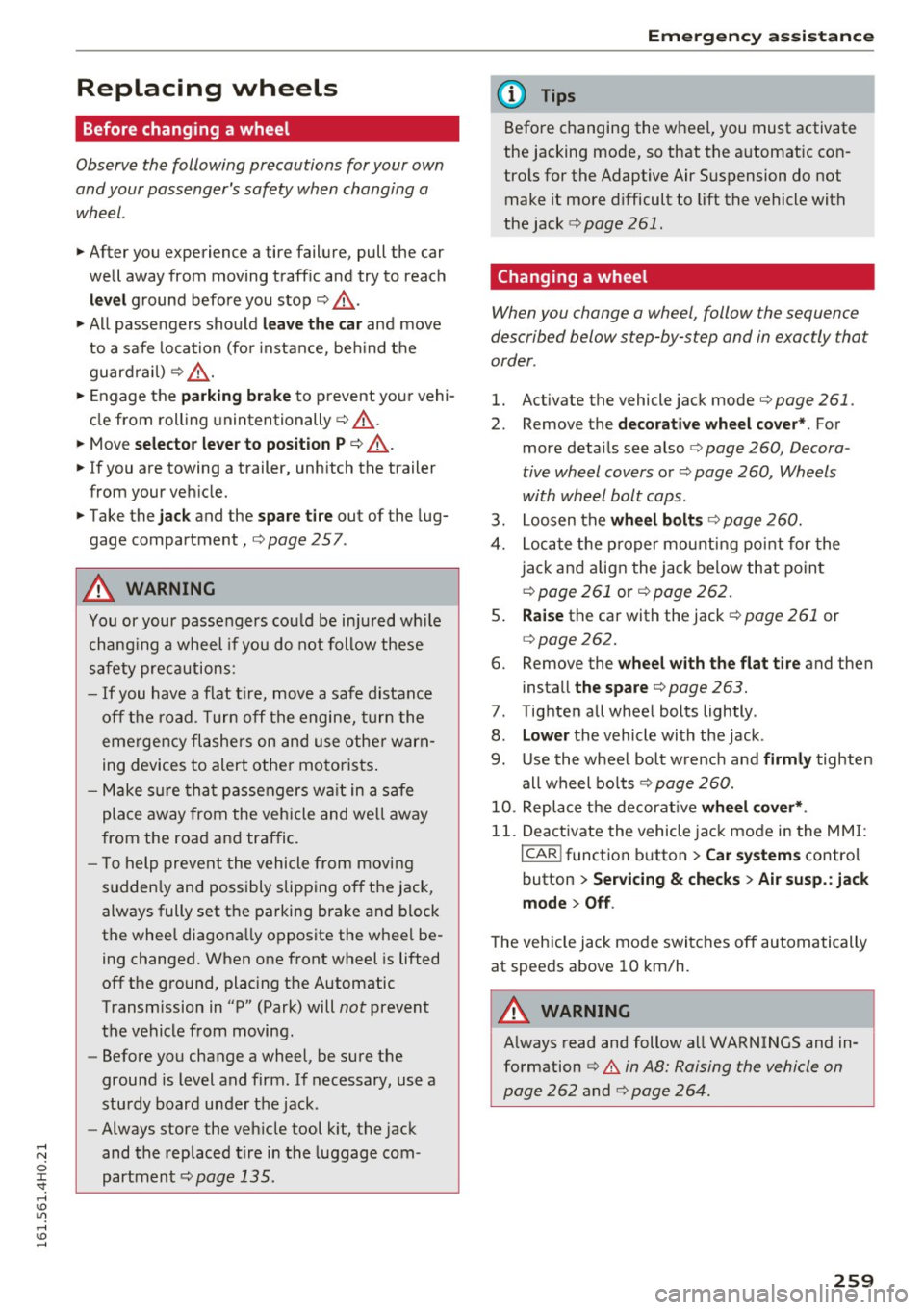
Replacing wheels
Before changing a wheel
Observe the following precautions for your own
and your passenger's safety when changing a
wheel.
.,. After you experience a tire failure, pull the car
well away from moving traffic and try to reach
level ground before you stop¢.,&. .
.. All passengers should
leave the car and move
to a safe location (for instance, beh ind the
guardrail) ¢.,&. .
.,. Engage the
parking brake to prevent your vehi
cle from rolling unintentionally ¢.,&. .
.. Move
selector lever to position P ¢ .,&. .
1> lfyou are towing a trailer, unhitch the trailer
from your vehicle.
.,. Take the
jack and the spare tire out of the lug
gage compartment,
¢page 257.
..&, WARNING
You or your passengers could be injured wh ile
changing a wheel if you do not follow these
safety precautions:
- If you have a flat tire, move a safe distance
off the road. Turn off the engine, turn the
emergency flashers on and use other warn
ing devices to alert other motorists.
- Make sure that passengers wa it in a safe
place away from the vehicle and well away
from the road and traffic.
- T o help prevent the vehicle from moving
sudden ly and possibly slipping off the jack,
always fully set the parking brake and block
the wheel diagonally opposite the wheel be
ing changed. When one front wheel is lifted
off the ground, plac ing the Automatic
Transmission in "P" (Park) will
not prevent
the vehicle from moving.
- Before you change a wheel, be sure the
ground is level and firm . If necessary, use a
sturdy board under the jack .
- Always store the vehicle tool k it, the jack
and the replaced tire in the luggage com
partment ¢
page 135.
Emergency assistance
{!) Tips
Before changing the wheel, you must activate
the jacking mode, so that the automat ic con
tro ls for the Adaptive Air Suspension do not
make it more difficult to lift the vehicle with
the jack ¢
page 261 .
Changing a wheel
When you change a wheel , follow the sequence
described below step-by-s tep and in exactly tha t
order .
l. Activate the vehicle jack mode ¢ page 261 .
2. Remove the decorative wheel cover*. For
more details see also¢
page 260, Decora
tive wheel covers
or¢ page 260, Wheels
with wheel bolt caps .
3. Loosen the wheel bolts¢ page 260.
4. Locate the proper mounting point for the
jack and align the jack below that point
¢ page 261 or¢ page 262.
5. Raise the car with the jack¢ page 261 or
¢page 262.
6. Remove the wheel with the flat tire and then
install
the spare ¢ page 263.
7. Tighten all wheel bolts lightly .
8.
Lower the vehicle with the jack .
9. Use the wheel bolt wrench and
firmly tighten
all wheel bolts<=>
page 260.
10. Replace the decorative wheel cover*.
11. Deactivate the vehicle jack mode in the MMI :
I CAR! function button > Car systems contro l
button
> Servicing & checks > Air susp.: jack
mode > Off.
The vehicle jack mode switches off automatically
at speeds above 10 km/h .
..&, WARNING
Always read and follow all WARNINGS and in
formation
¢ .&. in AB: Raising the vehicle on
page 262
and ¢ page 264.
259
Page 266 of 302
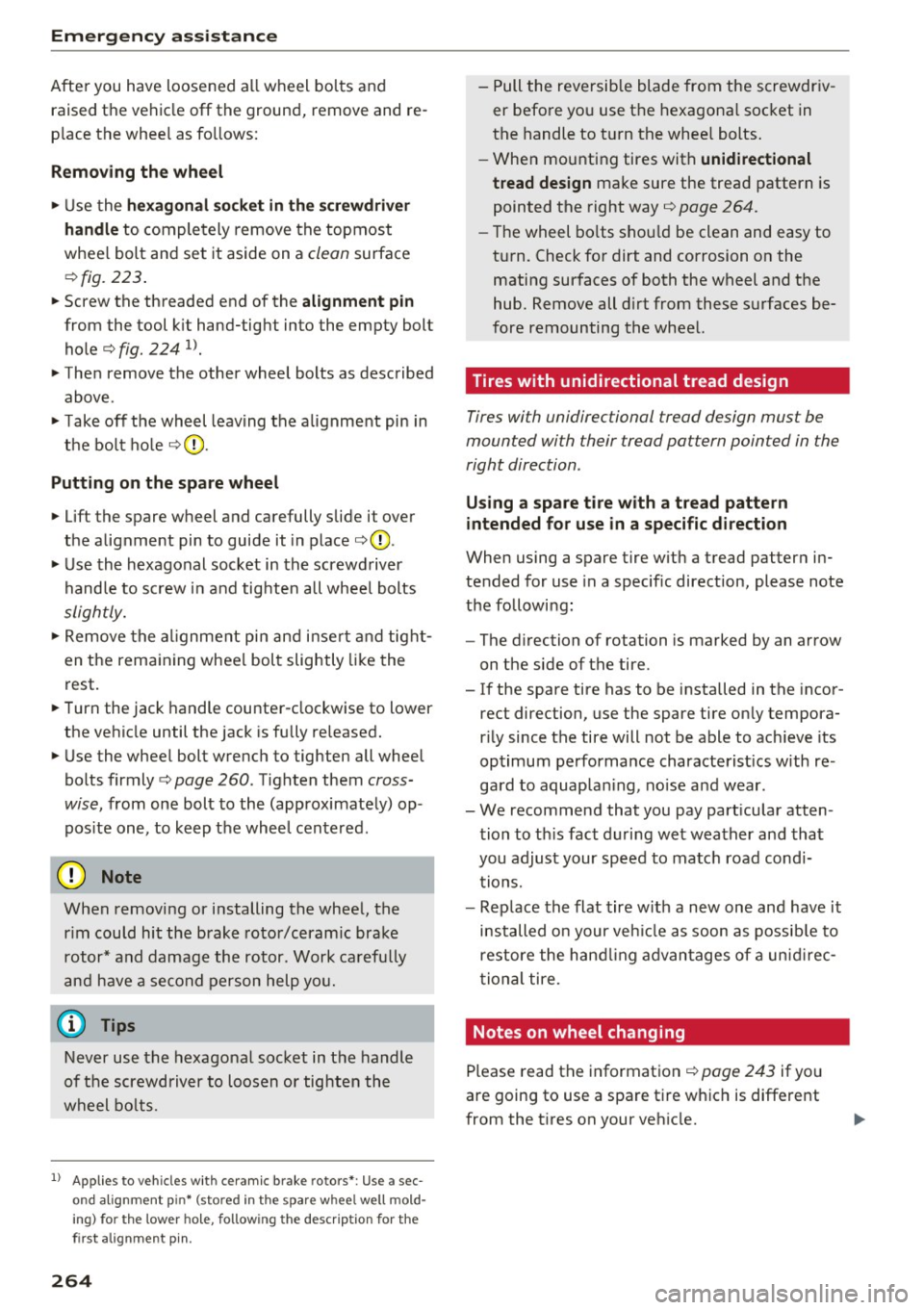
Emergency assistance
After you have loosened all wheel bolts and raised the vehicle off the ground, remove and re
place the wheel as follows:
Removing the wheel
.,. Use the hexagonal socket in the screwdriver
handle
to completely remove the topmost
wheel bolt and set it aside on a
clean surface
.::!> fig. 223.
.,. Screw the threaded end of the alignment pin
from the tool kit hand-tight into the empty bolt
hole¢
fig. 224 1> .
.,. Then remove the other wheel bolts as described
above.
.,. Take off the wheel leaving the alignment pin in
the bolt hole ¢0 .
Putting on the spare wheel
.,. Lift the spare wheel and carefully slide it over
the alignment pin to guide it in place ¢0 .
.,. Use the hexagonal socket in the screwdriver
handle to screw in and tighten all wheel bolts
slightly .
.,. Remove the alignment pin and insert and tight
en the remaining wheel bolt slightly like the
rest.
.,. Turn the jack handle counter-clockwise to lower
the vehicle until the jack is fully released.
.,. Use the wheel bolt wrench to tighten all wheel
bolts firmly ¢
page 260 . Tighten them cross
wise,
from one bolt to the (approximately) op
posite one, to keep the wheel centered.
0 Note
When removing or installing the wheel, the
rim could hit the brake rotor/ceramic brake
rotor* and damage the rotor . Work carefully
and have a second person help you.
Never use the hexagonal socket in the handle
of the screwdriver to loosen or tighten the
wheel bolts.
1
> A pp lies to vehicles with cer amic brake rotors*: Use a sec
o n d alignment p in* (sto re d in th e s pare w hee l well mold
in g) fo r the lower hole , fol low ing the descrip tion for the
fir st a lig nme nt pin .
264
-Pull the reversible blade from the screwdriv
er before you use the hexagonal socket in
the handle to turn the wheel bolts.
- When mounting tires with
unidirectional
tread design
make sure the tread pattern is
pointed the right way¢
page 264.
-The wheel bolts should be clean and easy to
turn. Check for dirt and corrosion on the
mating surfaces of both the wheel and the
hub. Remove all dirt from these surfaces be
fore remounting the wheel.
Tires with unidirectional tread design
Tires with unidirectional tread design mus t be
mounted with their tread pattern pointed in the
right direction .
Using a spare tire with a tread pattern
intended for use in a specific direction
When using a spare tire with a tread pattern in
tended for use in a specific direction, please note
the following:
- The direction of rotation is marked by an arrow
on the side of the tire.
- If the spare tire has to be installed in the incor
rect direction, use the spare tire only tempora
rily since the tire will not be able to achieve its
optimum performance characteristics with re
gard to aquaplaning, noise and wear.
- We recommend that you pay particular atten
tion to this fact during wet weather and that
you adjust your speed to match road condi tions.
- Replace the flat tire with a new one and have it
installed on your vehicle as soon as possible to
restore the handling advantages of a unidirec
tional tire.
Notes on wheel changing
Please read the information¢ page 243 if you
are going to use a spare tire which is different
from the tires on your vehicle.
Page 268 of 302
Fuses and bulbs
Fuses and bulbs
Fuses
Replacing fuses
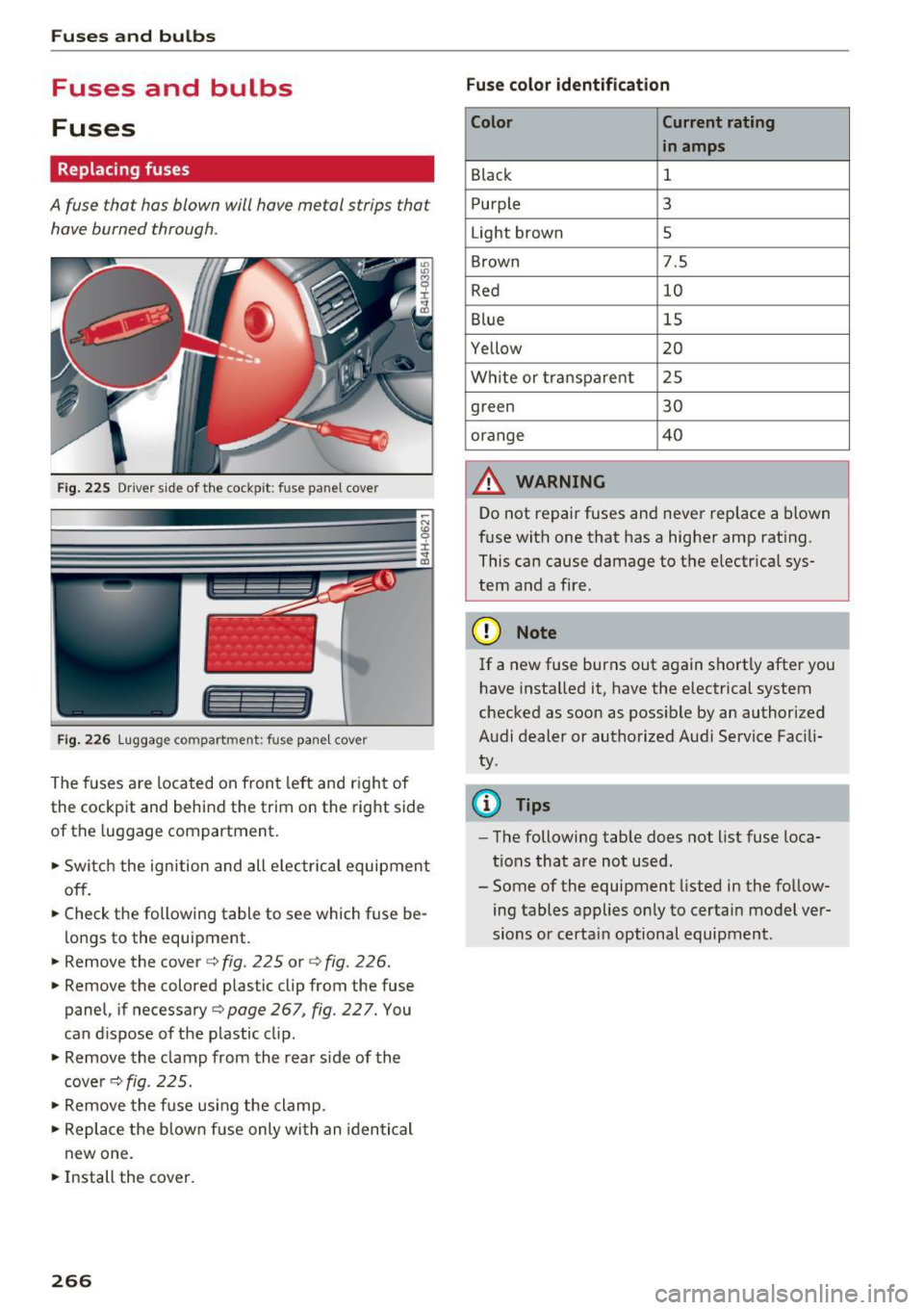
A fuse that has blown will have me tal strips that
have burned through .
Fig. 2 25 Driver s ide of th e cockp it: fuse pa nel cover
I l I
Fig. 2 26 Lu ggage compartment: fuse pane l cover
The fuses are loca ted on front left and r igh t of
the cockpit and behind the trim on the right side
of the luggage compartment.
.. Swi tch the ignition and all e lec trica l equipment
off.
.. Check the following table to see which fuse be
lo ngs to the equipment .
.. Remove the cover c::> fig. 225 or
c:> fig. 226 .
.. Remove the colored plastic clip from the fuse
panel, if necessary
c:> page 267, fig. 22 7. You
can d ispose of the p lastic clip .
.. Remove the clamp from the rear s ide of the
cove rc::> fig. 225 .
.. Remove the f use usi ng the clamp .
.. Re place the b low n fu se only wi th an identi cal
new one .
.. Install the cover.
266 Fuse color identification
Color Current rating
in amps
Black 1
P urple 3
Light brown 5
Brown 7.5
Red 10
Blue 15
Yellow 20
Wh ite or transpa re nt 2 5
green 30
orange 40
A WARNING
-
Do not repair fuses and never replace a blown
f u se with one that has a highe r amp rat ing.
This ca n cause damage to t he e lectr ica l sys
tem and a fire.
(D Note
If a new fuse burns out again sho rtly after you
h ave insta lled it, have the electrical system
checked as soon as possible by an authorized
A udi dealer or authorized Aud i Service Fac ili
ty .
(D Tips
-The following table does not list fuse loca
tions that are no t used .
- Some of the equipment listed in the fo llow
ing tables applies on ly to certai n model ver
sions or certa in optional equipment .
Page 269 of 302
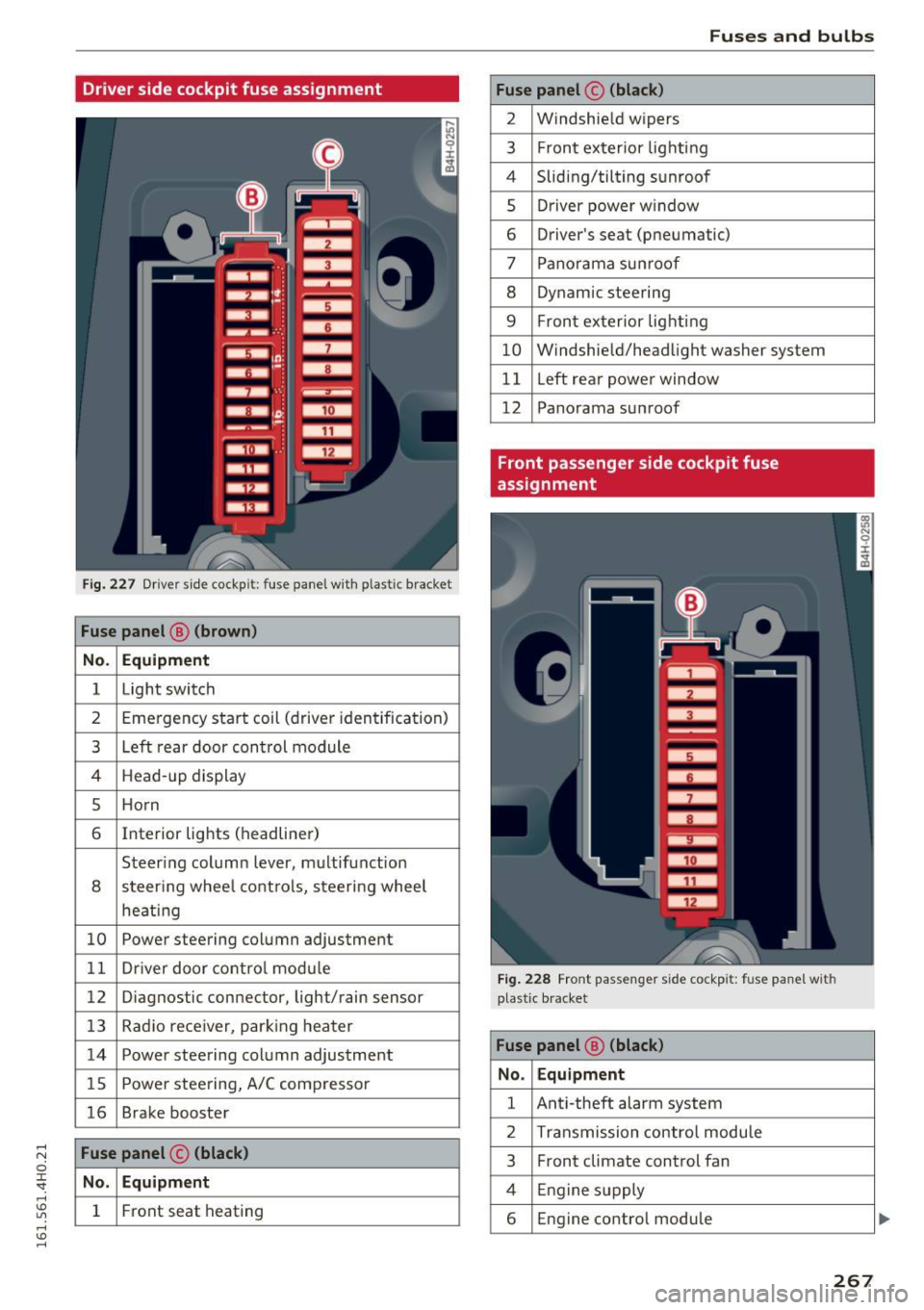
Driver side cockpit fuse assignment
Fig . 227 D river sid e cockpit: fuse panel with plastic bracket
Fuse panel @ (brown )
No . Equipment
1 Light switch
2 Emergency start coil (driver iden tification)
3 Left rear door con trol module
4 Head -up display
5 Ho rn
6 Interior lights (headliner)
Steering column lever, m ultifunction
8 steer ing whee l cont ro ls, steering wheel
heati ng
10 Powe r steering column adjustment
1 1 Dr iver door co ntro l mod ule
12 Diagnostic con nector, light/rain sensor
13 Radio rece iver, par king heater
14 Power steering column adjustment
15 Powe r stee ring, A/C comp resso r
16 Brake booster
Fuse panel © (black)
No . Equipment
1 Front seat heating
Fuses and bulbs
Fuse panel © (black)
2 Windshie ld w ipers
3 F ron t ex terior lig hti ng
4 Sliding/tilting s unroof
5 Dr iver power w indow
6 Driver's seat (pneumatic)
7 Pano rama su nroo f
8 Dynam ic steering
9 F ron t ex terior lig hting
10 W indshie ld/head light washer system
11 Left rea r powe r window
12 Panorama su nroof
Front passenger side cockpit fuse
assignment
Fig. 228 Front passenge r side cockp it: fuse panel with
p last ic b racket
Fuse panel @ (black)
No . Equipment
1 Ant i-theft alarm system
2 Transmission contro l modu le
3 Front climate control fan
4 Engine supply
6 Engine control module
267
Page 270 of 302
Fuses and bulbs
Fuse panel @ (black) Fuse panel@ (black)
7 Front passenger door contro l module
10 ESC contro
l modu le
8 Front passenger powe r window 11 Righ t rear power window
9 ESC control module 12 Front passenger
's seat (pneumatic)
Luggage compartment fuse assignment
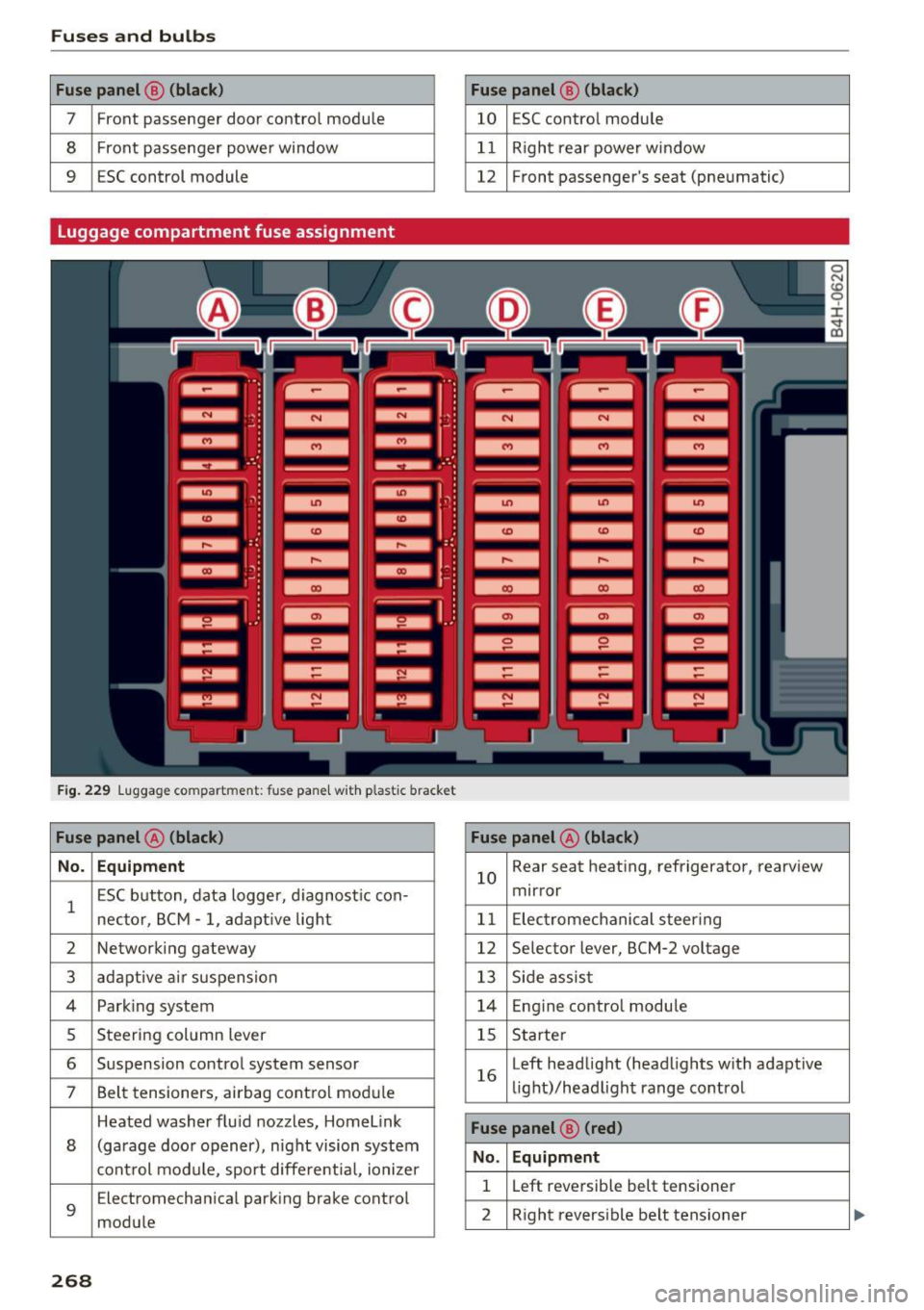
F ig. 22 9 lu ggage compartment: fu se pane l wit h plastic bracket
Fuse panel @ (black) Fuse panel@ (black)
No. Equipment
1 ESC b
utton, dat a logge r, d iagnos tic con-
necto r, B CM -1, ad apt ive lig ht 10
Rear
seat heating, refrigerator, rearview
mirror
1 1 E lectrome chanical s teer ing
2 Networking gateway
12 Se
lector lever, BCM-2 voltage
3 ad aptive a ir suspension 13 Side assis t
4 Park ing system 14 Engine contro l module
5 Steeri
ng column lever
15 S
tarter
6 Suspension contro
l system sensor
7 Belt tensioners, airbag cont rol mod ule 16
Left
headlight (headl ights w it h adapt ive
li ght)/headlight range co ntrol
Heated washer fluid nozzles, Home link
8 (garage doo r opener), night vision system
cont rol module, sport differe ntia l, ioni ze r
9
Electromechan ica l park ing brake control
mod ule
Fuse panel ® (red)
No. Equipment
1 L
eft reve rsible belt tensioner
2 R ight revers ible belt tens ioner
268
Page 271 of 302
Fuses an d bulb s
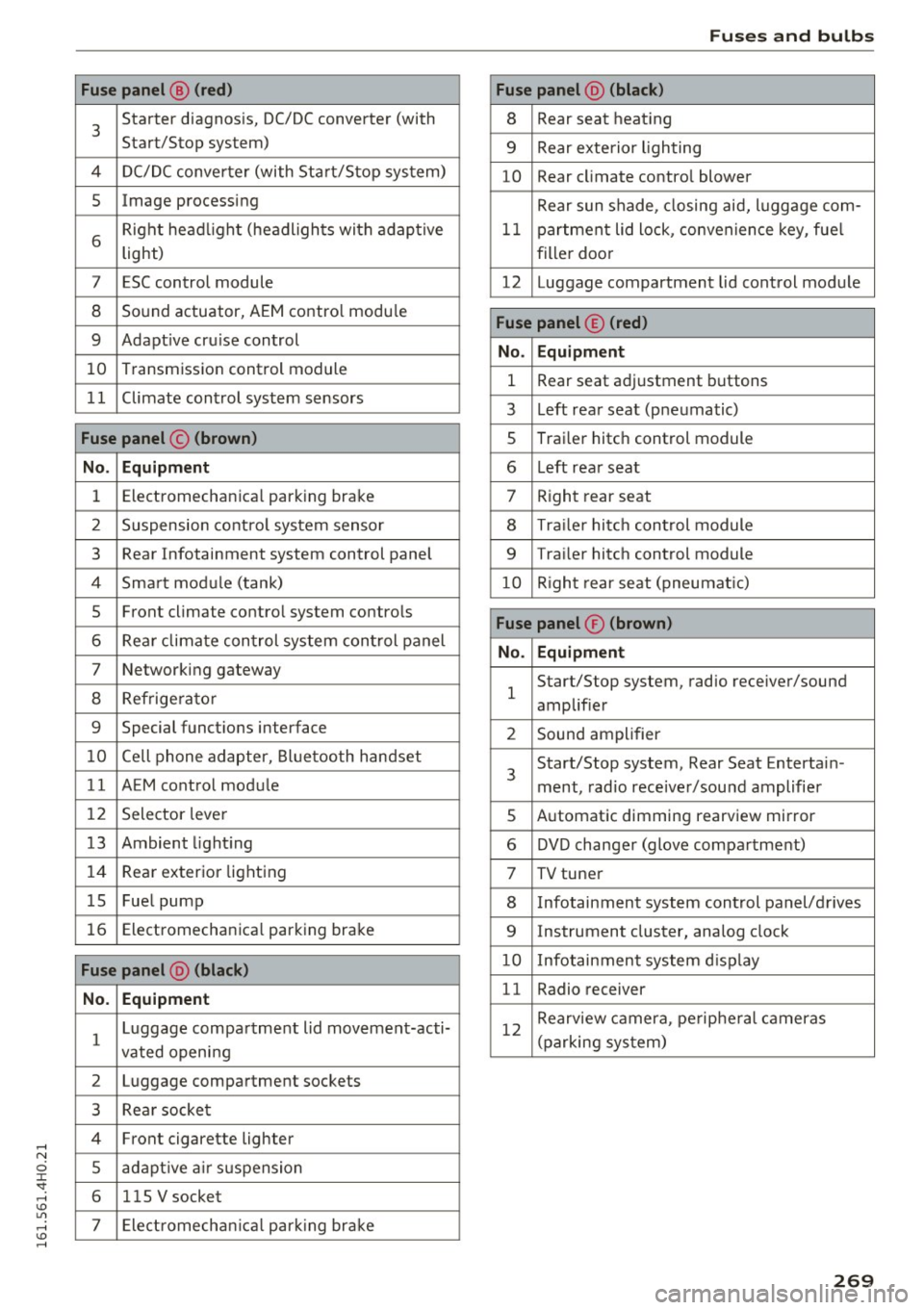
Fuse p anel @ (red ) Fuse panel@ (black )
3 Starter diagnosis, DC/DC converter (with
Start/Stop system) 8 Rear
seat heating
9 Rear exterio r lighting
4 DC/DC converter (with Start/Stop system)
10 Rear
climate contro l blower
5 Image processing
Rear sun shade, closing aid, luggage com-
6 Right headl
ight (headlights with adaptive
light) 11 partment lid
lock, convenience key, fue l
filler doo r
7 ESC control module 12 Luggage compartment lid control module
8 Sound actuator, AEM control modu le
9 Adapt ive cru ise control
10 Transmission
control module
Fuse panel © (red )
No . Equ ipm en t
1 Rear seat adjustment buttons
1 1 Climate control system sensors
3 Left rear
seat (pneumatic)
Fuse panel © (br own ) 5 Trai
ler hitch control module
No. Equipm ent 6 L
eft rear seat
1 Electromechanical parking
brake
7 Right rear seat
2 Suspension control system sensor
8 Traile r hitc h control module
3 Rear Infotainment system control
panel
9 Trailer hitch control module
4 Smart module (tank) 10 Right rear seat (pneumatic)
5 Front climate contro
l system controls
6 Rear climate control system control panel
7 Networking gateway
8 Refrige rator
Fuse panel ® (brown )
No. Equipm en t
1 Start/Stop
system, radio receiver/sound
amplifier
9 Special functions interface
2 Sound amplifier
10 Cell phone adapter, Bluetooth handset
11 AEM control module 3 Start/Stop
system, Rear Seat Entertain-
ment, radio receiver/sou nd amplifier
12 Selector lever
5 Automatic dimming
rearview mirror
13 Ambient lighting 6 DVD changer (glove compa rtment)
14 Rear
exterior lighting
7 TV tuner
15 Fuel pump
8 Infotainment system control panel/drives
16 Electromechanica l parking brake
9 Instrument cluster, analog clock
Fuse panel @ (bl ack ) 10 Infotainment system d isp lay
N o. Equi pm en t 11 Radio receiver
1 Luggage compartment lid movement-acti-
vated openi ng 12
Rearview camera, pe
ripheral cameras
(parking system)
2 Luggage compartment sockets
3 Rear socket
4 Front cigarette lighter
5 adapt ive a ir suspension
6 115 V
socket
7 Electromechan ica l park ing brake
269