lock AUDI A8 2017 Owner's Manual
[x] Cancel search | Manufacturer: AUDI, Model Year: 2017, Model line: A8, Model: AUDI A8 2017Pages: 354, PDF Size: 88.68 MB
Page 42 of 354
Opening and clo sin g
@ Tips
- The panorama roof will on ly open down to
-4°F (-20°).
-To prevent both roof segments from co llid -
i ng with one another, you do not need to
- tilt the rear roof segment if the front roof
segment is already open.
- close the front roof segment if the rear
roof segment is already tilted.
Opening/closing the sun shade
Applies to: veh icles with panorama glass roof
© Front sun shade
• To open the sun shade completely, slide the~
button backward to the second level
¢ page 39, fig. 39 .
• To close the sun shade completely, slide the~
button forward briefly to the second level.
• To se lect a partially open position, slide the
l:c ... l
button to the first level until the sun shade has
reached the desired position.
© Rear sun shade
• To open the sun shade comple tely, press the li,. I
button in the rear door briefly down to the sec
ond leve l
9 page 39, fig. 40 .
• To close the sun shade completely, p ull the ~
button up to the second level¢.&_ .
• To se lect a partially open position, press/pull
the~ button to the f irst level until the desired
pos ition is reached . Or
• To ope rate the sun shade from the cockp it,
press the
I REAR MODEi b utton 9 page 39,
fig. 39.
You can now open/close the rear su n
shade using the
I;] bu tton in the headliner.
_& WARNING
Be careful when closing t he panoramic sun
roof -otherwise serious injury could result!
Switch off the ign ition when exiting the vehi
cle.
40
-
Roof segments/sun shade emergency
closing
Applies to: vehicles with pano rama glass roof
If the roo f segment o r su n shade detects an ob
ject in its path when it is closing, it will open
again automatically . In this case, you can then
close it wit h the power emergency closing func
tion.
• Withi n five seconds after the roof segment or
sun shade opens automat ica lly, pull the switch
until it closes.
Valet parking function
Applies to: vehicles with valet parking function
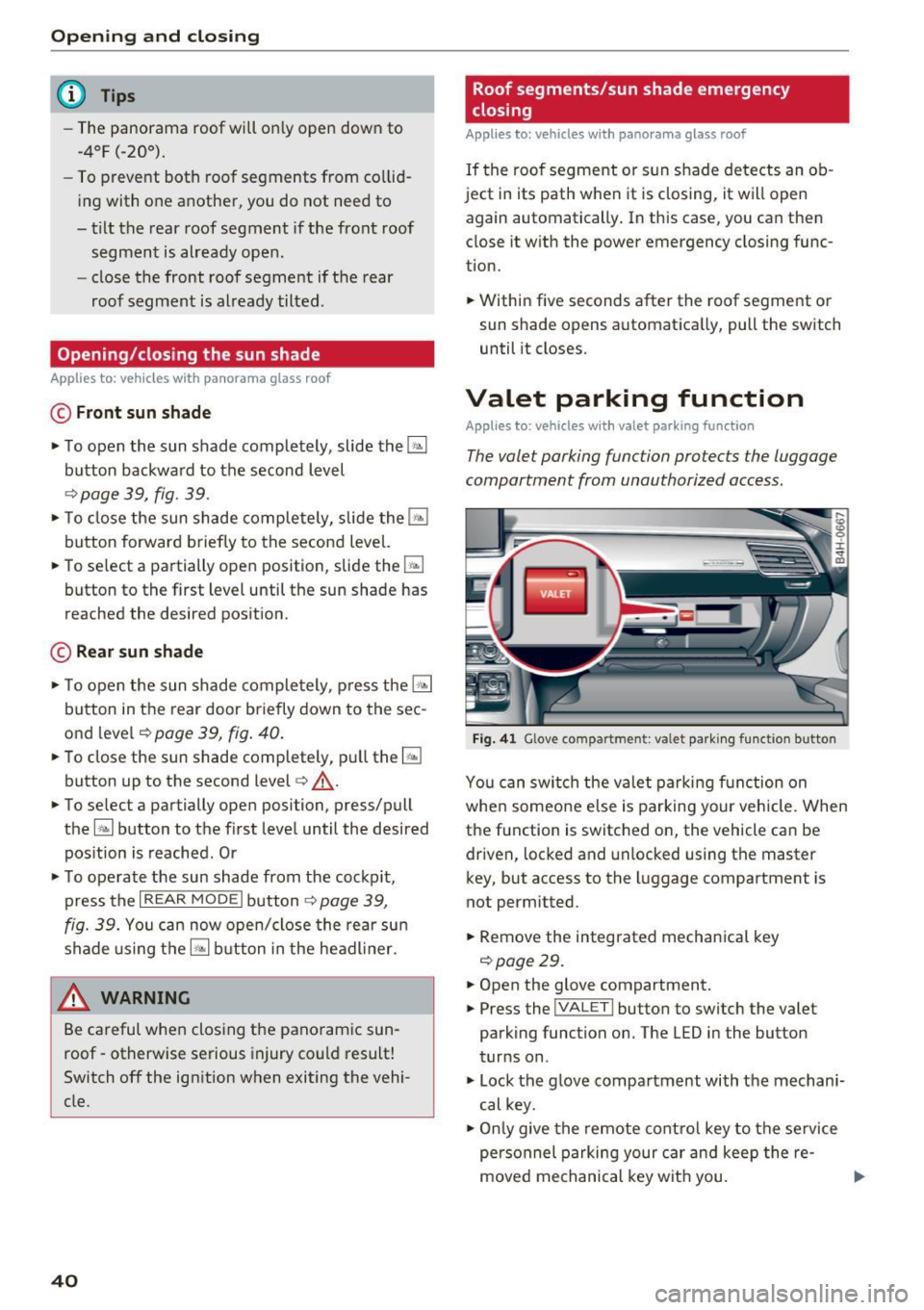
The valet parking function protects the luggage
compartment from unauthorized access.
Fig. 4 1 Glove compartment: va le t pa rkin g functio n button
Yo u can switch the va let parking function on
whe n someo ne else is parking your vehicle. When
the function is switched on, the vehicle can be
driven, locked and unlocked using the master
key, but access to the luggage compartment is
not permitted.
• Remove the integrated mechanical key
9 page29.
• Open the glove compartment.
• Press the
I VALET I button to switch the valet
parking function on . The LED in the button
turns on .
• Lock the g love compartment with the mechani
cal key.
• Onl y give the remote cont ro l key to the se rvice
personnel parking your car and keep the re-
moved mechanical key wit h you. .,.
Page 47 of 354
on the position of vehicles driving ahead and on
coming vehicles, the vehicle speed and other en
vironmental and traffic conditions.
Activating high beam assistant
Requirement: the light switch must be set to the
AUTO position and the high beam assistant must
be switched on in the Infotainment system
¢page 45.
.,. To activate the high beam assistant , tap the
lever forward @. T he
II indicator light ap
pears in the instrument cluster display and the
high beam assistant is switched on/off auto
matically. The
Ill indicator light also turns on if
the high beams are switched on.
Switching the high beams on/off manually
If the high beams did not switch on/off automat
ically as expected, you may switch them on or off
manually instead:
.,. To switch the high beams on manually, tap the
lever forward @. T he indicator light
Ill turns
on .
.,. To switch the high beams off manually, pu ll the
lever back@. The h igh beam assistant is deac
tivated.
Operating the headlight flasher
.,. To operate the headlight flasher when the high
beam assistant is activated and high beams are
switched off, pu ll the lever back @. The high
beam assistant rema ins active.
Messages in the instrument cluster display
Headlight assist: System fault!
Drive to an authorized Aud i dea le r or authorized
Aud i Service Facility immediately to have the
malfunction corrected. You can still switch the
high beams on or off manually.
Headlight assist: Unavailable No camera view
The camera view is blocked, for example by a
sticker or debris.
o The sensor is located between the interior rearco
~ view mirror and the windshield. Do not place any ,..._
~ stickers in this area on the windshield.
0 0 :c '
A WARNING
High beam assistant is only intended to assist
the driver. The driver is still respons ible for
controlling the headlights and switching
them manua lly depending on light and visibi l
it y conditions. It may be necessary to operate
them manually in situations such as:
- I n adverse weather conditions such as fog,
heavy rain, blowing snow or spraying water.
- On roads where oncoming traffic may be
pa rtia lly obscured, such as expressways.
- When there are road users that do not have
sufficient lighting, such as bicyclers or
vehicles with dirty tail lamps .
- I n tight curves and on steep hills.
- In poorly lit areas.
- W ith strong reflectors, such as signs.
- If the area of the w indshield near the sensor
is fogged over, dirty, icy or covered with a
sticker .
Adjusting the exterior lighting
The functions ore adjusted in the Infotainment
system .
.,. Select: !CAR ! function button > Car systems
control button > Vehicle settings > Exterior
lighting .
Automatic headlights
You can adjus t the following settings in the Au
tomatic headlights
menu:
Headlights activation time -you can adjust if the
headlights switch on
Early, Medium or Late ac
cording to the sensitivity of the light sensor.
Headlight assist* -you can switch the h igh beam
ass istant*
On and Off .
Daytime running lights*
USA models :
the daytime running lights can be
switched on/off. Select
On or Off.
Canada models:
this function cannot be switched
off. They activate automatically each time the ig -
nition is switched on .
ll>
45
Page 48 of 354
Lights and Vision
Coming home , Leaving home
The coming home func tion illuminates the area
outside the ve hicle when you turn the ignition off
and open the driver 's door. To t urn the f unct ion
on, s ele ct
Lights when lea ving car > On.
The leav ing home ill uminates t he area o utside
the vehicle when you unlock the vehicle . To turn
the function on, select
Lights when unlocking
car > On.
The com ing home and le aving home f unctions
only operate w hen it is dark and the light sw itch
is in the
AUTO position.
Emergency flashers
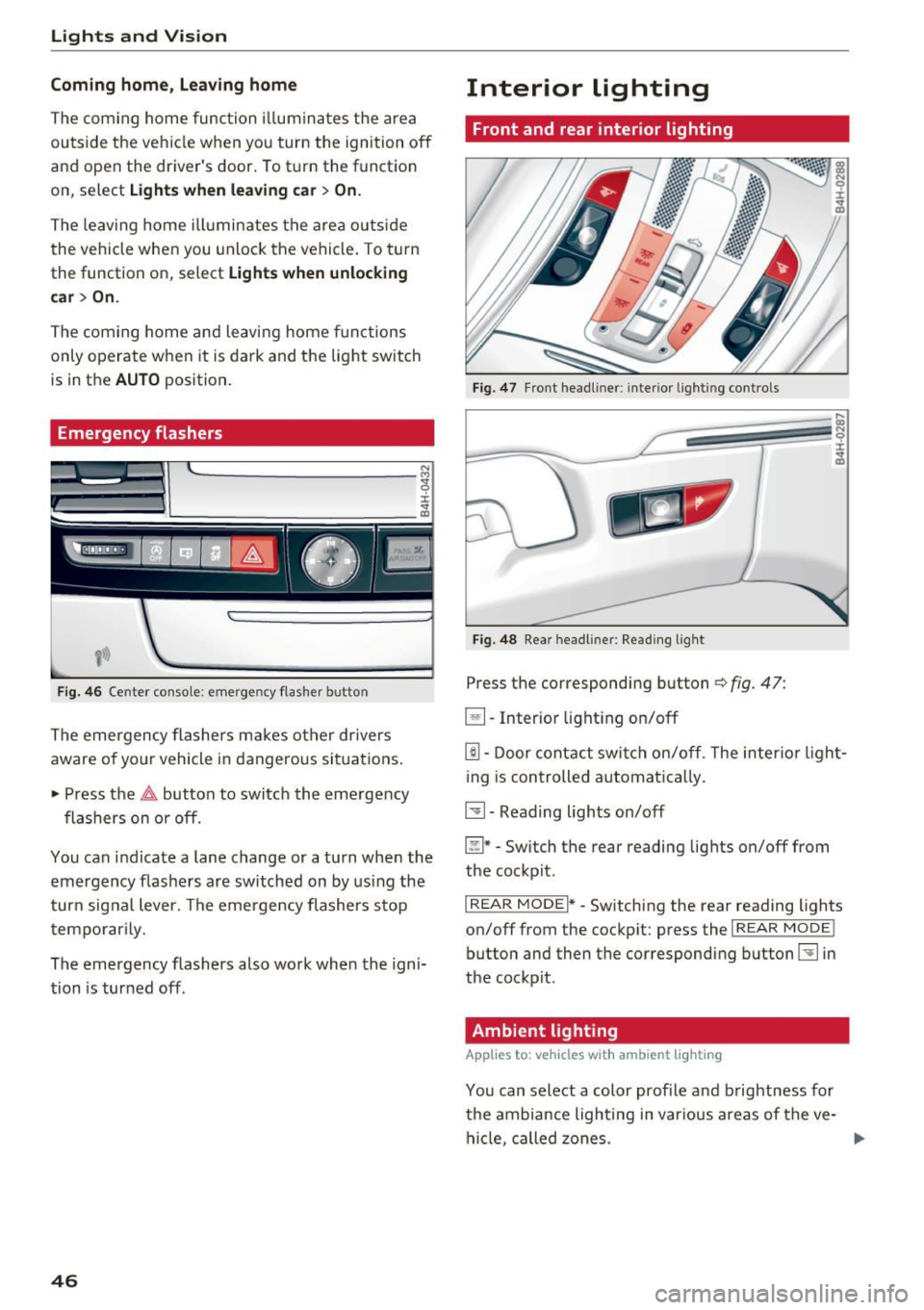
F ig. 46 Center conso le: eme rge ncy f la sh er butto n
The emergency flashers ma kes ot her drivers
aware of yo ur vehicle in dangerous si tuations .
• Press the
&,. button to switch the eme rgency
flashers on or off.
You can indicate a lane change or a turn when the
emergency flas hers are sw itched on by us ing the
t urn sig nal lever. The emerge ncy flashers stop
tempo rarily.
The emergency flashers also work when the igni
tion is turned off.
46
Interior lighting
Front and rear interior lighting
F ig . 47 Front head lin er: interio r li ghtin g co ntr ols
Fi g. 48 Rea r h eadl iner: Readi ng li ght
Press the corresponding button ¢ fig. 47:
~ - Int erio r l ight ing o n/off
[!I -Door cont act swi tc h on/off . T he inter io r li ght
i ng is controlled automa tic a lly .
~ - Reading lights on/off
~ * -Sw itch the rear reading lights on/off from
the cockpit .
I REAR MODE i* -Switching the rear reading lights
on/off from the cockp it: press the
I REAR MODE !
button and then the co rresponding button~ in
the cockpit .
Ambient lighting
Applies to: vehicles with amb ient l ig hting
You can select a color prof ile and b rightness for
the ambi ance lighting in var ious areas of the ve
hicle, called zones.
Page 50 of 354
Lights and Vision
Q/P -Adjusting the left/right exterior mirror.
Move the knob in the desired direction.
(@. -Heat ing the mirror glass depending on the
outside temperature .
9 -Folding exterior mirrors* . In the Infotain
ment system, you can select if the mirrors fold in
automatically when you lock the vehicle
¢page 32.
Front passenger's exterior mirror tilt
function*
To help you see the curb when back ing into a
parking space, the surface of the mirror tilts
slightly. For this to happen, the knob must be in
the position for the front passenger's outside
mirror.
You can adjust the tilted mi rror surface by turn
ing the knob in the desired direction. When you
move out of reverse and into another gear, the
new mirror position is stored and assigned to the
key you are using.
The mirror goes back into its original position
once you drive forward faster than 9 mph
(15 km/h) or turn the ignition off.
A WARNING
Curved mirror surfaces (aspheric or convex*)
enlarge the field of vision. However, they
make objects in the mirror appear smaller
and farther away. Your may estimate incor
rectly when you use these mirrors to gauge
your distance from the vehicles behind you
when changing lanes, wh ich increases the risk
of an accident.
(D Note
- If the mirror housing was moved by outs ide
forces (such as an impact when maneuver in g), you must use the power fold ing func
tion to fold the mirror all the way out. The
mirror housing must not be moved back in
to place by hand because this would impair
the function of the m irror mechanism.
- If you wash the vehicle in an automatic car
wash, you must fold the exterior mirrors in
to reduce the risk of damage to the mirrors.
48
Never fold power fold ing exterior mirrors by
hand . On ly fold them in and out using the
power controls.
(D Tips
- If the power adjusting function malfunc
tions, the glass in both mirrors can be ad
justed by pressing on the edge of it by hand.
- The exterior mirror settings are stored with
the memory function*¢
page 59.
Dimming the mirror
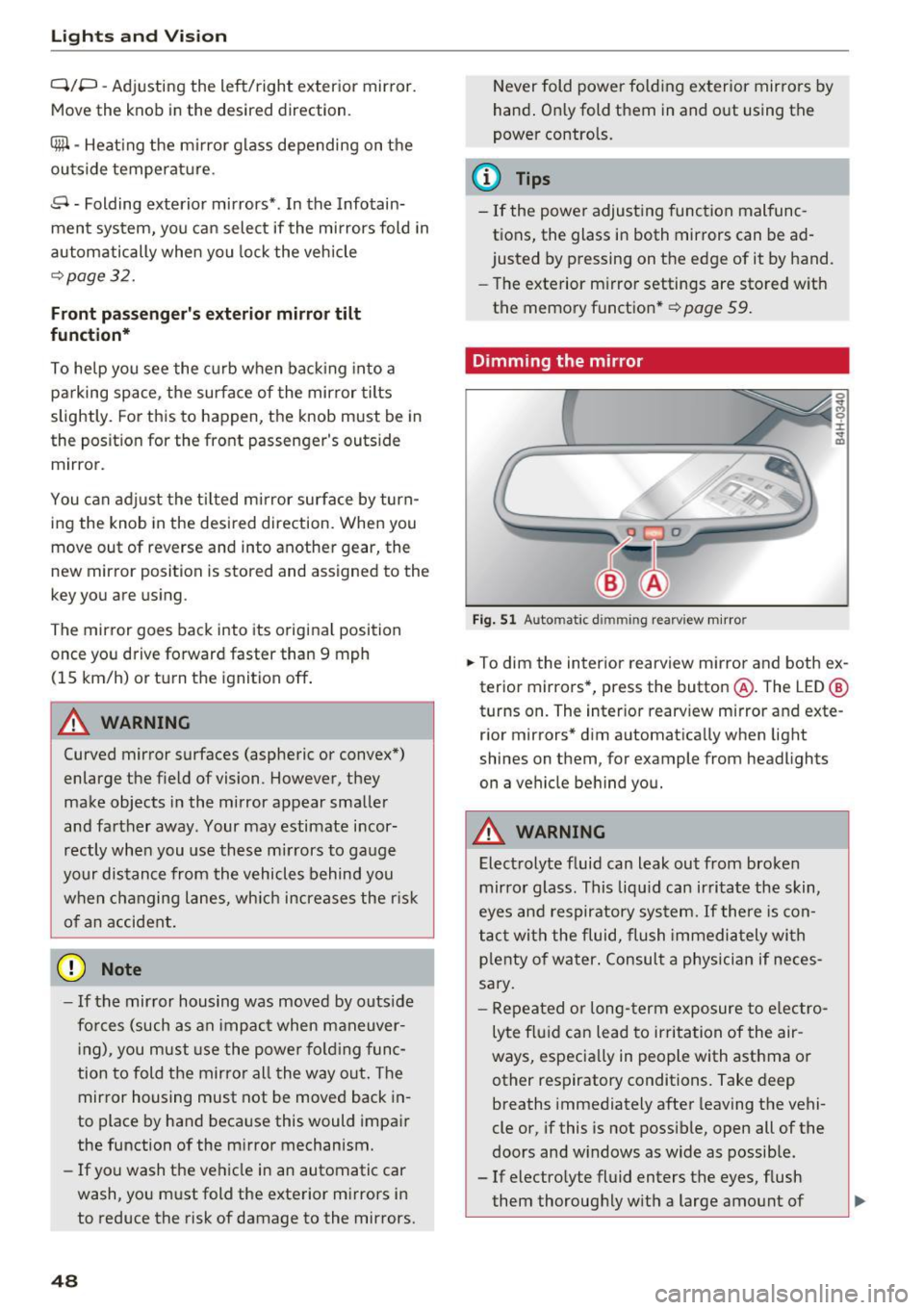
Fig. 51 Automatic dimm ing rearv iew mirror
0
~ 0 :i:
a'i
.. To dim the interior rearview mirror and both ex
terior mirrors*, press the button @. The LED @
turns on. The interior rearv iew mirror and exte
r ior mirrors* dim automatically when light
shines on them, for example from headlights
on a vehicle behind you.
A WARNING
Electrolyte fluid can leak out from broken
mirror glass. This liqu id can irritate the skin,
eyes and respiratory system. If there is con
tact with the fluid, flush immediately with
p lenty of water . Consult a physician if neces
sary.
-
- Repeated or long-term exposure to electro
lyte fluid can lead to irritation of the air
ways, especially in people with asthma or other respiratory conditions. Take deep
breaths immediately after leaving the vehi
cle or, if this is not possible, open all of the
doors and w indows as wide as possible.
- If electrolyte fluid enters the eyes, flush
them thoroughly with a large amount of
Page 54 of 354
Lights and Vision
• Switch the windshield wipers off (position @
¢page 50, fig. 56).
• Select: the ICARI function button > Car systems
control button
> Servicing & checks > Wiper
service position.
> On .
Removing the wiper blade
• Fold the windshield wiper arm away from the
windshield.
• Press the locking knob@c:>
fig. 57 on the wiper
blade . Hold the wiper blade firmly.
• Remove the wiper blade in the direction of the
arrow .
Installing the wiper blade
• Insert the new wiper blade into the mount on
the wiper arm @until it clicks into place.
• Place the wiper arm back on the windshield.
• Turn the service position off.
A WARNING
For safety reasons, the windshield wiper
blades should be replaced once or twice each
year.
(D Note
- The windshield wiper blades must only be
folded away when in the service position!
Otherwise, you risk damaging the paint on
the hood or the windshield wiper motor.
- You should not move your vehicle or press
the windshield wiper lever when the wiper
arms are folded away from the windshield.
The windshield wipers would
move back in
to their original position and could damage
the hood and windshield.
- You can also use the service position, for ex
ample, if you want to protect the windshield
from icing by using a
cover.
- You cannot activate the service position
when the hood is open.
52
Digital compass
Switching the compass on and off
Applies to: vehicles wit h digital com pass
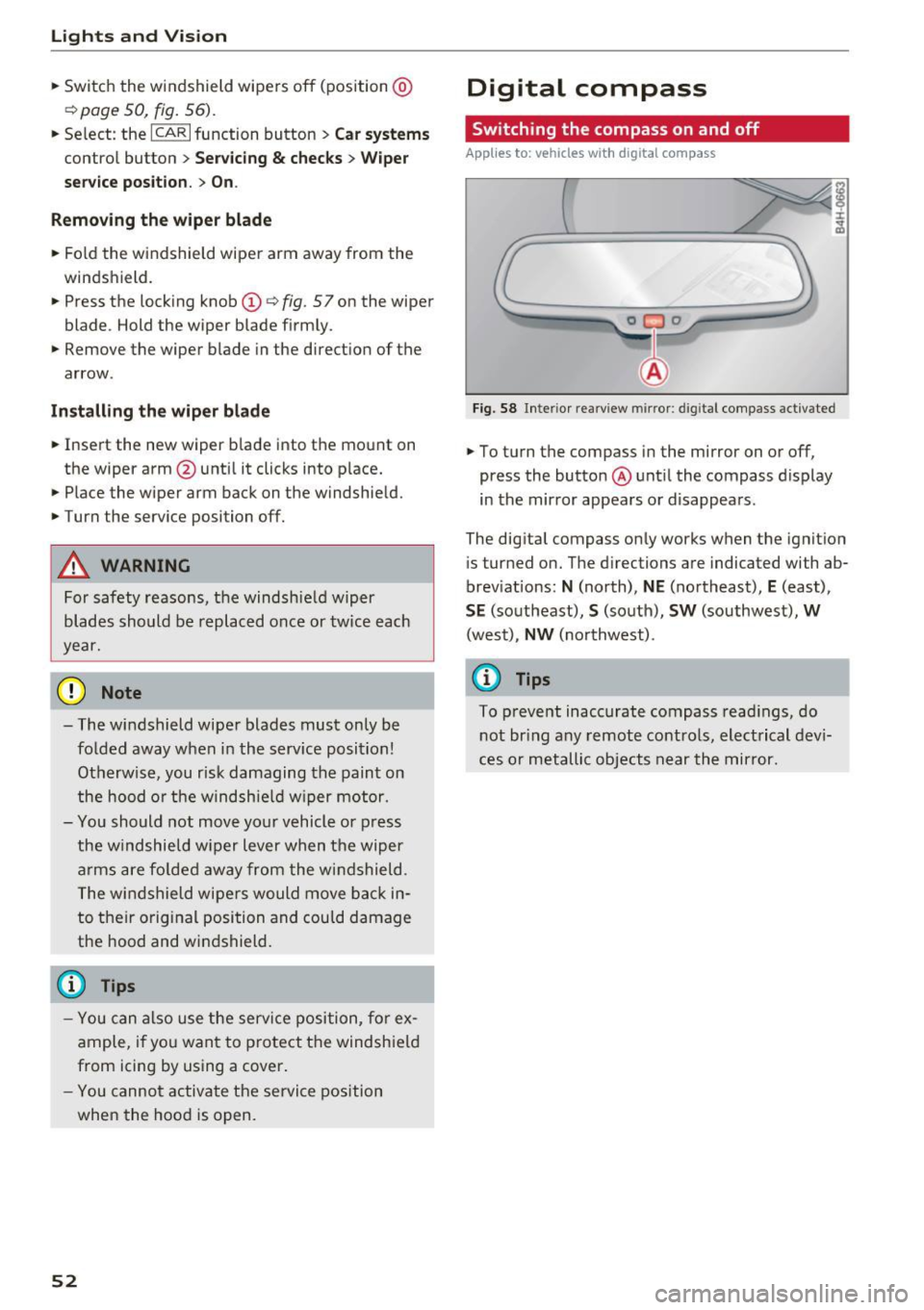
Fig. 58 Inter ior rearview mirror : d ig ital compass activated
• To turn the compass in the mirror on or off,
press the button @ until the compass display
in the mirror appears or disappears.
The digital compass only works when the ignition
is tur ned on. The directions are indicated with ab
breviations:
N (north), NE (northeast), E (east),
SE (southeast), S (south), SW (southwest), W
(west), NW (northwest).
(D Tips
To prevent inaccurate compass readings, do
not bring any remote controls, electrical devi
ces or metallic objects near the mirror.
Page 59 of 354
C) C0 ....
"' " "' .... 0 0 :r
-The power seats can also be adjusted when
the ignition is switched off. For this reason,
children should never be left unattended in
the vehicle - they could be injured!
- Be careful when ad justing the seat. Unsu
pervised or careless seat adjustment can
pinch fingers o r hands ca using injur ies.
- Applies to vehicles with reclining seat*:
- Do not use the fron t passenger's seat for
seating when it is in the reclining position .
This increases the risk of serious injury or
death.
- Never adjust the reclining position when
the front passenger 's seat is occupied.
This increases the risk of injury.
- Do not tilt the display if the driver's view
of the right exterior mirror w ill be ob
structed .
- Make sure the area between the leg sup
port and the front passenger 's seat back
rest is clear before folding the leg support
in so that you are not pinched.
(D Tips
- The massage function switches off auto
matically after approx imately 10 minutes.
- If you
cannot ad just the reclining seat * or
the front passenger's seat from the rear, it is possible that:
- t he front passenger's seat memory fu nc
t ion is swi tched off~ page
59, or
- the c hild safety lock is switched on (the~
button ~ page 37 or the right
T button
~ page 37 is turned on in the dr iver's
door), o r
- the front passenger seat adjustment is
switched off in the Infotainment system
~ page
SB.
Seats and storag e
Massage function remote control
Applies to: vehicles with reclining seat and massage function
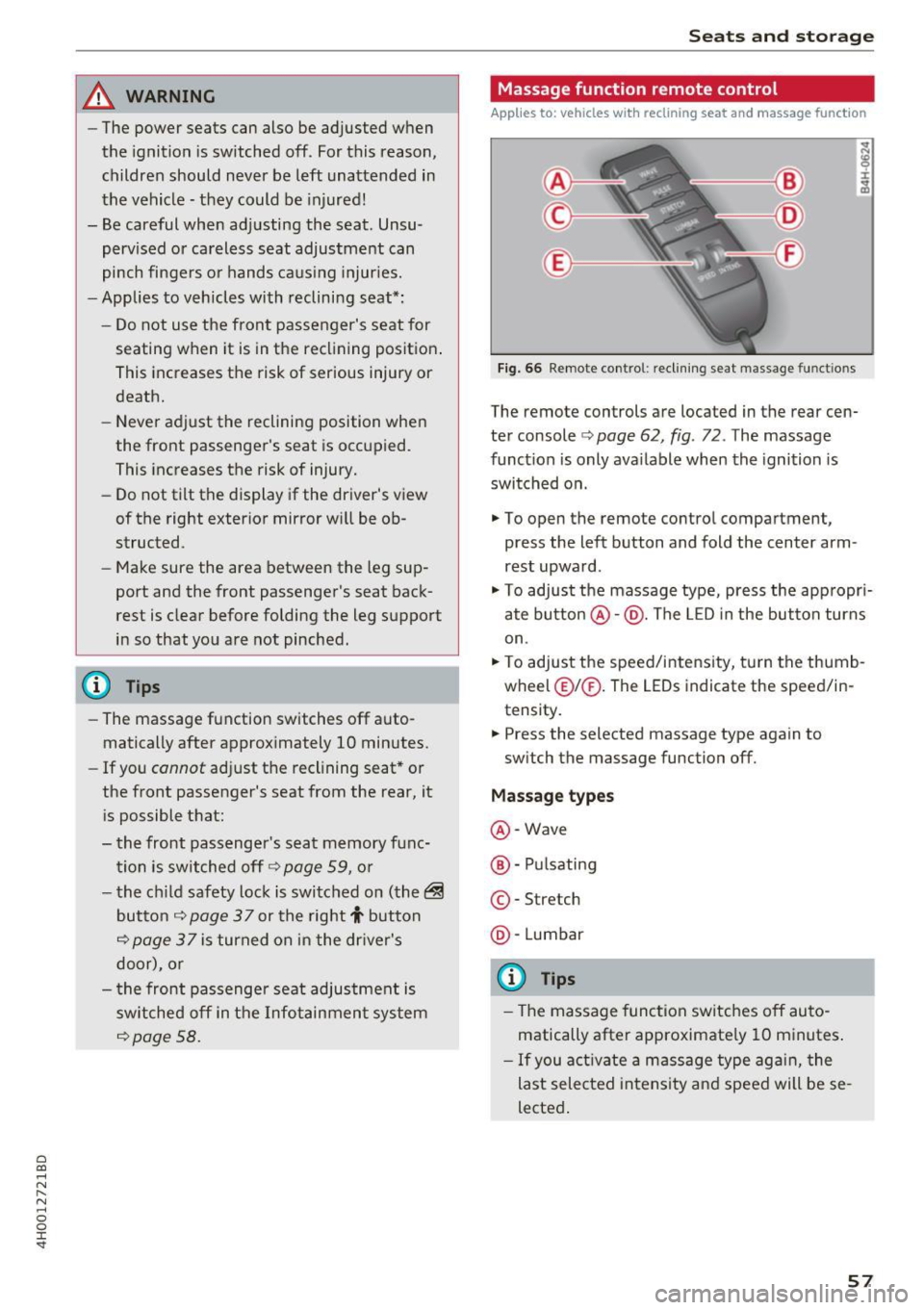
Fig. 66 Remote cont rol: rec lin ing seat massage functions
The remote controls are located in the rear cen
ter console ¢ page 62, fig. 72 . The massage
funct ion is only ava ilable when the ignition is
switched on.
.,. To open the remote control compartment,
press the left button and fold the center arm
rest upward .
.,. To adjust the massage type, press the appropr i
ate button @·@ . The LED in the button turns
on .
.,. To adjust the speed/inte nsity, turn the thumb
wheel @I® . The LEDs indicate the speed/in
tensity.
.. Press the selected massage type again to
sw itch the massage function off.
Massage types
@ -Wave
@ -Pul sating
© -Stretch
@ -Lumbar
(D Tips
- The massage function switches off auto
matically after approximate ly 10 minutes .
- If you activate a massage type aga in, the
last selected intensity and speed will be se
lected .
57
Page 60 of 354
Seats and storage
Comfort settings
Applies to: vehicles with comfort seats in the rear
You con also apply several settings for the rear
using the Infotainment system in the cockpit.
• Se lect in the MMI: !CAR ! function button> Car
systems
control button > Vehicle settings >
Seats > Rear seats .
Adjust to normal position -
with this function,
the outer rear seats and the front passenger's
seat are moved to the factory setting.
Easy seat entry -the Easy seat entry makes it
possible to enter and exit the rear seats comfort
ably. If the function is sw itched on, the rear seat
automatically moves all the way back when t he
corresponding door is opened .
Passenger's seat adjustment* -if the function is
switched on in the Infotainment system, the
front passenger's seat can also be adjusted from
the rear seat using the ¢
page 55, fig. 64 but
tons .
The front passenger's seat cannot be adjusted, if
- the front passenger's seat memory function is
switched off¢
page 59.
-the ~ button tur ns on in the driver's door
¢page 37.
-The right[!] button turns on in vehicles with
power child safety locks *
¢page 37.
Head restraints
Adjusting the head restraints
Fig. 67 Comfo rt hea d rest raint: ad just ing t he side bo lste rs
58
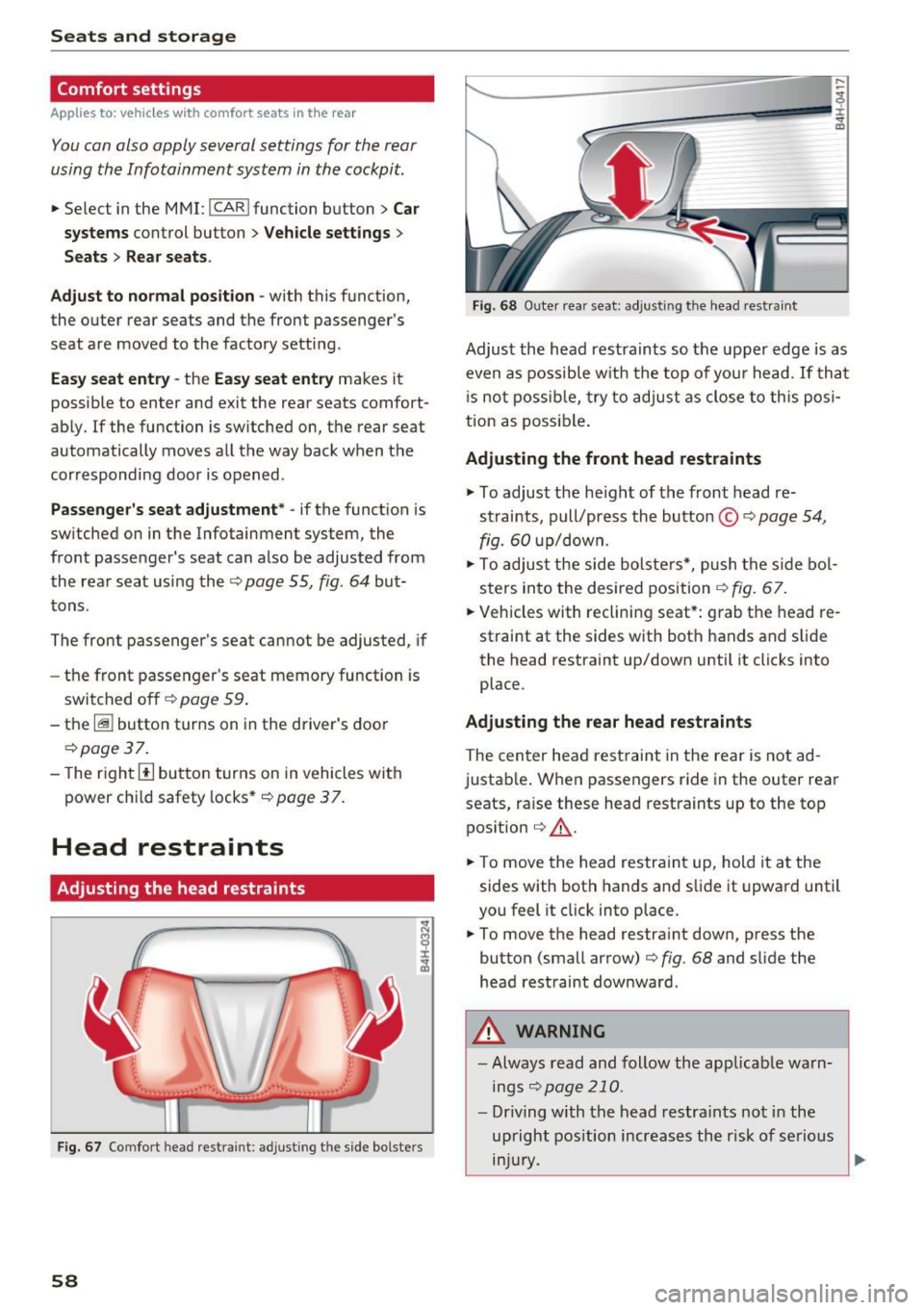
Fig. 68 Outer rea r seat: adjus ting the head restra int
Adjust the head restraints so the upper edge is as
even as possible with the top of you r head . If tha t
i s not possible, try to adjust as close to this posi
tion as possible.
Adjusting the front head restraints
.,. To adjust the he igh t of the front head re
straints, pull/press the button ©
9 page 54,
fig.
60 up/down.
.,. To adjust the side bolsters*, push the side bol
sters in to the desired position ¢
fig. 67.
• Vehicles with reclining seat*: grab the head re
straint at the sides with both hands and slide
the head restraint up/down until it clicks into
place .
Adjusting the rear head restraints
The center head restraint in the rear is not ad
justable. When passengers ride in the outer rear
seats, raise these head restraints up to the top position ¢
,&.
• To move the head restra int up, hold it at the
sides with both hands and slide it upward until
you feel it click into place .
.,. To move the head restraint down, press the
button (small arrow) ¢
fig. 68 and slide the
head restraint downward.
8,_ WARNING
- Always read and follow the applicab le warn
ings
¢page 210.
-Driving with the head restraints not in the
upright position increases the r isk of se rious
lnJUry .
~
Page 61 of 354
C) C0 ....
"' " "' .... 0 0 :r
To prevent the head restraints from running into the headline, they are automat ically
Memory function
Description
Appl ies to: vehicles wit h memory function
Using the memo ry funct ion, you can q uickly and
eas ily store a pe rsonal seat profile for the driver
and front passenger as we ll as for the o uter rear
seats* and recall the settings. The memory func
tion is controlled using the remote contro l key
and the memory buttons in the driver's/front
passenger's door and in the rear doors*.
The driver's seat profi le is stored again and as
signed to the remote control key each time the
vehicle is locked. When you open the door, the
seat profile is automat ically recalled. If two peo-
Remote control
key
Dr iver
Seat X
Head rest raint X
Steering wheel * X
Safety belt* X
Both exterior mirrors* X
Remote control key
Applies to: vehicles with memory function
The function must be switched on so that the
driver's seat profile will be assigned to the re
mote control key when lock ing the vehicle .
.. Se lect : the
I CAR I function button > C ar sy stem s
control button > Veh icle setting s> Driver' s
s eat > Remote control ke y> On.
(D Tips
If you do not wish to have the seat p rofile for
another driver assigned to the remote control
key, switch the memory function off in the In
fotainment system or using the
IO FFI button
~page 59.
Seats and storag e
moved forward or upward when the seat is
adjusted.
ple use the vehicle, it is recommended that each
person always uses the ir "own" remote control
key .
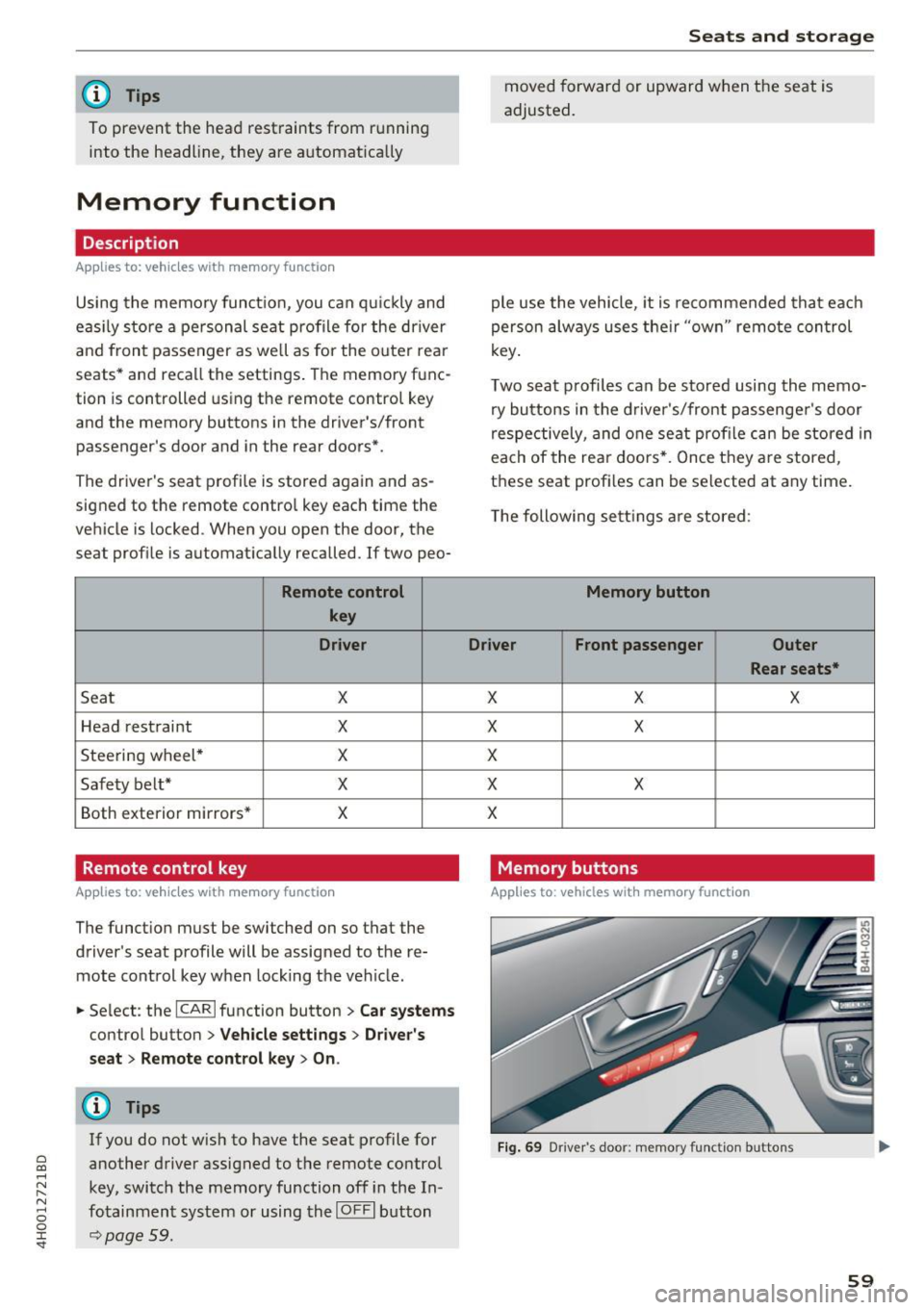
Two seat profiles can be stored using the memo ry buttons in the d river 's/front passenger 's door
respectively, and one seat profile can be stored in
each of the rear doors *. Once they a re stored,
these seat profi les can be se lected at any time.
T he following sett ings a re stored :
Memory button
Driver Front passenger Outer
Rear seats*
X X X
X
X
X
X X
X
Memory buttons
Applies to: veh icles w ith memory function
F ig . 69 Dr iver 's door: memory function buttons
59
Page 64 of 354
Sea ts and stor age
- Wit h some power supply units, such as for
l aptops, switching them on disables the in
tegrated overcurrent shutdown . In this
case, disconnect the powe r supply unit from
the electrical equipment and reconnect af
ter approximately 10 seconds.
@ Tips
- Devices that are not shie lded or dev ices near
the rear w indow antenna can cause mal
functions in the radio, TV area or in the vehi
cle elect rical system.
- The functions on some devices may be limit
ed d ue to the low powe r output (wattage) .
Full-length center
console
Overview
A ppl ies to: ve hicles w ith full-le ngth ce nter console
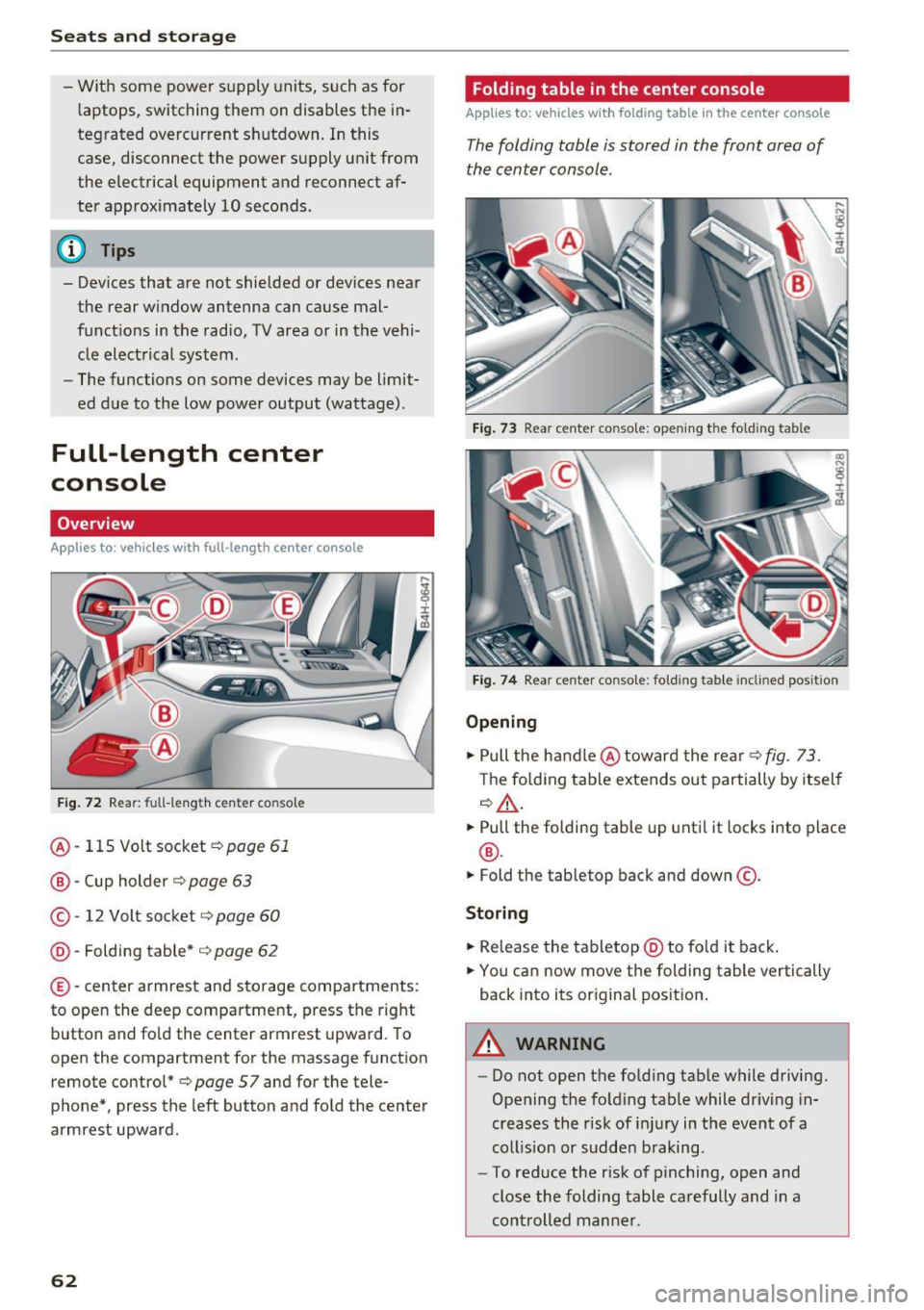
F ig . 72 Rear: fu ll-le ng th ce nte r co nso le
@ -115 Volt socket ¢page 61
@ -Cup holder ¢ page 63
©-12 Volt socket ¢ page 60
® -Fold ing table* ¢ page 62
©-center armrest and sto rage compartments :
to open the deep compa rtment, press the right
button and fo ld the c ent er armrest upward. To
open the compartment for the m assage function
remote control*¢
page 57 and for the tele
phone*, press the left button and fold the center
armrest upward .
62
Folding table in the center console
Applies to : vehicles wi th folding table in the center co nso le
The folding table is stored in the front area of
the center console.
Fig . 73 R ea r cent er co n so le: op ening th e fo ld ing t able
Fig . 74 Rear cent er co nso le: foldi ng tab le inclin ed po sition
Opening
.,. Pull the handle @toward the rear¢ fig . 73.
T he fo lding tab le extends out partially by itself
¢ &, .
.,. Pull the folding table up unti l it locks into p lace
® ·
.,. Fold the table top back and down@.
Storing
.,. Re lease the tabletop @ to fo ld it back .
.,. You can now move the folding table vertically
back into its original pos ition.
A WARNING
-- Do not open the fo ld ing tab le while d riving.
Opening the fo ld ing table while driving in
creases the risk of i njury in the event of a
coll ision or sudden braking .
- To reduce the r isk of pinching, open and
close the folding table carefully and in a
controlled manne r.
Page 65 of 354
C) C0 ....
"' " "' .... 0 0 :r
Cup holders
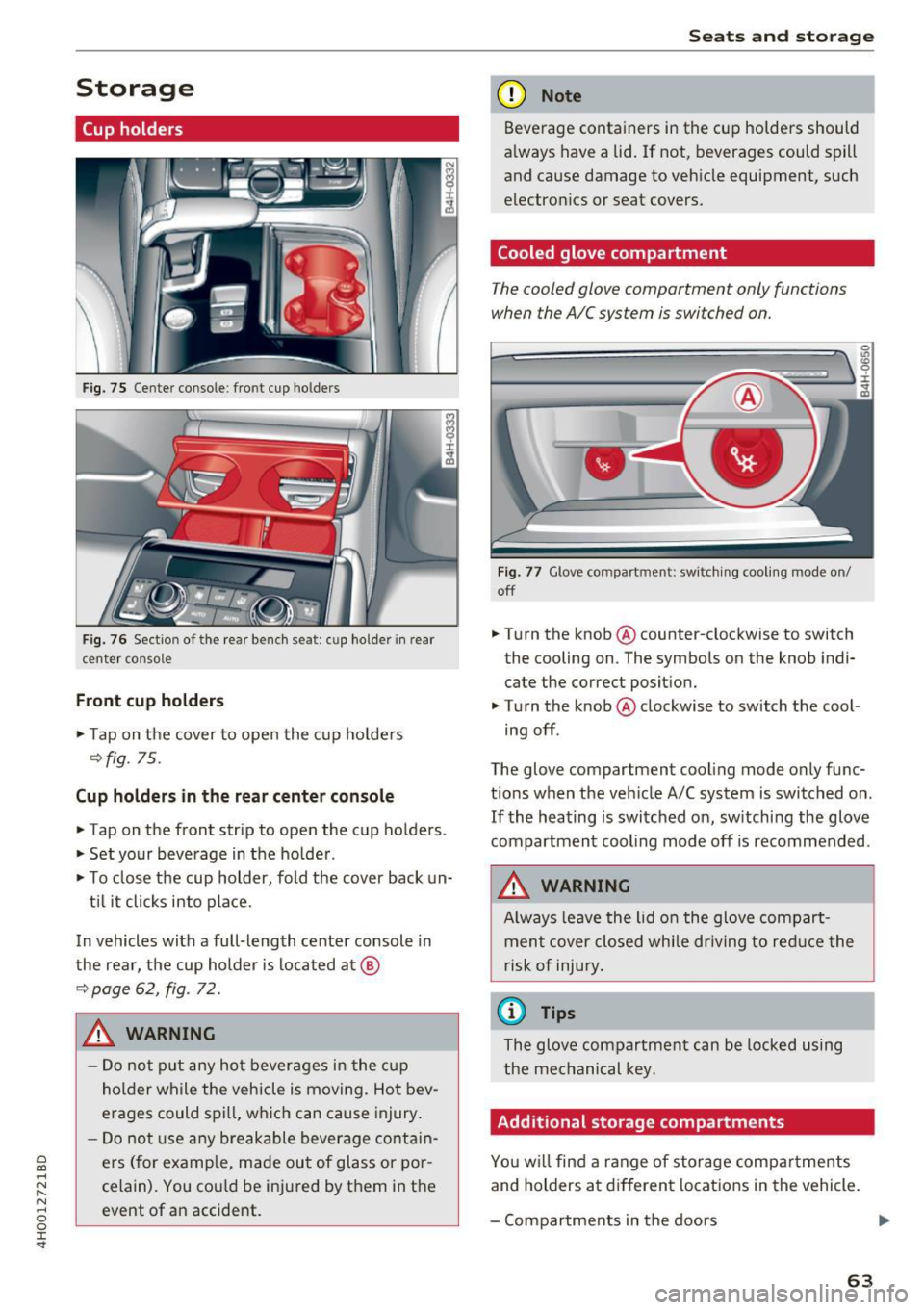
Fig. 75 Center co nsole : fro nt cup ho lders
F ig. 76 Sect io n of th e re ar bench se at: cu p ho lder in rear
center co nso le
Front cup holders
.. Tap on the cover to open the cup ho lde rs
Q fig. 75.
Cup holder s in the rear center console
.. Tap on the front strip to open the cup holders .
.. Set your beverage in the ho lder .
.. To close the cup holder , fold the cover back un-
t il it clicks into place.
In vehicles with a full-length center console in
the rear, the cup holder is located at @
9page 62, fig . 72.
A WARNING
-
- Do not p ut any hot beverages in the c up
holder while the vehicle is moving. Hot bev
erages could spill, wh ich can cause injury .
- Do not use any breakable beverage contain
ers (for example, made out of glass or po r
celain). You cou ld be injured by them in the
event of an accident .
Seats and storag e
(D Note
Beverage containers in the cup holders should
a lways have a lid . If not , beverages could spill
and cause damage to vehicle equipment, such
electron ics or seat covers.
Cooled glove compartment
T he cooled glove compartment only functions
when the AIC system is swi tched on.
Fig . 77 G love co mpart ment: swi tching cooling mode o n/
off
.. Turn the knob @counter-clockwise to switch
the cooling on . The symbols on the knob ind i·
cate the correct posit ion.
.. Turn the knob @clockwise to switch the cool ·
ing off .
The glove compartment cooling mode only func
t ions when the veh icle A/C system is switched on .
If the heating is switched on, switching the glove
compartmen t cooling mode off is recommended .
_& WARNING
Always leave the lid o n the glove compart
ment cover closed while dr iving to red uce the
risk of injury .
a) Tips
The glove compartment can be locked using
the mechanical key.
Additional storage compartments
Yo u w ill find a range of storage compa rtments
and holders at different locations in the vehicle.
- Compartments in the doors
IJ,,
63