key AUDI ALLROAD 2000 Owners Manual
[x] Cancel search | Manufacturer: AUDI, Model Year: 2000, Model line: ALLROAD, Model: AUDI ALLROAD 2000Pages: 306, PDF Size: 9.95 MB
Page 4 of 306
Notes
explaining this manual:
This manual describes all the equip
ment intended at the time of printing.
Some of the equipment may be avail
able at a later date or not at all.
� WARNING S
concern safety and are high
lighted like this througnoui
this manual.
� Texts identified by this sym-
bol and w'itten in italics anJ
important notes l'ega,ding the
environment and how you can
help to p'otect it.
Te xts printed in bold type refer
to possible damage to your ve
hicle, or to other important infor
mation. Please
note that items marked with an
asterisk * may be standard on certain
models, optional on others or not avail
able on your model.
• If one of the Warning and indica
tor lights marked with a STOP
sign comes on while you are driv
ing, move a safe distance off the road,
turn off the engine, turn the emergenc y
flasher on and use other warning de
vices to alert other motorists. Go to
listed page in your manual for explana
tions. VEHIC
LE LITERATURE
Ill ustrat ions
Each illustration in the manual shows a
feature and I or equipment which your
y ehicle may or may not have, depend
rng on the model. The illustrations are
simply to sho w you how a feature looks
and its function.
Alphabetical Index
At the back of this book, you will find an
extensive Alphabetical Index. This will
help you to find information quickly by
using key words.
Ta ble of Contents
On the following page, you will find the
Ta ble of Contents which describes all
the features of your vehicle in the order
they appear in this manual.
Page 6 of 306
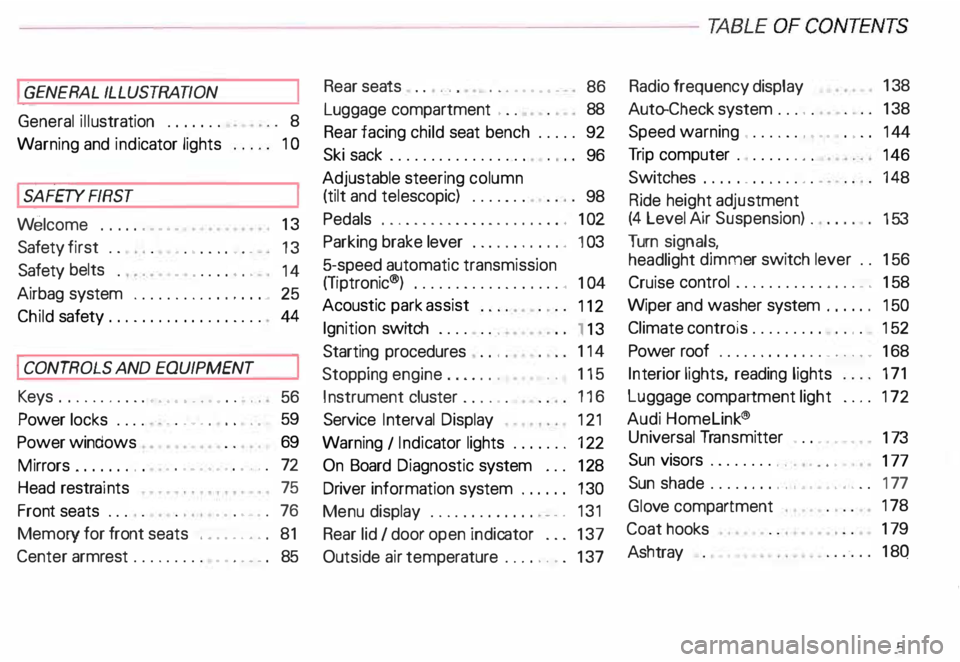
----------------------------------------------TABLE OFCONT ENTS
I GENERAL ILLUSTRATION
General illustration 0 0 0. • • • 8
Warning and indicator lights 10
I SAFETY
FIRST
W elcome ... 0 0 0 •• •• 13
Safety first 0 0
• 0 • 0 0 0 0 • 0 •
13
Safety belts
• . . 0 0 0 • 0 0
14
Airbag system 0 ••••••• 0 0 • • • • • • • 25
Child safety ........ 0 • 0 0 0 0 0 0 0 0 0 44
I CONTROLS AND EQUIPMENT
Keys 0 0 0 0 0 0 0 0 0 0 0 •••• ••••• 0 0 • • 0
56
Power locks 0 0 0 0
Power windows
Mirrors 0 •• 0 0 0 •••
Head restraints
Front seats 0 0 0 •
0.- . 0 0 0 • • 59
69
• •• - •••• 0 ••• 0 72
75
•• 0 •• 0 76
Memory for front seats , .... 0 •• 0 81
Center armrest 0 0 0 0 0 0 0 0 0 •••••• 0 85 Rear
seats 0 0 •• 0 •• 0 • • • • • •
86
Luggage compartment , 0 0 88
Rear facing child seat bench 0 0 0 0 0 92
Ski sack 0 0 0 0 0 0 0 0 0 0 0 0 0 0 0 0.
96
Adjustable steering column
(tilt and telescopic) 0 0 0 0 • 0 0
98
Pedals 0 0 • 0 0 0 0 0 0 0 0 0 0 0 0 0 0 0 0 0 0 0 , 1 02
Parking brake lever 0 • 0 0 0 0 0 0 0 •• 0 1 03
5-speed automatic transmission
(Trptronic ®) 0 0 0 0 0 0 0 0 0 0 • 0 0 0 0 0. 0 • 104
Acoustic park assist
112
Ignition switch 0 0 0 0 0 0 0
1 13
Starting procedures . 0 • • 114
Stopping engine 0 0 0 0 0 0 • • • 115
Instrument cluster 0 0 0 0 0 0 116
Service Interval Display
121
Warning I Indic ator lights 0 0 0 0 0 0 • 122
On Board Diagnostic system 0 0 0 128
Driver information system 0 • 0 • • • 130
Menu display 0 0 0 0 0 0 0 0 0 0 0 0 0
0 131
Rear lid I door open indicator 0 0 0 137
Outside air temp erature 0 • 0 0 0 0 0 0 137 Radio
frequency display 13
8
Auto-Check system 0 0 0 o 0 138
Speed warning . 0 0 0 • 0 0 • • • • 0 • 0 0 144
Tr ip computer 0 0 0 0 0 0 •• 0
146
Switches 0 • 0 •• 0 0 0 0 • 0 0 0 0 148
Ride height adjustment
(4 Level Air Suspension) 0
153
Turn signals,
headlight dimmer switch lever 0 0 156
Cruise control 0 0 0 0 0 0 0 0 0 0 0 0 0 0 0 • • 158
Wiper and washer system 0 ••• 0 0 150
Climate controls 0 0 0 0 0 0 0 0 0 0 0 • 0 152
Power roof 0 0 0 0 0 0 0 • 0 0 0 0 0 • • • • • • 168
Int erior lights, reading lights 171
Luggage compartment light 0 0 0 0 172
Audi Homelink ®
Uni versal Transmitter . 0 0 • • • •
173
Sun visors 00 00 00 00 ... • .. •
177
Sun shade 0 0 0 0 0 0 0 0 •• , • • • ••• 0 0 177
Glo ve compartment
Coat hooks
Ashtray 178
179
180
5
Page 19 of 306
SAFETY RRST---------------------------------------------------
How to wear safety belts
properly
Safety belts must always be prop
erly positioned across the strongest
bones of your body.
�W ARNING
Always fasten your safety belts
before driving off. Always make
sure your passengers are properly
restra ined -even those sitting in
the rear.
Safety belts can work only when
used properly. Never wear safety
belts in any other way than illus
trated and described in this sec
tion. Always observe the follow
ing precautions:
• Never wear belts twisted.
18 '41
WARNING continued
• Never strap more than one par
son, including small children, into
any belt. It is especially dangerous
to place a safety belt over a child
sitting on your lap.
• Never place your feet on the in
strument panel or on the seat.
Always keep both feet on the floor
in front of the seat.
• Never wear belts over rigid or
breakable objects in or on your
clothing, such as eye glasses,
pens, keys, etc., as these may
cause injury.
• Do not wear the shoulder part of
the belt under your arm or other
wise out of position.
• Several layers of heavy clothing
may interfere with proper posi
tioning of belts and reduce the
overall effectiveness of the sys
tem. �
WARNING continued
• Never allow safety belts to be
come damaged by being caught in
door or seat hardware. Always
keep belt buckles free of any ob
struction that may prevent secure
locking.
• Never use comfort clips or de
vices that create slack in the
shoulder belt portion. However,
clips may be required for the
proper use of some child restraint
systems.
• To rn or frayed safety belts can
tear and damaged belt hardware
can break in an accident. Inspect
belts periodically.
If belts show damage to webbing,
bindings, buckles. or retractors,
have them replaced.
Page 57 of 306
CONT
ROLS AND
EQUIPMENT---------------------
Keys
@ !
848-371
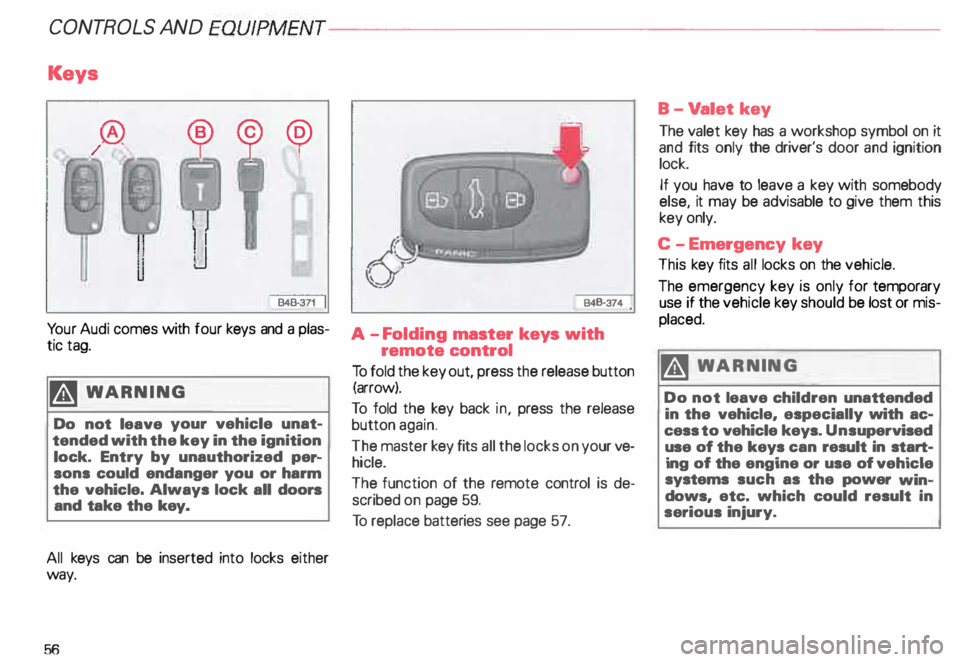
Yo ur Audi comes with tour keys and a plas
tic tag.
�W ARNING
Do not leave your vehicle unat
tended with the key in the ignition
lock. Entry by unauthorized per-
sons could endanger you or harm
the vehicle. Always lock all doors
and take the key.
All keys can be inserted into locks either
way.
56 B48-374
A -F olding master keys with
remote control
To fold the key out, press the release button
(arrow).
To told the key back in, press the release
button again.
The master key fits all the locks on your ve
hicle.
The function of the remote control is de
scribed on page 59.
To replace batteries see page 57. B-V
alet key
The valet key has a workshop symbol on it
and fits only the driver's door and ignition
lock.
If you have to leave a key with somebody
else, it may be advisable to give them this
key only.
C -E mergency key
This key fits all locks on the vehicle.
The emergency key is only for temporary
use if the vehicle key should be lost or mis
placed.
�W ARNING
Do not leave children unattended
in the vehicle, especially with ac
cess to vehicle keys. Unsupervised
use of the keys can result in start
ing of the engine or use of vehicle
systems such as the power win
dows, etc. which could result in
serious injury.
Page 58 of 306
D-
Tag
This tag gives the key num ber.
For your protection against theft:
• Record the key number and keep it in a
safe place, such as your wallet. Do not
keep it in the vehicle.
• If you �houlo IOSfl A key, rrovilie your AU
thorized Audi Dealer with the key number to
obtain a duplicate key.
Note If you open the driver's door with the key left
in the ignition lock, a chime will sound.
This is your reminder to remove the key and
lock the door. Electronic
immobilizer
Yo ur vehicle is equipped with an electronic
immobili zer.
With the help of an electronic component in
the key head, the imm obilizer prevents your
vehicle from being started by una uthorized
persons. See page 124.
Therefore, the engine can only be started
using the factory -equipped key.
If you lose a key, contact your authorized
Audi dealer immediately to have the lost key
disabled.
Note
In some cases, you may not be able to start
your vehicle if an ignition key of a different
vehicle make is also located on your set of
keys. CONT
ROLS AND EQUIPMEN T
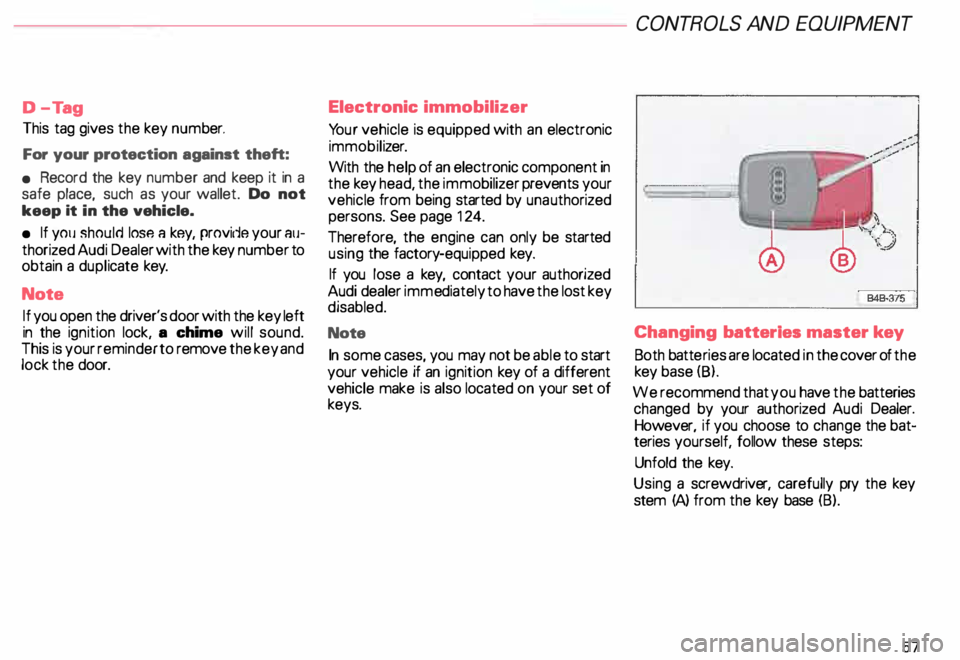
Changing batteries master key
Both batte ries are located in the cover of the
key base (8).
We recommend that you have the batteries
changed by your authorized Audi Dealer.
However, if you choose to change the bat
teries yourself, follow these steps:
Unfold the key.
Using a screwdriv er, carefully pry the key
stem (A) from the key base (B).
57
Page 59 of 306
.
Remove the dead batteri es.
58 \
j
I 840-333
t
• Install the new batteries.
W")
CONT
ROLS AND EQUIPMEN T---------------------
848-376
Remove the cover from the key base (ar
row).
Remove the dead batteri es.
58 \
j
I 840-333
t
• Install the new batteries.
When installing the batteries, make sure
the side of the battery with the "+" symbol
on it is facing down. See illustration. A pic
ture on the inside of the lid shows you the
correct battery position.
• Take the lid with the installed batteries,
place it over the key base and press the two
parts together.
• Place the key base on the key stem and
press both parts together. Notes
• The replacement batteries must be iden
tical in size and specification to the original
batteries provided.
• Spare batteries are available at your au
thorized Audi Dealer.
&.. Dispose of dead batteries prop� erly so as not to pollute the envi
ronment. Many stores that sell bat
teries will accept dead batteries for
recycling or proper disposal.
• If you cannot Jock or unlock your vehicle
after you have changed the batteries, then
the system must be re-synchronized. See
page 60.
Page 60 of 306
Power locks
The power locking system in your vehicle in
corporates:
• Central locking function
• Remote control feature
• Anti-theft alarm system
for detail see page 67.
You can either lock your vehicle using the
remote control in your folding master
key or by using the mechanical key.
Activat ing the power locking system locks
or unlocks all doors, the rear lid and fuel filler
flap simu ltaneously.
The anti-theft alarm system switches on or
off whenever you lock or unlock the vehicle
with the remote control or key.
When locking the vehicle the horn of the
anti-theft alarm system will sound briefly if
all doors, hood and rear lid are closed prop
erly.
The selective unlock feature makes it
possible to open just the driver's door in
cluding the fuel filler flap. Operating
locks using remote
control
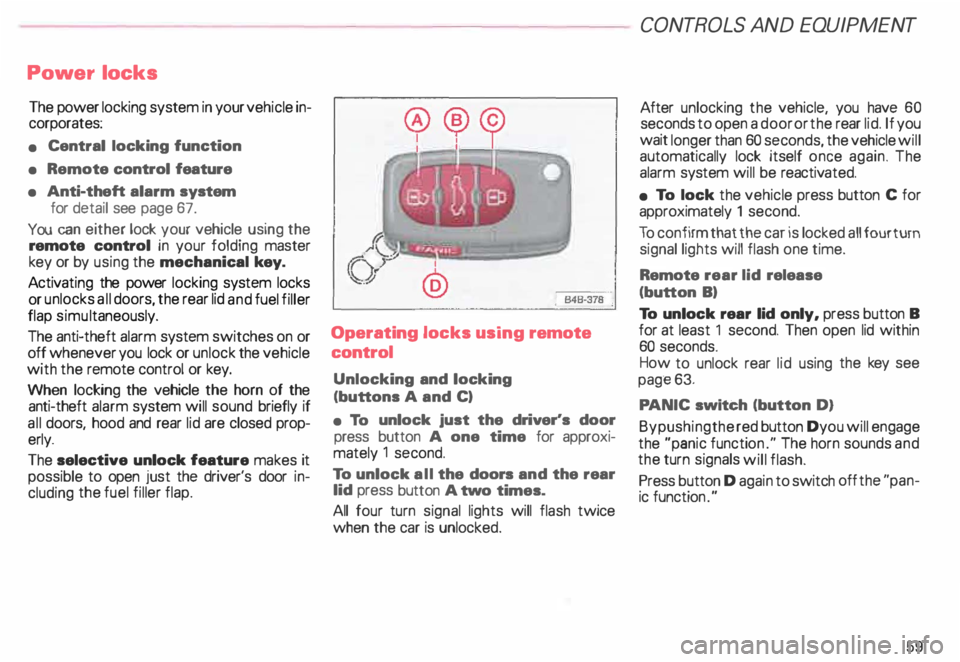
Unlocking and locking
(buttons A and C)
• To unlock just the driver's door
press button A one time for approxi
mately 1 second.
To unlock all the doors and the rear
lid press button A two times.
All four turn signal lights will flash twice
when the car is unlocked. CONT
ROLS AND EQUIPMENT
After unlocking the vehicle, you have 60
seconds to open a door or the rear lid. If you
wait longer than 60 seconds, the vehicle will
automatically lock itself once again. The
alarm system will be reactiv ated.
• To lock the vehicle press button C for
approximately 1 second.
To confirm that the car is locked all four turn
signal lights will flash one time.
Remote rear lid release
(button B)
To unlock rear lid only, press button B
for at least 1 second. Then open lid within
60 seconds.
How to unlock rear lid using the key see
page 63.
PA NIC switch (button D)
Bypushingthe red button Dyou will engage
the "panic functio n." The horn sounds and
the turn signals will flash.
Press button D again to switch off the "pan
ic function ."
59
Page 61 of 306
CONTROLS AND
EQUIPMENT--------------------
Remember- the panic function can be seen
and heard by other motorists and I or per
sons near you.
Use the panic function only if you
are In an emergency situation.
�W ARNING
Do not leave children unattended
in the vehicle especially with ac
cess to the remote control. There
mote control could be used to lock
the doors delaying access to the
children in an emergency.
Resetting the remote control
If your vehicle will not lock using the remote
control . it could be that the code for the con
trol unit and key needs to be reset. This can
occur if you frequently use the remote c �m
trol while standing outside of the effective
range.
60 Resetting
procedure
1 - To synchronize, press button A or but
ton Con the remote control one time.
2 - Then, within one minute, lock or un
lock the driver's door with the master
key.
The system is now functional.
Operating locks using the key
• To lock and unlock the vehicle from
the outside, turn the key in the lock of the
driver's door or the rear lid.
Yo u can also lock and unlock the vehicle by
turning the key in the re ar lid lock. See
page 63.
• Turn the key one time only to unlock
(A) either the driver's door or respectively
the rear lid.
• Turn the key two times to unlock all ve
hicle doors and the rear lid. Convenience
close I open feature
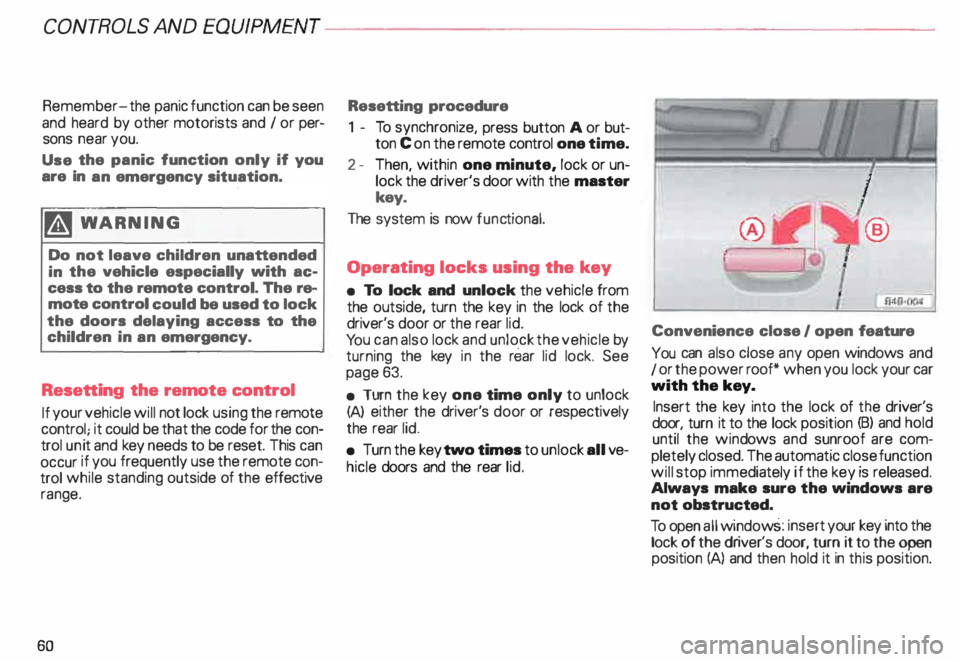
You can also close any open windows and
1 or the power roof* when you lock your car
with the key.
Insert the key into the lock of the driver's
door, turn it to the lock position (B) and hold
until the wind ows and sunroof are com
pletely closed. The automatic close function
will stop immediately if the key is released.
Always make sure the windows are
not obstructed.
To open all window s: insert your key into the
lock of the dr iver's door, turn it to the open
position (A) and then hold it in this position.
Page 62 of 306
Unlocking the
vehicle and
opening doors
To unlock and open door from
outside
• Press unlock button on your remote con
trol twice or turn the key in the lock of the
driver's door or the rear lid two times to the
unlock position.
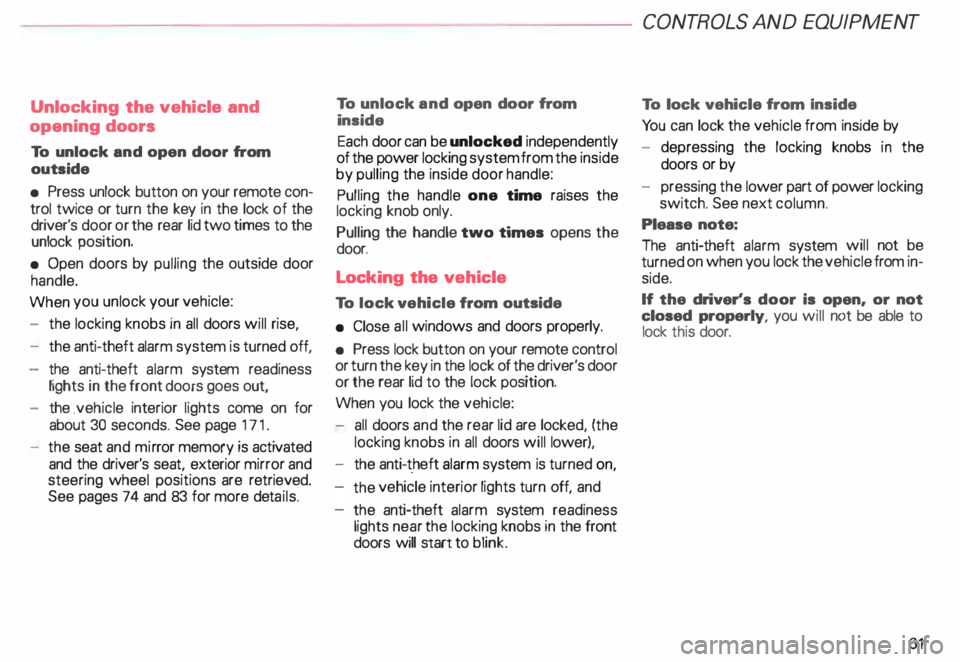
• Open doors by pulling the outside door
handle.
When you unlock your vehicle:
- the locking knobs in all doors will rise,
- the anti-theft alarm system is turned off,
- the anti-theft alarm system readiness
lights in the front doors goes out,
- the .vehicle interior lights come on for
about 30 seconds. See page 171.
- the seat and mirror memory is activated
and the driver's seat, exterior mirror and
steering wheel positions are retrieved.
See pages 74 and 83 for more details. To
unlock and open door from
inside
Each door can be unlocked independently
of the power locking system from the inside
by pulling the inside door handle:
Pulling the handle one time raises the
locking knob only.
Pulling the handle two times opens the
door.
Locking the vehicle
To lock vehicle from outside
• Close all windows and doors properly.
• Press lock button on your remote control
or turn the key in the lock of the driver's door
or the rear lid to the lock position.
When you lock the vehicle:
- all doors and the rear lid are locked, (the
locking knobs in all doors will lower),
- the anti-t .heft alarm system is turned on,
the vehicle interior lights turn off, and
the anti-theft alarm system readiness
lights near the locking knobs in the front
doors will start to blink. CONT
ROLS AND EQUIPMENT
To lock vehicle from Inside
Yo u can lock the vehicle from inside by
- depressing the locking knobs in the
doors or by
- pressing the lower part of power locking
switch. See next column.
Please note:
The anti-theft alarm system will not be
turned on when you lock the vehicle from in
side.
If the driver's door is open, or not
closed properly, you will not be able to
lock this door.
61
Page 63 of 306
CONT
ROLS AND EQUIPMENT---------------------
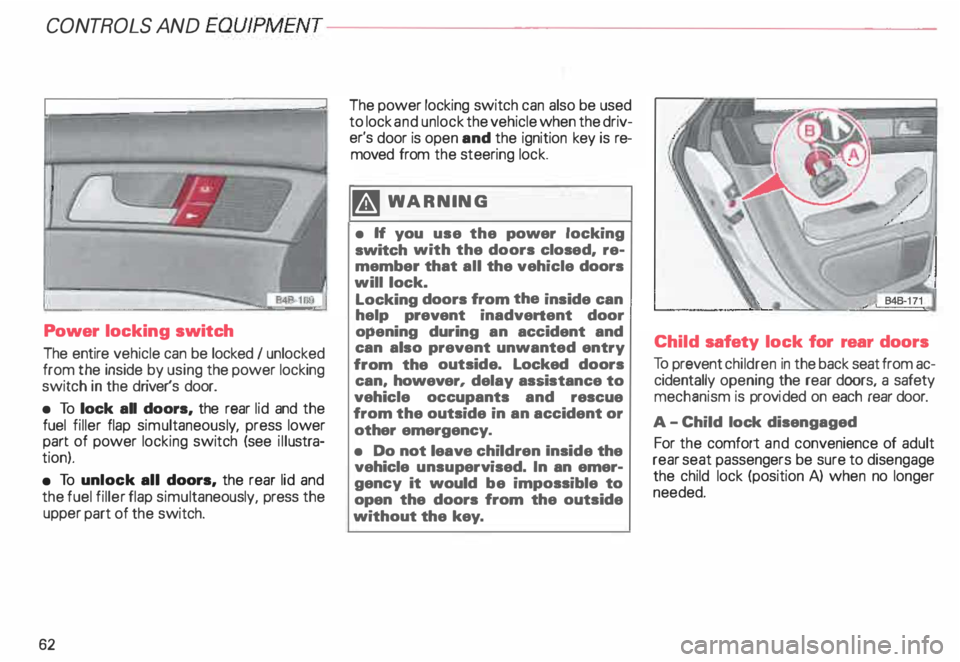
Power locking switch
The entire vehicle can be locked I unlocked
from the inside by using the power locking
switch in the driver's door.
• To lock all doors, the rear lid and the
fuel filler flap simultaneous ly, press lower
part of power locking switch (see illustra
tion).
• To unlock all doors, the rear lid and
the fuel filler flap simul taneously, press the
upper part of the switch.
62 The
power locking switch can also be used
to lock and unlock the vehicle when the driv
er's door is open and the ignition key is re
moved from the steering lock.
�W ARNING
• H you use the power locking
switch with the doors closed, re
member that all the vehicle doors
will lock.
Locking doors from the inside can
help prevent inadvertent door
opening during an accident and
can also prevent unwanted entry
from the outside. Locked doors
can, however, delay assistance to
vehicle occupants and rescue
from the outside in an accident or
other emergency.
• Do not leave children Inside the
vehicle unsupervised. In an emer
gency it would be impossible to
open the doors from the outside
without the key. Child
safety lock for rear doors
To prevent children in the back seat from ac
cidentally opening the rear doors, a safety
mechanism is provi ded on each rear door.
A -C hild lock disengaged
For the comfort and convenience of adult
rear seat passengers be sure to disengage
the child lock (position A) when no longer
needed.