manual transmission AUDI ALLROAD 2000 Owners Manual
[x] Cancel search | Manufacturer: AUDI, Model Year: 2000, Model line: ALLROAD, Model: AUDI ALLROAD 2000Pages: 306, PDF Size: 9.95 MB
Page 105 of 306
CONT
ROLS AND EQUIPMENT--------------------
5-spaad automatic transmission (Tiptronic®)*
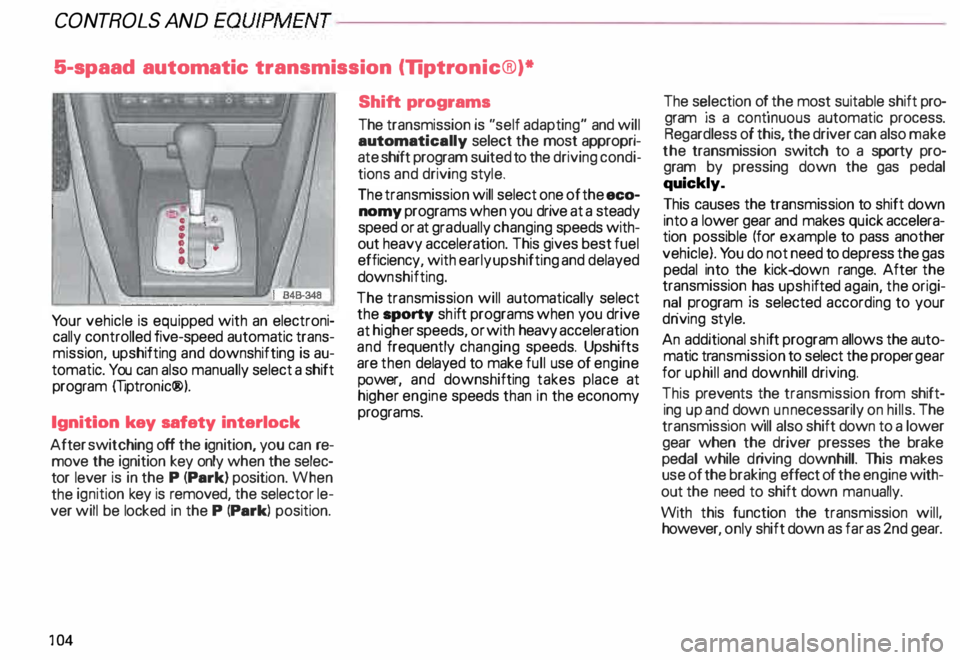
Yo ur vehicle is equip ped with an electroni
cally controlled five-speed automatic trans
missi �n, upshifting and downshifting is au
tomatiC. You can also manually select a shift
program mptronic®).
Ignition key safety interlock
After switching off the ignition, you can re
move the ignition key only when the selec
tor lever is in the P (Park) position. When
the ignition key is removed, the selector le
ver will be locked in the P (Park) position.
10 4 Shift
programs
The transmission is "self adapting" and will
automa tically select the most appropri
ate sh1ft program suited to the driving condi
tions and driving style.
The transmission will select one of the eco
nomy programs when you drive at a steady
speed or at gradually changing speeds with
out heavy acceleration. This gives best fuel
efficiency, with early upshifting and delayed
down shifting.
The transmission will automatically select
the _sporty shift programs when you drive
at h1 gh er speeds, or with heavy acceleration
and frequently changing speeds. Upshifts
are then delayed to make full use of engine
P ?Wer, an9 downshifting takes place at
higher eng1ne speeds than in the economy
programs. The s
�lection o � the most suitable shift pro
gram JS a contmuous automatic process.
Regardless of this, the driver can also make
the transmission switch to a sporty pro
gram by pressing down the gas pedal
quickly.
This causes the transmission to shift down
into a lower gear and makes quick accelera
tion possible (for example to pass another
vehicle). You do not need to depress the gas
pedal into the kick-down range. After the
transmission _has upsh ifted again, the origi
n� ! program IS selected according to your
dnv1ng style.
An additional shift program allows the auto
matic t�ansmission to select the proper gear
for uphill and downhill driving.
This prevents the transmission from shift
ing up �n� dow � un necessarily on hills. The
transmiSSion w1ll also shift down to a lower
gear when the driver presses the brake
pedal while driving downhill. This makes
use of the braking effect of the engine with
out the need to shift down manually.
With this function the transmission will
however, only shift down as far as 2nd gear :
Page 110 of 306
3
-Position for mountainous
regions
Position 3 should be used for mountain driv
ing with long uphill and downhill grades.
Use it also when you want to use the brak
ing effect of the engine, which is more ef
fective than in 4. In 3, only the first, second
and third gears will engage automatically.
Before you move the selector lever
to position 2 you have to depress the
b.utton in the handle of the selector
lever.
2 -Position for steep hills
This position is to be used for extremely
steep uphill and downhill gradients or slow
driving. It also provides the most engine
braking effect. In 2 the transmission will
start in the first gear and only upshift to the
second gear. Note
When manually downshifting, the selector
lever will move into the lower gear position.
However , the automatic transmission itself
will not downshift until there is no possibil
ity of overrewing the engine.
Kick-down The kick-down gives maximum accelera
tion when the accelerator pedal is pressed
down past the full throttle position. Depend
ing on vehicle speed and engine speed, the
upshift is either delayed or the transmission
shifts down into a lower gear.
�W ARNING
Av oid using the kick-down on slip
pery roads. Rapid acceleration
may cause skidding and loss of
control. CONT
ROLS AND EQUIPMENT
Driving the automatic
transmission
Starting the engine
The selector lever must be in N (Neutral)
or P (Park). If one of the driving positions
is engaged a safety switch will prevent the
engine from being started.
109
Page 115 of 306
CONTROLS
AND EQUIPMENT---------------------
Starting procedures
� WARN ING
• Always fasten safety belts be
fore driving.
• Never start or let the engine run
in a confined or enclosed area. Ex
haust fumes from the engine con
tain carbon monoxide, a colorless
and odorless gas. Carbon monox
ide can be fatal if inhaled.
• Never leave the engine idling
unattended. An unattended ve
hicle with a running engine poses
a danger of personal injury or
theft.
114
dib To avoid unnecessary engine
W wear and to reduce exhaust
emissions, do not let your vehicle
stand end warm up. Be ready to
drive off immediately after starting
your vehicle. Maintain moderate
speed until the engine is completely
warm. Remember, the engine per
forms bast at operating tempera
ture.
Manual transmission
Yo ur Audi with manual transmission is
equipped with an "interlock-fea ture".
Start the engine with the gearshift
lever in Neutral and the clutch pedal
fully depressed. Remember, you
must depress and hold the clutch
pedal all the way down, otherwise
the engine will not start.
Automatic transmission
Engine will start with selector lever in N
(Neutral) or P (Park) only. Starting
engine
• Do not depress the gas pedal while
starting. This applies at any outside temper
ature.
• As soon as the engine starts, release the
ignition key.
• If the engine does not start the first time
or stalls, turn the ignition off and restart.
• Operate the starter for no more than
10 seconds.
• Allow about 30 seconds between each
starting attempt.
• When starting a very hot engine, it may
be necessary to slightly depress the gas
pedal after starting the engine.
Page 131 of 306
CONTROLS AND
EQUIPMENT--------------------
Driver information system
Display
The driver information system consists of
the following components:
Service interval display . . . . . . _. _ ... 121
Menu s................... _ . ... 131
Rear lid I door open indicator _ _ .... 137
Outside air temperature __ . . . _ _ ... 137
Radio frequency display . . . . • .• ___ 138
Auto-Check System ____ .... ____ _ . _ 138
Speed warning
.. 144
Trip computer . .
146
13 0 Navigation
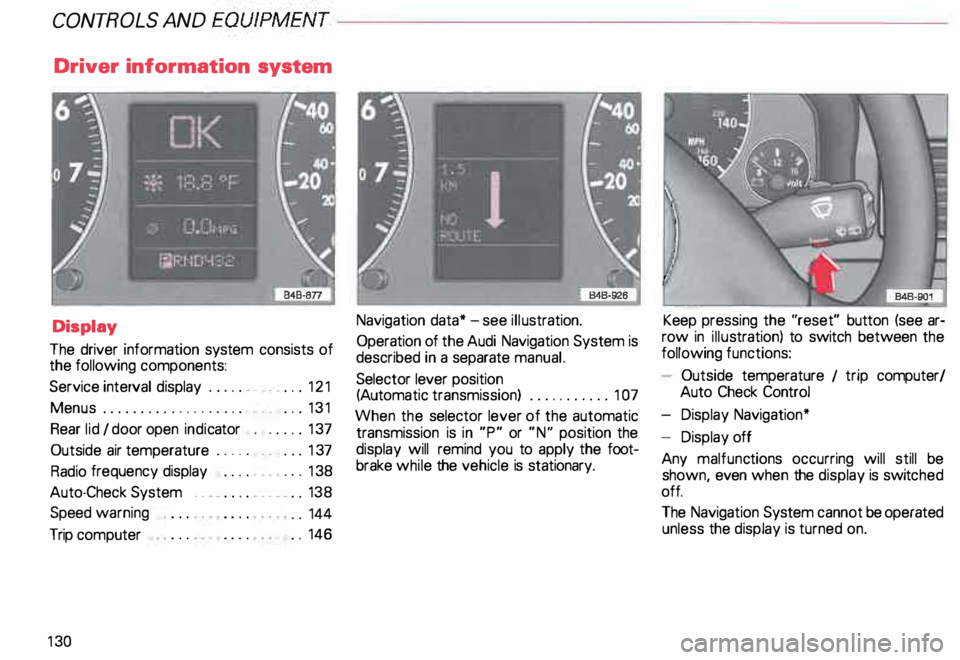
data* -see illustration.
Operation of the Audi Navigation System is
described in a separate manual.
Selector lever position
(Auto matic transmission) ........... 1 07
When the selector lever of the automatic
transmission is in "P" or "N" position the
display will remind you to apply the foot
brake while the vehicle is stationary. Keep
pressing the "reset" button (see ar
row in illus tration) to switch between the
following functions:
- Outside temperature 1 trip computer/
Auto Check Control
- Display Navigation*
- Display off
Any malfunc tions occurring will still be
shown, even when the display is switc hed
off.
The Navigation System cannot be operated
unless the display is turned on.
Page 134 of 306
--------------------CONTROLS
AND EQUIPMENT
Display types
The following functions are assigned to the
display types in the starting menu:
Menu off
- Trip computer
- Auto Check System I radio data
- Outside temperature
- Speed warning
- Door and rear lid waming
- Message display I display of selector le-
ver's positions (Automatic transmission)
- Navigation display*
The Navigation System* can be operated
using the switches in the center console -
see separate operator manual for the Navi
gation System* Check
- Service -see page 121 .
Set
- Comput er-see page 146.
Cl ock- see page 117 and 135.
Radio info. -see page 138.
- Speed warn. -see page 144.
Help
The help function will assist you in selecting
the correct entry.
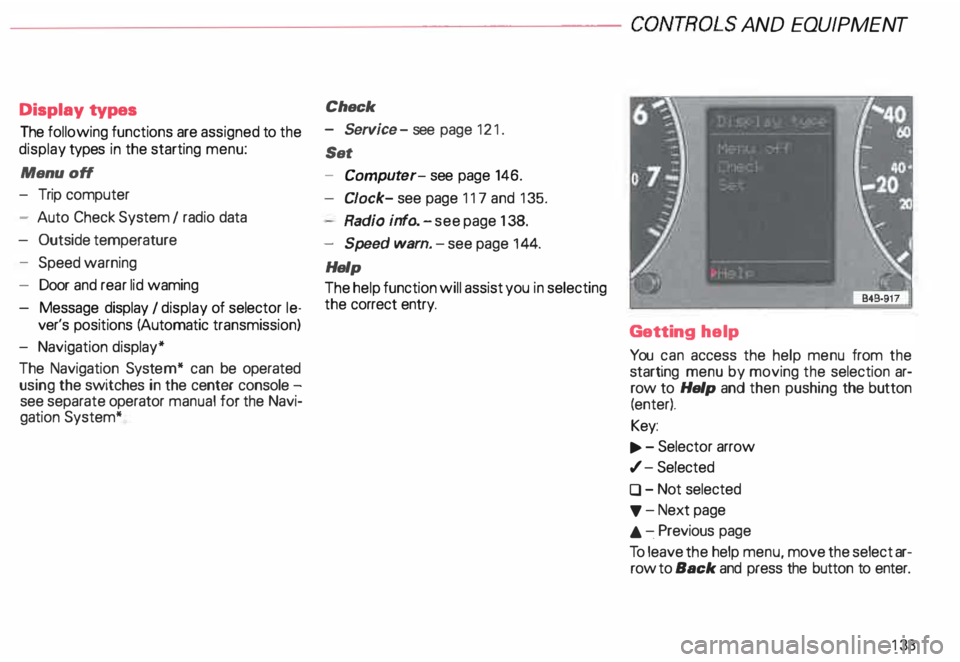
Getting help
You can access the help menu from the
starting menu by moving the selection ar
row to Help and then pushing the button
(enter).
Key:
.., . - Selector arrow
,/- Selected
0 - Not selected
'f' -Next page
.&. -.Previous page
To leave the help menu, move the select ar
row to Back and press the button to enter.
133