seat memory AUDI ALLROAD 2000 Owners Manual
[x] Cancel search | Manufacturer: AUDI, Model Year: 2000, Model line: ALLROAD, Model: AUDI ALLROAD 2000Pages: 306, PDF Size: 9.95 MB
Page 6 of 306
----------------------------------------------TABLE OFCONT ENTS
I GENERAL ILLUSTRATION
General illustration 0 0 0. • • • 8
Warning and indicator lights 10
I SAFETY
FIRST
W elcome ... 0 0 0 •• •• 13
Safety first 0 0
• 0 • 0 0 0 0 • 0 •
13
Safety belts
• . . 0 0 0 • 0 0
14
Airbag system 0 ••••••• 0 0 • • • • • • • 25
Child safety ........ 0 • 0 0 0 0 0 0 0 0 0 44
I CONTROLS AND EQUIPMENT
Keys 0 0 0 0 0 0 0 0 0 0 0 •••• ••••• 0 0 • • 0
56
Power locks 0 0 0 0
Power windows
Mirrors 0 •• 0 0 0 •••
Head restraints
Front seats 0 0 0 •
0.- . 0 0 0 • • 59
69
• •• - •••• 0 ••• 0 72
75
•• 0 •• 0 76
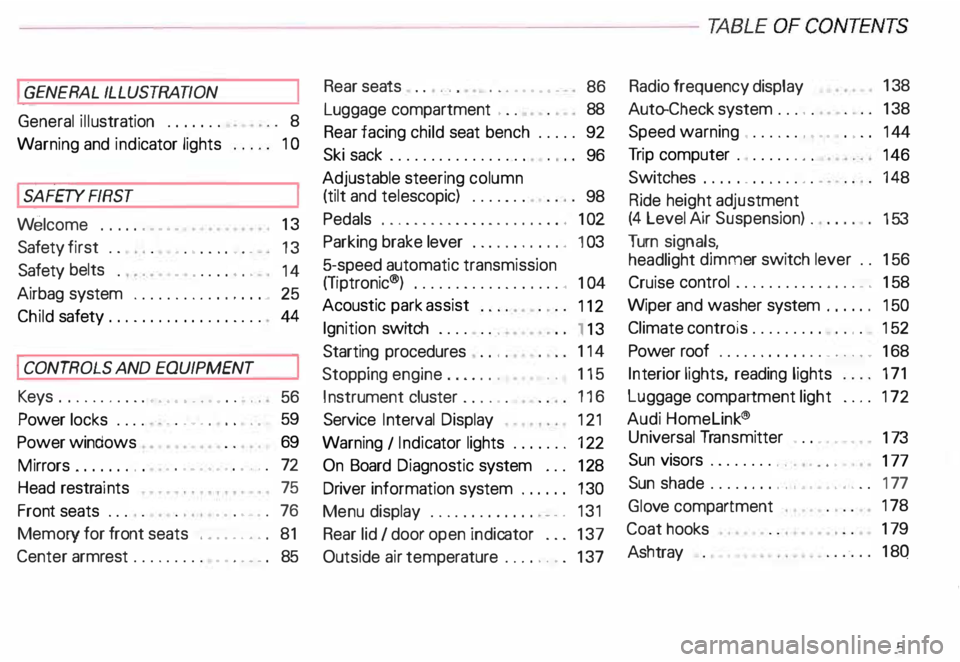
Memory for front seats , .... 0 •• 0 81
Center armrest 0 0 0 0 0 0 0 0 0 •••••• 0 85 Rear
seats 0 0 •• 0 •• 0 • • • • • •
86
Luggage compartment , 0 0 88
Rear facing child seat bench 0 0 0 0 0 92
Ski sack 0 0 0 0 0 0 0 0 0 0 0 0 0 0 0 0.
96
Adjustable steering column
(tilt and telescopic) 0 0 0 0 • 0 0
98
Pedals 0 0 • 0 0 0 0 0 0 0 0 0 0 0 0 0 0 0 0 0 0 0 , 1 02
Parking brake lever 0 • 0 0 0 0 0 0 0 •• 0 1 03
5-speed automatic transmission
(Trptronic ®) 0 0 0 0 0 0 0 0 0 0 • 0 0 0 0 0. 0 • 104
Acoustic park assist
112
Ignition switch 0 0 0 0 0 0 0
1 13
Starting procedures . 0 • • 114
Stopping engine 0 0 0 0 0 0 • • • 115
Instrument cluster 0 0 0 0 0 0 116
Service Interval Display
121
Warning I Indic ator lights 0 0 0 0 0 0 • 122
On Board Diagnostic system 0 0 0 128
Driver information system 0 • 0 • • • 130
Menu display 0 0 0 0 0 0 0 0 0 0 0 0 0
0 131
Rear lid I door open indicator 0 0 0 137
Outside air temp erature 0 • 0 0 0 0 0 0 137 Radio
frequency display 13
8
Auto-Check system 0 0 0 o 0 138
Speed warning . 0 0 0 • 0 0 • • • • 0 • 0 0 144
Tr ip computer 0 0 0 0 0 0 •• 0
146
Switches 0 • 0 •• 0 0 0 0 • 0 0 0 0 148
Ride height adjustment
(4 Level Air Suspension) 0
153
Turn signals,
headlight dimmer switch lever 0 0 156
Cruise control 0 0 0 0 0 0 0 0 0 0 0 0 0 0 0 • • 158
Wiper and washer system 0 ••• 0 0 150
Climate controls 0 0 0 0 0 0 0 0 0 0 0 • 0 152
Power roof 0 0 0 0 0 0 0 • 0 0 0 0 0 • • • • • • 168
Int erior lights, reading lights 171
Luggage compartment light 0 0 0 0 172
Audi Homelink ®
Uni versal Transmitter . 0 0 • • • •
173
Sun visors 00 00 00 00 ... • .. •
177
Sun shade 0 0 0 0 0 0 0 0 •• , • • • ••• 0 0 177
Glo ve compartment
Coat hooks
Ashtray 178
179
180
5
Page 10 of 306
1
2
3
4 5
6
7
8
9
10
11 12
13 14
15
16
17 Power
window switches
Door handle
Power locking switch
Light switch
Air vents
Turn signals I headlight dimmer switch lever ...
Cruise control ................. .............
Instrument illumination
Horn, driver's airbag •••••
0 •• 0 •• 0 0 •• 0 ••• 0 ••• 0
Radio I CD I buttons ................
........
Radio I CD I telephone buttons ...............
Instrument cluster ....... ... ... ... ... .. .....
Warning I indi cator lights ••••••••
0 0
••••••••••
Windshield wiper I washer lever ..............
Tri p computer function control switch .........
Steering lock I ignition I starter switch
Switch for the Electronic Stability Program (i::SP)
Switches for the ride heigh t adjustment and
level display •••••••••••••••
0 •• 0 •• 0 0 •• 0 0 ••••
Emergenc y flasher
Cup holder
Glove compartment (lockable)
Front passenger's airbag
Radio Page
69
59 62
148 165
15 6
15 8
149
25
185
18 6
11 6
12 2
16 0
146
113
15 2
15 3
15 2
18 2
17 8
25 -------GE NERA L ILLUST
RATION
Page
18 Thumb wheel for seat heating
150
19 Switch for rear window defogger 151
20 Climate controls
162
21 Ashtray ...................................
180
Cigarette lighter ............................ 181
22 Gearshift lever or
Selector lever ..............................
104
23 Adjuster control for outside mirrors
72
24 Parking brake lever
103
25 Navigation System switch or
Cup holder
•••••••••••••••• 0 •••• 0 •••• 0 •••••
182
26 Storage compartment
27 Service wallet compartment
183
28 Adjustable steering wheel
98
29 Data Link Connector (DLC) for On Board
Diagnostics (OBD)
128
30 Release lever for engine hood 231
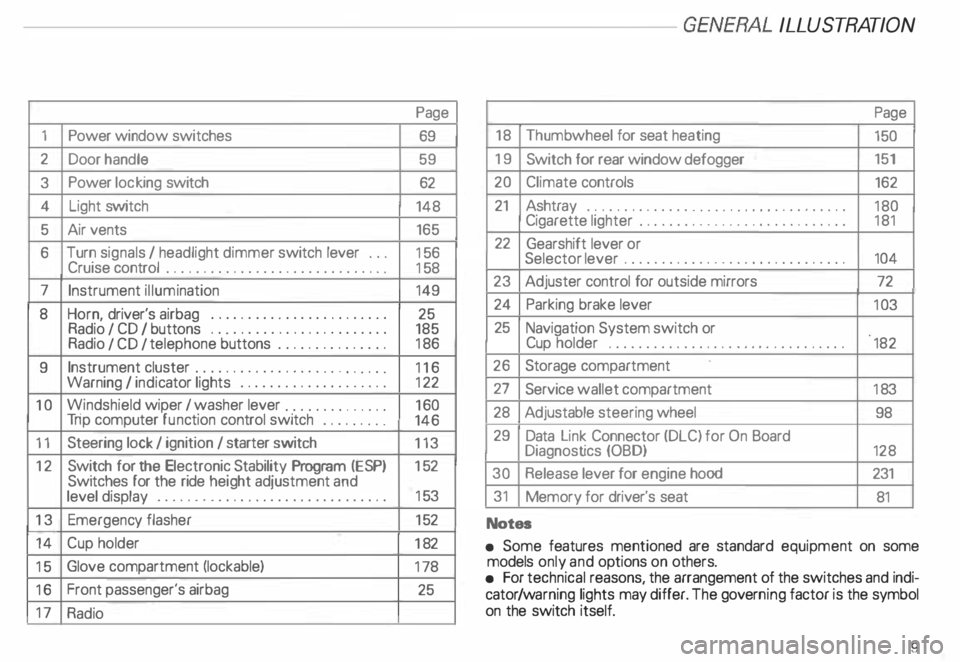
31 Memory for driver's seat
81
Notes
• Some features mentioned are standard equipment on some
models only and options on others.
• For technical reasons, the arrangement of the switches and indi
cator /warning lights may differ. The govern ing factor is the symbol
on the switch itself.
9
Page 62 of 306
Unlocking the
vehicle and
opening doors
To unlock and open door from
outside
• Press unlock button on your remote con
trol twice or turn the key in the lock of the
driver's door or the rear lid two times to the
unlock position.
• Open doors by pulling the outside door
handle.
When you unlock your vehicle:
- the locking knobs in all doors will rise,
- the anti-theft alarm system is turned off,
- the anti-theft alarm system readiness
lights in the front doors goes out,
- the .vehicle interior lights come on for
about 30 seconds. See page 171.
- the seat and mirror memory is activated
and the driver's seat, exterior mirror and
steering wheel positions are retrieved.
See pages 74 and 83 for more details. To
unlock and open door from
inside
Each door can be unlocked independently
of the power locking system from the inside
by pulling the inside door handle:
Pulling the handle one time raises the
locking knob only.
Pulling the handle two times opens the
door.
Locking the vehicle
To lock vehicle from outside
• Close all windows and doors properly.
• Press lock button on your remote control
or turn the key in the lock of the driver's door
or the rear lid to the lock position.
When you lock the vehicle:
- all doors and the rear lid are locked, (the
locking knobs in all doors will lower),
- the anti-t .heft alarm system is turned on,
the vehicle interior lights turn off, and
the anti-theft alarm system readiness
lights near the locking knobs in the front
doors will start to blink. CONT
ROLS AND EQUIPMENT
To lock vehicle from Inside
Yo u can lock the vehicle from inside by
- depressing the locking knobs in the
doors or by
- pressing the lower part of power locking
switch. See next column.
Please note:
The anti-theft alarm system will not be
turned on when you lock the vehicle from in
side.
If the driver's door is open, or not
closed properly, you will not be able to
lock this door.
61
Page 75 of 306
CONTROLS AND EQUIPMENT---------------------
Folding down of the outside
mirror passenger•s side1l
When you move the selector lever I gear
shift lever into R (Reverse), the outside mir
ror on the passenger's side will tilt slightly
downwards, provided you have switched to
the right-hand outside mirror.
This makes it possible to see the edge of
the curb when parking your vehicle. The
mirror will return to its original position as
soon as you move the selector lever I gear
shift lever out of R (Reverse), or if you
switch the remote control back to the driv
er's outside mirror.
1 l Only on
vehicles with memory for driver's seat.
74 Memory*
The setting of the outside mirrors is auto
matically stored in the memory for the driv
er's seat adjustment together with the seat
position.
Memory function for driver's seat and out
side mirrors see page 81.
Adjust the mirrors os described and then
store this setting together with your seating
position memory.
Page 82 of 306
Memor
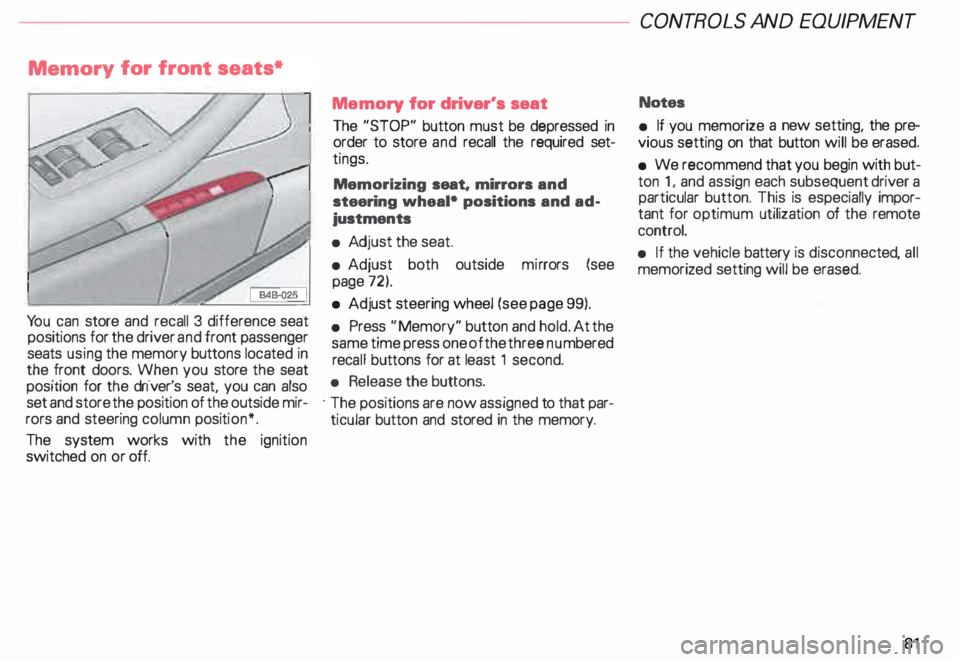
y for front seats*
Yo u can store and recall 3 difference seat
positions for the driver and front passenger
seats using the memory buttons located in
the front doors. When you store the seat
position for the driver's seat, you can also
set and store the position of the outside mir
rors and steering column position*.
The system works with the ignition
switched on or off. Memory
for driver's seat
The "STOP" button must be depressed in
order to store and recall the required set
tings.
Memorizing seat. mirrors and
steering wheal• positions and ad
justments
• Adj ust the seat.
• Adjust both outside mirrors (see
page 72).
• Adjust steering wheel (see page 99).
• Press "Memory" button and hold. At the
same time press one of the three numbered
reca ll buttons for at least 1 second.
• Release the buttons.
· The positions are now assigned to that par
ticular button and stored in the memory. CONT
ROLS AND EQUIPMEN T
Notes
• If you memorize a new setting, the pre
vious setting on that button will be erased.
• We recommend that you begin with but
ton 1, and assign each subsequent driver a
particular button. This is especially impor
tant for optimum utilization of the remote
control.
• If the vehicle battery is disconne cted, all
memorized setting will be erased.
81
Page 83 of 306
CONTROLS AND
EQUIPMENT---------------------
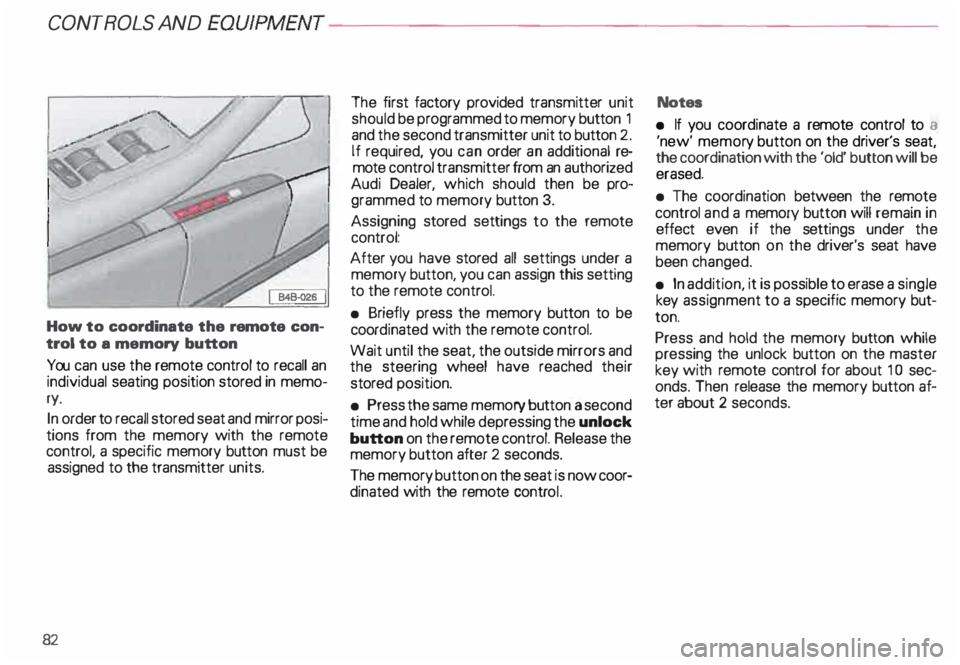
How to coordinate the remote con
trol to a memory button
You can use the remote control to recall an
individual seating position stored in memo
ry.
In order to recall stored seat and mirror posi
tions from the memory with the remote
control, a specific memory button must be
assigned to the transmitter units.
82 The
first factory provided transmitter unit
should be programmed to memory button 1
and the second transmitter unit to button 2.
If required, you can order an additional re
mote control transmitter from an authorized
Audi Dealer, which should then be pro
grammed to memory button 3.
Assigning stored settings to the remote
control:
After you have stored all settings under a
memory button, you can assign this setting
to the remote control.
• Briefly press the memory button to be
coord inated with the remote control.
Wait until the seat, the outside mirrors and
the steering wheel have reached their
stored position.
• Press the same memory button a second
time and hold while depressing the unlock
button on the remote control. Release the
memory button after 2 seconds.
The memory button on the seat is now coor
dinated with the remote control. Notes
• If you coordinate a remote control to a
'new' memor y button on the driver's seat,
the coordination with the 'old' button will be
erased.
• The coordination between the remote
control and a memory button will remain in
effect even if the settings under the
memory button on the driver's seat have
been changed.
• In addition, it is possible to erase a single
key assignment to a specific memory but
ton.
Press and hold the memory button while
pressing the unlock button on the master
key with remote control for about 1 0 sec
onds. Then release the memory button af
ter about 2 seconds.
Page 84 of 306
Retrievi
ng seat position and stored
adjustments from memory
The settings stored can be retrieved both
with the remote control and with the
memory buttons.
- Retri eving using the
remote control
When you unlock the vehicle with the re-.
mote control the outside mirrors automati
cally adjusts. Then, after you open the driv
er's door, the driver's seat also
automatically adjusts.
The seat will automatically adjust itself if
you open the driver's door within 1 0 min
utes after unlocking the vehicle.
If you wait longer than 10 minutes to open
the driver's door, after unlocking the car,
then you must use the memory button to re
call the seat position. -
Retrieving using the
memory buttons
�W ARNING
For your safety, use the recall fea
ture only when the vehicle is not
moving.
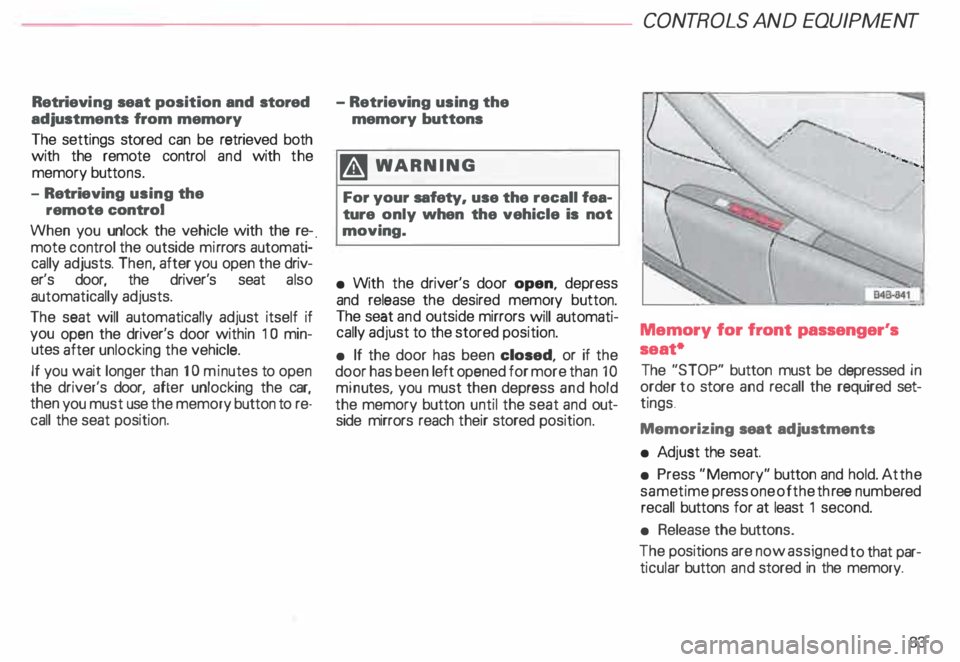
• With the driver's door open, depress
and release the desired memory button.
The seat and outside mirrors will automati
cally adjust to the stored position.
• If the door has been closed, or if the
door has been left opened for more than 1 0
minu tes. you must then depress and hold
the memory button until the seat and out
side mirrors reach their stored position. CONT
ROLS AND EQUIPMENT
Memory for front passenger's
seat•
The "STOP" button must be depressed in
order to store and recall the required set
tings .
Memorizing seat adjustments
• Ad just the seat.
• Press "Memory" button and hold. At the
same time press one of the three numb ered
recall buttons for at least 1 second.
• Release the buttons.
The positions are now assigned to that par
ticular button and stored in the memory.
83
Page 85 of 306
CONTROLS AND EQ
UIPMEN T---------------------
Retrieving using the
memory buttons
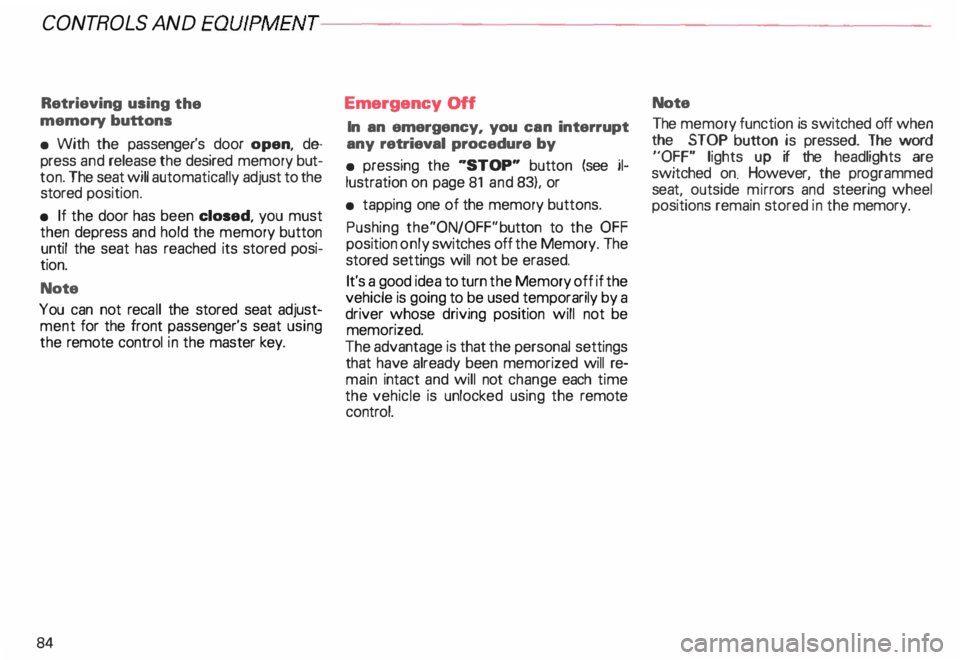
• With the passenger's door open, de
press and release the desired memory but
ton. The seat will automatically adjust to the
stored position.
• If the door has been closed, you must
then depress and hold the memory button
until the seat has reached its stored posi
tion.
Note
You can not reca ll the stored seat adjust
ment for the front passenger's seat using
the remote control in the master key.
84 Emergency
Off
In an emergency, you can interrupt
any retrieval procedure by
• pressing the '"STOP'" button (see il
lustration on page 81 and 83). or
• tapping one of the memory buttons.
Pushing the"ON/OFF"button to the OFF
position only switches off the Memory. The
stored settings will not be erased.
It's a good idea to turn the Memory off if the
vehicle is going to be used temporarily by a
driver whose driving position will not be
memorized.
The advantage is that the personal settings
that have already been memorized will re
main intact and will not change each time
the vehicle is unlocked using the remote
control. Note
The memory function is switched off when
the STOP button is pressed. The word
''OFF" lights up if the headlights are
switched on. However, the programmed
seat, outside mirrors and steering wheel
positions remain stored in the memory.
Page 102 of 306
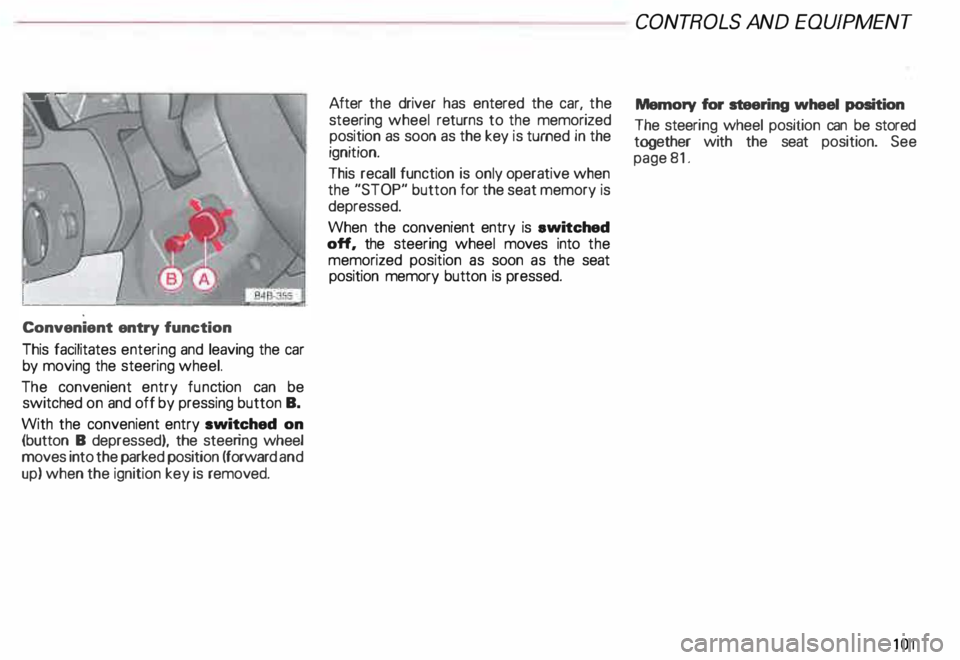
Convenient
entry function
This facilitates entering and leaving the car
by moving the steering wheel.
The convenient entry function can be
switched on and off by pressing button B.
With the convenient entry switched on
(button B depressed), the steering wheel
moves into the parked position (forward and
up) when the ignition key is removed. After
the driver has entered the car, the
steering wheel returns to the memorized
position as soon as the key is turned in the
ignition.
This recall function is only operative when
the "STOP" button for the seat memory is
depressed.
When the convenient entry is ewitched
off, the steering wheel moves into the
memorized position as soon as the seat
position memory button is pressed. CONT
ROLS AND EQUIPMEN T
Memory for steering wheel position
The steeri ng wheel position can be stored
together with the seat position. See
page 81.
101
Page 249 of 306
VEHICLE CA
RE----------------------------------------------------
When disconnecting and
connecting the battery ...
When you disconnect the vehicle battery
please note the following:
- some data stored in the driver informa-
tion system are erased,
- the clock goes out,
- the factory installed radio locks up,
- the Engine management system,
- the one-touch-u p and one-touch-down
functions of the power windows no lon
ger work,
- all stored seat positions in the memory*
are erased.
Af teryou reconnect the battery, you must
reset the clock. � page 118.
You also have to reset the Engine manage
ment system -see "Starter Switch "
�pa ge 113.
You also have to reset the one-touch-up and
one-touch�down feature on power win
dows -see "Power windows "
�p age 71.
248 You
have also reset the seat memory* -see
"Seats"
� page 81.
The radio must be re-coded with the correct
radio code - see your radio Operating In
structions.
Replacement battery
A replacement battery must have the same
specifications and dimensions as the origi
nal equipment battery. Specifications are
listed on the battery housing.
When installing the battery, make sure the
ignition and all electrical consumers are
switched off.
r.Gb. Because of the problem of �proper di
sposal of a battery, we
recommend that you have your au
thorized Audi Dealer change the
battery for you. Batteries contain
sulfuric acid and lead and must al
ways be disp osed of properly ob
serving all environmental regula
tions. Air
cleaner
A dir ty air cleaner element not only reduces
the engine output and increases fuel con
sumption considerably but can also cause
premature engine wear.
Normally, it is not necessary to service the
air cleaner more often than recommended
in the Maintenance booklet. If the vehicle is
driven on very dusty roads, the air cleaner
must be serviced more frequently, even dai
ly.
If your air cleaner element must be
changed mora frequently, we rec
ommend that you have the air clean
er serviced by your authorized Audi
Dealer or a qualified workshop.
The air cleaner element must never
be cleaned or soaked with gasoline,
cleaning solvents or oil.
g Always heed all WARN INGS
t!!3 on page 232.