External temperature AUDI E-TRON 2019 Owners Manual
[x] Cancel search | Manufacturer: AUDI, Model Year: 2019, Model line: E-TRON, Model: AUDI E-TRON 2019Pages: 310, PDF Size: 81.91 MB
Page 4 of 310
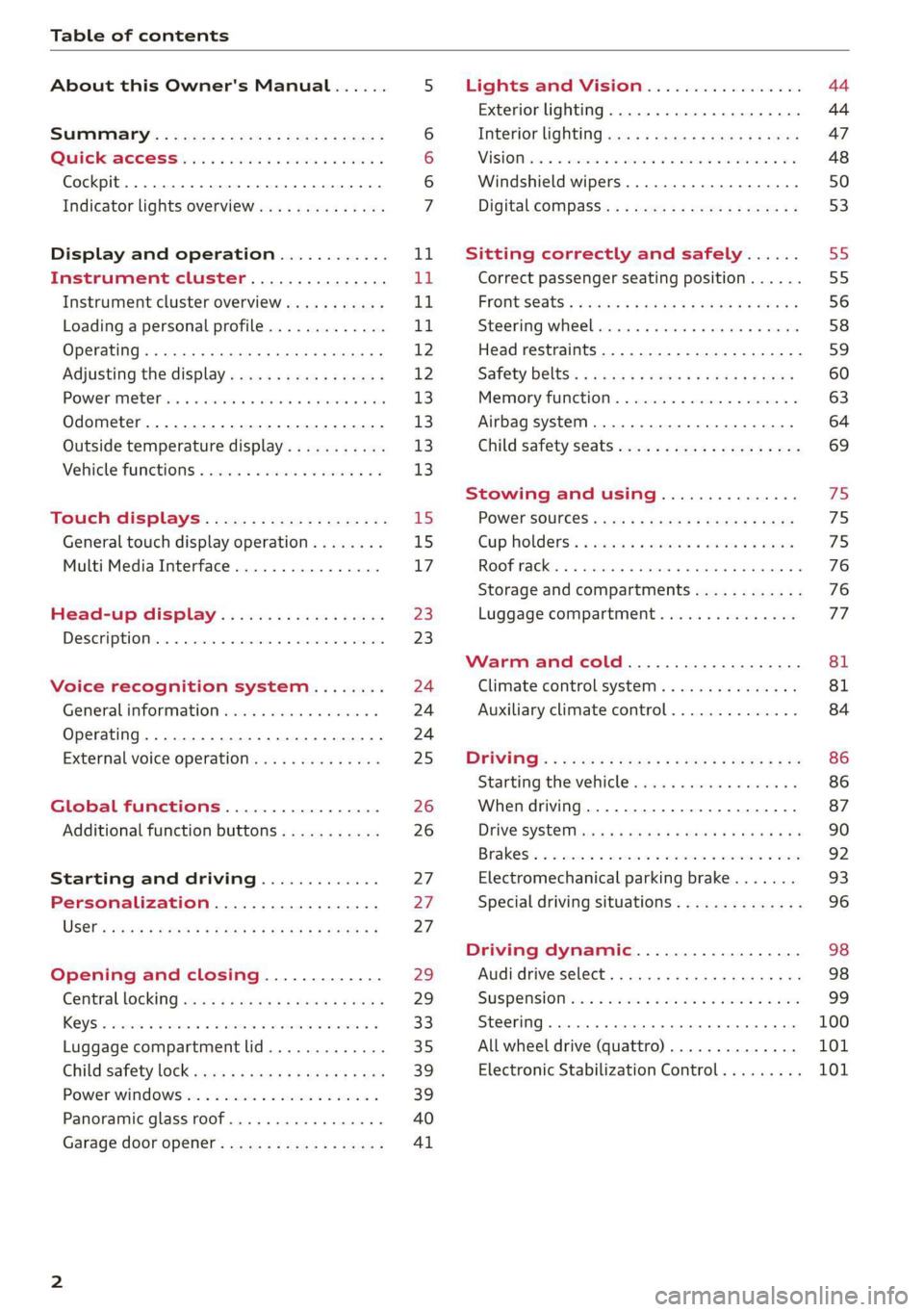
Table of contents
About this Owner's Manual......
SUMIMALY: ; « ss6% : osen ss sean cs poe s
QC CCeS Skis: si esis a 6 ores os ewe
Cockpit... 2... ee eee eee eee
Indicator lights overview...........0.
Display and operation............
Instrument cluster...............
Instrument cluster overview...........
Loading a personal profile.............
Operating. ........ 20.00. cece eee eee
Adjusting the display.................
POWORIMELCP ois 6 «. sxwwsne v6 snares « a: sauers « rns
Odometer............ 0. cee eee eee eee
Outside temperature display...........
Vehicle functions « se-0 2. ese ve eee ees
Touch displays....................
General touch display operation........
Multi Media Interface................
Head-up display..................
DESCHIPELOIN:. 6 & averse « a emennne «2 aoetine % » oxemene
Voice recognition system........
General information wo. cee. eco es
Operating..................0..0000.
External voice operation..............
Global functions.................
Additional function buttons...........
Starting and driving.............
Personalization..................
Opening and closing.............
Centrallocking quae « x saws < # ame x Rae 3
KRY S « sscesws wv o swasaus va aecuns w stuns wv esi
Luggage compartment lid.............
Childsatety lock sms ¢ ¢ sees so cen a ees
Power windows ...........--000-e0 00
Panoramic glass roof...............4.
Garage door opener..............00..
NOD
OO
15 15
17
23
23
24 24 24
25
26
26
27 27 27
29)
29
33 35
39 39
40
Al
Lights and Vision................. 44
Exterior lighting. ...............000ee 44
Interior lightinGisws « 2 wove + ¢ wees os ewe 47
ViSIOM iss +o sea « 5 wore oo semen W armen © oi 48
Windshield wipers................45- 50
Digital compass: s : sees s sees sz wees se 53
Sitting correctly and safely...... 55
Correct passenger seating position...... 55
FrOnUSCAUS: « warns s x moves 6 2 KaeER § MEER 3 56
Steering wheel. ........... 00. - ee eee 58
Head restraints...................00. 59
Safety belts:: ¢ excess meas os eee ae ee 60
Memory function..............-.000- 63
Airbag system ..... 2... eee eee ee 64
Child safety seats................004. 69
Stowing and using............... 75
POWEF SOURCES sans « 3 some ao meas sf eo 75
Gup holders. «sass. + «snes sv somwaee + = comers 75
Roof rack... 6.66. eee eee ee eee eee eee 76
Storage and compartments............ 76
Luggage compartment............... 77
Warm and cold................... 81
Climate control system............... 81
Auxiliary climate control.............. 84
DFIVITIG:: © nce c 5 qome 5 s eee go Be ge ws 86
Starting the vehicle ............0eeeee 86
When driving...............02--000- 87
Drive SYSt@M avis ss exes sv wees oe tees cee 90
Brakests « «: axsvsic w seaweas ww suciawe oo swounee wo ewtea 92
Electromechanical parking brake....... 93
Special driving situations.............. 96
Driving dynamic.................. 98
Audi drive'Select, .c.icisieei cance ene 98
SUSPONS(OM ies 5 o see so coe 5 w seem 9 oes 99
Steering... ..... cece eee ee eee ee 100
All wheel drive (quattro).............. 101
Electronic Stabilization Control......... 101
Page 220 of 310
To reduce the risk of damaging the drive and
data carriers:
— Always store data carriers in a protective
sleeve and do not expose them to direct
sunlight
— Do not use damaged, dirty, or laminated da-
ta carriers
— Do not use single CDs/DVDs with an 8 cm
diameter, non-circular CDs/DVDs (shaped
CDs), cleaning CDs, and protective rings
— Never force CDs/DVDs into the drive. Discs
are pulled in automatically.
@ Tips
The thermal protection switch stops playback
temporarily when outside temperatures are
too high.
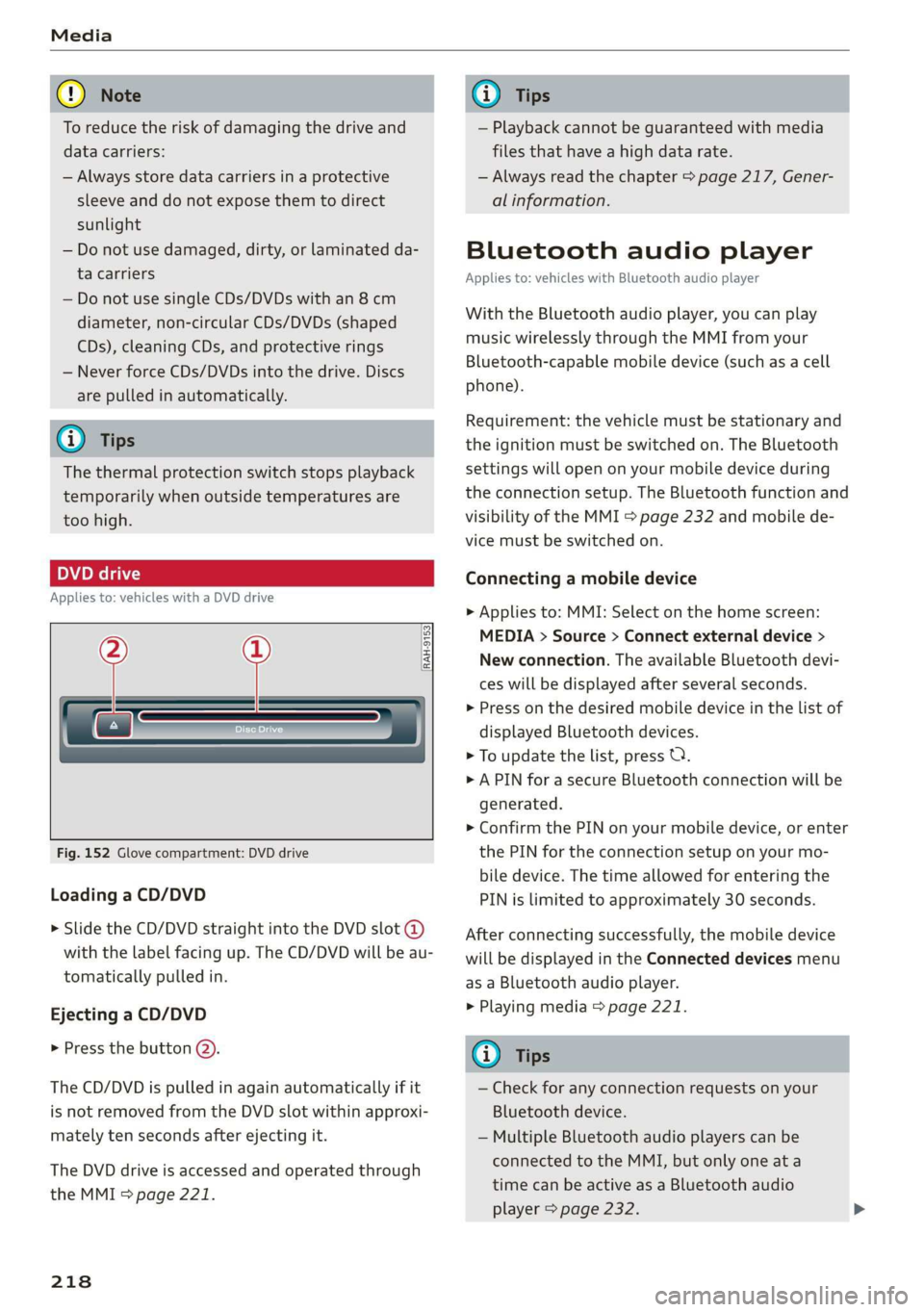
peel)
Applies to: vehicles with a DVD drive
RAH-9153
Fig. 152 Glove compartment: DVD drive
Loading a CD/DVD
> Slide the CD/DVD straight into the DVD slot @
with the label facing up. The CD/DVD will be au-
tomatically pulled in.
Ejecting a CD/DVD
> Press the button @).
The CD/DVD is pulled in again automatically if it
is not removed from the DVD slot within approxi-
mately ten seconds after ejecting it.
The DVD drive is accessed and operated through
the MMI > page 221.
218
G) Tips
— Playback cannot be guaranteed with media
files that have a high data rate.
— Always read the chapter > page 217, Gener-
al information.
Bluetooth audio player
Applies to: vehicles with Bluetooth audio player
With the Bluetooth audio player, you can play
music wirelessly through the MMI from your
Bluetooth-capable mobile device (such as a cell
phone).
Requirement: the vehicle must be stationary and
the ignition must be switched on. The Bluetooth
settings will open on your mobile device during
the connection setup. The Bluetooth function and
visibility of the MMI = page 232 and mobile de-
vice must be switched on.
Connecting a mobile device
> Applies to: MMI: Select on the home screen:
MEDIA > Source > Connect external device >
New connection. The available Bluetooth devi-
ces will be displayed after several seconds.
> Press on the desired mobile device in the list of
displayed Bluetooth devices.
> To update the list, press OQ.
> A PIN for a secure Bluetooth connection will be
generated.
> Confirm the PIN on your mobile device, or enter
the PIN for the connection setup on your mo-
bile device. The time allowed for entering the
PIN is limited to approximately 30 seconds.
After connecting successfully, the mobile device
will be displayed in the Connected devices menu
as a Bluetooth audio player.
> Playing media > page 221.
G) Tips
— Check for any connection requests on your
Bluetooth device.
— Multiple Bluetooth audio players can be
connected to the MMI, but only one ata
time can be active as a Bluetooth audio
player > page 232.
Page 223 of 310
4KE012721BB
Media
@) Note
— Pull the cable out of the Audi music inter-
face carefully so that the USB ports are not
damaged.
— Use a USB extension cable to connect devi-
ces that have an integrated USB connector
(such as a USB stick) to reduce the risk of
damage to your USB device and the Audi
music interface.
— Extremely high or low temperatures that
can occur inside vehicles can damage mobile
devices and/or impair their performance.
Never leave mobile devices in the vehicle in
extremely high or low temperatures.
@ Tips
— Always follow the information found in
=> page 75.
— When you switch the ignition off, the USB
ports are still supplied with power until the
energy management intervenes.
— Do not use an additional adapter cable or
USB extension cable to connect mobile devi-
ces to the Audi music interface that already
have a cable or that must be connected with
a USB adapter cable (> page 220, fig. 153).
Using an additional adapter or US extension
cable may impair functionality.
— Functionality is not guaranteed for mobile
devices that do not conform to the USB 2.0
specification.
— USB hubs are not supported.
— Video playback through the Audi music in-
terface is not supported on Apple and MTP
devices (such as smartphones).
— iPod or iPhone malfunctions also affect the
operation of the MMI. Reset your mobile de-
vice in these situations.
— Audi recommends updating the iPod or
iPhone software to the latest version. Refer
to your mobile device owner's manual for
more information.
— The USB adapter on the Audi music inter-
face will support iPod touch or iPhone devi-
ces from the 5th generation or newer with
the lightning connector.
— For more information about the Audi music
interface and supported devices, check the
Audi database for mobile devices at www.
audiusa.com/mp3 or contact an authorized
Audi dealer or authorized Audi Service Fa-
cility.
Playing media
The following sources can be selected depending
on the vehicle equipment:
— Amazon Alexa > page 220
—SD card > page 217.
— USB © page 220.
— DVD drive > page 218
— Connect external device: you can connect ex-
ternal devices via Bluetooth and use the Blue-
tooth audio player > page 218, or you can con-
nect an external device directly to the Audi mu-
sic interface > page 220.
— Connect online media > page 219.
Accessing media
Playing media files using the MMI
> Applies to: MMI: Select on the home screen:
MEDIA > Source > a source. Depending on the
connected device or online media service”, the
symbol for a source may change. The device
name may be displayed (for example: my-
Phone).
> Select a track from the categories in the media
center > page 222.
Playing media files using the multifunction
steering wheel
Requirement: a media drive must contain media
files > page 221.
> Select the Radio/Media tab using the multi-
function steering wheel.
> Turn the left thumbwheel to display the play-
list.
> To switch to a different source, press the [=|
button.
> To select a media file or a source, turn and
press the left thumbwheel.
221
Page 298 of 310
Index
Drive select
refer to Audi drive select.............0.. 98
Drive system. .... 20.2... 90
Audi drive select . cans 4 cicag at eaan ea ies 98
Emergency Off wv 2 x acne ov wews ye eeu 9 86
Switching on and off...............2005 86
Driving: OwntHills: cess» everene sania ee enero a 96
Driving programs « & sews 6 «eee os ees 88, 146
Driving through water...............004. 96
Driving time’: « s cose ¢ « eewy s nares Heme a sg 14
Driving tips
Driving through water...............00. 96
Efficient driving...............0000000. 91
Offrodd GriVinig < ees. yess as emus a wean ae 96
Uphill and downhill.................00. 96
Drivinig:up Hills: ¢ seus se oss ye ree yo ees 96
Dust filter
refer to Pollutant filter................. 84
DVD drive (media drives)................ 218
E
E-mail
MessageiOptionstn:. + « sss « « snemeue © « steceas + 179.
SettingS ... 0.6... cece eee eee 179
EDL
refer to Electronic Differential Lock...... 101
EDR
Event Data Recorder...............0.. 283
Efficiency assist =. « < sce: ss epee ye ees eee 135
Electrical system ..........-- 0s eee eee ee 239
Electricity
PEFer TO ENC cr » o san & 2 ees ¢ epee os 104
Electric motor
COOLANE wwe co aveana wa cana a 6 acenate © a anavar a 237
Electric ranges i « sca so were 6 ewe aw maa 204
Electromechanical parking brake.......... 93
Electronic Differential Lock.............. 102
Electronic immobilizer.............0.002. 33
Electronic Stabilization Control........... 101
Embedded SIM card................0055 185
Emergency assist.................0000- 158
Emergency assistance .......... 000s sees 269
Emergency braking function.............. 95
Emergency calliss so sisi se oesin so een 176,191
Emergency flasherst: « + ass 2 news ¢ wana ess 46
296
Emergency Mode «sce s veve ee ences ee eevee 90
Emergency operation
Doors... 2... ee eee 32
Luggage compartment lid............... 38
Panoramic glass roof...............2.4. 41
Energy
Current COMSUMPTION:. « 6 siesess s 6 eewcee & 6 soem 14
Reducing consumption................. 91
Energy recovery... 22.0.0 cece eee eee eee 90
Engine braking effect
refer to Recuperation................4. 90
Engine start system. ..............0.000. 87
Entry/exit lighting................--000- 46
ENMtry ASSISTANCE. « « senciw » 6 ssorane 0 canner 4 0 esos 58
also refer to Exit assistance............. 58
eSIM
refer to Embedded SIM card............ 185
Evasive steering assist.................- 152
Event Data Recorder (EDR).............. 283
Exit assistance... 0... eee eee eee 58
Exit warning.................0.00.00005 156
Exterior lighting.................022-00. 44
Exterior MIPPO0S ciwie so ccicee oo cere 6 weve oo 48
Folding settings ..............0000 0000s 30
External voice operation................. 25
F
Factory default settings
Multi Media Interface...............4. 232
Fast forwarding and rewinding (media file). 221
Fast forwarding (media files) ............ 221
FaStnOute’s a seca oo mee «2 mmm 9 6 em © eee 194
Favorites
Bluetooth.............. 000.0 e ee eee 233
NaVIGStOl sss « wes & > wee o x seme ¢ 5 ee 196
Telephone wssics so caves oo ssasens oo arenes 9 ¥ eee 174
Federal Communications Commission (FCC) . 289
File formats (media drives) .............. 227
FOG (WIRdOWS) zx x + sax © s coun ¢ 5 eee x 2 oe 83
Folding the rear seats.............-..00- 79
Footwell temperature............0..000. 84
For the sake of the environment
LOOKS ccs = = some 5 ¢ ene a eee x ee ee 235
Forward gear
FEPErtO Gears « easu ¢ s awe ¢ ¢ wees se wEEN 88