ECO mode AUDI E-TRON 2020 Owner's Manual
[x] Cancel search | Manufacturer: AUDI, Model Year: 2020, Model line: E-TRON, Model: AUDI E-TRON 2020Pages: 316, PDF Size: 85.96 MB
Page 170 of 316

Parking and maneuvering
@ Use the blue markings to help you estimate
the distance to an obstacle. Each marking
represents approximately 3 feet (1 meter).
The blue area represents an extension of the
vehicle's outline by approximately 16 feet (5
meters) to the rear.
@® You can recognize the rear bumper in the
lower display.
@ You should stop driving in reverse when the
red orientation line touches the edge of an
object, at the latest.
Trailer view
Applies to: vehicles with trailer view
The trailer view > fig. 129 assists you in position-
ing the vehicle in front of a trailer.
— Applies to: vehicles with peripheral cameras:
Switch to the Rear view > page 169, fig. 130.
— Select Trailer view in the upper display when
the parking aid is active |---|.
Now you can position your vehicle in front of the
trailer. The orange orientation line ©) > fig. 129
indicates the expected path toward the trailer
hitch. Use the blue markings © to help you esti-
mate the distance to the trailer hitch. Each mark-
ing represents approximately 1 foot (0.30 me-
ters). The width of the blue surface represents
the maximum steering wheel angle.
Symbols
If 2/&9/< is displayed and the display area
represented by that symbol is not available, then
the camera on the that side is not available. The
power exterior mirrors may have been folded in
or a door or the luggage compartment lid may
have been opened.
If # is displayed, there is a system malfunction
and the display area represented by that symbol
is not available. The camera is not working in this
area.
If Avis displayed, the respective ultrasonic sensor
is icy or dirty. Clean the area in front of the sen-
sors > page 129.
If one of the symbols continues to be displayed,
drive immediately to an authorized Audi dealer or
168
authorized Audi Service Facility to have the mal-
function repaired.
ZA\ WARNING
— Observe the safety precautions and note the
limits of the assist systems, sensors, and
cameras > page 127.
— Sensors and cameras have spots in which
the surrounding area cannot be detected.
Objects, animals, and people may only be
detected with limitations may not be detect-
ed at all. Always monitor the traffic and the
vehicle's surroundings directly and do not
become distracted.
@) Note
— The orange orientation lines @ show the di-
rection the rear of the vehicle will be travel-
ing, based on the steering wheel angle. The
front of the vehicle swings out more than
the rear of the vehicle. Maintain plenty of
distance so that an exterior mirror or a cor-
ner of the vehicle does not collide with any
obstacles.
— Keep enough distance from the curb to
avoid damage to the rims.
— Only use the images provided by the camera
on the rear of the vehicle when the luggage
compartment lid is completely closed. Make
sure any objects you may have mounted on
the luggage compartment lid do not block
the rearview camera.
G) Tips
— Applies to: vehicles with air suspension: The
accuracy of the orientation lines and blue
surfaces on the camera display decreases
when the vehicle is raised or lowered with
the air suspension.
— There is no distance warning for the rear
and the sides* when trailer towing mode is
detected. The front sensors remain activat-
ed. The visual display switches to trailer
mode. There is no guarantee the functions
will be deactivated when using a retrofitted
trailer hitch.
Page 189 of 316

4KE012721BE
Audi connect
Audi connect
General information
Applies to: vehicles with Audi connect
Depending on the country and the vehicle equip-
ment, the following functions may be available:
— Audi connect Infotainment
— Audi connect vehicle control
ZA WARNING
—To reduce the risk of an accident, only use
Audi connect services and the Wi-Fi hotspot
only if the traffic situation permits it. Read
and follow the guidelines provided in
= page 17, Traffic safety information.
— It is only safe to use tablets, laptops, mobile
devices and other similar devices when the
vehicle is stationary because, like all loose
objects, they could be thrown around the in-
side of the vehicle in a crash and cause seri-
ous injuries. Store these types of devices se-
curely while driving. Also read the warnings
in the chapter > page 65, General informa-
tion.
@) Note
— Applies to: embedded SIM card usage: The
connection costs of Audi connect Infotain-
ment services are included in the price of
Audi connect Infotainment during the sub-
scription
period with some exceptions.
Please note that there may be additional
charges when using some services. For ex-
ample, this applies to online radio/
podcasts, additional online data, or for In-
ternet connections and services that use the
Wi-Fi hotspot, such as online media sour-
ces. Depending on the country, data plans
may need to be purchased for these services
= page 192. For additional information, see
my.audi.com.
—Incertain situations, the Wi-Fi hotspot data
connection may be established as a replace-
ment for the SIM card on your Wi-Fi device.
This feature depends on the configuration
of your Wi-Fi device and operating system.
This could result in fees depending on your
cell phone service provider, especially if you
are using this feature while abroad. A flat
rate data plan is strongly recommended. For
more information, contact your cell phone
service provider or refer to the owner's man-
ual for your Wi-Fi device.
— You are responsible for all precautions taken
for data protection, anti-virus protection,
and protection against loss of data on mo-
bile devices that are used, for example, to
access the Internet through the Wi-Fi hot-
spot.
— In areas with poor GPS reception or outside
the coverage range of the respective cell
phone service provider, some functions
and/or services may not be available, it may
not be possible to send or receive data, or
functionality may be limited.
@) Tips
— The availability of services depends on the
subscription.
— Audi merely provides access to third party
services through the MMI and does not as-
sume any responsibility for the content and
availability of these services.
— Use of the most up-to-date mobile network
standard is not available in every country.
Contact an authorized Audi dealer or au-
thorized Audi Service Facility or your cell
phone service provider for additional infor-
mation.
— Availability, scope, providers, screen display,
and costs of services may vary depending on
the country, model, model year, end device
and rates.
Audi connect
Infotainment
Applies to: vehicles with Audi connect Infotainment
With Audi connect Infotainment services, online
information is transmitted directly to the vehicle.
An Internet connection is required to use Audi
connect Infotainment. Depending on the country >
187
Page 214 of 316
Navigation
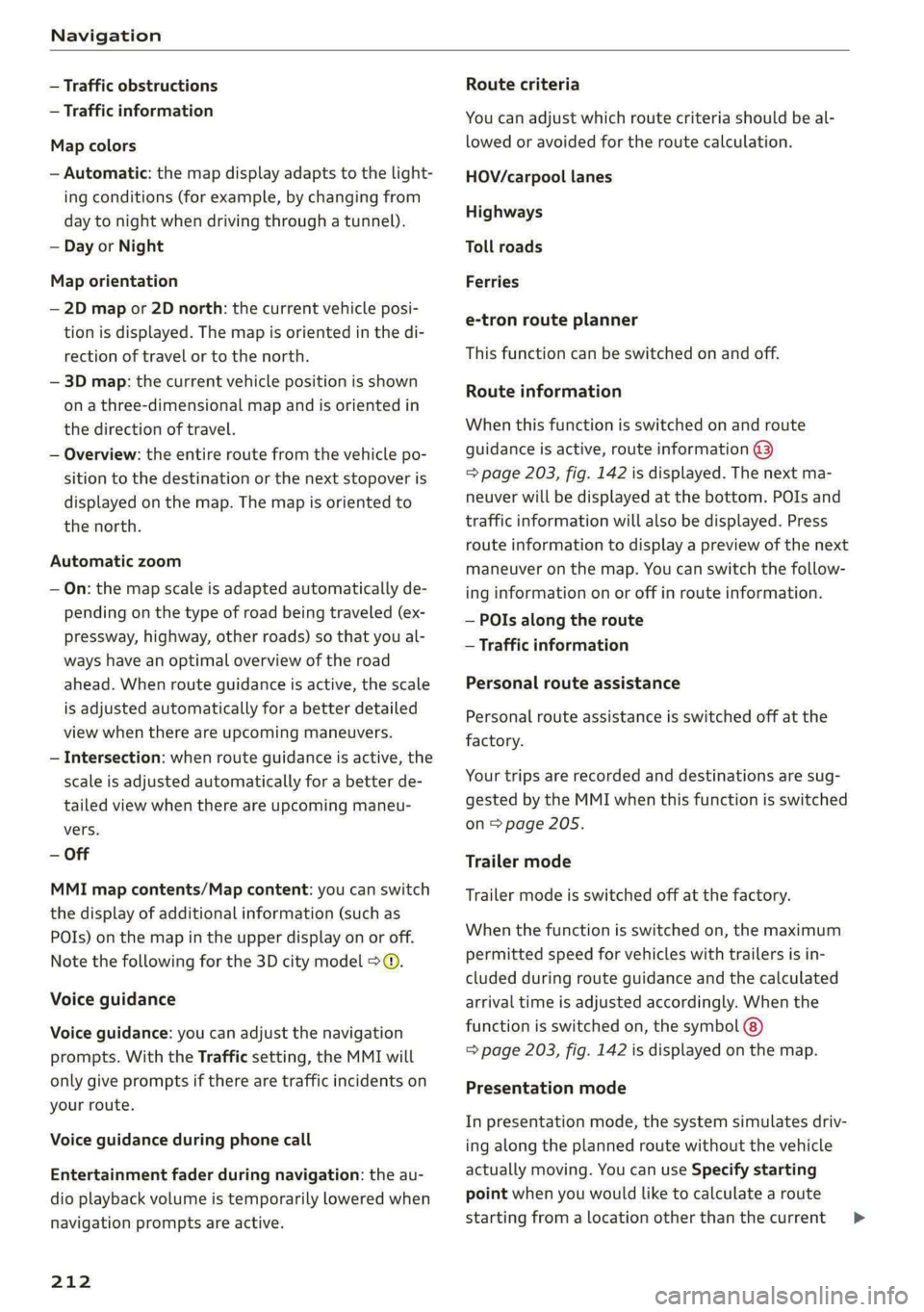
— Traffic obstructions
— Traffic information
Map colors
— Automatic: the map display adapts to the light-
ing conditions (for example, by changing from
day to night when driving through a tunnel).
— Day or Night
Map orientation
— 2D map or 2D north: the current vehicle posi-
tion is displayed. The map is oriented in the di-
rection of travel or to the north.
— 3D map: the current vehicle position is shown
on a three-dimensional map and is oriented in
the direction of travel.
— Overview: the entire route from the vehicle po-
sition to the destination or the next stopover is
displayed on the map. The map is oriented to
the north.
Automatic zoom
— On: the map scale is adapted automatically de-
pending on the type of road being traveled (ex-
pressway, highway, other roads) so that you al-
ways have an optimal overview of the road
ahead. When route guidance is active, the scale
is adjusted automatically for a better detailed
view when there are upcoming maneuvers.
— Intersection: when route guidance is active, the
scale is adjusted automatically for a better de-
tailed view when there are upcoming maneu-
vers.
— Off
MMI map contents/Map content: you can switch
the display of additional information (such as
POIs) on the map in the upper display on or off.
Note the following for the 3D city model > ©.
Voice guidance
Voice guidance: you can adjust the navigation
prompts. With the Traffic setting, the MMI will
only give prompts if there are traffic incidents on
your route.
Voice guidance during phone call
Entertainment fader during navigation: the au-
dio playback volume is temporarily lowered when
navigation prompts are active.
212
Route criteria
You can adjust which route criteria should be al-
lowed or avoided for the route calculation.
HOV/carpool lanes
Highways
Toll roads
Ferries
e-tron route planner
This function can be switched on and off.
Route information
When this function is switched on and route
guidance is active, route information ©)
=> page 203, fig. 142 is displayed. The next ma-
neuver will be displayed at the bottom. POIs and
traffic information will also be displayed. Press
route
information to display a preview of the next
maneuver on the map. You can switch the follow-
ing information on or off in route information.
— POIs along the route
— Traffic information
Personal route assistance
Personal route assistance is switched off at the
factory.
Your trips are recorded and destinations are sug-
gested by the MMI when this function is switched
on > page 205.
Trailer mode
Trailer mode is switched off at the factory.
When the function is switched on, the maximum
permitted speed for vehicles with trailers is in-
cluded during route guidance and the calculated
arrival time is adjusted accordingly. When the
function is switched on, the symbol @)
=> page 203, fig. 142 is displayed on the map.
Presentation mode
In presentation mode, the system simulates driv-
ing along the planned route without the vehicle
actually moving. You can use Specify starting
point when you would like to calculate a route
starting
from a location other than the current >
Page 235 of 316
4KE012721BE
Media
@) Tips
— The media sources do not support the Win-
dows Media Audio 9 Voice format.
— For compressing MP3 files, AUDI AG recom-
mends a bit rate of at least 160 kbit/s. The
display showing the remaining play time
may differ for audio files with variable bit
rate.
— Special characters (such as those in ID3 tag
information) may display differently or may
Troubleshooting
The information that follows lists some trouble-
shooting options. They depend on the equip-
not always display, depending on the sys-
tem language.
—The manufacturer of the storage device can
provide information about its “USB Device
Subclass”.
— Some MTP player functions are not support-
ed, such as rating music tracks and video
playback.
ment.
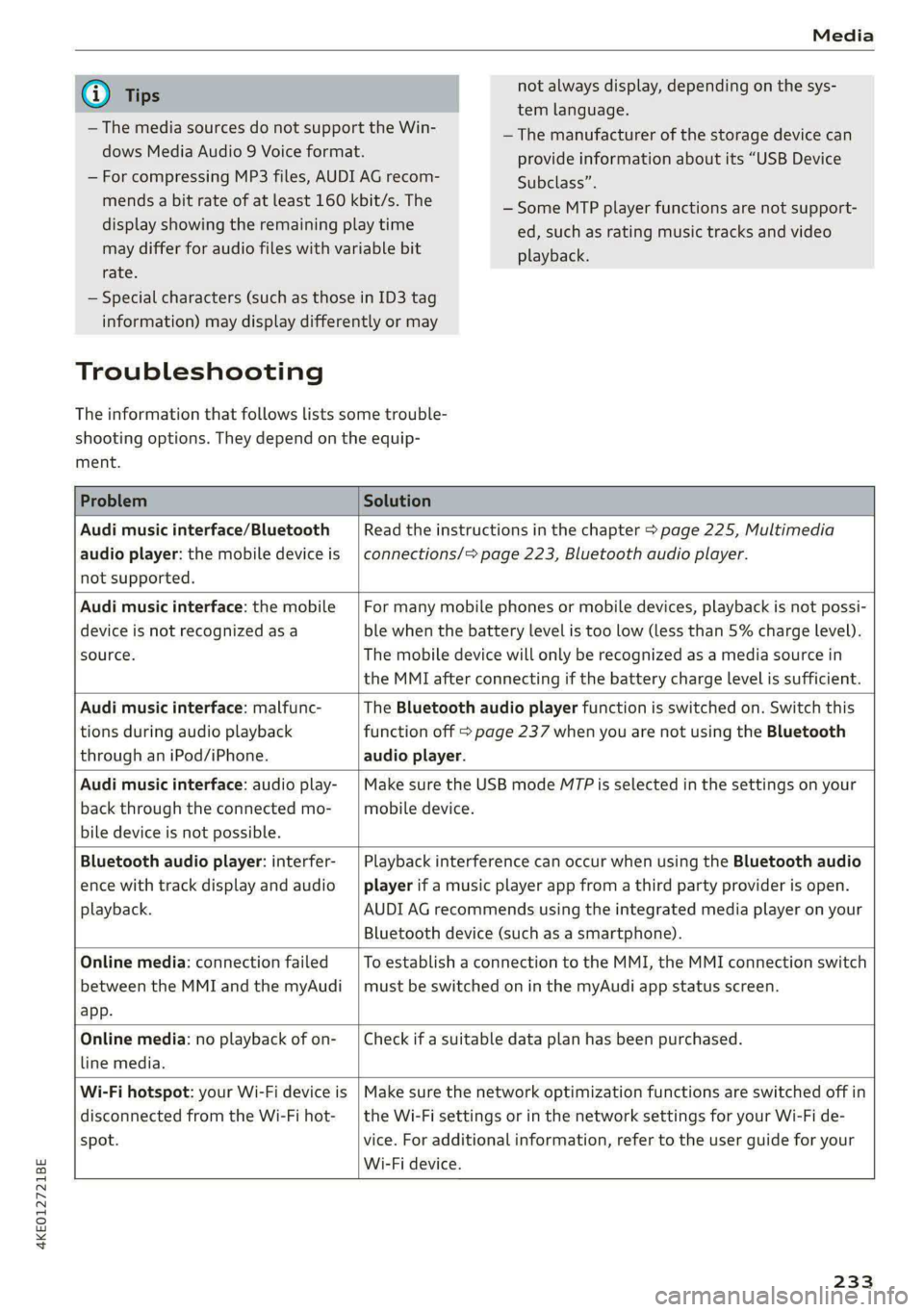
Problem Solution
Audi music interface/Bluetooth
audio player: the mobile device is
not supported.
Read the instructions in the chapter > page 225, Multimedia
connections/> page 223, Bluetooth audio player.
Audi music interface: the mobile
device is not recognized as a
source.
For many mobile phones or mobile devices, playback is not possi-
ble when the battery level is too low (less than 5% charge level).
The mobile device will only be recognized as a media source in
the MMI after connecting if the battery charge level is sufficient.
Audi music interface: malfunc-
tions during audio playback
through an iPod/iPhone.
The Bluetooth audio player function is switched on. Switch this
function off > page 237 when you are not using the Bluetooth
audio player.
Audi music interface: audio play-
back through the connected mo-
bile device is not possible.
Make sure the USB mode M7P is selected in the settings on your
mobile device.
Bluetooth audio player: interfer-
ence with track display and audio
playback.
Playback interference can occur when using the Bluetooth audio
player if a music player app from a third party provider is open.
AUDI AG recommends using the integrated media player on your
Bluetooth device (such as a smartphone).
Online media: connection failed
between the MMI and the myAudi
app.
To establish a connection to the MMI, the MMI connection switch
must be switched on in the myAudi app status screen.
Online media: no playback of on-
line media.
Check if a suitable data plan has been purchased.
Wi-Fi hotspot: your Wi-Fi device is
disconnected from the Wi-Fi hot-
spot.
Make sure the network optimization functions are switched off in
the Wi-Fi settings or in the network settings for your Wi-Fi de-
vice. For additional information, refer to the user guide for your
Wi-Fi device.
233
Page 247 of 316
4KE012721BE
Checking and Filling
Battery
ella mele ele sce)
Because of the complex power supply, all work on
batteries such as disconnecting, replacing, etc.,
should only be performed by an authorized Audi
dealer or authorized Audi Service Facility > A\.
Batteries with different technologies are instal-
led in your vehicle:
— 12 Volt vehicle battery (for example, for basic
power supply) > page 245, 12 Volt vehicle bat-
tery
— High-voltage battery (for example, for electric
drive system, climate control) > page 107, In-
troduction
Not running the vehicle for long periods of
time
When the vehicle is not used for long periods, the
12 Volt vehicle battery will drain little by little. To
ensure that the vehicle can still be started, the
electrical equipment will be limited or switched
off. Some convenience functions, such as interior
lighting or power seat adjustment, may not be
available under certain circumstances. The con-
venience functions will be available again when
you establish drive ready mode.
Even when electrical equipment is switched off,
the equipment can still drain the 12 Volt vehicle
battery if the vehicle is not driven for long peri-
ods of time. Deep draining results in a chemical
reaction that destroys the inside of the battery.
To reduce the risk of this, the battery must be
charged monthly by an authorized Audi dealer or
authorized Audi Service Facility > page 246. Con-
tact an authorized Audi dealer or authorized Audi
Service Facility for more information.
Winter operation
Cold weather places an especially high load on
the 12 Volt vehicle battery. Have the battery
checked by an authorized Audi dealer or author-
ized Audi Service Facility before cold weather be-
gins.
ZA\ WARNING
All work on the battery or electrical system in
your vehicle can result in injuries, chemical
burns, accidents, or burns. Because of this, all
work must be performed only by an author-
ized Audi dealer or authorized Audi Service Fa-
cility.
A WARNING
California Proposition 65 Warning:
— Battery posts, terminals and related acces-
sories contain lead and lead compounds,
chemicals known to the State of California
to cause cancer and reproductive harms.
Wash hands after handling.
@) Note
If the vehicle will be parked for long periods
of time, protect the 12 Volt vehicle battery
against the cold so that it will not “freeze”
and become damaged. Have the battery
charged by an authorized Audi dealer or au-
thorized Audi Service Facility > page 246,
Charging the 12 Volt vehicle battery.
12 Volt vehicle battery
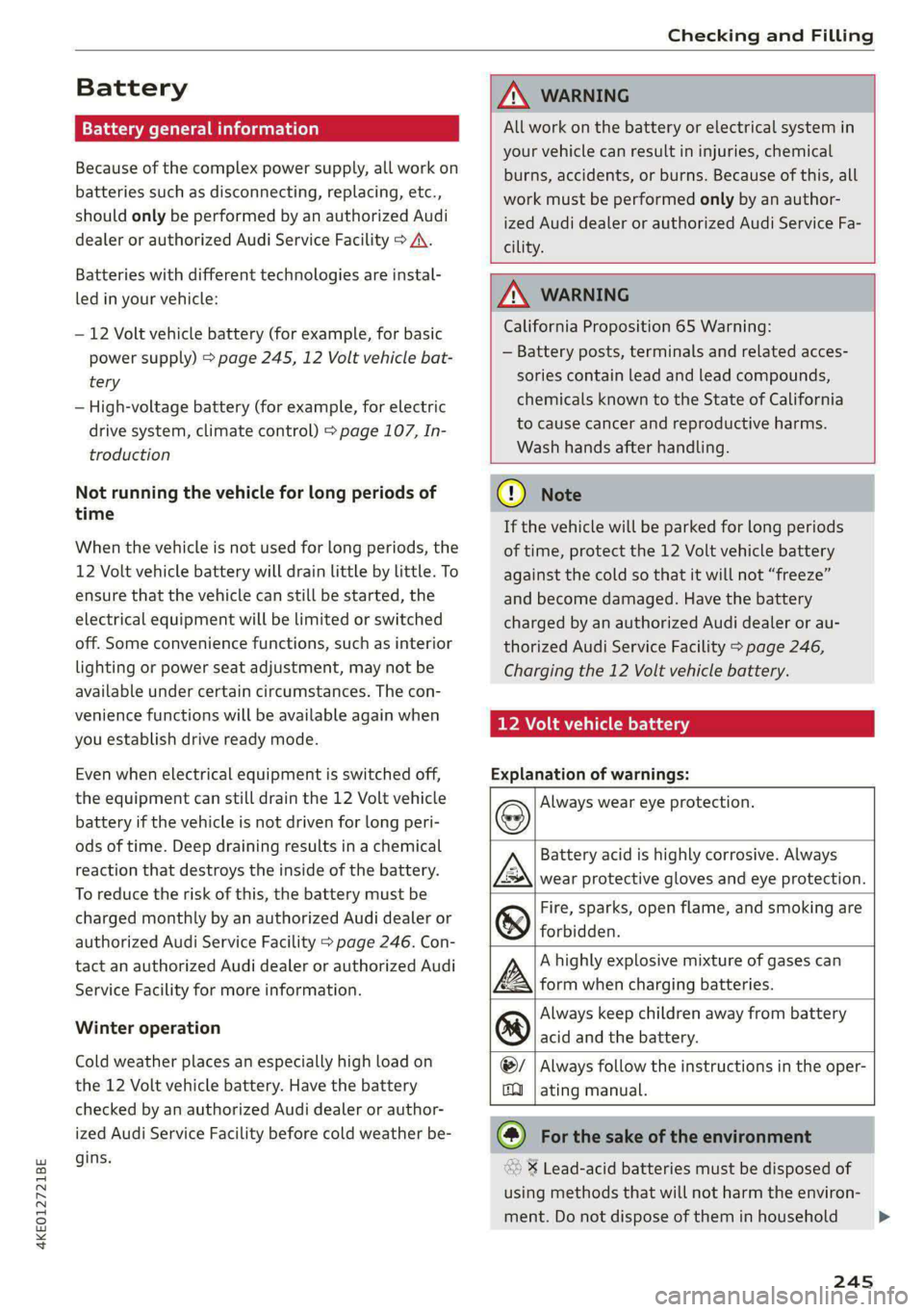
Explanation of warnings:
Battery acid is highly corrosive. Always
wear protective gloves and eye protection.
Fire, sparks, open flame, and smoking are
®& forbidden.
@/
ma
Always wear eye protection.
A highly explosive mixture of gases can
A» form when charging batteries.
Always keep children away from battery
®) acid and the battery.
Always follow the instructions in the oper-
ating manual.
@) For the sake of the environment
% Lead-acid batteries must be disposed of
using methods that will not harm the environ-
ment. Do not dispose of them in household
245
>
Page 257 of 316

4KE012721BE
Wheels
by the tire manufacturer. This in-
formation is used to contact con-
sumers if a tire defect requires a
recall.
Vehicle capacity weight
means the rated cargo and lug-
gage load plus 150 lbs. (68 kilo-
grams) times the vehicle's desig-
nated seating capacity.
Vehicle maximum load on the
tire
means that load on an individual
tire that is determined by distrib-
uting to each axle its share of the
maximum loaded vehicle weight
and dividing by two.
Vehicle normal load on the tire
means that load on an individual
tire that is determined by distrib-
uting to each axle its share of the
curb weight, accessory weight,
and normal occupant weight (dis-
tributed in accordance with > ta-
ble on page 260) and dividing by
two.
Occupant loading and distri-
bution for vehicle normal load
for various designated seating
capacities
Refer to the tire inflation pressure
label > page 258, fig. 164 for the
number of seating positions. Re-
fer to the table > table on
page 260 for the number of peo-
ple that correspond to the vehicle
normal load.
New tires or wheels
Audi recommends having all work
on tires or wheels performed by
an authorized Audi dealer or au-
thorized Audi Service Facility.
These facilities have the proper
knowledge and are equipped with
the required tools and replace-
ment parts.
>New tires do not yet have the
optimal gripping properties.
Drive carefully and at moderate
speeds for the first 350 miles
(500 km) with new tires.
> Only use tires with the same de-
sign, size (rolling circumfer-
ence), and as close to the same
tread pattern as possible on all
four wheels.
>Do not replace tires individually.
At least replace both tires on the
same axle at the same time.
> Audi recommends that you use
Audi Original Tires. If you would
like to use different tires, please
note that the tires may perform >
255
Page 262 of 316
Wheels
Make sure that the tire designa-
tion on your tire matches the des-
ignation on the tire pressure label
and the tire pressure table.
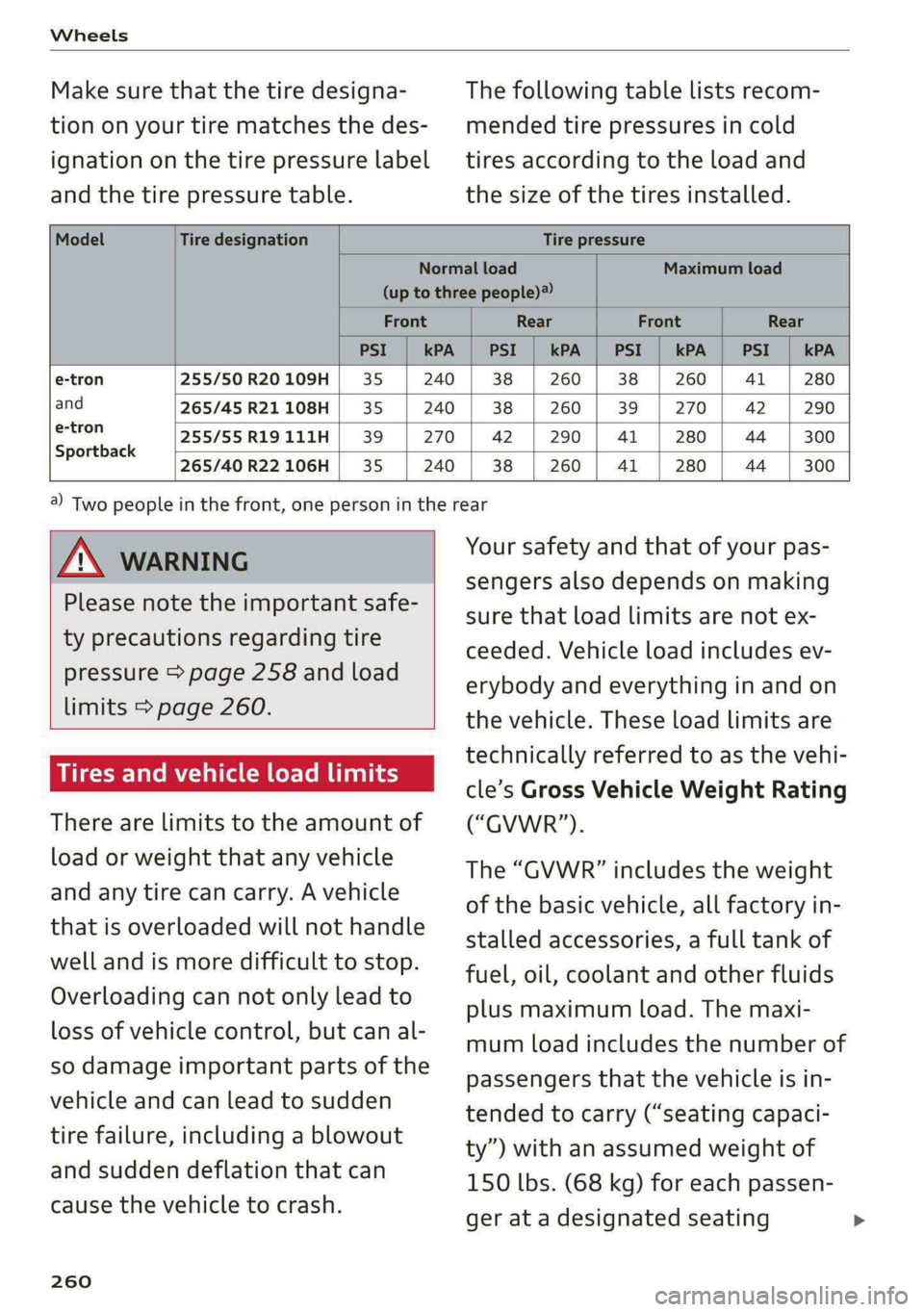
The following table lists recom-
mended tire pressures in cold
tires according to the load and
the size of the tires installed.
Model Tire designation Tire pressure
Normal load Maximum load
(up to three people)
Front Rear Front Rear
PSI kPA PSI kPA PSI kPA PSI kPA
e-tron 255/50 R20 109H 35 240 38 260 38 260 41 280
and 265/45 R21 108H 35 240 38 260 39 270 42 290
ertron 255/55R19111H | 39 | 270 | 42 | 290 | 41 | 280 | 44 | 300
Sportback
265/40 R22 106H 35 240 38 260 41 280 44 300
Z\ WARNING
Please note the important safe-
ty precautions regarding tire
pressure > page 258 and load
limits > page 260.
Tires and vehicle load limits
There are limits to the amount of
load or weight that any vehicle
and any tire can carry. A vehicle
that is overloaded will not handle
well and is more difficult to stop.
Overloading can not only lead to
loss of vehicle control, but can al-
so damage important parts of the
vehicle and can lead to sudden
tire failure, including a blowout
and sudden deflation that can
cause the vehicle to crash.
260
4) Two people in the front, one person in the rear
Your safety and that of your pas-
sengers also depends on making
sure that load limits are not ex-
ceeded. Vehicle load includes ev-
erybody and everything in and on
the vehicle. These load limits are
technically referred to as the vehi-
cle’s Gross Vehicle Weight Rating
(“GVWR”).
The “GVWR” includes the weight
of the basic vehicle, all factory in-
stalled accessories, a full tank of
fuel, oil, coolant and other fluids
plus maximum load. The maxi-
mum load includes the number of
passengers that the vehicle is in-
tended to carry (“seating capaci-
ty”) with an assumed weight of
150 lbs. (68 kg) for each passen-
ger at a designated seating
Page 294 of 316
Accessories and technical changes
Accessories and
technical changes
Warranty
Your vehicle is covered by various warranties:
— New Vehicle Limited Warranty
— Limited Warranty Against Corrosion Perforation
— Applies to: USA models: Kansas Safety Belt
Limited Warranty
You can find detailed information in your Warran-
ty & Maintenance Booklet.
Audi Literature Shop
Service information is made available as soon as
possible after a model is introduced and can be
ordered in the Audi Literature Shop: http://
literature.audiusa.com
Driving in other
countries
Government regulations in the United States and
Canada require motor vehicles to comply with
emissions regulations and safety standards.
Therefore, vehicles that were produced for the
U.S. and Canadian markets are different from
vehicles produced for other countries.
If you plan to use your vehicle outside of the
United States or Canada, it is possible that:
— Proper maintenance and repair work may not
be possible because special service equipment,
tools, or measuring devices needed for your ve-
hicle may not be available.
— Replacement parts may not always be availa-
ble.
— Navigation systems for vehicles built for the
U.S.A. and Canada will not necessarily work in
Europe, and may not work in other countries.
@) Note
Audi is not liable for damage to the vehicle re-
sulting from these country-specific differen-
ces.
292
Maintenance, repairs,
and technical modifi-
cations
Observe the safety precautions > page 240, Gen-
eral information and > page 278, Raising the ve-
hicle.
General information
Due to the increasing complexity of technology in
these vehicles, as well as the safety and environ-
mental standards that apply, you can only per-
form a very limited amount of repairs and modifi-
cations to the vehicle yourself.
Proof of maintenance work may be required to
submit a claim within the warranty period.
We recommend that you have your vehicle serv-
iced by an authorized Audi dealer or authorized
Audi Service Facility and that Audi Genuine Parts
and Audi Genuine Accessories are used. This
helps to ensure that your vehicle's functionality,
performance, and safety are not impaired.
Maintenance and repairs
Your vehicle was designed to help keep mainte-
nance requirements to a minimum. Some regular
maintenance is required to help ensure that your
vehicle runs in a safe, economical, and reliable
manner. Please refer to your Warranty & Mainte-
nance Booklet for more detailed information
about vehicle maintenance.
When operating the vehicle under more extreme
operating conditions, for example when outside
temperatures are very low or in very dusty envi-
ronments, certain maintenance should be per-
formed between the specified intervals.
Usually maintenance and repair work requires
special tools, measuring devices, and other
equipment that is available to trained vehicle
technicians in order to help ensure that your vehi-
cle and all of its systems operate correctly, relia-
bly, and safely. Performing work on the vehicle
incorrectly can impair the operation and reliabili-
ty of your vehicle and may void one or more of
your vehicle's warranties.
Page 304 of 316
Index
Driver information system................ 12
Drives
refer to Media................-.. 222,226
Drive select
refer to Audi drive select............... 101
Drive systeM... 0... eee eee ee 92
Audi drive'select » ss « s swe 4 2 seen ss 101
Emergency Off esses. «2 eases 4s ewan «wasn 6 6 88
Switching on and off...............000- 88
Driving down hills......... 0.00... c eee eee 98
Driving programs « « scvers ev vases « # essen 91,151
Driving through water................05. 99.
DEiVING UME: ¢ = sewn « » mews 2 y ew ¢ ewer as g 14
Driving tips
Driving through water..............0005 99
Efficient driving................000000- 94
Offroad GHiVING « wsme wormx 2 sewn xe tow ee 99
Uphill and downhill.................0.. 98
Driving:up hills:. « 5 sie 2s wns os men oo ewe 98
DVD drive (media drives)................ 223
E
E-mail
Messageroptionste:s « « sees « sascees ¥ 0 seems 182
SettingS .. 0.6... cece eee eee eee 182
EDL
refer to Electronic Differential Lock...... 104
EDR
refer to Event Data Recorder (EDR)...... 288
Efficiency assist «: « sees s x ees se een ewe 140
Electrical system. .........-.. eee eee ee 244
Electric drive systeM..........0 2.00 e eee 92
Electricity
refer to Energy ess xs sews se ees se eee 107
Electric motor
COOLANE sso x 2 sews 5 e ears & & eee 2 2 RES + 242
Electric range’: s : samy « & eases « © eave 4s eee 208
Electromechanical parking brake.......... 96
Electronic Differential Lock.............. 104
Electronic immobilizer...............00-. 34
Electronic Stabilization Control........... 104
Embedded SIM card.........0.ceeeeeuee 188
Emergencyassist ccc ss scam vena eo woven 162
Emergency assistance woccs sc ceuwa see a es 274
Emergency braking function.............. 97
302
Emergency'calliiss © a saver v samen ¥ seve 179, 194
Emergency flashers..........0.eeceeeeee 47
Emergency mode « vas s i sews ss eeun sv eeu s 92
Emergency operation
DOOMS 2 « sess so wane oceans vee wo ote 32
Luggage compartment lid............... 38
Panoramic glass roof.................-. 41
Energy
Current consumption................... 14
Reducing consumption................. 94
ENergy TECOVENY cers xo essere wo eessine wo ctv & oa 92
Engine braking effect
refer to Recuperation.................. 92
Engine’StartisyStei over. « cose o 6 evenenn occa 89
Entry/exit UIGhting:in. . «sce sv nasi sw mane ve 47
Entry
assistance: « «sess % wens 6 o savers & were 58
also refer to Exit assistance............. 58
ESCOPROAM cecisecs 5 «: sacra 5 x answers « o amaesnn aw oi 105
eSIM
refer to Embedded SIM card............ 188
Event Data Recorder (EDR).............. 288
Exiteassistanee «case so sauce ao nine ow mm os 58
EXIGE Wari Giccses « 5 sscses « & assem oo seamen oo ewes 160
Exterior lighting: « «eves + 2 omen oe see 2 2 ws 45
Exterior MUIfOrS saws ss cews so caw s waa ss 49
Foldingisettings snc = semis a 2 suansne 0 s wasn 6 30
External voice operation................. 25
FE
Factory default settings
Multi Media Interface................. 237
FaStrOute’s cuse x «ance ao uminece ow anaes + een 198
Favorites
Bluetooth.............. 0.02. 238
NaViGatiOniscs « weees + wees o x some ¢ 5 nee 200
TELEPHONE sesso: x x amewes ov sawn o 2 omens @ oom 178
Federal Communications Commission (FCC) . 295
File formats (media drives) .............. 232
FOG WINKOWS), see = wacx © s eeu 4 s em « go 84
Folding the rearseats.............-..0-- 79
Footwell temperature............00.000. 85
For the sake of the environment
L@AKS icc: & : sayse 5 2 ewe 2 2 See x ee ge 241
Forward gear
FEFEPTO' GEA sx = « name = ¥ carne « ¥ nase x 2 eae 90
Page 306 of 316

Index
I
Idle
refer tO'Gears « s waws so wows 9 i oes a ce ee 90
Ignition
Switching on and off..................- 88
Imbalance (wheels) ...........5....0005 257
Immobilizer
refer to Electronic immobilizer........... 33
Indicator lights 2 wen 2s wees a news ov wee ove 7
Inspection interval............--.2+--5- 246
Instrument cluster.............2--000005 11
‘Adjusting the layout ees «sccm ew were « v oe 12
Cleaning... . 6... cece eee eee eee 270
FailUfes : seme : coe & ¢ GaGH s 2 Bem sD eee 11
Motorcodes: « s ses + eosnw + wenn ae meee a x 239
On-board computer..............2..04. 14
Operating: ; secs zs Hees so ene oo Hees so 12
Personal-profile « wscccc ao amen we eve =o mona 11
Service interval display................ 246
Software information................. 239
SWitchitig tabS's « wawy s ¢ sevas « ¢ soem « 2 eae 12
Switching the view...............-.000- 12
Vehicle functions ......... 0.0 eee eee eee 14
Version information..............0005 239
Instrument illumination................- 49
Integrated assistance. ......... 0. cee eee 17
Integrated Toll Module................. 137
Intelligent search
NaViGatiGniies + s esau x x ween 2 mewn vs Ree x 198
Interference-Causing Equipment Standard
QIGES)|s swceine oo weemces w o seavwms 2 a mvewe & a owe oo 296
Interior lighting
Intermittent mode (windshield wipers) ..... 51
International travel...............00005 192
Internet
refer to connect s = » 28: s2e5 ss een ey 187
Internet radio
refer to Online radio...............04. 218
Intersection assistant...............04. 161
TONIZEMs = wae & ¢ sete & eee be ee be ee 84
iPhone
refer to Audi music interface........... 225
304
J
Jump starting....................0000. 281
K
Key. eee eee eee 29, 33
Convenience opening and closing......... 40
Key replacement... . 00... ccs eee ee eee 33
Mechanical key............. 0000002000 33
NOt reCOGnizéd « = scias ¢ = seus ts same oe eas 89
PANIG KO Yi 2 x cscwcse 2 2 aecmtus o 0 cocoa @ 2 amances we 33
Replacing the battery.................. 35
Unlocking and locking............-...-- 34
Vehicle code « seins s x sens & 2 sees ¥ 5 wae 2 es 33
K@Y USED ic «© ees so eee ss Howe go ews ee Ges 28
Kick-COWiis: < 2 axan x x ere o 2 meme £ eee 2 oe 91
L
Lane assist
refer to Lane departure warning......... 153
refer to Lane guidance................ 153
Lane departure warning................. 153
Cleaning the camera area.............. 269
Lane guidance................--00 00 ee 146
LASERSEANME ex. 5 cscs + 4 essen « 9 aesten « oramen 128
Cleaning....... 6... cece eee eee eee 270
LATCH (securing child safety seats)......... 71
Launch Control.............0 0.00 e eee eee 91
Leather care and cleaning............... 271
Legal information
License subscriptions..............00. 238
Software information..............005 238
Software licemsesies: «sien ss mani ie x aware 2 238
Version information...............05- 238
License plate bracket...............0000. 294
Lifting points (vehicle jack).............. 278
Light/rain sensor
Headlights ....... 0... 0. cece eee ee eee 45
Intermittent mode (windshield wipers).... 51
Lighting
EXteriGr's « gsc « + awom s x ewe 4 2 rere so 45
TINGCHIONs scence » © caameue 5 © oneswue © 0 nae Bw Re © 48
LIQHtS:s & coccens v + cosnene ve accom we mene ow am © 45
Lights on the charging port
refer to Charging display............... 113