interior lights AUDI E-TRON 2020 Owners Manual
[x] Cancel search | Manufacturer: AUDI, Model Year: 2020, Model line: E-TRON, Model: AUDI E-TRON 2020Pages: 316, PDF Size: 85.96 MB
Page 4 of 316
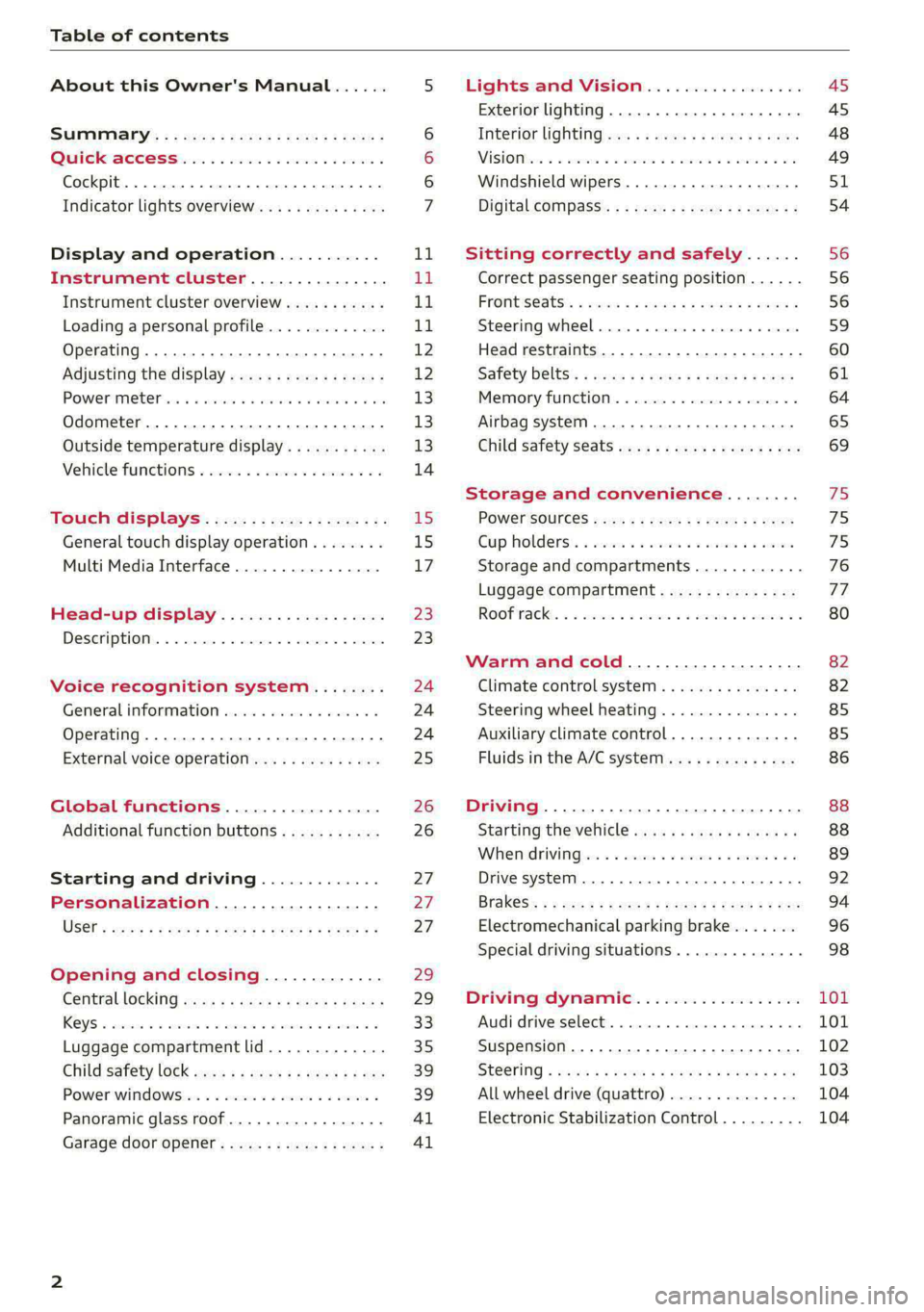
Table of contents
About this Owner's Manual......
SUMIMAry: < = exe : eens: Seen cs sens
QutckeaeCe ssh: «i esis se ois a eaves @
Cockpit. ...... 0... eee eee eee eee
Indicator lights overview...........4..
Display and operation...........
Instrument cluster...............
Instrument cluster overview...........
Loading a personal profile.............
Operating......... 2.00. cece eee eee
Adjusting the display.................
POWEP IMGT cis 6s. sxcwsue o svanens ow shaun 6 a 80a
Odometer.............. cee eee eee ee
Outside temperature display...........
Vehicle functions « ss... seen ve ome ee
TOUCH GISBIAYS): cscs « : wows st eens:
General touch display operation........
Multi Media Interface................
Head-up display..................
DeSGrIPELOIN:. « + asowies « a seen < awtine » coven
Voice recognition system........
General information 00. coe. wen es
Operating..................0..0000.
External voice operation..............
Global functions.................
Additional function buttons...........
Starting and driving.............
Personalization..................
Opening and closing.............
Centrablocking gas « x saws < # aene « naunes
KEYS « sscesus oo oases va aamies wot aeons v Be
Luggage compartment lid.............
Child’satety lOCK sms ¢ ¢ semw se cease ¢ een
Power windowsSec oo vase x a mwas ¥ a arasws ¥
Panoramic glass roof.................
Garage door opener............0.00..
NOD
OO
11
ga:
11
11,
12 12 13 13
13
14
15
15
17
Z3
23
24 24 24
25
26
26
27 27 27
29;
29
33 35
39 39
41 Al
Lights and Vision................. 45
Exterior lighting...............0000ee AS
Interior lightingissss « ¢ ews + ¢ ees es eee 48
MiSIOM iss +o seas os aroma oo ewe wo eS wars 49
Windshield wipers................05- S51
Digital compass’ « < sces ss sees sz wees ae 54
Sitting correctly and safely...... 56
Correct passenger seating position...... 56
PROMUSCStS: + wares x x nouns 6 e RawER ye eae 8 56
Steering wheel. ...........00.- ee ee ee 59
Head restraints...................00. 60
Safety belts’: ¢ esas ss mean ¢ o cere oe ee 61
Memory function..............-.0004 64
Airbag system. .... 2. ee eee eee eee 65
Child safety seats.................000- 69
Storage and convenience........ 75
PoW6r SOUICES scx ¢ x sous x sees x foes 75
Cup holdersss « seiwse + «cnn sw senses + = enue 75
Storage and compartments............ 76
Luggage compartment............... oe
ROOF PACK « + iannce 4 o amiss oo mses ao omamau ¥ 6 80
Warm and cold................... 82
Climate control system............... 82
Steering wheel heating............... 85
Auxiliary climate control.............. 85
Fluids in the A/C system.............. 86
Driving................. 0.00.00 000. 88
Starting the vehicle. ..........eee cues 88
Whenrdrivingser. sess os eeu oe emcee ves 89
Drive system... 02... ee eee eee 92
Brak@Sk: « » seg « eae e + neem © x seme ee ee 94
Electromechanical parking brake....... 96
Special driving situations.............. 98
Driving dynamic.................. 101
Audi drive:seleets, . scvceie «0 assne oo mien oo 101
Suspension..............0 2.020000 ee 102
SEGELING « weg w 5 saree a & wane 5 4 wee 2 Ee 103
All wheel drive (quattro) .............. 104
Electronic Stabilization Control......... 104
Page 26 of 316

Voice recognition system
Voice recognition system
General information
Applies to: vehicles with voice recognition system
You can operate many functions in the vehicle
easily using voice commands.
Using the voice recognition system optimally
> Speak clearly and distinctly at a normal volume.
Speak louder when driving faster.
> Emphasize the words in the commands evenly
and do not leave long pauses.
> Close the doors, the windows, and the sunroof*
to reduce background noise. Make sure that
passengers are not speaking when you are giv-
ing a voice command.
> Do not direct the vents toward the hands-free
microphone, which is in the roof headliner near
the front interior lights.
> Only the driver should speak to the system, be-
cause the handsfree microphone is aimed to-
ward this seating position.
ZA\ WARNING
— Direct your full attention to driving. As the
driver, you have complete responsibility for
safety in traffic. Only use the functions in
such a way that you always maintain com-
plete control over your vehicle in all traffic
situations.
— Do not use the voice recognition system in
emergencies because your voice may change
in stressful situations. The system may take
longer to dial the number or may not be
able to dial it at all. Dial the emergency
number manually.
G) Tips
There are no voice guidance* prompts when a
dialog is active.
24
Operating
Applies to: vehicles with voice recognition system
See
Dat)
Where is a
Connect
Diala
coy
Es
ea
cog
Fig. 19 Upper display: voice recognition system
Switching the voice recognition system on or
off
Requirement: the ignition and the MMI must be
switched on. A system language supported by
the voice recognition system must be set. There
must be no phone calls in progress and the park-
ing aid must not be active.
> To switch the voice recognition system on,
briefly press the «€ button on the multifunction
steering wheel, or depending on the context,
press wt in the upper display.
> To switch the voice recognition system off,
press and hold the « button on the multifunc-
tion steering wheel, or say or press Cancel (4).
Using the voice recognition system
In the voice recognition system menu, possible
commands or help settings are displayed for the
current dialog @).
> Say the desired command after the signal tone.
> To receive additional help for the current dia-
log, say or press Help (2).
> To pause voice recognition, say or press Pause
@. To reactivate voice recognition, press ()
again or briefly press the «€ button on the mul-
tifunction steering wheel.
> Applies to: MMI: Select on the home screen:
SETTINGS > General > (Speech dialog system)
> Allow commands during voice output. If the
function is switched on, you can simply say a
new command during a prompt.
Activating the online recognizer
Applies to: vehicles with online recognizer
You can activate the online recognizer for addi-
tional functions and to improve the results of >
Page 43 of 316

4KE012721BE
Opening and closing
Panoramic glass roof
Operating the p ic glass roof and
roof sunshade
Applies to: vehicles with panoramic glass roof and roof sun-
shade
Fig. 34 Headliner: panoramic glass roof and sunshade*
buttons
The control buttons are equipped with a two-
stage function.
When tilting or opening the roof, the roof sun-
shade will open partially or completely if the sun-
shade is closed.
Operating the roof sunshade
> Opening and closing the sunshade: slide the
switch in in the headliner @) forward or toward
the rear to the second level.
> Partially opening the sunshade: press the
switch to the first level until the sunshade
reaches the desired position.
Operating the roof
> Tilting the roof: press the 2S switch in the
headliner briefly upward to the second level @).
> Closing the tilted roof: pull the 2 switch
downward briefly to the second level.
> Opening the roof: Push the 2S switch back
briefly to the second level @).
> Closing the roof: push the 2S switch forward
briefly to the second level.
> Opening or closing partially: slide the A>
switch to the first level and hold it there until
the roof reaches the desired position.
Quick opening
You can also open the roof and roof sunshade in
one movement.
> Push the > switch back briefly to the second
level @) twice in a row.
Roof emergency closing
If an object is detected when closing, the roof
will open again automatically. In this case, you
can then close it with the power emergency clos-
ing function.
> Within five seconds after the sunroof opens au-
tomatically, pull the applicable button until the
roof is closed.
ZA WARNING
To reduce the risk of injury, always pay atten-
tion when closing the roof. Always switch the
ignition off and take the key with you when
leaving the vehicle.
CG) Note
Always close the roof when you leave the vehi-
cle and when there is precipitation to reduce
the risk of damage to the interior equipment,
particularly the electronic equipment.
G) Tips
— After switching off the ignition, the roof and
sunshades can still be operated for several
minutes as long as neither of the front
doors have been opened.
— It is not possible to open the roof when
temperatures are too low.
Garage door opener
Applies to: vehicles with garage door opener
With the garage door opener, you can activate
systems such as the garage doors, security sys-
tems or house lights from inside your vehicle.
41
>
Page 50 of 316

Lights and Vision
Bg) Audi adaptive light: malfunction! See own-
er's manual
Adaptive light* is not working. The headlights
still function. Drive immediately to an authorized
Audi dealer or authorized Audi Service Facility to
have the malfunction repaired.
High beam assistant: malfunction! See own-
er's manual
You can still switch the high beams on or off
manually. Drive immediately to an authorized
Audi dealer or authorized Audi Service Facility to
have the malfunction repaired.
High beam assistant: currently unavailable.
Camera view limited due to surroundings. See
owner's manual
This message appears if the camera's visual field
is blocked. The system will switch itself off. Try
switching the systems on later.
automatic headlights: malfunction! See
owner's manual
The light/rain sensor is malfunctioning. When
the AUTO light function is on, the low beams will
remain switched on at all times for safety rea-
sons. Drive immediately to an authorized Audi
dealer or authorized Audi Service Facility to have
the malfunction repaired.
Interior lighting
Fig. 38 Headliner: interior lighting
Interior lighting buttons
axs* — Interior lighting on/off
48
4 - Door contact switch on/off. The interior light-
ing is controlled automatically.
Touch-sensitive reading lights
> To turn a reading light on or off, touch the sur-
face @ briefly.
> To activate the manual dimming function,
touch the surface @) when the light is switched
off and keep touching it until the desired
brightness is reached.
Rear interior lighting
Fig. 39 Headliner: reading lights
Reading lights
> To turn a reading light on or off, press the but-
ton ¥@.
> To activate the manual dimming function*,
touch the button when the light is switched off
“¥ @ and keep touching it until the desired
brightness is reached.
Interior lighting
Applies to: vehicles with interior lighting
The ambient lighting turns on when the ignition
is switched on. The ambient lighting is deactivat-
ed when the lights are set to OFF.
You can adjust the interior lighting individually.
The settings depend on the vehicle equipment.
» Applies to: MMI: Select on the home screen:
VEHICLE > Light & Visibility > Interior light-
ing.
You can choose among predefined color profiles,
such as Maritime.
Additional settings and profiles:
Page 51 of 316

4KE012721BE
Lights and Vision
— Brightness: you can adjust the brightness for
all of the interior lighting.
— Individual: you can adjust the brightness and
color of the interior lighting separately, divided
into contour and surface lighting.
— Drive select: the contour and surface lighting
color changes depending on the selected Audi
drive select* mode.
G) Tips
Depending on vehicle equipment, when the
Drive select function is activated, the color of
the contour and surface lighting may briefly
change to red or blue when the interior tem-
perature is manually increased or decreased.
Display brightness
You can adjust the instrument and display illumi-
nation separately. The settings depend on the ve-
hicle equipment.
> Applies to: MMI: Select on the home screen:
SETTINGS > Display & brightness.
Possible settings in the MMI:
— Cockpit dimming
— Head-up display
— MMI
— Virtual cockpit
Vision
Ned tire my acto maa eld
RAZ-0150
©
Fig. 40 Driver's door: knob for the exterior mirrors
©
> Turn the knob in the driver's door to the desired
position:
0 - All adjustment functions are deactivated.
Q/ #-Selects the left or right exterior mirror.
To adjust the mirror glass in a mirror, press the
knob in the desired direction.
GR - Heats* the mirror glass depending on the
outside temperature.
=) - Folds the exterior mirrors*. To fold the mir-
rors out, turn the knob to one of the other posi-
tions. In the MMI, you can select if the mirrors
fold in automatically when you lock the vehicle
=> page 30.
Front passenger's exterior mirror tilt
function*
Requirement: the knob must be in the position
for the front passenger’s exterior mirror.
To help you see the curb when backing into a
parking space, the surface of the mirror will tilt
slightly when reverse gear is selected.
You can adjust the mirror surface by turning the
knob in the desired direction.
The mirror moves from the reversing position
back to the original position:
— When you switch the ignition off
— When you drive forward at speeds faster than 9
mph (15 km/h).
— When the knob is no longer in the position for
the front passenger exterior mirror
ZA WARNING
Curved mirror surfaces (for example convex)
enlarge the field of vision. However, they
make objects in the mirror appear smaller and
farther away. When using these mirrors to es-
timate your distance to vehicles behind you
when changing lanes, you could estimate in-
correctly, which increases the risk of an acci-
dent.
©) Note
— Applies to: vehicles with power folding out-
side mirrors: If the mirror housing was
moved by force (for example, by running in-
to an object when maneuvering the vehicle),
the mirror must be folded all the way in us-
ing the power folding function. The mirrors
49
>
Page 52 of 316

Lights and Vision
will make a loud noise when they latch into
place. The mirror housing must not be
moved back into place by hand because this
could impair the function of the mirror
mechanism.
— Applies to: vehicles without power folding
outside mirrors: If the mirror housing was
moved by outside forces (such as by an im-
pact while maneuvering), you must move
the mirror housing back into place by hand.
— If you wash the vehicle in an automatic car
wash, you must fold the exterior mirrors in
to reduce the risk of damage to the mirrors.
Never fold power folding exterior mirrors*
by hand. Only fold them in and out using
the power controls.
G@) Tips
If the power adjusting function malfunctions,
the glass in both mirrors can be adjusted by
pressing on the edge of it by hand.
Dimming the mirrors
Automatic dimming rearview mirror
> The interior and exterior mirrors dim automati-
cally when light shines on them, for example
from headlights on a vehicle behind you.
ZA WARNING
— If the glass on an automatic dimming mirror
breaks, electrolyte can leak out. This liquid
can irritate the skin, eyes and respiratory
system. If there is contact with the fluid,
flush immediately with plenty of water. Con-
sult a physician if necessary.
— Repeated or long-term exposure to electro-
lyte fluid can lead to irritation of the air-
ways, especially in people with asthma or
other respiratory conditions. Take deep
breaths immediately after leaving the vehi-
cle or, if this is not possible, open all of the
doors and windows as wide as possible.
— If electrolyte fluid comes into contact with
the eyes, flush them thoroughly with plenty
of clean water for at least 15 minutes and
then seek medical attention.
sO
— If electrolyte fluid comes into contact with
the skin, flush the affected area with clean
water for at least 15 minutes, and then
clean with soap and water and seek medical
attention. Clean affected clothing and shoes
thoroughly before wearing again.
— If the fluid was swallowed and the person is
conscious, flush the mouth with water for at
least 15 minutes. Do not induce vomiting
unless this is recommended by medical pro-
fessionals. Seek medical attention immedi-
ately.
() Note
If the glass on an automatic dimming mirror
breaks, electrolyte can leak out. This liquid
damages plastic surfaces and paint. Clean
this liquid as quickly as possible, for example
with a wet sponge.
(i) Tips
— If the light reaching the rearview mirror is
obstructed, the automatic dimming mirror
will not function correctly,
— The automatic dimming mirrors do not dim
when the interior lighting is turned on or
the reverse gear is selected.
Sun visors
rr} x s 2
= z \
Fig. 41 Roof headliner: sun visor
Sun visor
The sun visors can be moved out of their brackets
and turned toward the doors @).
They can also be moved back and forth length-
wise in this position.
Page 56 of 316

Lights and Vision
dealer or authorized Audi Service Facility to have > To turn the compass on or off, press the button
the malfunction repaired. @ until the compass display in the mirror turns
on or off.
Digital compass
The digital compass only works when the ignition
is turned on. The directions are indicated with ab-
breviations: N (north), NE (northeast), E (east),
SE (southeast), S (south), SW (southwest), W
(west), NW (northwest).
To prevent inaccurate compass readings, do
not bring any remote controls, electrical devi-
ces or metallic objects near the mirror.
B42-0405
Fig. 48 Magnetic zone map
The magnetic zone must be adjusted correctly for > Press and hold the button @ > page 54, fig. 47
the compass to read accurately. until the number of the magnetic zone appears
in the interior rearview mirror.
54
>
Page 87 of 316

4KE012721BE
Warm and cold
— Only use the fragrance function* in modera-
tion and take any other passengers and ani-
mals into consideration when using the
function. An overlap of different scents or
odors could cause discomfort. If there is
discomfort, reduce the intensity or switch
the fragrance function* off. Only use fra-
grances that are approved by Audi.
Adjusting the vents
You can open and close the vents using the
thumbwheels. The levers adjust the direction of
the airflow from the vents.
Additional settings
You can adjust additional settings.
> Applies to: MMI: Select on the home screen:
VEHICLE > Climate control > ©.
Fragrance
Applies to: vehicles with fragrance system
Using Fragrance selection, you can select the fra-
grance and see the fill level of the fragrance.
You can select the strength of the scent with Fra-
grance level.
Footwell temperature*
You can adjust the footwell temperature for the
driver and front passenger.
Steering wheel heating
ics meol
Applies to: vehicles with steering wheel heating
> Press @ to switch steering wheel heating on or
off.
You can also operate the steering wheel heating
using the multifunction steering wheel
=> page 26.
Messages
Applies to: vehicles with steering wheel heating
@ Steering wheel heating: on/Steering wheel
heating: off
This message appears if you have switched the
steering wheel heating on or off.
Steering wheel heating: malfunction! See own-
er's manual
If this message appears, there is a malfunction.
Drive immediately to an authorized Audi dealer
or authorized Audi Service Facility to have the
malfunction repaired.
Auxiliary climate control
Applies to: vehicles with auxiliary climate control
The auxiliary climate control system warms or
cools the vehicle interior. The vehicle will turn on
the auxiliary climate control system if needed,
depending on the last temperature that was set
with the climate control system controls. This
function can be used when the drive system is
switched off.
You can turn the auxiliary climate control system
on and off immediately in the MMI or set a timer.
Requirement: the charge level of the high-volt-
age battery must be sufficient.
@ Tips
— Using the auxiliary climate control while
charging can also reduce the charge level of
the high-voltage battery.
— Starting or stopping the vehicle will not
switch off the auxiliary climate control auto-
matically.
Applies to: vehicles with auxiliary climate control
Applies to: MMI: Select on the home screen: VE-
HICLE > Climate control > f.
Immediate start
You can immediately switch the auxiliary climate
control on and off using the f button. When this
function is switched on, a colored bar lights up
over the button and the remaining time is dis-
played.
8s
Page 129 of 316

4KE012721BE
Assist systems
Assist systems
General information
Sra eel delay
ZA\ WARNING
— As the driver, you are always completely re-
sponsible for all driving tasks. The assist
systems cannot replace the driver's atten-
tion. Give your full attention to driving the
vehicle, and be ready to intervene in the
traffic situation at all times.
— Activate the assist systems only if the sur-
rounding conditions permit it. Always adapt
your driving style to the current visual,
weather, road, and traffic conditions.
— Loose objects can be thrown around the ve-
hicle interior during sudden driving or brak-
ing maneuvers, which increases the risk of
an accident. Store objects securely while
driving.
— For the assist systems to be able to react
correctly, the function of the sensors and
cameras must not be restricted. Note the in-
formation on sensors and cameras
=> page 128.
@ Tips
— Pay attention to applicable local regulations
relating to driving tasks, leaving space for
emergency vehicles, vehicle distance, speed,
parking location, wheel placement, etc. The
driver is always responsible for following
the laws that are applicable in the location
where the vehicle is being operated.
— You can cancel a steering or braking inter-
vention by the system by braking or acceler-
ating noticeably, steering, or deactivating
the respective assist system.
— Always check the assist systems settings be-
fore driving. The settings could have been
changed, for example, by other drivers or if
another personal profile was used.
System limitations
ZA\ WARNING
—The use of an assist system cannot over-
come the natural laws of physics. A collision
cannot be prevented in certain circumstan-
ces.
— Warnings, messages, or indicator lights may
not be displayed or initiated on time or cor-
rectly, for example, if vehicles are approach-
ing very fast.
— Corrective interventions by the assist sys-
tems, such as steering or braking interven-
tions, may not be sufficient or they may not
occur. Always be ready to intervene.
@) Tips
— Due to the system limitations when detect-
ing the surrounding area, the systems may
warn or intervene unexpectedly or too late
in certain situations. The assist systems may
also interpret a driving maneuver incorrectly
and then warn the driver unexpectedly.
— The systems may not function as expected
in unusual driving situations, such as driving
offroad, on unpaved roads, on loose ground,
on inclines, or on grooves in the road.
— The systems may not function correctly in
unclear traffic situations, such as turning
lanes, exit ramps, construction zones, rises
or dips that obstruct visibility, intersections,
toll stations, or city traffic.
— The detection of the surrounding area can
be limited, for example by vehicles driving
ahead or by rain, snow, heavy spray, or light
shining into the camera.
—In trailer mode, some assist systems may be
limited, may not react as usual, or may be
unavailable. Please refer to the instructions
for trailer towing in > page 124.
— If accessories have been mounted on the
steering wheel, the ability for the steering
systems to react may be limited.
127
Page 306 of 316

Index
I
Idle
refer tO'Gears « s waws so wows 9 i oes a ce ee 90
Ignition
Switching on and off..................- 88
Imbalance (wheels) ...........5....0005 257
Immobilizer
refer to Electronic immobilizer........... 33
Indicator lights 2 wen 2s wees a news ov wee ove 7
Inspection interval............--.2+--5- 246
Instrument cluster.............2--000005 11
‘Adjusting the layout ees «sccm ew were « v oe 12
Cleaning... . 6... cece eee eee eee 270
FailUfes : seme : coe & ¢ GaGH s 2 Bem sD eee 11
Motorcodes: « s ses + eosnw + wenn ae meee a x 239
On-board computer..............2..04. 14
Operating: ; secs zs Hees so ene oo Hees so 12
Personal-profile « wscccc ao amen we eve =o mona 11
Service interval display................ 246
Software information................. 239
SWitchitig tabS's « wawy s ¢ sevas « ¢ soem « 2 eae 12
Switching the view...............-.000- 12
Vehicle functions ......... 0.0 eee eee eee 14
Version information..............0005 239
Instrument illumination................- 49
Integrated assistance. ......... 0. cee eee 17
Integrated Toll Module................. 137
Intelligent search
NaViGatiGniies + s esau x x ween 2 mewn vs Ree x 198
Interference-Causing Equipment Standard
QIGES)|s swceine oo weemces w o seavwms 2 a mvewe & a owe oo 296
Interior lighting
Intermittent mode (windshield wipers) ..... 51
International travel...............00005 192
Internet
refer to connect s = » 28: s2e5 ss een ey 187
Internet radio
refer to Online radio...............04. 218
Intersection assistant...............04. 161
TONIZEMs = wae & ¢ sete & eee be ee be ee 84
iPhone
refer to Audi music interface........... 225
304
J
Jump starting....................0000. 281
K
Key. eee eee eee 29, 33
Convenience opening and closing......... 40
Key replacement... . 00... ccs eee ee eee 33
Mechanical key............. 0000002000 33
NOt reCOGnizéd « = scias ¢ = seus ts same oe eas 89
PANIG KO Yi 2 x cscwcse 2 2 aecmtus o 0 cocoa @ 2 amances we 33
Replacing the battery.................. 35
Unlocking and locking............-...-- 34
Vehicle code « seins s x sens & 2 sees ¥ 5 wae 2 es 33
K@Y USED ic «© ees so eee ss Howe go ews ee Ges 28
Kick-COWiis: < 2 axan x x ere o 2 meme £ eee 2 oe 91
L
Lane assist
refer to Lane departure warning......... 153
refer to Lane guidance................ 153
Lane departure warning................. 153
Cleaning the camera area.............. 269
Lane guidance................--00 00 ee 146
LASERSEANME ex. 5 cscs + 4 essen « 9 aesten « oramen 128
Cleaning....... 6... cece eee eee eee 270
LATCH (securing child safety seats)......... 71
Launch Control.............0 0.00 e eee eee 91
Leather care and cleaning............... 271
Legal information
License subscriptions..............00. 238
Software information..............005 238
Software licemsesies: «sien ss mani ie x aware 2 238
Version information...............05- 238
License plate bracket...............0000. 294
Lifting points (vehicle jack).............. 278
Light/rain sensor
Headlights ....... 0... 0. cece eee ee eee 45
Intermittent mode (windshield wipers).... 51
Lighting
EXteriGr's « gsc « + awom s x ewe 4 2 rere so 45
TINGCHIONs scence » © caameue 5 © oneswue © 0 nae Bw Re © 48
LIQHtS:s & coccens v + cosnene ve accom we mene ow am © 45
Lights on the charging port
refer to Charging display............... 113