roof AUDI E-TRON 2021 User Guide
[x] Cancel search | Manufacturer: AUDI, Model Year: 2021, Model line: E-TRON, Model: AUDI E-TRON 2021Pages: 308, PDF Size: 83.91 MB
Page 98 of 308
Driving
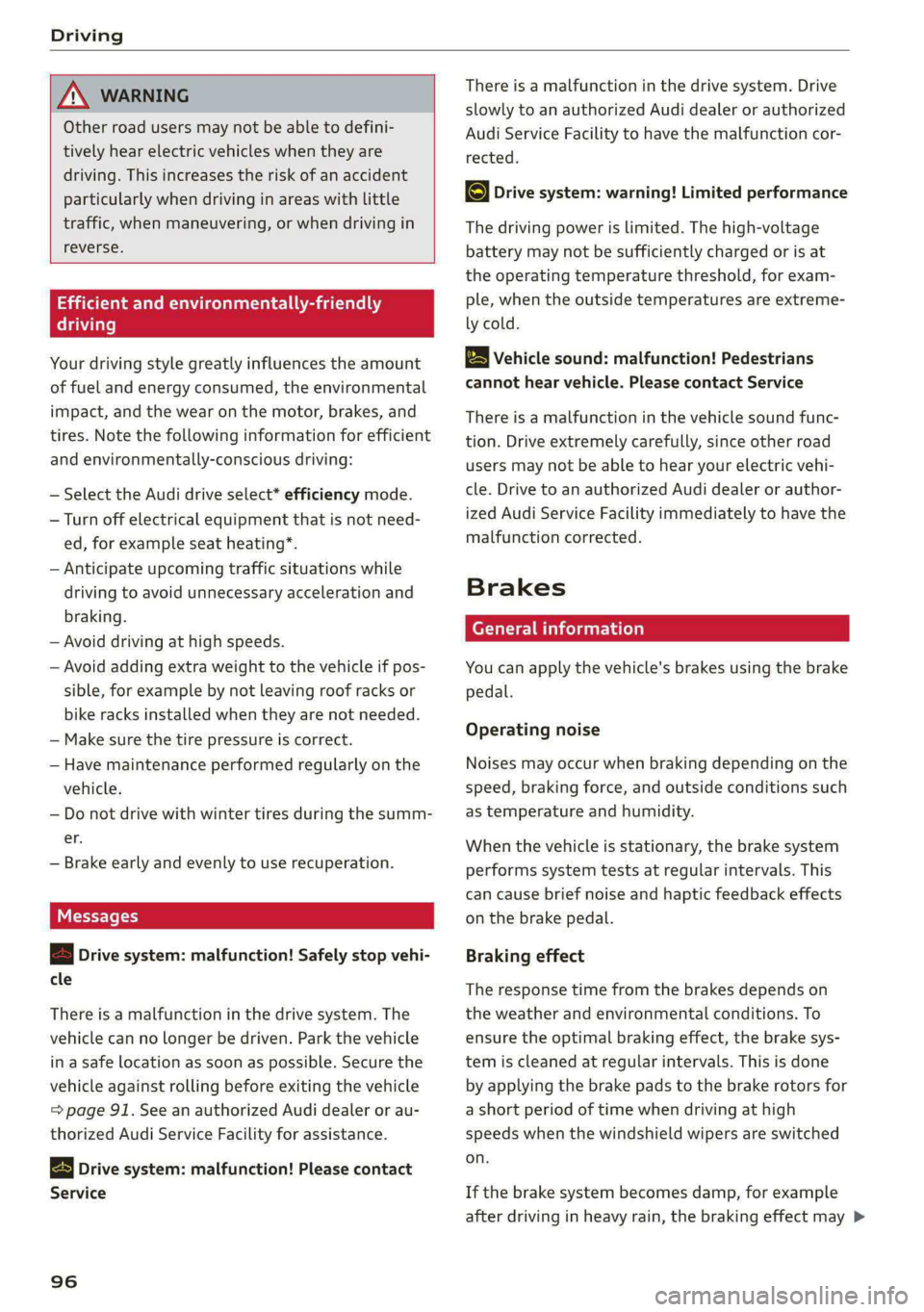
ZA\ WARNING
Other road users may not be able to defini-
tively hear electric vehicles when they are
driving. This increases the risk of an accident
particularly when driving in areas with little
traffic, when maneuvering, or when driving in
reverse.
ient and environmentally-friendly
i}
Your driving style greatly influences the amount
of fuel and energy consumed, the environmental
impact, and the wear on the motor, brakes, and
tires. Note the following information for efficient
and environmentally-conscious driving:
— Select the Audi drive select* efficiency mode.
— Turn off electrical equipment that is not need-
ed, for example seat heating*.
— Anticipate upcoming traffic situations while
driving to avoid unnecessary acceleration and
braking.
— Avoid driving at high speeds.
— Avoid adding extra weight to the vehicle if pos-
sible, for example by not leaving roof racks or
bike racks installed when they are not needed.
— Make sure the tire pressure is correct.
— Have maintenance performed regularly on the
vehicle.
— Do not drive with winter tires during the summ-
er.
— Brake early and evenly to use recuperation.
Messages
B Drive system: malfunction! Safely stop vehi-
cle
There is a malfunction in the drive system. The
vehicle can no longer be driven. Park the vehicle
in a safe location as soon as possible. Secure the
vehicle against rolling before exiting the vehicle
= page 91. See an authorized Audi dealer or au-
thorized Audi Service Facility for assistance.
B Drive system: malfunction! Please contact
Service
96
There is a malfunction in the drive system. Drive
slowly to an authorized Audi dealer or authorized
Audi Service Facility to have the malfunction cor-
rected.
oO Drive system: warning! Limited performance
The driving power is limited. The high-voltage
battery may not be sufficiently charged or is at
the operating temperature threshold, for exam-
ple, when the outside temperatures are extreme-
ly cold.
BS Vehicle sound: malfunction! Pedestrians
cannot hear vehicle. Please contact Service
There is a malfunction in the vehicle sound func-
tion. Drive extremely carefully, since other road
users may not be able to hear your electric vehi-
cle. Drive to an authorized Audi dealer or author-
ized Audi Service Facility immediately to have the
malfunction corrected.
Brakes
ere el eiy
You can apply the vehicle's brakes using the brake
pedal.
Operating noise
Noises may occur when braking depending on the
speed, braking force, and outside conditions such
as temperature and humidity.
When the vehicle is stationary, the brake system
performs system tests at regular intervals. This
can cause brief noise and haptic feedback effects
on the brake pedal.
Braking effect
The response time from the brakes depends on
the weather and environmental conditions. To
ensure the optimal braking effect, the brake sys-
tem is cleaned at regular intervals. This is done
by applying the brake pads to the brake rotors for
a short period of time when driving at high
speeds when the windshield wipers are switched
on.
If the brake system becomes damp, for example
after driving in heavy rain, the braking effect may >
Page 108 of 308
Driving dynamic
Selective wheel torque control
Selective wheel torque control is used when driv-
ing on curves. Braking is targeted toward the
wheels on the inside of the curve as needed. This
allows more precise driving in curves.
Power steering
The ESC can also support vehicle stability
through steering.
ZA\ WARNING
— The ESC and its integrated systems cannot
overcome the limits imposed by natural
physical laws. This is especially important on
slippery or wet roads. If the systems begin
acting to stabilize your vehicle, you should
immediately alter your speed to match the
road and traffic conditions. Do not let the in-
creased safety provided tempt you into tak-
ing risks. This could increase your risk of a
collision.
— Please note the risk of a collision increases
when driving fast, especially through curves
and on slippery or wet roads, and when driv-
ing too close to objects ahead. There is still
a risk of accidents because the ESC and its
integrated systems cannot always prevent
collisions.
— Accelerate carefully when driving on
smooth, slippery surfaces such as ice and
snow. The drive wheels can spin even when
these control systems are installed and this
can affect driving stability and increase the
risk of a collision.
— As the vehicle load increases, especially the
roof load, the vehicle's center of gravity also
increases along with the risk of the vehicle
tipping. To reduce the risk of an accident, al-
ways adapt your driving style to the current
conditions and avoid sudden driving maneu-
vers.
@) Tips
— The ABS and ASR only function correctly
when all four wheels have a similar wear
condition. Different tire sizes can lead toa
reduction in motor power.
106
— You may hear noises when the systems de-
scribed are working.
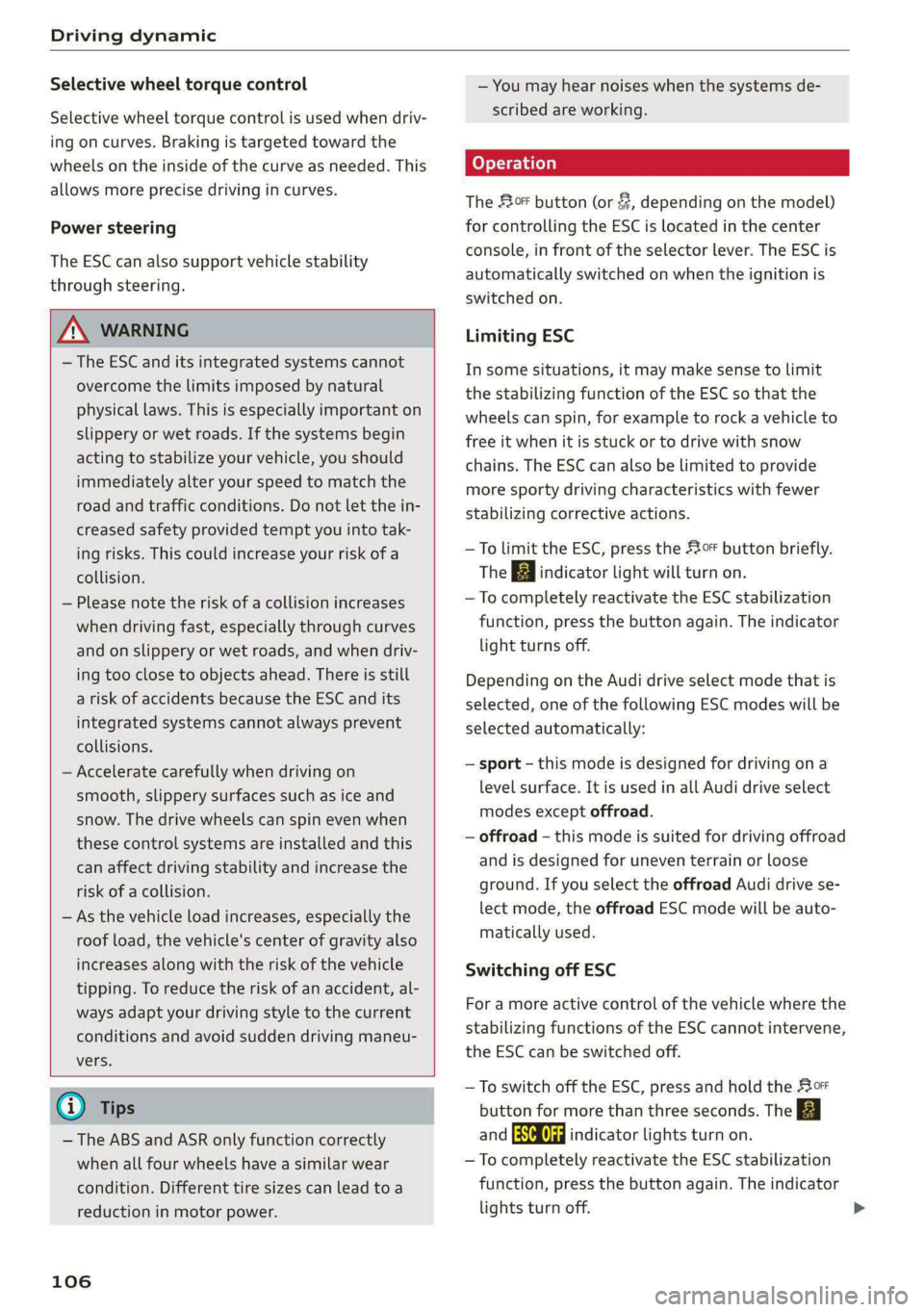
The So button (or #, depending on the model)
for controlling the ESC is located in the center
console, in front of the selector lever. The ESC is
automatically switched on when the ignition is
switched on.
Limiting ESC
In some situations, it may make sense to limit
the stabilizing function of the ESC so that the
wheels can spin, for example to rock a vehicle to
free it when it is stuck or to drive with snow
chains. The ESC can also be limited to provide
more sporty driving characteristics with fewer
stabilizing corrective actions.
—To limit the ESC, press the 0 button briefly.
The B indicator light will turn on.
— To completely reactivate the ESC stabilization
function, press the button again. The indicator
light turns off.
Depending on the Audi drive select mode that is
selected, one of the following ESC modes will be
selected automatically:
— sport - this mode is designed for driving ona
level surface. It is used in all Audi drive select
modes except offroad.
— offroad - this mode is suited for driving offroad
and is designed for uneven terrain or loose
ground. If you select the offroad Audi drive se-
lect mode, the offroad ESC mode will be auto-
matically used.
Switching off ESC
For a more active control of the vehicle where the
stabilizing functions of the ESC cannot intervene,
the ESC can be switched off.
— To switch off the ESC, press and hold the Sor
button for more than three seconds. The B
and Ea indicator lights turn on.
— To completely reactivate the ESC stabilization
function, press the button again. The indicator
lights turn off.
Page 159 of 308
4KE012721BF
Driver assistance
— Audi pre sense basic can react during emergen-
cy and dangerous braking maneuvers and un-
stable driving situations (such as oversteering
or understeering).
— Audi pre sense front) can detect an impending
frontal impact and react with warnings, braking
interventions, and preemptive safety measures
for the vehicle occupants.
— Audi pre sense rear monitors the rear traffic
behind your vehicle and can react to an impend-
ing rear impact.
— Audi pre sense side can detect an impending
side impact from cross-traffic and vehicles com-
ing from the side, and can initiate preemptive
safety measures.
— The swerve assist can help you to steer the ve-
hicle around an obstacle during an evasive ma-
neuver that is detected as critical.
— The turn assist can detect vehicles in the oppo-
site lane as critical during a turning maneuver
and react with braking maneuvers.
ONT olga met Tn Lehr
Applies to: vehicles with Audi pre sense
Depending on the vehicle speed and the vehicle
equipment, the following functions may be initi-
ated in certain situations:
— Visual and audio warnings
— Reversible tensioning of safety belts
— Closing the windows and panoramic glass roof
— Adjusting the seats
— Other preemptive safety measures by individual
systems
Z\ WARNING
Observe the safety precautions and note the
limits of the assist systems, sensors, and
cameras > page 129.
G) Tips
— Depending on the risk situation that is de-
tected and the selected Audi drive select*
mode, not all preemptive safety measures
may be initiated under certain circumstan-
D_ This is not available in some countries.
ces. Certain functions can be adjusted or
skipped if necessary.
— Audi pre sense may be restricted or unavail-
able under certain circumstances, for exam-
ple if:
— There are passengers with unfastened
safety belts
— After turning on the ignition, as long as
the & indicator light is on.
— When driving in reverse.
— There is an airbag control module mal-
function
— System functions may not be available if
the ESC is limited or switched off, or if
there is a malfunction.
Audi pre sense basic
Applies to: vehicles with Audi pre sense basic
Audi pre sense basic is automatically active at
speeds of approximately 20 mph (30 km/h) and
higher. Audi pre sense basic can trigger preemp-
tive safety measures during emergency braking
and dangerous braking maneuvers as well as in
unstable driving situations, such as oversteering
or understeering > page 157, Audi pre sense pre-
emptive safety measures.
The message Audi pre sense Bo will warn you
about the danger.
ZA WARNING
Observe the safety precautions and note the
limits of the assist systems, sensors, and
cameras > page 129.
ONT Reel g
Applies to: vehicles with Audi pre sense front
Within the limits of the system, Audi pre sense
front can warn about an impending front end col-
lision and brake the vehicle strongly, if necessary.
The system uses the camera behind the wind-
shield and is available at speeds above approxi-
mately 6 mph (10 km/h).
157
Page 209 of 308

4KE012721BF
Radio
Radio
General information
Selecting the radio
ey
ney) os 2 )
\) ea
102.9 1) 2 FM-HDB
(3) OME 4)
aa
e my 106.7 ama
mee
eo £0010 0—=@)
Saray fa
RAX-0190)
ca
Fig. 143 Upper display: SiriusXM channel list
Depending on the vehicle equipment, the radio
may support the FM and SiriusXM (satellite radio)
frequency bands. Using the HD Radio receiver* al-
so allows you to receive radio stations on the FM
bands in digital format.
Depending on the vehicle equipment and the se-
lected station list, the following information will
be displayed:
@ Station list
Shows the stations that are currently availa-
ble. The station list updates automatically.
@ Stations
For example, the station name may be dis-
played depending on availability.
@ HD Radio technology
FM stations that can be received by digital ra-
dio are marked with the HD Radio technology
symbol H).
If reception quality declines, the radio will
automatically switch to the analog FM sta-
tion depending on availability.
@ Additional audio programs
Digital HD Radio stations may contain multi-
ple additional audio programs. If you lose re-
ception, the additional audio programs will
be muted since they can no longer be re-
ceived.
© Radio ID
Your radio ID and contact data for your satel-
lite radio provider are displayed.
Channel number
% No reception e®
The station cannot be received.
In addition to the symbols for the usual frequen-
cy bands, the following information may also be
available depending on vehicle equipment:
Symbol | Description
The station provides information in
the background for an online station
alternative. Online station tracking
must be switched on for this
=> page 213.
The station is received through the In-
ternet.
The system attempts to receive the
station/podcast through the Internet.
G@) Tips
— Contact the SiriusXM* provider if you would
like to receive satellite programming.
— Buildings, tunnels, bridges, open areas, oth-
er vehicles or objects on the vehicle roof can
affect reception.
— Satellite radio* is not available in all re-
gions.
Adjusting the radio using the MMI
> Applies to: MMI: To set a frequency band, select
on the home screen: RADIO > Source a catego-
ry.
> Applies to: MMI: To set a station, select on the
home screen: RADIO > Source > a category >a
station/podcast*.
> To select a frequency, follow the instructions
under > page 209, Free text search.
Adjusting the radio using the multifunction
Tare maa 118
Requirement: radio mode must be on.
207
>
Page 248 of 308
Wheels
Production options weight
means the combined weight of
those installed regular production
options weighing over 5 lbs.
(2.3 kg) in excess of those stand-
ard items which they replace, not
previously considered in curb
weight or accessory weight, in-
cluding heavy duty brakes, ride
levelers, roof rack, heavy duty
battery, and special trim.
Radial ply tire
means a pneumatic tire in which
the ply cords that extend to the
beads are laid at substantially
90 degrees to the centerline of
the tread.
Recommended inflation
pressure
see > page 244, Cold tire infla-
tion pressure.
Reinforced tire
means a tire designed to operate
at higher loads and at higher in-
flation pressures than the corre-
sponding standard tire. Rein-
forced tires may be identified as
“XL”, “xl”, “EXTRA LOAD”, or “RF”
on the sidewall.
246
Rim
means a metal support for a tire
or a tire and tube assembly upon
which the tire beads are seated.
Rim diameter
means nominal diameter of the
bead seat. If you change your
wheel size, you will have to pur-
chase new tires to match the new
rim diameter.
Rim size designation
means rim diameter and width.
Rim width
means nominal distance between
rim flanges.
Sidewall
means that portion of a tire be-
tween the tread and bead.
Speed rating (letter code)
means the speed at which a tire is
designed to be driven for extend-
ed periods of time. The ratings
range from 93 mph (150 km/h)
to 186 mph (298 km/h) > table
on page 242. You may not find
this information on all tires be-
cause it is not required by law.
The speed rating letter code,
where applicable, is molded on
the tire sidewall and indicates the >
Page 263 of 308
4KE012721BF
Care and cleaning
Care and cleaning
General information
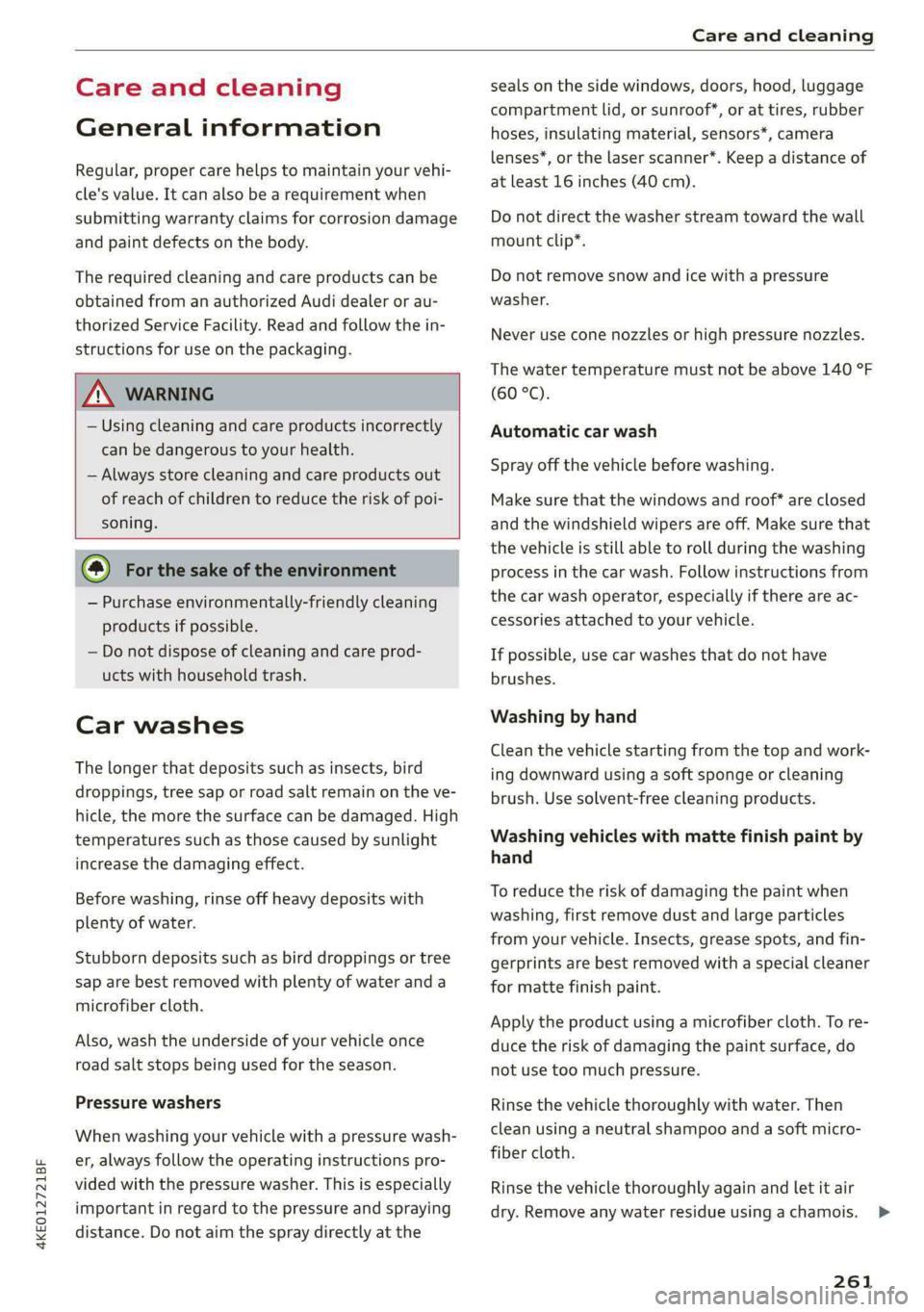
Regular, proper care helps to maintain your vehi-
cle's value. It can also be a requirement when
submitting warranty claims for corrosion damage
and paint defects on the body.
The required cleaning and care products can be
obtained from an authorized Audi dealer or au-
thorized Service Facility. Read and follow the in-
structions for use on the packaging.
ZA\ WARNING
— Using cleaning and care products incorrectly
can be dangerous to your health.
— Always store cleaning and care products out
of reach of children to reduce the risk of poi-
soning.
@ For the sake of the environment
— Purchase environmentally-friendly cleaning
products if possible.
— Do not dispose of cleaning and care prod-
ucts with household trash.
Car washes
The longer that deposits such as insects, bird
droppings, tree sap or road salt remain on the ve-
hicle, the more the surface can be damaged. High
temperatures such as those caused by sunlight
increase the damaging effect.
Before washing, rinse off heavy deposits with
plenty of water.
Stubborn deposits such as bird droppings or tree
sap are best removed with plenty of water and a
microfiber cloth.
Also, wash the underside of your vehicle once
road salt stops being used for the season.
Pressure washers
When washing your vehicle with a pressure wash-
er, always follow the operating instructions pro-
vided with the pressure washer. This is especially
important in regard to the pressure and spraying
distance. Do not aim the spray directly at the
seals on the side windows, doors, hood, luggage
compartment lid, or sunroof*, or at tires, rubber
hoses, insulating material, sensors*, camera
lenses*, or the laser scanner*. Keep a distance of
at least 16 inches (40 cm).
Do not direct the washer stream toward the wall
mount clip*.
Do not remove snow and ice with a pressure
washer.
Never use cone nozzles or high pressure nozzles.
The water temperature must not be above 140 °F
(60 °C).
Automatic car wash
Spray off the vehicle before washing.
Make sure that the windows and roof* are closed
and the windshield wipers are off. Make sure that
the vehicle is still able to roll during the washing
process in the car wash. Follow instructions from
the car wash operator, especially if there are ac-
cessories attached to your vehicle.
If possible, use car washes that do not have
brushes.
Washing by hand
Clean the vehicle starting from the top and work-
ing downward using a soft sponge or cleaning
brush. Use solvent-free cleaning products.
Washing vehicles with matte finish paint by
hand
To reduce the risk of damaging the paint when
washing, first remove dust and large particles
from your vehicle. Insects, grease spots, and fin-
gerprints are best removed with a special cleaner
for matte finish paint.
Apply the product using a microfiber cloth. To re-
duce the risk of damaging the paint surface, do
not use too much pressure.
Rinse the vehicle thoroughly with water. Then
clean using a neutral shampoo and a soft micro-
fiber cloth.
Rinse the vehicle thoroughly again and let it air
dry. Remove any water residue using a chamois.
261
>
Page 281 of 308
4KE012721BF
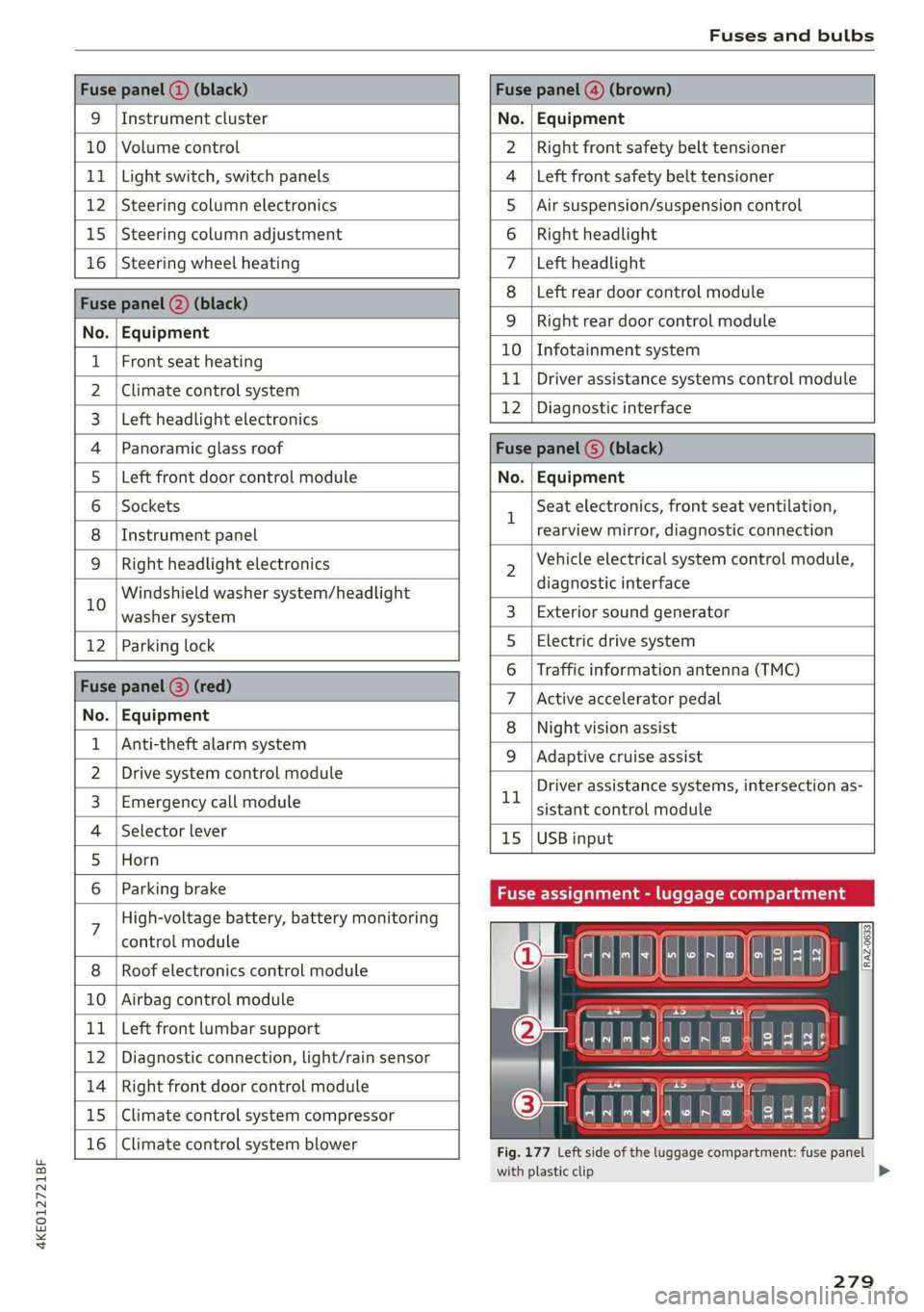
Fuses and bulbs
Fuse panel (2) (black) Fuse panel (4) (brown)
9 |Instrument cluster No. | Equipment
10 | Volume control Right front safety belt tensioner
11 | Light switch, switch panels Left front safety belt tensioner
12 | Steering column electronics Air suspension/suspension control
15 |Steering column adjustment Right headlight
16 | Steering wheel heating Left headlight
Fuse panel 2) (black)
Left rear door control module
No. | Equipment
WOl/@OIN|
A)
M|AILN
Right rear door control module
10 | Infotainment system
1 |Front seat heating - -
> |Cimateconerl system 11 Exe Sealealite systems control module
3 |Left headlight electronics 12 | Diagnostic interface
4 |Panoramic glass roof Fuse panel (5) (black)
5 |Left front door control module No. | Equipment
6 | Sockets 1 Seat electronics, front seat ventilation,
8 | Instrument panel rearview mirror, diagnostic connection
9 | Right headlight electronics 2 Vehicle electrical system control module,
Windshield washer system/headlight diagnostic interface
10 washer system 3 | Exterior sound generator
12 | Parking lock 5 | Electric drive system
raven 6 | Traffic information antenna (TMC)
Fuse panel (8) (re
ueeiP eed) 7 |Active accelerator pedal
No. | Equi it
o. atipmen 8 | Night vision assist
1 |Anti-theft alarm system - - -
9 |Adaptive cruise assist
2 |Drive system control module , - . -
ll Driver assistance systems, intersection as-
3_| Emergency call module sistant control module
4 | Selector lever 15 |USB input
5 |Horn
6 | Parking brake Fuse assignment - luggage compa
7 High-voltage battery, battery monitoring
control module
8 | Roof electronics control module
10 | Airbag control module
11 | Left front lumbar support
12 | Diagnostic connection, light/rain sensor
14 | Right front door control module
15 | Climate control system compressor
16 | Climate control system blower
5 iF
| | eo ed oO
' rR mae Y= ae
aR EE
Fig. 177 Left side of the luggage compartment: fuse panel
with plastic clip
279
>
Page 287 of 308
4KE012721BF
Accessories and technical changes
Accessories and
technical changes
Warranty
Your vehicle is covered by various warranties:
— New Vehicle Limited Warranty
— Limited Warranty Against Corrosion Perforation
— Applies to: USA models: Kansas Safety Belt
Limited Warranty
You can find detailed information in your Warran-
ty & Maintenance Booklet.
Audi Literature Shop
Service information is made available as soon as
possible after a model is introduced and can be
ordered in the Audi Literature Shop: http://
literature.audiusa.com
Driving in other
countries
Government regulations in the United States and
Canada require motor vehicles to comply with
emissions regulations and safety standards.
Therefore, vehicles that were produced for the
U.S. and Canadian markets are different from
vehicles produced for other countries.
If you plan to use your vehicle outside of the
United States or Canada, it is possible that:
— Proper maintenance and repair work may not
be possible because special service equipment,
tools, or measuring devices needed for your ve-
hicle may not be available.
— Replacement parts may not always be availa-
ble.
— Navigation systems for vehicles built for the
U.S.A. and Canada will not necessarily work in
Europe, and may not work in other countries.
@) Note
Audi is not liable for damage to the vehicle re-
sulting from these country-specific differen-
ces.
Maintenance, repairs,
and technical modifi-
cations
Observe the safety precautions > page 233, Gen-
eral information and > page 271, Raising the ve-
hicle.
General information
Due to the increasing complexity of technology in
these vehicles, as well as the safety and environ-
mental standards that apply, you can only per-
form a very limited amount of repairs and modifi-
cations to the vehicle yourself.
Proof of maintenance work may be required to
submit a claim within the warranty period.
We recommend that you have your vehicle serv-
iced by an authorized Audi dealer or authorized
Audi Service Facility and that Audi Genuine Parts
and Audi Genuine Accessories are used. This
helps to ensure that your vehicle's functionality,
performance, and safety are not impaired.
Maintenance and repairs
Your vehicle was designed to help keep mainte-
nance requirements to a minimum. Some regular
maintenance is required to help ensure that your
vehicle runs in a safe, economical, and reliable
manner. Please refer to your Warranty & Mainte-
nance Booklet for more detailed information
about vehicle maintenance.
When operating the vehicle under more extreme
operating conditions, for example when outside
temperatures are very low or in very dusty envi-
ronments, certain maintenance should be per-
formed between the specified intervals.
Usually maintenance and repair work requires
special tools, measuring devices, and other
equipment that is available to trained vehicle
technicians in order to help ensure that your vehi-
cle and all of its systems operate correctly, relia-
bly, and safely. Performing work on the vehicle
incorrectly can impair the operation and reliabili-
ty of your vehicle and may void one or more of
your vehicle's warranties.
285
Page 293 of 308
4KE012721BF
Technical data
Windshield and headlight washer system* 6.3 qt (6 liters)
A/C system refrigerant oil
The exact type and amount of refrigerant oil in
the A/C system is specified on the sticker on the
refrigerant compressor.
Refrigerant oil 220g +/-10g
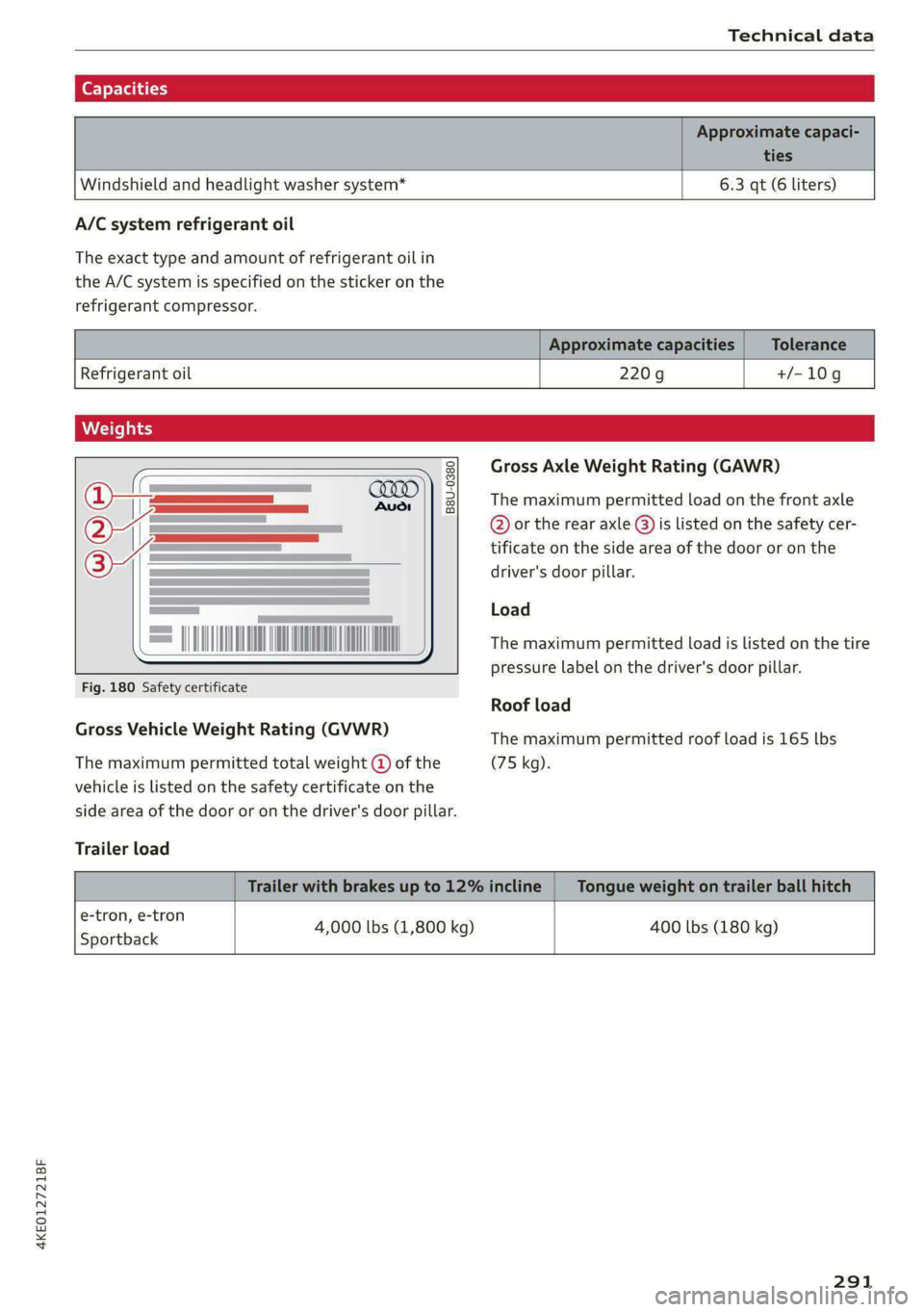
B8U-0380
= ADNAN INN NAO A
Fig. 180 Safety certificate
Gross Vehicle Weight Rating (GVWR)
The maximum permitted total weight @ of the
vehicle is listed on the safety certificate on the
side area of the door or on the driver's door pillar.
Trailer load
e-tron, e-tron
Sportback
4,000 lbs (1,800 kg)
Gross Axle Weight Rating (GAWR)
The maximum permitted load on the front axle
@ or the rear axle @) is listed on the safety cer-
tificate on the side area of the door or on the
driver's door pillar.
Load
The maximum permitted load is listed on the tire
pressure label on the driver's door pillar.
Roof load
The maximum permitted roof load is 165 lbs
(75 kg).
400 lbs (180 kg)
291
Page 295 of 308
4KE012721BF
Index
High-voltage battery.................. 108
Vehicle battery (12 Volt)............... 238
Winter operation (12 Volt vehicle battery) . 238
Battery (vehicle)
refer to High-voltage battery........... 108
Blinds
refer to Panoramic glass roof............ 44
Block TOU C cms & oscars ao aes oe eeeee & wae 201
BLOWERS woven: ae onsen 2 2 comes 2 2 cme ooo avo 85
Bluetooth
Audio playeh sre x 6 ceca ve wacene ao erties ow 216
Connecting adevice...............0-0- 230
Connecting a mobile phone............ 175
Deleting a device
Device overview..............02.0000-
Disconnecting adevice................ 230
Displaying/profiles « sscvie + » ensue 6 « seowee sv 6 231
Selecting adevice.............0..000. 230
Specifying a favorite.................. 23:1
Boost function...................000 eee 93
Brake fluid
Checking the brake fluid level........... 236
BrakeSiss « ¢ sas s & ewes 5 hee oe eee se eS 96
Brake tluidis ss sass 2 maim o wana ys won ee 236
Emergency braking function............. 99
HGCisu ¢ s sayou & @ Sayan % § MaWE ¢ & BaeoR 5 SeRDR 100
New brake pads..........-...--0000005 97
Brands = wee s 2 owen x ¢ eeu < eee 2 tom FE 232
Break-in security feature...............-. 35
Breaking in
New brake pads..............--0000005 97
ING WEEITOSE. « sxctons co sucesin wo semen oe 6 azectinn on a 248
Bulbireplacementss. «x issn s « sesrve + & arent w vo 280
Business'address’s « « sss os wows oo mewn ow 201
{.
California Proposition 65 Warning........ 233
Battery specific........... cece 238
GALLUISE cesses » sense @ © amscans a o omens a 6 emNEAU & 179
GaMOKaSiiwse 2 wim + mem o 6 emu ee om a Yo 130
Locations ..... 2... ee eee eee e ee eee 131
Capacities
Washer fluid reservoir................. 291
Cargo floor. ....... eee eee eee eee 83
Cargonet....... 2... eee eee ee 82
Garwash «5 sce so aspen «ome oo iene: © stents 261
Cell phone
refer to Telephone...........-.0eee eee 175
Cell phone compartment
refer to Audi phone box............... 177
Central locking....... eee eee cree eens 32
AULOILOGK « coos 2 5 canes 5 5 ten so ees Go eG 32
Convenience key sie + « soccais 2 6 seve + 6 sone « 37
Convenience opening and closing......... 44
Luggage compartment lid............... 40
Mechanically unlocking and locking....... 35
MessageS ......--. 0c cece eects 34
Remote control key.........0eee eee eee 37
SeGUING): © wwe: s 2 wesems x arene @ een aH ewe 33
Vehicle key... 0... cece eee ee eee ee 37
Central locking switch................5-5 34
Gentifieatiomis a < cvessus eo mano we wannew © a caste 288
Changing light bulbs................0.. 280
Charging
refer to Power sourceS.........--.000005 78
Charging clip
refer to Wall mount clip............... 125
Charging display...............2--000-- 114
Charging the battery
USB... eee 178, 217
Wirelessi. « wos « < auc a 2 sogee 4 2 mee 2 2 oe 178
Charging times « eves sz eee ee eews e ewewse 110
Child safety lock
Climate control system controls in the rear. 42
Power windows.............2.020 eee 42
Rear dGGFSs: « s saan x « seme as eee oo ew eo 42
Child safety seats.............0..000 eee 72
Securing to the top tether anchor........ 76
Securing with a safety belt.............. 75
Securing with LATCH..............--00. 74
Cleaning........... eee eee 261
Cleaning Alcantara................0000. 264
Cleaning artificial leather............... 264
Cleaning carbon components........ 263, 264
Cleaning controls « ses ss eens se cee s 6 ves 264
Cleaning decorative parts andtrim........ 263
Cleaning plastic parts.................. 263
Cleaning textiles...................... 264
Climate control system ...............0-- 84
Climate control system controls in the rear
CHINA SARELY LOCK wer ss saan ¢ seen Fo eee 2 42
293