lights AUDI Q3 2015 User Guide
[x] Cancel search | Manufacturer: AUDI, Model Year: 2015, Model line: Q3, Model: AUDI Q3 2015Pages: 258, PDF Size: 64.9 MB
Page 20 of 258
18 Instruments and warning/indicator lights
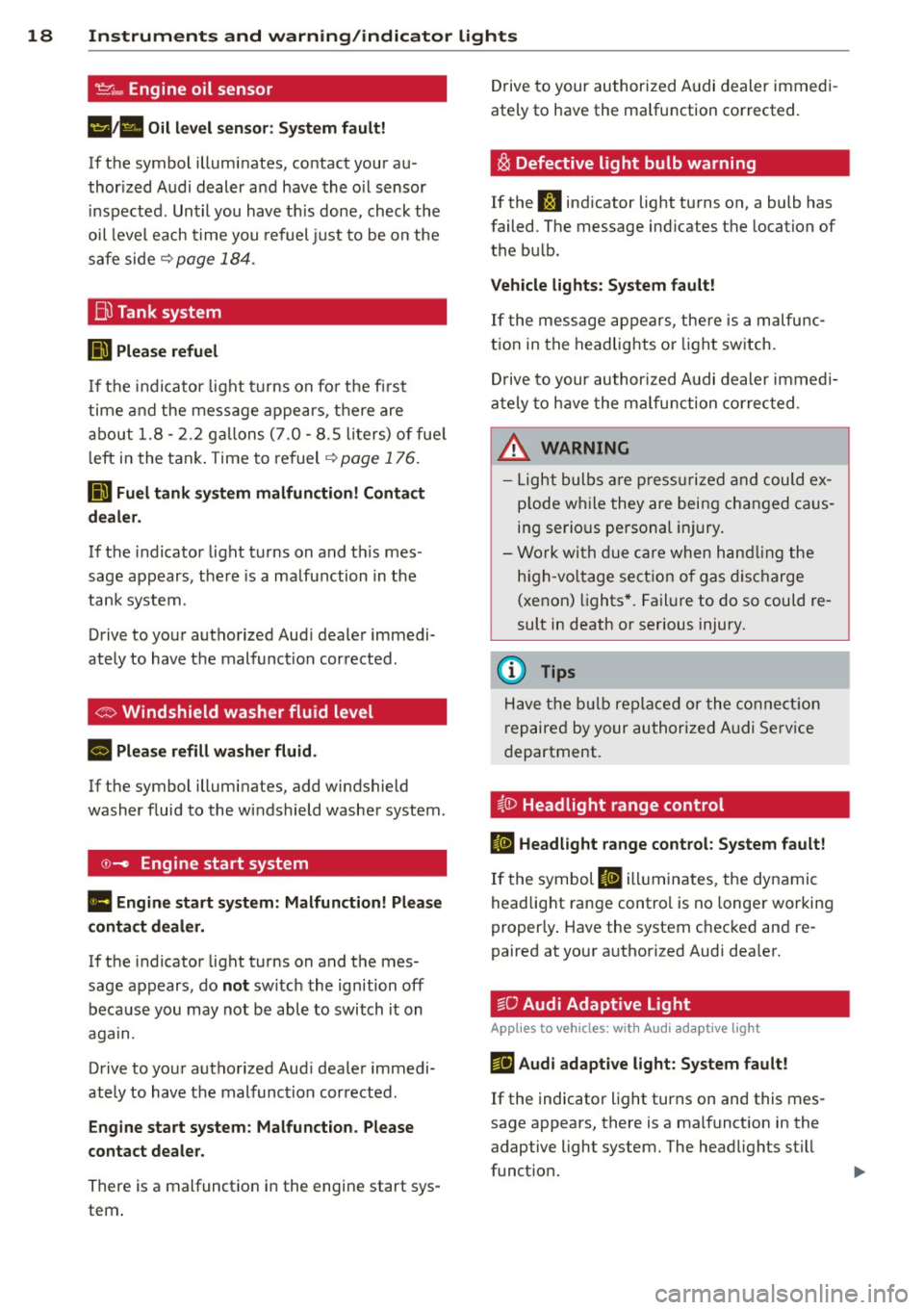
't':r.,. Engine oil sensor
1!11a Oil level sensor: System fault!
If the symbol illuminates, contact your au
thor ized Audi dealer a nd have the oil sensor
inspected. Until you have th is done, check the
oil level each time you refuel just to be on the
safe side~
page 184.
Bil Tank system
DD Please refuel
If the indicator light turns on for the first
time and the message appears, there are
about 1.8- 2.2 gallons (7.0 -8.5 li ters) of fue l
l eft in the tank . Time to refuel
~page 176.
ID'J Fuel tank system malfunction! Contact
dealer.
If the indicator light turns on and th is mes
sage appears, there is a malfunction in the
tank system.
Drive to your authorized Aud i dealer immedi
ately to have the malfunction corrected .
If the symbol illuminates, add windshield
washer fluid to the windshield washer system .
©-Engine start system
Ill Engine start system: Malfunction! Please
contact dealer.
If the indicator light turns on and the mes
sage appears, do
not sw itch the ignition off
because you may not be able to switch it on
again.
Drive to your authorized Aud i dealer immedi
ately to have the malfunction corrected .
Engine start system: Malfunction. Please
contact dealer.
There is a malfunction in the engine start sys
tem . Drive to
your authorized Audi dealer immedi
ately to have the ma lfunction corrected.
i§i Defective light bulb warning
If the J:I indicator light turns on, a bulb has
failed. The message ind icates the location of
the bu lb .
Vehicle lights: System fault!
If the message appears, there is a malfunc
tion in the headlights or lig ht switch.
Drive to your authorized Audi dealer immedi
ately to have the malfunction corrected .
&, WARNING
-Light bulbs are pressurized and could ex
p lode whi le they are being changed caus
ing serio us personal injury.
- Work with due care when handling the
high-vo ltage section of gas discharge
(xenon) lights*. Failure to do so could re
sult in death or serious injury.
{D Tips
Have the bulb replaced or the connect ion
r epaired by your authorized Audi Service
department.
~0 Headlight range control
II Headlight range control: System fault!
If the symbol II illuminates , the dynamic
headlight range control is no longer working
proper ly . Have the system checked and re
paired at your a uthorized Audi dea ler.
§0 Audi Adaptive Light
Appl ies to vehicles : wit h Audi adapt ive light
mfl Audi adaptive light: System fault!
If the indicator light turns on and this mes
sage appears, there is a malfunction in the
adaptive light system. The headlights still
funct ion.
Page 21 of 258
M N
M N
0 ::i co ,...., \!) ..,.,
,...., ..,., ,....,
Instrument s and warnin g/indic ator ligh ts 19
Go to an authorized dea lership to have the
headlights or the contro l unit for the adaptive
light repa ired.
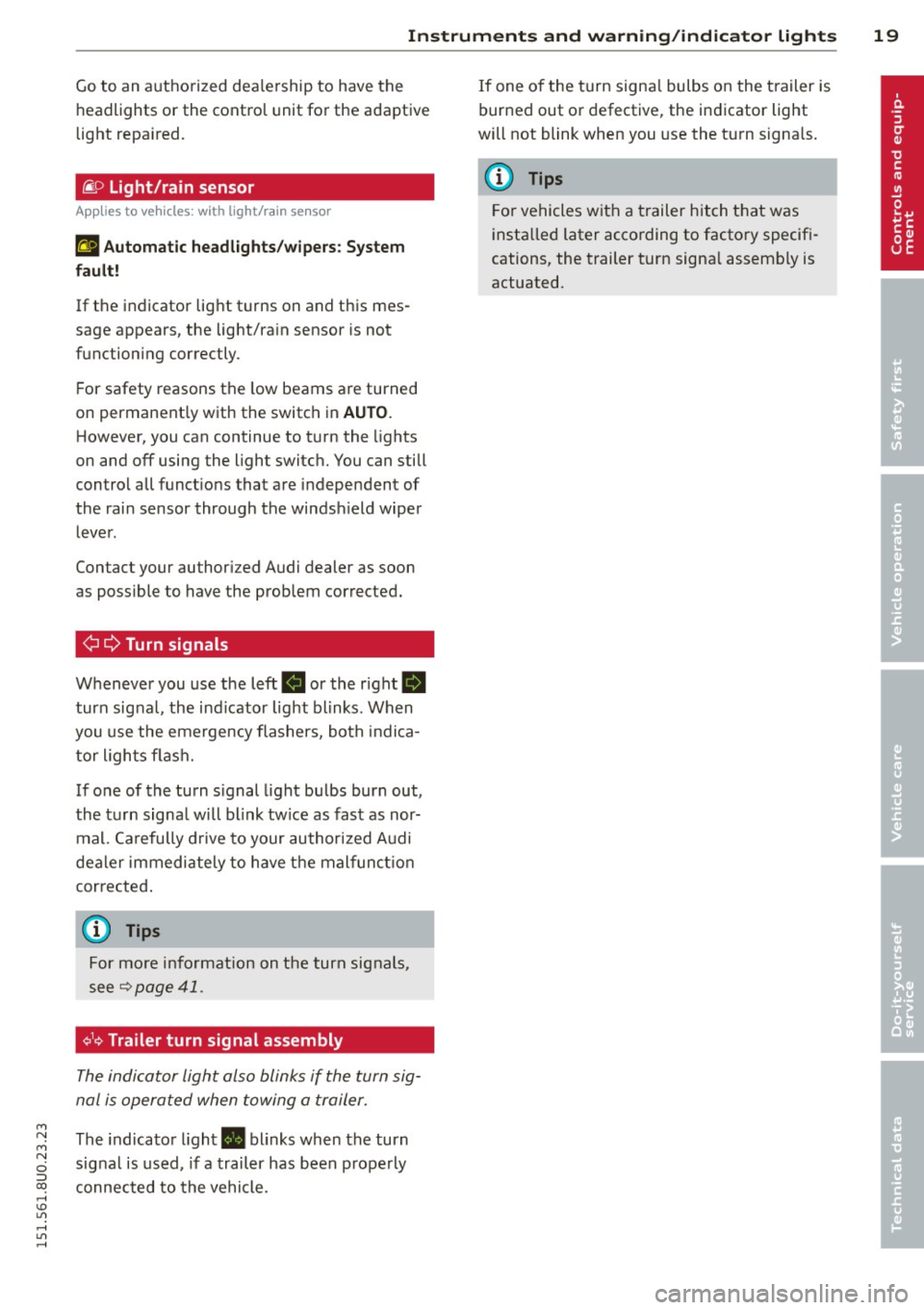
fi. D Light/rain sensor
Applies to vehicles: with light/rain sensor
t!;I Autom atic he adlight s/wi pers : Sys tem
f ault !
If the indicator light turns on and this mes
sage appears, the light/rain sensor is not
functioning correctly.
For safety reasons the low beams are turned
on permanent ly with the switch in
AUTO .
However, you can continue to turn the lights
on and
off using the light switc h. You can still
control all funct ions that are independent of
the rai n sensor through the windsh ield wiper
lever.
Contact your authorized Audi dealer as soon
as possible to have the prob lem corrected.
¢¢ Turn signals
Whenever you use the left R or the right II
turn signal, the indicator light blinks. When
you use the emergency flashers, both indica tor lights flash.
If one of the turn signal light bulbs burn out,
the turn signa l will blink tw ice as fast as nor
mal. Carefully drive to your author ized A udi
dealer immediately to have the malfunct io n
corrected .
@ Tips
For more information on the turn signals,
see
¢ page 41.
¢1<~ Trailer turn signal assembly
The indicator light also blinks if the turn sig
nal is operated when towing a trailer.
The indicator light. blinks when the turn
signal is used, if a trailer has been properly
connected to the vehicle. If one of the turn signa
l bulbs on the trailer is
burned out or defective, the indicator light
will not blink when you use the turn s ignals.
(D Tips
For vehicles with a trailer hitch that was
insta lled later according to factory specifi
cations, the trailer turn signa l assembly is
actuated.
Page 22 of 258
20 Driver in formation d ispl ay
Driver information
display
Overview
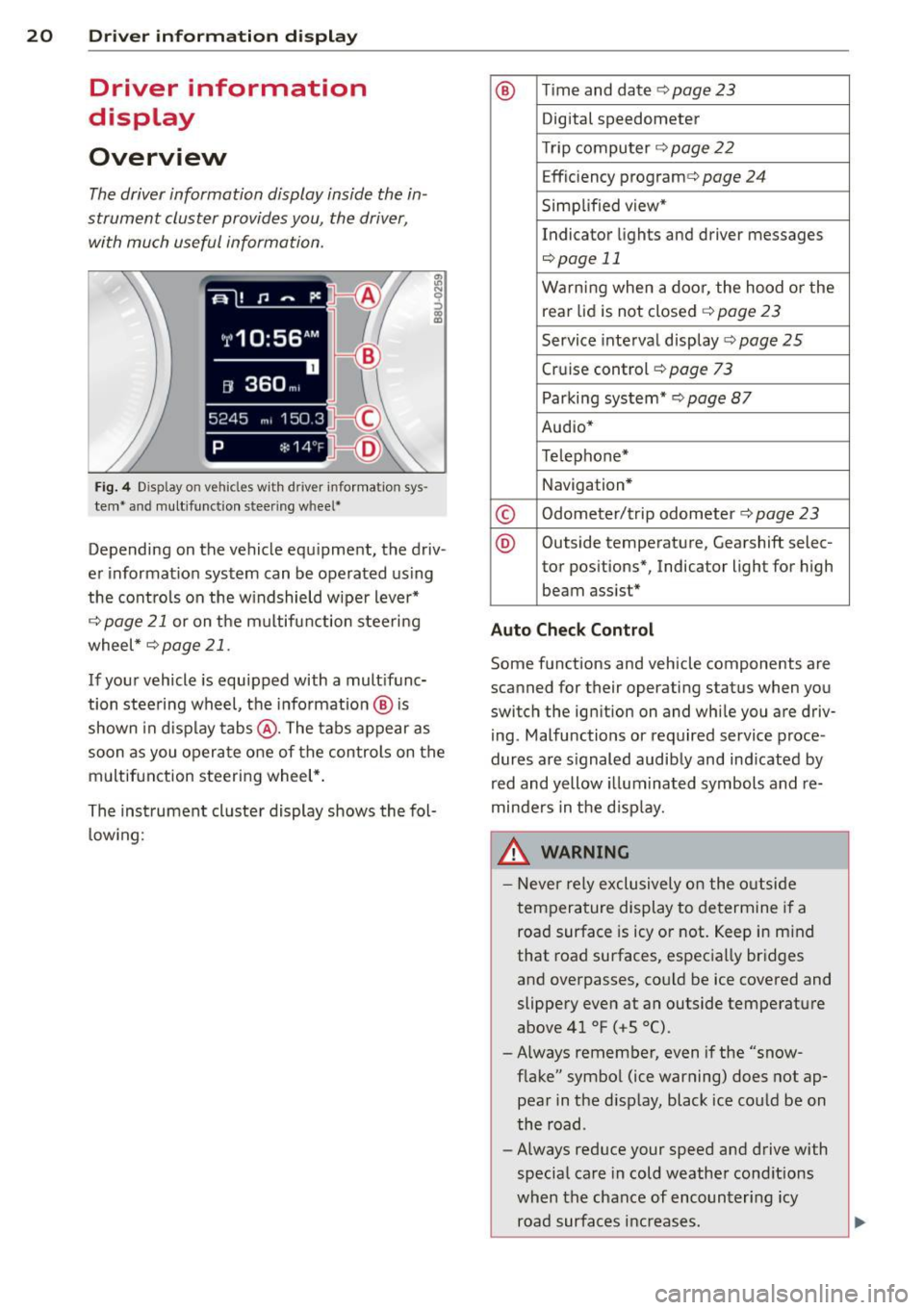
The driver information display inside the in
strument cluster provides you, the driver ,
with much useful information.
Fi g. 4 Dis play on vehicle s w it h dri ve r in fo rma tion sys
tem * and mult ifunc tion steering w hee l*
:ii N 9 ::> a, a,
Depending on the vehicle equ ipment, the driv
er informat ion system can be operated us ing
the cont rols on the w indshield wipe r lever*
¢
page 21 or on the m ultifunction steering
wheel *¢
page 21 .
If your vehicle is equ ipped with a mult ifunc
tion stee ring wheel, t he informat io n @ is
shown in d isplay tab s@ . The tabs appear as
soon as you opera te one of the controls on the
multif unction steering wheel* .
Th e inst rument cluster display shows the fol
l ow ing:
® T im e and date ¢ page23
Digital speedometer
Tr ip compu ter ¢
page 22
Effic iency program ¢ page 24
Simplified view*
Indicator lights and drive r me ssages
¢page 11
Warning when a door, the hood or the
rea r lid is not closed¢
page 23
Service inte rval display ¢ page 25
Cruise control ¢ page 73
Parking system* ¢page 87
Audio*
Telephone*
Navigation *
© Odometer/trip odometer ¢ page 23
® Outs ide temperature , Gearshift selec-
tor pos itions*, Indicator light for high
beam assist *
Auto Check Control
Some f unctions and vehicle components are
scanned for their operating status when yo u
switch the igni tion on and whi le you a re driv
i ng . Malfunctions or required service proce
dur es are s ignaled audib ly and ind icated by
red and yellow illuminated symbols and re
minders in the d isp lay.
8, WARNING -
- Never rely exclusively o n the o utside
t empera ture display to de termine i f a
road surface is icy or not. Keep in m ind
that road surfaces, espec ia lly bridges
and overpasses, co uld be ice
covered and
slippery
even at an outside tempe rature
above 41 °F ( +S 0
() .
-Always remember, even if the "snow
f lake" symbol (ice warning) does not ap
pear in the d isp lay, black ice cou ld be on
the road .
- Always reduce your speed a nd drive with
specia l care in cold weathe r cond itions
when the chance of encounter ing icy
road surfa ces inc reases .
Page 37 of 258
M N M N
0 ::i co
rl I.O
"' rl
"' rl
close the rear lid again, it locks automat
ically.
- In case of an emergency or a fau lty han
dle, the luggage compartment lid can be
opened from the inside
c> page 36.
Power opening/closing rear lid
A pp lies to vehicles: with autom atic rear li d operatio n
The open position can be adjusted.
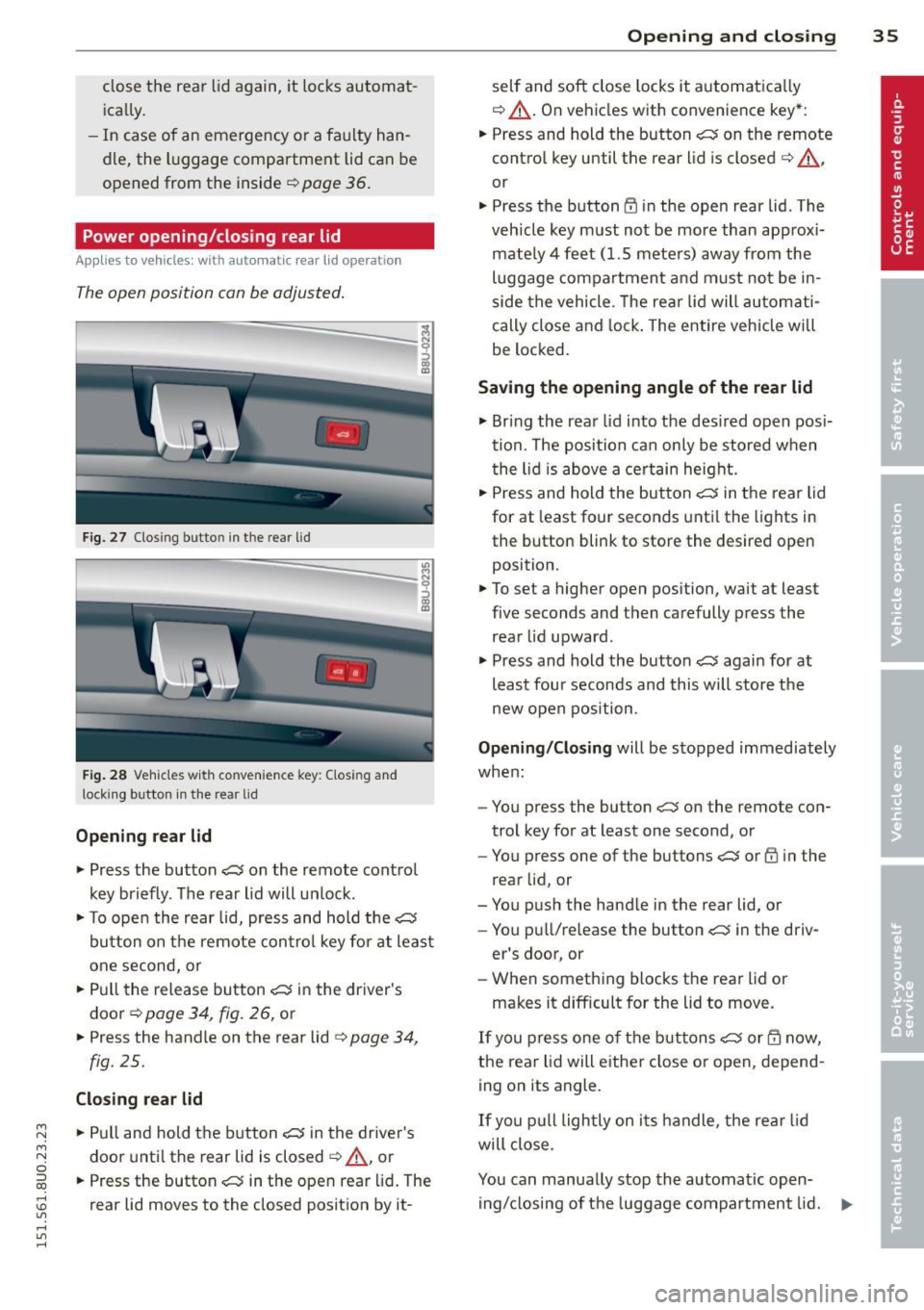
Fig. 27 Closing butto n in the rea r lid
Fig . 28 Ve hicles with co nve nience key: Clos ing and
lock ing button in the rear lid
Opening rear lid
.. Press the button ~ on the remote control
key briefly. The rear lid will un lock .
i
.. To open the rear lid, press and hold the~
button on the remote con trol key for at least
one second, or
.. Pull the release button~ in the driver's
door
c> page 34, fig. 26, or
.. Press the handle on the rear lid
c> page 34,
fig. 25.
Closing rear lid
.. Pull and hold the button~ in the driver's
door until the rear lid is closed
c> A, or
.. Press the button~ in the open rear lid. The
rear lid moves to the closed position by it-
Opening and closing 35
self and soft close locks it automatica lly
c> &_ . On vehicles with convenience key*:
.. Press and hold the button
~ on the remote
control key until the rear lid is closed
c> A ,
or
.. Press the button
CD in the open rear lid . The
veh icle key must not be more than approx i
mate ly 4 feet (1.5 meters) away from the
luggage compartment and must no t be in
side the vehicle. T he rear lid will automati
cally close and lock . The entire vehicle will
be locked.
Saving the opening angle of the rear lid
.. Bring the rear lid into the des ired open posi
tion. The position can only be stored when
the lid is above a certain height .
.. Press and hold the button
~ in the rear lid
for at least four seconds until the lights in
the button blink to store the desired open
position.
.. To set a higher open position, wait at least
five seconds and then carefully press the
rear lid upward .
.. Press and hold the button
~ again for at
least fou r seconds and this will store the
new open position.
Opening/Closing will be stopped immediately
when :
- You press the button
~ on the remote con
trol key for at least one second, or
- You press one of the buttons
~ or CD in the
rear lid, or
- You push the handle in the rear lid, or
- You pu ll/release the button~ in the driv-
er's door, or
- When something blocks the rear lid or
makes it difficult for the lid to move.
If you press one of the buttons~ or m now,
the rear lid will eithe r close or open, depend
ing on its angle.
If you pull lightly on its handle, the rear lid
will close.
You can manually stop the automatic open ing/closing of the luggage compartment lid. ...,
Page 39 of 258
M N M N
0 ::i co
rl I.O
"' rl
"' rl
.. To turn the child safety locks on , turn the ig
nition key in the direction of the arrow .
.. To turn
off , turn the ignition key opposite
the direction of the arrow.
When the child safety locks are activated, the
inside door handles do not work and the doors
can only be opened from the outside.
Power windows
Controls
The driver can control all power windows .
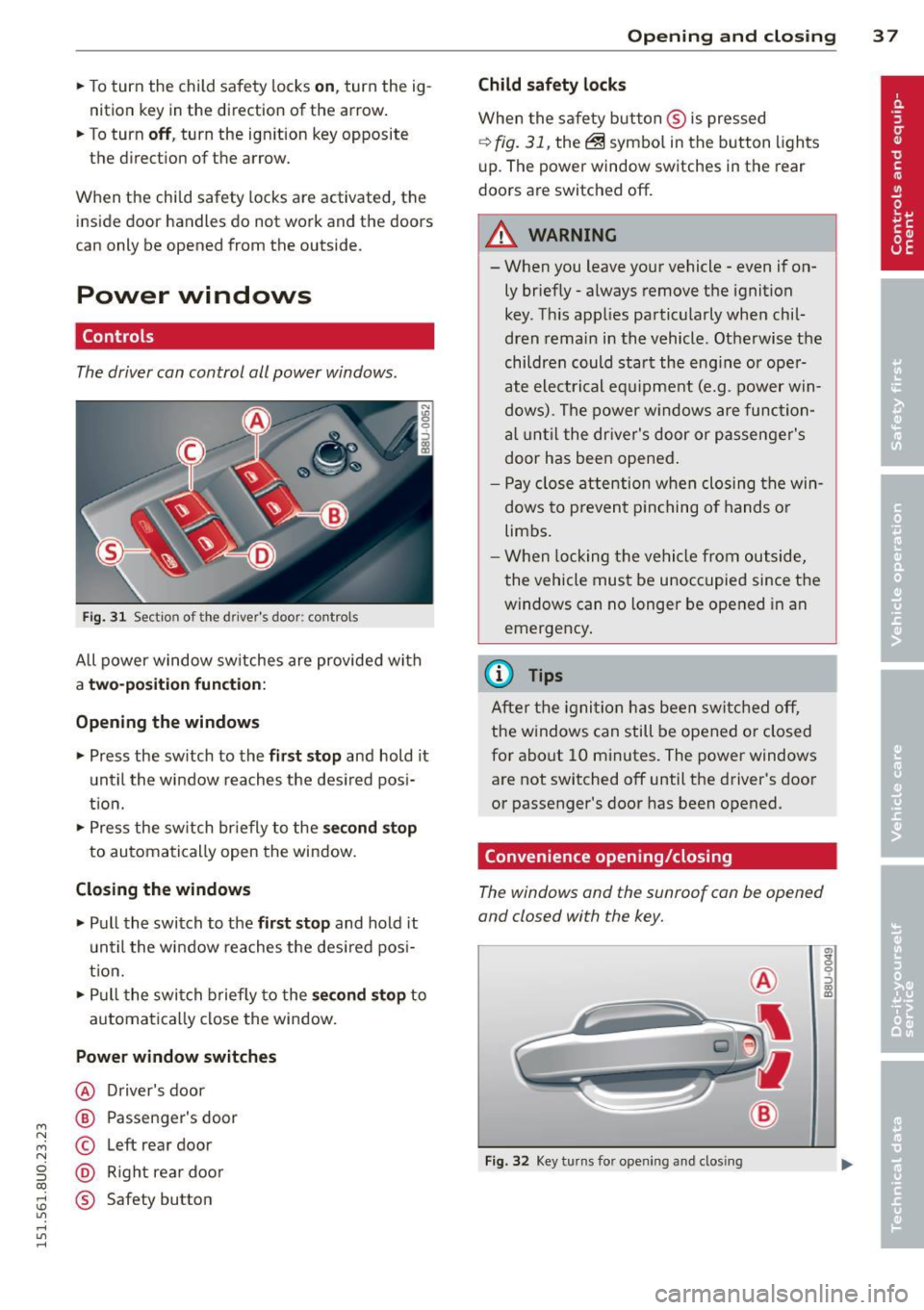
Fig. 31 Section of the driver's door: controls
All power window sw itches are provided with
a t w o-posi tion fun cti on:
Opening th e window s
.. Press the sw itch to the fi rs t sto p and hold it
until the window reaches the desired posi
t ion .
.. Press the sw itch br iefly to the
sec ond s top
to automatically open the window.
Closing th e windows
.. Pull the switch to the fir st stop and hold it
un til the window reaches the des ired pos i
tion.
.. Pull the switch briefly to the
se con d stop to
automatically close the window.
Power wind ow switche s
@ Driver's door
@ Passenger's door
© Left rear door
@ Right rea r doo r
® Safety button
Openin g an d clos ing 3 7
Child safety l ock s
When the safety button ® is pressed
¢ fig. 31, the~ symbol in the button lights
u p. The power window switches in the rear
doors are switched off.
&_ WARNING
--When you leave your vehicle -even if on-
ly briefly· always remove the ignition
key . Th is app lies particularly when chil·
dren remain in the vehicle. Otherwise the
children could start the eng ine or oper
ate electrical equ ipment (e.g. power w in
dows). The power windows are function
a l until the dr iver's door or passenger's
door has been opened.
- Pay close attention when closing the win
dows to prevent p inching o f hands o r
limbs.
- When locking the vehicle from outside,
the vehicle must be unoccupied since the
windows can no longer be opened in an
emergency.
(I} Tips
After the igni tion has been switched off,
the w indows can still be opened or closed
for about 10 minutes . The power windows
are not switched off until the driver's door
or passenger's door has been opened.
Convenience opening/closing
The windows and the sunroof can be opened
and closed with the key.
F ig. 32 Key turns for opening and closing
"' z 9 ::::, a, to
Page 42 of 258
40 Clear vision
Clear vision
Lights
Switching the lights on and off
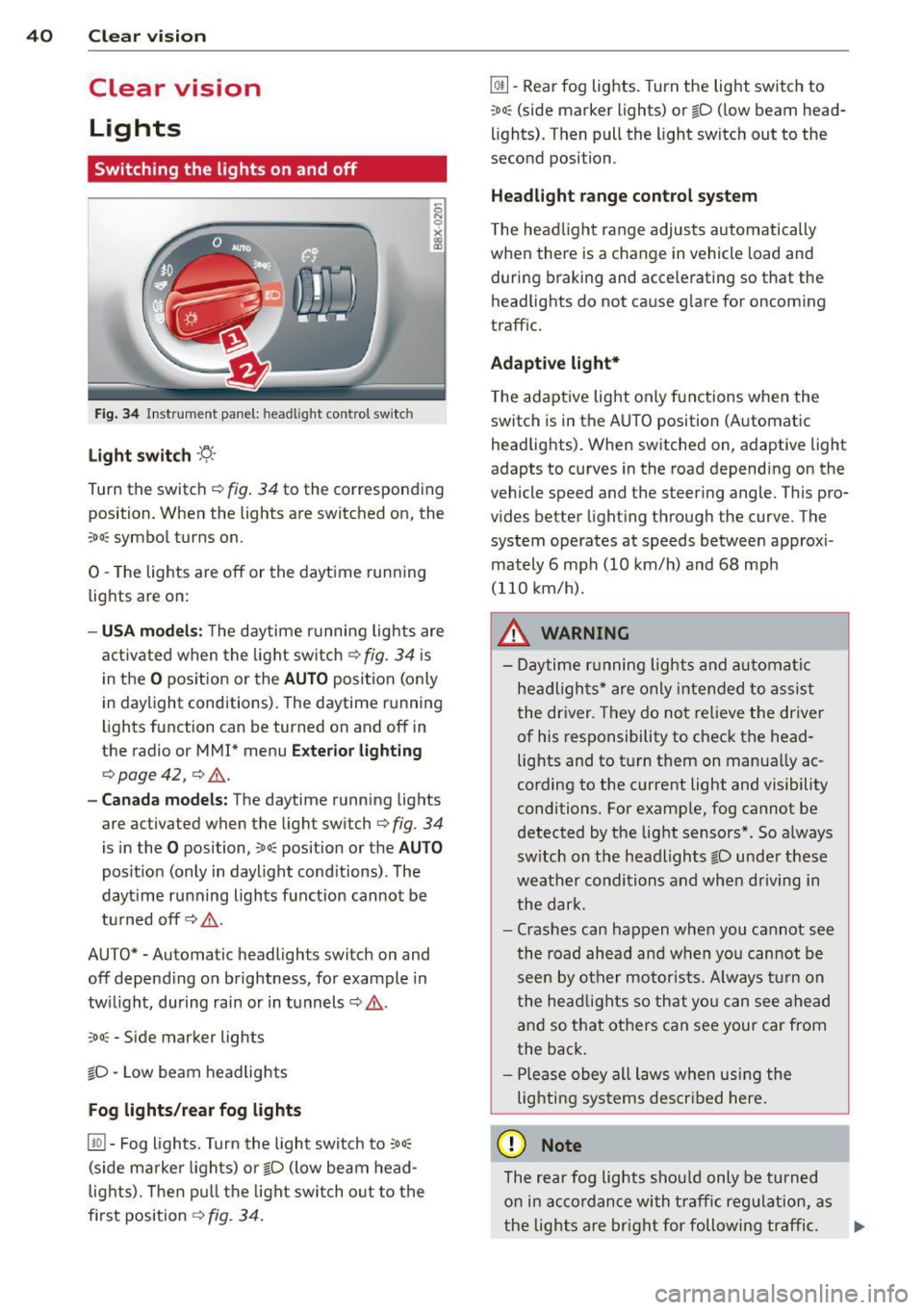
Fig . 34 Instrument panel: headlight control switch
Light switch -'t;. -
Tu rn the switch ¢ fig. 34 to the corresponding
position. When the lights are switched on, the
:oo : symbol turns on.
0 -The lights are off or the daytime running
lights are on:
- USA models: The daytime running lights are
activated when the light switch¢
fig. 34 is
in the
O position or the AUTO position (only
in daylight conditions). The daytime running
lights function can be turned on and off in
the radio or
MMI* menu Exterior lighting
¢ page 42, ¢ ,& .
-Canada models : The daytime running lights
are activated when the light switch¢
fig. 34
is in the O posi tion, co o: position or the AUTO
position (only in daylight conditions). The
dayt ime running lights function cannot be
turned off¢,& .
AUTO* -Automatic headligh ts swi tch on and
off depending on brightness, for example in
twilight, during rain or in tunnels¢,& .
:oo: -Side marker lights
io -Low beam headlights
Fog lights /rear fog lights
[!Q] -Fog lights. Turn the light switch to :oo:
(side marker lights) or io (low beam head
lights). Then pull the light switch out to the
first position ¢
fig. 34.
@I] -Rear fog lights. Turn the light switch to
:oo : (side marker lights) or io (low beam head
lights). Then pull the light switch out to the
second position .
Headlight range control system
The headlight range adjusts automatically
when there is a change in veh icle load and
during braking and accelerating so that the
headlights do not cause glare for oncoming
traffic.
Adaptive light*
The adaptive light only functions when the
switch is in the AUTO position (Automatic
headlights). When switched on, adapt ive light
adapts to curves in the road depending on the
vehicle speed and the steering angle. This pro
vides better lighting through the curve . The
system operates at speeds between approxi
mately 6 mph (10 km/h) and 68 mph
(110 km/h) .
_&. WARNING
- Daytime running lights and automatic
headlights* are only intended to assist
the driver. They do not relieve the driver
of his responsibility to check the head
lights and to turn them on manually ac
cording to the current light and visibility
conditions. For example, fog cannot be
detected by the light sensors*. So always
sw itch on the headlights
io under these
weather conditions and when driving in
the dark.
- Crashes can happen when you cannot see
the road ahead and when you cannot be
seen by other motorists. Always turn on
the headlights so that you can see ahead
and so that others can see your car from
the back.
- Please obey all laws when using the
lighting systems described here.
(D Note
The rear fog lights should only be turned
on in accordance with traffic regulation, as
-
the lights are bright for following traffic. .,._
Page 43 of 258
M N M N
0 ::i co
rl I.O
"' rl
"' rl
(D Tips
-The light sensor* for headlight control is
located in the rear view mirror mount.
You should therefore not apply any stick
ers to the windshield in this area in order
to prevent malfunctions or failures.
- Some exterior lighting functions can be
ad justed
¢ page 42.
- When you switch off the ignition while
the vehicle's lights are turned on, a buz
zer sounds as long as the driver's door is
open .
- In cool or damp weather, the inside of
the headlights, turn signals and tail
lights can fog over due to the tempera
ture difference between the inside and
outside. They will clear shortly after
switching them on. This does not affect
the service life of the lighting.
- In the event of a light sensor malfunc
tion, the driver is notified in the instru
ment cluster display~
page 19 .
Turn signals and high beam lever
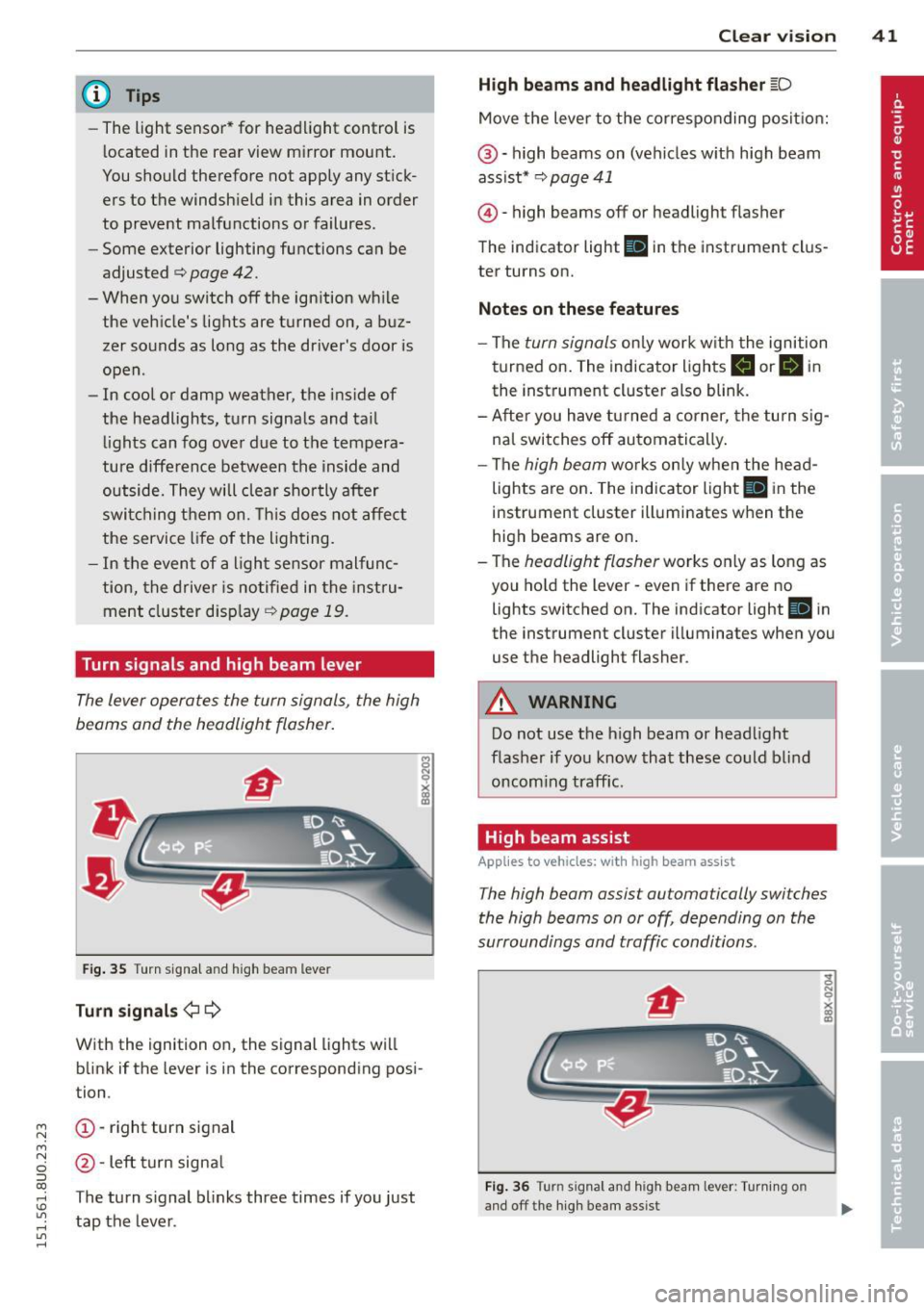
The lever operates the turn signals , the high
b eams and th e headlight flash er.
Fig. 35 Turn signal and high beam leve r
Turn signals ¢i ¢
With the ignition on, the signal lights will
blink if the lever is in the corresponding posi
tion .
(D-right turn signal
@-Left turn signal
T he turn signal blinks three times if you just
tap the lever. Clear
vision 41
High beams
and headlight flasher @:D
Move the lever to the corresponding position:
@-high beams on (vehicles with high beam
assist*
¢ page 41
@ -high be am s off or headligh t fla sher
The indicator light
Ill in the instrument clus
ter turns on.
Notes on these features
-The turn signals only work with the ignition
turned on. The indicator lights
II or Ill in
the instrument cluster also blink.
-After you have turned a corner, the turn sig
nal switches off automatically.
- The
high beam works only when the head
lights are on. The indicator light
El in the
instrument cluster illuminates when the
high beams are on.
- The
headlight flasher works only as long as
you hold the lever -even if there are no
lights switched on. The indicato r light
Iii in
the instrument cluster illuminates when you
use the headligh t flasher .
A WARNING
Do not use the high beam or headlight
flasher if you know that these could blind
oncoming traffic.
High beam assist
Applies to veh icles: w ith high beam assist
-
The high beam assist automatically switches
the high beams on or off, depending on the
surroundings and traffic conditions .
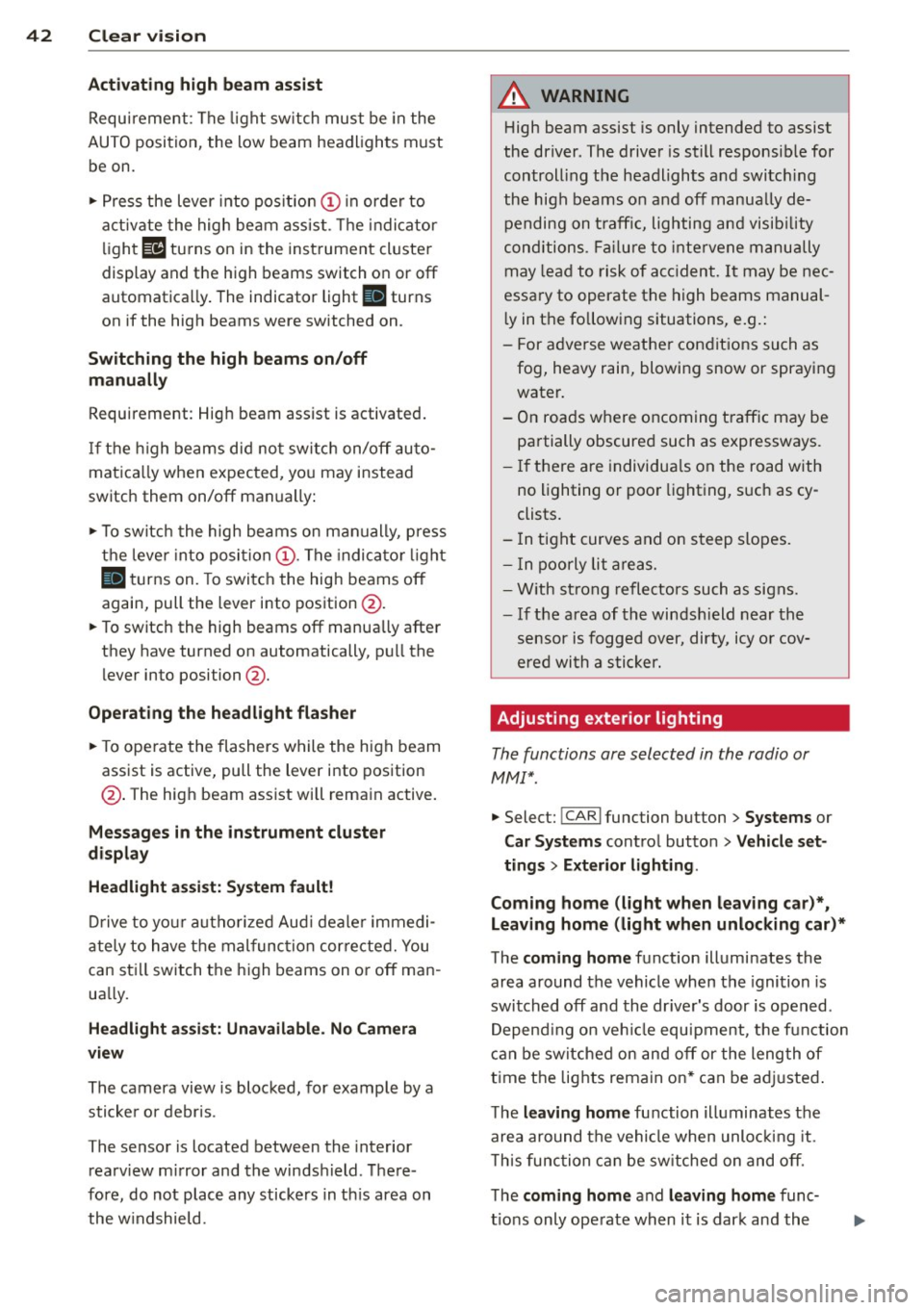
Fig. 36 Turn s ignal an d h igh beam lever : Turning o n
and off the high beam assist
Page 44 of 258
42 Clear vis ion
Activating high beam a ssi st
Requirement: The light sw itch must be in the
AUTO position, the low beam headlights must
be on.
• Press the lever into pos it ion (D in order to
activate the high beam assist . T he indicator
li gh t
IIJ turns on in the instrument cluster
display and the high b eams switch on or
off
automatica lly . The indicator light Bl turns
on if the high beams were switched on .
Switching the high beams on /off
m anuall y
Requir ement : Hig h beam assist is activated .
I f the h igh beams did not switch on/off auto
matica lly when expected, yo u may instead
switch them on/off manually:
• To switch the high beams on manually, press
the leve r into position (D. The indica tor light
El tu rns on. To switch the high beams off
again, pull the lever into position @.
• To switch the high beams
off manually after
th ey hav e tu rn ed on automatically, p ull the
lever into posi tion @.
Opera ting th e headlight fla sher
• To ope rate the flashers while the h igh beam
assist is active, pull the lever into position
@ . T he high beam assist will remain active.
Messages in the instrum ent cluster
displ ay
He adlight a ssis t: Sy stem f ault!
Drive to your a utho rized Aud i deale r immedi
ate ly to have the mal function corrected. You
can st ill switch the h igh beams on o r
off man
ua lly.
H eadlight a ssis t: Una vail able . N o C amera
v iew
The camera view is blocked, for examp le by a
sticke r or debris .
The sensor is located between the interior
rearv iew mirror and the winds hield . There
fore , do not place any stickers in th is area on
the w indshield .
A WARNING
High beam assist is only intended to assist
the driver. The drive r is still responsib le for
controll ing the headlights and switc hing
the high beams on and
off manually de
pending on t raff ic, lighting and visib ility
conditions. Fa ilu re to intervene manually
may lea d to risk of acc ident.
It may be nec
essary to operate the high beams manual
l y in the following situations, e.g.:
- For adverse weathe r condit ions such as
fog, heavy rain, blowing snow or spraying water.
- On roads where oncoming traff ic may be
partially obscured such as expressways .
- If there are individua ls on the road with
no lighting or poo r light ing, such as cy
clists.
- In tight curves and on steep slopes.
- In poorly lit are as.
- W ith st rong refle cto rs such as signs.
- If t he area of the winds hield near the
sensor is fogged ov er, dirty, icy o r cov
ered wi th a stic ker.
' Adjusting exterior lighting
The functions are selected in the radio or
MM!* .
• Select: !CARI func tion but ton > S ystems or
Car Syst ems contro l button > Ve hicle set
ting s> Exterior lighting .
Coming home (light when lea ving car )*,
Leav ing home (light when unlocking car) *
The coming home function illuminates the
area around the vehicle when the ignition is
switched
off and the dr ive r's door is open ed .
Depend ing on ve hicle equ ipment, the function
can be switched on and
off or the length of
t ime the lights remain on* can be ad justed .
T he
leaving home function illuminates the
area around the vehicle when unloc king it .
T h is func tion ca n be sw itche d on and
off .
The coming hom e and leaving home func
t ions only operate when it is dar k and the
Page 45 of 258
M N M N
0 ::i co
rl I.O
"' rl
"' rl
light switch is in the AUTO position
¢ page 40, fig. 34.
Daytime running lights
USA models : You can switch the dayt ime run
ni ng lights
on an d off .
Canada models:
The function cannot be
turned off .
It is ac tiva ted automat ica lly each
time the ignition is switc hed o n.
Emergency flashers
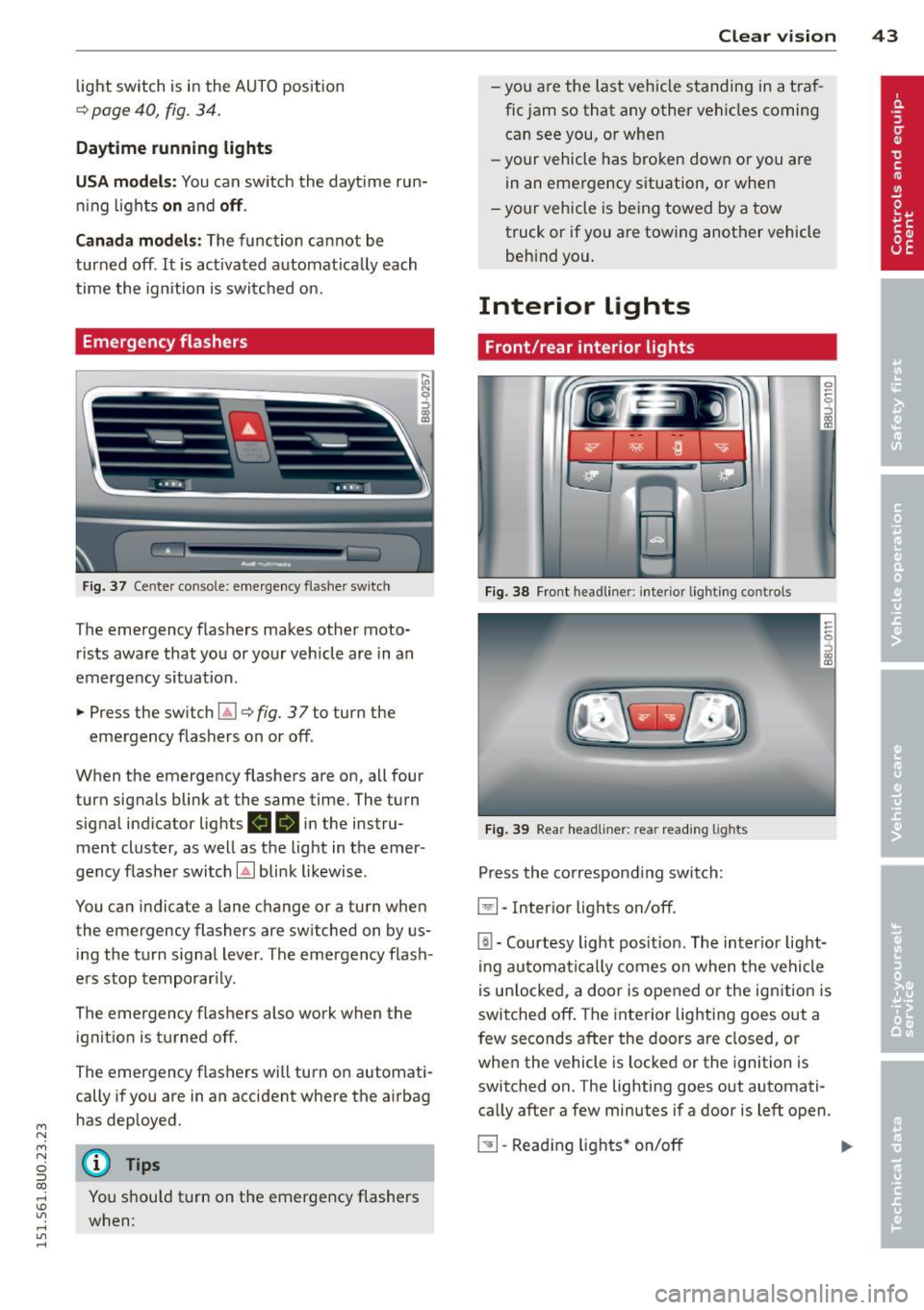
Fig . 3 7 Cente r conso le : emerge ncy flashe r sw itch
The emergency flashers makes other moto
rists aware that you or your vehicle are in an
emergency situation .
.,. Press the sw itch
Gil ¢ fig. 3 7 to turn the
emergency flashers on or off.
When the emergency flashers are on, all four turn signals blink at the same time. The turn
signa l ind icator lig hts
II 18 in the instru
ment cluster, as well as the light in t he emer
gency flashe r switch
[Ai bli nk likewise .
You can indicate a lane change or a turn when
the emergency flashers are switched on by us
ing the tu rn signa l lever . The emergency flash
e rs stop temporar ily.
The emergency f lashers also work when the
ignit io n is turned off.
The emergency flashers will turn o n automati
cally if you are in an accident where the airbag
h as dep loyed.
@ Tips
You shou ld t urn on t he emergency flashers
when:
Clear vi sion 43
- yo u are the la st veh icle standing in a t ra f
fic jam so that any other ve hicles coming
can see you, o r whe n
- yo ur vehicle has bro ken dow n or you are
in an emergency s ituation, o r when
- yo ur vehicle is be ing towed by a tow
truck or if you are towing another vehicle
beh ind you.
Interior Lights
Front/rear interior lights
Fig . 38 Fro nt headl iner: int eri or lig h ting co ntro ls
Fi g. 39 Rear headli ner: rea r read ing lig hts
Press the corresponding switch:
~ -In ter ior lig hts on/off .
[ii-Courtesy light pos it io n. The inter ior lig ht
ing auto mati ca lly comes o n when t he ve hicl e
i s un lo cke d, a door i s ope ned or the ig nitio n is
switched off. The interior lighting goes o ut a
few seconds after the doors a re closed, or
whe n the vehicle is locked or the ignition is
switched on. The lighting goes out automati
ca lly after a few minutes if a door is left open .
~ -Read ing lights * on/o ff ..,.
Page 46 of 258
44 Clear vis ion
Inter ior lighting
There are other in ter ior light ing f unct ions
that are available. Individual functions can be
adj usted i n the MM I. Se lect: ICARlf unction
button >
Systems or Car Sy stems control but
ton>
Vehicle settings > Interior lighting .
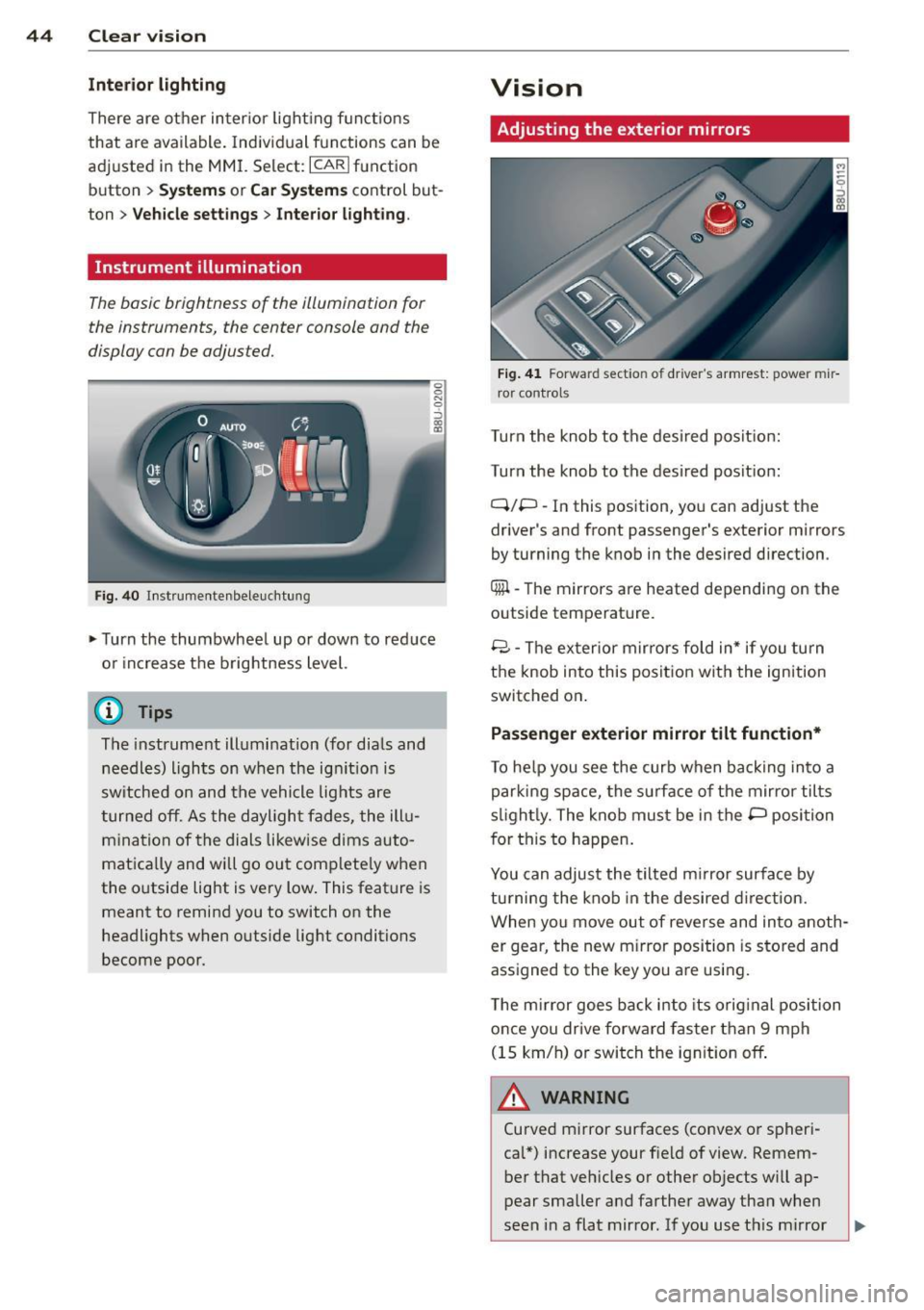
Instrument illumination
The basic brightness of the illum inat ion for
the instruments, the c enter console and the
display can be adjus ted.
F ig . 40 In st rumentenbeleu chtung
.,. Turn the thumbwhee l up or down to red uce
o r i ncrease t he brightness level.
(D Tips
The instrument ill umination (for dia ls and
needles) lights on when the ig nition is
sw itched on and the vehicle lig hts are
t urned off. As the dayligh t fades, the ill u
m ina tion of the dials likew ise dims auto
matically and will go out comp lete ly when
the outside light is very low . This feat ure is
meant to remind you to switch on the
headlights when outside lig ht conditions
become poor.
Vision
Adjusting the exterior mirrors
F ig. 41 Forwar d sect io n of dr ive r's armrest: powe r mir
r or control s
Turn the knob to the desired pos it io n:
Turn the knob to the des ired posit ion:
Q/P -In this position , yo u can adjust the
driver 's and front passenger's exterior mirrors
by turning the k nob i n the desired direction .
Qiil -The mirrors are heated depending on the
outside temperature .
8 -T he ex terior m ir rors fold in* if you turn
t h e knob into this position wit h the ignition
switched on .
Passenger exterior mirror tilt function*
To he lp you see the curb when ba ck ing into a
par king space, the surface of the mirror tilts
s li ght ly. The knob must be in the P posi tion
f or this to happen .
You can adjust the tilted m irror surface by
tu rning the knob in the desired direction.
When you move out of reverse and in to anoth
er gear, the new m irror position is s to red and
ass igned to the key you are using.
T he m irror goes ba ck i nto its orig inal position
once you dr ive forward faster than 9 mph
(15 km/h) o r swi tch the ig nition off .
A WARNING
Curved m irror surfaces (co nvex o r spheri
cal*) increase your f ie ld of view. Remem
ber that veh icles or other ob jects will ap
p ear smaller a nd farther away tha n when
seen in a flat mirror . If you use t his mi rror
-