Lid AUDI Q5 2014 Owners Manual
[x] Cancel search | Manufacturer: AUDI, Model Year: 2014, Model line: Q5, Model: AUDI Q5 2014Pages: 316, PDF Size: 78.41 MB
Page 4 of 316
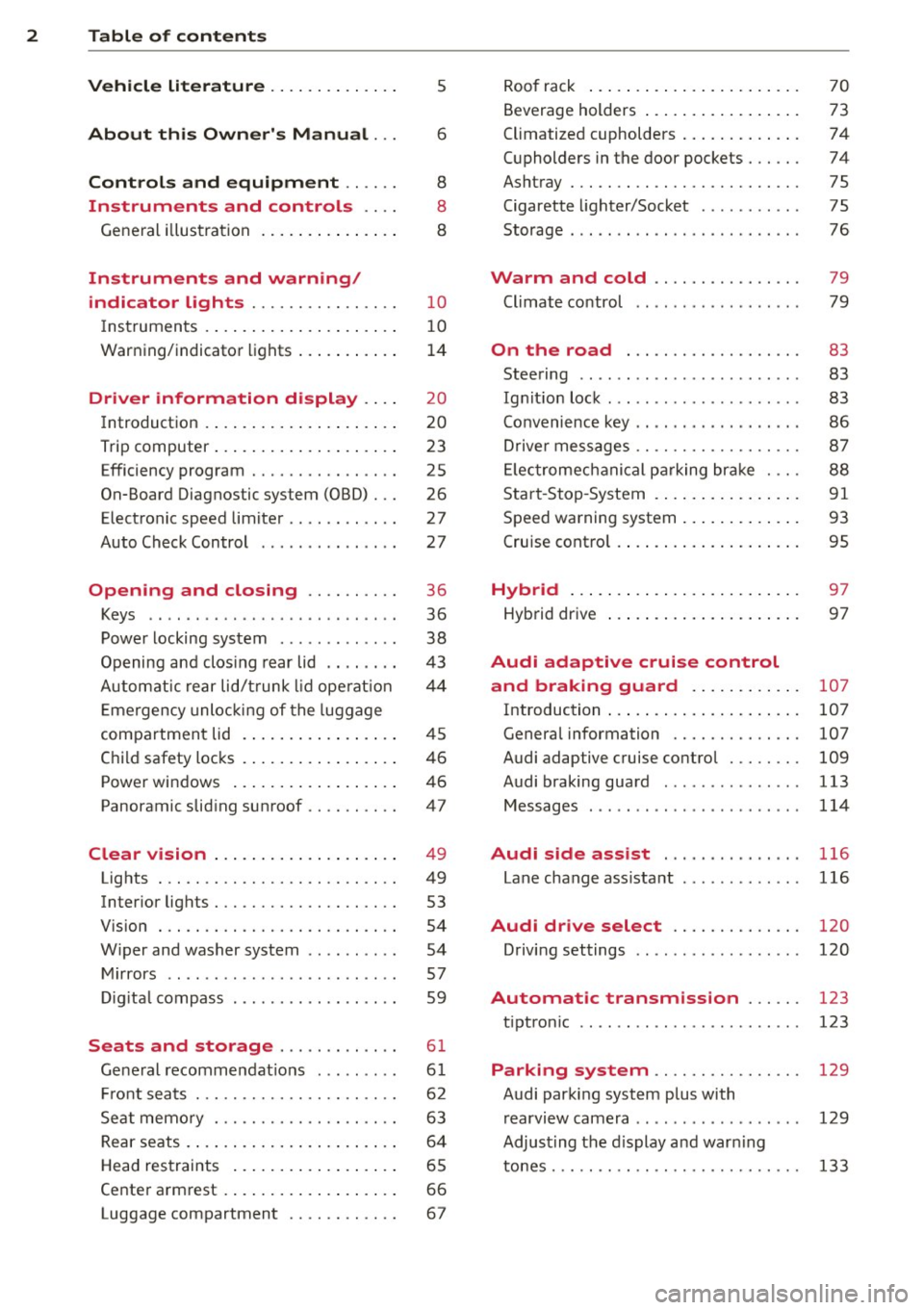
2 Table of contents Vehicle literature .. .. .. .. .. ... .
About this Owner's Manual ...
Controls and equipment .. ... .
Ins truments and controls .. . .
General illus tration .... ... .. .. ... .
Instruments and warning /
indicator lights ........ .. .. .. . .
Ins truments . .. .. ..... ... .. .. ... .
War ning/ indi cator lights ... .. ... .. .
Driver information d isplay .. . .
Introduct ion . .. .. ..... ... .. .. ... .
Trip computer .. .. ..... ... .. .. ... .
Efficiency program ........ .. .. ... .
On-Board Diagnostic system (OBD) .. .
Elect ronic speed limiter ........ .. . .
Auto Check Control ........ .... .. .
Opening and closing .... .. .. . .
Keys .. .. .. ... .... ...... .. .. .. . .
P owe r locking system ............ .
Opening an d clos ing rear lid .. .. .. . .
Automatic rear lid/t runk lid ope rat io n
E mergency unloc king of the lug gage
compartment lid . ..... ... .. .. ... .
C hil d safety locks . ..... ... .. .. ... .
Power win dows .. ..... ... .. .. ... .
Panoramic slid ing sun roof .. .. .. ... .
Clear vision .. .. ..... ... .. .. ... .
Lights ... .. .. . .......... .. .. ... .
Inter ior lights ................ ... .
V 1s 1on . ...... ........... .... ... .
W iper and washer system . ... .. .. . .
Mi rrors .. .. ................ ... . .
D ig ita l compass ................. .
5
6
8
8
8
10
10
14
20
20
23
25
26
27
27
36
36
38
4 3
44
45
46
46
47
49
49
53
54
54
57
59
Seats and storage . . . . . . . . . . . . . 61
Ge ne ral recomme ndat ions ... .. .. . .
Fr ont sea ts . ... .......... .. .. .. . .
Se at memo ry ............ .... ... .
Rear seats .. .. . .. ..... ... .. .. ... .
Head res traints .. ..... ... .. .. ... .
Ce nte r arm rest ... ..... ... .. .. ... .
Luggage compartment ........... . 61
6 2
63
6 4
65
66
67
R oo f rack ..... .. ... .. ..... .... . .
Beverage holders ... ... ..... ... .. .
Climatized cupholders .. ..... ... .. .
( upholders in the door pockets ... .. .
Ashtray ... .... .. ............. .. .
Cigarette lighter/Socket .......... .
Storage ..... .. .. .. ... ....... ... .
Warm and cold .......... ..... .
Climate co ntrol
On the road ................ .. .
Steering ......... .... .......... .
Ig nitio n loc k .. ... ............... .
Co nvenience key .. ... ... .... ... .. .
Dr ive r messages ................. .
El ectromec hani cal p arking br ake . .. .
S tar t-Sto p-System . .... ..... ... .. .
S peed warning system ... .... ... .. .
Cruise cont ro l .. .. ... .. ..... .... . .
Hybrid ... .... .. .. ... ..... ... .. .
Hyb rid drive ..... .. ... ..... ... .. .
Audi adaptive cruise control
and braking guard ...... ... .. .
Introduction ..... .. .... .... ... .. .
Genera l information ........... .. .
Audi adaptive cruise control ..... .. .
Audi braking guard .............. .
Messages ........ .... .......... .
Audi side assist ... ...... ..... .
Lane change ass ista nt
Audi dr ive select ........... .. .
Driving settings .. ... .. ....... ... .
Automatic transmission ..... .
tipt ron ic ..... .... .... .......... .
70
73
74
74
75
75
76
79
79
83
83
83
86
8 7
88
91
93
95
97
97
107
107
107
109
113
114
116
116
120
120
123
123
Parking system . . . . . . . . . . . . . . . . 129
Audi park ing system plus with
r earv1ew camera . . . . . . . . . . . . . . . . . .
129
Adjust ing the d isplay a nd warn ing
tones. . . . . . . . . . . . . . . . . . . . . . . . . . .
133
Page 11 of 316
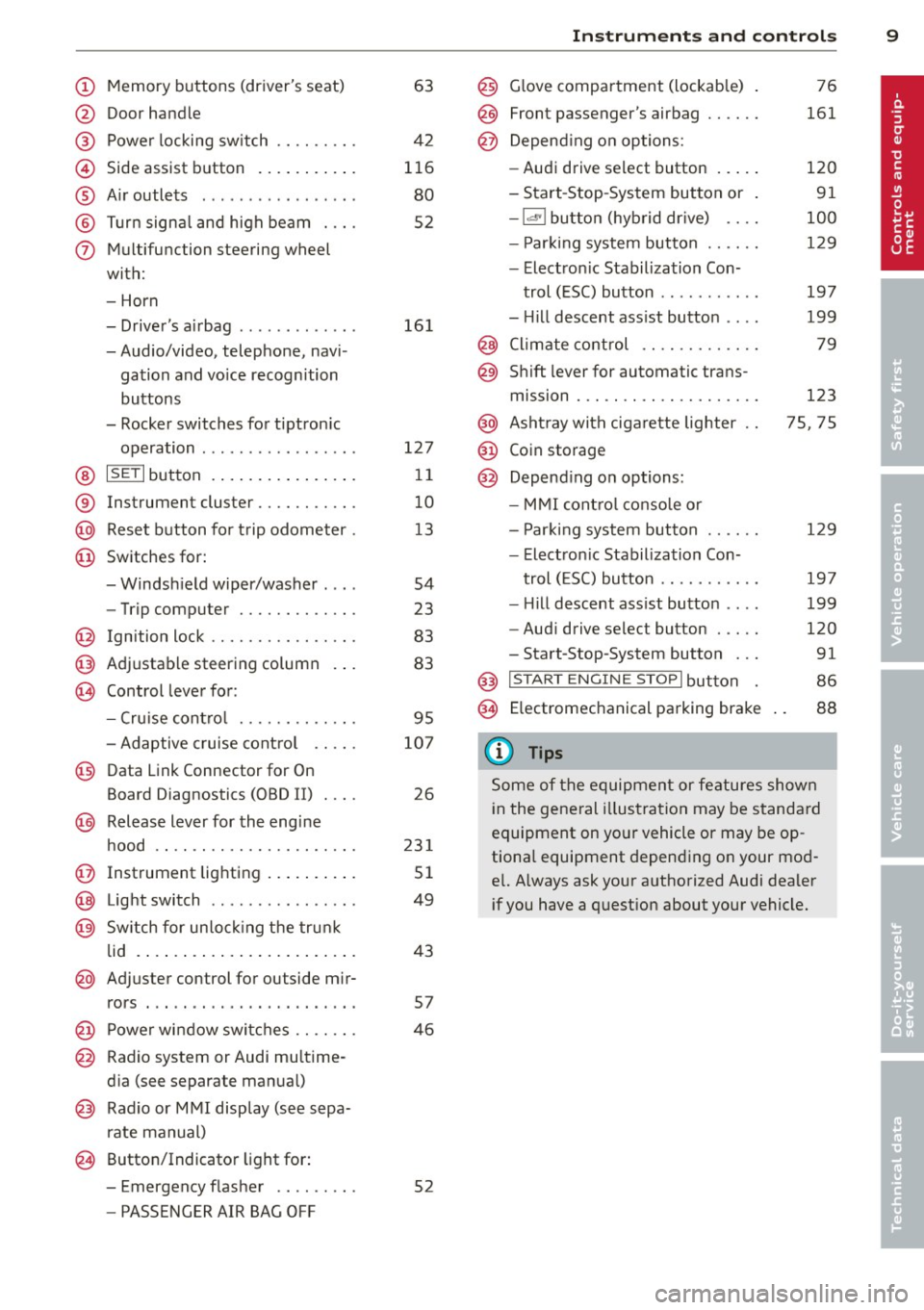
(!) Memory buttons (driver's seat)
@ Door handle
@ Power locking switch ........ .
© Side assist button ....... ... .
® A ir outlets .... .. ... ... .. .. .
@ Tu rn signa l and high beam . .. .
(j) Multifunction steering wheel
with:
- Horn
- Driver's airbag ............ .
- Audio/video, telephone, navi-
gation and vo ice recognition
buttons
- Rocker switches for tiptron ic
operation ................ .
@ ISETI button ... ..... ... ... . .
® Instrument cluster .......... .
@ Reset button for trip odometer .
@ Switches for:
- Windsh ield wiper/washer . .. .
- Trip computer ............ .
@ Ign ition lock ............... .
@ Adjustable steering column
€3J Control lever for:
- Cru ise contro l ........ .. .. .
- Adaptive cruise contro l .. .. .
@ Data Link Connector for On
Board Diagnostics (OBD II) . .. .
@ Release lever for the engine
hood .. .. .... ............. .
@ Instrument lighting .. ... .. .. .
@ Light switch ... .. ... ... .. .. .
@ Sw itch for un loc king the trunk
lid .... .. .. .... .. .... ... .. .
@ Adjuster control for outside mir-
63
42
116
80
52
16 1
127
11
10
13
54
23
83
83
95
107
26
23 1
51
49
43
rors . . . . . . . . . . . . . . . . . . . . . . . 57
@ Power wi ndow switches . . . . . . . 46
@ Radio system or Audi mu ltime-
d ia (see separate manual)
@ Radio or M MI display (see sepa
rate manual)
@ Button/Indicator light for:
- Emergency flasher . . . . . . . . . 52
- PASSENGER AIR BAG OFF
Instrument s and control s 9
@) Glove compartment (lockab le)
@
@
Front passenger's airbag ..... .
Depend ing o n options:
- Audi drive select button
- Start -Stop-System button or
- 1.cl •I butto n (hybrid drive) ... .
- Par king system button ..... .
- Electron ic Stabilization Con-
trol (ESC) button .......... .
- Hill descent ass ist button ... .
@ Climate control .... ........ .
@ Shift lever for automatic trans-
mission . .. .. .. .... ........ .
@ Asht ray with ciga rette lighter
@ Coin storage
@ Depend ing on options:
- MMI cont ro l conso le or
- Park ing system button ..... .
- Electron ic Stabilization Con-
trol ( ESC) button .......... .
- Hill descent ass ist button ... .
- Aud i drive select button .... .
-Start-Stop-System button .. .
@) I S T ART ENGI NE STOPI button
§) Electromechanical parking brake
{!) Tips
76
161
120
91
100
129
197
199
79
123
75, 75
129
19 7
199
120
91
86
88
Some of the equipment or features shown
in the general illustration may be standa rd
equipment on yo ur vehicle or may be op
tiona l equipment depending o n your mod
e l. Always ask your authorized Audi dealer
i f you have a quest ion about your vehicle.
Page 18 of 316
![AUDI Q5 2014 Owners Manual 16 Instruments and warning/indicator lights
If the Jj;] indicator light turns on, the system
has switched the ESC
off . In this case, you can
switch the ignition
off and then](/img/6/57636/w960_57636-17.png "AUDI Q5 2014 Owners Manual 16 Instruments and warning/indicator lights
If the Jj;] indicator light turns on, the system
has switched the ESC
off . In this case, you can
switch the ignition
off and then")
16 Instruments and warning/indicator lights
If the Jj;] indicator light turns on, the system
has switched the ESC
off . In this case, you can
switch the ignition
off and then on to switch
the ESC on again. The indicator light turns
off
when the system is functioning fully.
If the
11 indicator light turns on, ESC was re
str icted using the
I~ OFF I button ¢ page 197.
Stabilization control (ESC/ABS): Fault! See
owner's manual
I f the
Jj;] indicator light and the ABS ind icator
l ight ~ (USA models)
Iii] (Canada models)
turn on and the message appears, the ABS or
e lectronic differential lock is ma lfunctioning.
This a lso causes the ESC to malfunction . The
brakes st ill function with the ir normal power,
but ABS is not active.
Drive to your authorized Audi dea ler or quali
fied workshop immediately to have the mal
function corrected.
A WARNING
-
If the ~ (USA models)/ . (Canada
models) brake system ind icator light turns
on together with the ABS and ESC ind ica
tor lights, the ABS/ESC regulating function
may have fai led. Functions that stabilize
the vehicle a re no longer ava ilab le. This
could cause the vehicle to swerve and in
crease the risk of sliding. Drive carefully to
the nearest a uthorized Audi dea ler or oth
er qualified workshop and have the mat-
function corrected.
(D Tips
For additional information on ESC and
ABS, refer to¢
page 197.
it !f Safety systems
The fl (USA models) tE,I (Canada models) in
dicator light monitors the safety systems (e.g.
a ir bags, pretensioners) and illuminates for a
few seconds each time you switch the ignition
on .
If the
fl (USA models) tE,I (Canada models)
indicator light does not go out, or if it illumi- nates while you are driving, or if it starts to
blink,
then there is a malfunction somewhere
in the system. If the light does not illuminate
when you switch the ign ition on, this also
means there is a malfunction.
A WARNING '"--
If you have a malfunction in the safety sys-
tems, contact your authorized Audi dealer
imme diately. Otherwise the safety sys
tems may not work properly in an acc i
dent.
ill Tire pressure monitoring system -
telltale indicator lamp
Applies to vehicles: wit h tire p ressu re mo nito rin g system
The warning/indicator light appears in the
event of a significant loss of tire pressure or if
there is a malfunction .
The ind icator light IE illuminates to check
the function when you switch on the ignition.
If the
IE symbol remains on or blinks after
you sw itch on the ign it ion, there is a loss of
t ir e pressure or a system malfunction. If there
is a system ma lfunction, see your authorized
Audi dealer as soon as possible.
Detailed informat io n on the tire p ressure
monitoring system can be found in
¢page 265.
¢¢Turn signals
The indicator light blinks when you use either
turn signal.
Whenever you use the left (I or the r ight II
turn sig nal, the indicator light blinks. When
you use the emergency flashers, both indica
tor lights flash .
If one of the turn signa l light bulbs burn out,
the turn sig nal will blink twice as fast as nor
mal.
This does not apply, however, in towing mode .
The indicator light does not flash if a turn sig
nal is out on the tra ile r or the towing vehicle. .,.
Page 20 of 316

18 Instruments and warning/indicator lights
Malfunction in the brake system
If the brake warning light c::> page 18 and
the ABS warn ing illuminate
together there
may be a ma lfunction in the ABS, and there
may also be a malfunction in the brake system
itself
c::> A .
In the event of a malfunction in the brake
system
the warning/indicator light 1111
(USA models);II (Canada models) in the in
strument cluster flashes. By pressing the
! SET !
button, you can bring up a dr iver message
which explains the malfunction in more de
tail. Please note
c::> page 29.
Malfunction in the electron ic differential
lock (EDL)
The EDL works together with the ABS. The
ABS warning light will come on if there is a
malfunction in the EDL system
c::> page 197.
See your authorized Aud i dealer as soon as
possib le.
.&_ WARNING
-
- If the~ (USA models) l[!J (Canada
mode ls) warning light does not go out,
or if it comes on while driving, the ABS
system is not working properly. The vehi
cle can then be stopped only with the
standard brakes (without ABS). You will
not have the protection ABS provides.
Contact your authorized Aud i dealer as
soon as poss ible.
- If the
1111 (USA models)/. (Canada
mode ls) brake system indicator light
turns on together with the ABS and ESC
indicator lights, the ABS/ ESC regu lating
function may have failed. Functions that
stabilize the vehicle are no longer availa
ble. This could cause the vehicle to
swerve and increase the risk of sliding.
Drive caref ully to the nearest authorized
Audi dealer or other qualified workshop
and have the malfunction corrected.
::\ii(®) Electromechanical parking brake
The warning/indicator light monitors the
electromechanical parking brake.
With the parking brake applied and the igni
tion turned on, the. (USA models)/ . (Can
ada models) warn ing/ indicator light illumi
nates. After the ignition has been turned off,
the warn ing/ indicato r light continues to illu
minate for about 30 seconds.
If the parking
brake is applied with the ignition turned off,
the warn ing/indicato r light illuminates for
about 30 seconds.
T he wa rning/i ndicator lig ht will go out when
the parking brake is released.
If the warning/indicator light flashes continu
ously
after applying the pa rking brake, brak
ing force is not sufficient to prevent the veh i
cle from rolling unintentionally . Please note
the following:
- If the slope of the ground is too steep to
pa rk the vehicle, the additional drive mes
sage appears Caution : Vehicle parked too
steep.
- In the event of a pa rking brake malfunction,
the yellow
IIJ symbo l appears in the instru
ment cluster display and the driver message
Parking brake malfunction! is displayed.
Have the ma lfunction repa ired as soon as
possible by an authorized Audi dealer or any
other qualified workshop.
BRAKE/((D) Brake system
The warning/indicator light flashes if brake
fluid level is low, if there is an ABS system
malfunction or a parking brake malfunction.
The 1111 (USA models)/ . (Canada models)
li ght illuminates when the ignition is turned
on. It goes out after the engine has been
started . This indicates that the brake warning
l ight is functioning properly.
If the brake warning light does not light up
when the engine is cranking, there may be a
malfunction in the electrical system. In this
case, contact an authorized Audi dealer. ..,.
Page 21 of 316
Instrument s and warnin g/indic ator ligh ts 19
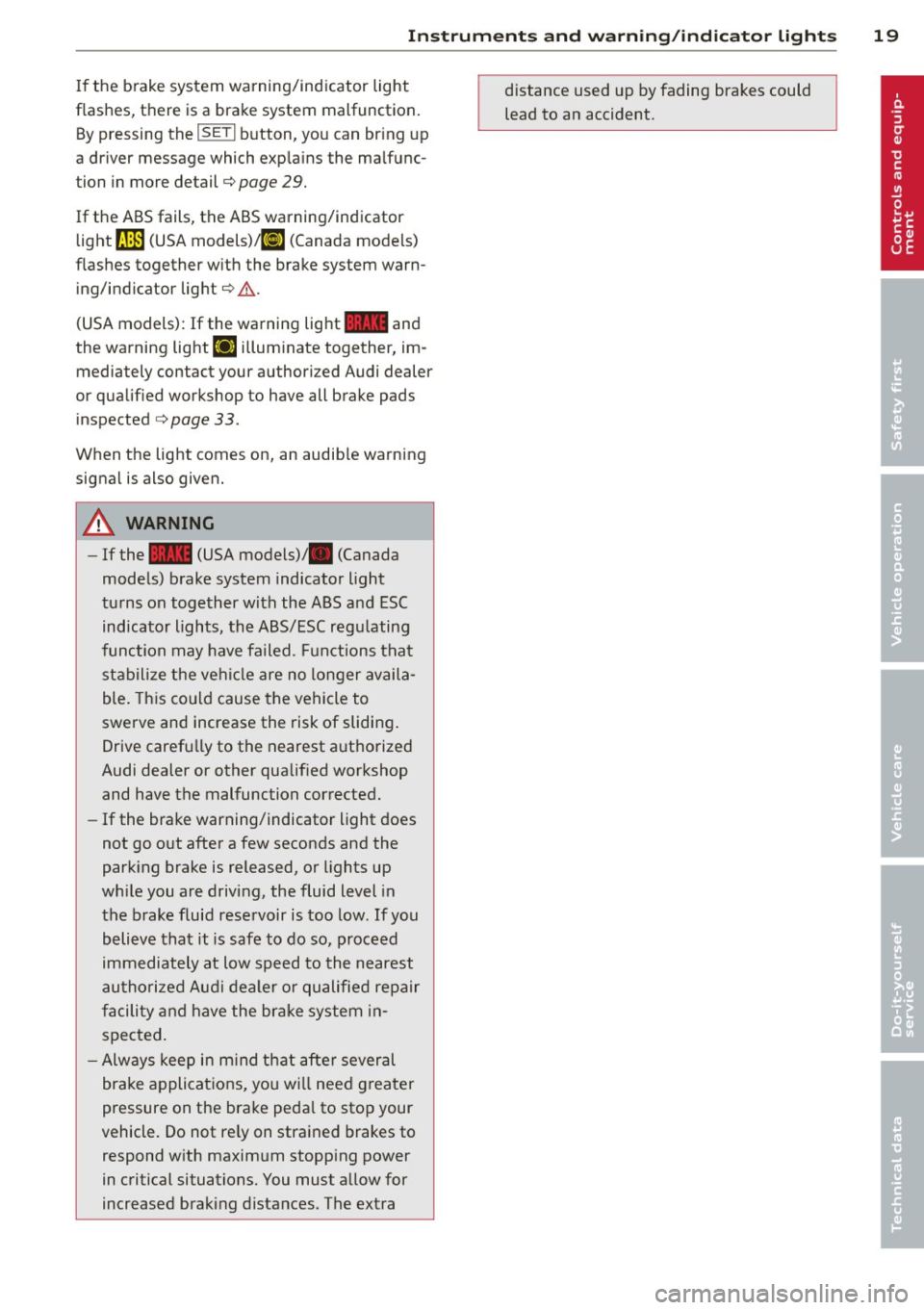
If the brake system warning/indicator light
flashes, there is a brake system malfunction. By pressing the
ISETI b utton, you can br ing up
a driver message which exp la ins the malfunc
tion in more detail¢ page
29.
If the ABS fails, the ABS warning/indicator
light
fJln (USA models) ,11J (Canada models)
flashes together w ith the brake system warn
ing/indicator light¢,& .
(USA models): If the warning light
11111 and
the warning light
EIJ i llum inate together, im
mediately contact your author iz ed Audi dealer
or qualified workshop to have all brake pads
inspected ¢ page
33 .
When the light comes on, an audib le warning
signa l is also given.
A WARNING
- If the 11111 (USA models)/ . (Canada
models) brake system indicator light
tu rns on together with the ABS and ESC
indicator lights, the ABS/ESC regu lating
function may have failed. F unctions that
stabilize the vehi cle are no longer availa
ble. Th is could cause the vehicle to
swerve and increase the risk of sliding .
Drive carefully to the nearest a uthorized
Audi dealer or other qualif ied workshop
and have the malfunction corrected.
- If the brake warning/indicator light does
not go out after a few seconds and the
parking brake is released, or lights up
wh ile you are driving, the fluid level in
the brake fluid reservoir is too low . If you
believe that it is safe to do so, proceed
immediately at low speed to the nearest
au thori zed Audi dealer o r qualified re pair
f acili ty and have the brake system in
spected.
- Always keep in m ind tha t after several
brake applicat ions, yo u will need greater
pressure on the brake peda l to sto p your
vehicle. Do not re ly on stra ined brakes to
respond w ith maxim um stopp ing power
in critical situations. You must allow for
increased braking distances. The extra distance used up by fading brakes could
lead to an accident.
Page 23 of 316

Outside temperature display
Fig. 11 D isplay : outside te mpe rature
At temperatures below 39 °F (+4 °C), a snow
f lake symbol appears in front of the tempera
ture display . It is intended to rem ind the driv
er to pay special attent ion to
ice on the roa d.
If the vehicle is stationary, or if you are driving
at a very low speed, the temperature shown in
the display might be slightly higher than the
actual outside temperature . Th is is caused by
the heat being radiated from the engine .
The unit of measurement for the temperature
can be set in either °For in °Con the MMI* or
on the radio control un it . The outside temper
ature display automatical ly shows the unit of
measurement that has been set. For addition
a l information, see the MMI* or the radio in
struction manua l.
A WARNING
- Never use the outside temperature d is
play to determine if a road surface is icy
or not. Keep in mind that road surfaces ,
especially bridges and overpasses, could be ice covered and slippery even at an
outside temperature above 39 °F (+4 °C).
- Always remember, eve n if the "snow
flake" symbol ( ice warn ing) does not ap
pear i n the display, black ice could be on
the road .
-Always reduce your speed and dr ive with
special care in cold weather conditions
when the chance of encounte ring icy
road surfaces increases .
Driver inform ation di spl ay 21
Digital speedometer
Fig. 12 D ispl ay : D ig it a l speedometer
Current speed appears in the disp lay. Speed is
shown in 1 mph increments (USA mode ls) or 1
km/h increments (Canada models) .
You can switch the disp lay from mi les to kilo
meters and vice versa via the radio or MMI* .
Open door or trunk lid warning
The pictogram alerts you when doors or the
trunk lid have been left open .
Fig. 1 3 Disp lay: Open doo r· and tr unk lid wa rnin g
T he Open Door/Trunk L id warn ing displays if
even one door, the hood or the t runk lid is
open . T his symbo l also shows which door or
lid has no t been closed
~ fig. 13 .
As soon as the doo r, the hood and the trunk
lid a re closed proper ly, the door and trunk lid
warning turns off and the selected d river in
format ion sys tem func tion s are d isplayed
again .
Page 31 of 316
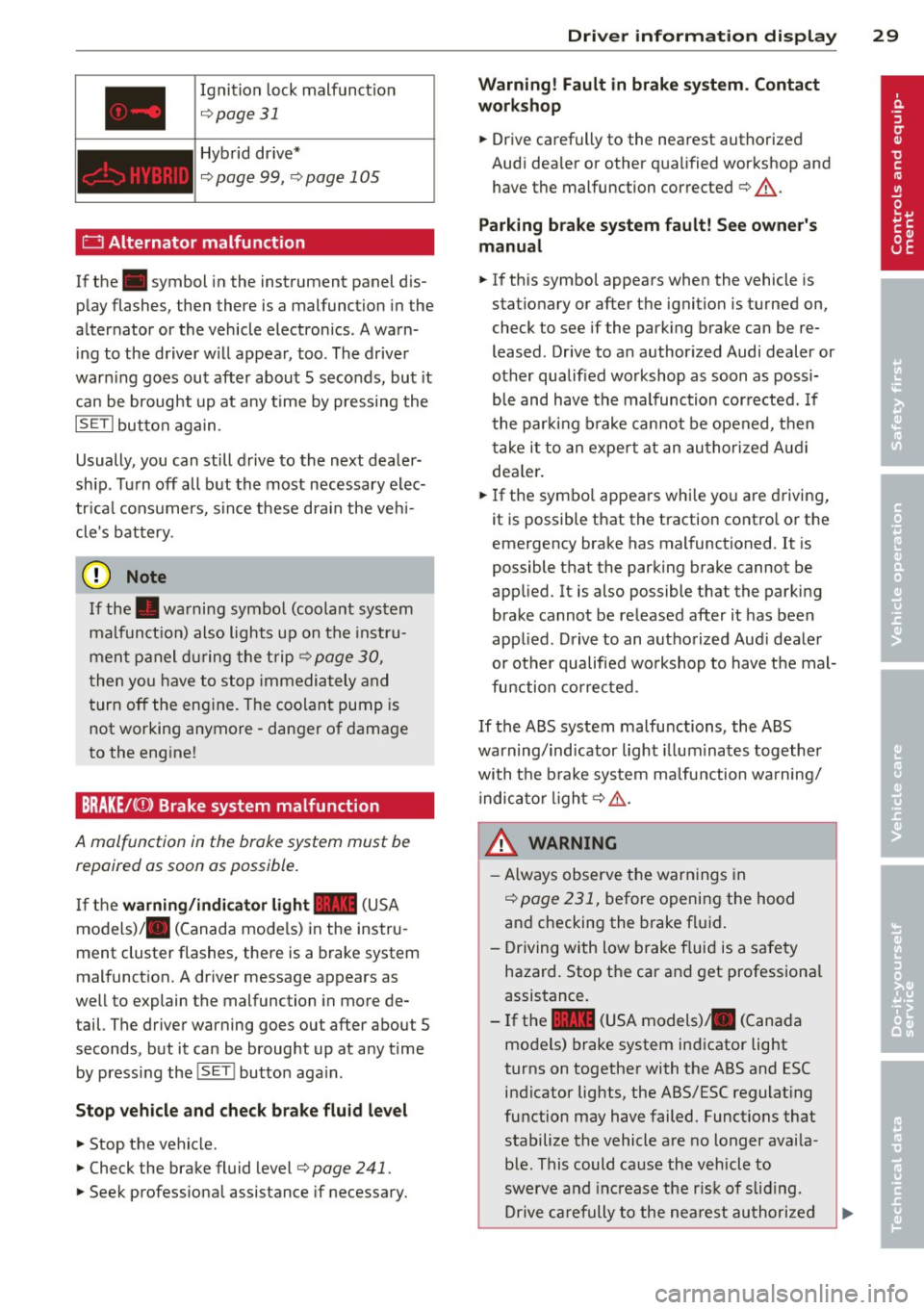
Ignition lock malfunction
¢ page 31
Hybrid drive*
¢page 99, ¢page 105
0 Alternator malfunction
If the . symbol in the instrument panel d is
play flashes, then there is a malfunction in the
alternator or the vehicle electronics. A warn
i ng to the driver w ill appear, too . The driver
warn ing goes out after about 5 seconds, but it
can be brought up at any time by pressing the
ISE TI button again .
Usually, you can still d rive to the next dealer
ship . Turn off all but the most necessary elec
tr ica l consumers, since these d ra in the ve hi
cle's battery.
@ Note
If the . warning symbo l (coolant system
malfunct io n) also lights up on the inst ru
men t pa nel d uring the t rip
¢page 30,
t hen you have to stop immediately and
turn off the eng ine. The coolant pump is
not working anymore -danger of damage
to the eng ine!
BRAKE/C CD) Brake system malfunction
A malfunction in the brake system must be
repaired as soon as possible.
If the warning /indi cator light 11111 (USA
models)/ . (Canada mode ls) in the instru
ment cluster flashes, there is a brake system
malfunct ion. A dr iver message appears as
well to explain the malfunction in more de
tail. The driver warning goes out after about 5
seconds, but it can be brought up at any time by pressing the
I SET I button aga in.
Stop veh icle and check brake fluid level
... Stop the vehicle.
... Check the brake fluid level¢
page 241.
.,. Seek profess iona l assistance if necessary.
Dri ver information di spla y 29
Warning! Fault in brake system. Contact
workshop
... Drive carefully to the nearest authorized
Aud i dea ler or other qua lified workshop and
have the malfunction corrected ¢
&-
Parking b rake system fault! See owner' s
manual
i,-If this symbo l appears when the vehicle is
stat io nary or after the ignition is tu rned on,
check to see if the park ing brake can be re
leased . Drive to an author ized Audi dealer or
other qualified workshop as soon as possi
b le and have the malfunction cor rected. If
t he par kin g b rake cannot be opened, t hen
t ake it to an expe rt at an au tho riz ed Audi
dea le r.
... If the symbo l appears while you are d riving,
it is possible that the traction contro l or t he
emergency brake has mal functioned .
It is
possible t hat the parking brake cannot be
app lied. It is also possible that the parking
brake cannot be re leased after it has been
app lied. D rive to an autho rized Aud i deale r
or ot her qualified wo rkshop to have the mal
fun ction co rrected.
If th e ABS system malfunctions , the ABS
warning/ind icator light illum inates together
wi th t he b rake sys tem ma lfunction wa rning/
i ndica tor ligh t¢ .&. -
_& WARNING ,...___
-Always observe the warn ings in
¢page 231, before openi ng the hood
an d checking the brake f luid .
- Driving with low brake f lui d is a safety
hazard. Stop the car and get professiona l
assistance.
- If the
11111 (USA models) . (Cana da
mo dels) brake system ind icator light
turns on together with the ABS and ESC indicator lights, the ABS/ESC regulat ing
function may have failed. Functions that stabilize the vehicle a re no longer avai la
ble. This could ca use the vehicle to
swerve a nd increase the r is k of slid ing .
Dr ive ca re fully to the nea rest au thori zed
Page 40 of 316
38 Openin g and clo sing
Emergency unlocking of the ignition key
In the event of malfunc tions in the electrical
system, it may happen that you cannot re
move the ignition key.
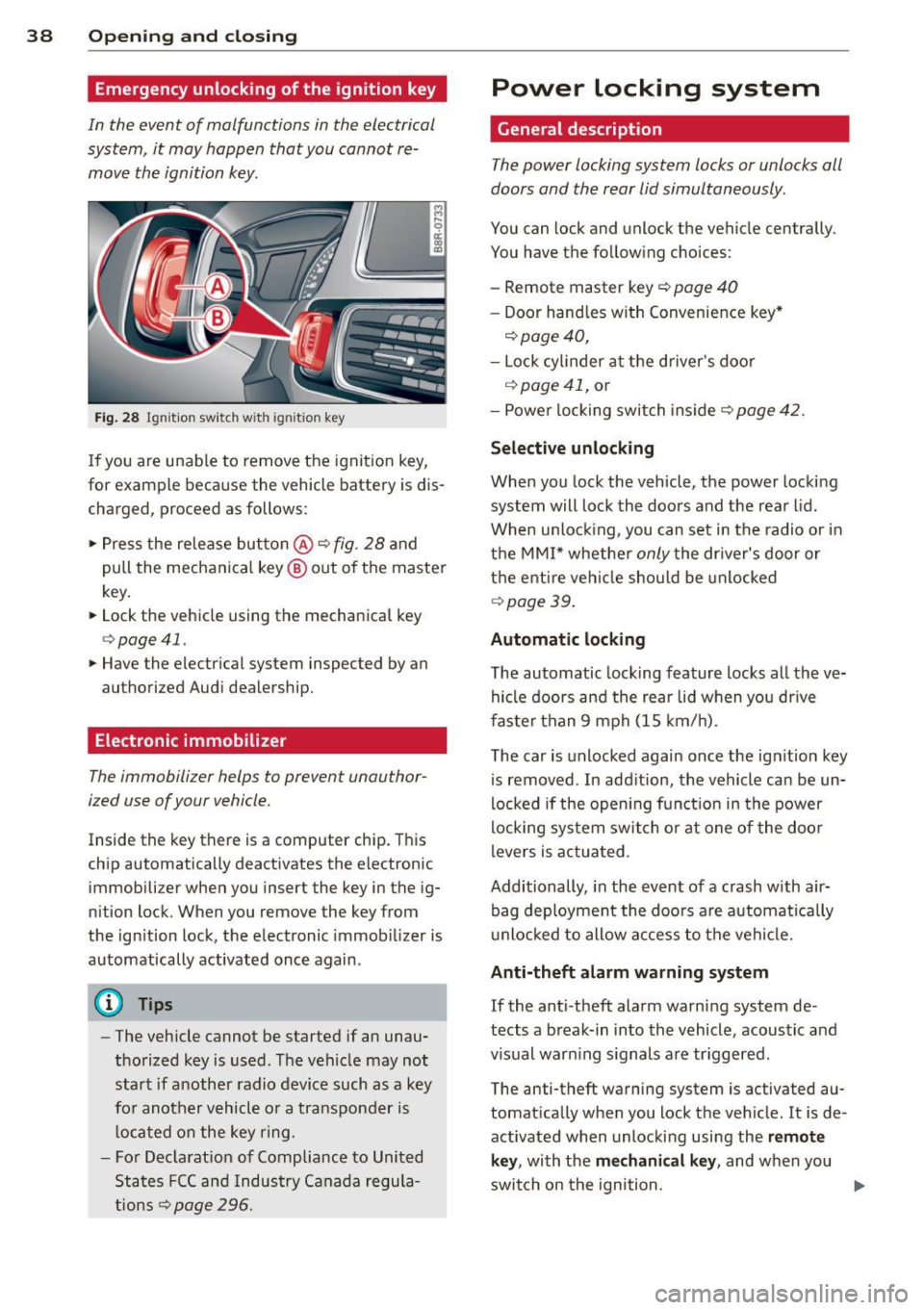
Fi g. 28 Ig nit io n swi tc h with igni tio n key
If you are unable to remove the ignit ion key,
for example because the vehicle battery is dis
charg ed, proceed as follows :
• Press the release button
@ c::> fig. 28 and
pull the mechanical key ® out of the master
key .
• Lock the vehicle using the mechanical key
c::> page 41.
• Have the ele ctrical system inspected by a n
au thor ized Audi dealership .
Electronic immobilizer
The immobilizer helps to prevent unauthor
ized use of your vehicle.
Inside th e key th ere is a compute r chip . This
chip automatically deactiv ates the elect roni c
immobili zer when you insert the key in the ig
n ition lock. When you remove the key from
the ign ition lock, the e lectronic immob ilizer is
automatically activated once again .
@ Tips
-The vehicle cannot be started if an unau
thorized key is used . The vehicle may not
start if another radio device such as a key
fo r another vehicle o r a tra nsponder is
l oca ted on the key ring .
- For Decla rat ion of Compliance to United
States FCC and Indus try Canada regula
tions
c::> page 296.
Power locking system
General description
The power locking system locks or unlocks all
doors and the rear lid simultaneously .
You can lock and unlock the vehicle cen trally .
You have the following choices :
- Remote master key
c::> page 40
-Door hand les with Convenience key *
c::>page40,
- Lock cylinder at the driver 's doo r
c::> page 41, or
- Powe r locking switch inside
c::>page42.
Selective unlocking
When you lock the vehicle, the power locki ng
system will lock the doo rs and the rear l id .
When unloc king, you can set in the radio or in
t h e MMI* whethe r
only the dr iver's door or
t h e enti re veh icle should be unlocked
c::> page 3 9.
Automatic lock ing
The automatic lock ing feature locks a ll the ve
hicle doors and the rear li d w hen you dr ive
f as ter than 9 mph (15 km/ h).
The car is unlocked again once the ign ition key
is removed . In add ition, the vehicle ca n be un
locked if the open ing fun ct ion in the power
locki ng sy stem switch or at one of the door
levers is actua ted .
Additionally , in the event of a crash with air
bag deployment the doo rs a re automatically
u nlocked to allow access to the vehicle.
Anti-theft alarm warning system
If the anti -theft ala rm warn ing system de
tects a b reak-in in to the vehicle, acoustic and
visual war ning s ignals are tr iggered .
The anti-theft warning system is activated au
tomat ically when you lock t he vehicle . It is de
activated when unlocki ng usi ng the
remote
key ,
with the mechanical key , and when you
swit ch on the ignition .
IJII,
Page 41 of 316
The alarm also turns off when the alarm cycle
has expired.
Turn signals
When you unlock the vehicle, the turn signals
flash twice. When you lock the vehicle , the
turn signals flash once. If they do not flash,
one of the doors, the rear lid or the hood is
not locked.
Unintentionally locking yourself out
In the following cases there safeguards to
prevent you locking your remote master key in
the vehicle:
- The vehicle does not lock with the power
locking switch ¢
page 42 if the driver's
door is open.
- On vehicles with Convenience key* , if the
most recently used master key is in the lug
gage compartment, the rear lid is automati
cally unlocked again after it is closed.
Do not lock your vehicle with the
remote mas
ter key or Convenience key*
until all doors
and the rear lid are closed. In this way you
avoid locking yourself out accidentally.
A WARNING
- When you leave the vehicle, always re
move the ignition key and take it with
you. This will prevent passengers (chil
dren, for example) from accidentally be
ing locked in the vehicle should they acci
dentally press the power locking switch
in the front doors .
- Do not leave children inside the vehicle
unsupervised . In an emergency it would
be impossible to open the doors from
the outside without the key.
@ Tips
- In the event of a crash with airbag de
ployment all locked doors will be auto
matically unlocked to give access to the
vehicle occupants from the outside .
-If the power locking system should mal
function, you can lock the driver's door
using the mechanical key ¢
page 42.
-
Opening and closing 39
- If the power locking system should fail,
you can still open the fuel tank flap in an
emergency ¢
page 22 7.
- You are well advised not to keep valua
bles inside an unattended vehicle, visible
or not. Even a properly locked vehicle
cannot provide the security of a safe.
- If the LED in the upper edge of the driv
er's door panel comes on for about
30
seconds after the vehicle is locked, there
is a malfunction in the power locking or
the anti-theft warning system . Have the
malfunction corrected by an authorized
Audi dealership or qualified repair facili
ty.
Setting power locking
The driver can determine the functions for
power locking in the radio or in the
MM!*.
.,. Select: !CAR ! function button> Central lock
ing .
Or
.,. Select:
...., ,c=-A ,....,Rc-, 1 function button> Car systems*
control button > Vehicle settings> (Central
locking)*.
Unlocking single door/Unlock doors -
you can
specify which doors unlock when you open the
vehicle.
- Selecting
Off/All and pressing the [®] button
on the remote control key unlocks the entire
vehicle.
- Selecting
On/Driver and pressing the~ but
ton on the remote control key once unlocks
only the driver's door. In vehicles with a con
venience key*, only the door whose handle
you pull will unlock. If you press the~ but
ton twice, the entire vehicle will unlock. If
you press the~ button, the entire vehicle
will always lock .
Trunk lid/tailgate/Lock exterior trunk handle
-if you select On , the rear lid handle locks
¢
page 43, fig. 35 . In this case, the rear lid
can be opened with the
1£1 button on the mas
ter key
¢ page 40, fig. 29 or with the 1£1
button in the driver's door ¢ page 43,
fig. 34.
Page 42 of 316
40 Opening and closing
Fold mirrors* -if you select On , the outside
mirrors will fold in automatically when you
press the
Iii button on the remote control key
c>page57.
Confirmation tone/Tone when locking -if you
se lect
On , a tone will sound when you lock the
vehicle .
Unlocking and locking the vehicle with
the remote control
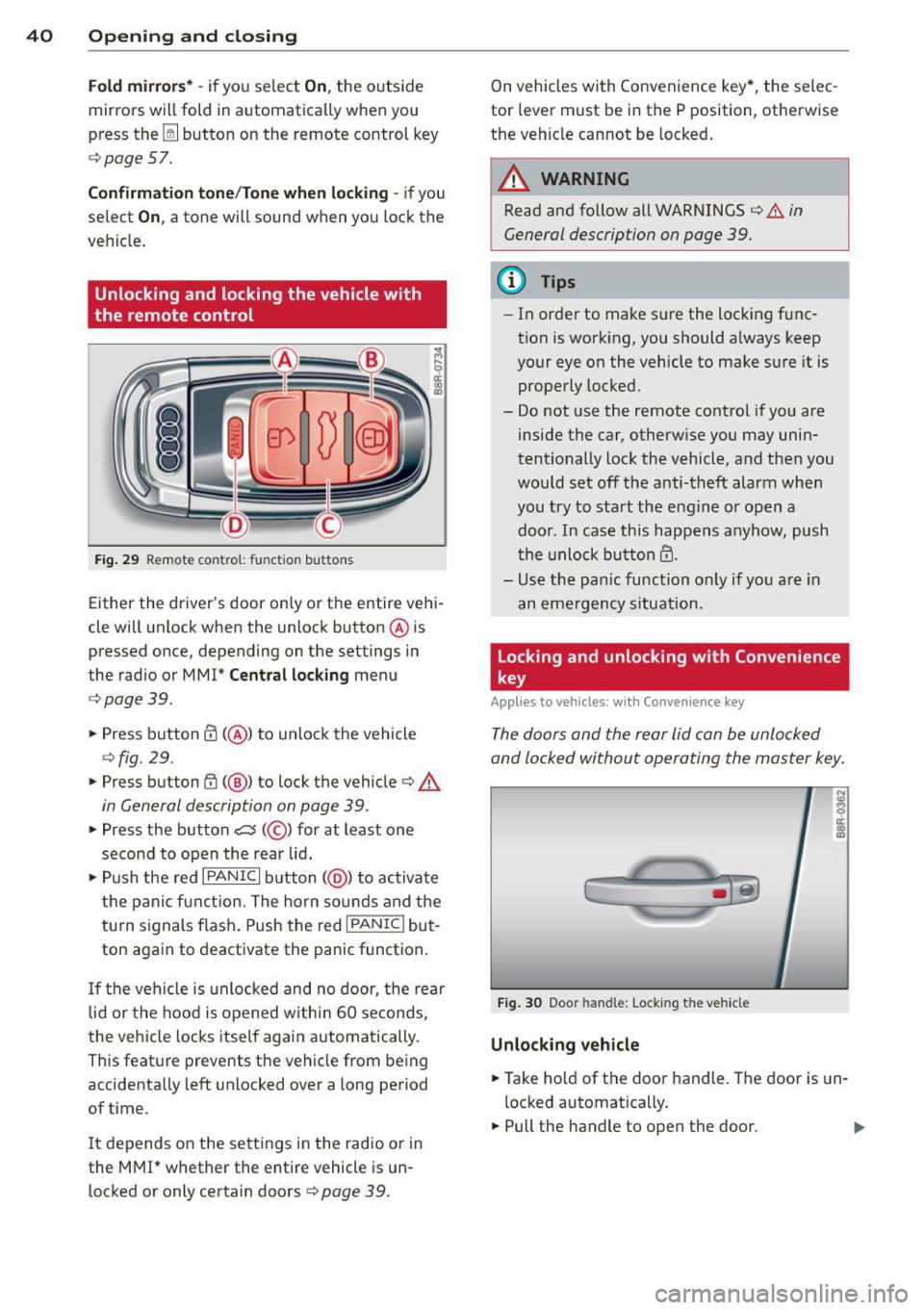
Fig . 29 Remote co ntro l: fu nctio n buttons
Either the driver's door only or the entire vehi
cle will unlock when the unlock button @ is
pressed once, depending on the settings in
the radio or MMI*
Central lock ing menu
c> page39.
.. Press button @(@ ) to unlock the vehicle
c>fig. 29.
.. Press button (I) (@ ) to lock the vehicle c> A
in General description on page 39 .
.. Press the button c::5 (@ ) for at least one
second to open the rear lid .
.. Push the red
I PANIC I button (@ ) to activate
the panic func tion. The horn sounds and the
tu rn s ignals flash. Push the red
I PANIC I but
ton again to deactivate the panic function.
If the vehicle is unlocked and no door, the rear
lid or the hood is opened within 60 seconds,
the vehicle locks itself again automatically.
This feature prevents the vehicle from being
accidenta lly left unlocked over a long period
of time.
It depends on the settings in the radio or in
the MMI* whether the entire vehicle is un
locked or only certain doors
¢ page 39.
On vehicles with Convenience key*, the selec
tor lever must be in the P position, otherwise
the vehicle cannot be locked.
A WARNING
-Read and follow all WARNINGS c> .&. in
General description on page 39.
(D Tips
- In order to make sure the locking f unc
tion is working, you should a lways keep
your eye on the vehicle to make sure it is
properly locked.
-
- Do not use the remote control if you are
inside the car, otherw ise you may unin
tentionally lock the vehicle, and then you
would set off the anti-theft alarm when
you try to start the engine or open a
door. In case this happens anyhow, push
th e un lock button@.
- Use the panic function only if you are in
an eme rgency situation.
Locking and unlocking with Convenience
key
Appl ies to vehicles: wi th Conve nience key
The doors and the rear lid can be unlocked
and locked without operating the master key .
Fig. 30 Door handle: Lock ing the vehicle
Unlocking vehicle
.. Take hold of the door handle. The door is un
locked automatically.
.. Pull the handle to open the door .