warning lights AUDI Q5 2015 Owner's Manual
[x] Cancel search | Manufacturer: AUDI, Model Year: 2015, Model line: Q5, Model: AUDI Q5 2015Pages: 302, PDF Size: 75.01 MB
Page 59 of 302

M N
co ~ co
rl I.O
"' N
"' rl
Windshield wipers
Switching the windshield wipers on
Fig. S6 Windshie ld wiper lever
Fig. S7 Rear w ipe r act uation
Move the windshield wiper lever to the corre
spond ing pos ition:
@ -Windshield wiper off
(D-Interval mode. The windshield w iper auto
matical ly activates when you drive 2 mph (4 km/
h). The higher the sensitivity of the rain sensor is
set (switch @ to the right), the earlier the wind
shield w ipers react to moisture on the wind
shield. In some models, you can switch rain sen
sor mode off and switch intermittent mode on in
the MMI* . Select:
!CARI function button> Car
systems*
contro l button > Driver assist > Rain
sensor.
In i nterm ittent mode, you can adjust the
interval time using the@ switch .
@-Slow wiping
®-Fast wiping
©-Single wipe
® -Clean the windshield . To eliminate water
d roplets , the w indshield wiper performs one af
terwipe operat ion after several seconds while
dr iving . You can switch this function off by mov-
Lights and Vision
ing the lever to position® within 10 seconds of
the afterwipe operation. The afterwipe function is reactivated the next t ime the ignition is switch
ed on.
T he rear wiper automat ica lly switches on when
the reverse gear is engaged and the front wind shield wipers are on and in operation.
Cleaning the headlights*. The headlight washer
system * operates only when the headlights are
on . If you move the lever to position ®, the
headlights are washed in interva ls .
@ -Wipe the rear window. The rear wipe r moves
about every 4 seconds.
(!) -Clean the rear window . Th e number of wiping
operations depends on how long the lever is held
in position 7.
_&. WARNING
-
- The rain sensor is only intended to assist the
driver . The driver is still responsible for
manually switching the wipers on according
to the visibility condit ions.
- The windshield may not be treated with wa
ter-repelling windshield coating agents. Un
favorable conditions, such as wetness, dark ness, low sun, can result in increased glare.
W iper blade chatter is also possible .
- Properly funct ion ing windshield wiper
blades are requ ired for a clear view and safe
driving.
(D Note
- In the case of frost, check whether the windshield wiper blades are frozen to the
windshield . Switching on the w indshield
wipers can damage the wiper blades!
- Prior to using a car wash, the windshield
w iper system must be sw itched off (lever in
position 0). This helps to prevent un inten
tional switching on and damage to the
w indshield wiper system.
(D Tips
-The windshie ld wipers are switched off
when the ignit ion is turned off. Activate the
w indshield wipers after the ignition is ..,
57
Page 60 of 302

Lights and Vision
switched back on by moving the windshield
wiper lever to any position .
- Worn or dirty windshie ld wiper blades result
in streaking . This can affect the rain sensor
function . Check your windshield wiper
blades regularly.
- The washer fluid nozzles of the windshield
washer system are heated at low tempera
tures when the ignit ion is on.
- When stopp ing temporarily, e.g. at a traffic
light, the set speed of the windshield wipers
i s automatically reduced by one speed.
Cleaning windshield wiper blades
Clean the windshield wiper blades when they be
g in to leave streaks. Use a soft cloth and glass
cleane r to clean the windshield wiper blades .
Front wiper
.,. Place the windshield wiper arms in the service
position. Refer to
c> page 58.
.,. Lift the w iper arm away from the front w indow.
Rear wiper
.,. Lift the wiper arm away from the rear window.
A WARNING
Dirty w indshield wiper blades can impair your
view. This can lead to acc idents.
Replacing windshield wiper blades
Fig. 58 Removing the w iper blade
Wiper service position/blade replacement
posit ion
"' ij
a: CX) ID
.,. Switch the ignition off and move the windshield
wiper lever to posit ion ©
c> page 57, fig. 56.
58
The windshie ld wipers move into the service po
sition .
.,. To bring the wipers back into the origina l posi
tion, switch the ignition on and press the wind
shield w iper lever.
You can also turn the service position on or off in
the radio or MMI*:
.,. Switch the windshie ld wipers off (position @
c>page 57, fig. 56).
.,. Select: !CAR I function button> Windshield
wipers
> Service position > On /Off . Or
.,. Select:
!CAR I function button> Car systems*
cont rol butto n > Servicing
& checks > Wiper
s ervice position
> On/Off .
Removing the wiper blade
.,. Lift the windsh ield wiper arm up from the wind
shield .
.,. Press the locking knob@
c> fig. 58 on the wiper
blade. Ho ld the wiper blade firmly .
.,. Remove the wiper blade in the direction of the
arrow .
Attaching the wiper blade .,. Insert the new wiper blade into the mount on
the wipe r arm @until you hear it latch into
place .
.,. Place the wiper arm back on the winds hield.
.,. Tur n the se rvice position off.
A WARNING
F or your safety, you shou ld rep lace the wiper
b lades once or twice a year. See your author
ized Audi dealer for rep lacement blades.
(D Note
- Th e windshie ld wiper blades must only be
replaced when in the service position! Oth
erwise, you risk damaging the paint on the
hood or the w indshield wiper motor.
- Yo u should not move your vehicle or press
the windsh ield wiper lever when the wiper
arms are fo lded away from the windshield.
The windshield w ipers would move back in
to their original position and could damage
the hood and windshie ld .
Page 61 of 302

M N
co ~ co
rl I.O
"' N
"' rl
-To he lp prevent damage to the wiper sys
tem , always loosen blades which are frozen
to the windshie ld before operat ing wipers .
- To he lp prevent damage to wiper blades, do
not use gasoline, kerosene, paint thinner, or
other solvents on or near the wiper blades .
- To he lp prevent damage to the wiper arms
or other components, do not attempt to move the wipers by hand.
@ Tips
- Commercial hot waxes applied by automatic
car washes affect the how easily the glass
surface can be cleaned .
- You can also use the service position, for ex
ample, if you want to protect the windshield
from icing by using a cover.
Replacing the rear wiper blade
C
Fig . 59 Rear w ipe r: Re mov ing t he wip er blade
Removing the wiper blade
.. Fold the windshield wiper arm away from the
windshield.
.. Pull the wiper blade and holder out of the
mount.
Attaching the wiper blade
.. Press the w iper blade holder in the arrow direc
tion
~ fig. 59 into the mount.
.. Fold the windshield wiper arm back onto the
windshield .
.&_ WARNING
-
For safety reasons, the windshield wiper
blades should be replaced once or twice each
year.
Lights and Vision
Mirror
Adjusting the exterior mirrors
Fig. 60 Forwar d sectio n of drive r's arm rest : powe r mirr or
controls
Adjusting exterior mirrors
.. Rotate the knob to the© position (driver's ex
terior mirror) or to the ® position (passenger's
exterior m irror)
Q fig. 60 .
.. Rotate the knob and the mirror so that you
have a clear view to the rear.
Heated mirrors
.. Rotate the knob to position@.
Folding both exterior mirrors*
.. Turn the knob to posi tion @.
Depend ing on the outside temperature, the mir
ror surfaces are heated until the ignition is
switched off -even if the knob is no longer in po
sition @.
You are we ll-advised to fold the exterior mirrors
in when maneuvering in tight spaces or when
leaving the car parked close to other vehicles.
Memory for exterior mirrors*
On vehicles with memory for the driver's seat,
the current setting for the exterior mirrors is au
tomatically sto red a long with the seat pos ition
Q page 64.
Tilt function for the passenger's mirror*
When the reverse gear is engaged, the mirror
surface tilts downward slightly if the setting is
for the passenger's mirror (knob in position ®
Q fig. 60). This allows you to see the curb during
parallel parking. .,..
59
Page 62 of 302

Lights and Vision
The mirror returns to its initia l position as soon
as reverse gear is disengaged and vehicle speed is
above about 9 mph (15 km/h). The mirror a lso
returns to its initial position if the switch is
moved to the driver's exterior mirror
(0 or the ig
nition is switched off .
If the position of the mirror surface is changed
on a tilted mirror , this new position will be auto
matically assigned to the remote key when the
vehicle is taken out of reverse gear .
(D Note
- Curved mirror surfaces (convex or spheri cal*) increase your field of view. Remember
that vehicles or other objects will appear
smaller and farther away than when seen in
a f lat mirror .
If you use this mirror to esti
mate distances of following vehicles when
changing lanes, you could estimate incor
rectly and cause an accident.
- If the mirro r housing is moved un intent ion
al ly (for example, while parking yo ur vehi
cle), then you must first fold the mirror
electrical ly. Do not readjust the mirror hous
i ng manua lly. You could damage the motor
which controls the mirror.
- If you wash the vehicle in an automatic car
wash, you must fold the exterior mirrors in
to reduce the risk of damage to the mirrors.
Never fold power folding exterior mirrors*
by hand . Only fold them in and out using
the power controls.
(D Tips
If there should be a malfunction in the elec
trical system, you can still adjust the exter ior
m irrors by pressing the edge of the mirror.
60
Dimming the mirrors
Fig. 61 Auto matic d immin g rearv iew mirror*
Manual anti-glare adjustment
.. Move the small lever (located on the bottom
edge of the mirror) to the rear .
Automatically dimming mirrors* .. To dim the rearview m irror and both exterior
mirrors*, press the® button. The diode @
turns on . The rearview and exterior mirrors*
dim automatically when light shines on them,
for example from headlights on a vehicle to the
rear.
& WARNING
Electrolyte fluid can leak from automatic dim
ming mirrors if the glass is b roken. Electrolyte
fluid can irritate skin, eyes and respiratory
system.
- Repeated or prolonged exposure to electro
lyte can cause irritat ion to the respiratory
system, especially among people with asth
ma or other respiratory conditions. Get
fresh air immediately by leaving the vehicle
or, if that is not possible, open windows and
doors all the way.
- If electrolyte gets into the eyes, f lush them
thoroughly with large amounts of clean wa
ter for at least 15 minutes; medical atten
tion is recommended .
- If electrolyte contacts skin, fl ush affected
area with clean water for at least 15 mi
nutes and then wash affected area with
soap and water; medical attention is recom
mended. Thoroughly wash affected clothing
and shoes before reuse.
Page 64 of 302

Lights and Vi sion
Calibrating the compass
Appl ies to veh icles: w ith digital compass
The compass has to be recalibrated if the display
is wrong or inaccurate .
.,. Hold the@ button down until the letter C is
displayed on the inter ior rear view mirror .
.,. Drive in a circle at a speed of about 6 mph (10
km/h) unt il a direction is shown on the interior
. . rear view mirro r.
A WARNING
The d igital compass is to be use d as a direc
tional a id only. Even though you may want to
look at it whi le you a re dr iving, you mus t still
pay attention to traffic, roa d an d weather con
ditions as well as other possib le hazards .
62
Page 67 of 302
M N
co
a:
co
,...., \!) ..,.,
N ..,., ,....,
In addition to the setting for the drive r's seat ,
the exterior rear view mirror setting can be stor
ed and reca lled through seat memory if the veh i
cle is properly equipped.
Storin g and recallin g se tting s
With the help of the memory buttons 1 and 2
¢ fig. 65 the settings for two different drivers
can be stored and reca lled
r::!> page 65.
The cu rrent settings are also a utomat ica lly as
signed to the remote control key being used
when the vehicle is locked . When the vehicle is
un locked, the settings assigned to the remote
contro l key being used are automatica lly recalled .
Turnin g seat m emo ry on and off
If the IO FF I sw itch is depressed, the seat memory
is inoperative . When the Memory function is off,
the LED in the button lights up.
All the stored settings a re retained. We recom
mend using the
I O FF I sw itch and de activating the
seat memory if the vehicle is only go ing to be
used
temporarily by a driver whose settings are
not going to be stored .
Storing and recalling settings
Applies to vehicles: with seat memory
Storing settings
~ Adjust the driv er's seat.
~ Adjust the two exter ior mirrors.
~ Press the !SET I button. The light in the button
will come on.
~ Now p ress a memory button (III or~). If the
stor ing procedure is correct, a confirmation
tone w ill sound .
Recall ing setting s
~ If the dr iver 's door is open and the ignit ion is
switched off, tap the correspond ing memory
button br iefly .
~ If the dr iver's door is closed or the ignit ion is
switched on, p ress the approp riate memo ry
button until the s to red pos ition is rea ched .
Successful storage is confirmed audibly and by
the light in the
ISET I button illum inat ing
r::!> page 64, fig . 65.
S eat s and stor age
When the vehicle is lo cked , the current settings
are stored and assigned to the remote contro l
key . But the settings stored on memory buttons
1 to 2 are not deleted . They can be recalled at
any time . When the vehicle is
unlocked , the set
t ings assigned to the remote control key a re re
stored .
If your vehicle is driven by other persons using
your remote control key, you should save your in
dividua l seat position on one of the memory but
tons . You can recall your settings again simply
and conveniently by p ress ing the corresponding
memo ry butto n. When the vehicle is locked,
these settings are automatica lly re-assigned to
the remote control key and stored .
& WARNING
- For safety reasons, the seat setting can only
be recalled when the vehicle is stationary -
otherwise you risk hav ing an accident.
- In an emergency the recall proced ure can be
cancelled by pressing the
I OFF I switch or by
tapp ing of the memory buttons.
Activating remote control key memory
Applies to vehicles: wit h seat memory
To assign the dr iver 's seat settings to the remote
control key when locking the vehicle, the function
must be activated in the radio or MMI*.
~ Select: ! CAR I function button > Seat adju st
ment > Dri ver's seat > Key mem. p ro fi le > On .
Or
~ Select: !CARI function button> Car sy ste ms*
cont ro l butto n > Vehicl e se tting s > Seats >
Driver 's seat > Remote control ke y> On .
(j) Tips
If you do not want anothe r driver's sett ings to
be assigned to the remote control key, switch
off the memory function usi ng the rad io or
M MI* or t he
I OFF I button r::!> page 64.
65
Page 87 of 302
M N
co
a:
co
,...., \!) 1.1"1
N 1.1"1 ,....,
~ It is possible that there wi ll be a slight de lay
when starting the engine for diesel vehicles* in
colder temperatures. Therefore, yo u must hold
the brake peda l down until the engine starts.
The ind icator lamp
1,1 illuminates when the en
gine is preheated .
Switching the ignition on /off
If you wou ld like to switch the ignition on with
out sta rt ing the engine, fo llow these steps:
~ In se rt the key into the ignition lock .
~ Press the key briefly without press the brake
peda l.
~ To switch the ignition off, press the key again .
D iese l vehicles * are prehea ted whi le the ignition
is switched on.
W hen sta rting the engine, ma jor e lectr ica l load s
a re sw itche d
off temporar ily.
You can only remove the key w ith the ignition
sw itched off. To do this, you have to p ress on the
key again.
I f the engine sho uld not start immediately, the
start ing process is a utomat ica lly stopped after a
short time. Repeat start ing procedure.
Start-Stop-System*:
Note the information on c:> page 91, Start/Stop
system .
A WARNING
-Never allow the engine to run i n confined
spaces - dange r of asphyxiation .
- Never remove the ign ition key from the ign i
t io n lock while the vehicle is moving . O ther
wise, the stee ring loc k cou ld suddenly e n
gage and you would not be able to stee r th e
vehicle .
- Always ta ke t he key with y ou wheneve r you
leave you r vehicle. Othe rwi se , the eng ine
cou ld be started or ele ctrical eq uipment
s u ch as the power windows co uld be operat
ed. This can lead to ser ious injury.
- Never le ave c hildren o r persons requi ring as
sistance unattended in the vehicle. The doo rs can be locked using the remote trans-
-
Dri ving
mitter, preventing people from escaping
from the veh icle on the ir own in the event of
an emergency. Depend ing on the time of
year, peop le inside the vehicle can be ex
posed to very high or very low tempera
tures.
(D Note
Avoid high eng ine rpm, full throttle and heavy
engine loads unti l the engine has reached op
era ting temperature - othe rwise you r isk en
g in e damage .
@ For the sake of the environment
Do not let the engine run wh ile pa rked to
warm up. Begin dr iving immediat ely . T hi s re
duces unnecessa ry em iss ions .
(D Tips
-If the key cannot be removed from the ign i
t ion lock, you have to pull the mecha nica l
key out of th e mas ter key in orde r to be able
to lo ck the vehicle
c:> page 38.
-After starting a cold engine, ther e may be a
br ief per iod of incr eased nois e because the
oil p ress ure mu st fi rst bu ild up in the hy
dr au lic valve adju ste rs. This i s norm al a nd
no t a cause fo r concern.
- If you leave the ve hicle with the ignition
s witched on, the ig nit ion w ill switch
off af
t er a ce rtain period of time . Please note that
elect rical eq uipment such as exterior lights
w ill switch off as well when that happens .
85
Page 90 of 302
Driving
-If you leave the vehicle with the ignit ion
switched on, the ignition will switc h off af
ter a certa in period of time. P lease note that
e lectr ica l equipment s uch as exterior lights
will switch off as well when that happens.
Switching engine off
A pp lies to veh icles: w ith Convenie nce key
.,. Bring your veh icle to a complete stop.
.. Move the selector lever to the P or N position .
.,. Press the
!START ENGINE STOPI button
"*page 87, fig. 102.
Stee ring lock
The steering locks when you turn the engine off
using the
!START ENGINE STOP I button and open
the dr iver's door. The locked steering helps pre
vent vehicle theft.
Emergen cy off
If necessary, the eng ine can be sw itched off with
the selector lever in the R or D/S position . The en
g ine stops if you press and hold the
I STAR T ENGINE ST OP ! button at speeds below
6 mph ( 10 km/h) a nd p ress the brake pedal.
..&, WARNING
- Never turn off the engine be fore the ve hicle
has come to a comp lete stop. The fu ll func
tion of the b rake booster and the power
stee ring is not guaranteed. Yo u must use
more force to turn or bra ke i f necessary. Be
cause you cannot steer and brake as you
usually wou ld, this could lead to crashes
and serious injur ies.
- For safety reasons, you should always park
your vehicle with the selector lever in P. Oth
erwise , the vehicle could inadver tently roll
away.
- The rad iator fan ca n continue to run for up
to 10 m inutes eve n after you have turned
off the engine a nd removed the ignition key.
T he ra diato r fan ca n also turn on aga in if the
engi ne coola nt he ats up becau se of intense
s u nligh t or heat bui ld-up in the engine com
partment.
88
- Always take the key with you whenever you
leave your vehicle. Otherwise, the engine
could be started or electrical equipment
such as the power windows could be operat
ed. This can lead to serious in jury.
- Never leave children or persons requiring as
sistance unattended in the vehicle. The
doors can be locked using the remote t rans
m itter, prevent ing people from escaping
from the vehicle on the ir own in the event of
a n emergency. Depe nding on the time o f
yea r, peop le inside the vehicle can be ex
posed to very high or very low tempera
tures .
(D Note
If the engine h as been unde r heavy lo ad for
an ex tended pe riod, hea t bu ilds up in t he en
gine compartment after the engine is switch
ed off -there is a risk of damaging the engine .
A llow the engine to run at id le for about two
minutes before switching it off.
Driver messages
Ignition is on
This message appears and a warning tone sounds i f you open the drive r's door when the ign ition is
switched on .
No key identified
This message appears when the
I START ENGI NE STO PI* button is p ressed if the re
i s no master key ins ide the ve hicle or if the sys
tem does no t re cogn ize it. For examp le, the mas
te r k ey cannot be recogn ized if it is covered by an
ob ject (e.g. a luminum brief case) wh ic h
screens
the radio sig na l. Electro nic devices such as cell
phones can a lso interfere with the radio signa l.
Press brake pedal to start engine
This message appears if yo u do not p ress the
brake pedal to start the eng ine.
Shift to N or P to start engin e
This message appears when attempt ing to start
the engine if the selector lever for the automat ic .,.
Page 92 of 302
Driving
- When starting on inclines, the sta rting assist
prevents the vehicle from unintentionally roll
i ng back . T he braking force of the parking brake
is not released unt il sufficient driving force has
been built up at the wheels.
Em ergency brake function
An emergency bra ke ensures that the vehicle can
be slowed down even if the normal brakes fa il
c::> page 91, Emergency broking .
A WARNING
-
If a drive range is engaged with the vehicle
stationary and the engine running, you must
in no instance accelerate careless ly. Otherwise
t he vehicle will start to move immed iate ly -
r isk of an accident.
(1) Tips
- If the parking brake is applied with the igni
tion switched off, the indicator lights in the
swi tch and . (USA
models) ;II (Cana-
da models) in t he instrument cluster wil l go
out after a certa in period of time.
- Occasiona l noises when th e par king b rake is
applied and released are normal and are not
a cau se for co nce rn.
- When the ve hicle is par ked, the parking
b rake goes t hro ugh a se lf-test cycle a t regu
lar in tervals . Any associa ted noises are no r
mal.
Parking
~ Press the brake peda l to stop the vehicle.
~ Pu ll the switch c::> page 89 , fig . 103 to set the
parking brake.
~ Move the selecto r lever to P .
~ Turn the eng ine off c::> ,&. .
~ When on incl ines or declines, turn the steer ing
whee l so that the vehicle w ill roll into the curb
if it beg ins to move.
A WARNING
- W hen you leave your veh icle -even if only
br ie fly -always remove the igni tion key. This
applies part icu larly when children remain in
90
-
the vehicle. Ot herwise the ch ild ren could
start the engine, release the parking b rake
or operate electrical equ ipment (e.g . power
w indows) . There is the risk of an accident.
- W hen the veh icle is locked, no one -part icu
larly not chi ldren shou ld remain in the ve hi
cle. Locked doors make it more d ifficult for
emerge ncy wor kers to get into the ve hicle -
putting lives at risk .
Starting from rest
The starting assist function ensures that the
parking broke is released automatically upon
starting.
Stopping and applying parking brake
~ Pull the sw itch to app ly the parking brake.
Starting and automatically releasing the
parking brake
~ When you sta rt to drive as us ual, the parking
brake is automatically released and yo ur vehicle
beg ins to move.
When stopping at a traffic signa l or stopping in
c ity t raffic on vehicles with an a utomat ic trans
mission, the parking brake ca n be applied. The
vehicle does not have to be he ld with the foot
brake . The park ing brake e liminates the tendency
to c reep with a d rive ra nge engaged . As soon as
you d rive off as usua l, the par king b rake is re
l eased a utomat ic all y and the vehi cle starts to
move .
Starting on slopes
When sta rting on inclines, the starting assist pre
vents the vehicle from unintentionally ro lling
ba ck. The braking for ce of t he parking b ra ke is
not released until sufficient dr iv ing force has
been built up a t the wheels.
(D Tips
Fo r safety reaso ns, the p arking bra ke is re
l e ased auto m atically only w hen t he d river 's
s a fe ty be lt is engaged in t he b uckle .
Page 95 of 302
M N
co ~ co
rl I.O
"' N
"' rl
General information
Applies to vehicles: with Start-Stop-System
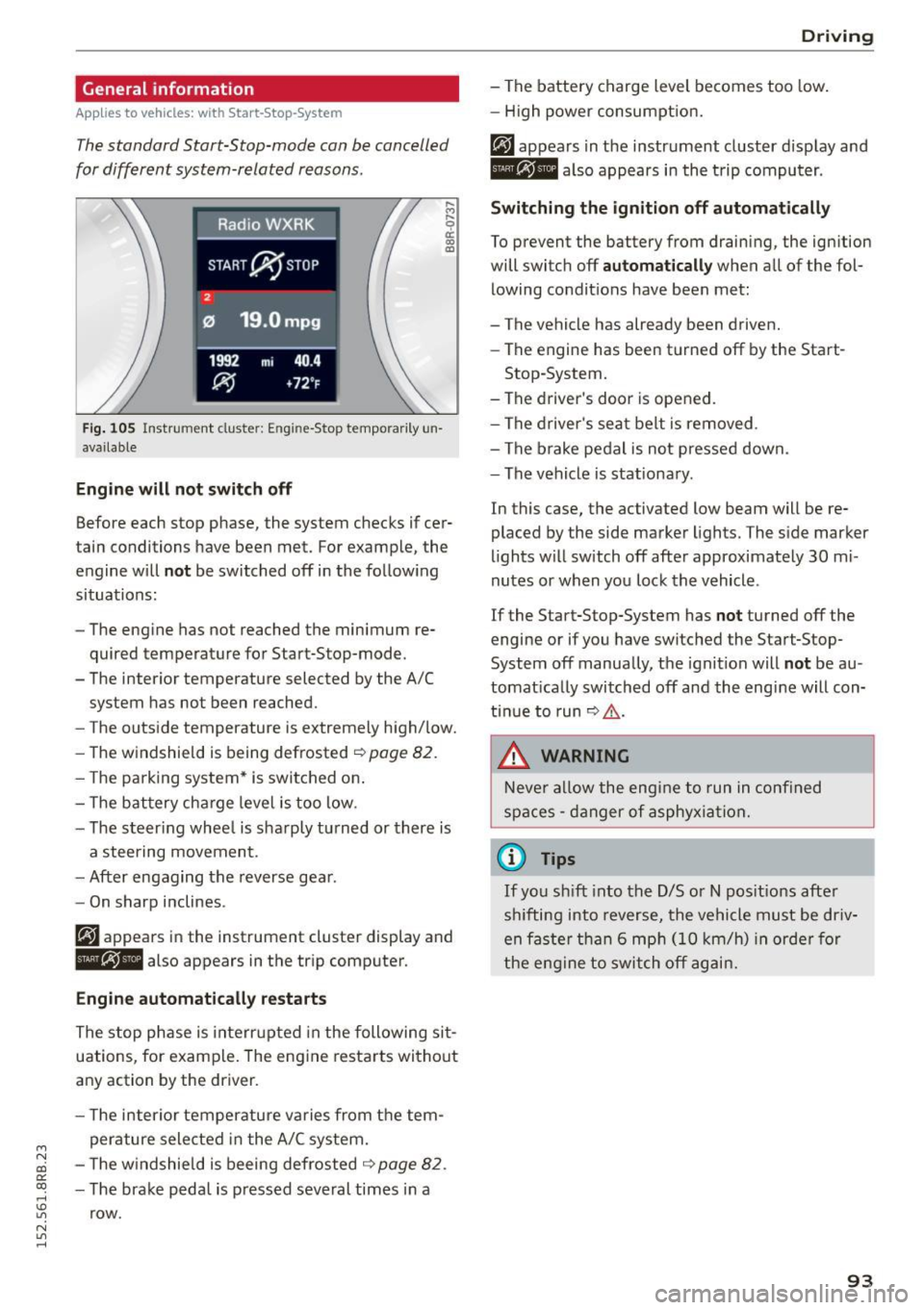
The standard Start-Stop-mode can be cancelled
for different system-related reasons.
Fig . 105 Instrument cluster: E ngin e-Stop tempo rarily un
available
Engine will not switch off
.... M
9 cc IX) ID
Before each stop phase, the system checks if cer
tain conditions have been met. For example, the
engine will
not be switched off in the following
situations:
- The engine has not reached the minimum re
quired temperature for Start-Stop-mode.
- The interior temperature selected by the A/C system has not been reached.
- The outside temperature is extremely high/low.
- The windshield is being defrosted ~
page 82.
-The park ing system* is switched on .
- The battery cha rge level is too low.
- The steer ing whee l is sharply turned or there is
a steering movement.
- After engaging the reverse gear.
Engine automatically restarts
The stop phase is interrupted in the following sit
uations, for example. The engine restarts without
any action by the driver.
- The interior temperature varies from the tem
perature selected in the A/C system.
- The windshield is beeing defrosted
~ page 82.
-The brake pedal is pressed several times in a
row.
Driving
- The battery charge level becomes too low.
Switching the ignition off automatically
To prevent the battery from draining, the ignition
will switch off
automatically when all of the fol
lowing condit ions have been met:
- The vehicle has already been driven.
- The engine has been turned off by the Start-
Stop-System.
- The driver's door is opened.
- The driver's seat belt is removed .
- The brake pedal is not pressed down.
- The vehicle is stationary .
In this case, the activated low beam will be re
placed by the side marker lights. The side marker
lights will switch off after approximately 30 mi
nutes or when you lock the vehicle .
If the Start-Stop-System has
not turned off the
engine or if you have switched the Start-Stop
System off manually, the ignition will
not be au
tomatically switched off and the engine will con
tinue to run~,&. .
A WARNING
Never allow the engine to run in confined
spaces - danger of asphyxiation.
(D Tips
-
If you shift into the D/S or N positions after
sh ifting into reverse, the vehicle must be driv
en faster than 6 mph (10 km/h) in orde r for
the engine to switch off again.
93