change time AUDI Q5 2015 Owners Manual
[x] Cancel search | Manufacturer: AUDI, Model Year: 2015, Model line: Q5, Model: AUDI Q5 2015Pages: 302, PDF Size: 75.01 MB
Page 24 of 302
Drive r in formation syste m
Service interval display
The service interval display reminds you when
your next service is due.
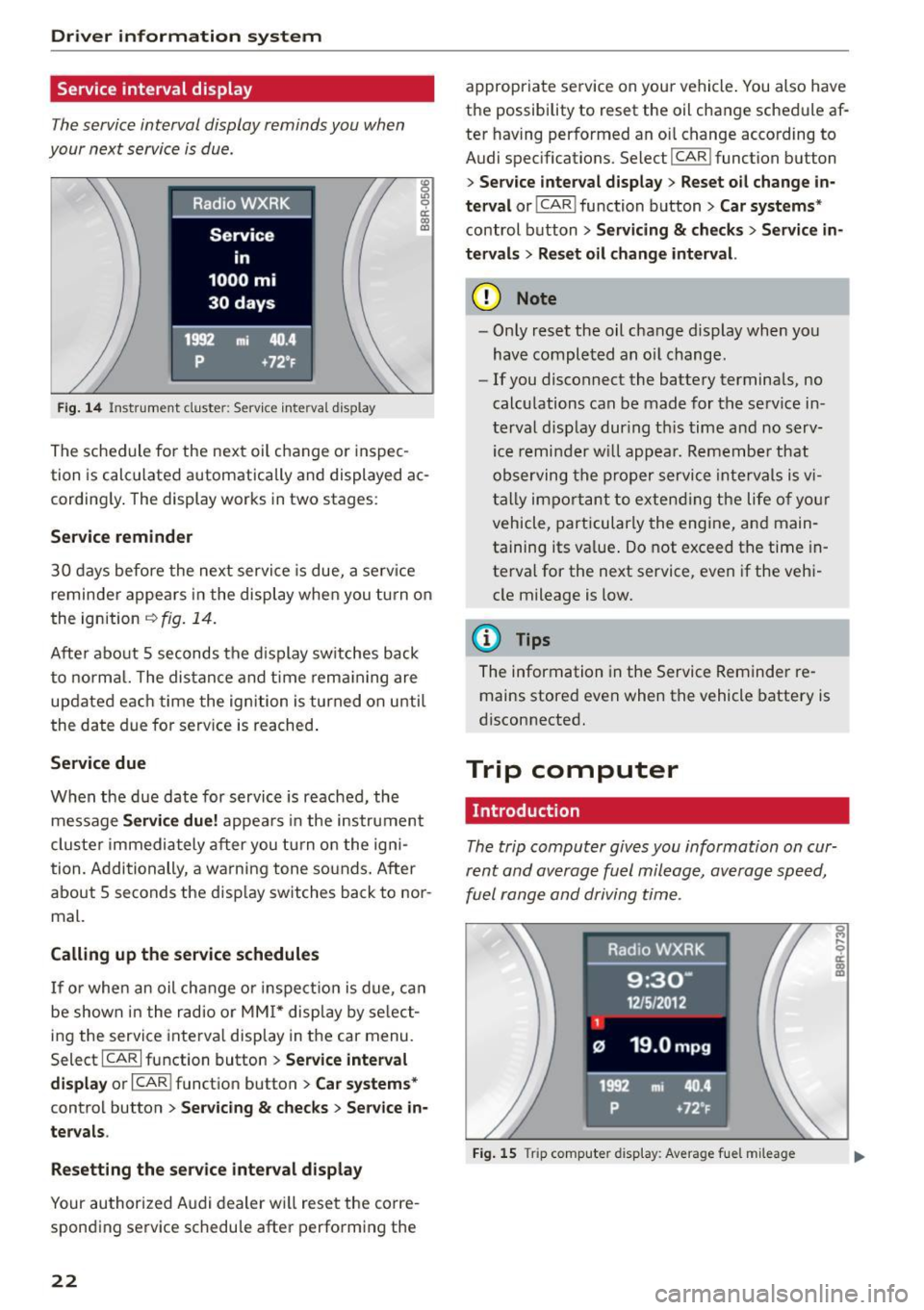
Fig . 14 Instrument cluste r: Serv ice inte rva l display
The sched ule for the next oil change or inspec
tion is calculated automatically and displayed ac cording ly . The display works in two stages :
Service remind er
30 days before the next service is due, a serv ice
reminder appea rs in the display when you tu rn on
the ignition
i=:> fig. 14.
Afte r about 5 seconds the d isplay switches back
to normal. The dis tance and time rema ining are
updated each time the ignition is turned on unti l
the date due for serv ice is reached .
Service due
When the due date for service is reached, the
message
Ser vice d ue! appears in the instrument
cluste r immediately after you tu rn on the igni
tion. Additionally, a warning tone so unds. After
about 5 seconds the disp lay switches back to nor
mal.
Calling up the service schedule s
If or when an oil change o r inspection is due, ca n
be shown in the radio or
MM I* display by se lect
ing the service interva l display in the car menu.
Select ICARI function button
> Se rvice inte rv a l
di spl ay
or I CAR I function button > C ar sys tems*
control button > Serv icin g & check s > Ser vic e in
ter val s.
Res etting the ser vice int erv al display
Your authorized Audi dealer wi ll reset the corre
sponding service schedu le after performing the
22
appropriate service on your vehicle . You also have
the possibility to reset the oil change schedule af
ter having performed an oi l change according to
Audi spec ifications. Select
I CAR I function button
> S er vice inter val di spla y> Reset o il change in
ter val
or! CAR I function button> Ca r sy ste ms *
control button > Ser vicing & check s > Service in
t e rv al s
> Reset oil change int erval.
(D Note
- Only reset the oil change display when you
have completed an oil change .
-If you disconnect the battery terminals, no
calculations can be made for the serv ice in
terval disp lay dur ing th is time and no serv
ice remi nder w ill appea r. Remember that
observing the proper service intervals is v i
tally important to extend ing the life of yo ur
vehicle, particularly the engine, and main
ta ining its value . Do not exceed the time in
terval for the next service, even if the veh i
cle mileage is low.
(D Tips
The information in the Service Reminder re mains stored even when the vehicle battery is
disconnected.
Trip computer
Introduction
The trip computer gives you information on cur
rent and average fuel mileage , average speed,
fuel range and driving time .
Fig. 15 Trip computer d isp lay: Average fue l m ileage
Page 25 of 302

M N
co
a:
co
,...., \!) 1.1'1
N 1.1'1 ,....,
The following information is continuo usly evalu
ated by the trip computer and can be displayed
seq uent ia lly in the instrument cl uster display:
Fue l range
The estimated cruising range in m iles (km) ap
pears in t he disp lay . This te lls you how fa r your
vehicle wi ll be able to travel on the current tank
of fuel and with the same driving style. The dis
p lay changes in increments of 5 mi les (10 km) .
Average fuel mileage
The average fue l economy in M PG (l/ 100 km)
since yo u last cleared the memory appears in this
disp lay . You can use this display to adjust your
driving technique to achieve a desired mileage .
Current fuel mileage
The instantaneous fuel consumption in miles per
ga llon (l/100 km) is shown in this display . Yo u
can use th is disp lay to adjust your d riving techni
q ue to achieve a desi red mileage .
F ue l consumption is reca lcula ted at interva ls of
33 yards (30 meters). This d isplay switches to
ga llons/ho ur (lite rs/hour) when the vehicle is not
moving.
Average speed
The average speed in mph (km/h) since the last
time the display was reset appears in the display.
Elapsed time
T he length of time that you have been driving
since you last reset the memory appears in this
d isp lay .
Distance
The distance that has been covered s ince the last
t ime the memory was cleared appears in the dis
p lay .
@ Tips
-Fuel consumptions (average and current),
range and speed are disp layed in metric
units on Canadian models .
- All stored va lues w ill be lost if the veh icle
battery is disconnected.
Dri ver information s ystem
Memories
The trip computer is equipped with two fully au
tomatic memories as well as an efficiency pro
gram* .
Fig. 1 6 Trip comput er dis play: m emory lev el 1
You can switch between the trip computer 1 and
2 and the effici ency program* by pressing the
I RESET I button @ c> page 24, fig. 17 .
You can tell wh ich memory leve l is cu rrently ac
t ive by the number or the sign in the display
c> fig. 16. The data from the single-trip memory
(memory level 1) is being displayed if a
D ap
pears in the display. If a fJ is shown, then the da
ta from the total-trip memory is being d isplayed
(memory level 2) . The fue l pump nozzle
iii ind i
cates the eff ic iency p rog ram *
c> page 25 .
Single-trip memory (Trip compute r 1)
The sing le-tr ip memory stores the tr ip info rma
t ion from the time the ignition is turned on until
i t is turned off . If the trip is continued
within 2
hours
from the t ime the ignition was turned off,
the new data will be included in the calcu lation of
t h e curren t trip informat io n. If the trip is inter
rupted for
more than 2 hour s the memory is re
set automatically .
Total-trip memory (Trip computer 2)
Unlike the single-tr ip memo ry, the total-trip
memo ry is not reset automat ica lly. This permits
you to eva luate yo ur dr iv ing da ta fo r the ent ire
per iod between m anual resets.
Efficiency program*
T he efficiency program ca n he lp you to use less
fuel
c> page 25 .
23
Page 35 of 302
M N
co
a:
co
,...., \!) ..,.,
N ..,., ,....,
IJ-If a rea r fog lamp has failed , the indicator
light turns on to indicate the location on the vehi
cle.
Vehi cle light s: Sy stem fault!
If the message appea rs, there is a malfunct ion in
the head lights or light switch.
Drive to your authorized Aud i dea le r immediately
to have the malfunction corrected .
A WARNING
-Light bu lbs are pressurized and could ex
plode whi le they a re being changed causing
serious persona l injury.
-
- Wor k w ith due care when handling the high
voltage section of gas discharge (xenon) l igh ts *. Failure to do so could result in death
o r serious injury.
@ Tips
Have the bulb replaced or the connection re
pa ired by your authorized Audi Serv ice depart
ment.
<:;::> Windshield washer flu id level too low
llt Plea se refill wa sher fluid
If the symbol illuminates, add windshield washe r
fluid to the washer system and also to the head
light washer system¢
page 234 .
Bil Fuel supply too low
When the D symbol i llum inates, this means
there are about 2 .6 gallons ( 10 liters) of fue l left
in the fuel tank. Time to refuel!
¢ page 215.
If the symbo l lights up, even when the re is ample
fue l in the tank, and the text
Fuel tank sy stem
malfun ction! Contact dealer
appears in the dis
p lay, there is a fau lt in the system . Contact an a u
thor ized Audi dealer to have the fault rectified.
D Battery voltage
If battery power drops into the range where it
can limit the abil ity of the engine to sta rt, th is
the symbo l(•) ::ippears in the instrument cluster
Driver information s ystem
display with the following driver message Lo w
batter y: Batte ry will be charged while d riving.
While t his d river no tification is disp layed, you
have to be prepa red fo r limited star ting capabili
ty .
Driver message appears and goes out again
If this drive r message appears after the ign ition
is tur ned on or while d riving a nd it goes ou t again
after a wh ile, the ba ttery has been adequa tely re
charged .
Driver message appears and does not go out
again
If this drive r notific ation appea rs after the ign i
t ion is tu rned on or while dr iv ing and does not go
out again, the battery's state of charge is no t in
the optimal range. Start ing capability is restrict
ed. Have the battery checked at an authorized
Audi dealer or other qualified workshop as soon as possible.
~ Check engine oil
II Add oil, ma x x qt (l) . You may cont . driv .
When the Ill symbol and dr iver message appear,
add the amount of oil appear ing in the disp lay at
the next opportunity ¢
page 225.
'l:7;,.. Engine oil sensor defective
• Oil le vel! Sen sor defective
If the symbol illuminates, contact yo ur author
ized Audi dealer and have the oil sensor inspect
ed . Until you have this done, check the oil level
each time you ref uel just to be on the safe s ide
¢ page 225.
!? Engine speed limitation
Applies to vehicles: with engine speed limitation
II! Do not ex ce ed max . engine speed of XXXX
rpm
T he II! symbol illuminates when there is a n en
gine co ntro l malfunction . The indicato r light ~
i n t he i nstr ument cluster also illum inates. The
engine speed is limited to the speed displayed in .,,.
33
Page 39 of 302
from transmitters in the v icinity of the vehi
cle working in the same frequency range
(e.g . a cell phone, rad io equipment).
- If you open the driver's door with the key
l eft in the ign ition lock, a chime will sound .
This is your reminder to remove the key and
l ock the door.
- For security reasons, replacement keys are
on ly available from Audi dea lers.
- For Declarat ion of Compliance to United
States FCC and Industry Canada regulations
¢page 284.
Check light and battery in the master key
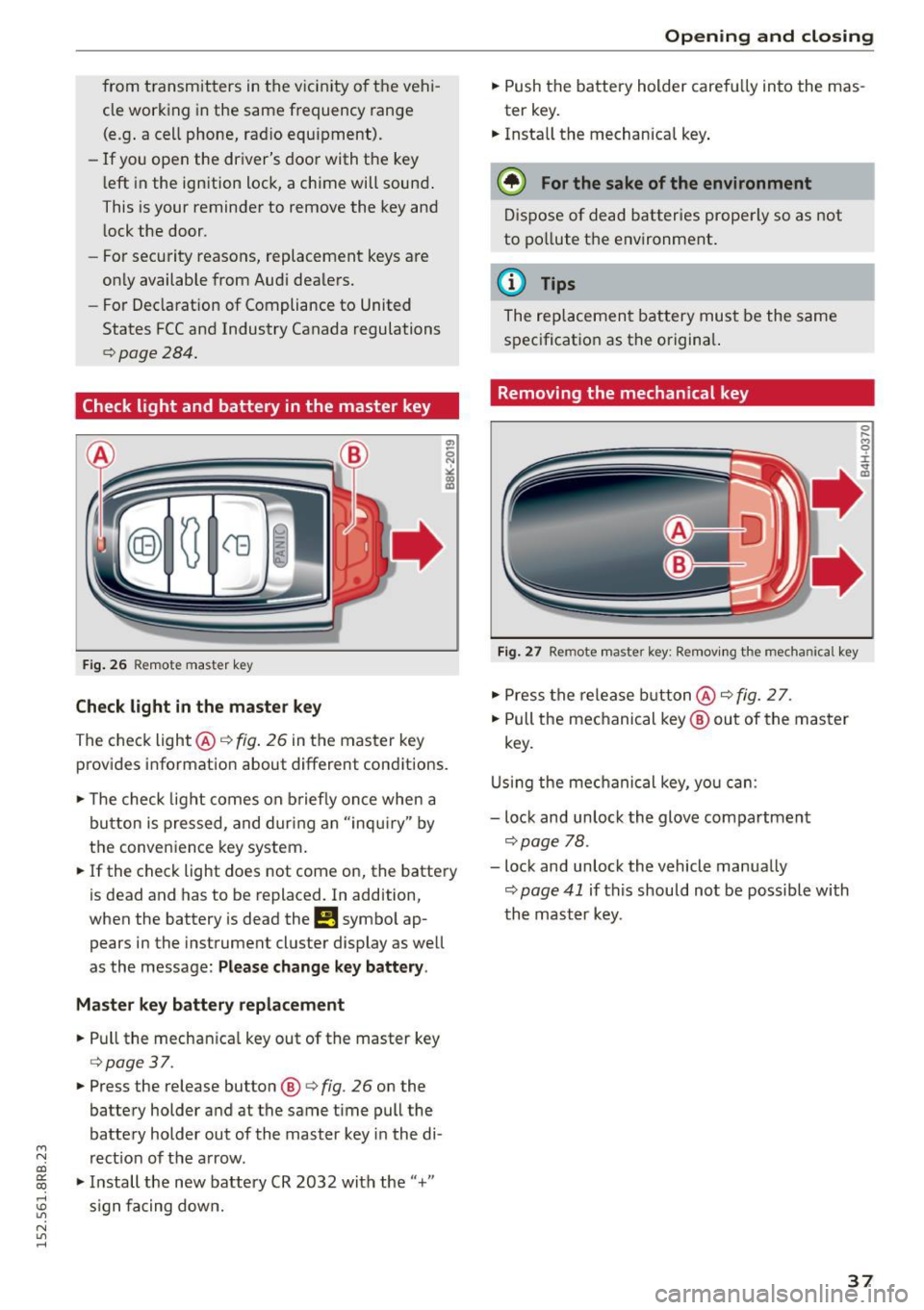
F ig . 26 Remote master key
Check light in the maste r key
The check light @¢ fig. 26 in the master key
provides informat ion about different conditions.
.,. The check light comes on b riefly once when a
button is pressed, and dur ing an "inqui ry" by
the conven ience key system.
.,. If the check light does not come on, the battery
is dead and has to be replaced. In addition,
when the battery is dead the
!I symbo l ap
pears in the instrument cluster display as well
as the message:
Please change k ey battery .
Ma ster key b attery repl ace ment
.,. Pull the mechan ica l key out of the master key
¢ page 37 .
.,. Press the release button ®¢ fig. 26 on the
battery holder and at the same time pull the
battery holder out of the master key i n the di-
M
N rect ion of the a rrow. co
~ .,. Install the new battery CR 2032 with the"+"
; s ign fa cing down.
N l/1 ......
Open ing and clo sing
.,. Push the battery holder carefully into the mas
ter key .
.,. Insta ll the mechanical key .
@ For the sake of the en vironment
D ispose of dead batter ies prope rly so as not
to po llute the environment .
@ Tips
The replacement battery must be the same
specification as the origina l.
Removing the mechanical key
Fig . 27 Remote master key: Re mov ing the mechanical key
.,. Press the release b utton @¢ fig. 2 7.
.,. Pull the mechanical key ® out of the master
key.
U sing the mec hanical key, you can:
- lock and unlock the glove compartment
¢page 78.
- lock and unlock the vehicle manually
¢ page 41 if this should not be possible with
th e mast er key.
37
Page 96 of 302
Driving
Switching the Start-Stop-System on/off
manually
Applies to veh icles: with Sta rt-Stop-System
If you do not wish to use the system, you can
switch it off manually.
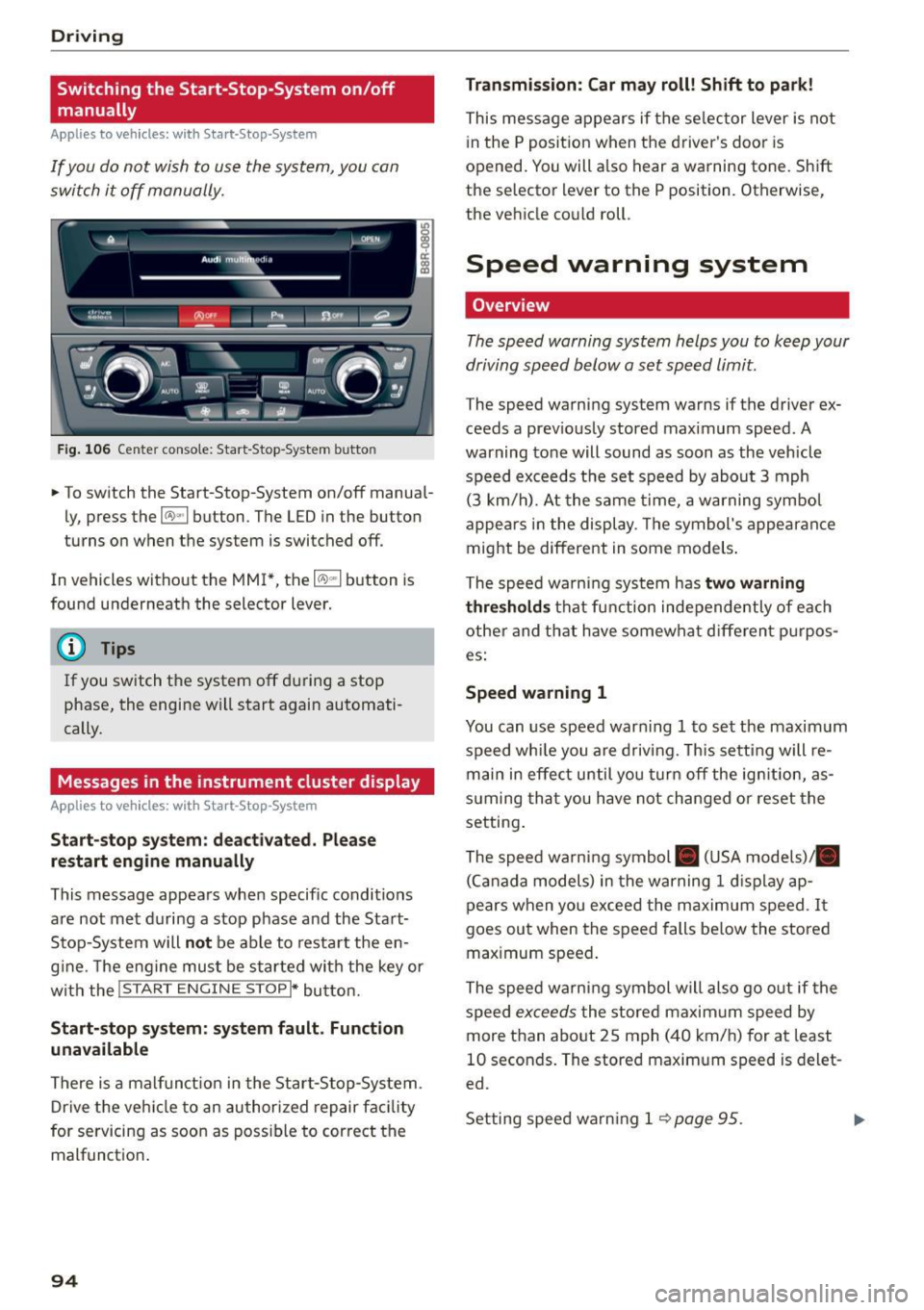
F ig . 10 6 Ce nter co nsole : Start -S top -System butto n
• To switch the Start-Stop-System on/off manua l
ly, press the
1 0 ••1 button . The LED in the button
turns on when t he system is switched off .
In vehicles without the MMI*, the
10 ~1 b utton is
found underneath the selector lever.
@ Tips
If you switch t he system off du ring a stop
phase, the engine will start again automati
cally.
Messages in the instrument cluster display
Applies to veh icles: with Start-Stop-System
Start-stop system: deactivated. Plea se
restart engine manually
This message appea rs whe n specific conditions
are not met du ring a stop phase and the Sta rt
Stop-System will
not be able to resta rt the en
g ine. The e ngine mu st be started with the key or
w ith the !S TAR T
ENGINE STOPI* button.
Start-stop system: system fault. Function
unavailable
There is a malf unct ion in the Star t-Stop -System .
Dr ive the veh icle to an author ized repair fac ility
for servicing as soon as poss ible to cor rect the
malfunct ion .
94 Transmission
: Car may roll! Shift to park!
This message appears if the se lector lever is not
i n the
P posit ion when the driver 's door is
opened. You will a lso hear a warning tone. Sh ift
the selector lever to the
P position. Otherwise,
the vehicle could roll .
Speed warning system
Overview
The speed warning system helps you to keep your
driving speed below a set speed limit.
The speed warning sys tem warns if the driver ex
ceeds a prev iously stored maximum speed. A
warning tone will sound as soon as the vehicle
speed exceeds t he set speed by abo ut
3 mph
(3 km/h). At the same time, a warning sym bol
appe ars in t he display . Th e symbol's appea ran ce
might be different in some models .
The spe ed wa rni ng system has
two warning
thre sholds
that fu nction inde pendently of eac h
other and tha t have somewha t diffe ren t p urpos
es:
Speed warning 1
You can use speed war ning 1 to set the maxim um
speed wh ile you are d riv ing. This setting will re
main in effec t until yo u turn off the ig nition, as
s u ming tha t you have not changed or reset the
setting .
The speed wa rn ing symbol . (USA models)/ .
(C an ada model s) in the warning
1 d is pla y ap
pears when yo u exceed the maximum speed . It
goes ou t when the speed falls be low the stored
max imum speed .
The speed warni ng symbol will also go o ut if the
speed
excee ds the stored maxim um speed by
more than abo ut
2 5 mph (4 0 km/h) for at least
10 seconds . The stored maxim um speed is delet
ed.
Set ting spee d warn ing 1
<=? page 95 . .,._
Page 111 of 302

M N
co ~ co
rl I.O
"' N
"' rl
Audi adaptive cruise control and braking guard
Audi adaptive cruise
control
Description
Applies to vehicles: with Audi adaptive cruise control
Fig. 119 Detect ion range
What can adaptive cruise control do?
The adaptive cruise control works in conjunction
with a radar sensor installed in the front of the
vehi cle
¢ page 107, fig. 116, which is subject to
designated system limits¢
page 109 . Stationary
objects are disregarded.
On open roads w ith no traff ic, adaptive cruise
control wo rks like a reg ular cruise control system.
The stored speed is maintained . When approach
ing a moving vehicle detected up ahead, the
adapt ive cruise control system automatically
slows down to match that vehicle's speed and
then maintains the distance that the driver previ
ously stored. As soon as the system does not de
tect a vehicle up ahead, adaptive cruise control
accelerates back up to the stored speed .
Which functions can be controlled?
When you switch adaptive cruise contro l on, you
can set the current speed as the "contro l speed"
¢ page 109, Switching on and off.
When driving , you can stop cruise control
¢
page 111 or change the speed ¢ page 110 at
any time.
You can also set the distance to the object ahead
and set the adaptive cruise control driving pro
gram
¢ page 111. Switching on and off
Applies
to vehicles: with A udi adapt ive cru ise contro l
Fig. 120 Selector lever: switc hing on/off
Fig . 121 Instrume nt cluste r: adapt ive c ruise co ntro l
You can set any speed between 20 mph and
95 mph (30 and 150 km/h) .
Indicator lamps and messages in the instrument
cluster display inform you about the current sys
tem status and settings .
Switching adaptive cruise control on
.,. Pull the lever toward you into position(!)
¢
fig. 120. ACC: Standby appears in the instru
ment cluster display .
Setting the speed and activating regulation
.,. To set the current speed, press the ISETI button
¢
fig. 120. Th e set speed is shown in the tach
ometer @and is also shown briefly in the dis
play @¢
fig. 121.
Switching adaptive cruise control off
.,. Push the lever away from you into posit ion @
until it clicks into place. The message
ACC: Off
appears. .,..
109
Page 113 of 302
M N
co ~ co ,...,
I.O
"' N
"' ,...,
Audi adapt ive crui se cont rol and bra king gu ard
Interrupting cruise control
Applies to vehicles: with Audi adaptive cruise control
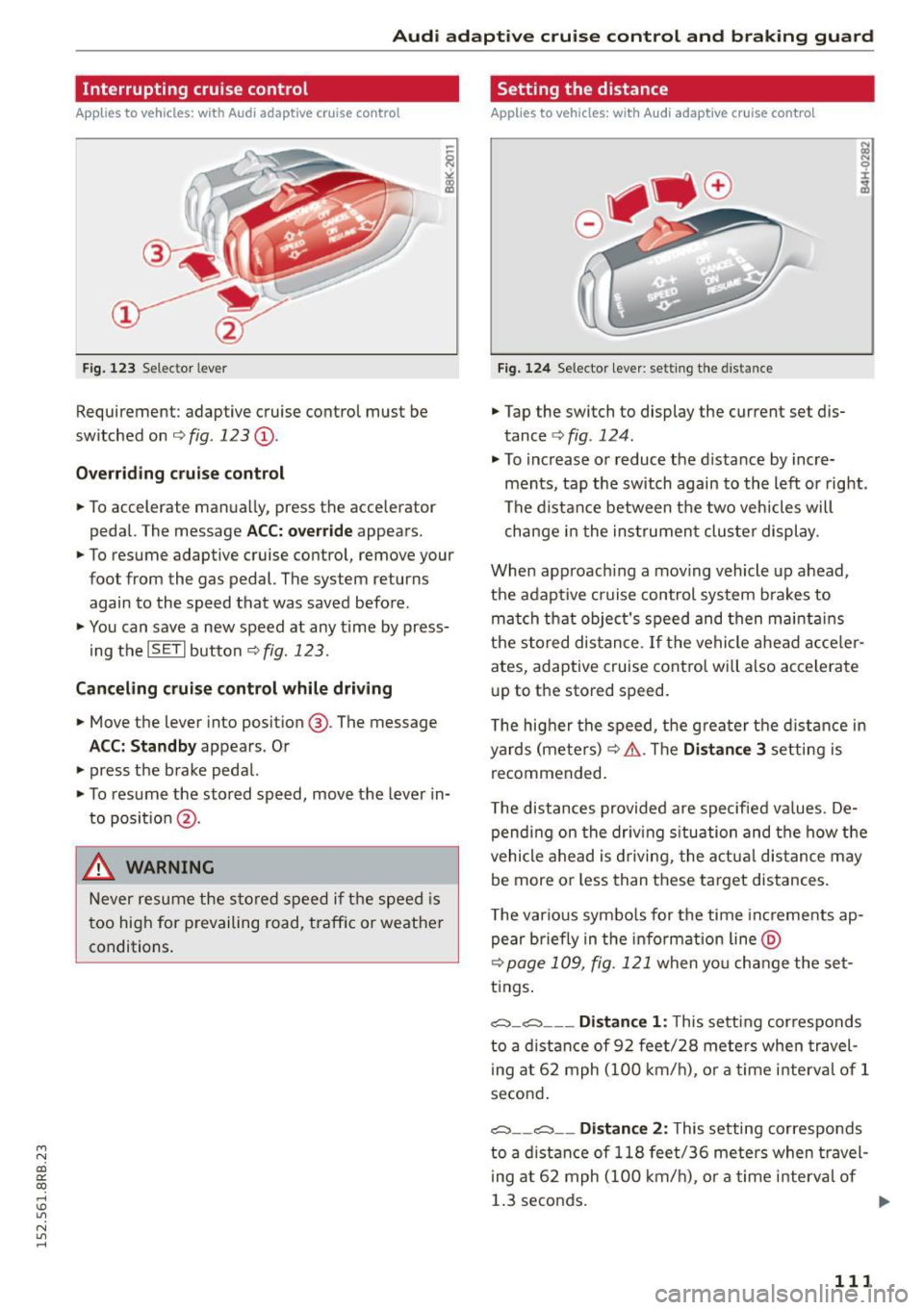
Fig. 123 Selecto r lever
Requirement : adaptive cruise control must be
switched on ¢
fig. 123 (D.
Over rid in g crui se c ontr ol
• To accelerate man ually, press the accelerator
pedal. The message
ACC: overr ide appears.
• To resume adaptive cruise control, remove your
foot from the gas pedal. The system returns
again to the speed that was saved before .
• You can save a new speed at any time by press
i ng the
ISET I button ¢ fig. 123.
Canceling c rui se control while driving
• Move the lever into posit ion @. The message
ACC: Standb y appears. Or
• press the brake pedal.
• To resume the stored speed, move the lever in
to position @.
& WARNING
Never resume the s tored speed if the speed is
too high for prevailing road, traffic or weather
conditions .
Setting the distance
Applies to vehicles: wit h Audi adapt ive cr uise contro l
Fig. 124 Selector leve r: sett ing the distance
• Tap the switch to display the current set dis
tance ¢
fig. 124.
• To increase or reduce the d istance by incre
ments, tap the switch again to the left or right .
The distance between the two veh icles will
change i n the ins trumen t cluster display .
When app roach ing a mov ing vehicle up ahead,
the adaptive cruise control system bra kes to
mat ch that object's speed and then maintains
the s tored dis tance .
If the vehicle ahead acce ler
ates, adaptive cruise control will also accelerate
up to the stored speed.
T he hig her the speed, the greater the d istance in
yards (meters) ¢&. .The
Di stan ce 3 setting is
recommended.
T he distances provided are specified values . De
pending on the driv ing s ituation and the how the
vehicle ahead is driving, the actua l distance may
be more or less than these target distances .
T he various symbo ls for the time inc rements ap
pear briefly in the info rmation line @
¢page 109, fig. 121 when yo u change the set
tings .
,:;::::,_,:;::::, ___ Distan ce 1 : This setting cor responds
to a distance of 92 feet/28 meters when travel i ng at 62 mph (100 km/h), o r a time in terval of 1
second .
,:;::::, __ ,:;::::, __ Distan ce 2: This setting co rresponds
to a d istance of 118 fee t/36 meters when t ravel
i ng at 62 mph (100 km/h), o r a time in terval of
1.3 seconds.
111
Page 119 of 302

M N
co ~ co
rl I.O
"' N
"' rl
General information
Applies to vehicles: with Audi side assist
®
®
Fig. 1 29 Drivi ng sit ua tions
F ig. 13 0 Rea r of th e ve hicle: Pos it io n of the sensors
Side assist fu nctions a t spee ds above app rox i
mate ly 19 mph (30 km/h).
@ Vehicles that ar e approaching
In certain cases, a vehicle will be classified as
cr itical for a lane chang e even if it is still some
what far away . The faster a vehicle approa ches,
the sooner the d isplay i n the exter io r mir ro r will
turn on.
@ Vehicles traveling with you
Vehicles traveling w ith you a re indicated in the
exte rior m irror if they ar e classified as cr itical fo r
a lane change. All vehi cles detected by side assist
Aud i side assist
are indica ted by the time they en ter your "blind
spot ", at the latest.
@ Vehicles left behind
If you s low ly pas s a vehi cle that s ide ass ist has
de tec ted ( the di fference in speed between the ve
hicle an d you r vehi cle is less than 9 m ph o r
15 km/ h), the display in the exterio r mirror tu rns
o n as soo n as the vehicle enters your blind spot.
T he disp lay will not t urn on if you quickly pass a
vehicle th at side ass ist has de te cte d (t he differ
ence in speed between the vehicle and you r vehi
cle is greater than 9 mph or 15 km/h).
Functional limitations
The radar senso rs are designed to detec t the left
and right adj ac ent lanes whe n the road lanes are
the norma l width . In cer tain s ituations, the dis
play in the exterior mirror may turn on even
though there is no vehicle located in the area that
is cr itica l for a lane change . For example:
- if the lanes are narrow or if your are dr iving on
the edge of yo ur lane. If t his is the case, the
system may have detected the vehicle in anoth
er lane that is
not adjacent to your current lane .
- if you a re dr ivi ng throug h a c urve . Side assist
may react to a vehicle that is one lane over from
the adjacent lane.
- if side assist reacts to othe r objects (such as
high or disp laced guard rails).
- In poor weather conditions . The side assist
fu nctions are limited.
D o no t cover the rad ar senso rs¢
fig. 130 with
stickers, depos its, bicycle w heels or other ob
jects, because this will affect the function . Do not
u se side assist when towing a t railer . Fo r infor
mation o n cleaning, refer to¢
page 208 .
A WARNING
-Always pay attent ion to traffic and to t he
area a round your ve hicle . Side assist cannot
replace a dr iver's atten tion . T he d river alone
is always responsible for lane c hanges and
sim ilar dr iv in g mane uvers.
117
Page 120 of 302

Audi side a ssist
- Improper reliance on the side assist system
can cause collisions and serious personal in
jury:
- Never rely only on side assist when chang
ing lanes.
- Always check rear view mirrors to make sure that it is safe to change lanes.
- Side assist cannot detect a ll vehicles under
all conditions -danger of accident!
- Please note that side assist indicates there
are approaching vehicles, o r vehicles in your
blind spot, only after your vehicle has
reached a dr iv ing speed of at least 19 mph
(30 km/h).
- In certa in situations, the system may not
func tion or its funct ion may be lim ited. For
example:
- if vehicles are approaching or be ing left
behind very qu ickly. The display may not
turn on in time .
- in poor weather condit ions such as heavy
ra in, snow or heavy m ist .
- on very wide lanes, in tight curves or if
there is a rise in the road surface . Vehicles
in the adjacent lane may not be detected
because they ar e outside of the sensor
range.
(D Note
The sensors can be displaced by impacts or damage to the bumpe r, wheel housing and
unde rbody. This ca n affect the system. Have
your author ized A udi dealer or authori zed
Audi Service Facility c hec k their fu nction.
(D Tips
- If the window g lass in the d river's doo r or
front passenger's door has been tinted, the
display in the exterio r mirror may be misin
terpreted.
- F or De clarat ion of Compliance to United
Sta tes FCC and Indus try Canada regula tions
q poge 284 .
118
Activating and deactivating
App lies to vehicles: wit h Aud i side assist
Fig. 131 Driver 's door : S ide assist button
.,. Press the button q A in General information
on page 117
to sw itch the system on/off . The
LED in the button tu rns on when side assist is
sw itched on .
Adjusting the display brightness
Applies to vehicles: with A udi side ass ist
The signal brightness can be set in the radio or
MMI*.
.,. Select: I CAR I function button > Audi s ide as sist .
Or
.,. Select: I CAR I function button > Car sy ste m s*
cont ro l button > Driv er a ssi st> Audi sid e as
s is t.
The display br ightness adjusts au tomatically to
the b rightness of the surroundings, both in the
i nforma tion and in the wa rni ng stage. I n ve ry
dark or very b rig ht s urround ings, the display is al
ready set to the m inimum or maximum level by
the automatic adjustme nt. In such cases, yo u
may notice no change when ad justing the bright
ness, or the change may on ly be noticeable once
the surroundings change.
Adjust the brightness to a level where the d isp lay
in the information stage will not disrupt yo ur
view forward . If yo u change the brightness, the
display in the exterior mirror will briefly show the brightness level in the information stage. The
brightness of the warning stage is linked to the
brightness in the information stage and is adjust
ed along with the information stage adjustment .
liJI,
Page 122 of 302
Audi drive select
Audi drive select
Driving settings
Introduction
Applies to veh icles: w ith Audi drive select
Drive select provides the possibility to experience
d ifferent types of vehicle settings in one vehicle.
F or instance, using the three
Comfort, Auto and
Dynamic modes, the driver can switch from a
sporty to a comfortable driving mode with the press of a button.
Addit ionally, in vehicles with MM I*, the vehicle
setup for
Individual* mode can be customized by
you. This makes it possible to combine settings
such as a sporty engine tuning with comfortable
steering .
A WARNING
-
Improper use of the drive select can cause
collisions, other accidents and serious person
al injury.
Description
Applies to veh icles: w ith Audi dr ive select
The vehicle setup in each mode depends on the
veh icle's features . However, the engine, automat
ic transmission and steering are always involved.
Engine and automatic transmission
Depending on the mode, the engine and the au
tomatic transmission respond quicker or in a
more balanced manner to accelerator pedal
movements. In the sporty dynamic mode, the au
tomatic transmission shifts at higher RPMs.
Steering
The steering adapts in terms of steering effort and steering ratios. Indirect steer ing that moves
easily, like the steering in comfort mode, is best
suited to long drives on a highway. In contrast,
dynamic mode provides sporty, direct stee ring.
The follow ing applies to vehicles with dynam ic
steer ing*: the steering ratio changes based on ve
h icle speed in order to maintain optimum steer
ing effort for the dr iver at all times. This sets the
s teer ing to be less sensitive at higher speeds in
120
order to provide improved vehicle control. At re
duced speeds, however, steering is more direct in
order to keep the steer ing effort as m inima l as
possib le when the driver is maneuvering the vehi
cle. At low and average speeds, dynamic steering
additionally provides more responsive steering
performance.
Adaptive dampers*
The adaptive dampers* use sensors to record in
formation regarding steering movements, brak ing and acceleration operations by the driver,
road surface, driving speed, and load. This makes
i t possible to adapt damp ing to the driving situa
tion virtually in real t ime . Drive select also makes
i t possible to sat isfy the desire fo r sporty suspen
s ion (Dynamic) and comfortable suspension
(Comfo rt) without giving up ba lanced tuning (Au
to).
Engine sound*
T he sound of the engine is adapted to the select
ed mode and ranges from subtle to sporty.
Adaptive cruise control*
The behavior when accelerating can be adjusted
from comfortable to sporty, depending on the
drive select mode . Adaptive cruise control a lso
r esponds to the driving behavior of the vehicle
ahead in a more conse rvative or sporty manner.
@ Tips
- In some models, the maximum vehicle
speed can only be reached in the
Auto and
Dynamic modes.
- Selecting the
Dynamic mode resu lts in spor
ty shifting characteristics. The 5 gear pos i
tion engages automatical ly.
- In vehicl es that have dynamic stee ring*, op
erating noise is heard when starting or stop
ping the engine. This does not indicate a
problem .