park assist AUDI Q5 2017 Owners Manual
[x] Cancel search | Manufacturer: AUDI, Model Year: 2017, Model line: Q5, Model: AUDI Q5 2017Pages: 296, PDF Size: 74.43 MB
Page 4 of 296
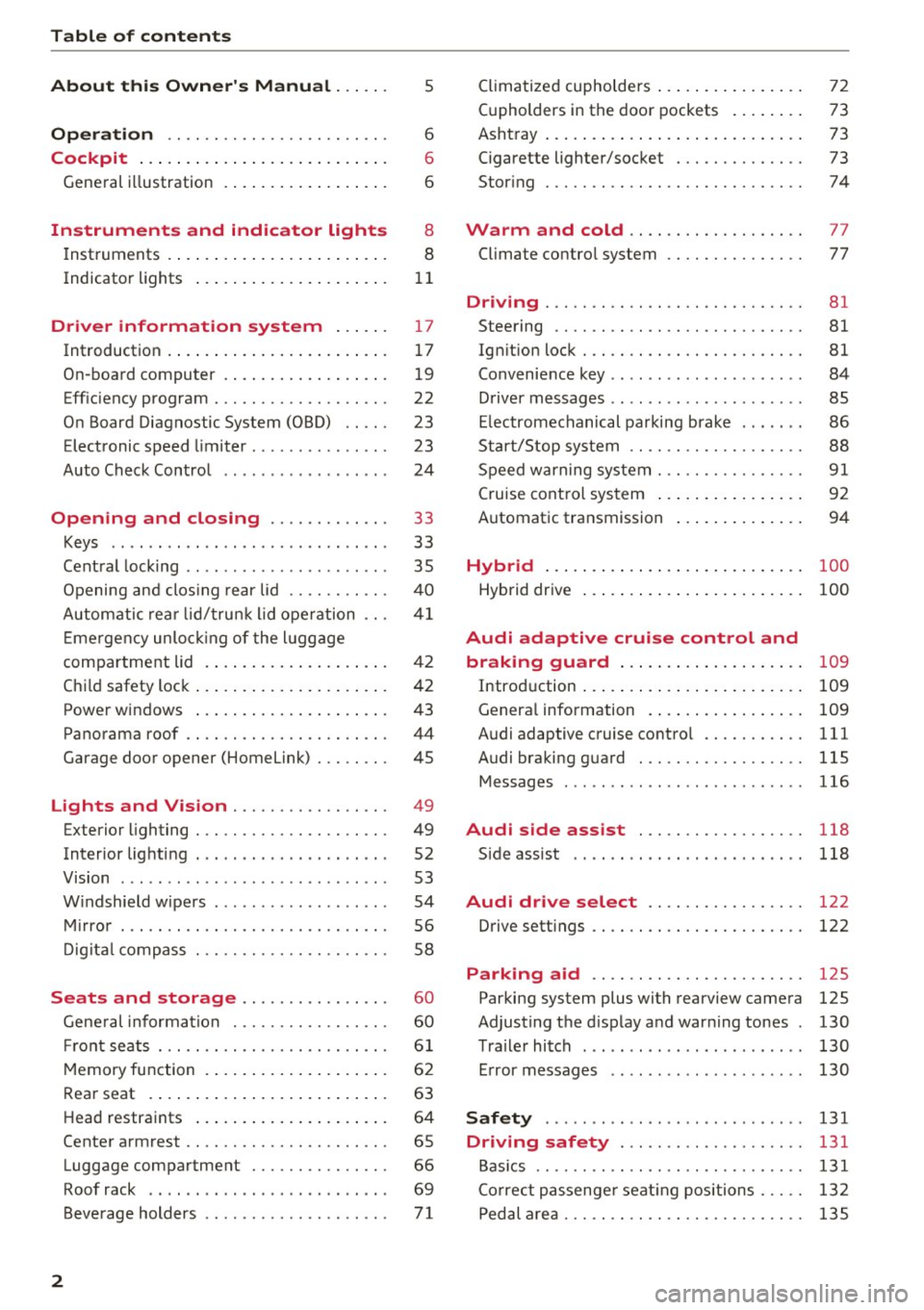
Table of contents
About this Owner's Manual. . . . . .
5
Operation . . . . . . . . . . . . . . . . . . . . . . . . 6
Cockpit . . . . . . . . . . . . . . . . . . . . . . . . . . . 6
General illustration . . . . . . . . . . . . . . . . . . 6
Instruments and indicator lights 8
Instruments . . . . . . . . . . . . . . . . . . . . . . . . 8
Indicator lights . . . . . . . . . . . . . . . . . . . . .
11
Driver information system . . . . . . 17
Introduction . . . . . . . . . . . . . . . . . . . . . . . . 17
On-board computer . . . . . . . . . . . . . . . . . . 19
Efficiency program . . . . . . . . . . . . . . . . . . . 22
On Board Diagnostic System (OBD) . . . . .
23
Electronic speed limiter. . . . . . . . . . . . . . . 23
Auto Check Control . . . . . . . . . . . . . . . . . . 24
Opening and closing . . . . . . . . . . . . . 33
Keys . . . . . . . . . . . . . . . . . . . . . . . . . . . . . .
33
Central locking . . . . . . . . . . . . . . . . . . . . . . 35
Opening and closing rear lid . . . . . . . . . . . 40
Automatic rear lid/trunk lid operation
41
Emergency unlocking of the lu ggage
compartment lid . . . . . . . . . . . . . . . . . . . . 42
Child safety lock . . . . . . . . . . . . . . . . . . . . . 42
Power windows . . . . . . . . . . . . . . . . . . . . . 43
Panorama roof . . . . . . . . . . . . . . . . . . . . . . 44
Garage door opener (Home link) . . . . . . . . 45
Lights and Vision . . . . . . . . . . . . . . . . . 49
Exterior lighting . . . . . . . . . . . . . . . . . . . . . 49
Interior lighti ng . . . . . . . . . . . . . . . . . . . . .
52
V1s1on . . . . . . . . . . . . . . . . . . . . . . . . . . . . . 53
Windshield wipers . . . . . . . . . . . . . . . . . . . 54
Mirror . . . . . . . . . . . . . . . . . . . . . . . . . . . . . 56
Digital compass . . . . . . . . . . . . . . . . . . . . .
58
Seats and storage ...... ... .. .. .. .
General informa tion .......... .... .. .
Fr ont seats . .. .... ........... .. .. .. .
Memory function ... ................ .
60
60
61
62
Rear seat . . . . . . . . . . . . . . . . . . . . . . . . . . 63
Head restraints . . . . . . . . . . . . . . . . . . . . . 64
Center armrest . . . . . . . . . . . . . . . . . . . . . . 65
Luggage compartment . . . . . . . . . . . . . . . 66
Roof rack . . . . . . . . . . . . . . . . . . . . . . . . . . 69
Beverage holders . . . . . . . . . . . . . . . . . . . .
71
2
Climatized cupholders . . . . . . . . . . . . . . . . 72
(upholders in the door pockets . . . . . . . . 73
Ashtray . . . . . . . . . . . . . . . . . . . . . . . . . . . . 73
Cigarette lighter/socket . . . . . . . . . . . . . . 73
Storing . . . . . . . . . . . . . . . . . . . . . . . . . . . . 74
Warm and cold . . . . . . . . . . . . . . . . . . . 77
Climate control system . . . . . . . . . . . . . . . 77
Dr1v1ng ..... .. .. .. .. ............... 81
Steering . . . . . . . . . . . . . . . . . . . . . . . . . . . 81
Ign ition lock . . . . . . . . . . . . . . . . . . . . . . . . 81
Convenience key . . . . . . . . . . . . . . . . . . . . . 84
Driver messages . . . . . . . . . . . . . . . . . . . . .
85
Electromechanical parking brake . . . . . . . 86
Start/Stop system . . . . . . . . . . . . . . . . . . . 88
Speed warning system . . . . . . . . . . . . . . . .
91
Cruise control system . . . . . . . . . . . . . . . . 92
Automatic transmission 94
Hybrid
............................ 100
Hybrid drive . . . . . . . . . . . . . . . . . . . . . . . . 100
Audi adaptive cruise control and
braking guard . . . . . . . . . . . . . . . . . . . .
109
Introduction . . . . . . . . . . . . . . . . . . . . . . . . 109
Genera l information . . . . . . . . . . . . . . . . . 109
Audi adaptive cruise control . . . . . . . . . . . 111
Audi braking guard . . . . . . . . . . . . . . . . . . 115
Messages . . . . . . . . . . . . . . . . . . . . . . . . . . 116
Audi side assist . . . . . . . . . . . . . . . . . . 118
S ide assist . . . . . . . . . . . . . . . . . . . . . . . . . 118
Audi drive select . . . . . . . . . . . . . . . . . 122
Drive settings . . . . . . . . . . . . . . . . . . . . . . . 122
Parking aid . . . . . . . . . . . . . . . . . . . . . . . 125
Parking system plus with rearview camera
Adjusting the display and warning tones
Trailer hitch ...... ... .............. .
Error messages 125
130
130
130
Safety . . . . . . . . . . . . . . . . . . . . . . . . . . . . 131
Driving safety . . . . . . . . . . . . . . . . . . . . 131
Basics . . . . . . . . . . . . . . . . . . . . . . . . . . . . . 131
Correct passenger seating positions . . . . . 132
Pedal area . . . . . . . . . . . . . . . . . . . . . . . . . . 135
Page 9 of 296
CD
CD
.... N ,-... N ..... 0 0 C<'. 00
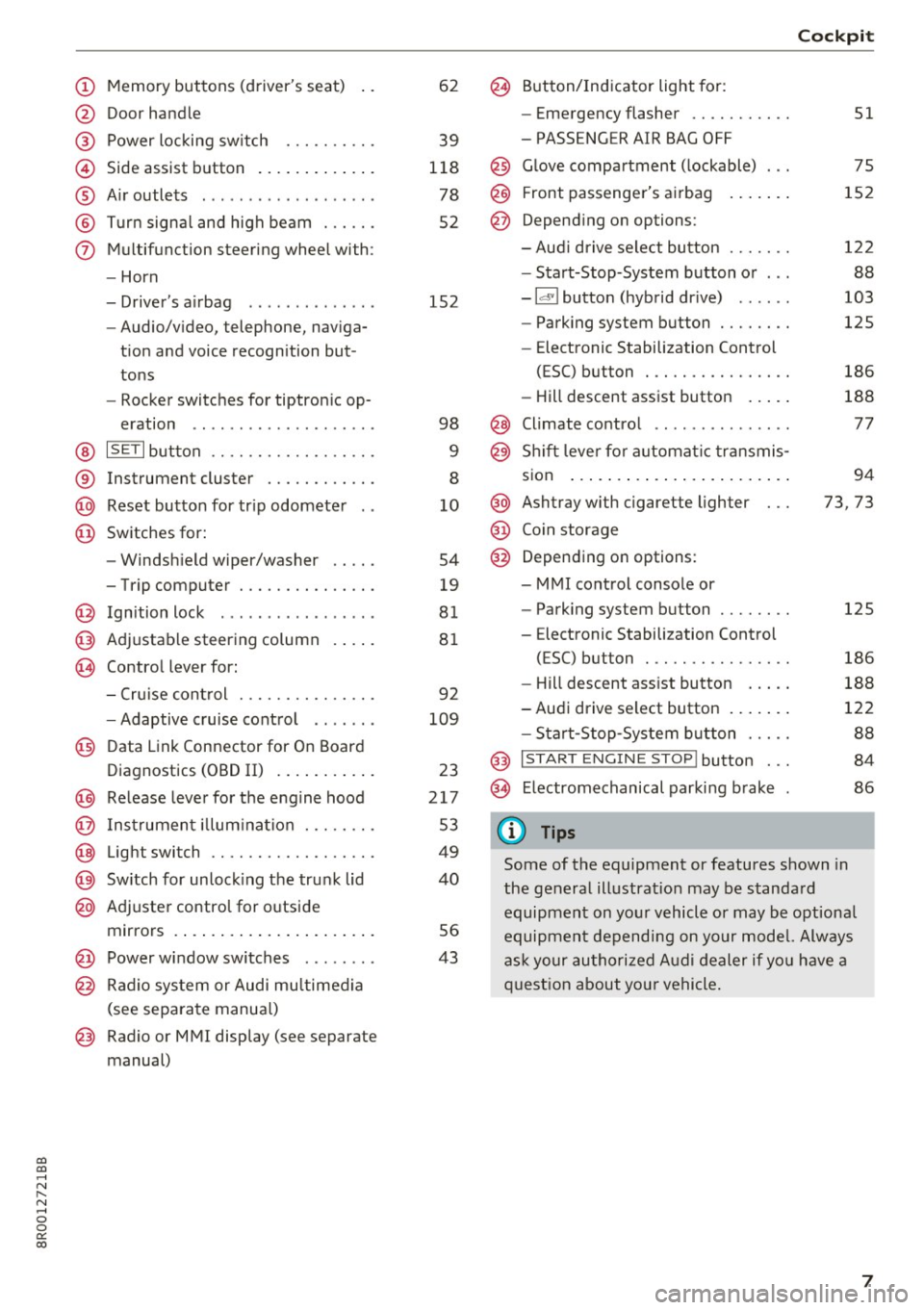
(!) Memory buttons (driver's seat)
@ Door handle
@ Power locking switch ......... .
© Side assist button ............ .
® Air outlets ..... ........ .... . .
@ Turn signal and high beam ... .. .
(j) Multifunction steering wheel with:
- Horn
- Driver's airbag ............ . .
- Audio/video, telephone, naviga-
tion and voice recognition but
tons
- Rocker switches for tiptronic op-
eration .. ............ ..... .
@ ISETI button ............... .. .
® Instrument cluster ........... .
@ Reset button for trip odometer
@ Switches for:
- Windshield wiper/washer
- Trip computer ............ .. .
@ Ignition lock ................ .
@ Adjustable steering column
@ Control lever for:
- Cruise control ............ .. .
- Adaptive cruise control ...... .
@ Data Link Connector for On Board
Diagnostics (OBD II) .......... .
@) Release lever for the engine hood
@ Instrument illumination ..... .. .
@ Light switch ............... .. .
@) Switch for unlocking the trunk lid
@ Adjuster control for outside
mirrors ..................... .
@ Power window switches ....... .
@ Radio system or Audi multimedia
(see separate manual)
@ Radio or MMI display (see separate
manual) 62
39
118
78
52
152
98
9
8
10
54
19
81
81
92
109
23
217
53
49
40
56
43
@ Button/Indicator light for:
- Emergency flasher .......... .
- PASSENGER AIR BAG OFF
@ Glove compartment (lockable) ...
@ Front passenger's airbag
@ Depending on options:
- Audi drive select button ...... .
- Start-Stop-System button or .. .
- Id'! button (hybrid drive) ..... .
- Parking system button ....... .
- Elect ronic Stabilization Control
(ESC) button . .............. .
- Hill descent assist button .... .
@ Climate control .. ............ .
@ Shift lever for automatic transmis-
sion ....... .. .............. .
@ Ashtray with cigarette lighter
@ Coin storage
@ Depending on options:
- MMI control console or
- Parking system button ....... .
- E lectronic Stabilization Control
(ESC) button . .. ............ .
Cockpit
51
75
152
122
88
103
125
186
188
77
94
73, 73
125
186
- Hill descent assist button . . . . . 188
-Audi drive select button . . . . . . . 122
- Start-Stop-System button . . . . . 88
@ I START ENGINE STOP! button . . . 84
@> Electromechanical parking brake 86
(D Tips
Some of the equipment or features shown in
the general illustration may be standard
equipment on your vehicle or may be optional
equipment depending on your model. Always
ask your authorized Audi dealer if you have a
question about your vehicle.
7
Page 28 of 296
Driver information s ystem
Stop vehicle and check brake fluid level
.,. Stop the vehi cle.
.,. Check the brake f luid leve l¢
pag e 224 .
.,. Seek professional assistance if necessary.
Warning! Fault in brake system. Contact
work shop
.,. Drive carefu lly to the nearest authorized A udi
dealer or other qualified workshop and have
the malfunction corrected ¢
,&..
Parking brake system fault! See owner 's
manual
.,. If this symbol appears when the ve hicle is sta
tionary or after the ignition is turned on, check
to see if the park ing brake can be released.
Drive to an authori zed Audi dealer or other
qualified workshop as soon as poss ible and
have the malfunction corrected . If the parking
brake cannot be opened, then take it to an ex
pert at a n author ized Audi dealer.
.,. If the symbol appears while you are d riving, i t is
poss ible th at t he traction co ntro l or the emer
gency brake has malfunctioned . It is possib le
that the parking brake cannot be applied .
It is
also possible that th e parking brake cannot be
released after it has been applied. Drive to an
authori zed Aud i dea ler or other qualified work
shop to have the malfunct io n corrected.
If the ABS system malfunct ions, the ABS warn
ing/indicator light illuminates together with the
brake system malfunction warn ing/ indicator
light ¢.&. .
A WARNING
-Always observe the warnings in
¢page 217, before opening the hood and
c he ck ing the b rake fl uid .
- Driving with low brake fl uid is a safety haz
ar d. Stop the car and get professional ass is
tan ce.
- If the .. (USA models) . (Canada mod
els) brake system i ndic ator lig ht tu rns on to
ge ther wit h the ABS and ES C i ndi ca to r
ligh ts, the ABS/ ESC regula ting func tion may
have failed . Functions that stab ilize the ve
hicle a re no longe r available. This could
26
cause the vehicle to swerve and increase the
r isk of sliding. Drive caref ully to the nearest
author ized Audi dealer or other qualified
workshop and have the malfunct io n correct
ed.
- L Engine cooling system malfunction
A malfunction in the engine cooling system mu st
be repaired as soon as possible.
If the . symbol flashes in the disp lay, either the
engine coo lant
temperature is too high or the en
gine coolant
level is too low. A driver message
appears as we ll to expla in the malfunct ion in
more detail. The dr iver warn ing goes out after
about 5 seconds, but it can be b rought up at any
time by p ressing the
IS ET I button agai n.
Turn off engine and check coolant level
.,. Pull off the road .
.,. Stop the vehicle .
.,. Turn off the engine .
.,. Check coolant level¢
page 223 .
.,. Add coolant if necessary ~ page 223.
.,. Continue dr iv ing only after the engine coolant
wa rning/i nd ic ator light goes out .
.,. Contact your authori zed A udi dealer for assis
tance if ne cessa ry.
If the engine coo lant level is correct, then t he ra
diato r fan may be the cause of t he malfunc tion.
A WARNING ~
- If you r vehicle should break down fo r me-
chan ica l or othe r reasons, park at a safe dis
tance from mov ing traffic, turn off the en
gine and turn on the hazard warning lights
¢ page 51, Emergency flashers.
- Never open the hood if you see or hear
steam or coolant escaping from the engine
compartment -you risk being scalded. Wait
until you can no longer see or hear steam or
coo lant escaping .
- The engine compartment of any veh icle is a
dangerous area. Before you perfo rm any
work i n the engine compartment, turn of
t he engine and allow i t to cool. Follow the
warn ing stickers
¢ page 217. ~
Page 35 of 296
Opening and closing Keys
Key set
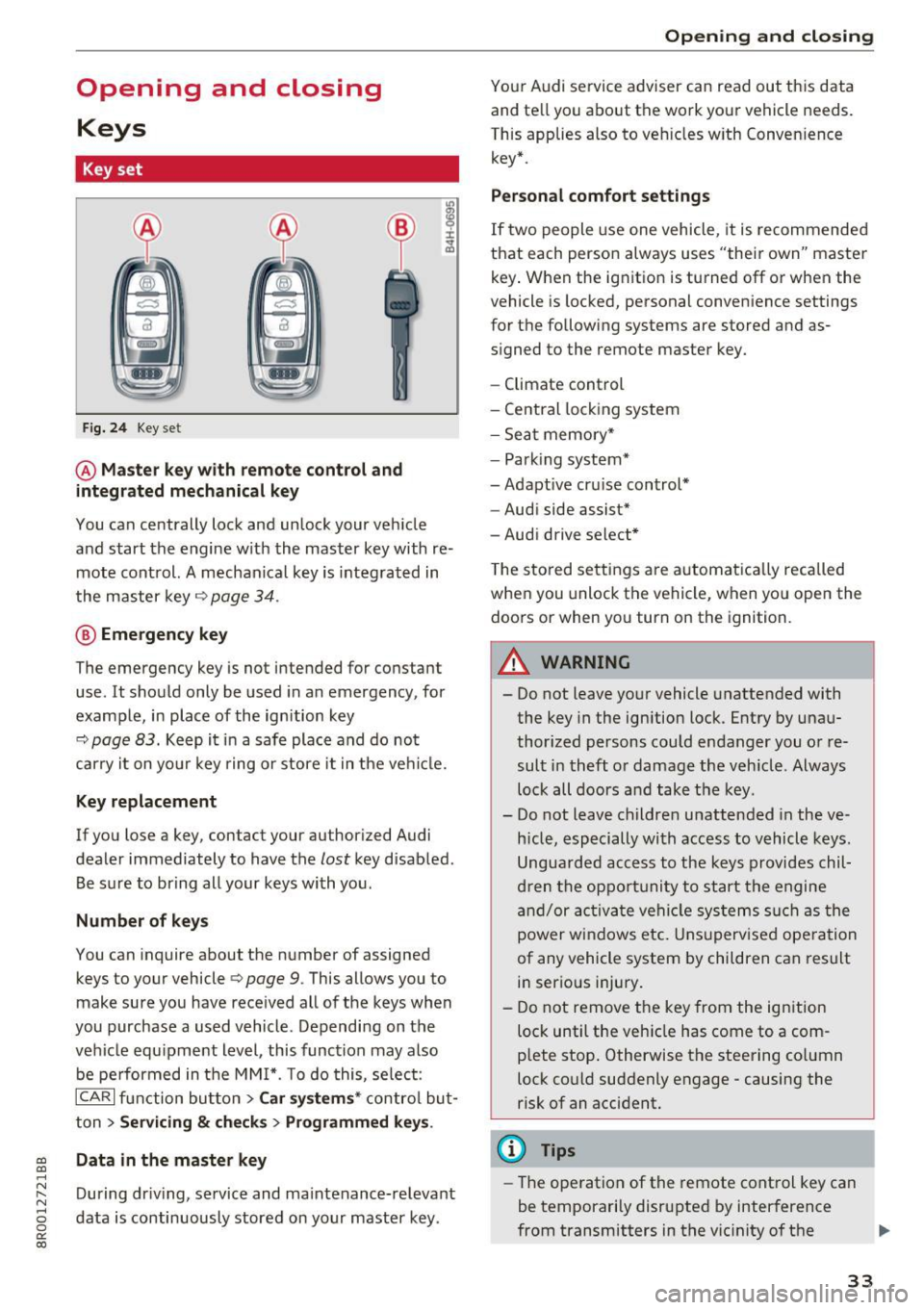
Fig. 24 Key set
@ Master key with remote control and
integrated mechanical key
You can centrally lock and unlock your vehicle
and start the engine with the master key with re mote control. A mechanical key is integrated in
the master key
q page 34.
@ Emergency key
The emergency key is not intended for constant
use . It should only be used in an emergency , for
example, in place of the ignition key
9 page 83. Keep it in a safe place and do not
carry it on your key ring or store it in the vehicle.
Key replacement
If you lose a key, con tac t your au thori zed Audi
dealer immediately to have the
lost key disabled .
Be sure to bring all your keys with you.
Number of keys
You can inquire about the number of assigned
keys to your vehicle
Q page 9. This allows you to
make sure you have received all of the keys when
you purchase a used vehicle. Depending on the
vehicle equipment level, this function may also
be performed in the MMI*. To do this, select:
ICARI function button> Car systems* control but
ton >
Servicing & checks > Programmed keys .
~ Data in the master key
.....
~ During driving, service and maintenance-relevant
8 data is continuously stored on your master key . 0
0:
co
Opening and closing
Your Audi service adviser can read out this data
and tell you about the work your veh icle needs.
This applies also to vehicles with Convenience key* .
Personal comfort settings
If two people use one vehicle, it is recommended
that each person always uses "their own" master key. When the ignition is turned off or when the
vehicle is locked, personal convenience settings
for the following systems are stored and as
signed to the remote master key.
- Climate control
- Central locking system
- Seat memory*
- Parking system*
- Adaptive cruise control*
- Audi side assist*
- Audi drive select*
The stored settings are automatically recalled
when you unlock the vehicle, when you open the
doors or when you turn on the ignition.
A WARNING
-.
- Do not leave your vehicle unattended with
the key in the ignition lock . Entry by unau
thorized persons could endanger you or re
sult in theft or damage the vehicle . Always
lock all doors and take the key .
- Do not leave children unattended in the ve
hicle, especially with access to vehicle keys.
Unguarded access to the keys provides chil
dren the opportunity to start the engine
and/or activate vehicle systems such as the
power windows etc. Unsupervised operation
of any vehicle system by children can result
in serious injury.
- Do not remove the key from the ignition
lock until the vehicle has come to a com
plete stop. Otherwise the steering column
lock could suddenly engage -causing the
risk of an accident.
¢j) Tips
-The operation of the remote control key can
be temporarily disrupted by interference
from transmitters in the vicinity of the .,.
33
Page 89 of 296
CD
CD
.... N ,-... N .... 0 0 C<'. 00
Emergency brake function
An emergency brake ensures tha t the vehicle can
be slowed down even if the
normal brakes fai l
¢ page 88, Emergency braking.
A WARNING
If a drive range is engaged with t he vehicle
stat iona ry and the engine running, you must
in no instance accelerate care lessly . Other
w ise the vehicle will start to move immed iate
ly- risk of a n accide nt.
(D Tips
- If the parking brake is app lied with the igni
tion switched off, the indicator lights in the
switch and . (USA models)/ . (Cana-
da models) in the instrumen t cluster will go
out af ter a ce rtain per io d of t ime .
- Occasiona l noises when the park ing brake is
applied and re leased a re normal and a re not
a cause for conce rn.
- When the vehicle is parked, the park ing
brake goes th ro u gh a se lf-tes t cycle at regu
l a r i nte rva ls . Any associated noises a re no r
mal.
Parking
~ P ress the brake ped al to stop the vehicle.
~ Pull the switch c::> page 86, fig. 102 to set the
parking b rake.
~ Move the selecto r lever to P .
~ Turn the eng ine off c::> .&, .
-
~ When on incl ines or declines, turn the steering
wheel so that the veh icle w ill roll into the curb
if it beg ins to move .
A WARNING
-Whe n you leave your ve hicl e -even if onl y
br iefly- alw ays remove the ig nition key. Thi s
applies p articul arly when children rem ain i n
t h e ve hicle . Othe rwise the c hildren could
sta rt the eng ine, release t he parking brake
o r operate elect rical eq uipment (e.g. powe r
windows). There is the risk of an accident.
- When the vehicle is loc ke d , no one - part icu
larly not children shou ld remain in the vehi-
-
D riving
cle. Locked doors make it more d ifficult for
emergency wo rkers to get into the vehicle -
putting lives at r isk.
Starting from rest
The starting assist function ensures that the
parking brake is released automatically upon starting.
Stopping and applying parking brake
~ Pull the sw itch to app ly the parkin g brake.
Starting and automatically releasing the
parking brake
~ W he n you start to drive as usu a l, t he p ark ing
b rake is automa tic ally released and yo ur vehicle
beg ins to move.
When stop ping at a tr affic sig nal or sto pping in
c ity traff ic on vehicles wi th an aut omat ic t ra ns
mission, t he parking brake can be app lied . The
vehicle does not have to be held with the foot
bra ke. The pa rking brake e liminates the tendency
to c reep w ith a dr ive range engaged. As soon as
you drive off as usual, the parking brake is re leased a utomat ica lly and the vehicle starts to
move .
Starting on slopes
When starting on incl ines, the sta rting assist pre
vents the vehicle from un intent iona lly rolling
back. The b raking force of the parking brake is
not re leased unt il su ff icient dr iving force has
been buil t up at t he wheels .
(D Tips
For safety reasons, the park ing brake is re
l eased automatically on ly when t he d river's
safety be lt is engaged in t he buc kle.
Starting off with a trailer
To prevent rolling back unintentionally on an in
cline, do the following:
~ Keep the switch pulled and depress the acceler
ator . The parking brake stays applied and pre-
vents the veh icle from roll ing backward . .,,.
87
Page 99 of 296
CD
CD
.... N ,-... N .... 0 0 C<'. 00
-Do not ride the brakes or press the brake
peda l too often or too long when driving
down a hill. Constant braking causes the
brakes to overheat and substantially re
duces braking performance, increases brak
ing distance or causes complete failure of
the b rake system.
- To prevent the vehicle from rolling back
when stopping on inclines, always ho ld it in
place wi th the brake pedal o r parking brake.
- Never hold the veh icle on an incl ine with a
slipping clutch. The clutch opens automati
cally when it becomes too hot from the
overload. An indicato r lamp
mJ illum inates
and a driver message appears ¢
page 98
when the clutch is overloaded.
- If the engine must remain running, neve r
have any driving pos ition engaged when
checking under the hood. Make sure these
lector lever has secure ly engaged and is
locked in P with the parking brake set
¢ page 217. Otherw ise, any increase in en
gine speed may set the vehicle in motion,
even with the parking brake applied.
(D Note
- When stopping on an incline, do not try to
ho ld the vehicle in place by press ing the ac
ce lerator pedal while a driv ing gear is se
l ected. T his can cause the t ransmission to
ove rheat and can damage it. Activate the
parking b rake or press the b rake peda l to
prevent the vehicle from ro lling.
- Al low ing the ve hicl e to ro ll when the eng ine
i s s topped and the se lector lever is in
N w ill
damage the transmission beca use it is not
l ubricated under those ci rcumstances.
(D Tips
F or safety reasons, the parking b rake is re
leased au tomatically only when the dr iver's
safety belt is engaged in the buckle.
D riv ing
Hill descent control
The hill descent control system assists the driver
when driving down declines .
Hill descent control is activated when the selec
tor lever is in D/S and you press the brake pedal.
T he transmission automat ically selects a gear
that is su itable for the incline . Hill descent con
t ro l tries to maintain t he speed ach ieved at the
t ime of b raking, w ith in phys ica l and te chnical
l imita tions.
It may still be necessary to adjust the
speed with the brakes.
Hill descent cont rol switches off once the decline
levels out or you press the acce lerator pedal.
When the speed is set in the cru ise control sys
tem ¢
page 92, hill descent control is also acti
vated.
,&. WARNING
H ill descent cont rol cannot over come physical
limitat ions, so it may not be able to ma intain
a constant speed under all conditions. A lways
be ready to app ly the brakes.
97
Page 101 of 296

a,
a,
..... N r-N ..... 0 0
0:
co
The transmission temperature has increased sig
nificantly due to the sporty driving manner. Drive
in a less sporty manner until the temperature re
turns to the normal range and the indicator light
switches of.
rm Transmission malfunction: You can continue
driving
There is a system mal funct ion in the transm is
sion. You may continue driving. Drive to your au
thorized Audi dealer or qualified repair facility
soon to have the malfunction corrected.
rm Transmission malfunction: Limited driving
functionality
There is a system malfunct ion in the transmis
sion . T he transmission is switching to emergency
mode. This mode only shifts in to certa in gears or
will no longer shift at all. The engine may stall.
Drive to your authorized Audi dea ler or qualified
repair faci lity immediately to have the malfunc
tion corrected.
rm Transmission malfunction: Stop vehicle and
shift to park.
Do not continue driving. Select the P selector lev
e r position and see your a uthorized Aud i dea le r
or qualified repair facility for assistance.
(D Note
If the transmission switches to emergency
mode, you should take the vehicle to an au
t horized Audi dealership as soon as possible
to have the condition cor rected.
Driving
Selector lever emergency release
If the vehicle's power supply fails, the selector
lever can be released in an emergency.
Fig. 114 F ront center conso le: Removing the ashtray insert
Fig.
11S Selector lever emerge ncy release
.,. To access the emergency re lease mechanism,
remove t he ashtray insert@ using the release
switch @
Q fig. 114.
.,. Loosen and remove the cap in the ashtray
mount
Qfig. 115.
.. You now have access to a pin . Using a screw
driver or sim ilar object, press the pin down and
hold it in that position .
.. Now press the release button and move these-
lector lever to the N position.
The selector lever can only be moved from the P
position if the key is in the lock and the ignition is
switched on. If the power supply fails (for exam
ple, the battery is discharged) and the vehicle
must be pushed or towed, move the selector lev
er to the N position f irst using the emergency re
l ease .
99
Page 129 of 296
Switching on and off
Applies to: vehicl es wit h Aud i parking system p lus w ith rear
view came ra
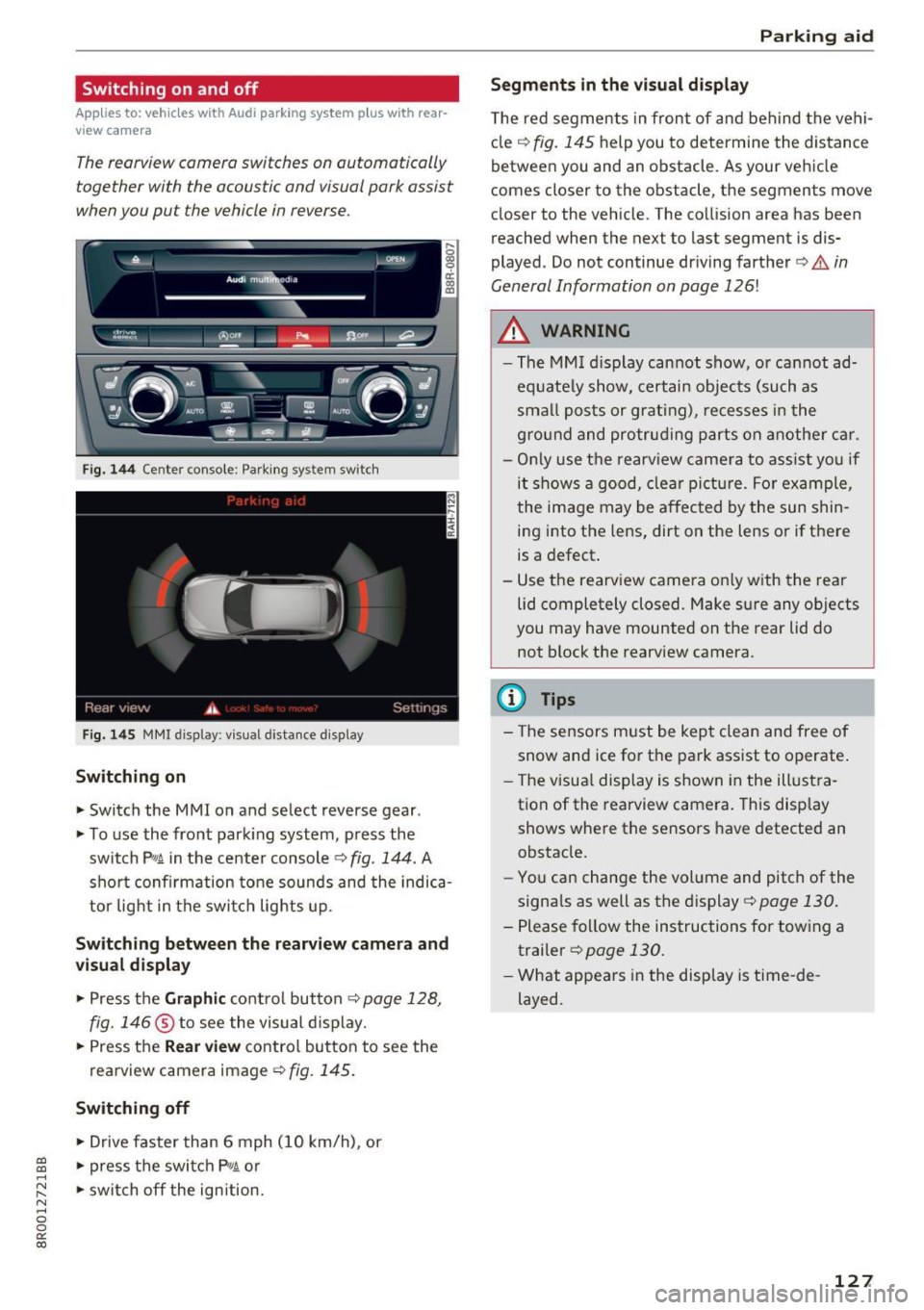
The rearview camera switches an automatically
together with the acoustic and visual park assist
when you put the vehicle in reverse.
Fig. 144 Center console: Park ing system switch
Fig . 1 45 MMI display: visual distance display
Switching on
.. Switch the MMI on and select reverse gear .
.. To use the front park ing system, press the
switch
p,, 1A in the center console c::> fig . 144. A
sho rt confirmation tone sounds and the indica
tor light in the switc h lights up.
Switching between th e re arview came ra and
vi sual displa y
.. Press the Graphi c co ntrol button c::>page 128,
fig. 146
® to see the visual d isplay .
.. Press the
Rear view contro l butto n to see the
rearview camera image
¢fig. 145.
Switching off
.. Drive faster than 6 mph ( 10 km/h), or
~ .. press the switch P'#A or .....
~ .. switch off the ign ition. N ..... 0 0
0:
co
P ark ing aid
Segments in the visual di splay
T he red segments in front of and behind the vehi
cle
c:::> fig. 145 help you to determine the distance
between you and an obstacle. As your vehicle
comes closer to the obstacle, the segments move
closer to the vehicle. The collision area has been
reached when the next to last segment is dis
played . Do not continue dr iving farther
c:::> .&. in
General Information on page
126!
A WARNING
-- The MM I display cannot show, o r cannot ad-
equate ly show, certain objects (such as
smal l posts or grating), recesses i n the
g ro und and protruding parts on another car.
- On ly use the rearv iew camera to ass ist yo u if
it shows a good, clea r pi ctu re. For example,
the image may be affected by the sun shin
ing into the lens, dirt on the lens or if there
is a defect.
- Use the rearv iew camera on ly w ith the rea r
lid completely closed. Make sure any objects
you may have mounted on the rear lid do
not block the rearv iew camera.
(D Tips
- The sensors must be kept clean and free of
snow and ice for t he park ass ist to operate .
- The visua l display is shown in the illust ra
tion of the rearview camera. This display shows where the sensors have detected an
obstacle.
- You can change the volume and pitch of the
signa ls as well as the display
c:::> page 130.
- Please fol low the instructions for tow ing a
trailer
c:::> page 130.
- What appears in the display is time -de
layed.
127
Page 132 of 296
Parking aid
mirror or a corne r of your veh icle does not col
lide with any obstacles. This can damage to
your vehicle.
(D Tips
The left or right orientation lines and surfaces
will be displayed, depending on the turn sig
nal being used .
Adjusting the display
and warning tones
A pp lies to : ve hicles w ith Audi park ing system plus w ith rea r
view ca mera
The display and warning tones can be adjusted in
the MMI.
~ Select: ICARlfunction button> Parking system.
Or
~ Select: I CARI funct ion button > Car systems*
control button > Driver assist> Parking aid .
Display
-Off -when the parking system is switched on,
only audible signals are g iven.
- On -when the parking system is switched on,
either the visual disp lay or the picture from the
rearview camera is displayed .
Warning tones
-Front volume -front sensor volume
-Front frequency -front sensor frequency
- Rear volume -rear sensor volume
-Rear frequency -rear sensor frequency
-In -car entertainment fader/Music volume
while parking -
when the parking system is
switched on, the volume of the active audio
source is lowered .
The newly adjusted value is briefly heard from
the signal generator.
(D Tips
- The warning tones can also be adjusted di
rectly by the v isual disp lay or the picture
from the rearview camera. S imply press the
Settings control button.
- Changed settings are act ivated when park
in g system is switched on again .
130
-Th e settings are automatically stored and
assigned to the remote control key.
Trailer hitch
Applies to : vehicles wi th Audi parking sys te m plus wi th rear
v iew camera an d tra il er hitc h
For vehicles with a factory installed trailer hitch,
o r a trailer hitch installed according to factory
spec ifications, the parking system rear sensors
do not come on whenever you shift into reverse
gear or when you press the
p, qA switch. Remem
ber, there is no warning for distances to the rear.
The front sensors remain activated. The visual
display switches to the trailer tow ing mode. The
picture from the rearview camera w ill not show
the or ientat ion lines nor the blue surfaces .
If you install a hitch yourself, this function may
not work.
Error messages
App lies to: vehicles wi th Audi parking sys te m plus with rear
v iew camera
There is an error in the system if the LED on the
PJJJA switch is blinking and you hear a continuous
alarm for a few seconds after switching on the parking system or when the parking system is al
ready activated . Have your authorized Audi dealer
correct the error.
(D Tips
If the error is not corrected before you switch
off the ign ition, when you switch on the park
ing system again, the LED in the
Pw.o. switch
will blink.
Page 201 of 296
CD
CD
.... N ,-... N ..... 0 0 C<'. 00
-Ideal conditions do not prevail offroad . Nev
er utilize the maximum readings to their
fullest, always leave a safety reserve.
Driving tips
On poor rood and offrood, there is always only
one motto: Plan ahead and drive slowly!
Please observe the following when driving away
from paved roads:
~ Drive only on roads and offroad sections wh ich
match the design of your veh icle and your abili
ties as a driver. Never take risks!
~ Drive slowly and plan ahead!
~ Take into consideration the ground clearance
of your veh icle.
~ Activate the off road mode q page 186 as need
ed .
~ Use the hill descent assist q page 188 when
driv ing down steep sections on h ills.
Unpaved road s and offroad
Drive s low ly on unfamiliar roads and unknown
offroad sections, and look out for unexpected ob
stacles (e .g . potholes, rocks, tree stumps, etc .).
T o prevent the vehicle from bottoming and avoid
damage to the underbody, you should drive
stra ight across severe bumps in the ground with
only one side of the vehicle so that only two of
your wheels cross the bumps .
Drive briskly through sandy or marshy offroad
sections and do not stop, if at all possible.
Driving through water
Note the following to avoid vehicle damage when
driving through water, for example on flooded
roads:
- Th e wate r must not be any higher than the bot-
tom of the vehicle body.
- Do not drive faster than walking speed.
Driving on a slope
If you ever find yourself not able to climb a slope,
do not try to turn around, drive back down in
re
verse.
Othe rw ise, you run the risk of tipping over.
Offroad driving
If the vehicle threatens to tip over when driving
across a slope, you must immediately steer
downhill in the direction of the slope.
Do not park your vehi cle on steep slopes or
grades .
T o reduce the risk of tipping over, drive on slopes
i n the direction of the downward slope (fall line) -
not crosswise .
& WARNING ~ -
After driving thro ugh water, mud, slush, etc.,
the brakes may be slow to take effect beca use
of wet brake rotors and pads. Dry the brakes
f ir st by braking carefu lly to restore the full
braking effect.
(D Note
-Vehicle components such as the engine,
transmission, suspension or electrical sys
tem can be severely damaged by driving
through water .
- Always switch off the Start-Stop-System*
when driving through water
Q page 90.
(D Tips
-Check the depth of the water before driving
through it.
- Do not stop the vehicle, drive in reverse or
switch the engine off when driving through
water.
- Keep in mind that oncoming vehicles may
create waves that raise the water level and
make it too deep for your vehicle to drive
through safely.
-Avoid dr iv ing through salt water because it
can cause corros ion.
199