door lock AUDI Q5 2018 User Guide
[x] Cancel search | Manufacturer: AUDI, Model Year: 2018, Model line: Q5, Model: AUDI Q5 2018Pages: 392, PDF Size: 60.56 MB
Page 40 of 392
Opening and clo sing
Storin g th e luggag e comp artm ent lid
o pening posit ion
~ Bring the luggage compartment lid into the de
sired open position. The position must be at a
certain height or higher to store.
~ Press and hold the C> button in the luggage
compartment lid for at least four seconds to
store the new open position . A visual and audio
s ignal will follow .
~ To set a h igher open position, wait at least five
seconds and then caref ully press the luggage
compartment lid upward .
~ Press and hold the C> button again for at least
four seconds to store the desired opening posi
tion.
The opening/closing process wi ll stop immedi
ately if :
- Yo u pull/release the
C> switch in the driver's
door, or
- Applies to: vehicles with convenience key:
press/release the
C> button on the remote
contro l key, or
- Applies to:
vehicles with conveniern;e key: press
the C> button or the {n but ton in the luggage
compartment lid, or
- Yo u push the hand le in the luggage compart
ment lid, or
- When something b locks the luggage compa rt
ment lid or makes it difficu lt fo r the lid to
move .
I f you press the hand le or one of the
C> or {n but
tons (veh icles w it h conven ience key*) now, the
luggage compartment lid w ill either open or
close, depending on its angle .
A WARNING
-After closing the luggage compartment lid,
make s ure that it is latched. Otherwise, the
l uggage compartment lid could open sud
denly when driving, which increases the risk
of an accident .
- Pay careful attention when closing the lug
gage compartment lid. Otherw ise, you could
cause serious injury to yourself or others de
spite the pinch protection .
38
-To reduce the risk of pinching injuries, a l
ways make sure that no one is in the operat ing area of the luggage compartment lid, in
cluding the hinge areas and the upper and
lower edge of the luggage compartment lid .
- Never drive with the luggage compartment
lid ajar or open, because poisonous gases
can enter the vehicle inte rior and create the
risk of asphyx iat ion.
- If there is a luggage rack (such as a bicycle rack) on the luggage compartment lid, the
luggage compartment lid may not ope n
comp letely under cert ain ci rcumstan ces or it
co uld close by itself if open due to t he extra
weight. There fore, the open luggage com
partment lid must be given additional sup
port or the cargo must fi rst be removed
from the luggage rack.
@ Note
The l uggage compa rtment lid can bump into
objects s uch as the garage ceiling when open
i ng and become damaged .
(D Tips
- The settings in the Infotainment system de
termine if t he luggage compartment lid can
be opened using the
hand le ~ page 35.
- Th ere are audible signals when closing the
luggage compartment lid with the remote
contro l key (vehicles with conven ience key*)
or with the
C> button in the driver's door.
- When the vehicle is locked, the luggage
compartment lid can be unlocked sepa rately
by pressing the
C> button on the remote
control key . The luggage compartme nt lid
locks automat ically when it is closed again.
- Applies to: vehicles with convenience key:
The luggage compartment lid can be closed
w ith the conven ience from a distance up to
approximate ly 9 ft (3 m).
- T he luggage compartment lid can be oper
ated manua lly if the veh icle battery is low .
It is necessa ry to use mo re force when do ing
this. Move the lid s low ly to redu ce the
amou nt o f fo rce needed.
..,.
Page 41 of 392
u co ..... N r-N .....
~ 0 co
-When the trailer socket is being used (for
example, for a bicycle rack), the luggage
compartment lid can be opened and closed using the handle or the foot motion activa
tion (vehicles with convenience key*).
Opening/closing the luggage compartment
lid with foot motion activation (kicking
movement)
Applies to: veh icles with conven ience key and sensor-control
led luggage compartment lid
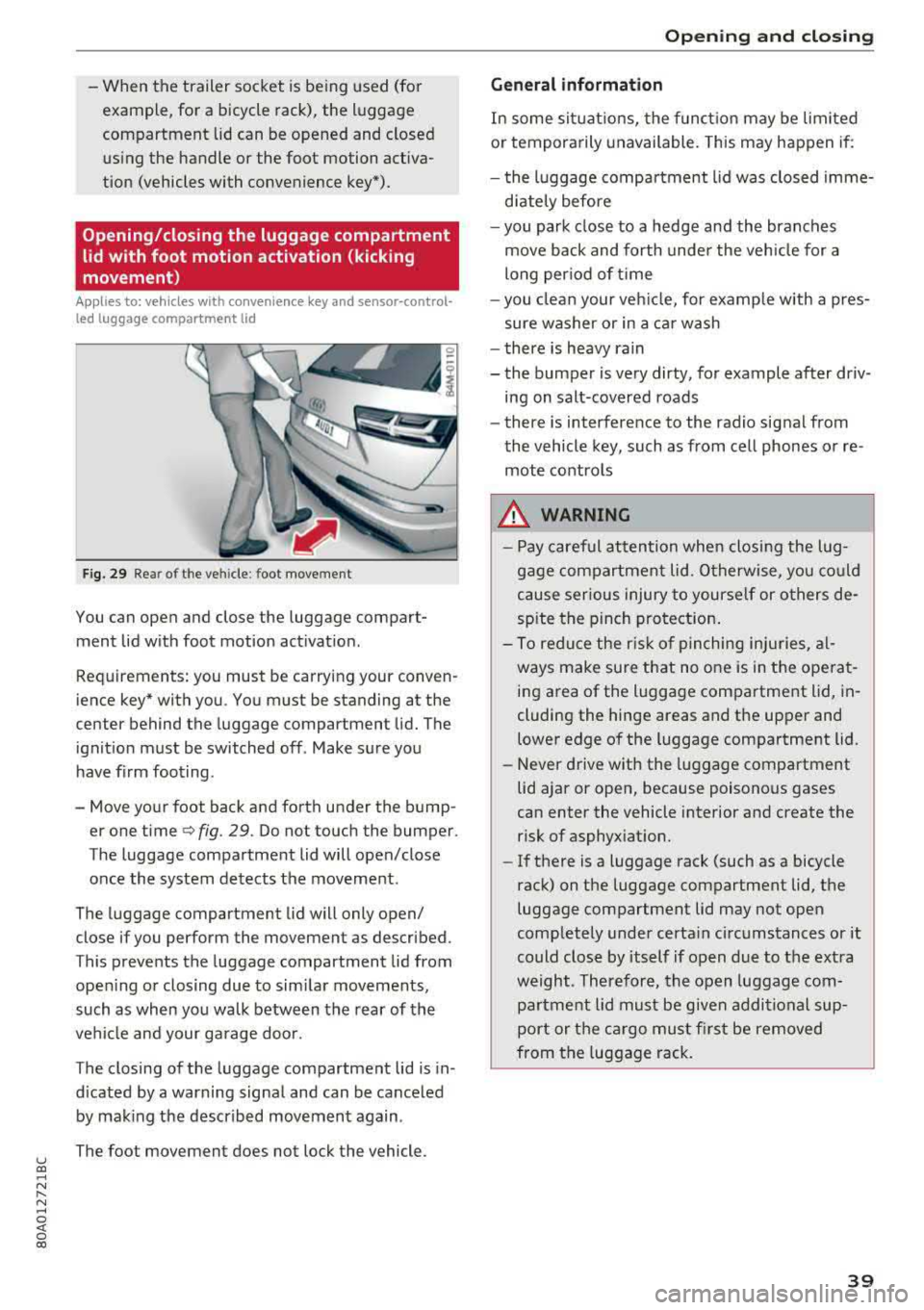
Fig. 29 Rea r of t he ve hicle : foot movement
You can open and close the luggage compart
ment lid w ith foot motion activat ion .
Requirements: you must be carrying your conven
ience key* with you . You must be standing at the
center behind the luggage compartment lid. The
ignition must be switched off . Make sure you
have f irm foot ing.
- Move your foot back and forth under the bump er one time
q fig. 29. Do not touch the bumper.
The luggage compartment lid will open/close
once the system detects the movement.
The luggage compartment lid will only open/
close if you perform the movement as described.
This prevents the luggage compartment lid from open ing or closing due to sim ilar movements,
such as when you walk between the rear of the
vehicle and your garage door.
The closing of the luggage compartment lid is in
d icated by a warning signa l and can be cance led
by making the described movement again .
The foot movement does not lock the vehicle.
Op eni ng and clos ing
General informat ion
In some sit uations, the funct ion may be limited
or temporarily unavailable. This may happen if:
- the l uggage compartment lid was closed imme
d iately before
- you park close to a hedge and the branches
move back and forth under the veh icle for a
long per iod of t i me
- you clean your veh icle, for example w ith a pres
sure washer or in a car wash
- there is heavy rain
- the bumper is very dirty, for example after driv- ing on salt-covered roads
- there is interference to the radio signal from
the vehicle key, such as from cell phones or re
mote controls
8,. WARNING
-Pay careful attention when closing the lug
gage compartment lid . O therwise, you co uld
cause serious injury to yourself or others de
spite the pinch protection .
-To reduce the risk of pinching inju ries, al
ways make sure that no o ne is in the ope rat
ing area of the luggage compartment lid, in
cluding the hinge areas and the upper and
lower edge of the luggage compartment lid.
-Never drive with the luggage compartment
lid ajar or open, because poisonous gases
can enter the vehicle interior and create the risk of asphyxiat ion.
-If there is a luggage rack (such as a bicycle
rack) on the luggage compartment lid, the
luggage compartment lid may not open
comp letely under certa in circumstances or it
could close by itself if open due to the ext ra
weight. Therefore, the open luggage com
partment lid must be given additional sup
port or the ca rgo must fi rst be removed
from the luggage rack.
3 9
Page 42 of 392
Opening and closing
Luggage compartment lid emergency
release
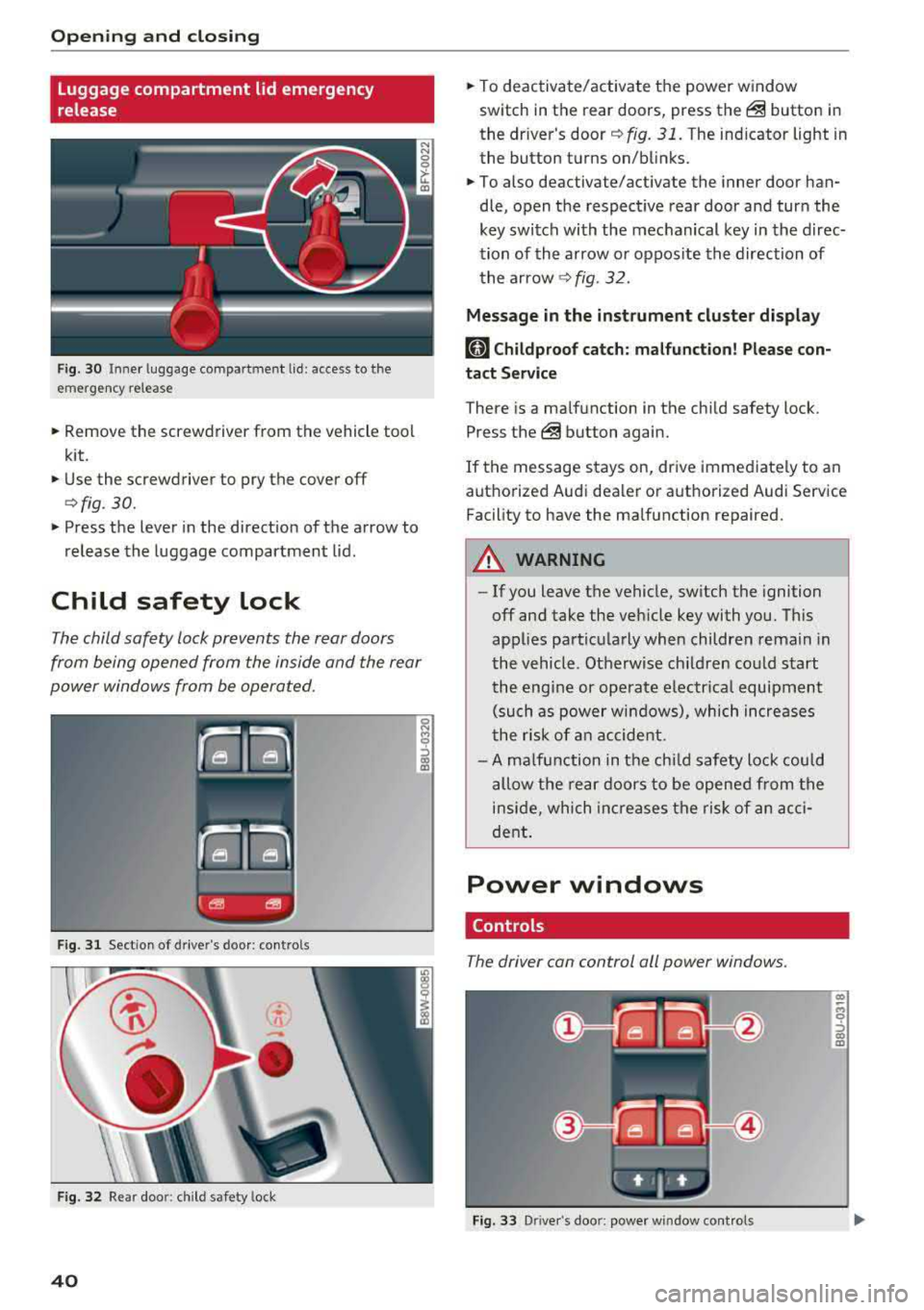
Fig. 30 Inne r luggage compartment lid : access to the
emergency release
.. Remove the screwdriver from the vehicle tool
kit.
.. Use the screwdriver to pry the cover off
<=>fig. 30.
.. Press the lever in the direct ion of the arrow to
release the luggage compartment lid .
Child safety lock
The child safety lock prevents the rear doors
from being opened from the inside and the rear
power windows from be operated.
F ig. 31 Sect ion of drive r's door: contro ls
Fig . 32 Re ar doo r: child safety lock
40
.. To deactivate/activate the power window
switch in the rear doors, press
the@ button in
the driver's
door ¢ fig. 31. The indicator light in
the button turns on/blinks .
.. To also deactivate/activate the inner door han
dle, open the respect ive rear door and turn the
key switch with the mechanical key in the direc
tion of the arrow or oppos ite the direction of
the arrow
¢fig. 32.
Message in the instrument cluster display
(81 Childproof catch: malfunction! Please con
tact Service
There is a ma lfunction in the chi ld safety lock .
Press
the @ button again .
If the message stays on, drive immediate ly to an
authorized Audi dealer or authorized Audi Service
Facility to have the malfunction repaired .
A WARNING
-- If you leave the vehicle, sw itch the ignition
off and take the veh icle key with you. This
applies particularly when children remain in
the vehicle. Otherwise ch ildren could start
the engine or operate electrical equipment
(such as power windows), which increases
the ris k of an accident.
- A malfunction in the child safety lock could
allow the rear doors to be opened from the
inside, which increases the risk of an acci
dent.
Power windows
Controls
The driver can control all power windows .
Fig. 33 Driver's doo r: power window cont rols
Cl) ~
"" 0
='> Cl) m
Page 43 of 392
u co ..... N ,..._
N ..... 0 <( 0 00
All power window switches are equipped with a
two-stage function *:
Opening and clo sing the windows
.,. T o open or close the w indow completely, p ress
the sw itc h down or p ull the sw itc h up br iefly to
the second level. The operation wi ll stop if the
switch is pressed/pu lled again.
.. To se lect a position in between opened and
closed, press/pull the switch to the first leve l
until the desired window position is reached.
Po wer window switch es
(D Left front door
@ R ight front door
@ L eft rea r door*
© Right rear door*
A WARNING
- If you leave the veh icle, switch the ignition
off and take the vehicle key with you. This
applies particularly when children remain in
the vehicle . Otherw ise children could start
the engine or operate elect rical equipment
(such as powe r windows), which inc reases
the risk of an acc ident. The power windows
c ontin ue to f unct ion until the driver's door
or front passenge r's door has been opened .
- Pay ca reful attent ion when closing the win
dows. Pin ching co uld cause serious injur ies.
- When loc king the veh icle from outside, the
vehicle mus t be unoccupied since the win
dows can no longer be opened in an emer
gency.
(D Tips
You can still open and close the w indows for
app roxima tely 10 minutes after tu rning the
ign it ion off. The power windows do no t switch
off until the driver's door or front passenger's
door has been opene d.
Opening and cl osing
Convenience opening/closing
Applies to: vehicles with convenience key
All of the windows and the roof* con be opened/
closed at the some time .
Convenience opening f eature
.. Press and hold the @ button on the remote con
trol key until a ll of the windows reach the de
sired position and the roof* is ti lted open .
Convenience closing feature
.. Press the t'fl button on the remote control key
until the roof* is closed
~ ,&. , or
.. Touch the sensor * on the door handle unti l all
of the windows and the roof* are closed. Do not place your hand in the door handle when doing
this .
Sett ing con ven ience opening in the
Infotainment system
.. Select in the Infotainment system: I MENU ! but
ton
> V ehicle > left control button > V ehicle
s etting s
> Central locking > Long press to
open windows .
A WARNING
-Never close the w indows o r the roof* ca re
lessly or in an uncon trolled manner, be
cause this increases the risk o f injury .
- For secur ity reasons, the win dows and the
roof* c an only be opened and closed with
the remote control key at a maxim um dis
tance of approximately 6.S feet (2 m) away
from the vehicle. Always pay attention when using the
t'fl button to close the windows
and the roof * so that no one is pinched. The
clos ing process will stop immediately when
the
t'fl button is released.
(D Tips
Applies to: vehicles with panorama glass roof:
the power sunshade also opens/closes when
opening/closing the roof .
-
41
Page 49 of 392
u co ..... N r-N .....
~ 0 co
~ Headlight a ssistant : ma lfun ction! See own
er 's manual
Drive to an autho rized Audi de aler o r a uthorized
Aud i Service Facility immedia tely to have the
mal funct ion corrected. You can still switch the
high beams on or off manually.
i:a Headlight a ssistant : currently unavailable.
Camera view restricted due to surroundings .
See owner 's manual
The camera view is b locked, fo r example by a
s ticker o r debris.
The senso r is located between the interior rear
view mir ror and the wi ndshield . Do not p lace any
sti cke rs in t his area on the wi ndshi eld.
,& WARNING
High beam assis tan t is only i ntended to assist
th e drive r. The dr iver is still re sponsib le for
contro lling the headlights and may need to
switch them on and off manually depend ing
on light and visib ility conditions. It may be
necessary to ope rate them manua lly in s itua
tions such as:
- In adverse weather cond itions such as fog,
heavy ra in, b low ing snow or sp raying water .
- On roads where oncoming traffic may be
partially obsc ured, such as expressways .
- W hen there are road users t hat do not have
s ufficient lighting, s uc h as bicyclers o r
vehicles with dirty ta il lamps.
- In tight cu rves and on steep hills .
- In poo rly lit areas .
- Wi th stro ng ref lec to rs, such as s igns.
- I f the area of t he windsh ield near the se nso r
is f ogg ed ove r, dir ty, i cy or covere d w ith a
sti cker.
Adjusting the exterior lighting
The fun ctio ns are adjust ed in the Infotainment
system.
• Select in the Info tainment sys tem: !ME NUI but
ton
> Vehicle > left contro l butto n > Vehicle
settings > Exterior lighting .
Lights and Vision
Automatic headlights
Yo u ca n adju st the following se ttings in the Au
tomatic headlights
men u:
Activation time -you can adjust if the a utomat ic
he adlig hts swi tch on
Early , Medium or Late ac
cording to the sensi tivity of the ligh t se nsor.
Headlight assistant * -you can switch the high
beam assis tan t* on and off.
Entry/exit lighting
When it is dark, the Entry/exit lighting ill umi
nates the area a round the vehicle when unlocking
the ve hicle and afte r swi tc h ing off the ignit io n
and opening the dr ive r's door.
The
Entry /exit lighting only works when it is
dark and the ligh t sw itch is in the
AUTO position.
Daytime running lights
USA models :
the daytime r unning lig hts can be
switched on/off . Select
On or Off.
Canada model s:
th is fu ncti on canno t be switche d
off. They act ivate au tomatically eac h time the ig
nition is switched on.
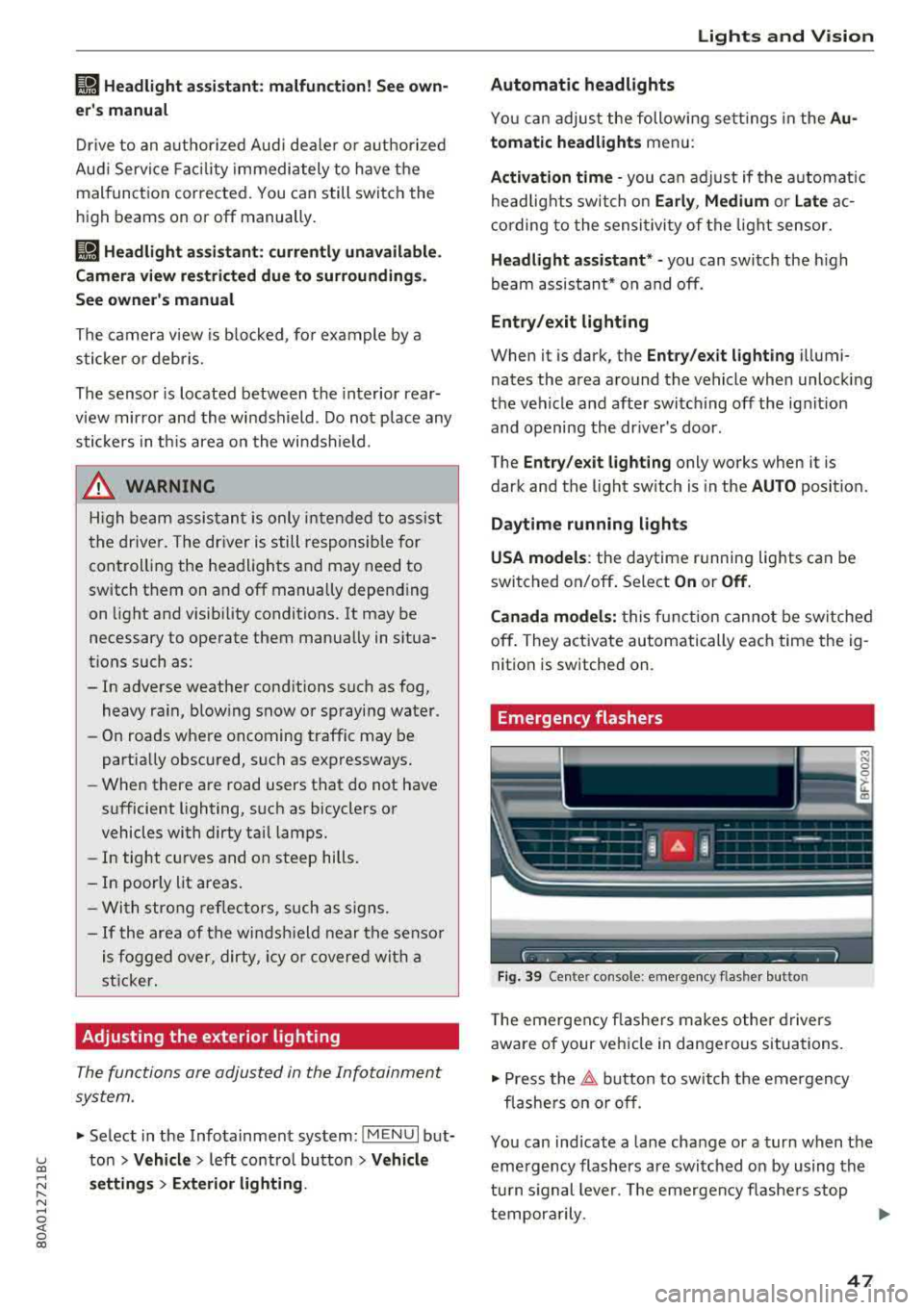
Emergency flashers
- --- - -- ----
~
Fig . 39 Ce nter console: emergency flasher butto n
The eme rgen cy fla she rs m akes othe r dr iv e rs
aware of your vehi cle in dangerous situa tions.
• Press the ~ button to sw itch t he emergency
fl as he rs on or off.
You can ind icate a lane change or a turn when the
eme rgency flashers are swi tched on by using the
tu rn s ignal leve r. T he emergen cy flashe rs stop
tempor arily.
""
47
Page 51 of 392
u co ..... N r-N .....
~ 0 co
Version 1
To adjust the brightness of individual zones, se
lect
Front brightness* , Door brightness or Foot
well brightness.
Turn the control knob to th e left
or to th e right. Pr ess the control knob to confirm
the b rightness.
Version 2
Select and confirm one of the displayed profiles
by pressing the control knob.
Individual: you can customize the brightness and
color of individual zones. Press the right control
button. Press the control knob again to confirm
the settings.
Audi drive select: the interior and contour light
ing color changes depending on the driving mode
selected in drive select*
r::?vpage 125.
(0) Tips
The setting is automatically stored and as
signed to the remote control key that is being
used.
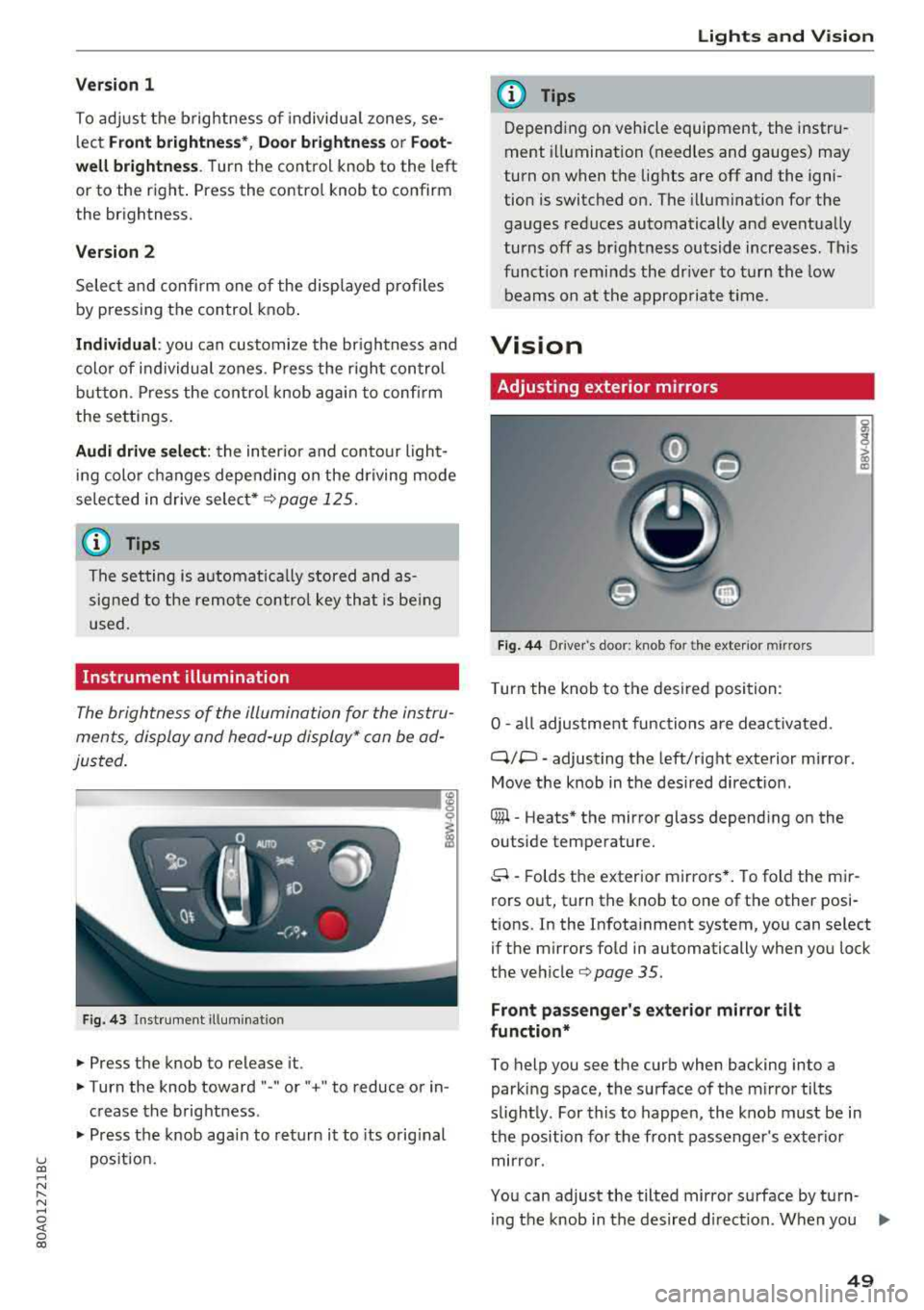
Instrument illumination
The brightness of the illumination for the instru
ments, display and head-up display* can be ad
justed.
--------... ~
i
Fig. 43 Instrument i llumination
.. Press the knob to release it.
.. Turn the knob toward "-" or" +" to reduce or in
crease the brightness .
.. Press the knob again to return it to its original
position.
Lights and Vision
(D Tips
Depending on vehicle equipment, the instru
ment illumination (needles and gauges) may
turn on when the lights are off and the igni
tion is switched on. The illumination for the
gauges reduces automatically and eventually
turns off as brightness outside increases . This
function reminds the driver to turn the low
beams on at the appropriate time.
Vision
Adjusting exterior mirrors
Fig. 44 D river 's doo r: knob fo r the ext erior mirr ors
Turn the knob to the desired position:
0
-all adjustment functions are deactivated .
q;p -adjusting the left/right exterior mirror.
Move the knob in the desired direction .
® -Heats* the mirror glass depending on the
outside temperature.
8 -Folds the exterior mirrors*. To fold the mir
rors out, turn the knob to one of the other posi
tions. In the Infotainment system, you can select if the mirrors fold in automatically when you lock
the
vehicle¢ page 35 .
Front passenger's exterior mirror tilt
function*
To help you see the curb when backing into a
parking space, the surface of the mirror tilts
slightly. For this to happen, the knob must be in
the position for the front passenger's exterior
mirror.
You can adjust the tilted mirror surface by turn- ing the knob in the desired direction. When you
.,.
49
Page 61 of 392
u co ..... N r-N .....
~ 0 co
Installing the head restraints
.,. Slide the posts on the head restraint dow n into
the gu ides unt il the posts click into place .
... Press the button -arrow-c::> fig. 60 and slide the
head restraint all th e way down. You should not
be able to remove the head restraint from the
backrest without pressing the button.
A WARNING
-Always read and follow the applicable warn
ings
c::> page 255 , Proper adjustment of
head restraints .
-Only remove the head restraints from the
rear seats when it is necessary for install ing
a ch ild safety sea t
c::> page 291, Child safe
ty. Install the head restra int aga in immedi
ately once the chi ld safety seat is removed .
Driv ing with the head restraints removed or
not in the upright position inc reases the risk
of serious inj ury.
Memory function
Description
Applies to: vehicles with memory function
Using the memo ry funct ion, you can qu ickly and
eas ily store a pe rsonal seat profile for the dr iver
and recall the setti ngs later. The memory f unc
tion is controlled by the remo te control key and
the memory buttons in the drive r's door.
The drive r's seat p rofile is stored again and as
signed to t he remote contro l key each time the
ve hicle is locked. When you open the door, the
seat prof ile is automatica lly reca lled . If two peo
p le use the vehicle, it is recommended that each
person always uses their
"own" remote control
key .
Two seat profiles can be stored each using the memory buttons . Once they are stored, these
seat profi les can be se lected at any time.
The fo llow ing settings are stored :
Seats and storag e
Remote con- Memory but-
trol key ton
Driver Driver
Seat X X
Both exterior
mirrors*
X X
Remote control key
Applies to: vehicles with memory function
The driver's seat profile can be assigned to the
remote control key when the vehicle is locked .
... Select in the Infotainment system: I MENU! but
ton
> Vehicle > left control button > Vehicle
setting s > Seat s > Driver's seat > Store set
ting s on remote control ke y.
(D Tips
If you do not wish to have the seat prof ile for
anothe r dr iver assigned to the remote control
k ey, sw itch the memory f unction off in the In
fotainment system.
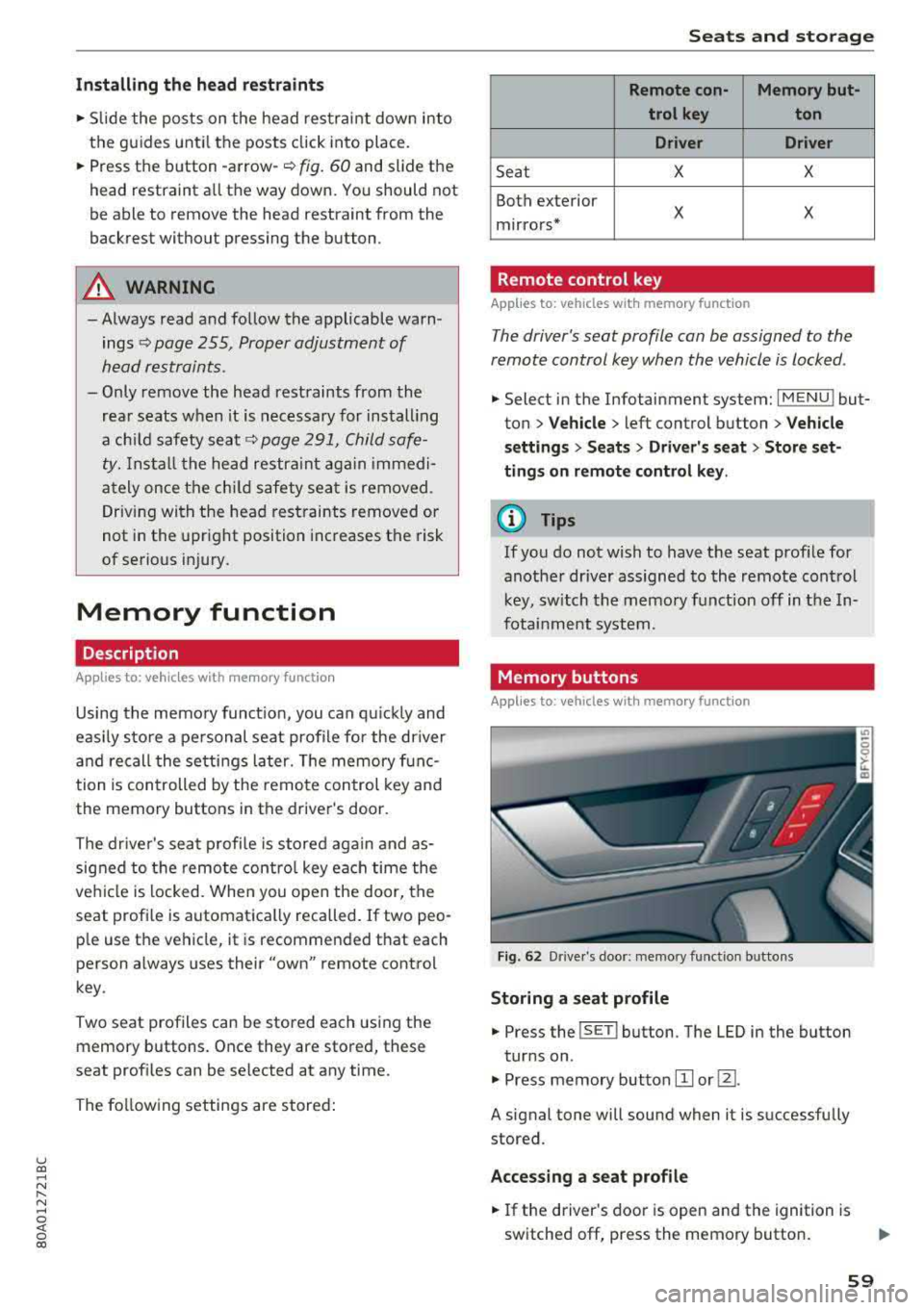
Memory buttons
Applies to: vehicles with memory function
Fig. 62 Drive r's doo r: memory funct io n bu ttons
Storing a seat p rofile
... Press the ISET I button. The LED in the button
tur ns on .
.,. Press memory button IT] or@.
A signal tone will sound when it is successfully
stored.
Acces sing a seat profile
... If the driver's door is open and the ignition is
switched off, press the memory button .
59
Page 80 of 392
Driving
you stop it. You also cannot lock the vehicle from
the outside.
Shift to P, otherwise vehicle can roll away.
Doors do not lock if gearshift is not in
P
This message appears for safety reasons if the
selecto r lever is in the "N" position when you
switch the ignition off. Move the selector lever to
the "P" posit ion. Otherwise the vehicle is not pro
tected from rolling and it cannot be locked.
I) Remote control key : hold back of key
against the designated area. See owner's man
ual
I f the indicator light turns on and this message
appears, there is a malfunction
c:> page 78.
Shift to P before leaving vehicle, otherwise vehi
cle can roll away
This message appears if the driver's door is
opened while the ignition is switched on and the
transmission has not been shifted to the "P" posi
tion . Sh ift the transm iss ion into the "P" position
and turn off the ignition if you are leav ing the ve
h icle. Otherwise the vehicle could roll. Also see
<=:>page 79.
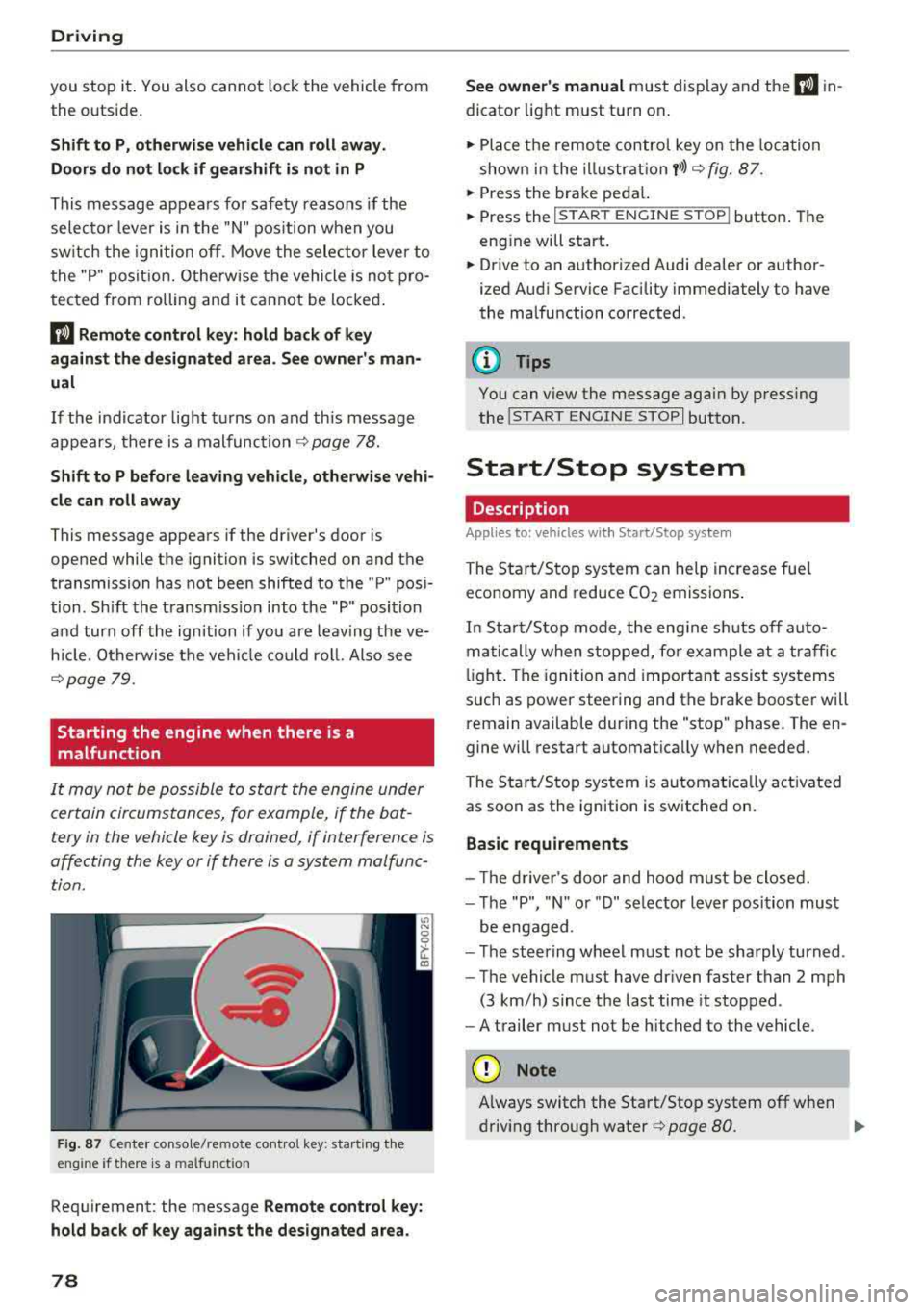
Starting the engine when there is a
malfunction
It may not be possible to start the engine under
certain circumstances, for example, if the bat
tery in the vehicle key is drained, if interference is
affecting the key or if there is a system malfunc tion.
F ig. 87 Center console/remote contro l key : start ing the
eng ine if there is a malfunct ion
Requirement: the message Remote control key:
hold back of key against the designated area.
78
See owner's manual must display and the I) in
dicator light must turn on .
.,. Place the remote control key on the loca tion
shown in the illu strat ion
y >l) c:> fig. 87.
... Press the brake pedal.
... Press the I START ENGINE STOPI button. The
eng ine will start.
... Drive to an authorized Audi dealer or author
ized Aud i Service Facility immediately to have
the malfunction corrected .
(!) Tips
You can view the message aga in by pressing
the lS TART
ENGINE STOP I button.
Start/Stop system
Description
Appl ies to : vehicles wi th Start/Stop sys te m
The Start/Stop system can help increase fue l
economy and reduce CO2 emissions.
In Sta rt/S top mode, the engine sh uts off auto
matically when stopped, for example at a traffic
li ght . The ignition and important assist systems
such as power steering and the brake booster will
remain available dur ing the "stop" phase. The en
gine will restart automatically when needed.
The Start/Stop system is automat ica lly act ivated
as soon as the ignition is switched on.
Basic requirements
- Th e driver's door and hood must be closed.
- The "P", "N " or "D" selector lever position must
be engaged .
- The steering wheel must not be sharply turned .
- The vehicle must have dr iven faster than
2 mph
(3 km/h) since the last time it stopped.
- A trailer must not be hitched to the vehicle.
(D Note
Always switch the Start/Stop system off when
driving through water
r=;, page 80.
Page 81 of 392

u co ..... N r--N ..... 0 <( 0 00
(D Tips
-Depending on the driving situation, the en
gine may already stop when
coasting before
the vehicle has come to a complete stop
ll.
- If you select the "D" selector lever position
after shifting into reverse, the vehicle must be driven faster than 6 mph (10 km/h) in or
der for the Start/Stop system to be active
again.
Stopping/starting the engine
Applies to: vehicles with Start/Stop system
"'Apply the brakes and keep your foot on the
brake pedal until the vehicle has stopped. The
rl1 indicator light appears in the instrument
cluster once the engine stops automatically .
"'The engine starts again when you take your
foot off the brake pedal. The indicator light
turns off.
(D Tips
-The ignition will turn off if you press the
I START ENGINE STOP I button during a stop
phase .
- You can determine for yourself if the engine
will stop or not by reducing or increasing
the amount of force you use to press the brake pedal. For example, if you only lightly
press on the brake pedal in stop-and-go
traffic or when turning, the engine will not
switch off when the vehicle is stationary. As
soon as you press the brake down harder,
the engine will switch off.
- Press the brake pedal during a Stop phase
to keep the vehicle from rolling.
Starting/stopping the engine automat
ically
Applies to: vehicles with Start/Stop system
The system checks if certain conditions are met
before and during the "stop" phase, and deter
mines if and how long the engine is stopped de
pending on the situation. For example, if power
usage is high, the engine will not be stopped .
ll Market-specific
Driving
Along with other conditions, the following fac
tors influence the automatic engine start or stop:
- Environmenta l conditions (slopes, inclines, ele-
vation, temperature)
- Battery (charge status, temperature, power us-
age)
- Engine temperature
- Assistance systems
- Driving behavior
If the
rid indicator light appears in the instru
ment cluster display, the engine will not be stop
ped.
Switching the ignition off automatically
Applies to: vehicles with Start/Stop system
If you leave the vehicle during a "stop" phase, the
engine can be restarted within approximately 30
seconds if the doors are closed, the driver's safe
ty belt is fastened and the brake pedal is pressed.
If you leave the vehicle longer than 30 seconds,
the ignition will switch off automatically to pre
vent the vehicle battery from draining. If this is
the case, the message
Start/stop system: igni
tion will be switched off in 30s
will appear in the
instrument cluster and, if the low beam head
lights are switched on, the parking lights will
switch on instead. The parking lights will switch
off after approximately 30 minutes or when you
lock the vehicle.
The ignition also switches off when you lock the
vehicle from the outside during a stop phase.
If the Start/Stop system has not turned off the
engine or if you have switched the Start/Stop sys
tem off manually, the ignition will not be auto matically switched off and the engine will contin
ue to run.
A WARNING
-To reduce the risk of poisoning, never allow
the engine to run in confined spaces.
-
79
Page 84 of 392
Driving
-The parking brake goes through a se lf -test
cycle at regular intervals when the vehicle is
stopped . Any noises associated w ith this are
normal.
- If there is a power failure , the parking brake
will not set if it is re leased, and it will not
release if it is
set¢,&. See an authorized
Audi dealer or authorized Audi Service Fa
cility for ass istance .
Starting to drive
Various convenience and safety functions may be
ava ilable when the vehicle begins driving , de
pending on vehicle equipment.
Starting on hills with the parking brake set
Requirement: the doors must be closed and the
driver's safety belt must be fastened .
~ To start driving comfortably when on a hill, set
the parking brake and begin driving as usual.
The braking force of the parking brake does not
release automatically until the wheels build up
enough dr iv ing force .
Starting on hills with hill hold assist
Hill hold assist makes it easier to start on hills .
Requirement: the driver's door must be closed
and the engine must be running.
~ To activate hill hold assist, press and hold the
brake peda l for several seconds. The veh icle
must be in an uph ill direction of travel.
After releasing the brake pedal, the brak ing pow
er is ma intained for a brief
moment ¢.& to pre
ve nt the vehicle from rolling back when starting.
During this time, you can easily beg in to move
your ve hicle.
A WARNING
-If you do not begin driving immediately or
the engine stalls after releasing the brake
pedal, your vehicle may begin to roll back
ward . Press the brake pedal or set the park
ing brake immed iate ly.
- The intelligent techno logy of hill hold assist
cannot overcome the limitations imposed by
82
-
natural physica l laws. The increased comfort
offered by hill hold assist should not cause
you to take safety risks .
- Hill hold assist cannot hold the vehicle in
place on all hills (for examp le, if the ground
is s lippery or icy).
- To reduce the r isk of an accident, always
make sure the veh icle is situated safely
while stationary .
Off road driving
General information
The Electronic Stabilization Control (ESC) func
tions were enhanced for driving offroad. Offroad
mode can be activated when driving in situations
where slippage or a differential lock function is
necessary ¢ page 141. The hill descent assist is
also available, wh ich automatically brakes the ve
hicle to maintain a constant speed
¢ page 142 .
In add it ion, your Audi provides cont inuous all
whee l drive .
However, your Audi is not a purely offroad vehi
cle . Your vehicle was not designed to dr ive under
extreme operating conditions such as driving in
an expedition style.
Only drive on terrain that is suitable for the ve
hicle and your driving ability. Never take any
unnecessary risks!
Before driving offroad
- Check the engine oil level, the tire pressure, the coo lant level and the fluid level in the washer
fluid reservoir.
- Store pieces of luggage and other objects in the
luggage compartment and secure them from
sliding out of place .
After driving offroad
-After driving offroad, remove branches and
other debris from the radiator grille, under
body, and wheels. Look especially for foreign
objects (such as s tones) that may be stuck in
the t ire tread .
- Clean the vehicle body and underbody and in-
spect the vehicle for possible damage .
.,,.