reset AUDI Q5 2019 Owner's Manual
[x] Cancel search | Manufacturer: AUDI, Model Year: 2019, Model line: Q5, Model: AUDI Q5 2019Pages: 392, PDF Size: 99.86 MB
Page 230 of 392
Media
—Thestatusofthedeletingprocessisshownin
theMMI.Jukeboxplaybackstopsduringthede-
letingprocessandstartsagainautomatically
oncethedeletioniscomplete.
@)Note
Donotimportaudio/videofileswhentheen-
gineisturnedoffbecausethiswilldrainthe
vehiclebattery.
@)Tips
—TracksfromaudioCDscannotbeimported
totheJukeboxforlegalreasons.
—Filesthathavealreadybeenimportedare
automaticallyrecognizedandcannotbe
copiedtotheJukeboxagain.
—Itisnotpossible toplay audio/video*files
intheCD/DVD*drivewhileimportingthem.
— TheJukeboxdoesnotprovidean export
functionduetolegalreasons.
—Filesortrackswithoutadditionalstoredin-
formationarelistedasUnknown.Audirec-
ommendsaddingadditionalinformation
(such asID3tags)toaudiofiles.
—ResettheJukeboxtothefactorydefaultset-
tingswhensellingyourvehicle>page246.
Bluetoothaudioplayer
Appliesto:vehicleswithBluetoothaudioplayer
WiththeBluetoothaudioplayer,youcanplay
musicwirelesslyfrom yourBluetooth-capable
device(suchasacellphone)throughtheMMI.
Requirement:thevehiclemustbestationaryand
theignitionmustbe switchedon.TheBluetooth
settingswillopenonyourmobiledeviceduring
theconnectionsetup.TheBluetoothfunctionand
visibilityoftheMMI>page248andmobilede-
vicemustbe switchedon.TheBluetoothaudio
player>page248mustbe switchedoninthe
MMI.
—ConnectingaBluetoothplayer:pressthe
MEDIA]button.Presstheleftcontrolbutton
untilthesourcesoverviewisdisplayed.Select
andconfirmBluetoothaudioplayer@)
=>page234,fig.211.
228
—Ifnecessary,selectandconfirm,Notconnected
>ConnectBluetoothaudioplayer.TheBlue-
toothdevicesearchstarts.Followtheinstruc-
tionsintheMMI.
—SelectandconfirmthedesiredBluetoothdevice
fromthelist.TheMMIgeneratesaPINforthe
connection.
—SelectandconfirmYes.
—EnterthePINforconnectingonyourBluetooth
device.Or:ifthePINisalreadydisplayedon
yourBluetoothdevice,confirmitintheBlue-
toothdeviceandintheMMI.Thetimeallowed
forenteringthePINislimitedtoapproximately
30seconds.
Themediaisstartedandoperatedthroughthe
mobiledeviceortheMMI,dependingonthede-
vicebeingused.
(i)Tips
—Checkforanyconnectionrequestsonyour
Bluetoothdevice.
—MultipleBluetoothaudioplayerscan be
connectedtotheMMI,butonlyonemobile
devicecanbeactive.
—BluetoothprotocolsAVRCP(1.0/1.3/1.4)
andA2DParesupported.
—NotethevolumesettingonyourBluetooth
device.Audirecommendssettingyourmo-
biledevicetothemaximumvolumewhen
usingitasaBluetoothaudioplayer.
— Thesupportedmediafunctions(suchas
shuffle)dependontheBluetoothdevicebe-
ingused.
—Formoreinformationonsupporteddevices,
visitwww.audiusa.com/bluetoothorcon-
tactanauthorizedAudidealerorauthorized
AudiServiceFacility.
Page 235 of 392
80A012721BG
Media
thiscase,resettheMediasettingsbackto
Factorysettings>page246.
—VideoplaybackthroughtheAudimusicin-
terfaceisonlysupportediftheconnected
deviceisrecognizedasaUSBstoragedevice
(forexampleaUSBstick).Appledevicesand
MTPdevices(such assmartphones)arenot
recognizedasUSBstoragedevices.
—iPod oriPhonemalfunctionsalsoaffectthe
operationoftheMMI.ResetyouriPodor
iPhoneifthishappens.
—AudirecommendsupdatingtheiPod or
iPhonesoftwaretothelatestversion.For
importantinformationonoperatingyour
iPod oriPhone,refertotheuserguidefor
thedevice.
— TheUSBadapteronthe Audimusicinter-
facewillsupportiPodtouchoriPhonedevi-
cesfromthe5thgenerationornewerwith
thelightningconnector.
—Formoreinformationaboutthe Audimusic
interfaceandsupporteddevices,checkthe
Audidatabaseformobiledevicesatwww.
audiusa.com/mp3orcontactanauthorized
AudidealerorauthorizedAudiServiceFa-
cility.
USBchargingportsintherear
Appliesto:vehicleswithUSBchargingportsintherear
Youcanchargethebatteryon yourmobiledevice
throughaUSBchargingport.
TwoUSBchargingportsarelocatedatthebackof
thecenterconsole.
—USBadapter:referto>page231,USBadapter
forAudimusicinterfaceorUSBchargingport.
—ChargingamobiledeviceusingtheUSB
adapter:connectyourmobiledevice toaUSB
chargingportusingasuitableUSBadapter.
—Disconnectingamobiledevicefromthecharg-
ingport:removetheUSBadapterfromtheUSB
chargingport.
—Disconnectingmobiledeviceswith anApple
Dockconnector:removetheAppleDockcon-
nectorfromtheAppledevicewiththerelease
tabspressedin.
ZAWARNING
Drivingrequiresyourcompleteandundivided
attention.Asthedriver,youhavecompletere-
sponsibilityforsafetyintraffic.Neveroperate
yourmobiledeviceswhiledriving,because
thisincreasestheriskofanaccident.
@)Note
Extremelyhighorlowtemperaturesthatcan
occurinsidevehiclescandamagemobiledevi-
cesand/orimpairtheirperformance.Never
leavemobiledevicesinthevehicleinex-
tremelyhighorlowtemperatures.
G)Tips
—Inpreparationatthetimeofprinting.
—Alwaysfollowtheinformationfoundin
=>page59.
—Whenyouswitchtheignitionoff,theUSB
portsarestillsupplied withpoweruntilthe
energymanagementintervenes.
—DonotuseanyadditionalUSBextensionca-
blesoradapterstoconnectmobiledevices
totheUSBchargingport thathavealready
beenconnectedbyaUSBadapter.Usingan
additionaladapterorUSextensioncable
mayimpairfunctionality.
— USBhubsarenotsupported.
—Refertothemanufacturer'soperatingman-
ual forimportantinformationregardingthe
operationofyourmobiledevice.
—Correctfunctionofallmobiledevicescan-
notbeguaranteed.
—Thevehiclebatterydrainswhenmobilede-
vicesareturnedonbuttheengineisoff.
Tat)eaedeSelaCol
Appliesto:vehicleswith Rear SeatEntertainmentpreparation
TheRear SeatEntertainmentpreparationin-
cludescablesandamountforAudiEntertain-
mentmobileinthedriver'sandfrontpassenger's
seatbackrests.
ThesuitableAudiEntertainmentmobileRear
SeatEntertainmentpackageisavailablethrough
AudiGenuineAccessories.
233
>
Page 241 of 392
80A012721BG
Media
Replayvideo”
Whenthisfunctionisswitchedon ¥,thecurrent
videowillreplay.
ShowDVD menu
TheDVDmainmenuopensintheInfotainment
systemdisplay.
—Selectingamenuitem:selectandconfirma
menuitem.Or:moveyourfingerontheMMI
touchcontrolpad*andpressthecontrolknob.
Audiotrack2)
Youcanmanuallysettheaudiotrack(language
andaudioformat).Thelanguageandaudiofor-
matoptionsdependonthevideoDVD.
Subtitles)
Youcanmanuallyselectsubtitlesforplayback.
ThelanguagesavailabledependontheDVD.
Aspect
AudirecommendstheAutomaticsettingforthe
pictureformat.Youcansetthepictureformat
dependingontheactivefileorsource(forexam-
plevideofile*, DVD*).
Aspectra-
tio
Description
Cinema-
scope
Usethissettingfor filmsincinema
format
21:9. Blackbarsareshown
intheupperandloweredgesofthe
Infotainmentsystemdisplay.
OriginalTheimageisdisplayedintheratio
ofthesourceformat.Selectthis
optioniftheimageisdistorted ora
sectionoftheimageiscutoff
whenAutoisselected.
4:3Theimageissettothe 4:3picture
format.Blackbarsareshownon
thesidesoftheInfotainmentsys-
temdisplay.
16:9 Theimageissettothe16:9picture
format.Blackbarsareshowninthe
upperandloweredgesoftheInfo-
tainmentsystemdisplay.
Aspectra-|Description
tio
Automatic|TheMMIdetectsthepicturefor-
matofthesourceanddisplaysthe
imageintheoptimumratio.Black
barsmayappearonthesidesof
thedisplay,dependingonthe
sourceformatandtheInfotain-
mentsystemdisplaythatisinstal-
led.
ZoomTheimageisenlargedtofilltheen-
tireInfotainmentsystemdisplay.
Switchthefunctionoffiftheimage
isdistorted.
)Thefunctionautomaticallyswitchesoffwhenthesourceis
changed.
2)DependingontheDVD,thismaynotbepossibleduring
playback.
G)Tips
—NotallvideoDVDshaveparentalcontrol.
—TheprotectionlevelsfortheParentalcon-
trolarebasedontheUSstandardsfromthe
MotionPictureAssociationofAmerica
(MPAA).Notethattheagelevelsforvideo
DVDsinEuropeancountriesmaydiffer.
—PasswordentryforParentalcontrolwillbe
lockedforapproximatelyoneminuteifyou
entertheincorrectpasswordthreetimesin
arow.Thepasswordcanonlyberesetbyan
authorizedAudidealer.
239
Page 244 of 392
Media
ProblemSolution
Audimusicinterface:themobile
deviceisnotrecognizedasa
source.
Formanycellphonesormobiledevices,playbackisnotpossible
when
thebatterylevelistoolow(lessthan5%ofitscapacity).
ThemobiledevicewillonlyberecognizedasasourceintheMMI
afterconnectingifthebatterychargeissufficient.
Audimusicinterface:malfunc-
tionsduringaudioplayback
throughaniPod/iPhone.
TheBluetoothaudioplayerfunctionisswitchedon.Switchthis
functionoff>page248whenyouarenotusingtheBluetoothau-
dioplayer.
Audimusicinterface:Changed
contentonamobiledevice®that
isconnectedtothe Audimusicin-
terfaceisnotdisplayedintheme-
diacenter.
Reset theMediasettingstothefactorydefaultsettings
=>page246.
AUXinput:thereisstaticwhen
connectinganddisconnectingthe
AUXconnectioncable.
Whenconnectinganddisconnecting,theExternalaudioplayer
sourceisalreadyselected.Beforeconnectingordisconnectingthe
mobiledevice,eithermutethedevice(see>page250)orswitch
toadifferentaudiosource(forexample>page220,Openingthe
radio).
Bluetoothaudioplayer*/Wi-Fi
audioplayer*:audioplaybackin-
terference.
Onlyoneinterfaceshouldbeactivelyusedatatimetoensure
problem-freeplayback.
Jukebox®*:tracks ontheimported
playlistaregrayedout.
Whenimportingplaylists,allofthefilesthemselvesmustbeim-
ported.
Jukebox*:importedtrackscannot
beplayedorfound.
Ifyoucannotfindimportedtracksinthemediacenter,theymay
notbesupported.Onlycopysupportedfiles>page240tothe
Jukebox.
Onlinemedia*:connectionfailed
betweentheMMIandthemyAudi
app.
ToestablishaconnectiontotheMMI,theMMIconnectionswitch
mustbe switchedoninthemyAudiappstatusscreen.
Bluetoothaudioplayer*:interfer-
encewithtrackdisplayandaudio
playback.
PlaybackinterferencecanoccurwhenusingtheBluetoothaudio
playerifamusicplayerappfromathirdpartyproviderisopen.
Audi
recommendsusingtheintegratedmediaplayeronyourBlue-
toothdevice(suchasasmartphone).
Wi-Fihotspot*:yourWi-Fidevice
isdisconnectedfromtheWi-Fi
hotspot.
Makesurethenetworkoptimizationfunctionsareswitchedoffin
theWi-FisettingsorinthenetworksettingsforyourWi-Fidevice.
ForadditionalinformationrefertotheuserguideforyourWi-Fi
device.
Audimusicinterface:audioplay-
backthroughtheconnectedmo-
biledeviceisnotpossible.
MakesuretheUSBmodeMTPisselectedinthesettingsonyour
mobiledevice.
2)Applies onlytoMTPdevices.DoesnotapplytoAppledevicesandUSBmassstoragedevices.
242
Page 248 of 392
Systemsettings
Switchoffpop-up:whenthefunctionisswitched
on[¥,themessagesintheInfotainmentsystem
displayregardingthechargingstatusofyourcell
phoneinthe Audiphonebox*arehidden.There-
mindernottoforgetyourcellphonewhenleav-
ingthevehicleisalsoswitchedoff.
Tooltips
WhenthisfunctionisswitchedonM,yourMMI
showsyoutipsforinput.Thefrequencyofhow
oftenitdisplaysdecreaseswithtime.
Speechdialogsystem
Appliesto:vehicleswithvoicerecognitionsystem
Dependingonvehicleequipment,thefollowing
functions
maybeavailable:
Commanddisplay:whenthisfunctionisswitch-
edonM,theMMIwillshowyouthepossible
commandsforvoiceinputintherespective
menu.
Shortdialog:whenthisfunctionisswitchedon
,ashorterformofthepromptsisused.
Commandduringvoiceoutput*:thisfunctionis
switchedonatthefactory.Whenthisfunctionis
switchedon[M,youcansaynewcommandsdur-
ingannouncements.Youdonotneedtowaitfor
thesignaltone(beep)duringanannouncement.
Whenthefunctionisswitchedoff(J,youneedto
waitforthesignaltone(beep)tosayanewcom-
mand.
Volume:youcanadjustthevolumeofthe
promptsbyturningthecontrolknob.
Individualspeechtraining(onlywhenthevehi-
cleisstationary):youcanadaptthevoicerecog-
nitionsystemtoyourvoiceorpronunciationinor-
dertoimprovethesystem'sabilitytorecognize
yourspeech.Individualspeechtrainingiscom-
prisedof20speechentriesthatconsistofcom-
mandsandsequencesofnumbers.Youcande-
letetheprogrammedvoicetrainingwiththeRe-
setindividualspeechtrainingfunction.
Displaybrightness
YoucanadjustthebrightnessoftheInfotain-
mentsystemdisplaybyturningthecontrolknob.
246
Factorysettings
Dependingonthevehicleequipment,thefollow-
ingfunctionscanberesettofactorysettings:
—Soundsettings
—Radio
—Mediasettings
—Jukebox*
—Directory
—Telephone
—BluetoothandWi-Fi*
—Navigationsettings*
—Navigationandonlinememory*
—Speechdialogsystem*
—Shortcutkeys
—Messagesettings*
—Apps*
—Tooltips
—Audiconnect*
—Audismartphoneinterface*
Youcanselectthedesiredfunctionsindividually
orallatoncewiththeoptionSelectallentries.
Selectandconfirm Restorefactorysettings.
Gi)Tips
Makesurethatnotonlythesettingswerede-
letedbutalsothestoreddata,ifnecessary.
Connectionmanager
Introduction
Theconnectionmanagerprovidesanoverviewof
yourconnecteddevicesandtheirnetworkstatus.
>Select:[MENU]button>Settings>leftcontrol
button>MMIsettings>Connectionmanager.
>Selectandconfirmamenuitem.
If amobiledevicewasalreadyconnectedandyou
selectandconfirmthecorrespondingmenuitem,
thedevicenameandconnectionstatusaredis-
playedunderthemenuitem.
Youcanindividuallyconnect(M)ordisconnect
(L))apaireddevice.
Page 250 of 392
Systemsettings
—Listofdevicesalreadypaired:selectyourcell
phonefromthelistofallthecellphonesthat
arealreadypaired.
Audismartphoneinterface
Appliesto:vehicleswithAudismartphoneinterface
—Connectyourcellphonetothe Audimusicin-
terface>page231usingaUSBadapter
=>page231,fig.209.
—Selectyourcellphonefromthelistofcell
phonesthathavealreadybeenconnected.
PelelaCe]MeyLatour
Dependingontheselectedfunction,youcanuse
therightcontrolbuttontoaccesstheavailable
additionaloptionsintheconnectionmanager.
DeleteBluetoothdevice*
Theselectedcellphone/mobiledeviceisdiscon-
nectedfromtheMMIandisremovedfromthe
listofalldevicesthatarealreadypaired.
ShowBluetoothprofiles*
YoucanConnectorDisconnecttheHandsfree,
Messages’,Directory/contactsandBluetooth
audioplayerprofilesseparately.
Bluetoothsettings*
—Bluetooth:selectandconfirmasettingforthe
Bluetooth
connectionvisibility.SelectVisible
fortheMMItobevisibletootherdevices.Se-
lectInvisiblefortheMMItonotbevisibleto
otherdevices.However,itisstillpossibletoes-
tablishaBluetoothconnectionwithpairedde-
viceswhenthevisibilityisswitchedoff.Select
Offtoturnvisibilityoff.ThenaBluetoothcon-
nectionisnotpossible.
—Bluetoothaudioplayer:whenthisfunctionis
switchedon,theBluetoothaudioplayeris
availableasasourceintheMediamenu.
—Bluetoothname:theMMIBluetoothname(for
example"AUDIMMI")isdisplayedandcanbe
changed.
Onlinesettings*
—Datausagecounter:theamountofdatapack-
etsthataresentandreceivedthroughtheMMI
248
isdisplayed.Youcanresetthedatausageinfor-
mationtozerousingtheResetdatacounter
option.
—Networkstatus:themobilenetworkprovider
fordataserviceaswellasthenetworkstatus
aredisplayed.
Wi-Fisettings*
See>page198,Wi-Fisettings.
Storingasadefaulttelephone
Appliesto:vehicleswithtelephone
Requirement:amobiledevicemustbeconnected
totheMMI>page177.
WhenthemobiledeviceisinrangeandtheBlue-
toothfunctiononthemobiledeviceandinthe
MMLisswitchedon,thismobiledevicewillbe
givenpriorityovertheotherBluetoothdevices
andwillbeconnecteddirectlytotheMMI.The
connectedmobiledeviceisdisplayedfirstinthe
devicelist.
Networksettings*
—Login:youcanchoseanAutomaticloginto
yourcellphoneserviceprovider'snetwork,or
youcanchooseaManualloginfromthelistof
availablenetworks.
—Networkselection:availablenetworksinthe
presentlocationcan beselectedundernetwork
selection.Thisfunctionisonlyavailableforthe
Manualloginsetting.
AppleCarPlaysoundsettings/AndroidAuto
soundsettings
Appliesto:vehicleswith Audismartphoneinterface
See>page249.
AboutAppleCarPlay/AboutAndroidAuto
Appliesto:vehicleswith Audismartphoneinterface
Hereyouwillfindlegalinformationregardingthe
useofAppleCarPlayorAndroidAutoandinfor-
mationaboutdevice-specificdataexchange.
DeleteAppleCarPlaydevice/DeleteAndroid
Autodevice
Appliesto:vehicleswithAudismartphoneinterface
Requirement:yourcellphonemustnotbecon-
nectedtotheAudimusicinterfacewithaUSB
adapter.
Page 251 of 392
80A012721BG
Systemsettings
Select:Audismartphone>adevicefromthelist
>rightcontrolbutton.
Toremoveyourmobiledevicefromthelist,select
andconfirm DeleteAppleCarPlaydeviceorDe-
leteAndroidAutodevice.
Systemupdate
>Select:[MENU]button>Settings>leftcontrol
button>Systemmaintenance.
—Systemupdate:insertthestoragedevicewith
theupdatedataintotheappropriatedrive
=page226.Selectandconfirm thedrive>
Startupdate.Thelengthoftheprocessde-
pendsonthesizeoftheupdate.
—Resetdriverinstallation:theselectedmedia
driverpackageisresettothesettingsatthe
timeofdelivery.
—Versioninformation:informationontheMMI
softwareversionandthenavigationdatabase*
softwareversionisdisplayed.TheSoftwarein-
formationfunctionalsoprovidesinformation
onthesoftwarecontainedintheMMIandthe
licensingagreement.
Soundsettings
ThesounddistributionandvolumeoftheMMI
canbeadjustedindividually.Thesettingsdepend
onthevehicleequipment.
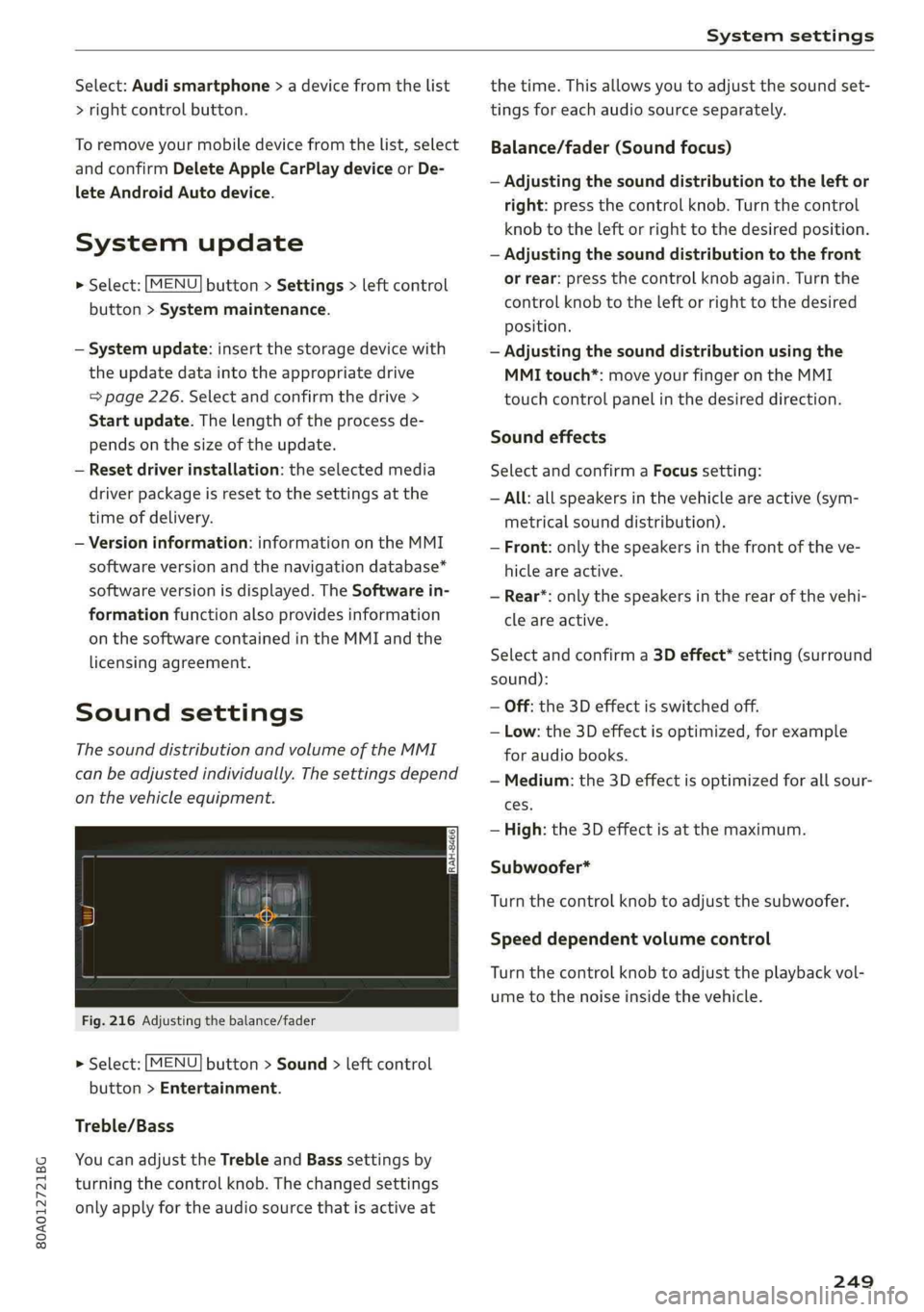
Fig.216Adjustingthebalance/fader
>Select:[MENU]button>Sound>leftcontrol
button>Entertainment.
Treble/Bass
YoucanadjusttheTrebleandBasssettingsby
turningthecontrolknob.Thechangedsettings
onlyapplyfortheaudiosourcethatisactiveat
thetime.Thisallowsyoutoadjustthesoundset-
tingsforeachaudiosourceseparately.
Balance/fader(Soundfocus)
—Adjustingthesounddistributiontotheleftor
right:pressthecontrolknob.Turnthecontrol
knobtotheleftorrighttothedesiredposition.
—Adjustingthesounddistributiontothefront
orrear:pressthecontrolknobagain.Turnthe
controlknobtotheleftorrighttothedesired
Position.
—Adjustingthesounddistributionusingthe
MMItouch*:moveyourfingerontheMMI
touchcontrolpanelinthedesireddirection.
Soundeffects
SelectandconfirmaFocussetting:
—All:allspeakersinthevehicleareactive(sym-
metricalsounddistribution).
—Front:onlythespeakersinthefrontoftheve-
hicleareactive.
—Rear*:onlythespeakersintherearofthevehi-
cleareactive.
Selectandconfirma3Deffect*setting(surround
sound):
—Off:the3Deffectisswitchedoff.
—Low:the3Deffectisoptimized,forexample
foraudiobooks.
—Medium:the3Deffectisoptimizedforallsour-
ces.
—High:the3Deffectisatthemaximum.
Subwoofer*
Turnthecontrolknobtoadjustthesubwoofer.
Speeddependentvolumecontrol
Turnthecontrolknobtoadjusttheplaybackvol-
umetothenoiseinsidethevehicle.
249
Page 252 of 392
Systemsettings
Volumesettings
Adjustingthevolume
Thevolumeofanaudiosourceorasystemmes-
sage(forexample,fromthevoicerecognition
system*)canbeadjusteddirectlywhilethe
soundisplayingusingtheOn/Offknob.
—Increasingordecreasingthevolume:turnthe
On/Offknob@)>page152,fig.154tothe
rightorleft.
—Mutingorpausing:presstheOn/Offknob
briefly.Or:turntheOn/Offknobtotheleftun-
tilthesymbol@>page161appears.Anactive
audio/videosourceisstopped.
—Unmutingorresuming:presstheOn/Offknob
briefly.Or:turntheOn/Offknobtotheright.
Z\,WARNING
To reducetheriskofanaccident,adjustthe
volumeoftheaudiosystemsothataudible
signalsfromoutsidethevehicle,suchas po-
liceandfiresirens,canbe heardeasilyatall
times.
G)Tips
Volumethatistoohighortoolowisautomat-
icallyadjustedtoasetlevelwhentheMMIis
switchedon.
Adjustingthesystemvolume
>Select:[MENU]button>Sound>leftcontrol
button.
Telephone
Appliesto:vehicleswithtelephone
Mutetelephone:messagesandringtonesareset
tomute.
Ringtone:see>page189,Ringtoneandvolume
settings.
Ringtonevolume:youcanadjustthevolumeof
theselectedringtone byturningthecontrol
knob.
Messagevolume:youcanadjustthevolumeof
thenotificationforanincomingtextmessageby
turningthecontrolknob.
250
Microphoneinputlevel:youcanadjustthecall
volumeduringaphonecallbyturningthecontrol
knob.
Navigation
Appliesto:vehicleswithnavigationsystem
Voiceguidance:see>page212.
Voiceguidanceduringphonecall:see
>page212.
Voiceguidancevolume:youcanadjustthevoice
guidancevolumebyturningthecontrolknob.Or:
youcanadjustthevoiceguidancevolumeduring
activerouteguidancebyturningtheOn/Offknob.
Entertainmentfader:thevolumeofaudioplay-
backcanbetemporarilyloweredwhenthepark-
ingsystemorvoiceguidanceisactive.
Voicerecognitionsystem
Appliesto:vehicleswithvoicerecognitionsystem
Commanddisplay:see>page246.
Shortdialog:see>page246.
Speechdialogsystemvolume:See>page246.
Individualspeechtraining:see>page246.
Parkingaid*
Youcanadjustthevolumeofthesignaltoneby
turningthecontrolknob.
—Adjustingthe Front volume:selectandcon-
firmHigh,MediumorLow.
—AdjustingtheRearvolume:selectandconfirm
High,MediumorLow.
MMItouch*
Turnthecontrolknobtoadjustthevolumeofthe
spokenpromptsfromtheMMItouch*.
Page 253 of 392
80A012721BG
Systemsettings
RestartingtheMMI
[RAH-8611
ew
2‘«
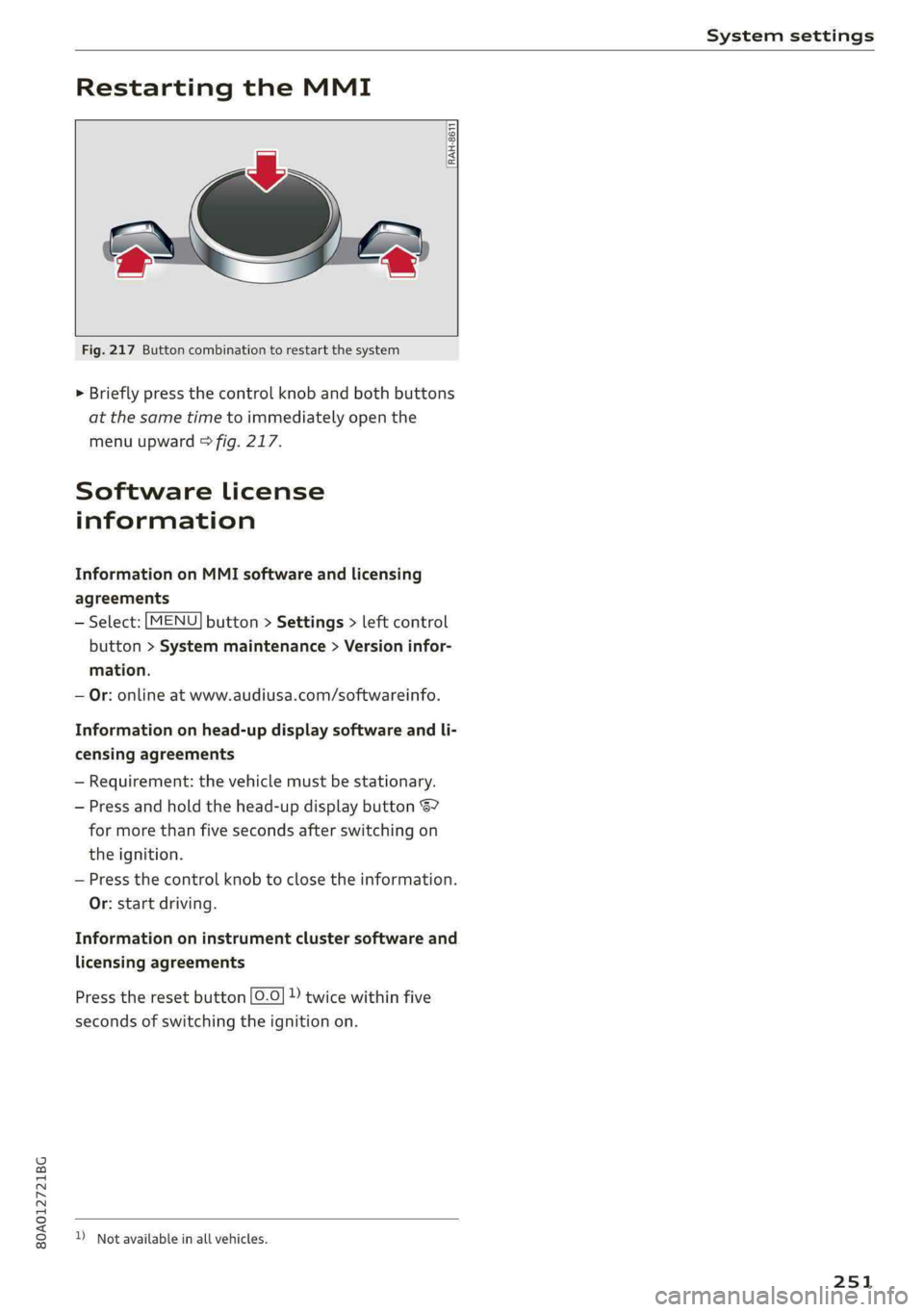
Fig.217Buttoncombinationtorestartthesystem
>Brieflypressthecontrolknob andbothbuttons
atthesametimetoimmediatelyopenthe
menuupward>fig.217.
Softwarelicense
information
InformationonMMIsoftwareandlicensing
agreements
—Select:[MENU]button>Settings>leftcontrol
button>Systemmaintenance>Versioninfor-
mation.
—Or:onlineatwww.audiusa.com/softwareinfo.
Informationonhead-updisplaysoftwareandli-
censingagreements
—Requirement:thevehiclemustbestationary.
—Pressandholdthehead-updisplaybutton67
formorethanfivesecondsafterswitchingon
theignition.
—Pressthecontrolknobtoclosetheinformation.
Or:startdriving.
Informationoninstrumentclustersoftwareand
licensingagreements
Presstheresetbutton[0.0]))twicewithinfive
secondsofswitchingtheignitionon.
)Notavailableinallvehicles.
251
Page 325 of 392
80A012721BG
CheckingandFilling
Windshieldwasher
system
B4M-0135}
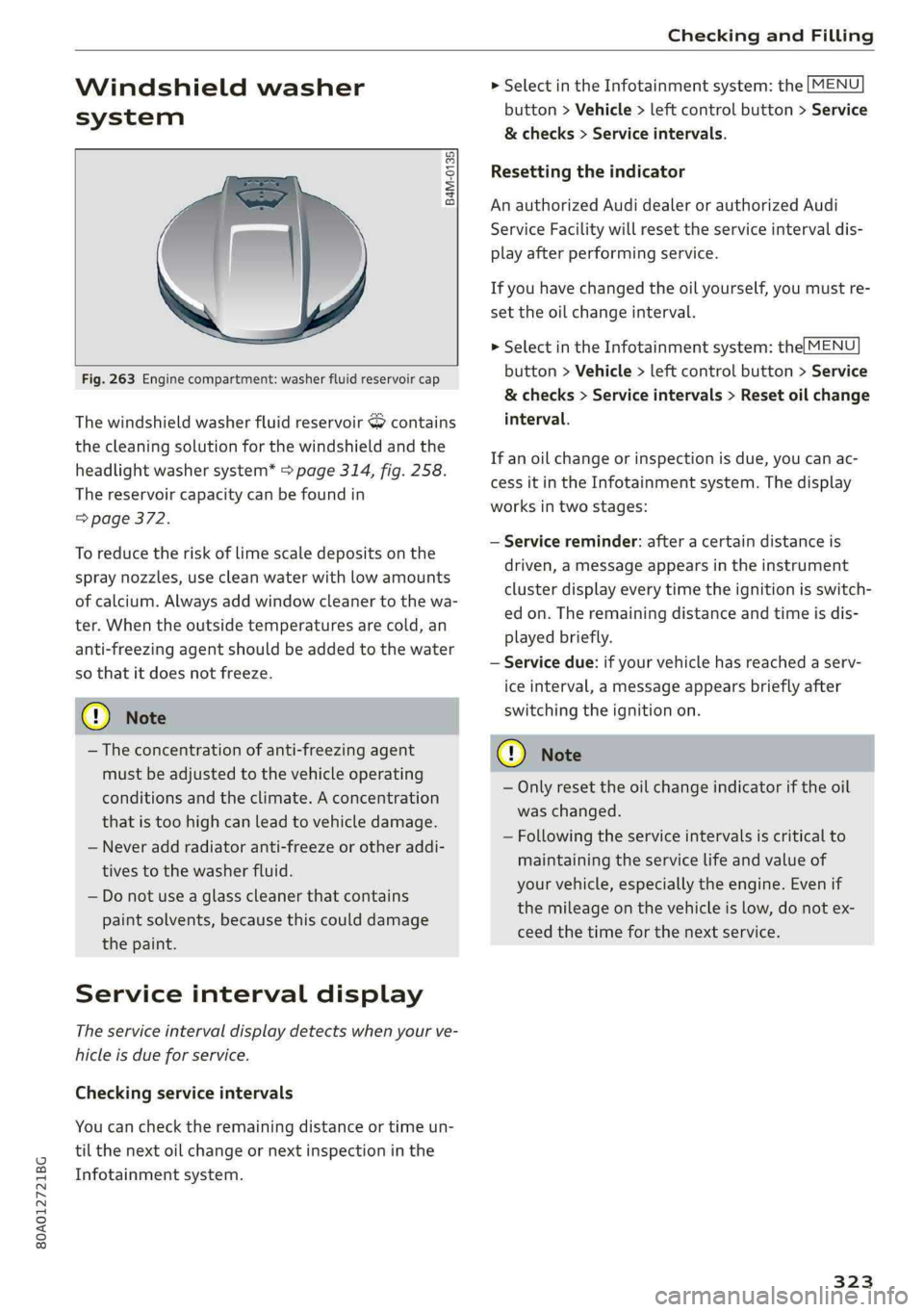
Fig.263Enginecompartment:washerfluidreservoircap
ThewindshieldwasherfluidreservoirScontains
thecleaningsolutionforthewindshieldandthe
headlightwashersystem*>page314,fig.258.
Thereservoircapacitycan befoundin
=>page372.
Toreducetheriskof limescaledepositsonthe
spraynozzles,usecleanwaterwithlowamounts
ofcalcium.Alwaysaddwindowcleanertothewa-
ter.Whentheoutsidetemperaturesarecold,an
anti-freezingagentshould beaddedtothewater
sothatitdoesnotfreeze.
@Note
—Theconcentrationofanti-freezingagent
mustbeadjustedtothevehicleoperating
conditionsandtheclimate.Aconcentration
thatistoohighcanleadtovehicledamage.
—Neveraddradiatoranti-freezeorotheraddi-
tivestothewasherfluid.
—Donotuseaglasscleanerthat contains
paintsolvents,becausethiscoulddamage
thepaint.
Serviceintervaldisplay
Theserviceintervaldisplaydetectswhenyourve-
hicleisdueforservice.
Checkingserviceintervals
Youcanchecktheremainingdistanceortimeun-
tilthenextoilchangeornextinspectioninthe
Infotainmentsystem.
>SelectintheInfotainmentsystem:the[MENU
button>Vehicle>leftcontrolbutton>Service
&checks>Serviceintervals.
Resettingtheindicator
AnauthorizedAudidealerorauthorizedAudi
ServiceFacilitywillresettheserviceintervaldis-
playafterperformingservice.
Ifyouhavechangedtheoilyourself,youmustre-
settheoilchangeinterval.
>SelectintheInfotainmentsystem:the[MENU
button>Vehicle>leftcontrolbutton>Service
&checks>Serviceintervals>Resetoilchange
interval.
Ifanoilchangeorinspectionisdue,youcanac-
cessitintheInfotainmentsystem.Thedisplay
worksintwostages:
—Servicereminder:afteracertaindistanceis
driven,amessageappearsintheinstrument
clusterdisplayeverytimetheignitionisswitch-
edon.Theremainingdistanceandtimeisdis-
playedbriefly.
—Servicedue:ifyourvehiclehasreachedaserv-
iceinterval,amessageappearsbrieflyafter
switchingtheignitionon.
CG)Note
—Onlyresettheoilchangeindicatoriftheoil
waschanged.
—Followingtheserviceintervalsiscriticalto
maintainingtheservicelifeandvalueof
yourvehicle,especiallytheengine.Evenif
themileageonthevehicleislow,donotex-
ceedthetimeforthenextservice.
323