favorites AUDI Q5 2021 Owner´s Manual
[x] Cancel search | Manufacturer: AUDI, Model Year: 2021, Model line: Q5, Model: AUDI Q5 2021Pages: 332, PDF Size: 118.86 MB
Page 222 of 332
Radio
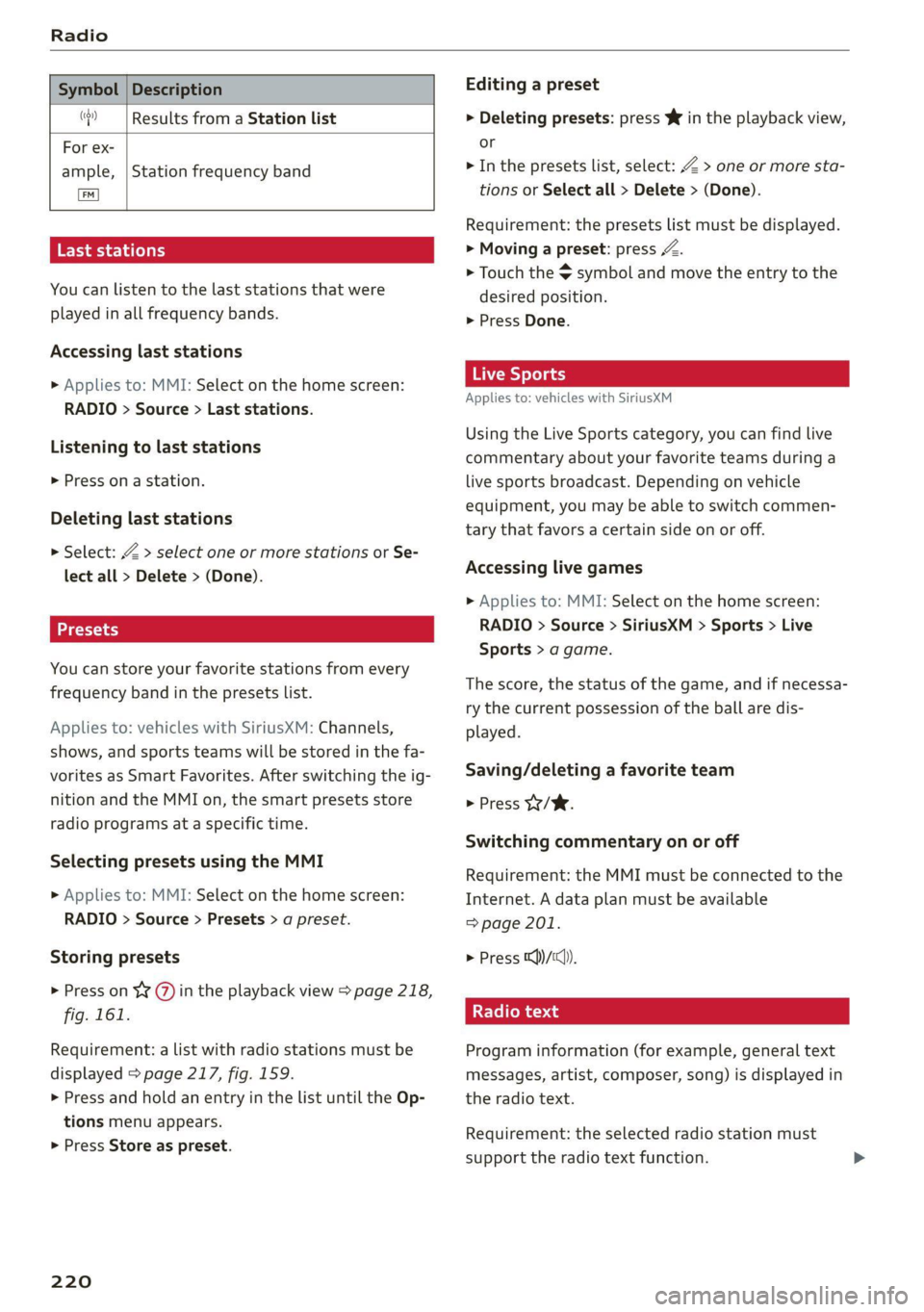
Symbol | Description
(| Results from a Station list
For ex-
ample,
TS ae La (ela)
You can listen to the last stations that were
played in all frequency bands.
Station frequency band
Accessing last stations
> Applies to: MMI: Select on the home screen:
RADIO > Source > Last stations.
Listening to last stations
> Press ona station.
Deleting last stations
> Select: Z > select one or more stations or Se-
lect all > Delete > (Done).
You can store your favorite stations from every
frequency band in the presets list.
Applies to: vehicles with SiriusXM: Channels,
shows, and sports teams will be stored in the fa-
vorites as Smart Favorites. After switching the ig-
nition and the MMI on, the smart presets store
radio programs at a specific time.
Selecting presets using the MMI
» Applies to: MMI: Select on the home screen:
RADIO > Source > Presets > a preset.
Storing presets
> Press on ¥ @) in the playback view > page 218,
fig. 161.
Requirement: a list with radio stations must be
displayed > page 217, fig. 159.
> Press and hold an entry in the list until the Op-
tions menu appears.
> Press Store as preset.
220
Editing a preset
> Deleting presets: press Ww in the playback view,
or
> In the presets list, select: Z > one or more sta-
tions or Select all > Delete > (Done).
Requirement: the presets list must be displayed.
> Moving a preset: press a.
> Touch the $ symbol and move the entry to the
desired position.
> Press Done.
Live Sports
Applies to: vehicles with SiriusXM
Using the Live Sports category, you can find live
commentary about your favorite teams during a
live sports broadcast. Depending on vehicle
equipment, you may be able to switch commen-
tary that favors a certain side on or off.
Accessing live games
> Applies to: MMI: Select on the home screen:
RADIO > Source > SiriusXM > Sports > Live
Sports > a game.
The score, the status of the game, and if necessa-
ry the current possession of the ball are dis-
played.
Saving/deleting a favorite team
> Press W/W.
Switching commentary on or off
Requirement: the MMI must be connected to the
Internet. A data plan must be available
=> page 201.
> Press ))/1cl)).
Radio text
Program information (for example, general text
messages, artist, composer, song) is displayed in
the radio text.
Requirement: the selected radio station must
support the radio text function.
Page 224 of 332
Radio
Applies to: vehicles with Audi connect Infotainment and on-
line radio
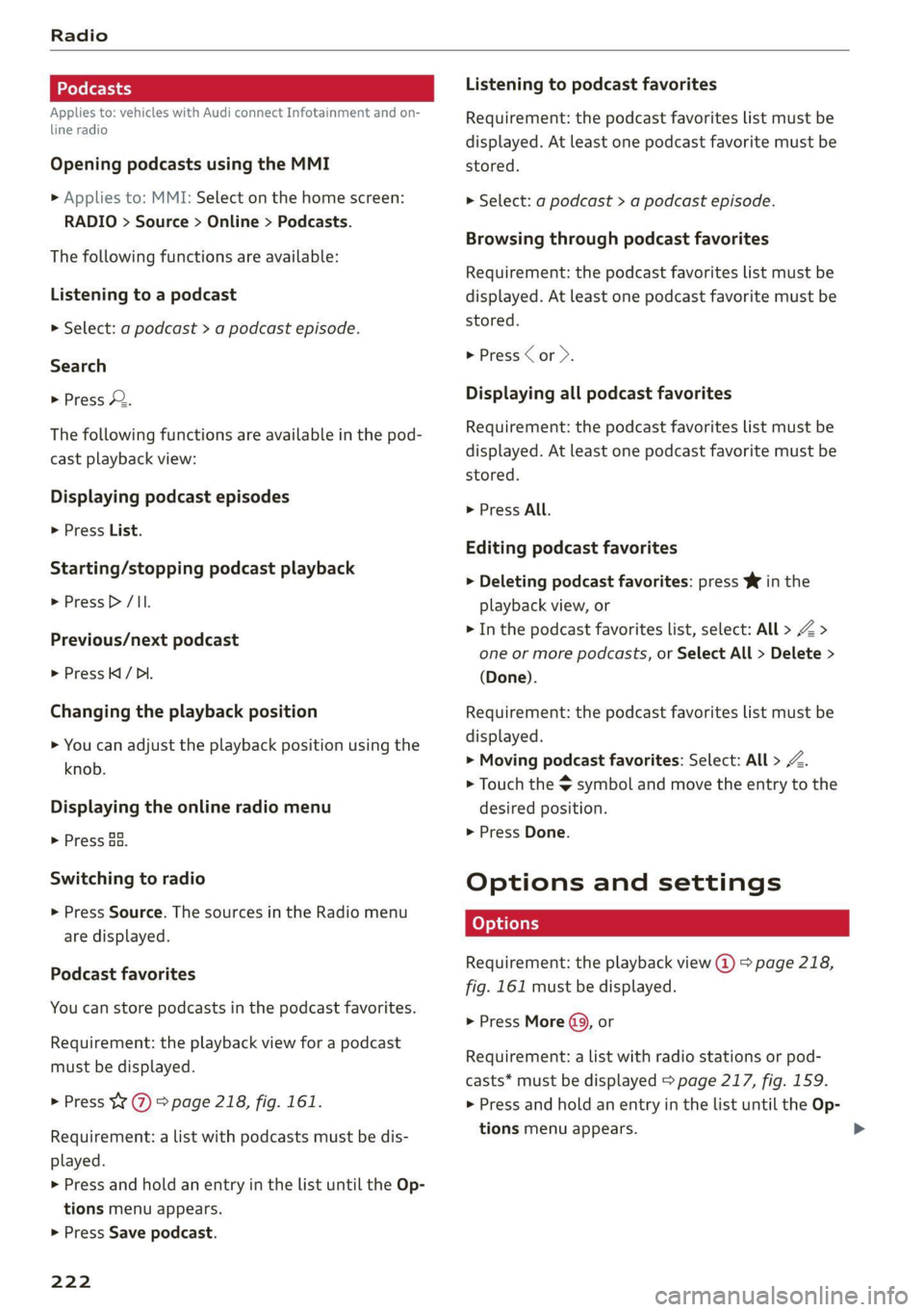
Opening podcasts using the MMI
» Applies to: MMI: Select on the home screen:
RADIO > Source > Online > Podcasts.
The following functions are available:
Listening to a podcast
> Select: a podcast > a podcast episode.
Search
> Press 2.
The following functions are available in the pod-
cast playback view:
Displaying podcast episodes
> Press List.
Starting/stopping podcast playback
> Press /II.
Previous/next podcast
> PressKi/ DI.
Changing the playback position
> You can adjust the playback position using the
knob.
Displaying the online radio menu
> Press Ba.
Switching to radio
> Press Source. The sources in the Radio menu
are displayed.
Podcast favorites
You can store podcasts in the podcast favorites.
Requirement: the playback view for a podcast
must be displayed.
> Press YY @ © page 218, fig. 161.
Requirement: a list with podcasts must be dis-
played.
> Press and hold an entry in the list until the Op-
tions menu appears.
> Press Save podcast.
222
Listening to podcast favorites
Requirement: the podcast favorites list must be
displayed. At least one podcast favorite must be
stored.
> Select: a podcast > a podcast episode.
Browsing through podcast favorites
Requirement: the podcast favorites list must be
displayed. At least one podcast favorite must be
stored.
> Press < or >.
Displaying all podcast favorites
Requirement: the podcast favorites list must be
displayed. At least one podcast favorite must be
stored.
> Press All.
Editing podcast favorites
> Deleting podcast favorites: press Y in the
playback view, or
> In the podcast favorites list, select: All > Z >
one or more podcasts, or Select All > Delete >
(Done).
Requirement: the podcast favorites list must be
displayed.
> Moving podcast favorites: Select: All > Z.
> Touch the $ symbol and move the entry to the
desired position.
> Press Done.
Options and settings
Requirement: the playback view @) > page 218,
fig. 161 must be displayed.
> Press More (9), or
Requirement: a list with radio stations or pod-
casts* must be displayed > page 217, fig. 159.
> Press and hold an entry in the list until the Op-
tions menu appears.
Page 225 of 332
80B012721BA
Radio
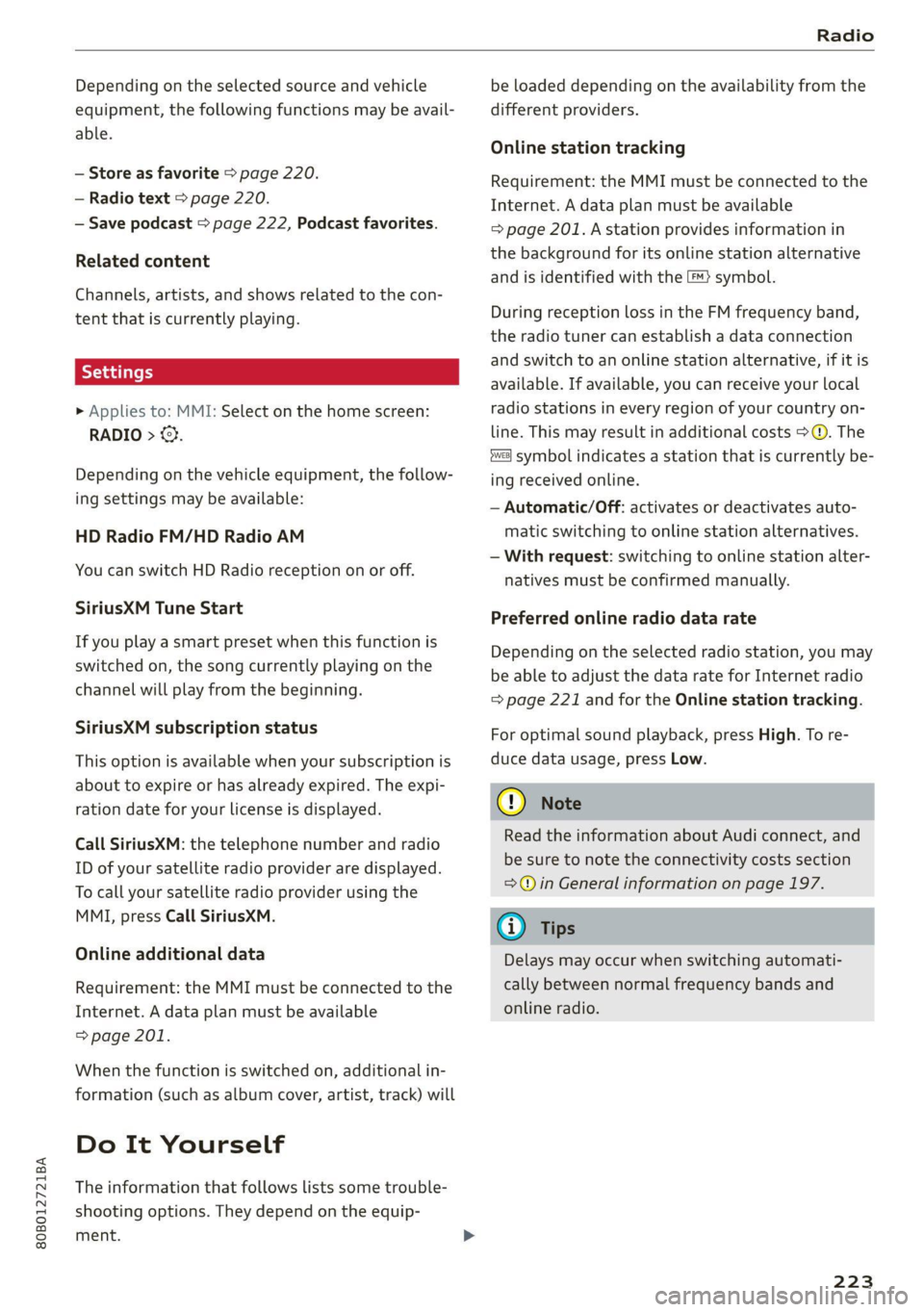
Depending on the selected source and vehicle
equipment, the following functions may be avail-
able.
— Store as favorite > page 220.
— Radio text > page 220.
— Save podcast > page 222, Podcast favorites.
Related content
Channels, artists, and shows related to the con-
tent that is currently playing.
> Applies to: MMI: Select on the home screen:
RADIO > ©}.
Depending on the vehicle equipment, the follow-
ing settings may be available:
HD Radio FM/HD Radio AM
You can switch HD Radio reception on or off.
SiriusXM Tune Start
If you play a smart preset when this function is
switched on, the song currently playing on the
channel will play from the beginning.
SiriusXM subscription status
This option is available when your subscription is
about to expire or has already expired. The expi-
ration date for your license is displayed.
Call SiriusXM: the telephone number and radio
ID of your satellite radio provider are displayed.
To call your satellite radio provider using the
MMI, press Call SiriusXM.
Online additional data
Requirement: the MMI must be connected to the
Internet. A data plan must be available
=> page 201.
When the function is switched on, additional in-
formation (such as album cover, artist, track) will
Do It Yourself
The information that follows lists some trouble-
shooting options. They depend on the equip-
ment.
be loaded depending on the availability from the
different providers.
Online station tracking
Requirement: the MMI must be connected to the
Internet. A data plan must be available
=> page 201. Astation provides information in
the background for its online station alternative
and is identified with the ™} symbol.
During reception loss in the FM frequency band,
the radio tuner can establish a data connection
and switch to an online station alternative, if it is
available. If available, you can receive your local
radio stations in every region of your country on-
line. This may result in additional costs >@®. The
symbol indicates a station that is currently be-
ing received online.
— Automatic/Off: activates or deactivates auto-
matic switching to online station alternatives.
— With request: switching to online station alter-
natives must be confirmed manually.
Preferred online radio data rate
Depending on the selected radio station, you may
be able to adjust the data rate for Internet radio
=> page 221 and for the Online station tracking.
For optimal sound playback, press High. To re-
duce data usage, press Low.
() Note
Read the information about Audi connect, and
be sure to note the connectivity costs section
=@ in General information on page 197.
@) Tips
Delays may occur when switching automati-
cally between normal frequency bands and
online radio.
223
Page 308 of 332
Data privacy
Depending on the country, you may also be able
to deactivate individual services for your vehicle
at my.audi.com if you are logged into the vehicle
as the key user > page 31. These deactivated
services will not be available in the vehicle. For
additional information, visit my.audi.com.
@) Note
You are responsible for all precautions taken
for data protection, anti-virus protection, and
protection against loss of data on mobile de-
vices that are used to access the Internet
through the Wi-Fi hotspot.
G) Tips
— The following interfaces are not affected by
changes to the privacy settings: Bluetooth,
Bluetooth Low Energy (BLE), Wi-Fi, Audi
smartphone interface (ASI), Near Field
Communication (NFC), charging communi-
cation (high-voltage system), Electronic Toll
Collect (ETC), On-Board Diagnostic System
(OBD) if equipped.
— If the maximum privacy settings are switch-
ed on, your vehicle may not receive security
updates and certificates for establishing an
encrypted connection, depending on vehicle
equipment. In order to receive security up-
dates and certificates, switch the maximum
privacy settings off for at least ten minutes
every six months. Make sure that your vehi-
cle is connected to the Internet. A symbol in
the MMI status bar indicates if the required
data connection is available > page 23.
— If the transmission of data is limited, it will
have the following effects on the exchange
of data for Audi connect services and emer-
gency calls, if equipped:
— The emergency call function will remain
available without restrictions and will con-
tinue to transmit data.
— If an online roadside assistance call is ini-
tiated, no data will be transmitted, but a
call will be made.
— If the Geofencing Alert, Speed Alert,
and/or Valet Alert services have been acti-
vated by the key user, then they will re-
306
main available without restrictions and
continue to transmit data.
— Stored destinations (favorites, last desti-
nations) are only stored in the vehicle. If
you allow transmission of data again,
these destinations will be synchronized via
the myAudi account. To prevent synchroni-
zation of destinations, delete the destina-
tions before you allow data to be trans-
mitted again.
Applies to: vehicles with Audi connect Infotainment
Audi collects, uses, stores and shares your per-
sonal information, such as contact data, vehicle
data, usage data, driving data and precise geolo-
cation, in order to provide you with the products
and services you have purchased or requested,
and for a number of other purposes, for example,
to track quality issues, to performance and safe-
ty, to meet our internal compliance or legal re-
quirements and to market to customers and po-
tential customers. For a more complete list of
the data we collect, how we use it and with
whom we share it, please visit your Audi nation-
al/sales region website at www.audi.com.
The collection, use and sharing may vary depend-
ing on your model and model year, your subscrip-
tion status, or the service offering. For example,
collection, use and sharing may vary between
Audi connect services, if you have designated a
key user, or if you are driving a model equipped
with persistent data logging. Please review the
complete Privacy Statement to understand our
data handling practices with respect to a particu-
lar service.
You can find additional information about our da-
ta privacy practices in your MMI.
> Applies to: MMI: On the home screen, select:
SETTINGS > General > Legal notes > About
Audi connect.
Information about our privacy practices in con-
junction with the mobile Audi connect applica-
tion can be found in the Application’s Privacy
Statement.
Page 327 of 332
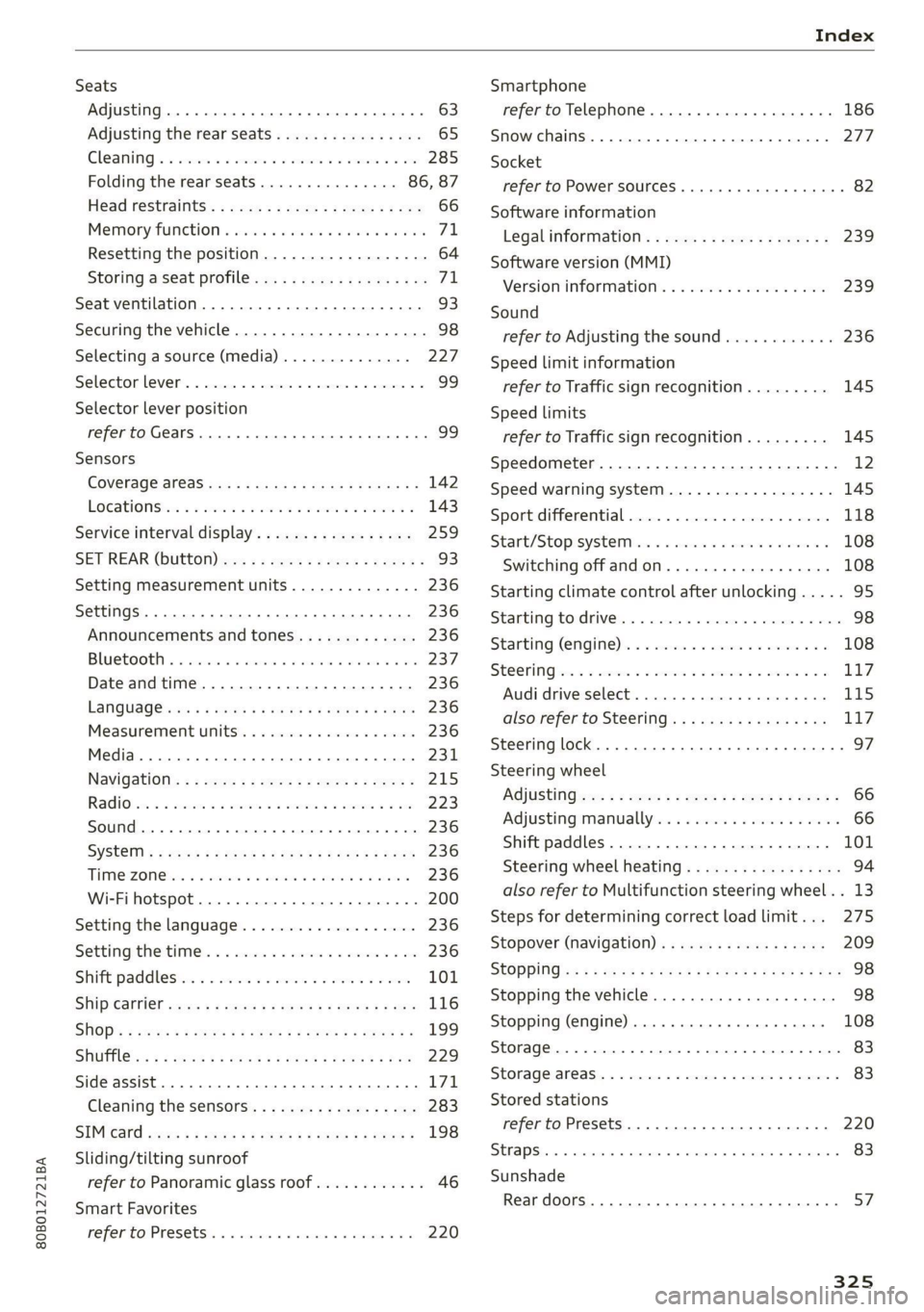
80B012721BA
Index
Seats
Adjusting .... 20.0... eee cece eee eee 63
Adjusting the rear seats................ 65
Cleaning « « sire a scan 2 aise vv anes oo ore 285
Folding the rearseats............... 86, 87
Head restraints’: + xaos « s sayy x s seus ¢ 2 ee 66
Memory function s aes 2 2 secu «5 women 6 wenn 7A,
Resetting the position.................. 64
Storing a seat profile................... 71
Seat ventilation...................0000. 93
Securing the vehicle.................-00. 98
Selecting a source (media).............. 227
Selectormlever’. « cris = + swine w= sinmne a seine © ¥ 99
Selector lever position
refer to Gears... eee eee ee 99
Sensors
COVERAGE STESS asses 3 ¢ xarnu ¢ 5 Same 4 5 GER a 142
LOCAGONS ss: 2 & cece 2 wesmns 2 wens < 2 wee eo 143
Service interval display..............-.- 259
SET REAR (bUttON) wx s = geen = v eowe < wees « 93
Setting measurement units.............. 236
SettingS ..... 20.0.0 0 0. eee eee eee eee 236
Announcements and tones............. 236
BLU e@EOOER ss: cxcsna 6 vcewins & w seanene « anenaon ir 237
Date andtime....................00. 236
LanQuage@ sw: = = wows = x wees + o Sea ee eee 236
Measurement units................00. 236
Media... ... cece 231
Navigation « = ses « 2 sees 2 2 wees 5s peme = 215
RadiOien « + sasusm x 2 mwa sv omens a yume © ¥ oem 223
Sound .... cece cece eee ee eee 236
SYSEEM « « ens ¢ » come : Boe ss Pe ge He 236
THIMeZON Chas & owas as sane +o mesa oe inane 236
Wi-Fi hotspot.........-......00000 00 200
Setting the language................... 236
Setting the time. « . ses ve see ee eres oe ve 236
Shift paddlesins « « ssc <3 ven oo meee = ween 101
Ship Carrier cscs s 2 swan i 2 ses + ¢ see ¥ 8 oes 116
SHOp's = seoys « ¢ news ¢ 5 neem & Sees ¢ yew 199
SHUT cs 5 « ewes oo bean ¢ 9 oee8 4 eee N 4 es 229
Side assist... 2.2... eee eee eee 171
Cleaning the sensors...............--- 283
SIMGard gorse « & wesw «5 sae & 2 Ee Ee SE 198
Sliding/tilting sunroof
refer to Panoramic glass roof............ 46
Smart Favorites
refer to PresetS.... 0.00... cece cece 220
Smartphone
refer to Telephone............00ee eee 186
Snow chains........ 00.000 277
Socket
refer to Power sourceS...........-00 000s 82
Software information
Legalinformation..................-- 239
Software version (MMI)
Version information................4. 239
Sound
refer to Adjusting the sound............ 236
Speed limit information
refer to Traffic sign recognition......... 145
Speed limits
refer to Traffic sign recognition......... 145
Speedometer..............00 cece eee ee 12
Speed warning system..............-00. 145
Sport differential...................0.. 118
Start/Stop'syste Misi: « 2 swe. © 9 sees ¥ waves w= 108
Switching offandon................0. 108
Starting climate control after unlocking..... 95
Starting to drive........ 2... eee eee eee
Starting (@ngitte)s. «+ seis «© sisane oo exmnece «3
SUGOKING ssa = & casos wo omen ¥ & cwmae oH smETIE To
Audi drive select
also refer to Steering..............065 117
Steering
lock. .... 0... . ccc eee eee eee 97
Steering wheel
AGjUStING wes ¢ ¢ ewes 2 2 eee cs meen so ewes 66
Adjusting manually.................04. 66
Shift paddles................00--000. 101
Steering wheel heating................. 94
also refer to Multifunction steering wheel. . 13
Steps for determining correct load limit... 275
Stopover (navigation). . v.0 « sees se aes 209
StOPPiNG es ss eces se ees se oee es Fee ee Hes 98
Stopping the vehicle..............-..005 98
Stopping (engine)............. eee eee 108
Storage... 2. eee 83
Storageiareasis « w snsus » « sec 6 4 camnecs «9 comes W 83
Stored stations
refer to Presets... 0.0.0... 0c eee eee 220
StrapS 2. eee 83
Sunshade
Rear doors... 0.2... eee eee eee 57
325