lights AUDI Q5 2021 Owner´s Manual
[x] Cancel search | Manufacturer: AUDI, Model Year: 2021, Model line: Q5, Model: AUDI Q5 2021Pages: 332, PDF Size: 118.86 MB
Page 62 of 332
Lights and Vision
dealer or authorized Audi Service Facility to have
the malfunction repaired.
SB Automatic wipers: malfunction! See owner's
manual
The light/rain sensor is malfunctioning. You can
still control all functions that are not controlled
by the rain sensor using the windshield wiper lev-
er. Drive immediately to an authorized Audi deal-
er or authorized Audi Service Facility to have the
malfunction repaired.
Digital compass
Scare meee lu Rei Rela
Applies to: vehicles with digital compass
BFV-0288
3
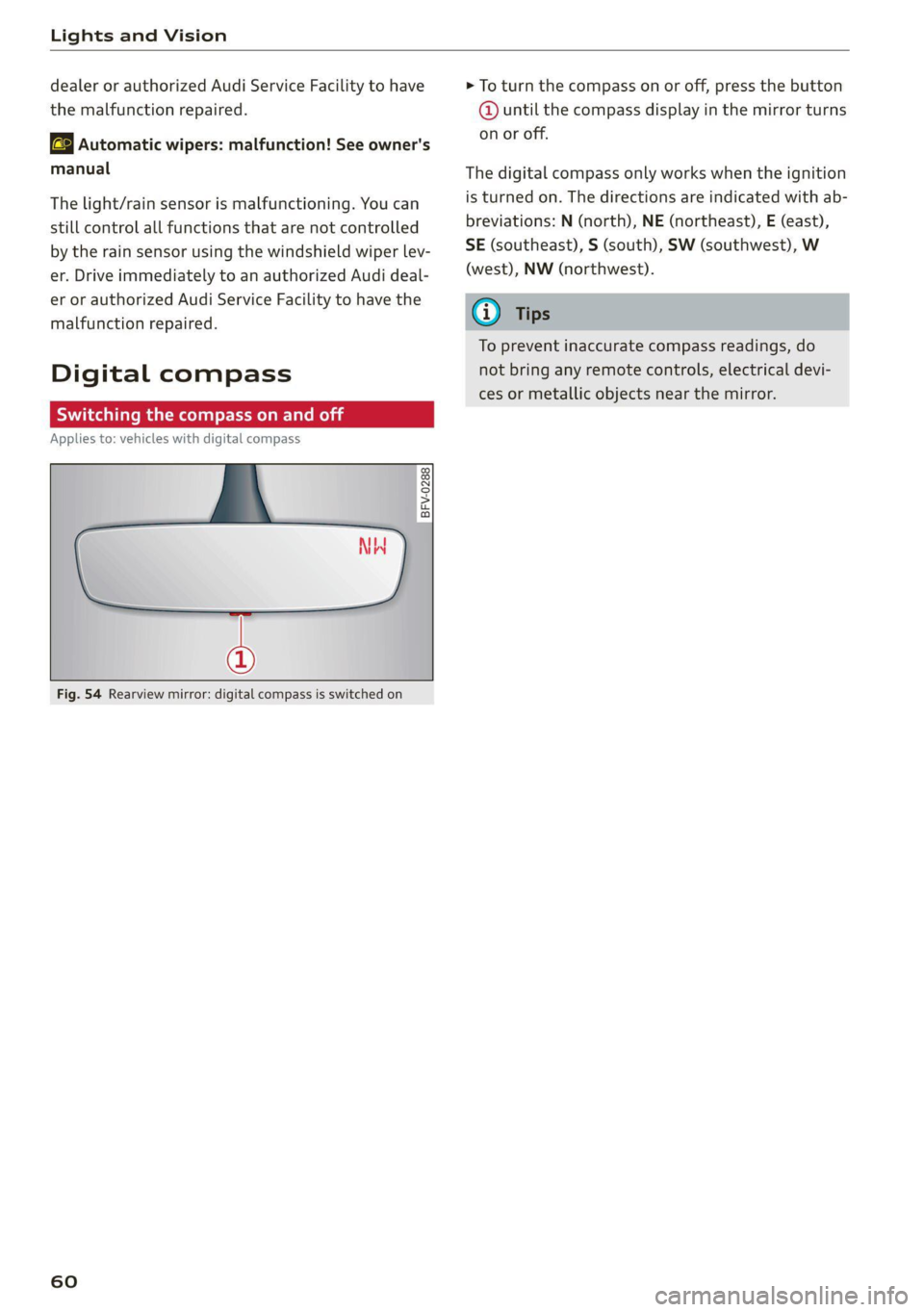
Fig. 54 Rearview mirror: digital compass is switched on
60
> To turn the compass on or off, press the button
@ until the compass display in the mirror turns
on or off.
The digital compass only works when the ignition
is turned on. The directions are indicated with ab-
breviations: N (north), NE (northeast), E (east),
SE (southeast), S (south), SW (southwest), W
(west), NW (northwest).
G) Tips
To prevent inaccurate compass readings, do
not bring any remote controls, electrical devi-
ces or metallic objects near the mirror.
Page 63 of 332
80B012721BA
Lights and Vision
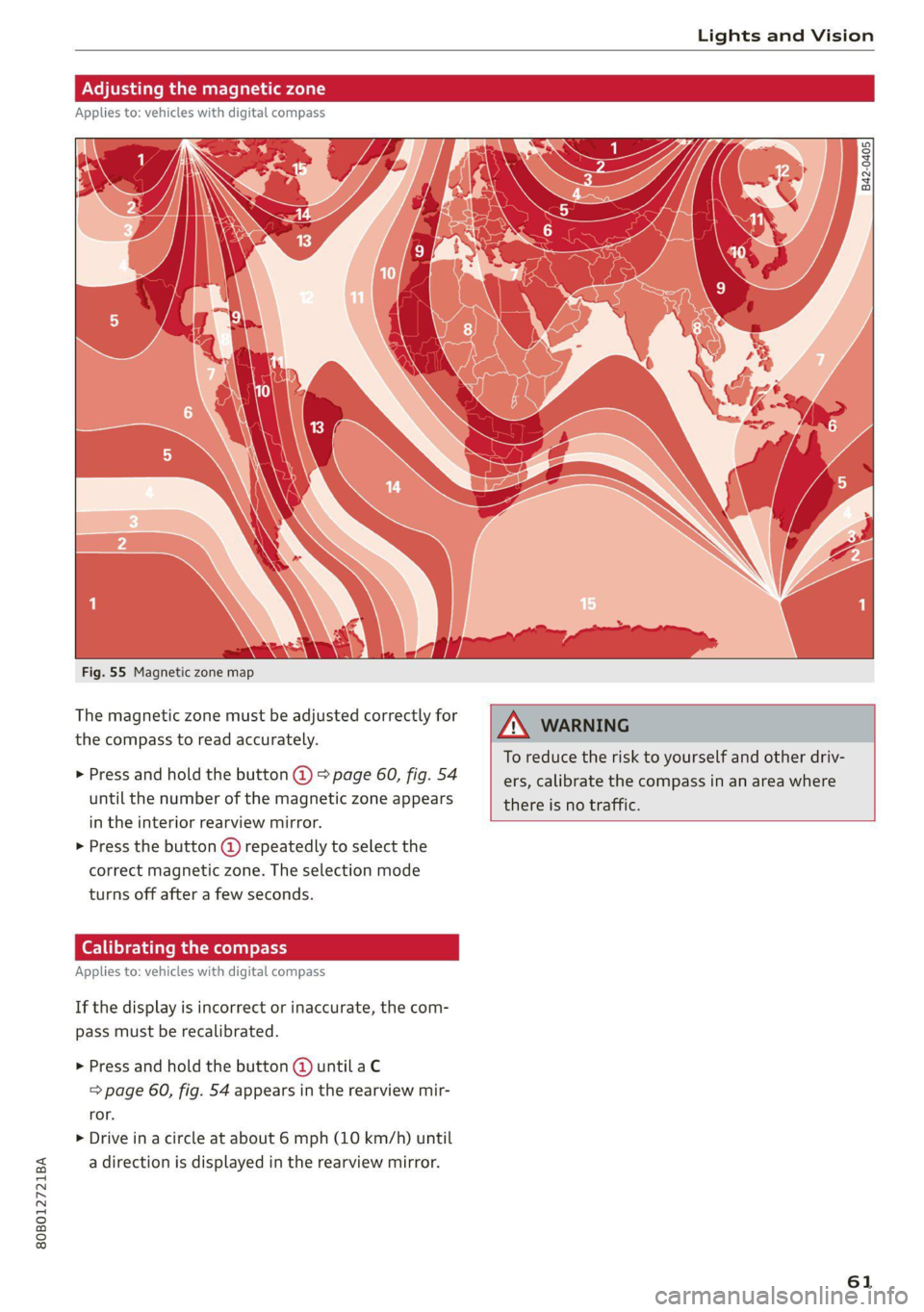
Fig. 55 Magnetic zone map
The magnetic zone must be adjusted correctly for
the compass to read accurately.
> Press and hold the button @ > page 60, fig. 54
until the number of the magnetic zone appears
in the interior rearview mirror.
> Press the button () repeatedly to select the
correct magnetic zone. The selection mode
turns off after a few seconds.
Calibrating the co
Applies to: vehicles with digital compass
If the display is incorrect or inaccurate, the com-
pass must be recalibrated.
> Press and hold the button @ until a C
=> page 60, fig. 54 appears in the rearview mir-
ror.
> Drive in a circle at about 6 mph (10 km/h) until
a direction is displayed in the rearview mirror.
B42-0405
To reduce the risk to yourself and other driv-
ers, calibrate the compass in an area where
there is no traffic.
61
Page 65 of 332
80B012721BA
Sitting correctly and safely
— Your thighs are lightly supported by the front window, or on the seat surfaces. This also
surface of the seat applies to passengers in the rear seats.
— The backrest is in an upright position and your
back is resting against it CG) Note
— You have a sufficient view of the area around Applies to: vehicles with manually adjustable head re-
the vehicle straints
— You have a clear view of the instrument cluster, To reduce the risk of damage, be very careful
indicator lights, and the head-up display* when adjusting the seat to make sure the
head restraints do not come into contact with
JN WARNING the headliner or the sunroof*.
— If you are too close to the steering wheel or
instrument panel, the airbag system cannot
provide the optimal protection, which in-
creases the risk of injury and death.
— To reduce the risk of injury in the event of
sudden braking maneuvers or accidents,
never drive with the backrest reclined very
far. The airbag system and seat belts can on-
ly provide optimal protection when the back-
rest is in an upright position and the driver
is wearing the seat belt correctly. If the
backrest is angled back too far, the safety
belt can shift to soft areas of the body, such Fig. 56 Front seat: adjusting the seat
as the stomach, which increases the risk of
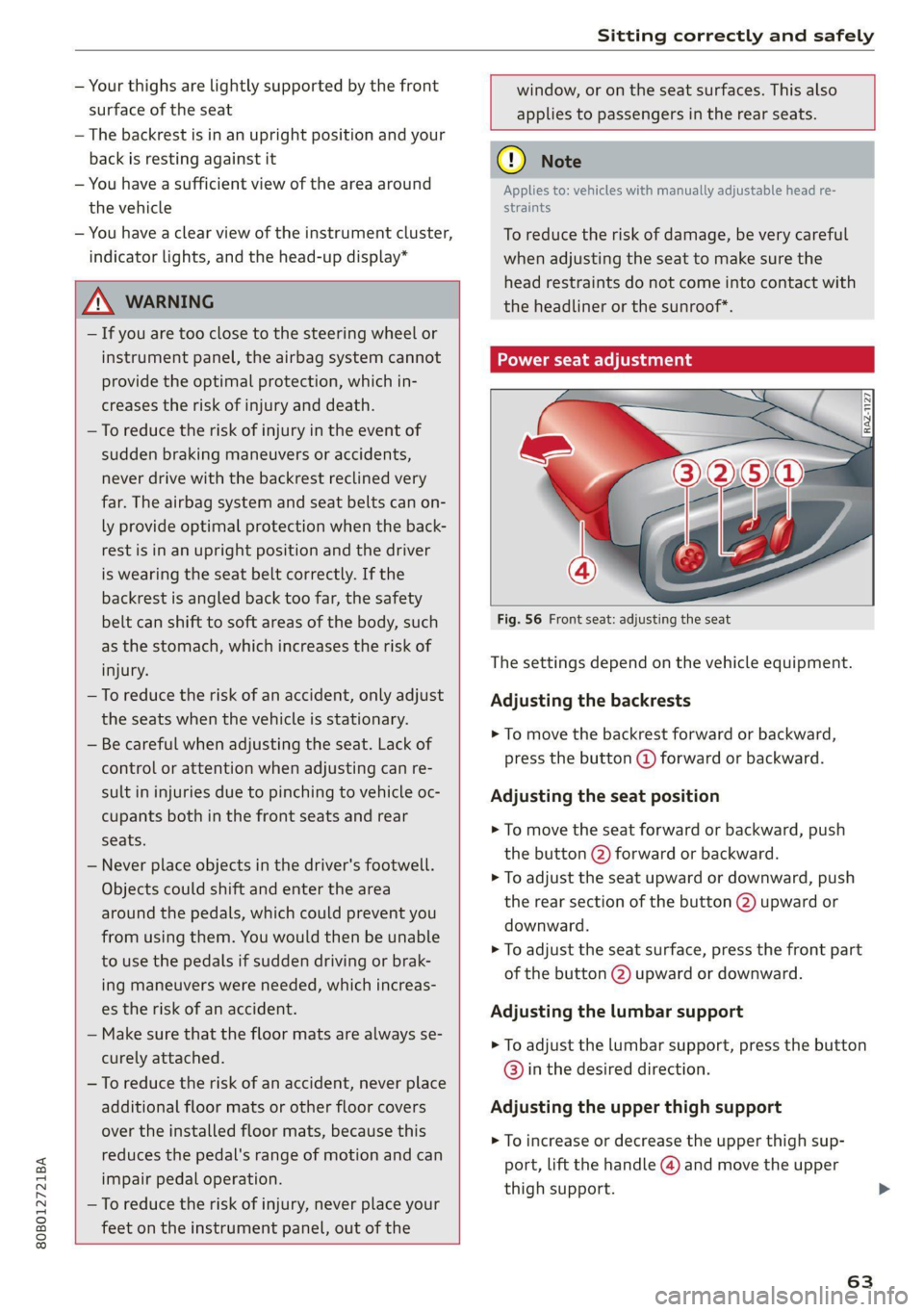
injury The settings depend on the vehicle equipment.
—To reduce the risk of an accident, only adjust Adjusting the backrests
the seats when the vehicle is stationary.
— Be careful when adjusting the seat. Lack of
control or attention when adjusting can re-
> To move the backrest forward or backward,
press the button @) forward or backward.
sult in injuries due to pinching to vehicle oc- Adjusting the seat position
cupants both in the front seats and rear
ee > To move the seat forward or backward, push
the button @) forward or backward.
> To adjust the seat upward or downward, push
the rear section of the button (2) upward or
downward.
> To adjust the seat surface, press the front part
of the button @) upward or downward.
— Never place objects in the driver's footwell.
Objects could shift and enter the area
around the pedals, which could prevent you
from using them. You would then be unable
to use the pedals if sudden driving or brak-
ing maneuvers were needed, which increas-
es the risk of an accident. Adjusting the lumbar support
— Make sure that the floor mats are always se-
curely attached.
—To reduce the risk of an accident, never place
additional floor mats or other floor covers Adjusting the upper thigh support
over the installed floor mats, because this
reduces the pedal's range of motion and can
impair pedal operation.
—To reduce the risk of injury, never place your
feet on the instrument panel, out of the
> To adjust the lumbar support, press the button
@) in the desired direction.
> To increase or decrease the upper thigh sup-
port, lift the handle @) and move the upper
thigh support.
63
Page 97 of 332
80B012721BA
Warm and cold
@) Tips
— Using the auxiliary climate control while
charging can also reduce the charge level of
the high-voltage battery.
— Starting or stopping the vehicle will not
switch off the auxiliary climate control auto-
matically.
— The auxiliary climate control system will not
turn on automatically or will turn off earlier
if the high-voltage battery charge level is
too low, even if the vehicle is being charged
at the time.
Applies to: vehicles with auxiliary climate control
Applies to: MMI: Select on the home screen: VE-
HICLE > Air conditioning > Auxiliary air condi-
tioning.
Immediate start
You can immediately switch the auxiliary climate
control on and off using the f button. When this
function is switched on, a colored bar lights up
over the button and the remaining time is dis-
played.
The auxiliary climate control will run for a maxi-
mum of 30 minutes after the immediate start.
Timer programming
You can set up and activate up to two timers for
the departure time.
> Select a timer using >.
> Set the date and press Next.
> Set the time (departure time) and press OK.
The timer will be activated automatically once
itis set.
>» Set the second timer, if necessary.
By setting the departure time, you determine
when your vehicle should reach the desired tem-
perature. The departure time can be a maximum
of six days in the future. The auxiliary climate
control will continue to run approximately ten
minutes after the departure time is reached.
After switching off the ignition
Information about the active timer will appear in
the display after switching off the ignition. You
can start the set climate control settings imme-
diately with the f button, or go to the auxiliary
climate control menu with the > button.
(i) Tips
— Make sure the time and date match in the
system settings so that the timer can func-
tion correctly > page 236.
— The auxiliary climate control can also be
switched on and off immediately when a
timer is set.
— You can operate the climate control in the
vehicle interior when the high-voltage bat-
tery is charging using the charging timer
=> page 123. The climate control output de-
pends on the power supply capacity.
Additional settings
Applies to: vehicles with auxiliary climate control
>» Applies to: MMI: Select on the home screen:
VEHICLE > Air conditioning > Auxiliary air con-
ditioning > ©.
Start A/C after unlocking
If this function is activated, the climate control
will continue to run for five minutes after the ve-
hicle has been unlocked.
Comfort aux. A/C
Applies to: vehicles with comfort auxiliary climate control
You can set if the steering wheel heating* and
seat heating* or seat ventilation* should also be
automatically activated with auxiliary climate
control. You can select the respective zones.
Window and mirror heating*
Applies to: vehicles with comfort auxiliary climate control
You can set if the rear window and mirrors should
also be heated during auxiliary climate control.
Messages
Applies to: vehicles with auxiliary climate control
2— There is a malfunction in the auxiliary air
conditioning.
95
Page 107 of 332
80B012721BA
Driving
When you press the brake pedal, recuperation is
used to brake the vehicle. The brakes will only be
activated if necessary. When driving normally,
this makes it possible to brake using only recu-
peration just before coming to stop and to lose
little energy and range from braking.
ZA WARNING
In certain situations, the recuperation may
brake proactively. However, the recuperation
braking effect is limited. Always be ready to
brake to reduce the risk of an accident.
@ Tips
If the ESC is limited or switched off, automat-
ic recuperation is not available and will not
brake.
Plug-in hybrid mode
Applies to: vehicles with plug-in hybrid drive
Switching the plug-in hybrid mode
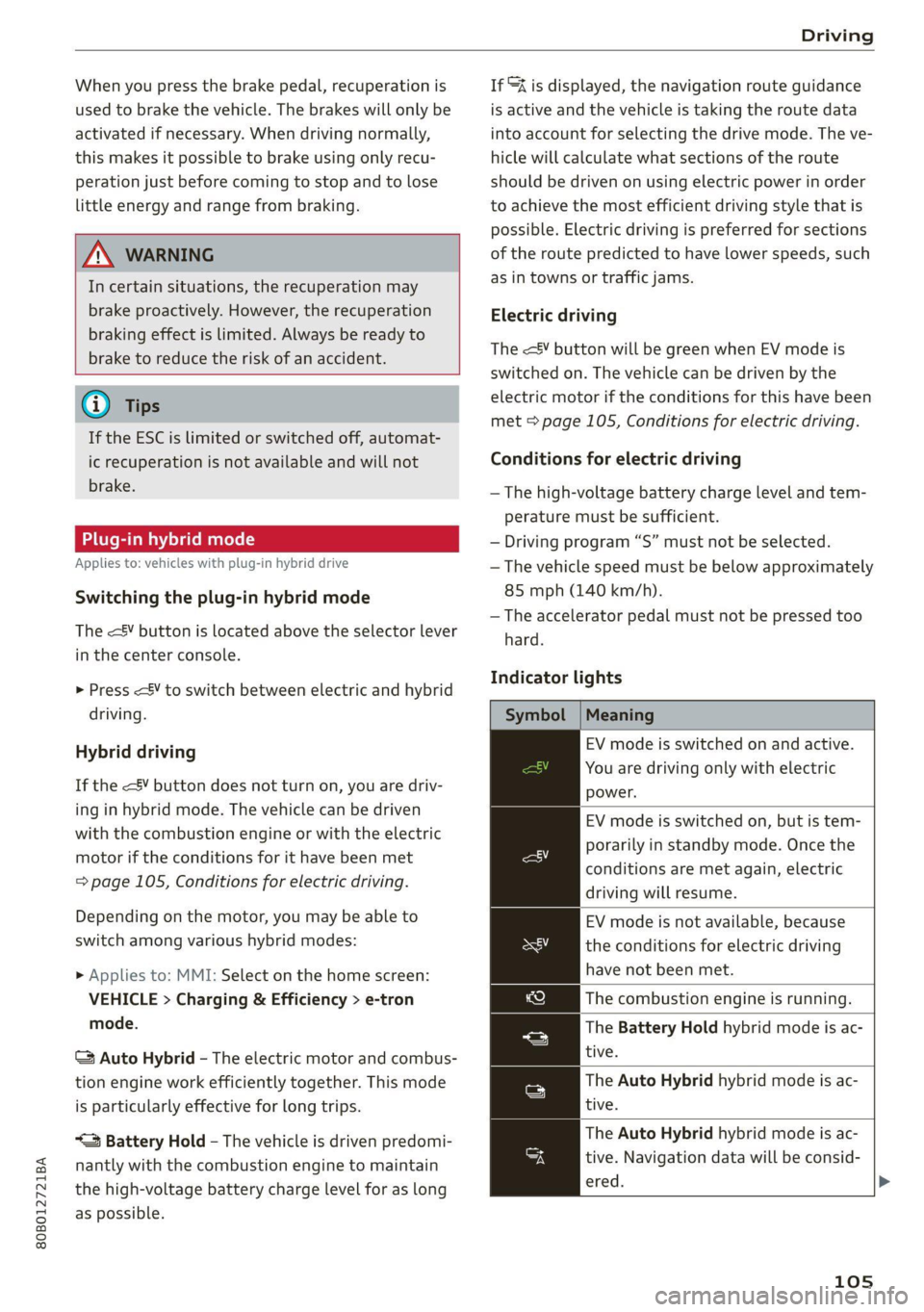
The <¥ button is located above the selector lever
in the center console.
> Press
Hybrid driving
If the
with the combustion engine or with the electric
motor if the conditions for it have been met
= page 105, Conditions for electric driving.
Depending on the motor, you may be able to
switch among various hybrid modes:
> Applies to: MMI: Select on the home screen:
VEHICLE > Charging & Efficiency > e-tron
mode.
© Auto Hybrid - The electric motor and combus-
tion engine work efficiently together. This mode
is particularly effective for long trips.
“= Battery Hold - The vehicle is driven predomi-
nantly with the combustion engine to maintain
the high-voltage battery charge level for as long
as possible.
If &% is displayed, the navigation route guidance
is active and the vehicle is taking the route data
into account for selecting the drive mode. The ve-
hicle will calculate what sections of the route
should be driven on using electric power in order
to achieve the most efficient driving style that is
possible. Electric driving is preferred for sections
of the route predicted to have lower speeds, such
as in towns or traffic jams.
Electric driving
The
electric motor if the conditions for this have been
met > page 105, Conditions for electric driving.
Conditions for electric driving
— The high-voltage battery charge level and tem-
perature must be sufficient.
— Driving program “S” must not be selected.
— The vehicle speed must be below approximately
85 mph (140 km/h).
— The accelerator pedal must not be pressed too
hard.
Indicator lights
Symbol | Meaning
EV mode is switched on and active.
You are driving only with electric
power.
EV mode is switched on, but is tem-
porarily in standby mode. Once the
conditions are met again, electric
driving will resume.
EV mode is not available, because
the conditions for electric driving
have not been met.
The combustion engine is running.
The Battery Hold hybrid mode is ac-
tive.
The Auto Hybrid hybrid mode is ac-
tive.
The Auto Hybrid hybrid mode is ac-
tive. Navigation data will be consid-
ered.
105
Page 110 of 332
Driving
B Drive system: malfunction! Please contact
Service
There is a malfunction in the drive system. Drive
slowly to an authorized Audi dealer or authorized
Audi Service Facility to have the malfunction cor-
rected.
BS Vehicle sound: malfunction! Pedestrians
cannot hear vehicle. Please contact Service
There is a malfunction in the vehicle sound func-
tion. Drive extremely carefully, since other road
users may not be able to hear your electric vehi-
cle. Drive to an authorized Audi dealer or author-
ized Audi Service Facility immediately to have the
malfunction corrected.
Other indicator lights
1f J turns on, vehicle performance is limited,
for example because the combustion engine may
not be available. Also note the additional instruc-
tions in the instrument cluster.
Start/Stop system
Applies to: vehicles with Start/Stop system
The Start/Stop system can help increase fuel
economy and reduce CO2 emissions.
In Start/Stop mode, the engine shuts off auto-
matically when stopped, for example at a traffic
light. If certain conditions are met, the engine
may stop before the vehicle has come to a com-
plete stop. If you press the accelerator pedal
when this happens, the engine will start and driv-
ing power will be transmitted.
The ignition and important assist systems such
as the brake booster will remain available during
the Stop phase. The engine will restart automati-
cally when needed.
The Start/Stop system is automatically activated
once the ignition is switched on.
Switching the Start/Stop system off and on
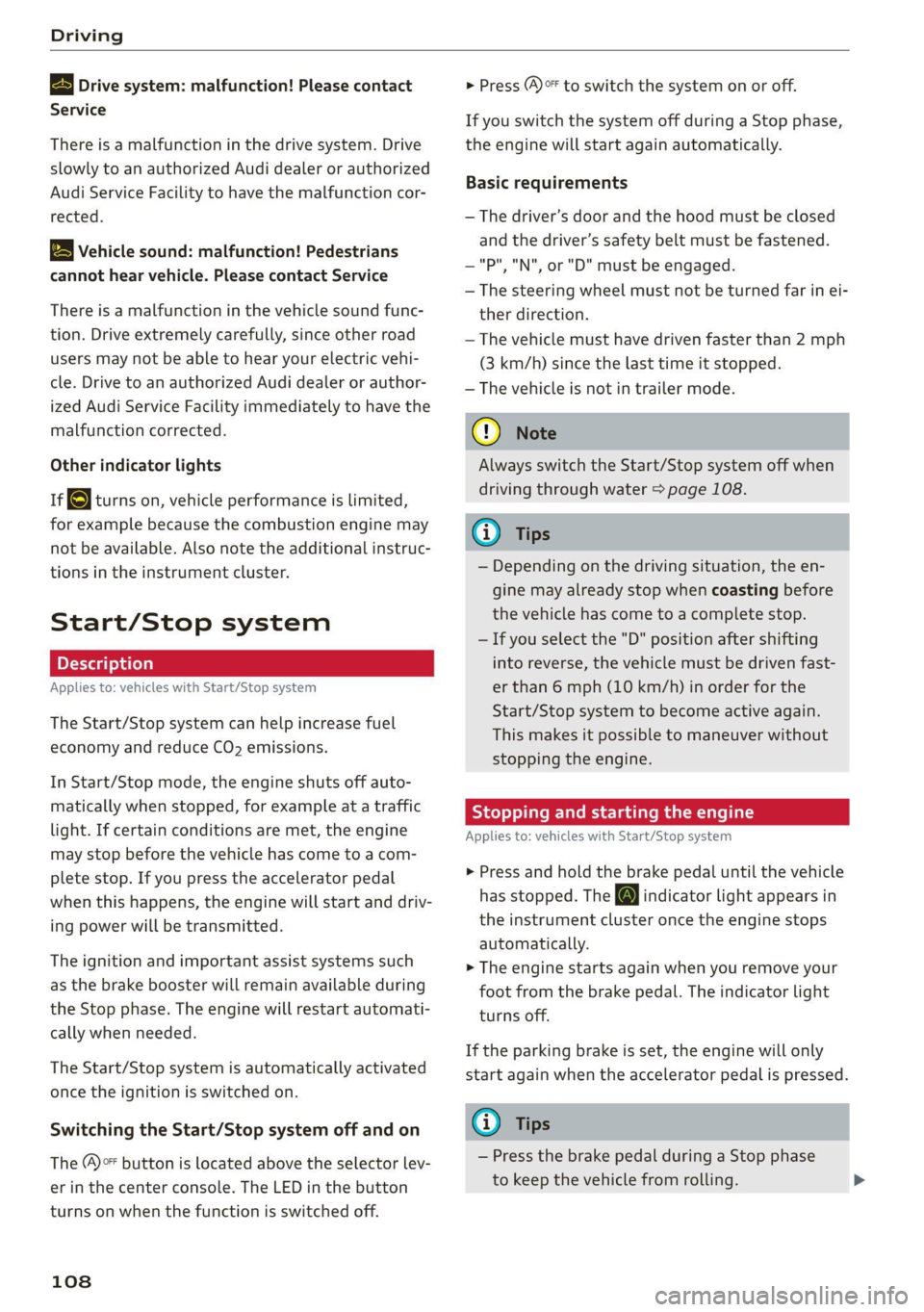
The (A)>F button is located above the selector lev-
er in the center console. The LED in the button
turns on when the function is switched off.
108
> Press (A)>F to switch the system on or off.
If you switch the system off during a Stop phase,
the engine will start again automatically.
Basic requirements
— The driver’s door and the hood must be closed
and the driver’s safety belt must be fastened.
—"P","N", or "D" must be engaged.
— The steering wheel must not be turned far in ei-
ther direction.
— The vehicle must have driven faster than 2 mph
(3 km/h) since the last time it stopped.
— The vehicle is not in trailer mode.
@) Note
Always switch the Start/Stop system off when
driving through water > page 108.
Gi) Tips
— Depending on the driving situation, the en-
gine may already stop when coasting before
the vehicle has come to a complete stop.
— Ifyou select the "D" position after shifting
into reverse, the vehicle must be driven fast-
er than 6 mph (10 km/h) in order for the
Start/Stop system to become active again.
This makes it possible to maneuver without
stopping the engine.
Stopping and starting the engine
Applies to: vehicles with Start/Stop system
> Press and hold the brake pedal until the vehicle
has stopped. The @J indicator light appears in
the instrument cluster once the engine stops
automatically.
> The engine starts again when you remove your
foot from the brake pedal. The indicator light
turns off.
If the parking brake is set, the engine will only
start again when the accelerator pedal is pressed.
Gi) Tips
— Press the brake pedal during a Stop phase
to keep the vehicle from rolling.
Page 113 of 332
80B012721BA
Driving
soon as possible to have the malfunction correct-
ed.
Brake booster: limited functionality. You can
continue driving. Please contact Service
There is a brake booster malfunction. The brake
booster is available, but its effectiveness is re-
duced. The braking performance may be different
compared to the usual performance. Drive to an
authorized Audi dealer or authorized Audi Service
Facility immediately to have the malfunction cor-
rected.
Brake booster: deactivated. See owner's manual
The brake booster remains active for a brief peri-
od of time after switching off the ignition. Secure
the vehicle against rolling > page 98.
Other indicator lights
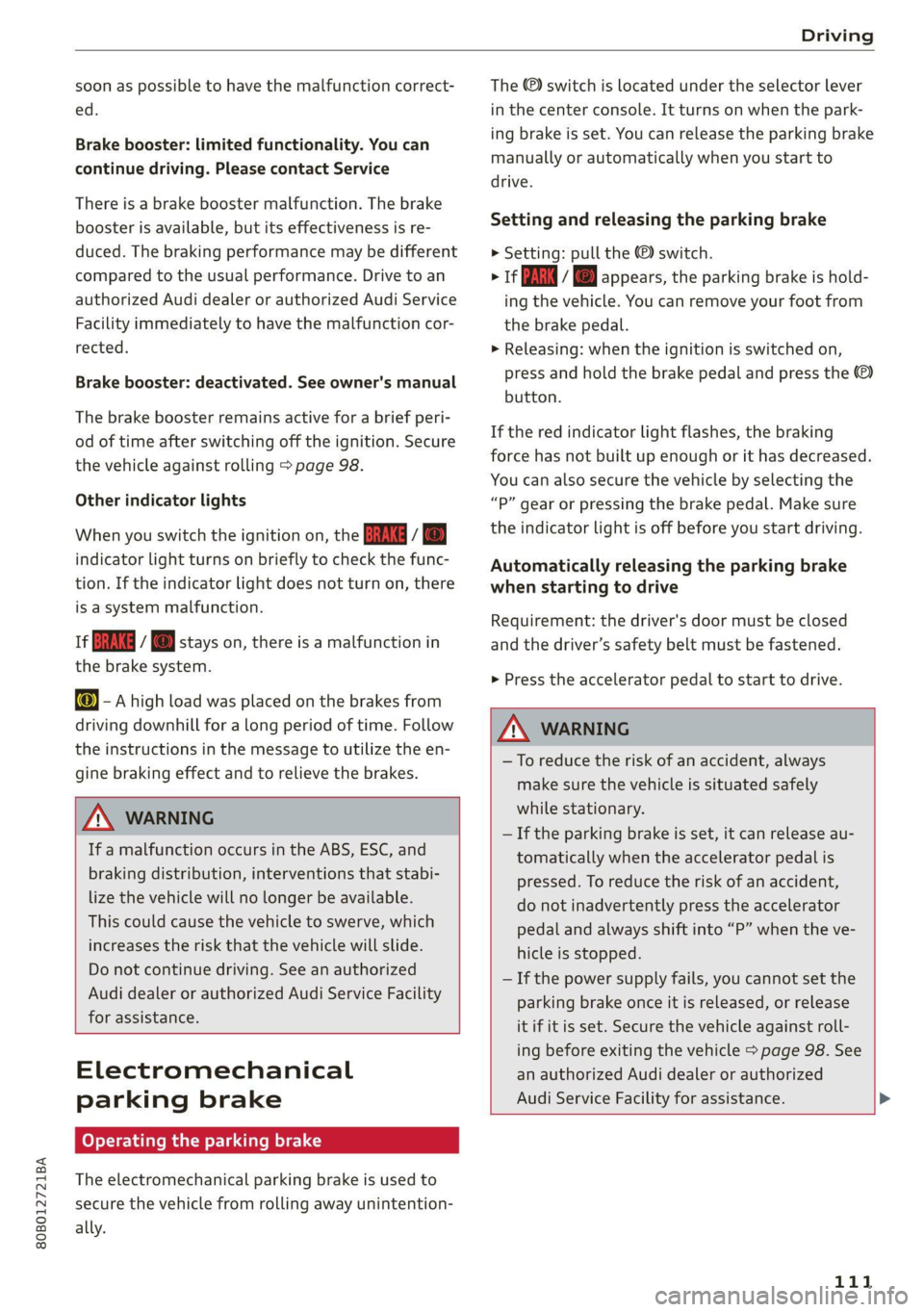
When you switch the ignition on, the EMM / ®
indicator light turns on briefly to check the func-
tion. If the indicator light does not turn on, there
is a system malfunction.
1f NG / @ stays on, there is a malfunction in
the brake system.
w@- A high load was placed on the brakes from
driving downhill for a long period of time. Follow
the instructions in the message to utilize the en-
gine braking effect and to relieve the brakes.
ZA WARNING
If a malfunction occurs in the ABS, ESC, and
braking distribution, interventions that stabi-
lize the vehicle will no longer be available.
This could cause the vehicle to swerve, which
increases the risk that the vehicle will slide.
Do not continue driving. See an authorized
Audi dealer or authorized Audi Service Facility
for assistance.
Electromechanical
parking brake
Operating the parking brake
The electromechanical parking brake is used to
secure the vehicle from rolling away unintention-
ally.
The @) switch is located under the selector lever
in the center console. It turns on when the park-
ing brake is set. You can release the parking brake
manually or automatically when you start to
drive.
Setting and releasing the parking brake
> Setting: pull the © switch.
> 1* / oa appears, the parking brake is hold-
ing the vehicle. You can remove your foot from
the brake pedal.
>» Releasing: when the ignition is switched on,
press and hold the brake pedal and press the
button.
If the red indicator light flashes, the braking
force has not built up enough or it has decreased.
You can also secure the vehicle by selecting the
“P” gear or pressing the brake pedal. Make sure
the indicator light is off before you start driving.
Automatically releasing the parking brake
when starting to drive
Requirement: the driver's door must be closed
and the driver’s safety belt must be fastened.
> Press the accelerator pedal to start to drive.
ZA\ WARNING
—To reduce the risk of an accident, always
make sure the vehicle is situated safely
while stationary.
— If the parking brake is set, it can release au-
tomatically when the accelerator pedal is
pressed. To reduce the risk of an accident,
do not inadvertently press the accelerator
pedal and always shift into “P” when the ve-
hicle is stopped.
— If the power supply fails, you cannot set the
parking brake once it is released, or release
it if it is set. Secure the vehicle against roll-
ing before exiting the vehicle > page 98. See
an authorized Audi dealer or authorized
Audi Service Facility for assistance.
111
Page 116 of 332
Driving
@) Tips
Clean your vehicle after driving offroad. Dirt
and stones falling off your vehicle can affect
other road users.
PUN Male Ruel e le
If you must drive through water, follow these in-
structions:
— Check the stability of the ground, the current,
and the water depth. If the ground is unstable,
there is a strong current, or there are waves,
the water must only reach up to the lower edge
of the body at the most.
— Deactivate the Start/Stop system*.
— Drive carefully and no faster than at walking
speeds to prevent the front of the vehicle from
creating waves, because they could splash
above the lower edge of the body. Oncoming
vehicles could also create waves.
— Do not stop the vehicle while in the water.
— Drive in reverse.
— Do not turn the engine off.
ZA\ WARNING
After driving through water, press the brake
pedal carefully to dry the brakes so that the
full braking effect will be restored.
@) Note
Vehicle components such as the motor, drive
system, suspension, or electrical system can
be severely damaged by driving through wa-
t
er.
Tips
If possible, avoid driving through salt water
because it increases the risk of corrosion. Use
fresh water to clean any vehicle components
that come into contact with salt water.
Hill descent assist
Applies to: vehicles with hill hold assist
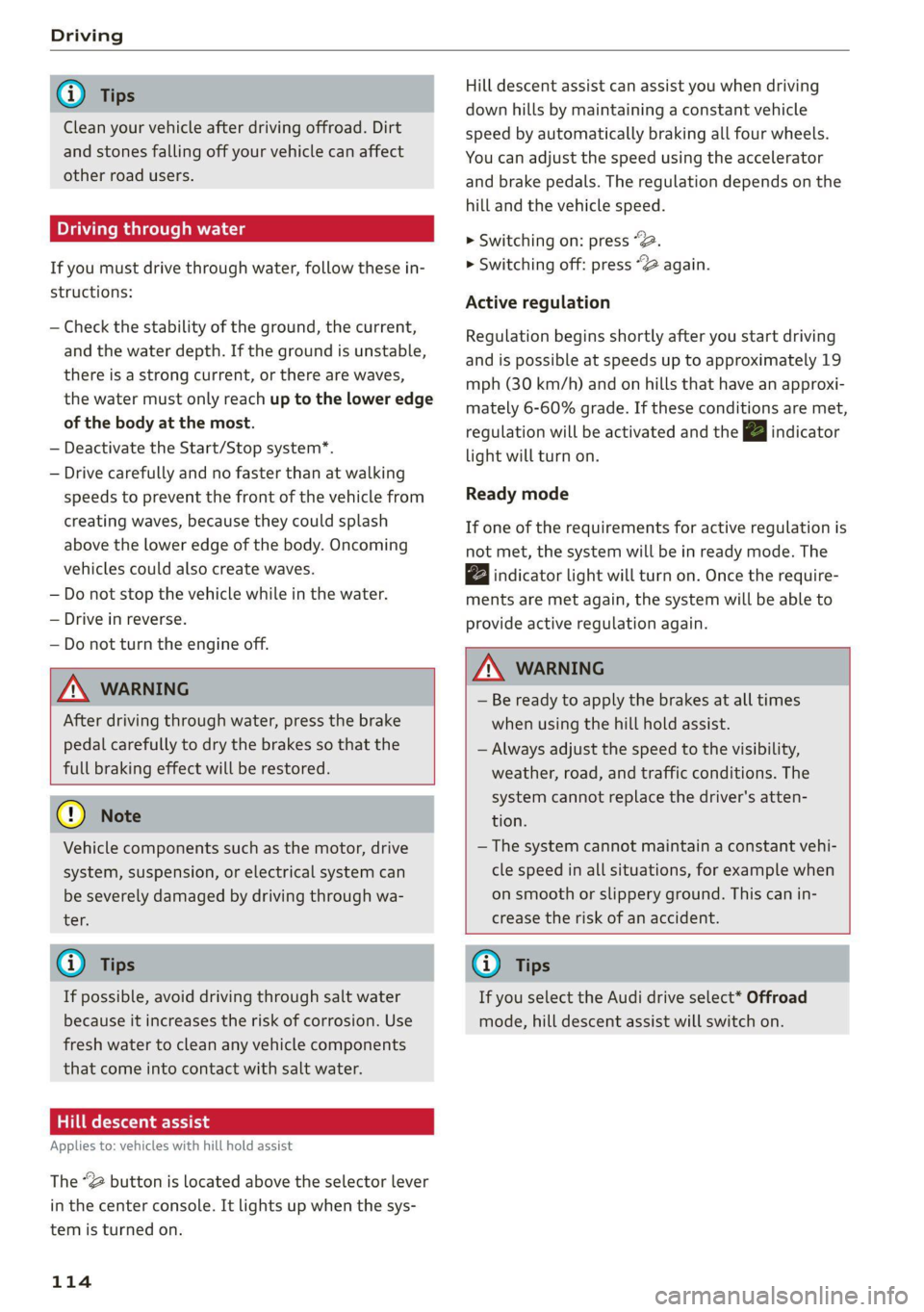
The “@ button is located above the selector lever
in the center console. It lights up when the sys-
tem is turned on.
114
Hill descent assist can assist you when driving
down hills by maintaining a constant vehicle
speed by automatically braking all four wheels.
You can adjust the speed using the accelerator
and brake pedals. The regulation depends on the
hill and the vehicle speed.
> Switching on: press “2.
> Switching off: press “2 again.
Active regulation
Regulation begins shortly after you start driving
and is possible at speeds up to approximately 19
mph (30 km/h) and on hills that have an approxi-
mately 6-60% grade. If these conditions are met,
regulation will be activated and the BJ indicator
light will turn on.
Ready mode
If one of the requirements for active regulation is
not met, the system will be in ready mode. The
indicator
light will turn on. Once the require-
ments are met again, the system will be able to
provide active regulation again.
Z\ WARNING
— Be ready to apply the brakes at all times
when using the hill hold assist.
— Always adjust the speed to the visibility,
weather, road, and traffic conditions. The
system cannot replace the driver's atten-
tion.
— The system cannot maintain a constant vehi-
cle speed in all situations, for example when
on smooth or slippery ground. This can in-
crease the risk of an accident.
G) Tips
If you select the Audi drive select* Offroad
mode, hill descent assist will switch on.
Page 122 of 332
Driving dynamic
these control systems are installed and this
can affect driving stability and increase the
risk of a collision.
— As the vehicle load increases, especially the
roof load, the vehicle's center of gravity also
increases along with the risk of the vehicle
tipping. To reduce the risk of an accident, al-
ways adapt your driving style to the current
conditions and avoid sudden driving maneu-
vers.
G) Tips
The ABS and ASR only function correctly when
all four wheels have a similar wear condition.
Different tire sizes can lead to a reduction in
motor power.
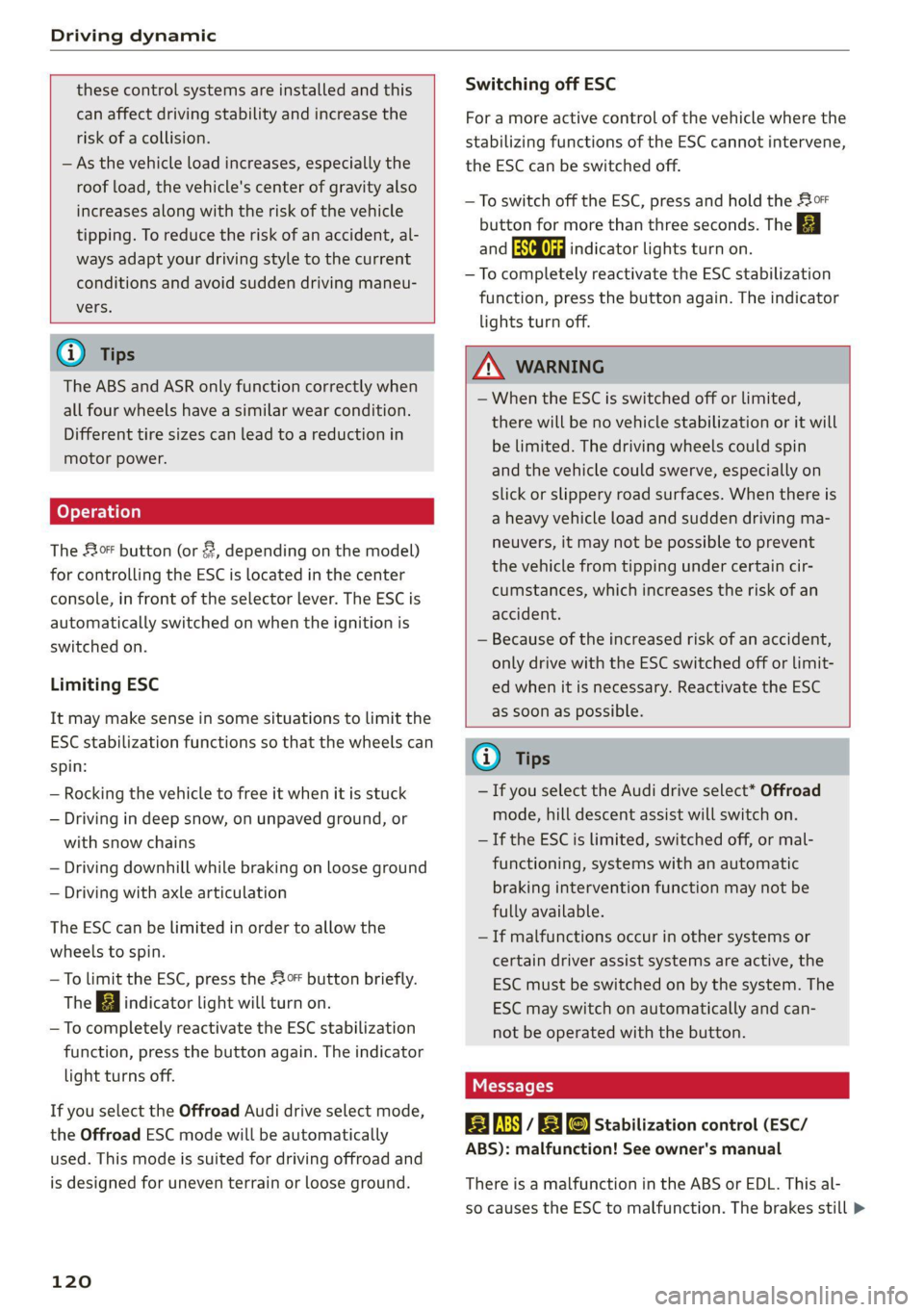
The So* button (or #, depending on the model)
for controlling the ESC is located in the center
console, in front of the selector lever. The ESC is
automatically switched on when the ignition is
switched on.
Limiting ESC
It may make sense in some situations to limit the
ESC stabilization functions so that the wheels can
spin:
— Rocking the vehicle to free it when it is stuck
— Driving in deep snow, on unpaved ground, or
with snow chains
— Driving downhill while braking on loose ground
— Driving with axle articulation
The ESC can be limited in order to allow the
wheels to spin.
—To limit the ESC, press the So button briefly.
The B indicator light will turn on.
—To completely reactivate the ESC stabilization
function, press the button again. The indicator
light turns off.
If you select the Offroad Audi drive select mode,
the Offroad ESC mode will be automatically
used. This mode is suited for driving offroad and
is designed for uneven terrain or loose ground.
120
Switching off ESC
For a more active control of the vehicle where the
stabilizing functions of the ESC cannot intervene,
the ESC can be switched off.
— To switch off the ESC, press and hold the Sor
button for more than three seconds. The B
and aa indicator lights turn on.
—To completely reactivate the ESC stabilization
function, press the button again. The indicator
lights turn off.
ZA\ WARNING
— When the ESC is switched off or limited,
there will be no vehicle stabilization or it will
be limited. The driving wheels could spin
and the vehicle could swerve, especially on
slick or slippery road surfaces. When there is
a heavy vehicle load and sudden driving ma-
neuvers, it may not be possible to prevent
the vehicle from tipping under certain cir-
cumstances, which increases the risk of an
accident.
— Because of the increased risk of an accident,
only drive with the ESC switched off or Limit-
ed when it is necessary. Reactivate the ESC
as soon as possible.
G) Tips
— If you select the Audi drive select* Offroad
mode, hill descent assist will switch on.
— If the ESC is limited, switched off, or mal-
functioning, systems with an automatic
braking intervention function may not be
fully available.
— If malfunctions occur in other systems or
certain driver assist systems are active, the
ESC must be switched on by the system. The
ESC
may switch on automatically and can-
not be operated with the button.
B fs / B © Stabilization control (ESC/
ABS): malfunction! See owner's manual
There is a malfunction in the ABS or EDL. This al-
so causes the ESC to malfunction. The brakes still >
Page 123 of 332
80B012721BA
Driving dynamic
function with their normal power, but ABS is not
active.
Drive to an authorized Audi dealer or authorized
Audi Service Facility immediately to have the
malfunction corrected.
Other indicator lights
if a blinks while driving, the ESC is actively reg-
ulating. Operating noises may occur. If the indi-
cator light stays on, the ESC has been switched
off due to system needs. The indicator light turns
off when the system is fully functional.
121