Car play AUDI Q5 2021 Owner´s Manual
[x] Cancel search | Manufacturer: AUDI, Model Year: 2021, Model line: Q5, Model: AUDI Q5 2021Pages: 332, PDF Size: 118.86 MB
Page 237 of 332
80B012721BA
Audi smartphone interface
— The menu language shown in the MMI is
based on the settings in your smartphone.
— Some MMI functions are not available when
there is an active Audi smartphone interface
connection.
— You cannot connect any mobile devices via
Bluetooth when an Audi smartphone inter-
face connection is active.
Do It Yourself
Applies to: vehicles with Audi smartphone interface
The information that follows lists some trouble-
shooting options. They depend on the equip-
ment.
— Usage of the Audi smartphone interface de-
pends on the availability of services through
third party providers.
— Audi merely provides access to third party
services through the MMI and does not as-
sume any responsibility for the content of
these services.
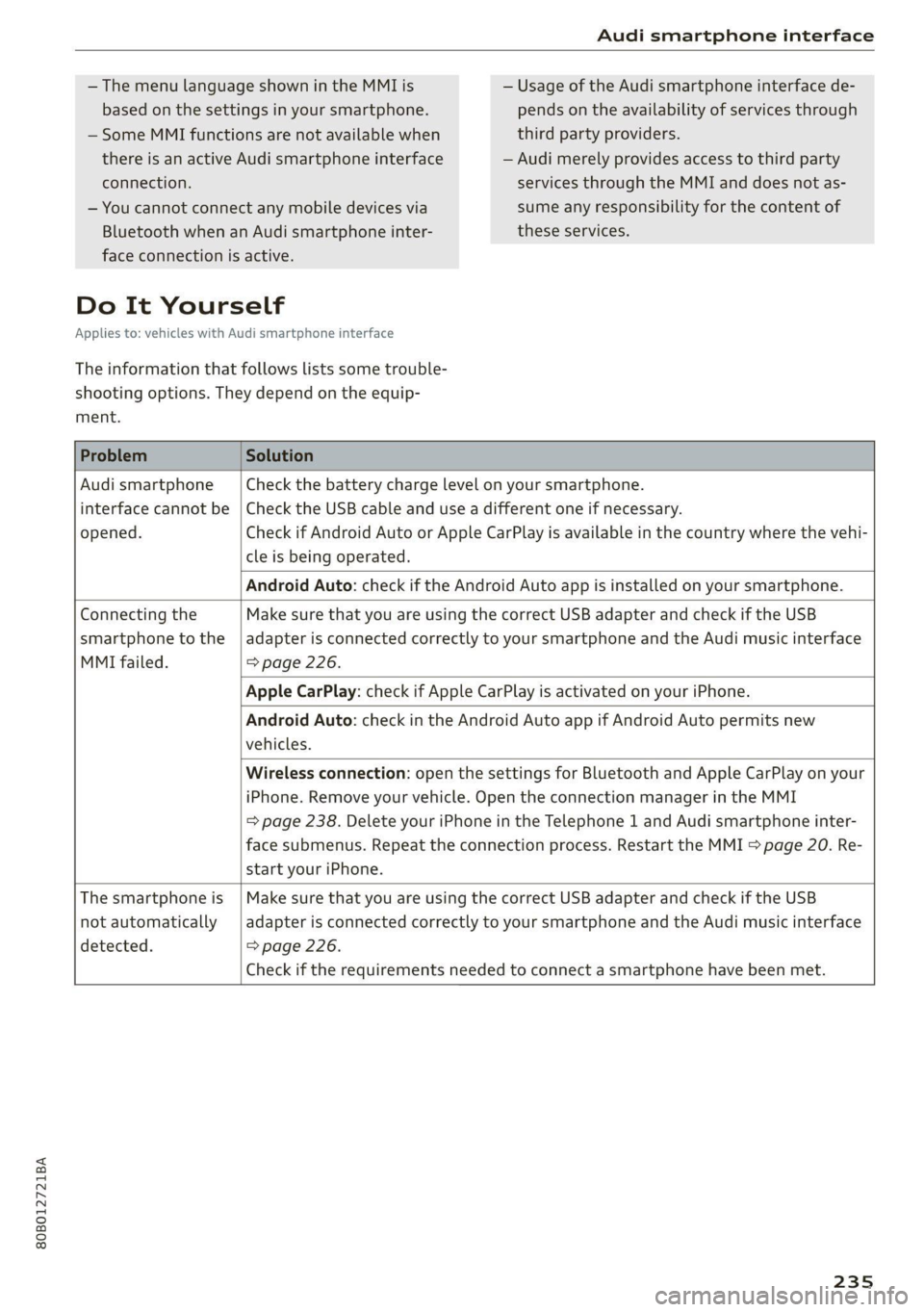
Problem Solution
Audi smartphone
opened.
cle is being operated.
Check the battery charge level on your smartphone.
interface cannot be | Check the USB cable and use a different one if necessary.
Check if Android Auto or Apple CarPlay is available in the country where the vehi-
Android Auto: check if the Android Auto app is installed on your smartphone.
Connecting the
smartphone to the
MMI failed. => page 226.
Make sure that you are using the correct USB adapter and check if the USB
adapter is connected correctly to your smartphone and the Audi music interface
Apple CarPlay: check if Apple CarPlay is activated on your iPhone.
vehicles.
Android Auto: check in the Android Auto app if Android Auto permits new
start your iPhone.
Wireless connection: open the settings for Bluetooth and Apple CarPlay on your
iPhone. Remove your vehicle. Open the connection manager in the MMI
= page 238. Delete your iPhone in the Telephone 1 and Audi smartphone inter-
face submenus. Repeat the connection process. Restart the MMI > page 20. Re-
The smartphone is
not automatically
detected. => page 226.
Make sure that you are using the correct USB adapter and check if the USB
adapter is connected correctly to your smartphone and the Audi music interface
Check if the requirements needed to connect a smartphone have been met.
235
Page 242 of 332
Additional information
Additional information
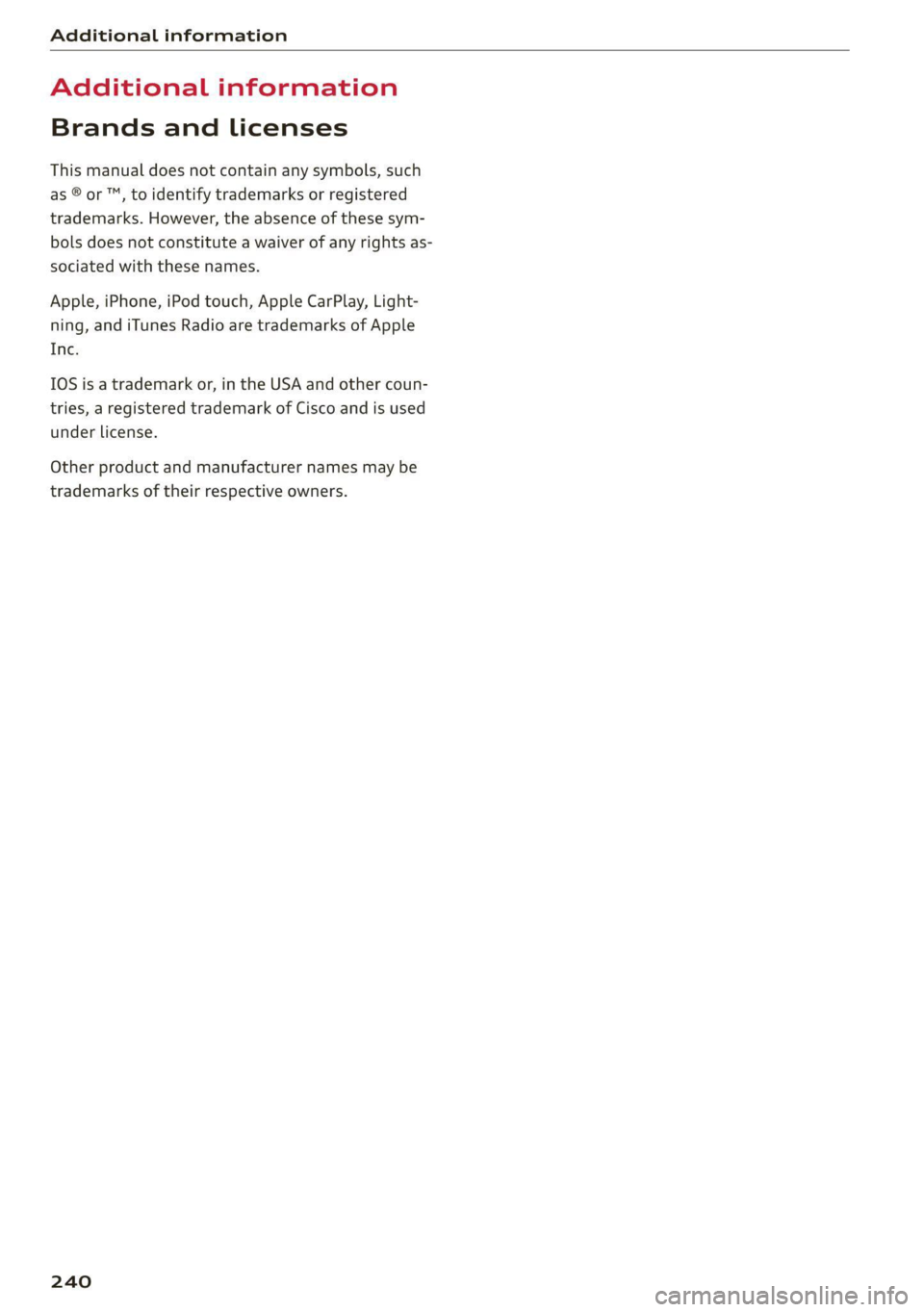
Brands and licenses
This manual does not contain any symbols, such
as ® or ™, to identify trademarks or registered
trademarks. However, the absence of these sym-
bols does not constitute a waiver of any rights as-
sociated with these names.
Apple, iPhone, iPod touch, Apple CarPlay, Light-
ning, and iTunes Radio are trademarks of Apple
Inc.
10S is a trademark or, in the USA and other coun-
tries, a registered trademark of Cisco and is used
under license.
Other product and manufacturer names may be
trademarks of their respective owners.
240
Page 253 of 332
80B012721BA
Checking and Filling
> Read the oil level in the display. Add engine oil — If you believe that your engine has in-
if the bar in the oil level indicator is just below creased its oil consumption, contact an au-
“min” > page 251. thorized Audi dealer or authorized Audi
Service Facility to determine the cause.
@) Note Please note that an exact oil consumption
measurement must be done with the neces-
sary care and accuracy and may take time.
An authorized Audi dealer or authorized
@ Tips Audi Service Facility is trained in accurately
measuring the oil consumption.
— You can find information on engine oil and
engine oil capacities for the USA at www.
audiusa.com/help/maintenance, or for Can-
ada at www.audi.ca/ca/web/en/
customer-area/care-and-maintenance/
audi-service-schedules.html, or call
. 800-822-2834.
@) Tips
1a al A cea a 0.5 quart/600 miles (0.5 liter/1,000 km), de- gang
If the engine oil level is too low or too high,
there is a risk of engine damage.
The oil level indicator in the display is only an
informational display. If the oil level is too
low, a minimum oil warning appears in the in-
strument cluster. Add oil and close the hood.
The current oil level will be displayed on the
MMI the next time the ignition is switched on.
pending on driving style and operating condi- S
tions. Consumption may be higher during the 5
first 3,000 miles (5,000 km). The engine oil a
level must be checked regularly. It is best to
check each time you refuel your vehicle and
before long drives.
— Because of the lubrication and cooling of
the engine, combustion engines consume
oil. The oil consumption varies depending
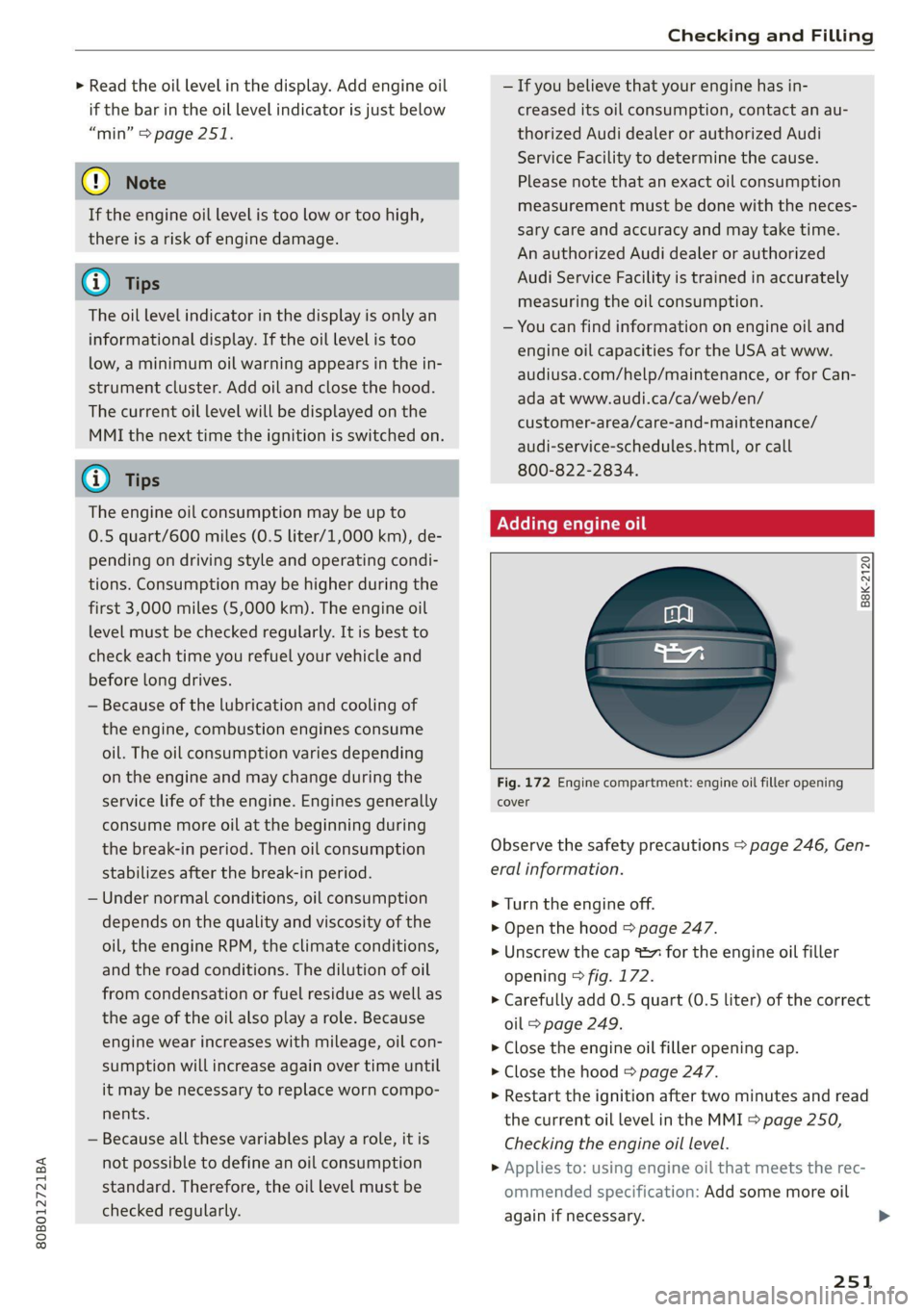
on the engine and may change during the Fig. 172 Engine compartment: engine oil filler opening
service life of the engine. Engines generally cover
consume more oil at the beginning during
the break-in period. Then oil consumption Observe the safety precautions > page 246, Gen-
stabilizes after the break-in period. eral information.
— Under normal conditions, oil consumption > Turn the engine off.
depends on the quality and viscosity of the > Open the hood © page 247.
oil, the engine RPM, the climate conditions, > Unscrew the cap x for the engine oil filler
and the road conditions. The dilution of oil opening © fig. 172.
from condensation or fuel residue as well as > Carefully add 0.5 quart (0.5 liter) of the correct
the age of the oil also play a role. Because oil > page 249.
engine wear increases with mileage, oil con- > Close the engine oil filler opening cap.
sumption will increase again over time until > Close the hood © page 247.
it may be necessary to replace worn compo- > Restart the ignition after two minutes and read
nents. the current oil level in the MMI > page 250,
— Because all these variables play a role, it is Checking the engine oil level.
not possible to define an oil consumption > Applies to: using engine oil that meets the rec-
standard. Therefore, the oil level must be ommended specification: Add some more oil
checked regularly. again if necessary.
251
Page 259 of 332
80B012721BA
Checking and Filling
Multiple batteries with different technologies
may be installed in your vehicle:
— Vehicle battery (for example, for starting the
engine, basic power supply) > page 257, 12
Volt vehicle battery or > page 258, Other bat-
tery types
— Auxiliary battery (for example, for recuperation
or optional equipment) > page 258, Other bat-
tery types
— Plug-in hybrid drive: High-voltage battery (for
example, for electric driving) > page 122, In-
troduction.
Not running the vehicle for long periods of
time
The battery will gradually drain if the vehicle
does not run for long periods of time. To ensure
that the vehicle can still be started, the electrical
equipment will be limited or switched off. Some
convenience functions, such as interior lighting
or power seat adjustment, may not be available
under certain circumstances. The convenience
functions will be available again when you start
the
engine.
Even when electrical equipment is switched off,
the equipment can still drain the battery if the
vehicle is not driven for long periods of time.
Deep draining results in a chemical reaction that
destroys the inside of the battery. The battery
must be charged every month to prevent this
= page 258. Contact an authorized Audi dealer or
authorized Audi Service Facility for more infor-
mation.
Winter operation
Cold weather places an especially high load on
the 12 Volt vehicle battery. Have the battery
checked by an authorized Audi dealer or author-
ized Audi Service Facility before cold weather be-
gins.
authorized Audi dealer or authorized Audi
Service Facility.
— Never connect a charging cable or jump
start cable directly to the 12 Volt vehicle
battery. Only use the connections in the en-
gine compartment > page 258.
Z\ WARNING
California Proposition 65 Warning:
— Battery posts, terminals and related acces-
sories contain lead and lead compounds,
chemicals known to the State of California
to cause cancer and reproductive harms.
Wash hands after handling.
@) Note
— If the vehicle will be parked for long periods
of time, protect the battery against the cold
so that it will not be destroyed by “freezing”
=> page 258, Charging the 12 Volt vehicle
battery.
— There are electrical components under the
cargo floor behind a trim panel that warm
up during operation. To reduce the risk of
the components overheating, do not store
objects such as blankets under the cargo
floor. If the components overheat, they will
switch off temporarily. This will be indicated
by a message that will be displayed in the
instrument cluster until the temperature re-
turns to normal.
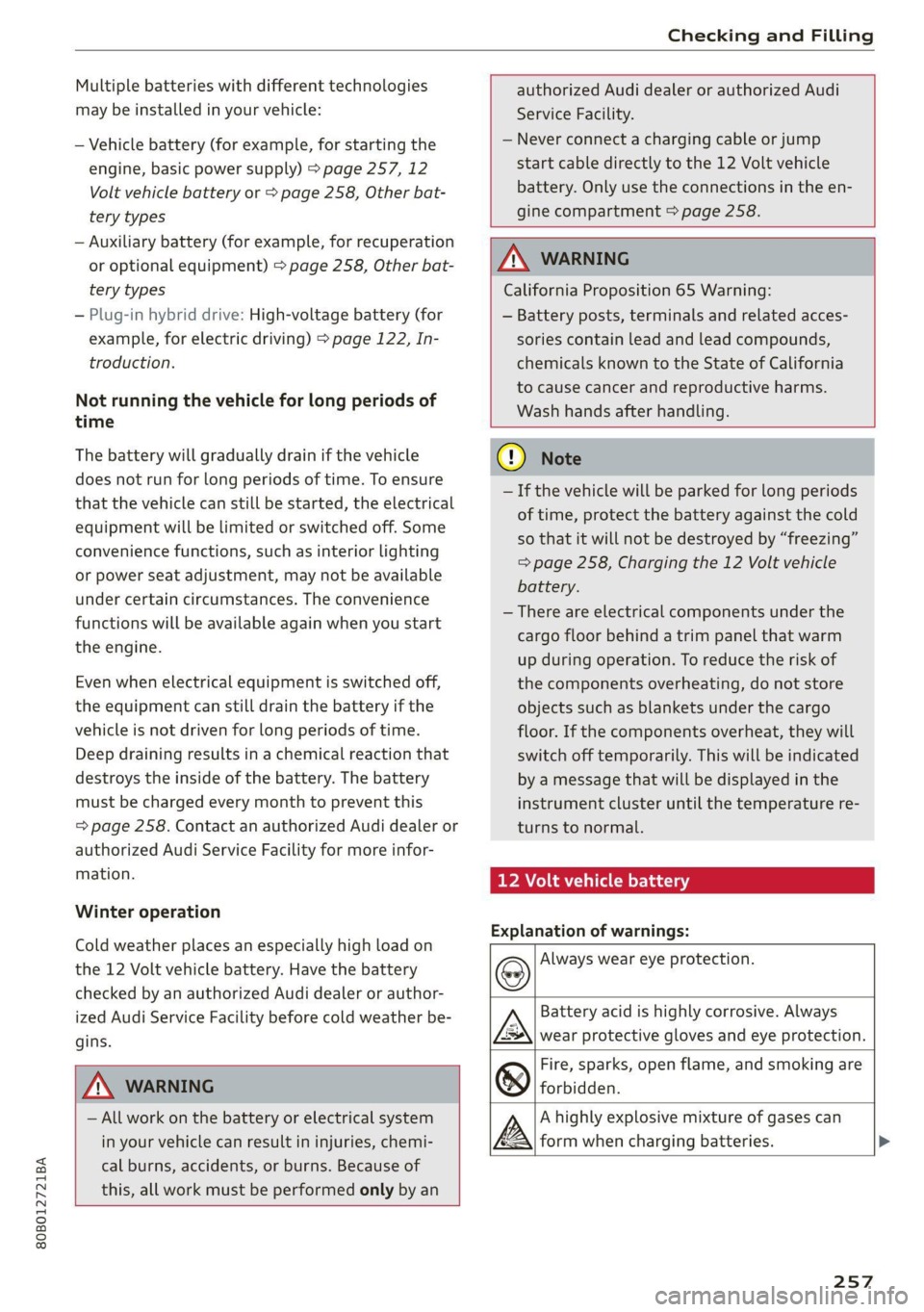
12 Volt vehicle battery
Explanation of warnings:
Always wear eye protection.
ZA\ WARNING
— All work on the battery or electrical system
in your vehicle can result in injuries, chemi-
cal burns, accidents, or burns. Because of
this, all work must be performed only by an
Fire, sparks, open flame, and smoking are
forbidden.
Battery acid is highly corrosive. Always
wear protective gloves and eye protection.
A highly explosive mixture of gases can
form when charging batteries. >
257
Page 287 of 332
80B012721BA
Care and cleaning
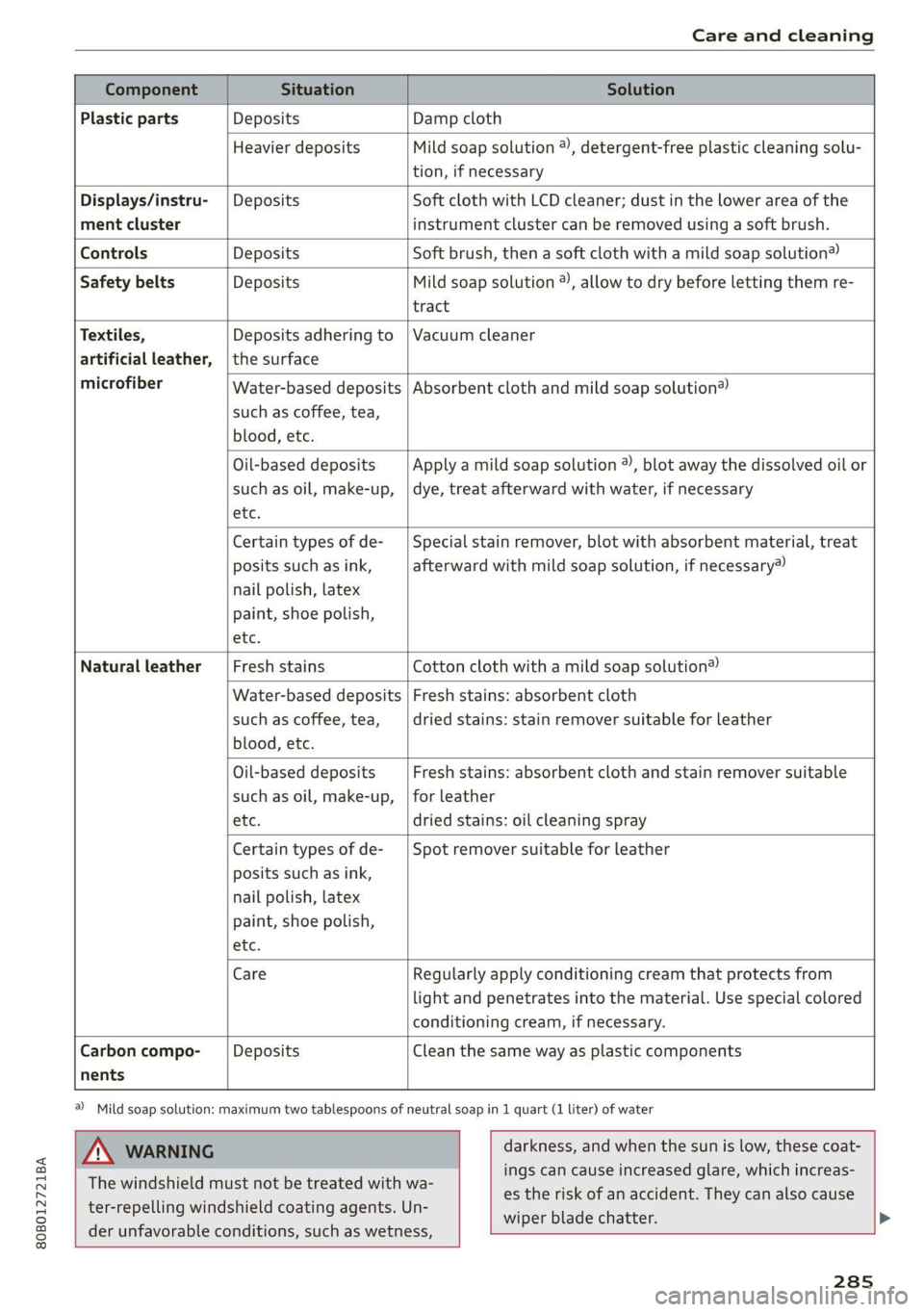
Component Situation Solution
Plastic parts Deposits Damp cloth
Heavier deposits Mild soap solution ®), detergent-free plastic cleaning solu-
tion, if necessary
Water-based deposits
such as coffee, tea,
blood, etc.
Displays/instru- | Deposits Soft cloth with LCD cleaner; dust in the lower area of the
ment cluster instrument cluster can be removed using a soft brush.
Controls Deposits Soft brush, then a soft cloth with a mild soap solution®)
Safety belts Deposits Mild soap solution ), allow to dry before letting them re-
tract
Textiles, Deposits adhering to | Vacuum cleaner
artificial leather, |the surface
microfiber Absorbent cloth and mild soap solution®
Oil-based deposits
such as oil, make-up,
etc.
Apply a mild soap solution ®), blot away the dissolved oil or
dye, treat afterward with water, if necessary
Certain types of de-
posits such as ink,
nail polish, latex
paint, shoe polish,
etc.
Special stain remover, blot with absorbent material, treat
afterward with mild soap solution, if necessary)
Natural leather Fresh stains Cotton cloth with a mild soap solution®
Water-based deposits
such as coffee, tea,
blood, etc.
Fresh stains: absorbent cloth
dried stains: stain remover suitable for leather
Oil-based deposits
such as oil, make-up,
etc.
Fresh stains: absorbent cloth and stain remover suitable
for leather
dried stains: oil cleaning spray
Certain types of de-
posits such as ink,
nail polish, latex
paint, shoe polish,
etc.
Spot remover suitable for leather
nents
Care Regularly apply conditioning cream that protects from
light and penetrates into the material. Use special colored
conditioning cream, if necessary.
Carbon compo- Deposits Clean the same way as plastic components
a) Mild soap solution: maximum two tablespoons of neutral soap in 1 quart (1 liter) of water
ZA WARNING
The windshield must not be treated with wa-
ter-repelling windshield coating agents. Un-
der
unfavorable conditions, such as wetness,
darkness, and when the sun is low, these coat-
ings can cause increased glare, which increas-
es the risk of an accident. They can also cause
wiper blade chatter.
285
Page 288 of 332
Care and cleaning
ZA\ WARNING
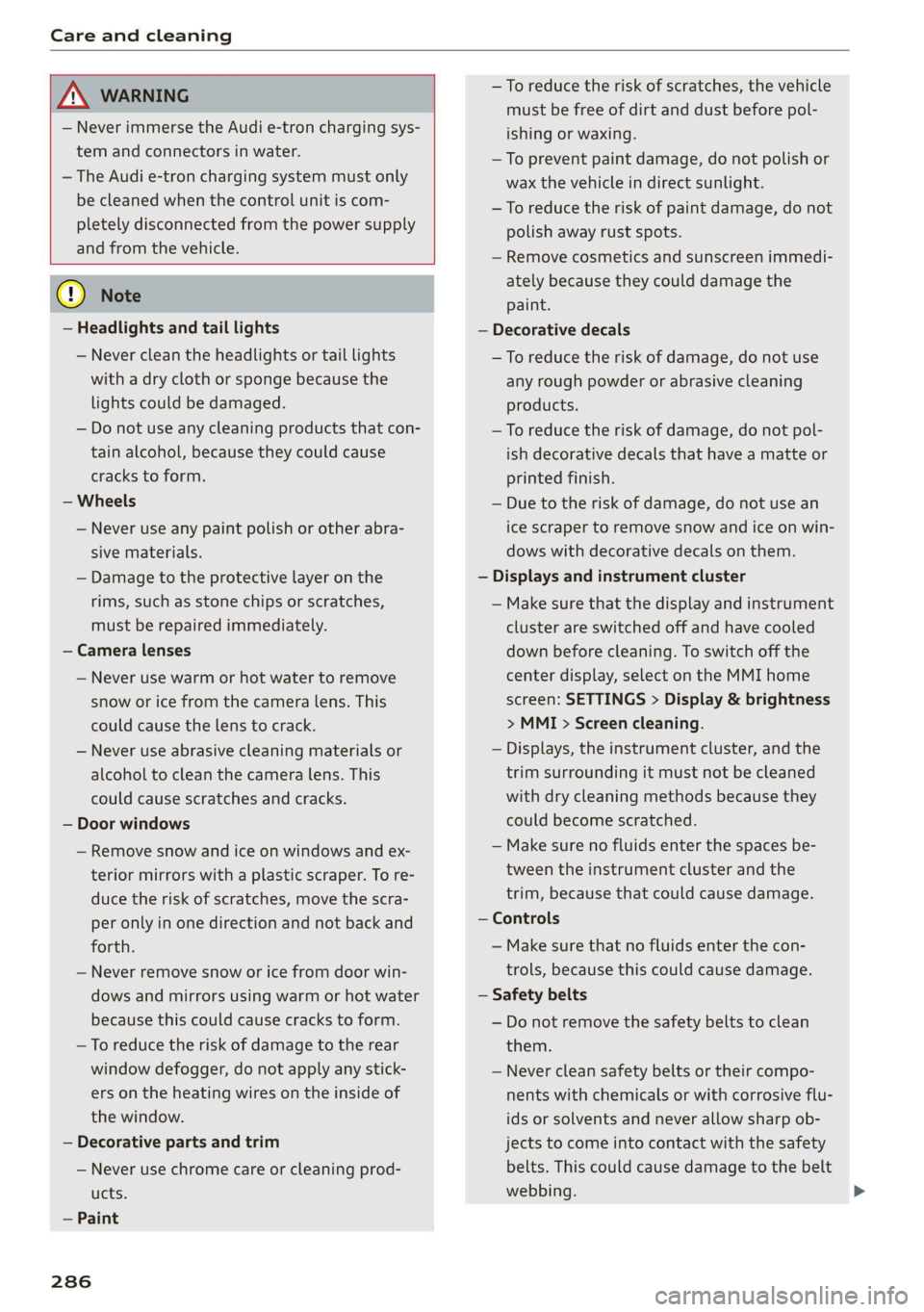
— Never immerse the Audi e-tron charging sys-
tem and connectors in water.
— The Audi e-tron charging system must only
be cleaned when the control unit is com-
pletely disconnected from the power supply
and from the vehicle.
@) Note
— Headlights and tail lights
— Never clean the headlights or tail lights
with a dry cloth or sponge because the
lights could be damaged.
— Do not use any cleaning products that con-
tain alcohol, because they could cause
cracks to form.
— Wheels
— Never use any paint polish or other abra-
sive materials.
— Damage to the protective layer on the
rims, such as stone chips or scratches,
must be repaired immediately.
— Camera lenses
— Never use warm or hot water to remove
snow or ice from the camera lens. This
could cause the lens to crack.
— Never use abrasive cleaning materials or
alcohol to clean the camera lens. This
could cause scratches and cracks.
— Door windows
— Remove snow and ice on windows and ex-
terior mirrors with a plastic scraper. To re-
duce the risk of scratches, move the scra-
per only in one direction and not back and
forth.
— Never remove snow or ice from door win-
dows and mirrors using warm or hot water
because this could cause cracks to form.
—To reduce the risk of damage to the rear
window defogger, do not apply any stick-
ers on the heating wires on the inside of
the window.
— Decorative parts and trim
— Never use chrome care or cleaning prod-
ucts.
— Paint
286
— To reduce the risk of scratches, the vehicle
must be free of dirt and dust before pol-
ishing or waxing.
—To prevent paint damage, do not polish or
wax the vehicle in direct sunlight.
—To reduce the risk of paint damage, do not
polish away rust spots.
— Remove cosmetics and sunscreen immedi-
ately because they could damage the
paint.
— Decorative decals
—To reduce the risk of damage, do not use
any rough powder or abrasive cleaning
products.
—To reduce the risk of damage, do not pol-
ish decorative decals that have a matte or
printed finish.
— Due to the risk of damage, do not use an
ice scraper to remove snow and ice on win-
dows with decorative decals on them.
— Displays and instrument cluster
— Make sure that the display and instrument
cluster are switched off and have cooled
down before cleaning. To switch off the
center display, select on the MMI home
screen: SETTINGS > Display & brightness
> MMI > Screen cleaning.
— Displays, the instrument cluster, and the
trim surrounding it must not be cleaned
with dry cleaning methods because they
could become scratched.
— Make sure no fluids enter the spaces be-
tween the instrument cluster and the
trim, because that could cause damage.
— Controls
— Make sure that no fluids enter the con-
trols, because this could cause damage.
— Safety belts
— Do not remove the safety belts to clean
them.
— Never clean safety belts or their compo-
nents with chemicals or with corrosive flu-
ids or solvents and never allow sharp ob-
jects to come into contact with the safety
belts. This could cause damage to the belt
webbing.
Page 311 of 332
80B012721BA
Accessories and technical changes
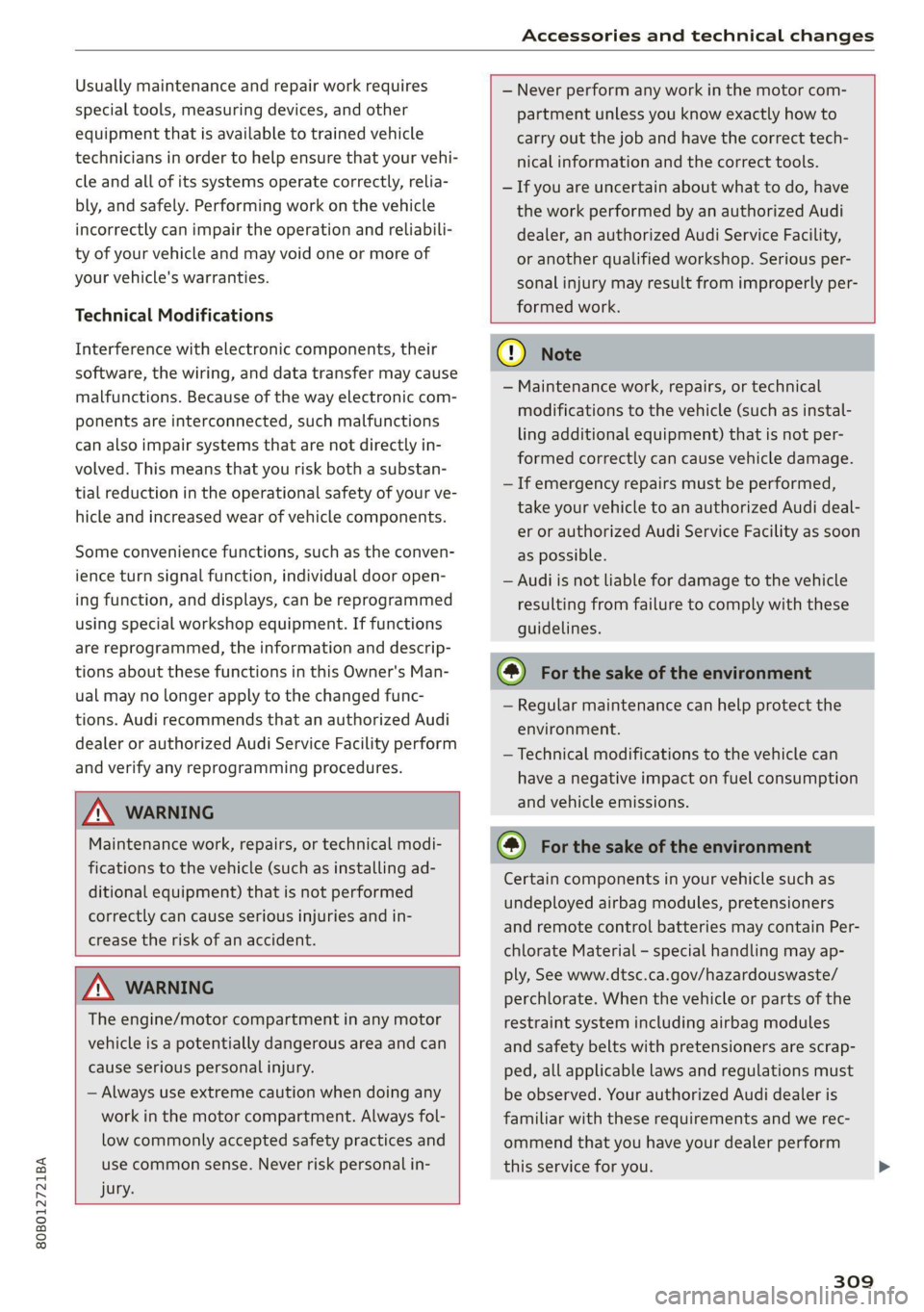
Usually maintenance and repair work requires
special tools, measuring devices, and other
equipment that is available to trained vehicle
technicians in order to help ensure that your vehi-
cle and all of its systems operate correctly, relia-
bly, and safely. Performing work on the vehicle
incorrectly can impair the operation and reliabili-
ty of your vehicle and may void one or more of
your vehicle's warranties.
Technical Modifications
Interference with electronic components, their
software, the wiring, and data transfer may cause
malfunctions. Because of the way electronic com-
ponents are interconnected, such malfunctions
can also impair systems that are not directly in-
volved. This means that you risk both a substan-
tial reduction in the operational safety of your ve-
hicle and increased wear of vehicle components.
Some convenience functions, such as the conven-
ience turn signal function, individual door open-
ing function, and displays, can be reprogrammed
using special workshop equipment. If functions
are reprogrammed, the information and descrip-
tions about these functions in this Owner's Man-
ual may no longer apply to the changed func-
tions. Audi recommends that an authorized Audi
dealer or authorized Audi Service Facility perform
and verify any reprogramming procedures.
— Never perform any work in the motor com-
partment unless you know exactly how to
carry out the job and have the correct tech-
nical information and the correct tools.
— If you are uncertain about what to do, have
the work performed by an authorized Audi
dealer, an authorized Audi Service Facility,
or another qualified workshop. Serious per-
sonal injury may result from improperly per-
formed work.
ZA WARNING
Maintenance work, repairs, or technical modi-
fications to the vehicle (such as installing ad-
ditional equipment) that is not performed
correctly can cause serious injuries and in-
crease the risk of an accident.
Z\ WARNING
The engine/motor compartment in any motor
vehicle is a potentially dangerous area and can
cause serious personal injury.
— Always use extreme caution when doing any
work in the motor compartment. Always fol-
low commonly accepted safety practices and
use common sense. Never risk personal in-
jury.
@) Note
— Maintenance work, repairs, or technical
modifications to the vehicle (such as instal-
ling additional equipment) that is not per-
formed correctly can cause vehicle damage.
— If emergency repairs must be performed,
take your vehicle to an authorized Audi deal-
er or authorized Audi Service Facility as soon
as possible.
— Audi is not liable for damage to the vehicle
resulting from failure to comply with these
guidelines.
@) For the sake of the environment
— Regular maintenance can help protect the
environment.
— Technical modifications to the vehicle can
have a negative impact on fuel consumption
and vehicle emissions.
@) For the sake of the environment
Certain components in your vehicle such as
undeployed airbag modules, pretensioners
and remote control batteries may contain Per-
chlorate Material - special handling may ap-
ply, See www.dtsc.ca.gov/hazardouswaste/
perchlorate. When the vehicle or parts of the
restraint system including airbag modules
and safety belts with pretensioners are scrap-
ped, all applicable laws and regulations must
be observed. Your authorized Audi dealer is
familiar with these requirements and we rec-
ommend that you have your dealer perform
this service for you.
309
Page 317 of 332
80B012721BA
Index
Numbers and
Symbols
3-zone deluxe automatic climate control.... 92
A
AIC cooling MOde:. « « vesiare «sas © wrens 6 avers 92
A/C system refrigerant oil............005 314
Accelerator pedals sseis so esas x & eases 8 & exes 101
also refer to Accelerator pedal.......... 101
ACCESSORIES « sssiers oo: seaues + exsusunn + wane a 6 esine 310
Active lane assist
refer to Audi active lane assist.......... 165
Adaptive cruise control................. 154
Adaptive dampers ............-..2+-05- 116
Adjusting air distribution (automatic climate
control system) ...... 0.0.0. e cee eee eee 93
Adjusting the brightness................. 54
Adjusting the sound..............-..00- 236
Adjusting the temperature (automatic climate
control system) ......... 0.0.00. e ee ee eee 93
Adjusting the volume ............ eee ee eee 30
Adjusting the volume (announcements) .... 236
Adjusting the welcome sound............ 236
Airbag'system ; « eses s saves s eee ss veep eee 71
AICSUSPENSION ex « = som « = nee Hg Ses SE Be 116
Alarm system
refer to Anti-theft alarm system.......... 37
Alignment pin (changing the wheel)....... 288
All-weather lights...............-..20--- 50
Allseason tires............220202220005 276
All wheel drive
refer tOQUAtEOmms: 5 = woos + 5 ewe so ewe 118
Amazon Alexa integration
Media playback’. « oii. eons 6 6 cris 6 0 ow 226
Operating...............0..0 000.0000. 28
AMI
refer to Audi music interface........... 226
Android Auto
refer to Audi smartphone interface...... 234
Anti-lock braking system............0005 119
Anti-Slip Regulation.................05. 119
Anti-theft alarm system...............00 37
Apple CarPlay
refer to Audi smartphone interface...... 234 ASR
refer to Anti-Slip Regulation.........
Audi active lane assist................
Cleaning the camera area............
Audi adaptive cruise control
Cleaning the sensors...............
Predictive control..............0005
Traffic jam assist............00.-00.
Audi adaptive light..................
Audi connect
FefEr LO CONNEC: = « gaws + = eames v news
Audi drive select =: ss g2c8 ss peau s i deme
Audi e-tron compact charging system...
Adjusting the charging power level....
Changing or attaching the power cable... .
SeCUrINg.. 2... cee eee eee eee
Status and malfunction indicators ....
Audi music interface.................
Audio files..............00 eee eee ee
Safety measures........ 0.0... e ee ee
Audi side assist
refer to Side assist..............0..
Audi smartphone interface............
Legalinformation..................
Audi virtual cockpit
refer to Instrument cluster..........
AUTO
Automatic climate control system.....
Automatic headlights...............
Auto Lock (central locking) ............
Automatic climate control system......
Automatic luggage compartment lid....
Automatic transmission..............
Automatic wipe/wash system..........
Auxiliary climate control..............
Average consumption................
Average speed... ..... 2.2.02
315
Page 318 of 332
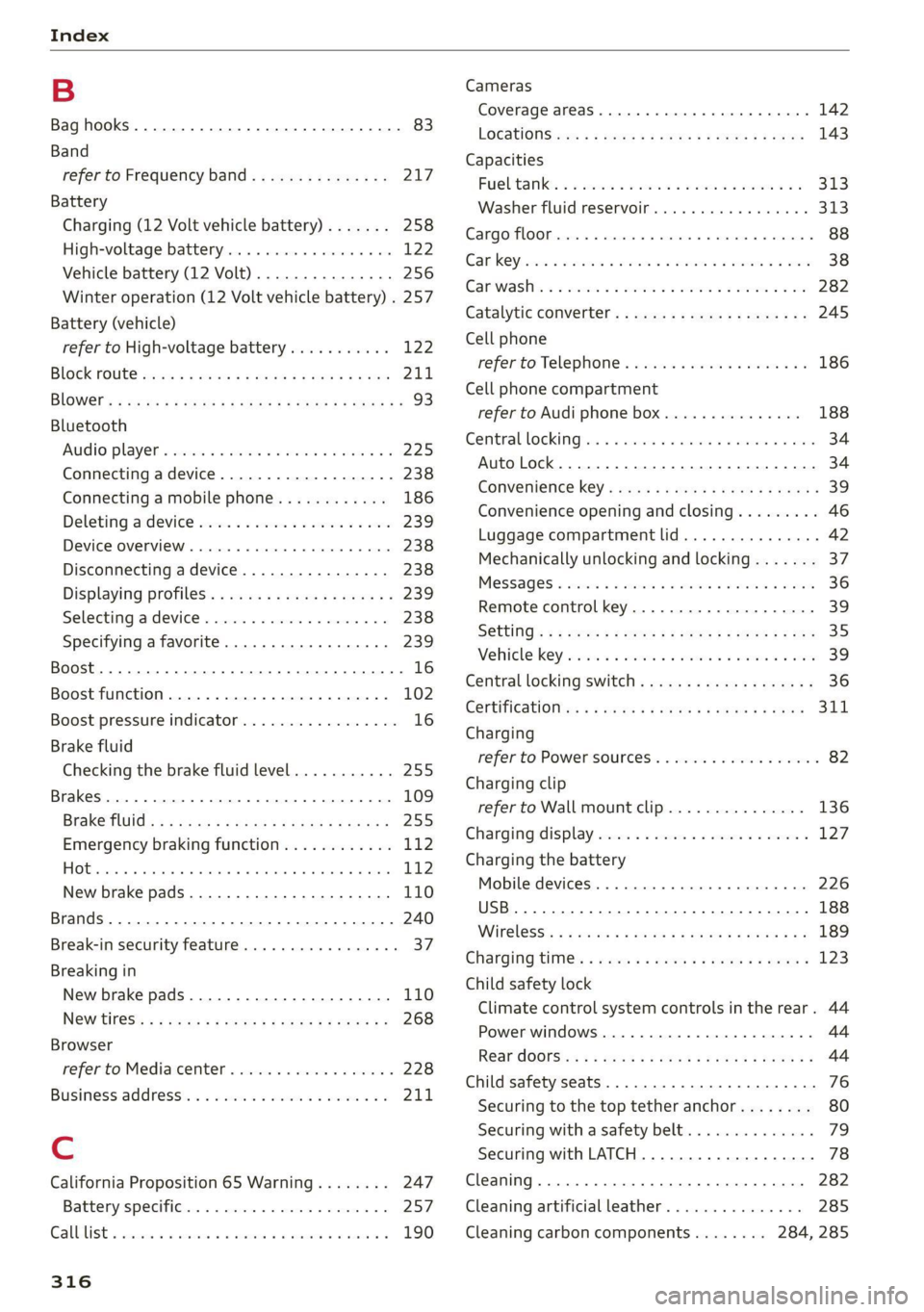
Index
B
Bag hooks .......... 0... c eee eee eee ee 83
Band
refer to Frequency band............... 217
Battery
Charging (12 Volt vehicle battery)....... 258
High-voltage battery...............0.. 122
Vehicle battery (12 Volt)............0.8. 256
Winter operation (12 Volt vehicle battery) . 257
Battery (vehicle)
refer to High-voltage battery........... 122
BLOCK FOULS caus + & eau o » Rees ov REwW 3 eR 211
BlOWEP's = sours = © egups 3 ¥ saws 7 e Seon ze pees ze 93
Bluetooth
‘Audio player « sii 3 6 wes ao nese ee wenn o 225
Connecting adevice...............00-. 238
Connecting a mobile phone............ 186
Deleting
adevice................0000- 239
Device overview... . 6... 00. eee eee eee 238
Disconnecting a device................ 238
Displaying Profiles « caves x « xayre a 2 waurs a « 239
Selecting adevice.................00. 238
Specifying a favorite.............0000- 239
Boost... 2... cece 16
Boost function.................000000. 102
Boost pressure indicator................. 16
Brake fluid
Checking the brake fluid level........... 255
Brakes... 2... eee 109
Brake tluidis « « mays ¢ gave © saan ¢ 8 meres F 255
Emergency braking function............ 112
HOt. cece eee eee eee 112
New brake pads..............----000-- 110
Brands............2..02. 000 e cece ee 240
Break-in security feature..............00- 37
Breaking in
New brake pads..............---000-- 110
New tires’: « + soe « + cagme 5 2 eeuwe oe ae oo 268
Browser
refer to Mediacenter.................. 228
Business. addressii. : viii 6 < aes eo soaom oo 211,
Cc
California Proposition 65 Warning........ 247
Battery specific.................-000. 257
CALGUISE & cciwass so cusetie oo examen sa avawans & @ wesw a 190
Cameras
Coverage areaS.... 6... eee eee eee 142
LOGALIONS ccm s 2 wom « § aoe 5s REE 3s eee 143
Capacities
Fuel tant. so wesc oo seems o wand ov sae 2 2 313
Washer fluid reservoir.............0005 313
Carg@Plembiscns x x cscacn wx rans we re oe Moa 88
Cat KO Ybiwiue © sveveware o seam @ 6 anccoms a 8 asuwone ww vomeT 38
Gar WaShiy 2 aicscs ss swcna © & swam wo orem © oe 282
Catalytic converter.............--00000- 245
Cell phone
refer to Telephone............00eee eae 186
Cell phone compartment
refer to Audi phone box............... 188
Central lockingeins «+ ccs + 2 ances 0 comsens « & ose 34
Auto Lock... 0... cece eee eee eee eee 34
Convenience key...... 0... eseee eevee 39
Convenience opening and closing......... 46
Luggage compartment lid.............0. 42
Mechanically unlocking and locking....... 37
Messages « anise «seas 3 3 mara @ wavimin © wave 36
Remote control key.............--.00-- 39
SECUG: o x sure x = swe & a eR Fe ee 2 5 ee 35
Vehicle key sais xs cers se namie 6 ceri wo rete 39
Central locking switch.............000005 36
COrtifiCatienins « « waws « « eews 4 e cows 9 o eee 311
Charging
refer to Power sourceS..............00-- 82
Charging clip
referto Wall mount clip............... 136
Charging display ccc. «eves ao eases oo oes x 127,
Charging the battery
Mobile devices. ..........00 cece eee 226
USB... eee 188
Wirelessi: = » aeons « 2 waves x 5 wayne 4 & Haus 8 = 189
GharGiniG titties: « sass = 2 neue x = neem & o weer 2 123
Child safety lock
Climate control system controls in the rear. 44
Power windows............00000e eee ee 44
Rear dOGrsion x s anan ¢ a ecwe i Kamen ¢ BORE Ee 44
Child safety seats........ 0... cece eee eee 76
Securing to the top tether anchor........ 80
Securing with a safety belt.............. 79
Securing with LATCH.............000005 78
Cleaning... 0... . cece eee 282
Cleaning artificial leather............... 285
Cleaning carbon components........ 284, 285
Page 320 of 332
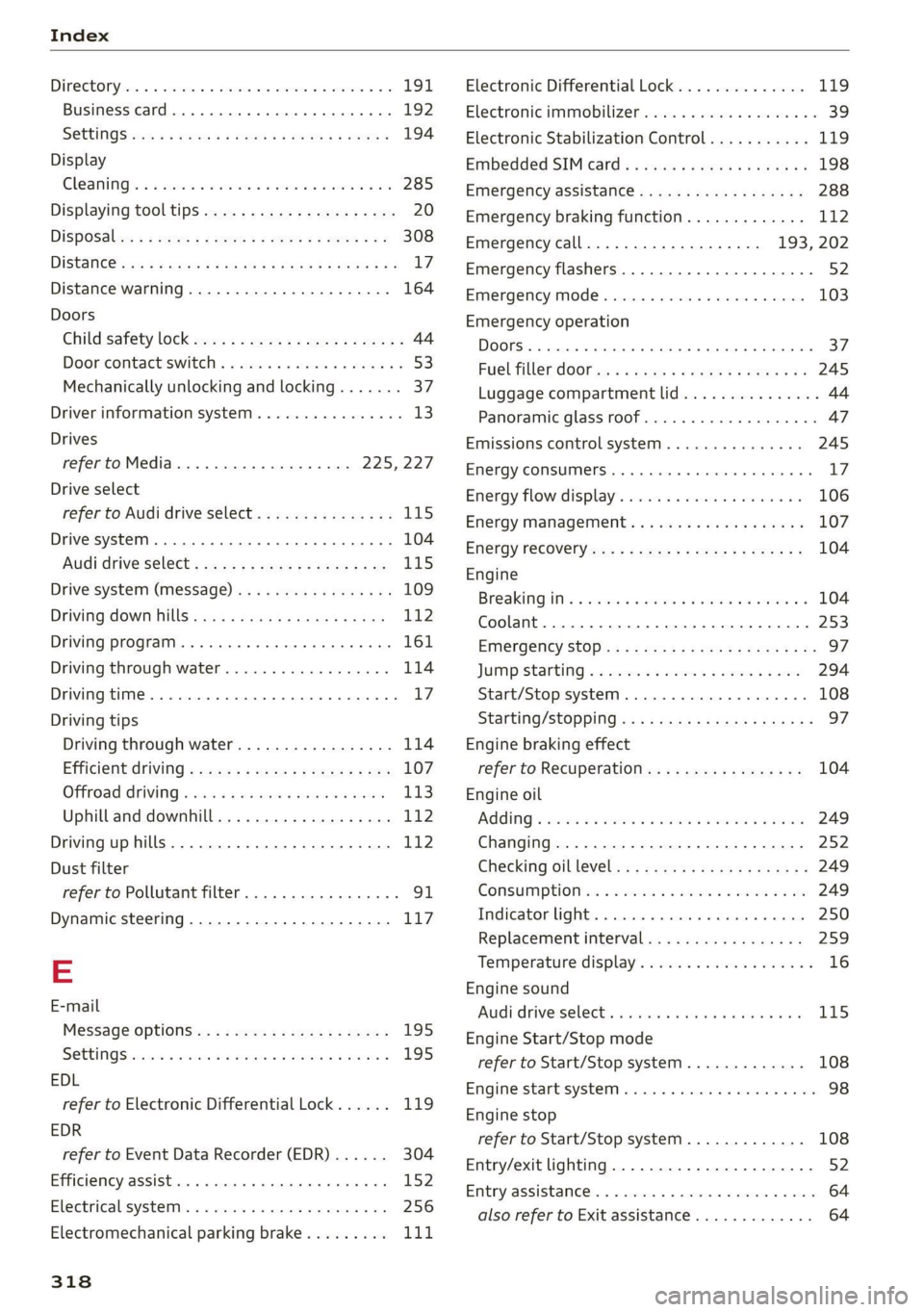
Index
Diteetor yess 6 s cscaves ws sacewes v6 aneims v © sxeams 6 0 191
Business card... 6... eee eee eee 192
SCttinGSanww + wuwn x 3 mee ee ReUeE SE eee & 194
Display
Cleaning’s « «sew 2s seas © 2 eww vo ene woe 285
Displaying tooltips..................0.. 20
DispoSaliv: ss seus s ¢ sees av wees vv teen swe 308
DIStaHCO sas = » saeas + ¢ sacee @ 2 Sacee 7 a Hae Ya: 17
Distance warning............0.see ee eee 164
Doors
Child safety lock 22s ¢ 2 eee es geen ss eees 44
Doorcontactiswiteh « « sisi ss wes «6 mewn 2 6 53
Mechanically unlocking and locking....... 37
Driver information system................ 13
Drives
refer to Media................-4- 225,227
Drive select
refer to Audi drive select............... 115
Drive systeM... 0... cee eee eee 104
(Audi drive’select s coac 2 ¢ cawe ¢ s gence so ae LIS
Drive system (message)...............-. 109
Driving down hills............0.--00 ee 112
Driving program... .. 6... cee ee eee eee eee 161
Driving through water................5. 114
DGiVIMNG BIER. « » exesene « 0 ssinsocie © of emetinze © ovation» « 17
Driving tips
Driving through water.............00-- 114
Efficient driving » sxc. x» see: ss eee se eee 107
GFRrOAGNARIVING 2 cxcwie & wromenow » aresum « ¥ anaie 113)
Uphill and downhill................... 112
Drivinguphills................0...005. 112
Dust filter
refer to Pollutant filter..............00. 91
Dynamic steering...............0..000. 117
=
E-mail
Message Options: « < seas 5 = was 5 v ween s 195
SettinQSwasiess + wen ee aaron so meena & @ eae 8 195
EDL
refer to Electronic Differential Lock...... 119
EDR
refer to Event Data Recorder (EDR)...... 304
Efficiency assist... 0... eee ee 152
Electrical system. .........-.0 02 e ee eee 256
Electromechanical parking brake......... 111
318
Electronic Differential Lock.............. 119
Electronic immobilizer cvs. 6. ow sa sia ves 39
Electronic Stabilization Control........... 119
Embedded SIM: card « « secu + 2 gaye 4 2 ese « ¢ 198
Emergency assistance..............-.-. 288
Emergency braking function............. 112
Emergency call..............000.. 193, 202
Emergency flashers.............--..00-- 52
Emergency mode.............--.000005 103
Emergency operation
Doors... 2. eee eee B7
FUG TINLERAGOr ss « 2 wows x o yawn a a wows 4 ee 245
Luggage compartment lid............... 44
Panoramic glass roof...............000. 47
Emissions control system.............05 245
ENergy CONSUMENS i 6 6 ess © reseeee e eiee e o 8 17
Energy flowdisplay’s seas: o 6 cscs 2 6 eevee s vv 106
Energy management............--.00ee 107
Energy TECOVErYcews 5 s eave + o ewig + 5 ewe & 104
Engine
Breakingiinis « csv. + 2 ewe 2 6 wwe a 6 aes a 104
Coolant............... 00. cece 253
Emergency Stop ss « s ee.8 se ees s sees es we 97
JUMP Starting « = sce 5 x secre © 2 seweEe vo sore 294
Start/Stop system ........ eee eee ee eee 108
Starting/stopping.................0 ae 97
Engine braking effect
refer to Recuperation................. 104
Engine oil
AGING « seswies «vere © & oxaners a o Sensis ve oTIEENs 249
Changing.............. eee ee eee eee 252
Checking GILlEVEl: x = sase ys sae a 3 Beam 3 249
CONSUMPTION & & swe « 0 ors = 5 semen wo ome 249
Indicator light... 2... cece eee eee eee 250
Replacement interval................. 259
Temperature display................... 16
Engine sound
Audi driverselecti, «sisi s+ iusiest a a samen a LI5
Engine Start/Stop mode
refer to Start/Stop system............. 108
Engine Start:syStei vceca « cose o 6 econ @ x anon 98
Engine stop
refer to Start/Stop system............. 108
Entry/exit lighting................-.000- 52
EMtry ASSiStamGes. « « sesess 6 « samme © a samme oo mace 64
also refer to Exit assistance............. 64