garage door opener AUDI Q5 2021 Owner´s Manual
[x] Cancel search | Manufacturer: AUDI, Model Year: 2021, Model line: Q5, Model: AUDI Q5 2021Pages: 332, PDF Size: 118.86 MB
Page 4 of 332
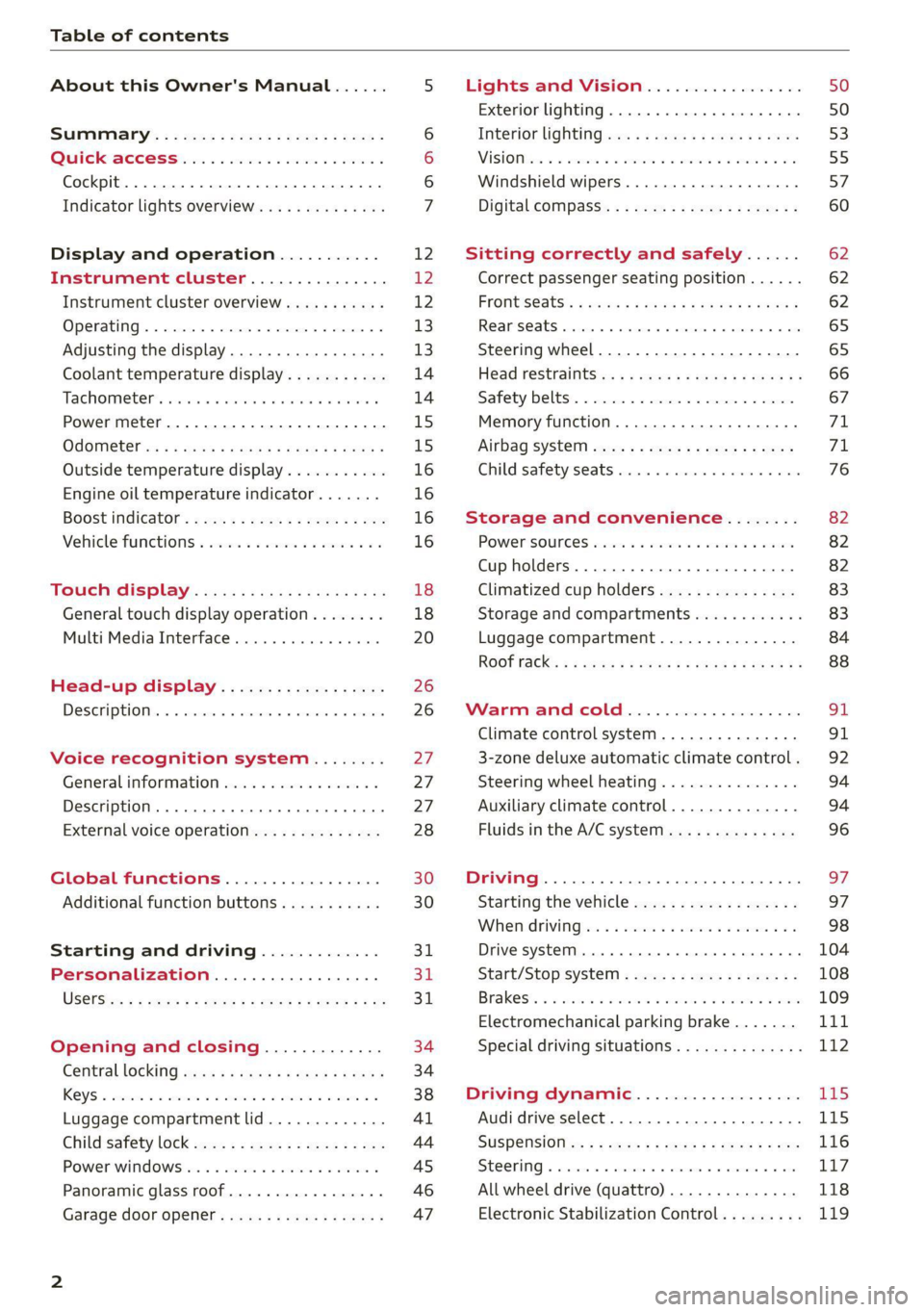
Table of contents
About this Owner's Manual......
SUMIMAry: < = exe : eens: Seen cs sens
QutckeaeCe ssh: «i esis se ois a eaves @
Cockpit. ...... 0... eee eee eee eee
Indicator lights overview...........4..
Display and operation...........
Instrument cluster...............
Instrument cluster overview...........
Operating. ecccuse w+ were oo wens oo ayes 9 ¥
Adjusting the display.................
Coolant temperature display...........
Tachometer’ series i ewe so snes ¥ & ome
Power meter...............0 00000005
QUOOMEtEr as + 2 ame < gas = papas s ¥ HERS &
Outside temperature display...........
Engine oil temperature indicator.......
Boost indicator’: 2 2c« «= sesa ¢ x sews «x 2x8
Vehicle functions « seis ss emis ee mes ee
Touch display.....................
General touch display operation........
Multi Media Interface................
Head-up display..................
DeSeriptioni: << sone so sisi © » axsinne oo sxe
Voice recognition system........
General information.................
Description ...... 0... ccc eee ee eee
External voice operation..............
Global functions.................
Additional function buttons...........
Starting and driving.............
Personalization..................
Luggage compartment lid.............
Child'safety lock ses < « se0% cs eee se oes
Power windows: ss sew. «sass as eaves a
Panoramic glass roof.................
Garage door opener..........--..00-5
NOD
OO
12 12 12
13
13
14 14
15
15
16
16
16
16
18 18
20
26
26
27 27 27 28 30 30
31 3h 31
34
34
38
41
44
45
46
Lights and Vision.................
Exterior lighting...............0000ee
Windshield wipers................05-
Digital compass’ « < sces ss sees sz wees ae
Sitting correctly and safely......
Correct passenger seating position......
Frontis@ats's « sais « ¢ sine « » saree yo eae a
ReAarSeats verse a coecns oo area oo semen nw aie
Steering wheel.............2.200005.
Head restraintsts: « » gare x 2 oawa ys qe a 5
Safety belts..............00..00000.
Memory function............2..00 eee
Airbag
syst@m aces ss cece se ees ee ees
Child safety seats cic «4 wessn « women © vane
Storage and convenience........
POWer SOURCES sisson «+ women « ¥ oes 3 6 eos
Cup holders........ 00... e cece eee
Climatized cup holders...............
Storage and compartments............
Luggage compartment...............
ROOF PACK: « « ewws 4s ewes 4s nees ¥ e reese gs
WV erence Chl ieee. & socsese 5 & newer 3 0 we
Climate control system............00.
3-zone deluxe automatic climate control .
Steering wheel heating...............
Auxiliary climate control..............
Fluids in the A/C system..............
Driving........... 0... cece eee
Starting the vehicle..................
Whe nid rivitngnes ss sons 6 x tana © 8 cuere a 6
Drive systeM.... 2... eee eee eee
Start/Stop system..........2--00000-
Electromechanical parking brake.......
Special driving situations..............
Driving dynamic..................
Audi drive select..........0.-..000005
SUSPENSION is: + & eas » s eews 6 y Gews Fo HEE
SEONG « csevaiss 5 + sevens = anecome © u enecans + © ox
All wheel drive (quattro) ..............
Electronic Stabilization Control.........
62
62
62
65 65
66 67
71 71
76
82
82
82
83
83
84
88
91
91
92
94
94
96
Page 26 of 332
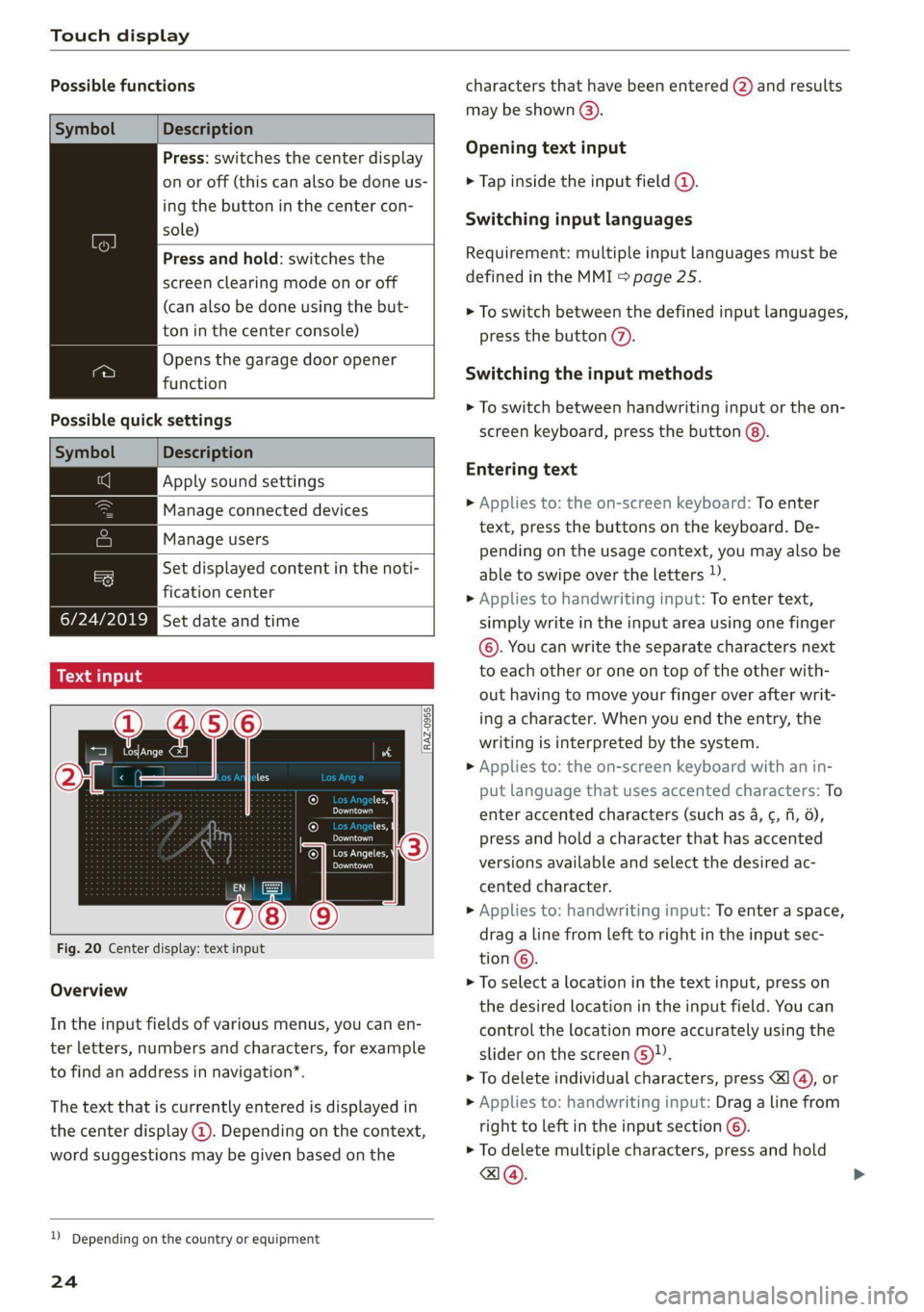
Touch display
Possible functions
Description
Press: switches the center display
on or off (this can also be done us-
ing
the button in the center con-
sole)
Press and hold: switches the
screen clearing mode on or off
(can also be done using the but-
ton in the center console)
Opens the garage door opener
function
Possible quick settings
Symbol Description
Apply sound settings
Manage connected devices
Manage users
= Set displayed content in the noti-
fication center
OWES Set date and time YP
a catillt ia
RAZ-0955,
ce
Prac
cH
Prac
Los Angeles,
Dandy
Fig. 20 Center display: text input
Overview
In the input fields of various menus, you can en-
ter letters, numbers and characters, for example
to find an address in navigation”.
The text that is currently entered is displayed in
the center display @). Depending on the context,
word suggestions may be given based on the
2) Depending on the country or equipment
24
characters that have been entered @) and results
may be shown @).
Opening text input
> Tap inside the input field @.
Switching input languages
Requirement: multiple input languages must be
defined in the MMI > page 25.
> To switch between the defined input languages,
press the button (2).
Switching the input methods
> To switch between handwriting input or the on-
screen keyboard, press the button @).
Entering text
> Applies to: the on-screen keyboard: To enter
text, press the buttons on the keyboard. De-
pending on the usage context, you may also be
able to swipe over the letters )).
> Applies to handwriting input: To enter text,
simply write in the input area using one finger
©. You can write the separate characters next
to each other or one on top of the other with-
out having to move your finger over after writ-
ing a character. When you end the entry, the
writing is interpreted by the system.
> Applies to: the on-screen keyboard with an in-
put language that uses accented characters: To
enter accented characters (such as 4, ¢, fi, 6),
press and hold a character that has accented
versions available and select the desired ac-
cented character.
> Applies to: handwriting input: To enter a space,
drag a line from left to right in the input sec-
tion©.
> To select a location in the text input, press on
the desired location in the input field. You can
control the location more accurately using the
slider on the screen 6)”.
> To delete individual characters, press
> Applies to: handwriting input: Drag a line from
right to left in the input section ©.
> To delete multiple characters, press and hold
a@.
Page 49 of 332
80B012721BA
Opening and closing
> Closing the opened roof: push the 23 switch
forward briefly to the second level.
> Opening or closing partially: slide the A>
switch to the first level and hold it there until
the roof reaches the desired position.
Quick opening
You can also open the roof and roof sunshade in
one movement.
> Push the 2S switch back briefly to the second
level @ twice in a row.
Roof emergency closing
If an object is detected when closing, the roof
will open again automatically. In this case, you
can then close it with the power emergency clos-
ing function.
> Within five seconds after the sunroof opens au-
tomatically, pull the applicable button until the
roof is closed.
ZA WARNING
To reduce the risk of injury, always pay atten-
tion when closing the roof. Always switch the
ignition off and take the key with you when
leaving the vehicle.
@) Note
Always close the roof when you leave the vehi-
cle and when there is precipitation to reduce
the risk of damage to the interior equipment,
particularly the electronic equipment.
@) Tips
— After switching off the ignition, the roof and
sunshades can still be operated for several
minutes as long as neither of the front
doors have been opened.
—It is not possible to open the roof when
temperatures are too low.
)) The possible number of hand-held transmitters depends
on the equipment.
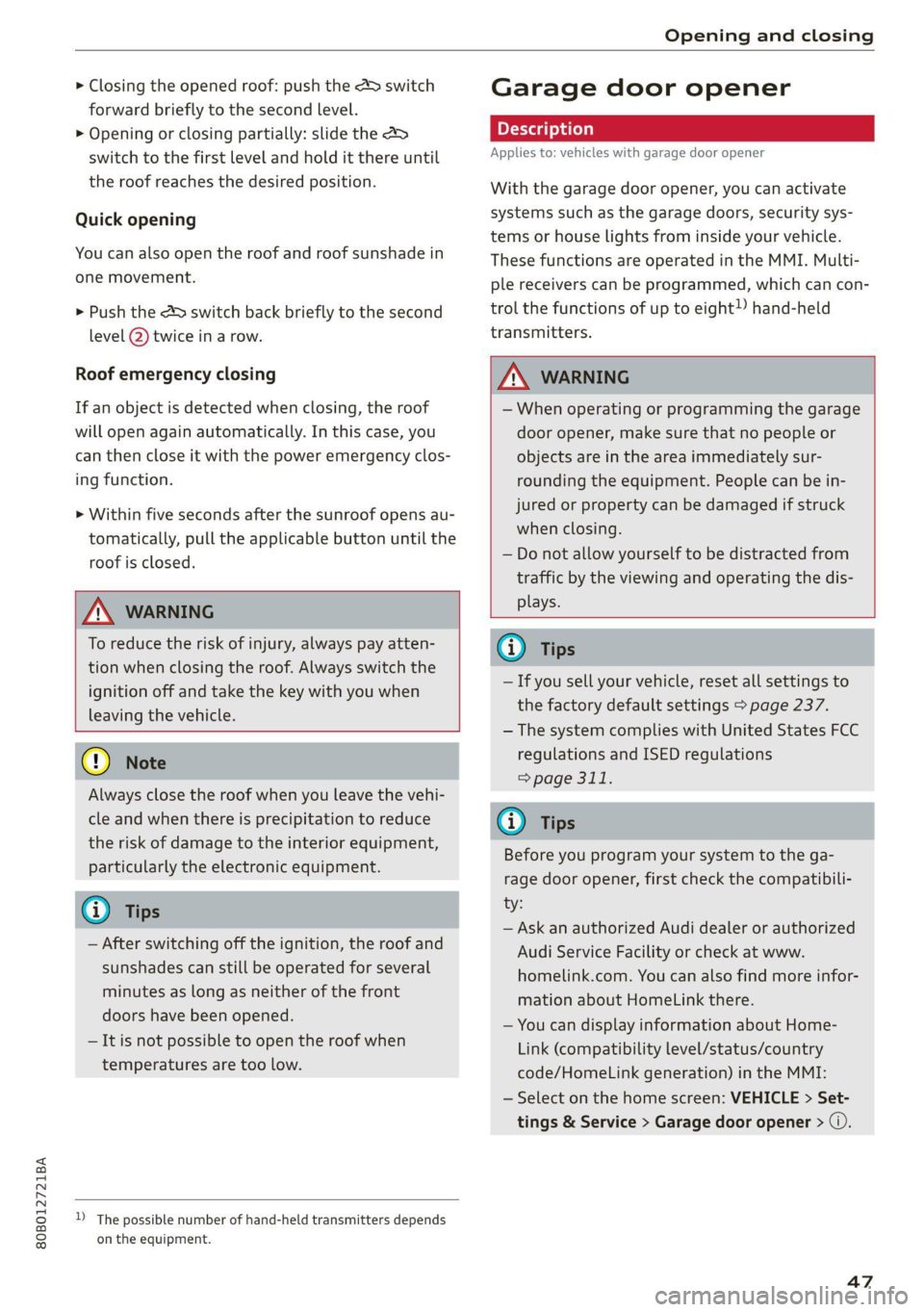
Garage door opener
Applies to: vehicles with garage door opener
With the garage door opener, you can activate
systems such as the garage doors, security sys-
tems or house lights from inside your vehicle.
These functions are operated in the MMI. Multi-
ple receivers can be programmed, which can con-
trol the functions of up to eight!) hand-held
transmitters.
ZA WARNING
— When operating or programming the garage
door opener, make sure that no people or
objects are in the area immediately sur-
rounding the equipment. People can be in-
jured or property can be damaged if struck
when closing.
— Do not allow yourself to be distracted from
traffic by the viewing and operating the dis-
plays.
@) Tips
—If you sell your vehicle, reset all settings to
the factory default settings > page 237.
— The system complies with United States FCC
regulations and ISED regulations
> page 311.
G) Tips
Before you program your system to the ga-
rage door opener, first check the compatibili-
ty:
— Ask an authorized Audi dealer or authorized
Audi Service Facility or check at www.
homelink.com. You can also find more infor-
mation about HomeLink there.
— You can display information about Home-
Link (compatibility level/status/country
code/HomeLink generation) in the MMI:
— Select on the home screen: VEHICLE > Set-
tings & Service > Garage door opener > @.
47
Page 50 of 332
Opening and closing
Applies to: vehicles with garage door opener
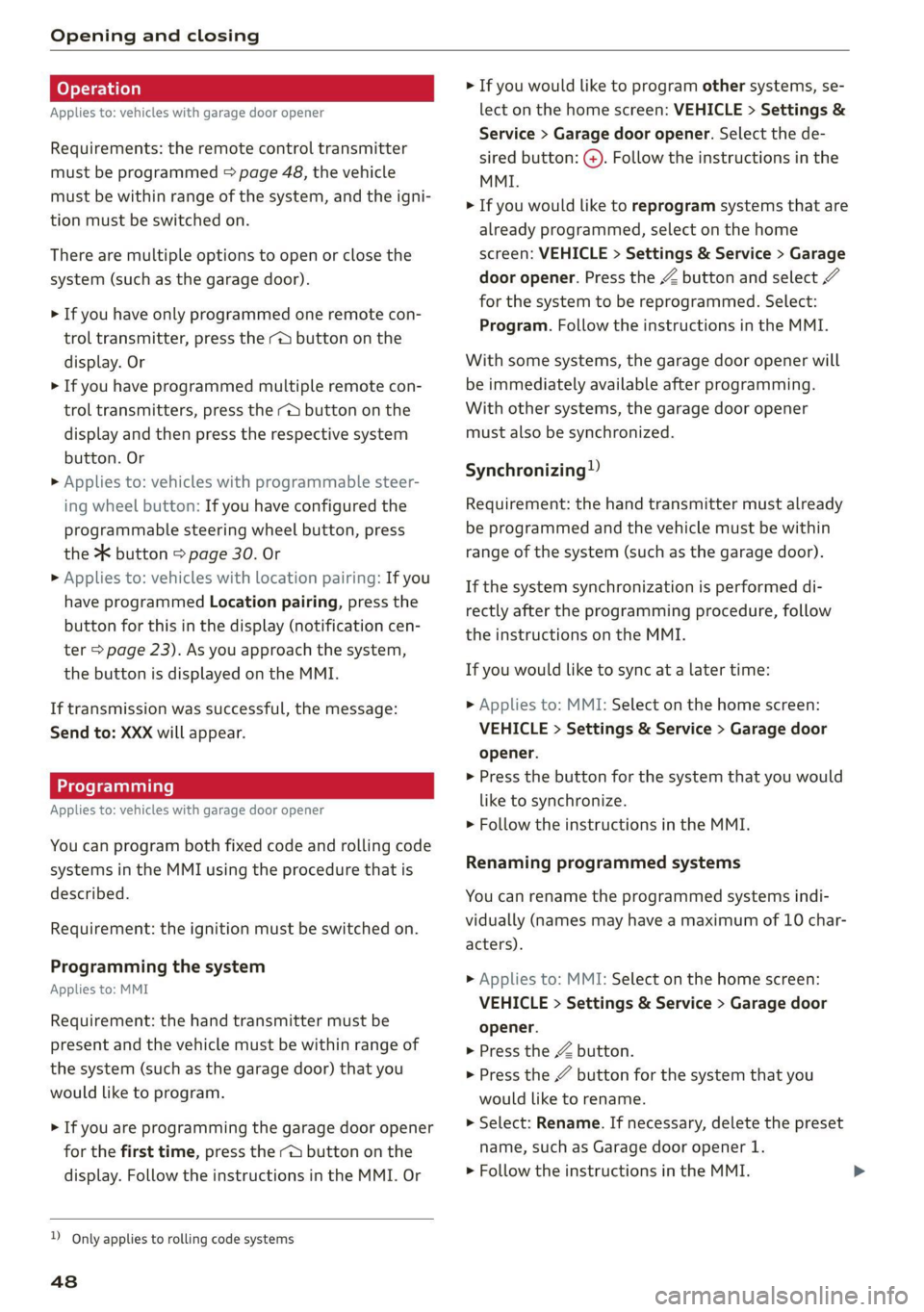
Requirements: the remote control transmitter
must be programmed > page 48, the vehicle
must be within range of the system, and the igni-
tion must be switched on.
There are multiple options to open or close the
system (such as the garage door).
> If you have only programmed one remote con-
trol transmitter, press the - button on the
display. Or
> If you have programmed multiple remote con-
trol transmitters, press the -@ button on the
display and then press the respective system
button. Or
> Applies to: vehicles with programmable steer-
ing wheel button: If you have configured the
programmable steering wheel button, press
the 2K button = page 30. Or
» Applies to: vehicles with location pairing: If you
have programmed Location pairing, press the
button for this in the display (notification cen-
ter > page 23). As you approach the system,
the button is displayed on the MMI.
If transmission was successful, the message:
Send to: XXX will appear.
Applies to: vehicles with garage door opener
You can program both fixed code and rolling code
systems in the MMI using the procedure that is
described.
Requirement: the ignition must be switched on.
Programming the system
Applies to: MMI
Requirement: the hand transmitter must be
present and the vehicle must be within range of
the system (such as the garage door) that you
would like to program.
> If you are programming the garage door opener
for the first time, press the - button on the
display. Follow the instructions in the MMI. Or
D_ Only applies to rolling code systems
48
> If you would like to program other systems, se-
lect on the home screen: VEHICLE > Settings &
Service > Garage door opener. Select the de-
sired button: G@). Follow the instructions in the
MMI.
> If you would like to reprogram systems that are
already programmed, select on the home
screen: VEHICLE > Settings & Service > Garage
door opener. Press the Z button and select 7
for the system to be reprogrammed. Select:
Program. Follow the instructions in the MMI.
With some systems, the garage door opener will
be immediately available after programming.
With other systems, the garage door opener
must also be synchronized.
Synchronizing”
Requirement: the hand transmitter must already
be programmed and the vehicle must be within
range of the system (such as the garage door).
If the system synchronization is performed di-
rectly after the programming procedure, follow
the instructions on the MMI.
If you would like to sync at a later time:
> Applies to: MMI: Select on the home screen:
VEHICLE > Settings & Service > Garage door
opener.
> Press the button for the system that you would
like to synchronize.
> Follow the instructions in the MMI.
Renaming programmed systems
You can rename the programmed systems indi-
vidually (names may have a maximum of 10 char-
acters).
> Applies to: MMI: Select on the home screen:
VEHICLE > Settings & Service > Garage door
opener.
> Press the Z button.
> Press the 7 button for the system that you
would like to rename.
> Select: Rename. If necessary, delete the preset
name, such as Garage door opener 1.
> Follow the instructions in the MMI.
Page 51 of 332
80B012721BA
Opening and closing
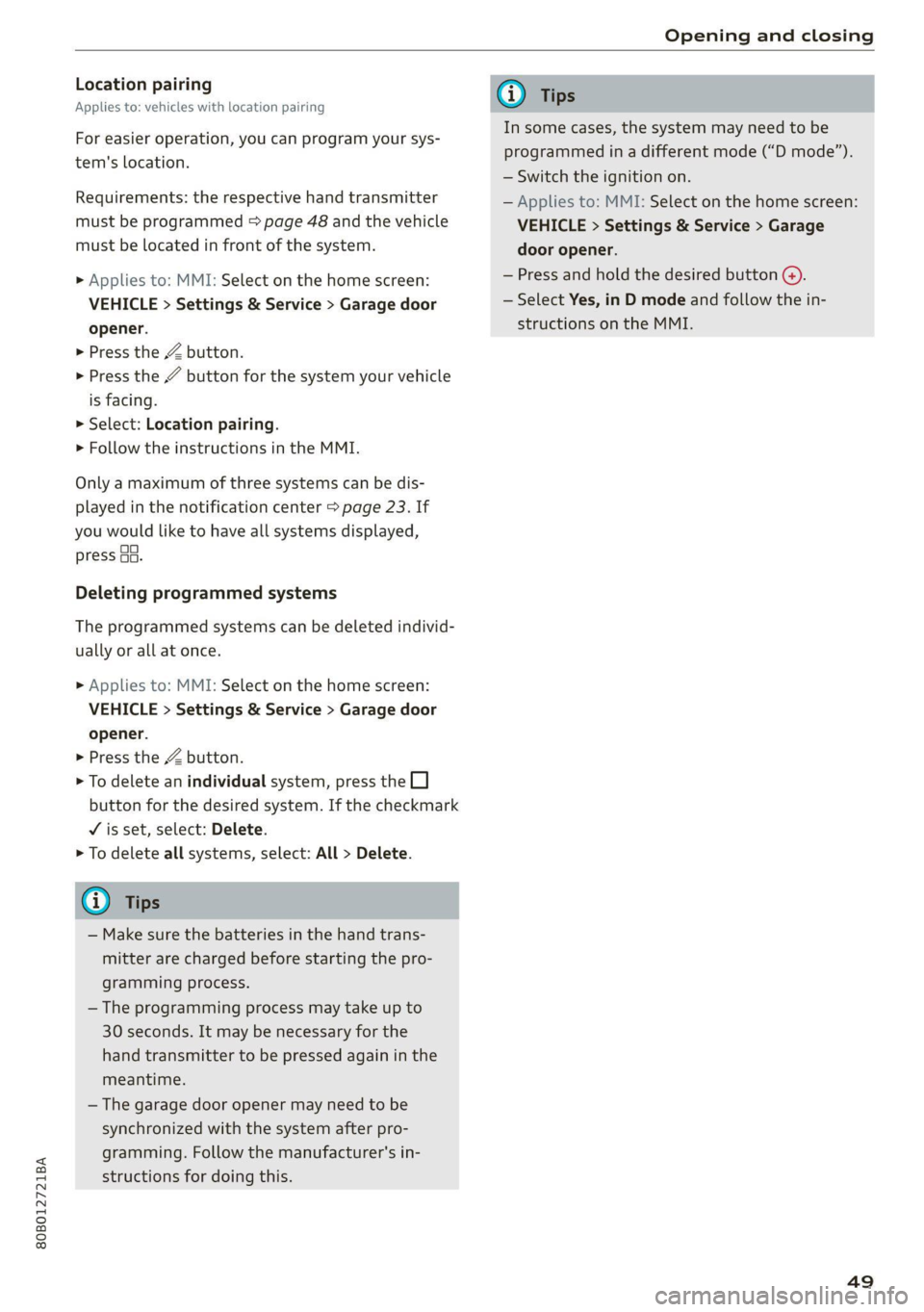
Location pairing
Applies to: vehicles with location pairing
For easier operation, you can program your sys-
tem's location.
Requirements: the respective hand transmitter
must be programmed > page 48 and the vehicle
must be located in front of the system.
> Applies to: MMI: Select on the home screen:
VEHICLE > Settings & Service > Garage door
opener.
> Press the Z button.
> Press the # button for the system your vehicle
is facing.
> Select: Location pairing.
> Follow the instructions in the MMI.
Only a maximum of three systems can be dis-
played in the notification center > page 23. If
you would like to have all systems displayed,
press G3.
Deleting programmed systems
The programmed systems can be deleted individ-
ually or all at once.
> Applies to: MMI: Select on the home screen:
VEHICLE > Settings & Service > Garage door
opener.
> Press the Z button.
> To delete an individual system, press the L]
button for the desired system. If the checkmark
¥ is set, select: Delete.
> To delete all systems, select: All > Delete.
@ Tips
— Make sure the batteries in the hand trans-
mitter are charged before starting the pro-
gramming process.
— The programming process may take up to
30 seconds. It may be necessary for the
hand transmitter to be pressed again in the
meantime.
— The garage door opener may need to be
synchronized with the system after pro-
gramming. Follow the manufacturer's in-
structions for doing this.
@) Tips
In some cases, the system may need to be
programmed in a different mode (“D mode”).
— Switch the ignition on.
— Applies to: MMI: Select on the home screen:
VEHICLE > Settings & Service > Garage
door opener.
— Press and hold the desired button @).
— Select Yes, in D mode and follow the in-
structions on the MMI.
49
Page 303 of 332
80B012721BA
Fuses and bulbs
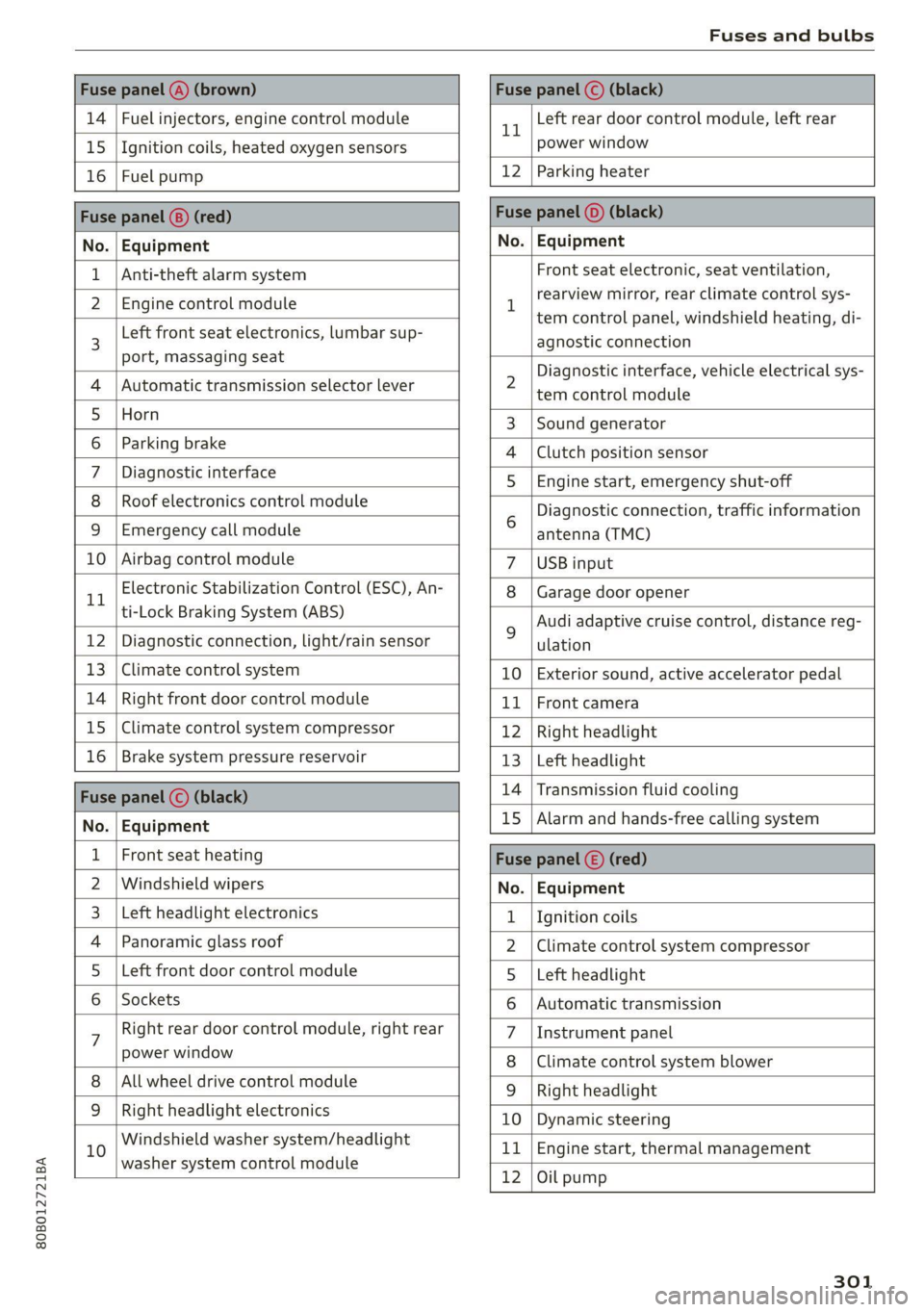
Fuse panel (4) (brown) Fuse panel © (black)
14 | Fuel injectors, engine control module 1 Left rear door control module, left rear
15 | Ignition coils, heated oxygen sensors power window
16 | Fuel pump 12 | Parking heater
Fuse panel (8) (red) Fuse panel (©) (black)
No. | Equipment No. | Equipment
Anti-theft alarm system Front seat electronic, seat ventilation,
2. [Engine control module 1 rearview mirror, testclimate control sys-
tem control panel, windshield heating, di-
3 Left front
seat electronics, lumbar sup- agnostic connection
port, massaging seat a A 7
Diagnostic interface, vehicle electrical sys-
4 |Automatic transmission selector lever 2 tem-control module
5 [Horn 3 |Sound generator
6 | Parking brake 4 |Clutch position sensor
7 | Diagnostic interface 5 | Engine start, emergency shut-off
8 | Roof electronics control module Diagnostic connection, traffic information
9 |Emergency call module 6 antenna (TMC)
10 | Airbag control module 7 |USB input
11 Electronic Stabilization Control (ESC), An- 8 | Garage door opener
ti-Lock Braking System (ABS) Audi adaptive cruise control, distance reg-
12 | Diagnostic connection, light/rain sensor 2 ulation
13 | Climate control system 10 | Exterior sound, active accelerator pedal
14 | Right front door control module 11 | Front camera
15 | Climate control system compressor 12 | Right headlight
16 | Brake system pressure reservoir 13 | Left headlight
Fuze panel © (black) 14 |Transmission fluid cooling
No. | Equipment 15 |Alarm and hands-free calling system
1 | Front seat heating Fuse panel (©) (red)
2 |Windshield wipers No. | Equipment
3 |Left headlight electronics 1 {Ignition coils
4 | Panoramic glass roof 2 |Climate control system compressor
5 |Left front door control module 5 |Left headlight
6 | Sockets 6 |Automatic transmission
7 Right rear door control module, right rear 7 |Instrument panel
power window 8 |Climate control system blower
All wheel drive control module 9 | Right headlight
9 |Right headlight electronics 10 | Dynamic steering
10 Windshield washer system/headlight 11 | Engine start, thermal management
washer system control module 7
12 |Oil pump
301
Page 305 of 332
80B012721BA
Fuses and bulbs
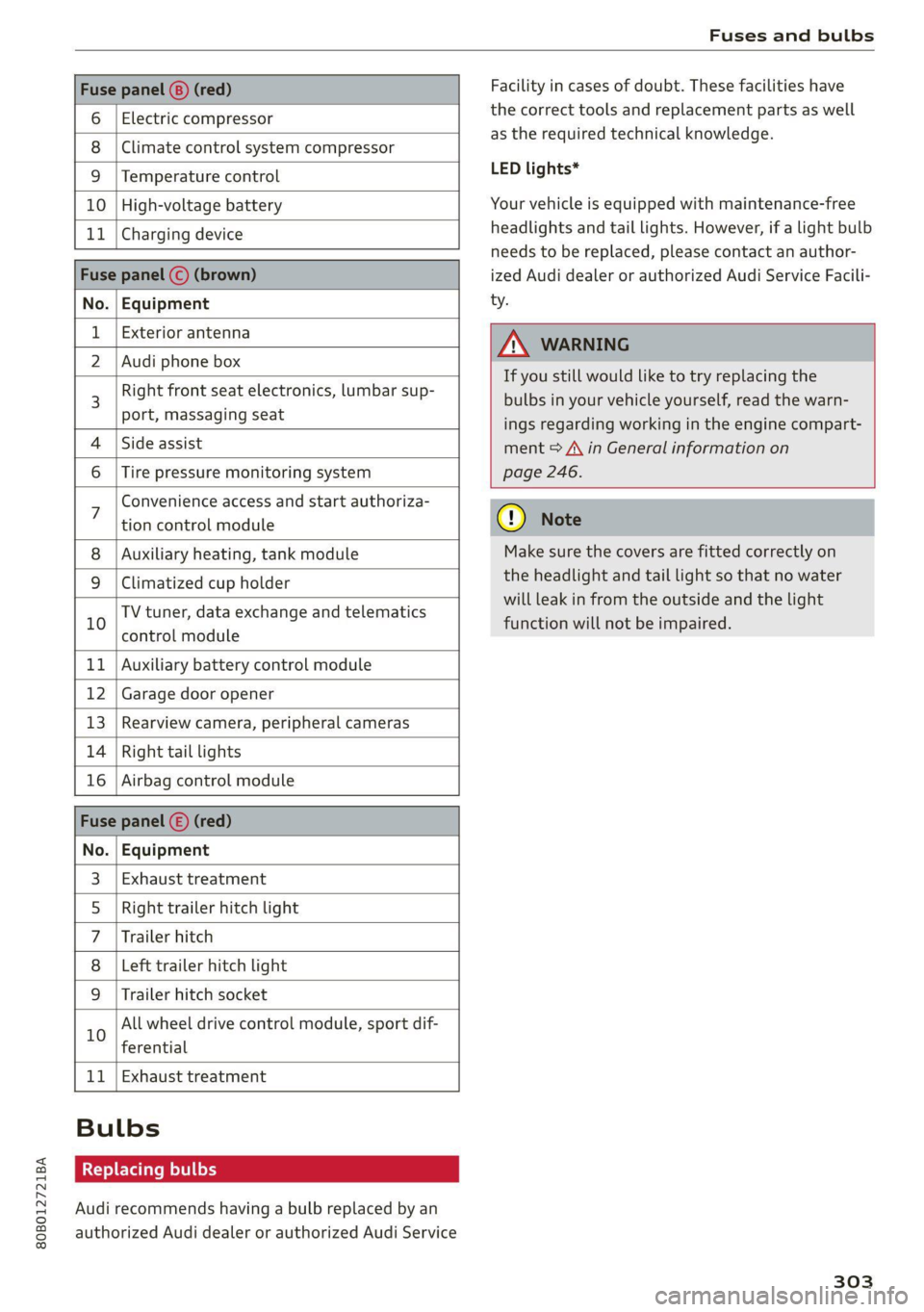
Fuse panel (8) (red)
6 | Electric compressor
8 |Climate control system compressor
9 |Temperature control
10 | High-voltage battery
11 | Charging device
Fuse panel © (brown)
No. | Equipment
Exterior antenna
2 | Audi phone box
Right front seat electronics, lumbar sup-
port, massaging seat
4 |Side assist
6 | Tire pressure monitoring system
Facility in cases of doubt. These facilities have
the correct tools and replacement parts as well
as the required technical knowledge.
LED lights*
Your vehicle is equipped with maintenance-free
headlights and tail lights. However, if a light bulb
needs to be replaced, please contact an author-
ized Audi dealer or authorized Audi Service Facili-
ty.
Z\ WARNING
If you still would like to try replacing the
bulbs in your vehicle yourself, read the warn-
ings regarding working in the engine compart-
ment > A\ in General information on
page 246.
Convenience access and start authoriza-
tion control module
Auxiliary heating, tank module
9 |Climatized cup holder
TV tuner, data exchange and telematics
” control module
11 | Auxiliary battery control module
12 | Garage door opener
13 | Rearview camera, peripheral cameras
14 | Right tail lights
16 | Airbag control module
Fuse panel (£) (red)
No. | Equipment
Exhaust treatment
Right trailer hitch light
Trailer hitch
Left trailer hitch light
WO)
O;N]/
Mm|w
Trailer hitch socket
All wheel drive control module, sport dif-
10
ferential
11 | Exhaust treatment
Bulbs
Replacing bulbs
Audi recommends having a bulb replaced by an
authorized Audi dealer or authorized Audi Service
cy Note
Make sure the covers are fitted correctly on
the headlight and tail light so that no water
will leak in from the outside and the light
function will not be impaired.
303
Page 321 of 332
80B012721BA
Index
Environment
Unleaded gasoline.............. eee eee 241
ESC
refer to Electronic Stabilization Control... 119
ESC Offroad... .. eee eee eee 120
eSIM
refer to Embedded SIM card............ 198
Event Data Recorder (EDR).............. 304
EV mode......... cee cece eee eee 105
Exit assistance... 0... cece ee eee 64
EXtEWAETIIG)s « » cases w + ansunas 4 u annanoe #8 sommes 173
EX€CHIOMANTCNNA sinciis « 6 ocnin +s coesan © 6 axesors 188
Exteniorlightiing’ sxcsc: x «suas 2 + menawe ox awweom 50
Exterior itrOrsic. « 2 sor © somes vo orem 9 © ony 55
Folding settings................00 ee eee 35
External voice operation................. 28
F
Factory default settings
Multi Media Interface..............0.. 237
Fast route... .. eee eee eee 206
FAVOTIECSS. 5 2 rccass « « ormane « o: snwanen = suscewone 5 mouse 22
Bluetooth. ........ 0... cee eee 239
Navigation’: « s sae 5 ¢ cews + + sawie « o tems = 207
Telephone cris « «cose « srcusne to wrasse @ 6 oneenie 191
Federal Communications Commission (FCC) . 311
File formats (media drives).............. 231
Filling
Tank. capacities: cu: 2 ewin ee cna ee amor « 313
For the sake of the environment
Disposing of engine oil................ 252
PUGUING's = asses ¢ & aves & © Sates ¢ § Repos 5 E Ber 243
LO aKSiics = 2 ees ee sew 2 wane © were © ¥ were 247
Forward gear
refer to Gears. 1... eee 99
Free text search
Media... .... eee ee eee 230
Ra@iGvcs « = wcme « = wome 5 2 was ¢ 2 wae x coe 219
also refer to Intelligent search.......... 206
Freeze protection
Coolant...... 2... eee eee eee 253
Windshield washer system............. 259
Frequency band.............00--00 ees 217
also refer to Frequency band........... 217
Front center armrest .s..5 0c cces ese as 64
Front passenger’s seat adjustment
Rear... eee eee eee 64
Front wiper blades
CHANGING ss + s weae + 5 wees s ERee a eee Ges 58
Cleaning’: «2 see 2 ¢ swe 2 2 een ooo eee © 2 oe 58
FUG: ¢ agers ¢ ¢ saws oy eee 2s Hee zd ee Yoo 241
AGGIES «scone + cneusne « 1 emowom © eyenems te te 242
Current consumption................... 17
Eueldisplay’: saws x sess «smu te gs ges 12
Gasoline... .... cece eee eee 241
Reducing fuel consumption............ 107
Tank:capacity’s « « weiss s eecew s eeee oe ee 313
Fueling
Fuel filler dor ei ¢ s sissow 2 ena ss wesem a wc 243
Fuel filler door emergency release....... 245
Functions:on demands « + cic + 6 ware © vere 199
Functions that require a license.......... 199
also refer to Functions on demand....... 199
Fuses
Assignment .............0..0.0020005 300
Replacing « seis « enews + g nee + comm & + Her 299
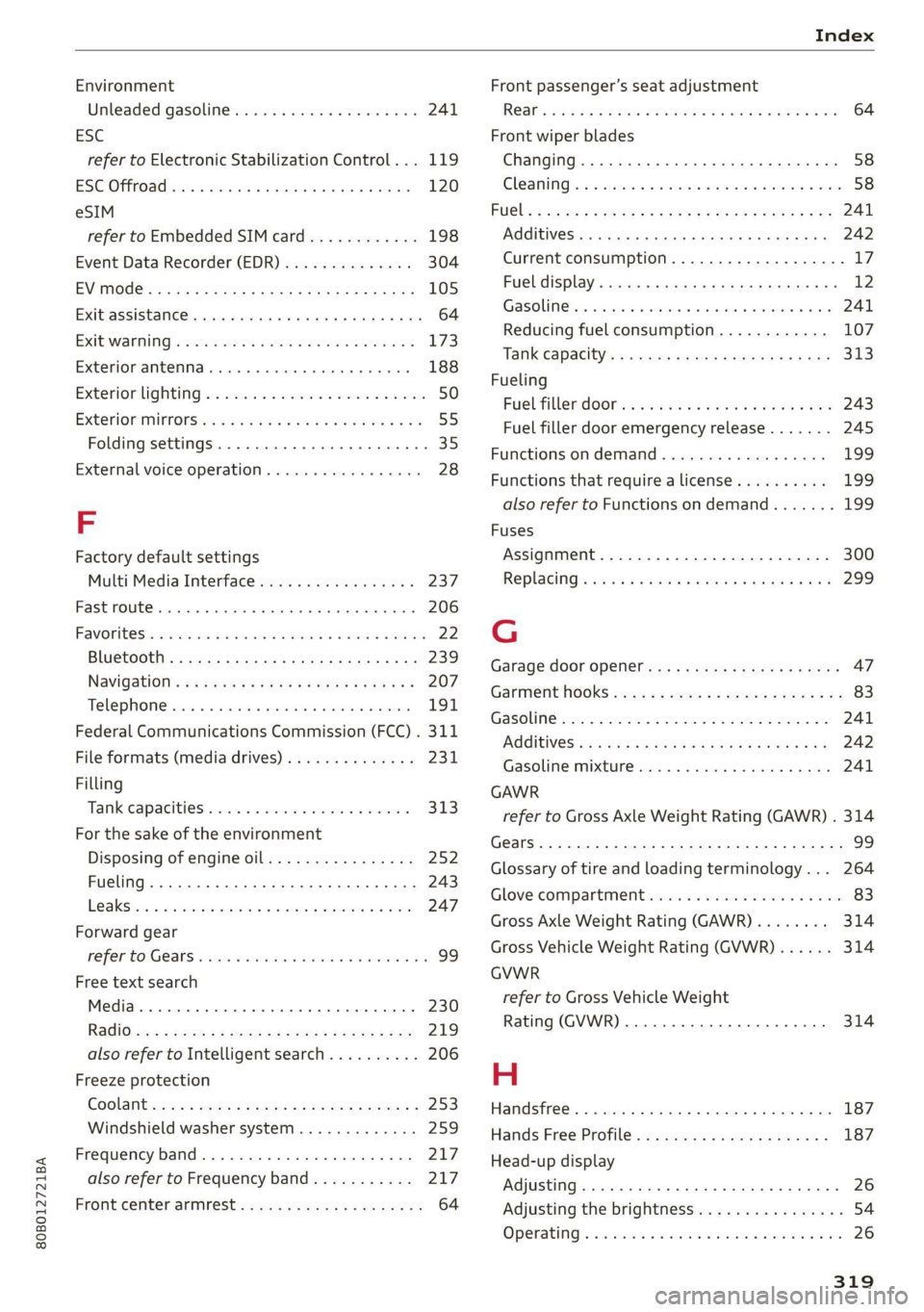
G
Garage door opener............-.000000- 47
GarMenthOOKks some « says ov eee 2 esa 2 ee 83
Gasoline... 2.0.6... cee eee eee eee 241
CGIRIVGS » weiss 3 2 mewn 4 » ney & Pee @ ewe 242
Gasolime MiXtUne cosine =o sewers « 9 sense « 0 one 241
GAWR
refer to Gross Axle Weight Rating (GAWR) . 314
Gears... eee 99
Glossary of tire and loading terminology... 264
Glove compartment.............-0.00005 83
Gross Axle Weight Rating (GAWR)........ 314
Gross Vehicle Weight Rating (GVWR)...... 314
GVWR
refer to Gross Vehicle Weight
Rating (GVWR) ....... 0.0. e cee eee eee 314
H
Handsfree..................0.00000005 187
Hands:Free/Profilez. s . sxiuis so neieos «x semen = 187
Head-up display
Adjusting ........... cece eee eee eee 26
Adjusting the brightness................ 54
Operating’: « = soe « sicsees w snawens ow omens wv on 26
Page 322 of 332
Index
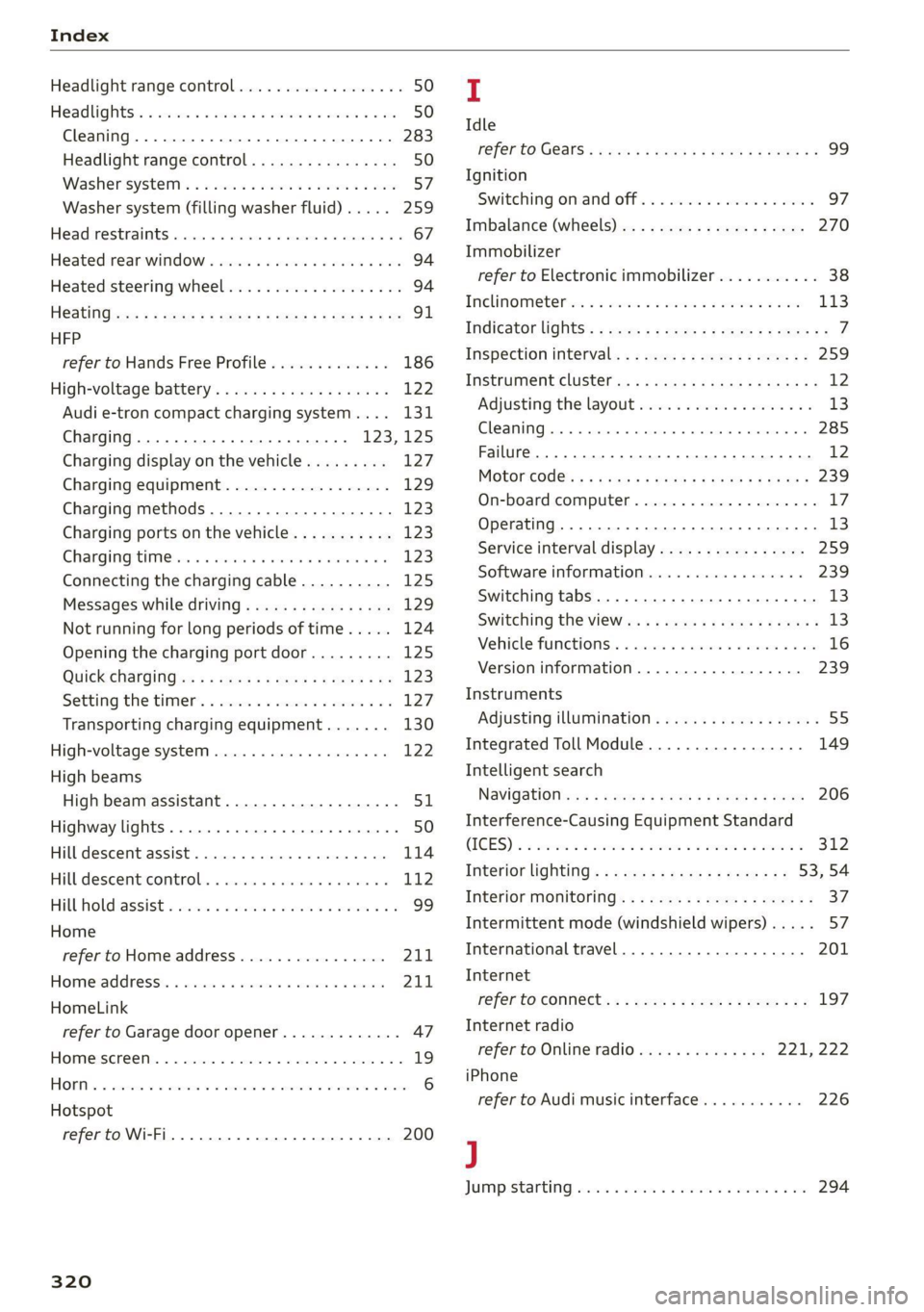
Headlight range control................0. 50
Headlights: « scincs xo snes oe mms 2 o ones ow a0 50
Cleaning......... 0... e eee eee eee 283
Headlight range control................ 50
Washer'system « = ses09 + see ey eeru ee es 57
Washer system (filling washer fluid) ..... 259
Headsrestraints cies m + eassen wo iecwne © o aiemne so 3 67
Heated rear window.............0000 sees 94
Heated steering wheel................0.. 94
HOAtinG cer x = seas & s Kame Fe em ee ew ee 91
HFP
refer to Hands Free Profile............. 186
High:voltagebattery’s « ssw 4s asww s enews « 122
Audi e-tron compact charging system.... 131
Charging.............c eee eee eee 123,125
Charging display on the vehicle......... 127
Charging equipment.................. 129
Charging methods.................04. 123
Charging ports on the vehicle........... 123
Charging time iin: . aici ev eye 3 vere s vs 123
Connecting the charging cable.......... 125
Messages while driving................ 129
Not running for long periods of time..... 124
Opening the charging port door......... 125
Quick charginGiss « ¢ eas sv eee sy eee 2 we 123
Setting the timers. + circ a cane a a sane a ao 127
Transporting charging equipment....... 130
High-voltage system..............0000e 122
High beams
High beam assistant................... 51
Highway lights........ 0.0... eee eee ee eee 50
Hill descentiassist's ccciose oo scarce eo sonsee a a en 114
Hill descenticomtrol. « swssiwe sa ssaiia sv amen 112
Hill hold assist «cco so sewn 6 wane wv wea a oo 99
Home
refer to Home address................ 211
Hometaddnesss, « ws 4s isvawese i « onaseme ow ates 211
HomeLink
refer to Garage door opener............. 47
HOME:SEFEON:. 5 5 worn so cewtei « w veosen « wratess a oo 19
HORM w & ssccase oo asessie wo cecoans © or aoawne © stan B Bees 6
Hotspot
refer to Wi-Fi........ 0... cece eee eee 200
320
I
Idle
TOPE CO'GESISs ween x 3 wean a x woen se weeG ae 99
Ignition
Switching on and off................... 97
Imbalance (wheels) ...........00..00005 270
Immobilizer
refer to Electronic immobilizer........... 38
Tni¢linfometetios. « s eon so wenn vo womens oo nae L13
Indicator lights’; « ese. 5 ¢ eewe ee see se eee 7
Inspection interval..................00. 259
Instrument cluster.............0seeeeuee 12
Adjusting the layout................... 13
Cleaning... ... 2... ee eee eee eee eee ee 285
Failure... 0... eee eee eee eee 12,
MOtorcOdehis « sive « s wena o 2 wee a 2 wane 239
On-board computer............-..00-0- 17
Operating............... 0. cece ee eee 13
Service interval display................ 259
Software information.............0005 239
Switching
tabs......... 0... eee eee eee 13
Switching the VieWir. s + eses « eee xe exw» 13
Vehicle fUNGtIONS). 6 wiicaue as asiere sa uae ao ac 16
Version information.................. 239
Instruments
Adjusting illumination.............00005 55
Integrated Toll Module................. 149
Intelligent search
NaVigatiOticns + ney = yawe so mame x ¢ Hee 206
Interference-Causing Equipment Standard
CIGES) 5 0 mces so sami oe came oo somes 2 x one 312
Interior lighting... e.:3 secs s eee eee 53,54
INteriOr MONICOFING® ss ese « = eoee y 2 wees ae 37
Intermittent mode (windshield wipers) ..... 57
International travel.................5-5 201
Internet
refer to CONNECts « = secs es eeen ee eee ee: 197
Internet radio
refer to Online radio.............. 221, 222
iPhone
refer to Audi music interface........... 226
J
JUMpIStarting, ssw 6 vans a 6 aman w 6 sews ww ae 294
Page 326 of 332
Index
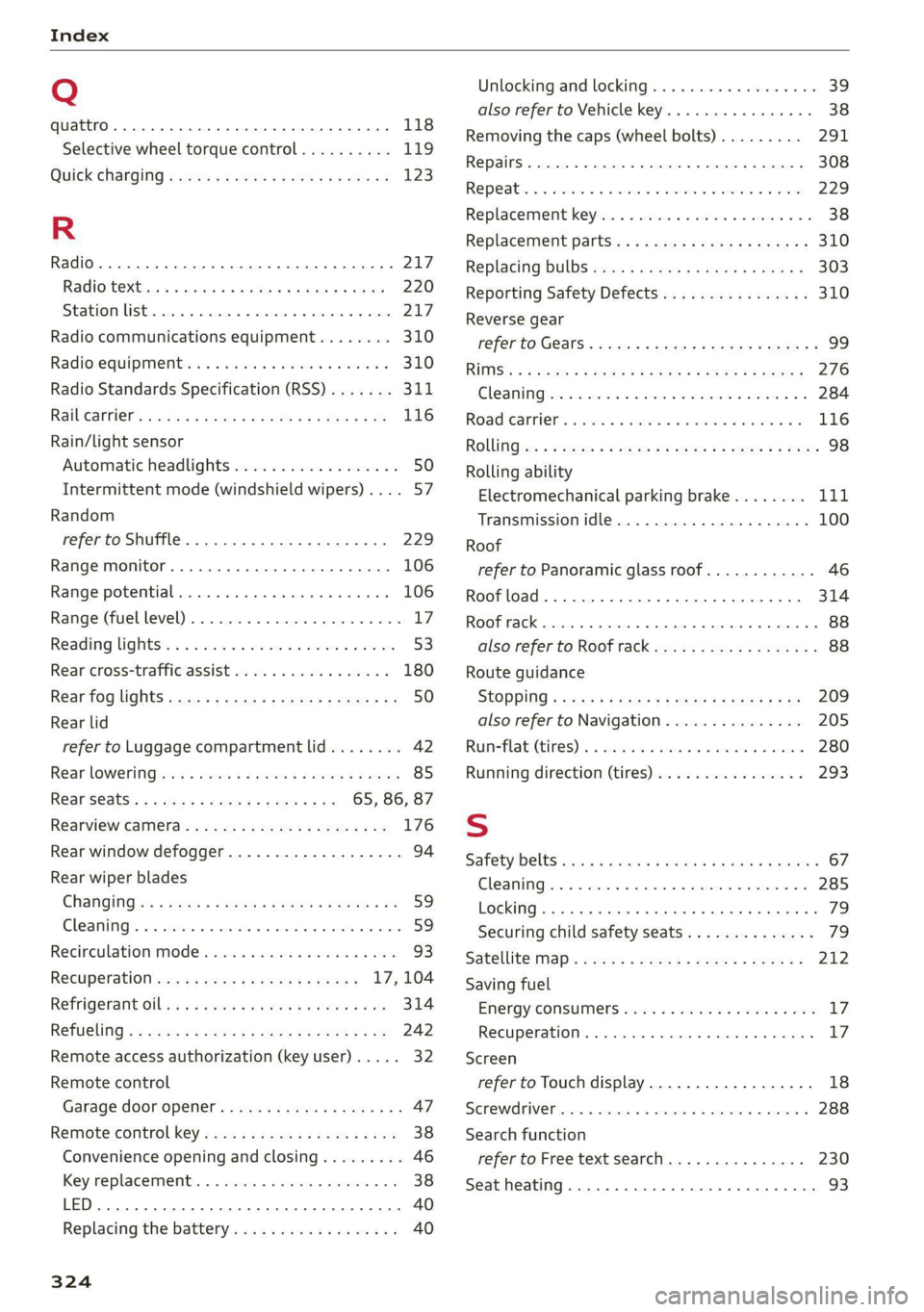
Q
quattro... 2... eee 118
Selective wheel torque control.......... 119
QUICK CHANGING « seas sy sews & 2 weaG § yD 9 123
R
Radio... eee eee eee 217
Radiostexthss « s ase ¢ s caus a 2 meme a 9 eee 220
SEATON St rcvias » o cccmeme 2 = seman as simtene wo sen 217
Radio communications equipment........ 310
Radio equipment .............0 ee eee eee 310
Radio Standards Specification (RSS) ....... 311
Raibearrien: auwn xs warm 2 2 mown 8 2 meee + 8 ae 116
Rain/light sensor
Automatic headlights .................. 50
Intermittent mode (windshield wipers) .... 57
Random
refer to Shuffle...............0000005 229
Range monitor............ 0. cece ee eee 106
Range potential. ........ 2... eee eee eee 106
Range: (fuel-level)s. « « ccsseus « a esense © sveruene © wna 17
Reading lightst.s < csus as wean 2 2 ween o si 53:
Rear cross-traffic assist .............004. 180
Rear fog lights ss: = : sexs sy wees ev eee gs 50
Rear lid
refer to Luggage compartment lid........ 42
Rear lOWEriNGtes « = wos « ¢ waren & s rene & § Haun 85
Rear seatS..........-.-0-0 20 ee ee 65, 86, 87
Rearview Camera « = sss < : sees sy ean se os 176
Rear window defogger............-+-.05- 94
Rear wiper blades
ChanginGins « asm 5 s news 3 x deme s a ame a ae 59
Cleanings + « serve v 2 swawes + a evewere ¥ ot seevene ¥ eee 59
Recirculation Mode sass ss sissies soese 6 6 wee 93
Recuperation ses ¢ sway a 2 ose a 2 ewes = 17, 104
REfriGEFatit Olli x = wave xo eas @ x ewe Eas 314
RETUGLING « < cews sa wows se ees Fe ema a ee 242
Remote access authorization (key user)..... 32
Remote control
Garage door opener. .......se.ceee veces 47
Remote control key.........:eeeeee eres 38
Convenience opening and closing......... 46
Key replacement.............02-.00 eee 38
LED... ees 40
Replacing’ the battery sie. ss css vs sees aes 40
324
Unlocking and locking................-. 39
also refer to Vehicle key...........00005 38
Removing the caps (wheel bolts)......... 291
REPaitS « sincus » « uence mo ommens 5 # omnes Fa meENE 308
Repeatins + suse oo wee oo amuses 3 v ne oo ame 229
Replacement key..............--00 ee eee 38
Replacement parts.............eee eee 310
Replacing BULBS ssw s + sea « & eee ee weed 303
Reporting Safety Defects................ 310
Reverse gear
referto Gears : secs ss ween ss ees 2 v Hewes 99
RIMS’
& < wmeye & F Wem oP Gee & 2 Se oe ee 276
Cle AMIM irs « swawne vx smonsrs ¥ cvameme 2 a seamen eo 284
Road Canriel’. wcrc « 2 cmos s 2 osm oa avon es 116
RONG :cz = + sey = & oeoes 5 & Hews 5 Eee FE ee 98
Rolling ability
Electromechanical parking brake........ Lit
Transmission idle..................005 100
Roof
refer to Panoramic glass roof............ 46
Roof load... 2.22... ... 0.222 eee eee eee 314
Roof rack... 22.0... e eee eee eee ee 88
also refer to Roof rack..........-0000005 88
Route guidance
StOPPlng s sw x & wares ¢ & ees xo wR ee 209
also refer to Navigation............... 205
Runneflate (tires) 2 a sos < wanes ws voaniss 6% aman 280
Running direction (tires)..............-. 293
S
Safety belts cso < ccs s + gene & ¥ een x Hew a 67
Cleaning......... 00... cece eee eee 285
LOCKING... occ eee eee ee eee 79
Securing child safety seats.............. 79
Satellite: map « cess s » sens s ees ev BeeR es 212
Saving fuel
Energy: COnSuMe!S sieves oo crea se eee ao oes LZ:
RECUPERATION). . wicca © scceneas @ : primase «6 sno Ll?
Screen
refer to Touch display................-. 18
Screwdriver... 2.2.0... .. 000 e cece eee eee 288
Search function
refer to Free text search............... 230
Seat heating............. 0... c eee eee 93