fuel AUDI Q7 2009 Owner´s Manual
[x] Cancel search | Manufacturer: AUDI, Model Year: 2009, Model line: Q7, Model: AUDI Q7 2009Pages: 426, PDF Size: 97.13 MB
Page 38 of 426
Driver information display
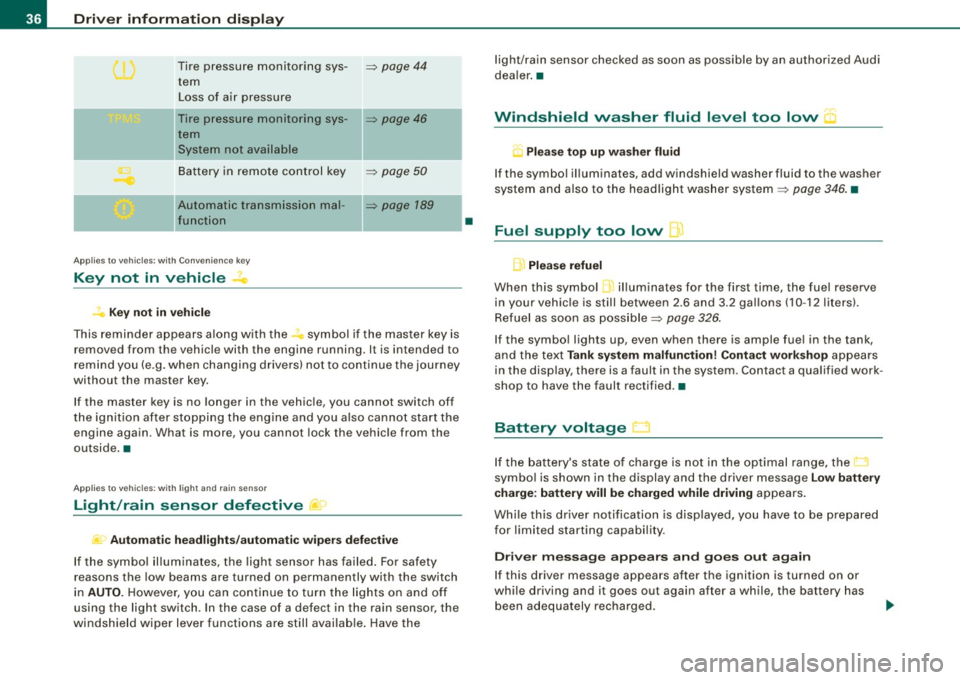
Tire pressure monitoring sys-=> page 44
tern
Loss of air pressure
- -
Tire pressure monitoring sys-=> page 46
tern
System not available
Battery in remote control key
=> page 50
- -
Automatic transmission mal-=> page 789
function
Applies to veh icles: with Conven ience key
Key not in vehicle
? Key not in vehicle
This reminder appears along with the -symbol if the master key is
removed from the vehicle with the engine running. It is intended to
remind you (e.g. when changing drivers) not to continue the journey
without the master key.
If the master key is no longer in the vehicle, you cannot switch off
the ignition after stopping the engine and you also cannot start the
engine again. What is more, you cannot lock the vehicle from the
outside. •
Applies to vehicles: w ith light and ra in sensor
Light /rain sensor defective )
Automatic headlights/automatic wipers defective
If the symbol illuminates, the light sensor has failed. For safety
reasons the low beams are turned on permanently with the switch
in
AUTO. However, you can continue to turn the lights on and off
using the light switch . In the case of a defect in the rain sensor, the
windshield wiper lever functions are still available. Have the
•
light/rain sensor checked as soon as possible by an authorized Audi
dealer. •
Windshield washer fluid level too low "'·
Q Please top up washer fluid
If the symbol illuminates, add windshield washer fluid to the washer
system and also to the headlight washer system=>
page 346. •
Fuel supply too low I]
Please refuel
When this symbol ...1 illuminates for the first time, the fuel reserve
in your vehicle is still between 2.6 and 3 .2 gallons (10 -12 liters) .
Refuel as soon as possible=>
page 326.
If the symbol lights up, even when there is ample fuel in the tank,
and the text
Tank system malfunction! Contact workshop appears
in the display, there is a fault in the system . Contact a qualified work
shop to have the fault rectified. •
Battery voltage
If the battery's state of charge is not in the optimal range, the
symbol is shown in the display and the driver message
Low battery
charge: battery will be charged while driving
appears.
While this driver notification is displayed, you have to be prepared
for limited starting capability.
Driver message appears and goes out again
If this driver message appears after the ignition is turned on or
while driving and it goes out again after a while, the battery has
been adequately recharged.
Page 39 of 426

Driver message appears and does not go out again
If this driver notification appears after the ignition is turned on or
while driving and does not go out again , the battery's state of
charge is not in the optimal range . Starting capability is restricted.
Have the battery checked by an authorized Audi dealer as soon as
possible .•
Worn brake pads )
Brake pads!
If the warning light illuminates, immediately contact your autho
ri zed Audi dealer or qualified workshop to have all brak e pads
inspected. On USA models the warning light .,...,,. comes on together
with the warning light
BRAKE. Both sets of brak e pads on an axl e must
always be replaced at the same time.
& WARNING
Driving with bad brakes can cause a collision and serious personal
injury.
• If the warning light and the warning light
BRAKE21 with the
message Brake pads! comes on in the instrument cluster display,
immediately contact your authorized Audi dealer or qualified
workshop to have all brake pads checked or replaced if
necessary. •
Headlight range control defective )
' Headlight range control defective !
If the symbol illuminates , the dynamic headlight range control is no
longer working properly. Have the system checked and repaired at
your authorized Audi dealer. •
21 BRAKE: USA models only
Controls and equip
ment
Driver information display
Engine oil level ~
~ Please check oil level
When the symbol illuminates, check the engine oil level as soon as
possible=>
page 335. Top off the oil at your earliest opportunity
=>
page 336. •
Engine oil sensor defective -
Oil level! Sensor defective
If the symbol illuminates, contact your authorized Audi dealer and
have the oil sensor inspected. Until you have this done, check the oil
level each time you refuel just to be on the safe side=>
page 335. •
Applies to vehi cles : wit h engi ne spee d lim itation
Engine speed limitation f,,.
Engine speed maximum XXXX RPM
The I symbol illuminates when there is an engine control malfunc
tion . The indicator light in the instrument cluster also illumi
nates. The engine speed is limited to the speed displayed in the
driver information system. Keep in mind that the engine speed will
not exceed the value displayed in the driver information system, for
example when downshifting .
Please go to an authorized Audi dealer or other qualified workshop
to have the malfunction repaired. •
Applies to vehic les : with Ada ptive ligh t
Adaptive Light defective ~l
' Adaptive Light defective
I • •
Page 42 of 426
Driver inf ormati on displ ay
Warning threshold 2 can be adjusted within a speed range of 18 to
125 mph (30 to 200 km/h) . Settings can be adjusted in intervals of 6
mph (10 km/h) each. •
Trip computer
Introduction
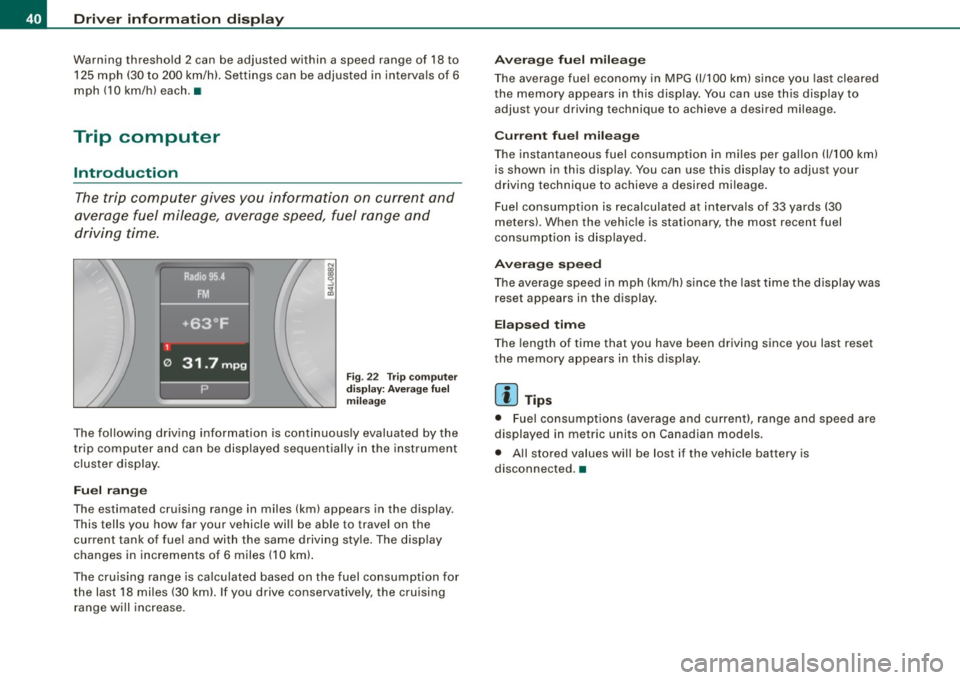
The trip computer gives you information on current and
average fuel mileage, average speed, fuel range and
driving time.
Fig . 22 T rip computer
d isp lay: Aver age f uel
m ileage
The following driving information is continuously evaluated by the
trip computer and can be disp layed sequential ly in the instrument
cluster display .
Fuel ran ge
The estimated cruising range in miles (km) appears in the display.
This tells you how far your vehicle will be able to trave l on the
current tank of fuel and with the same driving sty le. The display
changes in increments of 6 miles (10 km).
The cru ising range is ca lculated based on the fuel consumption for
the last 18 miles (30 kml. If you drive conservatively, the cruising range will increase.
A ve ra g e fu el m ilea ge
The average fuel economy in MPG (1/100 km) since you las t cleared
the memory appears in this display. You can use this disp lay to
adjust your driving technique to achieve a desired mileage.
C urr ent fu el mi leage
The instantaneous fuel consumption in m iles per gallon {1/100 km)
is shown in this display. You can use this disp lay to adjust your
driving technique to achieve a desired mileage .
Fuel consumption is recalculated at intervals of 33 yards (30
meters). When the vehicle is stationary, the most recent fuel
consumption is displayed.
A ver age s peed
The average speed in mph (km/h) s ince the last time the display was
reset appears in the display .
Elapse d tim e
The length of time that you have been driving since you last reset
the memory appears in this display.
[ i ] T ip s
• Fuel consumptions (average and current), range and speed are
displayed in metric units on Canadian models.
• All stored values will be lost if the vehicle battery is
disconnected. •
Page 43 of 426
Memories
The trip computer is equipped with two fully automatic
memones.
Fig . 23 Trip computer
display: memory level 1
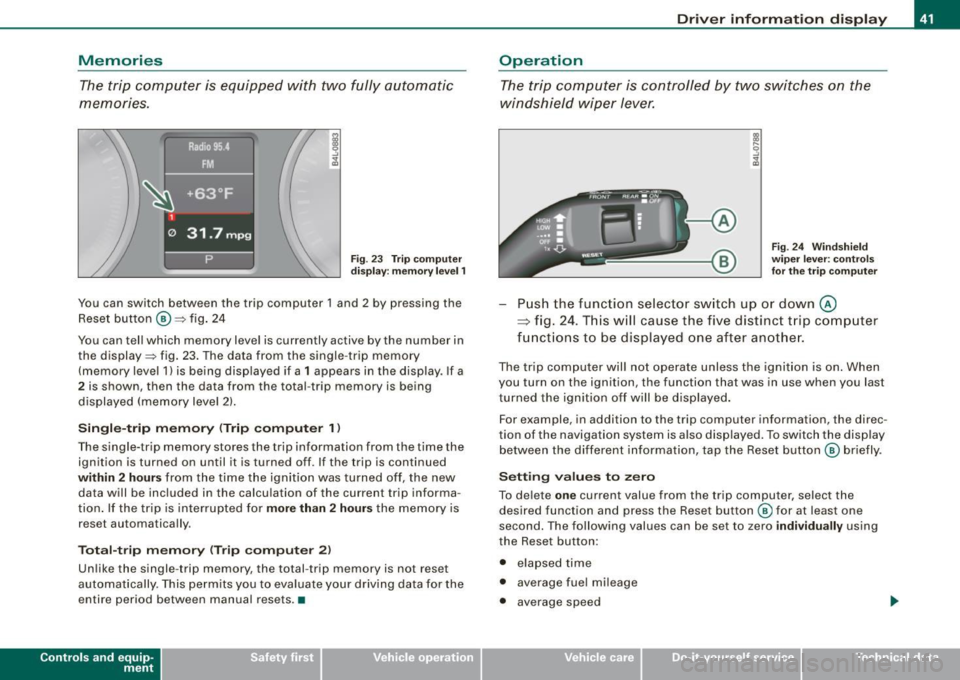
You can switch between the trip computer 1 and 2 by pressing the
Reset button
@ ::::> fig. 24
You can tell which memory level is currently active by the number in the display ::::> fig. 23. The data from the single -trip memory
(memory level 1) is being displayed if a
1 appears in the display . If a
2 is shown, then the data from the total -trip memory is being
displayed (memory level 2).
Single-trip memory (Trip computer 1)
The single-trip memory stores the trip information from the time the
ignition is turned on until it is turned off. If the trip is continued
within 2 hours from the time the ignition was turned off, the new
data will be included in the calculation of the current trip informa
tion. If the trip is interrupted for
more than 2 hours the memory is
reset automatically .
Total-trip memory (Trip computer 2)
Unlike the single-trip memory, the total -trip memory is not reset
automatically . This permits you to evaluate your driving data for the
entire period between manual resets .•
Con tro ls and eq uip
ment
Driver information display
Operation
The trip computer is controlled by two switches on the
windshield wiper lever.
Fig. 24 Windshield
wiper lever : controls
for the trip computer
Push the function selector switch up or down @
~ fig. 24. This will cause the five distinct trip computer
functions to be displayed one after another.
The trip computer will not operate unless the ignition is on. When
you turn on the ignition, the function that was in use when you last
turned the ignition off will be displayed.
For example, in addition to the trip computer information, the direc
tion of the navigation system is also displayed. To switch the display
between the different information, tap the Reset button
@ briefly .
Setting values to zero
To delete one current value from the trip computer, select the
desired function and press the Reset button
@ for at least one
second. The following values can be set to zero
individually using
the Reset button :
• elapsed time
• average fuel mileage
• average speed
Vehicle care I I irechnical data
Page 44 of 426
![AUDI Q7 2009 Owner´s Manual Driver information display
In addition, all the values in the single -trip or the total -trip memory
can be deleted simultaneously.
[ i ] Tips
All stored values will be lost if the](/img/6/40274/w960_40274-43.png "AUDI Q7 2009 Owner´s Manual Driver information display
In addition, all the values in the single -trip or the total -trip memory
can be deleted simultaneously.
[ i ] Tips
All stored values will be lost if the")
Driver information display
In addition, all the values in the single -trip or the total -trip memory
can be deleted simultaneously.
[ i ] Tips
All stored values will be lost if the vehicle battery is disconnected. •
MMI settings
Basic settings for the trip computer can be made in the
MM/.
Fig. 25 MMI display :
Trip computer
Setting values to zero
-Press the I CAR I function button.
- Select
Instrument cluster.
-Select Trip computer 1 or Trip computer 2.
-Select Reset to delete all the values in the memory
~ fig. 25.
Displaying and hiding driver information
-Press the I CAR I function button.
- Select
Instrument cluster.
- Selec t Trip computer 1 or Trip computer 2.
-Select, for example, Fuel range On to turn on the display
or
Off to turn the display off.
All values in the single-trip or the total-trip memory can be reset to
zero simu ltaneously in the MMI. In addition you can determine what
driving information from the trip computer shou ld be shown in the
instrument cluster display . If one of the pieces of driver information
is turned
off, that driver in formation will not be shown in the display.
The information will continue to be calculated by the trip computer
and can be turned back
on at any time. •
Tire pressure monitoring system
General notes l )
Each tire, including the spare (if provided), should be checked
monthly when co ld and inflated to the inflation pressure recom
mended by the vehicle manufacturer on the vehicle placard or tire
inflation pressure label. (If your vehicle has tires of a different size
than the size indicated on the vehicle placard or tire inflation pres
sure label, you should determine the proper tire inflation pressure
for those tires.)
As an added safety feature, your vehicle has been equipped with a
tire pressure monitoring system (TPMS) that illuminates a low tire pressure telltale when one or more of your tires is significantly
under-inf lated . Accordingly, when the low tire pressure telltale illu
minates, you should stop and check your tires as soon as possible,
and inflate them to the proper pressure. Driving on a significantly
under -inflated tire causes the tire to overheat and can lead to tire
failure. Under-inflation also reduces fuel efficiency and tire tread
life, and may affect the vehicle's handling and stopping ability.
Please note that the TPMS is not a substitute for proper tire mainte
nance, and it is the driver's responsibility to maintain correct tire .,_
Page 45 of 426
pressure, even if under-inflation has not reached the level to trigger
illumination of the TPMS low tire pressure tellta le .
Your vehicle has also been equipped with a TPMS malfunction indi cator to indicate when the system is not operating properly . The
TPMS malfunction indicator is combined with the low t ire pressure
telltale . When the system detects a ma lfunction, the telltale wil l
fl ash for approximately one minu te and then remain continuously
illuminated . T his sequence will continue upon subsequent vehicle
start-ups as long as the ma lfunction exists.
When the malfunction indicator is illuminated, the system may not be ab le to detect or signal low tire pressure as intended. TPMS
malfunctions may occur for a variety of reasons, including the
installation of replacement or alternate tires or wheels on the
veh icle that prevent the TPMS from functioning properly. Always
check the TPMS malfunction telltale after replacing one or more
tires or whee ls on your vehicle to ensure that the replacement or
a lternate tires and wheels allow the TPMS to continue to function
properly .•
Introduction
The tire pressure monitoring system monitors air pressure
in all four road wheels while the vehicle is moving.
As soon as the tire pressure mon itoring system senses a s ignificant
loss of air pressure in one or severa l tires, text messages and yellow
symbo ls appear in the instrument cluster display to a lert the driver .
T he ~ warning light in the instrument cluster comes on when the
t ire is significant ly underinflated ;;:,
page 20.
The warning light ' also illuminates in the case of a system
malfunction.
Be aware that tire pressure is also dependent on the temperature of
the tire. For every 18 °F (10 °Cl increase in tire temperature, tire pres
sure increases by about 1 .5 psi (0 .1 bar). The tire warms up while the
vehic le is moving and tire pressure rises. So you should adjust tire
Controls and equip
ment
Dr ive r informat ion di spl ay
pressure only when they are cold, when the temperature of the tires
is roughly the same as the ambien t air temperature .
In order to keep the tire pressure monitoring system properly cali
brated, tire pressure on all four tires should be checked at regular
intervals, adjusted if necessary and saved in the proper setting
(recommended pressure) ;;:,
page 45.
The tire pressure is shown on the tire pressure label. On USA vehi
cles, the tire pressure labe l is located on the driver's side 8-pi llar . On
Canada vehicles, the tire pressure labe l is located eithe r on the
driver's side 8 -p illar or inside the fuel fi ller flap. The tire pressure
label lists the recommended cold tire inflation p ressu res for the
vehic le at its maximum capacity weight and the tires that were on
your vehicle at the time it was manufactured. For recommended tire
pressures for normal load conditions, please see chapter
;;:, page 351.
& WARNING
• When the tire pre ssure monitoring sy stem warning light i s lit ,
one o r mor e of your tires i s signifi ca ntl y under -infl ated . You should
stop and che ck your tire s as soon as possible , and inflate th em to
th e prop er pre ssure a s indicated on the v ehicle' s tir e pr ess ure
l a bel ;;:,
pa ge 351. Driving on a signifi cant ly under-infl ated tire
ca use s the tire to overhe at and can lead t o tire f ailure. Und er-infla
tio n a lso is likely to imp air th e vehicle' s handling and stoppi ng
ability .
• Do not adju st tire pre ssure whe n tire temp erature is exc essiv e.
Thi s could le ad to serious tire damage and even cause the ti re to
burst , with the additi onal d ange r of an acc ident .
tread life.
I • •
Page 47 of 426
![AUDI Q7 2009 Owner´s Manual [ i ] Tip s
• In the case of an intentional loss of air pressure, for example,
when re -adjusting tire pressure, this has to be stored again after
wards:::::,
page 45 .
•](/img/6/40274/w960_40274-46.png "AUDI Q7 2009 Owner´s Manual [ i ] Tip s
• In the case of an intentional loss of air pressure, for example,
when re -adjusting tire pressure, this has to be stored again after
wards:::::,
page 45 .
•")
[ i ] Tip s
• In the case of an intentional loss of air pressure, for example,
when re -adjusting tire pressure, this has to be stored again after
wards:::::,
page 45 .
• Tire pressure must only be adjusted when the temperature of the
tires is about the same as ambient air temperature.
• The ye llow symbol disappears, when the tire pressure is
corrected and the new pressure is stored in the system=:>
page 45.
• After changing a wheel you have to adjust the tire pressures on
all whee ls . In addition, you must then initialize the new tire pres
sures in the tire pressure monitoring system=:>
page 46. •
Storing tire pressures
Correct storage of specified pressure is the basic require
ment for reliable tire pressure monitoring.
Fig. 27 Car: Tire pres
s u re moni to rin g
sys tem
In o rder for the tire pressure mo nitoring system to operate
appropriately, you have to re -save the specified pressures in
the MMI wheneve r you adjust tire press ures, for example
when the load condition o f your vehic le changes. Proceed
as follows:
Controls and equip
ment
Dr ive r informat ion di spl ay
C orr ec ting tir e pr essur e
Check the pressure in the tires.
- Adjust air pressure according to the tire pressure label or the pressures listed in this manual~
page 351 .
Saving tir e pr essures
Turn o n the ignition .
Press the
I CAR] function button.
- Select
Systems in the CAR menu.
- Select
Tire pre ssure monitoring .
-Select Store curr . tir e press ures~ fig . 27.
All pressure warning indicators in the display wi ll be canceled.
Following each intentional change in specified pressures, tire pres
sures must be resaved.
After the pressures are saved, the tire pressure monitoring system measures the current tire pressures and saves them as the new
specified pressures.
[ i ] Tip s
• The tire pressure is shown on the tire pressure label. On USA
vehicles, the tire pressure label is located on the driver 's side B
pillar. On Canada vehicles, the tire pressure label is located either on
the driver's side B -pillar or inside the fuel filler f lap . T he tire pressure
label l ists the recommended cold tire inflation pressures for the
vehic le at its maximum capacity weight and the tires that were on
your vehicle at the time it was manufactured. For recommended tire pressures for normal load conditions, please see chapter
=:>
page 351. ._
I • •
Page 114 of 426
_L-_S::..:: e..:a :..:t:.:s :....:: a:.:.n .:.. d::....: s:.. t.:.. o::..:.. ra= g:..:e :...._ _____________________________________________ _
- Vehicles with 6 seats*: The ski sack has two straps with
hooks on the underside. Hang the hooks into the luggage
compartment by the rear fastening eyes and pull the
securing strap tight by the free end@.
Storage
- Release the securing strap for the sack.
- Pull the sack to the rear over the folded down seatback .
- Raise the seatback until it is securely latched.
- Fold up the empty sack.
- Stow the ski sack in the luggage compartment so that it
cannot slide around .
& WARNING
• The ski sack is intended only for the transportation of skis,
snowboards and other light objects. To reduce the risk of serious
personal injury never transport heavy or pointed objects in the ski
sack.
• When braking rapidly or during an accident the load could be
displaced and cause injury to occupants.
• Sharp edges on the load must be covered for protection.
Always fasten the belt tightly around the sack and its contents
=> page 111, fig . 114.
[ i] Tips
Never stow the ski sack away if it 's wet or damp (for example, snow
melting from skis). Let it dry completely before you stow it away. •
Roof rack
First things first
A roof rack can be fitted to carry additional luggage on
the roof.
Always read and follow the instructions provided by the
roof rack manufacturer when the roof rack system must
be installed.
If you are transporting luggage or other objects on the roof, please
note the following :
• Your vehicle has specially designed aerodynamic roof rails. Only
install a roof rack specifically designed for your model. Contact the
nearest authorized Audi dealer for information on approved
modular roof racks for your vehicle.
• These approved roof racks are the basis for a complete roof rack
system. Additional attachments for the basic roof rack are neces
sary to safely transport luggage, bicycles, surf boards, skis or small
boats . All necessary hardware for these systems is available at your
authori zed Audi dealer .
• We recommend that you keep the installation instructions for
your roof rack system together with your Owner's literature in the
vehicle.
When should the roof rack be removed?
• Before going through an automatic car wash (it is best to ask the
car wash operator for advice).
• When not in use , to reduce fuel consump tion, wind noise and to
guard against theft. _.,,
Page 128 of 426
• .___w_ a_ rm __ a_ n_ d_ c_o _l_d ________________________________________________ _
passenger's side and to the outer rear seats. The new temperature
is shown in the display .
By simultaneously pressing and holding the contro l knobs on the
driver's side and front passenger's side, the temperature setting on
the driver's side can be switched to the front passenger's side. The new temperature is shown in the disp lay.
[ i J Tip s
The gri lle between the (ECON ON/OFF] and (SETUP] buttons must
remain unobstructed and must not be taped over. Measur ing
sensors are located behind it. •
Turning on and off [ECON ON/OFF]
Turning the air conditioning on
- Press [ECON ON/O FF] briefly, or
- Press [AUTO].
Turning the air conditioning off
Press the I ECON ON/OFF I button for at least 2 seconds to
switch the a ir cond itioning off and to block the air supply
f rom t he ou tside .
"OFF" appears in the display .
Switching air conditioning on /off
- Switching the a ir conditioning system on/off is done wit h
c limate control switched on .
- Press the [ECON ON/OFF] button just
briefly.
The air conditioner tu rns back on if you press one of the control
buttons or the control knob.
ECON operation is indicated by the glowing LED on the right next to
the word ECON. T
he air conditioning (compressor) is turned off in ECON mode.
"ECON" means "Economy". You save fuel by switching off the air
conditioning=>
page 131.
Please note that vehic le interior temperature cannot be lower than
t he outside temperature in the ECON mode. The air is not cooled or
dehumidified. This can cause the windows to fog up.
[ i J Tip s
With the ignition turned off, you can activate the residual heat func
tion by pressing the
[ECON ON/OFF] button . The residual heat from
the coolant can be used to heat the vehicle interior. •
Automatic mode [AUTO)
The automatic mode is the standard setting for all
seasons.
Turning on AUTO
Select temperature between 60 °F (+16 °C) and 84 °F
(+28 °C).
P ress [ AUTO I => page 125, fig . 135.
Automatic operation ensures constant temperatures in the interior
and dehumidifies the air inside the vehicle. Air temperature, vo lume
and distribution are contro lled automatica lly to reach or maintain
the desired inter ior temperature as quickly as possible. Fluctuations
in exterior temperature and the effects of temperature from the
pos ition o f the sun are compensated for automatica lly.
T his operating mode works only in the adjustable temperature
r ange, from 60 °F (+ 16 °C) to 84 °F (+28 °C). If a temperature below
60 °F
( + 16 °C) is selected, LO appears in the disp lay. At temperatures
above 84 °F ( +28 °C),
HI is d isplayed . At both extreme settings,
climate contro l runs continuously at maximum cooling or heating
power. There is no temperature regu lation .•
Page 131 of 426

_________________________________________________ W_ a_ r_ m __ a_n_ d_ c_ o_ld _ __.911
Rear window defogger QW
The rear window defogger clears the rear wind ow of
condensation.
F ig . 138 Sw itc h for
re ar window d efogger
- Press t he QW switch to turn the rear window defogger o n
and off=> fig. 138 .
The rear window defogger works only when the eng ine is running .
T he light in the switch will illuminate when the defogger is on.
The rear window defogger will switch off automatically after a short time. The time the rear window defogger remains on will vary
depending on the outside temperature .
At very low outside temperatures, the rear window defogger can be switched on continuously by pushing the
[ffi) button for more than 2
seconds. This remai ns s tored unti l the ignition is switched off.
A rear window defogger that was switched on also remains stored
for 15 minutes after the igni tion is switched off . If the engine is
restarted within these 15 minutes, the rear window defogger is also
activated, depending on outside temperature. With a veh ic le that is
parked for a short time, the rear window defogger does not need to
be manua lly activated again.
Con tro ls and eq uip
ment
ffi For the sake of th e environm ent
Turn the defogger off when the rear window is c lear . When you save
e lectricity, you save fuel. •
Vehicle care I I Technical data