cruise control AUDI Q7 2010 Owner´s Manual
[x] Cancel search | Manufacturer: AUDI, Model Year: 2010, Model line: Q7, Model: AUDI Q7 2010Pages: 390, PDF Size: 93.04 MB
Page 149 of 390

__________________________________________ A_ d_ a_,_ p_t _iv _ e_C_ r_u _i _ s _e _C_ o_n_ t_ r_ o_ l __ l!'II
[I) Tips
• Adaptive Cru ise Control is sw itched off after pressing the foo t
brake . The speed saved up this poi nt can be resumed.
• T o resume the saved speed, release the brake pedal and p ress the
control lever~
page 139, "Turning Adaptive Cruise Control off
temporar ily ".
• If you use the accelerato r to go faster than the speed of the
vehicle ahead of you, the driver intervention prompt will not be
accompanied by a warning signal.
• If the speed you prev iously set is exceeded, the indicator light in
the speedometer will switch off. •
Appli es to vehi cles : w ith A dap tive Cru ise Cont rol
MMI settings
Individual settings for Adaptive Cruise Control c an be
selected in the MMI.
Settings for t he Driving program ca n be adjusted ind ividually
to the par ticu lar user and save d in the MMI. Th is can only be
done with the engi ne r unning .
- Sele ct : F unc tion b utt on
I C A R]> Systems* > adaptive
cruise control
> Driving program .
Setting the driving program
In the Driving program menu you can ad just the characteristics o f
Ad aptive Crui se Con trol to yo ur own preferences u sing Dynamic ,
Standard or Comfort .
Saving settings
Your individ ual sett ings are automatica lly saved and ass igned to the
remote con trol key being used (remote key sto rage) . If the key is
given to anothe r person, t he saved sett ings rema in as they are. •
Controls and equip
ment Safety first
System Limitations
App
lies to ve hicle s: with Adap tive C ru ise Co ntro l
General information
The radar sensor has limits that the driver must kno w to
be a ble t o use ACC proper ly.
Th e Ad apt ive Cr uise Con trol works wi thin limi ts th at a re also rela ted
to radar sensor range and sight distance. In some situations ACC may react unus ually or late from the drive r's point of view. Therefore,
always be atte ntive to what is happe ning around you and always be
ready to interve ne, if necessary:
• when driving aro und curves ~
page 148
• when ve hicles up front are not in line wit h your vehicle
~ page 148
• when other ve hicles are changing lanes~ page 148
• when other vehicles are difficult to detect~ page 149
• when ve hicles up ahe ad are not mov ing o r o bst acle s ar e in you r
trave l lane ~
page 149
& WARNING
The radar sensor 's function and range can be reduced by rain , snow
and heavy spray . Moving vehicles up ahead may not be promptly
detected or may not be detected at all.
• Always pay careful attention to the traffic situation and be
ready to intervene and be ready to take complete control when
ever necessary .•
Vehicle care Technical data
Page 150 of 390

ffl..__A_ d_a_ p,__ t_iv _ e_ C_r _u _ i_ s _e _ C_ o_ n_t _ r_ o _ L ___________________________________________ _
Applies to veh icles : with Adapt ive C ruise Contro l
When driving around curves
Entering a curve
Fig. 141 Vehicle
entering a curve
Fig. 142 Vehicle
leaving a curve
When entering a curve, the Adaptive Cruise Control may react to a
vehicle in the next lane and apply the brakes in your vehicle
::;, fig. 141. The braking action can be overridden by depressing the
accelerator pedal.
Leaving a curve
At the end of very long curves, AC C's predictive lane reading can cause
ACC to react to another vehicle in the next lane and apply the brakes
on your vehicle::;, fig. 142. The braking action can be overridden by
depressing the accelerator pedal. •
Applies to veh icles : with Adaptive Cruise Control
Vehicles offset to one side
i
----------------- .. i
Fig. 143 Vehicle trav
eling ahead outside
the detection range of
the radar sensor
Vehicles moving up ahead but offset in the lane cannot be detected
by ACC until they are in sensor range.•
Applies to veh icl es: with Adapt ive Cruis e Contro l
Lane changes by other vehicles
Fig. 144 A vehicle
changes lanes
Vehicles that cut into your lane a short distance in front of you cannot
be detected by ACC until they are in sensor range .•
Page 152 of 390
1111....__A_ d_ a_,_ p_t _i_ v _e _ C_r_ u_ i_ s_ e_ C_ o_ n_ t_ r_ o_ l __________________________________________ _
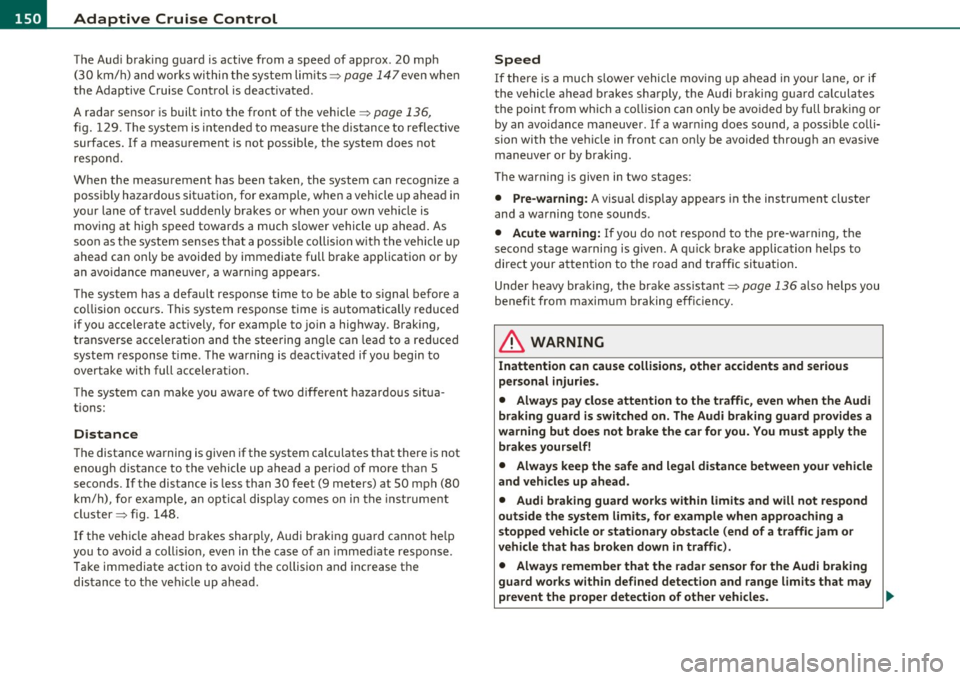
The Audi braking guard is active from a speed of approx. 20 mph
(30 km/h) and works within the system limits=>
page 147 even when
the Adaptive Cruise Control is deactivated.
A radar sensor is built into the front of the vehicle=>
page 136,
fig. 129. The system is intended to measure the distance to reflective
surfaces. If a measurement is not possible, the system does not
respond.
When the measurement has been taken, the system can recognize a
possibly hazardous situation, for example, when a vehicle up ahead in
your lane of travel suddenly brakes or when your own vehicle is moving at high speed towards a much s lower vehicle up ahead . As
soon as the system senses that a possible collision w ith the vehicle up
ahead can only be avoided by immediate full brake application or by
an avoidance maneuver, a warning appears.
The system has a default response time to be able to signal before a
collision occurs. This system response time is automatically reduced
if you accelerate actively, for example to join a highway . Braking,
transverse acceleration and the steering ang le can lead to a reduced
system response time . The warning is deactivated if you begin to
overtake with full acceleration.
Th e system can make you aware of two different hazardous situa
tions:
Distance
T he distance warning is given if the system calculates that there is not
enough distance to the vehicle up ahead a period of more than 5
seconds. If the distance is less than 30 feet (9 meters) at 50 mph (80
km/h) , fo r example, an optical disp lay comes on in the inst rument
cluster=> fig. 148.
If the vehicle ahead brakes sharply, Audi braking guard cannot he lp
you to avoid a coll is ion, even in the case of an immed iate response.
T ake immediate action to avoid the collision and increase the
distance to the vehicle up ahead.
Speed
If there is a much s lower vehicle moving up ahead in your lane, or if
the vehicle a head brakes sharply, the Audi braking guard calculates
the point from which a collision can only be avo ided by full braking or
by an avo idance maneuver. If a warn ing does sound, a possible colli
sion with the vehicle in front can only be avoided through an evasive
maneuver or by braking.
The warn ing is given in two stages:
• Pre-warning : A visual display appears in the instrument cluste r
and a warning tone sounds .
• Acute warning: If you do not respond to the pre-warning, the
second stage warni ng is given . A quick brake application helps to
direct your attention to the road and traffic situation .
Under heavy braking, the brake assistant=>
page 136 also helps you
benefit from maximum braking effic iency.
& WARNING
Inattention can cause collisions, other accidents and serious
personal injuries.
• Always pay close attention to the traffic , even when the Audi
braking guard is switched on. The Audi braking guard provides a
warning but does not brake the car for you. You must apply the
brakes yourself!
• Always keep the safe and legal distance between your vehicle
and vehicles up ahead.
• Audi braking guard works within limits and will not respond
outside the system limits, for example when approaching a
stopped vehicle or stationary obstacle (end of a traffic jam or
vehicle that has broken down in traffic).
• Always remember that the radar sensor for the Audi braking
guard works within defined detection and range limits that may
prevent the proper detection of other vehicles. _,.,
Page 153 of 390

Adaptive Cruise Control -
----------------
& WARNING (continued)
• The r adar sen sor's function and range can be reduced b y rain ,
s now and heavy spray . Moving vehicl es up ahead may not b e
p romptl y detected or may not be detected at all .
• Always pay careful attention to th e traffic situation and be
ready to intervene and be ready to take complete control when
ever necessary.
• Refle cti ve surfaces including cr ash barriers or tunnel ent rances
may impair the function of the radar sensor .•
Applies to vehicle s: wit h A dap tiv e Cru is e Contro l
Settings in the MMI
The settings of the Audi braking guard are performed in
the MMI.
- Selec t: Funct io n button I CA R]> Systems *> Audi braking
guard .
• System -the Audi braking guard system can be switched On and
Off .
• Early warning -
the acoustic warn ing and the messages can be
s witched
On and Off .
(I] Tips
When handing ove r th e keys to another per son, the p revious settings
are adopted if the Audi braking guard is activated~ page
45. •
Controls and equip
ment Safety first
A
pp lies to vehicles : w ith Ad apt ive Cr uise Cont rol
Driver's information in the instrument
cluster display
braking guard brake jolt
Th is message appears when the Audi braking guard applies the
bra kes dur ing a second st age ( acu te) warn ing.
brak ing guard off
Thi s message appea rs when t he system has bee n deactivated v ia the
MMI. This message a lso appears briefly at each beginn ing of a t rip if
t he system is swit ched off.
Th is message also appears when the system is not available because
o f a mal function or i f ESP is switched to the Offroad
mode ~ page
252 . The system can no longer warn of an impending
co llision. •
Vehicle care Technical data
Page 350 of 390

-Fuses and bulbs ..._ __________________________________________ _
No.
2
3
4
5
6
7
8
9
10
11
1 2
Equipment
Adaptive Cruise Control
N ot used
N ot used
Not used
T erminal
15 (interior)
O il level sensor
D iagnostic connector
Automatic dipping interior mirror H omelink
Control module Gateway
H eadlight range adj ustment
Amps
5
5
5
5
5
5
5
5
Fuse Location, Instrument Panel right
Fig . 260 Fuse pa nel
la yo ut
Some of the equipment i tems listed a re optiona l or only avai lab le on
certain model configu rations .
Note that the following table i s accurate at the time of going to
pre ss and is subject to change . In the ev ent of di screpancie s, the
label on the inside of the co ver always takes preceden ce.
•
The power seats are protected by circuit break ers , which automat i
cally reset aft e r a few seconds af ter the overload has been remed ied.
No . Equipment
Fuse holder (black)
1 Heated rear seats
2 Automat ic transm issio n
3 Front seat hating/seat ventilation (right)
4 Elect ronic Stability Program (ESP)
5 Door con trol module (right side of vehicle)
6 Rear electrical outlets
7 Lumbar support passenger's seat
8 C igarette ligh ter front
9 Front e lectrical outlets
Amps
20
2 0
1 5
25
10
20
25 __________ .__
10 A/C contro ls
11 Not used
12 Intelligent power module passenger
Fuse holder (brown )
1
2
Headlig ht ele ctronic s ystem (r ight side of vehi
cle)
Ride height adjustment
3 Telephone package
4 Audi side assist
5 Elect ronic Stabilization Prog ram (ES P)
6 Automatic transmission
7 Electronic Stabilization Program (ESP)
8 Shift gate automatic transmission
9 Pa rk ing system
10
15
1 0
5
5
5
5
5/20
5
5
5
Page 377 of 390
Alphabetical index -________________ fWI
Plastic and vinyl .............. ... . 278
Plast ic parts ........... .......... 282
Safety belts ..................... 285
Trim strips ...................... 277
trim strips ... ...... .. ... ........ 278
Cleaning and protection .............. 274
Climate control ........ ........ .. .. . 109
Synchroniz ing ... .. .......... .... 110
Warm and co ld .............. .... 109
Climate controls
Air conditioner on/off .......... .. .
112
Air distr ibution .................. 113
Air outlets ........ ... .. .. .. ..... 114
Air outlets (rear) ........ .... .. .. . 115
Air recirculation .............. ... . 113
AUTO (standard setting) ... ... ..... 112
Basic settings ............. .. ..... 118
Controls ..................... .. . 110
Defrosting/defogging ... .......... 113
Description ............. .. ....... 109
Energy management .............. 109
Fan .. .. ... ....... .. ... .. .. .. .. . 112
Front seat ventilat ion ... .......... 119
Heated seats, front ............ .. . 119
Key coded setting ................ 109
Recirculation mode (automatic) ..... 118
Recommended settings ... ... .. .. . 109
Residual heat ...... ... .. .. .. ..... 111
Setting the temperature ... ... .. .. . 112
Supplementary heater .......... ... 119
Synchronization .................. 118
Turning on and off ................ 111
Using climate control economically .. 115
Clock .................... .......... 11
Controls and equip
ment Safety first
Closing
Panoramic sliding sunroof ..........
60
Coat hooks .. .................... ... 107
Cold tire inflation pressure ... ......... 318
Compass mirror ..................... 81
Compliance ........................ 369
Consumer Information ... .. .. .. . 197, 366
Contacting NH TSA .................. 197
Convenience key ....... ....... .. .. .. . 53
Dr iver messages ................. 129
Locking vehicle .. ............. .... . 54
START button ................. ... 127
Starting engine .. .. . .. ........... 127
STOP button ..................... 128
Switching engine off ... .. ..... .... 128
Switching on ignition ........ .. ... 127
Unlocking vehicle .................. 54
Convertible child safety seats ....... ..
23 7
Convertible locking retractor
Activating .......... .. .. .........
243
Deactivating ..................... 244
Using to secure a chi ld safety seat .. 241,
243
Coolant system .................. ... 304
Cooling box in glove compartment ... .. 106
Cooling System
Expansion tank ..... .. .. .........
305
Cornering light ...................... 68
Cruise control
Changing speed ..... .. .. .. .. .....
132
Presetting your speed ............. 133
Switching off .................... 133
Switching on . ........... ........ 132
Warning/indicator lights ... .. .. .. .. 19
See also Adaptive Cruise Control .... 134
Cruising range ... .... ................ 37
(upholder ............... .. 93, 102, 103
D
Damp ing
See Adapt ive A ir Suspens ion ........ 176
Data ........ .... ... ... ... ...... ... 363
Data recorder .. .. .... ............ .. 252
Date display .... .................... 11
Daytime running lights . . . . . . . . . . . . 65, 66
Declaration of compl iance
Adaptive Cru ise Control ............
369
Audi side assist ................ .. 369
Cell phone package ............... 369
Convenience key ................ . 369
Electronic immobilizer .... ........ 369
Homelink ® universal remote control . 369
Remote control key .. .. .. .. .. . ... . 369
def
What does this mean when it appears in the trip odometer display? .........
12
Defective light bulb warning ........... 24
Defrosting/defogging the windows .. .. . 113
Defrosting/defogging windows ........ 114
Determining correct load limit ....... .. 323
Diesel fuel ...... ........... ... .. .. . 288
Diesel particulate filter . . . . . . . . . . 35, 263
Digital clock ......... ............... 11
Digital compass ..................... 81
Digital speedometer .................. 24
Vehicle operation Vehicle care Do-it-yourself service Technical data
Page 378 of 390
-Alphabetical inde x _ ___,_ ______ .::..:....=.:..:..__ __________________________ _
Dimensions ... ............ ....... .. 362
Dipstick
Reading the dipstick properly ......
301
Distance control system
See Adaptive Cruise Control ...... .. 134
Doors
Power child safety lock .............
52
Driver information system ......... .... 22
Digital speedometer ............... 24
Driver information messages ........ 27
Open door or rear lid warning ....... 24
Outside tempera ture display ..... ... 23
Sound system display .. .. ..... ..... 23
Drive r seat
See Seating position .............. 190
D. , river s seat . . . . . . . . . . . . . . . . . . . . . . . . 84
Driver's seat memory .............. ... 87
Activating remote control key .... ...
88
Recalling a seat position ............ 87
Storing a seat position ... .... .. .... 87
Driving messages .................... 27
Driving mode
See Adaptive Air Suspens ion . .... .. 178
Driving offroad
Driving through water .... .. ... ...
267
Dr iving tips .. ............ .... ... 266
Rules of behavior ........ .... .... 266
Sand and mud ................. .. 267
Snow -covered g round .. .. .... ..... 267
Unpaved roads . .. .. .. .. .... ..... 267
Driving safely . .. ..... ... ........... 188
Driving through water ... .. .. .. .... .. 267
D. . t· riving 1me .... .... ...... .......... 37
Duplicate key .. .. .. ..... ..... ... .. .. 40
Dust filter
Climate controls .................
109
E
Easy entry feature 124
Electric seat adjustment
See Power seat . . . . . . . . . . . . . . . . . . . 84
Electronic differential lock (EDL)
How the system works . ......... ..
254
Warning/indicator l ights ... ... ... .. 19
Electronic immobilizer ................ 43
Electronic power control
(EPC) warn ing/indicato r light ...... ..
16
Electronic speed limiter ... ..... ..... .. 26
Electronic stabilization program (ESP)
Hill descent control ........ ... .. . 252
How the system works .......... .. 252
Offroad mode ............ .. ..... 252
Warning/indicator l ights . .. .. .. .. .. 16
Emergency flasher . . . . . . . . . . . . . . . . . . . 68
Wa rning/indicator l ights ... .. .... .. 17
Emergency locking of doors ... .. .. .. .. 48
Emergency operation
Panoramic sliding sunroof .. ..
62, 63, 64
Rear lid ....... .. .... .. .. .. .... .. 52
Emergency start ing ........... ... .. . 352
Emergency towing .... ..... .... .. .. . 355
Energy management ........... .... . 259
Battery power .. .. .. .. .. .... ..... 260
Driver notification ............... . 260
Engine
Compartment ............... .. ..
298
Coolant ................. ... ... . 304
Hood . .. .. ..... .......... .. .. .. 296
Starting .. .... .. .. .. .. .. .... 124, 125
Starting with jumper cables .. .... .. 352
Stopping ........... ...... .... .. 126
Engine compartment
Safety instructions ...............
297
Working the engine compartment .. 297
Engine coolant system ............... 304
Adding coolant ............ .. .. .. 306
Checking coolant level ............ 305
Checking the engine coolant level . .. 305
Malfunction .. .. .. .. .... ... ..... .. 30
Radiator fan . .. .. ............... 307
Engine coolant temperature
Temperature gauge .. .... .. .. .. .. . 10
Engine data ................. .. .. .. 363
Engine hood
Closing ........ ... ... ... .. .. ....
297
How to release the hood .......... 296
Engine oil ............. ...... .... .. 299
Adding ............. .. .... .... .. 302
Additives .. ............ .... ... .. 302
Changing .. ..... ...... ... ... .. .. 303
Checking the engine oil level .... . .. 301
Consumption .. .. .... .. ...... .. .. 300
Indicat ions and conditions requiring extra
checking . .. .. .. .. .............
301
Oil grades . .. .. .... ............. 299
Recommended oil check intervals ... 301
Specifica tion and viscosity ..... .. .. 299
Page 385 of 390
_____________________________________________ A_ L .... p_ h _ a_b_ e_ t_ ic_a_ l_ in_ d_e _ x __ _
Side curtain airbags
Description ............ ... ... .... 228
How they work ............... .... 229
Safety instructions .. .......... .. . 230
Side curtain airbags) .......... ... ... . 228
Side marke r lights ................ ... . 65
Sk i sack ......... ... ... ... .. .. ... ... 99
Snow chains .... ................ ... . 331
Sockets ..................... ... ... 104
Sound sys tem display
Driver information display .......... 23
Sources of information about child restraints
and their use ........... ... .. .. . 251
Speed control system
See Adaptive Cruise Control ........ 134
Speed rating letter code ........... .. . 327
Speed warning system ........... ... .. 35
Speedometer ... ... ............. ..... 12
Starting on hills
H ill hold ...... ...... ... ... ..... . 131
Starting the engine ........... .. 124, 125
What should I do if the engine does not start? ...... .. .... .. .... .. .... . 125
Steering . ............ .... ... ... .... 122
Easy entry feature . .. .. ........... 124
Electrically adjusting the steering whee l .
123
Locking the steering .... .. ... ..... 124
Malfunction .............. .. .. .. .. 31
Manually adjusting the steering wheel
122
Controls and equip ment Safety first
Steering wheel colum
n Symbols
Adjusting electrically ............ .. 123 Red ..... ........................ 28
Adjusting manually ............... 122 Yellow ................... .... ... 32
Steering wheel heating ........ ..... .. 121 Synchronization
Steps for determining correct load limit . 323 Climate controls ...
.............. 118
Stopping the engine .... .. .. .. .. .. .. . 126
Storage ...... .. ... ... ... .......... 105
(upholder .. . .. .... ... .......... 102 Four-
zone automatic comfort air
conditioning ............ .... .. . 118
Synchronizing climate control . ... .. .. . 110
(upholder door pockets ........... 103
(upholder in the rear center console . . 93
T
(upholder rear center armrest .... .. 102
Glove compartment ...... ...... .. 105
Storage compartment
Expanding ... ..... ............... 94
TOI clean diesel
See Ad Blue .. .. .. .. ............. . 292
Storage net
Footwell . .. .. .... ............... 108 Tachometer
.................. .... ... 11
T ank flap
Unlocking the fuel filler flap by hand . 292
Luggage compartment . .. .. .. ..... 108 Technical modifications
, , , .. , ..... ... 369
Seatbacks .... .. .... ............. 108 T
emperature
Sun shade .. ................ ... .. ... 72 Climate controls
................. 112
Sun visors . ................ .. .... ... 71
Sunroof
See Panoramic sliding sunroof .. .. .. . 59 Four-zone automatic comfort air
conditioning ............ .. .. .. . 117
Setting fo r the driver's and front passen-
ger's side .. .. .. .. .............. 112
Sunshade Tethe r anchors ... ................ .. 249
Panoramic sliding sunroof ......... . 61
Supplementary heater
Climate controls . ..... ........... 119 Tether strap
... .. ... ... ........ .... 249
The first
1,000 miles (1,500 km) and
afterwards ... ......... .. ... ... . 261
Suspension
See Adaptive A ir Suspension ...... .. 176 Tie-down rings
... .. .. .... ........... 95
T ie-downs ......................... 197
Switches
Emergency flashers ... ......... ... . 68
Rear window defogger . ...... ..... 113 Tips for the environment
Saving fuel .. .. .. ................
101
Using the air conditioner on ly when
necessary ............... ...... .
115
Vehicle operation Vehicle care Do-it-yourself service Technical data