brakes AUDI Q7 2017 Owner´s Manual
[x] Cancel search | Manufacturer: AUDI, Model Year: 2017, Model line: Q7, Model: AUDI Q7 2017Pages: 402, PDF Size: 100.39 MB
Page 109 of 402
u (0 ...... N r--. N ...... 0
0
:E
Description
Applies to: vehicles with Audi adaptive cruise control
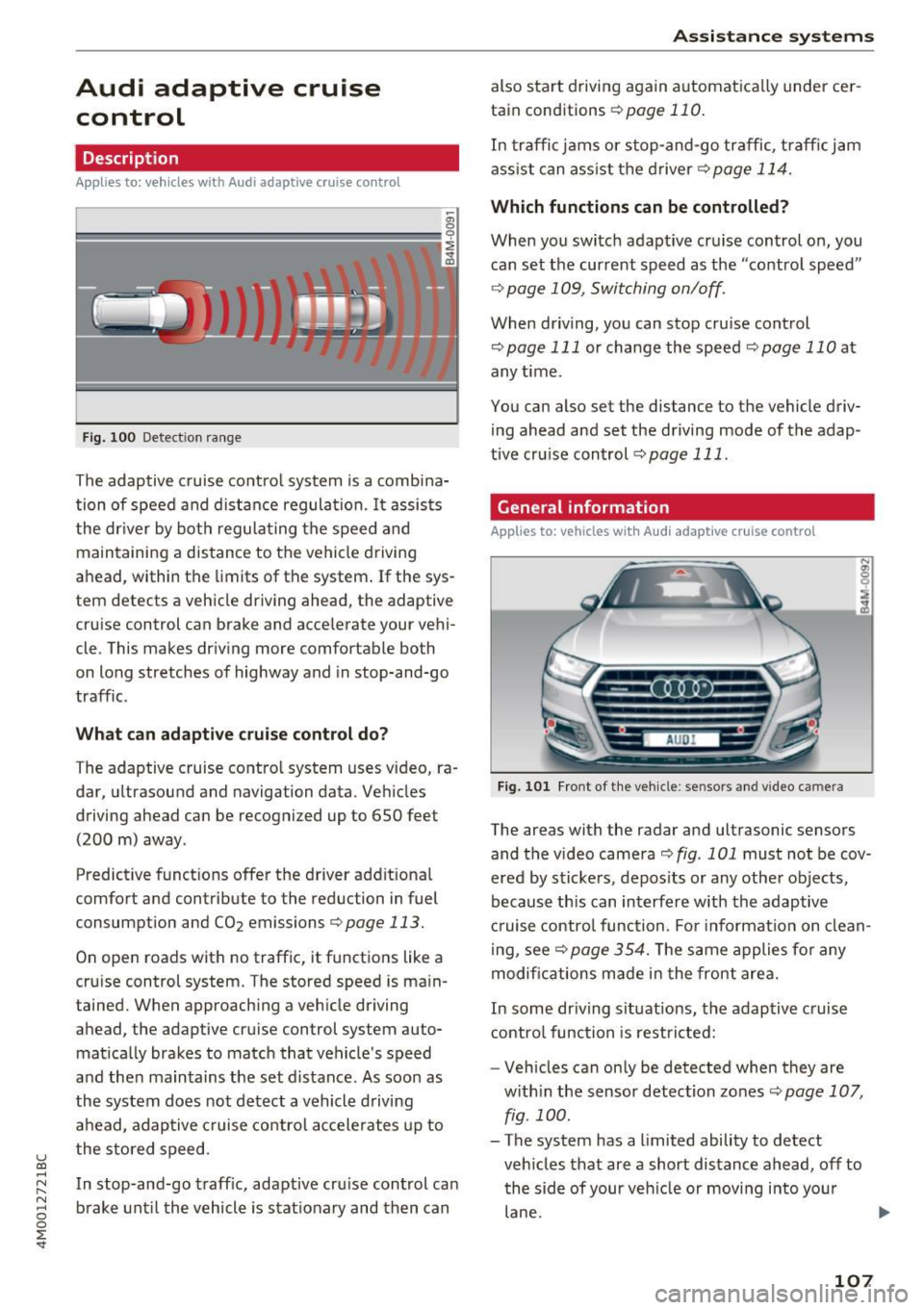
Fig. 100 Detect ion range
The adaptive cruise control system is a combina
tion of speed and distance regulation.
It assists
the dr iver by both regulat ing the speed and
maintaining a distance to the vehicle driving
ahead, within the limits of the system .
If the sys
tem detects a vehicle driving ahead, the adaptive
cruise control can brake and accelerate your vehi
cle. This makes dr iving more comfortable both
on long stretches of highway and in stop-and-go
traffic.
What can adaptive cruise control do?
The adaptive cruise control system uses video, ra
dar, ultrasound and navigation data. Vehicles
driving ahead can be recognized up to
650 feet
(200 m) away.
Predictive funct ions offer the driver additional
comfort and contribute to the reduction in fuel
consumption and CO2 emissions
¢page 113.
On open roads with no traffic, it functions like a
cruise control system. The stored speed is main
tained. When approaching a vehicle driving
ahead, the adaptive cruise control system auto
matically brakes to match that vehicle's speed
and the n maintains the set distance. As soon as
the system does not detect a vehicle driving
ahead, adaptive cruise control accelerates up to
the stored speed.
In stop-and-go traffic, adaptive cru ise control ca n
brake until the vehicle is stationary and then can
Assistance systems
also start driving again automatically under cer
tain conditions
¢page 110.
In traffic jams or stop-and-go traffic, traffic jam
ass ist can assist the driver¢
page 114.
Which functions can be controlled?
When you switch adapt ive cruise control on, you
can set the current speed as the "control speed"
¢page 109, Switching on/off.
When driving, you can stop cruise control
¢page 111 or change the speed <::;>page 110 at
any time.
You can also set the distance to the vehicle driv ing ahead and set the driving mode of the adap
tive cruise control¢
page 111.
General information
Applies to: vehicles with Audi adaptive cruise control
Fig. 101 F ront of the vehicle : sensors and video camera
The areas with the radar and ultrasonic sensors
and the video camera
i::> fig . 101 must not be cov
ered by stickers, depos its or any other objects,
because this can interfere with the adaptive
cruise control function. For informat io n on clean
ing, see<::;>
page 354. The same applies for any
modifications made in the front area.
In some driving situations, the adaptive cruise
control function is restricted:
- Vehicles can only be detected when they are
with in the sensor detection zones<::;>
page 107,
fig . 100.
- The system has a limited ability to detect
vehicles that are a short distance ahead, off to
the side of your veh icle or moving into your
lane .
107
Page 110 of 402

Assistance systems
-Objects that are difficult to detect such as mo
torcycles, vehicles with high ground clearance
or an overhang ing load are detected late or not
detected at all.
- When driving through curves
c:;, poge 108.
-When the vehicle is stationary r::;, page 108.
_& WARNING
Always pay attention to the traffic around you
when adaptive cruise control is switched on.
As the driver, you are still responsible for your
own speed and the distance to other vehicles.
The adaptive cruise control is used to assist
you . The driver must always take action to
avoid a collision. The driver is always responsi
ble for braking at the correct time.
- For safety reasons, do not use adaptive
cruise control when the road surface is in
poor condition and/or in bad weather condi
tions (such as ice, fog, gravel, heavy rain and
hydroplaning). Using the system under
these conditions increases the risk of an ac
cident.
- Switch adaptive cruise control off tempora
rily when driving in turning lanes, on ex
pressway exits (except if predictive control
is switched on) or in construction zones.
This prevents the vehicle from accelerating
to the stored speed when in these situa
tions.
- The adaptive cruise control system will not
brake by itself if you put your foot on the ac
celerator pedal. Doing so can override the
speed and distance regulation.
- When approaching stationary obstacles
such as stopped traffic, adaptive cruise con
trol will respond with limited function.
- Adaptive cruise control does not respond to
people, animals, or crossing or oncoming
objects .
- The function of the radar sensors can be af
fected by reflective objects such as guard
rails, the entrance to a tunnel, heavy rain or
ice.
(D Note
The sensors can be displaced by impacts or
damage to the bumper, wheel housing and
108
underbody. This can impair the adaptive
cruise control. Have an authorized Audi dealer
or authorized Audi Service Facility check their
function.
(D Tips
For an explanation on conformity with the
FCC regulations in the United States and the
Industry Canada regulations, see
c:;, page 384.
In curves
App lies to: vehicles with Audi adapt ive cruise control
Fig. 102 Examp le: driv ing into a cu rve
When driving into a curve r:;, fig. 102 and out of a
curve, the adaptive cruise control may react to a
vehicle in the neighboring lane and apply the
brakes . You can prevent that by pressing the ac
celerator pedal briefly.
Stationary vehicles
Applies to: vehicles with Audi adapt ive cru ise control
)))
Fig. 103 Example : vehicle changing lan es and stationa ry
vehicle
Within the limits of the system, adaptive cruise
control can react to stationary vehicles
r::;, fig. 103, as long as you are driving slower than ..,
Page 114 of 402
Ass is tance sy stems
again. The distance between the two vehicles
will change in the instrument cluster disp lay.
When approach ing a veh icle driving ahead, the
adaptive cr uise control system brakes to match
that vehicle's speed and then adjusts to the set distance.
If the vehicle driving ahead accelerates,
then the adaptive cruise control will also acceler
ate up to the speed that you have set.
The higher the speed, the greater the distance
c::> ,&. . The Distan ce 3 setting is recommended .
That is equal to the general recommendation of
"half the speed shown on the speedometer".
The distances provided are specified values . De
pending on the driving situation and how the ve hicle ahead is driving, the actual distance may be
more or less than these target distances.
I f you change the time gaps, the new ly set value
appears briefly in the instrument cluster display
I ii for Di st a nc e 3. This only occurs if the Driver
ass ista nce
display is not currently shown in the
disp lay
c::> page 109, fig. 105 .
Distance 1 : this setting corresponds to a d istance
of 92 feet (28 meters) when traveling at 62 mph
(100 km/h), or a time distance of 1 second.
Di stance 2 : this setting corresponds to a d istance
of 118 feet (36 meters) when traveling at 62
mph (100 km/h), or a time distance of 1.3 sec
onds.
Di stance 3 : this setting corresponds to a d istance
of 164 feet (SO meters) when traveling at 62
mph (100 km/h), or a time distance of 1.8 sec
onds.
Di stance 4 : this setting corresponds to a d istance
of 219 feet (67 meters) when traveling at 62
mph (100 km/h), or a time distance of 2.4 sec
onds.
Di stance 5 : this setting corresponds to a d istance
of 328 feet (100 meters) when traveling at 62
mph (100 km/h), or a time distance of 3.6 sec
onds.
112
A WARNING
When setting the distance, the driver is re
sponsible for adheri ng to any applicable legal
regulations.
@ Tips
- Depending on the selected driving mode in
dr ive se lect* and the set distance, the driv
ing behav ior will vary from dynamic to com
fortab le when accelerating
c::, page 135.
- Distan ce 3 is set automatically each time
you switch the ignition on. If you would like
to set anothe r distance as the default set
t ing, you can have the
adaptive crui se con
trol menu enabled by an autho rized Aud i
deale r or author ized Audi Service Fa cility.
- Your settings are a utomat ica lly stored and
assigned to the remote con trol key be ing
used .
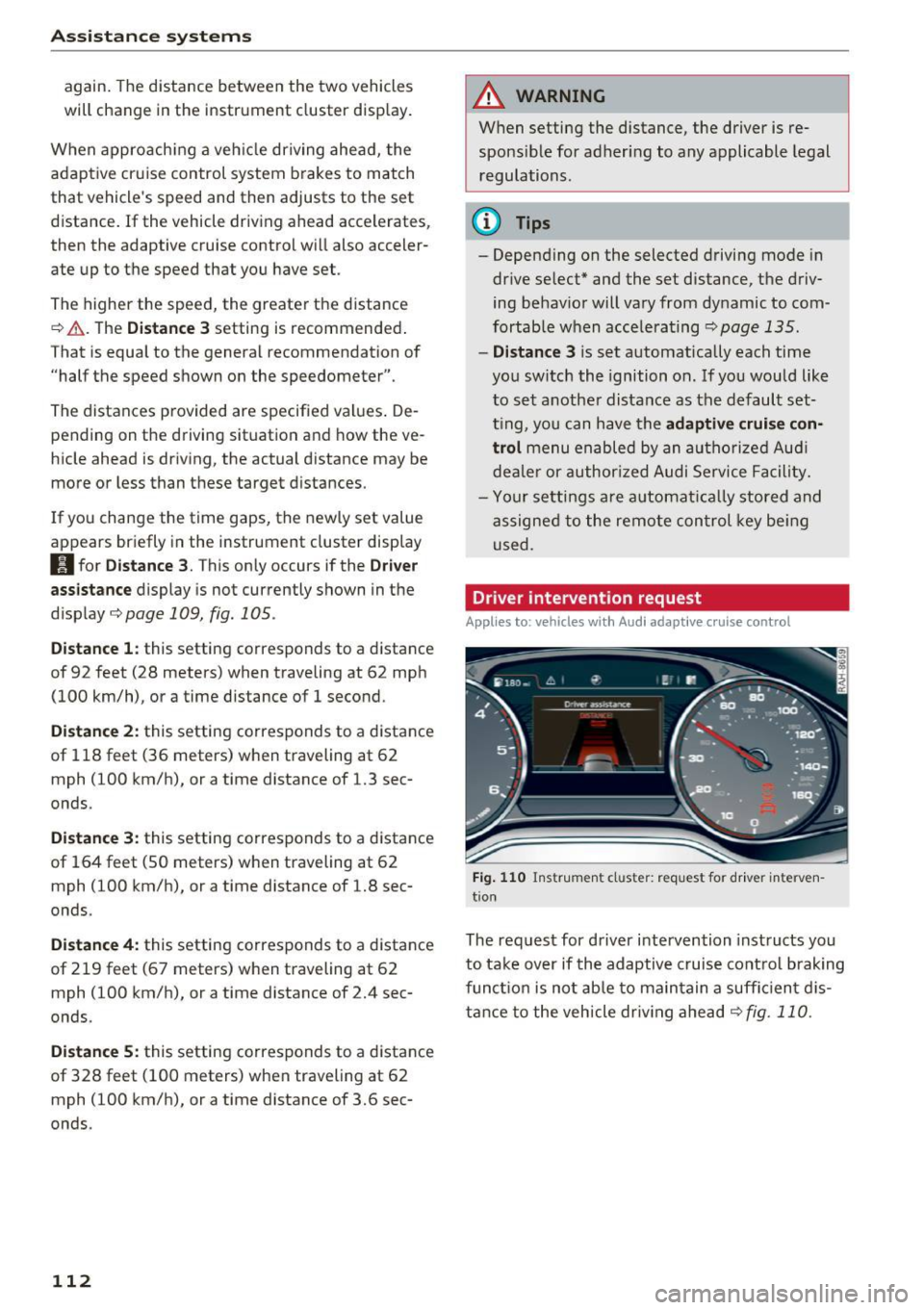
Driver intervention request
Applies to: vehicles with Audi adaptive cruise control
Fig . 110 Instr ument cluster: req uest for driver interven
t ion
The request for driver intervention instructs you
to take over if the adaptive cruise control brak ing
funct ion is not ab le to ma in tain a suff ic ient d is
tance to the vehicle dr iv ing ahead
c::,fig. 110.
Page 115 of 402
u (0 ..... N r--. N ..... 0
0
:E
(efficiency assist)
Description
App lies to: ve hicles with Audi adaptive cruise co ntro l an d pr e·
di ctive efficiency assist
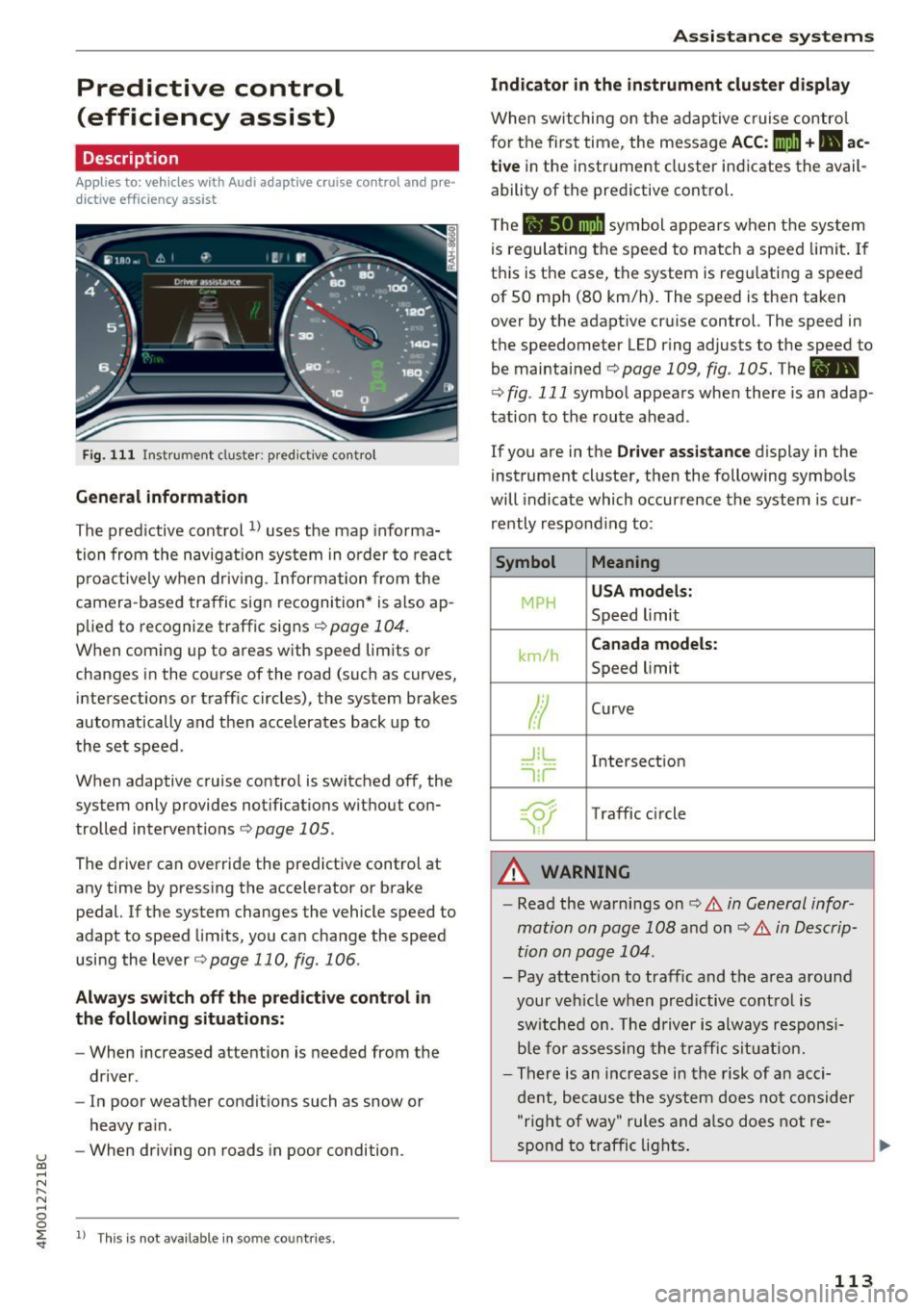
Fig. 111 Instrument cluster: pred ictive control
General information
The predictive control 1l uses the map informa
tion from the navigation system in order to react
proact ively when driv ing. Information from the
camera-based traffic sign recognition* is also ap plied to recognize traffic signs
<:!)page 104.
When coming up to areas with speed limits or
changes in the course of the road (such as curves,
intersections or traffic circles), the system brakes
automatically and then accelerates back up to
the set speed .
When adaptive cruise control is switched off, the
system only provides notifications without con
trolled interventions ¢
page 105.
The driver can override the predictive control at
any time by pressing the accelerator or brake
pedal. If the system changes the vehicle speed to
adapt to speed limits, you can change the speed
using the lever
¢ page 110, fig. 106 .
Always switch off the predictive control in
the following situations:
- When increased attention is needed from the
driver .
- In poor weather conditions such as snow or
heavy rain.
- When driving on roads in poor condition .
ll This is not ava ila ble in some co untrie s.
Assistance systems
Indicator in the instrument cluster display
When switching on the adaptive cruise contro l
for the first time, the message
ACC: 11D + B ac
tive
in the instrument cluster indicates the avail·
ability of the predictive control.
T he symbol appears when the system
is regulating the speed to match a speed limit . If
this is the case, the system is reg ulating a speed
of 50 mph (80 km/h). The speed is then taken
over by the adaptive cruise control. The speed in
the speedometer LED ring adjusts to the speed to
be maintained
¢ page 109, fig . 105. The ..
¢
fig . 111 symbo l appears when there is an adap
tation to the route ahead .
If you are in the Driver assistance display in the
instrument cluster, then the following symbols
will indicate which occurrence the system is cur
rently responding to:
Symbol Meaning
MPH USA
models:
Speed limit
km/h
Canada models:
Speed limit
Ir
Curve
_l!L
1i1
Intersection
~ ): Traffic c ircle
A WARNING
- Read the warnings on ¢.&. in General infor
mation on page 108
and on¢ .&. in Descrip
tion on page 104 .
- Pay attention to traffic and the area around
your veh icle when predictive control is
switched on. The driver is always responsi
ble for assessing the traffic situation.
- There is an increase in the risk of an acci
dent, because the system does not consider
"right of way" rules and also does not re-
spond to traffic lights. ._.
113
Page 117 of 402
u co ...... N r-... N ...... 0
0
:E: '
jam assist can help to keep the vehicle within a lane calculated by the system. W ith in the lim its
of the system, the system controls the steering
automatically when adapt ive cruise control is
switched on . Since traffic jam assist is only an as
sist system, the driver must always keep his or
her hands on the steer ing whee l and be ready to
steer. The d rive r ca n override the control at any
time by actively steering.
The system is designed for driv ing on express
ways and highways.
Switching traffic jam ass ist on and off
... Press the button to switch the system on and
off<=> fig. 112.
... To turn the system off completely, select in the
Infotainment system:
I MENU ! button> Vehicle
> left contro l button > Driver as sistance > Traf
fic jam a ssist .
If traff ic jam assist was deactivated through the
Infotainment system, you can cont inue operating
the act ive lane assist using the<=>
fig. 112 button
<=> page 124. The traffic jam ass ist functions are
no longer available.
Requirements for using traffic jam assist:
-Traffic jam assist must be switched on in the
Infota inment system .
- Adaptive cruise control must be switched on
and act ive
c;, page 109 .
Always switch off traffic jam assist in the
following situations:
-When increased attention is needed from the
driver .
- In poor weather conditions such as snow or
heavy rain .
- When driving on roads in poor condition .
- In construction zones.
- In city driving .
Traffic jam assist availability:
When you are in the Driver assistance view in the
in str ument cluster disp lay, the indicator light
turns on¥ and the message
Traffic jam assist
available
appears if a traffic jam situation was
detected. You can open the
Driver assistance dis -
Assistance systems
play using the mu ltifunction steering wheel but
tons
c;, page 12. To activate traffic jam assist, you
must press the
<=> fig. 112 button and switch on
the adaptive cruise control
c;, page 109.
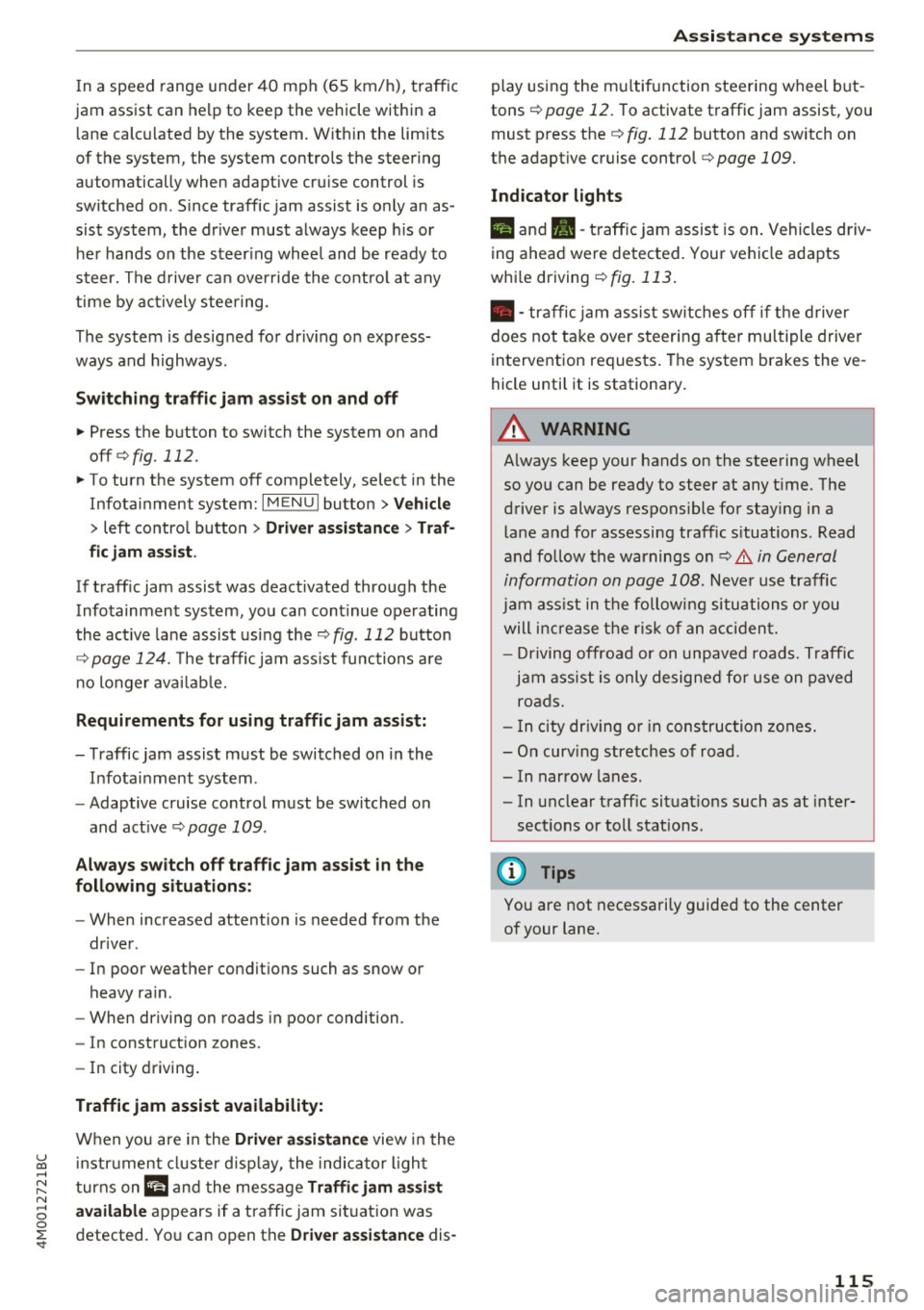
Indicator lights
Ill and II-traff ic jam assist is on. Vehicles driv
ing ahead were detected. Your vehicle adapts
whi le driving
c;, fig. 113.
•- traffic jam assist sw itches off if the driver
does not take over steer ing after multiple driver
intervention requests . The system brakes the ve
hicle until it is stationary.
A WARNING
-A lways keep your hands on the steering wheel
so you can be ready to steer at any t ime. The
driver is always responsible for staying in a lane and for assessing traffic s ituations . Read
and follow the warnings
on<=>.& in General
information on page
108. Never use traffic
jam ass ist in the following situations or you
will increase the risk of an accid ent.
- Driving offroad or on unpaved roads. Traffic
jam assist is only designed for use on paved
roads.
- In city driv ing o r in construction zones.
- On curv ing stretches of road.
- In narrow lanes.
- In unclear traffic situat ions such as at inter-
sections or toll stat ions.
@ Tips
You are not necessarily guided to the center
of your lane.
115
Page 120 of 402
Ass is tan ce sys tems
-Due to the interlinking of various vehicle sys
tems, critica l driving situations can be detected
by
pr e se nse basic and measures for preventa
tive occupant protection are can be initiated.
- The
pre sen se fro nt system uses the data from
the adapt ive cruise control* radar sensors and
the camera to calculate the probability of a col lis ion. Within the limits of the system, an im
pending collision with vehicles can be detected
i n both urban and rural speed ranges. In this
case, the system warns the dr iver visually,
acoustically and with a jerk on the brakes if nec
essary.
If needed, it can initiate a pa rtial or fu ll
deceleration to reduce the co llision speed or to
avoid the collision under certain circumstances .
In conjunction with pre sense basic/rear, the
front safety belts are also reversibly tensioned
when needed. The pre sense front is also active
when adapt ive cruise control* is switched off.
- Pre se nse re ar contains pre sense basic func
tions. It uses the data from the side assist" ra
dar sensors and calculates within the limits of
the system the probab ility of a rear end coll i
s ion with the vehicle behind you . Pre sense rear
is also active when s ide assist* is swit ched off.
- Within the limits of the system,
pre sense city
uses the camera data and ca n detect a n im
pending coll ision with veh icles and pedest rians.
In this case, the system warns the driver vis ual
ly, acoustically and with a jerk on the brakes if
necessary. If needed, it can initiate a fu ll decel
eration to reduce the co llision speed or to avoid
the coll is ion under certain circumstances. In
conjunction w ith pre sense bas ic/rear, the front
safety belts are also revers ibly tensioned when
needed .
.8. WARNING
Read the general informat ion in~ .& in Gen
eral information on page 108, ~.& in Gener
al information on page 127.
- Certain pre sense functions switch off when
driving in reverse.
1> Th is is not availab le in some co untr ies.
118
- The p re sense f unct ions may not be availa
ble if there is a malfunction in the ESC sys
tem o r the a irbag control module .
- Note that the reversible belt tensioner on
the front passenger's side deactivates when
the front passenger's airbag is deactivated.
- Switch the pre sense off when you are not
using public streets or when load ing the ve
hicle onto a vehicle carrier, tra in, sh ip or
other type of transportat ion. This can pre
vent an undesired intervention from the pre
sense system.
Audi pre sense basic
Description
App lies to : vehicles wi th Aud i pr e se nse basic
The pre sense basic functions are activated at a
speed of approximately 20 mph (30 km/h) or
higher.
The following functions can be triggered under
certain conditions within the limits of the sys
tem:
- Tensioning of the safety belts (for examp le,
during heavy braking): the front safety belts
have reversib le be lt tensioners . If a collision
does not occur, the safety belts loosen slightly
and are ready to trigger aga in.
- Closing the windows and sunroof*.
-Activating the emergency flashers
1> .
The message A udi pre sen se. ~ page 119,
fig. 115
will warn you abou t the danger.
Audi drive select*: the tr igger times are adjusted
depending on the mode selected .
Audi pre sense front
Description
Applies to: vehicles wi th Audi ada ptive c ruise con trol
Within the limits of the system, pre sense front
can warn you of impend ing collisions and init iate
the corresponding braking maneuvers or the sup- porting measures when avoid ing a coll is ion. .,.
Page 121 of 402
u co ...... N r-... N ...... 0
0
:E: '
gerous situation as critical if a vehicle driving
ahead brakes sudden ly, if your own vehicle is ap
proaching a significantly s lower vehicle at high
speed or when there is an oncoming vehicle dur
ing a turning maneuver .
If detection is not possible, then pre sense front
does not react.
Warnings
App lies to: veh icles with Audi adaptive cruise contro l
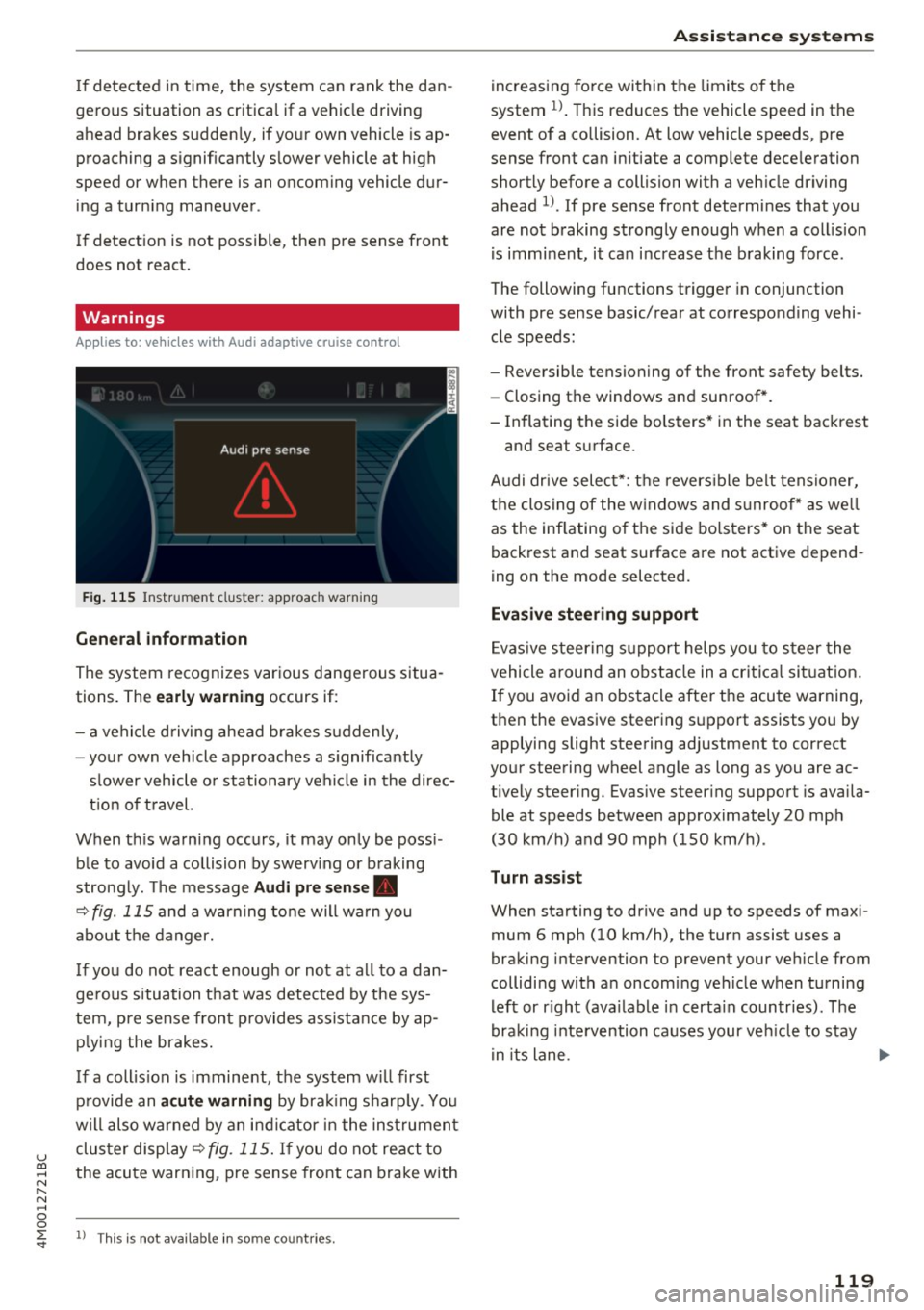
Fig. 115 In strument clus te r: approac h warning
General information
The system recognizes various dangerous situa
tions. The
early warning occurs if:
- a vehicle driving ahead brakes suddenly,
- your own vehicle approaches a s ignificantly
s lower vehicle o r stationary vehicle in the direc
tion of travel.
When this warning occurs, it may only be poss i
ble to avoid a collision by swerv ing or b raking
strong ly. Th e message
Audi pre sense .
¢ fig. 115 and a warning tone will warn you
about the danger.
If you do not react enough or not at all to a dan
ge rous situation that was detected by the sys
tem, pre sense front provides assistance by ap
p ly ing the brakes.
If a collis ion is imminent, the system w ill first
provide an
acute warning by braking sharp ly. You
will also warned by an ind icator in the instrument
cluster display¢
fig. 115. If you do not react to
the acute warning, pre sense front can brake with
l) This is not availa ble in so m e co untries.
Assistance systems
increasing force within the limits of the
system
1l . This reduces the vehicle speed in the
event of a collision. At low vehicle speeds, pre
sense front can in itiate a complete deceleration
shortly before a collision with a veh icle driving
ahead
l ). If pre sense front determines that you
are not braking strongly enough when a collis ion
is imminent, it can increase the braking force .
The following functions trigger in conjunc tion
with pre sense basic/rear at corresponding vehi
cle speeds :
- Reversible tensioning of the front safety belts. - Closing the windows and sunroof*.
- Inflating the side bolsters* in the seat backrest
and seat surface.
Audi dr ive select*: the reversible belt tensioner,
the closing of the windows and s unroof* as we ll
as the inflating of the side bolsters* on the seat
backrest and seat surface are not active depend
ing on the mode selected.
Evasive steering support
Evasiv e steering support helps you to steer the
vehicle around an obstacle in a critical situation.
If you avoid an obstacle after the acute warning,
then the evasive steering support assists you by applying slight steering adjustment to correct
your steering wheel angle as long as you are ac
t ively steer ing. Evasive steer ing support is availa
ble at speeds between approximately 20 mph
(30 km/h) and 90 mph (150 km/h) .
Turn assist
When starting to drive and up to speeds of maxi
mum 6 mph (10 km/h), the turn assist uses a
braking intervention to prevent your ve hicle from
colliding w ith an oncoming vehicle when turning
left or r ight (ava ilable in certa in countries). The
braking intervention causes your vehicle to stay
i n its lane . ..,.
119
Page 123 of 402

u co ...... N r-... N ...... 0
0
:E: '
Description
Appl ies to: ve hicles with Audi pre sense c ity
W ith in the limits of the system, pre sense c ity
can warn you of impending coll is ions w ith
vehicles and pedestrians and initiate the applica
b le braking maneuver if needed. Pre sense city is
active at speeds of approximately 6 mph (10 km/ h) and higher.
A pedestrian warning can occur at speeds up to
50 mph (85 km/h), and vehicle warnings can oc
cur at speeds up to 155 mph (250 km/h). A pre
sense city braking maneuver is possible at speeds
up to SO mph (85 km/h).
Warnings
A ppl ies to: ve hicles with Audi pre sense c ity
The system recognizes various dangerous situa
tions . The
early warning occurs if:
- a vehicle driving ahead brakes suddenly,
- your own vehicle approaches a significantly
slower vehicle or stationary vehicle in the direc
tion of travel.
- a pedestrian is standing in the lane or is moving
into the lane.
When this warning occurs, it may only be possi ble to avoid a collision by swerving or braking
strong ly. The message
Audi pre sense.
¢ page 119, fig. 115 and a warning tone will
warn you about the danger .
Additionally, a jerk on the brakes may occur as an
acute warning when there is an impending colli
sion. If you do not react to the acute warning, pre
sense city can brake to the point of complete de
celeration within the limits of the system. This reduces the vehicle speed in the event of a colli
sion. The message
Audi pre sense. also ap
pea rs .
The following functions are triggered in conjunc
tion with pre sense basic/rear:
- Revers ible tensioning of the front safety belts .
- Closing the windows and sunroof*.
- Inflating the side bolste rs* in the seat backrest
and seat surface.
Assistance systems
Audi drive select*: the function is not active de
pending on the mode selected .
A WARNING
--Pre sense city cannot overcome the laws of
physics. It is a system designed to assist and it cannot prevent a collision in every circum
stance . The dr iver must always intervene.
The driver is always responsible for braking
at the correct time. Do not let the increased
safety provided tempt you into taking risks.
This could increase your risk of a coll is ion.
- The system can dep loy incorrectly due to
system-specific limits.
- To reduce the r isk of an accident, please
note that the camera does not always detect
eve ry object.
- Pre sense city does not react to animals,
crossing or oncoming veh icles, objects such
as bars, railin gs or railcars, and objects that
are difficult to detect¢.&.
in General infor
mation on page 108.
- In trailer mode, the braking behavior of the
trai ler can be d ifferent than usual during au
tomatic braking.
A_ WARNING
Pre sense city may be restricted or not availa
ble in the following example situations:
- in heavy fog, rain, spray or snow
- when there are visua l obst ruct ions, such as
g la re, reflections or variations in light
- when it is dark
- if the camera window or the windshield is
dirty, iced over, damaged or covered
- when dr iv ing on snow, ice or loose ground
- in curves
- if the ESC was restricted or switched
off
- when towing a trailer
-when the driver's seat belt is unfastened
- up to ten seconds after switching on the ig-
nition
(D Note
Impacts or damage to the camera mount on
the w indshield can displace the sensor. Pre
sense city can be impaired by this. Have an
121
Page 132 of 402

Assistance systems
Rear cross-traffic assist
Applies to: vehicles w ith rear cross -traff ic ass ist
Fig . 125 Example display
Fig. 126 Infotainment system: rear cross-traffic assist dis
play
The rear cross-traffic assist can warn the driver of
a potential collision with approaching cross-traf
fic when driving in reverse. Within its limits, the
system monitors the areas behind and next to
the vehicle using the radar sensors when leaving
a parking space
r::!.>page 127, fig. 122. Moving ob
jects that are approaching, such as cars, are de
tected
r::!.>fig. 125.
If the system detects critical cross traffic when
backing out of a parking space, it will react as fol
lows:
- Visual indicator : an indicator appears in the In
fotainment system display with a red arrow
symbol. The arrow points in the direction from
which the object is approaching
r::!.> fig. 126.
-Audible warning signal : a continuous tone may
sound as an additional indicator when driving in
reverse.
- Automatic brake activation : a brief activation
of the brakes may also warn you of a potential
collision with an approaching object.
130
Requirements for using the rear cross-traffic
assist:
- The parking aid must be switched on
c>page 138.
-Reverse gear must be engaged.
- The speed must not be higher than approxi-
mately 9 mph (15 km/h).
A WARNING
- The rear cross-traffic assist is an assist sys
tem and cannot prevent a collision by itself.
The driver must always intervene. The driver
is always responsible for braking at the cor
rect time.
- Please note that the rear cross-traffic assist
may activate the brakes unexpectedly. Se
cure any cargo that you are transporting to reduce the risk of damage or injury.
- An additional brake activation may be trig gered within 20 seconds after an automatic
brake activation.
- If there is an acoustic warning signal from the rear cross-traffic assist, then the parking system may not warn you of detected
obstacles under certain circumstances.
- The view of the radar sensors may be im
paired by leaves, snow, heavy spray or dirt.
Clean the area in front of the sensors
r::!.>page 127, fig. 122.
A WARNING
The rear cross-traffic assist is subject to limi
tations and cannot warn you before every im pending collision:
- If the vehicle is too wide for the parking
space and covered by the neighboring
vehicles.
- People, such as cyclists, joggers, in line skat
ers and pedestrians, may not be detected
under certain circumstances.
- If you are in a parallel parking space or diag
onal parking space.
(D Note
Also read the information in r::!.>0 in General
information on page 128.
Page 133 of 402

@ Tips
-You can cancel the automatic brake activa
tion w ith increasing bra king fo rce if you ap
ply the brakes yourse lf or accelerate cons id
erab ly.
- In some situations, rea r cross-traffic assist
may warn yo u even if there is no cross traffic
i n a cr itical a rea , for examp le w hen back ing
i nto a parki ng space or ma neuver ing.
- The rea r cross-traffic ass ist also switches off
whe n you switch off the ESC.
- The rea r cross traffic assist switches on and
off thro ugh the pa rking aid
qpag e 138.
- The system is not available when towin g a
trailer.
Messages
A ppl ies to: ve hicles with Audi side assist
A message appears in the inst rument cluste r dis
p lay if the s ide ass ist swi tches off autom atically .
@j Audi side assist: malfunction! Please contact
Service
@j Audi side assist and exit warning : malfunc
tion! Please contact Service
The system ca nnot gu ara nt ee th at i t w ill detec t
ve hicl es co rrectly and it has switched off. The
sensors have been moved o r are faulty . Have t he
system checked by an a uthorized Audi dealer or
author ized Audi Se rvice Facility s oon.
@j Audi side assist: currently unavailable. Sen
sor vision restricted due to surroundings . See
owner 's manual
@j Audi side assist and exit warning : currently
unavailable. Sensor vision restricted due to sur
roundings
The rad ar senso r vis io n i s im paire d. T he ar ea in
fr on t of the senso rs must no t be covered by bik e
r ac ks, st ic kers, leaves, snow or any other o bjects.
C lea n the area i n front of the senso rs, if necessa
ry
¢ page 127, fig. 122.
~ @j Audi side assist: currently unavailable. See ......
~ owner 's manual
N ...... 0
0
:E: '
@j Audi side assist and exit warning: currently
unavailable. See owner's manual
S id e assi st cann ot be sw itche d on a t this tim e be
cau se the re is a m alfu nct ion ( for e xample, the
ba tte ry c harge leve l may be to o low) .
@j Audi side assist: unavailable in towing mode
@j Audi side assist and exit warning: currently
unavailable. Towing mode
S ide assist switches off automatically when the
electrical connecto r in t he factory-installed trail
er hitch is connected . There is no guarantee the
system will sw itch o ff when us ing a ret rofi tted
t rail er h itch . Do not u se side assist and the ex it
warni ng w hen tow ing a tra ile r.
[II Rear parking aid : obstacle detection restrict
ed
The rear c ross-traffic ass ist is not available. E i
t h er the ESC is sw itched off, or the rada r senso rs
may be cove re d by a b ike rack, stic ke rs, leaves,
snow o r other objects . Swi tc h the ESC on, or
cle an the area in fron t of th e senso rs if necessa ry
~ page 127, fig. 122. If thi s m essage co ntin ue s
to be displayed, dr ive imme dia tely to an author
i z ed Audi deal er or author ized Audi Service Facili
ty to have the ma lf u nction re paire d.
Night vision assist
Description
App lies to : vehicles wit h night vision assist
The night vision assist can detect, highlight and,
if necessary , warn about pedestrians and large
wild animals .
Nigh t vision assist he lps yo u when it is dark by
u sing an infra red came ra to monit or the a rea in
front of your ve hicle , w ith in the limits of the sys
tem .
It can disp lay objec ts up to a dis tance of ap
prox ima tely 1 000 feet (300 m) . T he thermal im
age dete cted by the came ra is show n in t he in
s tru me nt clus ter di sp lay . W arm a reas appea r
lig hter a nd co ld ar eas ap pea r dar ker.
131