door lock AUDI Q7 2017 Owner´s Manual
[x] Cancel search | Manufacturer: AUDI, Model Year: 2017, Model line: Q7, Model: AUDI Q7 2017Pages: 402, PDF Size: 100.39 MB
Page 43 of 402
~ Press the handle in the luggage compartment
lid. The luggage compartment lid will automat
ically lower and close¢.&_ .
Storin g the luggag e compartm ent lid
op ening posit ion
~ Bring the luggage compartment lid into the de
sired open position. Th e position must b e at a
certain height or higher to sto re .
~ Press and hold the cs but ton for at least four
seconds to store the new open position . A visu
al and audio signal w ill follow .
~ To set a higher open position, wait at least five
seconds and then carefully press the luggage
compartment lid upward.
~ Press and hold the cs button again for at least
four seconds to store the desired opening posi
tion .
The opening/closing process w ill stop immed i
ately if :
- You pull/ release the
cs switch in t he driver's
door , or
- Applies to: vehicles with convenience key:
Press/release the
cs button on the remote
contro l key , or
- Applies to: vehicles with conve nience key : Press
the
cs button or the {f) button in the luggage
compartment lid, or
- You push the handle in the luggage compart
ment lid , or
- When something b locks the luggage compart
ment lid or makes it diff icu lt for the lid to
move .
If you press the handle or one of the cs or tfl but
tons (vehicles w ith convenience key*) now , the
l uggage compartment lid wi ll either open or
close, depending on its angle.
_& WARNING
- After closing the luggage compartment lid,
make sure that it is latched. Otherwise the
luggage compa rtment lid could open sud
denly when driving, which increases the risk
u of an accident. co
~ - Pay careful attent ion when closing the lug-
8 gage compartment lid. Otherw ise, you could
0 :E: '
cause serious injury to yourse lf or others de
spite the pinch protection.
- To reduce the risk of pinching injuries, al
ways make sure that no one is in the operat ing area of the luggage compartment lid; in
cluding the hinge areas and the upper and lower edge of the luggage compartment lid .
- Never drive with the luggage compartment
lid ajar or open, because poisonous gases
can enter the vehicle interior and create the
risk of asphyx iat ion .
- If there is a luggage rack (such as a bicycle
rack) on the luggage compartment lid, the
luggage compartment lid may not open
comp letely under certa in ci rc u mstances or it
could close by itself if open due to the ext ra
weight. To reduce the risk of injury, the
open luggage compartment lid must there
fore have additional support or the cargo must first be removed from the rack .
(D Note
The luggage compartment lid can bump into
objects s uch as the garage ceiling when open
i ng and become damaged.
(D Tips
- The settings in the Infotainment system de
termine if the luggage compartment lid can be opened using the hand le
¢ page 39.
- T here are aud io signa ls when closing the
luggage compartment lid with the remote
cont rol key (vehicles with convenience key*)
or with the
cs button in the dr iver's door.
- When the vehicle is locked, the luggage
compartment lid can be unlocked separately
by pressing the
cs button on the remote
control key. The luggage compartment lid
locks automatically when it is closed again .
- Applies to: vehicles with convenience key:
The luggage compartment lid can be closed
with the convenience from a distance up to
approximately 9 ft (3 m).
- The luggage compartment lid can be oper ated manually if the vehicle battery is low .
It is necessary to use more force when do ing .,.
41
Page 44 of 402
Opening and closing
this. Move the lid slowly to reduce the
amount of force needed .
- When the trailer socket is being used (for
example, for a bicycle rack), the luggage
compartment lid can be opened and closed
using the handle or the foot motion activa
tion (vehicles with convenience key*) .
Opening/closing the luggage compartment
lid with foot motion activation (kicking
movement)
Applies to: vehicles with convenience key and sensor-control
led luggage compartment lid
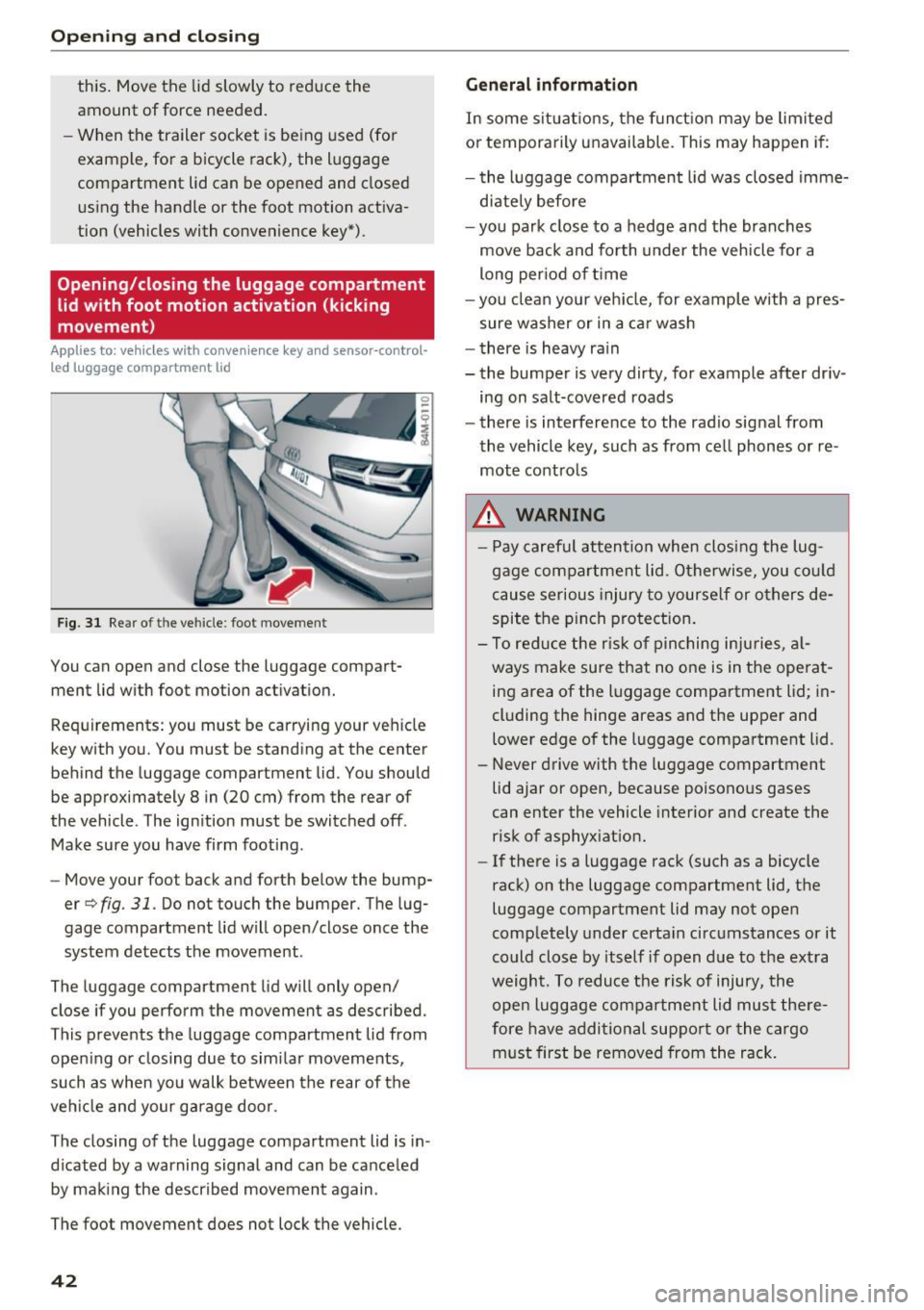
Fig. 31 Rear of th e ve hicle: fo ot move ment
You can open and close the luggage compar t
ment lid wi th foot mo tion activation.
Requirements: you must be carrying your vehicle
key with you. You must be standing at the center
behind the lugg age compartment lid. You should
be approximately 8 in (20 cm) from the rear of
the vehicle . T he ignition must be switched off .
Make sure you have firm footing .
- Move your foot back and forth below the bump
er
Q fig . 31. Do not touch the bumper. The lug
gage compartment lid will open/close once the system detects the movement .
The luggage compartmen t lid will only open/
close if you perform the movement as described.
This prevents the luggage compartment lid from opening or closing due to similar movements,
such as when you walk between the rear of the
vehicle and your garage door .
The closing of the luggage compartment lid is in
dicated by a warning signal and can be canceled by making the described movement again .
The foot movement does not lock the vehicle .
42
General information
In some situations, the function may be limited
or temporarily unavailable . This may happen if:
- the luggage compartment lid was closed imme
diately before
- you park close to a hedge and the branches
move back and forth under the vehicle for a
long period of time
-you clean your vehicle, for example with a pres
sure washer or in a car wash
- there is heavy rain
- the bumper is very dirty, for example after driv -
ing on salt-covered roads
- there is interference to the radio signal from
the vehicle key, such as from cell phones or re
mote controls
.&,. WARNING
- Pay careful attention when closing the lug
gage compartment lid. Otherwise, you could
cause serious injury to yourself or others de
spite the pinch protection.
- To reduce the risk of pinching injuries, al
ways make sure that no one is in the operat
ing area of the luggage compartment lid ; in
cluding the hinge areas and the upper and
lower edge of the luggage compartment lid .
- Never drive with the luggage compartment
lid ajar or open, because poisonous gases
can enter the vehicle interior and create the
risk of asphyxiation.
- If there is a luggage rack (such as a bicycle
rack) on the luggage compartment lid, the
luggage compartment lid may not open
completely under certain circumstances or it
could close by itself if open due to the extra
weight. To reduce the risk of injury, the open luggage compartment lid must there
fore have additional support or the cargo
must first be removed from the rack.
Page 45 of 402
u (0 ...... N r--. N ...... 0
0
:E
release
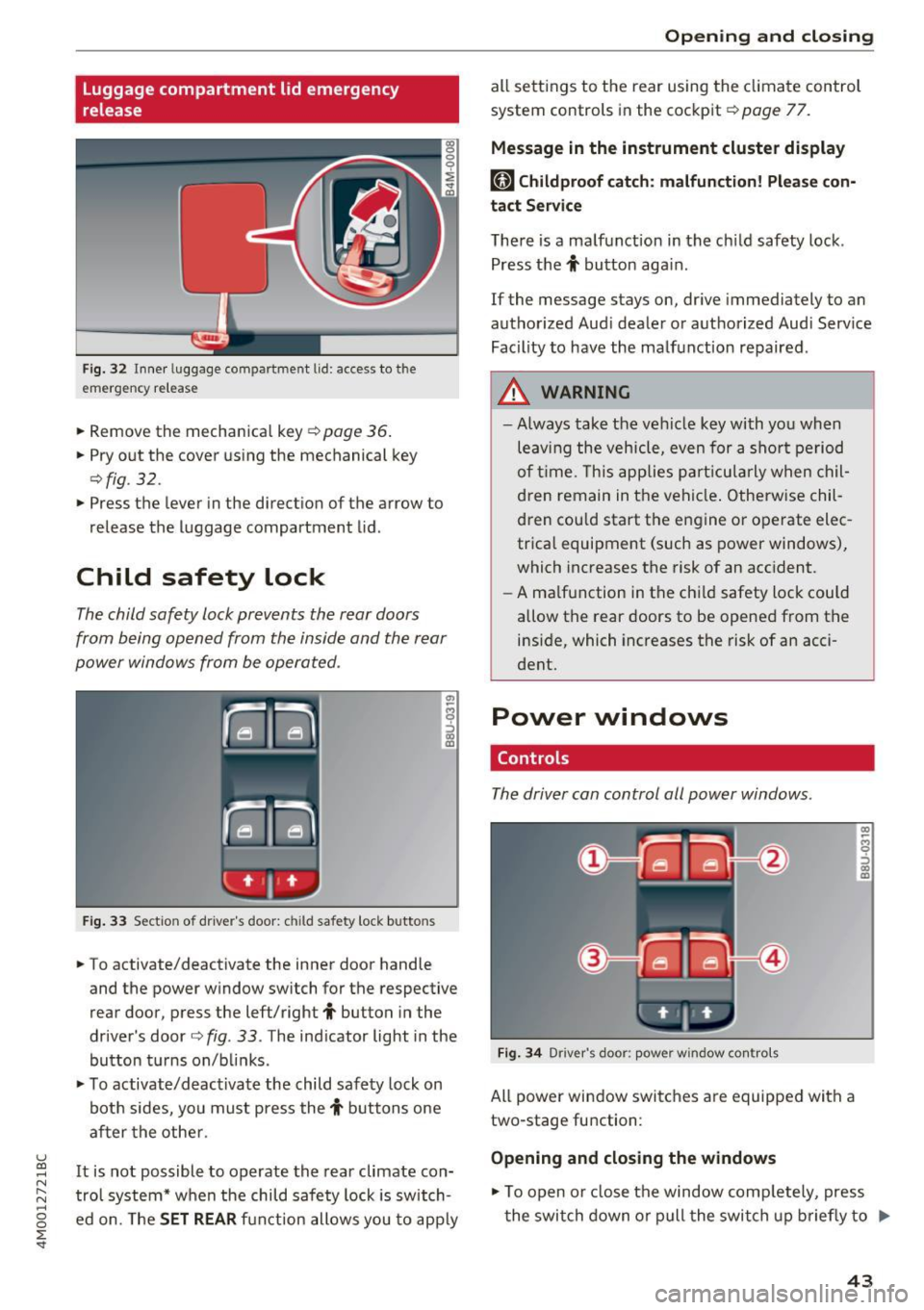
Fig . 32 Inner luggage co mpartme nt lid : access to the
emerge ncy re le ase
• Remove the mechanica l key ~ page 36 .
• Pry o ut the cover us ing the mechanical key
¢ fig . 32 .
• Press the lever in the direct io n of the arrow to
release the luggage compartment lid .
Child safety lock
The child safety lock prevents the rear doors
from being opened from the inside and the rear
power windows from be operated .
Fig. 33 Sect io n of dr ive r's door : chil d sa fety lock b utto ns
• To activate/deactivate the inner door handle
and the power w indow switch for the respective
rear door , press the left/right
t button in the
driver 's door ¢
fig. 33 . The ind icator light in the
bu tton turns on/b links .
• To activate/d eact ivate the child safety lock on
bot h sides, yo u must press the
t buttons one
a fter the othe r.
It is not possible to operate the rear climate con
tro l system* w hen the child safe ty lock is switch
e d on. The
SET REAR fu nction allows y ou to app ly
Open ing and closing
all sett ing s to the rear using the cl imate control
system controls in the cockpit ¢
page 77.
Message in the instrument cluster display
[81 Childproof catch : malfun ction! Please con·
tact Service
The re is a ma lfunction in the ch ild safety lock .
Press the
t button aga in .
If the message stays on, dr ive immediately to an
authorized Aud i dealer o r a uthorized Aud i Serv ice
Facility to have the ma lf u nction repaired .
A WARNING
=
-Always take the ve hicl e key with yo u when
leav ing the vehicle, even for a s hort pe riod
o f ti me. This applie s pa rtic ula rly w hen chil
dren remain in t he vehi cle. O therwise chil
d ren cou ld sta rt the en gine or operate elec
trica l equipment (such as power windows),
which increases the risk of an acc ident.
- A ma lf u nction in the ch ild safety loc k could
allow the rear doors to be opened from t he
inside, which increases the risk of an acci
dent.
Power windows
Controls
The driver can control all power windows.
F ig . 34 Dr iver 's doo r: pow er w indow co ntro ls
All power win dow switc hes are equipped wit h a
two-stage fu nction :
Opening and closing the windows
-
CX) ~ M 0
::'> CX) (D
• To open o r close the window comp letely, press
t he swi tch down or pull the swi tch up briefly to
IJi,,-
43
Page 52 of 402
Lights and Vision
Ir.a Head light a ssista nt: malf unction! See own
er' s manual
Drive to an a utho rized Aud i de aler or authorized
Aud i Serv ice Facility immediately to have the
malfunction corrected . You can still switch the
high beams on or off manually .
II Headlight assi stant : currently unavail able .
Camera view re stricted due to surroundings .
See owner's manual
The camera view is b lo cked , fo r example by a
s t icker o r debr is.
The sensor is located between the interior rear
view mir ror and the windshield . Do not p lace any
stickers in th is area on the windshield .
_& WARNING
High beam assistant is only i ntended to assist
t he driver. The dr iver is still res ponsible for
cont ro lling the headlights and may need to
switch them on and off manually depend ing
on light and visib ility co nditions . It may be
necessary to ope rate them manua lly in s itua
tions such as:
- In adve rse weathe r cond itions such as fog,
heavy ra in, b low ing snow or sp raying water .
- On roads where oncoming traffic may be
partia lly obscured, s uch as exp ressways .
- When there a re road users that do not have
s uf ficient lighting, s uch as bicyclers o r
vehicles with dirty ta il lamps.
- In tight curves and o n steep hills .
- In poorly lit areas .
- Wi th stro ng reflecto rs, such as s igns.
- If the area of the windsh ield near the senso r
is fogged ove r, dirty, i cy or covere d with a
st icker .
Adjusting the exterior lighting
The functions ar e adjust ed in the Infotainm ent
system.
• Se lect in the Infotainment system: I M ENU I but
ton
> Vehi cle > left contro l button > Vehicle
setting s
> Exterior lighting .
50
Automatic headlights
You can adjus t the following se ttings in the Au
to-dimming high beam s
menu:
Activation time -you can adjust if the headlights
swi tch on
Early , Medium or Late accor ding to t he
sens itivity of t he lig ht sen sor .
Headlight assistant * -you can switch the high
bea m assis tant* on and off.
Entry/exit lighting
When it is dark, the Ent ry /exit lighting ill umi
nates the area a round the vehicle when unlocking
the veh icle and after switch ing off the ig nition
and opening the dr ive r's door .
The
Entry /e xit lighting only works when it is
dark and the light sw itch is in the
AUTO posit ion.
Daytime running lights
USA models :
the daytime r unning lights can be
switch ed on/off . S elect
On or Off.
Canada models: this f unction canno t be sw itched
off. They activate automatically each time the ig
nit ion is switched on.
Emergency flas hers
--- ---~
·--~~ ~-~-~
·----- -- --___ , ~ - ::..- -- ,,.. A .. 'l-"'.A - - -~
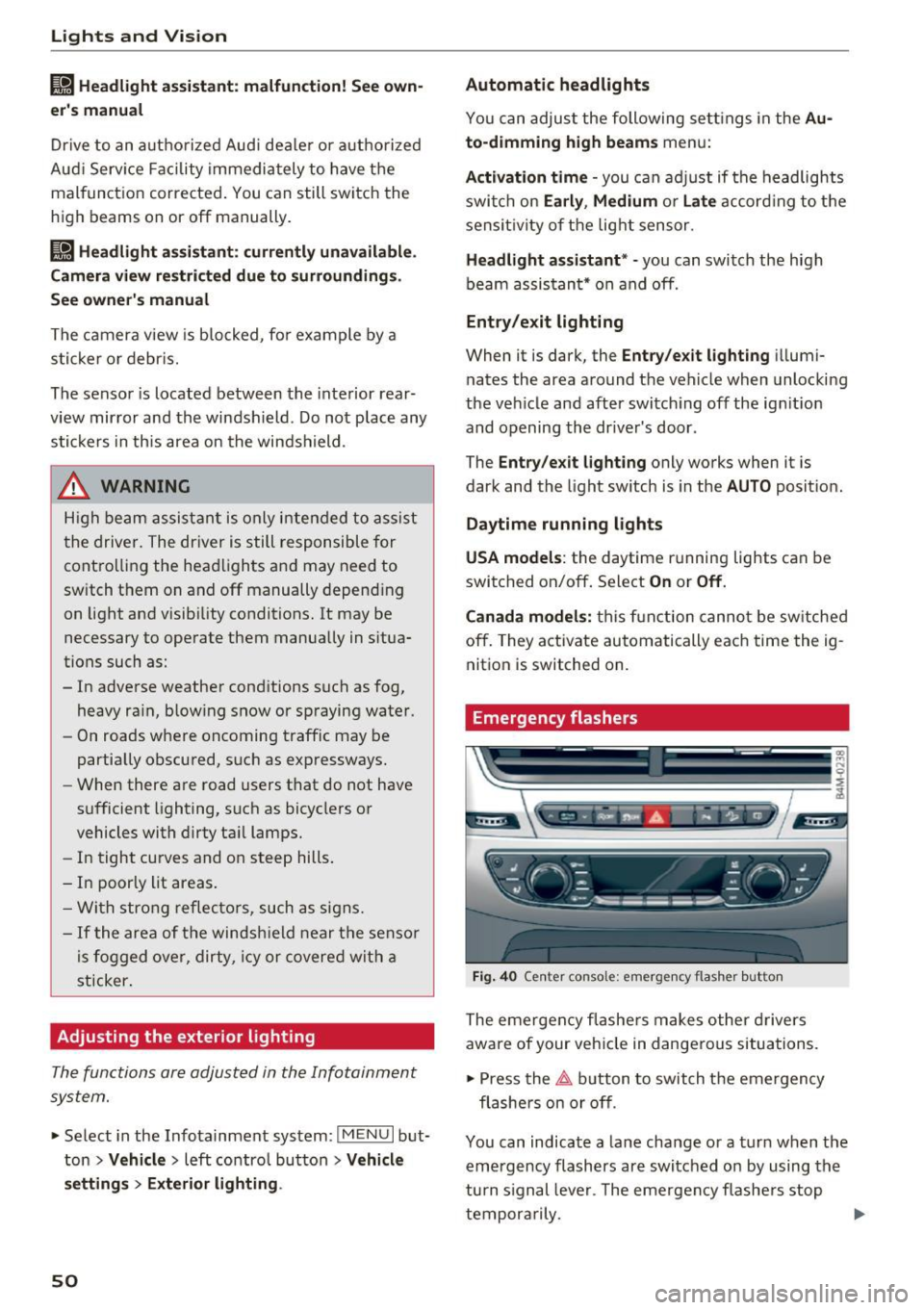
Fig. 4 0 Center conso le: emerge ncy flashe r bu tt o n
The emergen cy fl ashe rs m akes ot her d rivers
aware of your veh icle in dangerous situations.
• Press the
~ button to switch the emergency
flashe rs on or off .
Yo u can indicate a la ne change or a turn when the
eme rgency flashers are switched o n by using the
turn s ignal leve r. T he eme rgency f lashe rs stop
tempor arily .
ll-
Page 55 of 402
u co ...... N r-... N ...... 0
0
:E: '
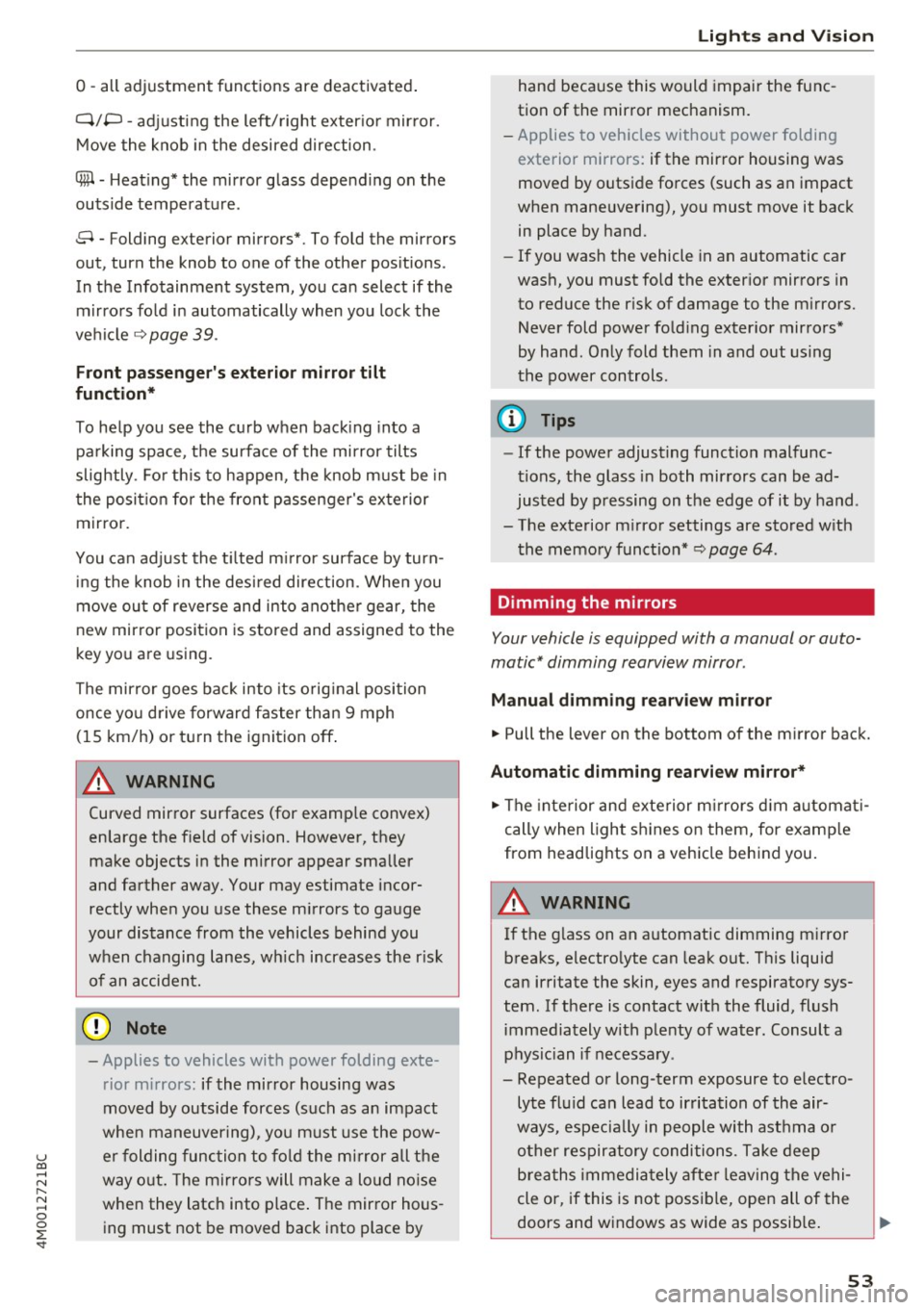
Q/ P -adjusting the left/right exter io r mir ror.
Move the knob in the desired direction .
®-Heating* the mirror glass depending on the
outside temperature .
8 - Folding exterior mirrors* . To fold the mirrors
out, turn the knob to one of the other pos itions .
In the Infotainment system, you can select if the mirrors fo ld in automatically when you lock the
ve hicle
9 page 39.
Front pa ssenger' s exterio r mirror tilt
function*
To help you see the curb when back ing into a
pa rking space, the surface of the mirror tilts
slightly . Fo r th is to happen, the knob m ust be in
the posit io n for the front passenger's exterior
mirror.
You can adjust the t ilted m irror surface by turn
ing the knob in the desi red direction. When you
move ou t of reverse and into another gear, the
new mirror position is stored and assigned to the
key you are using.
The mir ror goes back into its orig inal position
once yo u drive forward faster than 9 mph
(15 km/h) or turn the ignition off .
A WARNING
Curved mirror surfaces (for examp le convex)
enlarge the f ield of vision . However, they
make objects in the mirror appear sma ller
and farther away. Your may estimate incor
rectly whe n you use these m irrors to gauge
your distance from the vehicles behind you
when changing lanes, wh ich increases the r is k
of an accident.
(D Note
- Applies to vehicles with power folding exte
rior mirrors: if the mirror housing was
moved by outside forces (such as an impact
whe n maneuvering), yo u m ust use the pow
e r folding func tion to fo ld the mi rror all the
way o ut. The mirro rs will make a loud no ise
when they latch into place . The mir ror hous
ing must not be moved back into place by
Light s and Vision
hand because this would impai r the func
tion of the mirror mechanism.
- Applies to vehicles without power folding
exterior mirrors: if the mirror housing was
moved by outside forces (such as an impact
when maneuvering), you must move it back
in place by hand .
- If you wash the vehicle in an automatic car
wash, you must fold the exter ior mirrors in
to reduce the r isk of damage to the m irrors.
Never fold power fo ld ing exter ior mirrors*
by hand . On ly fold them in and out us ing
the power controls.
(D Tips
- If the power adjusting function malfunc
tions, the glass in both mirrors can be ad
justed by p ressing on the edge of it by hand .
- The exterior m irror settings are stored w ith
the memory funct io n*
9 page 64 .
Dimming the mirrors
Your vehicle is equipped with a manual or auto
matic* dimming rearview mirror .
Manual dimming rearview m irror
.. Pull the lever on the bottom of the m irror back.
Automat ic dimming rearview mirror*
.. The inte rior and exte rior m irrors d im a utomat i
cally when light s hines on them, for examp le
from headlights on a veh icle beh ind you.
A WARNING
=
If the g lass on an a utomatic dimming m irro r
b reaks, electro lyte can leak out. This liquid
can irritate the skin, eyes and respiratory sys
tem. If there is contact w ith the fluid, flush
immediately w ith p lenty of water. Consult a
physic ian if necessa ry .
- Repeated or long-term exposure to e lectro
lyte fl uid can lead to ir ritation of the air
ways, especia lly in peopl e with ast hma o r
o ther respiratory condi tions. Take deep
b rea ths immedi ately afte r leaving the vehi
cle or, if this is not poss ible, open all of the
doors and windows as wide as possib le .
53
Page 62 of 402
Sea ts and stor age
from 1 through 5 . You can switch the selected
massage on/off using the button @
¢fig . 56 .
Lumb ar support -you can adjust the lumbar sup
port up/down and to be s tronge r/weaker.
Side bol ster s* -you can increase/decrease the
latera l support in the seat using the s ide bo lsters
on the seat surface and the backrest.
Upp er thigh support* -you can increase/de
crease the upper th igh support .
(D Tips
-The massage function switches off auto
matically after approx imately 10 minutes .
- The air in the side bolsters* is released as
soon as the driver's door opens. This makes
is possible to enter and exit the vehicle
more comfortab ly. As soon as you sta rt d riv
i ng the veh icle, the s ide bo lsters fi ll.
Center armrest
There is a storage compartment under the arm
rest.
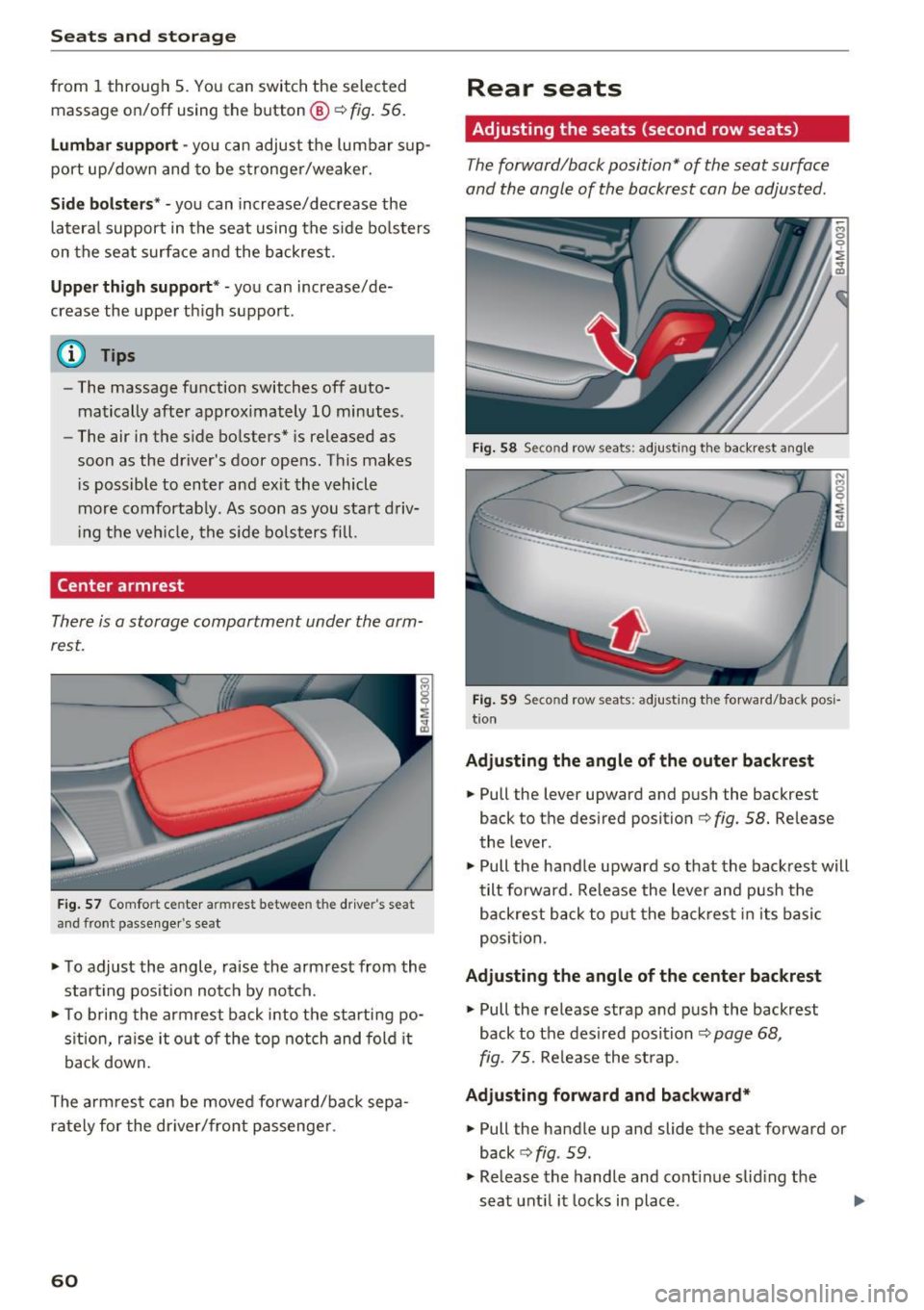
F ig . 57 Comfort center armrest between the driver's seat
and front passe nger's seat
• To adjust the angle, raise the armrest from the
start ing pos it ion notch by no tch.
• To bring the armrest back i nto the starti ng po
s ition, ra ise it out o f the top notch and fold it
back down.
The arm rest can be moved forward/back sepa
rately for the dr iver/front passenge r.
60
Rear seats
Adjusting the seats (second row seats)
The forward/back position" of the seat surface
and the angle of the backrest can be adjusted.
Fig. 58 Se con d row seats: adjusting th e ba ckrest angle
··-·-·--··-.. ____ .. _,,,___ ____
-... ···-----...... _ ..... _____ ..
Fig. 59 Seco nd row seats: adjusting t he forward/back posi
t io n
Adju sting the angle of the outer back rest
• Pull the lever upward and push the backrest
back to the desired position¢
fig. 58. Release
the lever.
• Pull the handle upward so that the backrest will
tilt forward. Re lease the lever and push the
backrest back to p ut the back res t in i ts basic
posi tion .
Adju sting the angle of the center backrest
• Pull the release strap and p ush the backrest
back to the des ired position
¢page 68,
fig. 75.
Re lease the st rap.
Adju sting forward and backward*
• Pull the handle up and slide the seat forward or
back
c> fig . 59.
• Release the handle and cont inue sliding the
seat unt il it locks in place .
Page 64 of 402
Sea ts and stor age
Folding the backrest down/up (third row
seats)
Applies to veh icles with third row seats
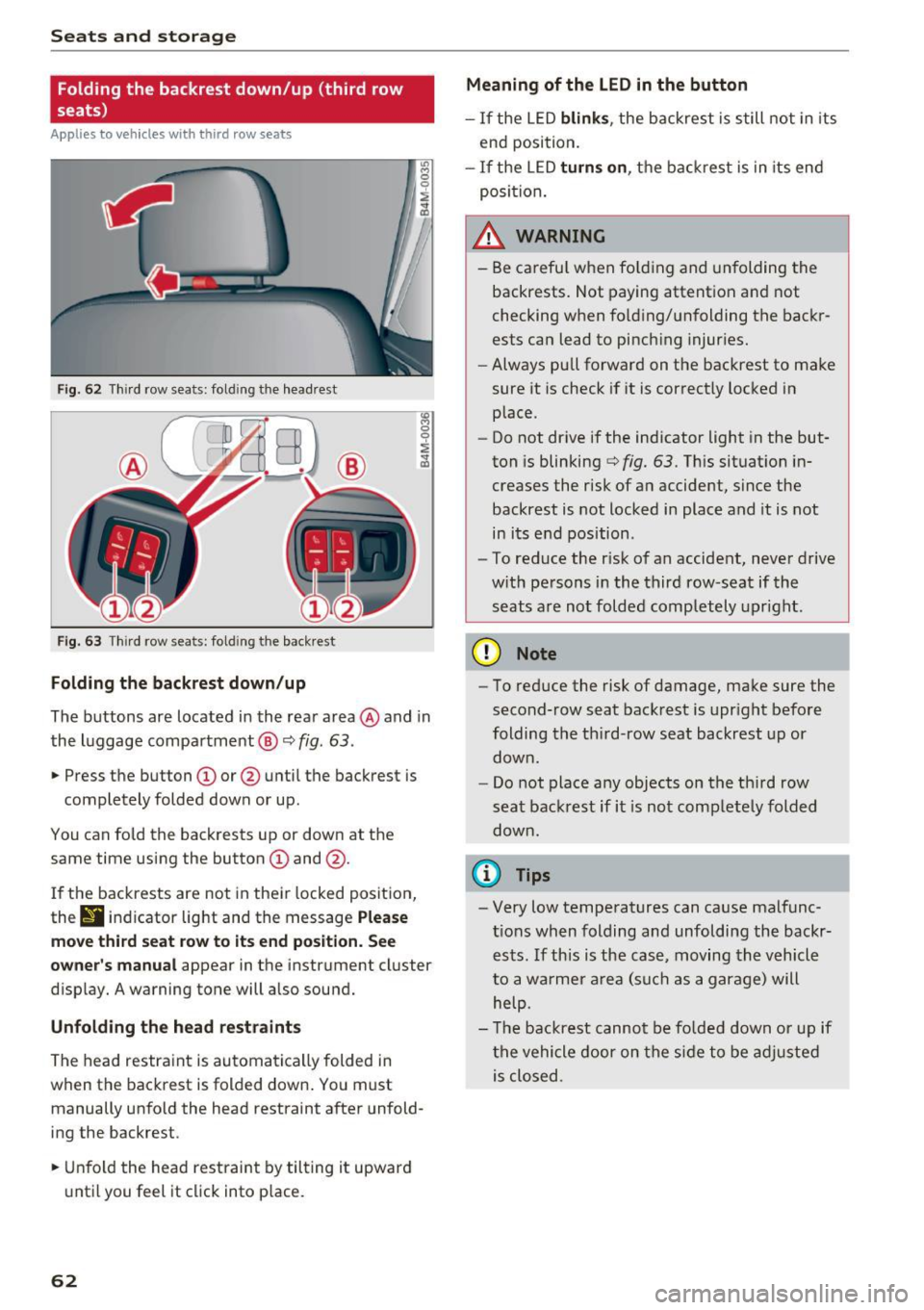
Fig. 62 T hir d row seats: fold ing the headrest
F ig . 63 Thir d row seats: fold ing the backrest
Folding the backre st down /up
The buttons are located in the rear area @and in
the luggage compartment @¢
fig. 63.
.,. Press the button CD or @ until the backrest is
completely folded down or up.
You can fo ld the backrests up or down at the
same time using the button
CD and @.
I f the backrests are not in their locked position,
thr
9 indicator light and the message P lea se
mo ve third seat r ow to it s end po sition . S ee
owner 's manual
appear in the instrument cluster
disp lay. A warning tone will a lso sound.
Unfold ing th e head re st ra int s
The head restraint is automatically folded in
when the backrest is folded down . You must
manually unfo ld the head restraint after unfold
ing the backrest .
.,. Unfold the head restraint by tilting it upward
until you feel it click into p lace.
62
Meaning of the LED in the button
- If the LED blink s, the backrest is still not in its
end position.
- If the LED turn s on, the backrest is in its end
posi tion.
_& WARNING
- Be carefu l when fo lding and unfolding the
backrests. Not paying attention and not
checking when fo ld ing/unfolding the backr
ests can lead to pinch ing injuries.
- Always pull forward on the backrest to make
sure it is check if it is correctly locked in
place.
- Do not drive if the indicator light in the but
ton is blinking
¢ fig. 63. Th is situation in
creases the risk of an accident, since the
backrest is not locked in place and it is not
in its e nd position .
- To reduce the r isk of an accident, never drive
w ith persons in the third row-seat if the
seats a re not folded comp letely upright .
(D Note
-To reduce the risk of damage, make sure the
second-row seat backrest is upr ight before
folding the th ird-row seat backrest up or
down .
- Do not place any objects on the third row
seat backrest if it is not completely folded
down.
(I} Tips
- Very low temperatures can cause malfunc
t ions when folding and unfolding the backr
ests . If this is the case, moving the vehicle
to a warmer a rea (such as a garage) will
help.
- T he backrest cannot be fo lded down or up if
the vehicle door on the side to be adjusted is closed .
Page 66 of 402
Sea ts and stor age
_& WARNING
- Always read and follow the applicable warn
ings
q pag e 259, Proper adjustm ent of
head restraints .
-Only remove the head restraints for the sec
ond row seats when it is necessary for in
sta lling a child safety seat~
page 295,
Child safety.
Install the head rest rai nt again
immediately once the child s afety seat is re
moved. Driv ing with the head res traints re
moved or not in the upright position in
creases the risk of serious injury .
Memory function
Description
Applies to: veh icles with memory function
Using the memory funct ion , you can qu ickly and
easi ly store a pe rsonal seat profile for the driver
and fron t passenger and recall the settings. The
memory function is controlled by t he remo te
control key and the memory buttons in the driv
er's/front passenger's* door .
The drive r's seat profile is stored aga in and as
signed to the remo te control key each time the
ve hicl e is locked. When you open the door, the
seat profi le is automatica lly recalled.
If two peo
p le use the ve hicle, it is recommended that each
person a lways uses their "own" remote contro l
key.
Two seat profiles can be stored each using the memory buttons . Once they are stored, these
seat profiles can be selected at any time.
The fo llowing settings are stored:
Remote Memory button
control
key
Driver Dri ver Front pas-
senger
Seat X X X
Steering
X X wheel*
Both exte rior
X X mirrors
*
64
Remote control key
Applies to: vehicles with memory function
The driver 's seat profile can be assigned to the
remote control key when the vehicle is locked .
.. Select in the Infotainment system: IMENUj but
ton
> Ve hicle > left control button > Vehicle
se tting s > Se ats > Driver 's seat> S tore se t
t ing s on remo te control k ey.
@ Tips
If you do not wish to have the seat profile for
another driver ass igned to the remote control
key, switch the memory f unction off in the In
fotainment system.
Memory buttons
Applies to: vehicles with memory funct ion
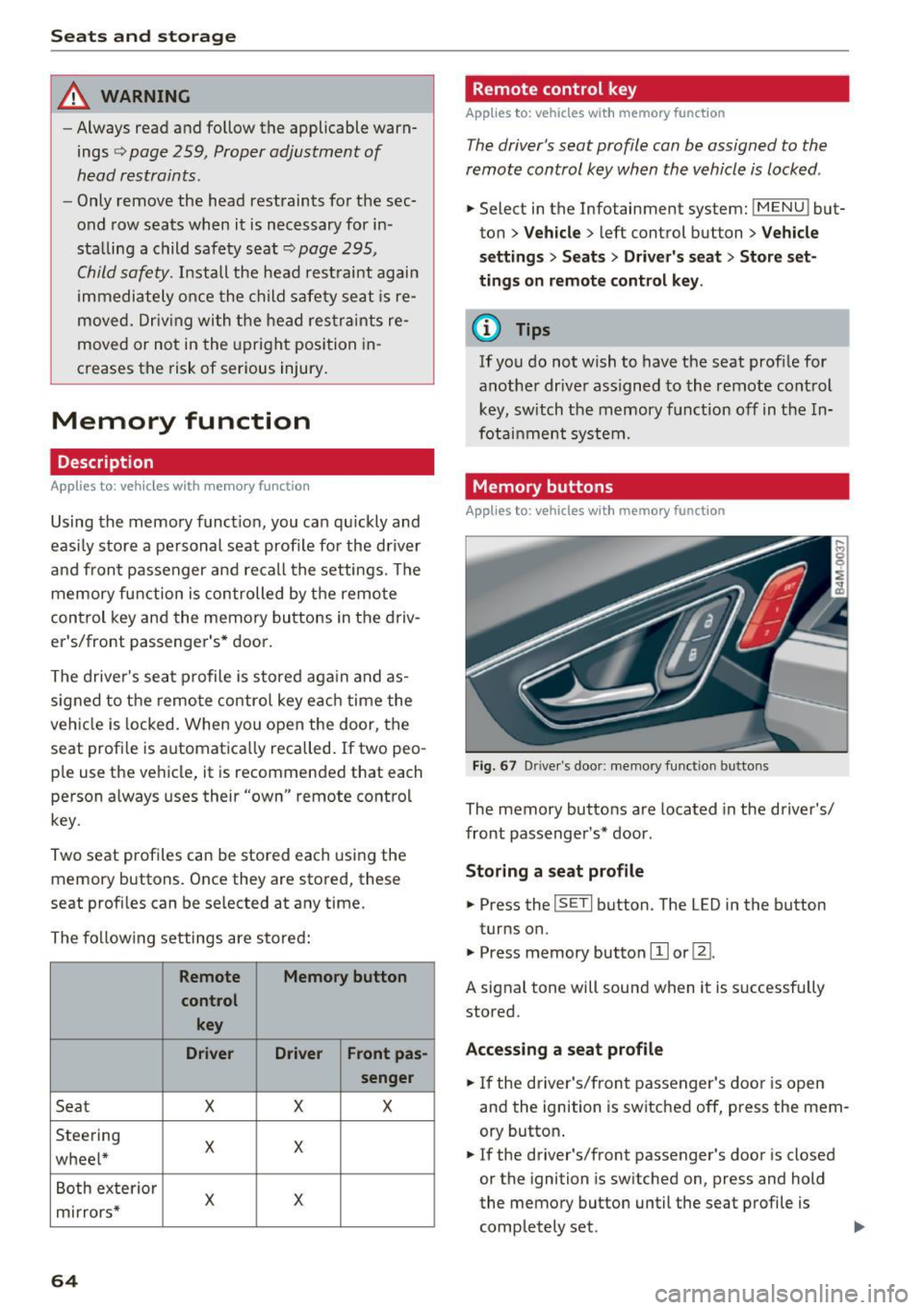
Fig . 67 D rive r's doo r: memory function b utto ns
The memory buttons are located in the driver's/
front passenger's * door .
Storing a sea t p rofile
.. Press the ISETI button . The LED in the button
turns on.
"' Press memory button
[I] or ~-
A signal tone will sound when it is s uccessfully
stored.
Acc essing a s eat profil e
"' If the driver's/front passenger's door is open
and the ignition is switched off, press the mem
ory button .
.. If the driver's/front passenger's door is closed
or the ignition is sw itched on, press and hold
the memory button until the seat profile is comp letely set. .,..
Page 69 of 402
u (0 ...... N r--. N ...... 0
0
:E
Appl ies to: ve hicles with cooled glove compartme nt
The cooled glove compartment only functions
when the AIC system is switched on.
-.- !i:CI:!·
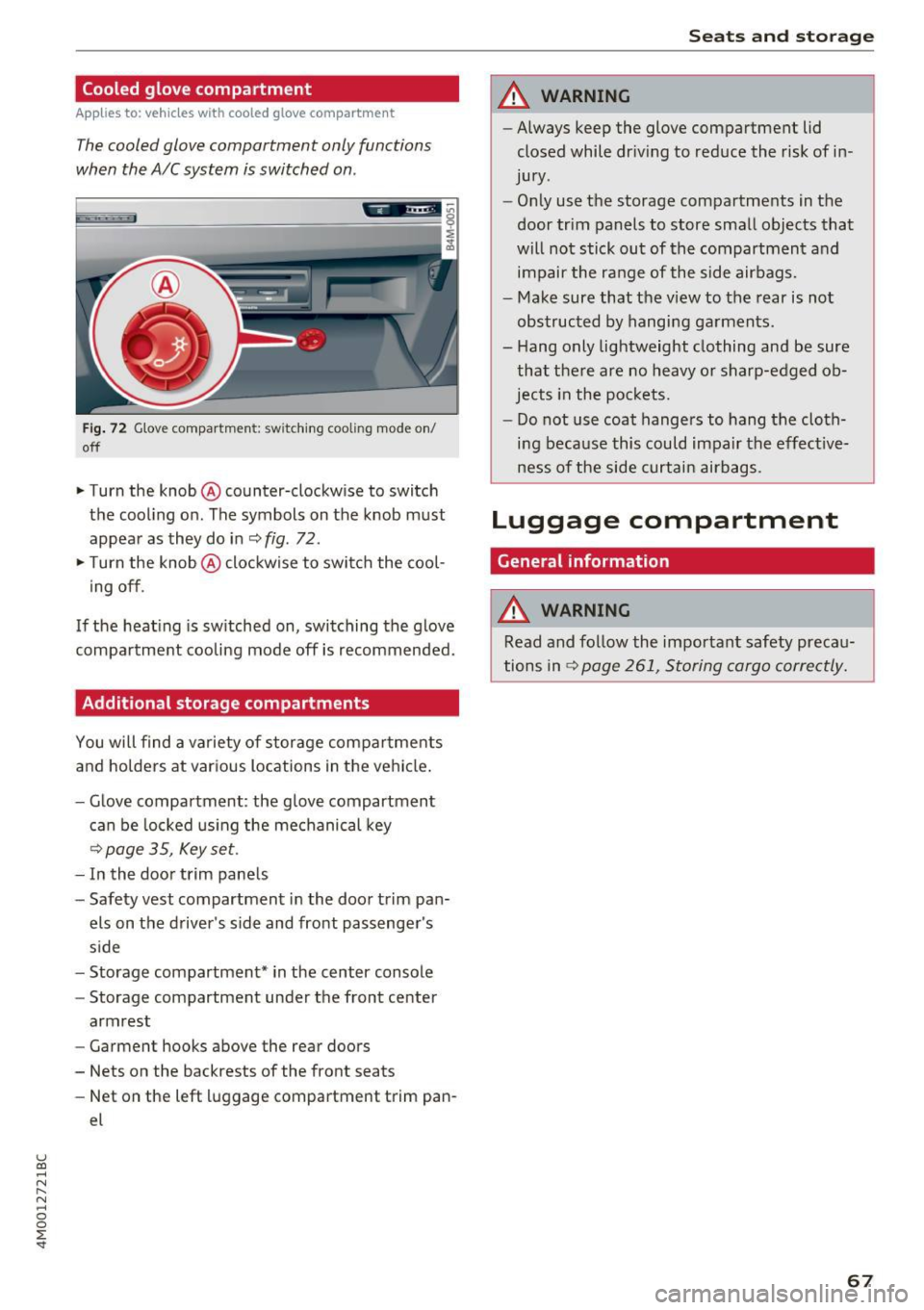
Fig. 72 G love compartment: switching cooling mode on/
off
~ Turn the knob @ counter-clockw ise to switch
the cooling on. The symbols on the knob must
appear as they do in
~ fig . 72 .
~ Turn the knob@ clockwise to switch the cool
ing off .
If the heating is switched on, switching the glove
compartment cooling mode off is recommended.
Additional storage compartments
You will find a variety of storage compartments
and holders at various locations in the vehicle.
- Glove compartment : the glove compartment
can be locked using the mechanical key
<=> page 35, Key set.
-In the door trim panels
- Safety vest compartment in the door trim pan-
els on the driver's side and front passenger's
side
- Storage compartment* in the center console
- Storage compartment under the front center
armrest
- Garment hooks above the rear doors
- Nets on the backrests of the front seats
- Net on the left luggage compartment trim pan-
el
Seats and storage
A WARNING
--Always keep the glove compartment lid
closed while dr iving to reduce the risk of in
jury .
- Only use the storage compartments in the
door trim panels to store small objects that
will not stick out of the compartment and
impair the range of the side airbags.
- Make sure that the view to the rear is not
obstructed by hanging garments.
- Hang only lightweight clothing and be sure
that there are no heavy or sharp-edged ob
jects in the pockets.
- Do not use coat hangers to hang the cloth
ing because this could impair the effective
ness of the side curtain airbags .
Luggage compartment
General information
A WARNING
Read and follow the important safety precau
tions in
r::!> page 261, Storing cargo correctly.
67
Page 79 of 402
u co ...... N r-... N ...... 0
0
:E: '
Use the rocker switch(;) to select the funct io n.
When synchronization is switched on, the set
tings for the driver's side are applied to the front
passenger's side and the rear (except for seat
heating/ventilation*). When the settings on the
front passenger 's side or in the rear are changed,
the synchron izat ion is automatically sw itched off
and
4-zone appears in the display .
SET REAR
function
Use the rocker switch (D to select the funct ion .
When the function is switched on, you can adjust
all settings for the rear using the climate control
system controls in the cockpit . The rear climate
control system controls cannot be operated at
the same time. This function switches off auto
matically after a certain period of time or after
l eaving the menu.
Vents
You can open or close the center and rear vents in
the cockpit and the vents in the rear center con
sole and door pillars using the ridged thumb
wheels. The levers adjust the direct io n of the air
flow from the vents. The w ide ven t is opened and
closed using the~ button ~
page 8, fig. 2@ .
Residual heat
You can activate the residual heat funct ion when
the ignition is switched off by pressing the knob
@ (left side). The residual heat from the coolant
is used to heat the vehicle inter io r. The resid ual
heat function switches off automatically after
about 15 min utes.
& WARNING
- You should not use the recirculation mode
for an extended period of time, because no
fresh a ir is drawn in and the windows can
fog when coo ling mode is switched off . This
increases the risk of an accident .
- Individuals with reduced sensitivity to pain
or temperature could develop burns when
using the seat heating function . To reduce
the risk of injury, these ind iv iduals should
not use seat heating.
Warm and cold
(D Note
To avoid damage to the heating elements in
the seats, do not kneel on the seats or place
heavy loads on a small area of the seat.
(D Tips
It is not possible to operate the rear climate
control system controls when the power ch ild
safety lock is switched on. With With the
SET REAR function, you can apply all settings
to the rear using the climate control system
controls in the cockpit
~ page 43.
Setup
Applies to: vehicles with 4 -zone deluxe automat ic climate
contro l
The climate control system basic settings are ac
cessed in the Infotainment system .
.. Select in the Infotainment system: I MENU! but
ton
> Vehicle > l eft control b utton > Air condi
tioning
Seat heating/seat ventilation*
You can adjust the seat heating/ventilation bal
ance fo r the driver, front passenger and rear pas
sengers .
Footwell temperature
You can adjust the footwell temperature so that
it is cooler or warmer.
Auto recirculation
When switched on, automat ic rec irculat ion con
trols the recirculation mode automatically . You
must press the
® MAX button if fog forms on
the windows.
Automatic auxiliary heater*
The aux iliary heater he lps to warm the vehicle in
terior more quickly.
Steering wheel heating
Applies to: vehicles with stee ring wheel heating
The steering wheel rim can be heated .
.. Press the button on the multifunction steering
wheel to switch the steering wheel heating on ..,_
77