towing AUDI Q7 2018 Owner´s Manual
[x] Cancel search | Manufacturer: AUDI, Model Year: 2018, Model line: Q7, Model: AUDI Q7 2018Pages: 398, PDF Size: 185.58 MB
Page 4 of 398
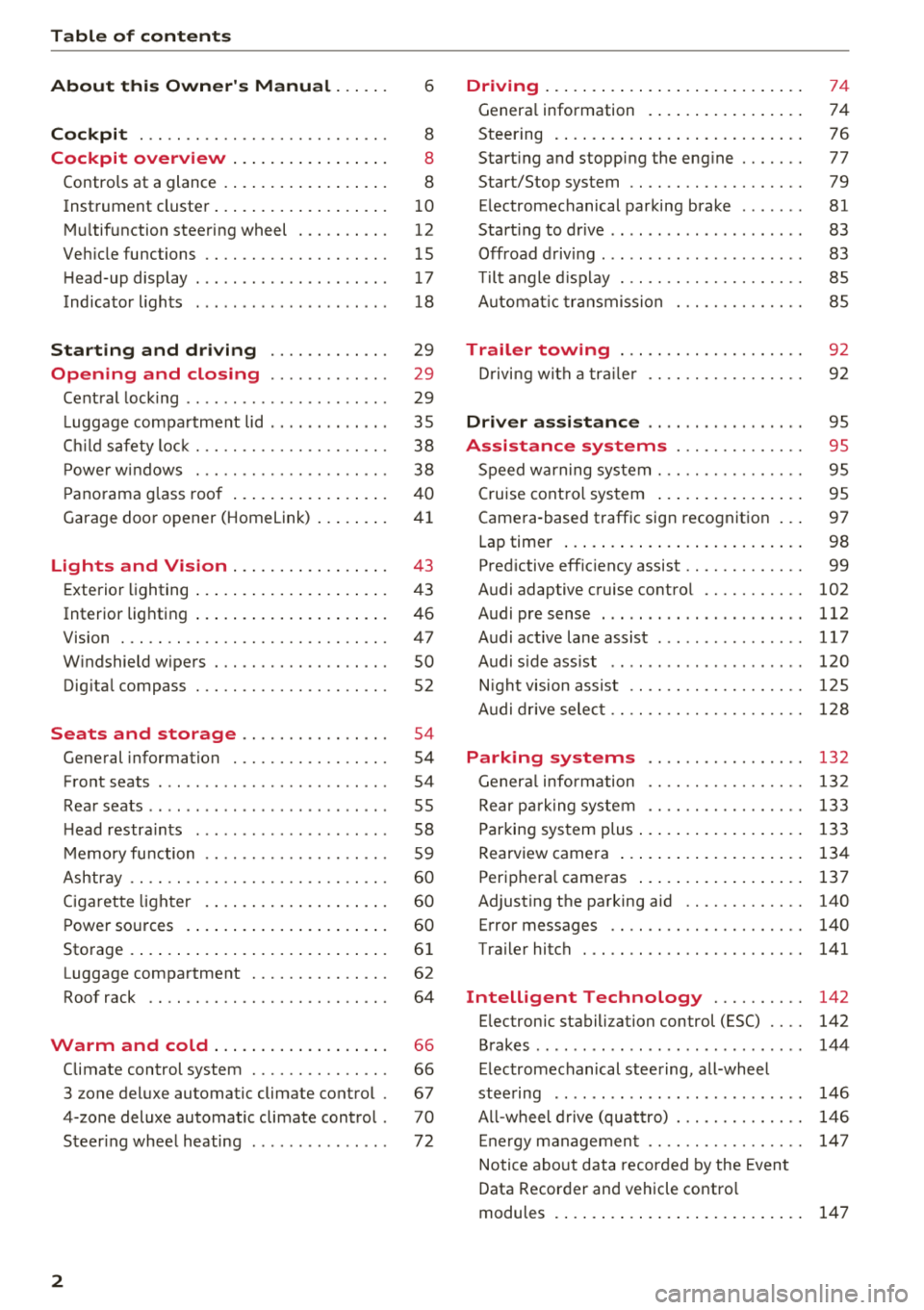
Table of contents
About this Owner's Manual. . . . . .
6
Cockpit . . . . . . . . . . . . . . . . . . . . . . . . . . . 8
Cockpit overview . . . . . . . . . . . . . . . . . 8
Controls at a glance . . . . . . . . . . . . . . . . . . 8
Instrument cluster . . . . . . . . . . . . . . . . . . . 1 0
M ultif unction steering wheel . . . . . . . . . . 12
Veh icle functions . . . . . . . . . . . . . . . . . . . . 15
H ead-up display . . . . . . . . . . . . . . . . . . . . . 17
Indicator l ights . . . . . . . . . . . . . . . . . . . . . 18
Starting and driving . . . . . . . . . . . . . 29
Opening and closing . . . . . . . . . . . . . 29
Cent ral lock ing . . . . . . . . . . . . . . . . . . . . . . 29
L uggage compartment lid . . . . . . . . . . . . . 35
C hil d safety loc k . . . . . . . . . . . . . . . . . . . . . 38
P owe r w indows . . . . . . . . . . . . . . . . . . . . . 38
P ano rama g lass roo f . . . . . . . . . . . . . . . . . 4 0
Garage door opener (Homelink) . . . . . . . . 41
Lights and Vision . . . . . . . . . . . . . . . . . 43
E xterio r lighting . . . . . . . . . . . . . . . . . . . . . 4 3
Interior lighting . . . . . . . . . . . . . . . . . . . . . 46
V1s1on . . . . . . . . . . . . . . . . . . . . . . . . . . . . . 47
W indshield wipers . . . . . . . . . . . . . . . . . . . 50
Dig ita l compass . . . . . . . . . . . . . . . . . . . . . 52
Seats and storage ............. .. .
General information .......... .... .. . 54
54
Front seats . . . . . . . . . . . . . . . . . . . . . . . . . 54
Rea r seats . . . . . . . . . . . . . . . . . . . . . . . . . . 55
H ead restra ints . . . . . . . . . . . . . . . . . . . . . 58
M emory fu nction . . . . . . . . . . . . . . . . . . . . 59
Ashtray . . . . . . . . . . . . . . . . . . . . . . . . . . . . 60
Ciga ret te lighte r . . . . . . . . . . . . . . . . . . . . 60
P ower so urces . . . . . . . . . . . . . . . . . . . . . . 60
Storage . . . . . . . . . . . . . . . . . . . . . . . . . . . . 61
Luggage compartment . . . . . . . . . . . . . . . 62
Roof rack . . . . . . . . . . . . . . . . . . . . . . . . . . 64
Warm and cold . . . . . . . . . . . . . . . . . . . 66
Climate control system . . . . . . . . . . . . . . . 66
3 zone deluxe automatic clim ate control . 67
4-zone deluxe automatic climate control . 70
Steer ing whee l heating . . . . . . . . . . . . . . . 72
2
Driving ... .. .. .... .. ... .. ..... ... . .
Genera l information . .... .. ..... ... . .
Steering . ... .. .... .. ... .. ..... ... . .
Start ing and stopping the eng ine ..... . .
Start/Stop system .. .. ............. . .
E lectromechanical parking brake ...... .
Start ing to drive .. .. .. .............. .
Offroad d riving ... .. .. .............. .
T ilt angle d isp lay . .. .. ............. . .
A utomat ic tra nsmission
Trailer towing ... .. ............. . .
D rivi ng with a tra ile r 74
74
7
6
77
79
81
83
83
85
85
9 2
92
Driver assi stance . . . . . . . . . . . . . . . . . 9S
Assistance systems . . . . . . . . . . . . . . 95
Speed warning system . . . . . . . . . . . . . . . . 95
Cruise cont ro l sys tem . . . . . . . . . . . . . . . . 95
Camera -based traffic sign recognition . . . 97
Lap timer . . . . . . . . . . . . . . . . . . . . . . . . . . 98
Pred ictive eff ic iency assist . . . . . . . . . . . . . 99
Audi adaptive c ruise contro l . . . . . . . . . . . 102
Audi pre sense . . . . . . . . . . . . . . . . . . . . . . 112
Audi active lane assist . . . . . . . . . . . . . . . . 117
Audi s ide ass ist . . . . . . . . . . . . . . . . . . . . . 120
N ight vision assist . . . . . . . . . . . . . . . . . . . 1 25
A udi drive selec t . . . . . . . . . . . . . . . . . . . . . 128
Parking systems 132
Genera l infor mation . . . . . . . . . . . . . . . . . 132
Rear p arking system . . . . . . . . . . . . . . . . . 133
Parking sys tem plus . . . . . . . . . . . . . . . . . . 133
Rearview camera . . . . . . . . . . . . . . . . . . . . 134
Periphera l cameras . . . . . . . . . . . . . . . . . . 137
Adjusting the parking aid . . . . . . . . . . . . . 140
Error messages . . . . . . . . . . . . . . . . . . . . . 140
Trailer hitch . . . . . . . . . . . . . . . . . . . . . . . . 141
Intelligent Technology . . . . . . . . . . 142
E lec tronic stabili zation con trol (ESC) . . . . 142
Brakes . . . . . . . . . . . . . . . . . . . . . . . . . . . . . 144
E lectromechanical steering, all-whee l
stee ring . . . . . . . . . . . . . . . . . . . . . . . . . . . 146
A ll-wheel d rive (quattro) . . . . . . . . . . . . . . 146
E ne rgy managemen t . . . . . . . . . . . . . . . . . 14 7
Notice abo ut data recorded by the Event
Data Recorder and vehicle contro l
modules . . . . . . . . . . . . . . . . . . . . . . . . . . . 147
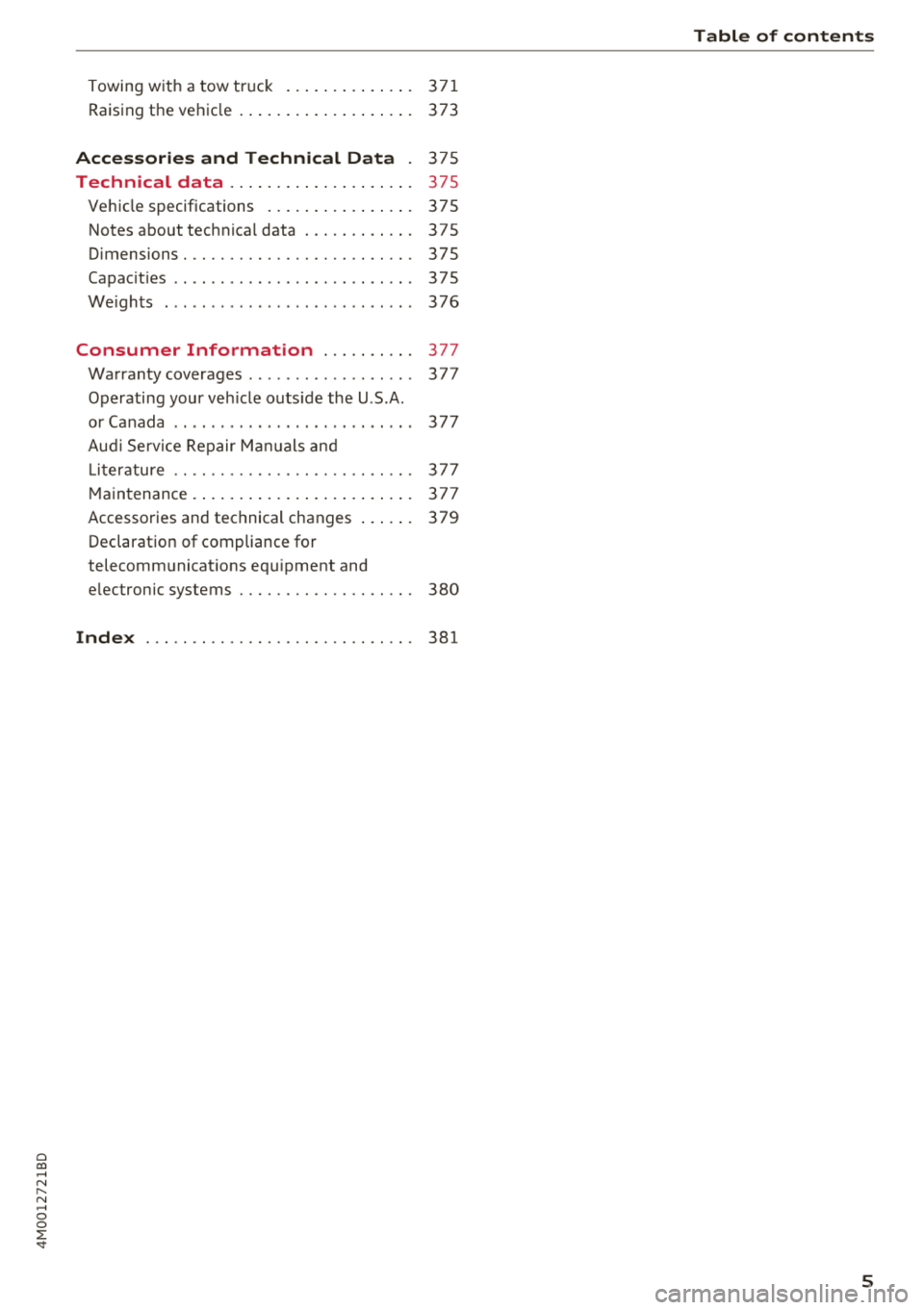
Page 7 of 398
Cl a:, ...... N
" N ...... 0
0
::r '
Raising the vehicle .......... .. .. .... . 373
Accessories and Technical Data . 375
Technical data . . . . . . . . . . . . . . . . . . . . 375
Ve hicl e specifications . . . . . . . . . . . . . . . . 375
Notes about technica l data ..... .. .. .. . 375
Dimensions. .. ............... .. .. .. . 375
Capac it ies . . . . . . . . . . . . . . . . . . . . . . . . . . 375
Weights . . . . . . . . . . . . . . . . . . . . . . . . . . . 376
Consumer Information . . . . . . . . . . 377
Warranty coverages . . . . . . . . . . . . . . . . . . 377
Operating your veh icle outs ide the U .S .A .
or Canada . . . . . . . . . . . . . . . . . . . . . . . . . . 377
Aud i Service Repair Manuals and
Literature . . . . . . . . . . . . . . . . . . . . . . . . . . 377
M aintenance. .... .......... .. .. .... . 377
Accessories and technical changes . . . . . . 379
Declaration of compliance for
telecommunicat ions equ ipment and
e lectronic systems
380
Index ... .. .. ............... .. .. .. . 381
Table of contents
5
Page 84 of 398
Drivin g
are available when you start driving r=:> poge 83,
Starting to drive .
Preventing th e automatic parking brake
r e leas e
The vehicle could begin rolling unintentiona lly,
depending on the hill or if towing a trailer .
.,. To preve nt the parking b rake from releasing au
tomat ica lly, pull and hold the© switch and
press the acce lerator pedal. The parking brake
remains set and prevents the vehicle from ro ll
ing backward.
.,. You can release the(®) switch again once you
are sure that you are g iv ing enough dr iv ing
force to the wheels by pressing the accelerator
pedal.
Emer gency br aking fun ction
You can use the emergency braking function in an
emergency situation, or if the standard brake op
eration malfunctions or is disabled.
.,. Pu ll and hold the(®) switch.
.,. As soon as you release the © switch or acceler -
ate, the braking stops .
Pulling and holding the<®> switch while driving
the vehicle activates the emergency braking func
tion . The vehicle is braked at all four wheels by
activating the hydraulic brake system. The brak ing effect is s imilar to heavy braking
r=:> ,&. .
To reduce the risk of activating the emergency
braking by mistake, a warning tone (buzzer)
sounds when the(®) switch is pulled. Emergency
braking stops as soon as the(®) switch is released
or the accelerator pedal is pressed .
Parking
.,. Press the brake peda l to stop the vehicle.
.,. Pu ll the(®) switch to set the parking brake.
.,. Se lect the "P" selector lever pos it ion.
.,. Turn the eng ine off
r=:> ,&. .
.,. Turn the steering wheel when parking on in
clines so that the wheels will roll into the curb
i f the veh icle sta rts mov ing .
82
A WARNING
-Do not press the accelerator pedal inadver
tently if a gear is selected when the vehicle
is stationary and the eng ine is runni ng . Oth
erwise, the vehicle will start to move imme
d iate ly and this could result in an accident.
- Eme rgency brak ing shou ld only be used in
a n emergency, when the no rma l bra ke pedal
h as fa iled or the bra ke peda l is obstr ucted.
Dur ing eme rgency brak ing, you r vehicle w ill
brake s imilar to heavy b raking. ESC and the
associated components (ABS, ASR, EDL)
cannot overcome the laws of physics.
Around curves and when road or weather
conditions are bad, a full brake applicat ion
can cause the veh icle to skid or the rear end
to swerve, wh ich increases the risk of an ac
cident .
- If the power supply fails, you cannot set the parking brake if it is released . In this case,
pa rk the veh icle on leve l ground and secure
it by p lac ing the sele ctor l eve r in the "P " po
si tion. See an au thor ized A udi dealer o r au
thorized A udi Se rvice Fac ility for assis tance.
- Always set the pa rking brake when leaving
your veh icle, even if for a sho rt period of
time . Otherwise the vehicle could roll away,
increasing the risk of an accident.
- If you leave the vehi cle, sw itch the ignition
off and take the ve hicle key with you . This
applies partic ularly when children remain in
the vehicle. Otherwise, chi ldren co uld start
the engine, release the parking brake or op
erate e lectr ica l equipment such as power
w indows, wh ich increases the r isk of an acci
dent.
- No one, especially ch ildren, should remain
in the vehicle when it is locked . Locked
doors make it more diff icu lt for eme rgency
wo rkers to get into the vehicle, which puts
lives at r is k .
0) Tips
When stopp ing at a traff ic signa l or stopp ing
i n city traffic, you can set the park ing brake
manua lly . The veh icle does not have to be
h eld wi th the b rake pedal. The par king b rake
Page 88 of 398
Driving
and downshifts at a higher RPM to improve fuel
efficiency.
The transm ission switches to a spo rty mode afte r
a ki ck-down or when the drive r uses a
sp o rty
driving sty le
character ized by quick accelerator
pedal movements, heavy acce leration, frequent
changes in speed and traveling at the maximum
speed.
I f desired, the driver can a lso select the gears
manually ( tiptronic mode)¢ page 89.
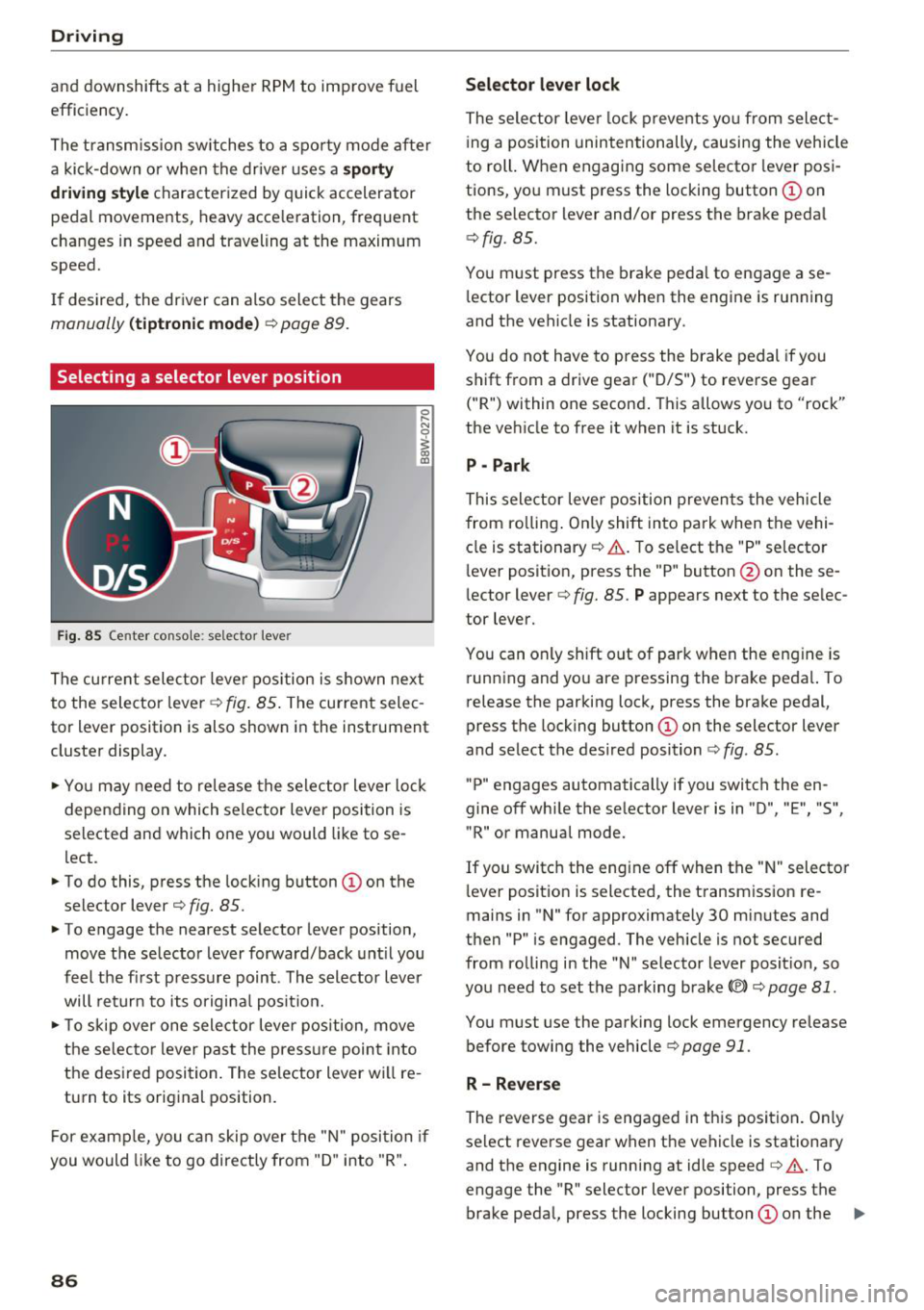
Selecting a selector lever position
Fig. 85 Center conso le : se lec tor lever
The cu rrent selecto r leve r pos ition is s hown nex t
to the selector lever ~
fig. 85 . The current selec
tor lever position is also shown in the instrument
cluste r display .
.. Yo u may need to re lease the selec tor lever lo ck
depen ding on which selector lever position is
selected and which one you would like to se
lect.
.. To do this, press the lock ing button
(I) on the
selector lever¢
fig. 85.
.. To engage the nearest selector lever position,
move the se lector lever forward/back unt il you
feel t he fi rst press ure point. The selector lever
will ret urn to its origina l posit ion.
.. To skip over one sele ctor lever pos ition, move
the selecto r lever past the press ure point into
the des ired posi tion . The se lector lever will re
turn to its original position.
F or examp le, you c an skip over t he "N" position if
you would like to go directly from "D " into "R".
86
Selector lever lock
The selector leve r lock prevents yo u from select
i ng a position unintentionally , causing the vehicle
to roll. When engag ing some selecto r lever pos i
tions, you must press the locking button @on
the selector lever and/or press the brake peda l
¢fig. 85.
You m ust press the brake peda l to engage a se
l ector lever position when the engine is running
and the vehicle is stationary .
You do not have to press the brake pedal if you
shift from a drive gear
(" D/S") to reverse gear
("R") within one second . This allows yo u to "rock"
the veh icle to free it when it is stuck.
P - Park
This selector leve r position preven ts the vehicle
from ro lling . On ly shift into park when the vehi
cle is stationary ¢&. . T o se lect the "P" selecto r
l ever posit ion, press the "P " button @on these
lector lever¢
fig. 85. P appears next to the se lec
tor lever.
You can only shift out of park when the engine is run ning and you are pressing the brake peda l. To
release the parking lock, press the brake pedal,
press the locking button @on the selector lever
and select the des ired position ¢
fig. 85.
"P" engages automatically if you switch the en
gine off whi le the se lector lever is in "D ", "E", "S",
"R" or manual mode.
If you switc h the eng ine off when the " N" selecto r
l ever posit ion is selected, the t ransm iss ion re
mains in "N " for approximately 30 min utes and
then "P" is engaged. The vehicle is not secured
from ro lling in the "N " selector lever posit ion, so
yo u need to set the parking brake®)¢
page 81.
You must use the park ing lock emergency release
before towing the vehicle¢
page 91.
R- Reverse
The reverse gear is engaged in th is posi tion . On ly
select reverse gear when the vehicle is stationary and the engine is running at idle speed¢&. . T o
engage the "R" selector lever position, press the brake peda l, press the locking button
(I) on the ..,.
Page 90 of 398
Drivin g
~ To prevent the vehicle from rolling when you
start driving, set the parking brake when stop
ping on steep hills¢
/A.
~ The parking brake will release automatically
and your vehicle will begin to move when the
doors are closed, the driver's safety belt is fas
tened, and you accelerate as usual.
Stopp ing /p a rki ng
If the selector lever is not in the "P" position
when you open the dr iver's door, the veh icle
could roll.
~ Press and hold the brake pedal¢ /A.
~ Set the parking brake.
~ To select the "P" selector lever pos it ion, press
the "P" button @on the selector lever
¢ page 86, fig . 85 .
Under certain condit ions, such as driving in the
mounta ins or when towing a trailer, it may be
helpful to switch to manual mode temporarily
and sh ift
manually to adapt to the driving condi
tions
¢ page 89.
On hills, set the parking brake first and then s hift
into the "P" position¢
page 81. This prevents too
much stress from being placed on the locking
mechanism .
.8, WARNING
- The veh icle can roll eve n when the engine is
swit ched off.
- Unintended ve hicle movement can lead to
serious injur ies.
- T o reduce the risk of an acc ident, do not
press the acce le rato r pedal whe n cha ng ing
the se lecto r lever posit ion while the ve hicle
is s ta tionary and the eng ine is ru nning.
- T o reduce the risk of an ac cident, never se
lect the "R" or "P" positions while dr iv ing .
- Do not inadvertent ly press the acce le rato r
peda l w hen the veh icle is sta tionary. Othe r
wise the risk of an acc ident in cr eases be
ca use the vehicle will start to move immed i
ate ly, even if the parking brake is set .
88
Hill descent control
The hill descent control system assists the driver
when driving down hills .
Hill descent control activates when the transm is
s ion is in the "D" or "S" pos ition and you press the
brake pedal. The transmission automat ically se
lects a gear that is suitable for the hill. Hill de
sce nt cont rol tr ies to maintain the speed ach
i eved at the t ime of braking, w it hi n phys ical and
tec hnical lim itations . If may still be necessary to
adjust the speed wit h the brake peda l.
Hill descent cont rol sw itches off once the h ill lev
els out or you press the accelerator pedal.
When operating the cru ise control system*
¢
page 95 , hill descent control is also activated
whe n the speed is set.
.8, WARNING
Hill desce nt co ntro l cannot ove rcome physical
lim itat ions, so it may not be ab le to m ainta in
a constant speed under all conditions. A lways
be ready to app ly the brakes.
Page 94 of 398

Trail er to wing
Trailer towing
Driving with a trailer
General information
Your veh icle is primari ly intended for transport
ing peop le and luggage. Howeve r, if you dr ive
with a tra iler , follow the techn ica l requirements ,
the operation and driving tips, and the lega l reg
ulations.
Dr iving w ith a trailer affects the vehicle 's fuel
consumpt ion, performance and wear. It a lso re
quires higher concentration from the driver .
A WARNING
Do not transport any people in a trailer due to
the risk of fatal injury .
Technical requirements
Certain requirements must be met when towing
a trailer.
Trailer hitch
Only use a trailer hitch with a removab le ball
h itch mount and ball h itch. The tra ile r hitc h must
be pe rm it t ed for the vehicle, the tra iler and the
permitted tota l weight of the trailer being
pu lled . Above all, it must be secure ly and safe ly
attached to the vehicle trailer.
Never mo unt a t rai ler hitch on the bumper. The
trai ler hitc h must be mounted in a way that does
not impair the function of the bumper. Do not
make any changes to the exhaust system and the
brake system.
Check regu larly if the trai ler hitc h is securely
mounted . A lways follow the instructions given by
the trai ler hitch manufacturer .
Trailer brakes
If t he tra ile r has its own bra ke system, then fol
low the manufacturer specifica tions. Howeve r,
the brake system on the trai ler must never be
connected to the vehicle brake system.
92
Engine cooling system
D riving w ith a tra ile r means a higher load on t he
engine and the cooling sys tem. The coo ling sys
tem must be designed for additiona l load and
contain enoug h coo lant ~@ .
A WARNING -
- Never mount a "weight -distributing" or
"load-balancing" trailer coupler as the trail
er hitch. The ve hicle was not des igned for
these types of tra iler h itches. The tra iler
h itch can malfunction and t he tra ile r can
b reak off from the vehicle.
- If t he tra ile r i s equ ipped w ith elect ronic
brakes, these brakes can not be activated by
a facto ry-installed control system, whi ch in
creases the r isk of an accide nt.
- To red uce the r is k of injury, always remove
the ball hitch mount if no tra ile r is mo unt
ed.
@ Note
L onge r incl ines cannot be dr iven without a
su itab le cooli ng system, especially if the out
s ide temperatu res a re high. ot herwise, this
i nc reases the risk of eng ine da mage.
Operating instructions
Several things must be noted when towing a
trailer.
Towing capacity
The permitted towing capacity must not be ex
ceeded under any circumstances~
page 376.
You can dr ive up larger inclines if you are not us
i ng the maximum towing capacity.
The towing capacities given only apply to e leva
tions up to 3,200 ft (1,000 m) above sea level. As
the e levation increases, the engine power de
creases due to the decreasing air pressures. T his
reduces the hill climb ing ability and towing ca
pac ity . For every additional 3,200
ft (1,000 m),
t h e maximum permitted tow ing weight must be
r educed by app roximately 10% . T he pe rm itted
tow ing weight is t he comb ined we igh t of the
( loaded) vehicle and the (loaded) trailer .
Page 95 of 398
Cl a:, ...... N
" N ...... 0
0
::r '
The maximum permitt ed tongue weight of the
trailer drawbar on the trailer hitch ball head may
not be exceeded .
If the tongue we ight is too low, this affects the
trailer's handling . For driv in g safety, we recom
mend to always utilize the maximum permitted
tongue weight, but not exceed it. You can reach
it, for example , by distributing the cargo in the
trailer correctly.
You can determine the tongue weight, for exam
ple, with a bathroom scale or a public weigh sta
tion .
The permitted tongue weight of your veh icle can
be found in the vehicle documentation or in
¢page 376.
Load distribution
Poor cargo load and distribution can negatively
i mpact ve hicle handl ing.
- Store objects preferably in the vehicle luggage
compartment . The vehicle shou ld always carry
the heaviest possible load and the trailer
shou ld have the lightest possible load.
- Distribute the load in the tra iler so that the
heavy objects are as close to the axle as possi
ble.
- Secure objects from slid ing out of p lace.
- Utilize the maximum permitted tongue weight
if possible .
Tires
Set the tire pressure on your vehicle for a "full
load"; see the t ire pressure sticker¢
page 340.
If necessary, also adjust the tire pressure on the
trailer according to the manufacturer's recom
mendation .
The tire pressure must be increased an addi tional
3 PS I (0 .2 bar) for towing loads over 6,600 lbs
(3,000 kg) .
W inter tires shou ld be mounted on the vehicle
and on the trailer during winter temperatures .
Trailer towing
Outside mirrors
If you cannot see the traffic behind the trailer
with the standard exterior mirrors, then you
must attach additional exterior mirrors. Adjust
them so you have a sufficient visibility behind
you.
Exterior lighting
Follow the legal regu lations rega rding the light
ing equipment on your trailer. Contact an author
ized Audi dea ler or authorized Audi Service Facili
ty for more information.
Before starting to drive , check all lighting eq uip
ment on the hitched trailer.
T he headl ight range cont rol adj usts automat ica l
ly to the light range of the headlights .
Safety chains
Make sure the safety chains are correctly applied
when pulling a trailer . The cha ins should hang
enough so that the trailer can drive around
curves . Howeve r, they must not touch the
ground.
Air suspension
Applies to: vehicles with air suspension
The air suspens ion must be at the standard vehi
cle he ight before you set the tongue weight on
the tra iler and hitch the trailer¢@ ,
¢page 130,
Raising/lowering the vehicle.
For vehicles with a factory-installed trailer hitch,
the a ir suspension trailer mode w ill automatically
switch on if you connect the trailer cable to the
socket.
For vehicles with a retrofitted trailer hitch, you
must sw itch on the a ir suspension trailer mode
manua lly . Select in the Infotainment system:
IMENU I button> Vehicle > left control button>
Vehicle settings > Air suspension: trailer. Switch
it off again after towing a trailer.
You can also sw itch off trailer mode manually
wh ile dr iving, for example, whe n using a bicycle
rack system. ..,.
93
Page 96 of 398
Trail er to wing
If you have to drive th rough diffic ult road condi
tions, you can raise the vehicle again after hitch
ing the trai ler or after adjust ing the tongue
weight .
{QJ Note
Applies to: vehicles with air suspension
-Changes in temperature or load can affect
the he ight of the vehicle.
- Set the a ir suspension to the standard vehi
cle heig ht, otherwise the applicab le tongue
weig ht no longer applies to your vehicle .
(D Tips
-Use chocks when parking on incl ines if the
trailer is loaded.
- We recommend also having the vehicle in spected between the inspection intervals if
you are towing a trai ler frequently.
- Avo id driving wit h a trailer du ring the vehi
cle break-i n period .
Driving with a trailer
Driving with a trailer requires extra caution.
Speed
Adhere to the legal speed l imi ts. Follow t he lega l
regulations specif ic to the country.
As the speed inc reases, the d riving stability of
the t railer dec reases . The refore you sho uld not
exceed t he max imum legal speed limit when
there are unfavorable road, weather and/or wind
conditions. This especially applies when driving
downhill.
You must a lways reduce yo ur speed as soon as
you not ice even the s lightest swinging motion of
the trailer . Never try to "straighten out" the trail
er by accelerating.
The weig ht dis trib ution is very poo r if t he ve hicle
is empty and the trailer is loaded. However if you
must drive under these circumstances, t hen drive
especia lly slowly.
94
Brak es
Brake in a time ly manner. Downs hift be fo re dr iv
i ng down hill so that the engine can assist with
braking ~&, .
When using a t railer w it h over run bra kes, fi rst
brake ge ntly t hen q uickl y. This red uces the r isk o f
jerking while braking if the trailer wheels lock up .
Engine coolant temperatur e
Pay attention specifically to the coolant tempera
ture display when there a re high outs ide temper
at ures , and whe n driving on long i nclines
~ page 11. Shift to a highe r gear in a t imely man
ner .
A WARNING
Constant braking causes the b rakes to over
h eat and substantially reduces bra king per
formance, increases b raking distance o r caus
es complete failure of the brake system.
-
Page 117 of 398
Cl a:, ...... N
" N ...... 0
0
::r '
The radar sensors can be displaced by impacts
or damage to the bumper, wheel housing and
underbody. Pre sense rear can be impaired by
this. Have an authorized Audi dealer or au
thorized Audi Service Facility check their func
tion.
(D Tips
- The pre sense rear functions switch off
when towing a trailer.
- The pre sense rear functions may also
switch off if there is a malfunction in the
side assist* system.
Audi pre sense city
Applies to: vehicles with Audi pre sense city
Description
Within the limits of the system, pre sense city
can warn you of impending collisions with
vehicles and pedestrians and initiate the applica
ble braking maneuver if needed. Pre sense city is
active at speeds of approximately 6 mph (10 km/
h) and higher.
A pedestrian warning can occur at speeds up to
SO mph (85 km/h), and vehicle warnings can oc
cur at speeds up to 155 mph (250 km/h). A pre
sense city braking maneuver is possible at speeds up to SO mph (85 km/h).
Warnings
The system recognizes various dangerous situa
tions. The
early warning occurs if:
- a vehicle driving ahead brakes suddenly,
- your own vehicle approaches a significantly
slower vehicle or stationary vehicle in the direc
tion of travel.
- a pedestrian is standing in the lane or is moving
into the lane .
When this warning occurs, it may only be possi ble to avoid a collision by swerving or braking
strongly. The message
Audi pre sense.
r:=;, page 113, fig. 108 and a warning tone will
warn you about the danger .
Assistance systems
Additionally, a jerk on the brakes may occur as an
acute warning when there is an impending colli
sion. If you do not react to the acute warning, pre
sense city can brake to the point of complete de
celeration within the limits of the system. This
reduces the vehicle speed in the event of a colli
sion. The message
Audi pre sense. also ap
pears.
The following functions are triggered in conjunc
tion with pre sense basic/rear:
- Reversible tensioning of the front safety belts.
- Closing the windows and sunroof*.
- Inflating the side bolsters* in the seat backrest
and seat surface.
Audi drive select*: the function is not active de pending on the mode selected.
_&. WARNING
- Pre sense city cannot overcome the laws of
physics.
It is a system designed to assist and
it cannot prevent a collision in every circum
stance. The driver must always intervene.
The driver is always responsible for braking
at the correct time. Do not let the increased
safety provided tempt you into taking risks .
This could increase your risk of a collision.
- The system can deploy incorrectly due to
system-specific limits .
- To reduce the risk of an accident, please
note that the camera does not always detect
every object.
- Pre sense city does not react to animals,
crossing or oncoming vehicles, objects such
as bars, railings or railcars, and objects that
are difficult to detect
r:=;, _& in General infor
mation on page 103.
- In trailer mode, the braking behavior of the
trailer can be different than usual during au
tomatic braking.
_&. WARNING
Pre sense city may be restricted or not availa
ble in the following example situations:
- in heavy fog, rain, spray or snow
- when there are visual obstructions, such as
glare, reflections or variations in light
115
Page 118 of 398

Ass is tanc e system s
-when it is dark
- if the camera window or the windshie ld is
dirty, iced over, damaged or covered
- when driving on snow, ice or loose gro und
- i n cu rves
- if t he ESC was restr icted o r switched off
- when tow ing a tra ile r
- when the driver's seat belt is unfastened
- up to ten seconds after sw itching on the ig-
nition
@ Note
Impacts or damage to the camera mount on
the windshield can disp lace the sensor . Pre
sense city can be impa ired by this. Have an au
thorized Audi dealer or authorized Aud i Serv
ice Facility check the ir funct ion.
(D Tips
- You can cancel the system braking interven
tion if you accelerate considerably or swerve
away .
- Keep in m ind that pre sense city can brake
unexpected ly. Always secure any cargo or
objects that you are transport ing to reduce
the r isk of damage or injur y.
- Specific pre sense city funct ions sw itch off
when the ESC is limited o r switched off
~ page 143 or the hill desce nt assist is
switched on
~ page 144 .
-When there is a malfunct ion in the camera,
the pre sense city funct ions also sw itc h off.
Settings in the Infotainment system
Applies to: vehicles with Aud i pre sense
.,. Se lect in the Infota inment system: IMENU I but
t on
> Vehicle > left contro l bu tton > Driv er a s
si stance
> Audi pre s ense .
Turn on/ off Audi pre s ense -
the pre sense fu nc
tions c an be t urned o n and off.
If t he system is switched off, it switches o n aga in
automatically once the ignition is sw itched on
again.
116
Prewarning -the early warning can be sw itched
off or the pre sense city/front warning point can
be set
( Early /Medium /Late) .
Set the warn ing t ime for the early wa rning to
Earl y at first . If this causes undesi red ear ly warn
ings to appear, then set the warning time to
Me
dium .
The Late warning time should on ly be set
i n spec ial circumstances, for examp le, when driv
i ng with a very dynamic style.
(D Tips
Your settings are automatically stored and as
signed to the remote contro l key being used.
Messages
Applies to: vehicles with Audi pre sense
IIJ Audi pre se n se: mal function! Pl ease con tac t
Service
This message appears when the pre sense func
tion is affected . For example, th is cou ld be
caused by a faulty sensor. Drive to an authorized
Audi dealer or author ized Audi Service Fac il ity im
med iate ly to have the ma lfu nction corrected .
II] Audi pre sense: currently limited . Sensor
v iew lim ited due to surroundings. See owner 's
manual
This message appears if the radar sensor and camera view is obstructed, for example by leaves,
snow, heavy spray or dirt . If necessary, clean the
sensors and the area around the camera
~ page 103, fig . 95 or ~page 121, fig . 115 .
II] Audi pre sense: currently limited . Trailer
towing mod e
For vehicles with a trai ler hitch installed at the
factory, the pre sense rear functions switc h off
when the electrical connector at the socket is
plugged in . There is no guarantee the functions
will switc h off when us ing a retrofitted trailer
hitc h.
II] Audi pre sense: currently restricted
This message appears if the ESC is restricted or
switched off, for example. .,,.