display AUDI Q7 2019 Owner´s Manual
[x] Cancel search | Manufacturer: AUDI, Model Year: 2019, Model line: Q7, Model: AUDI Q7 2019Pages: 394, PDF Size: 105.97 MB
Page 250 of 394
Systemsettings
Switchoffpop-up:thisfunctionisswitchedonat
thefactory.WhenthefunctionisswitchedonM,
themessagesintheInfotainmentsystemdisplay
regardingthechargingstatusofyourcellphone
intheAudiphonebox*arehidden.Thereminder
nottoforgetyourcellphonewhenleavingthe
vehicleisalsoswitchedoff.
Tooltips
Whenthisfunctionisswitchedon4,yourMMI
showsyoutipsforinput.Thefrequencyofhow
oftenitdisplaysdecreaseswithtime.
Speechdialogsystem
Appliesto:vehicleswithvoicerecognitionsystem
Dependingonvehicleequipment,thefollowing
functions
maybeavailable:
Commanddisplay:whenthisfunctionisswitch-
edon,theMMIwillshowyouthepossible
commandsforvoiceinputintherespective
menu.
Shortdialog:whenthisfunctionisswitchedon
(Y,ashorterformofthepromptsisused.
Commandduringvoiceoutput*:thisfunctionis
switchedonatthefactory.Whenthisfunctionis
switchedon(MW,youcansaynewcommandsdur-
ingannouncements.Youdonotneedtowaitfor
thesignaltone(beep)duringanannouncement.
WhenthefunctionisswitchedoffLJ,youneedto
waitforthesignaltone(beep)tosayanewcom-
mand.
Volume:youcanadjustthevolumeofthe
promptsbyturningthecontrolknob.
Individualspeechtraining(onlywhenthevehi-
cleisstationary):youcanadaptthevoicerecog-
nitionsystemtoyourvoiceorpronunciationinor-
dertoimprovethesystem'sabilitytorecognize
yourspeech.Individualspeechtrainingiscom-
prisedof20speechentriesthatconsistofcom-
mandsand sequencesofnumbers.Youcande-
letetheprogrammedvoicetrainingwiththeRe-
setindividualspeechtrainingfunction.
Displaybrightness
YoucanadjustthebrightnessoftheInfotain-
mentsystemdisplaybyturningthecontrolknob.
248
Factorysettings
Dependingonthevehicleequipment,thefollow-
ingfunctionscanberesettofactorysettings:
—Soundsettings
—Radio
—Mediasettings
—Jukebox*
—Directory
—Telephone
—BluetoothandWi-Fi*
—Navigationsettings*
—Navigationandonlinememory*
—Voicerecognitionsystem*
—Shortcutkeys
—Messagesettings*
—Apps*
—Tooltips
—Audiconnect*
—Audismartphoneinterface*
Youcanselectthedesiredfunctionsindividually
orallatoncewiththeoptionSelectallentries.
Selectandconfirm Restorefactorysettings.
G)Tips
Makesurethatnotonlythesettingswerede-
letedbutalsothestoreddata,ifnecessary.
Connectionmanager
Introduction
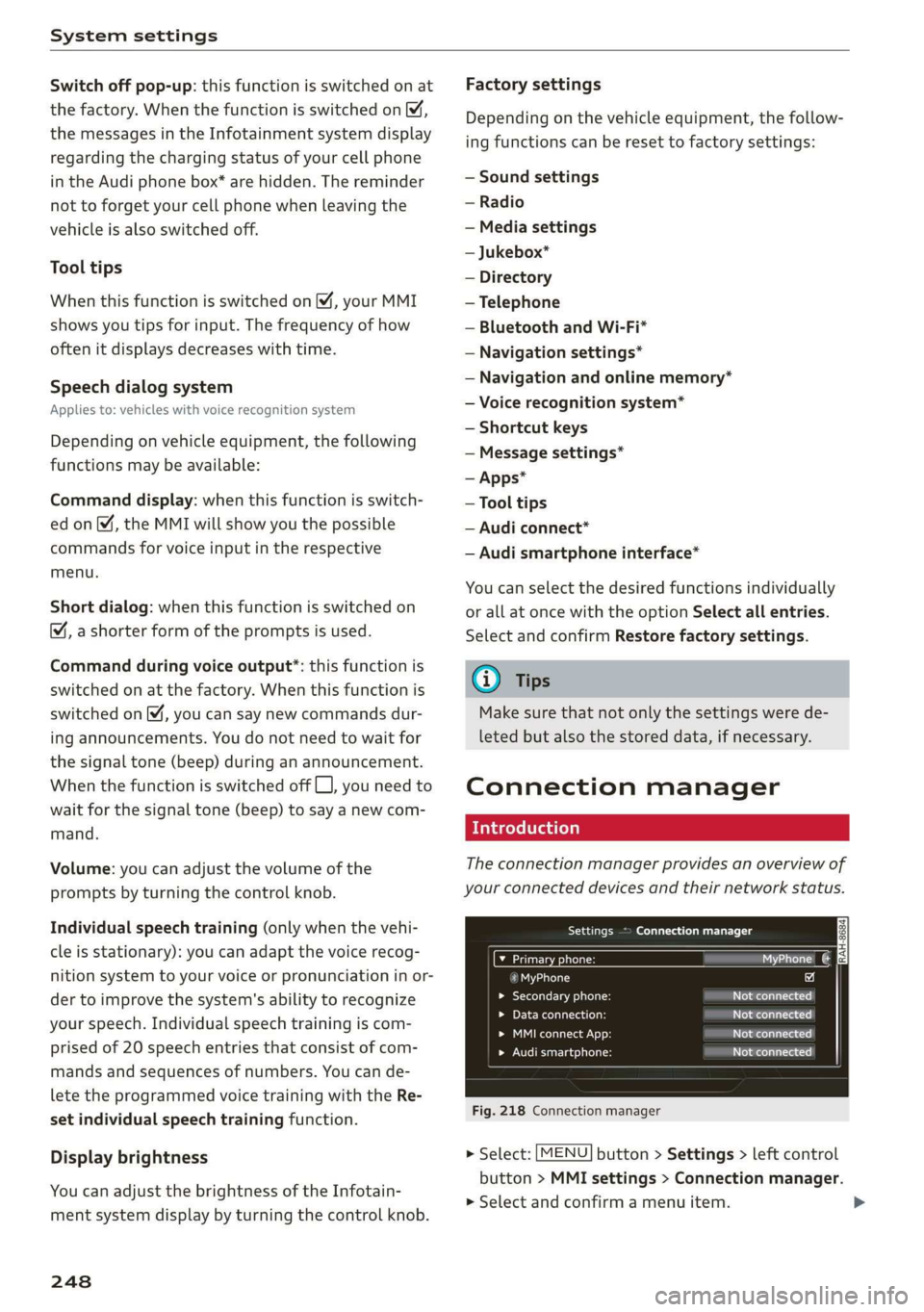
Theconnectionmanagerprovidesanoverviewof
yourconnecteddevicesandtheirnetworkstatus.
SerreenUsOTs
M7inetpensWie
icfSiac
»Secondaryphone:Notconnected
LaerieReonasotNotconnected
Peeit.)Notconnected
eelrast)Peertasienats
Fig.218Connectionmanager
>Select:[MENU]button>Settings>leftcontrol
button>MMIsettings>Connectionmanager.
>Selectandconfirmamenuitem.
Page 252 of 394
Systemsettings
Appliesto:vehicleswithtelephone
Displaycontactsfromacellphone(oranaddi-
tionalcellphone).
Requirement:nocellphonescanbeconnectedto
theMMIusingtheHandsfreeprofile.
—Connectnewdevice:searchforandconnecta
newcellphone.
—Listofdevicesalreadypaired:selectyourcell
phonefromthelistofallthecellphonesthat
arealreadypaired.
Audismartphone
Appliesto:vehicleswithAudismartphoneinterface
—Connectyourcellphonetothe Audimusicin-
terface>page233usingaUSBadapter
=>page233,fig.211.
—Selectyourcellphonefromthelistofcell
phonesthathavealreadybeenconnected.
Additionaloptions
Depending
ontheselectedfunction,youcanuse
therightcontrolbuttontoaccesstheavailable
additionaloptionsintheconnectionmanager.
DeleteBluetoothdevice*
Theselectedcellphone/mobiledeviceisdiscon-
nectedfromtheMMIandisremovedfromthe
listofalldevicesthatarealreadypaired.
ShowBluetoothprofiles*
YoucanConnectorDisconnecttheHandsfree,
Messages",Directory/contactsandBluetooth
audioplayerprofilesseparately.
Bluetoothsettings*
—Bluetooth:selectandconfirmasettingforthe
Bluetooth
connectionvisibility.SelectVisible
fortheMMItobevisibletootherdevices.Se-
lectInvisiblefortheMMItonotbevisibleto
otherdevices.However,itisstillpossibletoes-
tablishaBluetoothconnectionwithpairedde-
viceswhenthevisibilityisswitchedoff.Select
Offtoturnvisibilityoff.ThenaBluetoothcon-
nectionisnotpossible.
250
—Bluetoothaudioplayer:whenthisfunctionis
switchedon,theBluetoothaudioplayeris
availableasasourceintheMediamenu.
—Bluetoothname:theMMIBluetoothname(for
example"AUDIMMI")isdisplayedandcan be
changed.
Onlinesettings*
—Datausagecounter:theamountofdatapack-
etsthataresentandreceivedthroughtheMMI
isdisplayed.Youcanresetthedatausageinfor-
mationtozerousingtheResetdatacounter
option.
—Networkstatus:themobilenetworkprovider
fordataserviceaswellasthenetworkstatus
aredisplayed.
Wi-Fisettings*
See>page200,Wi-Fisettings.
Storingasadefaulttelephone
Appliesto:vehicleswithtelephone
Requirement:amobiledevicemustbeconnected
totheMMI>page178.
WhenthemobiledeviceisinrangeandtheBlue-
toothfunctiononthemobiledeviceandinthe
MMLisswitchedon,thismobiledevicewillbe
givenpriorityovertheotherBluetoothdevices
andwillbeconnecteddirectlytotheMMI.The
connectedmobiledeviceisdisplayedfirstinthe
devicelist.
Networksettings*
—Login:youcanchoseanautomaticloginto
yourcellphoneserviceprovider'snetwork,or
youcanchooseamanualloginfromthelistof
availablenetworks.
—Networkselection:availablenetworksinthe
presentlocationcanbeselectedundernetwork
selection.Thisfunctionisonlyavailableforthe
Manualloginsetting.
AppleCarPlaysoundsettings/AndroidAuto
soundsettings
Appliesto:vehicleswithAudismartphoneinterface
See>page251.
Page 253 of 394
4M0012721BG
Systemsettings
AboutAppleCarPlay/AboutAndroidAuto
Appliesto:vehicleswithAudismartphoneinterface
Hereyouwillfindlegalinformationregardingthe
useofAppleCarPlayorAndroidAutoandinfor-
mationaboutdevice-specificdataexchange.
DeleteAppleCarPlaydevice/DeleteAndroid
Autodevice
Applies
to:vehicleswithAudismartphoneinterface
Requirement:yourcellphonemustnot becon-
nectedtotheAudimusicinterfacewithaUSB
adapter.
Select:Audismartphone>adevicefromthelist
>rightcontrolbutton.
Toremoveyourcellphonefromthelist,select
andconfirm DeleteAppleCarPlaydeviceorDe-
leteAndroidAutodevice.
Systemupdate
>Select:[MENU]button>Settings>leftcontrol
button>Systemmaintenance.
—Systemupdate:insertthestoragedevicewith
theupdatedataintotheappropriatedrive
=>page228.Selectandconfirmthedrive>
Startupdate.Thelengthoftheprocessde-
pendsonthesizeoftheupdate.
—Resetdriverinstallation:theselectedmedia
driverpackageisresettothesettingsatthe
timeofdelivery.
—Versioninformation:informationontheMMI
softwareversionandthenavigationdatabase*
softwareversionisdisplayed.TheSoftwarein-
formationfunctionalsoprovidesinformation
onthesoftwarecontainedintheMMIandthe
licensingagreement.
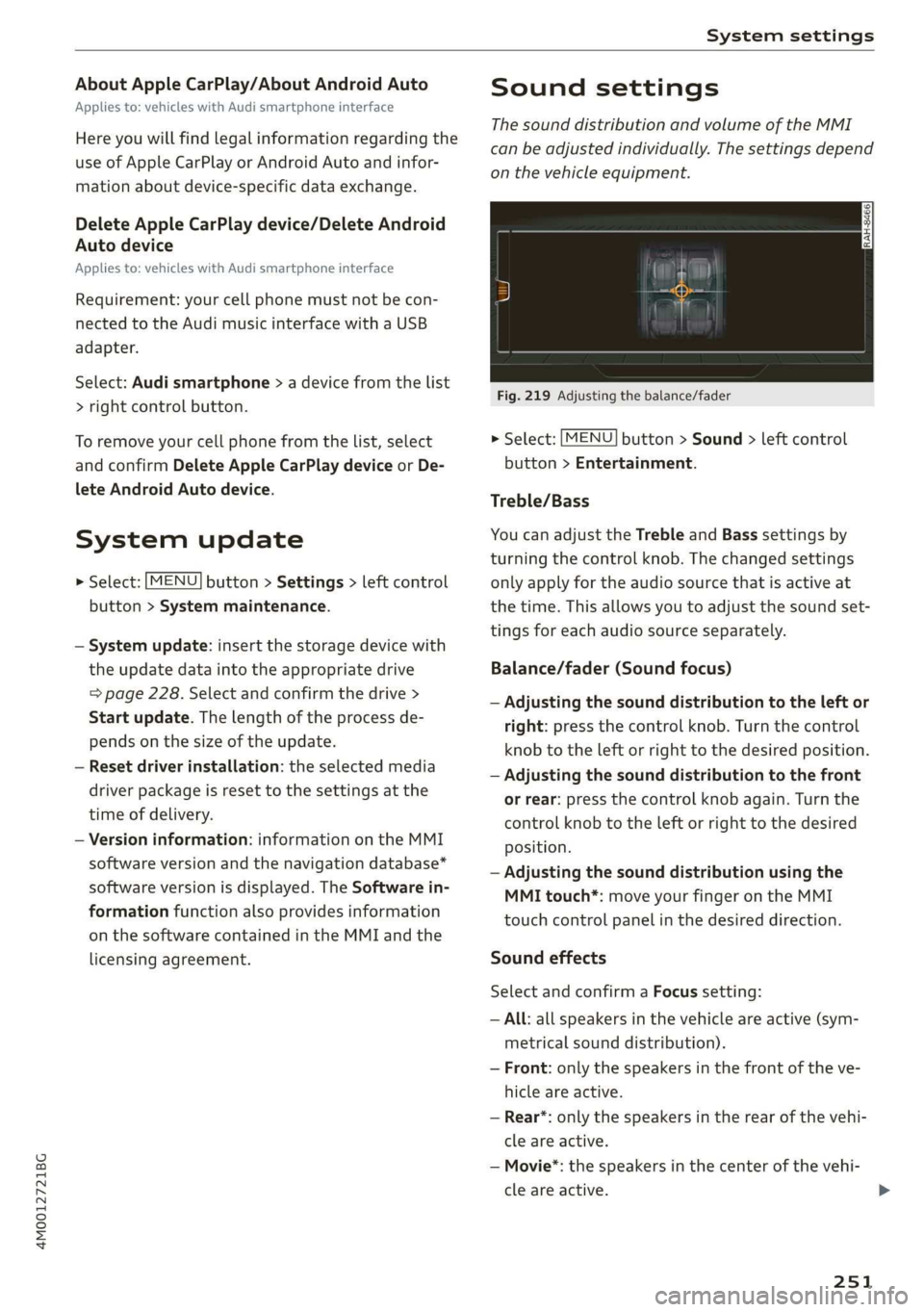
Soundsettings
ThesounddistributionandvolumeoftheMMI
canbeadjustedindividually.Thesettingsdepend
onthevehicleequipment.
Fig.219Adjustingthebalance/fader
>Select:[MENU]button>Sound>leftcontrol
button>Entertainment.
Treble/Bass
YoucanadjusttheTrebleandBasssettingsby
turningthecontrolknob.Thechangedsettings
onlyapplyfortheaudiosourcethatisactiveat
thetime.Thisallowsyoutoadjustthesoundset-
tingsforeachaudiosourceseparately.
Balance/fader(Soundfocus)
—Adjustingthesounddistributiontotheleftor
right:pressthecontrolknob.Turnthecontrol
knobtotheleftorrighttothedesiredposition.
—Adjustingthesounddistributiontothefront
orrear:pressthecontrolknobagain.Turnthe
controlknobtotheleftorrighttothedesired
position.
—Adjustingthesounddistributionusingthe
MMItouch*:moveyourfingerontheMMI
touchcontrolpanelinthedesireddirection.
Soundeffects
SelectandconfirmaFocussetting:
—All:allspeakersinthevehicleareactive(sym-
metricalsounddistribution).
—Front:onlythespeakersinthefrontoftheve-
hicleareactive.
—Rear*:onlythespeakersintherearofthevehi-
cleareactive.
—Movie*:thespeakersinthe centerofthevehi-
cleareactive.
251
Page 254 of 394
Systemsettings
Selectandconfirma3Deffect*setting(surround
sound):
—Off:the3Deffectisswitchedoff.
—Low:the3Deffectisoptimized,forexample
foraudiobooks.
—Medium:the3Deffectisoptimizedforallsour-
ces.
—High:the3Deffectisatthemaximum.
Subwoofer*
Turnthecontrolknobtoadjustthesubwoofer.
Speeddependentvolumecontrol
Turnthecontrolknobtoadjusttheplaybackvol-
umetothenoiseinsidethevehicle.
AudioPilot*
Whenthisfunctionisswitchedon %,theplay-
backvolumeisautomaticallyadjustedtothelev-
elofnoiseinsidethevehicle(dynamicroadnoise
compensation).
Volumesettings
Adjustingthevolume
Thevolumeofanaudiosourceorasystemmes-
sage(forexample,fromthevoicerecognition
system*)canbeadjusteddirectlywhilethe
soundisplayingusingtheOn/Offknob.
—Increasingordecreasingthevolume:turnthe
On/Offknob@)>page153,fig.155tothe
rightorleft.
—Mutingorpausing:presstheOn/Offknob
briefly.Or:turntheOn/Offknobtotheleftun-
tilthesymbol@>page163appears.Anactive
audio/videosourceisstopped.
—Unmutingorresuming:presstheOn/Offknob
briefly.Or:turntheOn/Offknobtotheright.
ZAWARNING
To reducetheriskofanaccident,adjustthe
volumeoftheaudiosystemsothataudible
signalsfromoutsidethevehicle,suchas po-
liceandfiresirens,canbeheardeasilyatall
times.
252
G)Tips
Volumethatistoohighortoolowisautomat-
icallyadjustedtoasetlevelwhentheMMIis
switchedon.
Adjustingthesystemvolume
>Select:[MENU]button>Sound>leftcontrol
button.
Telephone
Appliesto:vehicleswithtelephone
Mutetelephone:messagesandringtonesareset
tomute.
Ringtone:see=page190,Ringtoneandvolume
settings.
Ringtonevolume:youcanadjustthevolumeof
theselectedringtonebyturningthecontrol
knob.
Messagevolume:youcanadjustthevolumeof
thenotificationforanincomingtextmessageby
turningthecontrolknob.
Microphoneinputlevel:youcanadjustthecall
volumeduringaphonecallbyturningthecontrol
knob.
Navigation
Appliesto:vehicleswithnavigationsystem
Voiceguidance:see>page214.
Voiceguidanceduringphonecall:see
=>page214.
Voiceguidancevolume:youcanadjustthevoice
guidancevolumebyturningthecontrolknob.Or:
youcanadjustthevoiceguidancevolumeduring
activerouteguidancebyturningtheOn/Offknob.
Entertainmentfader:thevolumeofaudioplay-
backcanbetemporarilyloweredwhenthepark-
ingsystemorvoiceguidanceisactive.
Voicerecognitionsystem
Appliesto:vehicleswithvoicerecognitionsystem
Commanddisplay:see>page248.
Shortdialog:see>page248.
Speechdialogsystemvolume:See>page248.>
Page 255 of 394
4M0012721BG
Systemsettings
Individualspeechtraining:see>page248.
Parkingaid*
Youcanadjustthevolumeofthesignaltoneby
turningthecontrolknob.
—AdjustingtheFront volume:selectandcon-
firmHigh,MediumorLow.
—AdjustingtheRearvolume:selectandconfirm
High,MediumorLow.
MMItouch*
Turnthecontrolknobtoadjustthevolumeofthe
spokenpromptsfromtheMMItouch*.
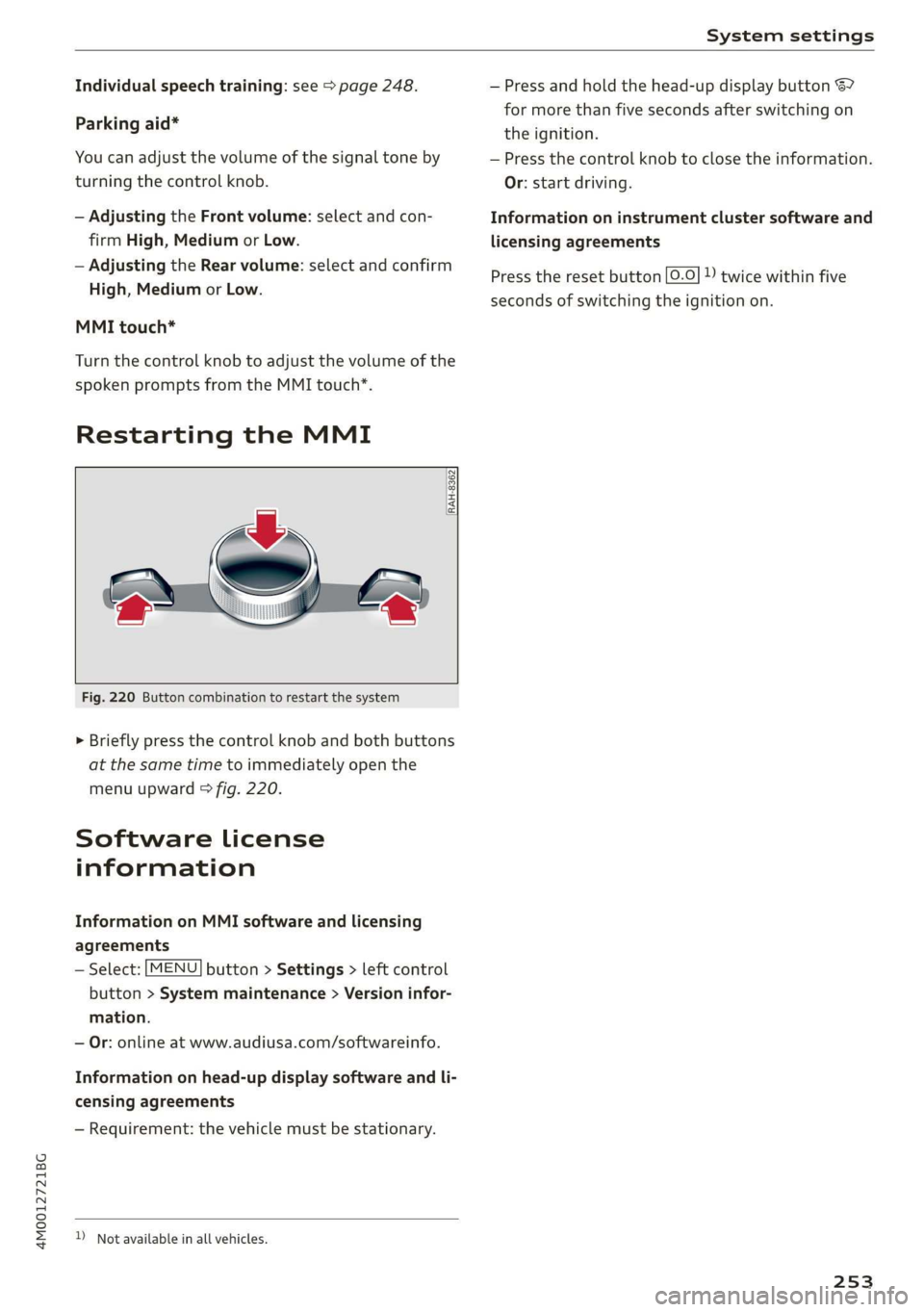
RestartingtheMMI
RAH-8362
Fig.220Buttoncombinationtorestartthesystem
>Brieflypressthecontrolknob andbothbuttons
atthesametimetoimmediatelyopenthe
menuupward>fig.220.
Softwarelicense
information
InformationonMMIsoftwareandlicensing
agreements
—Select:[MENU]button>Settings>leftcontrol
button>Systemmaintenance>Versioninfor-
mation.
—Or:onlineatwww.audiusa.com/softwareinfo.
Informationonhead-updisplaysoftwareandli-
censingagreements
—Requirement:thevehiclemustbestationary.
)Notavailableinallvehicles.
—Pressandholdthehead-updisplaybutton67
formorethanfivesecondsafterswitchingon
theignition.
—Pressthecontrolknobtoclosetheinformation.
Or:startdriving.
Informationoninstrumentclustersoftwareand
licensingagreements
Presstheresetbutton[0.0]»)twicewithinfive
secondsofswitchingtheignitionon.
253
Page 273 of 394
4M0012721BG
Airbagsystem
theelectroniccontrolunit>page280,PASSEN-
GERAIRBAGOFF$#;ON®light.
Alwaysremember,achildsafetyseatorinfant
carrierinstalledonthefrontseatmaybestruck
andknockedoutofpositionbytherapidlyinflat-
ingpassenger'sairbaginafrontalcollision.The
airbagcouldgreatlyreducetheeffectivenessof
thechildrestraintandevenseriouslyinjurethe
childduringinflation.
Forthisreason,andbecausethebackseatisthe
safestplaceforchildren-whenproperlyrestrain-
edaccordingtotheirageandsize-westrongly
recommendthatchildrenalwayssitintheback
seat>page290,Childsafety.
ZAWARNING
Achildinarearward-facingchildsafetyseat
installedonthefrontpassengerseatwillbe
seriouslyinjuredandcanbekilledifthefront
airbaginflates-evenwithanAdvancedAirbag
System.
—Theinflatingairbagwillhitthechildsafety
seatorinfantcarrierwithgreatforceand
willsmashthechildsafetyseatandchild
againstthebackrest,centerarmrest,door
orroof.
—Alwaysinstallrear-facingchildsafetyseats
ontherearseat.
—Ifyoumustinstallarearwardfacingchild
safetyseatonthefrontpassengerseatbe-
causeofexceptionalcircumstancesandthe
PASSENGERAIRBAGOFF3%;lightdoesnot
comeonandstayon,immediatelyinstall
therear-facingchildsafetyseatinarear
seatingpositionandhavetheairbagsystem
inspectedbyyourauthorizedAudidealer.
—Forward-facingchildsafetyseatsinstalled
onthefrontpassenger'sseatmayinterfere
withthedeploymentoftheairbagandcause
seriouspersonalinjurytothechild.
facturerforuseonafrontseatwithapas-
sengerfrontandsideairbag.
—Neverputtheforward-facingchildrestraint
upagainstorverynear theinstrumentpan-
el.
—Alwaysmovethefrontpassengerseattothe
highestpositionintheupanddownadjust-
mentrangeandmoveitbacktotherear-
mostpositionintheseat'sforeandaftad-
justmentrange,asfarawayfromtheairbag
aspossible,beforeinstallingtheforward-
facingchildrestraint.
—Alwaysmakesurethatthesafetybeltupper
anchorageisbehindthechildrestraintand
notnexttoorinfrontofthechildrestraint
so thatthesafetybeltwillbeproperlyposi-
tioned.
—MakesurethatthePASSENGERAIRBAG
OFF7%;lightcomesonandstaysonallthe
timewhenevertheignitionisswitchedon.
ZA\WARNING
To reducetheriskofseriousinjury,makesure
thatthePASSENGERAIRBAGOFF#;light
willbedisplayedwheneverachildrestraintis
installedonthefrontpassengerseatandthe
ignitionisswitchedon.
—IfthePASSENGERAIRBAGOFF#;light
doesnotstayon,performthechecksdescri-
bed>page280,MonitoringtheAdvanced
AirbagSystem.
—Takethechildrestraint offthefrontpassen-
gerseatandinstallitproperlyatoneofthe
rearseatpositionsifthePASSENGERAIR
BAGOFF#¥%;lightdoesnotstayon.
—Havetheairbagsysteminspectedbyyour
authorizedAudidealerimmediately.
—Alwayscarefullyfollowinstructionsfrom
childrestraintmanufacturerswheninstal-
lingchildrestraints.
ZA\WARNING
If,inexceptionalcircumstances,youmustin-
stallaforward-facingchildrestraintonthe
frontpassenger'sseat:
—Alwaysmakesuretheforward-facingseat
hasbeendesignedandcertifiedbyitsmanu-
Z\WARNING
If,inexceptionalcircumstances,youmustin-
stallaforwardorrearward-facingchildre-
straintonthefrontpassenger'sseat:
271
Page 319 of 394
4M0012721BG
CheckingandFilling
Checkingtheengineoillevel
TheengineoillevelcanbecheckedintheInfo-
tainmentsystem
Observethesafetyprecautions>/A\inWorking
intheenginecompartmentonpage313.
>Parkthevehicleonalevelsurface.
>Shuttheengineoffwhenitiswarm.
>Switchonlytheignitionbackon.
>Waitapproximatelytwominutes.
>SelectintheInfotainmentsystem:the[MENU
button>Vehicle>leftcontrolbutton>Service
&checks>Oillevel.
>Readtheoillevelinthedisplay.Addengineoil
ifthe barintheoillevelindicatorisjustbelow
“min”>page317.
C)Note
Iftheengineoillevelistoolowortoohigh,
thereisariskofenginedamage.
@Tips
Theoillevelindicatorinthedisplayisonlyan
informationaldisplay.Iftheoillevelistoo
low,aminimumoilwarningappearsinthein-
strumentcluster.Addoilandclosethehood.
ThecurrentoillevelisdisplayedintheInfo-
tainmentsystemthenexttimetheignitionis
switchedon.
G@)Tips
Theengineoilconsumptionmaybeupto
0.5quart/600miles(0.5liter/1,000km),de-
pendingondrivingstyleandoperatingcondi-
tions.Consumptionmaybehigherduring the
first3,000miles(5,000km).Theengineoil
levelmustbecheckedregularly.Itisbestto
checkeachtimeyourefuelyourvehicleand
before longdrives.
—Becauseofthelubricationandcoolingof
theengine,combustionenginesconsume
oil.Theoilconsumptionvariesdepending
ontheengineandmaychangeduringthe
servicelifeoftheengine.Enginesgenerally
consumemoreoilatthebeginningduring
thebreak-inperiod.Thenoilconsumption
stabilizesafterthebreak-inperiod.
—Undernormalconditions,oilconsumption
dependsonthequalityandviscosityofthe
oil,theengineRPM,theclimateconditions,
andtheroadconditions.Thedilutionofoil
fromcondensationorfuelresidueaswellas
theageoftheoilalso playarole.Because
enginewearincreaseswithmileage,oilcon-
sumptionwillincreaseagainovertimeuntil
itmaybenecessarytoreplaceworncompo-
nents.
—Becauseallthesevariablesplayarole,itis
notpossibletodefineanoilconsumption
standard.Therefore,theoillevelmustbe
checkedregularly.
—Ifyoubelievethatyourenginehasin-
creaseditsoilconsumption,contactanau-
thorizedAudidealerorauthorizedAudi
ServiceFacilitytodeterminethecause.
Pleasenotethatanexactoilconsumption
measurementmustbedonewiththeneces-
sary careandaccuracyandmaytaketime.
AnauthorizedAudidealerorauthorizedAu-
diServiceFacilityistrainedinaccurately
measuringtheoilconsumption.
—Youcanfindinformationonengineoiland
engineoilcapacitiesfortheUSAatwww.
audiusa.com/help/maintenance,orforCan-
adaatwww.audi.ca/ca/web/en/
customer-area/care-and-maintenance/
audi-service-schedules.html,orcall
800-822-2834.
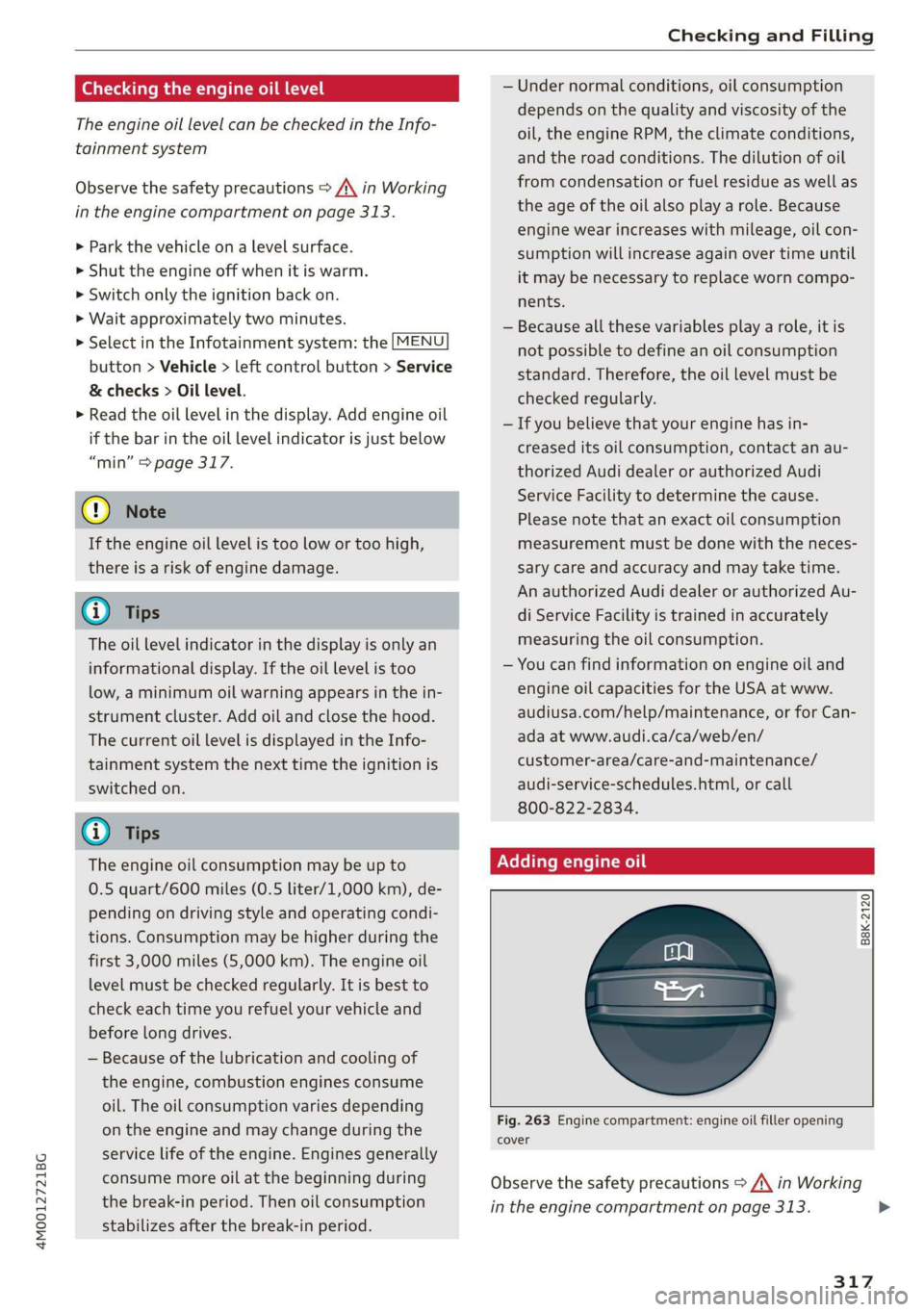
Addingengineoil
B8K-2120
Fig.263Enginecompartment:engineoilfilleropening
cover
Observethesafetyprecautions>A\inWorking
intheenginecompartmentonpage313.
317
>
Page 324 of 394
CheckingandFilling
Battery
Peleeeees(el)
Becauseofthecomplexpowersupply,allworkon
batteriessuchasdisconnecting,replacing,etc.,
should only beperformedby anauthorizedAudi
dealerorauthorizedAudiServiceFacility>A\.
Multiplebatterieswithdifferenttechnologies
maybeinstalledinyourvehicle:
—Vehiclebattery(forexample,forstartingthe
engine,basicpowersupply)>page322,Lead
batteryor>page323,Otherbatterytypes
—Auxiliarybattery(forexample,forrecuperation
oroptionalequipment)>page323,Otherbat-
terytypes
Notrunningthevehicleforlongperiodsof
time
Thebatterywillgraduallydrainifthevehicle
doesnotrunforlongperiodsoftime.Toensure
thatthevehiclecanstillbestarted,theelectrical
equipmentwillbereducedorswitchedoff
=page151.Someconveniencefunctions,such
asinteriorlightingorpowerseatadjustment,
maynotbeavailableundercertaincircumstan-
ces.Theseconveniencefunctionswillbeavailable
againonceyouswitchtheignitiononandstart
theengine.
Evenwhenelectricalequipmentisswitchedoff,
theequipmentcanstilldrainthebatteryifthe
vehicleisnotdrivenforLongperiodsoftime.
Deepdrainingresultsinachemicalreactionthat
destroys
theinsideofthebattery.Thebattery
mustbechargedevery monthtopreventthis
=page323.ContactanauthorizedAudidealeror
authorizedAudiServiceFacilityformoreinfor-
mation.
Winteroperation
Coldweatherplaceshigherdemandsonthebat-
tery.Thisresultsinreducedstartingability.Have
thebatterycheckedbyanauthorizedAudidealer
orauthorizedAudiServiceFacilitybeforecold
weatherbegins.
322
ZAWARNING
—Allworkonthebatteryorelectricalsystem
inyourvehiclecanresultininjuries,chemi-
calburns,accidents,or burns.Becauseof
this,allworkmustbeperformedonlybyan
authorizedAudidealerorauthorizedAudi
ServiceFacility.
—Neverconnectthechargingcableorjump
startcabledirectlytoyourvehiclebattery.
Onlyusethe connectionsintheenginecom-
partment>page323.
ZA\WARNING
CaliforniaProposition65Warning:
—Batteryposts,terminalsandrelatedacces-
soriescontainleadandleadcompounds,
chemicalsknowntotheStateofCalifornia
tocausecancerandreproductiveproblems.
Washhandsafterhandling.
C)Note
—Ifthevehiclewillbe parkedforlongperiods
oftime,protectthebatteryagainstthecold
sothatitwillnot be destroyed by“freezing”
=>page323,Chargingthebattery.
—Thereareelectricalcomponentsunderthe
cargofloorbehindatrimpanelthatwarm
upduringoperation.To reducetheriskof
thecomponentsoverheating, donotstore
objectssuchasblanketsunderthecargo
floor.Ifthecomponentsoverheat,theywill
switchofftemporarily.Thiswillbeindicated
byamessagethatwillbedisplayedinthe
instrumentclusteruntilthetemperaturere-
turnstonormal.
Leadbattery
Explanationofwarnings:
©Alwaysweareyeprotection.
Batteryacidishighlycorrosive.Always
wearprotectiveglovesandeyeprotection.
forbidden.>
®Fire,sparks,openflame,andsmokingare
Page 326 of 394
CheckingandFilling
ZA\WARNING
—Neverconnectthechargingcabledirectlyto
yourvehiclebattery.Onlyuse the connec-
tionsintheenginecompartment
=>page323.
—Ahighlyexplosivemixtureofgasescanform
whenchargingbatteries.Onlychargethe
batteryinwell-ventilatedareas.
—Adrainedbatterycanfreezeattempera-
turesaround329F(02C).Donotchargeor
useafrozenorthawedbattery.If iceforms,
thebatteryhousingcancrackandbattery
electrolytecanleakout,whichincreasesthe
riskofanexplosionandchemicalburns.
Contact anauthorizedAudidealerorauthor-
izedAudiServiceFacilityformoreinforma-
tion.
—Donotconnectordisconnectthecharging
cablewhilechargingbecausethisincreases
theriskofanexplosion.
G)Tips
Readallofthemanufacturer'sinstructions
forthechargerbeforechargingthebattery.
Windshieldwasher
system
B4M-0135,
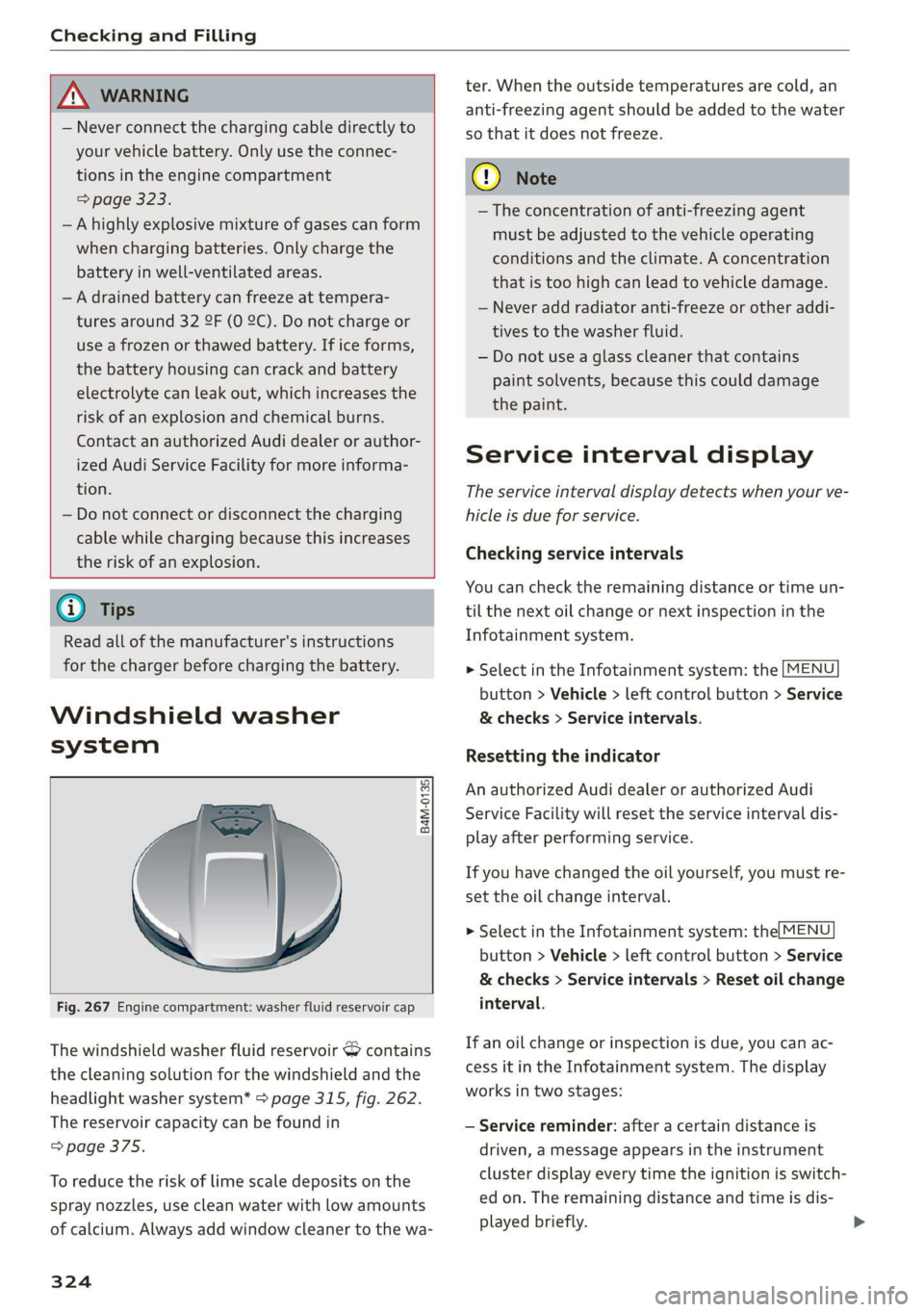
Fig.267Enginecompartment:washerfluidreservoircap
Thewindshieldwasherfluidreservoir&contains
thecleaningsolutionforthewindshieldandthe
headlight
washersystem*>page315,fig.262.
Thereservoircapacitycan befoundin
=>page375.
Toreducetheriskof limescaledepositsonthe
spraynozzles,usecleanwaterwithlowamounts
ofcalcium.Alwaysaddwindowcleanertothewa-
324
ter.Whentheoutsidetemperaturesarecold,an
anti-freezingagentshould beaddedtothewater
sothatitdoesnotfreeze.
C)Note
— Theconcentrationofanti-freezingagent
mustbeadjustedtothevehicleoperating
conditionsandtheclimate.Aconcentration
thatistoohighcanleadtovehicledamage.
—Neveraddradiatoranti-freezeorotheraddi-
tivestothewasherfluid.
—Donotuseaglasscleanerthat contains
paintsolvents,becausethiscoulddamage
thepaint.
Serviceintervaldisplay
Theserviceintervaldisplaydetectswhenyourve-
hicleisdueforservice.
Checkingserviceintervals
Youcan checktheremainingdistanceortimeun-
tilthenextoilchangeornextinspectioninthe
Infotainmentsystem.
>SelectintheInfotainmentsystem:the[MENU
button>Vehicle>leftcontrolbutton>Service
&checks>Serviceintervals.
Resettingtheindicator
AnauthorizedAudidealerorauthorizedAudi
ServiceFacilitywillresettheserviceintervaldis-
playafterperformingservice.
Ifyouhavechangedtheoilyourself,youmustre-
settheoilchangeinterval.
>SelectintheInfotainmentsystem:the|MENU
button>Vehicle>leftcontrolbutton>Service
&checks>Serviceintervals>Resetoilchange
interval.
Ifanoilchangeorinspectionisdue,youcanac-
cessitintheInfotainmentsystem.Thedisplay
worksintwostages:
—Servicereminder:afteracertaindistanceis
driven,amessageappearsintheinstrument
clusterdisplayeverytimetheignitionisswitch-
edon.Theremainingdistanceandtimeisdis-
playedbriefly.
Page 346 of 394
Wheels
Ifthetirepressuremonitoringindicator
appears
Appliesto:vehicleswithTirePressureMonitoringSystemin-
dicator
Thetirepressureindicatorintheinstrument
clusterinformsyouifthetirepressureistoolow
orifthereisasystemmalfunction.
UsingtheABSsensors,thetirepressuremonitor-
ingsystemcomparesthetiretreadcircumference
andvibrationcharacteristicsoftheindividual
tires.Ifthepressurechangesinoneormore
tires,thisisindicatedintheinstrumentcluster
displaywithanindicatorlight(Jandamessage.
Ifonlyonetireisaffected,thelocationof that
tirewillbeindicated.
ThetirepressuresmustbestoredintheInfotain-
mentsystemagaineachtimethepressures
change(switchingbetweenpartialandfullload
pressure)orafterchangingorreplacinga tireon
yourvehicle>page344.Thetirepressuremoni-
toringsystemonlymonitorsthetirepressureyou
havestored.Refertothetirepressurelabelfor
therecommendedtirepressureforyourvehicle
=>page336,fig.271.
Tiretreadcircumferenceandvibrationcharacter-
isticscanchangeandcauseatirepressurewarn-
ingif:
—Thetirepressureinoneormoretiresistoolow
—Thetireshavestructuraldamage
—Thetire wasreplacedorthetirepressurewas
changedanditwasnotstored>page344
—Tiresthatareonlypartiallyusedarereplaced
withnewtires
Indicatorlights
@-lossofpressureinatleastonetire>A\.
Checkthetiresandreplaceor repairifnecessary.
Check/correctthepressuresofallfourtiresand
storethepressureagainintheInfotainmentsys-
tem>page344.
iis(TirePressureMonitoringSystem)Tirepres-
sure:malfunction!Seeowner'smanual.Ifi
appearsafterswitchingtheignitiononorwhile
drivingandthe@indicatorlightintheinstru-
mentclusterblinksforapproximatelyone minute
andthenstayson,thereissystemmalfunction.
344
Trytostorethecorrecttirepressures
=>page344.Insomecases,youmustdrivefor
severalminutesafterstoringthepressuresuntil
theindicatorlightturnsoff.Iftheindicatorlight
doesturnofforturnsonagainafterashortperi-
odoftime,drivetoanauthorizedAudidealeror
authorizedAudiServiceFacilityimmediatelyto
havethemalfunctioncorrected.
ZAWARNING
tiresandtheirpressure.
tirepressureregularly.
indicatormaybedelayed.
—Ifthetirepressureindicatorappearsinthe
display,reduceyourspeedimmediatelyand
avoidanyhardsteeringorbrakingmaneu-
vers.Stopassoonaspossibleandcheckthe
—Thedriverisresponsibleformaintainingthe
correcttirepressure.Youmustcheckthe
—Undercertainconditions(suchasasporty
drivingstyle,winterconditions,orunpaved
roads),thetirepressuremonitoringsystem
(i)Tips
—Thetirepressuremonitoringsystemcanal-
sostopworkingwhenthereisanESCmal-
function.
—Usingsnowchainsmayresultinasystem
malfunction.
—Thetirepressuremonitoringsysteminyour
Audiwascalibratedwith“AudiOriginal
Tires”>page333.Using thesetiresisrec-
ommended.
Storingtirepressures
Appliesto:vehicleswithTirePressureMonitoringSystemin-
dicator
Ifthetirepressurechangesoratireisreplaced,
itmustbeconfirmedinthe Infotainmentsys-
tem.
>Beforestoringthetirepressures,makesurethe
tirepressuresinallfourtiresmeetthespeci-
fiedvaluesandareadaptedtotheload
=>page336.
>Switchtheignitionon.
>SelectintheInfotainmentsystem:
MENU but-
ton>Vehicle>Service&checks>Tirepressure>