battery AUDI Q7 2019 Owner´s Manual
[x] Cancel search | Manufacturer: AUDI, Model Year: 2019, Model line: Q7, Model: AUDI Q7 2019Pages: 394, PDF Size: 105.97 MB
Page 153 of 394
4M0012721BG
IntelligentTechnology
Allwheeldrive(quattro)
Theall-wheeldrivesystemdistributesthedriving
powervariablytothefrontandrearaxletoim-
provethedrivingcharacteristics.Itworkstogeth-
erwithselectivewheeltorquecontrol,whichcan
activatewhendrivingthroughcurves
=>page146.
Theallwheeldriveconceptisdesignedforhigh
enginepower.Yourvehicleisexceptionallypow-
erfulandhasexcellentdrivingcharacteristics
bothundernormaldrivingconditionsandon
snowandice.Alwaysreadandfollowsafetypre-
cautions>A\.
Z\WARNING
—Eveninvehicleswithallwheeldrive,you
shouldadaptyourdrivingstyletothecur-
rentroadandtrafficconditionstoreduce
theriskofanaccident.
— Thebrakingabilityofyourvehicleislimited
tothetractionofthewheels.In thisway,it
isnotdifferentfromatwowheeldrivevehi-
cle.Donotdrivetoofastbecausethisin-
creasestheriskofanaccident.
—Notethatonwetstreets,thefrontwheels
can“hydroplane’”ifdrivingatspeedsthat
aretoohigh.Unlikefrontwheeldrivevehi-
cles,theengineRPMdoesnotincreasesud-
denlywhenthevehiclebeginshydroplaning.
Adaptyourspeedtotheroadconditionsto
reducetheriskofanaccident.
Sykemetals
Appliesto:Vehicleswith sportdifferential
Thesportdifferentialdistributesthedrivepower
totherearaxlebasedonthesituation.Thegoal
isahighlevelofagilityandabilitytoaccelerate
oncurves.Thevehicleisvery responsivetosteer-
ing.ThesettingsdependontheselectedAudi
driveselect*mode.
Energymanagement
Yourvehicleisequippedwithanintelligentener-
gymanagementsystemfordistributingelectrici-
ty.Thissignificantlyimprovesthestartingability
andincreasesthevehiclebatterylife.
@)Tips
—Ifyoudriveshortdistancesfrequently,the
vehiclebatterymaynotchargeenough
whiledriving.Asaresult,conveniencefunc-
tionsforelectricalequipmentmaybetem-
porarilyunavailable.
—Thevehiclebatterywillgraduallydrainif
thevehicleisnotdrivenforlongperiodsof
time,orifelectricalequipmentisused
whentheengineisnotrunning.Toensure
thatthevehiclecanstillbestarted,the
electricalequipmentwillbelimitedor
switchedoff.
Noticeaboutdata
recordedbytheEvent
DataRecorderand
vehiclecontrolmodules
EventDataRecorder
Thisvehicleisequippedwithan Event DataRe-
corder(EDR).ThemainpurposeofanEDRisto
record,incertaincrashornearcrash-likesitua-
tions,
suchasanairbagdeploymentorhittinga
roadobstacle,datathatwillassistinunderstand-
inghowavehicle'ssystemsperformed.TheEDR
isdesignedto recorddatarelatedtovehicledy-
namics andsafetysystemsforashortperiodof
time,typically30secondsorless.TheEDRinthis
vehicleisdesignedtorecordsuchdataas:
—Howvarioussystemsinyourvehiclewereoper-
ating;
—Whetherornot thedriverandpassengersafety
beltswerebuckled/fastened;
—Howfar(ifatall)thedriverwasdepressingthe
acceleratorand/orbrakepedal;and,
—Howfastthevehiclewastraveling.
Thesedatacanhelpprovideabetterunderstand-
ingofthecircumstancesinwhichcrashesandin-
juriesoccur.NOTE:EDRdataarerecordedbyyour
vehicleonlyifanon-trivialcrashsituationoccurs;
nodataarerecordedbytheEDRundernormal
drivingconditionsandnopersonaldata(e.g.,
151
>
Page 156 of 394
MultiMediaInterface
—Switchingoffmanually:pressandholdthe
On/Offknob@)>fig.155untiltheMMI
switchesoff.IftheMMIhasbeenswitchedoff
manually,itdoesnotswitchonagainautomati-
callythenexttimetheignitionisswitchedon.
Additionalfunctions:
—Adjustingthevolume:turntheOn/Offknob@
>fig.155.
—Muting:presstheOn/Offknob@°fig.155
briefly.
—Selectingtheprevious/nextfunction(forex-
ample,aradiostation/track):presstheOn/Off
knob@®fig.155brieflytowardtheleftKdor
rightDo.
—Fastforwarding/rewinding(forexample
songs):pressandholdtheOn/Offknob@)
=>fig.155towardtheleftKdorrightPel.
ZAWARNING
Adjustthevolumeoftheaudiosystemsothat
signalsfromoutsidethevehicle,suchas po-
liceandfiresirens,canbeheardeasilyatall
times.
G@)Tips
TheMMIswitchesoffautomaticallyiftheen-
gineisnotrunningandthevehiclebatteryis
low.
Infotainmentsystem
display
Switchingon/off
TheInfotainmentsystemdisplayautomatically
extendsandretractswhenyouswitchtheigni-
tiononandoff.
>Whenitisextended,presstheLo]buttonto
switchtheInfotainmentsystemdisplayonor
off.
WhentheMMIisswitchedonandthedisplayis
switchedoff,youcanoperatecertainfunctions
usingtheOn/OffknobwiththeMMIjoystick
function>page153.
154
G)Tips
Theremaybedelayswhenswitchingonthe
display.
celmurlClmelmelevee(rs
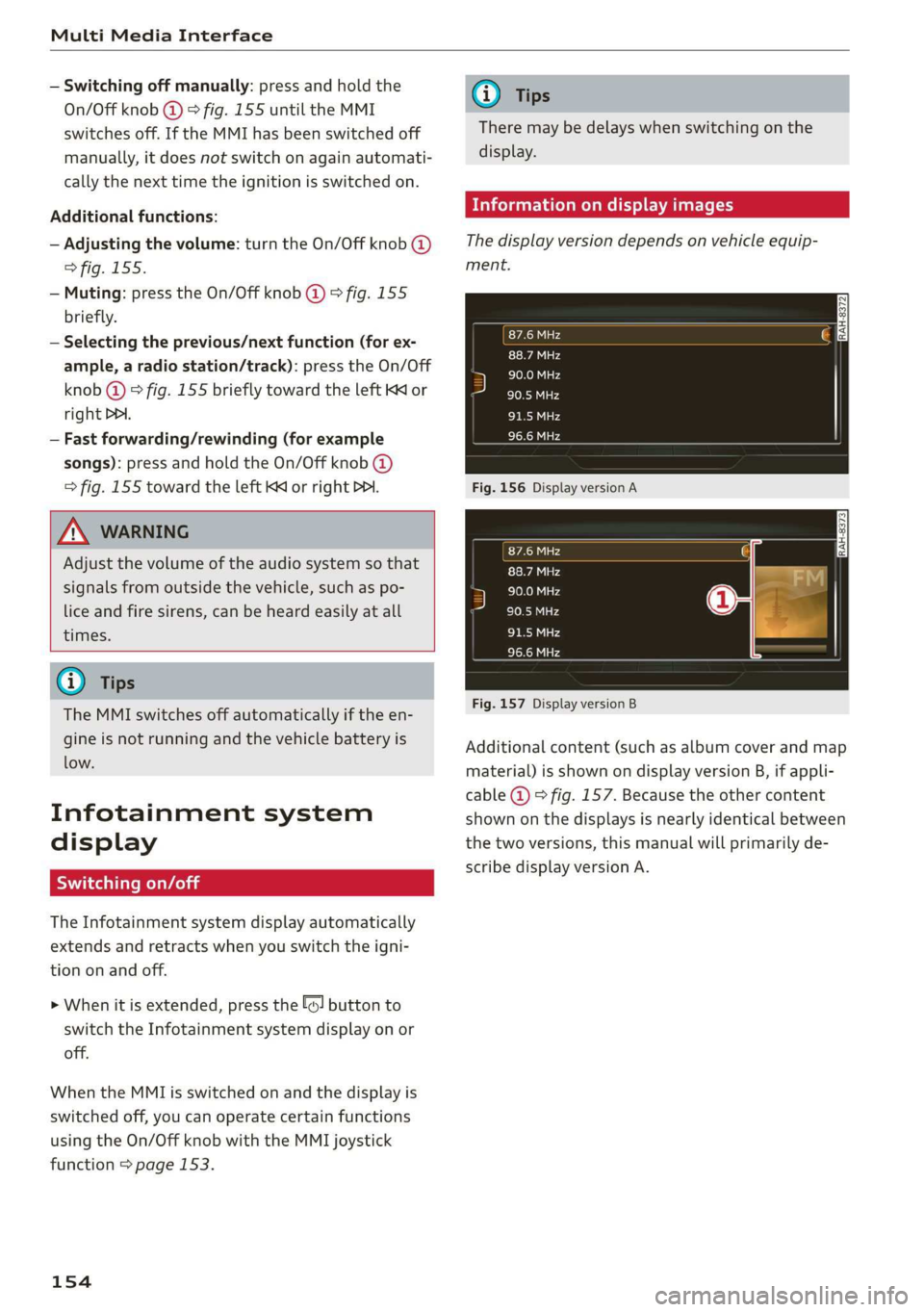
Thedisplayversiondependsonvehicleequip-
ment.
Fig.156DisplayversionA
Fig.157DisplayversionB
Additionalcontent(suchasalbumcoverandmap
material)isshownondisplayversionB,ifappli-
cable@)©fig.157.Becausetheothercontent
shownonthedisplaysisnearlyidenticalbetween
thetwoversions,thismanualwillprimarilyde-
scribedisplayversionA.
Page 183 of 394
4M0012721BG
Telephone
UsingtheAudiphone
box
Appliesto:vehicleswithAudiphonebox
You
canchargeyourmobiledevicebatteryusing
theAudiphonebox.Youcanmakecallsthrough
theexteriorantenna*onthevehicle.Usingthe
externalantenna*helpswhenthereisalowsig-
nalandalsoprovidesbetterreceptionquality.
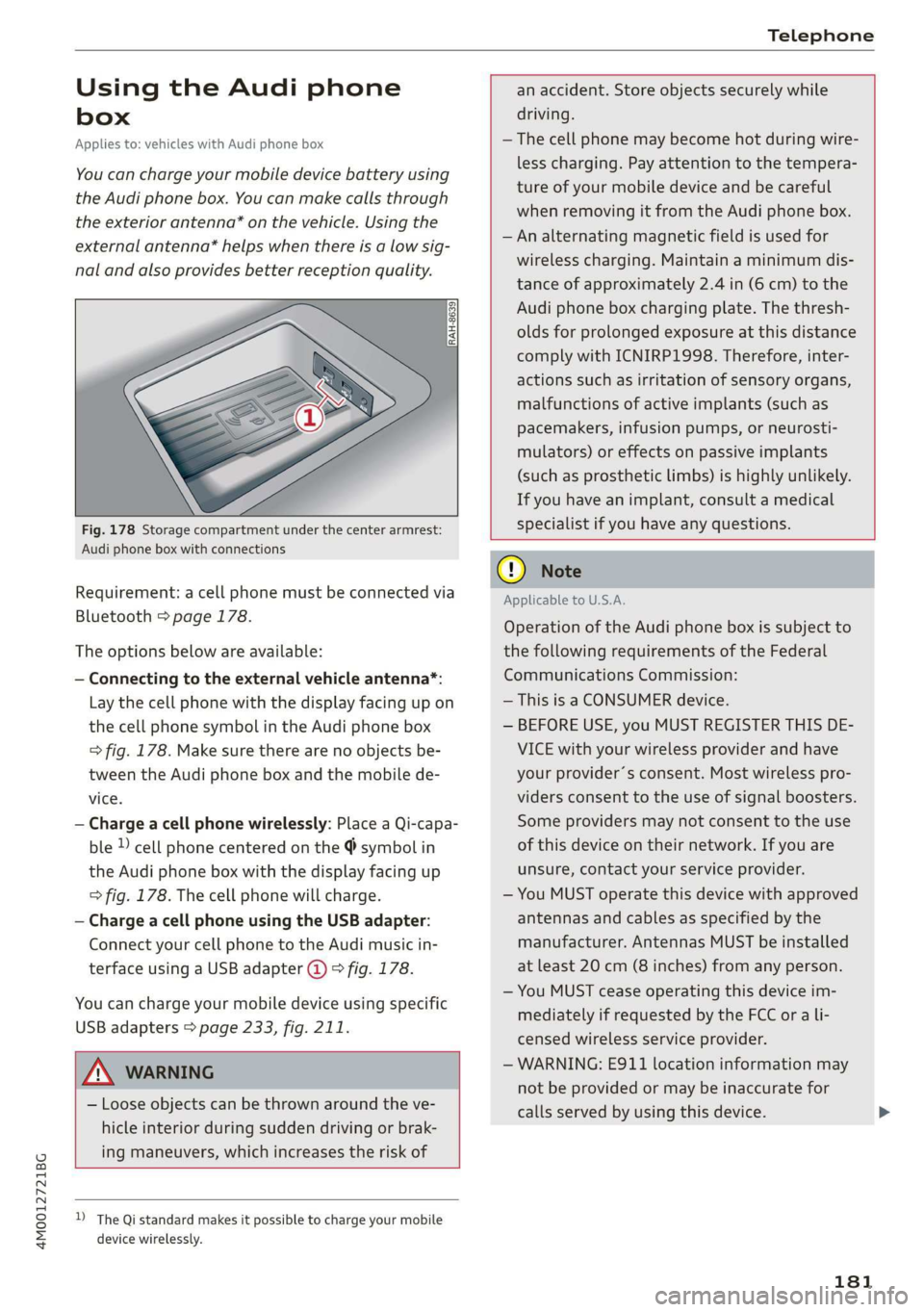
Fig.178Storagecompartmentunderthecenterarmrest:
Audiphoneboxwithconnections
Requirement:acellphonemustbeconnectedvia
Bluetooth>page178.
Theoptionsbelowareavailable:
—Connectingtotheexternalvehicleantenna*:
Laythecellphonewiththedisplay facingupon
thecellphonesymbolintheAudiphonebox
=>fig.178.Makesuretherearenoobjectsbe-
tweenthe Audiphoneboxandthemobilede-
vice.
—Chargeacellphonewirelessly:PlaceaQi-capa-
ble})cellphonecenteredonthe@symbolin
the Audiphoneboxwiththedisplayfacingup
>fig.178.Thecellphonewillcharge.
—ChargeacellphoneusingtheUSBadapter:
Connectyourcellphonetothe Audimusicin-
terfaceusingaUSBadapter@)9fig.178.
Youcan chargeyourmobiledeviceusingspecific
USBadapters>page233,fig.211.
anaccident.Storeobjectssecurelywhile
driving.
—Thecellphonemaybecomehotduringwire-
lesscharging.Payattentiontothetempera-
tureofyourmobiledeviceandbecareful
whenremovingitfromthe Audiphonebox.
—Analternatingmagneticfieldisusedfor
wirelesscharging.Maintainaminimumdis-
tanceofapproximately2.4in(6cm)tothe
Audi
phoneboxchargingplate.Thethresh-
oldsforprolongedexposureat thisdistance
complywithICNIRP1998.Therefore,inter-
actionssuchasirritationofsensoryorgans,
malfunctionsofactiveimplants(suchas
pacemakers,infusionpumps,orneurosti-
mulators)oreffectsonpassiveimplants
(such as prostheticlimbs)ishighlyunlikely.
Ifyouhaveanimplant,consultamedical
specialistifyouhaveanyquestions.
AWARNING
—Looseobjectscanbethrownaroundtheve-
hicleinteriorduringsuddendrivingorbrak-
ingmaneuvers,whichincreasestheriskof
D_TheQistandardmakesitpossibletocharge yourmobile
devicewirelessly.
@)Note
ApplicabletoU.S.A.
Operationofthe Audiphoneboxissubjectto
thefollowingrequirementsoftheFederal
CommunicationsCommission:
—ThisisaCONSUMERdevice.
—BEFOREUSE,youMUSTREGISTERTHISDE-
VICEwithyourwirelessproviderandhave
yourprovider’sconsent.Mostwirelesspro-
vidersconsenttotheuseofsignalboosters.
Someprovidersmaynotconsenttothe use
ofthisdeviceontheirnetwork.Ifyouare
unsure,contactyourserviceprovider.
—YouMUSToperatethisdevicewithapproved
antennasandcablesasspecifiedby the
manufacturer.AntennasMUSTbeinstalled
atleast20cm(8inches)fromanyperson.
—YouMUSTceaseoperatingthisdeviceim-
mediatelyifrequestedbytheFCCorali-
censedwirelessserviceprovider.
—WARNING:E911locationinformationmay
notbeprovidedormaybeinaccuratefor
callsservedbyusingthisdevice.
181
Page 199 of 394
4M0012721BG
Audiconnect
AboutAudiconnect
Hereyouwillfindlegalinformationregarding
AudiconnectInfotainmentusage.
Login
See>page194.
Connectionmanager
See>page248.
Licensesubscription
Thevalidityandexpirationdateofyourlicenses
aredisplayed.
Refresh
ThecontentoftheselectedAudiconnectInfo-
tainmentserviceortheentireAudiconnectInfo-
tainmentlistisupdated.
Dataprivacy
Requirement:theignitionmustbe switchedon.
Location,vehicle,andpersonal dataaretransmit-
tedwhenusingAudiconnectservices.
Allowingsendingofdata
—SelectandconfirmActivatedataconnection.
Thedatamoduleforthe useofallAudiconnect
serviceswillbeactive.
Restrictingsendingofdata
—SelectandconfirmActivateprivacy.Thedata
connectionislimitedordeactivateddepending
ontheequipment.ThemajorityofAudiconnect
serviceswillnot beavailable.
Thefollowinginterfacesarenotaffectedbythis
setting:Bluetooth,BluetoothLowEnergy(BLE),
Wi-Ficonnection,Audismartphoneinterface
(ASI),NearFieldCommunication(NFC),charging
communication(e-tron),ElectronicTollCollect
(ETC),ifequipped.
@)Note
Youareresponsibleforallprecautionstaken
fordataprotection,anti-virusprotection,and
protectionagainstlossofdataonmobilede-
)Dependsonthecountryand equipment. Theseservices
are availableforalimitedtime.
vicesthatareusedtoaccesstheInternet
throughtheWi-Fihotspot.
i)Tips
—Ifthetransmissionofdataislimited,data
willstillbetransmittedtoverifysubscrip-
tions.
—Ifthetransmissionofdataislimited,itwill
havethefollowingeffectsontheexchange
ofdataforAudiconnectservicesandemer-
gencycalls,ifequipped:
—Theemergencycallfunctionwillremain
availablewithoutrestrictionsandwillcon-
tinuetotransmitdata.
—TheAudiconnectStolenVehicleLocator
systemwillremainavailablewithoutre-
strictionsandwillcontinuetotransmit
data.
—Ifanonlineroadsideassistancecallisini-
tiated,nodatawillbetransmitted,buta
callwillbemade.
—IftheGeofencingAlert,SpeedAlert,
and/orValetAlertserviceshavebeenacti-
vatedbythekeyuser,thentheywillre-
mainavailablewithoutrestrictionsand
continuetotransmitdata.
Audiconnectvehicle
controlservices
AppliestovehicleswithAudiconnectvehiclecontrol
WithAudiconnectvehiclecontrolservices»,you
canutilizevariousservicesusingthemyAudiapp
oronlineatwww.audiusa.com/myaudi.
G@)Tips
—Accessingspecificdataorcontrollingfunc-
tionsremotelydependsonthechargelevel
ofthevehiclebattery.Therefore,these
functionsonlyhavelimitedavailabilityafter
switchingofftheignition.
— AneSIMcardestablishestheInternetcon-
nectionforAudiconnectvehiclecontrol
197
>
Page 232 of 394
Media
—Thestatusofthedeletingprocessisshownin
theMMI.Jukeboxplaybackstopsduringthede-
letingprocessandstartsagainautomatically
oncethedeletioniscomplete.
@)Note
Donotimportaudio/videofileswhentheen-
gineisturnedoffbecausethiswilldrainthe
vehiclebattery.
@)Tips
—TracksfromaudioCDscannotbeimported
totheJukeboxforlegalreasons.
—Filesthathavealreadybeenimportedare
automaticallyrecognizedandcannotbe
copiedtotheJukeboxagain.
—Itisnotpossible toplay audio/video*files
intheCD/DVD*drivewhileimportingthem.
— TheJukeboxdoesnotprovidean export
functionduetolegalreasons.
—Filesortrackswithoutadditionalstoredin-
formationarelistedasUnknown.Audirec-
ommendsaddingadditionalinformation
(such asID3tags)toaudiofiles.
—ResettheJukeboxtothefactorydefaultset-
tingswhensellingyourvehicle>page248.
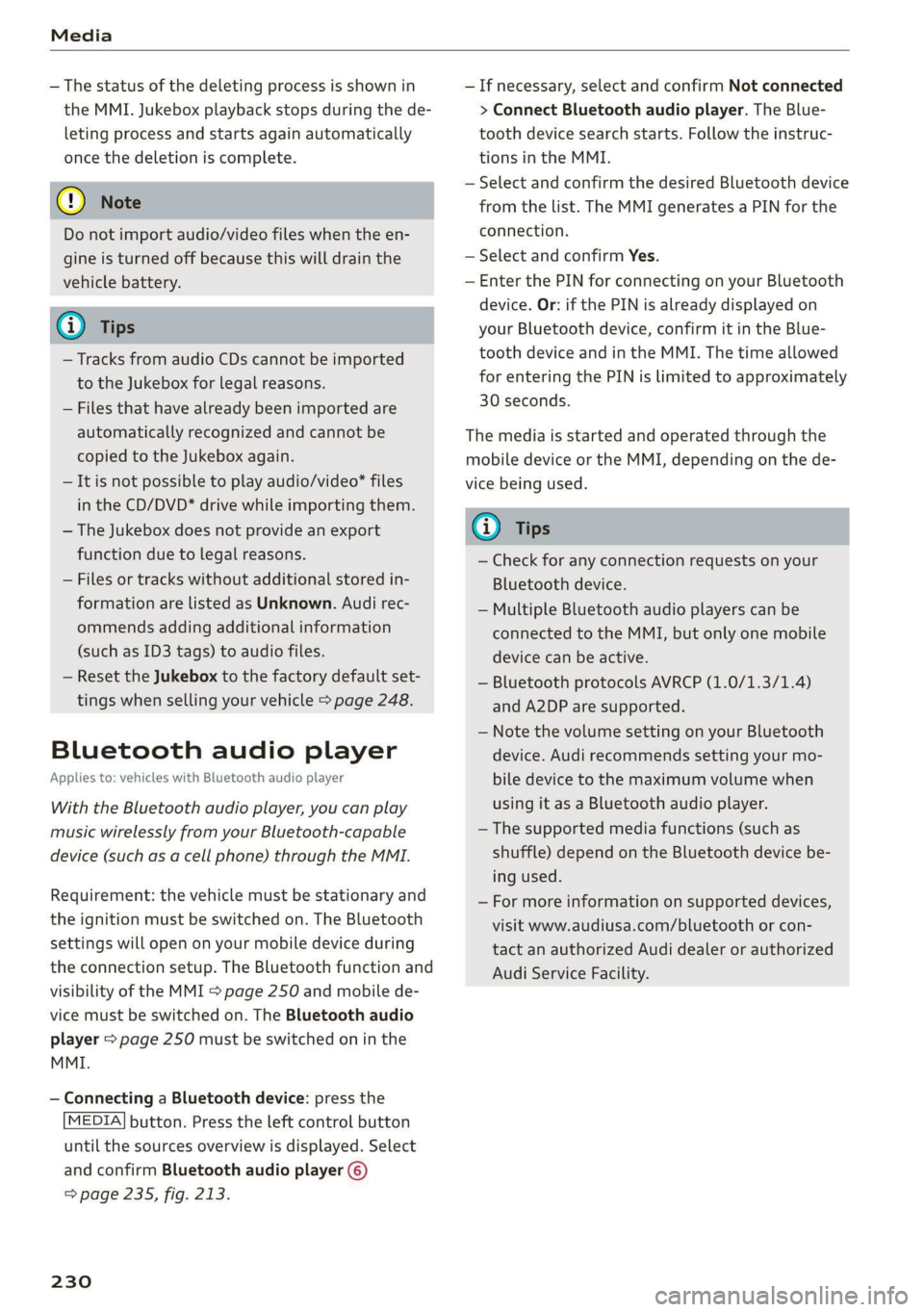
Bluetoothaudioplayer
Appliesto:vehicleswithBluetoothaudioplayer
WiththeBluetoothaudioplayer,youcanplay
musicwirelesslyfrom yourBluetooth-capable
device(suchasacellphone)throughtheMMI.
Requirement:thevehiclemustbestationaryand
theignitionmustbe switchedon.TheBluetooth
settingswillopenonyourmobiledeviceduring
theconnectionsetup.TheBluetoothfunctionand
visibilityoftheMMI>page250andmobilede-
vicemustbe switchedon.TheBluetoothaudio
player>page250mustbeswitchedoninthe
MMI.
—ConnectingaBluetoothdevice:pressthe
MEDIA]button.Presstheleftcontrolbutton
untilthesourcesoverviewisdisplayed.Select
andconfirmBluetoothaudioplayer@)
>page235,fig.213.
230
—Ifnecessary,selectandconfirmNotconnected
>ConnectBluetoothaudioplayer.TheBlue-
toothdevicesearchstarts.Followtheinstruc-
tionsintheMMI.
—SelectandconfirmthedesiredBluetoothdevice
fromthelist.TheMMIgeneratesaPINforthe
connection.
—SelectandconfirmYes.
—EnterthePINforconnectingonyourBluetooth
device.Or:ifthePINisalreadydisplayedon
yourBluetoothdevice,confirmitintheBlue-
toothdeviceandintheMMI.Thetimeallowed
forenteringthePINislimitedtoapproximately
30seconds.
Themediaisstartedandoperatedthroughthe
mobiledeviceortheMMI,dependingonthede-
vicebeingused.
(i)Tips
—Checkforanyconnectionrequestsonyour
Bluetoothdevice.
—MultipleBluetoothaudioplayerscan be
connectedtotheMMI,butonlyonemobile
devicecanbeactive.
—BluetoothprotocolsAVRCP(1.0/1.3/1.4)
andA2DParesupported.
—NotethevolumesettingonyourBluetooth
device.Audirecommendssettingyourmo-
biledevicetothemaximumvolumewhen
usingitasaBluetoothaudioplayer.
— Thesupportedmediafunctions(suchas
shuffle)dependontheBluetoothdevicebe-
ingused.
—Formoreinformationonsupporteddevices,
visitwww.audiusa.com/bluetoothorcon-
tactanauthorizedAudidealerorauthorized
AudiServiceFacility.
Page 235 of 394
4M0012721BG
Media
@Tips
— Depending ontheInternetconnectionand
networktraffic,the connectionmaydiscon-
nectedwhenonlinemediasourcesareplay-
ing.
—OnlinemediaandInternetradiousagede-
pendsontheserviceavailabilityofthethird
partyprovider.
—AudiAGsimplymakestheaccesstoonline
mediaservicespossiblethroughtheMMI
anddoesnottakeanyresponsibilityforthe
contentsoftheonlinemediaservices.
—Alwaysreadthe chapter>page193,Audi
connect.
— Depending onthemobiledevicebeingused,
theremaybeinterruptionsduringmedia
playbackandwhenusingthemyAudiapp.
Topreventinterruptionswhenusingamo-
biledevice,donotlockthescreenonyour
mobiledeviceandkeepthemyAudiappin
theforeground.
—ContactanauthorizedAudidealeror au-
thorizedAudiServiceFacilityforadditional
informationaboutonlinemedia.
Multimediaconnections
OyeTmleeMulelarskelg
USBchargingport
Dependingonthevehicleequipment,youcan
connectyourmobiledevices(suchas asmart-
phoneorMP3player)totheAudimusicinterface
oraUSBchargingportusingaspecialUSB
adapter.
af
a|=
of
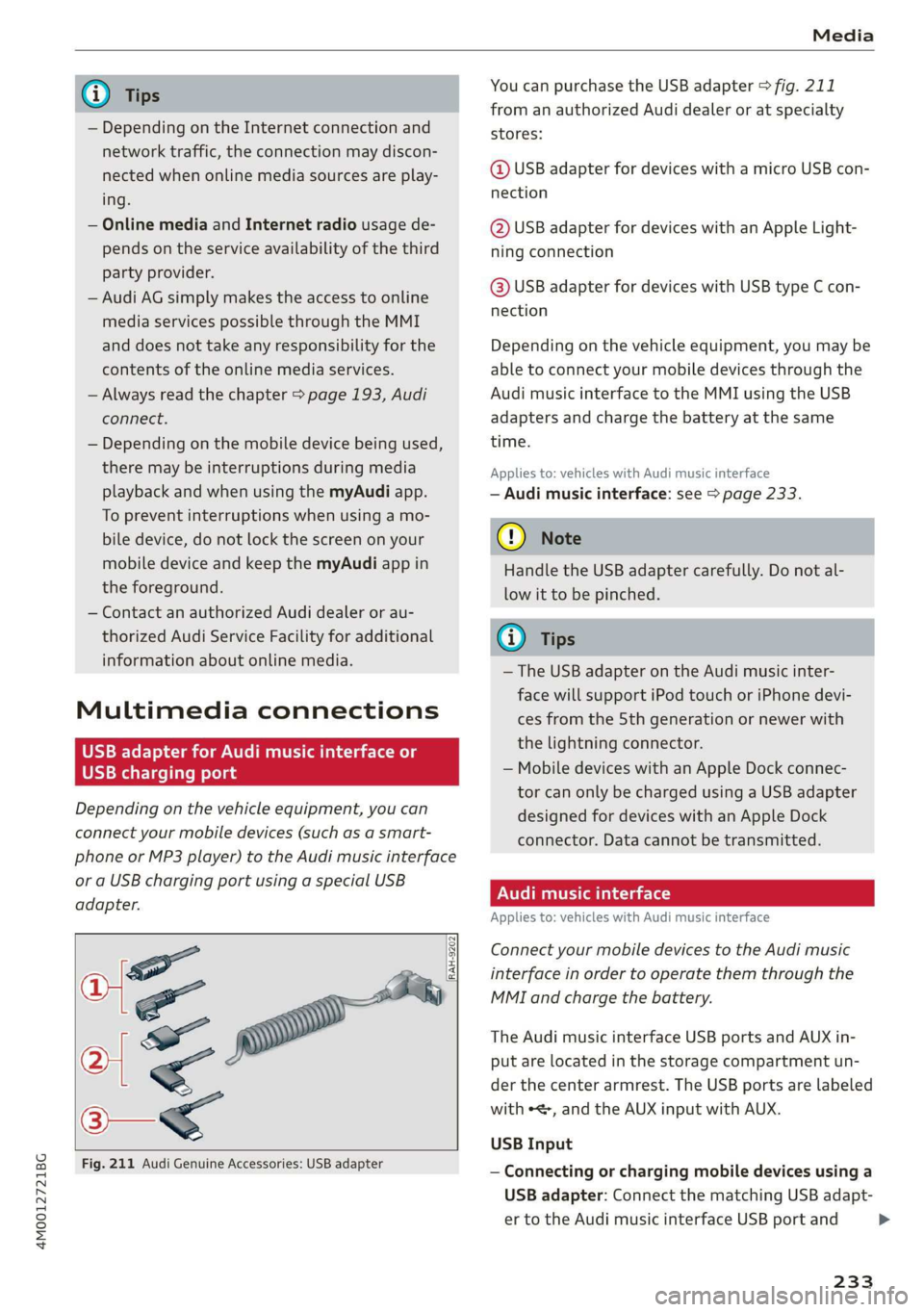
Fig.211AudiGenuineAccessories:USBadapter
[RAH-9202
\
YoucanpurchasetheUSBadapter>fig.211
fromanauthorizedAudidealeroratspecialty
stores:
@USBadapterfordeviceswithamicroUSBcon-
nection
@USBadapterfordeviceswithanAppleLight-
ningconnection
@USBadapterfordeviceswithUSBtypeCcon-
nection
Depending onthevehicleequipment,youmaybe
abletoconnectyourmobiledevicesthroughthe
Audi
musicinterfacetotheMMIusingtheUSB
adaptersandchargethebatteryatthesame
time.
Appliesto:vehicleswithAudimusicinterface
—Audimusicinterface:see>page233.
@)Note
HandletheUSBadaptercarefully.Donotal-
lowittobepinched.
(i)Tips
—TheUSBadapteronthe Audimusicinter-
facewillsupportiPodtouchoriPhonedevi-
cesfromthe5thgenerationornewerwith
thelightningconnector.
—MobiledeviceswithanAppleDockconnec-
torcanonlybechargedusingaUSBadapter
designedfordeviceswithanAppleDock
connector.Datacannotbetransmitted.
PNUreemlala)
Appliesto:vehicleswith Audimusicinterface
ConnectyourmobiledevicestotheAudimusic
interfaceinordertooperatethemthroughthe
MMIandchargethebattery.
TheAudimusicinterfaceUSBportsandAUXin-
putarelocatedinthestoragecompartmentun-
der thecenter armrest.TheUSBportsarelabeled
withe,andtheAUXinputwithAUX.
USBInput
—Connectingorchargingmobiledevicesusinga
USBadapter:ConnectthematchingUSBadapt-
ertotheAudimusicinterfaceUSBportand
233
>
Page 236 of 394
Media
thenconnectittothemobiledevice,forexam-
pleaniPhone.Thebatterywillchargeautomat-
ically.
—DisconnectingamobiledevicefromtheAudi
musicinterface:RemovetheUSBadapterfrom
the AudimusicinterfaceUSBport.
Themediaarestartedandoperatedthroughthe
mobiledeviceortheMMI,dependingonthede-
vicebeingused>page235.
Connectingmultiplemobiledevices:ifamobile
device(suchasasmartphone)isconnectedatthe
respectiveUSBportontheAudimusicinterface,
thenalldevicescanbeusedasaplaybacksource.
AUXInput
—Connectingamobiledevice totheAUXinput:
ConnecttheAUXcabletotheAUXinputonthe
Audimusicinterfaceandthenconnectittothe
mobiledevice(forexample,anMP3playerora
smartphone).
—DisconnectingamobiledevicefromtheAUX
input:RemovetheAUXcablefromtheAUXin-
putonthe Audimusicinterface.
—Operation:selectandconfirm theExternalau-
dioplayersourceG)>page235,fig.212.Me-
diaisstartedandoperatedonthemobilede-
vice.
Z\WARNING
Drivingrequiresyourcompleteandundivided
attention.Asthedriver,youhavecompletere-
sponsibilityforsafetyintraffic.Neveroperate
mobiledeviceswhiledriving,becausethisin-
creasestheriskofanaccident.
@)Note
—UseaUSBextensioncabletoconnectdevi-
cesthathaveanintegratedUSBconnector
(suchasaUSBstick)topreventdamageto
yourUSBdeviceandtheAudimusicinter-
face.
—Extremelyhighorlow temperaturesthat
canoccurinsidevehiclescandamagemobile
devicesand/orimpairtheirperformance.
1)Applies onlytoMTPdevices.DoesnotapplytoAppledevi-
cesandUSBmassstoragedevices.
234
Neverleavemobiledevicesinthevehiclein
extremelyhighorlowtemperatures.
(i)Tips
—Alwaysfollowtheinformationfoundin
=>page60.
—Whenyouswitchtheignitionoff,theUSB
portsarestillsuppliedwithpoweruntilthe
energymanagementintervenes.
—DonotuseanadditionaladapterorUSBex-
tensioncabletoconnectmobiledevicesto
theAudimusicinterfacethatalreadyhavea
cableorthatmustbeconnectedwithaUSB
adapter(=page233).Using anadditional
adapterorUSextensioncablemayimpair
functionality.
—YoucanpurchasetheAUXconnectorcable
fromanauthorizedAudidealeroratspe-
cialtystores.
—Audirecommendssettingthevolumeofa
mobiledeviceconnectedtotheAUXinputto
approximately70%ofthemaximumvol-
ume.
—Functionalityisnotguaranteedformobile
devicesthatdonotconformtotheUSB2.0
specification.
—USBhubsarenotsupported.
—SomeversionsoftheiPodsuchastheiPod
shufflecannotbeconnectedtotheUSB
adapterfordeviceswithAppleDockconnec-
tor.ConnectthesedevicesusingaAUXcon-
nectorcable.
—Changedcontentonamobiledevice»)that
isconnectedtotheAudimusicinterface
maynotbedisplayedinthemediacenter.In
thiscase,resettheMediasettingsbackto
Factorysettings>page248.
—Videoplaybackthroughthe Audimusicin-
terfaceisonlysupportediftheconnected
deviceisrecognizedasaUSBstoragedevice
(forexampleaUSBstick).Appledevicesand
MTPdevices(suchassmartphones)arenot
recognizedasUSBstoragedevices.
Page 245 of 394
4M0012721BG
Media
Troubleshooting
ProblemSolution
Audimusicinterface/Bluetooth
audioplayer*:mobiledeviceis
notsupported.
Readtheinstructionsinthechapter>page233,Multimediacon-
nections/=>page230,Bluetoothaudioplayer.Youcanlearn
aboutsupportedmobiledevicesintheAudidatabaseformobile
devicesatwww.audiusa.com/bluetooth.
Audimusicinterface:thevolume
istoohigh/toolowwhenstarting
playbackthroughtheAUXinput.
Adjustthevolumeofthemobiledevicetoapproximately70%of
themaximumoutput>page238,Inputlevel.
Audimusicinterface:themobile
deviceisnotrecognizedasa
source.
Formanycellphonesormobiledevices,playbackisnotpossible
when
thebatteryLevelistoolow(lessthan5%ofitscapacity).
ThemobiledevicewillonlyberecognizedasasourceintheMMI
afterconnectingifthebatterychargeissufficient.
Audimusicinterface:malfunc-
tionsduringaudioplayback
throughaniPod/iPhone.
TheBluetoothaudioplayerfunctionisswitchedon.Switchthis
functionoff>page250whenyouarenotusingtheBluetoothau-
dio
player.
Audimusicinterface:contents
thatarechangedonamobilede-
viceconnectedtotheAudimusic
interface®arenotdisplayedin
themediacenter.
Reset theMediasettingstothefactorydefaultsettings
=>page248.
AUXinput:thereisstaticwhen
connectinganddisconnectingthe
AUXconnectioncable.
Whenconnectinganddisconnecting,theExternalaudioplayer
sourceisalreadyselected.Beforeconnectingordisconnectingthe
mobiledevice,eithermutethedevice(see>page252)orswitch
toadifferentaudiosource(forexample>page222,Openingthe
radio).
Bluetoothaudioplayer*/Wi-Fi
audioplayer*:audioplaybackin-
terference.
Onlyoneinterfaceshouldbeactivelyusedatatimetoensure
problem-freeplayback.
Jukebox*:tracksontheimported
playlistaregrayedout.
Whenimportingplaylists,allofthefilesthemselvesmustbeim-
ported.
Jukebox®*:importedtrackscannot
beplayedorfound.
Ifyoucannotfindimportedtracksinthemediacenter,theymay
notbesupported.Onlycopysupportedfiles>page241tothe
Jukebox.
Onlinemedia*:connectionfailed
betweentheMMIandthemyAudi
app.
ToestablishaconnectiontotheMMI,theMMIconnectionswitch
mustbe switchedoninthemyAudiappstatusscreen.
Bluetoothaudioplayer*:interfer-
encewithtrackdisplayandaudio
playback.
PlaybackinterferencecanoccurwhenusingtheBluetoothaudio
playerifamusicplayerappfromathirdpartyproviderisopen.
AudirecommendsusingtheintegratedmediaplayeronyourBlue-
toothdevice (such asasmartphone).
243
Page 248 of 394
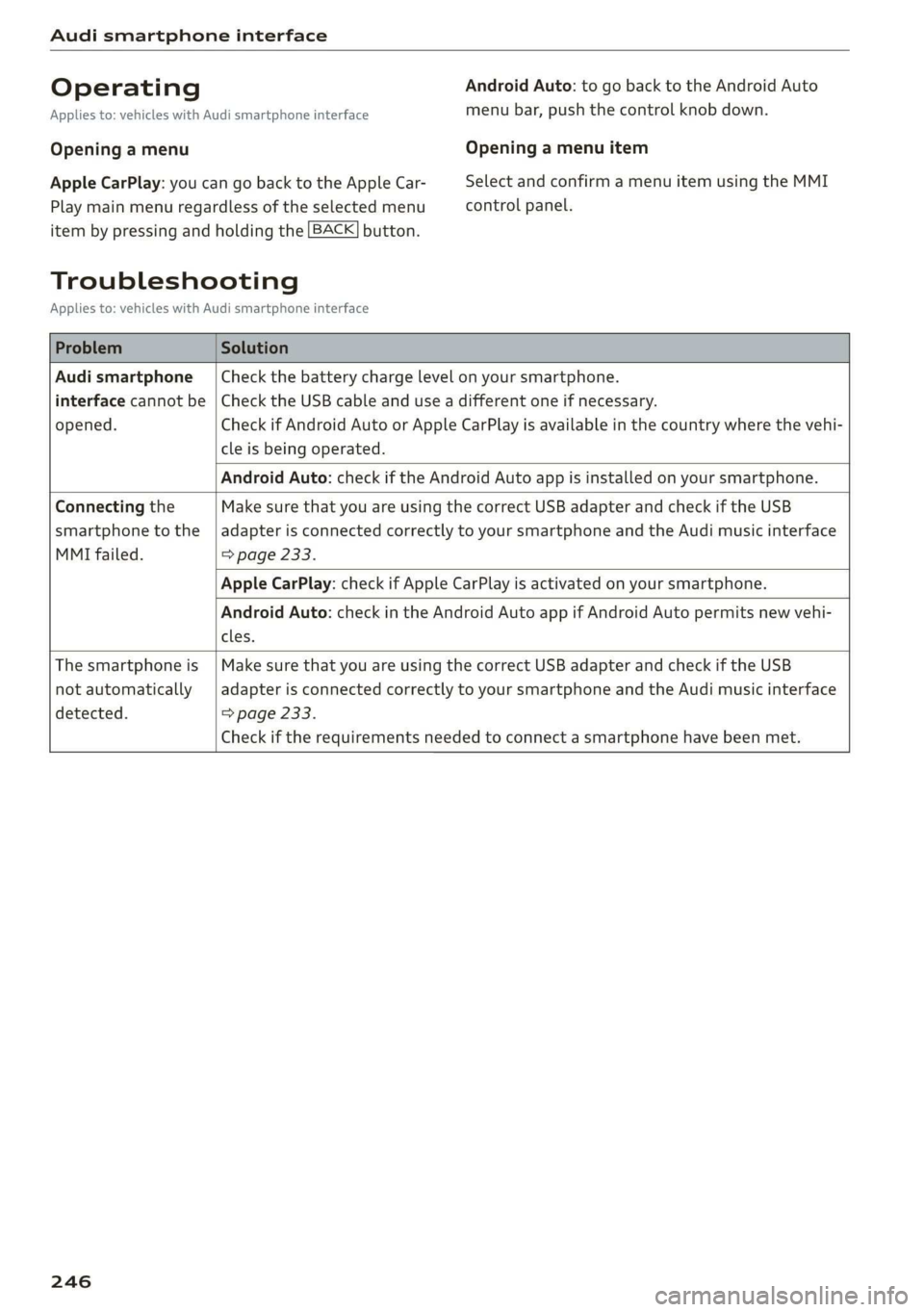
Audismartphoneinterface
OperatingAndroidAuto:togobacktotheAndroidAuto
Appliesto:vehicleswithAudismartphoneinterfacemenubar,pushthecontrolknob down.
OpeningamenuOpeningamenuitem
AppleCarPlay:youcangobacktotheAppleCar-SelectandconfirmamenuitemusingtheMMI
Playmainmenuregardlessoftheselectedmenucontrolpanel.
itembypressingandholdingthe[BACK]button.
Troubleshooting
Appliesto:vehicleswithAudismartphoneinterface
ProblemSolution
Audismartphone
interfacecannotbe
opened.
Checkthebatterychargelevelonyoursmartphone.
ChecktheUSBcableanduseadifferentoneifnecessary.
CheckifAndroidAutoorAppleCarPlayisavailableinthecountrywherethevehi-
cleisbeingoperated.
AndroidAuto:checkiftheAndroidAutoappisinstalledonyoursmartphone.
Connectingthe
smartphonetothe
MMIfailed.
MakesurethatyouareusingthecorrectUSBadapterandcheckiftheUSB
adapterisconnectedcorrectlytoyoursmartphoneandtheAudimusicinterface
=>page233.
AppleCarPlay:checkifAppleCarPlayisactivatedonyoursmartphone.
AndroidAuto:checkintheAndroidAutoappifAndroidAutopermitsnewvehi-
cles.
Thesmartphoneis
notautomatically
detected.
MakesurethatyouareusingthecorrectUSBadapterandcheckiftheUSB
adapterisconnectedcorrectlytoyoursmartphoneandtheAudimusicinterface
=>page233.
Checkiftherequirementsneededtoconnectasmartphonehavebeenmet.
246
Page 286 of 394
Airbagsystem
thevehiclebatterywithapyrotechniccircuit
interrupter.
—Workonthepyrotechniccircuitinterrupter
mustonlybeperformedbyaqualified
technicianswhohavetheexperience,in-
formationandspecialtoolsnecessaryto
performtheworksafely.
—Ifthevehicleorthecircuitinterrupteris
scrapped,allapplicablesafetyprecautions
mustbefollowed.
OldtmeaeMar eeelaaNCle-\e)
Airbagperformance
Changingthevehicle'ssuspensionsystemcan
changethewaythattheAdvancedAirbagSystem
performsinacrash.Forexample,usingtire-rim
combinationsnotapprovedbyAudi,loweringthe
vehicle,changingthestiffnessofthesuspension,
includingthesprings,suspensionstruts,shock
absorbersetc.canchangetheforcesthatare
measuredbytheairbagsensorsandsenttothe
electroniccontrolunit.Somesuspensionchanges
can,forexample,increasetheforcelevelsmeas-
uredbythesensorsandmaketheairbagsystem
deployincrashesinwhichitwouldnotdeployif
thechangeshadnotbeenmade.Otherkindsof
changesmayreducetheforcelevelsmeasuredby
thesensorsandpreventtheairbagfromdeploy-
ingwhenitshould.
Z\WARNING
Changingthevehicle'ssuspensionincluding
useof unapprovedtire-rimcombinationscan
changeAdvancedAirbagperformanceandin-
creasetheriskofseriouspersonalinjuryina
crash.
—Neverinstallsuspensioncomponentsthat
donothavethesameperformancecharac-
teristicsasthecomponentsoriginallyinstal-
ledonyourvehicle.
—Neverusetire-rimcombinationsthathave
notbeenapprovedbyAudi.
284
Sideairbags
eyegydaUrey
Theairbagsystemcanprovidesupplemental
protectiontoproperlyrestrainedoccupants.
QS
2
==ao
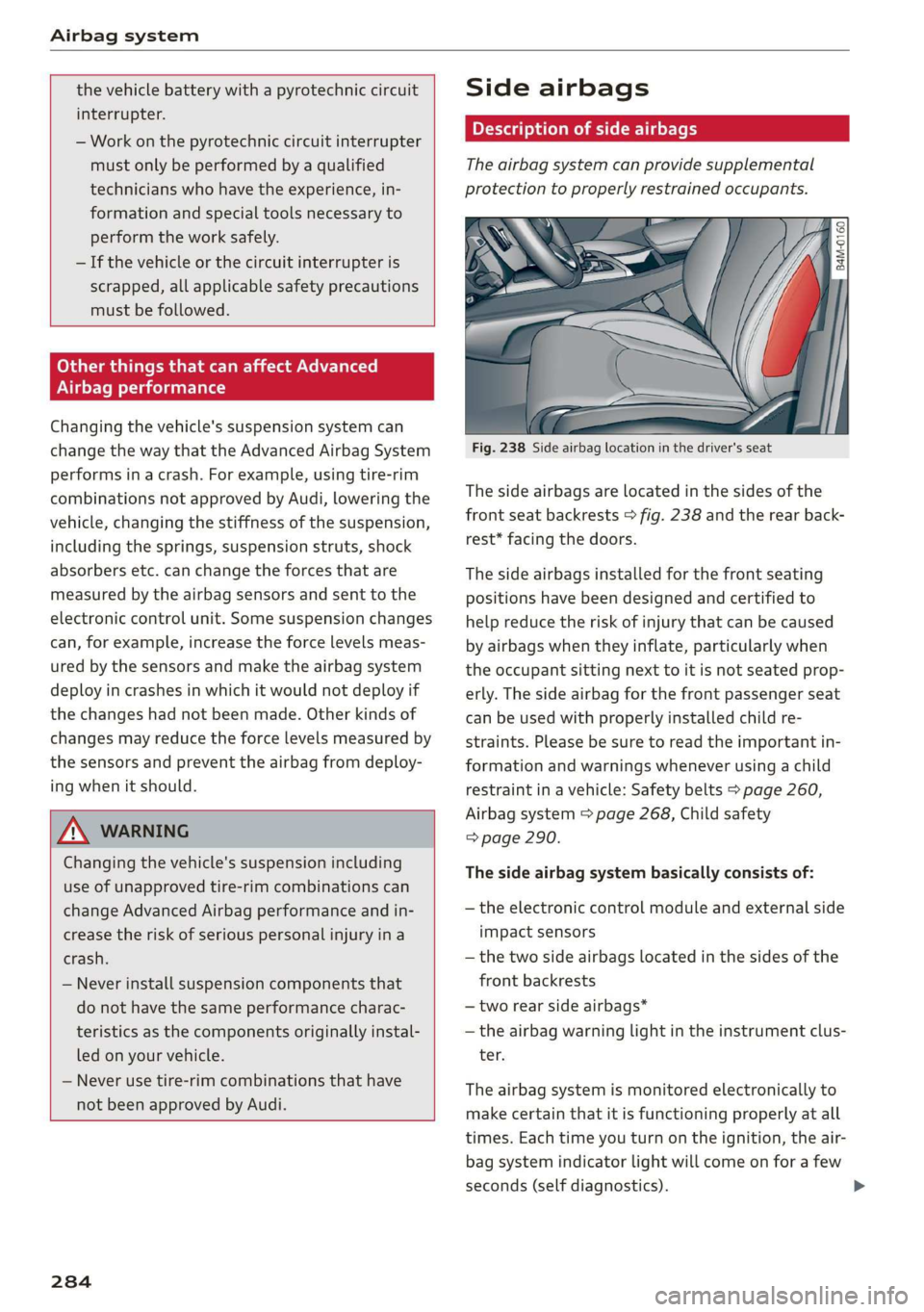
Fig.238Sideairbaglocationinthedriver'sseat
Thesideairbagsarelocatedinthesidesofthe
frontseatbackrests>fig.238andtherearback-
rest*facingthedoors.
Thesideairbagsinstalled forthefrontseating
positionshavebeendesignedandcertifiedto
helpreducetheriskofinjurythatcanbecaused
byairbagswhentheyinflate,particularlywhen
theoccupantsittingnexttoitisnot seatedprop-
erly.Thesideairbagforthefrontpassengerseat
canbeusedwithproperlyinstalledchildre-
straints.Pleasebesuretoreadtheimportantin-
formationandwarningswheneverusingachild
restraintinavehicle:Safetybelts>page260,
Airbagsystem>page268,Childsafety
=>page290.
Thesideairbagsystembasicallyconsistsof:
—theelectroniccontrolmoduleandexternalside
impactsensors
—thetwosideairbags locatedinthesidesofthe
frontbackrests
—tworearsideairbags*
—theairbagwarninglightintheinstrumentclus-
ter.
Theairbagsystemismonitoredelectronicallyto
makecertainthatitisfunctioningproperlyatall
times.Eachtimeyouturnontheignition,theair-
bagsystemindicatorlightwillcomeonforafew
seconds(selfdiagnostics).