ESP AUDI Q7 2019 Owner´s Manual
[x] Cancel search | Manufacturer: AUDI, Model Year: 2019, Model line: Q7, Model: AUDI Q7 2019Pages: 394, PDF Size: 105.97 MB
Page 105 of 394
4M0012721BG
Assistsystems
—Adaptivecruisecontroldoesnotrespondto
people,animals,orcrossingoroncoming
objects.
— Thefunction oftheradarsensorscanbeaf-
fectedbyreflectiveobjectssuchasguard
rails,theentrancetoatunnel,heavyrainor
ice
C)Note
Thesensorscanbedisplacedbyimpactsor
damagetothebumper,wheelhousingand
underbody.Thiscanimpair theadaptive
cruise control.HaveanauthorizedAudidealer
orauthorizedAudiServiceFacilitychecktheir
function.
@Tips
Foranexplanationonconformitywiththe
FCCregulationsintheUnitedStatesandthe
IndustryCanadaregulations,see>page373.
Incurves
Appliesto:vehicleswithAudiadaptivecruisecontrol
B4m-0093
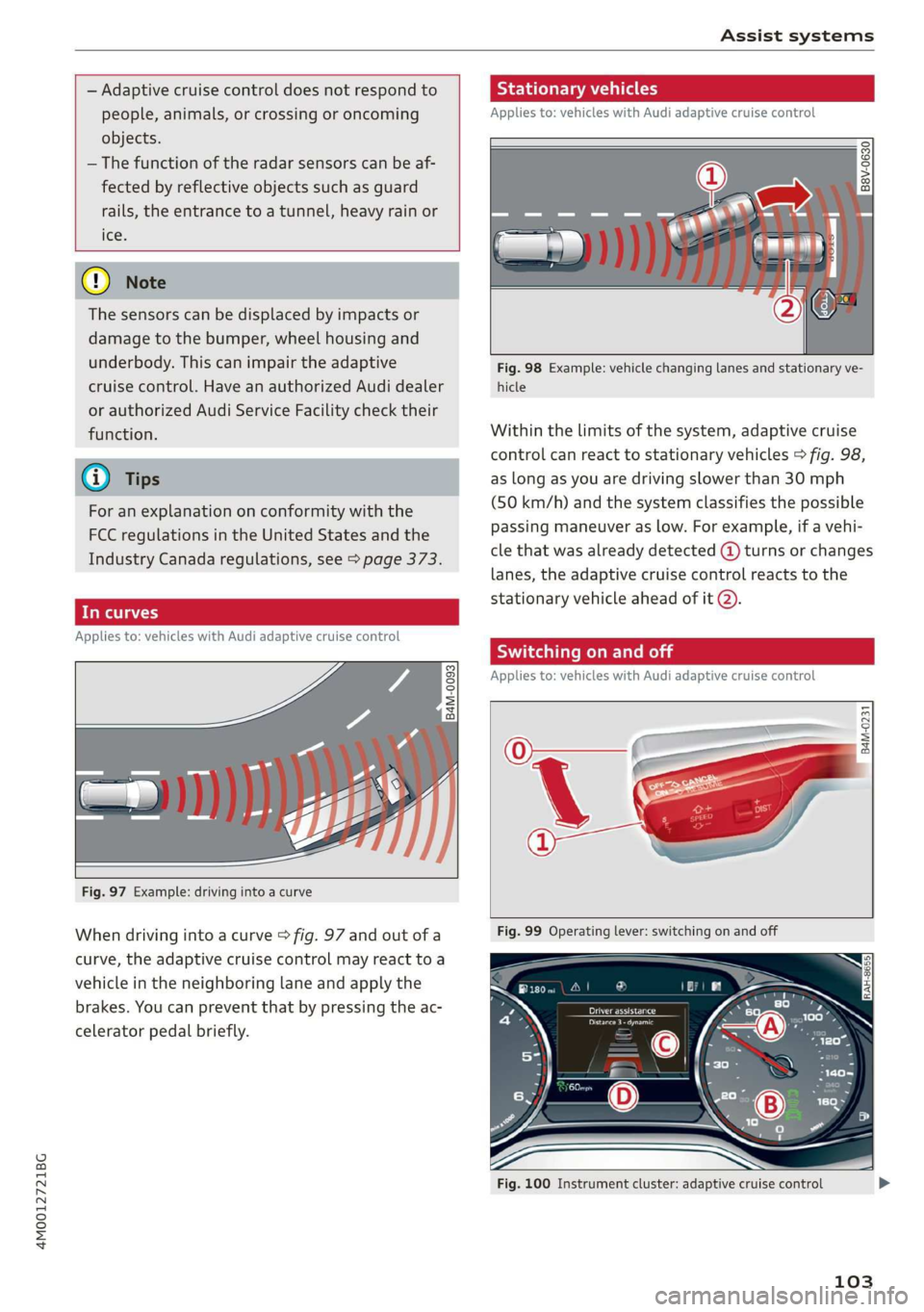
Fig.97Example:drivingintoacurve
Whendrivingintoacurve>fig.97andoutofa
curve,theadaptivecruisecontrolmayreacttoa
vehicleintheneighboringlaneandapplythe
brakes.Youcanpreventthatbypressingtheac-
celeratorpedalbriefly.
Stationaryvehicles
Appliesto:vehicleswith Audiadaptivecruisecontrol
22. S| g|
=ooa
Fig.98Example:vehiclechanginglanesandstationaryve-
hicle
Withinthelimitsofthesystem,adaptivecruise
controlcanreacttostationaryvehicles>fig.98,
aslongasyouaredrivingslowerthan30mph
(50km/h)andthesystemclassifiesthepossible
passingmaneuveraslow.Forexample,ifavehi-
clethatwasalreadydetected@turnsorchanges
lanes,theadaptivecruisecontrolreactstothe
stationaryvehicleaheadofit@).
SyieemeieRela
Appliesto:vehicleswithAudiadaptivecruisecontrol
B4M-0231
Fig.100Instrumentcluster:adaptivecruisecontrol
103
Page 106 of 394
Assistsystems
Youcansetanyspeedbetween20mphand95
mph(30km/hand150km/h).
Indicatorlightsandmessagesintheinstrument
clusterdisplayinformyouaboutthecurrentsit-
uationandsetting.
Anadditionalindicatorappearsinthehead-up
display”.
Switchingadaptivecruisecontrolon
>Pullthelevertowardyouintoposition@
>fig.99.
Storingthespeedandactivatingregulation
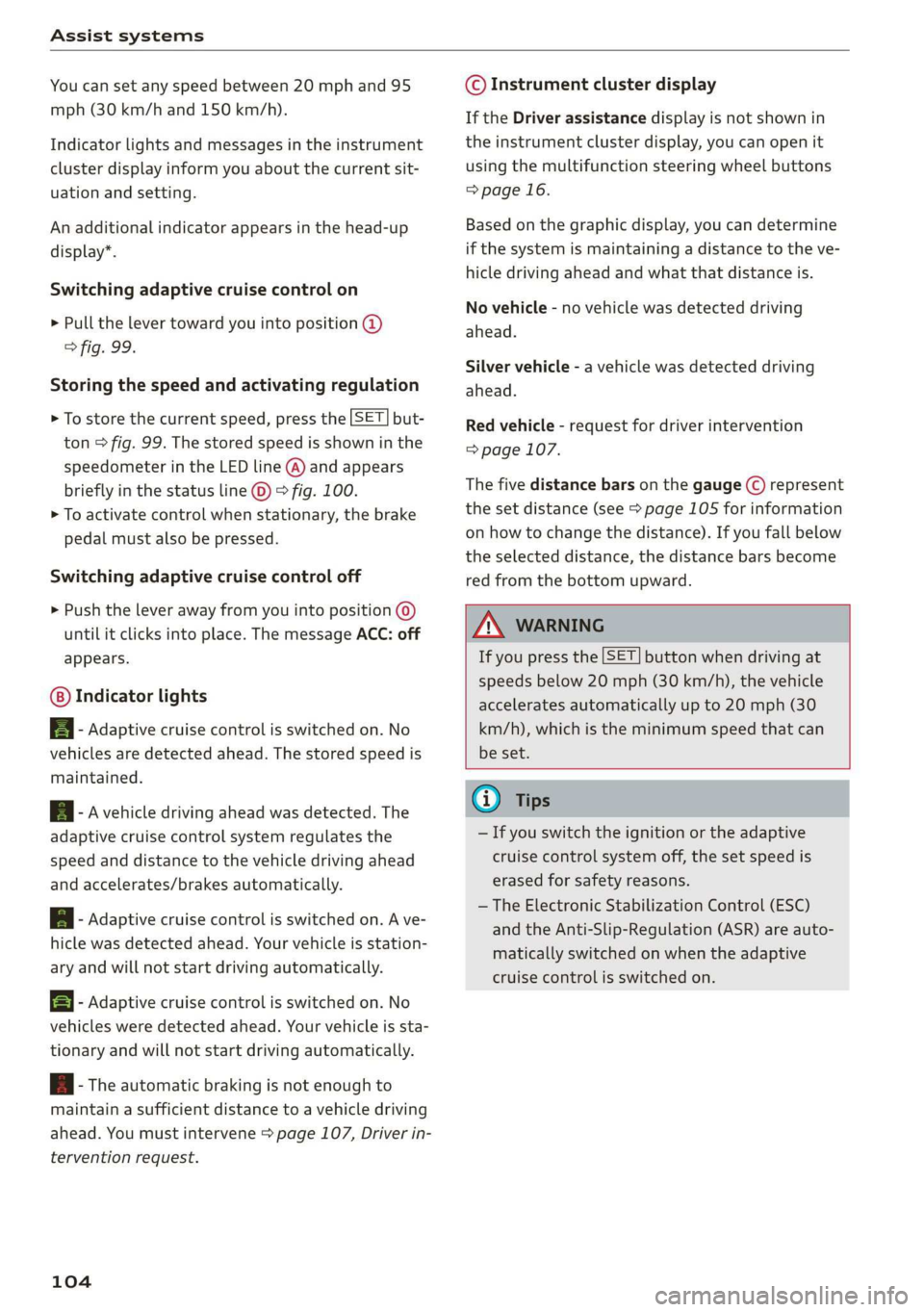
>Tostorethecurrentspeed,pressthe[SET]but-
ton>fig.99.Thestoredspeedisshowninthe
speedometerintheLEDline(@)andappears
brieflyinthestatusline©)>fig.100.
>Toactivatecontrolwhenstationary,thebrake
pedalmustalsobepressed.
Switchingadaptivecruisecontroloff
>Pushtheleverawayfromyouintoposition©)
untilitclicksintoplace.ThemessageACC:off
appears.
Indicatorlights
B-Adaptivecruisecontrolisswitchedon.No
vehiclesaredetectedahead.Thestoredspeedis
maintained.
B-Avehicledrivingaheadwasdetected.The
adaptivecruisecontrolsystemregulatesthe
speedanddistancetothevehicledrivingahead
andaccelerates/brakesautomatically.
A-Adaptivecruisecontrolisswitchedon.Ave-
hiclewasdetectedahead.Yourvehicleisstation-
aryandwillnotstartdrivingautomatically.
EB-Adaptivecruisecontrolisswitchedon.No
vehiclesweredetectedahead.Yourvehicleissta-
tionaryandwillnotstartdrivingautomatically.
B-Theautomaticbrakingisnotenoughto
maintainasufficientdistancetoavehicledriving
ahead.Youmustintervene>page107,Driverin-
terventionrequest.
104
©Instrumentclusterdisplay
IftheDriverassistancedisplayisnotshownin
theinstrumentclusterdisplay,youcanopenit
usingthemultifunctionsteeringwheelbuttons
=>page16.
Basedonthegraphicdisplay,youcandetermine
ifthesystemismaintainingadistancetotheve-
hicledrivingaheadandwhatthatdistanceis.
Novehicle-novehiclewasdetecteddriving
ahead.
Silvervehicle-avehiclewasdetecteddriving
ahead.
Redvehicle-requestfordriverintervention
=>page107.
Thefivedistance barsonthegauge(©represent
the
setdistance(see>page105forinformation
onhowtochangethedistance).Ifyoufallbelow
theselecteddistance,thedistancebarsbecome
redfromthebottomupward.
ZXWARNING
Ifyoupressthe[SET]buttonwhendrivingat
speedsbelow20mph(30km/h),thevehicle
acceleratesautomaticallyupto20mph(30
km/h),whichistheminimumspeedthatcan
beset.
(i)Tips
—Ifyouswitchtheignitionortheadaptive
cruisecontrolsystemoff,thesetspeedis
erasedforsafetyreasons.
— TheElectronicStabilizationControl(ESC)
andtheAnti-Slip-Regulation(ASR)areauto-
maticallyswitchedonwhentheadaptive
cruisecontrolisswitchedon.
Page 107 of 394
4M0012721BG
Assistsystems
Changingthespeed
Appliesto:vehicleswithAudiadaptivecruisecontrol
B4M-0232
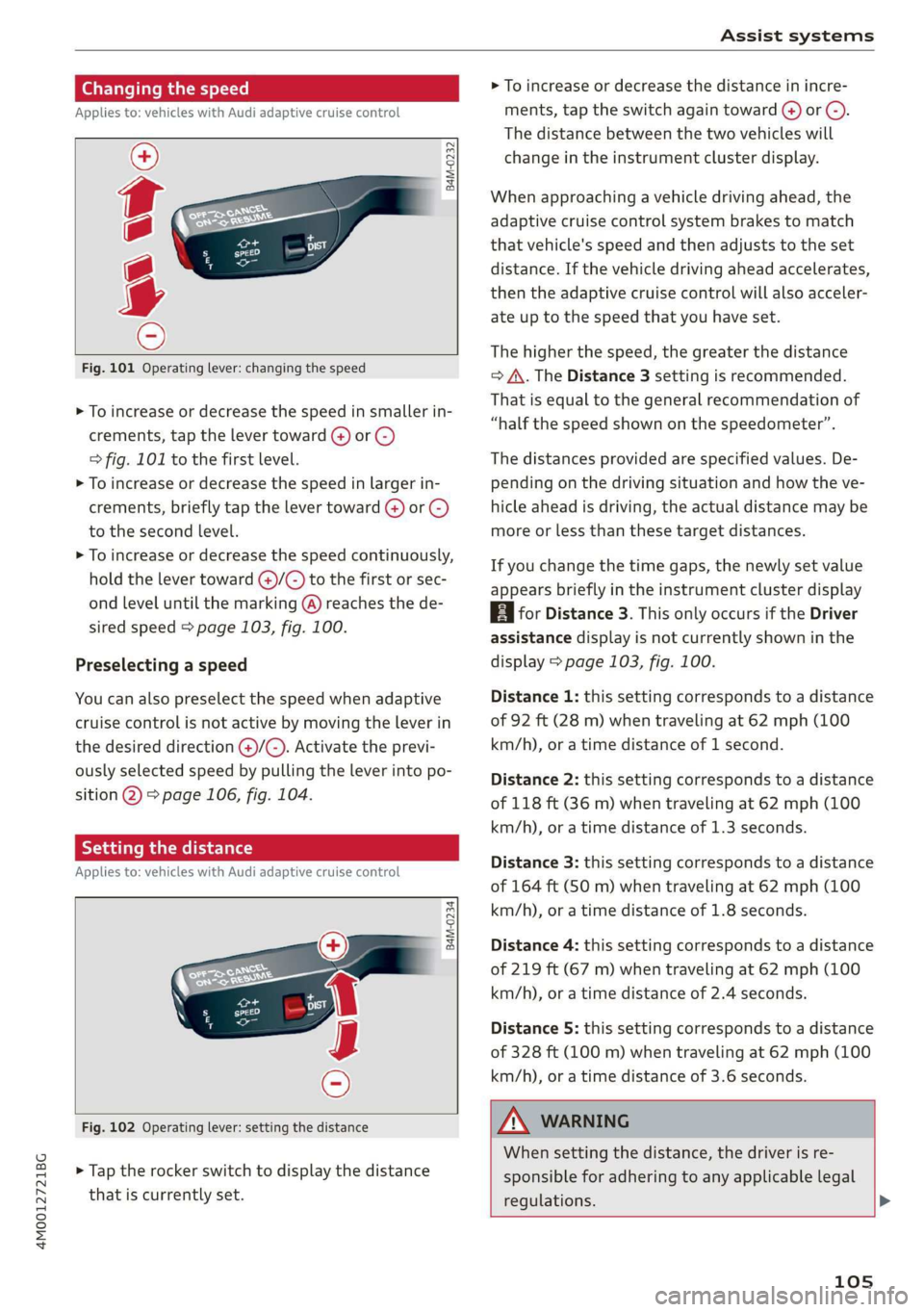
Fig.101Operatinglever:changingthespeed
>Toincrease ordecrease thespeedinsmallerin-
crements,tap thelevertoward(4)or©)
=>fig.101tothefirst level.
>Toincrease ordecrease thespeedinlargerin-
crements,briefly tapthelevertoward@)or©)
tothesecondlevel.
>Toincrease ordecrease thespeedcontinuously,
holdthelevertoward@)/G)tothefirstorsec-
ondleveluntilthemarking(@)reachesthede-
siredspeed>page103,fig.100.
Preselectingaspeed
Youcanalsopreselectthespeedwhenadaptive
cruisecontrolisnotactivebymovingtheleverin
thedesireddirection@)/©).Activatetheprevi-
ouslyselectedspeedbypullingtheleverintopo-
sition@)>page106,fig.104.
Settingthedistance
Appliesto:vehicleswithAudiadaptivecruisecontrol
B4M-0234
Fig.102Operatinglever:settingthedistance
>Taptherockerswitchtodisplaythedistance
thatiscurrentlyset.
>Toincrease ordecreasethedistanceinincre-
ments,tap theswitchagaintoward@)or ©).
Thedistancebetweenthetwovehicleswill
changeintheinstrumentclusterdisplay.
Whenapproachingavehicledrivingahead,the
adaptivecruisecontrolsystembrakestomatch
thatvehicle'sspeedandthenadjuststotheset
distance.Ifthevehicledrivingaheadaccelerates,
thentheadaptivecruisecontrolwillalsoacceler-
ateuptothespeedthatyouhaveset.
Thehigherthespeed, thegreaterthedistance
=>A\.TheDistance3settingisrecommended.
Thatisequaltothegeneralrecommendationof
“halfthespeedshownonthespeedometer”.
Thedistancesprovidedare specifiedvalues.De-
pendingonthedrivingsituationandhowtheve-
hicleaheadisdriving,theactualdistancemaybe
moreorlessthanthesetargetdistances.
Ifyouchangethetimegaps,thenewlysetvalue
appearsbrieflyintheinstrumentclusterdisplay
BiforDistance3.ThisonlyoccursiftheDriver
assistancedisplayisnotcurrentlyshowninthe
display>page103,fig.100.
Distance1:thissettingcorrespondstoadistance
of92ft(28m)whentravelingat62mph(100
km/h),oratimedistanceof1second.
Distance2:thissettingcorrespondstoadistance
of118ft(36m)whentravelingat62mph(100
km/h),oratimedistanceof1.3seconds.
Distance3: thissettingcorrespondstoadistance
of164ft(SOm)whentravelingat62mph(100
km/h),oratimedistanceof1.8seconds.
Distance4:thissettingcorrespondstoadistance
of219ft(67m)whentravelingat62mph(100
km/h),oratimedistanceof2.4seconds.
Distance5: thissettingcorrespondstoadistance
of328ft(100m)whentravelingat62mph(100
km/h),oratimedistanceof3.6seconds.
Z\WARNING
Whensettingthedistance,thedriverisre-
sponsibleforadheringtoanyapplicablelegal
regulations.>
105
Page 110 of 394
Assistsystems
In aspeedrangeunder40mph(65km/h),traffic
jamassistcanhelptokeepthevehiclewithina
lanecalculatedbythesystem.Withinthelimits
ofthe system, thesystemcontrolsthesteering
automaticallywhenadaptivecruisecontrolis
switchedon.Sincetrafficjamassistisonlyanas-
sistsystem,thedrivermustalwayskeephisor
herhandsonthesteeringwheelandbereadyto
steer.Thedrivercanoverridethecontrolatany
timebyactivelysteering.
Thesystemisdesignedfordrivingonexpress-
waysandhighways.
Switchingtrafficjamassistonandoff
>Pressthebuttontoswitchthesystemonand
off>fig.106.
>Toturnthesystemoffcompletely,selectinthe
Infotainmentsystem:[MENU]button>Vehicle
>leftcontrolbutton>Driverassistance>Traf-
ficjamassist.
Iftrafficjamassistwasdeactivatedthroughthe
Infotainmentsystem,youcancontinueoperating
theactivelaneassistusingthe>fig.106button
=>page117.Thetrafficjamassistfunctionsare
nolongeravailable.
Requirementsforusingtrafficjamassist:
—TrafficjamassistmustbeswitchedonintheIn-
fotainmentsystem.
—Adaptivecruisecontrolmustbe switchedon
andactive>page103.
Alwaysswitchofftrafficjamassistinthe
followingsituations:
—Whenincreasedattentionisneededfromthe
driver.
—Inpoorweatherconditionssuchassnowor
heavyrain.
—Whendrivingonroadsinpoorcondition.
—Inconstruction zones.
—Incitydriving.
Trafficjamassistavailability:
WhenyouareintheDriverassistanceviewinthe
instrumentclusterdisplay,theindicatorlight
turnsongyandthemessageTrafficjamassist
availableappearsifatrafficjamsituationwas
detected.YoucanopentheDriverassistancedis-
108
playusingthemultifunctionsteeringwheelbut-
tons>page16.Toactivatetrafficjamassist,you
mustpressthe>fig.106buttonandswitchon
theadaptivecruisecontrol>page103.
Indicatorlights
BandB-Trafficjamassistisswitchedon.Ve-
hiclesdrivingahead weredetected.Yourvehicle
adaptswhiledriving>fig.107.
B-Trafficjamassistswitchesoffifthedriver
doesnottake oversteeringaftermultipledriver
interventionrequests.Thesystembrakes theve-
hicleuntilit isstationary.
Z\WARNING
Always keepyourhandsonthesteeringwheel
soyoucanbereadytosteeratanytime.The
driverisalwaysresponsibleforstayingina
laneandforassessingtrafficsituations.Read
andfollowthewarningson>A\inGeneralin-
formationonpage102.Neverusetrafficjam
assistinthefollowingsituationsoryouwill
increasetheriskofanaccident.
—Drivingoffroadoronunpavedroads.Traffic
jamassistisonlydesignedforuseonpaved
roads.
—Incitydrivingorinconstructionzones.
—Oncurvingstretchesofroad.
—Innarrowlanes.
—Inuncleartrafficsituationssuchasatinter-
sectionsortollstations.
@Tips
Youarenotnecessarilyguidedtothe center
ofyourlane.
Page 111 of 394

4M0012721BG
Assistsystems
Distancedisplayanddistancewarning
Appliesto:vehicleswithAudiadaptivecruisecontrol
Thisfunctionmeasuresthetimebetweentheve-
hicle
drivingaheadandshowsthisintheinstru-
mentclusterdisplay.
Fig.108Instrumentcluster:distanceindicator/warning
Description
Atspeedsaboveapproximately40mph(65
km/h),thisfunctionmeasuresthedistancetothe
vehicleaheadastime.
>Switchtheadaptivecruisecontroldisplayonin
theinstrumentclusterdisplay>page16.
TheBaindicatorlightturnsonifyoufallbelow
thesetdistance.
Settingthewarningthreshold
Youcanset,changeordeletethewarningthresh-
oldintheInfotainmentsystem.
MENU >IntheInfotainmentsystem,select:
button>Vehicle>leftcontrolbutton>Driver
assistance>Distancewarning.
ZA\WARNING
—Readandfollowthewarningson>Ain
Generalinformationonpage102.
—Thedriverisalwaysresponsibleforadhering
totheregulationsapplicableinthe country
wherethevehicleisbeingoperated.
@)Tips
Youmayfallbelowhewarningthreshold
brieflywhenpassingorwhenquicklyap-
proachingaslowvehicle.Thereisnowarning
inthisscenario.Awarningisgivenonlyifyou
fallbelowthewarningthresholdforanex-
tendedperiodoftime.
Appliesto:vehicleswith Audiadaptivecruisecontrol
ACCwithtrafficjamassist:unavailable.See
owner'smanual
Thesystemcannotguaranteethatitwilldetect
vehiclescorrectlyandithasswitchedoff.Thera-
darsensorshaveshiftedor arefaulty.Drivetoan
authorizedAudidealerorauthorizedAudiService
Facilityimmediatelytohave themalfunctioncor-
rected.
ACCwithtrafficjamassist:currentlyun-
available.Seeowner'smanual
Thismessageappearsiftheadaptivecruisecon-
trolcannotbeactivated,forexampleifthehood
isopen.
ACCw.trafficjamassist:currentlyunavaila-
ble.Sensorvisionrestrictedduetosurround-
ings.Seeowner'smanual
Thismessageappearsiftheradarsensorviewis
obstructed,forexamplebyleaves,snow,heavy
sprayordirt.Cleanthesensors>page102,
fig.96.
ACCwithtrafficjamassist:currentlyun-
available.Gradetoosteep
Theroadexceedsthemaximumpossiblegrade
forsafeoperation.Thesystemscannotbeswitch-
edon.
ACCwithtrafficjamassist:onlyavailablein
D,SorM
Selectthe"D/S"or"M" selectorleverposition.
ACCwithtrafficjamassist:currentlyun-
available.Parkingbrakeapplied
Thesystemsswitchoffifyousettheparking
brake.Thesystemsareavailableagainafteryou
releasetheparkingbrake.
ACCwithtrafficjamassist:currentlyun-
available.Stabilizationcontrol(ESC)input
109
>
Page 114 of 394
Assistsystems
Audipresensefront
Appliesto:vehicleswithAudipresensefront
Audipresense
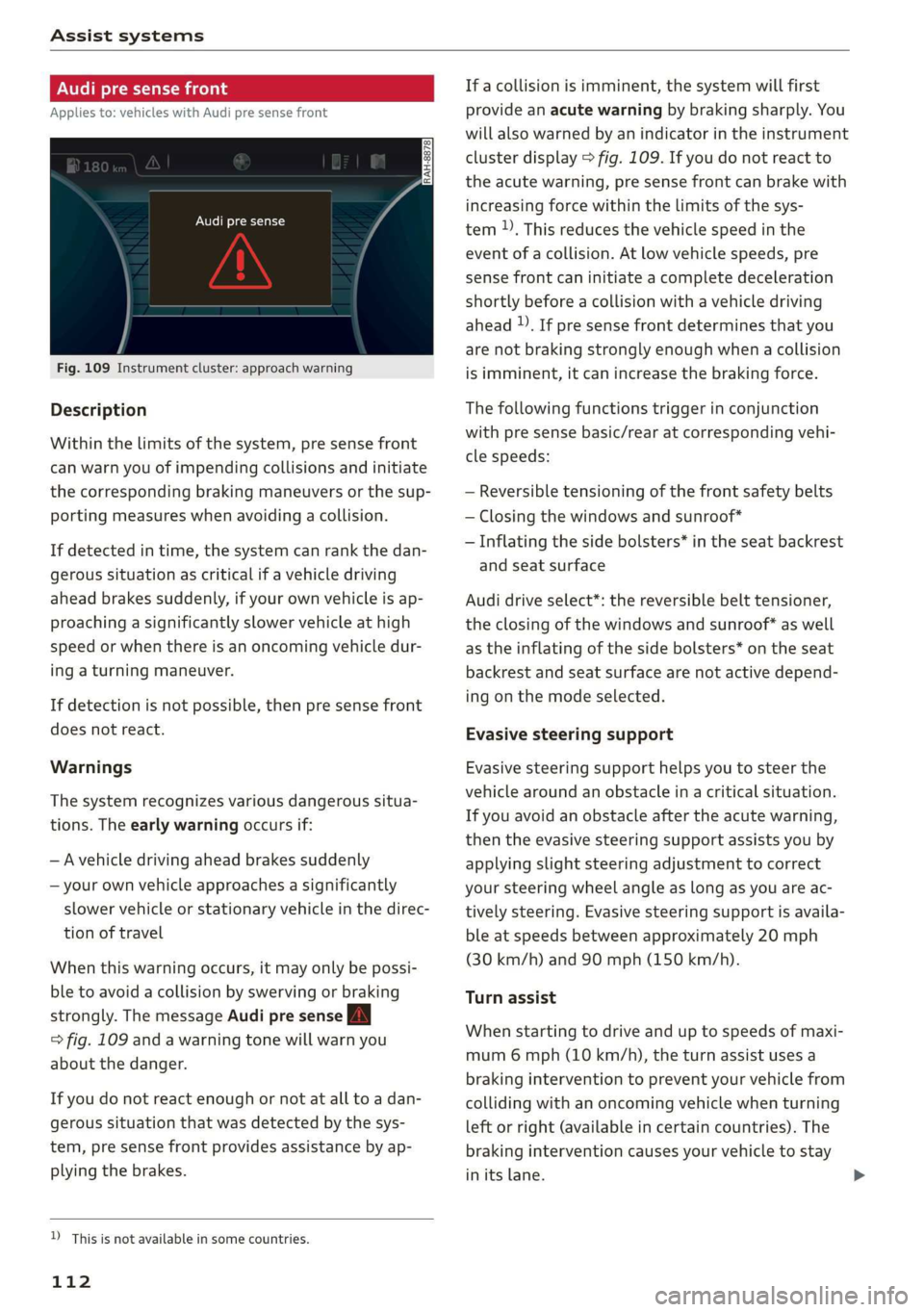
Fig.109Instrumentcluster:approachwarning
Description
Withinthelimitsofthe system,presensefront
canwarnyouofimpendingcollisionsandinitiate
thecorrespondingbrakingmaneuversorthesup-
portingmeasureswhenavoidingacollision.
Ifdetectedintime,thesystemcanrankthedan-
geroussituationascriticalifavehicledriving
aheadbrakessuddenly,ifyourownvehicleisap-
proachingasignificantlyslowervehicleathigh
speedorwhenthereisanoncomingvehicledur-
ingaturningmaneuver.
Ifdetectionisnotpossible,thenpresensefront
doesnotreact.
Warnings
Thesystemrecognizesvariousdangeroussitua-
tions.Theearlywarningoccursif:
—Avehicledrivingaheadbrakessuddenly
—yourownvehicleapproachesasignificantly
slowervehicleorstationaryvehicleinthedirec-
tionoftravel
Whenthiswarningoccurs,itmayonlybepossi-
bleto avoidacollisionbyswervingorbraking
strongly.ThemessageAudipresenseA
=>fig.109andawarningtonewillwarnyou
aboutthedanger.
Ifyoudonotreactenoughornotatalltoadan-
geroussituationthatwasdetectedbythesys-
tem,presensefrontprovidesassistancebyap-
plyingthebrakes.
D_Thisisnotavailableinsomecountries.
112
If acollisionisimminent,thesystemwillfirst
providean acutewarningbybrakingsharply.You
willalsowarnedbyanindicatorintheinstrument
clusterdisplay>fig.109.Ifyoudonotreactto
theacutewarning,presensefrontcanbrakewith
increasingforcewithinthelimitsofthesys-
tem)).Thisreducesthevehiclespeedinthe
eventofacollision.Atlowvehiclespeeds,pre
sensefrontcaninitiateacompletedeceleration
shortlybeforeacollisionwithavehicledriving
ahead).Ifpresensefrontdeterminesthatyou
arenotbrakingstronglyenoughwhenacollision
isimminent,itcanincreasethebrakingforce.
Thefollowingfunctionstriggerinconjunction
withpresensebasic/rearatcorrespondingvehi-
clespeeds:
—Reversibletensioning ofthefrontsafetybelts
—Closingthewindowsandsunroof*
—Inflatingthesidebolsters*intheseatbackrest
andseatsurface
Audidriveselect*:thereversiblebelttensioner,
theclosingofthewindowsandsunroof*aswell
astheinflatingofthesidebolsters*ontheseat
backrest
andseatsurfacearenotactivedepend-
ingonthemodeselected.
Evasivesteeringsupport
Evasive steeringsupporthelpsyouto steerthe
vehiclearoundanobstacleinacriticalsituation.
Ifyouavoidanobstacleaftertheacutewarning,
thentheevasive steeringsupportassistsyouby
applyingslightsteeringadjustmenttocorrect
yoursteeringwheelangleaslongasyouareac-
tivelysteering.Evasivesteeringsupportisavaila-
bleatspeedsbetweenapproximately20mph
(30km/h)and90mph(150km/h).
Turnassist
Whenstartingtodriveanduptospeedsofmaxi-
mum6mph(10km/h),theturnassistusesa
brakinginterventiontopreventyourvehiclefrom
collidingwithanoncomingvehiclewhenturning
leftorright(availableincertaincountries).The
brakinginterventioncausesyourvehicleto stay
initslane.
Page 115 of 394
4M0012721BG
Assistsystems
ZA\WARNING
—Presensefrontcannotovercomethelawsof
physics.Itisasystemdesignedtoassistand
itcannotpreventacollisionineverycircum-
stance.Thedrivermustalwaysintervene.
Thedriverisalwaysresponsibleforbraking
atthecorrecttime.Donotlettheincreased
safetyprovidedtemptyouintotakingrisks.
Thiscouldincreaseyourriskofacollision.
— Thesystemcandeployincorrectlydueto
system-specificlimits.
—Pleasenotethatthesensorsandthecamera
donotalwaysdetectallobjects or lane
markings.This increasestheriskofanacci-
dent.
—Presensefrontdoesnotreacttopeople,an-
imalsor objectsthatarecrossingthevehi-
cle'spathorthataredifficulttodetect>AV
inGeneralinformationonpage102.
—Reflectiveobjectssuchasguardrailsorthe
entrancetoatunnel,heavyrainandicecan
affectthefunction oftheradarsensorsand
thesystem'sabilitytodetectacollisionrisk.
Audipresenserear
Appliesto:vehicleswithAudisideassist
Iftheriskofacollisionwithavehicleaheadisde-
tected,thefollowing functionscanbetriggered:
—Reversibletensioning ofthefront safetybelts
atthecorrespondingspeeds
—Closingthewindowsandsunroof*.
—Inflatingthesidebolsters*intheseat backrest
andseatsurface
—Activatingtheemergencyflashersandmaking
themflashmorequickly))
ThemessageAudipresensewy>page112,
fig.109willwarnyouaboutthedanger.
Audidriveselect*:thefunctionisnotactivede-
pendingonthemodeselected.
()Note
Thesensorscanbedisplacedbyimpactsor
damagetothebumper,wheelhousingand
underbody.Presensefrontcanbeimpairedby
this.HaveanauthorizedAudidealeror au-
thorizedAudiServiceFacilitychecktheirfunc-
tion.
G)Tips
—Youcancancelthebrakingwithincreasing
forcethatisinitiatedbythesystembybrak-
ingyourself,byacceleratingnoticeablyorby
swerving.
—Keepinmindthatpresensefrontcanbrake
unexpectedly.Alwayssecureanycargoor
objects
thatyouaretransportingtoreduce
theriskofdamageorinjury.
—Specificpresensefrontfunctionsswitchoff
whentheESCisrestrictedorswitchedoff
=page147orthehillholdassistisswitch-
edon>page148.
ZA\WARNING
—Toreducetheriskofanaccident,please
notethatthesideassist*radarsensorsdo
notalwaysdetecteveryobject.
—Presensereardoesnotreacttopeople,ani-
malsorobjectsthatarecrossingthevehi-
cle'spathorthataredifficulttodetect.
—Reflectiveobjectssuchasguardrails,heavy
rainandicecanimpairthefunctionofthe
radarsensorsandtheabilitytodetectacol-
lisionrisk.
D_Thisisnotavailableinsomecountries.
@)Note
Theradarsensorscanbedisplacedbyimpacts
ordamagetothebumper,wheelhousingand
underbody.Presenserearcanbeimpairedby
this.HaveanauthorizedAudidealeror au-
thorizedAudiServiceFacilitychecktheirfunc-
tion.
(i)Tips
—Thepresenserearfunctionsswitchoff
whentowingatrailer.
—Thepresenserearfunctionsmayalso
switchoffifthereisamalfunctioninthe
sideassist*system.
113
Page 116 of 394
Assistsystems
Audipresensecity
Appliesto:vehicleswithAudipresensecity
Description
Withinthelimitsofthesystem,presensecity
canwarnyouofimpendingcollisionswithvehi-
clesandpedestriansandinitiatetheapplicable
brakingmaneuverifneeded.Presensecityisac-
tiveatspeedsofapproximately6mph(10km/h)
andhigher.
Apedestrianwarningcanoccuratspeeds upto
50mph(85km/h),andvehiclewarningscanoc-
curatspeedsupto155mph(250km/h).Apre
sensecitybrakingmaneuverispossibleatspeeds
upto50mph(85km/h).
Warnings
Thesystemrecognizesvariousdangeroussitua-
tions.Theearlywarningoccursif:
—Avehicledrivingaheadbrakessuddenly
—Yourownvehicleapproachesavehicleinfront
ofyouthatistravelingatasignificantlyslower
speedorthatisstationary
—Apedestrianisstandinginthelaneorismov-
ingintothelane
Whenthiswarningoccurs,itmayonlybepossi-
bleto avoidacollisionbyswervingorbraking
strongly.ThemessageAudipresensewa
=>page112,fig.109andawarningtonewill
warnyouaboutthedanger.
Thebrakesmayalsobeappliedasanacutewarn-
ing whenthereisanimpendingcollision.Ifyou
donotreacttotheacutewarning,presensecity
canbraketothepointofcompletedeceleration
withinthelimitsofthesystem.Thisreducesthe
vehiclespeedintheeventofacollision.Themes-
sageAudipresensewaalsoappears.
Thefollowingfunctionsaretriggeredinconjunc-
tionwithpresensebasic/rear:
—Reversibletensioningofthefront safetybelts
—Closingthewindowsandsunroof*
—Inflatingthesidebolsters*intheseatbackrest
andseatsurface
Audidriveselect*:thefunctionisnotactivede-
pendingonthemodeselected.
114
ZAWARNING
—Presensecitycannotovercomethelawsof
physics.Itisasystemdesignedtoassistand
itcannotpreventacollisionineverycircum-
stance.Thedrivermustalwaysintervene.
Thedriverisalwaysresponsibleforbraking
atthecorrecttime.Donotlettheincreased
safetyprovidedtemptyouintotakingrisks.
Thiscouldincreaseyourriskofacollision.
— The systemcandeployincorrectlydueto
system-specificlimits.
—Toreducetheriskofanaccident,please
notethatthecameradoesnotalwaysdetect
everyobject.
—Presensecitydoesnotreacttoanimals,
crossing oroncomingvehicles,objectssuch
asbars,railingsorrailcars,andobjectsthat
aredifficulttodetect>A\inGeneralinfor-
mationonpage102.
—Intrailermode,thebrakingbehaviorofthe
trailercanbedifferentthanusualduringau-
tomaticbraking.
ZA\WARNING
Presensecitymayberestrictedorunavailable
inthefollowingtypesofsituations:
—Inheavyfog,rain,spray,orsnow
—Whentherearevisualobstructions,suchas
glare,reflectionsorvariationsinlight
—Whenitisdark
—Ifthecamerawindoworthewindshieldis
dirty,iced over,damagedorcovered
—Whendrivingonsnow,iceorlooseground
—Incurves
—IftheESCwasrestrictedorswitchedoff
—Whentowingatrailer
—Whenthedriver'sseatbeltisunfastened
—Uptotensecondsafterswitchingontheig-
nition
(1)Note
Impactsordamagetothecameramounton
thewindshieldcandisplacethesensor.Pre
sensecitycanbeimpairedbythis.Haveanau-
thorizedAudidealerorauthorizedAudiServ-
iceFacilitychecktheirfunction.
Page 118 of 394
Assistsystems
systemwillwarnyouwithcorrectivesteering.
Youcanoverridethissteeringatanytime.Ifyou
passoveraline,thesteeringwheelwillvibrate
lightly.Inorderforthiswarningvibrationtooc-
cur,itmustfirstbe switchedonintheInfotain-
mentsystem.Active laneassistisreadyforoper-
ationwhenthelanemarkerlineisdetectedonat
leastonesideofthevehicle.
Thesystemisdesignedfordrivingonexpress-
waysandhighwaysandthereforeonlyactivates
atspeedsaboveapproximately40mph(65
km/h).
Appliesto:vehicleswithsideassist:ifyouacti-
vateaturnsignalwhenactivelaneassistisready
anditclassifiesalanechangeascriticalbecause
ofvehiclestravelingalongsideyouorapproach-
ingyou,therewillbenoticeablecorrectivesteer-
ingshortlybeforeyouleavethelane.Thiswillat-
tempttokeepyourvehicleinthelane.
Appliesto:vehicleswithoutsideassist:theready
systemdoesnotwarnyouifyouactivateaturn
signalbeforecrossingthelane markerline.In
thiscase,itassumesthatyouarechanginglanes
intentionally.
Appliesto:vehicleswithadaptivecruisecontrol:
thereisnocorrectivesteeringorwarningsifthe
systemrecognizesadistinctpassingmaneuver.If
theconditionsaremet,trafficjamassistswitches
onatspeedsunderapproximately40mph
(65km/h)>page107.
Z\WARNING
—Thesystemwarnsthedriverthatthevehicle
isleavingthelaneusingcorrectivesteering.
Thedriverisalwaysresponsibleforkeeping
thevehiclewithinthelane.
— Thesystemcanassistthedriverinkeeping
thevehicleinthelane,butitdoesnotdrive
byitself.Alwayskeep yourhandsonthe
steeringwheel.
—Correctivesteeringmaynotoccurincertain
situations,suchasduringheavybraking.
—Theremaybecaseswherethecameradoes
notrecognizealllanemarkerlines.Correc-
tivesteeringcanonly takeplaceontheside
116
ofthevehiclewherelanemarkerlinesare
detected.
—Otherroadstructuresorobjectscouldpossi-
blybeidentifiedunintentionallyaslane
markerlines.Asaresult,correctivesteering
maybeunexpectedormaynotoccur.
— Thecameraviewcanberestricted,forexam-
plebyvehiclesdrivingaheadorbyrain,
snow,heavysprayorlightshiningintothe
camera.Thiscanresultinactivelaneassist
notdetectingthelanemarkerlinesorde-
tectingthemincorrectly.
—Incertainsituationswherevisibilityislow,
thevehiclemayswitchfroman“early”to
“late”steeringcorrection.
—Undercertainconditionssuchasrutsinthe
road,aninclinedroadwayorcrosswinds,the
correctivesteeringalonemaynot beenough
tokeepthevehicleinthemiddleofthelane.
—Forsafetyreasons,activelaneassistmust
notbeusedwhentherearepoorroadand/or
weatherconditionssuchasslipperyroads,
fog,gravel,heavyrain,snowandthepoten-
tialforhydroplaning.Usingactivelaneas-
sistundertheseconditionsmayincreasethe
riskofacrash.
Page 119 of 394
4M0012721BG
Assistsystems
Switchingonandoff
Appliesto:vehicleswithAudiactivelaneassist
B8V-0692
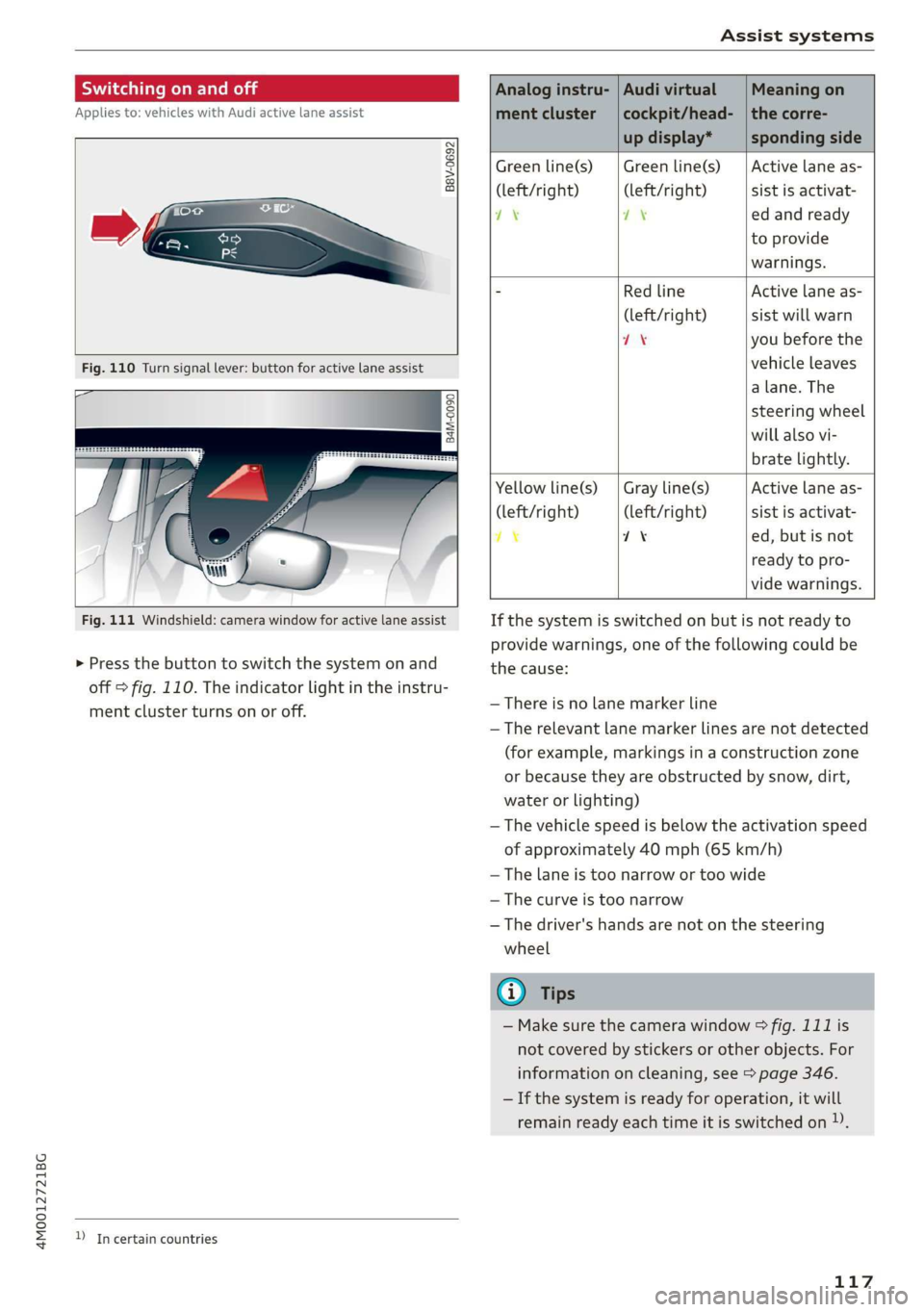
Fig.110Turnsignallever:buttonforactivelaneassist
a
B4M-0090
Fig.111Windshield:camerawindowforactivelaneassist
>Pressthebuttontoswitchthesystemonand
off=fig.110.Theindicatorlightintheinstru-
mentclusterturnsonoroff.
DIncertaincountries
Analoginstru-|AudivirtualMeaningon
mentcluster|cockpit/head-|thecorre-
updisplay*spondingside
Greenline(s)|Greenline(s)|Activelaneas-
(left/right) (left/right)sistisactivat-
7\oyedandready
toprovide
warnings.
-RedlineActivelaneas-
(left/right)sistwillwarn
if8youbeforethe
vehicleleaves
a lane.The
steeringwheel
willalsovi-
bratelightly.
Yellowline(s)
(left/right)
7%
Grayline(s)
(left/right)
1%
Activelaneas-
sistisactivat-
ed,butisnot
readytopro-
videwarnings.
Ifthesystemisswitchedonbutisnotreadyto
providewarnings,oneofthefollowingcouldbe
thecause:
—Thereisnolane markerline
—Therelevantlanemarkerlinesarenotdetected
(forexample,markingsinaconstructionzone
orbecausetheyareobstructedbysnow,dirt,
waterorlighting)
—Thevehiclespeedisbelowtheactivationspeed
ofapproximately40mph(65km/h)
—Thelaneistoonarrowortoowide
—Thecurveistoonarrow
—Thedriver'shandsarenotonthesteering
wheel
@)Tips
— Makesurethecamerawindow°&fig.111is
notcoveredbystickersorotherobjects.For
informationoncleaning,see>page346.
—Ifthesystemisreadyforoperation,itwill
remainreadyeachtimeitisswitchedon)).
117