wheel AUDI Q7 2019 Owner´s Manual
[x] Cancel search | Manufacturer: AUDI, Model Year: 2019, Model line: Q7, Model: AUDI Q7 2019Pages: 394, PDF Size: 105.97 MB
Page 142 of 394
Parkingaid
system.Forinformationoncleaning,see
=>page346.
Whenparkingspacesaresmall,theparkingsys-
temsignalsacontinuoustonewhenanobstacle
islessthanapproximately0.7feet(0.20m)
away.Donotcontinuedrivingfarther.
ZAWARNING
—Alwaysreadandfollowtheapplicablewarn-
ings>A\inGeneralinformationon
page131.
—Pleasenotethat parkassistonlycontrols
thesteering.Thedriverisalwaysresponsi-
bleforbrakingandaccelerating.
— Thedrivermustdecideiftheparkingspace
displayedissuitableforthevehicle.
—Thevehiclewillchangepositionwhenpark-
ing.Makesureyoudonotendangeranyoth-
erdrivers.
—Whenusingparkassisttodriveintoorout
ofaparkingspace,thesteeringwheelturns
quicklyonitsown.Reachingintothesteer-
ing
wheelspokeswhilethisishappeningcan
resultininjury.
—Youcannotparkwith parkassistwhenyou
aretowingatrailerorhavetheconnectorin-
sertedinthetrailersocket.
Sleemela
Appliesto:vehicleswithparkassist
B4M-0084
@)Note
—Alwaysreadandfollowtheapplicablewarn-
ings>@inGeneralinformationon
page131.
—Parkassistguidesthevehicleeitheraway
fromcurbsorontothemifothervehicles
areparkedonthecurb.Makesurethatyour
vehicle'stiresandrimsarenotdamaged.
Takeoversteeringattherighttime.
—Certainconditionsaroundtheparkingspace
mayresultinthevehiclenotbeingparked
asexpected.
—Objectssuchaspillarsorposts.
—Groundcoveringsuchasgravel,snowor
ice
G)Tips
— TheElectronicStabilizationControl(ESC)
mustnotbe switchedoffduringtheparking
process>page147.
—Parkingintightcurveswith parkassistis
notpossible.
140
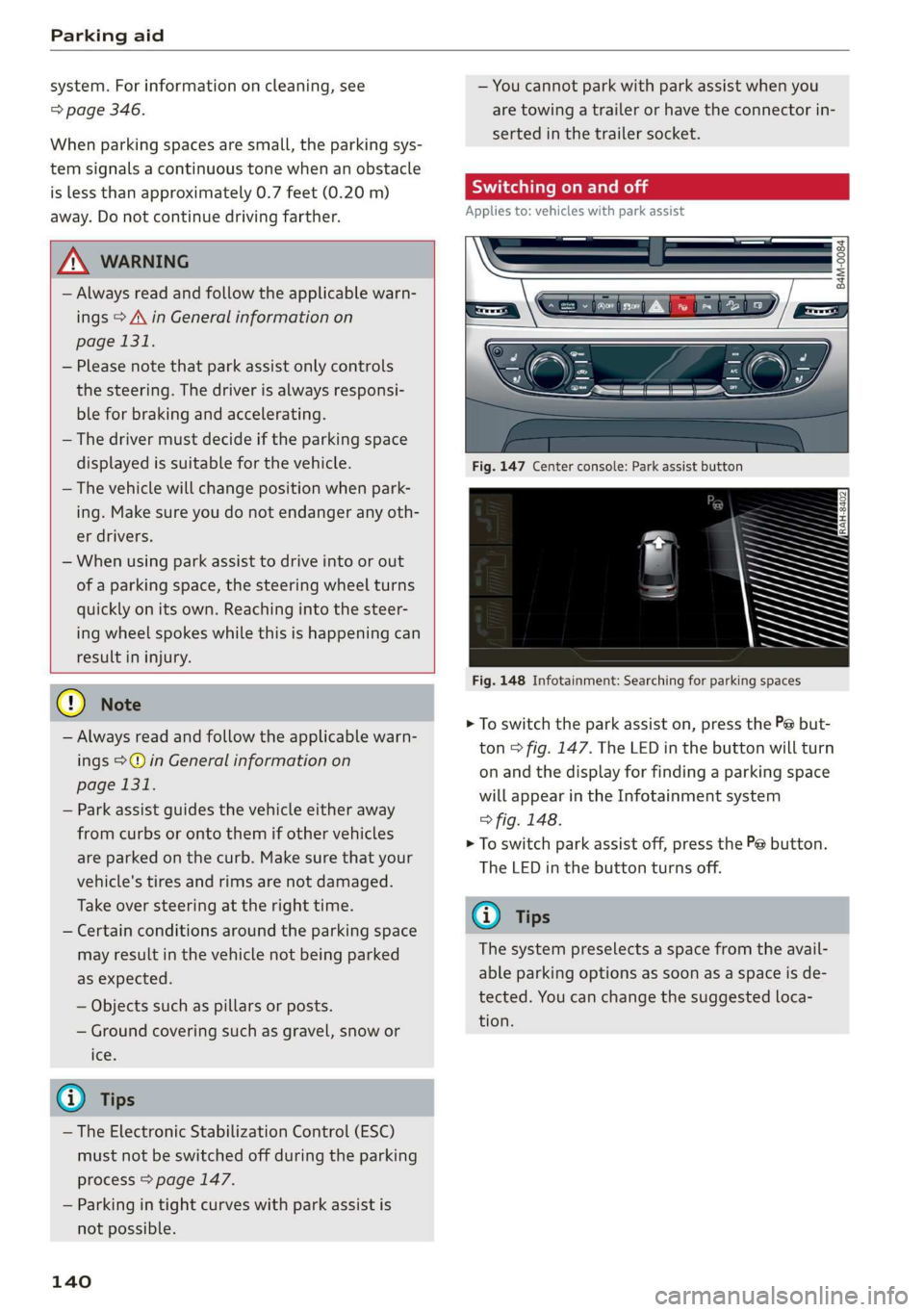
Fig.147Centerconsole:Parkassistbutton
Fig.148Infotainment:Searchingforparkingspaces
>Toswitchtheparkassiston,pressthePebut-
ton>fig.147.The LEDinthebuttonwillturn
onandthedisplayforfindingaparkingspace
willappearintheInfotainmentsystem
>fig.148.
>Toswitchparkassistoff,pressthePebutton.
TheLEDinthebuttonturnsoff.
G)Tips
Thesystempreselectsaspacefromtheavail-
ableparkingoptionsassoonasaspaceisde-
tected.Youcanchangethesuggestedloca-
tion.
Page 144 of 394
Parkingaid
Startingthe parkingprocess
Appliesto:vehicleswithparkassist
Theresponsibilityiswiththedriverwhenpark-
ing.
Requirement:asuitableparkingspacemustbe
foundandselected>page141.Thevehiclemust
initiallybestationary.
> Selectthereversegearafterstoppingbriefly.
>Removeyourhandsfromthesteeringwheel.
>Payattentiontothepathofthevehicle.When
thetrafficsituationallows,presstheaccelera-
torpedalaccordingly>A\inDescriptionon
page140,2@)inDescriptiononpage140.
>FollowthevisualinstructionsintheInfotain-
mentsystemdisplayandinstrumentcluster
alongwiththewarningtonesuntiltheparking
processhasended.Thearrowsonthevehicle
indicatethenecessarydirectionoftravel.
Parkassistautomaticallysteersthevehicleinto
theparkingspacewhilethedriverpressesthe
pedals.Themaximumparkingspeedis4mph
(7km/h).
Interruptingtheparkassist
Ifthespeedistoohighand youtakeoversteer-
ing,parkassistswitchesoff.Tocontinueparking,
[email protected]
willappearagainontheInfotainmentsystem
displayandtheinstrumentcluster.
G)Tips
Youcanalsocancelthedirectionoftravel
specifiedbythesystembyswitchingbetween
forwardandreversegears.Basedontheposi-
tionofthevehicle,thesystemthencalculates
theadditionalsteeringanddrivingdirections
formaneuvering.
Leavingaparallelparkingspace
Appliesto:vehicleswith parkassist
Theresponsibilityiswiththedriverwhenleaving
aparkingspace.
Ifyouparkedthevehicleinaparallelparking
space,parkassistcanhelpyoudriveoutofit.
142
>Starttheengine.
>PressthePebutton>page140,fig. 147.
>Waituntilamessageappearsthatrequeststhe
directiontotravelinforexitingtheparking
space.
>Activatetheappropriateturnsignal.Themes-
sageStartautomaticunparkingprocedureap-
pears.
>Removeyourhandsfromthesteeringwheel.
>Pressthecontrolknobtostarttheprocedure
forexitingtheparkingspace.
>Payattentiontothepathofthevehicle.When
thetrafficsituationallows,presstheaccelera-
torpedalaccordingly> A\inDescriptionon
page140,>@)inDescriptiononpage140.
>Followthevisualinstructions>page142and
thewarningtoneuntilthevehiclehasfinished
exitingtheparkingspace.
>Driveinthedirectionindicatedbythearrowson
thevehicle.
>Theprocedurehasendedwhenadditionalcor-
rectivemovementsarenolongernecessary.
Takeoverthesteering.
Parkassistautomaticallysteersthevehicleoutof
theparkingspacewhilethedriverpressesthe
pedals.Themaximumspeedforexitingaparking
spaceis3mph(5km/h).
Interruptingthe parkassist
Ifthespeedistoohighand youtakeoversteer-
ing,parkassistswitchesoff.Tocontinueexiting
theparkingspace,switchtheengineoffandon.
ThenpressthePebuttonagain.Otherwise,leave
theparkingspacewithoutusingparkassist.
Appliesto:vehicleswithparkassist
roo"Parkassist:canceled.Steeringinputbydriv-
er.Pleasetakeoversteering!
Parkassistwascanceledbecausethedrivertook
oversteering.Tocontinueparking, pressthePe
buttonagain.
Parkassist:timelimitexceeded
aor]Parkassist:canceled.Timelimitexceeded.
Pleasetakeoversteering!
Page 148 of 394
IntelligentTechnology
IntelligentTechnology
ElectronicStabilization
Control(ESC)
ElectronicStabilizationControl(ESC)supports
driversafety.Itreducestheriskofslippingand
improvesdrivingstability.ESCdetectscriticalsit-
uations,suchasifthevehicleisoversteeringor
understeering,orifthewheelsare spinning.The
brakesareappliedortheenginetorqueisre-
ducedinordertostabilizethevehicle.Whenthe
ESCengages,theBindicatorlightblinksinthe
instrumentcluster.
ThefollowingsystemsareintegratedintheESC:
Anti-lockbrakingsystem(ABS)
ABSpreventsthewheelsfromlockingwhenbrak-
ing.Thevehiclecanstillbesteeredevenduring
hardbraking.Applysteadypressuretothebrake
pedal.Donotpumpthepedal.Apulsinginthe
brakepedalindicatesthatthesystemisacting to
stabilizethevehicle.
Brakeassistsystem
Thebrakeassistsystemcandecreasebrakingdis-
tance.Itincreasesbrakingpowerwhenthe driver
pressesthebrakepedalquicklyinemergencysit-
uations.Youmustpressandholdthebrakepedal
untilthedangeroussituationisover.Invehicles
withadaptivecruisecontrol*,thebrakeassist
systemismoresensitiveifthedistancedetected
tothevehicledrivingaheadistoosmall.
Onvehicleswithactivatedandfunctioningnight
visionassist*,thebrakeassistsystemcanre-
spondmoresensitivelyifthereisawarning.
Anti-SlipRegulation(ASR)
ASRreducesenginepowerwhenthedrivewheels
beginspinningandadaptstheforcetotheroad
conditions.Thismakesiteasiertostart,acceler-
ateanddriveuphills.
ElectronicDifferentialLock(EDL)
TheEDLappliesthebrakestowheelsthatare
slippingandtransfersthedrivepowertotheoth-
146
erwheels.Thisfunctionisnotavailableathigher
speeds.
Inextremecases,EDLautomaticallyswitchesoff
tokeepthebrakeonthebrakedwheelfromover-
heating.Thevehicleisstillfunctioningcorrectly.
EDLwillswitchonagainautomaticallywhencon-
ditionshavereturnedtonormal.
Powersteering
The ESCcanalsosupportvehiclestability
throughsteering.
Selectivewheeltorquecontrol
Selectivewheeltorquecontrolisusedwhendriv-
ingoncurves.Brakingistargetedtowardthe
wheelsontheinsideofthecurveasneeded.This
allowsmoreprecisedrivingincurves.
Automaticpost-collisionbrakingsystem
The“automaticpost-collisionbrakingsystem”
canhelptoreducetheriskofslidingandofaddi-
tionalcollisionsafteranaccident.Iftheairbag
controlmoduledetectsacollision,thevehicleis
brakedbytheESC.
Thevehicledoesnotbrakeautomaticallyifoneof
thefollowingoccurs:
—Thedriverpressestheacceleratorpedal,
—TheESC,thebrakesystem,orthevehicleelec-
tricalsystemisnotfunctioning
ZAWARNING
— The ESCanditsintegratedsystemscannot
overcomethe limitsimposedbynatural
physicallaws.Thisisespeciallyimportanton
slipperyorwetroads.Ifthesystemsbegin
actingtostabilizeyourvehicle,youshould
immediatelyalteryourspeedtomatchthe
roadandtrafficconditions.Donotletthein-
creasedsafetyprovidedtemptyouintotak-
ingrisks.Thiscouldincreaseyourriskofa
collision.
—Pleasenotetheriskofacollisionincreases
when
drivingfast,especiallythroughcurves
andonslipperyorwetroads,andwhendriv-
ingtooclosetoobjectsahead.The ESC and
Page 149 of 394
4M0012721BG
IntelligentTechnology
itsintegratedsystemscannotalwayspre-
ventcollisions-thereisstillariskofacci-
dents!
—Presstheacceleratorpedalcarefullywhen
acceleratingonsmooth,slipperysurfaces
suchasiceandsnow.Thedrivewheelscan
spinevenwhenthesecontrolsystemsarein-
stalledandthiscanaffectdrivingstability
andincreasetheriskofacollision.
@Tips
— TheABSandASRonlyfunctioncorrectly
whenallfourwheelshaveasimilarwear
condition.Differenttiresizescanleadtoa
reductioninenginepower.
—Youmayhearnoiseswhenthesystemsde-
scribedareworking.
—Wheninstallingroofracksystemsonthe
roofrail,theESCusessensorstoadaptit-
selftoadifferentcenterofgravity.
Switchingonandoff
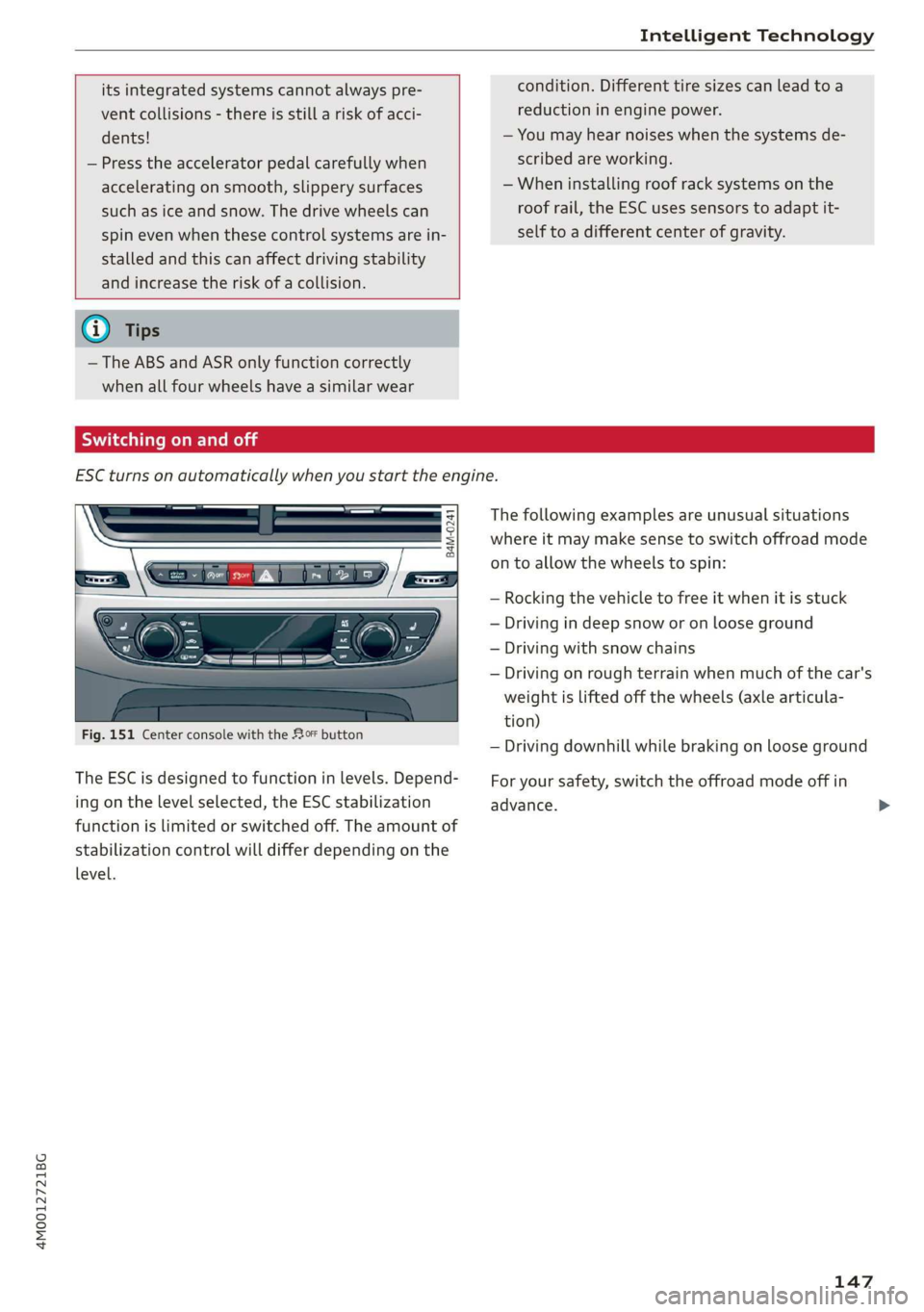
ESCturnsonautomaticallywhenyoustarttheengine.
B4M-0241
Fig.151Centerconsolewiththe#0button
The ESCisdesignedtofunctioninlevels.Depend-
ingonthelevelselected,theESCstabilization
functionislimitedorswitchedoff.Theamountof
stabilizationcontrolwilldifferdependingonthe
level.
Thefollowingexamplesareunusualsituations
whereitmaymakesensetoswitchoffroadmode
ontoallowthewheelstospin:
—Rocking thevehicletofreeitwhenitisstuck
—Drivingindeepsnoworonlooseground
—Drivingwithsnowchains
—Drivingonroughterrainwhenmuchofthecar's
weightisliftedoffthewheels(axlearticula-
tion)
—Drivingdownhillwhilebrakingonlooseground
Foryoursafety,switchtheoffroadmodeoffin
advance.
147
Page 150 of 394
IntelligentTechnology
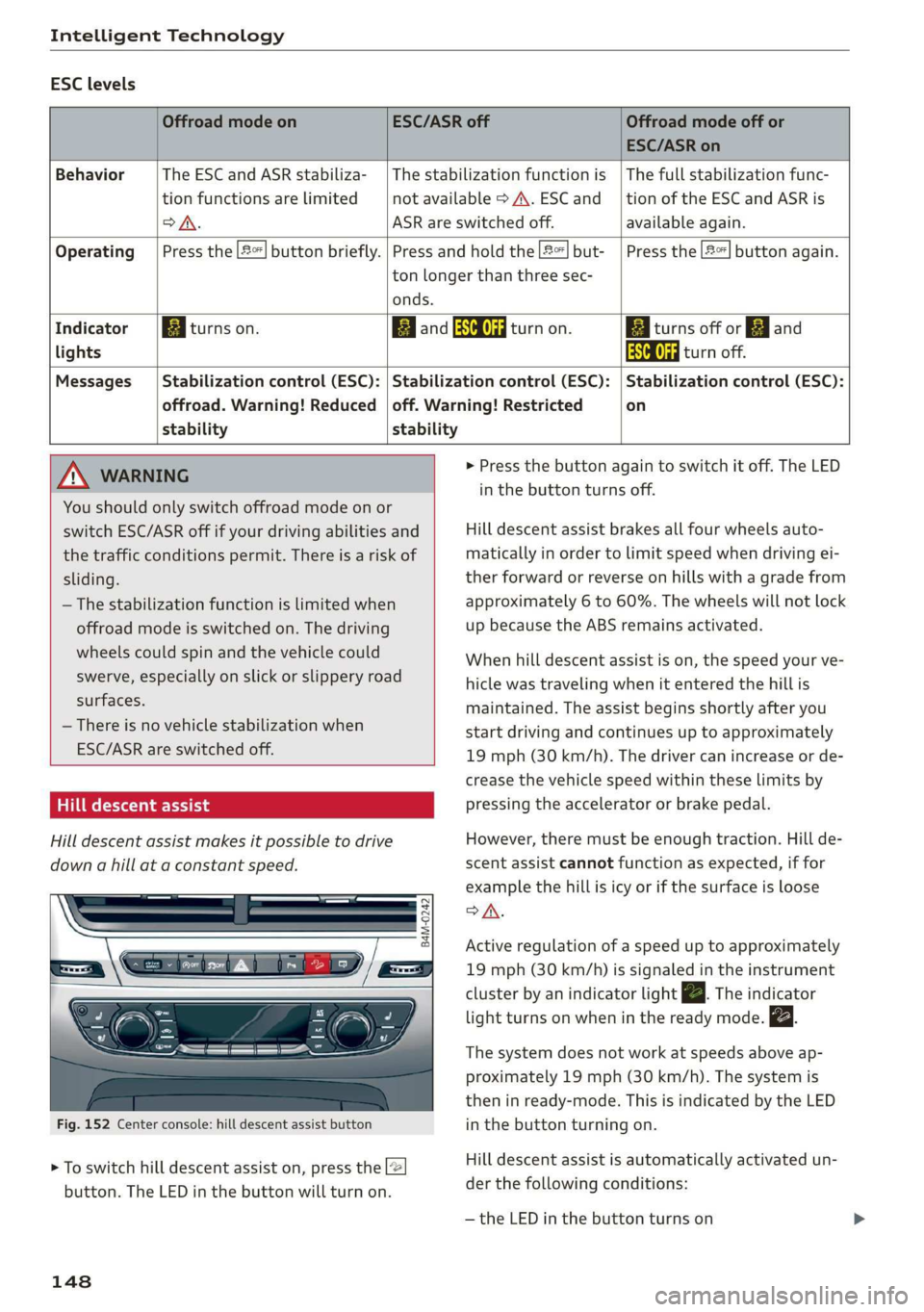
ESClevels
OffroadmodeonESC/ASRoffOffroadmodeoffor
ESC/ASRon
BehaviorThe ESC andASRstabiliza-|Thestabilizationfunctionis|Thefullstabilizationfunc-
tionfunctionsarelimitednotavailable>A\.ESCand__|tionoftheESCandASRis
oA.ASRareswitchedoff.available again.
Operating|Pressthe|#%]buttonbriefly.|Pressandholdthe2]but-|Pressthe|2%]buttonagain.
tonlongerthanthreesec-
onds.
IndicatorBiturnson.EganESCOFFRattanon.BiiturnsofforEjand
lightsAaaturnoff.
Messages__|Stabilizationcontrol(ESC):|Stabilizationcontrol(ESC):|Stabilizationcontrol(ESC):
offroad.Warning!Reduced|off.Warning!Restrictedon
stabilitystability
MNWARNING>Pressthebuttonagaintoswitchitoff.TheLED
You
shouldonlyswitchoffroadmodeonor
switchESC/ASRoffifyourdrivingabilitiesand
thetrafficconditionspermit.Thereisariskof
sliding.
—Thestabilizationfunctionislimitedwhen
offroadmodeisswitchedon.Thedriving
wheelscouldspinandthevehiclecould
swerve,especiallyonslickorslipperyroad
surfaces.
—Thereisnovehiclestabilizationwhen
ESC/ASRareswitchedoff.
Hilldescentassist
Hilldescentassistmakesitpossibletodrive
downahillataconstantspeed.
B4M-0242
Fig.152Centerconsole:hilldescentassistbutton
>Toswitchhilldescentassiston,pressthe2
button.TheLEDinthebuttonwillturnon.
148
inthebuttonturnsoff.
Hilldescentassistbrakesallfourwheelsauto-
maticallyinordertolimitspeedwhendrivingei-
therforwardorreverseonhillswithagradefrom
approximately6to60%.Thewheelswillnotlock
upbecausetheABSremainsactivated.
Whenhilldescentassistison,thespeedyourve-
hiclewastravelingwhenitenteredthehillis
maintained.Theassistbeginsshortlyafteryou
startdrivingandcontinuesuptoapproximately
19mph(30km/h).Thedrivercanincreaseorde-
creasethevehiclespeedwithintheselimitsby
pressingtheacceleratororbrakepedal.
However,theremustbeenoughtraction.Hillde-
scentassistcannotfunctionasexpected,iffor
examplethehillisicyorifthesurfaceisloose
SA.
Activeregulationofaspeeduptoapproximately
19mph(30km/h)issignaledintheinstrument
clusterby anindicatorlightZBTheindicator
lightturnsonwheninthereadymode.
Thesystemdoesnotworkatspeedsaboveap-
proximately19mph(30 km/h).Thesystemis
theninready-mode.ThisisindicatedbytheLED
inthebuttonturningon.
Hilldescentassistisautomaticallyactivatedun-
der thefollowingconditions:
—theLEDinthe buttonturnson
Page 152 of 394
IntelligentTechnology
ServiceFacilityworkonthebrakesystem.
Incorrectrepairscouldimpair thefunction.
—Neverletthevehiclerollwhiletheengineis
stoppedbecausethisincreasestheriskofan
accident.
C)Note
—Neverletthebrakes“rub”bypressingthe
pedallightlywhenbrakingisnotactually
necessary.Thiscausesthebrakestoover-
heatandincreasesbrakingdistanceand
causeswear.
—Beforedrivingdownhillalongdistanceona
steephill, decreaseyourspeedandselecta
lowergear.Thismakesuseoftheengine
brakingeffectandreducestheloadplaced
onthebrakes.Ifyouneedtobrakeaddition-
ally,brakeinintervalsandnotcontinuously.
G)Tips
—Ifthebrakeboosterisnotworking,you
mustpressthebrake pedalwithmuchmore
forcethannormal.
—Ifyouretrofityourvehiclewithafrontspoil-
er,wheelcoversorsimilaritems,makesure
thattheairflowtothefrontwheelsisnot
obstructed.Otherwisethebrakesystemcan
overheat.
Electromechanical
steering,all-wheel
steering
Theelectromechanicalsteeringsupportsthe
driver'ssteeringmovements.
Powersteeringadaptselectronicallybasedon
thevehiclespeed.
Indicatorlightsandmessages
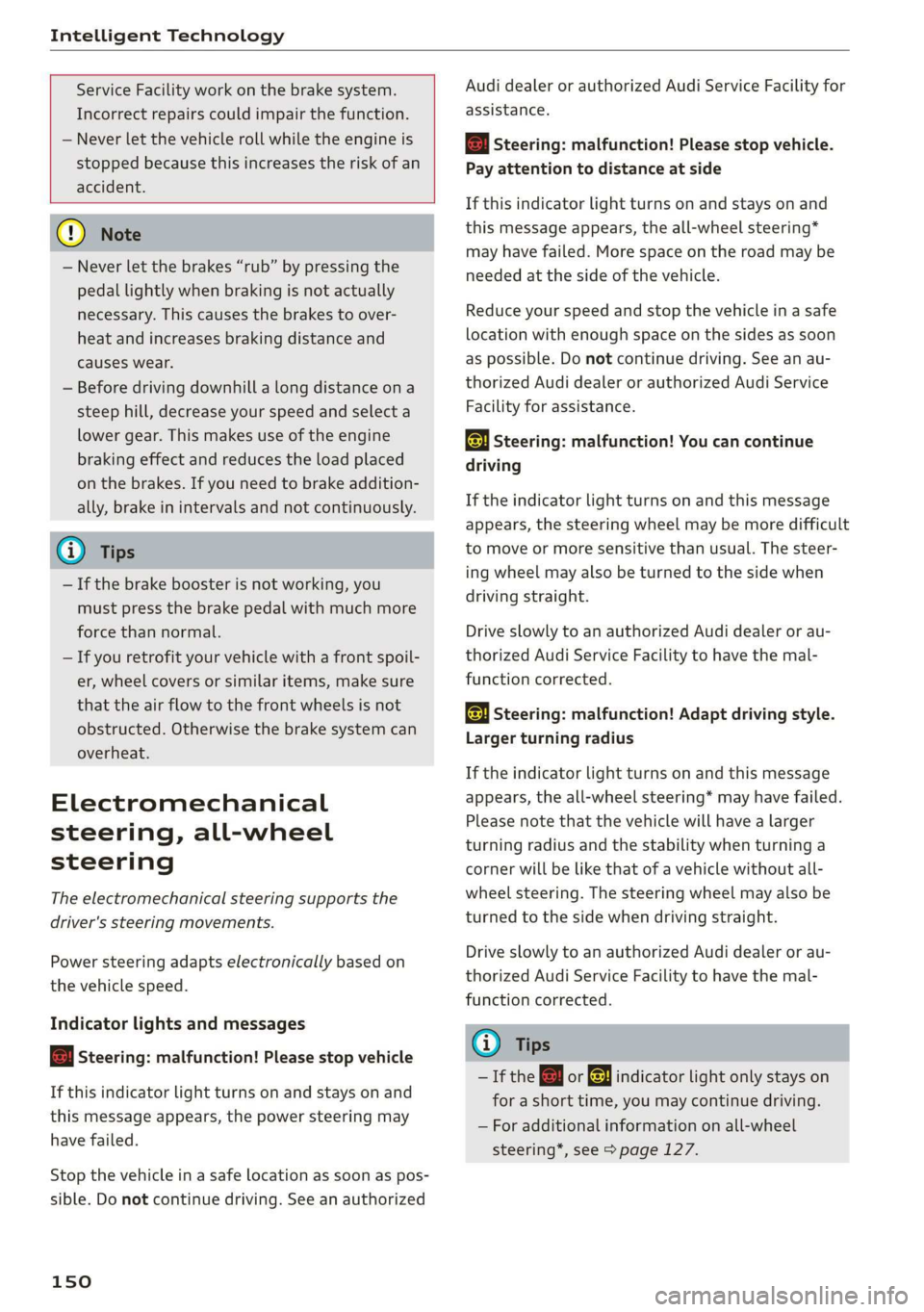
aSteering:malfunction!Pleasestopvehicle
Ifthisindicatorlightturnsonandstaysonand
thismessageappears,thepowersteeringmay
havefailed.
Stopthevehicleinasafelocationassoonaspos-
sible.Donotcontinuedriving.Seeanauthorized
150
AudidealerorauthorizedAudiServiceFacilityfor
assistance.
aSteering:malfunction!Pleasestopvehicle.
Payattentiontodistanceatside
Ifthisindicatorlightturnson andstaysonand
thismessageappears,theall-wheel steering*
mayhavefailed.Morespaceontheroadmaybe
neededatthesideofthevehicle.
Reduceyourspeedandstopthevehicleinasafe
locationwithenoughspaceonthesidesassoon
aspossible.Donotcontinuedriving.Seeanau-
thorizedAudidealerorauthorizedAudiService
Facilityforassistance.
aSteering:malfunction!Youcancontinue
driving
Iftheindicatorlightturnsonandthismessage
appears,thesteeringwheelmaybemoredifficult
tomoveormoresensitivethanusual.Thesteer-
ingwheelmayalsobeturnedtothesidewhen
drivingstraight.
DriveslowlytoanauthorizedAudidealerorau-
thorizedAudiServiceFacilitytohavethe mal-
functioncorrected.
aSteering:malfunction!Adaptdrivingstyle.
Largerturningradius
Iftheindicatorlightturnsonandthismessage
appears,theall-wheelsteering*mayhavefailed.
Pleasenotethatthevehiclewillhavealarger
turningradiusandthestabilitywhenturninga
cornerwillbelikethat ofavehiclewithoutall-
wheelsteering.Thesteeringwheelmayalsobe
turnedtothesidewhendrivingstraight.
DriveslowlytoanauthorizedAudidealerorau-
thorizedAudiServiceFacilitytohavethe mal-
functioncorrected.
G)Tips
—IftheaorElindicatorlightonlystayson
forashorttime,youmaycontinuedriving.
—Foradditionalinformationonall-wheel
steering*,see>page127.
Page 153 of 394
4M0012721BG
IntelligentTechnology
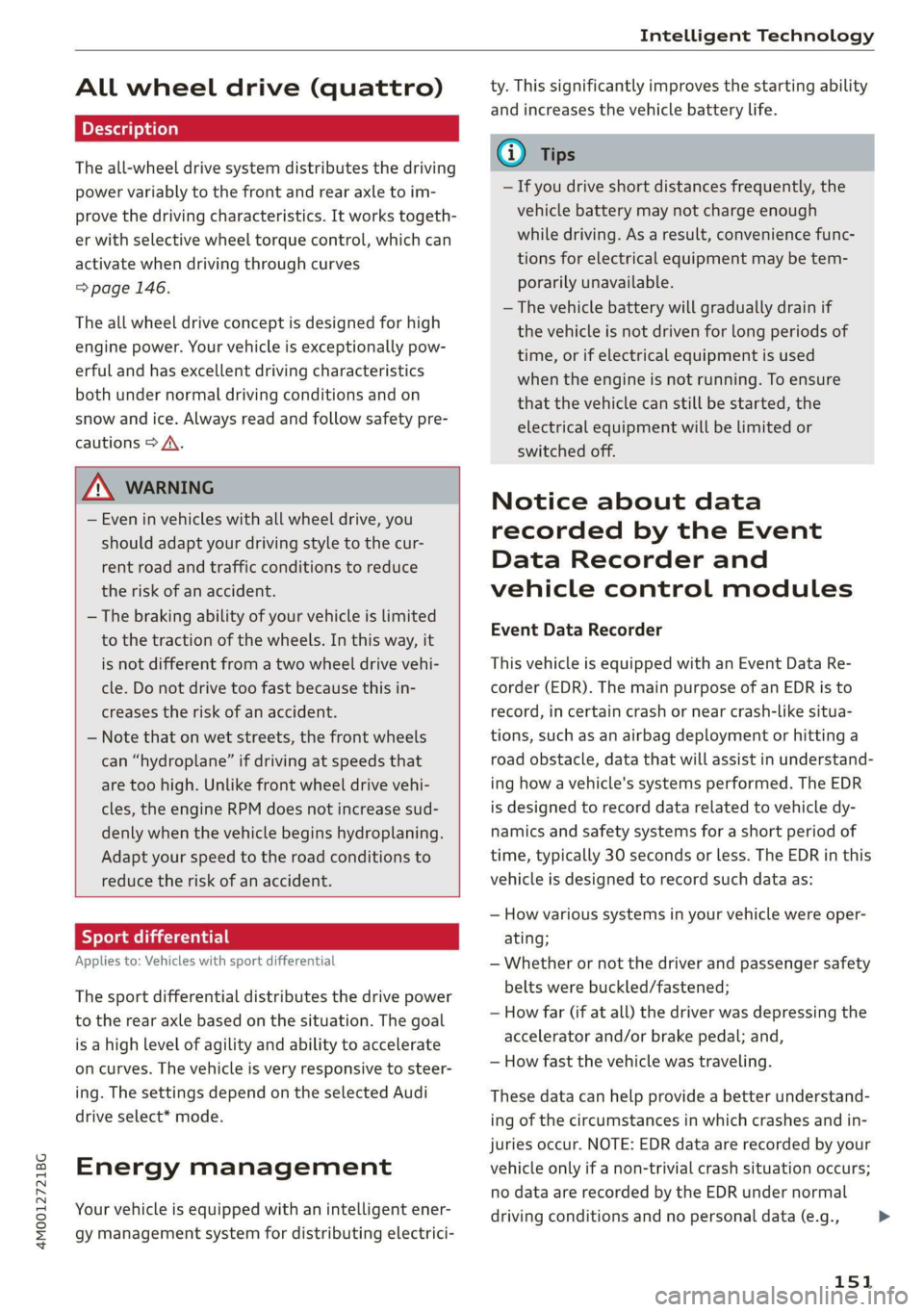
Allwheeldrive(quattro)
Theall-wheeldrivesystemdistributesthedriving
powervariablytothefrontandrearaxletoim-
provethedrivingcharacteristics.Itworkstogeth-
erwithselectivewheeltorquecontrol,whichcan
activatewhendrivingthroughcurves
=>page146.
Theallwheeldriveconceptisdesignedforhigh
enginepower.Yourvehicleisexceptionallypow-
erfulandhasexcellentdrivingcharacteristics
bothundernormaldrivingconditionsandon
snowandice.Alwaysreadandfollowsafetypre-
cautions>A\.
Z\WARNING
—Eveninvehicleswithallwheeldrive,you
shouldadaptyourdrivingstyletothecur-
rentroadandtrafficconditionstoreduce
theriskofanaccident.
— Thebrakingabilityofyourvehicleislimited
tothetractionofthewheels.In thisway,it
isnotdifferentfromatwowheeldrivevehi-
cle.Donotdrivetoofastbecausethisin-
creasestheriskofanaccident.
—Notethatonwetstreets,thefrontwheels
can“hydroplane’”ifdrivingatspeedsthat
aretoohigh.Unlikefrontwheeldrivevehi-
cles,theengineRPMdoesnotincreasesud-
denlywhenthevehiclebeginshydroplaning.
Adaptyourspeedtotheroadconditionsto
reducetheriskofanaccident.
Sykemetals
Appliesto:Vehicleswith sportdifferential
Thesportdifferentialdistributesthedrivepower
totherearaxlebasedonthesituation.Thegoal
isahighlevelofagilityandabilitytoaccelerate
oncurves.Thevehicleisvery responsivetosteer-
ing.ThesettingsdependontheselectedAudi
driveselect*mode.
Energymanagement
Yourvehicleisequippedwithanintelligentener-
gymanagementsystemfordistributingelectrici-
ty.Thissignificantlyimprovesthestartingability
andincreasesthevehiclebatterylife.
@)Tips
—Ifyoudriveshortdistancesfrequently,the
vehiclebatterymaynotchargeenough
whiledriving.Asaresult,conveniencefunc-
tionsforelectricalequipmentmaybetem-
porarilyunavailable.
—Thevehiclebatterywillgraduallydrainif
thevehicleisnotdrivenforlongperiodsof
time,orifelectricalequipmentisused
whentheengineisnotrunning.Toensure
thatthevehiclecanstillbestarted,the
electricalequipmentwillbelimitedor
switchedoff.
Noticeaboutdata
recordedbytheEvent
DataRecorderand
vehiclecontrolmodules
EventDataRecorder
Thisvehicleisequippedwithan Event DataRe-
corder(EDR).ThemainpurposeofanEDRisto
record,incertaincrashornearcrash-likesitua-
tions,
suchasanairbagdeploymentorhittinga
roadobstacle,datathatwillassistinunderstand-
inghowavehicle'ssystemsperformed.TheEDR
isdesignedto recorddatarelatedtovehicledy-
namics andsafetysystemsforashortperiodof
time,typically30secondsorless.TheEDRinthis
vehicleisdesignedtorecordsuchdataas:
—Howvarioussystemsinyourvehiclewereoper-
ating;
—Whetherornot thedriverandpassengersafety
beltswerebuckled/fastened;
—Howfar(ifatall)thedriverwasdepressingthe
acceleratorand/orbrakepedal;and,
—Howfastthevehiclewastraveling.
Thesedatacanhelpprovideabetterunderstand-
ingofthecircumstancesinwhichcrashesandin-
juriesoccur.NOTE:EDRdataarerecordedbyyour
vehicleonlyifanon-trivialcrashsituationoccurs;
nodataarerecordedbytheEDRundernormal
drivingconditionsandnopersonaldata(e.g.,
151
>
Page 155 of 394
4M0012721BG
MultiMediaInterface
MultiMediaInterface
Trafficsafety
information
AudirecommendsperformingcertainInfotain-
mentsystemfunctions,suchasenteringa desti-
nation,onlywhenthevehicleisstationary.Al-
waysbepreparedtostopoperating theInfotain-
mentsystemintheinterestofyoursafetyand
thesafety ofotherroadusers.
Z\WARNING
Onlyuse theInfotainmentsystemwhentraf-
ficconditionspermitandalwaysinawaythat
allows
youtomaintaincompletecontrolover
yourvehicle.
G)Tips
Certainfunctionsarenotavailablewhiledriv-
ing.
Introduction
TheMultiMediaInterface,orMMIforshort,
combinesvarioussystemsforcommunication,
navigation*andentertainmentinyourAudi.You
canoperatetheMMIusingtheMMIcontrolpan-
el,themultifunctionsteeringwheelorthevoice
recognitionsystem*.
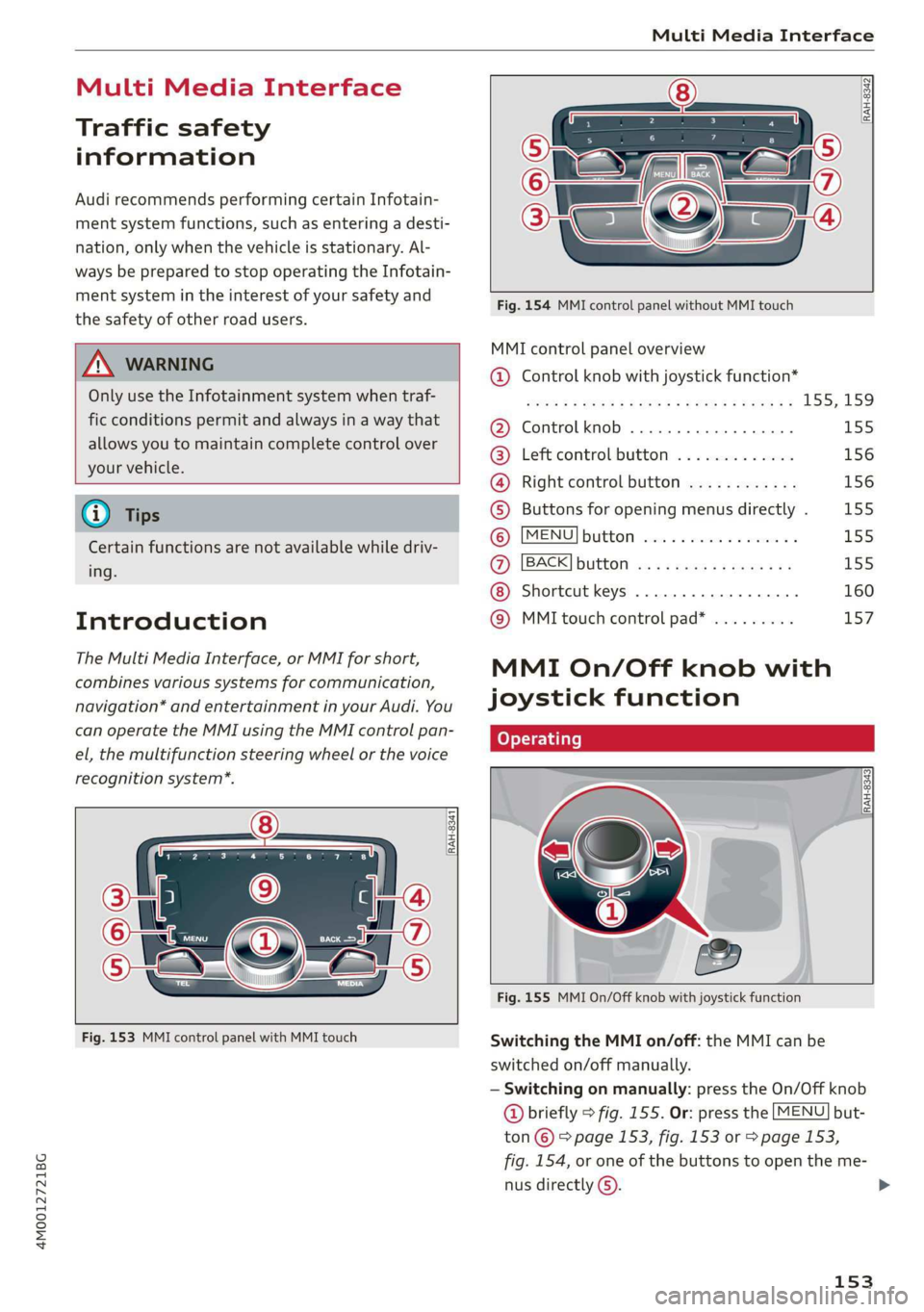
[RAH-8341
Fig.153MMIcontrolpanelwithMMItouch
RAH-8342]
Fig.154MMIcontrolpanelwithoutMMItouch
MMIcontrolpaneloverview
@®Controlknobwithjoystickfunction*
S008FBAROSEFMOG¥EERFCSORaE155;159
@Controlknob.............0000-155
@®Leftcontrolbutton.............156
@®Rightcontrolbutton............156
©Buttonsforopeningmenusdirectly.155
©MENUBUttONsaccce2 xencase= oanaes2 ¥L55
@)[BACK]buttonos:+causssmewsvas155
Shortcutkeys.........2000000160
@®MMItouchcontrolpad*.........157
MMIOn/Offknobwith
joystickfunction
Operating
Fig.155MMIOn/Offknobwithjoystickfunction
SwitchingtheMMIon/off:theMMIcanbe
switched
on/offmanually.
—Switchingonmanually:presstheOn/Offknob
@briefly>fig.155.Or:pressthe[MENU]but-
ton©©page153,fig.153or>page153,
fig.154,oroneofthebuttonstoopentheme-
nusdirectlyG).
153
>
Page 167 of 394
4M0012721BG
Multifunctionsteeringwheel
Multifunctionsteering
wheel
Introduction
Appliesto:vehicleswith multifunctionsteeringwheel
Inthedriverinformationsystemdisplay,youcan
controlnumerousInfotainmentsystemfunctions
usingthemultifunctionsteeringwheel*
=>page16.
Youcancontrol additionalInfotainmentfunc-
tionsusingtheMMIcontrolpanel>page153in
theInfotainmentsystemdisplay.
Z\WARNING
Directyourfullattentiontodriving.Asthe
driver,youhavecompleteresponsibilityfor
safetyintraffic.Only usethefunctionsinsuch
awaythatyoualwaysmaintaincompletecon-
troloveryourvehicleinalltrafficsituations.
Radio
Appliesto:vehicleswith multifunctionsteeringwheelandra-
dio
>Pressthe[<>]buttononthemultifunction
steeringwheelrepeatedlyuntiltheRadio/
Mediatabisdisplayed.
>Presstheleftcontrolbutton>page17.
Dependingonvehicleequipment,thefollowing
functions
maybeavailableinthedriverinforma-
tionsystem.
—Selectingthefrequencyband:selectandcon-
firmafrequencyband.
—Selectingastationfromthestationlist:select
andconfirmaradiostation.
—Selectingastationfromthepresetslist:select
andconfirmPresetsandthenaradiostation.
—Openingamediasource:selectandconfirmTo
media.
Additionalsettings
—Select:rightcontrolbutton>desiredentry.
See>page225.
@Tips
PayattentiontotheInfotainmentsystemdis-
playifnecessary.Dependingontheselected
function,itmaybenecessarytouse theMMI
controlpanel.
Media
Appliesto:vehicleswithmultifunctionsteeringwheeland
media
Requirement:amediadrivemustcontainaudio/
videofiles>page228andtheradio/mediatab
mustbedisplayed.
>Presstheleftcontrolbuttononthemultifunc-
tionsteeringwheel>page17.
Depending onvehicleequipment,thefollowing
functionsmaybeavailableinthedriverinforma-
tionsystem.
—Selectingamediasource:selectandconfirma
sourcesuchastheSDcard.
—Switchingtotheradio:selectandconfirm
Switchtoradio.
—Playinganaudio/videofile:selectandconfirm
afile.
—Pausing/resumingplayback:presstheright
thumbwheel@)>page18,fig.11.Toresume
playback,presstherightthumbwheelagain.
—Openingadditionaltrackinformation:select:
rightcontrolbutton>Show"NowPlaying"
screen.
Foradditionalinformation,see>page239.
@Tips
—Alwaysfollowtheinformationfoundin
>page227.
—Pleasenotethatwithinamediasourcein
thedriverinformationsystem,onlyplaylists
thatwereselectedthroughtheMMIcontrol
panelcanbeplayed=page236.
—PayattentiontotheInfotainmentsystem
displayifnecessary.Dependingonthese-
lectedfunction,itmaybenecessarytouse
the
MMIcontrolpanel.
165
Page 168 of 394
Multifunctionsteeringwheel
Telephone
Appliesto:vehicleswith multifunctionsteeringwheeland
telephone
Calllist
re
eMysetey
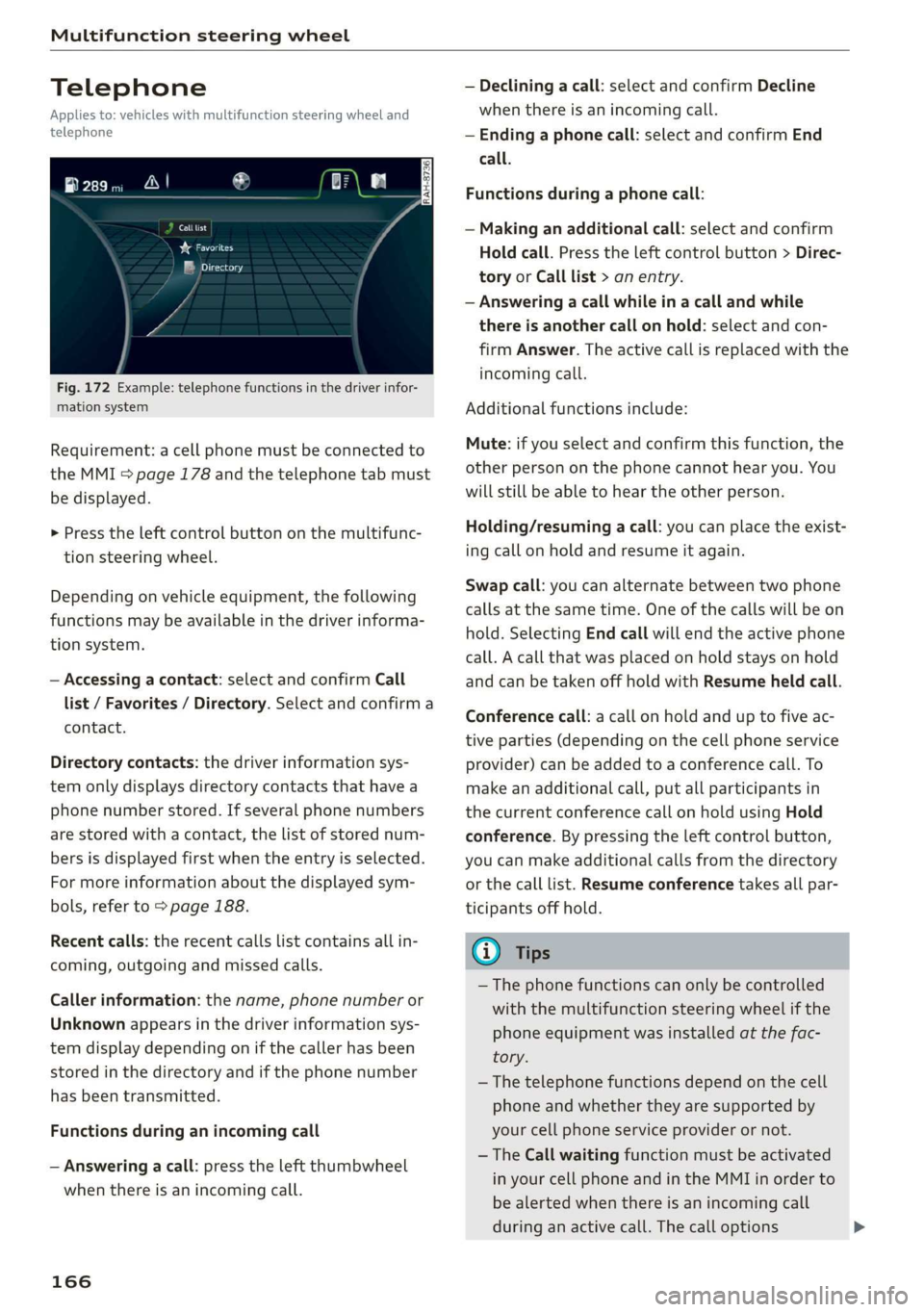
Fig.172Example:telephonefunctionsinthedriverinfor-
mationsystem
Requirement:acellphonemustbeconnectedto
theMMI>page178andthetelephonetabmust
bedisplayed.
>Presstheleftcontrolbuttononthemultifunc-
tionsteeringwheel.
Dependingonvehicleequipment,thefollowing
functionsmaybeavailableinthedriverinforma-
tionsystem.
—Accessingacontact:selectandconfirmCall
list/Favorites/Directory.Selectandconfirma
contact.
Directorycontacts:thedriverinformationsys-
temonlydisplaysdirectorycontactsthathavea
phonenumberstored.Ifseveralphonenumbers
arestoredwitha contact,thelistofstorednum-
bersisdisplayedfirstwhentheentryisselected.
Formoreinformationaboutthedisplayedsym-
bols,referto>page188.
Recentcalls:therecentcallslistcontainsallin-
coming,outgoingandmissedcalls.
Callerinformation:thename, phonenumberor
Unknownappearsinthedriverinformationsys-
temdisplaydependingonifthecallerhasbeen
storedinthedirectoryandifthephonenumber
hasbeentransmitted.
Functionsduringan incomingcall
—Answeringacall:presstheleftthumbwheel
whenthereisanincomingcall.
166
—Decliningacall:selectandconfirmDecline
whenthereisanincomingcall.
—Endinga phonecall:selectandconfirmEnd
call.
Functionsduringa phonecall:
—Makinganadditionalcall:selectandconfirm
Holdcall.Presstheleftcontrolbutton>Direc-
toryorCalllist>anentry.
—Answeringacallwhileinacallandwhile
thereisanothercall onhold:selectandcon-
firmAnswer.Theactivecallisreplacedwiththe
incomingcall.
Additionalfunctionsinclude:
Mute:ifyouselectandconfirmthisfunction,the
otherpersononthephonecannothearyou.You
willstillbeabletoheartheotherperson.
Holding/resumingacall:youcanplacetheexist-
ingcallonholdandresumeitagain.
Swapcall:youcanalternatebetweentwophone
callsatthesametime.Oneofthecallswillbeon
hold.SelectingEndcallwillendtheactivephone
call.Acallthatwasplacedonholdstaysonhold
andcan betakenoffholdwithResumeheldcall.
Conferencecall:acallonholdanduptofiveac-
tiveparties(dependingonthecellphoneservice
provider)canbeaddedtoaconferencecall.To
makeanadditionalcall,putallparticipantsin
thecurrentconferencecallonholdusingHold
conference.Bypressingtheleftcontrolbutton,
youcanmakeadditionalcallsfromthedirectory
orthecalllist.Resumeconferencetakesallpar-
ticipantsoffhold.
G)Tips
— Thephonefunctionscanonlybecontrolled
withthemultifunctionsteeringwheelifthe
phoneequipmentwasinstalledatthefac-
tory.
—Thetelephonefunctionsdependonthecell
phoneandwhethertheyaresupportedby
yourcellphoneserviceproviderornot.
— TheCallwaitingfunctionmustbeactivated
inyourcellphoneandintheMMIinorderto
bealerted whenthereisanincomingcall
duringanactivecall.Thecalloptions