radiator AUDI Q8 2021 Owner´s Manual
[x] Cancel search | Manufacturer: AUDI, Model Year: 2021, Model line: Q8, Model: AUDI Q8 2021Pages: 332, PDF Size: 118.76 MB
Page 98 of 332
Driving
— If the engine has been under heavy load for
an extended period of time, heat builds up
in the engine compartment after the engine
is switched off and there is a risk of damag-
ing the engine. For this reason, let the en-
gine run at idle for approximately two mi-
nutes before shutting it off.
G) Tips
— Brief noises are normal when starting and
stopping the vehicle and are no cause for
concern.
— For up to 10 minutes after stopping the en-
gine, the radiator fan may turn on again au-
tomatically or it may continue to run, even if
the ignition is switched off.
— It may not be possible to start the vehicle in
extremely low temperatures.
— Power will be fully available once the engine
is at operating temperature.
Messages
= Engine start system: malfunction! Please
contact Service
Do not switch the ignition off because you may
not be able to switch it on again. Drive to an au-
thorized Audi dealer or authorized Audi Service
Facility immediately to have the malfunction cor-
rected.
FJ Engine start system: malfunction! Please
contact Service
There is a malfunction in the engine start system.
Drive immediately to an authorized Audi dealer
or authorized Audi Service Facility to have the
malfunction repaired.
| Remote control key: key not detected. Is the
key
still in the vehicle?
The vehicle key was removed from the vehicle
while the engine is running. If the vehicle key is
no longer in the vehicle, you cannot switch the ig-
nition on or start the engine once you stop it. You
also cannot lock the vehicle from the outside.
Remote control key: hold back of key
against the designated area. See owner's man-
ual
96
The battery in the vehicle key may be drained or
there may be a malfunction. To start the vehicle,
you must also hold the vehicle key against the lo-
cation shown ?) > page 95, fig. 83.
If the malfunction remains, drive immediately to
an authorized Audi dealer or authorized Audi
Service Facility to have the malfunction correct-
ed.
When driving
Starting to drive, stopping, and parking
Starting from a stop
> Press and hold the brake pedal.
> Start the engine.
> Select a gear.
> Release the parking brake.
> Release the brake pedal. The vehicle may roll.
» Press the accelerator pedal to accelerate.
Securing the vehicle against rolling
Secure your vehicle to prevent it from rolling be-
fore exiting the vehicle.
> Set the parking brake.
> Select the “P” selector lever position.
> If parking on a steep road, turn the steering
wheel so that your vehicle will roll against the
curb in case it should start to move.
If one of these measures is not possible, for ex-
ample because there is no vehicle power, you
must secure your vehicle against rolling using ad-
ditional measures.
> Only park the vehicle on a level surface.
> Use suitable objects to block the front and rear
wheels.
Set the parking brake before selecting the “P” se-
lector lever position. This prevents too much
stress from being placed on the locking mecha-
nism when parking on a steep surface.
ZA WARNING
— Always set the parking brake when leaving
your vehicle, even if for a short period of >
Page 125 of 332
4M8012721BF
Assist systems
with limitations may not be detected at all.
Always monitor the traffic and the vehicle's
surroundings directly and do not become dis-
tracted.
@) Note
— Obstacles may disappear from the measure-
ment range when approaching them, even if
they were already detected.
—Insome situations, the ability of the sen-
sors and cameras to detect and display cer-
tain objects may be limited.
— Objects located above the coverage area,
such as bumpers on parked cars, garage
doors that are partially open, or objects
that are hanging
— Low obstacles
— Narrow objects, such as barrier chains, fo-
liage, poles, or fences
— Projecting objects, such as trailer draw
bars
— Objects with certain surfaces and struc-
tures, such as fabric
@ Tips
— The sensors and cameras and the areas
around them must not be obstructed be-
cause this can impair the function of the
systems that depend on them. Make sure
that the sensors and cameras are free of
snow, ice, and other deposits. Do not use
any accessories, stickers, or other objects
that extend into the range of the sensors
and cameras.
— On vehicles that have factory-installed li-
cense plate brackets on the front of the ve-
hicle, the brackets may only be replaced
with ones that are the same size and made
of the same material. Do not install any li-
cense plate brackets on the front of vehicles
that do not have factory-installed brackets.
Otherwise, the function of the system could
be impaired.
— The function of the sensors and cameras
may be limited when light and visibility con-
ditions are poor, for example when driving
into a tunnel, when there is glare, or when
there are reflective objects.
— External ultrasonic sensors, such as those in
other vehicles, can interfere with the sen-
sors.
— The coverage areas of the sensors > fig. 88
and cameras > fig. 89 are diagrams and do
not represent a true-to-scale image of the
sensor ranges.
— The system complies with United States FCC
regulations and ISED regulations
=> page 311.
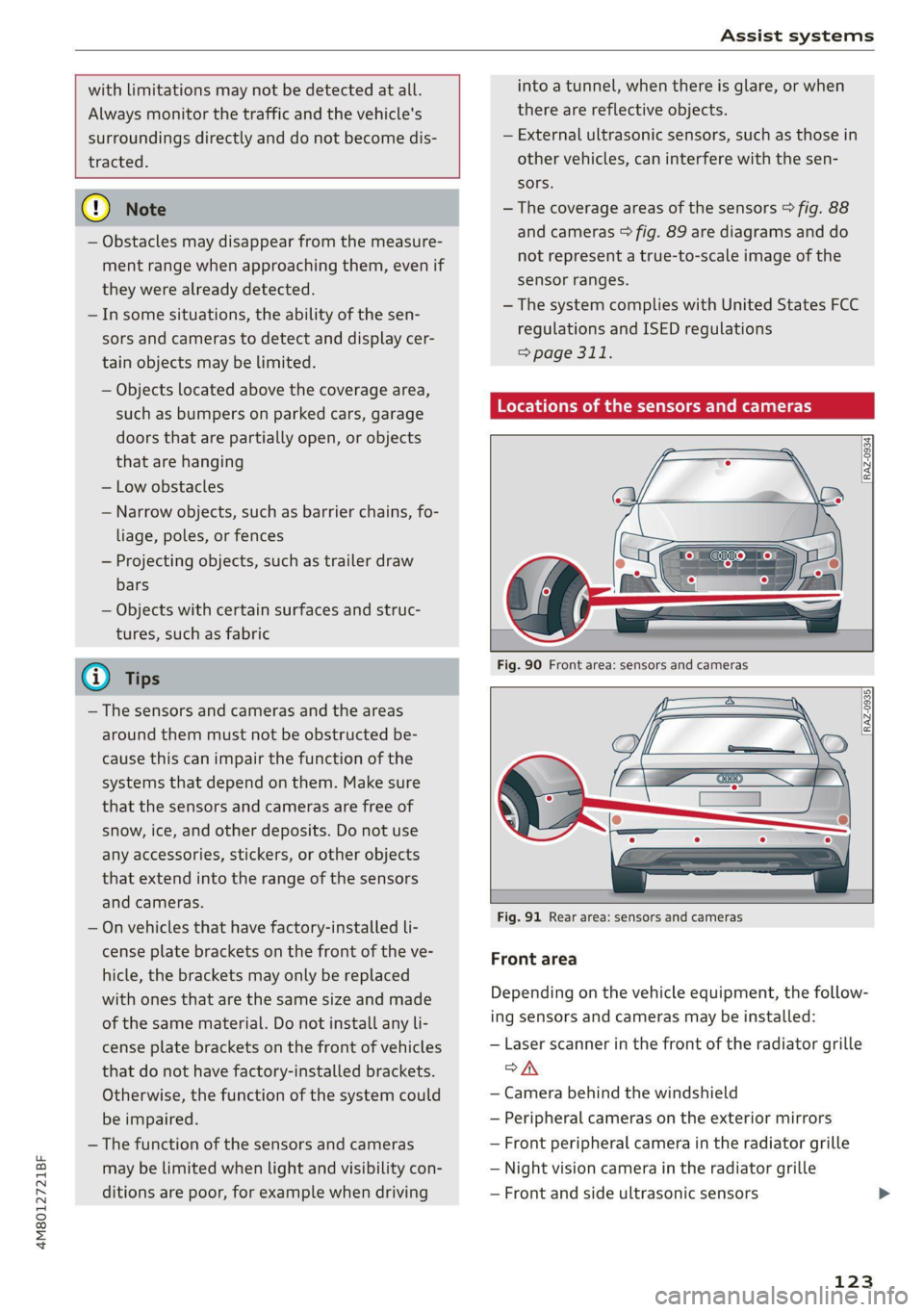
Locations of the sensors and cameras
RAZ-0935,
Fig. 91 Rear area: sensors and cameras
Front area
Depending on the vehicle equipment, the follow-
ing sensors and cameras may be installed:
— Laser scanner in the front of the radiator grille
oA
— Camera behind the windshield
— Peripheral cameras on the exterior mirrors
— Front peripheral camera in the radiator grille
— Night vision camera in the radiator grille
— Front and side ultrasonic sensors
123
Page 126 of 332
Assist systems
— Radar sensors at the front corners of the vehi-
cle
— Radar sensor in the front in the radiator grille
Rear area
Depending on the vehicle equipment, the follow-
ing sensors and cameras may be installed:
— Rearview camera in the luggage compartment
lid
— Radar sensors at the rear corners of the vehicle
— Rear and side ultrasonic sensors
— The system complies with United States FCC
regulations and ISED regulations
> page 311.
Switching the systems
on and off
A WARNING
Applies to: vehicles with laser scanner
— The surface of the laser scanner can become
hot during operation, which increases the
risk of burns.
— The laser scanner contains a class 1 laser in
accordance with IEC 60825-1:2014. When
used according to regulations, the laser is
not dangerous. Opening the laser module
and removing covers is not permitted. Doing
so could cause permanent injuries to the
eyes.
— Any repair work on the laser module must
be performed by an authorized Audi dealer
or authorized Audi Service Facility; other-
wise the vehicle's operating license may be
voided. Incorrect repairs may cause limited
functionality and eye damage.
[RAzZ-1041
@ Tips
Applies to: vehicles with laser scanner
— The possible emissions are below the
threshold for class 1 lasers.
— Complies with 21 CFR 1040.10 and
1040.11 except for deviations pursuant to
Laser Notice No. 50, dated June 24, 2007.
@) Tips
— The locations of the sensors may differ
slightly depending on vehicle equipment.
— Some sensors are installed under vehicle
components and cannot be seen from the
outside.
124
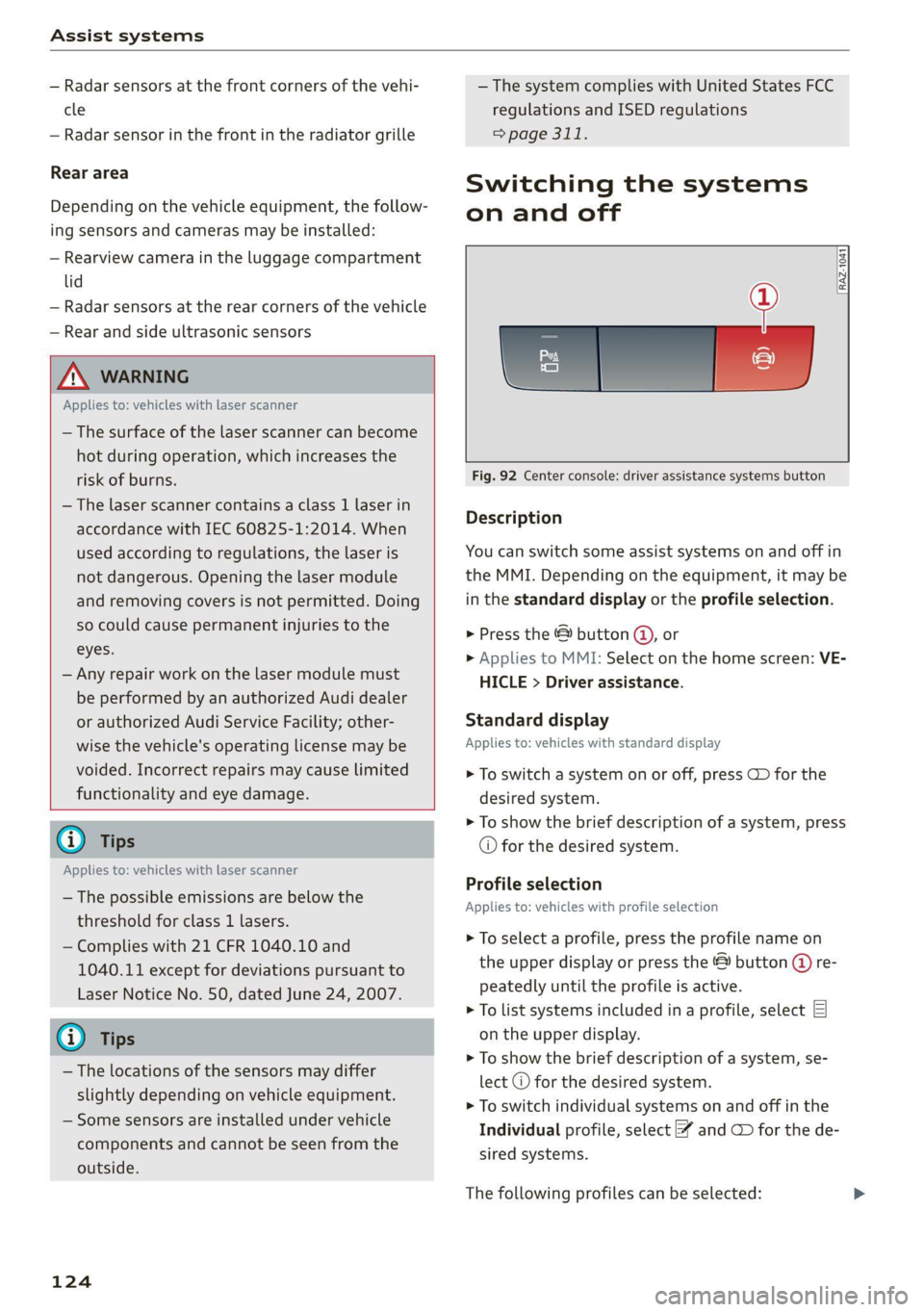
Fig. 92 Center console: driver assistance systems button
Description
You can switch some assist systems on and off in
the MMI. Depending on the equipment, it may be
in the standard display or the profile selection.
> Press the button (, or
>» Applies to MMI: Select on the home screen: VE-
HICLE > Driver assistance.
Standard display
Applies to: vehicles with standard display
> To switch a system on or off, press CD for the
desired system.
> To show the brief description of a system, press
© for the desired system.
Profile selection
Applies to: vehicles with profile selection
> To select a profile, press the profile name on
the upper display or press the & button @ re-
peatedly until the profile is active.
> To list systems included in a profile, select EJ
on the upper display.
> To show the brief description of a system, se-
lect @ for the desired system.
> To switch individual systems on and off in the
Individual profile, select ¥ and CD for the de-
sired systems.
The following profiles can be selected:
Page 133 of 332
4M8012721BF
Driving information
> Wait briefly until the EQ) symbol appears in the
instrument cluster next to the time measure-
ment.
> To start the acceleration measurement, acceler-
ate the vehicle. The measurement ends auto-
matically once you have reached the selected
speed or distance.
Night vision assist
Applies to: vehicles with night vision assist
Night vision assist helps you when it is dark by
using an infrared camera to monitor the area in
front of your vehicle, within the limits of the sys-
tem. It can display objects up to a distance of ap-
proximately 1000 feet (300 m).
Pedestrian and wild animals are detected by
measuring the temperature difference between
the object and the background. Pedestrians and
wild animals will not be detected if the tempera-
ture difference is too small. The pedestrian and
wild animal marking feature is deactivated at
temperatures above approximately 77 °F (25 °C)
and when it is light outside.
The thermal image detected by the camera is dis-
played in the instrument cluster. Warm areas
generally appear lighter and cold areas appear
darker.
The camera for the night vision assist is located
in the vehicle's radiator grille > page 123. Make
sure the night vision camera is not covered by
stickers, deposits, or any other obstructions be-
cause this can impair the night vision assist func-
tion. Follow the information about cleaning
=> page 280.
Z\ WARNING
— Observe the safety precautions and note the
limits of the assist systems, sensors, and
cameras > page 121.
— Night vision assist can only detect pedes-
trians and wild animals located within the
range of the infrared camera.
— Night vision assist cannot detect pedes-
trians or wild animals and mark them if:
— They are not in an upright position, for ex-
ample if they are sitting or lying down
and/or
— The silhouette in the display appears in-
complete or interrupted, for example be-
cause the pedestrian is partially behind a
vehicle or an animal is partially covered by
tall grass.
— Never attempt to swerve around animals if
doing so would endanger you or other road
users.
(i) Tips
— Even though the system evaluates the
shape and heat given off by all detected ob-
jects, there are limits to the system. There
may be false warnings.
— For technical reasons, the image pauses in
split second intervals.
Sic Re Rela
Applies to: vehicles with night vision assist
The system can be switched on and off in the
MMI & page 124.
> The AUTO light function must be selected for
the night vision assist to automatically activate
when it is dark.
> Switch on the low beams manually to activate
night vision assist immediately. To do so,
press @ on the light switch module and select
D. WwW
When activated, the %1 tab appears in the instru-
ment cluster.
> Select in the instrument cluster: $1 tab
@) Tips
When the night vision assist tab is selected in
the instrument cluster and the low beams are
switched off, the thermal image display dis-
appears only after you have exited the tab.
131
Page 244 of 332
Checking and Filling
Engine compartment
erreur lela)
Special care is required if you are working in the
engine compartment
For work in the engine compartment, such as
checking and filling fluids, there is a risk of in-
jury, scalding, accidents, and burns. For this
reason, follow all the warnings and general
safety precautions provided in the following in-
formation. The engine compartment is a dan-
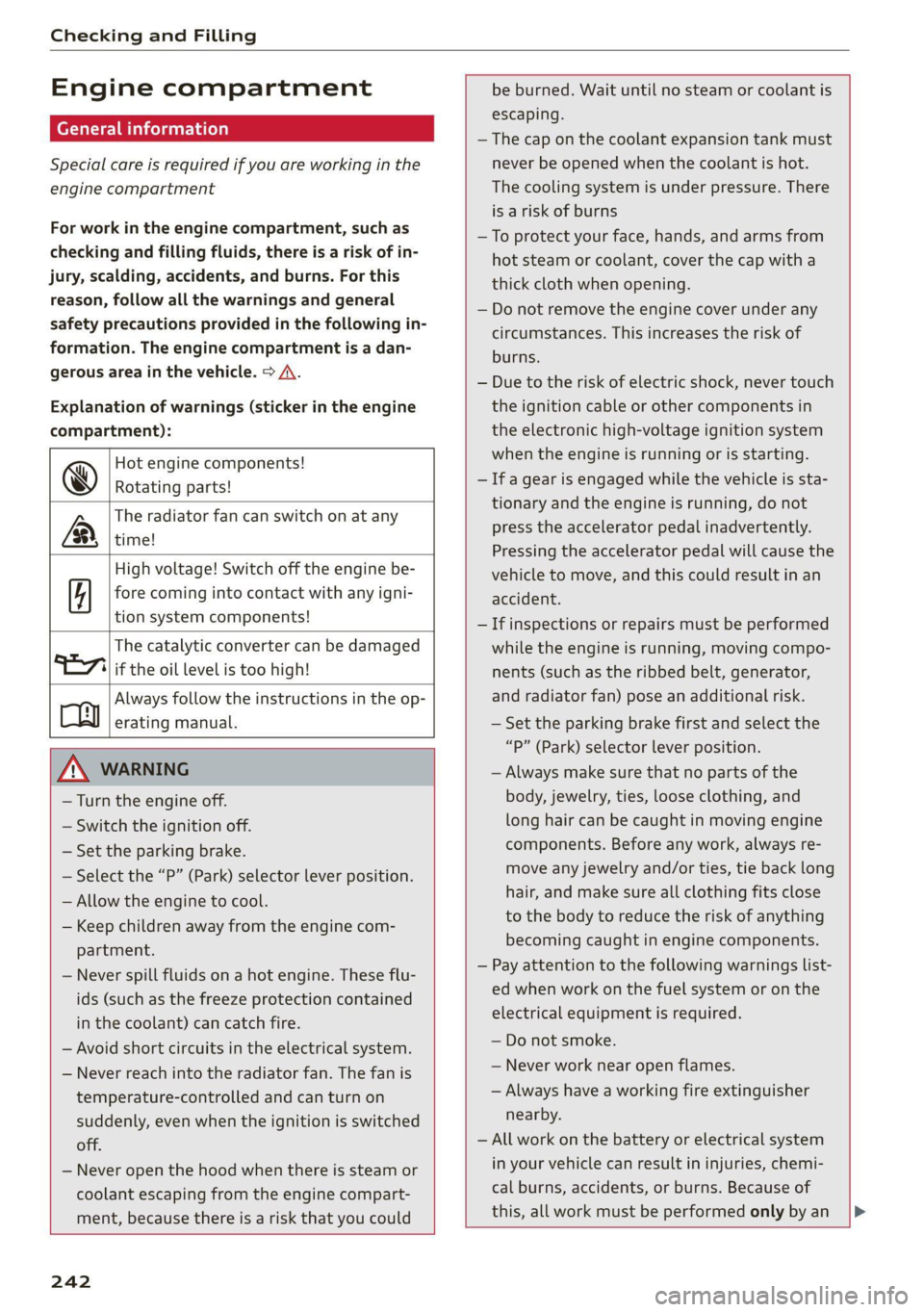
gerous area in the vehicle. > A.
Explanation of warnings (sticker in the engine
compartment):
Hot engine components!
@ Rotating parts!
The radiator fan can switch on at any
LR, time!
High voltage! Switch off the engine be-
fore coming into contact with any igni-
tion system components!
The catalytic converter can be damaged
"277 if the oil level is too high!
Always follow the instructions in the op-
oy erating manual.
ZA WARNING
— Turn the engine off.
— Switch the ignition off.
— Set the parking brake.
— Select the “P” (Park) selector lever position.
— Allow the engine to cool.
— Keep children away from the engine com-
partment.
— Never spill fluids on a hot engine. These flu-
ids (such as the freeze protection contained
in the coolant) can catch fire.
— Avoid short circuits in the electrical system.
— Never reach into the radiator fan. The fan is
temperature-controlled and can turn on
suddenly, even when the ignition is switched
off.
— Never open the hood when there is steam or
coolant escaping from the engine compart-
ment, because there is a risk that you could
be burned. Wait until no steam or coolant is
escaping.
— The cap on the coolant expansion tank must
never be opened when the coolant is hot.
The cooling system is under pressure. There
is a risk of burns
—To protect your face, hands, and arms from
hot steam or coolant, cover the cap with a
thick cloth when opening.
— Do not remove the engine cover under any
circumstances. This increases the risk of
burns.
— Due to the risk of electric shock, never touch
the ignition cable or other components in
the electronic high-voltage ignition system
when the engine is running or is starting.
— If a gear is engaged while the vehicle is sta-
tionary and the engine is running, do not
press the accelerator pedal inadvertently.
Pressing the accelerator pedal will cause the
vehicle to move, and this could result in an
accident.
— If inspections or repairs must be performed
while the engine is running, moving compo-
nents (such as the ribbed belt, generator,
and radiator fan) pose an additional risk.
— Set the parking brake first and select the
“p” (Park) selector lever position.
— Always make sure that no parts of the
body, jewelry, ties, loose clothing, and
long hair can be caught in moving engine
components. Before any work, always re-
move any jewelry and/or ties, tie back long
hair, and make sure all clothing fits close
to the body to reduce the risk of anything
becoming caught in engine components.
— Pay attention to the following warnings list-
ed when work on the fuel system or on the
electrical equipment is required.
— Do not smoke.
— Never work near open flames.
— Always have a working fire extinguisher
nearby.
— All work on the battery or electrical system
in your vehicle can result in injuries, chemi-
cal burns, accidents, or burns. Because of
this, all work must be performed only by an
242
Page 251 of 332
4M8012721BF
Checking and Filling
the vehicle will be operated. If the coolant addi-
tive percentage is too low, the coolant can freeze
and damage the engine.
Coolant Freeze protec-
additive tion
Warm min. 40% min. -13 °F
regions max. 45% (25 °C)
Cold min. 50% max. -40 °F
regions max. 55% (-40 °C)
® Note
— Before the start of winter, have an author-
ized Audi dealer or authorized Audi Service
Facility check if the coolant additive in your
vehicle matches the percentage appropriate
for the climate. This is especially important
when driving in colder climates.
— If the G12evo coolant additive is not availa-
ble in an emergency, do not add any other
additive. You could damage the engine. If
this happens, only use distilled water and
restore the correct mixture ratio with the
specified coolant additive as soon as possi-
ble.
— Only refill with new coolant.
— Radiator sealant must not be mixed with
the coolant.
— You can continue driving if the permitted
G12evo coolant additive was not added.
However, go to an authorized Audi dealer or
authorized Audi Service Facility immediately
to have the coolant replaced to reduce the
risk of engine damage.
— Due to the risk of engine damage, the cool-
ing system should only be refilled by an au-
thorized Audi dealer or authorized Audi
Service Facility. An authorized Audi dealer or
authorized Audi Service Facility can also pro-
vide you with important information about
the recommended coolant additive.
= 5 [RAZ-0540
MIN
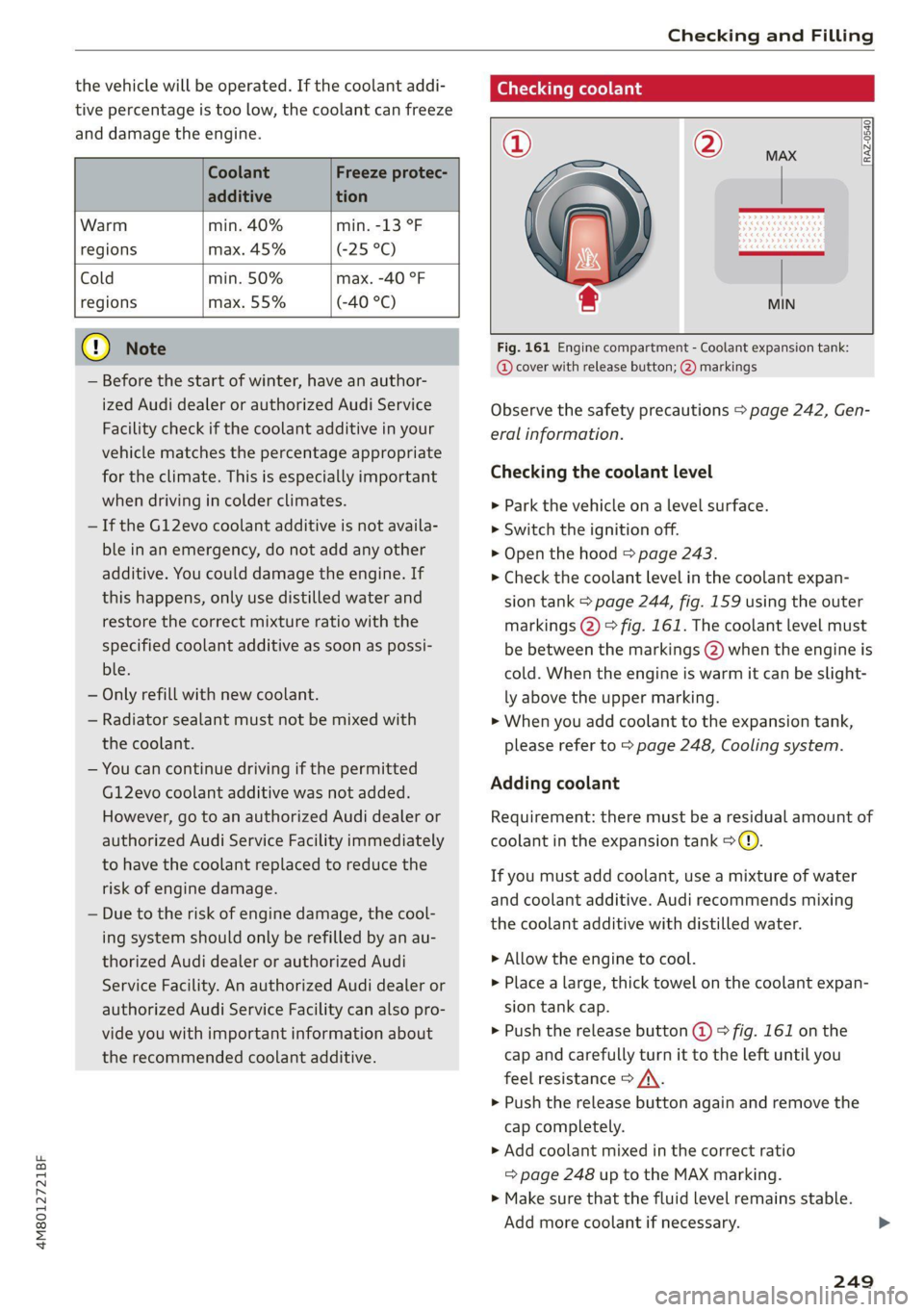
Fig. 161 Engine compartment - Coolant expansion tank:
@ cover with release button; @) markings
Observe the safety precautions > page 242, Gen-
eral information.
Checking the coolant level
> Park the vehicle on a level surface.
> Switch the ignition off.
> Open the hood > page 243.
» Check the coolant level in the coolant expan-
sion tank > page 244, fig. 159 using the outer
markings (2) > fig. 161. The coolant level must
be between the markings (2) when the engine is
cold. When the engine is warm it can be slight-
ly above the upper marking.
>» When you add coolant to the expansion tank,
please refer to > page 248, Cooling system.
Adding coolant
Requirement: there must be a residual amount of
coolant in the expansion tank >@.
If you must add coolant, use a mixture of water
and coolant additive. Audi recommends mixing
the coolant additive with distilled water.
> Allow the engine to cool.
> Place a large, thick towel on the coolant expan-
sion tank cap.
> Push the release button @) © fig. 161 on the
cap and carefully turn it to the left until you
feel resistance > A\.
> Push the release button again and remove the
cap completely.
> Add coolant mixed in the correct ratio
=> page 248 up to the MAX marking.
> Make sure that the fluid level remains stable.
Add more coolant if necessary.
249
Page 252 of 332
Checking and Filling
> Turn the cap to the right to tighten it until you
feel resistance a second time.
Coolant loss usually indicates that there is a leak.
Immediately drive your vehicle to an authorized
Audi dealer or authorized Audi Service Facility
and have the cooling system inspected. If the
cooling system is not leaking, coolant loss can re-
sult from the coolant boiling due overheating
and then being forced out of the cooling system.
ZX WARNING
— The engine compartment in any vehicle is a
potentially dangerous area. Stop the engine,
switch the ignition off, and allow the engine
to cool before working in the engine com-
partment. Always follow the information
found in > page 242, General information.
— Never open the hood if you can see or hear
steam or coolant escaping from the engine
compartment. This increases the risk of
burns. The cooling system is under pressure.
When you no longer see or hear steam or
coolant escaping, you may open the engine
compartment with caution.
— When working in the engine compartment,
remember that the radiator fan can switch
on even if the ignition is switched off, which
increases the risk of injury.
— Coolant additive and coolant can be danger-
ous to your health. For this reason, store the
coolant in the original container and away
from children. There is a risk of poisoning.
© Note
Do not continue driving if the coolant expan-
sion tank is empty. Do not add any coolant,
because air could enter the cooling system
and damage the engine. See an authorized
Audi dealer or authorized Audi Service Facility
for assistance.
250
Brake fluid
BFV-0229]
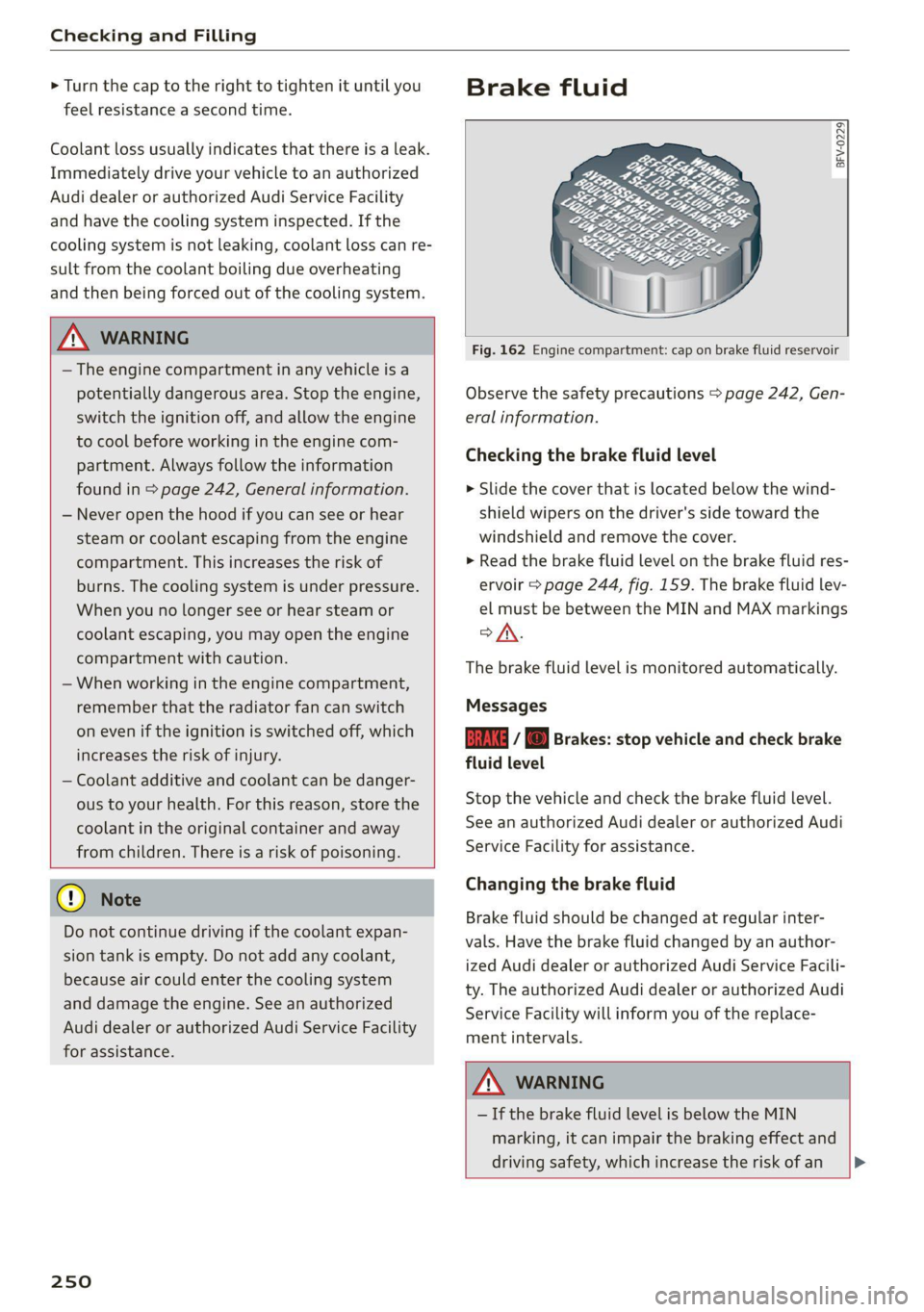
Fig. 162 Engine compartment: cap on brake fluid reservoir
Observe the safety precautions > page 242, Gen-
eral information.
Checking the brake fluid level
> Slide the cover that is located below the wind-
shield wipers on the driver's side toward the
windshield and remove the cover.
> Read the brake fluid level on the brake fluid res-
ervoir > page 244, fig. 159. The brake fluid lev-
el must be between the MIN and MAX markings
ANG
The brake fluid level is monitored automatically.
Messages
GG fi @® Brakes: stop vehicle and check brake
fluid level
Stop the vehicle and check the brake fluid level.
See an authorized Audi dealer or authorized Audi
Service Facility for assistance.
Changing the brake fluid
Brake fluid should be changed at regular inter-
vals. Have the brake fluid changed by an author-
ized Audi dealer or authorized Audi Service Facili-
ty. The authorized Audi dealer or authorized Audi
Service Facility will inform you of the replace-
ment intervals.
A WARNING
— If the brake fluid level is below the MIN
marking, it can impair the braking effect and
driving safety, which increase the risk of an
Page 256 of 332
Checking and Filling
— A highly explosive mixture of gases can form
when charging batteries. Only charge the
battery in well-ventilated areas.
— A drained battery can freeze at tempera-
tures around 32 °F (0 °C). Do not charge or
use a frozen or thawed battery. If ice forms,
the battery housing can crack and battery
electrolyte can leak out, which increases the
risk of an explosion and chemical burns.
Contact an authorized Audi dealer or author-
ized Audi Service Facility for more informa-
tion.
— Do not connect or disconnect the charging
cable while charging because this increases
the risk of an explosion.
G) Tips
Read all of the manufacturer's instructions
for the charger before charging the battery.
Windshield washer
system
B4M-0135)
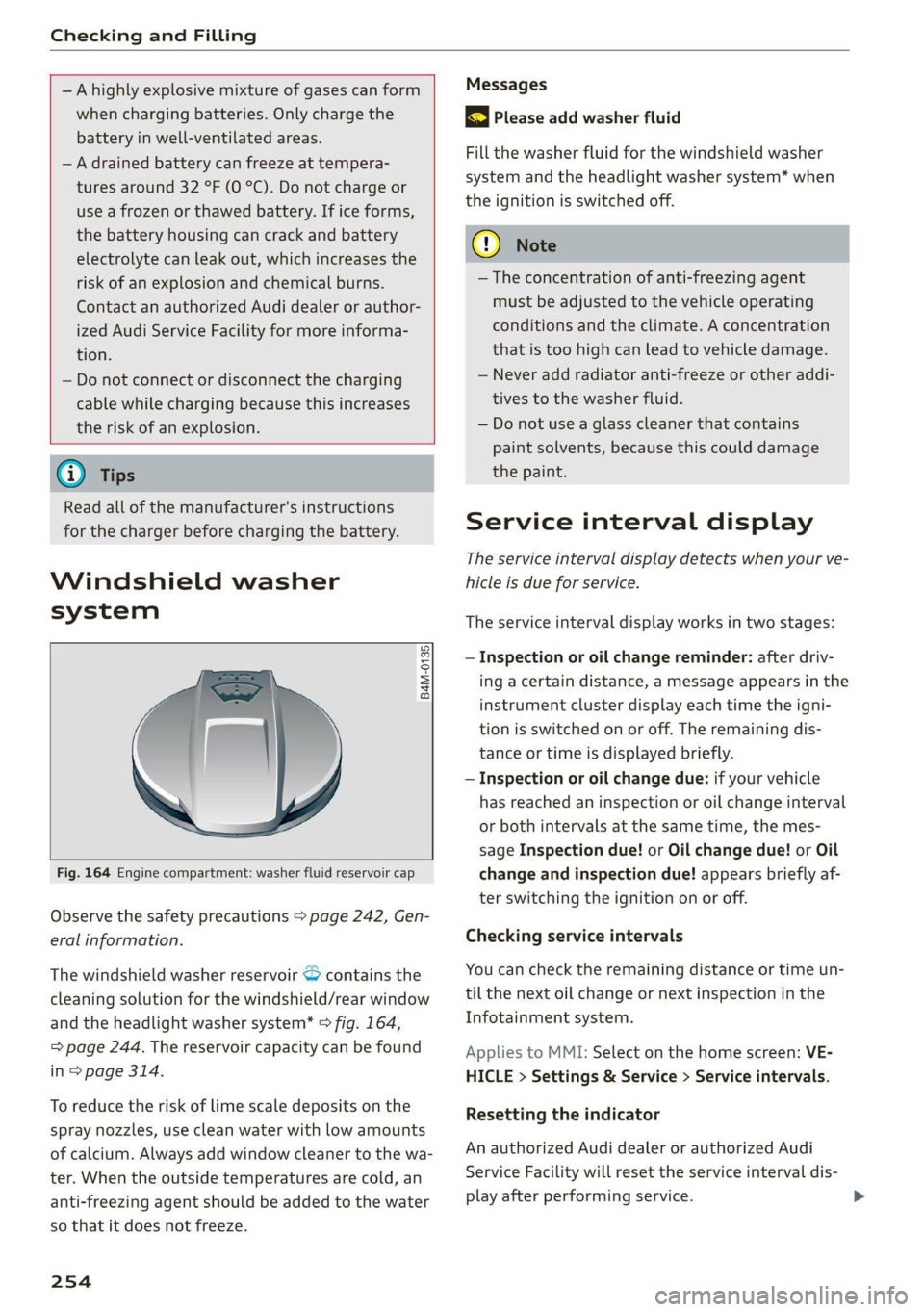
Fig. 164 Engine compartment: washer fluid reservoir cap
Observe the safety precautions > page 242, Gen-
eral information.
The windshield washer reservoir © contains the
cleaning solution for the windshield/rear window
and the headlight washer system* > fig. 164,
=> page 244. The reservoir capacity can be found
in > page 314.
To reduce the risk of lime scale deposits on the
spray nozzles, use clean water with low amounts
of calcium. Always add window cleaner to the wa-
ter. When the outside temperatures are cold, an
anti-freezing agent should be added to the water
so that it does not freeze.
254
Messages
gs Please add washer fluid
Fill the washer fluid for the windshield washer
system and the headlight washer system* when
the ignition is switched off.
C) Note
— The concentration of anti-freezing agent
must be adjusted to the vehicle operating
conditions and the climate. A concentration
that is too high can lead to vehicle damage.
— Never add radiator anti-freeze or other addi-
tives to the washer fluid.
— Do not use a glass cleaner that contains
paint solvents, because this could damage
the paint.
Service interval display
The service interval display detects when your ve-
hicle is due for service.
The service interval display works in two stages:
— Inspection or oil change reminder: after driv-
ing a certain distance, a message appears in the
instrument cluster display each time the igni-
tion is switched on or off. The remaining dis-
tance or time is displayed briefly.
— Inspection or oil change due: if your vehicle
has reached an inspection or oil change interval
or both intervals at the same time, the mes-
sage Inspection due! or Oil change due! or Oil
change and inspection due! appears briefly af-
ter switching the ignition on or off.
Checking service intervals
You can check the remaining distance or time un-
til the next oil change or next inspection in the
Infotainment system.
Applies to MMI: Select on the home screen: VE-
HICLE > Settings & Service > Service intervals.
Resetting the indicator
An authorized Audi dealer or authorized Audi
Service Facility will reset the service interval dis-
play after performing service.
Page 314 of 332
Accessories and technical changes
conditions: (1) This device may not cause harmful
interference, and (2) this device must accept any
interference received, including interference that
may cause undesired operation.
FCC Part 15.21
Changes or modifications not expressly approved
by the party responsible for compliance could
void the user's authority to operate the equip-
ment.
RSS-Gen
This device contains licence-exempt transmit-
ter(s)/receiver(s) that comply with Innovation,
Science and Economic Development Canada’s li-
cence-exempt RSS(s). Operation is subject to the
following two conditions:
(1) This device may not cause interference; and
(2) This device must accept any interference, in-
cluding interference that may cause undesired
operation of the device.
RSS 102
Radiofrequency radiation exposure Information:
This equipment complies with FCC and ISED radi-
ation exposure limits set forth for an uncontrol-
led environment. This equipment should be in-
stalled and operated with minimum distance of
20 cm (8 inches) between the radiator and your
body. This transmitter must not be co-located or
operating in conjunction with any other antenna
or transmitter.
Integrated Toll Module* - FCC (USA) and
ISED (Canada)
This device complies with FCC rules part 90 and
Innovation, Science, and Economic Development
Canada RSS-137. Operation is subject to the fol-
lowing two conditions: (1) This device may not
cause harmful interference, and (2) This device
must accept any interference that may be re-
ceived including interference that may cause un-
desired operation. WARNING: The transmitter
has been tested and complies with FCC and ISED
rules. Changes or modifications not expressly ap-
proved by the party responsible for compliance
could void the user’s authority to operate the de-
vice.
312
This equipment complies with FCC and ISED radi-
ation exposure limits set forth for an uncontrol-
led environment. End Users must follow the spe-
cific operating instructions for satisfying RF ex-
posure compliance. This transmitter must be at
least 20 cm (8 inches) from the user and must
not be cotocated or operating in conjunction
with any other antenna or transmitter.
@ Tips
Additional information or supplements about
the radio systems based on the vehicle equip-
ment and country can be found on the follow-
ing website: www.audi.com/generalinfo