brake light AUDI R8 COUPE 2020 Owner's Manual
[x] Cancel search | Manufacturer: AUDI, Model Year: 2020, Model line: R8 COUPE, Model: AUDI R8 COUPE 2020Pages: 308, PDF Size: 82.41 MB
Page 78 of 308
Assist systems
Applies to: vehicles with cruise control system
ICRUISE| / §) Speed control system: currently un-
available. See owner's manual
If the indicator light turns on and this message
appears, the cruise control system has been deac-
tivated. There is a temporary malfunction, for ex-
ample the brakes are overheating. Switch the
cruise control system on again later.
Lap timer
Lap timer
You can measure and analyze lap times with the
lap timer in the display. The time is measured in
minutes, seconds and 1/10 seconds. With lap
times longer than 60 minutes, the hour is also
shown and the display of 1/10 seconds is re-
moved.
The time measurement on an individual lap ends
after 99 hours 59 minutes and 59 seconds. A new
lap starts automatically after that.
The measurement ends after a maximum of 30
laps. You can then evaluate the lap times or start
a new time measurement.
You can control the lap timer using the controls
on the multifunction steering wheel > page 76.
ZA\ WARNING
Your focus should always be on driving your
vehicle safely. As the driver, you have com-
plete responsibility for safety in traffic. Only
use the functions such as the lap timer in such
a way that you always maintain complete con-
trol over your vehicle in all traffic situations.
G) Tips
You can retrieve information from the trip
computer while the lap timer stopwatch is
running.
76
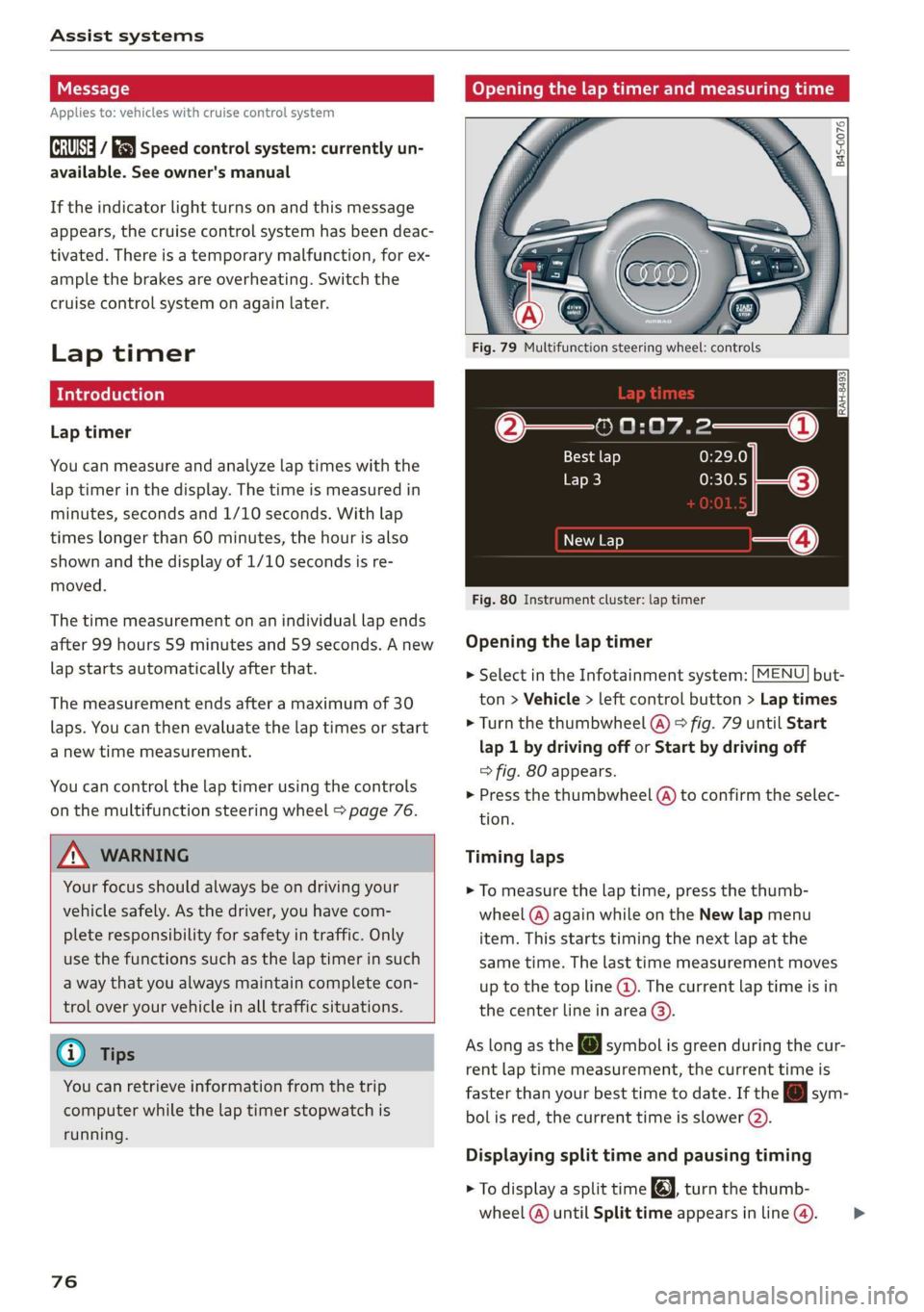
Opening the lap timer and measuring time
B4S-0076
Fig. 79 Multifunction steering wheel: controls
@—» 0:07.2——_@
Best lap 0:29.0
To} 0:30.5
New Lap
Fig. 80 Instrument cluster: lap timer
Opening the lap timer
> Select in the Infotainment system: [MENU] but-
ton > Vehicle > left control button > Lap times
> Turn the thumbwheel @) ° fig. 79 until Start
lap 1 by driving off or Start by driving off
=> fig. 80 appears.
> Press the thumbwheel (a) to confirm the selec-
tion.
Timing laps
> To measure the lap time, press the thumb-
wheel @) again while on the New lap menu
item. This starts timing the next lap at the
same time. The last time measurement moves
up to the top line @). The current lap time is in
the center line in area @).
As
long as the [J symbol is green during the cur-
rent lap time measurement, the current time is
faster than your best time to date. If the @ sym-
bolis red, the current time is slower (@).
Displaying split time and pausing timing
> To display a split time @, turn the thumb-
wheel (@) until Split time appears in line @). >
Page 88 of 308
Intelligent Technology
Intelligent Technology
Electronic stabilization
control (ESC)
Electronic Stabilization Control (ESC) supports
driver safety. It reduces the risk of slipping and
improves driving stability. ESC detects critical sit-
uations such as the vehicle oversteering and un-
dersteering or the wheels are spinning. The
brakes are applied or the engine torque is re-
duced in order to stabilize the vehicle. When the
ESC engages, the B indicator light blinks in the
instrument cluster.
The following systems are integrated in the ESC:
Anti-lock braking system (ABS)
ABS prevents the wheels from locking when brak-
ing. The vehicle can still be steered even during
hard braking. Apply steady pressure to the brake
pedal. Do not pump the pedal. A pulsing in the
brake pedal indicates that the system is acting to
stabilize the vehicle.
Brake assist system
The brake assist system can decrease braking dis-
tance. It increases braking power when the driver
presses the brake pedal quickly in emergency sit-
uations. You must press and hold the brake pedal
until the dangerous situation is over.
Anti-Slip Regulation (ASR)
ASR reduces drive power when the drive wheels
begin spinning and adapts the power to the road
conditions. This makes it easier to start, acceler-
ate and drive up hills.
Electronic Differential Lock (EDL)
The EDL applies the brakes to wheels that are
slipping and transfers the drive power to the oth-
er wheels. This function is not available at higher
speeds.
In extreme cases, EDL automatically switches off
to keep the brake on the braked wheel from over-
heating. The vehicle is still functioning correctly.
86
EDL will switch on again automatically when con-
ditions have returned to normal.
Power steering
The ESC can also support vehicle stability
through steering.
Selective wheel torque control
Selective wheel torque control is used when driv-
ing on curves. Braking is targeted toward the
wheels on the inside of the curve as needed. This
allows more precise driving in curves.
Automatic post-collision braking system
The automatic post-collision braking system can
help to reduce the risk of sliding and of addition-
al collisions after an accident. If the airbag con-
trol module detects a collision above a certain ve-
hicle speed, the vehicle is braked by the ESC.
The vehicle does not brake automatically if one of
the following occurs:
— The driver presses the accelerator pedal
—The braking force generated by the pressed
brake pedal is greater than the braking force
that would be initiated by the system
— The ESC, the brake system, or the vehicle elec-
trical system is not functioning
ZA WARNING
— The ESC and its integrated systems cannot
overcome the limits imposed by natural
physical laws. This is especially important on
slippery or wet roads. If the systems begin
acting to stabilize your vehicle, you should
immediately alter your speed to match the
road and traffic conditions. Do not let the in-
creased safety provided tempt you into tak-
ing risks. This could increase your risk of a
collision.
— Please note the risk of a collision increases
when driving fast, especially through curves
and on slippery or wet roads, and when driv-
ing too close to objects ahead. There is still
a risk of accidents because the ESC and its
integrated systems cannot always prevent
collisions.
Page 90 of 308
Intelligent Technology
— There is no vehicle stabilization when
ESC/ASR are switched off.
@) Tips
— When the cruise control system* is switched
on, ESC/ASR cannot be switched off or sport
mode cannot be switched on.
— Malfunctions in the rear spoiler, in the Audi
magnetic ride or in the all wheel drive sys-
tem* may make it impossible to switch the
ESC/ASR off or to switch sport mode on.
— Some driving tracks (such as ones with
steep curves) can influence the ESC per-
formance.
Brakes
You can apply the vehicle's brakes using the brake
pedal.
Operating noise
Noises may occur when braking depending on the
speed, braking force, and outside conditions such
as temperature and humidity.
Braking effect
The response time from the brakes depends on
the weather and environmental conditions. To
ensure the optimal braking effect, the brake sys-
tem is cleaned at regular intervals. This is done
by applying the brake pads to the brake rotors for
a short period of time when driving at high
speeds when the windshield wipers are switched
on.
If the brake system becomes damp, for example
after driving in heavy rain, the braking effect may
be delayed. Other factors that could temporarily
increase the response time of the brakes include:
— Wet conditions
— Low temperatures, ice, and snow
— Roads covered in salt
— Dirty brake pads
Corrosion
Corrosion may form on the brake rotors if there is
no heavy braking, if the vehicle is not driven for
long periods of time, or if the vehicle is not driv-
838
en frequently or for long distances. In this case,
braking heavily several times while driving at
high speeds can clean the brake rotors > A\.
Brake pads
New brake pads do not achieve their full braking
effect during the first 250 miles (400 km). They
must be “broken in” first. However, you can com-
pensate for the slightly reduced braking force by
pressing firmly on the brake pedal. Avoid heavy
braking during the break-in period.
Brake pad wear depends largely on the way the
vehicle is driven and on operating conditions.
Brake pad wear increases when driving frequently
in the city or short distances or when using a very
sporty driving style.
Ceramic brakes
Applies to: vehicles with ceramic brakes
Ceramic brakes provide excellent deceleration
rates.
The break-in period for new ceramic brakes may
be significantly longer than for standard brake
rotors. Due to the properties of the material,
they may cause noises at lower speeds. Ceramic
brakes also absorb more moisture in wet condi-
tions. Therefore, there will temporarily be less
braking force than when the brakes are dry. You
can compensate for this by pressing the brake
pedal harder.
ZA WARNING
— Only apply the brakes for the purpose of
cleaning the brake system when road and
traffic conditions permit. You must not en-
danger other road users and increase the
risk of an accident.
— Due to the risk of injury, only have an au-
thorized Audi dealer or authorized Audi
Service Facility work on the brake system.
Incorrect repairs could impair the function.
— Never let the vehicle roll while the engine is
stopped because this increases the risk of an
accident.
— Depending on vehicle equipment, the brake
pedal
may move downward automatically
during autonomous braking maneuvers. To
Page 91 of 308
4S1012721BA
Intelligent Technology
reduce the risk of injury, do not place your
foot under the brake pedal.
@) Note
— Never let the brakes “rub” by pressing the
pedal lightly when braking is not actually
necessary. This can cause the brakes to over-
heat and increases braking distance and
causes wear.
— Before driving on long stretches with steep
hills, reduce the vehicle speed and shift to a
lower gear to use the engine braking effect.
This reduces the load on the brakes. If you
need to brake additionally, brake in intervals
and not continuously.
G) Tips
— If you retrofit your vehicle with a front spoil-
er, wheel covers or similar items, make sure
that the air flow to the brakes is not ob-
structed. Otherwise the brake system can
overheat.
— Also refer to the information about brake
fluid > page 239.
Steering
Electromechanical steering supports the driver's
steering movements by electronically adapting
the power steering depending on the vehicle
speed. The settings depend on the selected Audi
drive select* mode.
Dynamic steering
Applies to: vehicles with dynamic steering
The driving dynamic and driving stability are in-
creased by the steering ratio based on the speed.
At reduced speeds, steering is direct in order to
provide agile steering behavior and keep the
steering effort as minimal as possible when the
driver is maneuvering the vehicle. This sets the
steering to be less sensitive at higher speeds in
order to provide improved vehicle control.
Messages
a Steering: malfunction! Please stop vehicle
The power steering may have failed. Adapt your
driving style immediately to compensate for the
fact that it may be more difficult to turn the
steering wheel, and stop your vehicle in a safe lo-
cation as soon as possible. Do not continue driv-
ing. See an authorized Audi dealer or authorized
Audi Service Facility for assistance.
a Steering: malfunction! You can continue
driving
There is a malfunction. Steering may be more dif-
ficult or more sensitive. Adapt your driving style.
Have the steering system checked immediately
by an authorized Audi dealer or authorized Audi
Service Facility. Please note that the red indicator
light may turn on after restarting the engine. Do
not continue driving if it does.
Dynamic steering: correcting steering wheel
Position
The steering is reinitializing. The steering wheel
will move easily after starting the vehicle. Reiniti-
alization might be necessary if the steering wheel
was moved while the engine was switched off.
The display turns off if the initialization was suc-
cessful.
@) Tips
— If there is a malfunction, the steering wheel
may be crooked when driving straight.
—Ifthe a or Ee indicator light only stays on
for a short time, you may continue driving.
All wheel drive (quattro)
Applies to: vehicles with all wheel drive
In all wheel drive, all four wheels are powered.
General information
In all wheel drive, the driving power is divided be-
tween all four wheels. This happens automatical-
ly depending on your driving behavior as well as
the current road conditions. Also see > page 86,
Electronic stabilization control (ESC).
The all wheel drive concept is designed for high
engine power. Your vehicle is exceptionally pow-
erful and has excellent driving characteristics
both under normal driving conditions and on >
89
Page 93 of 308
4S1012721BA
Intelligent Technology
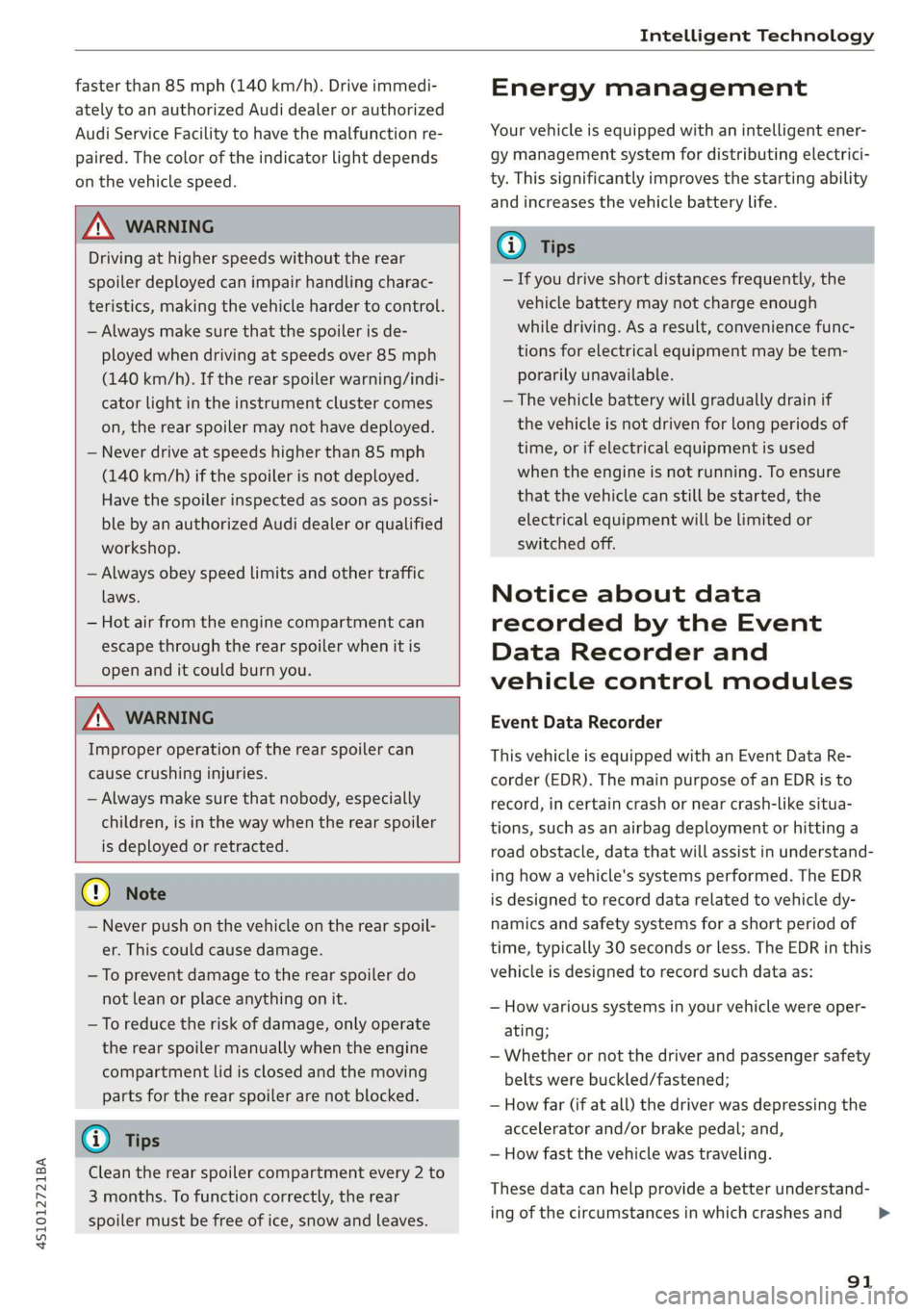
faster than 85 mph (140 km/h). Drive immedi-
ately to an authorized Audi dealer or authorized
Audi Service Facility to have the malfunction re-
paired. The color of the indicator light depends
on the vehicle speed.
ZA WARNING
Driving at higher speeds without the rear
spoiler deployed can impair handling charac-
teristics, making the vehicle harder to control.
— Always make sure that the spoiler is de-
ployed when driving at speeds over 85 mph
(140 km/h). If the rear spoiler warning/indi-
cator light in the instrument cluster comes
on, the rear spoiler may not have deployed.
— Never drive at speeds higher than 85 mph
(140 km/h) if the spoiler is not deployed.
Have the spoiler inspected as soon as possi-
ble by an authorized Audi dealer or qualified
workshop.
— Always obey speed limits and other traffic
laws.
— Hot air from the engine compartment can
escape through the rear spoiler when it is
open and it could burn you.
ZA\ WARNING
Improper operation of the rear spoiler can
cause crushing injuries.
— Always make sure that nobody, especially
children, is in the way when the rear spoiler
is deployed or retracted.
©) Note
— Never push on the vehicle on the rear spoil-
er. This could cause damage.
— To prevent damage to the rear spoiler do
not lean or place anything on it.
—To reduce the risk of damage, only operate
the rear spoiler manually when the engine
compartment lid is closed and the moving
parts for the rear spoiler are not blocked.
G@) Tips
Clean the rear spoiler compartment every 2 to
3 months. To function correctly, the rear
spoiler must be free of ice, snow and leaves.
Energy management
Your vehicle is equipped with an intelligent ener-
gy management system for distributing electrici-
ty. This significantly improves the starting ability
and increases the vehicle battery life.
(i) Tips
— If you drive short distances frequently, the
vehicle battery may not charge enough
while driving. As a result, convenience func-
tions for electrical equipment may be tem-
porarily unavailable.
— The vehicle battery will gradually drain if
the vehicle is not driven for long periods of
time, or if electrical equipment is used
when the engine is not running. To ensure
that the vehicle can still be started, the
electrical equipment will be limited or
switched off.
Notice about data
recorded by the Event
Data Recorder and
vehicle control modules
Event Data Recorder
This vehicle is equipped with an Event Data Re-
corder (EDR). The main purpose of an EDR is to
record, in certain crash or near crash-like situa-
tions, such as an airbag deployment or hitting a
road obstacle, data that will assist in understand-
ing how a vehicle's systems performed. The EDR
is designed to record data related to vehicle dy-
namics and safety systems for a short period of
time, typically 30 seconds or less. The EDR in this
vehicle is designed to record such data as:
— How various systems in your vehicle were oper-
ating;
— Whether or not the driver and passenger safety
belts were buckled/fastened;
— How far (if at all) the driver was depressing the
accelerator and/or brake pedal; and,
— How fast the vehicle was traveling.
These data can help provide a better understand-
ing of the circumstances in which crashes and
91
>
Page 231 of 308

4S1012721BA
Checking and Filling
the high temperature of the emissions sys- or authorized Audi Service Facility to have the
tem could start a fire. malfunction corrected.
— Do not apply underbody protectant in the
exhaust system area, because this increases AN WARNING
the risk of fire. Incorrect use of the connection port for the
On Board Diagnostic System can cause mal-
eo functions, which can then result in accidents
and serious injuries.
Follow the safety precautions > page 228, Gener- — Only allow an authorized Audi dealer or au-
al information. thorized Audi Service Facility to read out the
engine data.
The vehicle may only be driven with unleaded
gasoline, or the catalytic converter will be de- .
stroyed. Engine compartment
Never drive until the tank is completely empty. General information
The irregular supply of fuel that results from that
can cause engine misfires. Uncombusted fuel
could enter the exhaust system, which could
Special care is required if you are working in the
engine compartment
cause overheating and damage to the catalytic For work in the engine compartment, such as
converter. checking and filling fluids, there is a risk of in-
jury, scalding, accidents, and burns. For this
On Board Diagnostic System (OBD) reason, follow all the warnings and general
safety precautions provided in the following in-
formation. The engine compartment is a dan-
gerous area. > /\.
The On Board Diagnostic System monitors the
engine and transmission components that influ-
ence emissions.
ZA\ WARNING
— Turn the engine off.
— Switch the ignition off.
— Set the parking brake.
— Select the “P” (Park) selector lever position.
— Allow the engine to cool.
— Keep children away from the engine com-
partment.
— Never spill fluids on a hot engine. These flu-
ids (such as the freeze protection contained
in the coolant) can catch fire.
— Avoid short circuits in the electrical system.
— Never reach into the radiator fan. The fan is
Engine data can be read out at the On Board Di- temperature-controlled and can turn on
agnostic System connection port using a special suddenly, even when the ignition is switched
testing device > fig. 175. off.
S S$
z a
port for the On Board Diagnostic System (OBD)
On Board Diagnostic System
Indicator light — Never open the engine compartment lid
when there is steam or coolant escaping
from the engine compartment, because
there is a risk that you could be burned.
Wait until no steam or coolant is escaping.
If the S indicator light blinks or turns on, there
is a malfunction that is causing poor emissions
quality and that could damage the catalytic con-
verter. Drive slowly to an authorized Audi dealer
229
Page 242 of 308

Checking and Filling
authorized Audi dealer or authorized Audi
Service Facility for assistance.
— If the brake fluid is old, bubbles may form in
the brake system during heavy braking. This
could impair braking performance and driv-
ing safety, which increases the risk of an ac-
cident.
— The brake fluid in your vehicle must meet
the standard VW 501 14 and is available at
an authorized Audi dealer or authorized Au-
di Service Facility. If this brake fluid is not
available, another high-grade brake fluid of
equivalent quality may be used, and it must
meet the U.S. Federal Motor Vehicle Stand-
ard (FMVSS) 116 DOT 4, Class 6.
@) Note
— If the brake fluid level is above the MAX
marking, brake fluid may leak out over the
edge of the reservoir and result in damage
to the vehicle.
— Do not allow any brake fluid to come into
contact with the vehicle paint, because it
will corrode the paint.
Electrical system
If the = or fl] indicator light turns on, there is a
malfunction in the generator, the battery, or the
vehicle electrical system.
= Electric system: malfunction! Battery is not
being charged
Drive to an authorized Audi dealer or authorized
Audi Service Facility immediately. Turn off all un-
necessary electrical equipment because it will
drain the battery. See an authorized Audi dealer
or authorized Audi Service Facility if the battery
charge level is too low.
= Electrical system: low battery charge. Bat-
tery will be charged while driving
The starting ability may be impaired.
If this message turns off after a little while, the
vehicle battery has charged enough while driving.
240
If this message does not turn off, drive immedi-
ately to an authorized Audi dealer or authorized
Audi Service Facility.
Battery
Battery general information
Because of the complex power supply, all work on
batteries such as disconnecting, replacing, etc.,
should only be performed by an authorized Audi
dealer or authorized Audi Service Facility > A\.
Multiple batteries with different technologies
may be installed in your vehicle:
— Vehicle battery (for example, for starting the
engine, basic power supply) > page 241, Lead
battery or > page 241, Other battery types
— Auxiliary battery (for example, for recuperation
or optional equipment) > page 241, Other bat-
tery types
Not running the vehicle for long periods of
time
The battery will gradually drain if the vehicle
does not run for long periods of time. To ensure
that the vehicle can still be started, the electrical
equipment will be limited or switched off. Some
convenience functions, such as interior lighting
or power seat adjustment, may not be available
under certain circumstances. The convenience
functions will be available again when you start
the
engine.
Even when electrical equipment is switched off,
the equipment can still drain the battery if the
vehicle is not driven for long periods of time.
Deep draining results in a chemical reaction that
destroys the inside of the battery. The battery
must be charged every month to prevent this
= page 242. Contact an authorized Audi dealer or
authorized Audi Service Facility for more infor-
mation.
Winter operation
Cold weather places higher demands on the bat-
tery. This results in reduced starting ability. Have
the battery checked by an authorized Audi dealer
or authorized Audi Service Facility before cold
weather begins.
Page 268 of 308
Care and cleaning
ZA WARNING
—To reduce the risk of accidents, only wash
the vehicle when the ignition is off and fol-
low the instructions from the car wash oper-
ator.
—To reduce the risk of cuts, protect yourself
from sharp metal components when wash-
ing the underbody or the inside of the wheel
housings.
— After washing the vehicle, the braking effect
may be delayed due to moisture on the
brake rotors or ice in the winter. This in-
creases the risk of an accident. The brakes
must be dried with a few careful brake appli-
cations.
©) Note
— If you wash the vehicle in an automatic car
wash, you must retract the extendable rear
spoiler* if necessary, and fold the exterior
mirrors in to reduce the risk of damage.
Power folding exterior mirrors* must only
be folded in and out using the power folding
function.
—To reduce the risk of paint damage, do not
wash the vehicle in direct sunlight.
—To reduce the risk of damage, do not wash
decorative decals* with a pressure washer.
—To reduce the risk of damage, do not wash
the power top with a pressure washer.
—To reduce the risk of damage to the surface,
do not use insect removing sponges, kitchen
sponges, or similar items.
— When washing matte finish painted vehicle
components:
—To reduce the risk of damage to the sur-
face, do not use polishing agents or hard
wax.
— Never use protective wax. It can destroy
the matte finish effect.
— Do not place any stickers or magnetic
signs on vehicle components painted with
matte finish paint. The paint could be
damaged when the stickers or magnets
are removed.
(*) For the sake of the environment
Only wash the vehicle in facilities specially de-
signed for that purpose. This will reduce the
risk of dirty water contaminated with oil from
entering the sewer system.
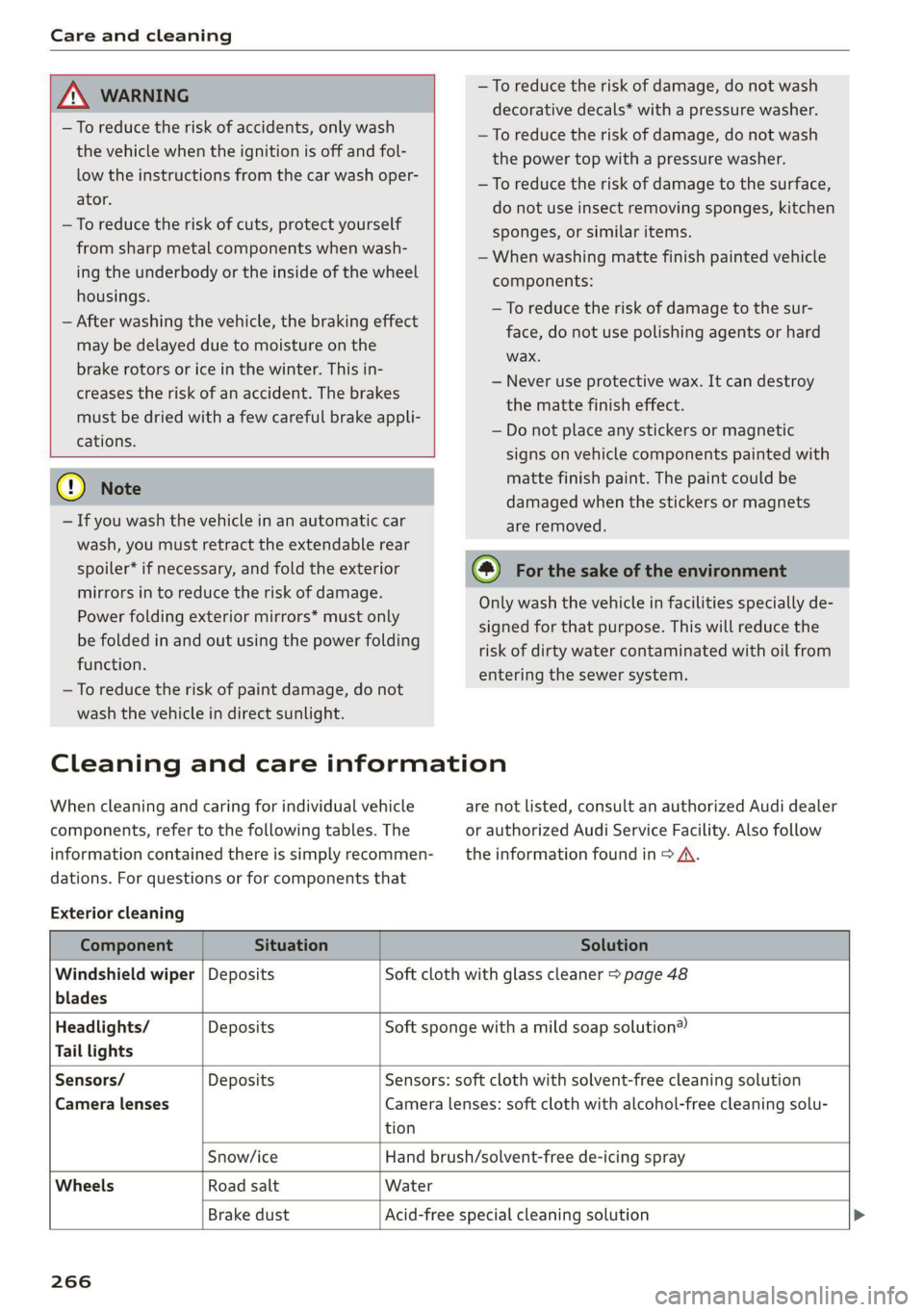
Cleaning and care information
When cleaning and caring for individual vehicle
components, refer to the following tables. The
information contained there is simply recommen-
dations. For questions or for components that
Exterior cleaning
are not listed, consult an authorized Audi dealer
or authorized Audi Service Facility. Also follow
the information found in > A.
Component Situation Solution
Windshield wiper | Deposits Soft cloth with glass cleaner > page 48
blades
Headlights/ Deposits Soft sponge with a mild soap solution®
Tail lights
Sensors/ Deposits Sensors: soft cloth with solvent-free cleaning solution
Camera lenses Camera lenses: soft cloth with alcohol-free cleaning solu-
tion
Snow/ice Hand brush/solvent-free de-icing spray
Wheels Road salt Water
Brake dust Acid-free special cleaning solution >
266
Page 284 of 308
Fuses and bulbs
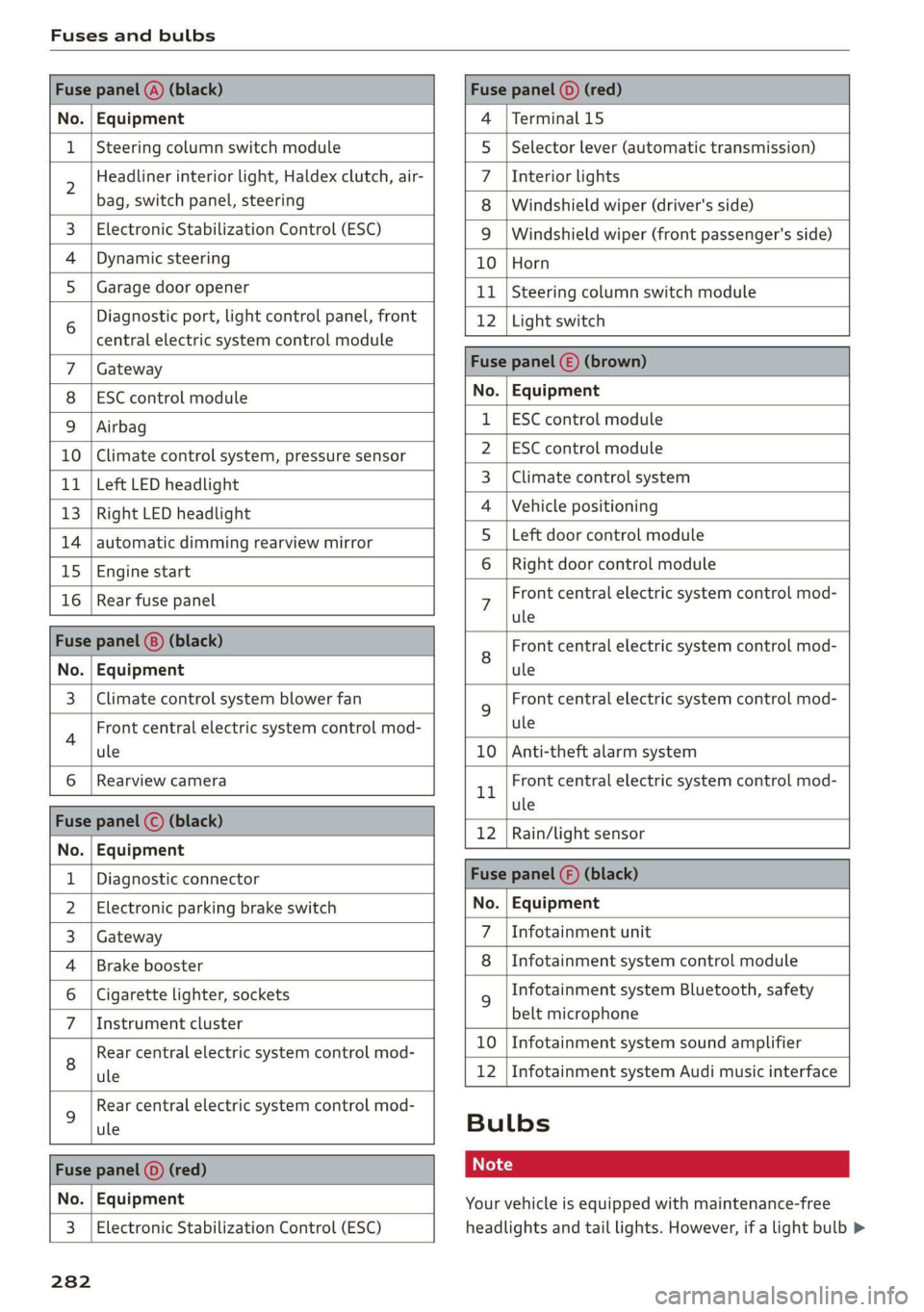
Fuse panel @) (black) Fuse panel © (red)
No. | Equipment 4 |Terminal 15
1 |Steering column switch module 5 |Selector lever (automatic transmission)
2 Headliner interior light, Haldex clutch, air- 7 |Interior lights
bag, switch panel, steering 8 | Windshield wiper (driver's side)
3. | Electronic Stabilization Control (ESC) 9 | Windshield wiper (front passenger's side)
4 |Dynamic steering 10 |Horn
5_| Garage door opener 11 | Steering column switch module
6 Diagnostic port, light control panel, front 12 | Light switch
central electric system control module —
Gateway Fuse panel () (brown)
ESC control module No. | Equipment
Airbag 1 |ESC control module
10 | Climate control system, pressure sensor 2_|ESC control module
11 | Left LED headlight 3 | Climate control system
13 |Right LED headlight 4 |Vehicle positioning
14 | automatic dimming rearview mirror 5_ Left door control module
15 |Engine start 6 |Right door control module
16 | Rear fuse panel 7 Front central electric system control mod-
ule
Fuse panel (@) (black) 8 Front central electric system control mod-
No. | Equipment ule
3 | Climate control system blower fan 9 Front central electric system control mod-
4 Front central electric system control mod- ule
ule 10 | Anti-theft alarm system
6 |Rearview camera 1 Front central electric system control mod-
- ule
nue pene) sBisch 12 |Rain/light sensor
No. | Equipment
1 | Diagnostic connector Fuse panel () (black)
2 | Electronic parking brake switch No. | Equipment
3 | Gateway 7 \Infotainment unit
4 |Brake booster 8 |Infotainment system control module
6 | Cigarette lighter, sockets 9 Infotainment system Bluetooth, safety
7 |Instrument cluster belt microphone
Rear central electric system control mod- £0 | Infotainment:system:sound amplifier
8 ule 12 | Infotainment system Audi music interface
9 Rear central electric system control mod-
ule Bulbs
Fs panel © ed ot
No. | Equipment Your vehicle is equipped with maintenance-free
3 | Electronic Stabilization Control (ESC) headlights and tail lights. However, if a light bulb >
282
Page 294 of 308
Index
Automatic belt retractor................ 183
Automatic climate control system
refer to Climate control system (automatic) . 57
Automatic post-collision braking system.... 86
Automatic transmission.................- 67
Launch Control Program..............-- 70
Parking lock emergency release.......... 73
Automatic transmission (S tronic)
Emergency program..............+000- 72
KIGKSAOW Mires v0 ences a 0 manors w ananite « oxenens «6 71
Manual shifting................2-.000- 71
Selector lever positions................- 67
Automatic wiper/washer system........... 47
Automatic zoom (navigation) ............ 141
AUX input... 2... eee eee eee 156
Average fuel consumption................ 14
Average speed..... 2.2... cee eee 14
B
BACKIBUEEON 5 wssens so snsnente « oxenen oo ateeean «sma 93
Balancei(SOUnd) eswisue so seasive «areca wv avons 171
Band
refer to Frequency band............... 146
Bassx(SOUnG) « sence uo ssesnes a a anexene a acagene a 6 ane 171
Batteny, sesciss ov axeuius 6 a axveins wo anveana © 6 eaves a 6 240
Charging.............. eee eee eee eee 242
WINtEPOPEration 5 « wea se came ge ween see 240
Befor@drivitiG sscs 2 2 came s 2 wate sb eee a is 173
Better route (navigation)................ 144
Blower... cece eee eee 57
Bluetooth
Audio player < s..s ss ices ci resa ct eeneee 153
Connecting acell phone............... 110
SettingS
0... cece eee ee eee eee 169
BoosterSeats’, « cscs + + wvosse a 0 vssness © o micas + 218
Brake fluid
Checking the brake fluid level........... 239
BRAK CS: ansse sx ccvmans 6 1 acixaue 9 0 anmeee ow emeete a 0) orate 88
Brake assist... 2.0.0... eee eee eee 86
Brake assist systeM..........: cee een eee 86
Brake:bOO@ster’. senso « « swine a 0 sania © anotane © 6 88
Brake fllid.. 2... eee eee ee 239
Electromechanical parking brake......... 65
Emergency braking function............. 65
Indicator lights................0000005 16
New brake pads ...... 0... cee ee eee eee 88
292
Break-in security feature................. 26
Breaking in
New brake pads. ..............-0000005 88
NEW TiRGStas « ¢ scion x s caum @ x aes 2 2 Heme 4G 251
Browser
refer to Media center...............-.. 158
Bulb failure (indicator light).............. 19
Bulb replacement.............-0ee eee ee 282
Buttons
Control: pariel (MMD) «se » & seam « x ogee oe 93
Cc
Cable (USB adapter/AUX connector cable).. 155
California Proposition 65 Warning........ 230
Battery speeificees:: «cies «x wasn ay wees 2 5 241
Galllist: » wersn so soee ¢ gees & sere gos were 114
Call Options sca < sae ¢ + neem « e eee & goes 122
Capacities
PUCETANG: 5s osscu oo scams v anna a 2 eee 2 8 290
Washer fluid reservoir... . cewee ees 290
Car REY sarees weauens wo wrecies a ame oo renee» 6 are 22
Carwash 2 ase so wens © 0 mene oo mene © 2 sae 265
Catalytic ConVerter’s « sens as caves xs eases a 2: 229
Cell phone
Playing:Music « wii so ensens o & cowie « 0 como 153
also refer to Telephone................ 110
Cell phone compartment
refer to Audi phone box............005 112
Center armrest............ 00.002 e eee 52
Central locking.............. cece eee ee 21
AUTO LOCK: » weave 2 namin 2 yen 3 2 ee a 2 Bas 21
Gonvenienee:key cscsese x ssw o syiens oo wswene 24
Convenience opening and closing......... 29
Mechanically unlocking and locking....... 26
Remote control key.........eseeeeeeeee 23
Setting......... 0.0.02 eee eee eee eee 25
Central locking switch..............20--. 25
Ceramic Drake Sisccis + + assens si ssetue ow cvaeere ow 88
Certifications « i ssuve s 6 amas «a saesne a 0 smvve 287
Changing light bulbs................... 282
Charging
refer to Power sourceS...........--.+--5 53,
Charging the battery (mobile devices). 112, 156
Child restraint
Danger of using child restraints in the front