oil AUDI R8 COUPE 2020 Owner's Manual
[x] Cancel search | Manufacturer: AUDI, Model Year: 2020, Model line: R8 COUPE, Model: AUDI R8 COUPE 2020Pages: 308, PDF Size: 82.41 MB
Page 241 of 308
4S1012721BA
Checking and Filling
> Tighten the cap @ again.
Coolant loss usually indicates that there is a leak.
Immediately drive your vehicle to an authorized
Audi dealer or authorized Audi Service Facility
and have the cooling system inspected. If the
cooling system is not leaking, coolant loss can re-
sult from the coolant boiling due overheating
and then being forced out of the cooling system.
Brake fluid
ZA\ WARNING
— The engine compartment in any vehicle can
be a dangerous area. Stop the engine and al-
low it to cool before working in the engine
compartment. Always follow the informa-
tion found in > page 229, General informa-
tion.
— Never open the engine compartment lid if
you can see or hear steam or coolant escap-
ing from the engine compartment. This in-
creases the risk of burns. The cooling system
is under pressure. When you no longer see
or hear steam or coolant escaping, you may
open the engine compartment with caution.
— When working in the engine compartment,
remember that the radiator fan can switch
on even if the ignition is switched off, which
increases the risk of injury.
— Coolant additive and coolant can be danger-
ous to your health. For this reason, store the
coolant in the original container and away
from children. There is a risk of poisoning.
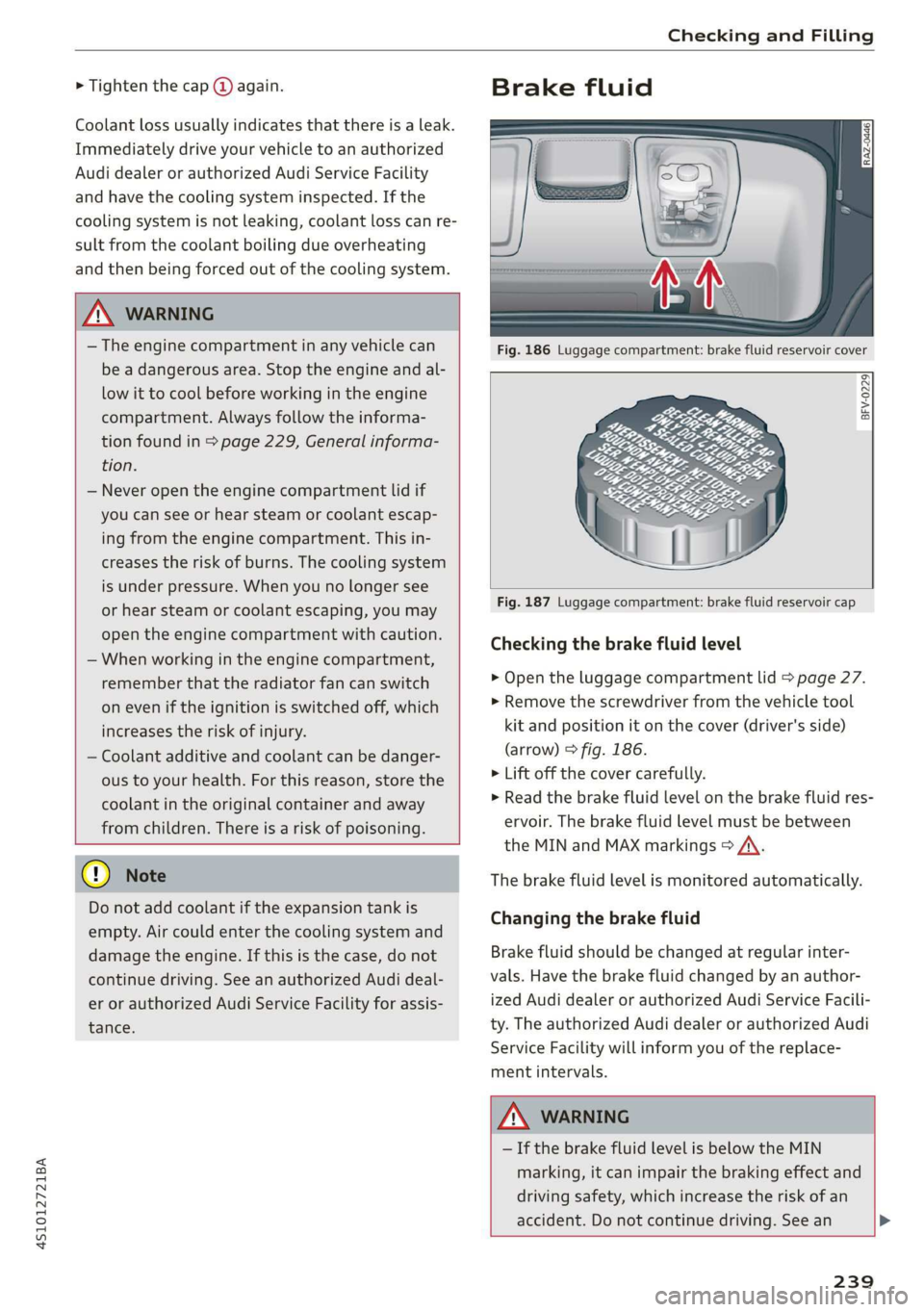
Fig. 186 Luggage compartment: brake fluid reservoir cover
BFV-0229
@) Note
Do not add coolant if the expansion tank is
empty. Air could enter the cooling system and
damage the engine. If this is the case, do not
continue driving. See an authorized Audi deal-
er or authorized Audi Service Facility for assis-
tance.
Fig. 187 Luggage compartment: brake fluid reservoir cap
Checking the brake fluid level
> Open the luggage compartment lid > page 27.
> Remove the screwdriver from the vehicle tool
kit and position it on the cover (driver's side)
(arrow) © fig. 186.
> Lift off the cover carefully.
> Read the brake fluid level on the brake fluid res-
ervoir. The brake fluid level must be between
the MIN and MAX markings > A\.
The brake fluid level is monitored automatically.
Changing the brake fluid
Brake fluid should be changed at regular inter-
vals. Have the brake fluid changed by an author-
ized Audi dealer or authorized Audi Service Facili-
ty. The authorized Audi dealer or authorized Audi
Service Facility will inform you of the replace-
ment intervals.
ZA\ WARNING
— If the brake fluid level is below the MIN
marking, it can impair the braking effect and
driving safety, which increase the risk of an
accident. Do not continue driving. See an >
239
Page 245 of 308
4S1012721BA
Checking and Filling
@) Note
— The concentration of anti-freezing agent
must be adjusted to the vehicle operating
conditions and the climate. A concentration
that is too high can lead to vehicle damage.
— Never add radiator anti-freeze or other addi-
tives to the washer fluid.
— Do not use a glass cleaner that contains
paint solvents, because this could damage
the paint.
Service interval display
The service interval display detects when your ve-
hicle is due for service.
The service interval display works in two stages:
— Inspection or oil change reminder: after a cer-
tain distance driven, a message appears in the
Infotainment system display each time the ig-
nition is switched on or off. The remaining dis-
tance or time is displayed briefly.
— Inspection or oil change due: if your vehicle
has reached an inspection or oil change interval
or both intervals at the same time, the mes-
sage Inspection due! or Oil change due! or Oil
change and inspection due! appears briefly af-
ter switching the ignition on or off.
Checking service intervals
You can check the remaining distance or time un-
til the next oil change or next inspection. Select
in the Infotainment system: the [MENU] button >
Vehicle > left control button > Service & checks >
Service intervals.
Resetting the indicator
An authorized Audi dealer or authorized Audi
Service Facility will reset the service interval dis-
play after performing service.
If you have changed the oil yourself, you must re-
set the oil change interval.
To reset the display, select in the Infotainment
system: the [MENU] button > Vehicle > left con-
trol button > Service & checks > Service intervals
> Reset oil change interval.
CG) Note
— Only reset the oil change indicator if the oil
was changed.
— Following the service intervals is critical to
maintaining the service life and value of
your vehicle, especially the engine. Even if
the mileage on the vehicle is low, do not ex-
ceed the time for the next service.
243
Page 246 of 308
Wheels
Wheels Wheels
and Tires
General information
> Check your tires regularly for
damage, such as punctures,
cuts, cracks, and bulges. Remove
foreign objects from the tire
tread.
>If driving over curbs or similar
obstacles, drive slowly and ap-
proach the curb at an angle.
> Have faulty tires or rims re-
placed immediately.
>Protect your tires from oil,
grease, and fuel.
>Mark tires before removing
them so that the same running
direction can be maintained if
they are reinstalled.
>Lay tires flat when storing and
store them ina cool, dry location
with as little exposure to light as
possible.
J WARNING
—Never drive faster than the
maximum permitted speed for
your tires. This could cause the
tires to heat up too much. This
increases the risk of an acci-
dent because it can cause the
tire to burst.
244
—Always adapt your driving to
the road and traffic condi-
tions. Drive carefully and re-
duce your speed on icy or slip-
pery roads. Even winter tires
can lose traction on black ice.
() Note
—Please note that summer and
winter tires are designed for
the conditions that are typical
in those seasons. Audi recom-
mends using winter tires dur-
ing the winter months. Low
temperatures significantly de-
crease the elasticity of summ-
er tires, which affects traction
and braking ability. If summer
tires are used in very cold tem-
peratures, cracks can form on
the tread bars, resulting in
permanent tire damage that
can cause loud driving noise
and unbalanced tires.
—Burnished, polished or
chromed rims must not be
used in winter driving condi-
tions. The surface of the rims
does not have sufficient corro-
sion protection for this and
could be permanently dam-
aged by road salt or similar
substances.
Page 249 of 308
4S1012721BA
Wheels
windows, power seats, radio, and
heater, to the extent that these
items are available as factory-in-
stalled equipment (whether in-
stalled or not).
Aspect ratio
means the ratio of the height to
the width of the tire in percent.
Numbers of 55 or lower indicate a
low sidewall for improved steer-
ing response and better overall
handling on dry pavement.
Bead
means the part of the tire that is
made of steel wires, wrapped or
reinforced by ply cords and that is
shaped to fit the rim.
Bead separation
means a breakdown of the bond
between components in the bead.
Cord
means the strands forming the
plies in the tire.
Cold tire inflation pressure
means the tire pressure recom-
mended by the vehicle manufac-
turer for a tire of a designated
size that has not been driven for
more than a couple of miles (kilo-
meters) at low speeds in the three
hour period before the tire pres-
sure is measured or adjusted.
Curb weight
means the weight of a motor ve-
hicle with standard equipment in-
cluding the maximum capacity of
fuel, oil, and coolant, air condi-
tioning and additional weight of
optional equipment.
Extra load tire
means a tire designed to operate
at higher loads and at higher in-
flation pressures than the corre-
sponding standard tire. Extra load
tires may be identified as “XL”,
“xl”, “EXTRA LOAD”, or “RF” on
the sidewall.
Gross Axle Weight Rating
(“GAWR”)
means the load-carrying capacity
of a single axle system, measured
at the tire-ground interfaces.
Gross Vehicle Weight Rating
(“GVWR”)
means the maximum total loaded
weight of the vehicle.
Groove
means the space between two ad-
jacent tread ribs.
247
>
Page 259 of 308
4S1012721BA
Wheels
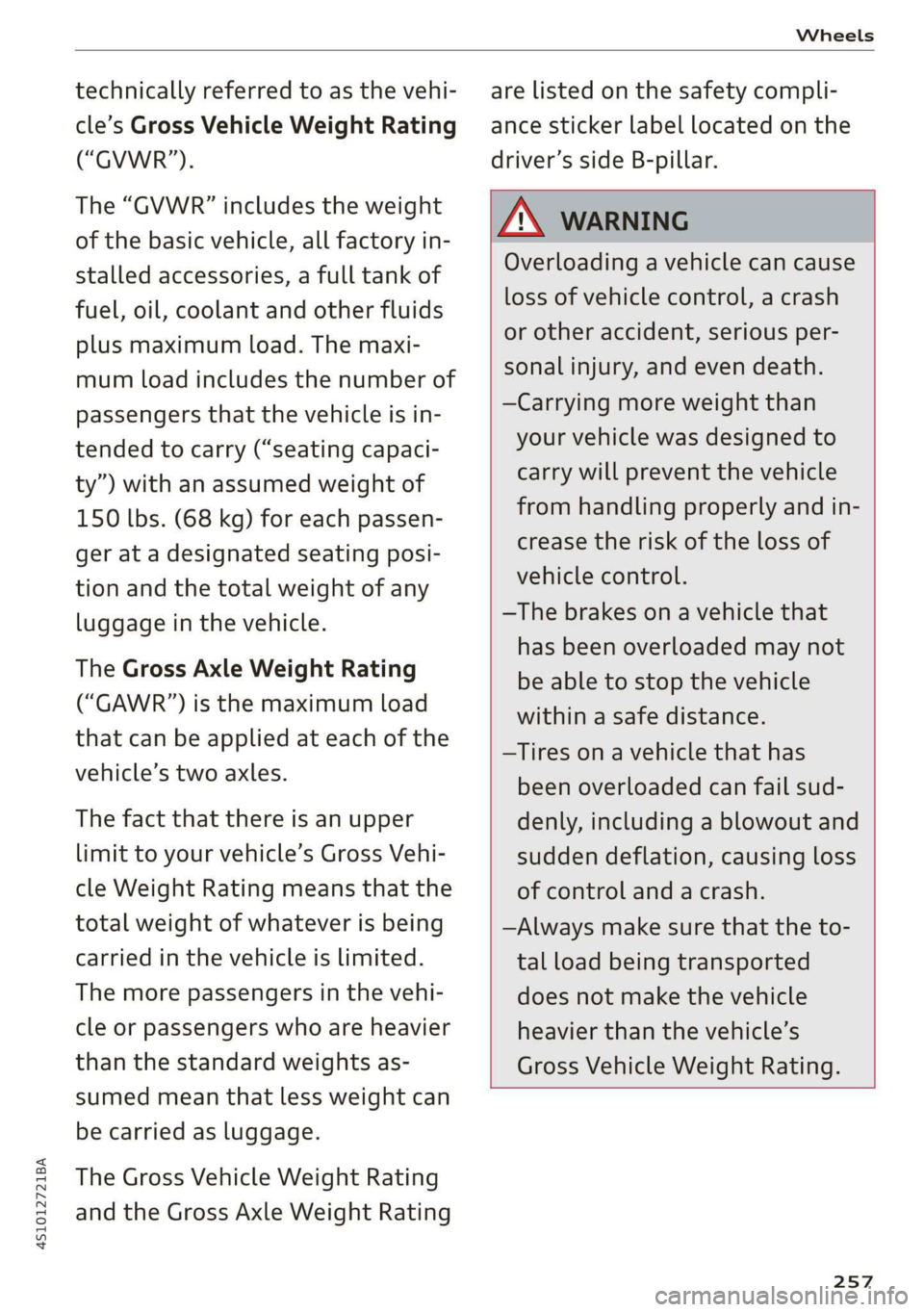
technically referred to as the vehi-
cle’s Gross Vehicle Weight Rating
(“GVWR”).
The “GVWR” includes the weight
of the basic vehicle, all factory in-
stalled accessories, a full tank of
fuel, oil, coolant and other fluids
plus maximum load. The maxi-
mum load includes the number of
passengers that the vehicle is in-
tended to carry (“seating capaci-
ty”) with an assumed weight of
150 lbs. (68 kg) for each passen-
ger at a designated seating posi-
tion and the total weight of any
luggage in the vehicle.
The Gross Axle Weight Rating
(“GAWR’”) is the maximum load
that can be applied at each of the
vehicle’s two axles.
The fact that there is an upper
limit to your vehicle’s Gross Vehi-
cle Weight Rating means that the
total weight of whatever is being
carried in the vehicle is limited.
The more passengers in the vehi-
cle or passengers who are heavier
than the standard weights as-
sumed mean that less weight can
be carried as luggage.
The Gross Vehicle Weight Rating
and the Gross Axle Weight Rating
are listed on the safety compli-
ance sticker label located on the
driver’s side B-pillar.
Z\ WARNING
Overloading a vehicle can cause
loss of vehicle control, a crash
or other accident, serious per-
sonal injury, and even death.
—Carrying more weight than
your vehicle was designed to
carry will prevent the vehicle
from handling properly and in-
crease the risk of the loss of
vehicle control.
—The brakes on a vehicle that
has been overloaded may not
be able to stop the vehicle
within a safe distance.
—Tires ona vehicle that has
been overloaded can fail sud-
denly, including a blowout and
sudden deflation, causing loss
of control and a crash.
—Always make sure that the to-
tal load being transported
does not make the vehicle
heavier than the vehicle’s
Gross Vehicle Weight Rating.
257
Page 268 of 308
Care and cleaning
ZA WARNING
—To reduce the risk of accidents, only wash
the vehicle when the ignition is off and fol-
low the instructions from the car wash oper-
ator.
—To reduce the risk of cuts, protect yourself
from sharp metal components when wash-
ing the underbody or the inside of the wheel
housings.
— After washing the vehicle, the braking effect
may be delayed due to moisture on the
brake rotors or ice in the winter. This in-
creases the risk of an accident. The brakes
must be dried with a few careful brake appli-
cations.
©) Note
— If you wash the vehicle in an automatic car
wash, you must retract the extendable rear
spoiler* if necessary, and fold the exterior
mirrors in to reduce the risk of damage.
Power folding exterior mirrors* must only
be folded in and out using the power folding
function.
—To reduce the risk of paint damage, do not
wash the vehicle in direct sunlight.
—To reduce the risk of damage, do not wash
decorative decals* with a pressure washer.
—To reduce the risk of damage, do not wash
the power top with a pressure washer.
—To reduce the risk of damage to the surface,
do not use insect removing sponges, kitchen
sponges, or similar items.
— When washing matte finish painted vehicle
components:
—To reduce the risk of damage to the sur-
face, do not use polishing agents or hard
wax.
— Never use protective wax. It can destroy
the matte finish effect.
— Do not place any stickers or magnetic
signs on vehicle components painted with
matte finish paint. The paint could be
damaged when the stickers or magnets
are removed.
(*) For the sake of the environment
Only wash the vehicle in facilities specially de-
signed for that purpose. This will reduce the
risk of dirty water contaminated with oil from
entering the sewer system.
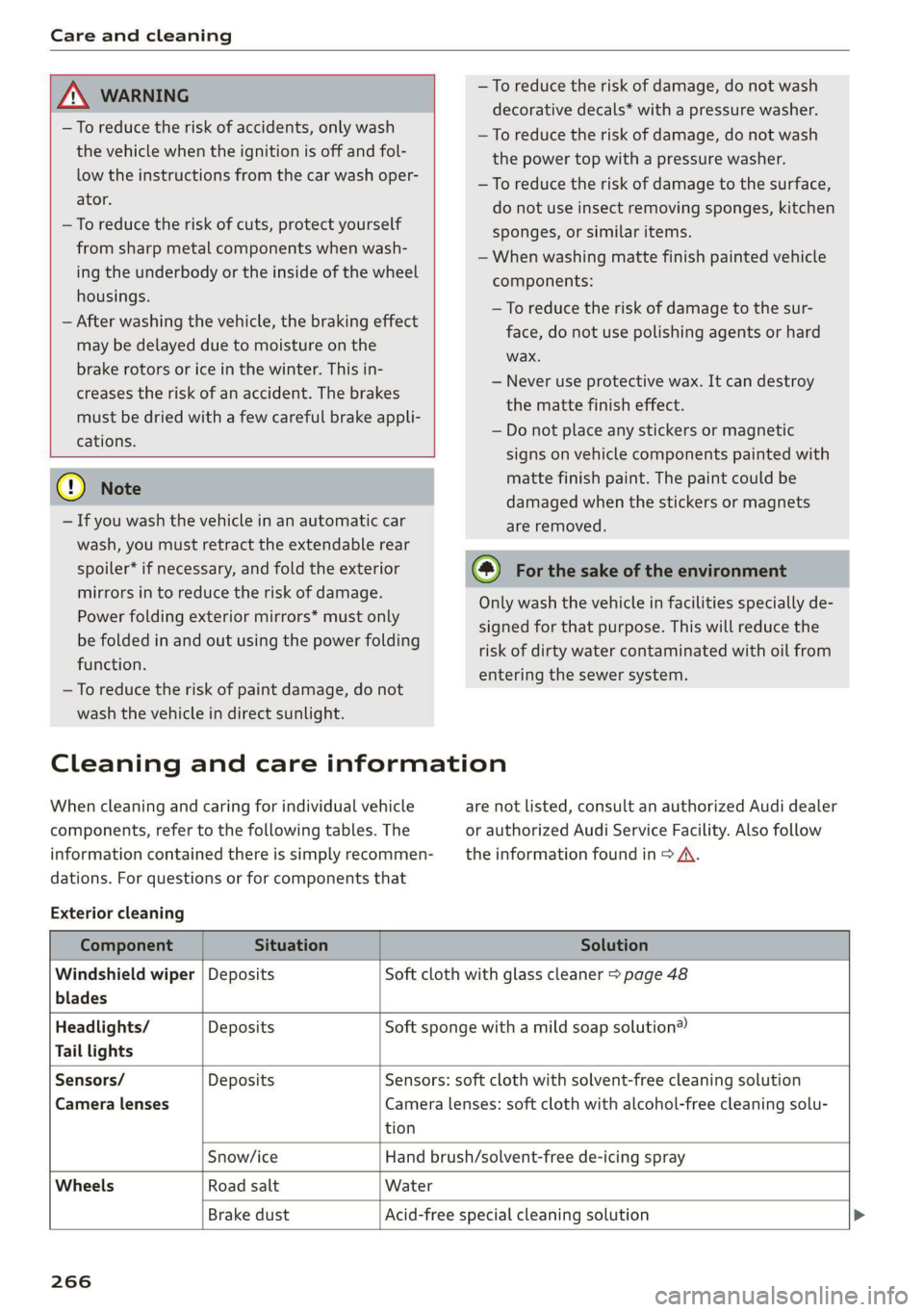
Cleaning and care information
When cleaning and caring for individual vehicle
components, refer to the following tables. The
information contained there is simply recommen-
dations. For questions or for components that
Exterior cleaning
are not listed, consult an authorized Audi dealer
or authorized Audi Service Facility. Also follow
the information found in > A.
Component Situation Solution
Windshield wiper | Deposits Soft cloth with glass cleaner > page 48
blades
Headlights/ Deposits Soft sponge with a mild soap solution®
Tail lights
Sensors/ Deposits Sensors: soft cloth with solvent-free cleaning solution
Camera lenses Camera lenses: soft cloth with alcohol-free cleaning solu-
tion
Snow/ice Hand brush/solvent-free de-icing spray
Wheels Road salt Water
Brake dust Acid-free special cleaning solution >
266
Page 269 of 308
4S1012721BA
Care and cleaning
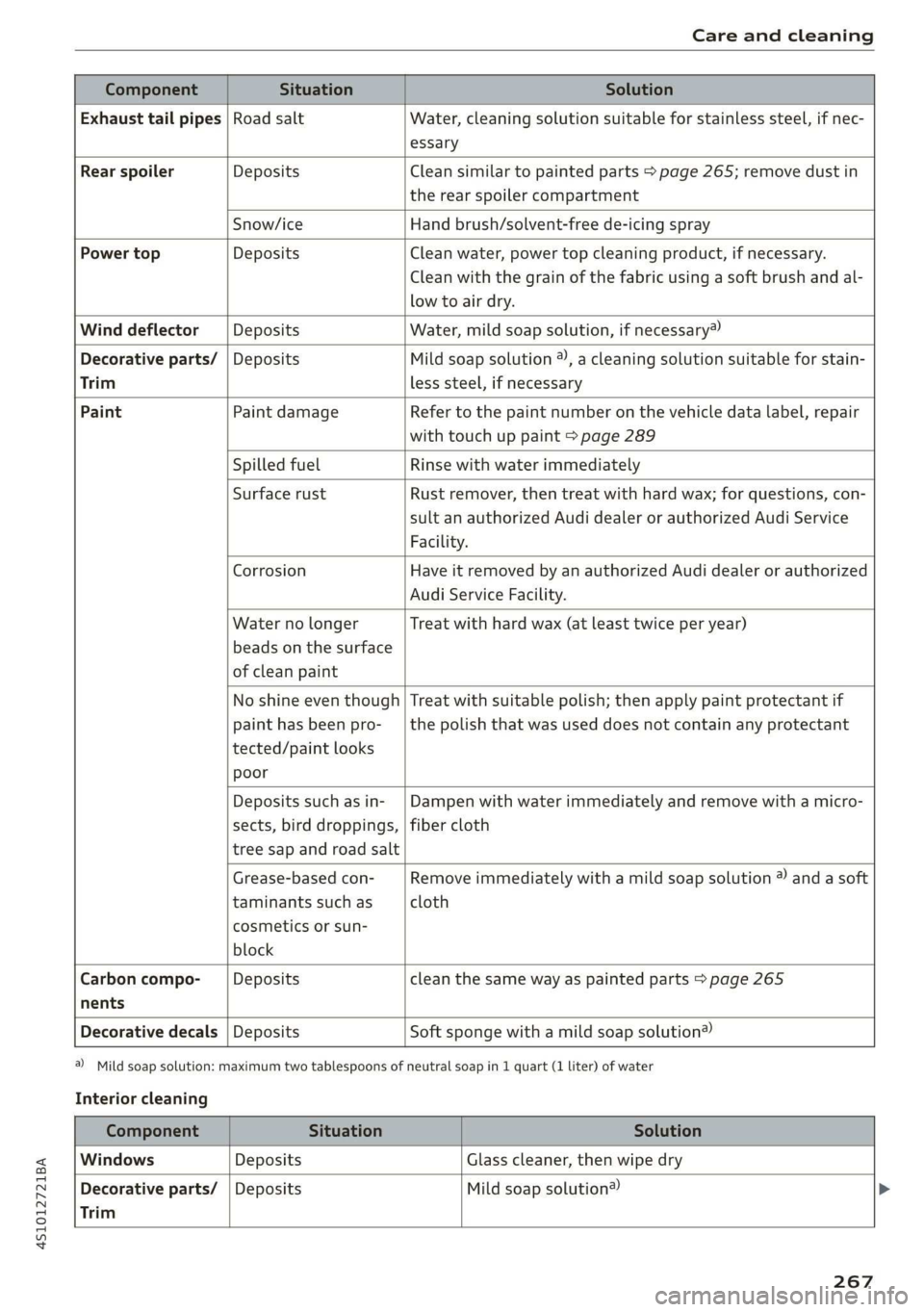
Component Situation Solution
Exhaust tail pipes | Road salt Water, cleaning solution suitable for stainless steel, if nec-
essary
Rear spoiler Deposits Clean similar to painted parts > page 265; remove dust in
the rear spoiler compartment
Snow/ice Hand brush/solvent-free de-icing spray
Power top Deposits Clean water, power top cleaning product, if necessary.
Clean with the grain of the fabric using a soft brush and al-
low to air dry.
Wind deflector Deposits Water, mild soap solution, if necessary”)
Decorative parts/ | Deposits Mild soap solution ®), a cleaning solution suitable for stain-
Trim less steel, if necessary
Paint Paint damage Refer to the paint number on the vehicle data label, repair
with touch up paint > page 289
Spilled fuel Rinse with water immediately
Surface rust Rust remover, then treat with hard wax; for questions, con-
sult an authorized Audi dealer or authorized Audi Service
Facility.
Corrosion Have it removed by an authorized Audi dealer or authorized
Audi Service Facility.
Water no longer
beads on the surface
of clean paint
Treat with hard wax (at least twice per year)
No shine even though
paint has been pro-
tected/paint looks
poor
Treat with suitable polish; then apply paint protectant if
the polish that was used does not contain any protectant
Deposits such as in-
sects, bird droppings,
tree sap and road salt
Dampen with water immediately and remove with a micro-
fiber cloth
Grease-based con-
taminants such as
cosmetics or sun-
block
Remove immediately with a mild soap solution ® and a soft
cloth
Carbon compo- Deposits clean the same way as painted parts > page 265
nents
Decorative decals | Deposits Soft sponge with a mild soap solution®
a) Mild soap solution: maximum two tablespoons of neutral soap in 1 quart (1 liter) of water
Interior cleaning
Component Situation Solution
Windows Deposits Glass cleaner, then wipe dry
Decorative parts/ | Deposits Mild soap solution®
Trim
267
Page 270 of 308
Care and cleaning
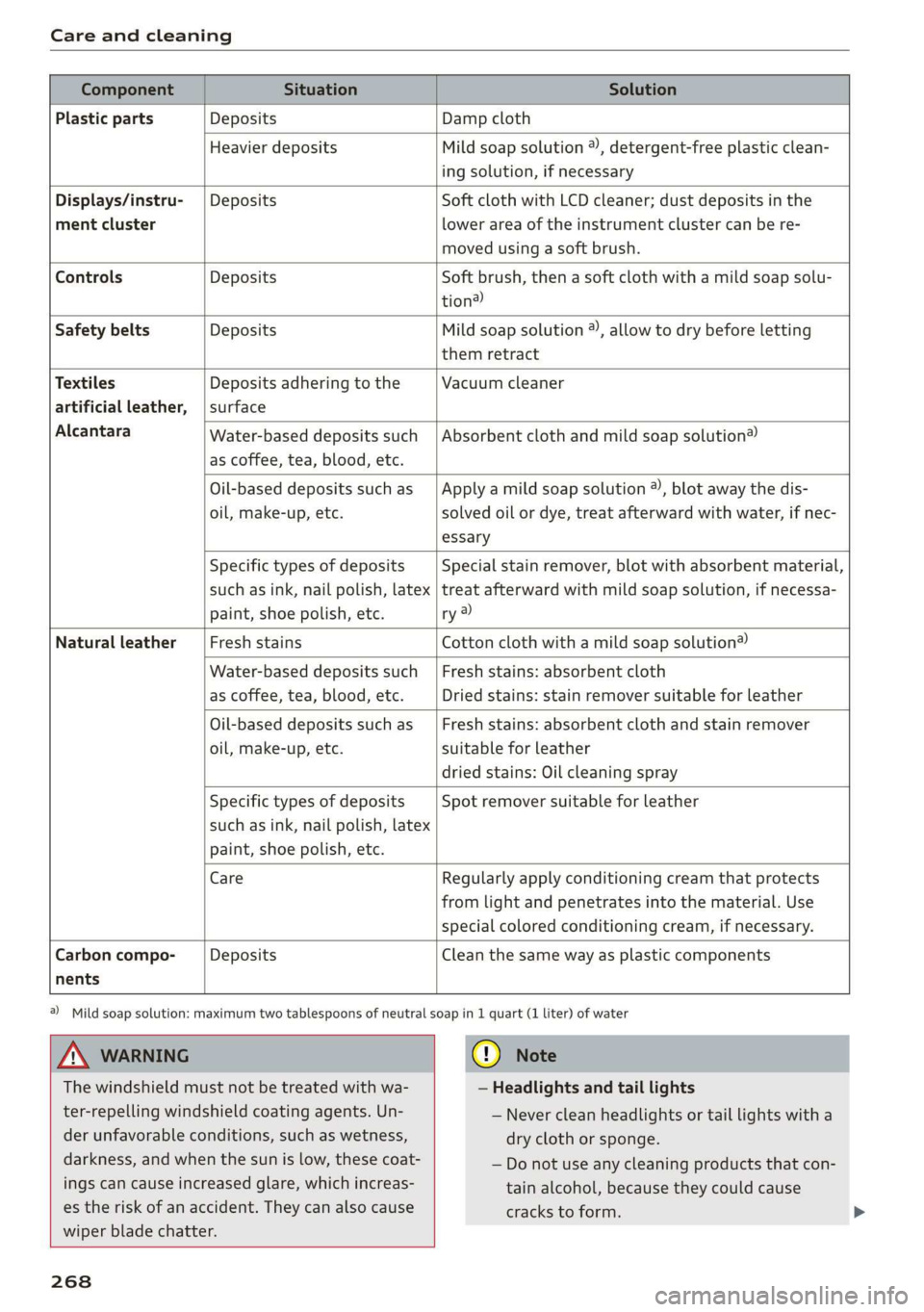
Component Situation Solution
Plastic parts Deposits Damp cloth
Heavier deposits Mild soap solution ®, detergent-free plastic clean-
ing solution, if necessary
Water-based deposits such
as coffee, tea, blood, etc.
Displays/instru- | Deposits Soft cloth with LCD cleaner; dust deposits in the
ment cluster lower area of the instrument cluster can be re-
moved using a soft brush.
Controls Deposits Soft brush, then a soft cloth with a mild soap solu-
tion?)
Safety belts Deposits Mild soap solution ®, allow to dry before letting
them retract
Textiles Deposits adhering to the Vacuum cleaner
artificial leather, | surface
Alcantara Absorbent cloth and mild soap solution®
Oil-based deposits such as
oil, make-up, etc.
Apply a mild soap solution ®), blot away the dis-
solved oil or dye, treat afterward with water, if nec-
essary
Specific types of deposits
such as ink, nail polish, latex
paint, shoe polish, etc.
Special stain remover, blot with absorbent material,
treat afterward with mild soap solution, if necessa-
ry a)
Natural leather Fresh stains Cotton cloth with a mild soap solution®
Water-based deposits such
as coffee, tea, blood, etc.
Fresh stains: absorbent cloth
Dried stains: stain remover suitable for leather
Oil-based deposits such as
oil, make-up, etc.
Fresh stains: absorbent cloth and stain remover
suitable for leather
dried stains: Oil cleaning spray
Specific types of deposits
such as ink, nail polish, latex
paint, shoe polish, etc.
Spot remover suitable for leather
nents
Care Regularly apply conditioning cream that protects
from light and penetrates into the material. Use
special
colored conditioning cream, if necessary.
Carbon compo- Deposits Clean the same way as plastic components
A WARNING
The windshield must not be treated with wa-
ter-repelling windshield coating agents. Un-
der
unfavorable conditions, such as wetness,
darkness, and when the sun is low, these coat-
ings can cause increased glare, which increas-
es the risk of an accident. They can also cause
wiper blade chatter.
268
@) Mild soap solution: maximum two tablespoons of neutral soap in 1 quart (1 liter) of water
@) Note
— Headlights and tail lights
— Never clean headlights or tail lights with a
dry cloth or sponge.
— Do not use any cleaning products that con-
tain alcohol, because they could cause
cracks to form.
Page 296 of 308

Index
D
Data Privacy..................0.00000. 130
Data recorder............ 0. eee eee eee ee 91
DAES snes = wasn = 9 sme © camen & « areKeee w 6 ose 167
Date display’ « sciscce os somes =o ansuene 2 a annua 0 « 167
Daytime running lights...............0-. 40
Declaration of compliance............... 287
Defrosting (windows) .................045 58
DEF (instrument cluster)................- 10
Deluxe automatic climate control
refer to Climate control system (automatic) . 57
Determining correct load limit........... 258
Digital COMPASS seies sc oes ce eee a ee eG ee 49
Digital Rights Management.............. 150
Dimensions. ............ 0.0 c ee eee eae 289
Dimming the rearview mirror............. 46
Directory
refer to ContactS............ eee eee ee 120
Disposal. ... 2.0.00... cee cece eee eee 284
Distance driven.......... 0.0.00 c eee eee 14
Doors
Mechanically unlocking and locking....... 26
Driver information system..............4. 12
On-board computer..............2.-00. 14
SWITCHING VIEWS « scsi a & onesies oo semen & eure 13
Driver information systems
EMOrGyZCONSUIMENS orcs. 1 & coswsee 6 5 coerce» > omnes LS
Drives
refer to Media...............0.0- 150, 157
Drive select. ........ 00... cece eee eee eee 78
Driving safely........... 0... eee eee eee 173
Driving through water................0-- 59
Driving times: 5 «esas so case s warn 6 ceacew vse 14
Driving tips
Efficient driving...............00000005 59
Driving track cvsiess x x scones x a cneniens a ¥ exevane ©» anew 67
Dust filter
refer to Pollutant filter..............0.. 56
DVD drive (media drives)................ 151
Dynamicisteering « wasn «x mens ¢ waneasne © meres a 89
Dynamic volume
refer to System volume............0005 171
294
E-mail..................00000000 0 eee 118
Economical route.................00005 138
EDL
refer to Electronic Differential Lock....... 86
Electrical system... .. cee eee eee eee 240
Electromechanical parking brake.......... 65
Electronic Differential Lock............... 86
Electronic immobilizer .............00204. 22
Electronic stabilization control (ESC) ....... 86
Sport mode... .... eee eee eee 87
Electronic Stabilization Control (ESC)
Indicator light.............. eee eee ee
Emergency assistance
Emergency braking function.............. 65
Ermergency faster « coins a « xen a « wmunn x x 44
Emergency operation
DOOrs 0. cee eee eee 26
Engine compartment lid............... 231
Luggage compartment lid............... 28
Power top...........0 0. eee ee eee eee 35
Emissions control system..............- 228
EMErgy CONSUMERS ir. & wicesoves & esau as sess oo Ls
Energy Managements «sce ccc as ene as 91
Engine
Breakingin.......... 0... cee eee eee eee 59
Coolant... 6. cee cece eee 236
JUMPp'’Starting « 2 sew, = + sees + e eee 9 caw 277
Start/StopisyStemn s. scsoxse » @ saace a o oseuns w o oe 62
Starting. .............. 00... eee 60, 61
Starting and stopping..............000. 61
Engine compartment
Lid emergency release .............005- 231
Opening and closing the engine compart-
MENCUG s ewe x 2 sees 2 5 eee ¢ 9 eR Fs ee 231
OVERVIEW’: seems. « a cowses wo roeuos oo mea + 0 oe 232
Safety precautions..............000005 229
Engine compartment lights............... 45
Engine control (indicator light)............ 19
Engine data
refer to Sport displays.................. 1S
Engine oil
Adding ........ 0... c cece eee eee eee 233
CHANGING: s = wevem & ous a e neuee & ee 235
Checking oil level..........-...-. 233, 234
Consumption...........02-00 eee 233, 234
Page 297 of 308
4S1012721BA
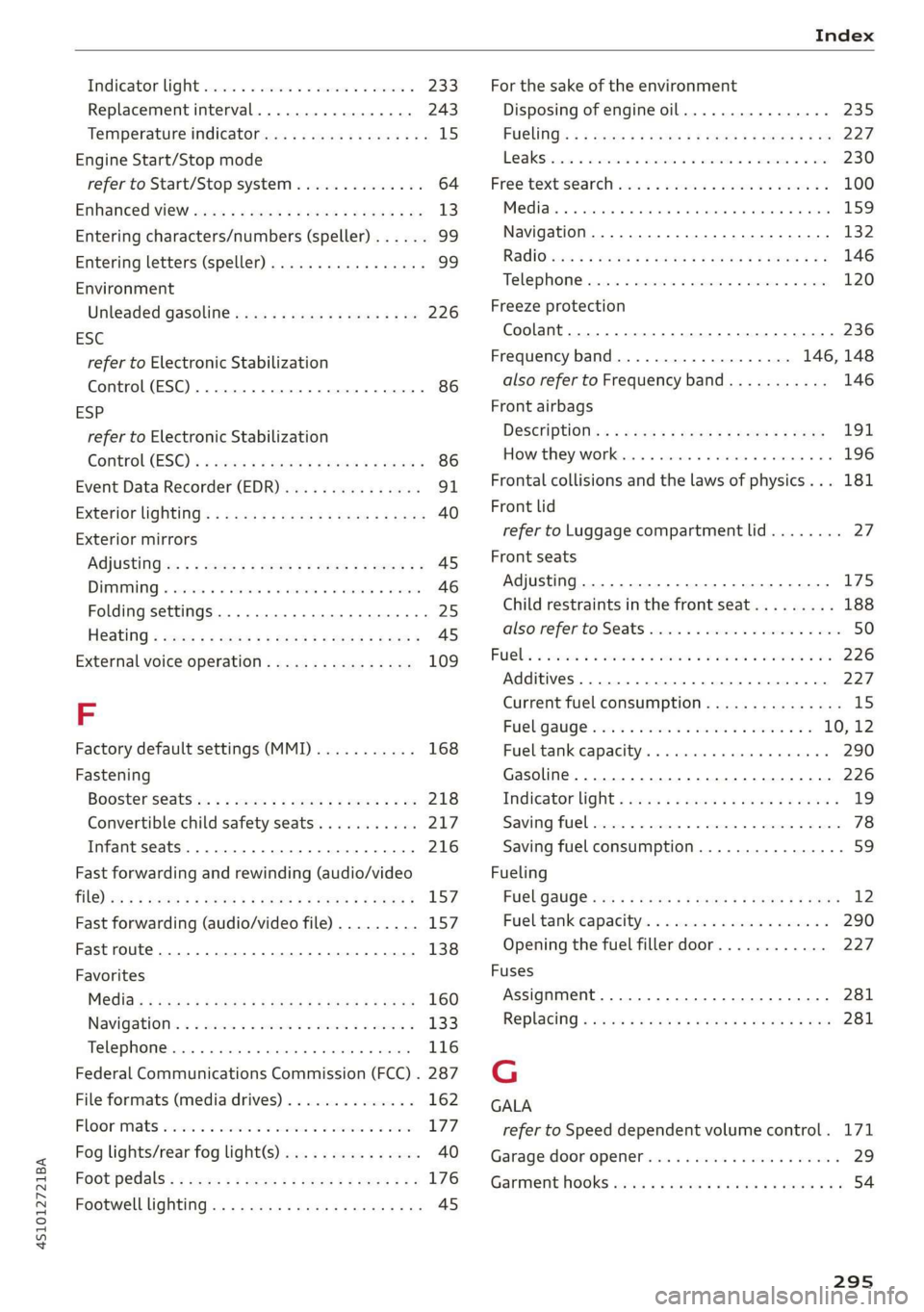
Index
Indicator light cscs x = somens + a meee «2 meee < 233
Replacement interval..............00. 243
Temperature indicator...............005 15
Engine Start/Stop mode
refer to Start/Stop system.............. 64
Enhanced View save 2s cence 2s qeew s sees ¢ oe 13
Entering characters/numbers (speller) ...... 99
Entering letters (speller)...............05 99
Environment
Unleaded gasoline................205. 226
ESC
refer to Electronic Stabilization
Control (ESC)...............0..0 0c eee 86
ESP
refer to Electronic Stabilization
Control.(ES€).« » swam «2 saws 4 2 moe xo eet 86
Event Data Recorder (EDR) wv... eeu. ss eves 31
EXterior liQhting’s s sass ¢ 2 sues § ¢ wane 3 2 cae 40
Exterior mirrors
AGjUStING ws = ¢ sons 2 = news 2 o paws Fe eee ee 45
DIMMING « ccseess «0 ssenams x oi cements + enetome © season 46
Folding settings.................00 eee 25
Heating « sews « = ees x eg eo eee gs eee AS
External voice operation................ 109
FE
Factory default settings (MMI)........... 168
Fastening
Booster seats. « «ssc ss news 4 o ere x oe 218
Convertible child safety seats........... 217
Infant seats
Fast forwarding and rewinding (audio/video
FIG) cw & = wees y e ewes 2 e eee Fy ees oe eS 157
Fast forwarding (audio/video file)......... 157
Fastroute............... 0.00.0 e eee 138
Favorites
MO@did:: : seems ¢ 3 aazns x 5 BaeeS 4 E RES En ew 160
Navigation © ssa « 2 snes 3 0 ous © a sees 3 133
Telephone ........ 0.0... cece eee eee 116
Federal Communications Commission (FCC) . 287
File formats (media drives) .............. 162
Floor mats s:ccss sx cts a pecs @ 2 cae eo eres 177
Fog lights/rear fog light(s)............... 40
Foot pedals: ¢ 2e0: se sews se sees so eee eee 176
Footwell lighting...............0..- eee 45
For the sake of the environment
Disposing of engine oil................ 235
FUGLING: < = sews 2 2 wows ¢ 8 eee go eee Fe 227
LO AKS hose 2 wecsanisos & ayewees zw wane wx ewer Se ome 230
Free:textiseareh svcsiue o svscime v sawn 2 2 omen a 100
Mei ai. «5 cesses oo: enesone 0 sccenm «mvs 9 6 sexe 159
Navigation.................0..00000- 132
ReGiO yay x» wise 5 x amuse 4 2 seven & e eeu 6 146
Telephone......... 0.0... c eee eee eee 120
Freeze protection
Coolant...... 2... ee eee eee eee 236
Frequency band................... 146, 148
also refer to Frequency band........... 146
Front airbags
DeSCriptiOnis: : sac ss eee « x eee sp eee 191
How they works «esos 6 o suse « 0 saesns © 0 0 196
Frontal collisions and the laws of physics... 181
Front lid
refer to Luggage compartment lid........ 27
Front seats
Adjusting... 0.0... 0.0 e eee eee eee eee 175
Child restraints in the front seat......... 188
alsovreferto Seats esses ss emer vs enone ve ewe 50
RUC his & souroes
Additives. ............ 000. e eee eee eee 227
Current fuel consumption............... 15
FUCUQaUGC esr: ce omen x eee ea eres ve 10, 12
Fuel tank capacity. ........ cee eee 290
Gasoline... 0... eee eee eee 226
InGicator light » saw ¢ « weww 2» mows sa mewn & 19
Saving fuel...... 2.0... eee eee eee ee 78
Saving fuel consumption................ 59
Fueling
FUCL GAUGE is 3 s woes s & wees «2 oe se eee 12
Fueltankeapacity's « 5 soc es eeu e wane ae 290
Opening the fuel filler door............ 227
Fuses
Assignment...........-.0-.0-00- eee 281
Replacing « mswe ¢ x wows = anew 9 ¢ wea 8 e we 281
G
GALA
refer to Speed dependent volume control. 171
Garage:door opener cies ss wae o win so ween o 29
GarmenthOoks secs s occ & o ewes ¢ e ewes eae 54
295